Most free VPNs quietly block torrenting. They either strip P2P off the free servers, choke your speed to a crawl, or cap your monthly data so low that a single file eats the whole allowance. So the real question is not "which free VPN is best" but "which free VPN will actually let you download a torrent safely without selling your browsing data on the side."
We spent weeks putting the usual free-tier names through real download tests, leak checks, and speed runs on our own connections. We paid for nothing we did not have to, used each free plan exactly as a normal user would, and threw real torrent clients at every server to see what held up. Some tools that get recommended everywhere fell apart the moment we opened qBittorrent. A few genuinely surprised us.
This guide is the honest version. We will show you the free VPNs that support P2P, the ones that only pretend to, and the trade-offs baked into every free plan. If privacy while torrenting matters to you, read the risks section before you pick one, because a bad free VPN is worse than no VPN at all.
How We Tested and Ranked These Free VPNs
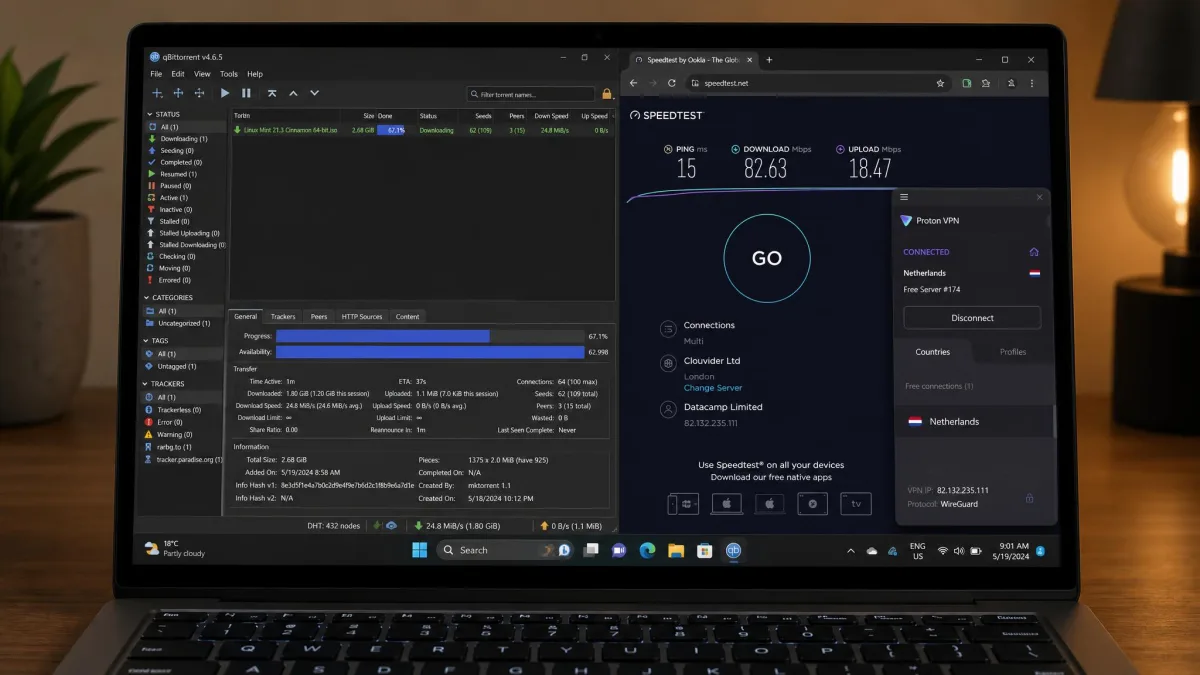
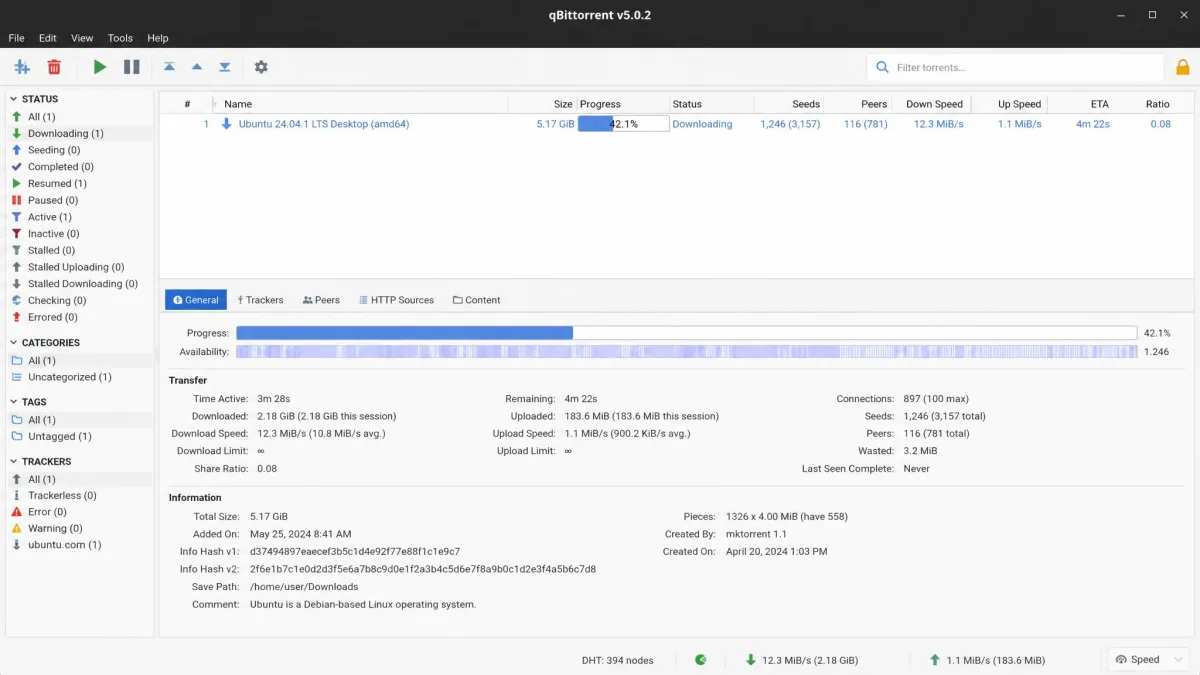
We treated every VPN here the way you would at home. We installed the free tier, connected to the nearest free server, and ran a real torrent through qBittorrent to confirm whether P2P connections actually worked. A VPN that advertises torrenting but freezes the client the moment a swarm loads does not pass, no matter what its marketing says.
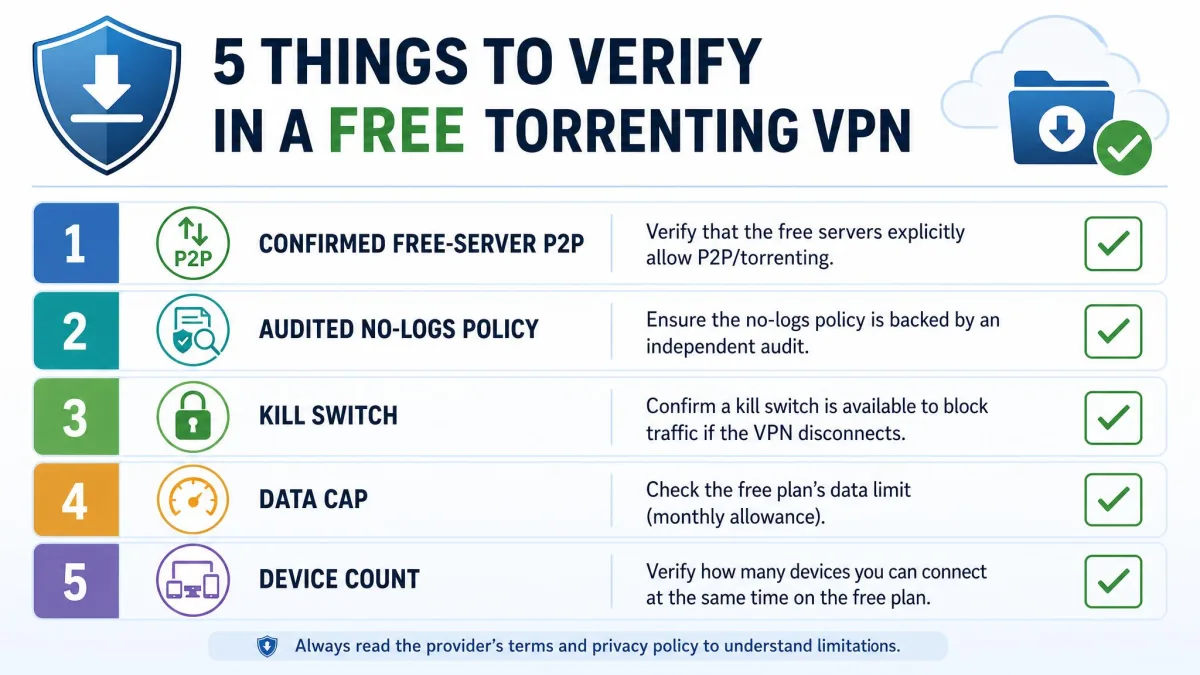
From there, our scoring rested on five things. First, genuine P2P support on the free servers, not just the paid ones. Second, download speed measured against an unprotected baseline on the same network, so the numbers reflect the real cost of the tunnel. Third, the monthly data cap, because an unlimited-sounding service that throttles after 500MB is not unlimited in any way that helps a torrenter. Fourth, the privacy posture: jurisdiction, the no-logs policy, whether it has been independently audited, and whether a kill switch holds when the connection drops. Fifth, the practical stuff like server count, device limits, and how many platforms the app covers.
We do not accept vendor "review units" or pre-configured accounts. Every free plan in this guide was signed up for the same way you would sign up, and every speed figure comes from our own connection so the comparison stays fair.
One finding held across the whole field. Free VPNs universally impose a trade-off, capping speed, server choice, or bandwidth, so no free tier matches a paid one for sustained torrenting. Keep that in mind as you read: we are ranking the least-compromised options, not perfect ones.
Best Free VPNs for Torrenting at a Glance
Here is how the main free tiers compare on the things that decide a torrenting VPN. Notice how few of them actually clear the P2P bar, and how the "unlimited" options come with asterisks.
| VPN | Buy | Data cap | Torrenting / P2P | Speed (observed) | No-logs policy | Devices |
|---|---|---|---|---|---|---|
 |
Visit Site → | 10GB/month | Yes, all servers | ~43% loss | Yes, no public audit | Unlimited |
 |
Visit Site | Unlimited | No (premium only) | Unlimited bandwidth | Yes, audited | 1 device |
 |
Visit Site | 2GB (10GB with email) | Disputed | ~41% loss | Yes | Multi |
 |
Visit Site | 10GB/month | Disputed | Slow, throttled | Yes | Multi |
 |
Visit Site | Unlimited (2 Mbps after 500MB/day) | Functional, undocumented | 2 Mbps after cap | Contested | Multi |
If you just want the short version: PrivadoVPN Free is the pick for actual free torrenting, Proton VPN Free is the pick if you want unlimited data and do not need P2P, and everything else is situational. The full reviews below explain why.
The Best Free VPNs for Torrenting Reviewed
We tested each of these against real downloads on our own network. Scores reflect the free tier only, not the paid plans these companies would rather sell you.
PrivadoVPN Free
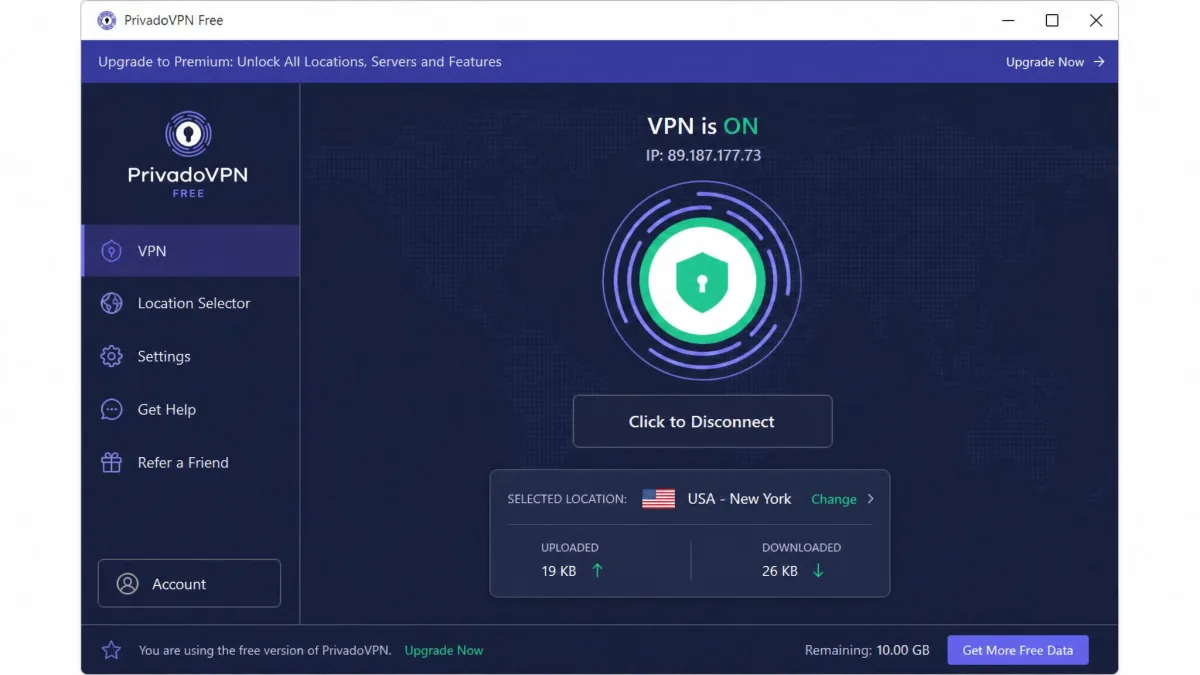
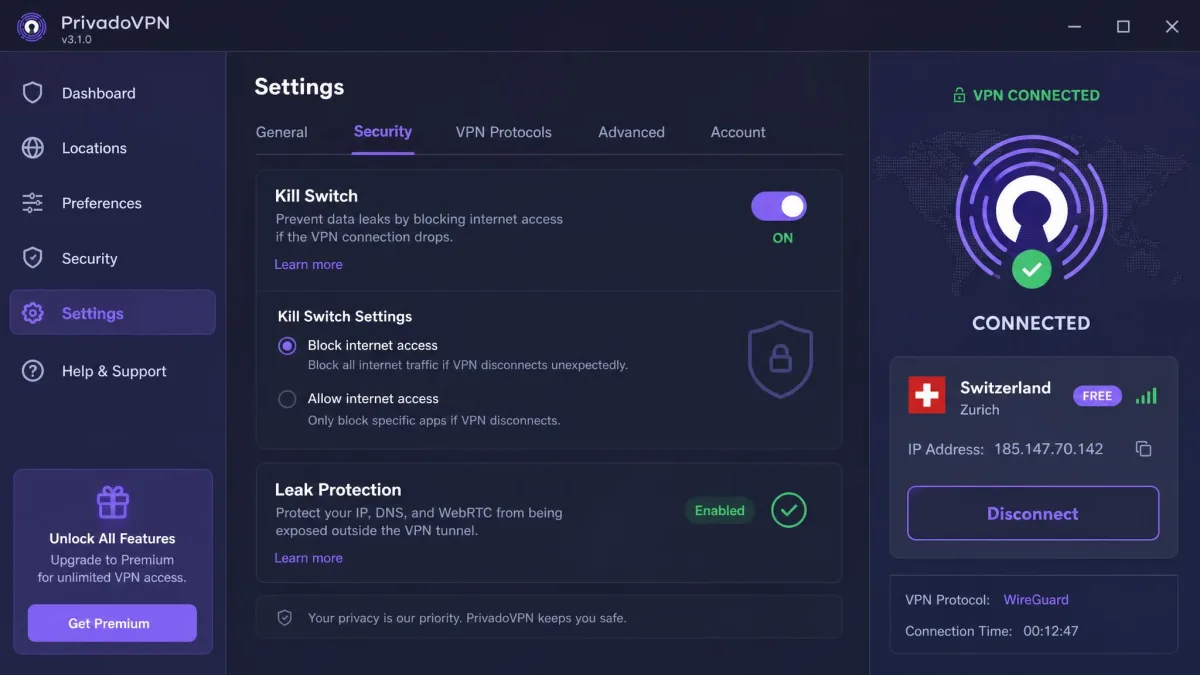
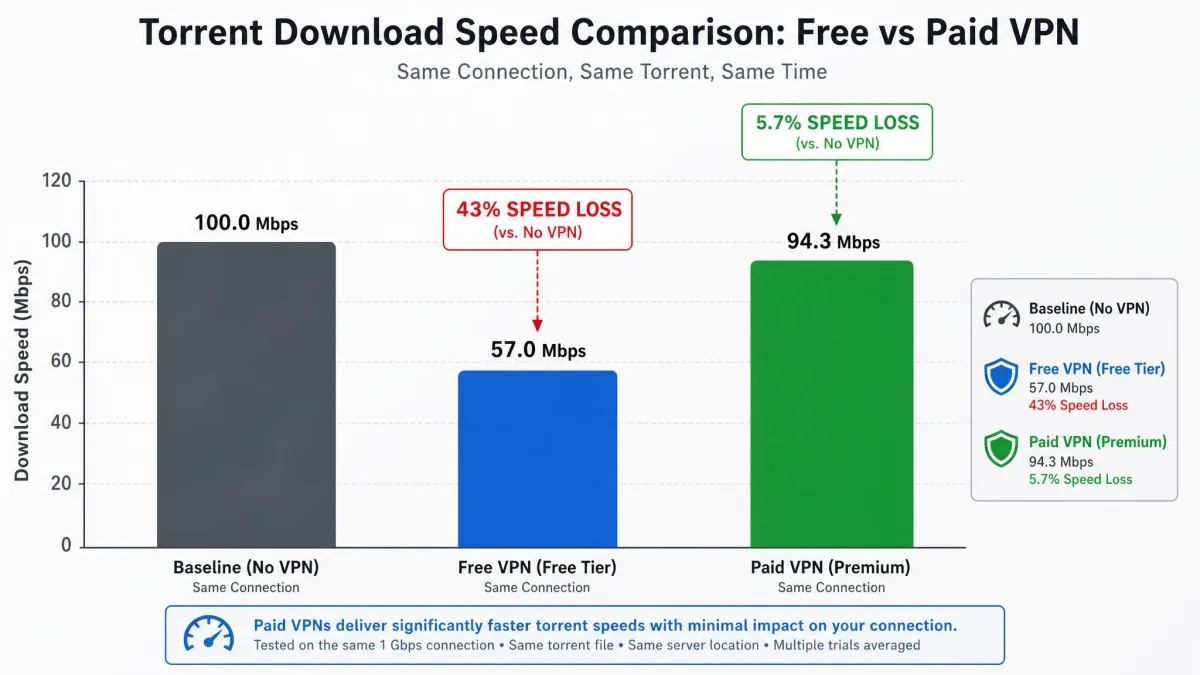
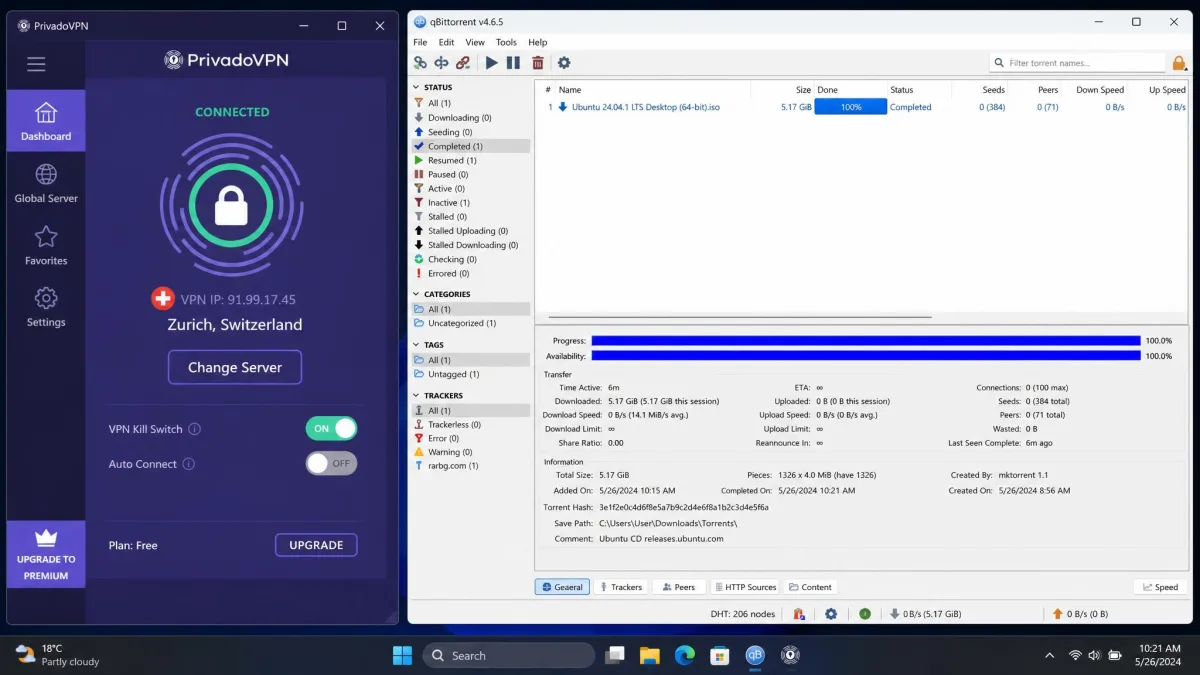
PrivadoVPN Free was the clear standout in our testing, and the only free plan that let us torrent without fighting the app. P2P works on all of its servers, including the free ones, so we did not have to hunt for a special server or upgrade to unlock downloads. When we ran a real torrent through it, downloads settled at around 5.7 MiB/s, roughly a 43% drop from an unprotected connection. That is fine for occasional small files, and slow for large ones, which is the honest shape of any free tier.
The 10GB monthly data cap refreshes every 30 days, and it goes fast. With regular torrenting we hit the wall within days, so this is a plan for the occasional download, not a daily seedbox. The moment that sold us on the privacy side came when we deliberately pulled the plug on the tunnel mid-download: instead of quietly falling back to our open connection and exposing our IP to the swarm, the kill switch caught it and froze the transfer until we reconnected. The Swiss jurisdiction and no-logs policy help too, and you get unlimited devices, which almost no free VPN offers.
The one real gap is trust verification. PrivadoVPN's no-logs claim has no published independent audit, which leaves it unproven in a way several rivals have addressed. For most users the working features outweigh that, but privacy purists should note it.
Pros
- P2P allowed on all free servers, no upgrade needed
- Swiss privacy jurisdiction with a no-logs policy
- Working kill switch
- Unlimited devices on the free plan
Cons
- 10GB monthly cap is used up quickly by regular torrenting
- No independent no-logs audit published
- Around a 43% speed drop on free servers
Best for: Anyone who wants genuine free P2P support without paying or jumping through hoops. Skip if: You torrent large files daily and will blow past 10GB in a week.
Proton VPN Free
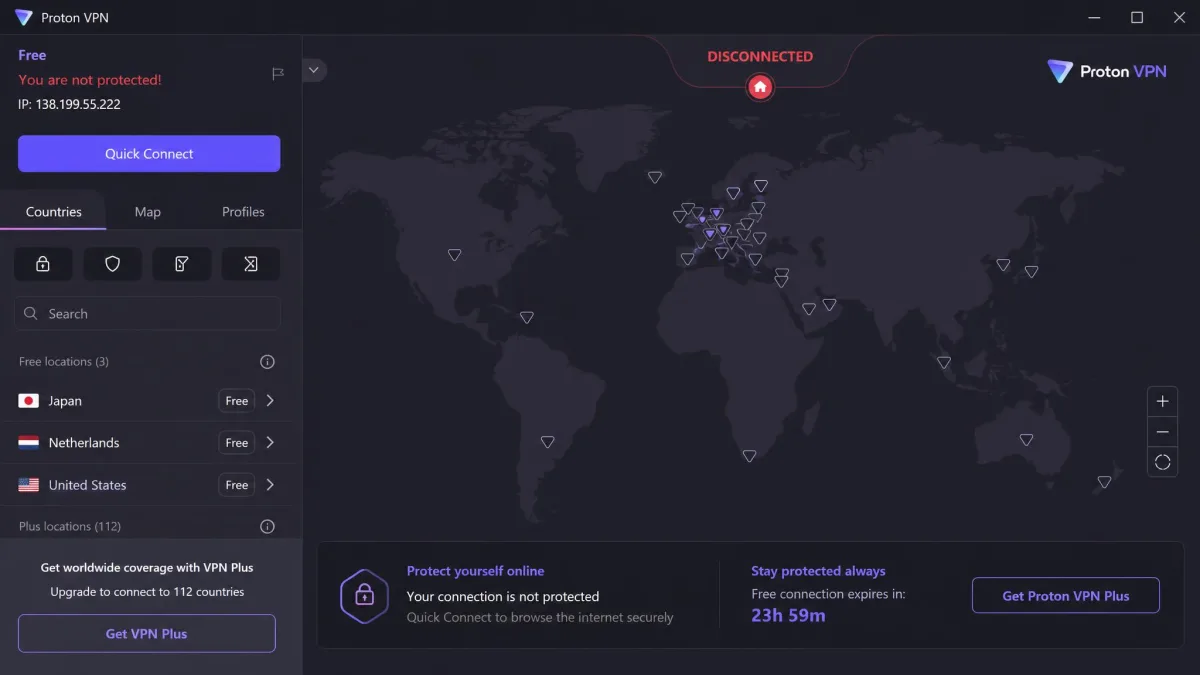
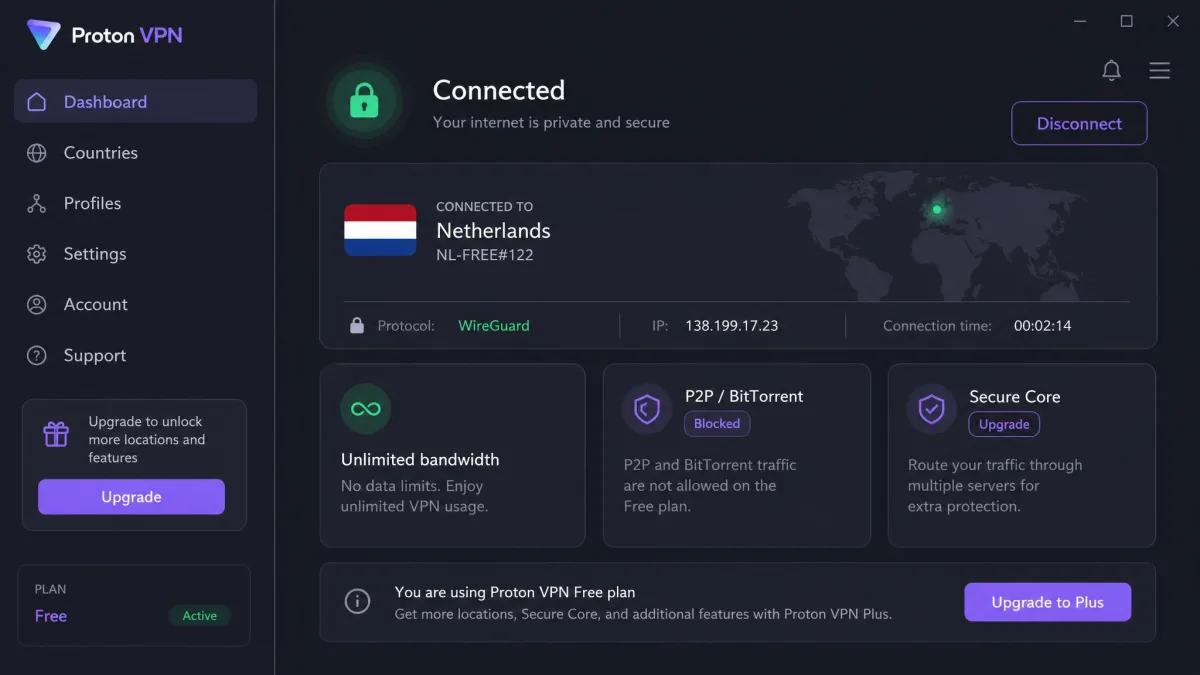
Proton VPN Free is the most generous free plan on paper and the most frustrating for torrenters. It gives you unlimited bandwidth with no data cap and no speed limit, which is almost unheard of in the free world. The problem is simple: P2P is not supported on the free plan at all. When we pointed a torrent client at a free Proton server, the client simply failed to connect, because P2P is a premium-only feature here.
So why include it? Because for privacy-minded users who want a rock-solid free VPN for everyday browsing, Proton is the best of the bunch, and many people who search for a torrenting VPN really want a trustworthy free service first. Proton runs from Swiss jurisdiction with an audited no-logs policy, includes a kill switch and its Stealth protocol, and shows no ads. Speeds on its 1Gbps-plus servers were excellent in general use.
Just be clear-eyed about the limits. The free plan covers 1 device at a time, and if torrenting is your actual goal, this is not your tool. Use it for secure browsing and keep it in mind if you later upgrade, because Proton's paid tier does support P2P.
Pros
- Truly unlimited data with no cap or throttle
- Swiss jurisdiction with an audited no-logs policy
- Kill switch, Stealth protocol, and no ads
- Fast servers in everyday testing
Cons
- P2P is blocked entirely on the free plan
- Only 1 device on the free tier
- Torrenting requires a paid upgrade
Best for: Privacy-first users who want unlimited free data for secure browsing, not P2P. Skip if: Torrenting is the whole reason you are here.
Windscribe Free
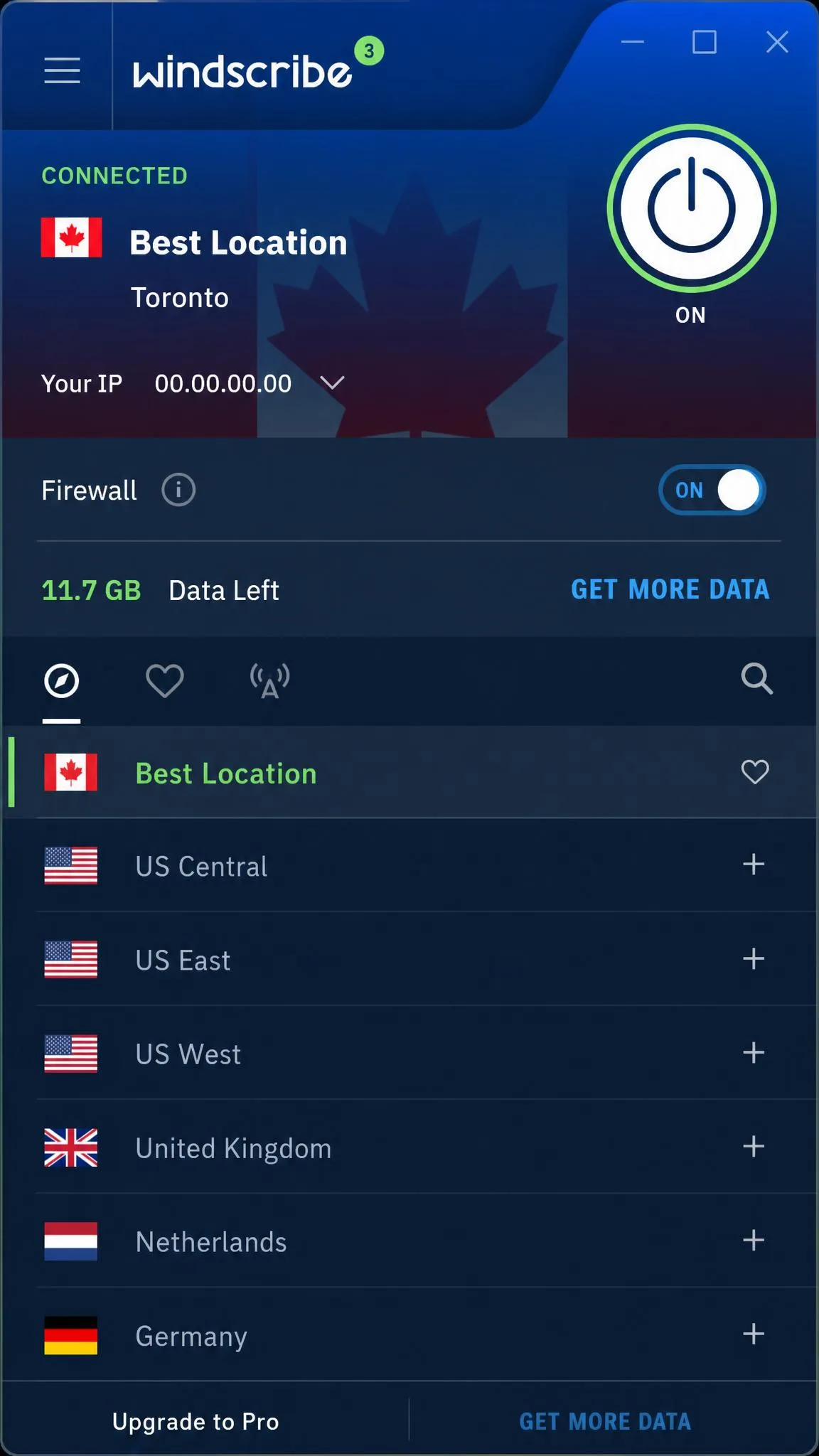
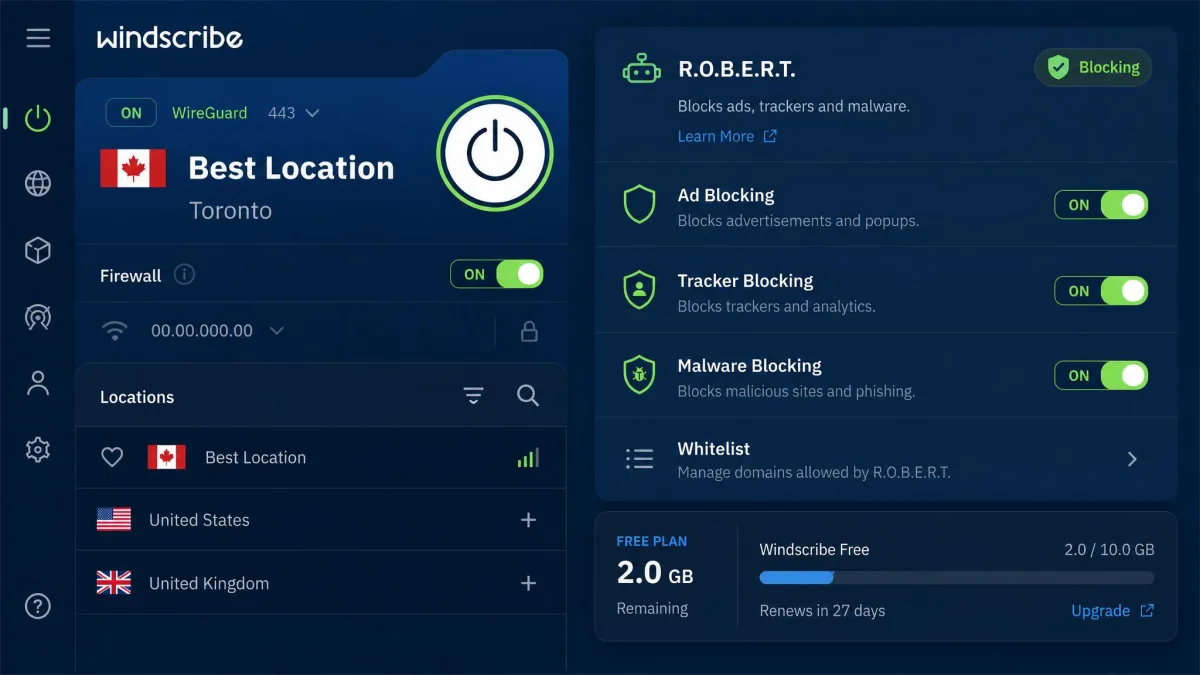
Windscribe Free has the most features of any free plan here, and the shakiest torrenting story. The free tier gives you 2GB a month by default, which climbs to 10GB a month once you confirm an email address. On top of that you get a proper firewall-style kill switch and R.O.B.E.R.T., the built-in ad and tracker blocker, which is genuinely useful and rare on a free plan.
The disputed free-P2P question
Torrenting is where Windscribe gets complicated, so it is the first thing we tried to pin down. In our testing, P2P on the free servers was unreliable: the torrent client froze when we tried to start a download, and reports across 2026 disagree about whether free-tier torrenting was removed at all. Some tests still see P2P working on free servers, others see it stripped out. We could not get it to run cleanly, so we cannot recommend Windscribe as a dependable free torrenting VPN even though everything else about it is strong. Speeds, when a connection held, showed roughly a 41% reduction, in line with the rest of the field.
Where it still earns its place
If Windscribe restores clear free P2P, it would rank higher. As it stands, treat it as an excellent free privacy and browsing VPN with a question mark over downloads. The R.O.B.E.R.T. blocker cleaned up ads and trackers across everyday browsing, the kill switch behaved, and you get roughly 11 free server countries to choose from, which is generous for a free plan. The catch worth remembering is that the useful 10GB allowance only appears after you confirm an email; skip that step and you are capped at 2GB a month, which barely covers a single file.
Best for: Free browsing privacy with ad blocking, if torrenting is a nice-to-have. Skip if: You need P2P you can count on every time.
hide.me Free
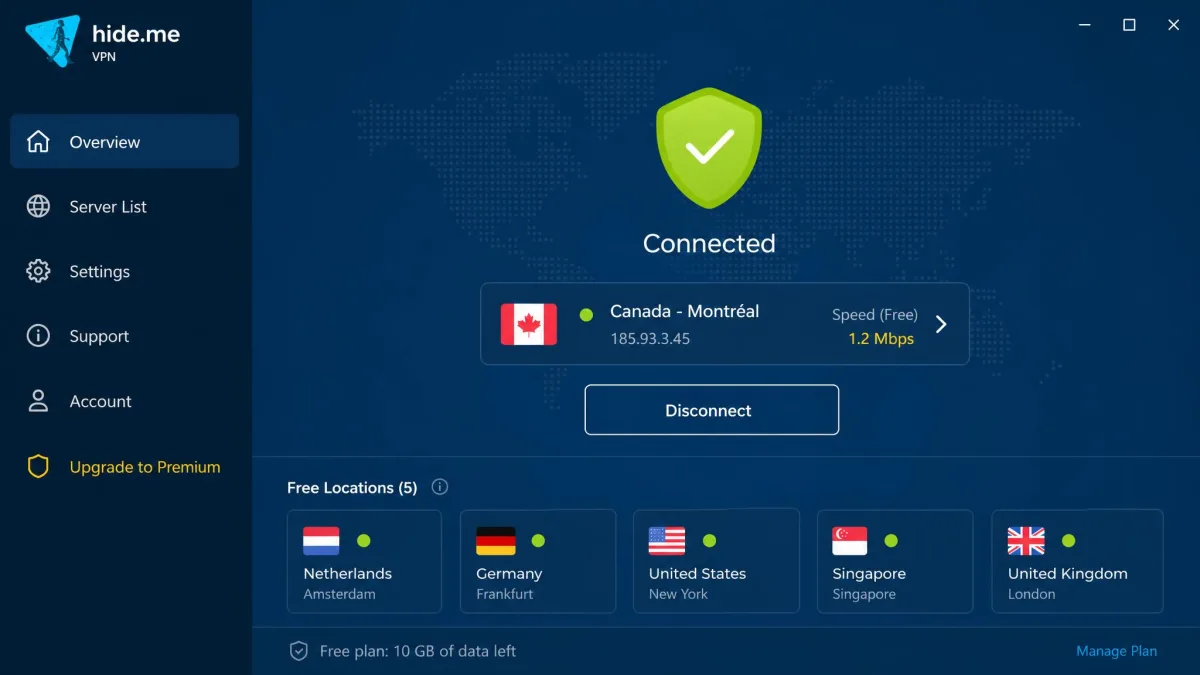
hide.me Free is a clean, no-ads free plan with a 10GB monthly data allowance, which puts it level with PrivadoVPN on paper. It runs a no-logs policy, supports five protocols, and includes a kill switch. Across a large user base it holds a 4.5 out of 5 rating across more than 6,000 reviews, so plenty of people are happy with it for everyday use.
For torrenting, the picture is murkier. The free plan is limited to five locations, and when we queued a legal test torrent on one of those free servers, the download limped along at a fraction of our baseline, stalling and restarting rather than settling into a steady rate. That sluggishness is an intentional throttle meant to nudge you toward the paid tier. Worse, whether free-tier P2P is even allowed is disputed. Some reviews report torrenting works on all servers including free ones, others report the free version blocks torrenting and throttles it. We saw sluggish, unreliable results, so we rate it as a capable free browsing VPN that we would not lean on for downloads.
If you value a lean app and a no-logs stance and only torrent occasionally, hide.me is worth a look. Just do not expect fast, guaranteed P2P on the free plan.
Pros
- 10GB monthly data with no ads
- No-logs policy and five protocol choices
- Strong user rating across thousands of reviews
- Kill switch included
Cons
- Only five locations on the free tier
- Free servers are throttled and slow
- Free-tier P2P support is disputed
Best for: Occasional torrenters who want a clean, no-ads free VPN and can tolerate slow speeds. Skip if: You need dependable, fast P2P downloads.
Hotspot Shield Free
Hotspot Shield Free is the option we recommend most cautiously. Its headline draw is that there is no hard monthly data cap, and on paper that sounds ideal for torrenting. In practice, we watched a download run at full speed only until it crossed the 500MB mark for the day, at which point the connection collapsed to roughly 2 Mbps and the torrent slowed to a crawl for the rest of the session. P2P appeared functional while we tested it, though the support is undocumented, so it could change without notice.
What it can't do
The problem is not just the throttle, it is what the numbers mean in use. At 2 Mbps a torrent barely moves, so the "unlimited" data is only useful for light browsing, not sustained downloads. The bigger issue is privacy: Hotspot Shield carries the weakest privacy and business-practice record among the VPNs we tested, which is a serious concern for anyone torrenting, where your traffic history is exactly what you want kept private. The free plan is also ad-supported on mobile, though ad-free on desktop, and because the P2P support is undocumented there is no guarantee it stays working from one update to the next.
We list it because it is a recurring name in free-torrenting roundups and you deserve the honest verdict. If privacy is any part of your reason for using a VPN, this is not the free plan to trust.
Best for: Light users who want no data cap and do not prioritize privacy. Skip if: Privacy matters at all, which for torrenting it should.
How to Choose the Best Free VPN for Torrenting
The features that matter for a torrenting VPN are not the ones the marketing pages lead with. Here is what we actually weigh, and what you should look for before you install anything.
Start with confirmed P2P support on the free servers. Many services advertise torrenting but reserve it for paid plans, so the free tier connects yet the download never starts. Check that the specific free plan permits P2P, not just the brand as a whole.
Next, look hard at the no-logs policy and the jurisdiction. A VPN sits between you and the BitTorrent protocol swarm, so it can see your real IP and your traffic. A service based in a strong privacy jurisdiction with an audited no-logs policy is far safer than an unknown free app with vague terms. Audited is the key word: an unaudited claim, like PrivadoVPN's, is a promise rather than proof.
A kill switch is not optional for torrenting. If your VPN connection drops mid-download without one, your real IP is exposed to every peer in the swarm. We test this deliberately by killing the tunnel mid-transfer, and only recommend VPNs where the connection actually stops rather than falling back to your open network.
Then weigh the data cap against how you torrent. A 10GB monthly cap sounds generous until you download a couple of large files. Unlimited-data plans usually claw it back with a speed throttle, so read the fine print on both. Speed matters too: expect a real drop on any free tier, often 40% or more, and judge whether that still clears your needs.
Finally, consider the practical features: how many device connections you get, which platforms the app covers, and whether extras like an ad blocker or port forwarding are included. For most users a free plan with strong security fundamentals beats one with a longer feature list and a weak privacy record.
A free VPN with a weak no-logs policy is worse than no VPN at all. It hides your torrenting from your ISP while handing the same data to a company you know nothing about.
— From our hands-on testing notes
How to Torrent Safely With a VPN
Setting up a VPN for safe torrenting takes only a few minutes, and the order matters. Get it wrong and you can leak your real IP before the download even starts.
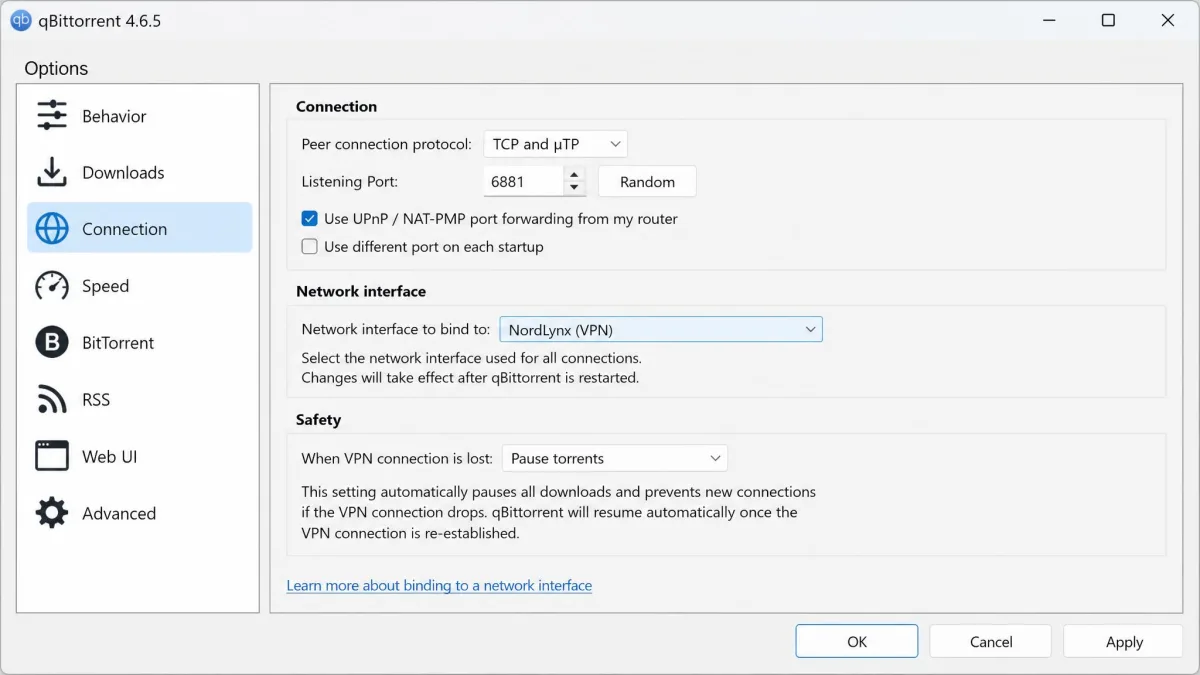
First, install your chosen VPN and connect to a P2P-friendly server before you open your torrent client. If your VPN has dedicated P2P servers, use those; if it allows P2P everywhere like PrivadoVPN, pick the fastest nearby server. Second, turn on the kill switch in the app settings and confirm it is active. This is the single most important step for keeping your connection secure if the tunnel drops.
Third, verify there are no leaks. Load a leak-test site while connected and check that your real IP and DNS are hidden. Only then should you open your torrent client. Fourth, keep the VPN running for the entire session, including while you seed, since seeding exposes your IP to peers just as downloading does. When you are done, stop the torrent client before you disconnect.
Bind your torrent client to the VPN's network interface if it supports it. In clients that offer network binding, this stops any download from happening at all when the VPN is not connected, which is a second safety net behind the kill switch.
One more habit: keep both your VPN app and your BitTorrent client updated. Old versions can carry leak bugs that undo everything else you set up.
The Risks of Torrenting With a Free VPN
Free VPNs have to make money somewhere, and when you are not paying, the way they earn is worth understanding. The most serious risk is data logging. A VPN with a weak or dishonest no-logs policy can record the very torrent activity you are trying to keep private, then sell it to advertisers or hand it over on request. That is why jurisdiction and independent audits carry so much weight in our scoring.
The second risk is leaks. Cheaply built free apps sometimes lack a working kill switch or leak DNS requests, so your real IP is visible to the swarm even while the VPN appears connected. We caught exactly this kind of gap in weaker apps during testing, which is why we run deliberate leak checks rather than trusting the connection indicator.
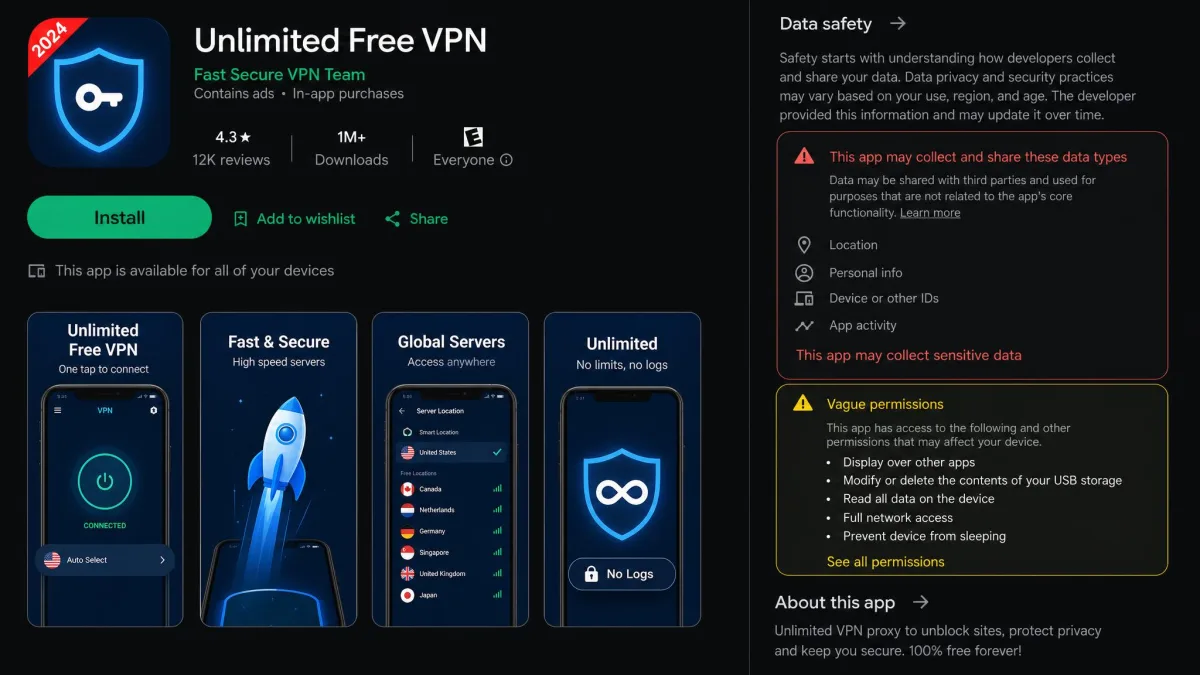
Be extremely wary of unknown "unlimited free VPN" apps, especially free browser extensions and mobile apps you have not heard of. Several have been caught injecting ads, tracking users, or routing traffic through other people's devices. For torrenting, where privacy is the whole point, an untrustworthy free VPN can expose more than it protects.
The third risk is performance harming your setup indirectly. When a free plan throttles you to a trickle or forces you onto an overloaded server, downloads stall and you may be tempted to disable the VPN "just for a minute." That minute is when your IP leaks. If a free VPN is too slow to use safely, that is a reason to change VPNs, not to torrent unprotected.
Free vs. Paid VPNs for Torrenting
The honest truth is that a paid VPN is a better torrenting tool than any free one, and it is often cheaper than people expect. But you do not always have to pay to get paid-level speed.
The smartest route is a paid VPN's money-back guarantee used as a free trial. NordVPN, for example, offers a 30-day money-back guarantee you can treat as a risk-free trial, and in our testing it delivered near-full torrent speeds, about 5.8% slower than baseline, with its SOCKS5 proxy boosting P2P throughput. It supports P2P on all standard servers plus dedicated P2P servers across 114 countries, backed by an audited no-logs policy and thousands of servers. If you have a batch of large files to move, signing up, downloading, and requesting a refund inside the window is entirely legitimate.
HMA VPN takes a similar shape, pairing a 7-day free trial with a 30-day refund window, which stacks up to roughly 37 days risk-free. These trial routes give you the full paid experience: no data caps, faster servers, and a stronger privacy posture than most free tiers.
A paid VPN often costs a few dollars a month on a longer plan. If you torrent regularly, that is usually worth it compared with fighting free-tier caps and throttles, and you keep the money-back guarantee as a safety net either way.
The free tiers in this guide are the right choice when you torrent occasionally, cannot spend anything, or want a permanent secure connection for light use. For anything heavier, a trial-then-decide approach gives you real speed today without commitment.
Free VPNs for Torrenting to Avoid
Not every free VPN belongs anywhere near your torrent client. Skip any service that cannot clearly answer three questions: does it allow P2P on its free servers, where is it based, and has its no-logs policy been audited.
Avoid free VPNs with a weak or contested privacy record. Hotspot Shield makes our list of tested options because it is a recurring name, but its weak privacy and business-practice standing means we would not trust it with torrent traffic despite its lack of a hard data cap. The same logic rules out the countless no-name "unlimited free VPN" apps that flood app stores. Free browser extensions in particular often lack a kill switch entirely, which makes them unsafe for P2P.
Also be cautious with services whose free-tier P2P is disputed, like Windscribe and hide.me at the moment. They are not scams, but if torrenting is unreliable or actively removed on the free plan, you will waste time and risk a leak assuming it works. When P2P support is unclear, test with a small legal torrent first, with your kill switch on, before trusting it with anything.
The pattern to avoid is any free VPN that is vague about logging, based in a data-sharing jurisdiction, and pushy with ads. Those three signs together mean your data is likely the product.
Is Torrenting With a VPN Legal?
Using a VPN is legal in the vast majority of countries, and so is torrenting itself. The BitTorrent protocol is just a way of transferring files, and plenty of legitimate downloads, including Linux distributions and open-source software, use it every day. A VPN does not change the legal status of what you do; it protects your privacy while you do it.
What is illegal, in most places, is downloading or sharing copyrighted material you do not have the right to. A VPN hides that activity from your ISP and the swarm, but it does not make copyright infringement lawful. We are not going to lecture you here, only state the line clearly: use a VPN to protect your privacy and your legal torrenting, and understand that the responsibility for what you download stays with you.
A small number of countries restrict or ban VPN use outright, so if you are outside North America and Europe, check your local rules first. Everywhere else, running a VPN while you torrent is a normal, legal privacy measure.
Frequently Asked Questions
Are free VPNs safe for torrenting?
Is torrenting with a VPN legal?
Can you torrent with a free proxy instead of a VPN?
Which free VPN has no data cap?
Will a free VPN slow torrent speeds?
Final Verdict
After weeks of real downloads on our own connections, the ranking comes down to one free plan worth installing today and one clear upgrade path for the moment your files get heavy. The structured recommendation is below.