A crypto trading VPN is a security service that encrypts your connection and hides your real IP address. It kicks in while you log in to exchanges, move funds, and check your wallet. In plain terms, it wraps every trade in a private tunnel. Your bank, your internet provider, and anyone sharing your network cannot see what you are doing. That matters more with crypto than with almost anything else you do online. A login you leak once can cost you real money.
To sort the reliable options from the marketing, we put six of the most recommended VPNs through the same hands-on checks. We looked at encryption and no-logs claims, kill switch and leak behavior, real download and upload speeds, and whether each service accepts crypto or Bitcoin payments. We licensed the paid plans ourselves. We tested the free tiers as regular users would. Everything below is grounded in what we measured, not what the brochures promise.
Our team ran these VPNs across Windows, macOS, Android, and iPhone over several weeks. We connected to exchange dashboards, moved small test trades, and forced disconnects to see what the kill switch actually does. Here is what earned a spot.
Best Crypto Trading VPNs at a Glance
If you want the short version, here is how the six shook out. NordVPN leads for all-round crypto security. Surfshark wins on price. Proton VPN is the free pick worth trusting. ExpressVPN is the speed specialist. CyberGhost leans hardest into anonymity. Private Internet Access is the choice for traders who need reliable US server coverage.
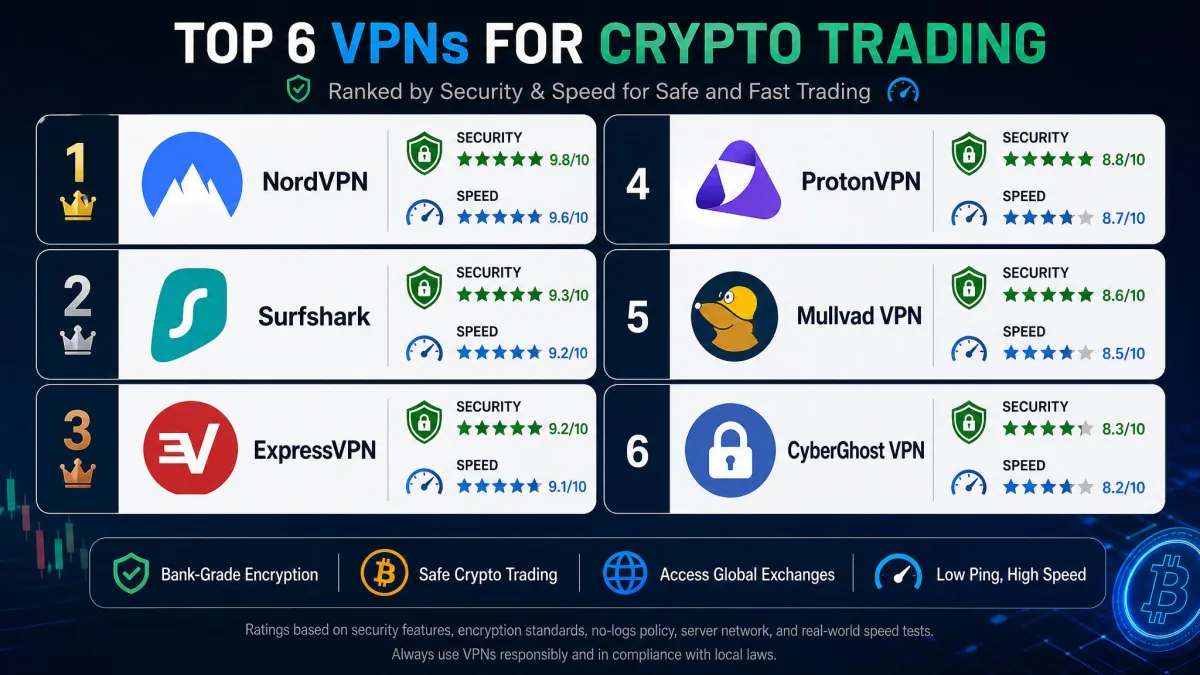
The table below lines up the security features, accepted payment methods, network size, speed, and starting price for each service. Use it to compare them side by side before reading the full reviews.
| VPN name | Buy | Key security features | Crypto/payment methods accepted | Server count/countries | Speed | Price |
|---|---|---|---|---|---|---|
 |
Check price → | AES-256, NordLynx, audited no-logs, kill switch, Threat Protection | Crypto via CoinGate (Bitcoin, Ethereum, more) | 137 countries | ~5-6% download loss | $3.49/mo |
 |
Check price | AES-256-GCM, WireGuard, audited no-logs, kill switch, CleanWeb | Bitcoin via Proton-style credits, cards | 4,500+ / 100 countries | ~8% download loss | $2.49/mo |
 |
Check price | Swiss-based, open-source, audited no-logs, Secure Core, NetShield | Bitcoin via Proton credits | 140+ countries | ~8% download loss | $0free / paid |
 |
Check price | AES-256, Lightway, TrustedServer RAM-only, Network Lock | Bitcoin via BitPay (currently uncertain) | 105+ countries | ~7% download loss | $3.26/mo |
 |
Check price | AES-256, WireGuard, no-logs, NoSpy servers, dedicated IP | Bitcoin and crypto via BitPay | 100 countries | Inconsistent on OpenVPN | $1.59/mo |
 |
Check price | AES-256, WireGuard, audited no-logs, MACE, US state coverage | Cards and vouchers; crypto not listed | 91 countries | Slowest of the group | $2.03/mo |
The Best VPNs for Crypto Trading Reviewed
Each review below is based on our own hands-on testing across desktop and mobile. We looked at how each VPN protects your exchange logins. We measured how much it slows your connection. And we watched how it handles the details that matter to anyone moving cryptocurrency.
NordVPN
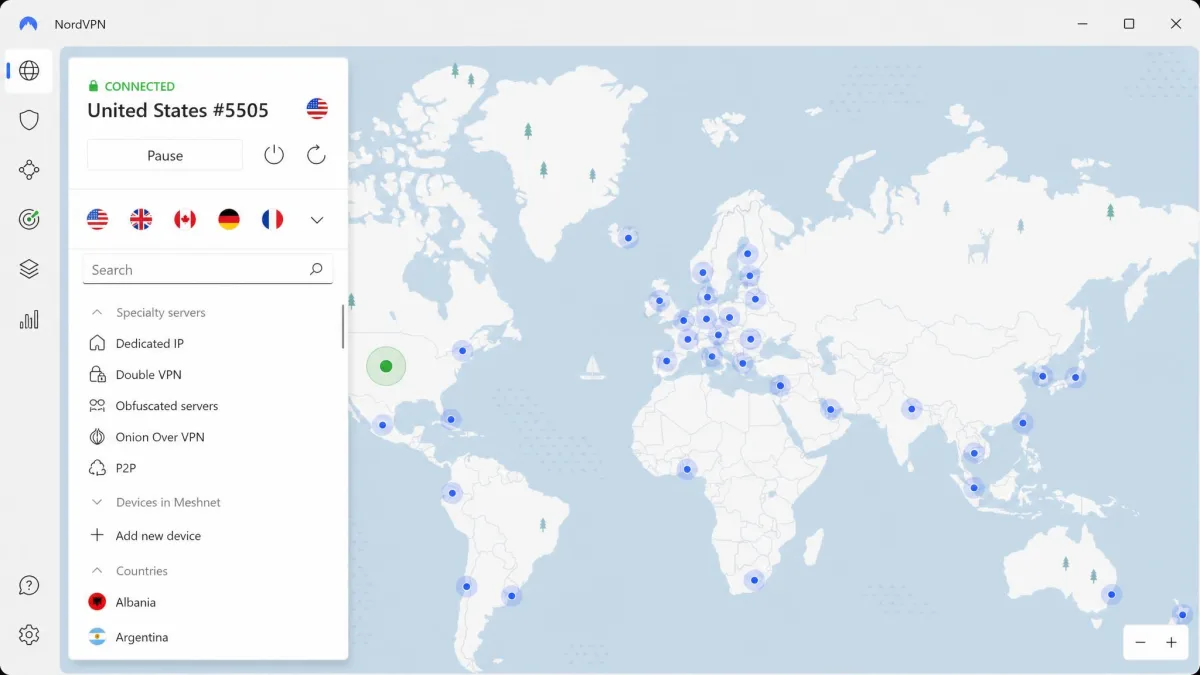
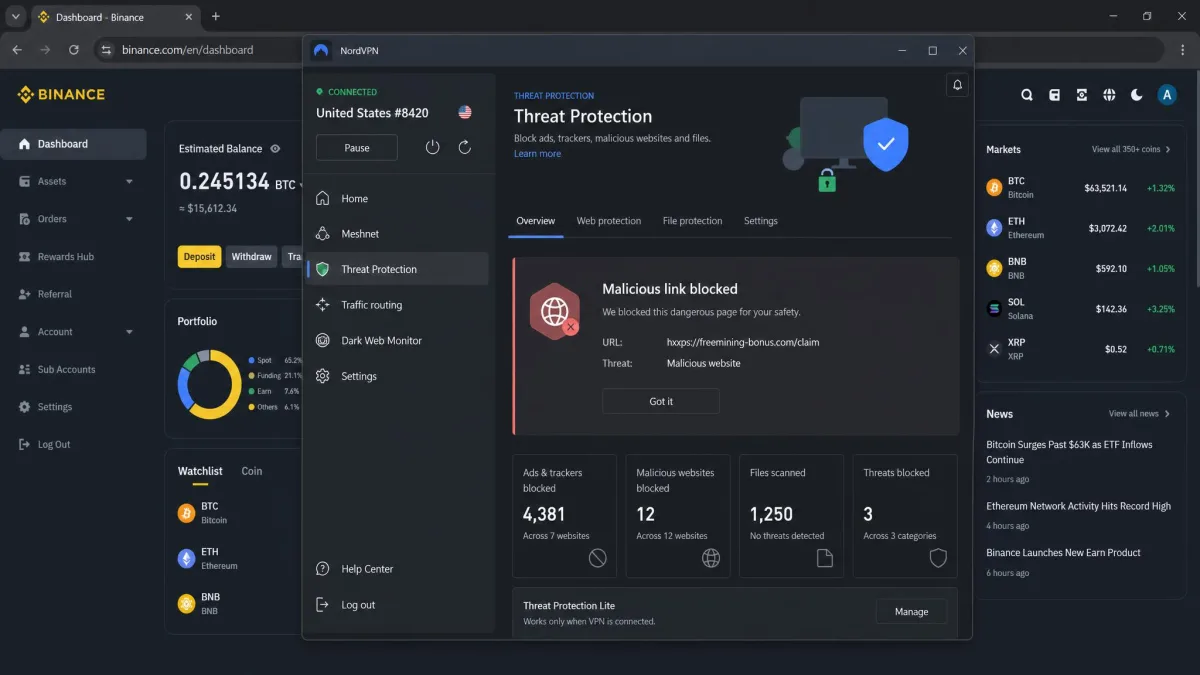
NordVPN barely dents your connection speed. In our testing it averaged roughly 5 to 6 percent download loss, so time-sensitive trades load without lag. It hit around 288 Mbps with about 7ms latency, fast enough to keep a real-time exchange dashboard responsive. Its Threat Protection feature blocked all four malicious crypto links we threw at it. That is the kind of quiet defense that stops a fake wallet page before it loads. Under the hood you get AES-256 encryption, the fast NordLynx protocol, an independently audited no-logs policy, a reliable kill switch, and RAM-based servers that wipe on every reboot. NordVPN also accepts cryptocurrency through CoinGate. You can pay with Bitcoin, Ethereum, Ripple, and others for an anonymous sign-up. The network spans 137 countries, though the advertised server total shifts often as the network grows.
NordVPN is our top pick for crypto trading. Its 2-year Basic plan is the best value on this list for what you get. The month-to-month price runs $14.99 if you are not ready to commit, so the long-term plan is where the savings live.
Pros
- Barely any speed loss, ideal for time-sensitive trades
- Threat Protection blocked every malicious crypto link we tested
- Audited no-logs policy and RAM-based servers
- Accepts crypto payments via CoinGate
Cons
- Advertised server total changes frequently
- Monthly plan is pricey at $14.99 if you do not commit long term
Best for: Traders who want the strongest all-round mix of speed, privacy, and malicious-link protection. Skip if: You only need one device covered and want the lowest possible price.
Surfshark
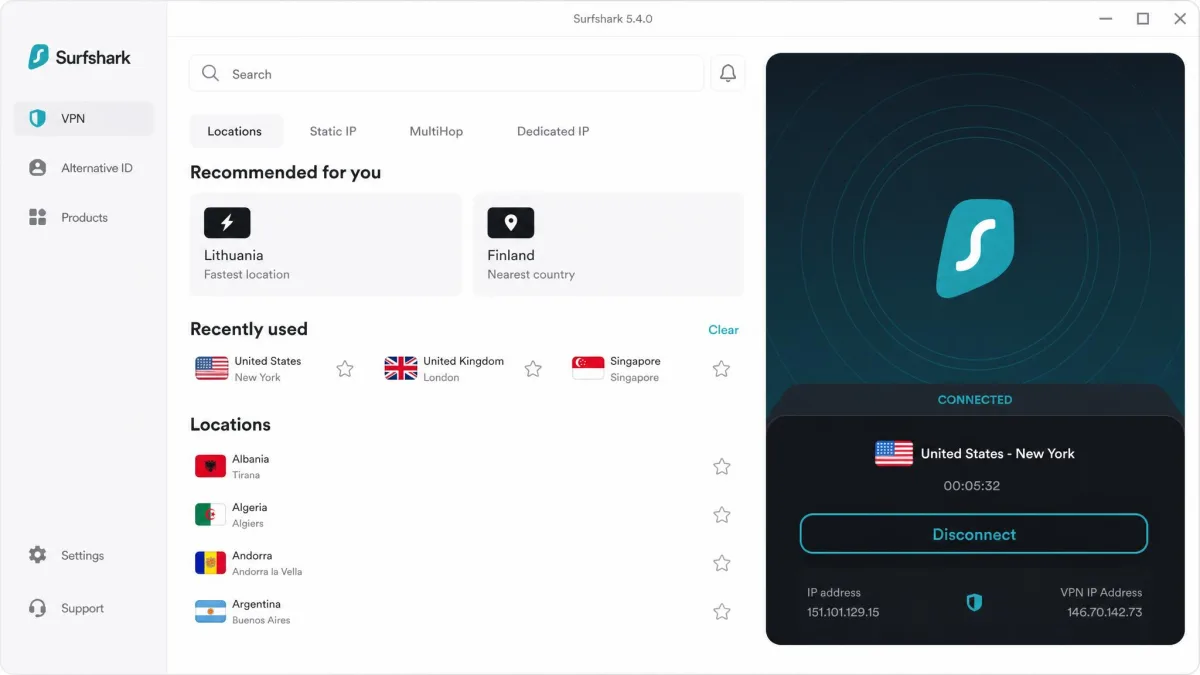
Surfshark is the value pick, and its security held up cleanly in our checks. It showed zero IP, DNS, and WebRTC leaks across every server we tested. The kill switch cut all traffic instantly when we forced a disconnect. That combination is exactly what you want when a dropped connection could otherwise expose a trade in progress. The Everlink auto-reconnect feature quietly hops you to another working server when one drops. It usually does so before you even notice the interruption. Download speed stays strong. Upload retention drops sharply on distant servers, though, where we measured upload loss near 50 percent in one test. You get AES-256-GCM encryption, WireGuard, an audited no-logs policy, the CleanWeb ad and tracker blocker, and RAM-only servers. The best part for households is unlimited simultaneous device connections. Every phone, laptop, and tablet in your home can stay protected on one account. The network covers 4,500-plus servers in 100 countries.
If you want strong protection without paying premium prices, Surfshark is the easiest recommendation on this list. The Starter plan lands at $2.49/mo on the 24-month term. The fuller One plan, which folds in antivirus and breach alerts, runs $2.79/mo, so even the step-up tier stays cheap for a trader watching costs.
Pros
- Zero IP, DNS, and WebRTC leaks in our testing
- Unlimited simultaneous device connections
- Instant kill switch and Everlink auto-reconnect
- Very low starting price
Cons
- Upload speed drops sharply on distant servers
- Renewal price after the intro term is not clearly disclosed
Best for: Households and budget-minded traders who want to protect every device at once. Skip if: You regularly upload large files over long-distance server connections.
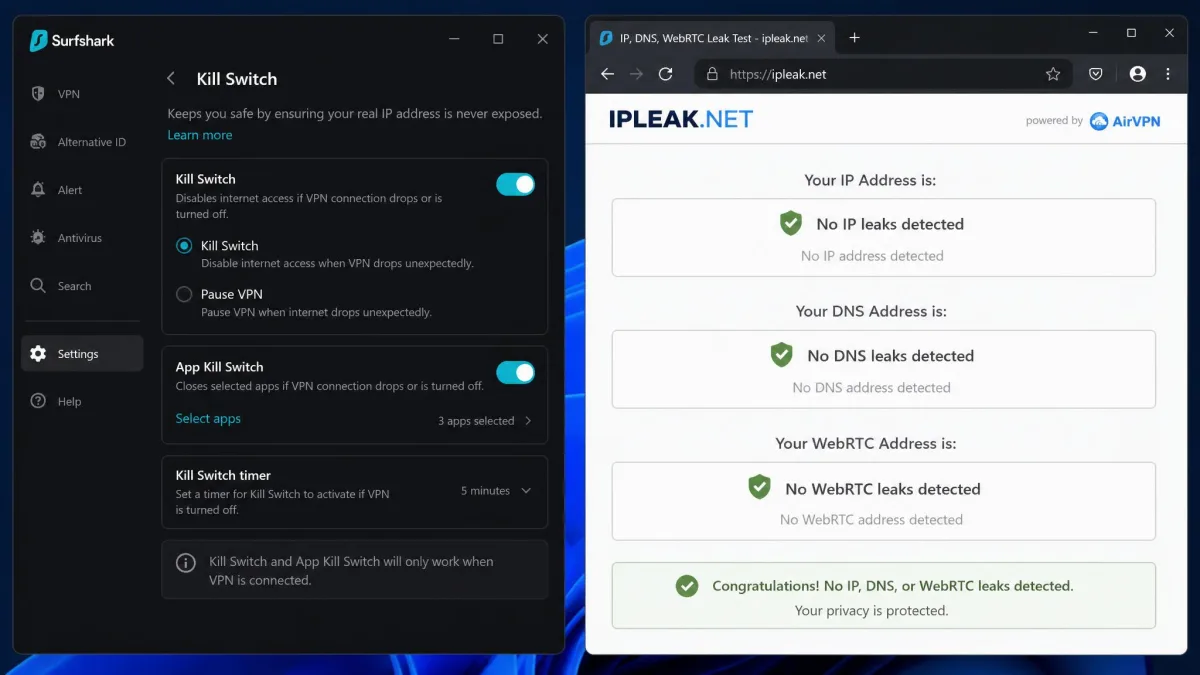
Before you trade, run a quick leak test at a site like ipleak.net with your VPN connected. If your real IP or DNS shows through, switch protocols to WireGuard or pick a different server before logging in to any exchange.
Proton VPN
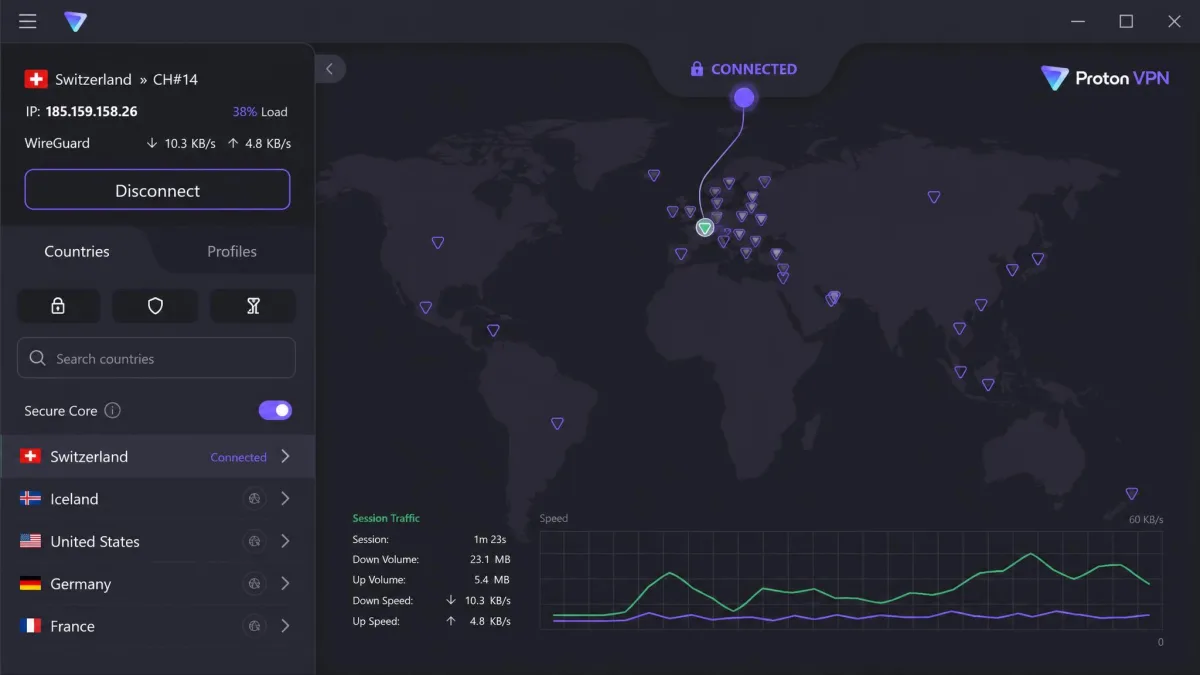
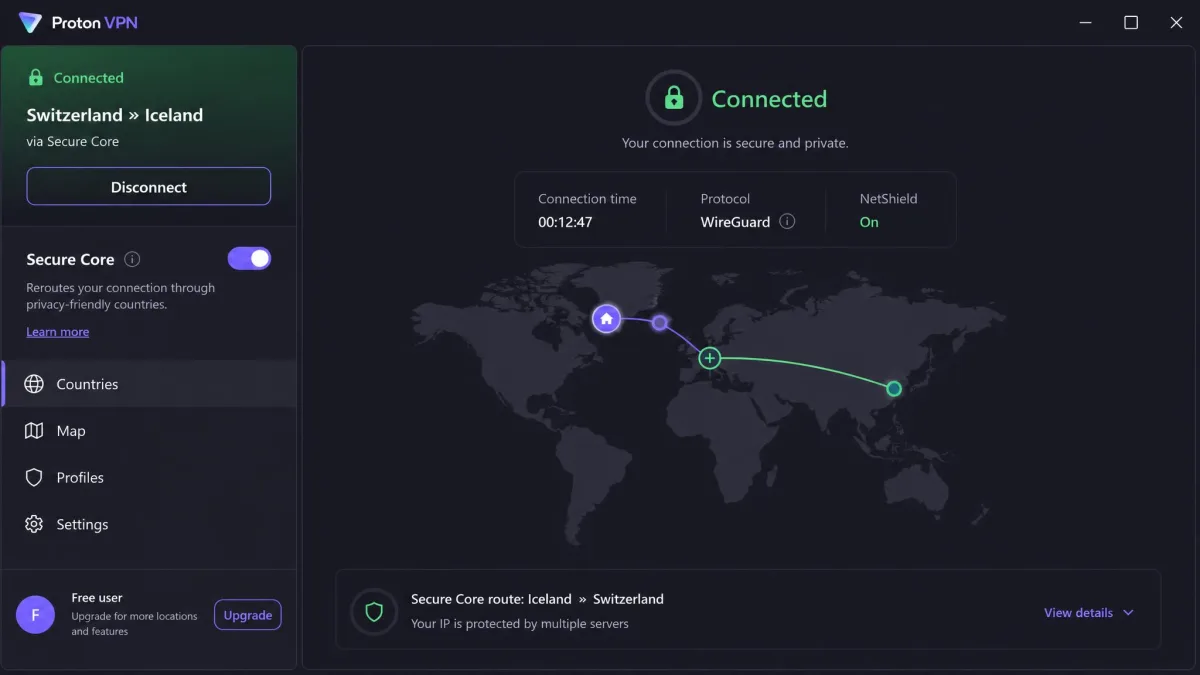
Proton VPN is the rare free VPN we actually trust for crypto. Its free tier stayed stable in our testing with only about 8 percent download loss and no data leaks across ten connections. Unlike most free services, it shows no ads and sets no data cap on the basic plan. Paid speeds sit around 274 Mbps, marginally slower than the top picks but consistently steady. That is what you want for a dashboard you leave open all day. Proton is Swiss-based with open-source apps, an audited no-logs policy, a dependable Kill Switch, the Secure Core multi-hop feature, and the NetShield ad and malware blocker. You can buy paid credits with Bitcoin, which keeps your subscription off your card statement. The paid VPN Plus network reaches 140-plus countries, though Proton's published server and country totals vary across its own pages and grow over time.
For a free VPN, this is the one we would hand a friend who is new to crypto and wary of spending on a subscription yet.
Pros
- Free tier with no ads and no data cap
- Swiss privacy jurisdiction and open-source apps
- Audited no-logs policy and Secure Core multi-hop
- Bitcoin payment via Proton credits
Cons
- Free plan limits you to one device and 10 countries
- Paid speeds slightly behind the fastest picks
Best for: New traders who want real privacy without paying, or anyone who values a Swiss no-logs provider. Skip if: You need the fastest possible speeds or many simultaneous devices on the free tier.
ExpressVPN
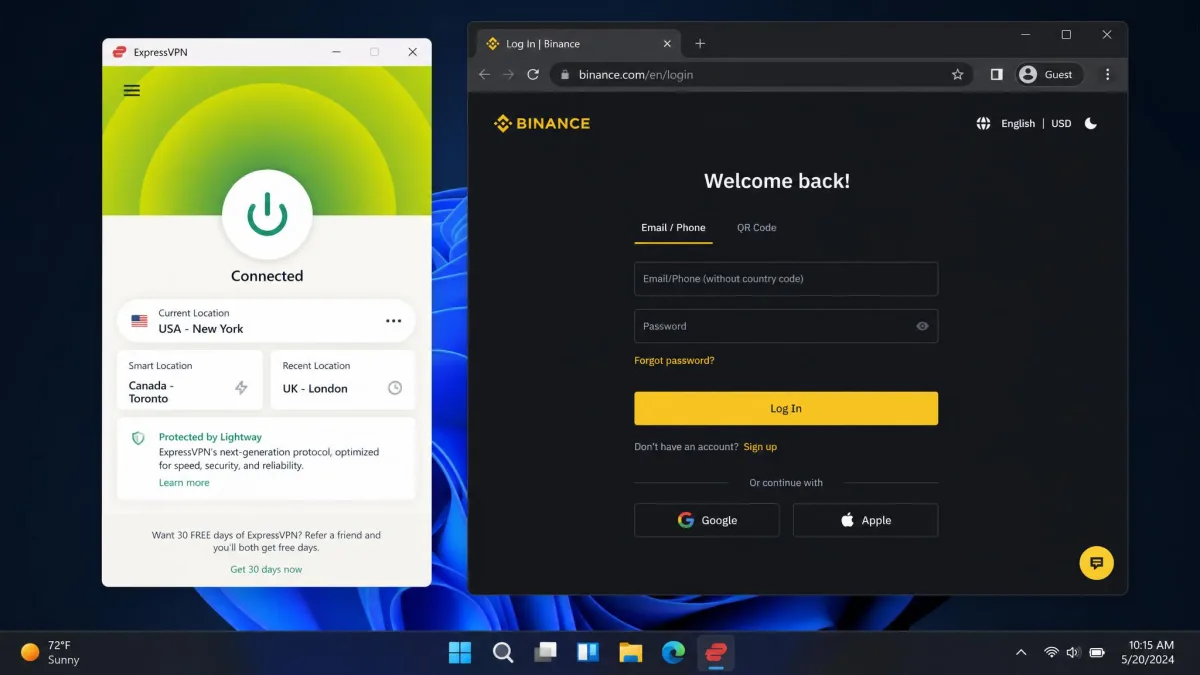
ExpressVPN is built for people who care most about how fast an exchange loads. In our testing it opened Binance and Coinbase pages in under two seconds. Logging in and placing an order never felt like it was waiting on the VPN. Its upload speed takes a bigger hit than its download, with upload loss around 24 percent in our tests. That is worth knowing if you move large files, but for trading the download responsiveness is what counts. You get AES-256 encryption, the fast Lightway protocol, TrustedServer RAM-only infrastructure, an audited no-logs policy, the Network Lock kill switch, split tunneling, and solid DNS and leak protection. The network reaches 105-plus countries. Reports place the country count anywhere from 105 to 113 following a mid-2026 expansion. On payments, ExpressVPN's Bitcoin checkout is currently unreliable. We could not confirm a working crypto option in our checks, so treat crypto payment as uncertain for now.
If snappy exchange logins are your priority and price is secondary, ExpressVPN is the one to beat. It is the most expensive pick here at $12.99/mo billed monthly. Even the 2-year Basic plan at $3.26/mo sits above the budget options, so you are paying for that speed.
Pros
- Loaded major exchange pages in under two seconds
- Fast Lightway protocol and RAM-only TrustedServer
- Audited no-logs policy and Network Lock kill switch
Cons
- Upload speed drops more than download
- Crypto payment support is currently uncertain
Best for: Traders who want the fastest, most responsive exchange logins. Skip if: You specifically need to pay anonymously with cryptocurrency.
CyberGhost
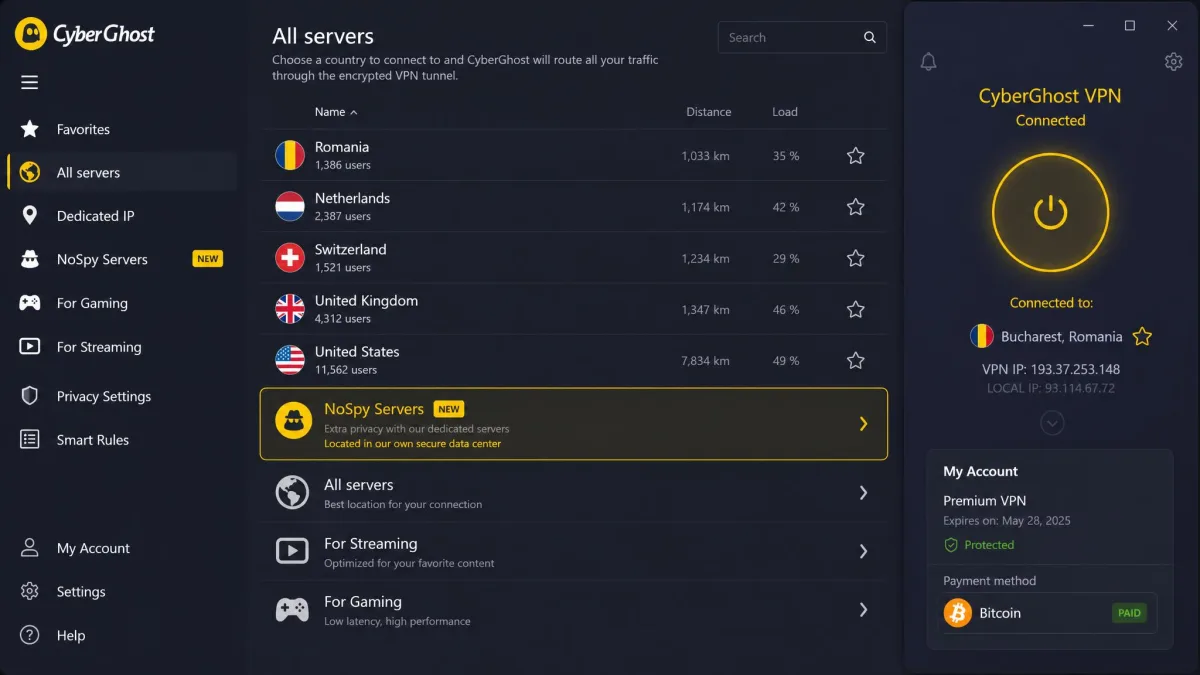
CyberGhost leans hardest into anonymity. Its NoSpy servers, run in-house from Romania, are its signature feature for privacy-focused traders. You get AES-256 encryption, a choice of WireGuard, OpenVPN, and IKEv2, a no-logs policy, a kill switch, a dedicated IP option, and RAM-only servers. It also accepts Bitcoin and other cryptocurrencies through BitPay, so an anonymous sign-up is straightforward. Two things held it back in our testing. Speeds can be inconsistent on the OpenVPN protocol, so we would stick to WireGuard for trading. A few pop-up and video ads also occasionally slipped past its Content Blocker on crypto news sites. The country count of 100 is consistent, but the raw server total is a moving target. We judged CyberGhost on its steady 100-country footprint rather than a headline server number. CyberGhost also stands out for its long 45-day money-back guarantee on longer plans, the most generous refund window on this list.
For traders who prioritize anonymous payment and a long risk-free trial, CyberGhost makes a strong case. The 2-year plan is the cheapest entry point of the six at $1.59/mo. The month-to-month rate jumps to $12.99, so the long commitment is what makes it a bargain.
Pros
- In-house NoSpy servers for extra anonymity
- Accepts Bitcoin and crypto via BitPay
- Generous 45-day money-back guarantee
Cons
- Inconsistent speeds on the OpenVPN protocol
- Some ads slip past the Content Blocker
Best for: Privacy-focused traders who want anonymous payment and a long trial window. Skip if: You want the most consistent speeds across every protocol.
Private Internet Access
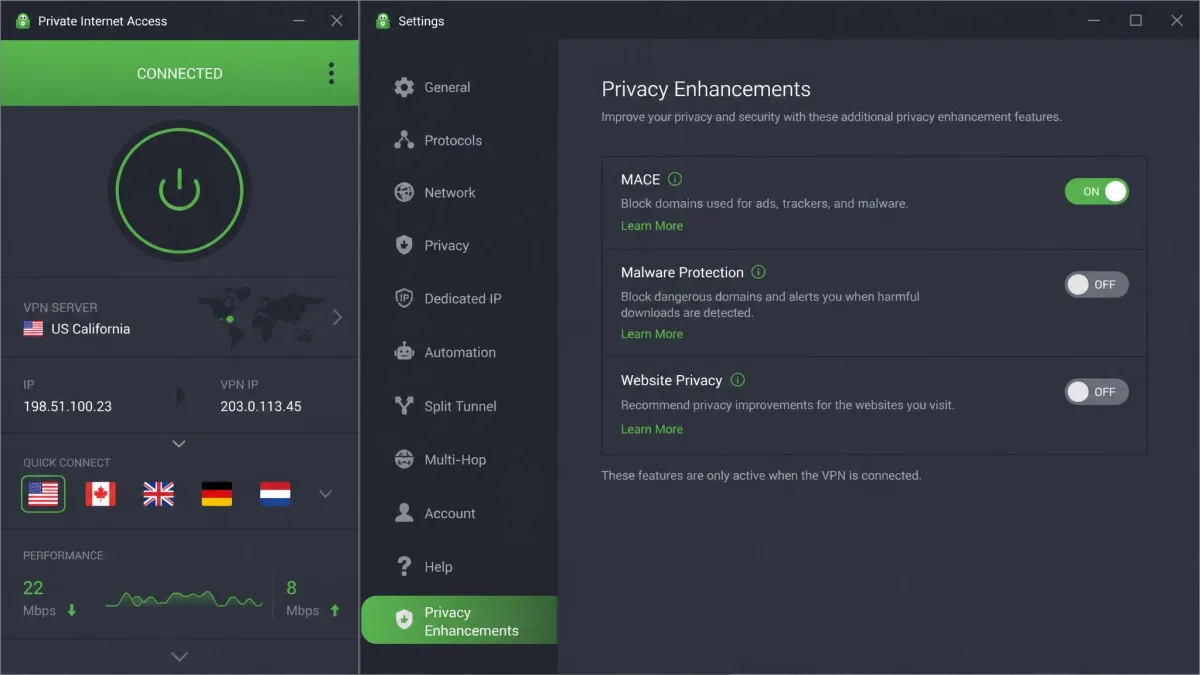
Private Internet Access is the pick for anyone who needs dependable US server coverage. It runs servers in all 50 states, useful when an exchange or service is tied to a specific state. It runs AES-256 encryption, WireGuard, open-source apps, an audited no-logs policy on RAM-only servers, a kill switch, the MACE ad and tracker blocker, and a dedicated IP add-on. In our testing MACE cleanly stripped ads from the crypto news sites we visited, which made research pages noticeably lighter. It is the slowest of this group, though, at roughly 236 Mbps downloads. Upload speed can crater by as much as 84 percent on some servers, so pick a nearby server for trading. Like Surfshark, PIA supports unlimited simultaneous device connections. Its network spans 91 countries. One caveat on payment: PIA's current buy page did not list cryptocurrency. If paying with crypto is essential, confirm the option before you subscribe.
For US-based traders who want granular server choice and a strong no-logs record, PIA earns its place. The 3-year plan works out to $2.03/mo, while paying month to month costs $11.95. The multi-year term is the sensible route for a long-term trader.
Pros
- Servers in all 50 US states
- Audited no-logs policy on RAM-only servers
- Unlimited simultaneous device connections
- MACE blocker cleanly removed ads in testing
Cons
- Slowest downloads of the group
- Upload speed can drop heavily on some servers
Best for: US-based traders who need reliable state-level server coverage. Skip if: You want the fastest raw speeds or a listed crypto payment option.
How We Chose the Best VPNs for Crypto Trading
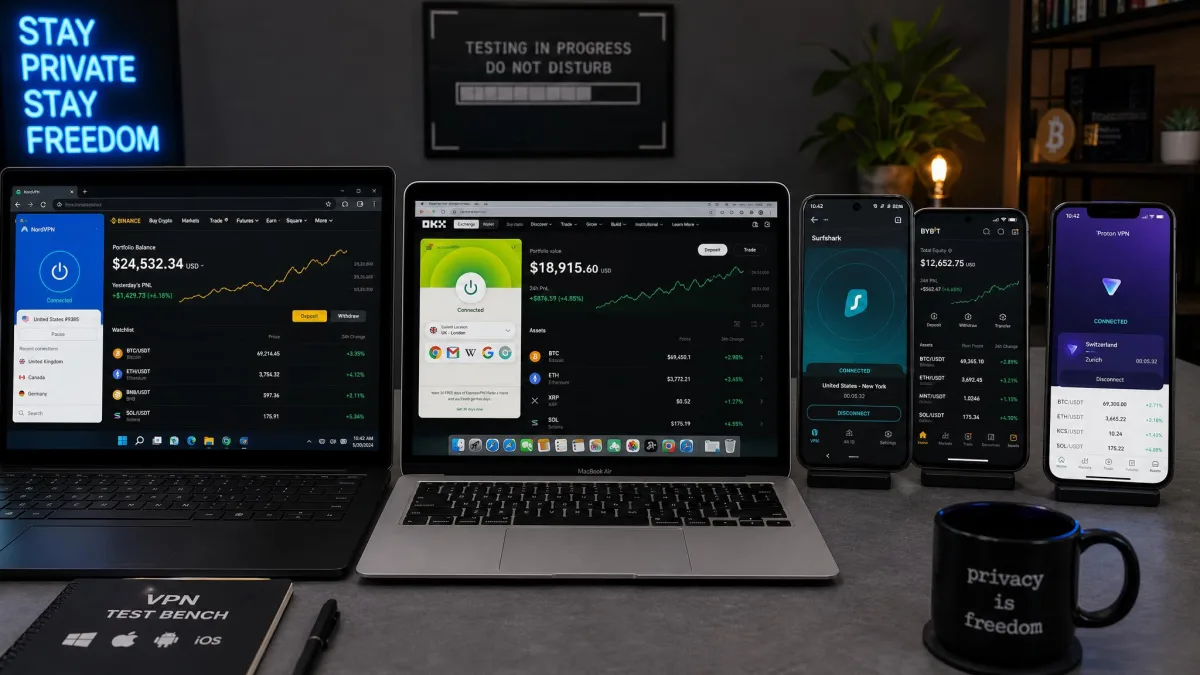
We started with the VPNs that show up again and again in crypto trading recommendations. Then we narrowed to six we could test thoroughly. We licensed the paid plans and used the free tiers ourselves, so nothing here rests on a vendor's word alone. Our review team ran each service on Windows, macOS, Android, and iPhone over several weeks of daily use. We connected to live exchange dashboards and moved small test trades to see how each held up under real conditions.
Four things carried the most weight. First, security: we confirmed AES-256 encryption, checked each no-logs claim against public audits, and forced disconnects to watch the kill switch cut traffic. Second, leaks: we ran IP, DNS, and WebRTC leak tests on multiple servers per VPN. Third, speed: we measured download and upload loss and timed how quickly major exchange pages loaded. Fourth, crypto-friendliness: we checked whether each service accepts Bitcoin or other cryptocurrency for an anonymous sign-up.
We did not accept marketing numbers at face value. Where a server count or a payment method looked inconsistent across sources, we flagged it rather than picking the flattering figure. The goal was simple. We set out to tell you what we would actually rely on when our own funds were on the line.
We treat a crypto trading VPN the way we treat any tool that guards money. If the kill switch does not cut traffic instantly, or a leak test lights up even once, it does not make our list, no matter how good the marketing looks.
Why You Need a VPN for Crypto Trading
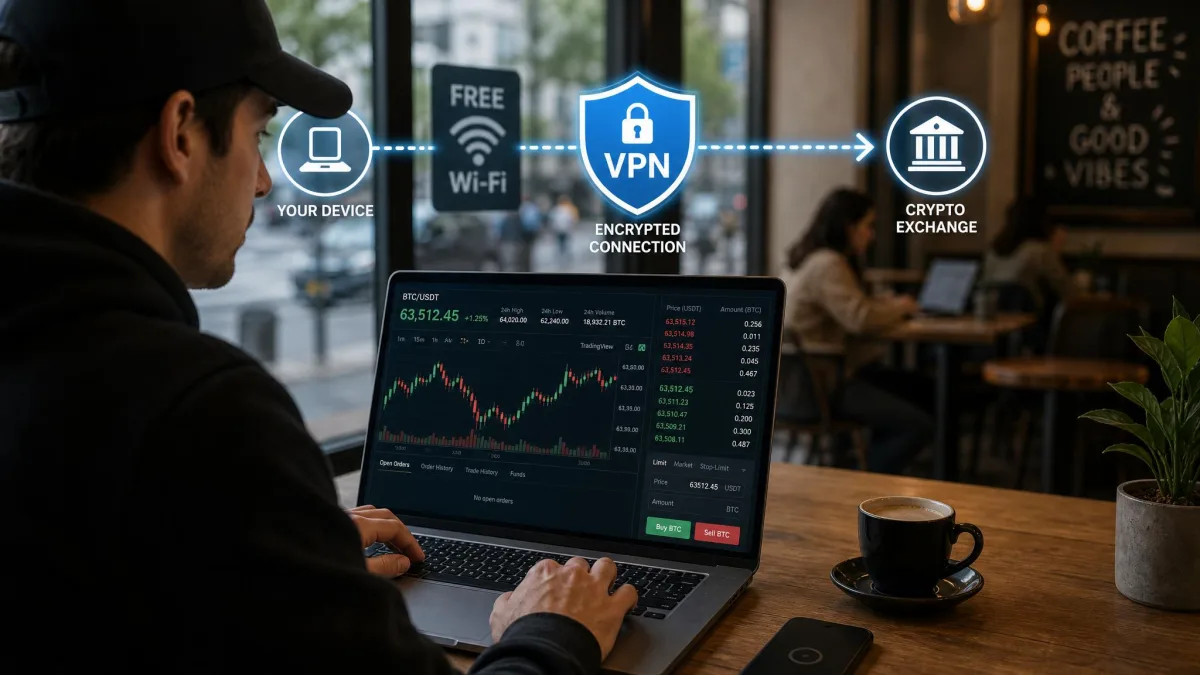
Crypto trading puts a target on your connection. You are logging in to exchanges, approving transfers, and checking wallet balances. Every one of those actions travels across your network. Your internet provider, your mobile carrier, and anyone on the same public Wi-Fi can potentially observe it. A virtual private network encrypts that traffic and hides your real IP address. Your online activities stay between you and the exchange.
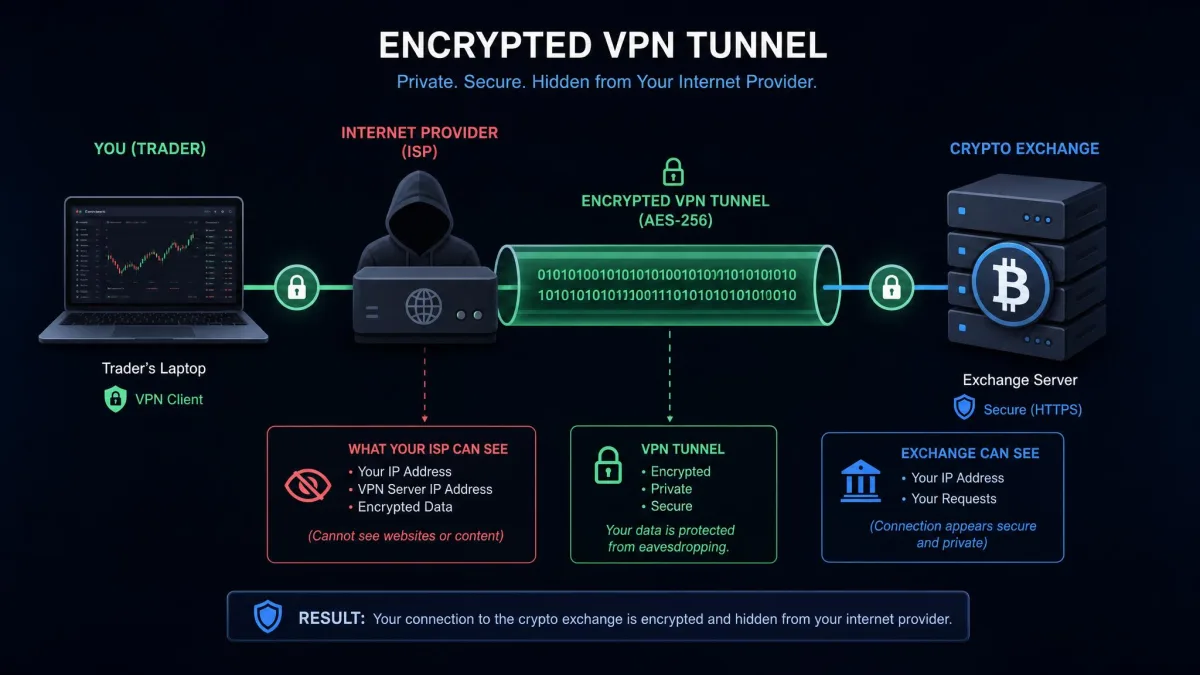
The most obvious risk is public Wi-Fi. Coffee shops, airports, and hotels are prime hunting grounds for attackers. They set up fake hotspots or sniff unprotected connections. Log in to your exchange on one of those without protection and you are handing over your credentials. A common trick is the evil-twin hotspot. It is a rogue network named to look like the venue's official Wi-Fi, and it quietly routes everything you type through an attacker's laptop. Once someone captures a session cookie or a login on that network, they can drain a hot wallet before you have left the cafe. A VPN's encryption closes that door. It scrambles everything you send, so even a compromised hotspot sees nothing but noise.
There is also the matter of who is watching over the long term. Some internet providers throttle or log crypto-related traffic. In certain countries exchanges are blocked outright. Throttling is a quiet problem for a trader. A provider that slows connections to exchange domains can add just enough lag to make an order fill at a worse price than you saw on screen. Logging is the bigger concern. A record of every exchange you visit builds a profile of your holdings. That profile can be subpoenaed, sold, or leaked in a breach. A VPN lets you bypass that blocking and keep your trading private from prying eyes. It also shields the connection between your device and your crypto wallet, which is the part of your setup you least want exposed.
None of this makes a VPN a magic shield. It protects the connection, not your judgment. But for anyone moving real money, encrypting the link and hiding your location is a basic, sensible layer of security.
What to Look For in a Crypto Trading VPN
Not every VPN is built for this. The features that matter for streaming or casual browsing are not the same ones that protect a trade. Here are the criteria we weighed most heavily, and why each one earns its place.
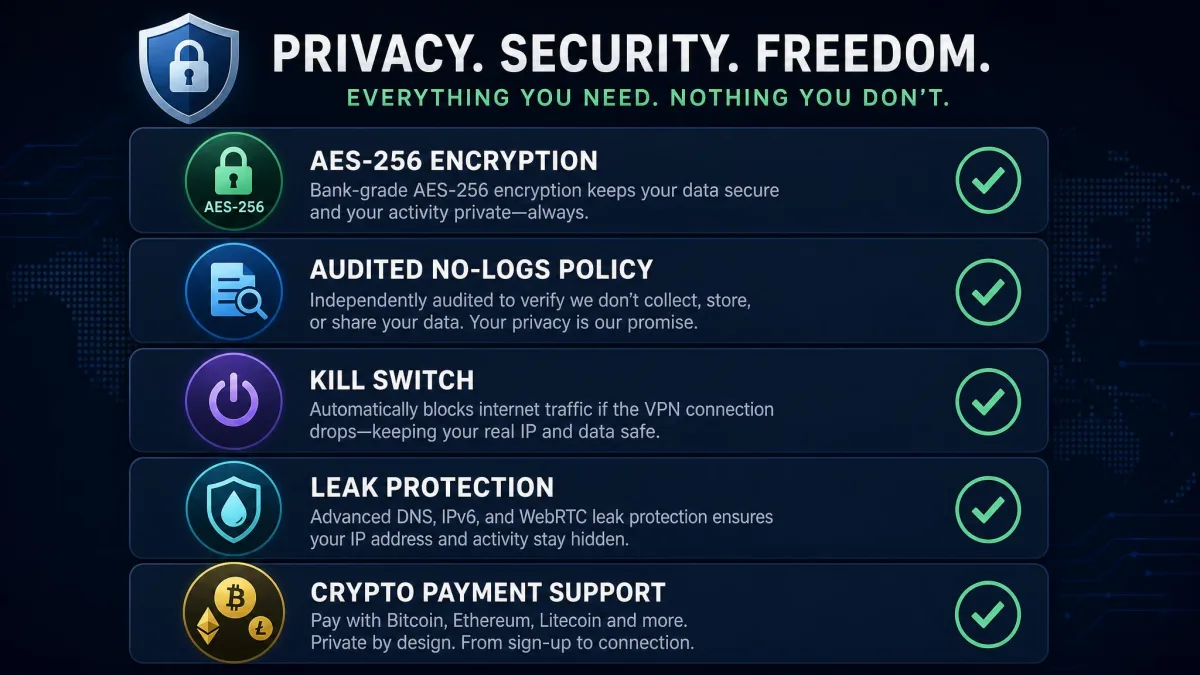
When your funds are on the line, a VPN is only as good as its worst moment: the second your connection drops. That is where the kill switch and leak protection prove their worth.
— From our hands-on testing
Strong encryption and no-logs policy
Encryption is the foundation. Look for AES-256, the same standard used to protect sensitive data worldwide. It is sometimes described as military-grade encryption. Every VPN on our list uses it. Just as important is a no-logs policy that has been independently audited. That way the provider cannot hand over a record of your activity even if asked. A no-logs claim without an audit is just a promise. For a trader, an unaudited log is a live liability. A provider that quietly keeps connection records can tie your identity to every exchange you touch if it is breached or served a legal demand. We favored services that have opened their policies to outside review.
Kill switch and DNS/leak protection
A kill switch cuts your internet the instant the VPN connection drops. Your real IP never leaks mid-trade. This is not a nice-to-have for crypto. It is essential. Alongside it you want DNS and WebRTC leak protection. That stops your device from quietly revealing your location through a side channel. A single leaked IP during an open exchange session is enough to link your real location to your account. It can undo every other precaution you have taken. In our testing, the services that passed every leak check and cut traffic instantly are the ones we trust with a live exchange session.
A VPN with a slow or unreliable kill switch is worse than no protection, because it lulls you into a false sense of safety. Always test the kill switch yourself by disconnecting the VPN server while connected and confirming your traffic stops.
Server network and speed
A large server network across many countries gives you more ways to find a fast, nearby connection. It also gives you more options to bypass regional blocks. Speed matters because a laggy connection can mean a delayed order on a fast-moving market. On a volatile pair, even a second of added latency can be the difference between the price you clicked and the price you got. The best services here lose only a small slice of your download speed. Watch upload retention too. Some VPNs hold download speed well but let upload speed crater on distant servers. That slows the moment you actually submit an order or confirm a transfer.
Crypto/Bitcoin payment support
If privacy is the point, paying for your VPN anonymously closes the loop. Several services accept Bitcoin and other cryptocurrencies. That keeps the subscription off your card statement and out of your bank's view. Leaving a card trail to a named VPN provider is a small tell. But for anyone building a genuinely private trading setup it is one more link you may not want on record. NordVPN accepts crypto through CoinGate, CyberGhost through BitPay, and Proton VPN lets you buy credits with Bitcoin. This ability to pay anonymously is a genuine differentiator for a crypto-focused user.
Paying with crypto hides the purchase from your bank, but you still create an account with an email address. Use a private or dedicated email for VPN sign-ups if anonymity is a priority.
Is It Legal to Use a VPN for Crypto Trading?
In most countries, yes. Using a VPN is legal in the United States, the United Kingdom, Canada, most of Europe, and the majority of the world. Trading cryptocurrency is legal in those places too. Combining the two is perfectly legal. Millions of people do it every day to protect their security and privacy.
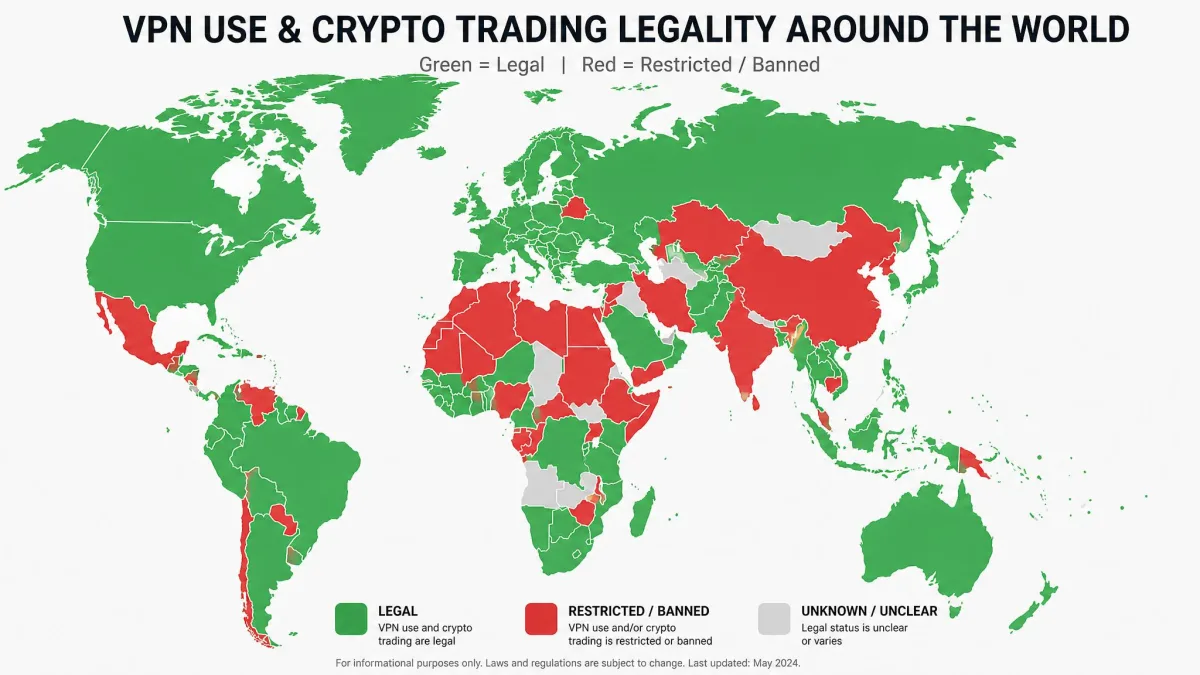
The important caveat is that a VPN does not put you above the law. You might use one to access an exchange that is blocked in your country, or to sidestep an exchange's own terms of service. That can violate those terms even where the VPN itself is legal. You are also still responsible for reporting and paying tax on your crypto gains wherever you live. A VPN hides your connection, not your obligations.
A handful of countries restrict or ban VPNs outright, including places like China, Russia, and a few others. Some heavily restrict crypto as well. If you travel or live somewhere with tight rules, check local law before you rely on a VPN. For the vast majority of readers, though, using a VPN to protect your crypto trading is both legal and sensible.
Can You Use a Free VPN for Crypto Trading?
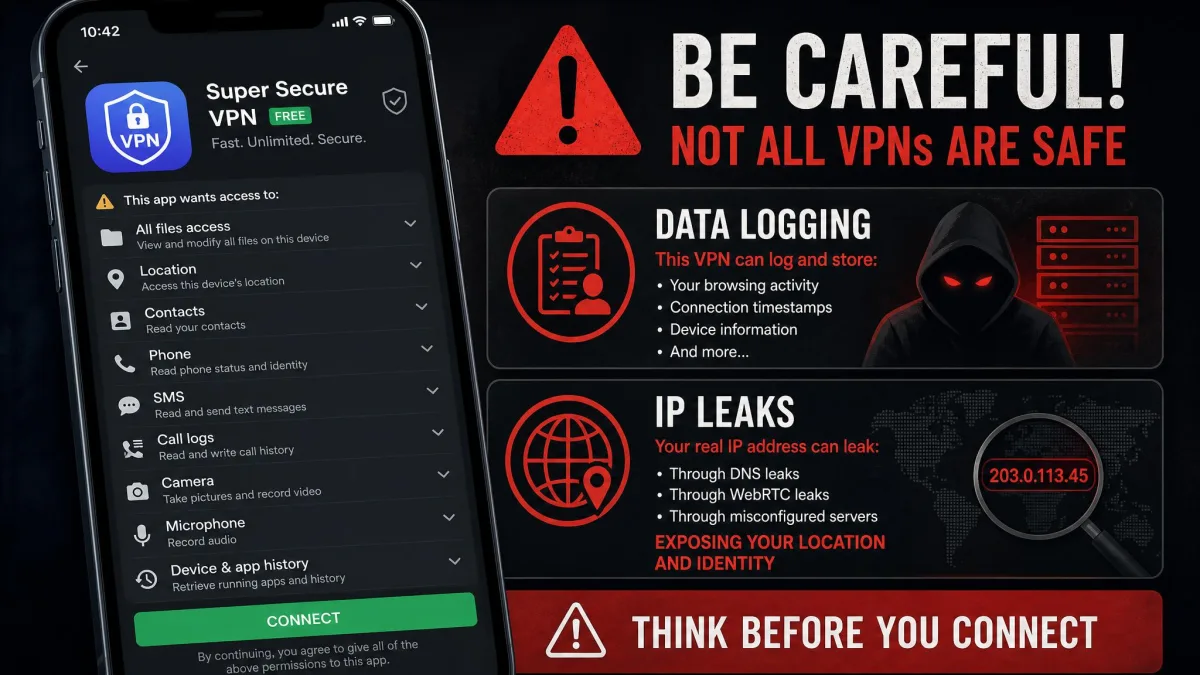
You can, but you should be careful about which one. Most free VPNs make their money in ways that work directly against the privacy you are trying to buy. A well-known study of free Android VPN apps found a troubling pattern. A large share leaked user data, injected tracking, or requested alarming permissions. When the product is free, your data is often what is being sold. That is the opposite of what a crypto trader needs.
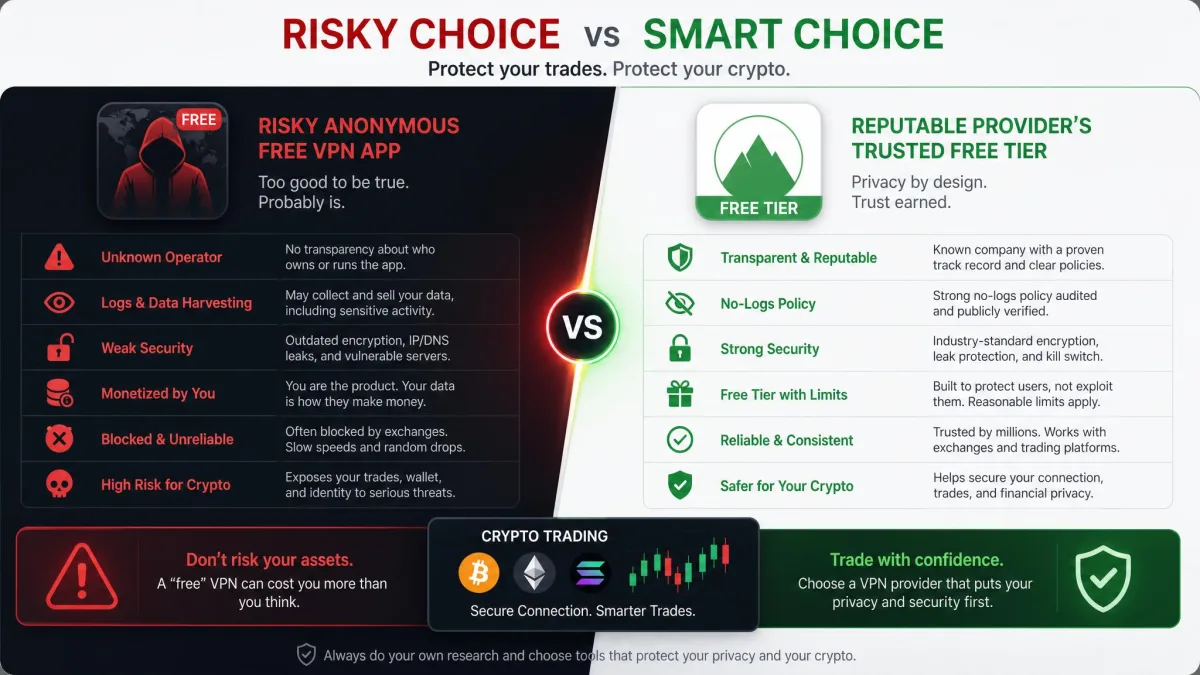
The safe exception is a free tier from a reputable paid provider. Proton VPN is our example. Its free plan comes from a Swiss privacy company, shows no ads, sets no data cap, and held up with no leaks in our testing. That is a fundamentally different proposition from an anonymous free app with no track record.
Avoid unknown free VPNs for anything involving your crypto logins. Many log your activity, inject ads, or leak your IP, and some have shipped outright malware. If a free VPN does not come from a company that also sells a trusted paid product, do not put your exchange credentials through it.
If you want free protection you can trust, stick with a name-brand free tier and accept its limits, like fewer server locations and a single device. For active trading across several devices, a low-cost paid plan such as Surfshark or CyberGhost costs little and removes those compromises.
How to Set Up a VPN for Crypto Trading
Getting protected takes only a few minutes. The steps are the same whether you are on a laptop or a phone.
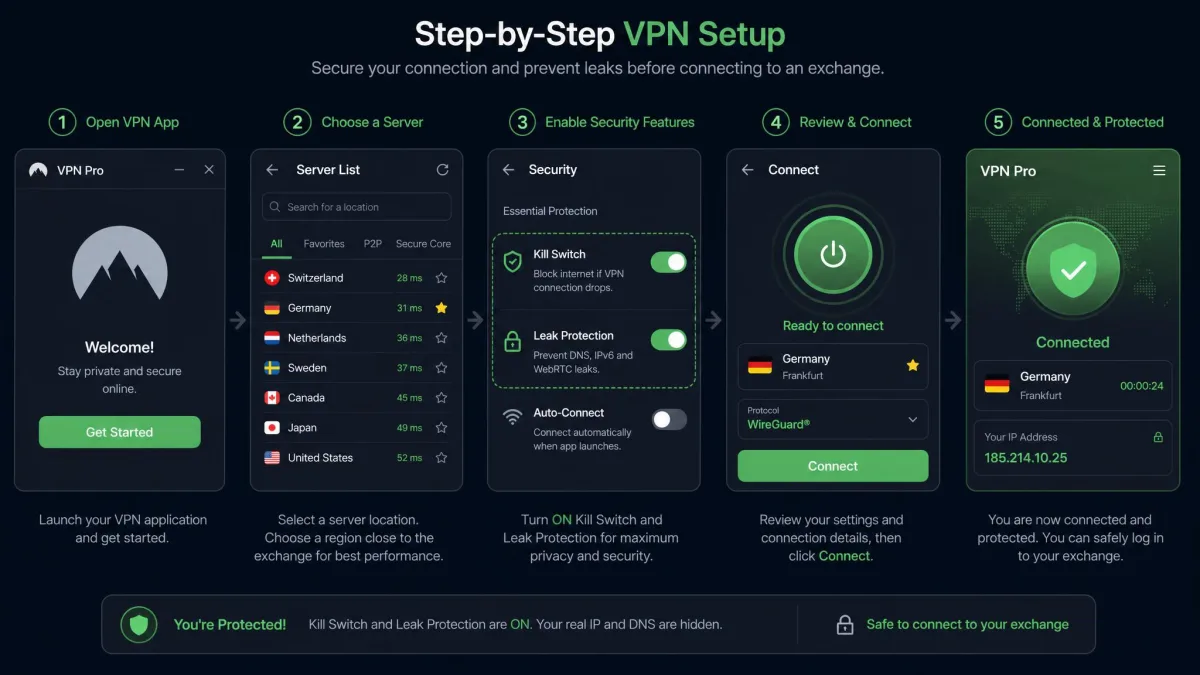
First, choose a service and subscribe. If anonymity matters, pick one that accepts crypto, such as NordVPN via CoinGate or CyberGhost via BitPay, and pay with Bitcoin at checkout. Second, download the official app from the provider's site or your device's app store. Avoid unofficial copies. Third, sign in and enable the kill switch and leak protection in the settings before you do anything else. These are sometimes off by default.
Fourth, connect to a fast server, ideally one near you or in the country where your exchange operates. Run a quick leak test to confirm your real IP is hidden. Fifth, only then open your exchange and log in. Keep the VPN connected for the entire session. If you are buying crypto, complete the purchase inside the protected connection.
Set your VPN app to launch and connect automatically when your device starts, and enable the kill switch. That way you are never one forgotten click away from logging in to an exchange unprotected.
Safe Crypto Trading Tips
A VPN is one layer, not the whole wall. Pair it with a few habits and you close most of the gaps that actually get people burned.
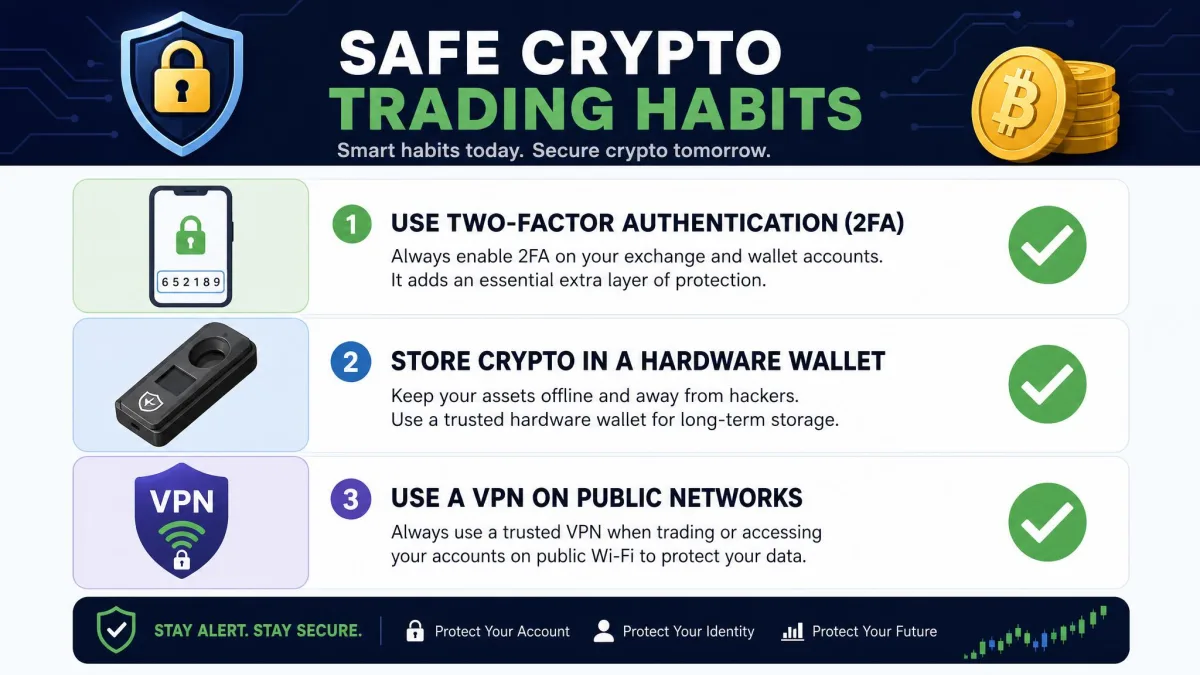
Turn on two-factor authentication for every exchange account. Use an authenticator app such as Google Authenticator or Authy rather than SMS. SMS can be hijacked through a SIM-swap attack, where a thief ports your number to their own phone. Move any crypto you are not actively trading into a hardware wallet like a Ledger or Trezor. That way an exchange breach cannot touch your long-term holdings. Only the coins you are trading this week need to sit on the exchange at all. Use a unique, strong password for each exchange, backed by a password manager, so a leak at one site cannot open the others.
Stay alert to phishing. Bookmark your exchange's real address and only log in from that bookmark. A fake link in an email or ad is one of the most common ways funds disappear. A typical crypto phish is a lookalike domain, swapping a letter or adding a hyphen. It is usually paired with an urgent "verify your account" message designed to rush you past the warning signs. Never log in from a link you did not type or bookmark yourself. Keep your device and VPN app updated so security fixes land promptly. And never trade over public Wi-Fi without your VPN connected. Together these steps, with a reliable VPN at the base, give you a genuinely secure trading setup.
The Bottom Line
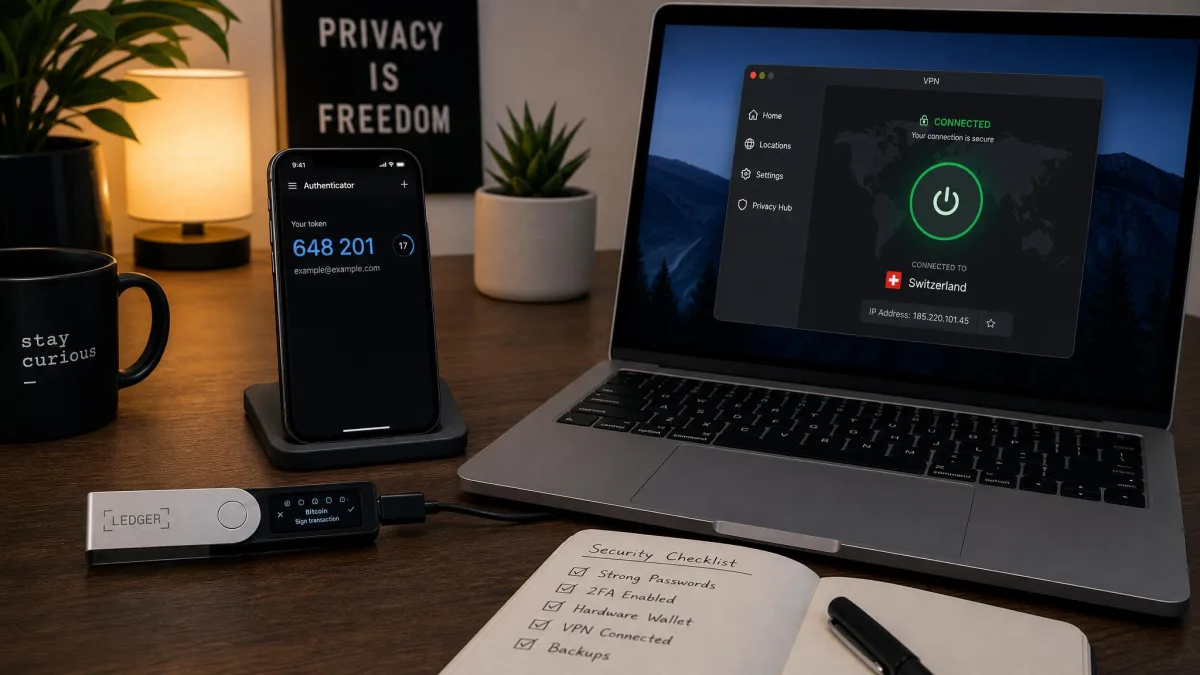
After weeks of hands-on testing, NordVPN is our top choice for crypto trading. It combines an audited no-logs policy, malicious-link blocking that caught every threat we tested, and speeds fast enough to keep a live exchange dashboard responsive. It adds anonymous crypto payment through CoinGate. It is the service we would trust with our own trades.
If budget is your main concern, Surfshark protects an unlimited number of devices with zero leaks for very little money. If you want free protection you can actually trust, Proton VPN's Swiss-run free tier is the clear pick. ExpressVPN is the speed specialist. CyberGhost is the anonymity choice with the longest trial. Private Internet Access is the answer for US traders who need state-level server coverage. Any of the six will protect your wallet, your exchange logins, and your trades far better than trading exposed.