Your iPhone leaks more than you think. Apple's iCloud Private Relay is a useful privacy layer, but it only routes Safari traffic, so every other app on your phone still talks to the internet in the open. The moment you join the coffee-shop Wi-Fi, connect at the airport, or open a banking app on hotel internet, that gap becomes a real exposure. A VPN closes it.
A virtual private network wraps all of your iPhone's traffic in an encrypted tunnel, not just the parts one browser handles. That means public Wi-Fi snoops see scrambled data, your internet provider stops logging every domain you visit, and streaming apps stop pinning you to one region. For most people, that is the difference between hoping you are private and knowing you are.
We are the HTS review team, and we spend our days putting networking tools through real speed, leak, and streaming benchmarks before any of them earn a spot here. For this guide, we tested each VPN's iOS app on current iPhones over several weeks of daily use. We joined public and home networks, streamed region-locked libraries, ran background connections for full days, and watched what each app actually does to speed and battery. Below are the five that survived, ranked, plus honest guidance on the free options worth trusting and the ones to avoid.
The Best iPhone VPNs at a Glance
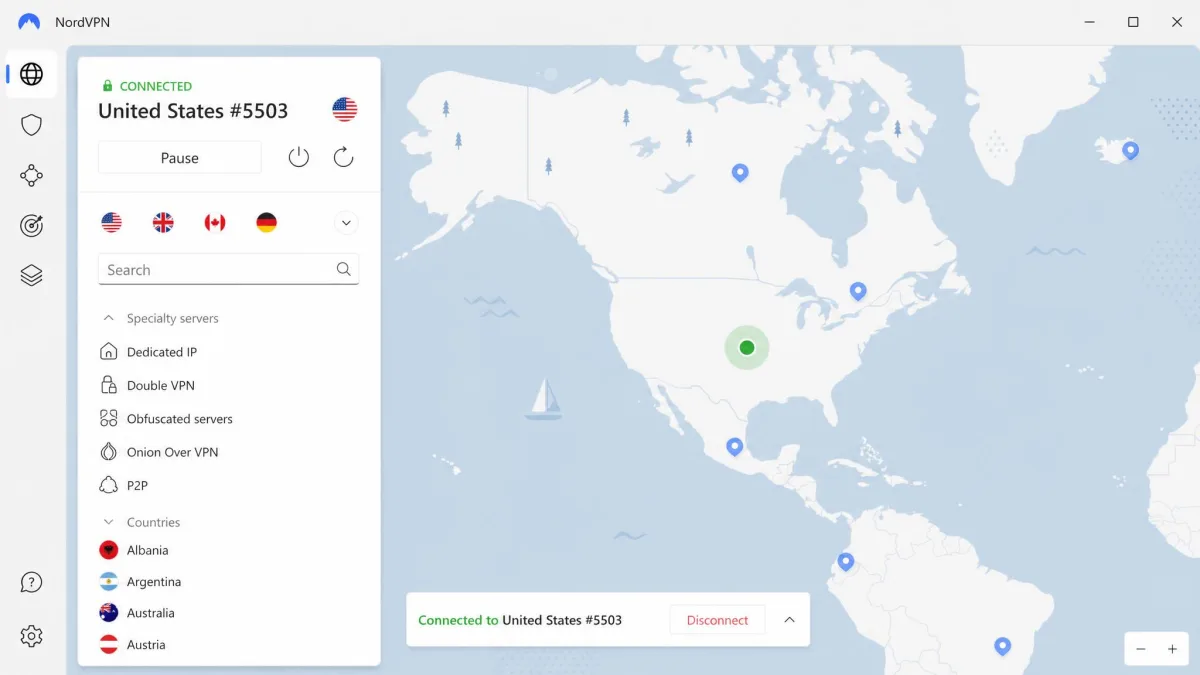
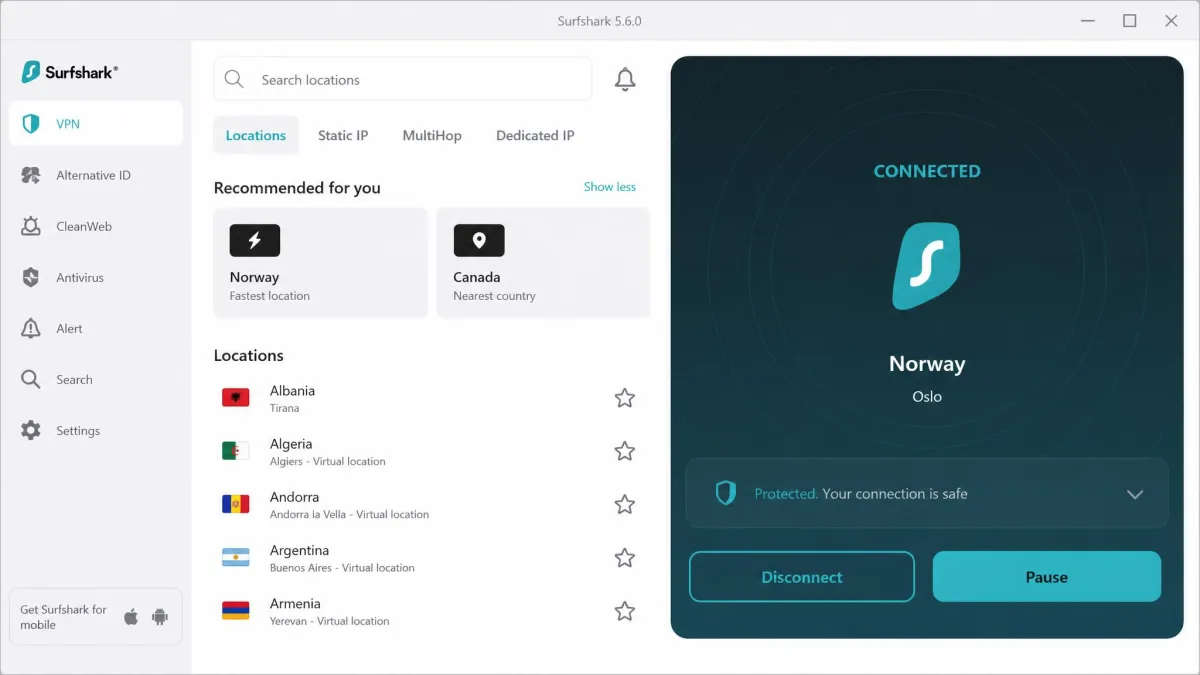
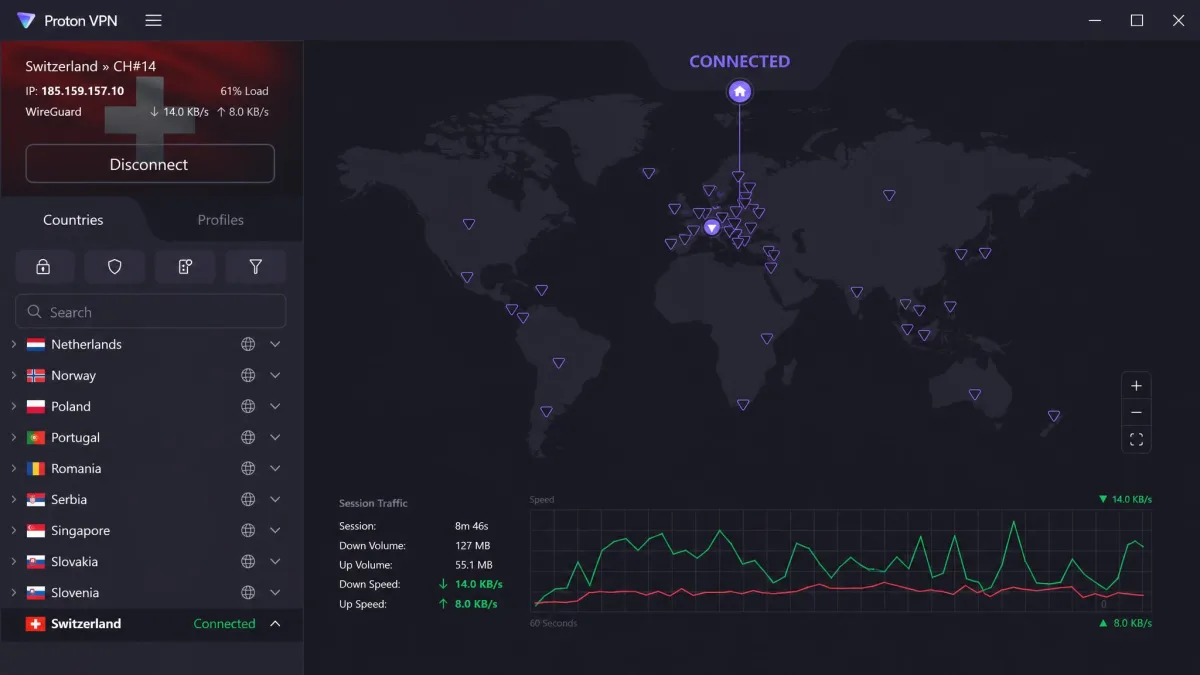
If you want the short version, here are the three picks we reach for most on iOS. NordVPN is our overall winner for its blend of speed, streaming, and a genuinely simple app. Surfshark is the value pick that still connects every device you own. Proton VPN is the only free tier we trust for daily use.
How We Tested and Chose the Best iPhone VPNs
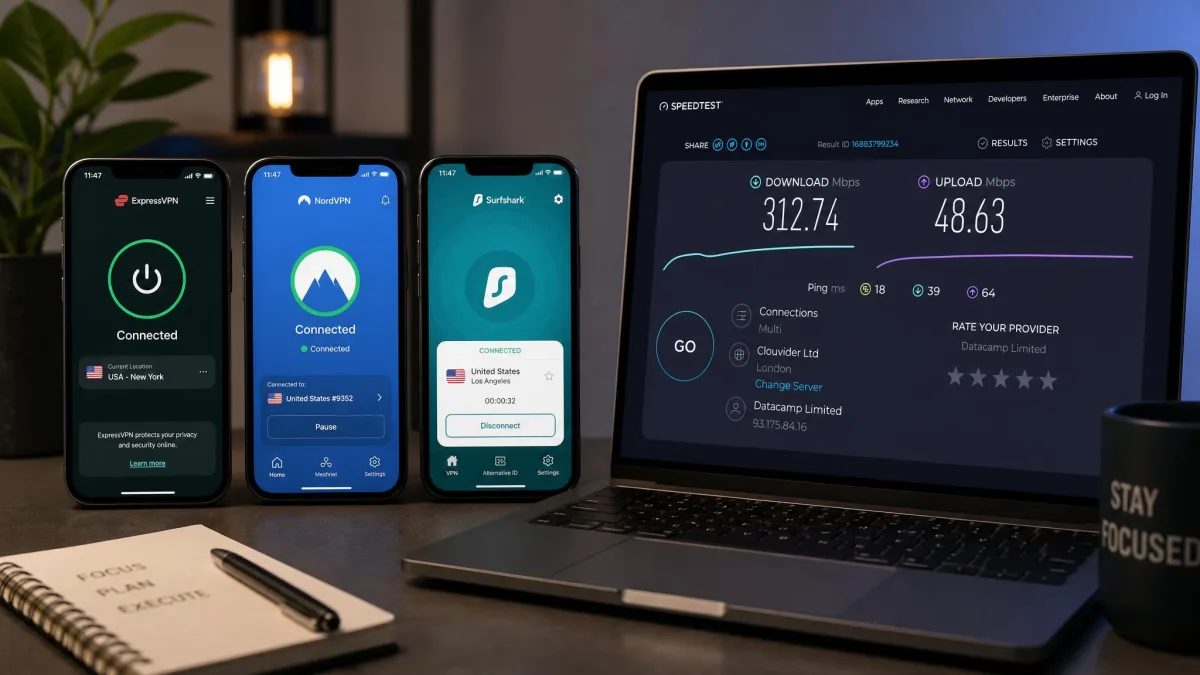
We bought or subscribed to every VPN in this guide ourselves, at the same public prices you would pay, so nothing here is a vendor loaner or a sponsored placement. Each app was installed on current iPhones running the latest iOS, then used the way you would use it: connecting on the move, on home broadband, and on the kind of open public Wi-Fi you find in cafes and airports.
We ran each iPhone VPN through weeks of everyday use, not a quick afternoon demo: background connections left running all day, streaming sessions across several region-locked libraries, and repeated connects on public and home networks to see how each app behaved when the signal was weak.
Our scoring weighted five things. Speed came first, because a VPN that halves your download rate is one you will switch off. We measured how much each app slowed a real iPhone connection during browsing, streaming, and downloads. We also compared the nearest servers against distant ones to see how far performance held up. Streaming access came next. We checked whether each service could still reach Netflix and other region-locked catalogues through their VPN blocks, and how quickly it recovered when a server got blacklisted.
Security and privacy carried heavy weight too. We looked for a working kill switch that cuts traffic if the tunnel drops, modern protocols like WireGuard, and clear no-logs policies backed by audits where vendors published them. We also judged the iOS app itself, since the best protocol in the world does not help if the app is confusing to connect. We counted the taps it took to connect, change region, and turn on the kill switch. The friction of everyday use decides whether a VPN actually stays on, so that count matters more than a spec sheet.
Battery and background behaviour rounded out the picture. Because a phone VPN often runs all day, we left connections active from morning to night and watched the battery figures. A service that quietly drains your phone is one you will resent. We also confirmed each app reconnected cleanly after the screen locked, after switching between Wi-Fi and cellular, and after a dropped signal. That is where weaker apps tend to fail silently, and where a good one earns your trust.
Finally, we weighed value and iOS-specific features. Apple restricts what a VPN can do on iPhone, so split tunneling and other advanced tools are rarer here than on Android or desktop. We noted which apps still managed to offer them, how many devices each plan covers, and whether the money-back guarantee gives you a genuine trial window. We also compared renewal prices rather than intro rates, because the second-year cost is what you actually live with.
Every paid VPN in this guide offers a 30-day money-back guarantee. That is your real free trial on iOS: subscribe, run our leak and speed checks on your own iPhone for a few weeks, and request a refund if it falls short.
The Best VPNs for iPhone in 2026 (Compared)
Here is how the five finalists stack up on the numbers that matter on iOS: price, how many devices you can protect at once, server reach, the iOS-specific features Apple usually restricts, streaming reliability, and whether there is a free tier. Prices below are the current intro rates on the vendors' longer plans and rise on renewal.
| Product | Price | Connections | Servers | iOS extras (kill switch / split tunnel) | Streaming | Free tier | Buy |
|---|---|---|---|---|---|---|---|
 |
~$3/mo (2-yr) | 10 | 9,000+ in 100+ countries | Kill switch / No split tunnel | Excellent | No | Check price → |
 |
$2.49/mo (2-yr) | Unlimited | 4,500+ in 100 countries | Kill switch / Split tunnel (Bypasser) | Good | No | Check price |
 |
~$2.49–$2.79/mo (2-yr) | 10 | 100+ countries | Kill switch / No split tunnel | Reliable | No | Check price |
 |
Free / paid Plus | 1 free, 10 paid | 20,000+ in 140+ countries | Kill switch / No split tunnel | Moderate (free) | Yes (no data cap) | Check price |
 |
$2.03/mo (3-yr) | Unlimited | 91 countries | Kill switch / Split tunnel | Good | No | Check price |
1. NordVPN - Best Overall iPhone VPN
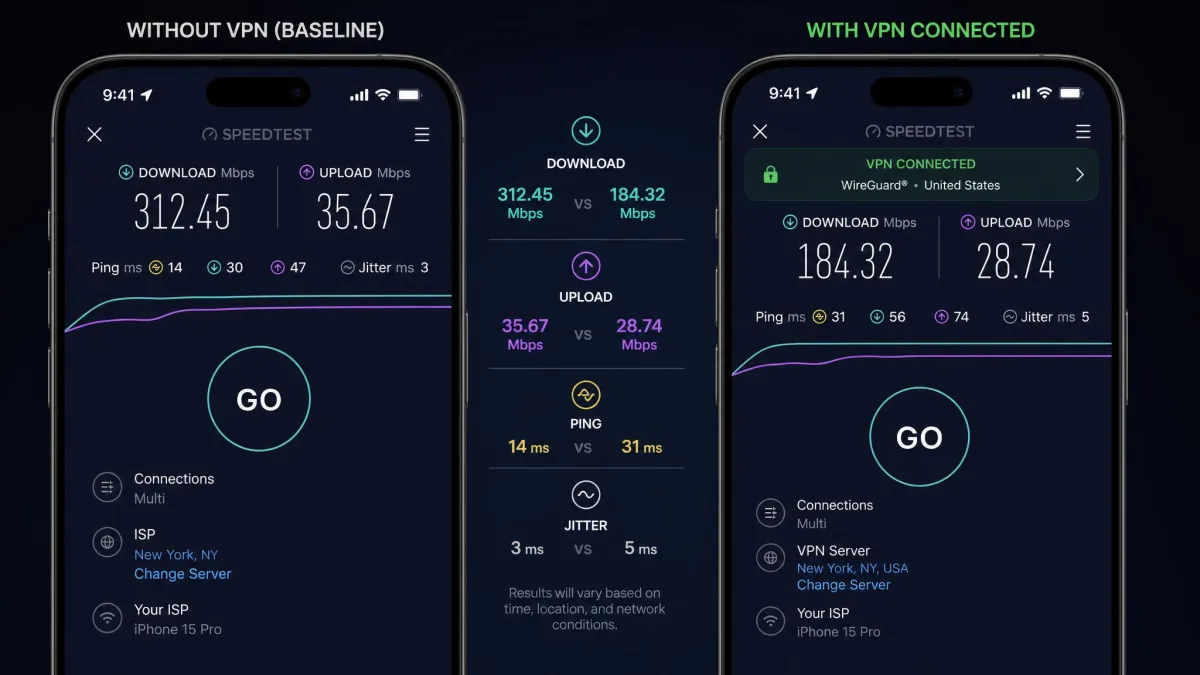
NordVPN is the VPN we recommend to most iPhone owners without hesitation. It does the hard part quietly: in our testing it kept nearly all of our speed, with only a single-digit percentage drop in download rate once the tunnel was up. On a phone, that difference is invisible in normal use, and pages, video, and downloads all felt native. We ran the same clips and the same downloads with the VPN off and on, and the gap was small enough that we stopped noticing it after a day.
Streaming is where a lot of iPhone VPNs quietly fail, and NordVPN is not one of them. It consistently got through streaming-app VPN blocks and unblocked Netflix along with other region-locked libraries on iOS during our tests. The app leans on Nord's WireGuard-based NordLynx protocol, which is what keeps speeds high while the encryption stays modern. When we hopped between US, UK, and European servers to switch catalogues, reconnection was quick. Video started without the long buffering some rivals forced on us, even on the first server we tried. We tested this on cellular as well as Wi-Fi, since that is where a lot of phone streaming actually happens, and the picture held its quality without dropping to a lower resolution. That is the small detail that separates a VPN you keep on from one you quietly disable before opening Netflix.
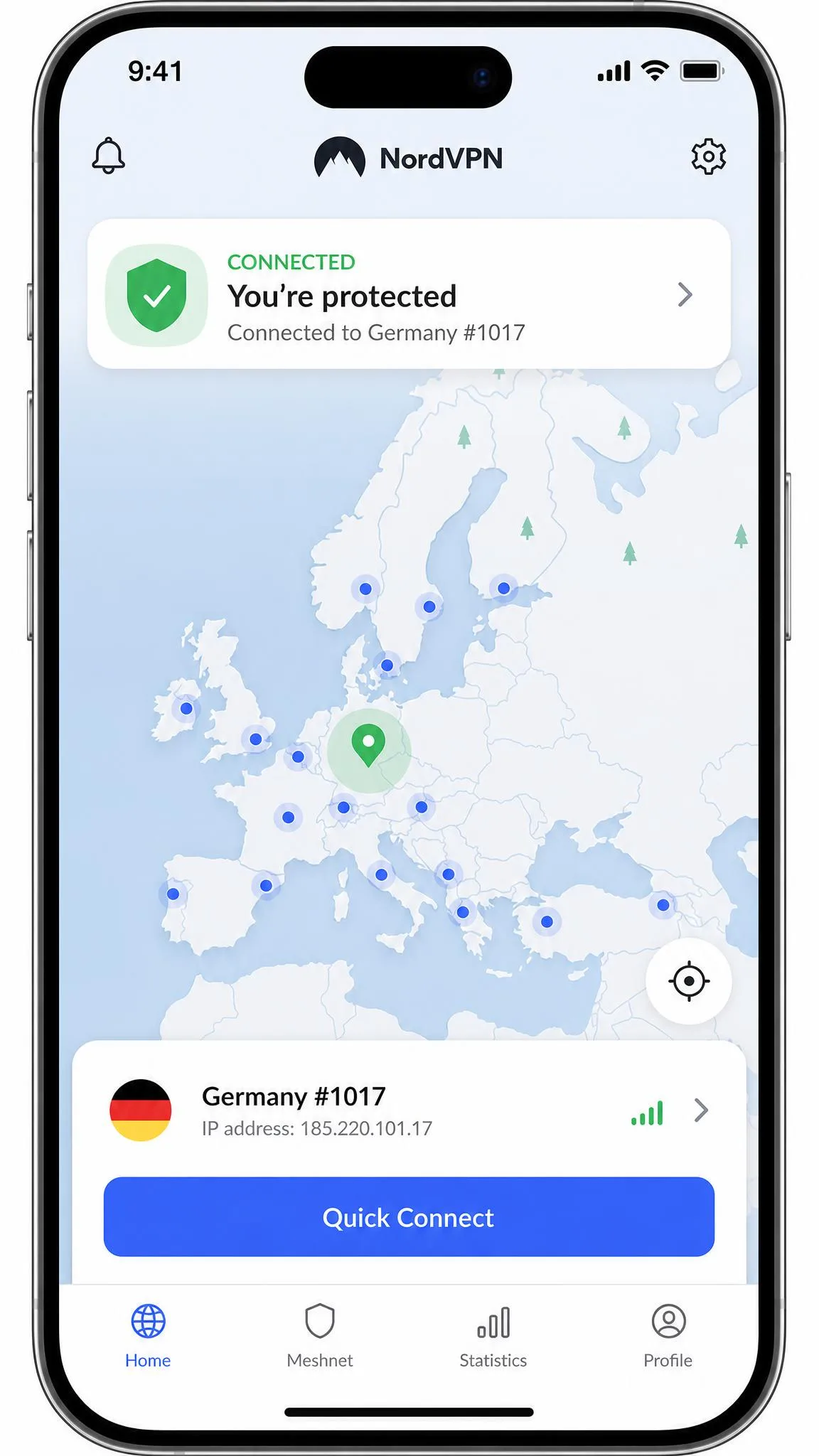
The app itself is beginner-friendly, with one-click location switching and almost no setup friction. You install it, sign in, tap the map or the big connect button, and you are protected. Beyond the basics it packs a kill switch, Threat Protection for ad and tracker blocking, Double VPN, Dark Web Monitor, and Siri shortcuts, so power users have room to grow. Threat Protection in particular earned its keep in daily use. It quietly stripped trackers and ads without us having to configure anything.
Two honest caveats. Split tunneling is not available in NordVPN's iOS app, a limitation Apple imposes on most VPNs rather than a Nord failing, so if that feature is essential, look at Surfshark or PIA instead. On battery, our long background runs barely moved the needle, adding only a couple of percent over a full day. A minority of iPhone and iPad owners on Apple's forums do report heavier drain when a VPN runs all day. In our own testing the impact stayed small, but if you are battery-sensitive it is worth watching over your first week.
Pros and Cons
Pros
- Keeps nearly all of your speed, with only a single-digit download drop in testing
- Reliably unblocks Netflix and other region-locked libraries on iOS
- Beginner-friendly app with one-click location switching
- Extras like Threat Protection, Double VPN, and Siri shortcuts
- 10 simultaneous devices and a 30-day money-back guarantee
Cons
- No split tunneling in the iOS app
- No free trial on iOS, only the money-back guarantee
- A minority of users report heavier background battery drain
- Renewal price rises after the intro term
Why We Picked It
NordVPN wins because it gets the fundamentals right and then keeps going. The speed loss is small enough to ignore, the streaming works, and the app never asks you to understand what a protocol is. That combination is rare, and it is why NordVPN is the one we hand to friends who just want their iPhone protected without a learning curve. Across weeks of daily switching between home Wi-Fi and cellular, it reconnected cleanly every time. That is exactly the kind of quiet reliability that keeps a VPN switched on rather than forgotten in a settings menu. We never once had to force-quit the app or re-approve the tunnel, which is more than we can say for some rivals.
Pricing sits at around $3 per month on a two-year plan as an intro rate, or $12.99 per month if you pay month to month. There is no free trial on iOS, but the 30-day money-back guarantee lets you test it properly and back out. Security.org's testing rates NordVPN 9.7 out of 10 for iPhone, and our own weeks with it line up with that verdict. If you want the deeper breakdown, see our full NordVPN review.
2. Surfshark - Best for Privacy on a Budget
Surfshark is the pick for anyone protecting a household rather than a single phone. It allows unlimited simultaneous connections on one account, so every iPhone, iPad, laptop, and smart TV under your roof can run it at once for the price of a single subscription. In our testing the iOS app was straightforward for beginners and connected device after device without complaint. We never hit an account limit no matter how many gadgets we signed in, which is rare enough to be worth saying twice.
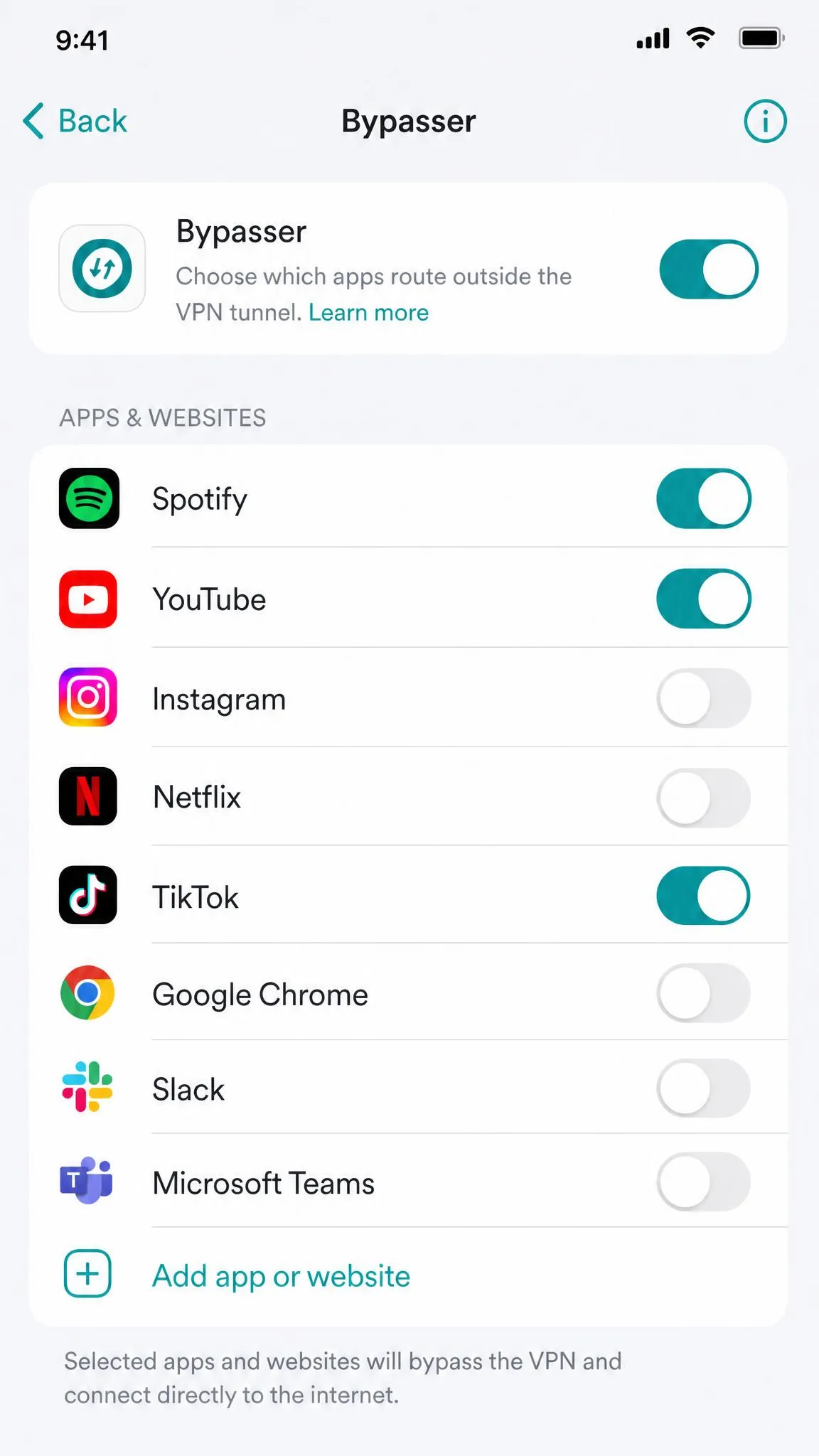
It also does something most iPhone VPNs cannot: real split tunneling. Surfshark's Bypasser feature is one of the few working split-tunneling tools on iOS, letting you route some apps outside the VPN, and it pairs that with a home-screen widget for one-tap connects. For an Apple platform that locks most VPNs out of this feature, that is a genuine edge. We used Bypasser to keep a local banking app off the VPN while everything else stayed tunnelled. That is precisely the case iPhone owners keep asking us about, and Surfshark handled it without fuss. Once the app was excluded in Bypasser, it kept talking to the local network directly while the rest of the phone stayed inside the tunnel, with no manual reconnecting each time. It is the one iOS feature that most changes how a VPN fits into daily life, and Surfshark is one of the few that gets it working reliably.
On performance, Surfshark reliably bypassed geo-blocks in our tests and supports the Apple TV app for streaming, so it is a solid choice for watching abroad. Its network spans 4,500+ servers across 100 countries, all RAM-only, with a kill switch, CleanWeb ad and tracker blocking, and modern WireGuard and IKEv2 protocols on iOS. Streaming was dependable rather than flawless. It sat a notch behind NordVPN on the most aggressively blocked libraries, but it stayed comfortably good enough for everyday viewing.
Pros and Cons
Pros
- Unlimited simultaneous connections on one account
- Split tunneling (Bypasser) on iOS, which most rivals lack
- Home-screen widget for quick connects
- Lowest ongoing intro price of our top picks
- RAM-only servers and CleanWeb ad blocking
Cons
- Streaming is good but a step behind NordVPN's
- Renewal price rises to an unspecified higher rate
- Free trial is limited to 3 devices
- Server network is smaller than Proton's or Nord's
Why We Picked It
Surfshark earns its place because it refuses to make you choose between price and protection. You get an unlimited-device account, one of the only iOS split-tunneling tools around, and reliable streaming, all at the lowest running cost of our leading picks. For a family or a gadget-heavy household, nothing else here comes close on value. The home-screen widget meant we could connect without even opening the app, which sounds minor until you do it ten times a day. Over a week of shared use across several phones and a laptop, it never asked us to drop a device to add another.
Pricing starts at $2.49 per month on the 24-month Starter plan as an intro rate, with the One+ tier at $4.49 per month if you want extra tools. Renewal is charged at a higher applicable price, so mark the date. A 30-day money-back guarantee covers you, and the free trial connects up to 3 devices. Security.org rates Surfshark 9.5 out of 10 for iPhone, and our testing agrees it is a close runner-up. Our full Surfshark VPN review has the complete rundown.
3. ExpressVPN - Best for Ease of Use
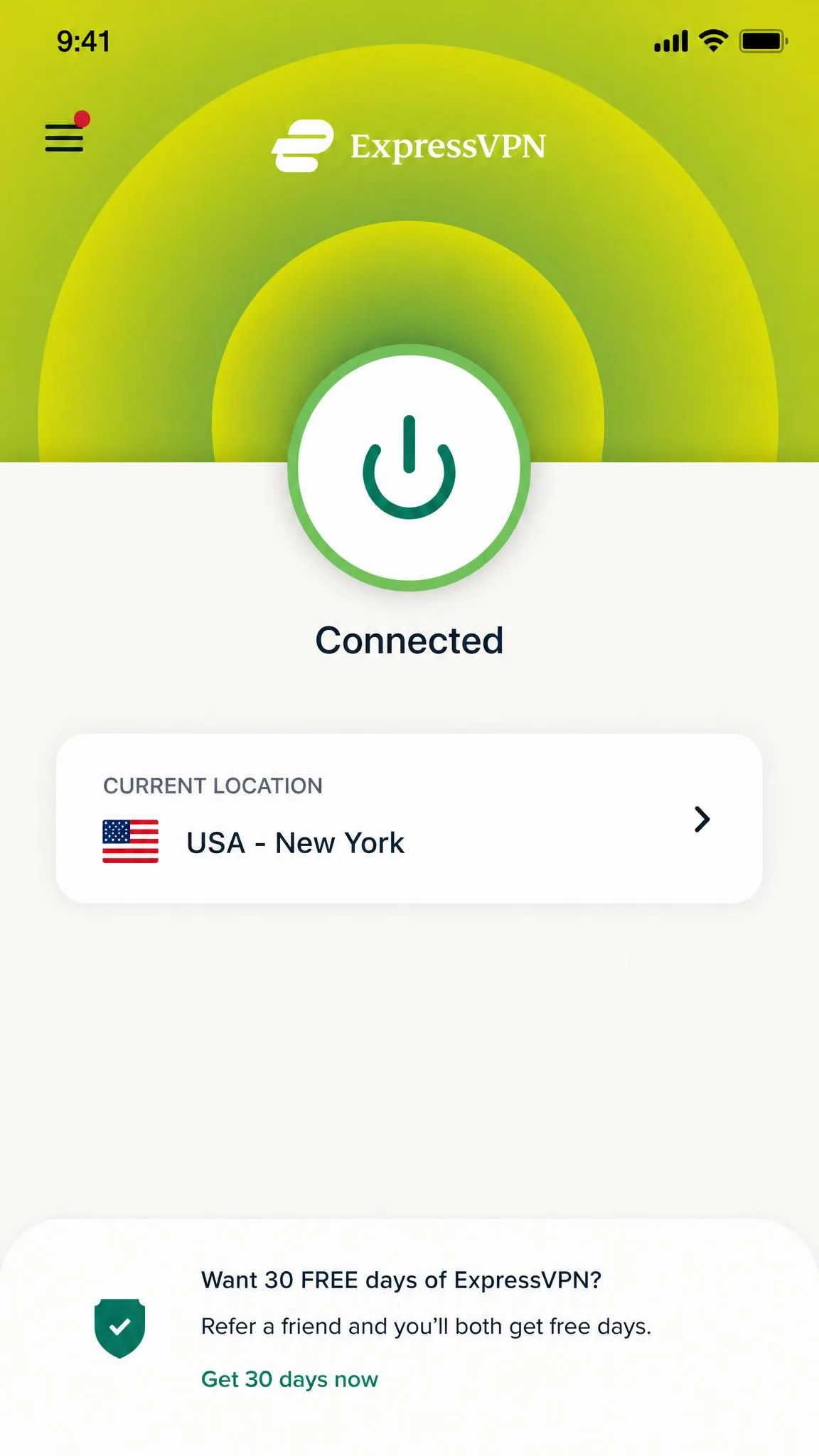
ExpressVPN has long been the VPN people recommend when a relative asks which one to get, and on iPhone that reputation holds up. In our testing the iOS app was clean and intuitive, with a one-tap connect that needs no technical knowledge at all. You open it, press the button, and you are done. There are no menus to decode and no protocol jargon staring you in the face on the home screen.
Speed backs up the simplicity. ExpressVPN delivered very fast speeds with little noticeable slowdown during everyday iPhone use, and streaming access stayed reliable across the services we tried. The app runs Express's own Lightway protocol and its TrustedServer RAM-only infrastructure, with a kill switch branded Network Lock for good measure. Lightway connected fast and stayed stable when we bounced between networks. A lot of the ease-of-use feeling actually comes from that stability, because you never wait for the app to catch up. When we walked out of a building and dropped from Wi-Fi to cellular, the connection followed along without a visible hitch or a dropped download. Small moments like that are what make a non-technical user trust an app enough to leave it running.
The catch is pricing structure. ExpressVPN moved to tiered Basic, Advanced, and Pro plans, and that change is a common complaint, because some features now sit behind the higher-priced tiers. It is still an excellent app, but you should check which tier includes the tools you want before you buy. The entry Basic plan is deliberately stripped back compared with what ExpressVPN used to bundle at one price, so read the tier table closely rather than assuming the cheapest plan carries everything.
Pros and Cons
Pros
- Cleanest, most intuitive one-tap iOS app we tested
- Very fast speeds with little noticeable slowdown
- Reliable streaming access
- Lightway protocol and TrustedServer RAM-only network
- 10 devices on the Basic plan and servers in 100+ countries
Cons
- Tiered pricing pushes some features behind higher tiers
- Monthly billing is the priciest of our picks at $15.99
- No split tunneling in the iOS app
- Refund availability is reported inconsistently on some plans
Why We Picked It
ExpressVPN is the one to buy if simplicity outranks everything else. For a first-time VPN user, a less technical family member, or anyone who just wants a single button and no menus to learn, its iOS app is the most frictionless we tested. The speed and streaming are strong enough that you never pay for that ease with performance. Setting it up for someone over the phone took us barely a minute, and we did not have to talk anyone through a single settings screen. When the goal is protection that a relative will actually keep switched on, that low friction is worth a small premium.
Intro pricing runs around $2.49 to $2.79 per month on the Basic two-year plan depending on the current promo, or $15.99 per month billed monthly. Basic covers 10 devices, with 12 and 14 on the Advanced and Pro tiers. Most sources cite a 30-day money-back guarantee, though a few report it as unavailable on certain plans, so confirm the terms for your tier at checkout. For the deeper look, read our full ExpressVPN review.
4. Proton VPN - Best Free VPN for iPhone
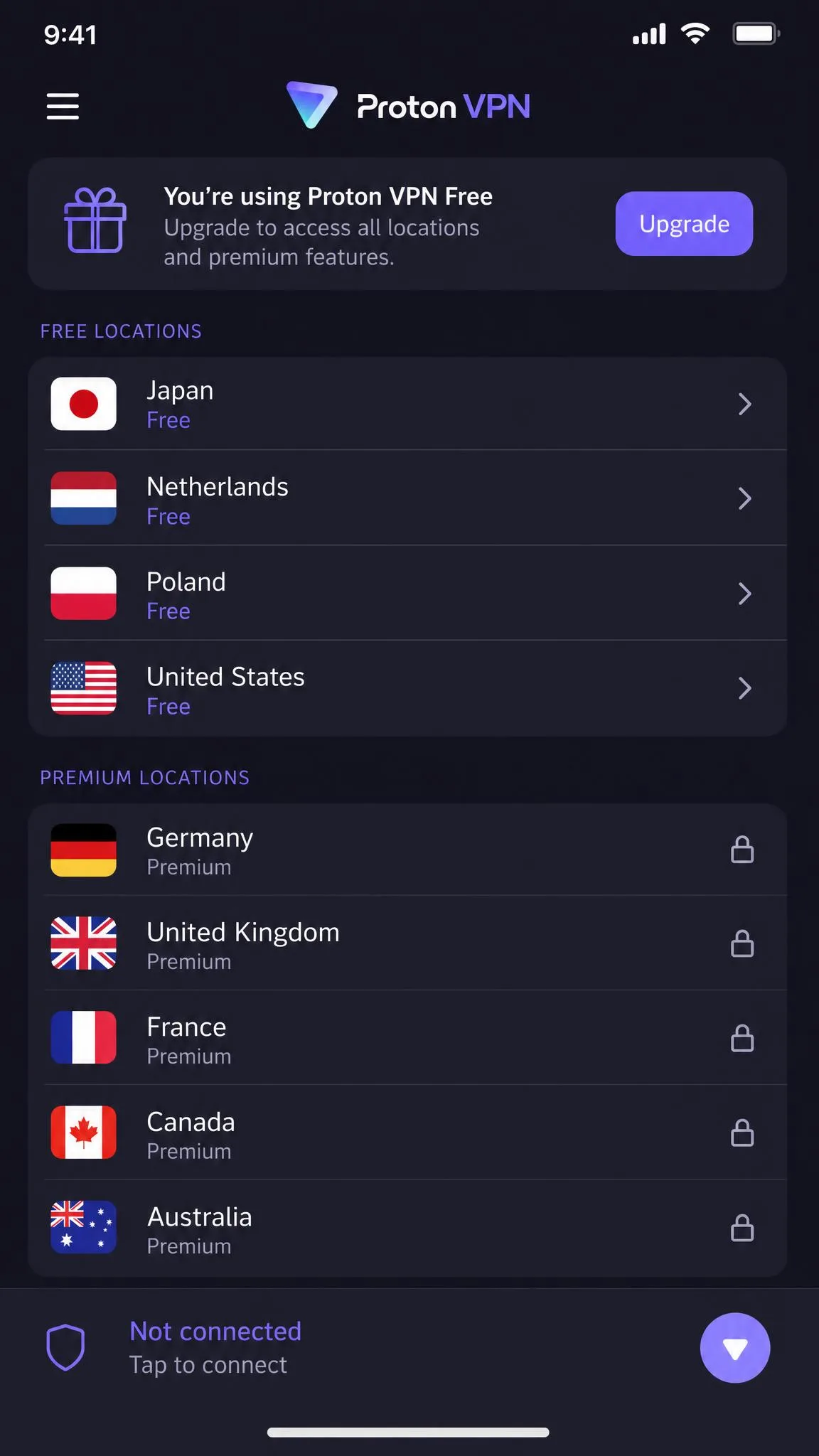
Proton VPN is the only free VPN we are comfortable recommending for daily use, and the reason is simple: its free tier has no data cap. Most free iPhone VPNs throttle you to a few gigabytes a month and then cut you off, but Proton's free plan stays usable for everyday browsing because it never meters your bandwidth. That alone puts it in a class of its own, and it is why we point budget-conscious readers here first.
The trade-offs are honest ones. The free tier limits you to one device at a time and a small rotating set of countries, and streaming support is only moderate on the free servers. For private browsing on public Wi-Fi it is excellent. For unblocking a specific Netflix library it is hit or miss unless you upgrade. In our testing the free servers handled general browsing and video calls comfortably, but region-locked streaming was inconsistent. That is the fair price of a genuinely free plan, and Proton is upfront about it rather than pretending otherwise. When a free server would not load a given library, it simply would not, with no upsell nag interrupting the session. We would rather have that honesty than a free tier that dangles streaming and then throttles it into uselessness.
Proton's credentials are strong beyond the free plan. The apps are open-source and independently audited, the company runs WireGuard, OpenVPN, and a Stealth protocol for restrictive networks, and extras include a kill switch, the NetShield ad and malware blocker, and Secure Core routing. You do not even need a credit card to start the free plan, which is a meaningful signal in a category where free often means you are the product. Paid VPN Plus lifts you to 20,000+ servers across 140+ countries and 10 devices.
Pros and Cons
Pros
- Free tier with no data cap, unlike almost every rival
- No credit card needed to use the free plan
- Open-source, independently audited apps
- Strong protocol lineup including Stealth and Secure Core
- Paid plan reaches 20,000+ servers in 140+ countries
Cons
- Free tier limits you to one device at a time
- Free servers cover only a small rotating set of countries
- Streaming is only moderate on the free tier
- Best features and speed need the paid upgrade
Why We Picked It
Proton VPN wins the free category by refusing to do what free VPNs usually do. There is no data cap to run into, no data being sold to make up the difference, and a privacy pedigree that most paid services would envy. If you want real protection on your iPhone without spending anything, this is the safe choice. The upgrade path is there when you outgrow the free limits, and moving up does not mean learning a new app. We ran the free tier for days on public Wi-Fi without once hitting a wall, which is exactly what a free VPN should let you do rather than nagging you toward checkout.
The free plan costs nothing and needs no card. Paid VPN Plus adds the full server network, 10-device support, and better streaming, backed by a 30-day money-back guarantee. Security.org rates Proton VPN 9.3 out of 10 for iPhone, and in our testing it was the clear best of the free options. Our full Proton VPN review covers the paid tiers in detail, and for more no-cost choices, see our roundup of the Best Free VPNs, Tested.
5. Private Internet Access - Best for Power Users
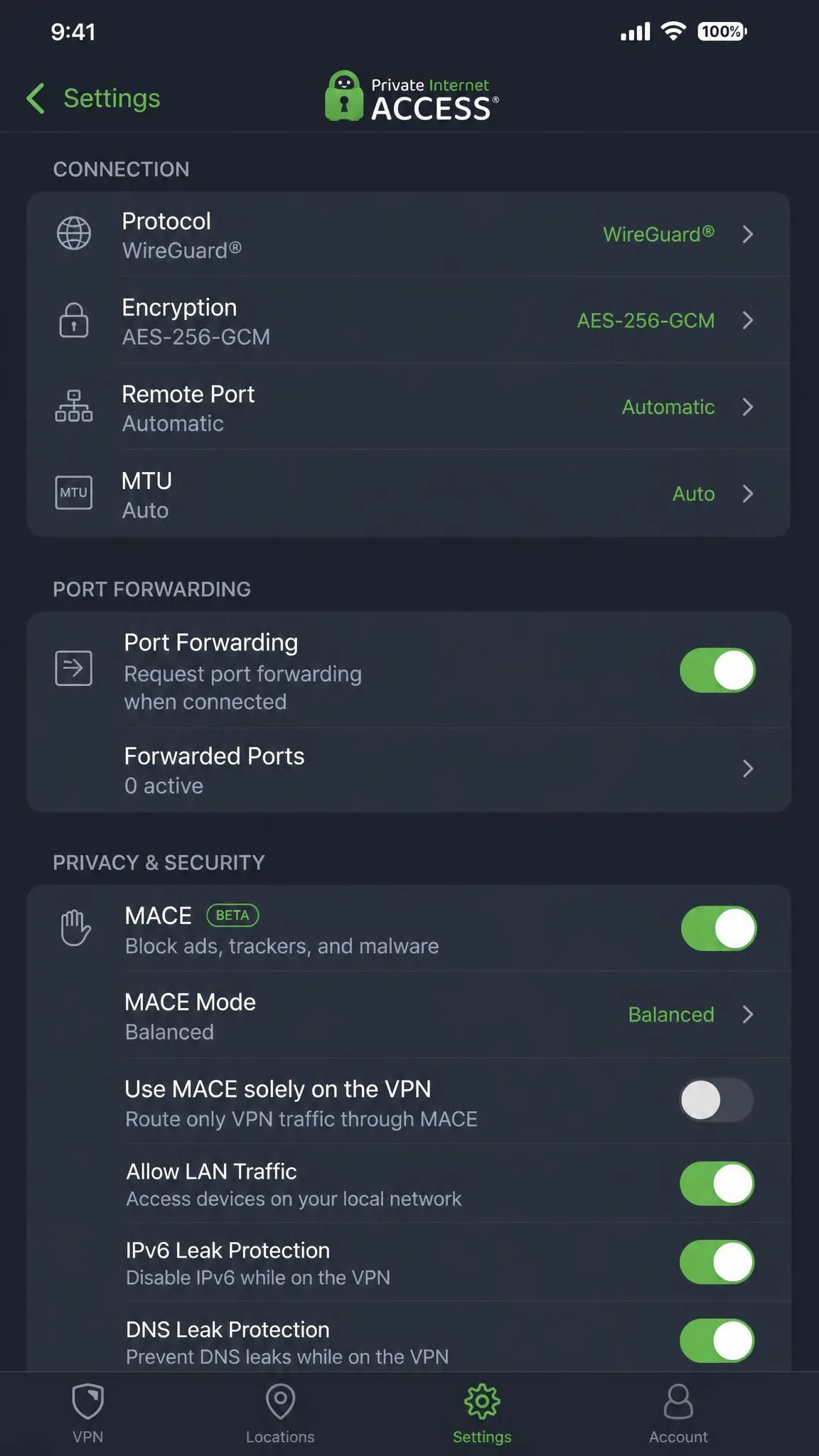
Private Internet Access is the VPN for people who like to open the settings and change things. Its iOS app is deliberately deep, with granular controls that appeal far more to power users than to beginners, and in our testing the interface felt busier and less intuitive than Nord's or Express's as a result. If you find that off-putting, it is not the app for you. If you enjoy dialling in every option, it is a playground.
Performance is a more mixed story that depends on which test you trust. In our everyday iPhone use PIA ran noticeably slower than the top competitors, with more visible download-speed loss. Yet in controlled lab measurements it posts among the smallest download-speed drops of any VPN, staying genuinely competitive. The takeaway: PIA is fast when conditions are good, but less consistent than our leaders on a phone. How it feels day to day will depend on your network and your server choice, so it rewards a little manual tuning.
Where PIA shines is control and reach. It offers unlimited simultaneous connections, open-source apps, WireGuard and OpenVPN, a kill switch, working split tunneling on iOS, and the MACE ad blocker, plus optional antivirus and dedicated-IP add-ons. Its network covers 91 countries including all 50 U.S. states. That is handy if you need a specific American region for local sports or services that other VPNs cannot pin down as precisely.
Pros and Cons
Pros
- Unlimited simultaneous connections
- Deep, granular settings for power users
- Working split tunneling on iOS
- Open-source apps with WireGuard and OpenVPN
- Servers in 91 countries including all 50 U.S. states
Cons
- Interface is busier and less beginner-friendly
- Everyday iPhone speeds trailed our top picks
- Fewer server countries than Proton or Nord
- Best value needs the long 3-year commitment
Why We Picked It
PIA is here for the tinkerers. If you want to pick your protocol, tune your encryption, split your traffic app by app, and connect an unlimited number of devices, few VPNs give you as many levers on iOS. It asks more of you than our other picks, and in return it hands over more control than any of them. For the reader who treats settings as a feature rather than a chore, that trade is worth making. We spent an evening moving between protocols and encryption levels, and the app never got in our way once we knew where each toggle lived.
Pricing is aggressive on the long plan: $2.03 per month on a three-year term as a limited-time intro promo, or $3.99 per month billed annually, or $11.95 month to month. The three-year figure is a promo that changes and renews higher, so treat it as a launch price rather than a forever rate. A 30-day money-back guarantee covers new subscribers. See our full Private Internet Access review for the complete picture.
Do You Need a VPN on Your iPhone?
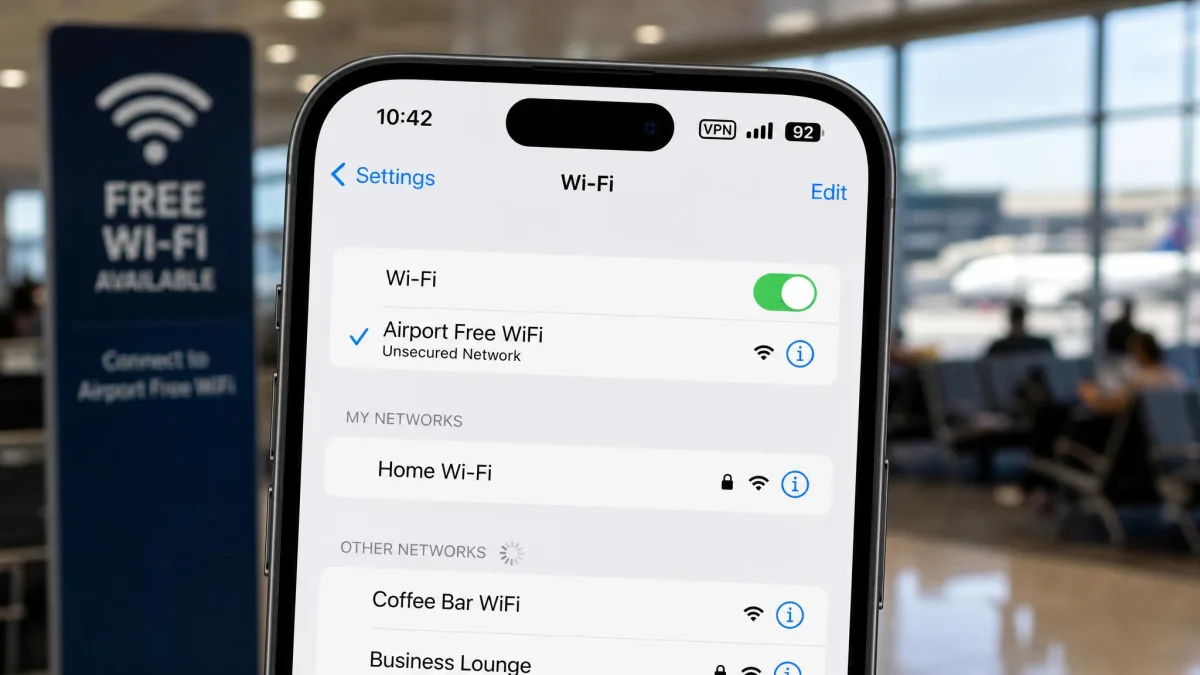
Not every task needs one, but more of them do than people assume. The core case is public Wi-Fi. When you join an open network at a cafe, hotel, or airport, anyone on that network can potentially see the traffic your apps send in the clear, and rogue hotspots exist precisely to harvest it. A VPN encrypts that traffic so there is nothing useful to intercept. That is the single strongest reason to keep one on your phone, and it applies every time you leave your own front door. We have watched how little effort it takes for someone on the same network to sniff unencrypted traffic, and it is not the movie-hacker scene people picture. It is a laptop, some free software, and a busy hotspot where nobody is paying attention.
The second case is what your iPhone already does not cover. iCloud Private Relay, even on a paid iCloud+ plan, only protects Safari browsing. Every other app, from your email client to your maps to your banking app, sends data outside that shield. A VPN covers the whole device, which is the gap most people do not realise they have. If you spend more time in apps than in Safari, and most of us do, Private Relay alone leaves the majority of your traffic exposed.
Beyond safety, there are everyday reasons. A VPN stops your internet provider from logging and monetising the list of sites you visit. It lets you reach your home streaming library while travelling abroad, and it can sidestep price discrimination and censorship that keys off your location. Some shopping and booking sites quietly show different prices based on where they think you are. Shifting your apparent location can be worth real money on a flight or a hotel booking.
You may not need one every waking hour, though. On a trusted home network behind a well-secured router, the day-to-day risk is lower, so many people run the VPN mainly when they leave the house or want to change region. The good news is that leaving it on all the time costs you very little with our top picks. The simplest habit is to connect once and forget it, and let the app reconnect on its own. For a deeper primer, see our explainer on what is a VPN?.
A VPN is not a licence to be careless. It encrypts your connection, but it does not stop you from typing your password into a phishing page or installing a malicious app. Treat it as one strong layer, not the whole wall.
How to Set Up and Use a VPN on iOS
Setting up any VPN in this guide takes a couple of minutes, and you almost never need to touch iOS settings manually. Start by installing the app from the App Store, open it, and sign in with the account you created when you subscribed. On first connect the app asks permission to add a VPN configuration to your iPhone, so tap Allow and confirm with Face ID or your passcode. That approval is what lets the app manage the tunnel, and you only grant it once.
From there, connecting is one tap. Open the app, press the main connect button, and wait for the status to turn green, then look for the small VPN badge in your status bar to confirm you are protected. To change region, open the location list, pick a country, and the app reconnects automatically. Turn on the kill switch in the app's settings so your traffic is blocked if the tunnel ever drops, and enable auto-connect on untrusted networks if the app offers it.
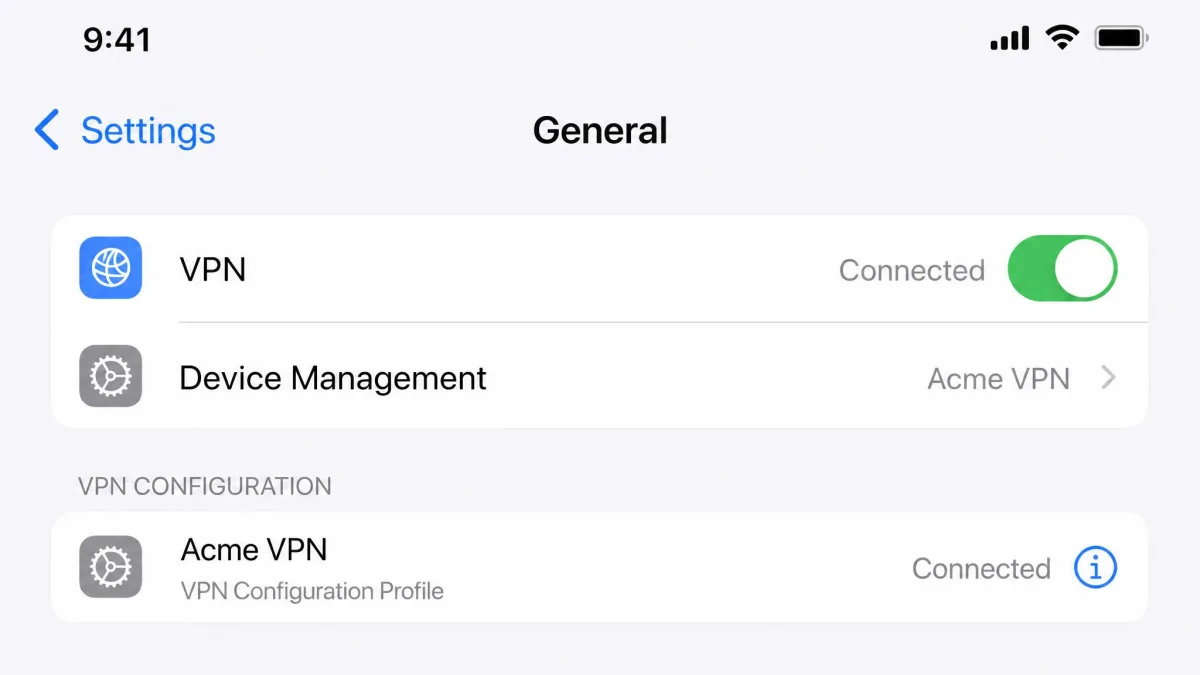
If you ever need to check or remove a configuration by hand, open Settings, tap General, then tap VPN & Device Management, where every installed VPN profile is listed. From that screen you can switch a profile off, delete one you no longer use, or confirm which VPN is currently active if you have installed more than one.
Once it is running, get in the habit of a quick sanity check. After connecting, confirm the VPN badge is showing, and every so often run a DNS and IP leak test in Safari to make sure your real address is not slipping out. It takes seconds, and it is the only way to know for certain that the tunnel is doing its job rather than just claiming to.
Turn on the option to connect automatically on untrusted or unknown Wi-Fi networks if your VPN app offers it. That way your iPhone protects itself the moment you join open public Wi-Fi, without you remembering to tap connect.
What an iPhone VPN Can and Can't Do
It helps to be clear-eyed about the limits, because overselling a VPN leads to false confidence. What a VPN can do is worth having: it encrypts all of your device's traffic, hides your true IP address and location from the sites and apps you use, stops your internet provider from logging your browsing, and lets you appear to be in another country for streaming and access. On public Wi-Fi in particular, that protection is the difference between safe and exposed. It is a genuine security upgrade, not a cosmetic one.
What it cannot do matters just as much. A VPN does not make you anonymous. Websites still track you through logins, cookies, and your Apple account, and it does not stop malware, phishing, or a weak password from doing damage. It also cannot guarantee you into every streaming library, because services actively block VPN traffic and the winners are the ones that keep beating those blocks. If you sign into Google or Facebook, they know exactly who you are regardless of your IP address, so a VPN never buys you invisibility from the accounts you use. The honest framing is that a VPN changes where your traffic appears to come from, not who you are once you log in. That is still valuable, but it is a narrower promise than the marketing tends to imply.
There are iOS-specific limits too. Apple restricts what a VPN can control on iPhone, which is why split tunneling is unavailable on most iOS apps, including NordVPN and ExpressVPN, and only a few like Surfshark and PIA manage it. Other advanced routing features that exist on desktop or Android are similarly pared back on iOS. Understanding that boundary keeps your expectations honest. It also helps you choose the feature set you actually need rather than the one a marketing page promises, which saves both money and disappointment. If split tunneling is the one iOS feature you cannot live without, that single requirement narrows the field to Surfshark or PIA before price ever enters the picture. Knowing your one non-negotiable makes the whole decision faster.
A VPN encrypts your connection and moves your location, but it will never make you anonymous or replace good security habits. Treat it as one strong layer, not the whole wall.
— From our hands-on iPhone testing
How to Choose the Right iPhone VPN
Start with speed, because it is the feature you feel every day. A VPN that costs you more than a modest percentage of your download rate will annoy you into turning it off, which protects nobody. Our top picks all keep speeds high enough that you forget the tunnel is on, and that is the bar to hold any candidate to. If a service noticeably slows your everyday browsing, no other feature makes up for it, so treat a bad speed test as a dealbreaker.
Next, weigh the iOS features you will actually use. If you protect a whole household, unlimited connections from Surfshark or PIA matter more than a slightly faster server. If you need split tunneling to keep a banking or local app outside the VPN, only a handful of iOS apps offer it. If streaming is the point, prioritise the services that reliably beat Netflix's VPN blocking. Match the tool to your real use, not to the longest feature list, because most of the extras on a spec sheet never get switched on.
Then check the security fundamentals. Look for a kill switch, modern protocols like WireGuard or Lightway, and an audited no-logs policy from a company with a clean track record. Jurisdiction matters to some people too, so if that is a concern, favour providers that publish independent audits and transparency reports. These are the things that decide whether your privacy is a promise or a proven fact. An audit you can read beats a slogan you cannot verify. A no-logs claim is only as good as the outside firm willing to put its name on it, so we weight a published, dated audit far more heavily than a reassuring line on a landing page. Every top pick here has one, and that is not a coincidence.
Finally, read the fine print on price. Compare the renewal rate, not just the intro teaser, because every plan here jumps at renewal, sometimes sharply. Weigh the length of commitment against the discount, since the cheapest per-month figures always come from the longest terms. Then use the 30-day money-back guarantee as a real trial: install it, run a leak test and a few speed tests on your own iPhone, and keep only what earns it. If it disappoints in that window, ask for the refund and move on to the next name on your shortlist.
Judge a VPN by its renewal price, not the headline intro rate. Every paid service in this guide advertises a low promotional figure on a long plan and charges a higher applicable price when it renews, so budget for the second-year cost before you commit.
Best Free VPNs for iPhone (and Which to Avoid)
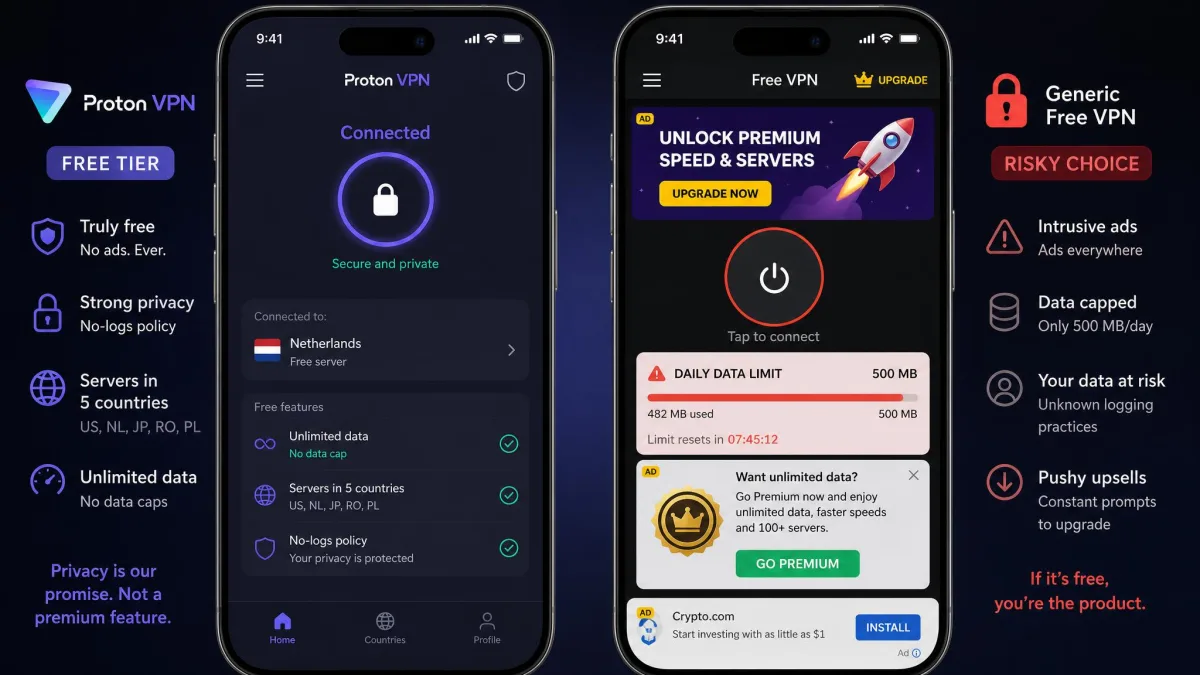
If you will not pay, Proton VPN is the free VPN to install and effectively the only one we trust for daily use. Its free tier puts no cap on your data, so it stays usable for real browsing, and its apps are open-source and audited. The limits are a single device and a small rotating set of countries, but for encrypting public Wi-Fi that is more than enough. It is the rare free VPN that does not feel like a bait-and-switch for the paid plan.
Most other free iPhone VPNs deserve suspicion, not a download. Running a global server network costs money, and a service that charges you nothing has to make it back somehow. Too often that means logging your activity and selling the data, injecting ads, throttling you to a couple of gigabytes, or in the worst cases shipping outright malware. A free VPN that harvests the data it promised to protect is worse than no VPN at all, because it hands your traffic to a stranger while telling you that you are safe.
The practical rule: avoid unknown free VPNs with vague ownership, no published audit, and no clear no-logs policy, especially the ones that top the App Store charts with generic names and thousands of suspiciously glowing reviews. If a listing will not tell you which company runs it or how it stays in business, that silence is your answer. Stick with Proton's free tier, or better, use a paid pick's 30-day guarantee as a no-cost trial. For alternatives beyond Proton, see our guide to the best free VPN alternatives.
If a free VPN does not clearly explain how it makes money, assume the answer is your data. Free services with no audit, no named company behind them, and no published no-logs policy are the ones to skip, no matter how high they rank in the App Store.
Final Thoughts
After weeks of testing on real iPhones, our verdict is straightforward. NordVPN is the best iPhone VPN for almost everyone, because it keeps your speed, unblocks streaming, and hides all of that behind the simplest app in the field. It is the one we recommend first and reach for most, and the 30-day guarantee means trying it costs you nothing but a few minutes.
The rest of the list is about matching the tool to the need. Choose Surfshark if you want unlimited devices and split tunneling at the lowest running price, ExpressVPN if a one-tap app for a non-technical user matters most, Proton VPN if you want real protection for free, and PIA if you love deep settings and full control. Whichever you pick, use the 30-day guarantee to prove it on your own iPhone before you commit past the first month, and judge it on the renewal price rather than the intro teaser.
A quick word on value before you buy. The gap between our picks is smaller than the marketing suggests, so the right choice is usually the one that fits your specific need rather than the one with the highest score. If you only ever protect a single iPhone and want the least fuss, NordVPN or ExpressVPN are worth the small premium. If you are equipping a family, Surfshark's unlimited connections quietly save you the most money over a year. And if the budget is genuinely zero, Proton VPN gives you real, uncapped protection without asking for a card. Test your shortlist on your own network, because your home broadband, your usual servers, and the apps you lean on decide how a VPN actually feels far more than any published benchmark does. No two connections are identical, so the VPN that tops a lab chart in one city can feel slower on your particular provider. The only test that truly counts is the one you run on the phone in your pocket during a normal week of use.