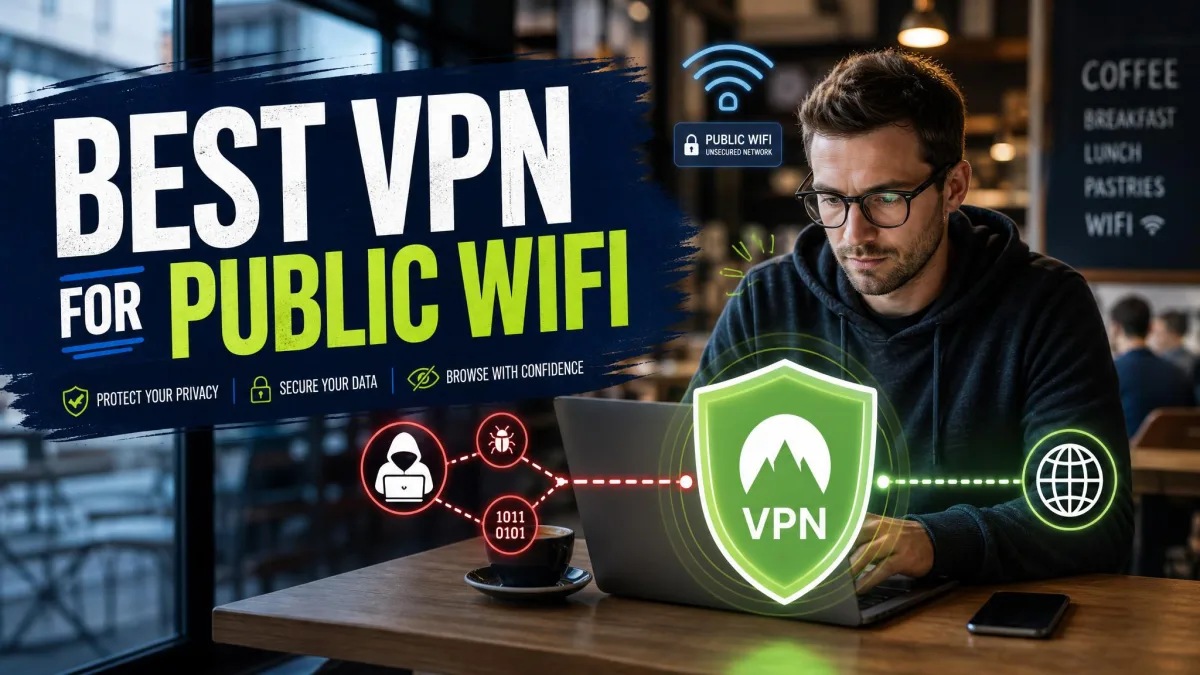
Public Wi-Fi is everywhere you want to be: the cafe, the airport lounge, the hotel lobby, the train. It is also wide open by design. Anyone else on that same hotspot can watch a surprising amount of your traffic, and the network itself has no idea who set it up. That is the trade-off behind every free connection you tap into while out and about. The convenience is genuine, and so is the exposure, which is why the same networks that make travel and remote work bearable are also the ones security teams warn about most.
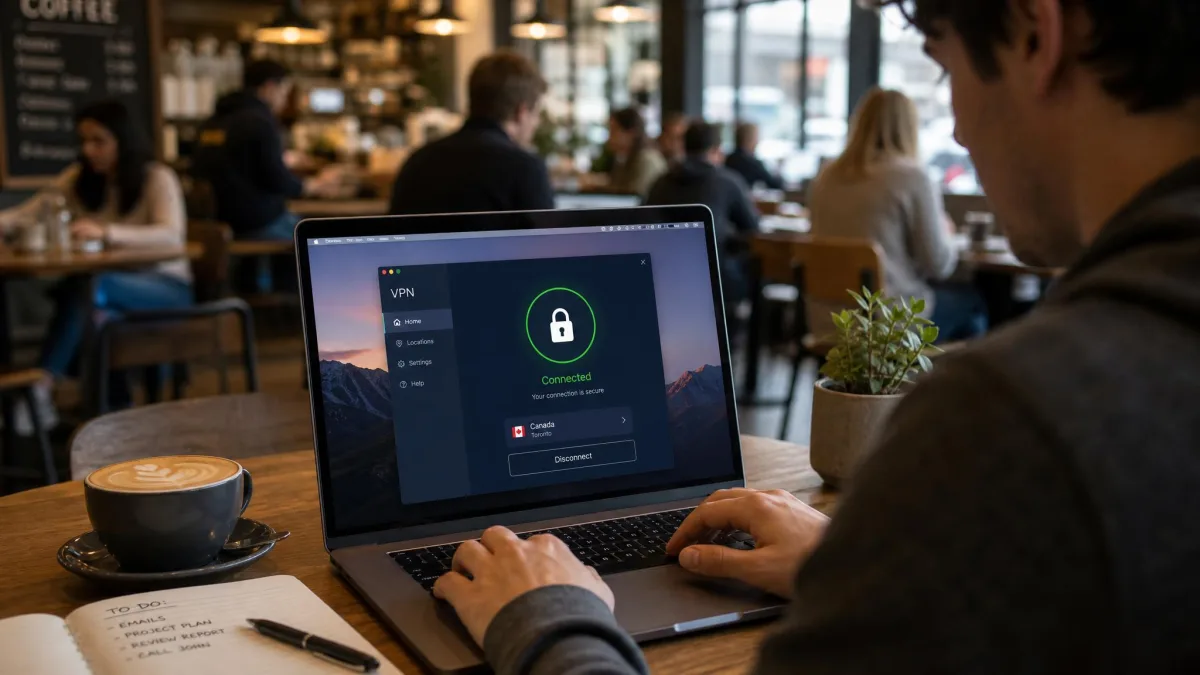
A good VPN closes that gap. It wraps your connection in strong encryption before your data ever leaves your device, so the coffee-shop network, the person two tables over, and the fake hotspot pretending to be the real one all see scrambled noise instead of your email, your logins, and your bank session. You get the convenience of connecting anywhere with the peace of mind that your traffic stays private no matter where you connect. The right service does this quietly in the background, so you get the protection without having to think about it every time you sit down.
We are a small team of hands-on testers with a networking background, and we spend our days putting VPNs through real-world speed, leak, and reliability checks rather than trusting the marketing. For this guide we focused on how each service behaves on the messy, unpredictable networks you actually use on the go, not the pristine lab conditions vendors like to quote. We connected on cafe Wi-Fi, in an airport lounge, on a hotel network, and, where we could, on in-flight airline Wi-Fi, then ran the same checks in the same order on each one. Below are the seven we would trust on an untrusted hotspot, ranked, with a plain-language look at the risks, the features that matter, and how to set everything up.
The Best VPNs for Public Wi-Fi in 2026
We ranked these seven on the things that actually keep you safe on a hotspot: encryption and leak protection first, then how well each one held up on slow, unstable public networks, then device coverage and price. Here is what stood out about each, and who each one is really for.
1. NordVPN: Best Overall for Public Wi-Fi

NordVPN
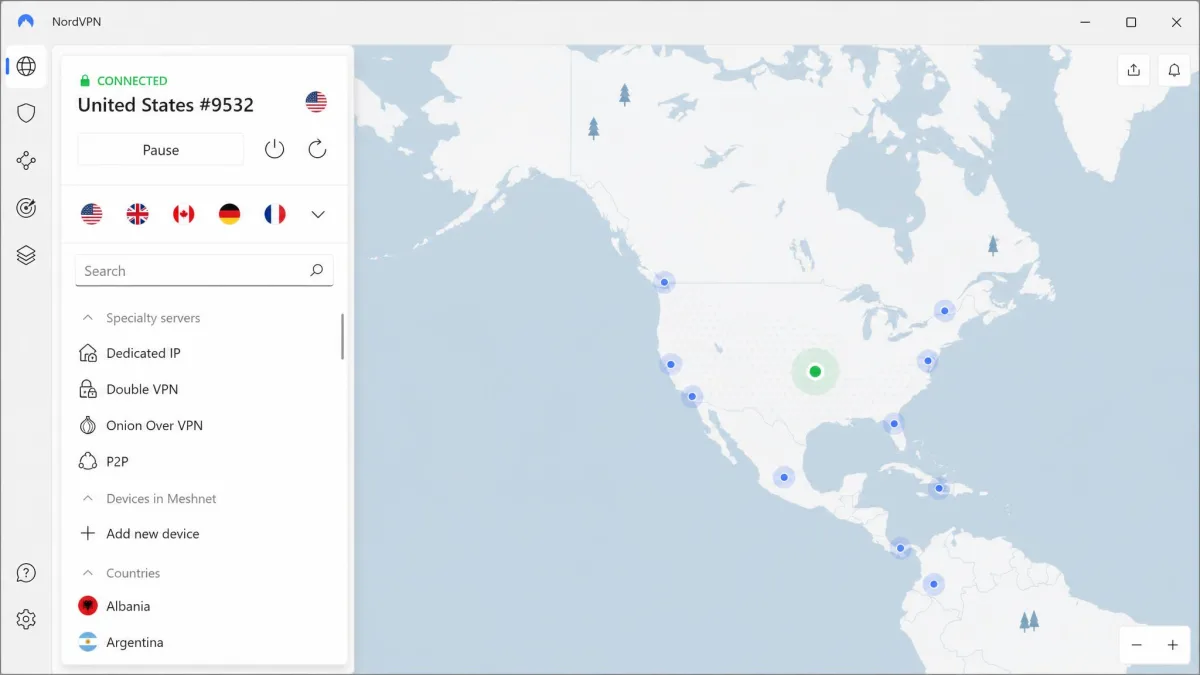
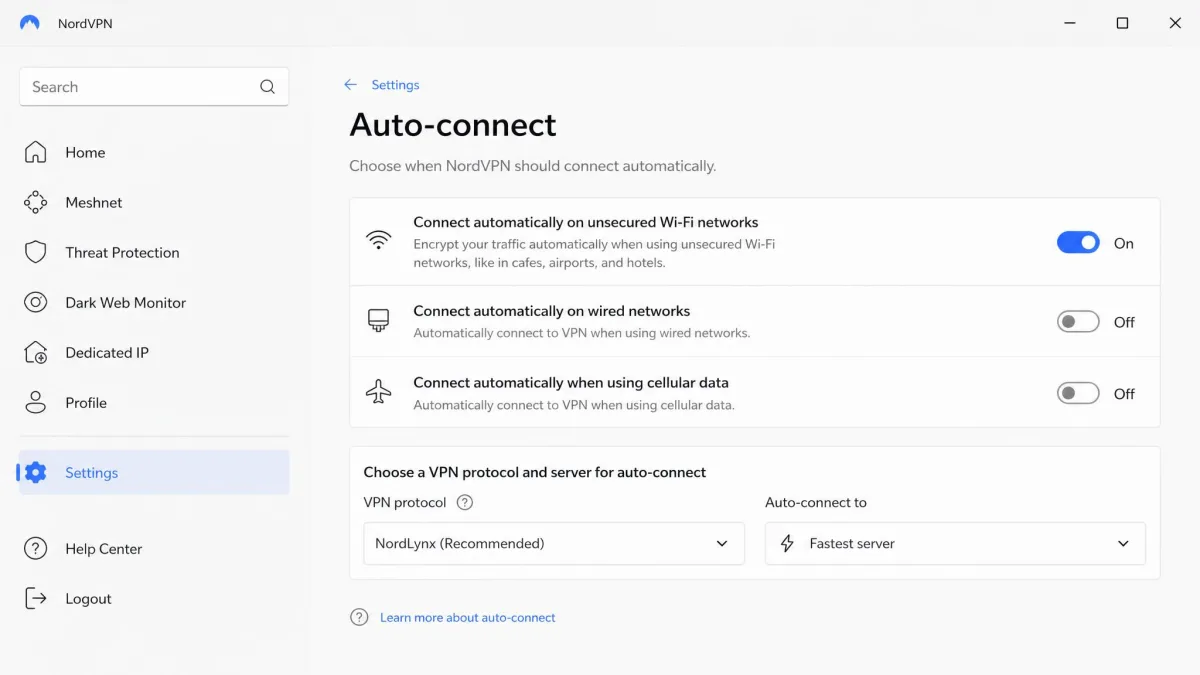
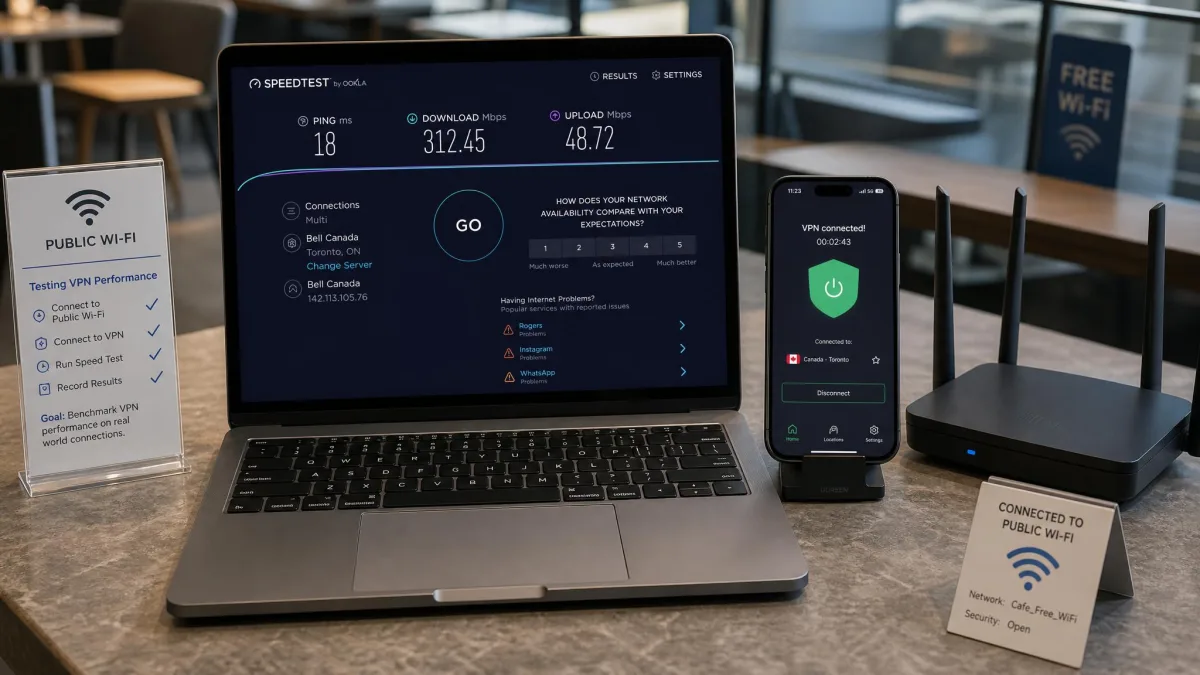
NordVPN was the fastest service we tested on public Wi-Fi, holding well over 100 Mbps on cafe and airport hotspots and clearing 200 Mbps in our throughput checks. It even streamed video reliably over in-flight airline Wi-Fi, which is about as hostile as a network gets. The feature that matters most here is auto-connect: the moment you join an unsecured network, NordVPN kicks in on its own, so your protection starts without a manual tap. Under the hood you get AES-256 encryption, the fast NordLynx protocol, an audited no-logs policy, RAM-only servers, and Threat Protection to block ads and trackers. It covers 10 devices at once and comes with a 30-day money-back guarantee, so you can put it through your own hotspot before committing.
Pros
- Fastest service in our testing, comfortably over 100 Mbps on public networks
- Auto-connect protects you the instant you join an unsecured network
- AES-256, audited no-logs, RAM-only servers, and built-in ad and tracker blocking
Cons
- Intro pricing sits a little above the cheapest rivals
- 10-device limit trails the unlimited-connection options
Best for: Anyone who wants the fastest, most hands-off protection on public Wi-Fi. Skip if: You need to cover a household of devices on one plan.
Between its speed and its automatic protection, NordVPN is the one we reach for first when we know we will be hopping between hotspots all day. What sealed it for us was the combination: plenty of fast services exist, and plenty of services will connect the moment you join a network, but NordVPN does both at once and never made us choose. On the airport hotspot that throttled two rivals down to a crawl, it still had headroom to spare, and the auto-connect meant we were protected before we had even opened the browser. For a service you want running the second you sit down anywhere, that reliability is what earns the top spot.
2. ExpressVPN: Best for Ease of Use & Speed

ExpressVPN
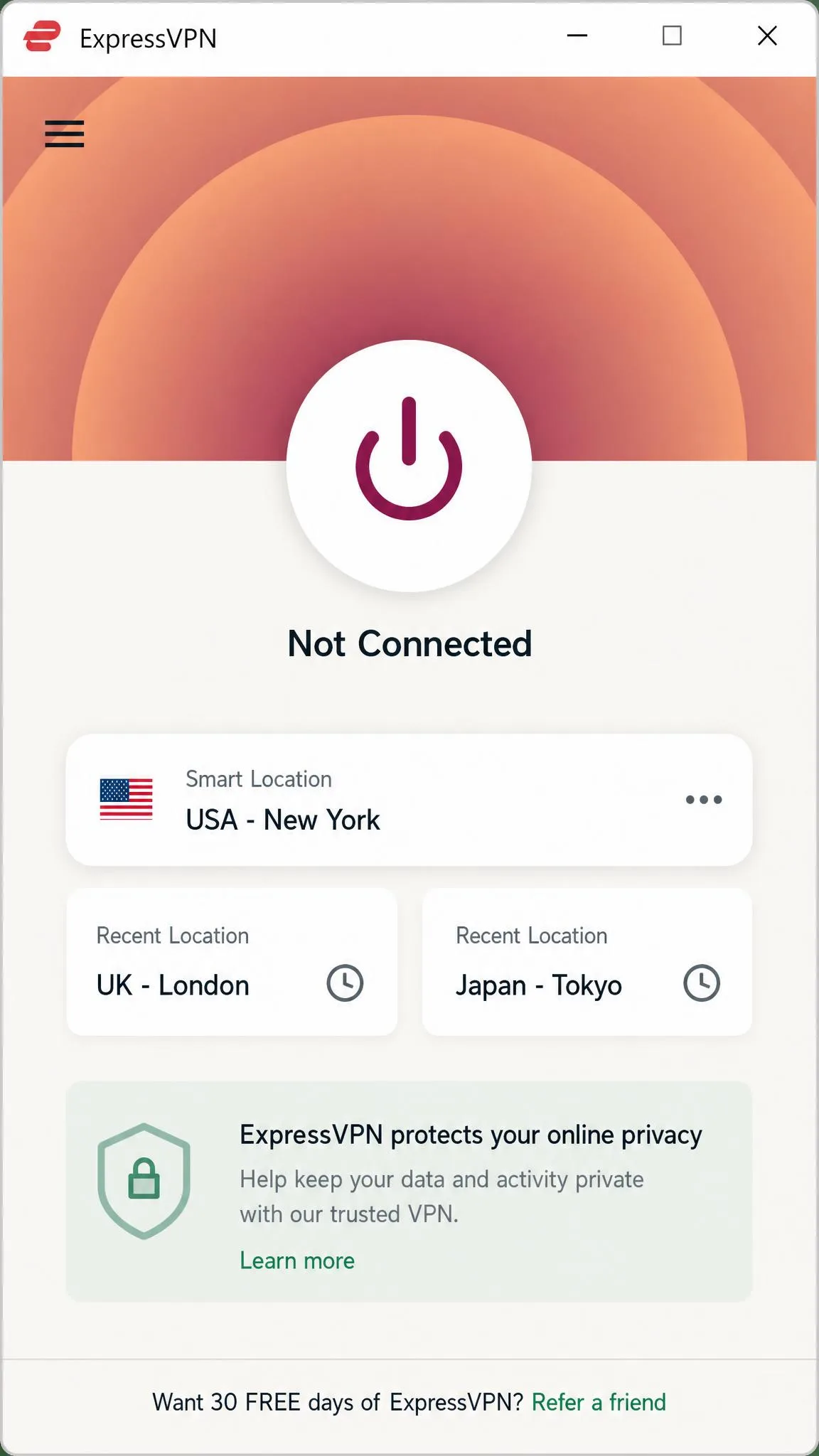
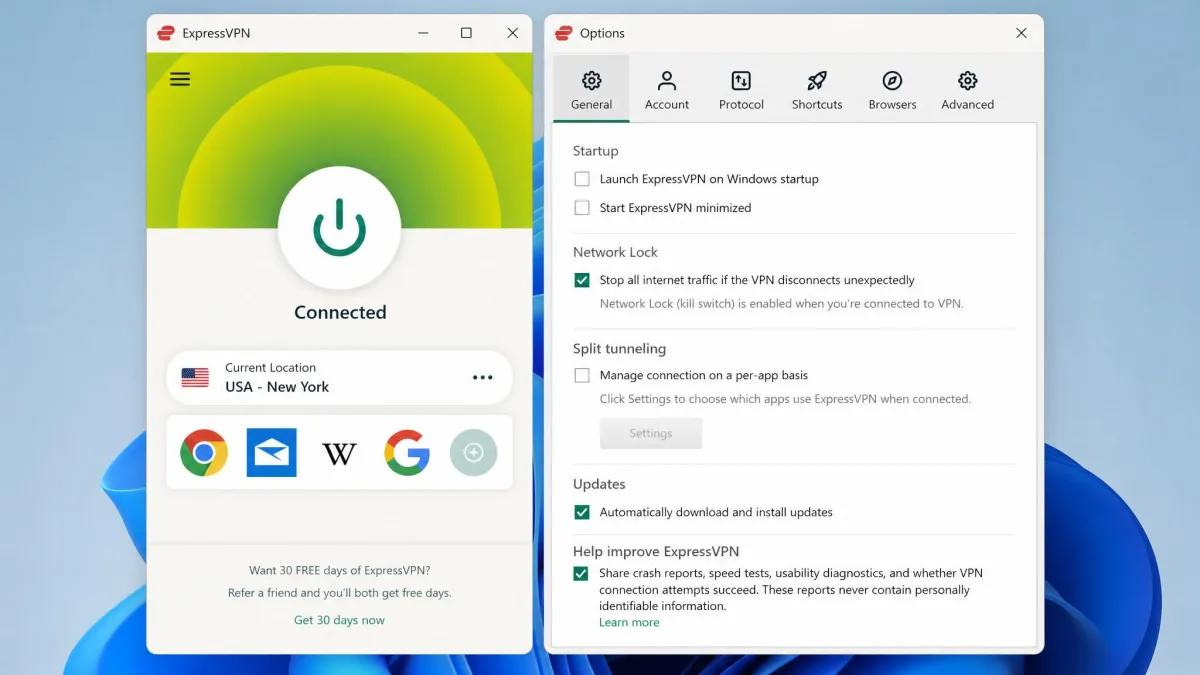
ExpressVPN is the service we hand to people who do not want to think about VPN settings at all. The app is the cleanest of the group, and its Lightway protocol reconnected quickly whenever a cafe hotspot dropped out, which happens more often than you would like on public networks. Its kill switch, marketed as Network Lock, held our traffic every time the connection wobbled. You also get AES-256 encryption, obfuscation on by default, split tunneling, an audited no-logs policy, RAM-only servers, and coverage across 105 countries. The catch is price: it is the most expensive option here, and it caps device connections lower than the unlimited rivals, with the exact number varying by plan tier. A 30-day money-back guarantee still lets you try it risk-free.
Pros
- Simplest, most polished app to live with day to day
- Lightway reconnects fast when a flaky hotspot drops
- Network Lock kill switch and obfuscation on by default
Cons
- Most expensive option in this roundup
- Device limit varies by plan and trails the unlimited rivals
Best for: People who want set-and-forget simplicity and fast reconnects. Skip if: You are on a tight budget or need to cover many devices.
The reconnect speed is what makes ExpressVPN worth its premium on public Wi-Fi specifically. Hotspots at cafes and airports drop the connection constantly, and on some rivals that meant a visible stall while the app scrambled to reestablish the tunnel. With Lightway the gap was short enough that a video call barely registered it. If you value not fiddling with settings, and you are willing to pay a little more for the least fussy app on this list, it is an easy recommendation.
3. Surfshark: Best Budget VPN for Public Wi-Fi

Surfshark
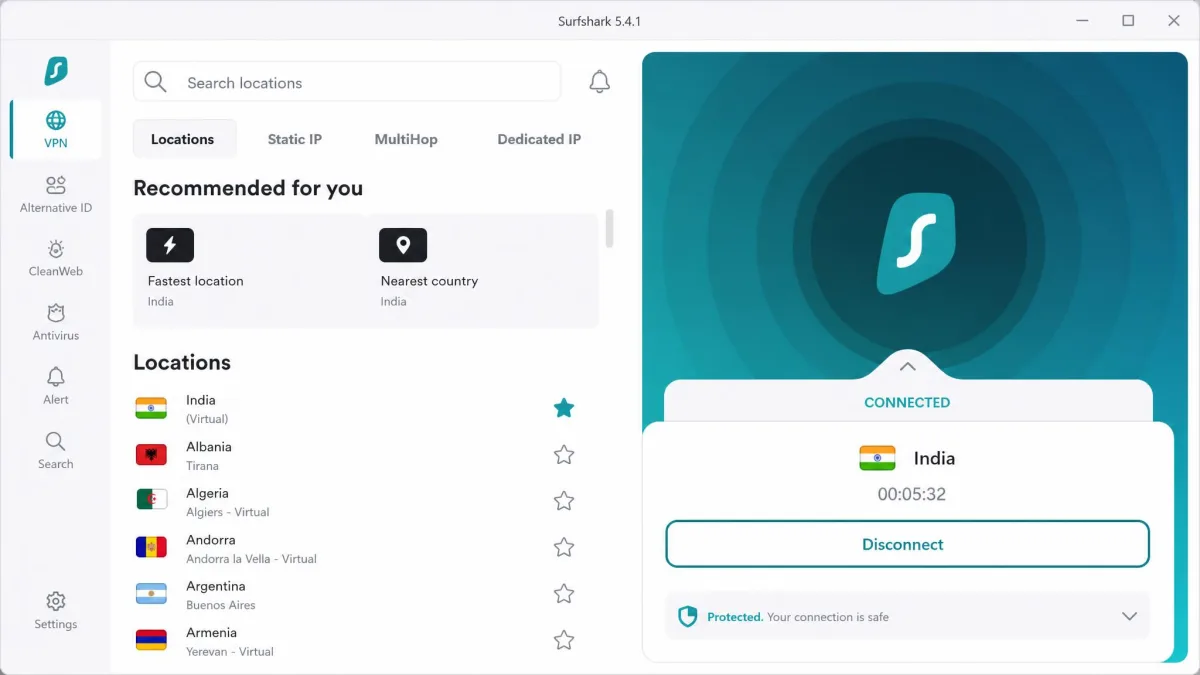
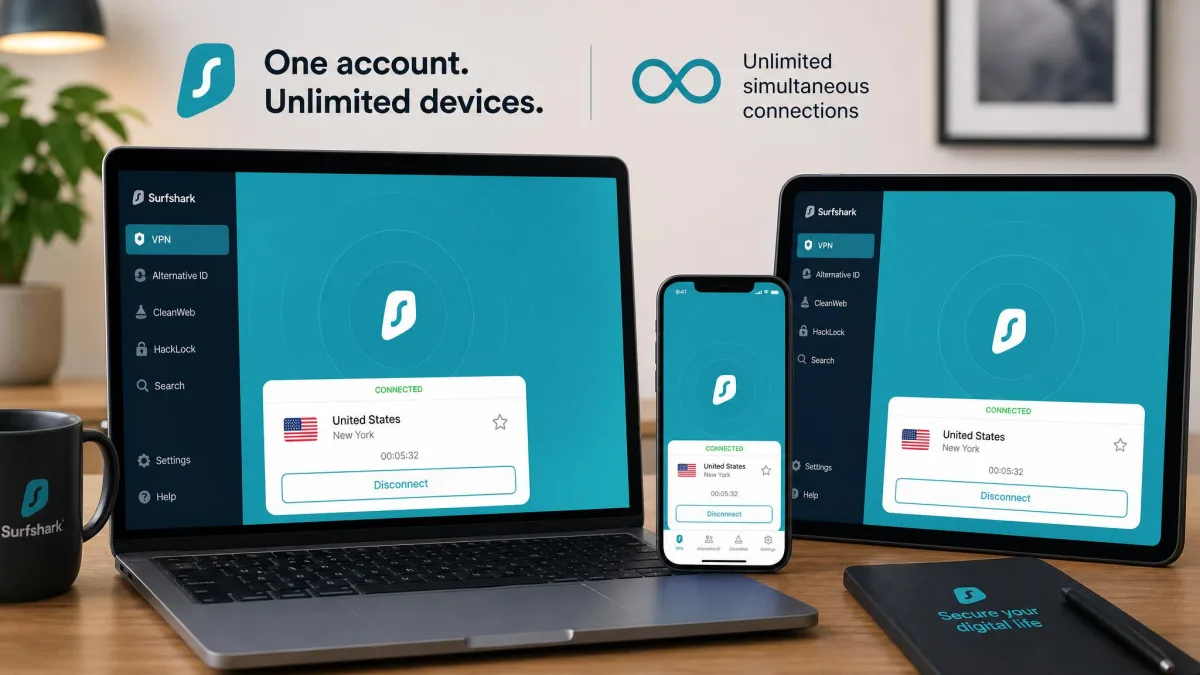
Surfshark is the best value on this list, and it never felt like a compromise in testing. We connected an iPad, an Android phone, and a laptop at the same time with no device-limit friction, and gaming over a public hotspot ran without noticeable lag. Just as important, it showed no DNS or IP leaks on any of the public networks we tried. You get AES-256 encryption, a WireGuard-based protocol, auto-connect on unsecured networks, Camouflage and NoBorders obfuscation, multi-hop, and an IP Rotator that changes your IP every few minutes. Unlimited simultaneous connections mean one subscription can cover your whole household and every gadget you travel with. It ships with a 30-day money-back guarantee.
Pros
- Unlimited devices on a single, low-cost plan
- No DNS or IP leaks in our public-network testing
- Auto-connect, multi-hop, and obfuscation included
Cons
- Speeds are strong but sit just behind NordVPN
- The sheer number of features can take a moment to learn
Best for: Covering every device you own without paying more. Skip if: You want the single fastest connection above all else.
What makes Surfshark the value pick is that the unlimited-device allowance does not come at the cost of the fundamentals. We have seen cheap services skimp on leak protection or obfuscation to hit a price, and Surfshark does neither: it passed our leak tests cleanly and still carries the advanced features you would expect from a pricier tier. For a traveler with a phone, a tablet, and a laptop, or a household that wants one subscription to cover everyone, it delivers the most protection per dollar of anything we tested.
4. Proton VPN: Best for Privacy-First Users

Proton VPN
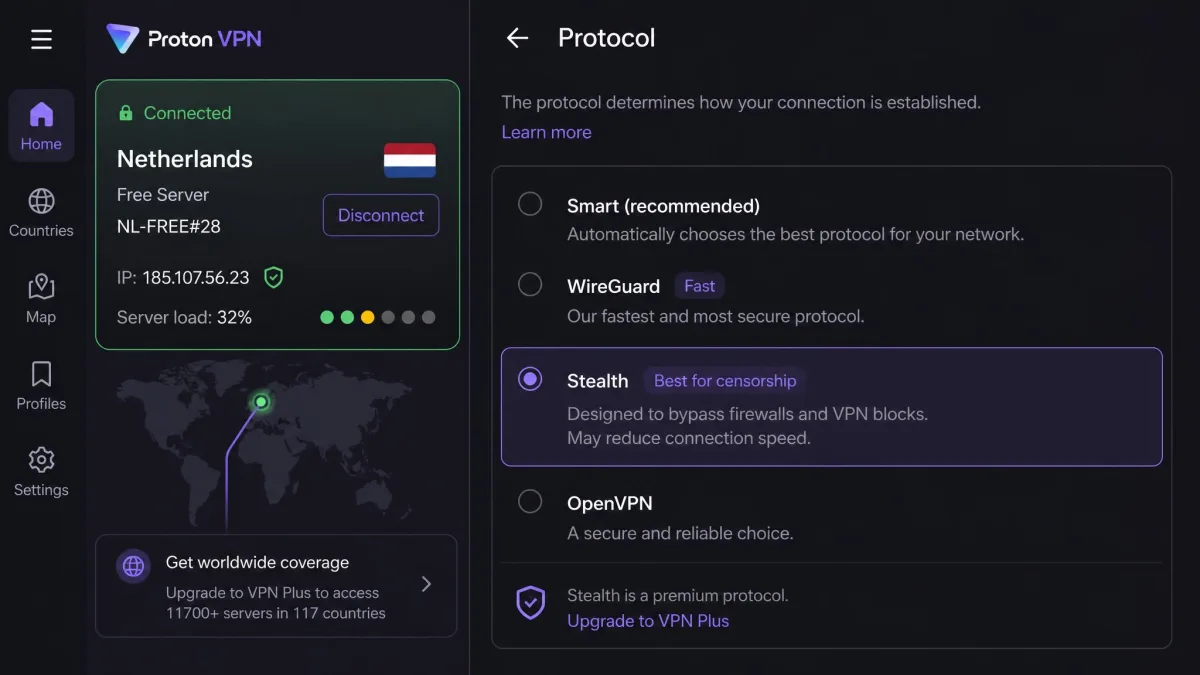
Proton VPN is the pick for people who put privacy at the center of the decision. It is based in Switzerland, runs an audited no-logs policy, and offers a genuinely useful free tier with unlimited data, which almost no rival matches. Its Stealth protocol slips past networks that try to block VPN traffic, and the permanent kill switch keeps your connection locked down. Paid plans cover 10 devices and add multi-hop and port forwarding. Two honest caveats from our testing: the free tier can stream video adequately but its servers get congested and slow at peak times, and the app layout can confuse first-time users until you learn where things live. A 30-day money-back guarantee covers the paid plans.
Pros
- Swiss jurisdiction and an audited no-logs policy
- A free tier with unlimited data, rare among quality VPNs
- Stealth obfuscation and a permanent kill switch
Cons
- Free servers get congested and slow at peak times
- The app layout can confuse first-time users
Best for: Privacy-focused users who want a trustworthy free option to start with. Skip if: You want the simplest possible interface out of the box.
The free tier is the part worth dwelling on, because it changes who Proton VPN is for. Most free VPNs are the ones we tell people to avoid, yet Proton's uses the same encryption as its paid plans and does not sell your data, which makes it a legitimate safety net for anyone who only occasionally lands on a risky hotspot. The Stealth protocol is the other standout, quietly getting through networks that block ordinary VPN traffic, which is exactly the kind of restrictive setup you hit at some hotels and airports. If privacy is your first priority rather than an afterthought, this is the one to start with.
5. Private Internet Access: Best for Power Users

Private Internet Access
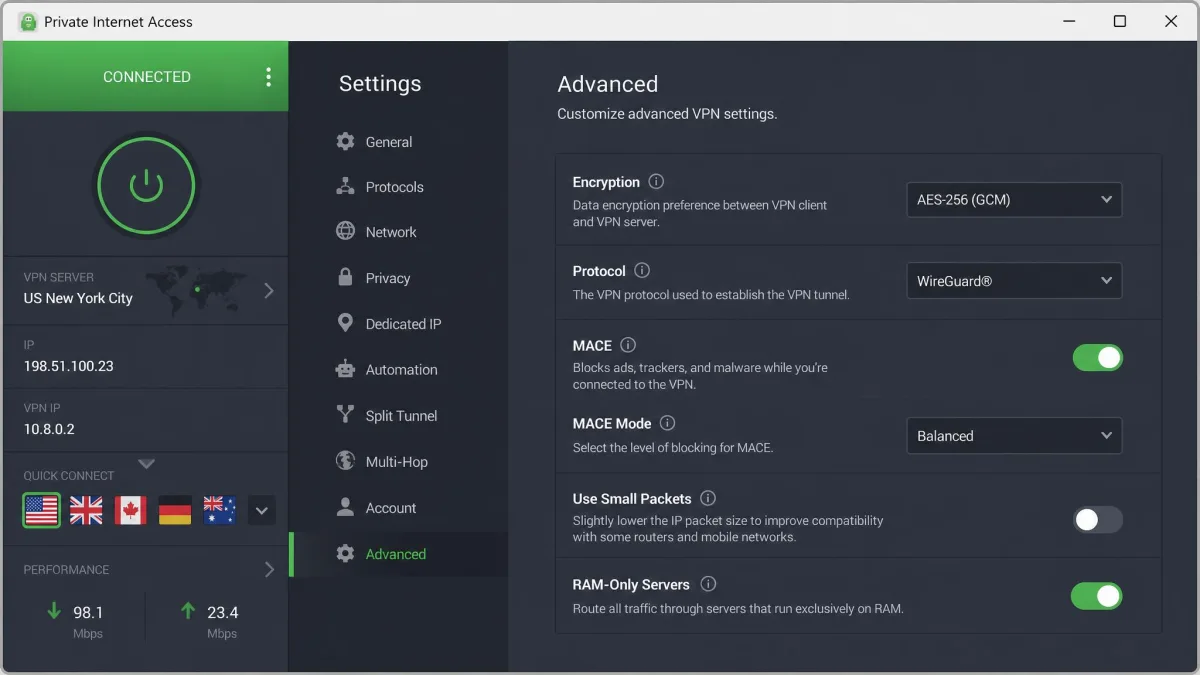
Private Internet Access, or PIA, is built for people who like to tune every setting themselves. It exposes a huge range of adjustable options, from encryption cipher to the built-in MACE ad blocker, and it supports unlimited simultaneous connections. On public Wi-Fi it does the fundamentals well: AES-256 encryption, WireGuard and OpenVPN protocols, an obfuscated mode for restrictive networks, auto-connect, and a reliable kill switch. The trade-offs are real for casual users. All those adjustable settings can overwhelm a beginner, and its speeds trail the top picks in this roundup. A dedicated IP is available for an extra cost, and the service carries a 30-day money-back guarantee.
Pros
- Deeply customizable settings for hands-on users
- Unlimited simultaneous connections
- Built-in MACE ad and tracker blocking
Cons
- The volume of settings can overwhelm beginners
- Speeds trail the fastest services here
Best for: Tinkerers who want granular control over every option. Skip if: You want something simple that just works out of the box.
PIA is the service that rewards knowing what you are doing. Where most apps hide their choices behind a single connect button, PIA lets you pick the encryption cipher, choose the obfuscation mode for a restrictive hotel network, and tune the kill switch behavior to your liking. On public Wi-Fi that control is genuinely useful when a default configuration will not connect, because you can adjust your way through a network that blocks ordinary VPN traffic. For a casual user it is more than they need, but for a power user who wants to see and set every knob, it is the most flexible pick here at a low price.
6. CyberGhost: Most Customizable

CyberGhost
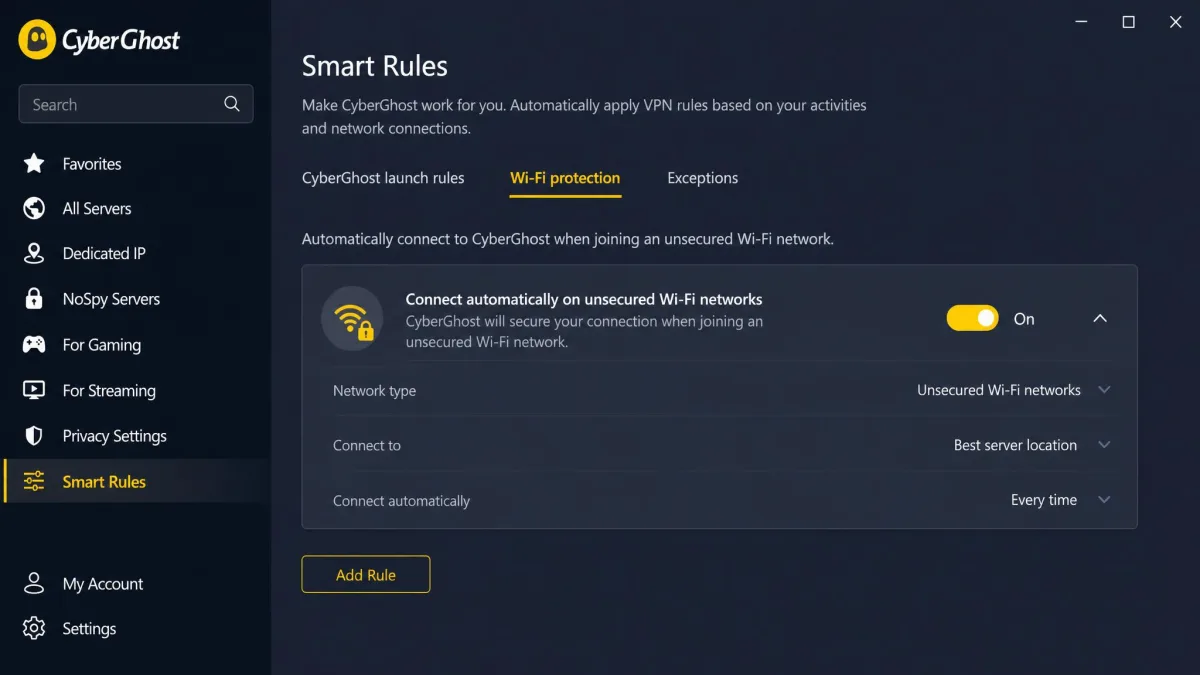
CyberGhost pairs a beginner-friendly interface with clever automation. Its Smart Rules let you set the app to auto-protect the moment it detects public Wi-Fi, so you never have to remember to connect at the airport gate. The kill switch is always enabled, which we like, and it backs everything with AES-256 encryption and an audited no-logs policy. It also carries the longest safety net in the group, a 45-day money-back guarantee. One quirk stood out in testing: it triggers frequent CAPTCHAs while browsing, which gets tiresome if you do a lot of searching. It covers 7 devices at once, the lowest limit here, though still plenty for most people.
Pros
- Smart Rules auto-protect the moment public Wi-Fi is detected
- Kill switch always enabled by default
- Longest money-back guarantee at 45 days
Cons
- Triggers frequent CAPTCHAs while browsing
- 7-device limit is the lowest in this roundup
Best for: Beginners who want automatic protection with a long trial window. Skip if: Constant CAPTCHAs would drive you up the wall.
The Smart Rules automation is what makes CyberGhost stand out for public Wi-Fi. You set the rule once, telling the app to connect automatically whenever it sees an unsecured network, and from then on it protects you the instant you join the airport or cafe hotspot without a single tap. Pair that with the always-on kill switch and the unusually long 45-day guarantee, and it is a forgiving choice for someone new to VPNs who wants the protection to look after itself. The frequent CAPTCHAs are the price of admission, and whether they bother you depends on how much you search while connected.
7. IPVanish: Best for Multiple Devices

IPVanish
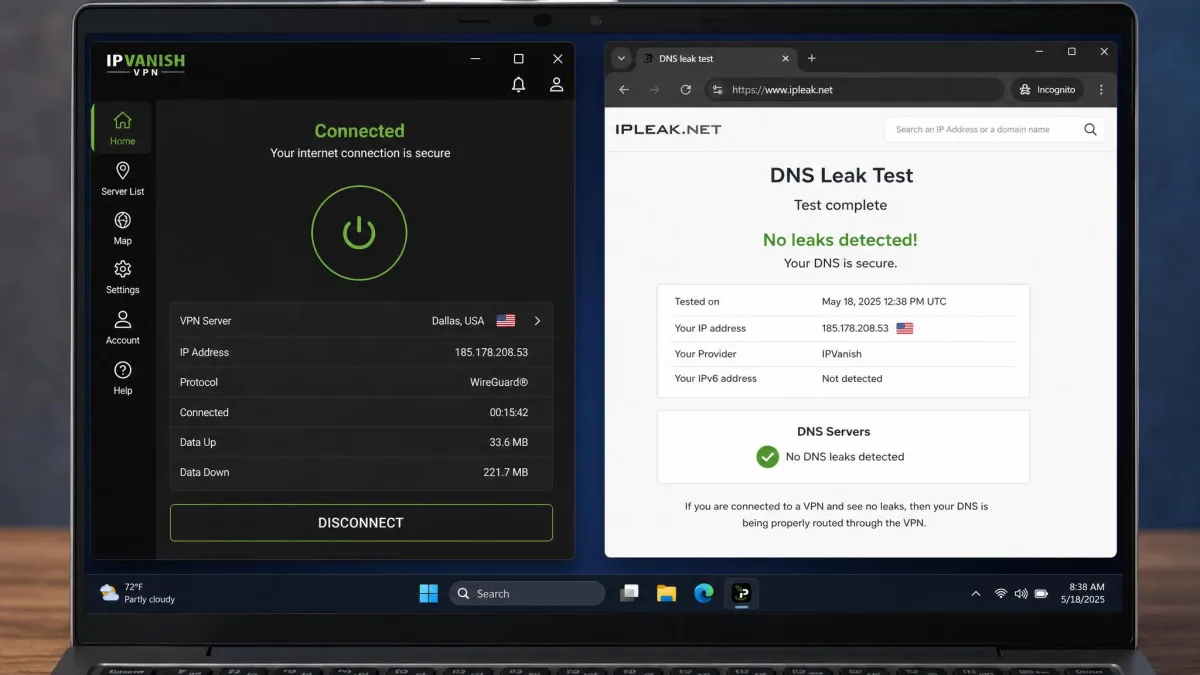
IPVanish rounds out the list with unlimited simultaneous connections and fast, leak-free WireGuard links that held up well on public networks in our testing. It covers the security basics you want on a hotspot: AES encryption, a kill switch, obfuscation, DNS leak protection, and a no-logs policy. If your goal is simply to protect a pile of devices on one plan without paying more, it does that cleanly. The main weakness is streaming. It proved unreliable for that in testing and failed several catalogs, so it is a better fit for pure security than for watching video abroad. It comes with a 30-day money-back guarantee.
Pros
- Unlimited simultaneous connections
- Fast, leak-free WireGuard performance
- DNS leak protection and a kill switch included
Cons
- Unreliable for streaming, failed several catalogs in testing
- Interface feels dated next to the top picks
Best for: Protecting many devices on one plan, security first. Skip if: Streaming abroad is a priority for you.
IPVanish earns its place by doing the security job on a lot of devices at once without complaint. Its WireGuard connections were fast and passed our leak tests, and the unlimited-connection allowance means you can put it on every phone, tablet, and laptop in the house on one plan. If your only goal on public Wi-Fi is to keep your traffic private, it handles that cleanly and cheaply. Just go in knowing streaming is its weak spot: it stumbled on several catalogs in our testing, so if watching video while traveling matters to you, one of the higher picks is a better fit.
Best VPNs for Public Wi-Fi at a Glance
If you just want the short version, here is where each service lands. Every option below passed our leak tests and encrypts your traffic with AES-256, so you are safe with any of them. The picks differ mainly in speed, how many devices they cover, and what you pay.
- NordVPN, best overall. The fastest service in our tests, with auto-connect that protects you the second you join an open network.
- ExpressVPN, best for ease of use and speed. The simplest app to live with, and its Lightway protocol reconnects fast when a hotspot wobbles.
- Surfshark, best budget pick. Unlimited devices at a low price, with clean leak-test results on public networks.
- Proton VPN, best for privacy-first users. Swiss jurisdiction, a genuinely usable free tier, and strong obfuscation.
- Private Internet Access, best for power users. Deeply customizable settings and unlimited connections.
- CyberGhost, most customizable automation. Smart Rules can auto-protect you the moment public Wi-Fi is detected.
- IPVanish, best for multiple devices. Unlimited connections and fast, leak-free WireGuard links.
Best VPNs for Public Wi-Fi Compared
Here is how the seven services line up on the features that matter most on an untrusted network. Prices are the promotional two-year intro rates and shift between deal periods, so treat them as ballpark figures rather than fixed numbers.
| Product | Buy | Encryption | Protocol | Kill switch | Auto-connect | Audited no-logs | Devices | Free tier | Price/mo |
|---|---|---|---|---|---|---|---|---|---|
|
Check price → | AES-256 | NordLynx | Yes | Yes | Yes | 10 | No | ~$3.49 |
|
Check price | AES-256 | Lightway | Yes (Network Lock) | Yes | Yes | Varies by plan | No | ~$2.99 |
|
Check price | AES-256 | WireGuard | Yes | Yes | Yes | Unlimited | No | ~$2.49 |
|
Check price | AES-256 | WireGuard/Stealth | Yes (permanent) | Manual profile | Yes | 10 | Yes | ~$2.99 |
|
Check price | AES-256 | WireGuard | Yes | Yes | Yes | Unlimited | No | ~$2.19 |
|
Check price | AES-256 | WireGuard | Yes (always on) | Yes (Smart Rules) | Yes | 7 | No | ~$2.19 |
|
Check price | AES | WireGuard | Yes | Yes | Yes | Unlimited | No | ~$2.19 |
All seven prices above are promotional two-year intro rates. They renew at a higher price after the first term, and the exact figure drifts between deal windows, so always confirm the current price and renewal cost on the vendor's checkout page before you commit.
How We Tested and Chose
We do not recommend a VPN until it has earned it on the kind of network you actually use. For this guide we ran each service on real public hotspots: cafe Wi-Fi, an airport lounge, a hotel network, and, where we could, in-flight airline Wi-Fi. On every one we checked the same things in the same order, so the ranking reflects consistent testing rather than gut feel. Public networks are the point of this guide, and they behave nothing like a home connection: they drop, they throttle, they block, and they are shared with strangers, so a VPN that looks great in a lab can still stumble when the real conditions get messy.
We licensed or subscribed to every VPN here ourselves rather than taking a vendor's free press account, so nothing on this page is a favor. Our scoring weighs security and leak protection first, then real-world speed on public networks, then device coverage, ease of use, and price.
Security came first. We confirmed each service uses strong AES-256 encryption, ran DNS and IP leak tests on every public network, and checked that the kill switch actually cut traffic when the connection dropped. That last check told us the most, because a hotspot that drops for two seconds is exactly when your real IP can slip out. Surfshark and IPVanish, for example, showed no DNS or IP leaks in any of our public-network runs. We also paid attention to the small things that reveal whether a provider takes privacy seriously: whether the no-logs policy has been independently audited, whether the servers run from RAM so nothing is written to disk, and whether obfuscation is available for the restrictive networks you hit at some hotels and airports.
Speed came next, because a VPN you turn off because it is too slow protects nothing. We measured throughput on each hotspot and noted how quickly the app reconnected after a drop. NordVPN was the clear leader, and ExpressVPN's fast reconnects stood out on flaky networks. Reconnect time matters more on public Wi-Fi than raw peak speed, because these networks drop the connection so often that the gap between a dropped tunnel and a restored one is where your exposure lives. We also looked hard at the day-to-day details: whether auto-connect works, how easy the app is to live with, how many devices each plan covers, and whether the interface stayed out of the way once we had set it up. Only after a service cleared all of that did it earn a spot on this list.
Why Public Wi-Fi Is Risky
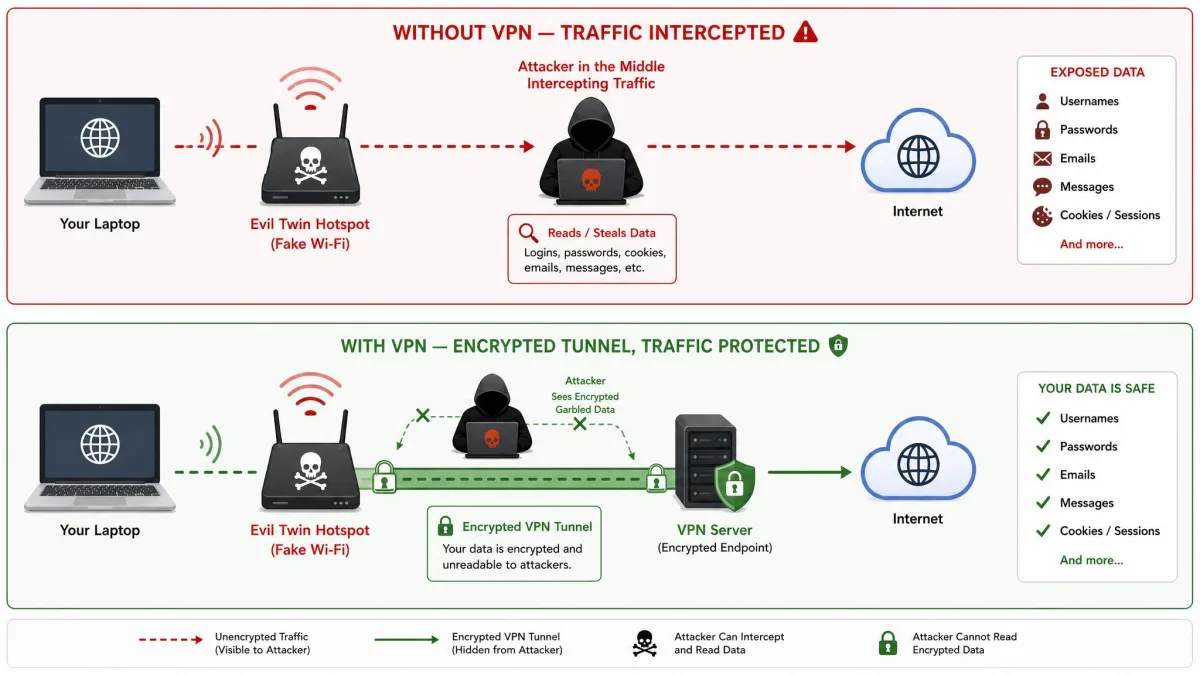
The convenience of public Wi-Fi comes with a real catch: these networks were built to be easy to join, not to keep users apart. When you connect, you are often sharing an unencrypted local network with strangers, and the hotspot itself carries no proof of who runs it. That opens the door to a handful of well-known attacks, and the reason they keep working is that so much of the traffic on an open network is simply not encrypted in the first place.
The most common is a man-in-the-middle (MITM) attack, where someone positions themselves between you and the network so your traffic passes through them. From there they can read or even alter data that is not encrypted. Closely related is the evil twin, a fake hotspot named to look like the real one. You think you are joining "Airport_Free_WiFi," but you have actually connected to an attacker's laptop, which now sees everything you send. You can read more about how an Evil Twin attack works and why the naming trick is so effective. The unsettling part is that nothing on your screen looks different: the pages load, the connection works, and you have no way to tell the network apart from the genuine one.
Packet sniffing is simpler still. Free tools let anyone on the same network capture the data flowing across it, and on an open hotspot much of that traffic can be read directly. Session hijacking takes it a step further: an attacker grabs the session cookie that keeps you logged in to a site and uses it to impersonate you, without ever needing your password. There is also SSL stripping, which quietly downgrades a secure connection to an unencrypted one so your data can be read in transit. None of these attacks require deep skill anymore, which is exactly why they are so common on busy public networks where the payoff is a steady stream of other people's traffic.
On an open hotspot, the problem is not that someone might break your encryption. It is that so much traffic has no encryption to break in the first place.
— From our hands-on testing on public networks
Security agencies have been warning about this for years. Both the risks of using public Wi-Fi documented by Europol and the FCC cybersecurity guidance point to the same fix for the traffic-interception problem: encrypt your connection end to end. That is exactly what a VPN does. It builds an encrypted tunnel from your device to a trusted server, so the local network, the evil twin, and the person sniffing packets all see scrambled data instead of your accounts. The attack does not stop happening; it just stops working, because there is nothing readable left to capture.
Never do anything sensitive on public Wi-Fi without a VPN running first. Logging into your bank, email, or work accounts on an open hotspot is exactly the moment attackers wait for, because that is when your credentials are on the move.
Key Features to Look For in a Public Wi-Fi VPN
Every VPN claims to keep you safe, so the useful question is which features actually matter on a hotspot. These are the ones we weight most heavily, and the reasons why. On a home network you can get away with a weaker service; on shared public Wi-Fi the margins are thinner, and the features below are what separate real protection from a false sense of it.
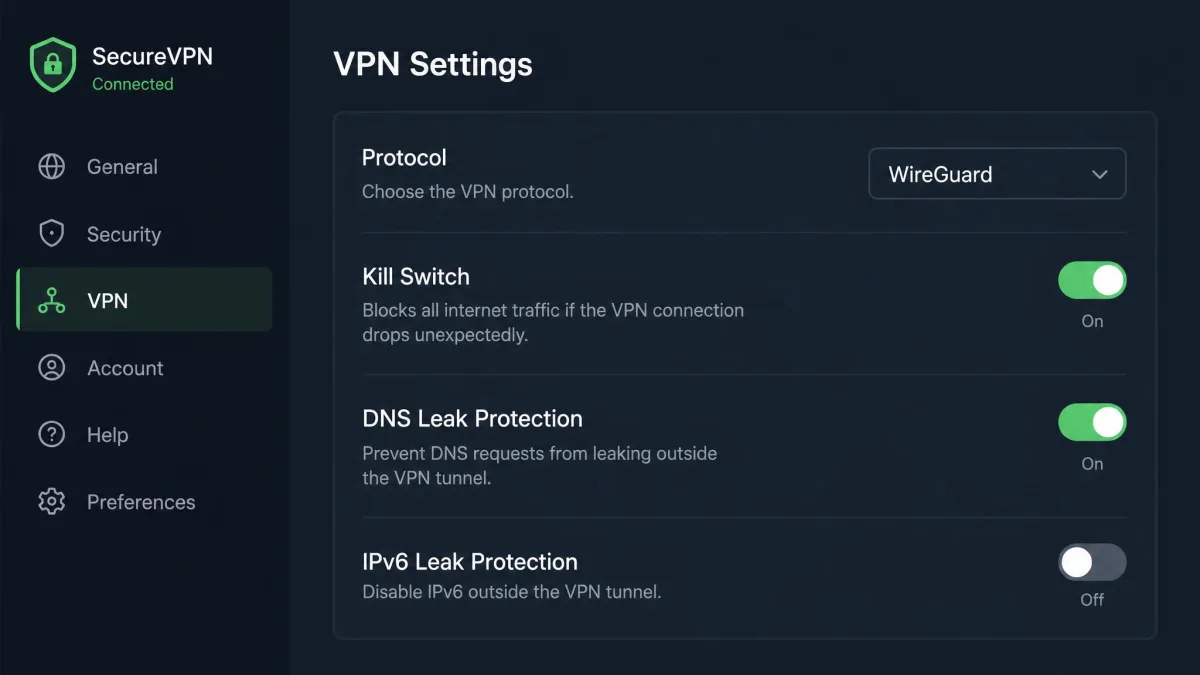
A kill switch is non-negotiable. Public networks drop constantly, and the split second between a dropped tunnel and a reconnect is when your real IP and unencrypted traffic can leak. A kill switch cuts your internet the instant the VPN connection fails, so nothing escapes in the gap. In our testing this proved essential on unreliable hotspots, cutting traffic the moment a flaky connection dropped the tunnel. It is the one feature that protects you precisely when the network is at its worst, which on public Wi-Fi is often.
Auto-connect saves you from yourself. The riskiest moment is the one where you join a new network and forget to turn the VPN on. Features like NordVPN's auto-connect or CyberGhost's Smart Rules start protection automatically the moment you touch an unsecured network, so you are covered before you open a single app. Human memory is the weak link here, and automation removes it from the equation entirely.
Strong encryption and a modern protocol. Look for AES-256 encryption, which every pick here uses, paired with a fast modern protocol such as WireGuard, NordLynx, or Lightway. Strong encryption is what makes intercepted traffic worthless to an attacker, and a fast protocol is what keeps the connection usable while it does that. The two work together: encryption without speed gets switched off in frustration, and speed without encryption is no protection at all.
An audited no-logs policy. A VPN can see your traffic even when no one else can, so you are trusting the provider. A no-logs policy that an independent auditor has verified is the difference between a promise and a checked claim. Every service in this roundup has one, which is part of why they made the list in the first place.
DNS leak protection. Even with an active tunnel, a misconfigured VPN can send DNS requests outside it, quietly revealing the sites you visit. Built-in DNS leak protection keeps those requests inside the encrypted tunnel where they belong. It is the kind of gap you would never notice on your own, which is exactly why we test for it on every network.
Before you rely on any VPN on the go, connect it once at home and run a quick DNS leak test in your browser. It takes a minute and confirms your setup is actually watertight before you need it at the airport.
Can You Use a Free VPN on Public Wi-Fi?
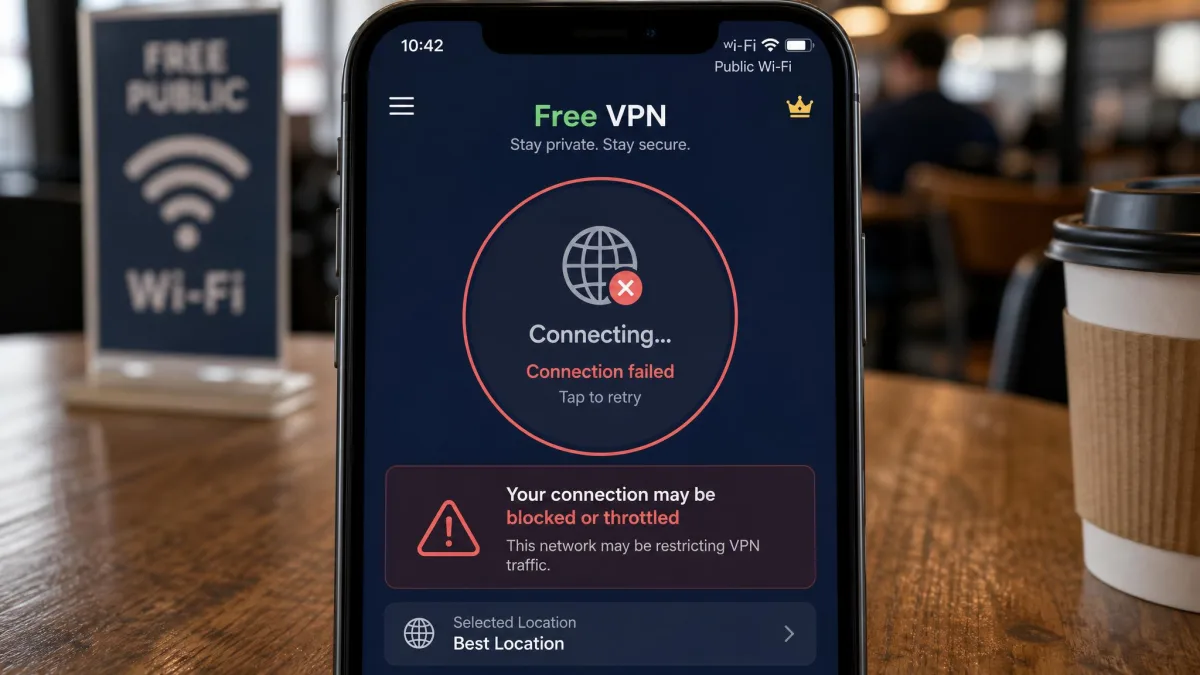
You can, but it is usually a bad idea, and public Wi-Fi is the worst place to find out why. In our experience most free VPNs are either blocked outright on public networks or throttle your speeds until they are barely usable. Worse, some lack real encryption or quietly monetize your data, which turns the tool you installed for privacy into another party watching your traffic. On the very networks where you most need protection, a free VPN is the least likely to deliver it.
There is one honest exception. A reputable provider's free tier, such as Proton VPN's, uses the same encryption as its paid plans and does not sell your data. The trade-off is congestion: those free servers slow down at peak times, and you get fewer locations. That makes a quality free tier fine as an occasional safety net, but a paid plan is what we recommend if you connect to public Wi-Fi regularly. Given that the top paid picks run around two to three dollars a month on their intro terms, the gap in reliability rarely justifies the savings. For the price of a coffee each month, you get the full server network, faster speeds, and the peace of mind that the service is not funded by your own data.
If a VPN is completely free with no paid tier behind it, ask how the company makes money. Too often the answer is your data, which is the opposite of what you installed it for.
How to Set Up and Use a VPN on Public Wi-Fi
Getting protected takes only a few minutes, and once it is set up the app does the work for you. Here is the routine we follow on every new device.
- Choose and subscribe to a VPN. Pick one from this list, create an account, and choose a plan. The longer two-year terms carry the lowest monthly price, and the money-back guarantee lets you test it risk-free.
- Download the official app. Get it from the provider's website or your device's official app store, never from a random link. The apps cover Windows, Mac, Android, and iOS.
- Sign in and enable the kill switch. Open the app, log in, and turn on the kill switch first. It is often off by default, and it is the feature that protects you when a hotspot drops.
- Turn on auto-connect for untrusted networks. Set the app to connect automatically on unsecured Wi-Fi. This is what guarantees you are protected the moment you join a new hotspot, without having to remember.
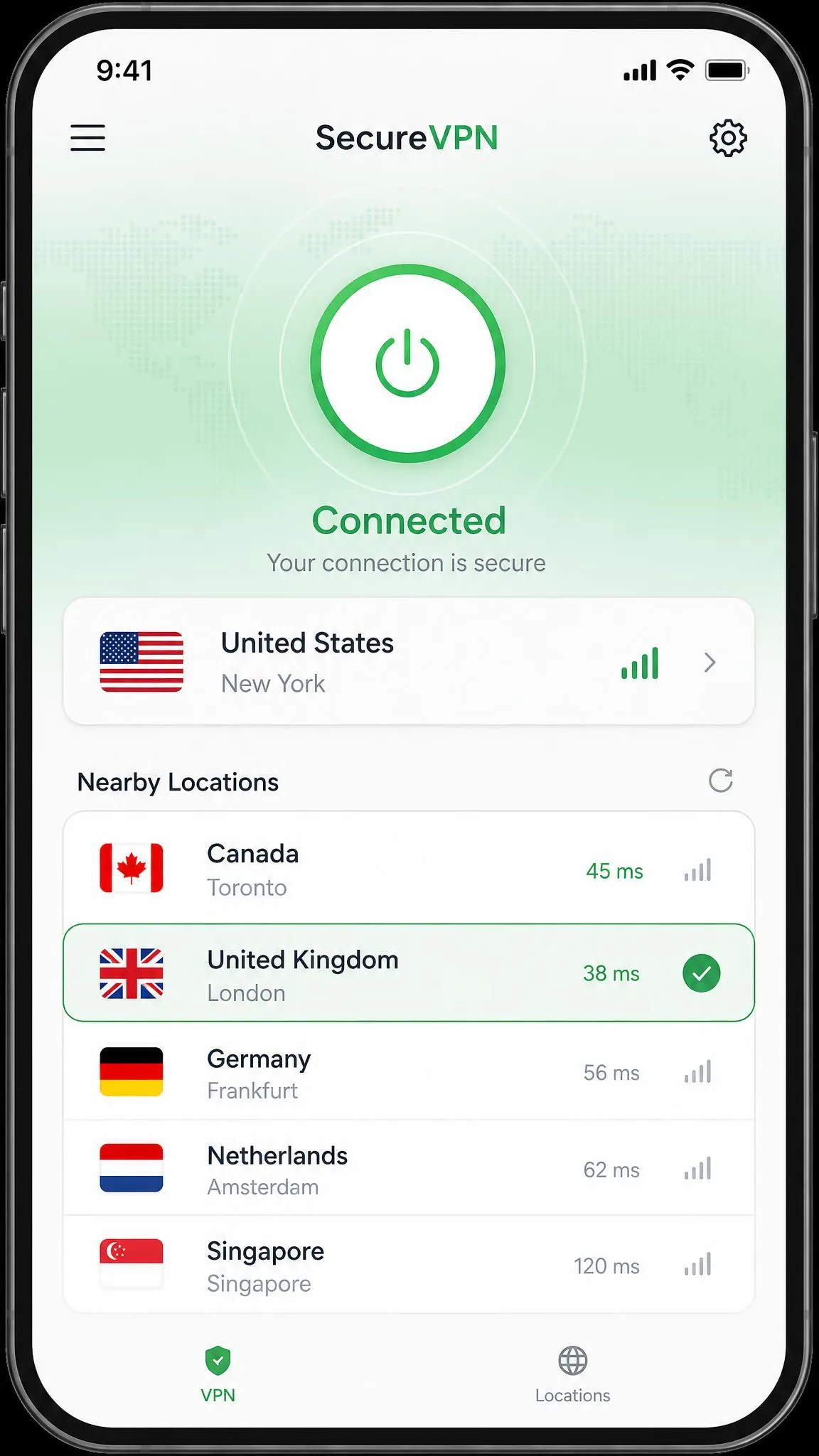
- Connect and confirm. Tap connect, choose a nearby server for the best speed, and check that the app shows an active connection. Run a quick leak test the first time to be sure.
After that, using it is effortless. When you sit down at a cafe or reach your gate, the app connects on its own, and you browse, bank, and check email exactly as you would at home. That is the whole point: protection you set up once and then stop thinking about. The few minutes you spend enabling the kill switch and auto-connect on the first day are the whole investment, and they pay off every time you join a network for the rest of the subscription.
Pick a server geographically close to you for the fastest speeds on public Wi-Fi. A nearby server means less distance for your data to travel, which keeps browsing and streaming smooth even on a slow hotspot.
Additional Tips to Stay Safe on Public Wi-Fi
A VPN does the heavy lifting, but a few basic habits close the remaining gaps. None of these take long, and together they make you a much harder target.
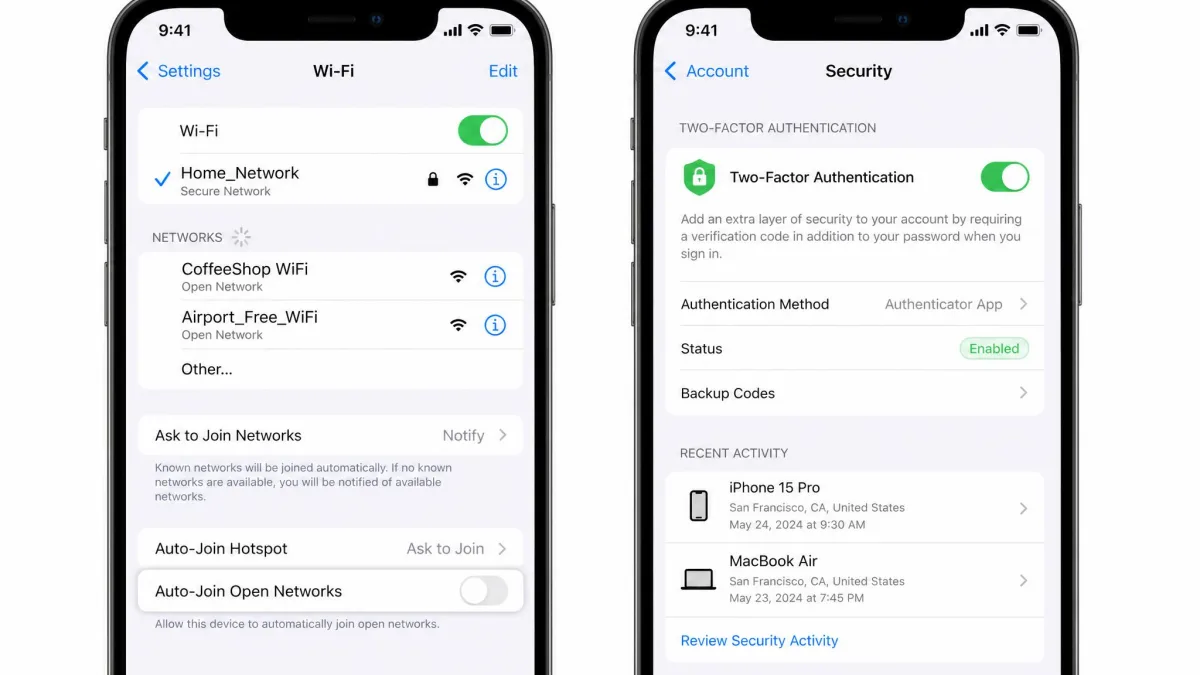
- Turn off auto-join for open networks. Your phone will happily reconnect to any hotspot it has seen before, which is exactly how evil-twin attacks catch people. Disable automatic connection to open networks so you choose when to join.
- Stick to HTTPS sites. The padlock in your browser means the connection to that site is encrypted. It is a useful second layer on top of your VPN, and most browsers now warn you before loading an unencrypted page.
- Enable two-factor authentication. If a password does slip out, a second factor stops an attacker from using it. Turn it on for email, banking, and anything else that matters.
- Keep your software updated. Updates patch the security holes attackers rely on. Install them promptly on your phone, laptop, and apps.
- Turn off file sharing. On a public network, leaving sharing on can expose folders to strangers on the same hotspot. Switch it off before you connect.
Layered habits beat any single tool. A VPN plus these basics gives you strong, practical protection out and about. Think of the VPN as the wall and these habits as the locks on the doors; you want both when you are connecting on networks you do not control.
Threats a VPN Cannot Stop
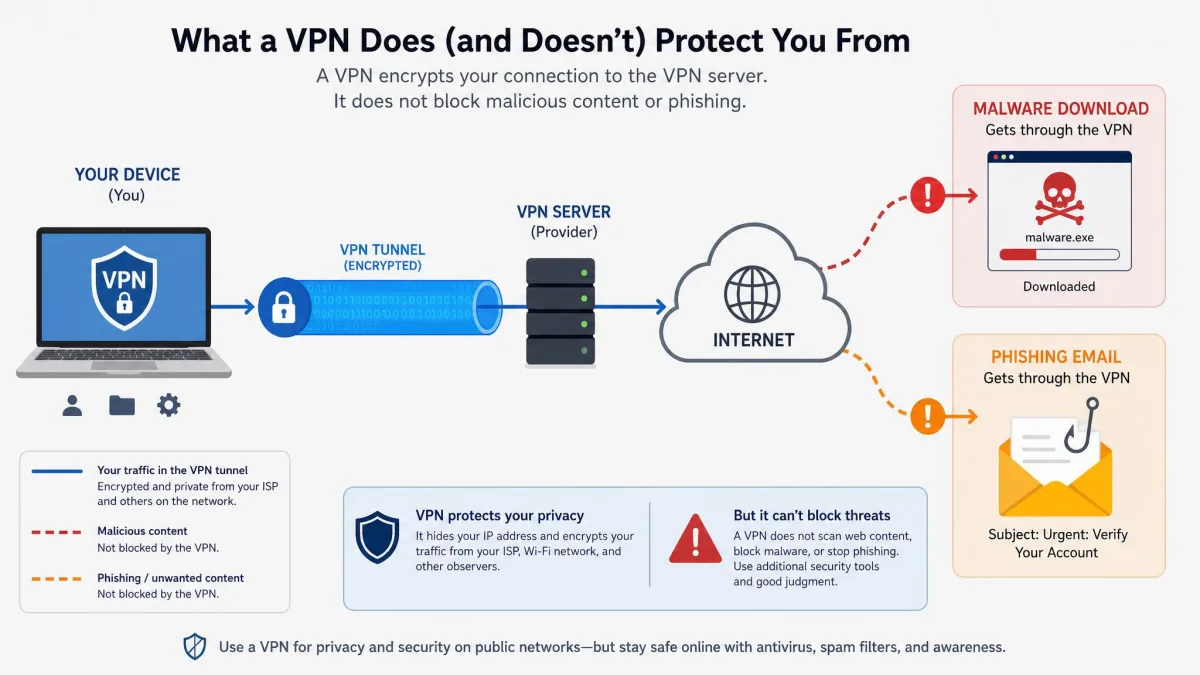
A VPN is powerful, but it is not a force field, and it helps to be clear about what it does not do. It encrypts your connection; it does not police your behavior or your device.
It cannot stop malware. If you download an infected file or app, the VPN faithfully encrypts that traffic on its way to your device. You still need up-to-date security software and good download habits. It also cannot stop phishing. If you are tricked into typing your password into a fake login page, the VPN protects the connection carrying those stolen credentials just as diligently as any other traffic. The encryption does its job perfectly; it simply cannot tell that the destination is a scam.
It does nothing about weak or reused passwords, which remain one of the easiest ways into an account. A password manager and two-factor authentication address that, not a VPN. And it cannot protect you once you have logged into an account, because from that point the site sees you as you. The same layered thinking in the NSA network security guidance applies here: a VPN is one strong layer, not the whole wall.
The takeaway is not that a VPN is weak. It is that a VPN handles the network-level risks of public Wi-Fi extremely well, and you handle the rest with the habits above. Together they cover the ground either one leaves open, and knowing where the VPN's job ends is what keeps you from a false sense of security.
Frequently Asked Questions
Do I really need a VPN on public Wi-Fi if the network has a password?
Can I use a free VPN on public Wi-Fi?
Will a VPN slow down my connection on public Wi-Fi?
Does a VPN protect all the apps on my phone, or just the browser?
Is it legal to use a VPN on public Wi-Fi?
How many devices can one VPN subscription cover?
Final Verdict
Any of the seven services here will keep you safe on public Wi-Fi, but one stands out. NordVPN was the fastest in our testing, its auto-connect turns on protection the moment you touch an unsecured network, and it backs that with AES-256 encryption, an audited no-logs policy, and RAM-only servers. It is the one we trust when we are hopping between hotspots all day.
If you want the simplest app to live with, ExpressVPN is worth the premium, and if you are covering a pile of devices on a budget, Surfshark is the smart value pick. But for most people who just want fast, hands-off protection on the go, NordVPN is the one to get.