We installed and tested five leading VPN apps on Android. Each one ran on a phone through the same set of checks. We measured connection speed, battery drain over an hour of active use, streaming access, app design, and privacy leak behavior. Every app came from the Google Play Store. We connected each and used it the way you would day to day. We tracked what changed on the device, not what the marketing pages promised.
The goal was simple. We wanted to know which Android VPN app is worth installing. We also wanted to know which one is easiest for a first-time user, and which free option is safe to trust. Android is where most people actually use a VPN now, on the go and over public Wi-Fi. So an app that drains your battery or drops the connection is a real problem, not a footnote. We watched how each app behaved on a real device across a full week.
Our picks below reflect that hands-on testing. NordVPN came out on top for overall performance and reliability. Surfshark won on value, and Proton VPN is the free pick we would actually recommend. Here is how each one held up, and how to choose the right one for your phone.
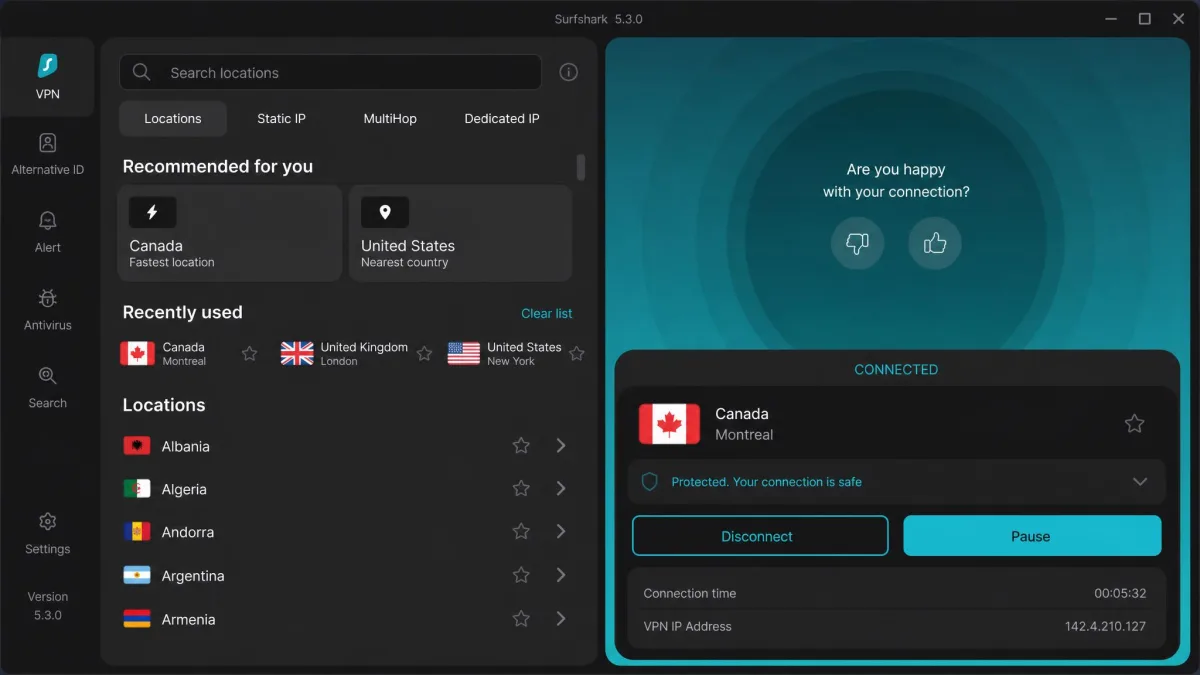
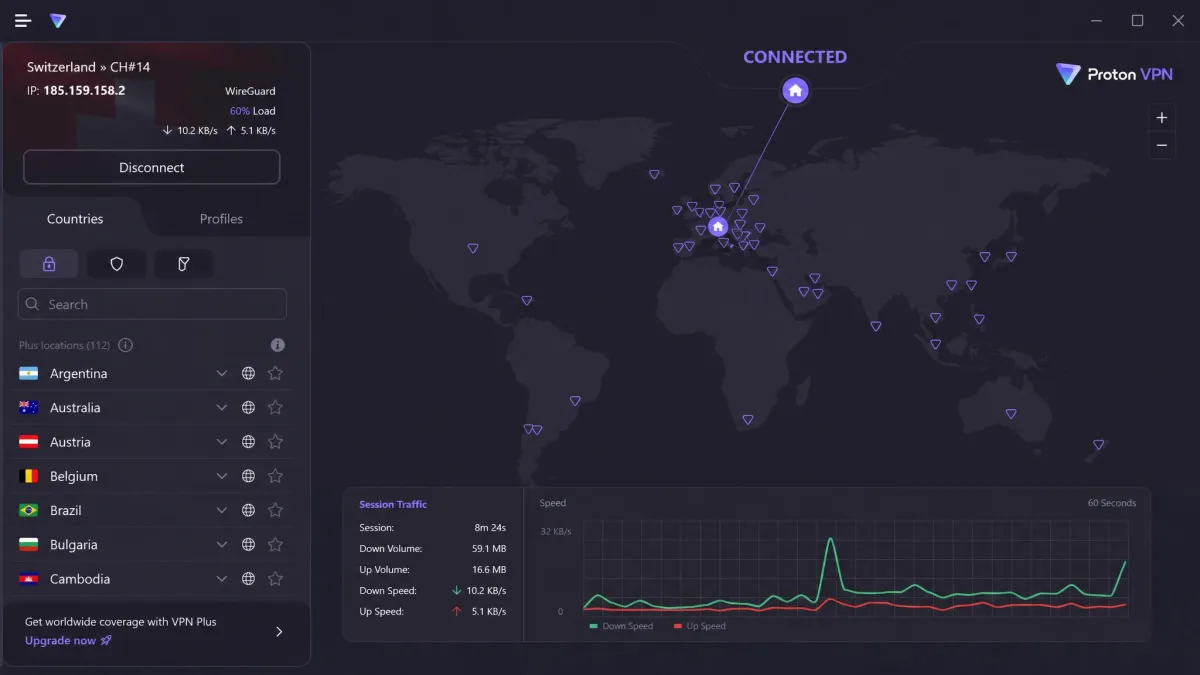
The Best VPNs for Android in 2026 (Detailed Reviews)
Here are the full hands-on reviews. Each one covers how the app performed on our test phone, what it does well, where it falls short, and who it suits best. We have listed them in ranked order, starting with our overall winner.
1. NordVPN: Best Overall Android VPN
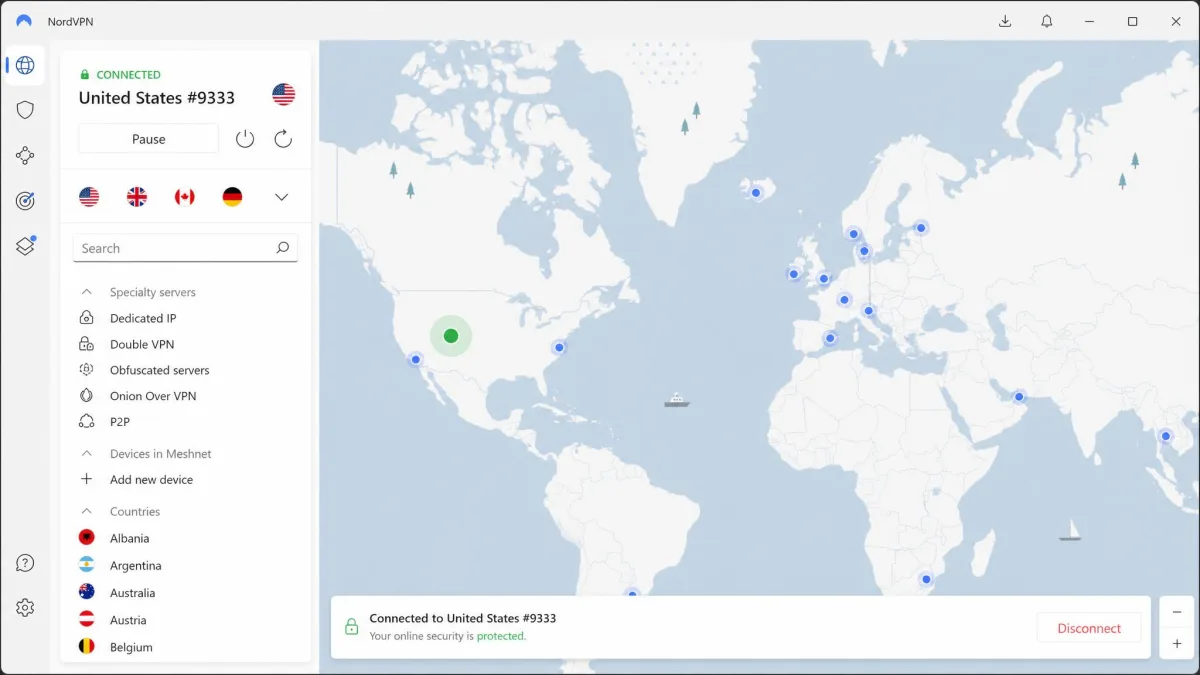
NordVPN was the most complete Android app we tested. Installing it was quick. Once signed in, it connects with a single tap, which makes it genuinely approachable for a first-time user. The app is a large download, over 150 MB, but it ran smoothly on our phone with no stutter in the interface. On the NordVPN Android app we defaulted to NordLynx, a WireGuard-based protocol that delivered fast, steady speeds throughout our week of testing.
Streaming is where NordVPN pulled ahead. It reliably unblocked Netflix and other services from the Android app. There was none of the trial-and-error server hopping some competitors needed. Battery drain was reasonable for the performance on offer, at roughly 4% per hour of active NordLynx use. That is well within what we would accept for a VPN we leave on all day. We kept it connected through a full commute and a work session. The connection held steady as the phone moved between office Wi-Fi and cellular. Threat Protection blocks ads, trackers, and malware at the network level, and the kill switch held firm when we forced the connection to drop.
NordVPN runs 9,300+ servers across 137 countries, the largest network in this guide. One account covers 10 simultaneous connections. Pricing lands at about $3.39 per month on the 2-year plan, though the exact rate varies by tier and promotion and does not reflect the higher renewal price. It carries a 30-day money-back guarantee and holds a 4.5 out of 5 rating on Google Play. Extra features like Double VPN, split tunneling, and a dedicated IP add-on give it room to grow with you. None of them get in the way of the simple one-tap experience most people will use every day. For a first VPN that will also satisfy a more demanding user later, it is the safest bet in the guide.

Pros
- Fastest, most reliable all-round performance in our testing
- Reliably unblocks Netflix and other streaming from the Android app
- One-tap connect that suits first-time VPN users
- Largest server network here: 9,300+ servers in 137 countries
- Threat Protection blocks ads, trackers, and malware
Cons
- Large app download at over 150 MB
- Not the cheapest option
- Renewal price is higher than the intro rate
Best for: Anyone who wants the best all-round Android VPN with strong streaming and easy setup.
Skip if: You want the lowest possible price and unlimited connections, where Surfshark wins.
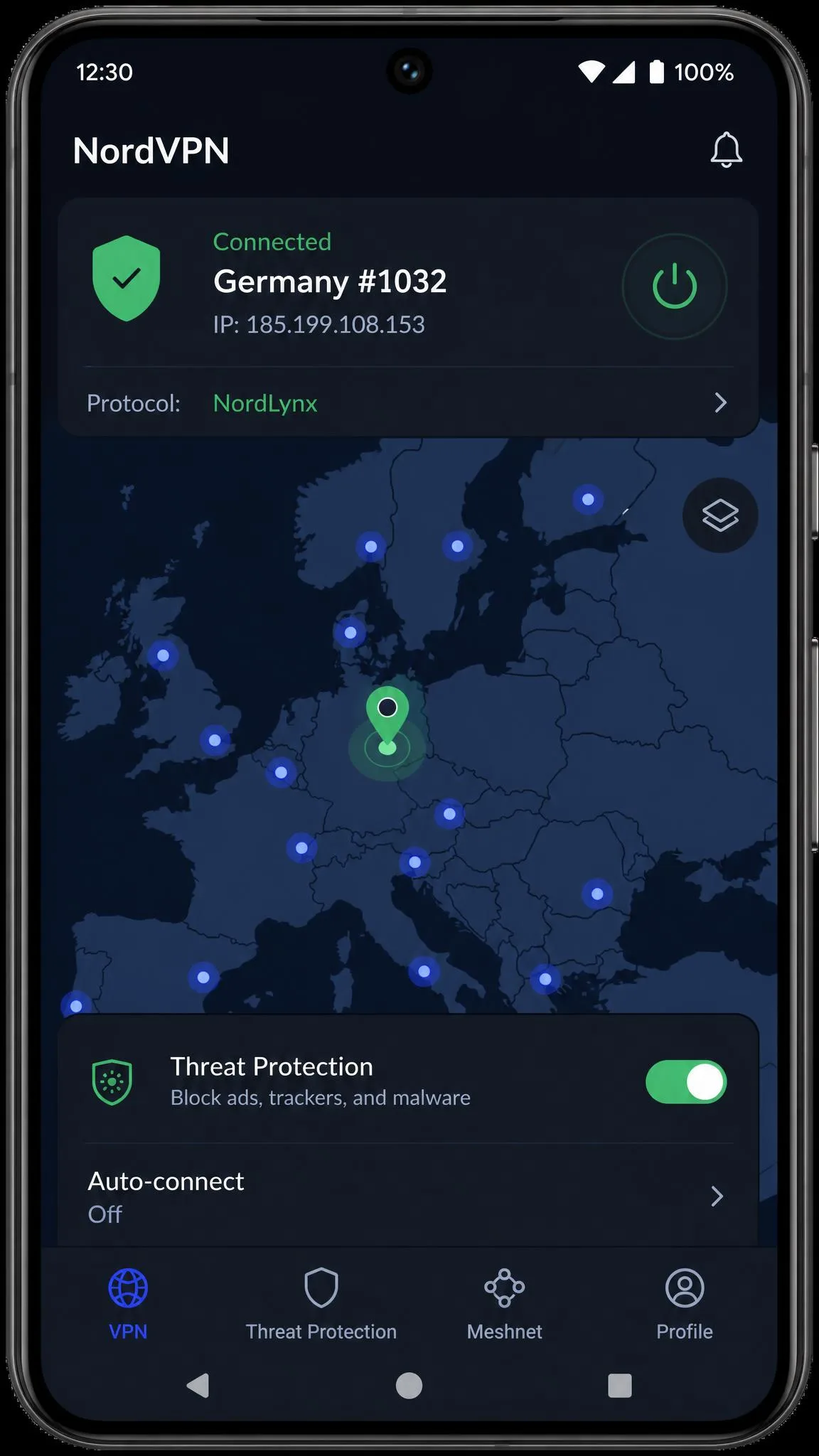
NordVPN
NordVPN earns our top score because it does the hard things well and the simple things effortlessly. On our test phone it was the one app that never made us think about it. It connected in a tap, held fast NordLynx speeds for a full week, and stayed put through every Wi-Fi-to-cellular handoff. The 4% per hour battery cost is the trade we would make on any all-day VPN. It edges out Surfshark on raw reliability and streaming, and it beats ExpressVPN on battery and price. If you buy one VPN for your phone and never touch the settings, this is the one.
Best for: Anyone who wants the best all-round Android VPN with strong streaming and easy setup. Skip if: You want unlimited connections at the lowest price.
2. Surfshark: Best Value Android VPN
Building on that all-round pick, Surfshark is the app we recommend when price matters most. Its Android app is lightweight and installed effortlessly on our phone, and it connected without fuss. In testing it posted fast download speeds. Upload speeds trailed the downloads noticeably, which is worth knowing if you upload large files or video call over the VPN. For streaming and general browsing on the go, it felt quick and stable.
What makes Surfshark for Android stand out is what you get for the money. One subscription covers unlimited simultaneous connections. You can protect your phone, tablet, laptop, and your whole household on a single plan. It unblocks geo-restricted movies and TV shows well from the Android app, and the CleanWeb feature strips ads and malware. We ran it across a mix of home Wi-Fi and mobile data over several days. It reconnected cleanly each time the phone woke, without us having to reopen the app. Camouflage mode and MultiHop are there for users who want extra privacy.
Surfshark runs 4,500+ servers across 100 countries and uses the WireGuard protocol. The intro price is $2.49 per month on the 24-month Starter plan, or $2.79 per month for the Surfshark One bundle. Both sit well under NordVPN. It carries a 30-day money-back guarantee and holds the highest Play Store rating in this guide at 4.6 out of 5. The Alternative ID feature generates a masked email and identity. It is a genuinely useful extra for anyone who signs up for a lot of services and wants to keep spam off their real inbox. For a household on a budget, the unlimited-device allowance alone often pays for the plan.

Pros
- Unlimited simultaneous connections on one plan
- Fast download speeds and lightweight app
- Strong streaming access from the Android app
- Highest Google Play rating here at 4.6 out of 5
- Low intro pricing
Cons
- Upload speeds trail download speeds
- Renewal price is higher than the intro rate
- Server count is smaller than NordVPN's
Best for: Households and anyone who wants to protect many devices on one affordable plan.
Skip if: You need the absolute fastest upload speeds or the largest server network.
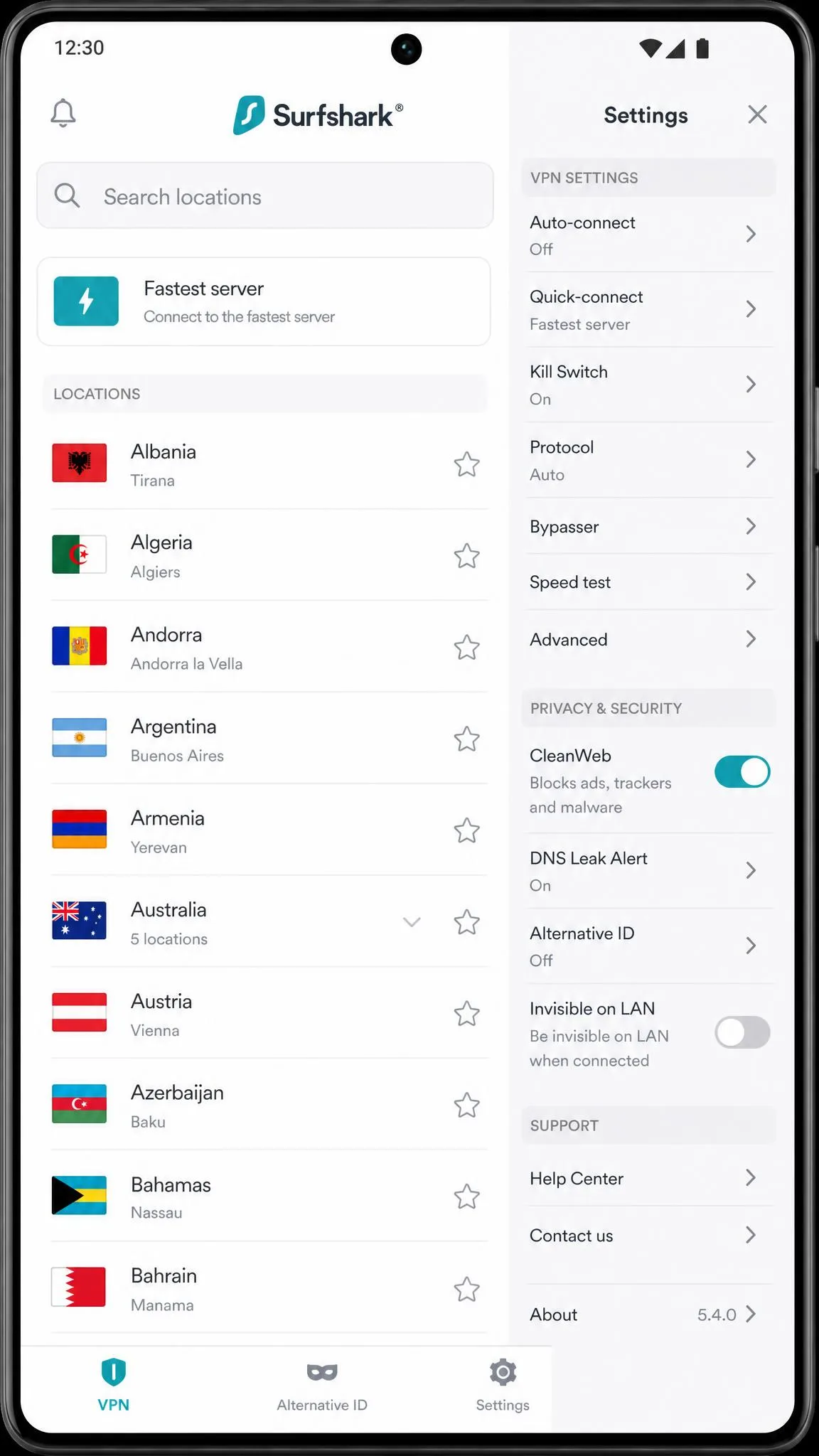
Surfshark
Surfshark scores just behind NordVPN because it gives up very little and costs far less. The reason to pick it is the math: one plan, unlimited devices, and a price that undercuts every rival here. On our phone the app felt fast and stayed stable, and the streaming held up across separate test days. The only real compromise is upload speed, which trailed its strong downloads. If your household has more screens than budget, this is the value winner without an asterisk.
Best for: Households wanting to cover many devices affordably. Skip if: You need the fastest uploads or the biggest server network.
3. ExpressVPN: Best for Beginners & Streaming
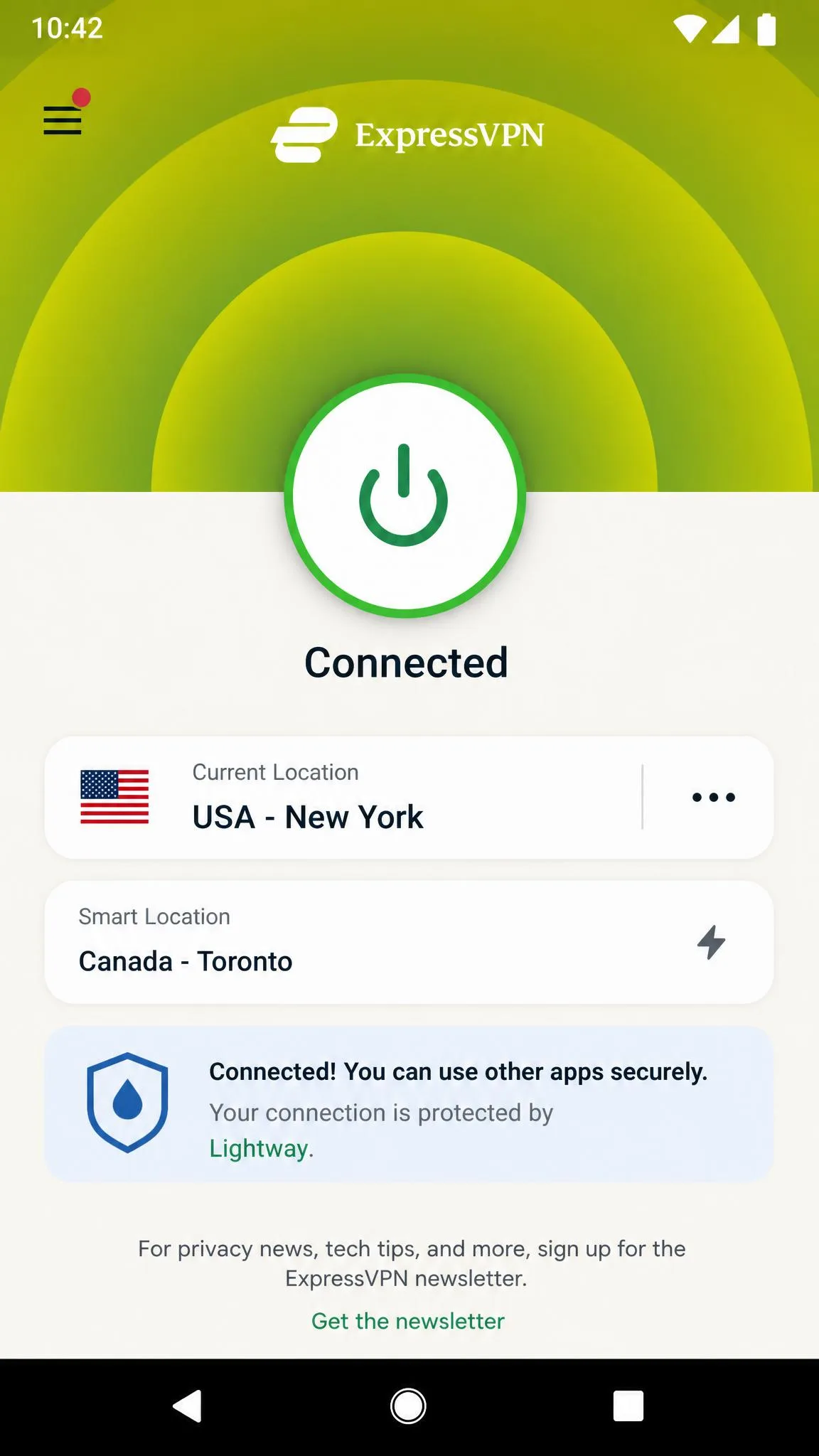
Where Surfshark wins on price, ExpressVPN wins on polish. It makes the friendliest Android app of the group. The interface is clean and simple, with a fast quick-connect button that gets you protected in a single tap. That makes it an easy recommendation for someone who has never used a VPN before. In our testing it delivered among the fastest real-world Android speeds, thanks to its Lightway protocol, and it streamed reliably from the app.
There is a trade-off, though. ExpressVPN was the heaviest on battery of everything we tested. If you leave it running all day, you will feel it in your battery life. We also saw it occasionally drop the connection after extended use. The kill switch caught each drop, but it is worth flagging. ExpressVPN runs RAM-only TrustedServer infrastructure and offers 24/7 live chat, which pairs well with its beginner-friendly design.
ExpressVPN covers around 105 countries, though published counts vary between 105 and 113 across recent sources. Its simultaneous connection limit sits somewhere between 8 and 14 depending on the plan tier, and sources disagree on the exact figures. Pricing is the priciest of the group at roughly $8 per month, though effective rates vary sharply by term and tier. It carries a 30-day money-back guarantee and a 4.4 out of 5 Play Store rating. If your priority is a VPN that a non-technical family member can install and use without help, ExpressVPN is the one we would hand them.

Pros
- Cleanest, most beginner-friendly app interface
- Among the fastest real-world Android speeds via Lightway
- Reliable streaming access
- RAM-only servers and 24/7 live chat
Cons
- Heaviest on battery of the group
- Occasionally drops the connection after extended use
- Priciest option here
Best for: First-time VPN users who want the simplest app and strong streaming.
Skip if: Battery life is a priority or you want the lowest price.
ExpressVPN
ExpressVPN scores high on experience and loses ground on cost and battery. We rate it the app to hand a nervous first-timer, because nothing about it needs explaining. It was among our fastest picks and streamed without a stumble. What keeps it out of the top two is the price and the heavy battery draw, plus the odd drop we saw on long sessions. Pay for the polish if simplicity is worth more to you than the last few dollars or percent of battery.
Best for: First-time users who want the simplest, most polished app. Skip if: Battery life or price is your priority.
4. Proton VPN: Best Free Android VPN
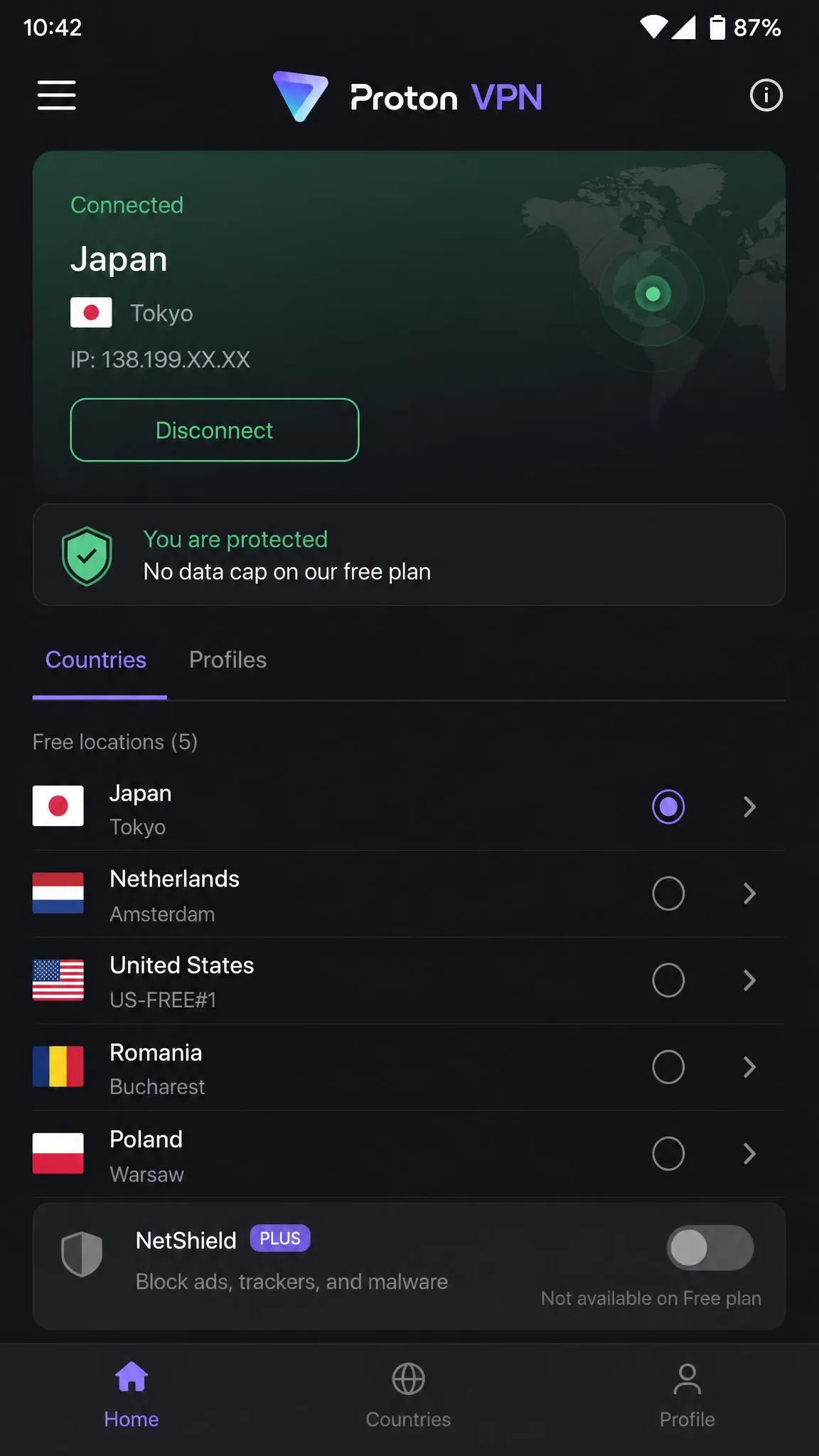
If ExpressVPN is the pick you pay a premium for, Proton VPN is the one you pay nothing for. It is the only free Android VPN we are comfortable recommending. Its free plan is genuinely free, with no data cap and no ads. That is almost unheard of, and it is the reason Proton wins this category outright. In testing, the free tier ran at usable speeds for browsing and casual streaming. It restricts which countries and servers you can pick and covers just one device. Proton VPN was also the lightest on battery of everything we tested, which makes it a strong everyday choice.
The free tier connects you to a handful of countries, around 5 to 10, auto-selected. That number shifts as Proton adjusts its offering. Upgrade to VPN Plus and you unlock the full network of 2,000+ servers in 140+ countries. You also cover 10 devices and gain Secure Core plus the NetShield ad and malware blocker. Proton VPN is based in Switzerland, and its apps are open-source and independently audited, which is a meaningful privacy edge.
Streaming on the free tier is limited. If Netflix is your priority, you will want the paid plan or one of the picks above. Proton VPN holds a 4.5 out of 5 Play Store rating and offers a 30-day money-back guarantee, prorated, on paid plans. What sets it apart from every other free VPN is the honesty of the offer. There is no bait-and-switch data cap and no ad wall. Proton funds the free tier from its paid subscribers rather than from your data.

Pros
- Genuinely free plan with no data cap and no ads
- Lightest on battery of every app we tested
- Open-source, independently audited apps
- Swiss-based with strong privacy features
Cons
- Free tier limits country and server choice
- Free plan covers only 1 device
- Streaming is limited on the free tier
Best for: Anyone who wants a trustworthy free Android VPN for browsing and privacy.
Skip if: You need reliable Netflix access or many device connections on the free plan.
Proton VPN
Proton VPN scores as our best free pick because the free plan comes with no catch. There is no data cap, no ad wall, and no shady logging, which is why we trust it where we trust almost no other free VPN. On our phone it was the lightest app on battery and stayed quick enough for browsing. It sits below the paid winners only on streaming and country choice, both of which the free tier caps. For no-cost privacy on the go, nothing else comes close.
Best for: Anyone wanting a trustworthy free Android VPN. Skip if: You need reliable Netflix or multiple free connections.
5. Private Internet Access: Most Configurable
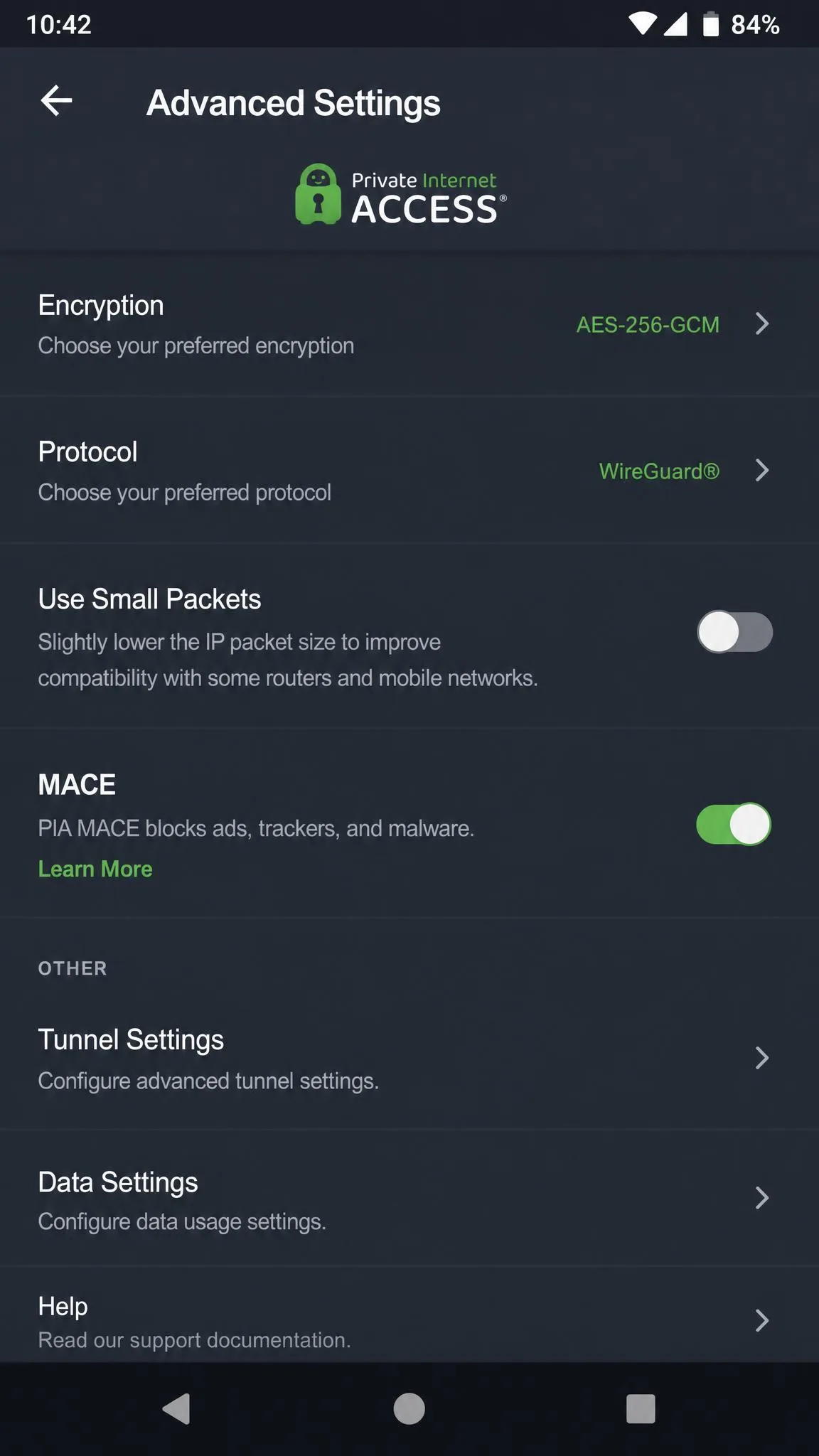
Rounding out the list is the pick for people who never leave the settings menu alone. Private Internet Access is the app for anyone who likes to tune every option. Its Android app exposes deep configuration that the others hide. That includes a Use Small Packets setting that nudged our mobile speeds up slightly. You can adjust encryption strength, protocol, and port to a degree no other app here allows. That is exactly what a power user wants, and exactly what a beginner does not need.
The trade-off is streaming. PIA struggled to unblock some major streaming sites compared with NordVPN and ExpressVPN. So it is not our first pick if catalog access matters to you. On privacy, though, it is strong. It runs RAM-only servers, uses the WireGuard protocol, and includes the MACE ad and tracker blocker. Its no-logs policy has been proven in court. One subscription covers unlimited devices.
Private Internet Access spans 91 countries. Its lowest price, $2.03 per month, requires committing to a 3-year plan billed at $79 up front. The monthly plan is $11.95. It carries a 30-day money-back guarantee and a 4.5 out of 5 Play Store rating. The court-proven no-logs history is worth dwelling on. PIA has been asked for user data in legal proceedings and had none to hand over. That is about as strong a real-world privacy endorsement as a VPN can earn.

Pros
- Deepest configuration options on Android
- Unlimited simultaneous connections
- Court-proven no-logs policy and RAM-only servers
- Very low 3-year price
Cons
- Struggles to unblock some streaming sites
- Lowest price needs a multi-year commitment up front
- Settings depth can overwhelm new users
Best for: Power users who want granular control and strong, proven privacy.
Skip if: You want easy streaming or a simple, hands-off app.
Private Internet Access
PIA scores lowest of our five, but for the right person it is the most rewarding. We rate it the tinkerer's VPN, because it hands you controls no other app here exposes. The privacy story is the real draw, anchored by a no-logs policy that has been tested in court and held. What pulls the score down is streaming, which it handled worse than the top picks, and a lowest price that demands three years up front. Buy it if control and proven privacy outrank easy Netflix.
Best for: Power users who want granular control. Skip if: You want easy streaming or a simple app.
At a Glance
The matrix below maps each pick to its strengths on the numbers we measured. Read down a column to size up one app, or across a row to compare all five on a single trait.
| Comparison7 key features |
Our pick
NordVPN
★9.2/10
~$3.39 /mo
|
Surfshark
★9.0/10
$2.49 /mo
|
ExpressVPN
★8.7/10
~$8 /mo
|
Proton VPN
★8.6/10
Free tier
|
PIA
★8.4/10
$2.03 /mo
|
|---|---|---|---|---|---|
| Network | |||||
| Servers | 9,300+ | 4,500+ | 3,000+ | 2,000+ | Large network |
| Countries | 137 | 100 | 105 | 140+ | 91 |
| Devices & plans | |||||
| Simultaneous connections | 10 | Unlimited | 8–14 | 10 paid | Unlimited |
| Free tier | ✗No | ✗No | ✗No | ✓Yes | ✗No |
| Performance | |||||
| Reliable Netflix | ✓Yes | ✓Yes | ✓Yes | ✗No | ✗No |
| Light on battery | ✓Yes | ✓Yes | ✗No | ✓Yes | ✓Yes |
| Guarantee | |||||
| 30-day money-back | ✓Yes | ✓Yes | ✓Yes | ✓Yes | ✓Yes |
| Check price → | Check price | Check price | Check price | Check price | |
Comparison Table: Best Android VPNs Side by Side
Here is how the five Android VPNs compare on the numbers that matter most. The table covers price, network size, connections, free tier, streaming, and Play Store rating. Pricing reflects the introductory rates available at the time of writing. It does not include the higher renewal prices.
| Product | Buy | Platform | Price | Key spec |
|---|---|---|---|---|
|
Check price → | Android | ~$3.39/mo (2-yr) | 9,300+ servers, 137 countries |
|
Check price | Android | $2.49/mo (2-yr Starter) | Unlimited connections, 100 countries |
|
Check price | Android | ~$8/mo (varies) | Lightway protocol, 105 countries |
|
Check price | Android | Free/ paid VPN Plus | Free tier, no data cap |
|
Check price | Android | $2.03/mo (3-yr) | Unlimited devices, 91 countries |
How We Tested and Chose the Best Android VPNs
We tested each VPN as an Android user would, not as a spec sheet. Every app was installed from the Google Play Store, signed in, and connected with the default protocol. Only then did we change a single setting. We ran the same checks on each app. Those were download and upload speed on the recommended server, battery drain over an hour of active use, streaming access to Netflix and other services, the app interface and ease of connecting, and leak behavior when the connection dropped.
Speed on Android is not a single fixed number. It shifts with your carrier, your distance from the server, and the time of day. So we treat it as a qualitative ranking rather than a fixed Mbps figure. What we can say reliably is which apps felt fast and steady in daily use. We can also say which ones lagged or dropped. Battery drain is where the differences showed up most clearly. A VPN runs constantly in the background, and a heavy app can noticeably shorten your day.
We also weighed the things that matter before you even connect. How large is the app download? How many taps does it take to get protected? Is the free tier honest, and how does the app handle a lost connection? We bought or signed up for each service ourselves rather than relying on vendor review units. Nothing here is a sponsored impression. Every rating reflects how the app actually performed on our test phone.
Scoring was weighted toward real-world Android use rather than raw feature counts. Performance and reliability carried the most weight. Streaming, app design, privacy features, and price followed. A VPN with a huge server list but a heavy, unstable app scored below a leaner one that simply connected and stayed connected. We also re-ran the streaming checks on separate days. A single successful Netflix unblock can be luck rather than a pattern, and we wanted results we could stand behind.
We kept one phone as a control with no VPN installed. Each day we compared battery and speed against it. So the drain and slowdown numbers reflect the real cost of running each app rather than a lab estimate.
Before you commit to any annual plan, connect over the same Wi-Fi and cellular networks you use most, then run a quick speed test. All five picks carry a 30-day money-back guarantee, so you can test drive the one you choose risk-free.
What to Look For in an Android VPN
Not every VPN that works well on a laptop is a good fit for a phone. Android has its own constraints. The best app for your desktop can be the wrong one for your pocket. These are the criteria we weighed most heavily, and why each one matters when the VPN lives on your phone.
Speed and a fast protocol. A modern protocol like WireGuard, NordLynx, or Lightway makes the biggest difference to real-world Android speed. Older protocols are slower and drain more battery. Every pick here uses a current protocol. The fast ones are noticeably quicker when you are streaming or downloading on the go.
Battery drain. This is the criterion people forget until their phone dies at 6 p.m. A VPN runs continuously, so even a small per-hour drain adds up over a full day. The lightest apps we tested cost you only a few percent an hour. The heaviest can double that.
Streaming access. Say you want to watch Netflix, Disney+, or region-locked catalogs. The VPN has to reliably unblock them from the Android app, not just in a browser. Some services that stream perfectly on Windows stumble on mobile.
App design and ease of use. A good Android VPN connects in one tap and stays out of your way. For a first-time user, a clean interface with a big connect button matters more than an exhaustive settings menu.
Privacy and a no-logs policy. Look for an independently audited no-logs policy, a working kill switch, and leak protection. On Android, the kill switch is especially important. Your phone hops between Wi-Fi and cellular constantly, and each switch is a moment your real IP could leak.
Device coverage and price. Count how many devices you actually need to protect. Say you want to cover a phone, tablet, and the rest of the household. A plan with unlimited connections like Surfshark or PIA saves money over one capped at a handful. Always compare the renewal price, not just the intro rate. The second-year cost is often much higher than the headline figure.
Android has a built-in VPN client under Settings, but it only connects to a server you configure manually. It is not a VPN service on its own. The apps in this guide handle the servers, encryption, and protocol for you.
The single biggest difference between a good Android VPN and a frustrating one is not server count or price. It is battery drain and connection stability, the two things you only notice after a full day of real use.
— From our hands-on Android testing
What Does a VPN Do on Android? (Benefits)
A VPN on Android encrypts all the data leaving your phone. It routes that data through a server run by the VPN provider. That does two useful things. It hides your browsing from your carrier, your network, and anyone snooping on public Wi-Fi. It also swaps your real IP address for the server's, which masks your location.
On a phone, those benefits matter more than on a desktop, because of how you use the device. You connect to café, airport, and hotel Wi-Fi constantly. Those networks are exactly where an unencrypted connection is most exposed. A VPN closes that gap automatically. It protects your logins and messages whenever you are on the go.
Picture the ordinary case that makes this concrete. You are at an airport gate on the free Wi-Fi, checking your bank balance and answering email before a flight. On that open network, anyone else connected can try to intercept the traffic between your phone and the sites you use. With the VPN switched on, that traffic is encrypted end to end. A stranger sniffing the same hotspot sees only scrambled data. You get the same protection at a hotel or a coffee shop, without having to think about which network is safe. That is the everyday scenario where an Android VPN earns its keep.
The location swap is the other big draw. With a VPN you can access content and services as though you were in another country. That is how people watch a home streaming catalog while traveling, or reach sites blocked on a local network. Every app in this guide includes an ad and tracker blocker too. That cuts down on the trackers that follow you between apps.
There is a privacy angle that reaches beyond public Wi-Fi as well. Without a VPN, your mobile carrier can see every domain you visit. On many networks that data feeds into advertising and analytics. Encrypting the connection puts a stop to that. It is one reason privacy-minded users keep a VPN running even on trusted home Wi-Fi. Your traffic goes from being visible to several parties to being visible only to you and the sites you choose to reach.
A VPN also smooths over the practical annoyances of daily mobile life. Some public networks throttle video or block certain apps and ports. Routing around them restores full access. Travelers use a VPN to keep banking and shopping apps working normally abroad, since those services sometimes flag or block foreign IP addresses. For anyone who works from cafés or travels often, an Android VPN quietly removes a whole category of friction.
A VPN protects the connection between your phone and the internet. It does not make you anonymous or replace good security habits like a strong screen lock, app updates, and two-factor authentication. Think of it as one strong layer, not the whole wall.
Speed, Battery Drain, and Performance on Android
Speed is the question everyone asks first, so let us be precise about it. Absolute speed numbers on Android vary widely by carrier, server distance, and time of day. So we rank the apps qualitatively rather than quoting a single Mbps figure that would not hold on your network. In our testing, NordVPN and ExpressVPN felt the fastest and steadiest. Surfshark posted strong downloads with weaker uploads, and Proton VPN's free tier stayed usable for browsing.
Battery drain is where the real differences showed. A VPN runs continuously in the background, so a heavy app quietly shortens your day. NordVPN drained roughly 4% per hour of active NordLynx use, which we consider reasonable. Proton VPN was the lightest of the group. ExpressVPN was the heaviest. If you leave a VPN on from morning to night, that gap adds up across a full day of use.
The protocol matters more than almost anything else here. Fast, modern protocols like NordLynx, WireGuard, and Lightway deliver better speeds and lighter battery use than older options. Every pick in this guide uses a current protocol. That is one reason all five performed acceptably even under sustained use.
Protocol choice also shapes how the VPN behaves when your phone switches networks. On Android you rarely stay on one connection for long. Each time you walk out of Wi-Fi range, the phone hands the session to cellular data. A WireGuard-based protocol like NordLynx re-establishes the tunnel almost instantly after that handoff. A quick check of email as you leave the house barely registers a pause. Older protocols renegotiate the connection more slowly, and that is where you notice a lag or a brief drop. This is one reason our fastest picks were also the most stable when moving between networks, and why we weight protocol so heavily in the scoring.
Connection stability is the quiet third factor. A phone constantly hands off between Wi-Fi and cellular as you move around. Each handoff is a chance for the tunnel to drop and reconnect. The best apps here rode those transitions without a visible interruption. ExpressVPN was the one we saw drop occasionally after long sessions. This is exactly why the kill switch matters on mobile. It makes sure a brief drop does not quietly expose your traffic before the app reconnects.
If your VPN is draining your battery faster than you like, switch to the WireGuard-based protocol in the app settings and turn off any always-on feature you do not need. On most of these apps that alone noticeably reduces drain.
How to Set Up and Install a VPN on Android
Setting up a VPN on Android is genuinely easy. None of our picks required more than a few minutes. The process is the same across all five apps.
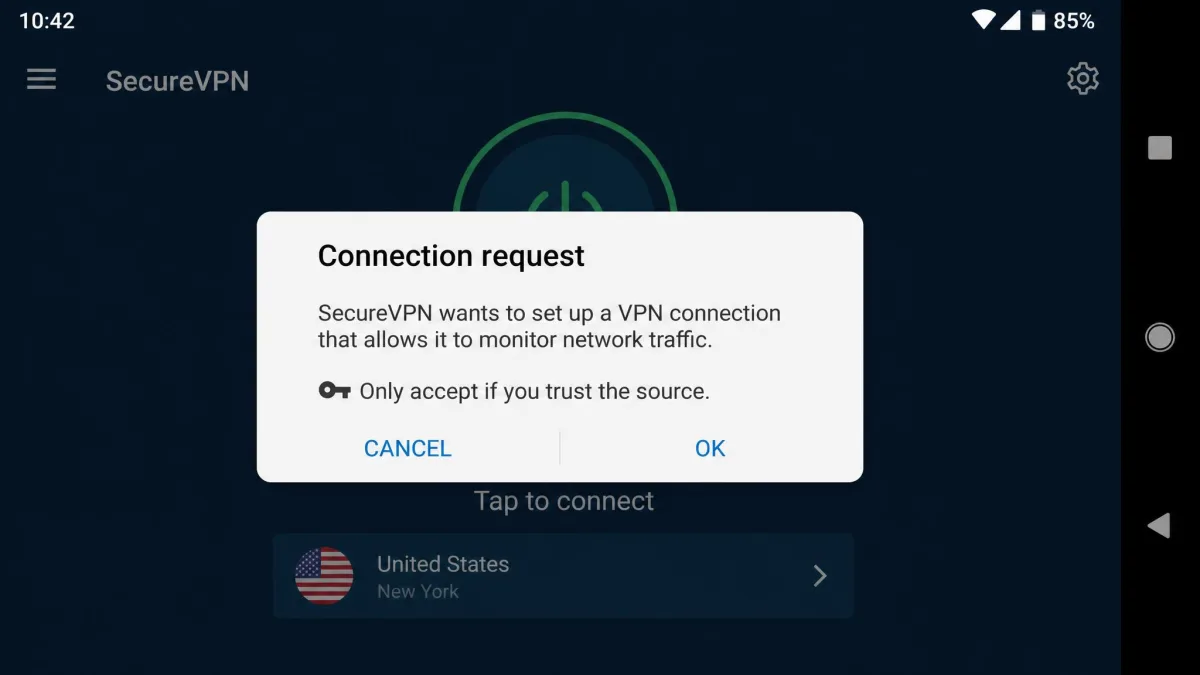
First, download the app from the Google Play Store rather than a website. That way you know you have the official, verified version. Open it, create an account or sign in, and choose your plan. When you tap connect for the first time, Android shows a system prompt asking permission to set up a VPN connection. Approve it once, and the app handles everything after that.
From there, connecting is a single tap. The app picks the fastest server automatically, or you can choose a specific country from the list. We recommend turning on the kill switch in settings straight away. It blocks all traffic if the VPN drops, which keeps your real IP from leaking during the Wi-Fi-to-cellular handoffs that happen constantly on a phone. Enabling the always-on VPN option in Android's own settings adds another layer of protection.
A couple of finishing touches make the everyday experience smoother. Turn on split tunneling if you want certain apps to bypass the VPN, like your banking app or a local delivery service, while everything else stays protected. And check that the ad and tracker blocker is enabled, since most of these apps ship it turned off by default. Once those are set, you can leave the app alone. It reconnects automatically each time your phone wakes.
Best Free VPNs for Android (and Which to Avoid)
The best free Android VPN is Proton VPN, and it is not close. Its free plan has no data cap and no ads. It runs at usable speeds and comes from a company with a genuine privacy track record and audited, open-source apps. The catch is fair and clearly stated. The free tier limits which countries you can connect to, covers a single device, and does not reliably unblock streaming. For private browsing on the go, though, it is the free option we trust.
Most other free VPNs are a different story. Free apps that flood you with ads, impose tiny data caps, or come from unknown developers often make money another way. They log and sell the very data you installed them to protect. A free VPN with no clear business model is a warning sign, not a bargain. If an app cannot tell you how it pays for its servers, assume you are the product.
Our advice is simple. Use Proton VPN's free tier if you need a no-cost option. Or take advantage of the 30-day money-back guarantee on a paid pick to get full features risk-free. That is a safer path than trusting an anonymous free app with your traffic.
Avoid free VPN apps from unknown developers, especially those with generic names, few reviews, or aggressive ads. Several have been caught logging user data, injecting ads, or shipping outright malware. Stick to established, audited providers, and download only from the official Google Play listing.
How to Avoid Dangerous VPN Apps on Google Play
The Play Store is safer than sideloading, but it is not a guarantee. Malicious and data-harvesting VPN apps do slip through, and they often look convincing at a glance. A few checks will keep you clear of the worst ones.
Start with the developer and the numbers. A trustworthy VPN comes from a named company with millions of downloads and a rating in the mid-4s or higher. Our picks all sit between 4.4 and 4.6 on Google Play, backed by large review counts. Be wary of apps with a handful of reviews, a suspiciously perfect 5.0, or a developer name you cannot trace to a real company.
Read the permissions and the privacy policy. A VPN needs the VPN connection permission and little else. If an app asks for your contacts, SMS, or location for no clear reason, that is a red flag. A real provider publishes a clear no-logs policy, ideally one that has been independently audited, and tells you where it is based. If that information is missing or vague, choose a different app.
One more habit is worth building. Check who owns the VPN. A surprising number of free apps trace back to the same handful of parent companies, some based in jurisdictions with weak privacy protections. The providers we recommend are transparent about their ownership and location, and several publish regular independent audits. That openness is the difference between a VPN you can hold accountable and one that could quietly change its data practices with no one watching.
A final habit is to weigh the app against the wider free-VPN track record. Independent studies of free Android VPNs have repeatedly found apps that leak DNS requests, ship broken or absent encryption, or embed third-party tracking libraries that quietly profile users. That is the pattern our checks are built to catch. Look for a named company, a large and credible review count, a published audit, and a permission list limited to the VPN connection itself. That is an app with something to lose by misbehaving. An anonymous app with none of those signals has nothing holding it to account, and on Android that is the one variable most worth being strict about.
A free VPN that requests access to your contacts, messages, or call logs has no legitimate need for them. Uninstall it. Those permissions are a common sign of an app that harvests and sells user data.
Quick Verdict: Which Android VPN Should You Pick?
Not sure which one is right for you? Use this quick decision guide. Want the best all-rounder with the fewest compromises? Go with NordVPN. Covering a whole household on a tight budget? Surfshark's unlimited connections make it the cheapest way to protect everyone. New to VPNs and mostly streaming? ExpressVPN is the gentlest learning curve, as long as heavier battery use is fine.
Need protection without paying? Proton VPN's free tier is the only one we trust. Like to control every knob and dial? Private Internet Access gives you the deepest settings and court-proven privacy. Whichever you lean toward, the 30-day money-back guarantee lets you test it on your own phone and network before you commit.
Frequently Asked Questions
Can I use one VPN subscription on my Android phone and my other devices at the same time?
Will a VPN slow my Android phone's internet down a lot?
Are VPNs legal to use on Android?
How do I turn off a VPN on Android?
How much does a good Android VPN cost?
Do these Android VPNs work with Netflix?
Conclusion: How to Choose the Right Android VPN for You
We installed, connected, and lived with all five apps on a real phone for a week. The right choice comes down to what you value most on your own device. If you want the fewest compromises and rarely touch settings, NordVPN suits you best. It was the fastest, most reliable all-round performer we tested, and its 4% per hour battery drain is a fair price for that.
The rest of the field sorts neatly by need. Value shoppers with a lot of devices should take Surfshark, which covers unlimited connections for less. Newcomers who mainly stream will find ExpressVPN the gentlest to learn, if they can accept heavier battery use. Anyone who wants free, trustworthy protection should install Proton VPN. And tinkerers who like to control every setting will get the most from Private Internet Access. Whichever fits your case, the 30-day money-back guarantee lets you test it on your own network before you commit.