Your Windows PC leaks more than you think. Every website you open, every download, and every login sees your real IP address and, often, your rough location. On shared or public Wi-Fi, that traffic can be watched by anyone on the same network. A VPN fixes this by wrapping your connection in encryption and routing it through a server somewhere else, so your internet activity stays private and your address stays hidden. That is a simple idea, but the gap between a good VPN and a poor one is wide, and on a PC the stakes are higher because it is where you bank, work, and store the most personal information.
We wanted to know which service is genuinely worth installing on a Windows machine in 2026, so we tested the leading options the way a normal person actually uses them. We ran speed and leak benchmarks, connected to servers near and far, and checked whether each app could stream, hold a stable connection, and stay out of the way. This guide ranks the five we would recommend, explains how we tested them, and walks you through choosing, installing, and troubleshooting a VPN on Windows 10 and 11.
Our picks span every common need: the best all-round choice, the best value, the fastest, the best genuinely free option, and the best for covering unlimited devices. Prices, speeds, and privacy protections vary a lot between them, so the right pick depends on what you want the service to do. If you only read one section, read the comparison table, then jump to the review of whichever pick fits your budget and device count.
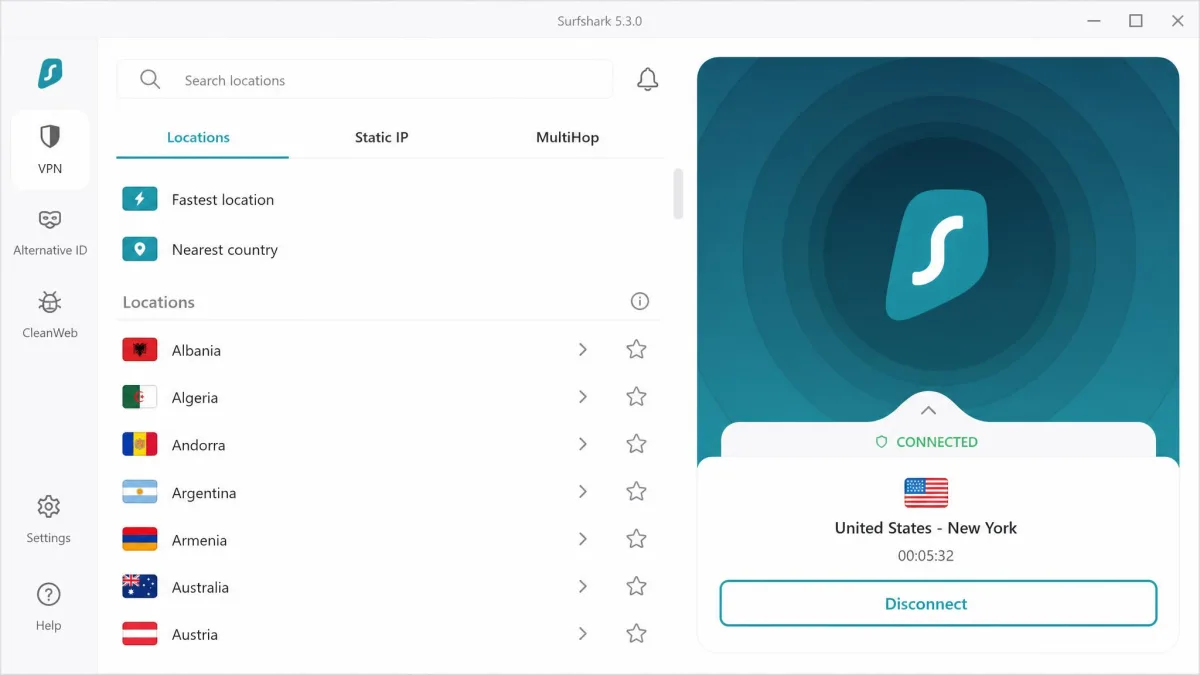
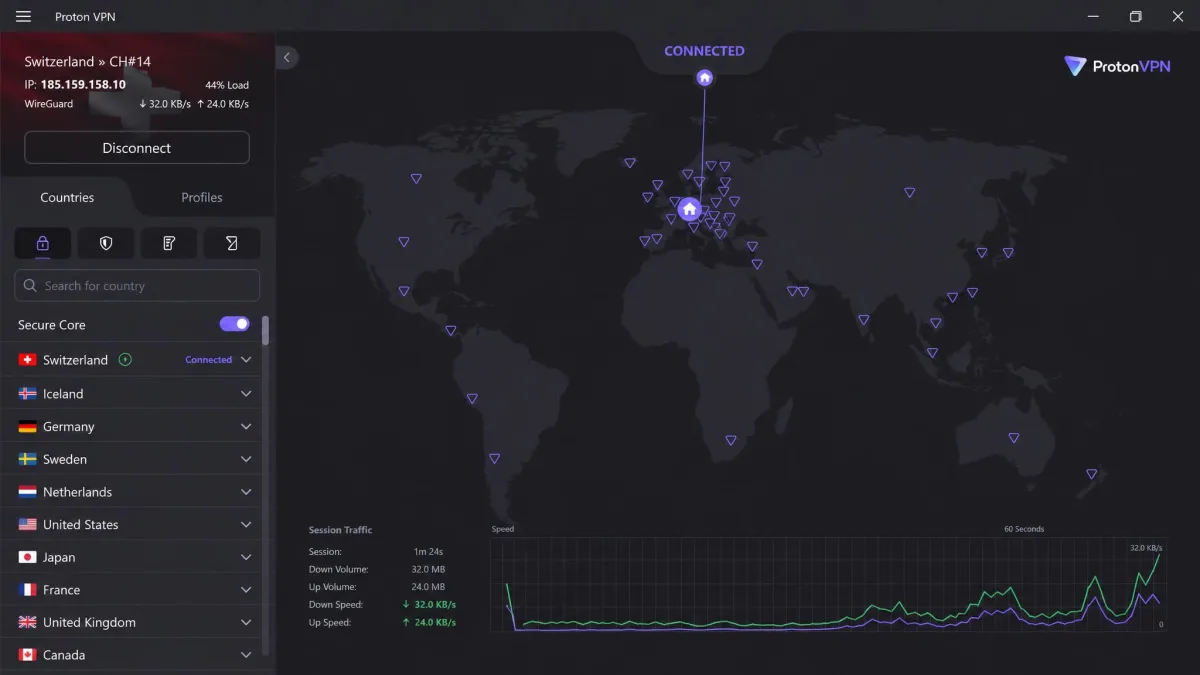
The Best VPNs for PC at a Glance
Here is the short version before we get into the detail. All five services run native Windows apps, keep a no-logs policy, and back their plans with a 30-day money-back guarantee, so you can test any of them risk-free on your own PC. Each one also uses modern AES-256 encryption and a WireGuard-based protocol, which is the combination we look for first.
- NordVPN, best overall. The most complete package we tested, combining fast speeds, strong security features including Threat Protection, and dependable access to streaming services.
- Surfshark, best value. The cheapest way to protect an entire household, with unlimited devices and a low long-term price.
- ExpressVPN, fastest and most user-friendly. The smoothest app and the most consistent speeds, aimed at people who want it to just work.
- Proton VPN, best free. The only free plan here we would actually trust, from a privacy-focused Swiss service, with a capable paid tier above it.
- IPVanish, best for unlimited devices. Fast, audited, and generous on connections, so one subscription covers every PC and phone you own.
We tested these five VPNs on Windows 11 and Windows 10 desktops and laptops over several weeks. We ran each app through speed benchmarks, DNS and IP leak checks, streaming trials, and everyday browsing. We paid for the plans ourselves, so nothing here is a vendor demo. What follows is what the apps did on our machines, not what the marketing pages promise.
Best VPNs for PC Compared
Before the full reviews, here is how the five picks line up on the numbers that matter most: price, server reach, how many devices you can connect, speed, privacy, and the one feature that sets each apart. Prices shown are the best long-term rates available at the time of writing, and most are introductory rates on a longer plan. Month-to-month pricing is much higher across the board, so the cheap headline figures all assume you commit upfront.
| Product | Best price | Servers / countries | Devices | Standout | Buy |
|---|---|---|---|---|---|
 |
$3.49/mo(2-yr) | 9,300+ / ~137 | 10 | Threat Protection + NordLynx speed | Check price → |
 |
$2.49/mo(2-yr) | 4,500+ / 100 | Unlimited | Unlimited devices, low price | Check price → |
 |
$2.79/mo(2-yr) | 3,000+ / 105 | 10 | Lightway speed and ease of use | Check price → |
 |
Free/ $2.99/mo (2-yr) | 19,700+ / 145 | 10 (free: 1) | Genuine free tier, Secure Core | Check price → |
 |
$2.19/mo(2-yr) | 3,400+ / 100+ | Unlimited | Unlimited devices, audited no-logs | Check price → |
The table hides one useful pattern. If you care most about raw features and streaming, the top three are worth the extra money. If you care most about covering many devices cheaply, Surfshark and IPVanish win on value. And if you want to spend nothing, Proton VPN is the only free plan here we would put on a PC. The one thing the table cannot show is the gap between the intro price and the month-to-month rate, which runs closer to $13 to $15 on most of these services. That is why we always test on the longest plan that still fits inside the refund window.
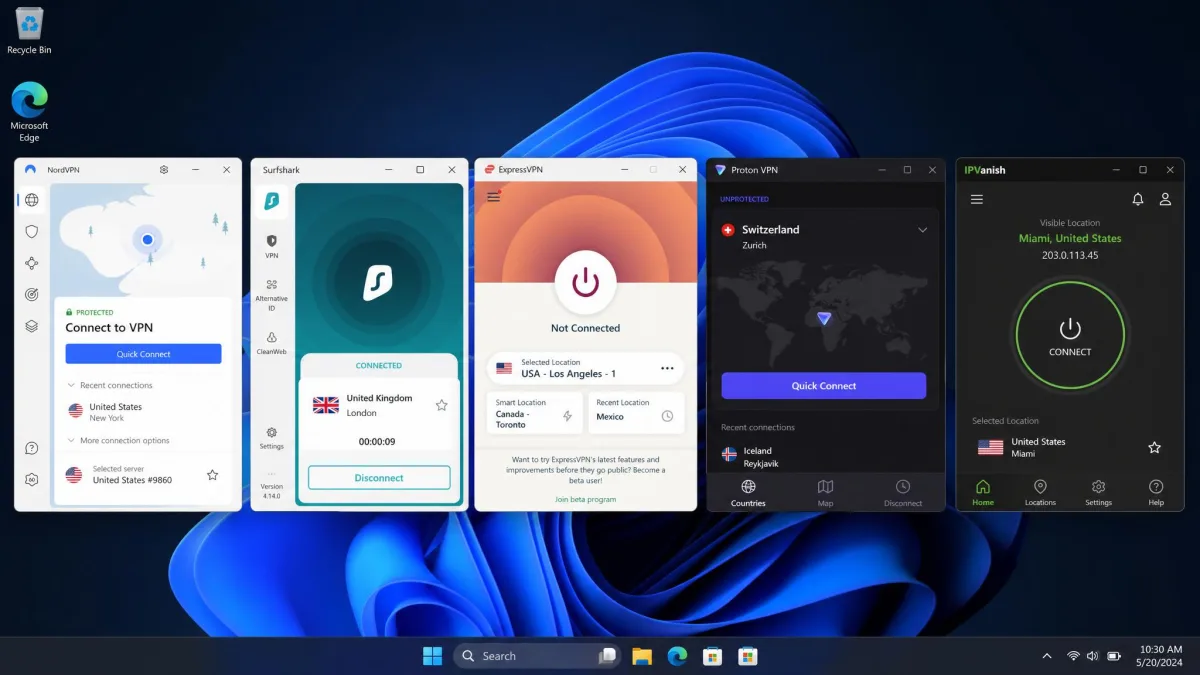
The Best VPNs for PC Reviewed
Each review below covers what the service is like to live with on Windows: the speeds we measured, how the app behaved day to day, whether it could stream, and who it suits best. We name a price and a link for every pick so you can jump straight to the plan if it fits. Ratings reflect the whole package, weighing speed, privacy, app quality, and price together.
NordVPN
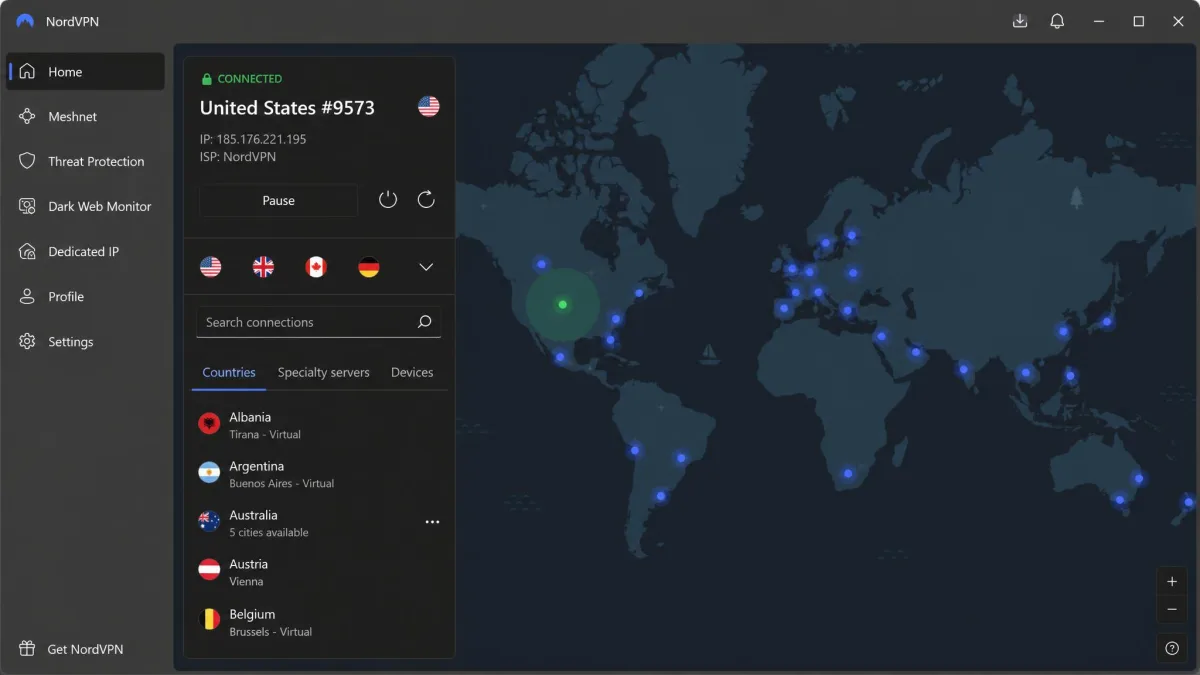
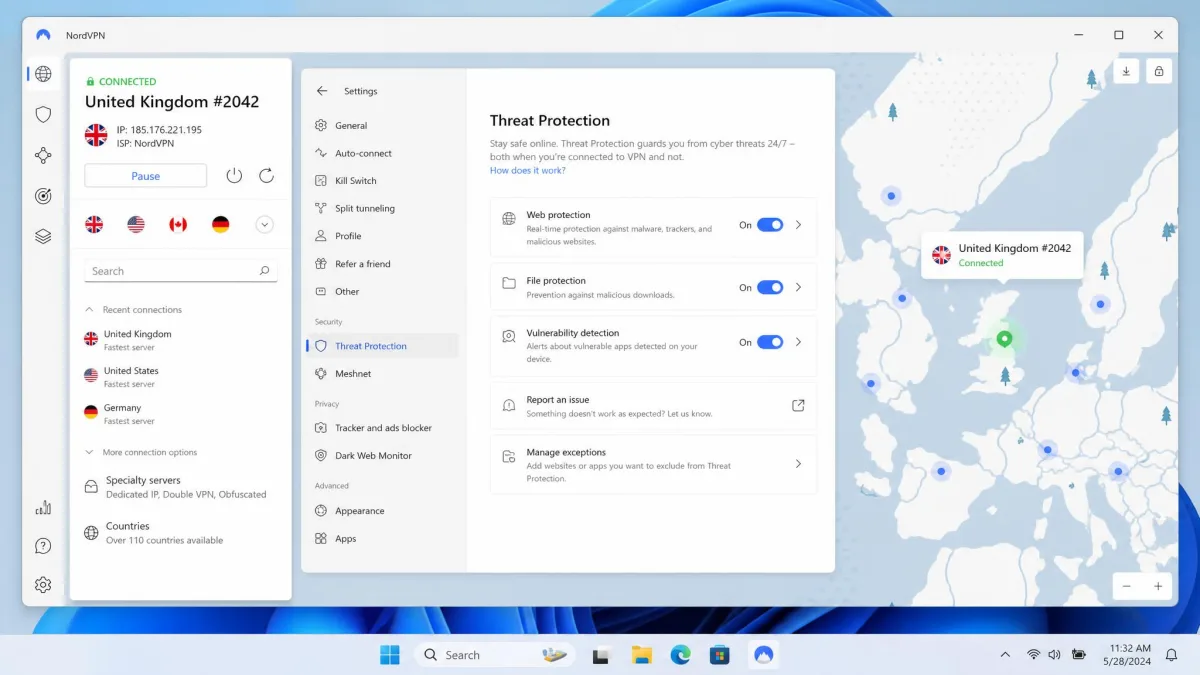
NordVPN was the most complete service we tested on Windows. It earned the top spot by doing everything well rather than winning a single category. Its NordLynx protocol, built on WireGuard, held speeds close to our unprotected baseline. On nearby servers we saw only about a 5 percent drop, small enough that browsing, calls, and downloads felt unchanged. The Windows app is clean, with a map for picking locations and a straightforward list underneath. Connecting takes a couple of seconds, and switching servers when one is busy is just as quick.
Security is where NordVPN pulls ahead. You get AES-256 encryption, a reliable kill switch, and a strict no-logs policy. On top of that sits Threat Protection, which blocks ads, trackers, and known malware domains before they load. There is also Double VPN for a second hop, a dedicated IP option, Meshnet for linking your own devices, and a dark web monitor. Switching on Double VPN cut our speeds by as much as 80 percent, so we kept it for the rare moments the extra layer was worth it. For streaming, NordVPN reliably unblocked Netflix region libraries along with Disney+ and Hulu in our testing, with quick server switching when one location was congested.
Across a network of more than 9,300 servers in around 137 countries, we rarely struggled to find a fast, working connection. It is worth noting that the exact country figure is quoted differently across sources. The plan covers 10 simultaneous devices, which is enough for most people's PCs, phones, and tablets. On price, the $3.49 per month two-year rate is a genuine bargain, but the month-to-month plan runs $14.99, so the long commitment is where the value lives. If you want one VPN that handles privacy, speed, and streaming without compromise, this is it.
Best for: Anyone who wants one well-rounded VPN for privacy, speed, and streaming on PC. Skip if: You only need to cover a large household of devices, where an unlimited-connection plan is cheaper.
Pros
- Near-baseline speeds on the NordLynx protocol
- Threat Protection blocks ads, trackers, and malware
- Reliable Netflix, Disney+, and Hulu access
- Large server network with fast switching
Cons
- Double VPN cuts speeds sharply
- Country count is quoted differently across sources
As our top pick, NordVPN is the one we would install first on a new Windows machine. Its 30-day money-back guarantee means you can confirm the speeds on your own connection before committing.
Our verdict on NordVPN: 9.4/10. This is the most complete VPN for a Windows PC. It pairs near-baseline speeds with a genuinely deep security toolkit and reliable streaming, and the Windows app stays out of your way. Double VPN slows things down and the advertised country count varies by source, but neither dents the overall package. It is the best all-round pick for most PC users, and the one we would set up first. You can compare current plans directly on the NordVPN site and lean on the 30-day guarantee to test the speeds on your own line.
Surfshark
Surfshark is the pick for anyone who wants strong protection without paying premium prices. Its headline trick is that a single subscription covers unlimited simultaneous devices. That alone makes it the cheapest way to secure a whole household, since one plan protects every PC, phone, and tablet under your roof. At around $2.49 per month on the two-year plan, it is one of the lowest prices on the market for what you get. The value only grows the more devices you own.
Speeds were strong on nearby WireGuard servers, where we recorded figures ranging from roughly 485 to 752 Mbps. That is fast enough for 4K streaming and large downloads with room to spare. The tradeoff shows up on very distant server hops, where speeds fall off more than they do on NordVPN. We also found the Windows auto-connect feature behaved inconsistently once or twice, needing a manual reconnect. Neither issue was a dealbreaker for everyday use, but they are the two things that keep it a step behind our top pick.
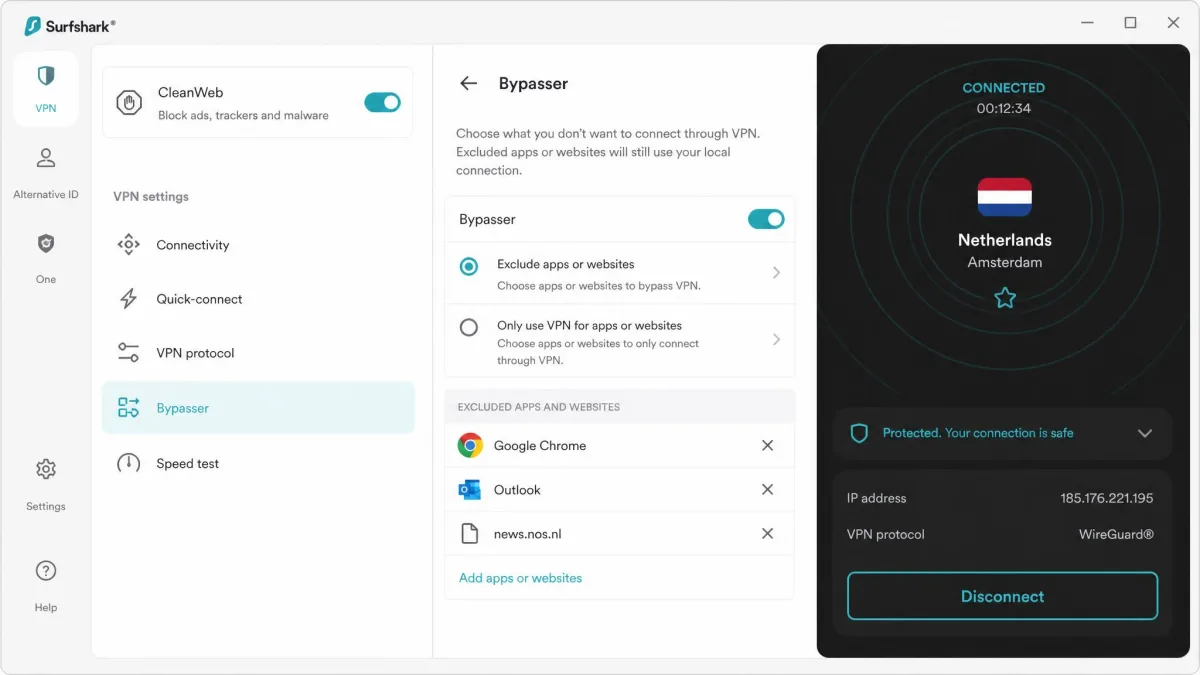
The app includes the CleanWeb ad and malware blocker, a kill switch, MultiHop for a two-country route, and a Bypasser tool for split tunneling. There is also a camouflage mode for networks that try to block VPN traffic. Streaming held up well: Surfshark unblocked more than 16 Netflix libraries plus BBC iPlayer, Disney+, Hulu, and Amazon Prime Video without stutter. For the price, it delivers far more than it should. The intro rate does climb at renewal, so treat the first two years as the window where Surfshark is unbeatable on value.
Best for: Households and anyone who wants to protect many devices on a budget. Skip if: You mainly connect to far-away servers, where speeds are less consistent.
Pros
- Unlimited simultaneous device connections
- One of the lowest long-term prices available
- Strong nearby speeds, good for 4K streaming
- Unblocks a wide range of streaming libraries
Cons
- Speeds drop on very distant servers
- Windows auto-connect can be inconsistent
If covering an entire household cheaply is the goal, Surfshark is the value leader. You can start protecting every device from a single Surfshark plan today.
Our verdict on Surfshark: 9.0/10. This is the best value in the group, and the cheapest way to cover every device you own. Surfshark gives you unlimited connections, fast nearby speeds, and wide streaming support at a price the competition struggles to match. Long-distance speeds wobble and auto-connect needs the occasional nudge, but the value is hard to argue with. Buy it if you want to protect a whole household without paying flagship prices.
ExpressVPN
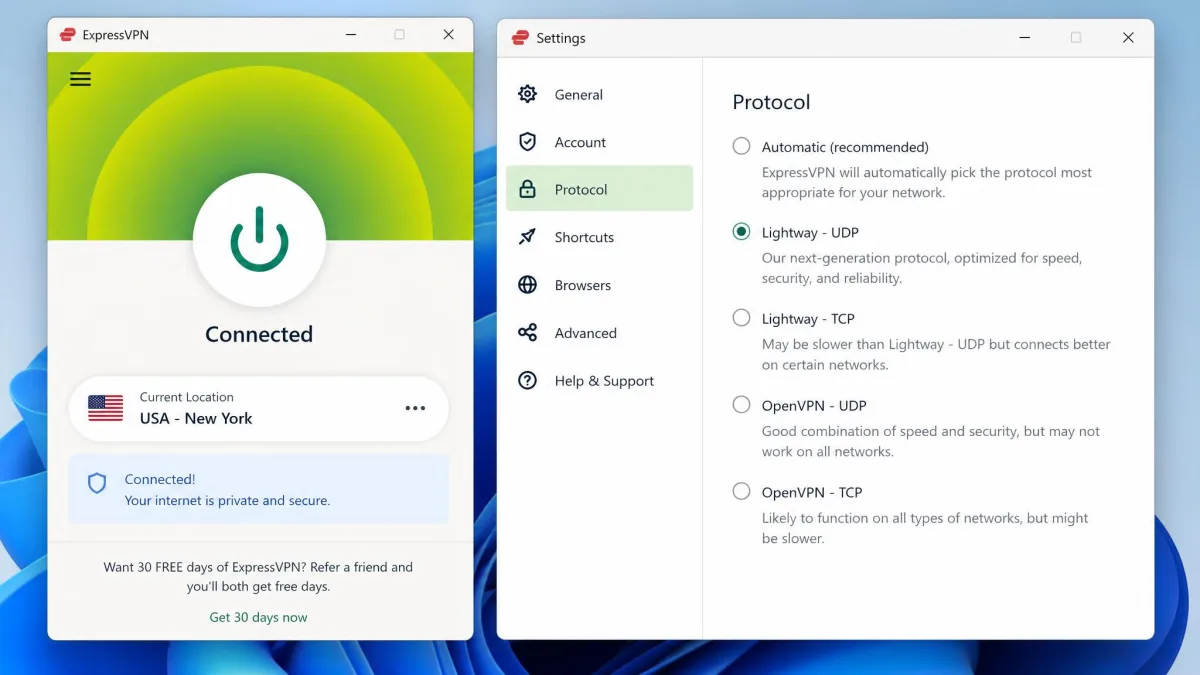
ExpressVPN is the service we would recommend to anyone who wants a VPN to simply disappear into the background. Its Lightway protocol delivered consistently smooth streaming and low-latency connections across Windows, with no noticeable slowdown in everyday use. Where some services need you to hunt for a fast server, ExpressVPN felt quick almost everywhere we connected. The app is the most polished of the group. It is the one we would hand to a relative without a second thought.
The Windows client is built around a single large connect button and a clean location picker. That makes it the easiest to hand to someone who has never used a VPN. Under the hood you still get serious protection: AES-256 encryption, the Network Lock kill switch, split tunneling, and TrustedServer technology that runs every server from RAM. Because nothing is written to a disk, each reboot wipes the server clean. The no-logs policy has been independently audited, most recently by Cure53, which backs up the privacy claims with an outside check rather than a promise.
The catch is cost. ExpressVPN carries a premium price and offers no genuine free trial on the desktop. Even the two-year rate of $2.79 per month climbs to $12.99 month-to-month, which stands out against cheaper rivals like Surfshark and IPVanish. You are paying for polish and consistency rather than extra features, and for a lot of people that is a fair trade. The 30-day money-back guarantee is the closest thing to a trial, so you can still test it properly and refund it if the speeds do not impress you.
Best for: People who value a smooth, reliable app and consistent speed over a low price. Skip if: You are on a tight budget, since rivals offer similar protection for less.
Pros
- Fast, consistent Lightway speeds everywhere
- The most polished and beginner-friendly app
- RAM-only servers and a Cure53-audited no-logs policy
- Native Windows, macOS, and Linux apps
Cons
- Premium price versus rivals
- No genuine free trial on desktop
For a VPN that stays fast and quiet without any fiddling, ExpressVPN is the easiest to recommend. Its 30-day guarantee lets you try that consistency on your own PC.
Our verdict on ExpressVPN: 9.1/10. This is the fastest, smoothest VPN for people who hate fiddling. The Lightway protocol and polished Windows app make it the easiest service to live with, and the audited RAM-only servers back the privacy promises. The premium price and lack of a real free trial are the only real drawbacks. Pay a little more here and you get the most consistent, hands-off experience of the group.
Proton VPN
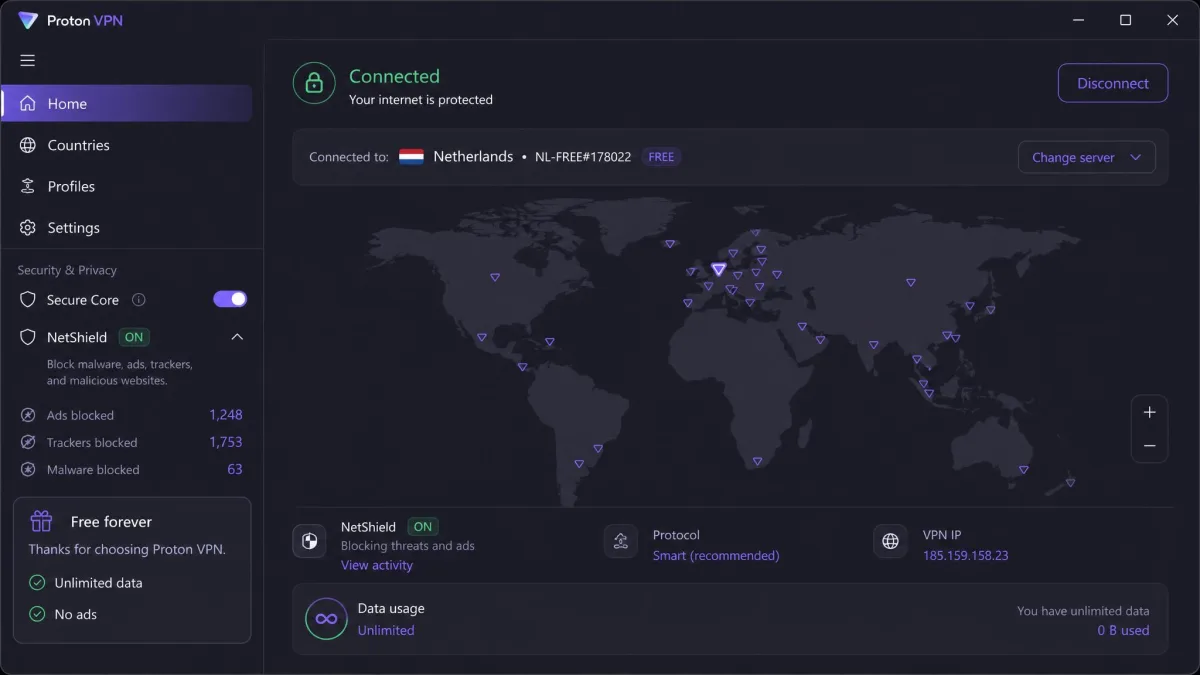
Proton VPN earns its place for one reason above all: its free plan is the only one here we would actually trust. The free tier runs with unlimited data and no ads, and it asks for no credit card. That makes it genuinely usable rather than a teaser designed to push you toward paying. It comes from the same Swiss privacy team behind Proton Mail. The apps are open source and independently audited, so the no-logs claims carry real weight.
Paid performance impressed us too. Proton VPN averaged over 130 Mbps on nearby servers and was the strongest long-haul performer we tested, holding 712 Mbps on a Frankfurt-to-Sydney route with VPN Accelerator enabled. The paid Plus plan opens up a network of just over 19,700 servers across 145 countries. You also get Secure Core routing, the NetShield ad and malware blocker, Tor over VPN, and P2P servers. Its Swiss jurisdiction and open-source apps make it the choice for privacy purists who want to verify, not just trust. Plus costs $2.99 per month on the two-year plan, or $9.99 month-to-month if you want to try it without a long commitment.
It is not flawless. The free tier is capped to a single device and a handful of countries, so heavier users bump into its limits quickly, and free-server locations rotate over time. We also found the Windows app could feel buggy, with the occasional crash or a connection that dropped or failed to establish. That reliability wobble is worth noting: on Trustpilot, protonvpn.com sits at 2.2 out of 5 across roughly 950 reviews, with complaints clustering around billing, refunds, and connection failures. On our machines the speed and privacy still made it the free VPN to beat, but if flawless reliability is your priority, one of the paid picks above is steadier.
Best for: Anyone who wants a trustworthy free VPN, or a privacy-first paid plan. Skip if: You need rock-solid app reliability above all else.
Pros
- Genuinely free plan with unlimited data and no ads
- No credit card required to use the free tier
- Excellent long-distance speeds with VPN Accelerator
- Open-source, audited apps under Swiss jurisdiction
Cons
- Free tier limited to 1 device and a few countries
- Windows app can be buggy and occasionally crashes
If you want to try a VPN without spending anything, start with the Proton VPN free plan for Windows and step up to Plus only if you need more locations.
Our verdict on Proton VPN: 8.6/10. This is the only free VPN we would actually trust. The free plan gives you unlimited data and no ads with no strings, and the paid tier adds serious speed and a huge server network. The Windows app can be glitchy and the free tier is tightly capped, but nothing else free comes close. It is the best free option by a wide margin, and a strong privacy-first paid plan if you upgrade.
IPVanish
IPVanish is the pick when you need one subscription to cover everything, since it allows unlimited simultaneous connections. A single plan protects every PC, laptop, phone, and tablet in a household without counting seats. That makes it a natural fit for families or anyone with a pile of devices. On price it is aggressive too, averaging around $2.19 per month on the two-year plan, one of the lowest figures in this roundup. The month-to-month rate jumps to $12.99, so the long plan is where the savings sit.
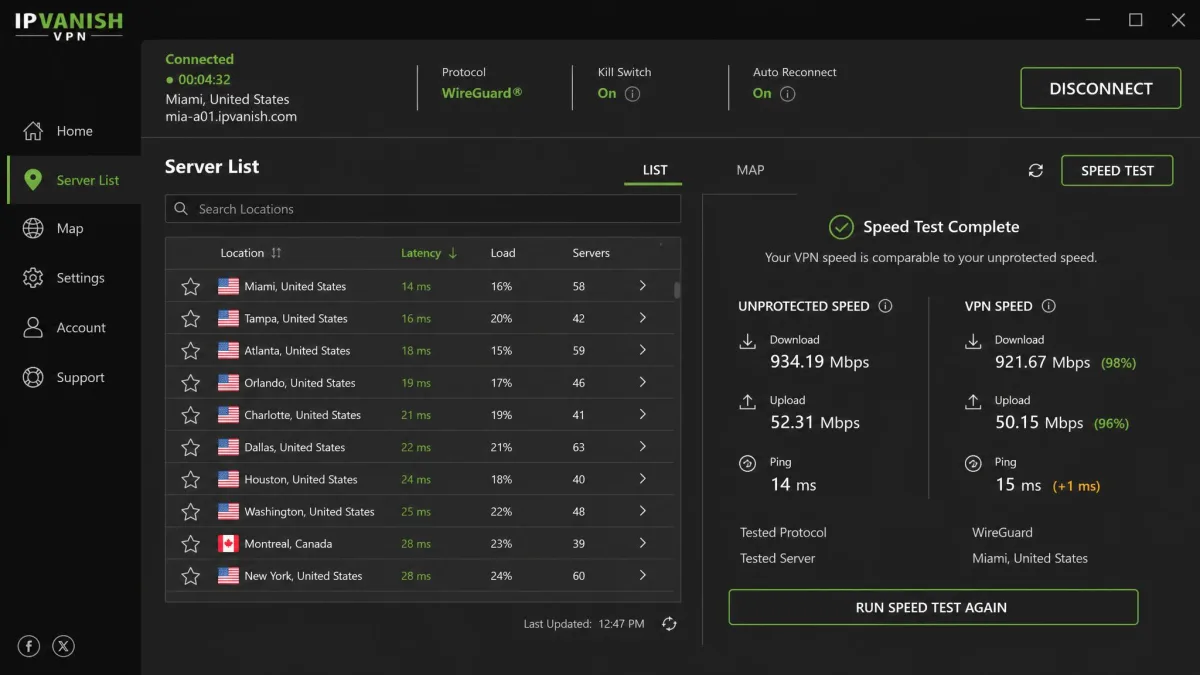
Speed was a genuine strength. IPVanish held speeds within about 5 percent of our unprotected baseline, ranking among the fastest services we tested. Downloads and streaming stayed brisk throughout. The Windows app is functional rather than flashy, with WireGuard, OpenVPN, and IKEv2 protocols, a kill switch, split tunneling, and a SOCKS5 proxy for people who want more control. Its network of more than 3,400 servers across 100-plus countries and 56,000-plus shared IP addresses gives you plenty of room to spread out and avoid congestion.
The one thing worth knowing is history. IPVanish had a logging controversy back in 2016 under previous ownership, and that reputation lingered for years. The current company addressed it directly: its no-logs policy has since been confirmed by an independent Leviathan Security Group audit, which is the kind of outside check we want to see. On our tests it behaved like a fast, straightforward VPN with nothing to hide, and the audit does more to reassure us than any marketing line could.
Best for: Covering an unlimited number of PCs and devices in one household on a single low-cost plan. Skip if: You want the most refined app or the deepest streaming support.
Pros
- Unlimited simultaneous connections
- Among the fastest services we tested
- No-logs policy confirmed by an independent audit
- Low long-term price with a large IP pool
Cons
- Older 2016 logging controversy under prior ownership
- App design is functional rather than polished
For covering an unlimited number of PCs and devices on one fast, audited plan, IPVanish is the value-minded household choice. You can check current pricing on the IPVanish site.
Our verdict on IPVanish: 8.4/10. This is a fast, audited service that is generous on connections. IPVanish covers unlimited devices at a low price, keeps speeds within a whisker of your baseline, and has had its no-logs policy confirmed by an outside audit. The app is plain and the old 2016 controversy still gets mentioned, but the service today is solid. It is the pick for households that want speed and unlimited devices without paying flagship prices.
How We Tested and Ranked These VPNs
We approached this the way a former network administrator would. Each VPN was treated as a piece of infrastructure that has to prove itself rather than a brand to trust. Every service here was installed on the same Windows 11 and Windows 10 machines, licensed with plans we paid for ourselves, and run through the identical set of checks. That kept the comparisons fair. Testing the same tasks on the same hardware is the only way to compare speeds honestly.
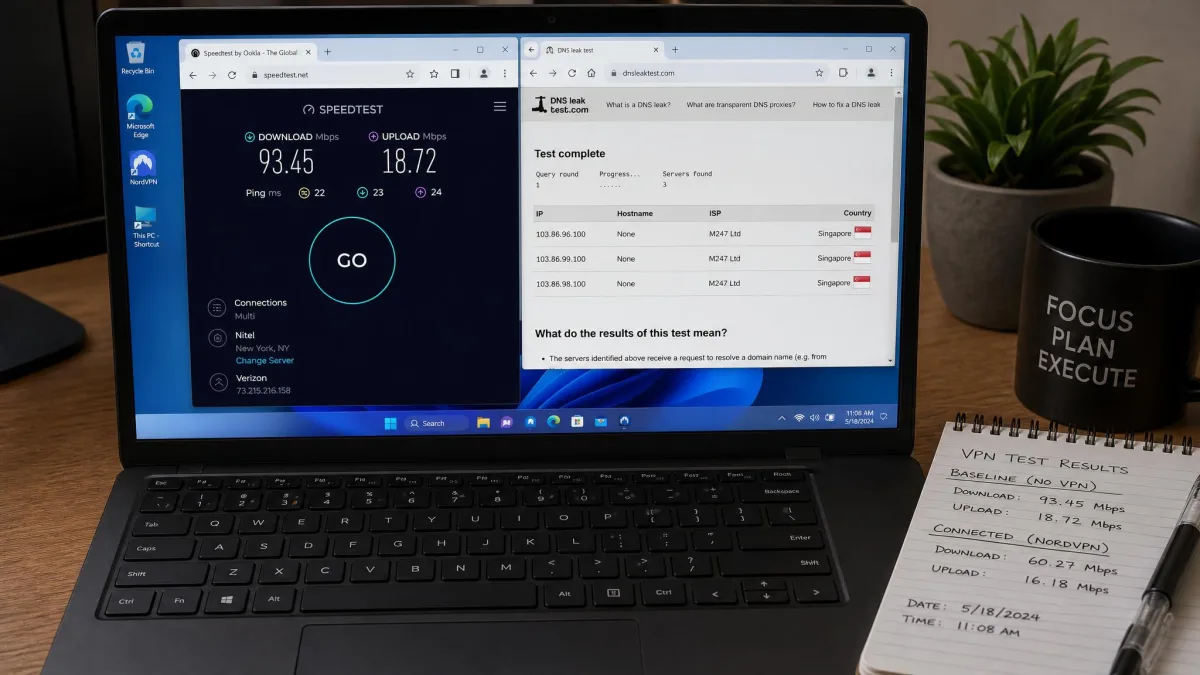
The first thing we measured was speed. We recorded a baseline download and upload figure with no VPN active. Then we reconnected through each service to nearby and distant servers and measured the drop. A good VPN loses only a small slice of your connection on a nearby server, and the best of our picks stayed within roughly 5 percent of baseline. We repeated tests across the WireGuard-based protocols, since those are what most people should use on a PC. We ran each test more than once so a single busy server did not skew the result.
Privacy came next. We ran DNS and IP leak tests on every connection to confirm your real address and requests never escape the tunnel. We also checked that each kill switch actually cut internet access the instant the connection dropped. We favored services with an independently audited no-logs policy, because an outside audit is stronger evidence than a marketing promise. Encryption across all five uses AES-256 or an equivalent modern cipher, which is the current standard. No pick here is weak on the fundamentals.
We also tested the things people use a VPN for every day. That meant streaming access across Netflix, Disney+, Hulu, BBC iPlayer, and Prime Video, plus general browsing, downloads, and video calls over several weeks. Finally we scored the apps themselves on how easy they were to install, connect, and configure on Windows. We weighed price against what each plan delivers, including the renewal cost rather than just the intro rate. The ranking reflects the total picture, not any single number.
When you test a VPN yourself, run a speed test before you connect and again on a nearby server. If the drop is large even close to home, try switching the protocol to WireGuard, NordLynx, or Lightway before you blame the service.
Why Do You Need a VPN on Your PC?
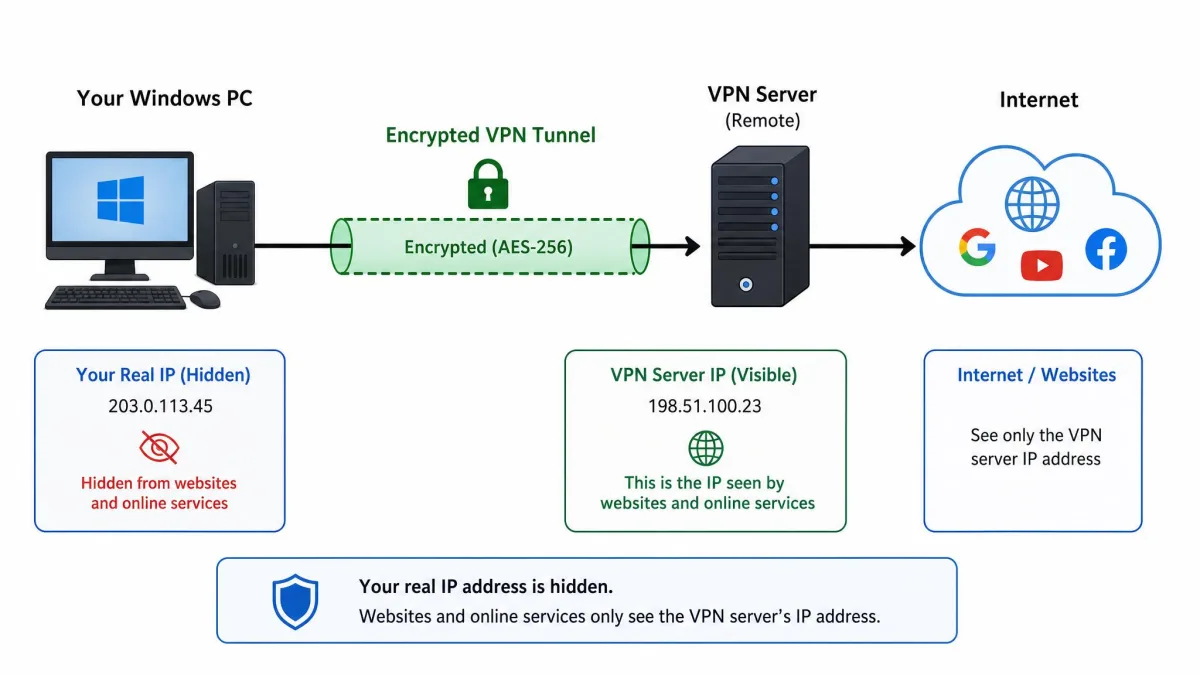
Your PC is where you do your most sensitive online activity. That means banking, work email, shopping, and storing personal information. Without a VPN, your internet service provider can see every site you visit. On public Wi-Fi at a cafe, hotel, or airport, other people on the network can potentially intercept unencrypted traffic. A VPN encrypts that connection so your data stays private in transit, which is the single biggest reason to run one.
The most immediate benefit is hiding your IP address and location. Websites, advertisers, and trackers use your address to build a profile and target ads. Some services also restrict access based on where you appear to be. Routing your connection through a VPN server replaces your address with the server's. That keeps your real location private and lets you access content as if you were elsewhere. It is useful for reaching your home streaming libraries when you travel, or for keeping your browsing to yourself.
Encryption is the other half. A VPN wraps your traffic in strong encryption, the same category of protection that secures online banking. Even if someone captures the data, they cannot read it. That matters most on networks you do not control. Modern encryption standards, such as those published by NIST, are what make this practical and fast rather than a performance drain. Every pick in this guide uses a current cipher.
A PC also runs far more background traffic than a phone. Windows updates, cloud sync, email clients, and browser tabs all chatter across the network without you noticing. Each of those connections carries your real IP address unless a VPN is active at the system level. That is the advantage of a proper desktop app over a browser extension. The app protects everything leaving the machine, not just the traffic inside one browser window. On a shared or work network, that difference is the whole point.
There are everyday reasons too. A VPN lets you keep working securely on the move, reach your home services while traveling, and stop your ISP from throttling specific apps or types of traffic. It is not a cure-all, and it does not make you anonymous by itself, since your accounts and logins still identify you. But for privacy and security on a Windows PC, it is one of the most useful and least intrusive tools available. Once set up, it runs quietly in the background.
How to Choose the Best VPN for PC
The features that matter most are the ones that protect you when something goes wrong. A kill switch is near the top of the list. It cuts your internet the instant the VPN connection drops, so your real address never leaks during a reconnect. All five of our picks include one, and we would not recommend a service without it. Pair that with AES-256 encryption and you have the security foundation covered. That is the baseline every serious VPN should meet.
A no-logs policy decides how private you really are. If a VPN keeps records of what you do, that data can be requested or leaked. You want a service that keeps no logs and, ideally, has had that claim verified by an independent audit. NordVPN, Surfshark, ExpressVPN, Proton VPN, and IPVanish have all been audited, which is a large part of why they made this list. Jurisdiction matters too. A service based somewhere with strong privacy law, like Proton VPN in Switzerland, has more room to keep your information private.
Speed and server reach shape the everyday experience. More servers in more countries means less congestion and more options for access. A fast protocol like WireGuard, NordLynx, or Lightway keeps the speed drop small. Think about how many devices you need to connect at once, since some plans cap you at 10 while Surfshark and IPVanish offer unlimited connections. Watch for DNS-leak protection too, since a DNS request that escapes the tunnel can reveal the sites you visit even when the rest of your traffic is encrypted. Extra features like split tunneling, an ad blocker, and a dedicated IP are worth having, but only after the basics are solid.
Match the plan to how you actually use a PC. If you stream from several regions, prioritize a service with proven Netflix and Disney+ access and quick server switching. If you share a home network, unlimited connections save you from juggling seats across a household. If you value a hands-off setup, a polished app with reliable auto-connect matters more than a long feature list. We weight these differently for each pick, which is why the fastest service is not automatically the best overall. The right choice is the one whose strengths line up with your daily routine.
Server location strategy matters more than the raw server count. For everyday privacy, we connect to a server in our own country. A nearby location keeps the speed drop small and the latency low. For streaming a foreign library, we pick a server in that specific region instead. If the first city is congested, we switch to another one nearby. A wide network helps here, since NordVPN's 9,300-plus servers and Proton VPN's 19,700-plus give you more cities to rotate through when one address gets flagged. If you travel often, look for servers in your home country too. That is how you reach local banking and services while you are away. Plan your locations around the tasks you actually do, not the biggest number on the box.
The single most important VPN feature is not speed or server count. It is a working kill switch that keeps your real IP address hidden the moment the connection drops.
— From our hands-on testing
Finally, weigh price against commitment. The cheapest monthly rates almost always require a one or two-year plan paid upfront, and prices usually rise at renewal. Read the terms before you buy. A 30-day money-back guarantee, which all our picks offer, lets you confirm the speeds and app quality on your own connection before you are locked in. If you are still unsure, a strong free plan like Proton's or a privacy-focused paid service such as Mullvad with its flat monthly pricing can be a low-risk way to start. You can always upgrade later.
Almost every headline VPN price is an introductory rate tied to a long upfront payment. Check the renewal price and the refund window before you subscribe, so there are no surprises when the term ends.
How to Set Up and Install a VPN on Windows (10 and 11)
Installing a VPN on Windows is quick, and the steps are the same on Windows 10 and Windows 11. Start by choosing a service and a plan from our picks above, then create an account with your email and complete the purchase. Most providers let you begin on any plan and refund you within 30 days if it is not right, so there is little risk in starting.
Next, download the official Windows app from the provider's website or the Microsoft Store, and run the installer. Avoid third-party download sites, since a VPN app handles all your traffic and you want the genuine, signed version. The install takes a minute or two, after which the app opens and asks you to sign in with the account you just created. On the first launch, Windows may ask you to approve a network driver, which is normal and required for the VPN to route your connection.
Once you are logged in, the setup is short:
- Sign in and, if prompted, allow the app to install its network driver, which lets it route your connection.
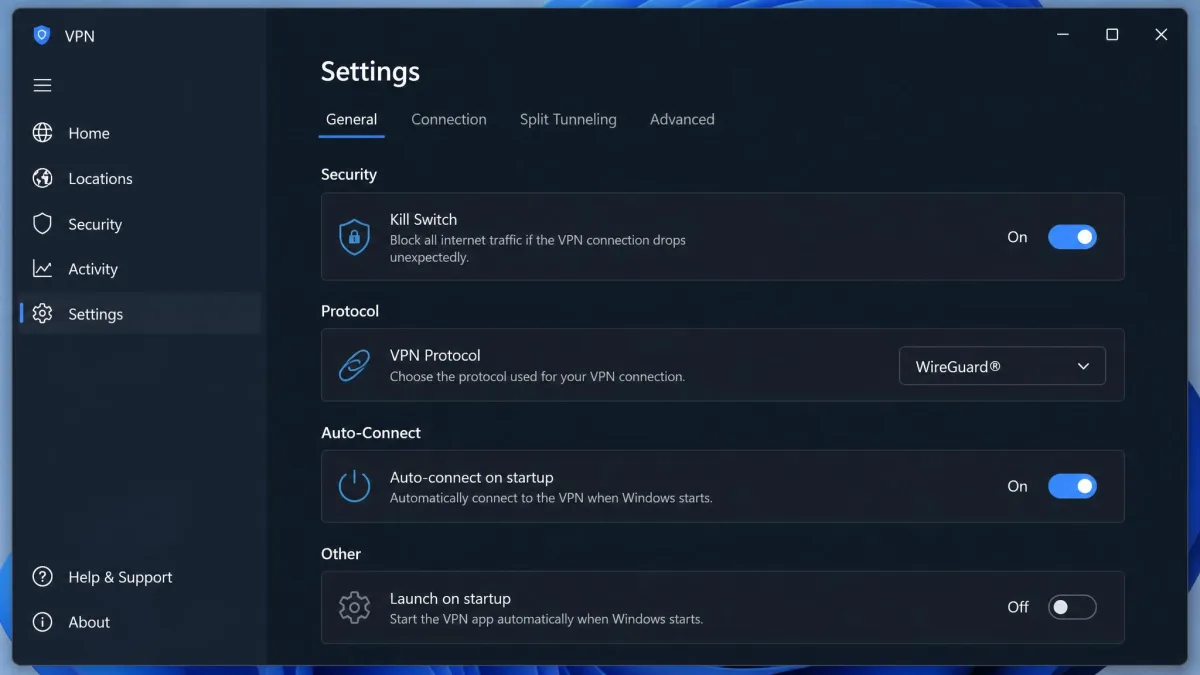
- Open Settings and turn on the kill switch, then confirm the protocol is set to WireGuard, NordLynx, or Lightway for the best speed.
- Enable auto-connect on startup if you want the VPN active whenever your PC boots.
- Turn on DNS-leak protection if it is not already the default.
- Click Connect, either to the quick-connect option or a specific country from the list.
That is it. The app will show a connected status, and your traffic now runs through the encrypted tunnel. To confirm everything works, run a quick IP address check in your browser and make sure it shows the server's location rather than your own. It is worth understanding what an IP address is here, since seeing a different one is the simplest proof the VPN is doing its job.
After connecting, run a leak test once. If your real IP address or DNS requests still show up, toggle the kill switch on, reconnect, and test again before you rely on the connection for anything private.
Do VPNs Work on Older Windows Versions?
The short answer is yes, though with some caveats. All five of our picks run native apps on Windows 10 and Windows 11, which are the versions the vast majority of people use, and support is fully current on both. If you are on either of those, you have nothing to worry about, and the apps update themselves automatically as new protocol versions and fixes arrive.
Older releases are a different story. Windows 8.1 and Windows 7 reached the end of their support, and most major VPN providers have dropped or frozen their apps on those systems. Some still offer an older app build or let you configure the connection manually through the built-in Windows VPN client using the OpenVPN or IKEv2 protocol, but you lose features like the one-click kill switch and automatic updates, which are exactly the protections you most want.
Our advice is straightforward: if you can, upgrade to Windows 10 or 11 before relying on a VPN, because running an unsupported operating system is a bigger security risk than any VPN can offset. An unpatched system is exposed regardless of how well your traffic is encrypted, since the threat is on the device itself rather than the connection. If upgrading is not possible, choose a provider that still lists explicit support for your version and expect a more manual setup than the one-click apps on modern Windows.
There is also a built-in Windows option to fall back on. Windows 10 and 11 both ship a native VPN client under Settings, and Windows 8.1 and 7 carried an earlier version of it. You can enter a provider's manual connection details there using OpenVPN or IKEv2. This works, but it is a bare connection. You get no one-click kill switch, no automatic server switching, and no ad blocking. We would only use it when a provider has genuinely dropped its app for your system. One more caution applies to old hardware. A slower CPU handles AES-256 encryption less easily. That means you may see a larger speed drop on an aging Windows 7 laptop than on a modern machine. If that laptop is your daily driver, upgrading to Windows 10 or 11 pays off twice, in security and in speed.
Common PC VPN Problems and How to Fix Them
Most VPN issues on Windows come down to a handful of causes, and the fixes are usually quick. The most common complaint is slow speed. If a connection feels sluggish, switch to a nearer server first. Then confirm your protocol is set to WireGuard, NordLynx, or Lightway rather than an older option like OpenVPN, which trades speed for compatibility. Long-distance servers are always slower, so pick one close to you unless you need a specific country for access.
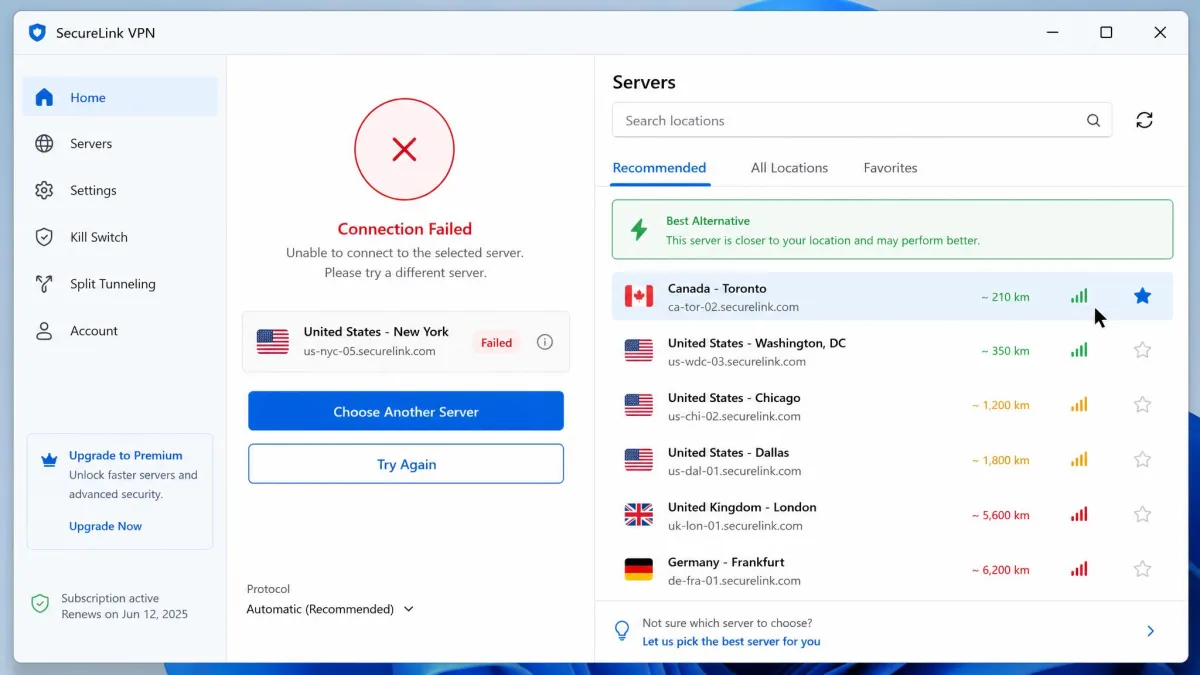
The second frequent problem is a connection that will not establish or keeps dropping. We saw this occasionally with Proton VPN's Windows app during testing. The reliable fix is to close the app fully, reopen it, and reconnect, or switch to a different server. Restarting the app clears most stuck states. If it persists, temporarily changing the protocol often gets you connected while the original server recovers. Updating the app to the latest build resolves a surprising number of these cases.
A third snag is Windows itself getting in the way. The firewall or another security tool can block the VPN's network driver, which stops connections before they start. If the app installs but never connects, check that Windows Firewall allows it and that no second VPN or proxy is running at the same time. Two tunnels fighting for the same traffic is a common cause of silent failures. A restart after install also lets the network driver load cleanly, which clears a lot of first-run problems.
A fourth issue is streaming that suddenly stops working after weeks of being fine. Services rotate which server addresses they block, so a location that unblocked Netflix last month may get flagged later. The fix is to switch to another server the provider lists for streaming. Clear your browser cache first, then reconnect. We saw this pattern across every pick during longer testing, and a fresh server almost always restored access. Keeping the app updated helps too, since providers push new streaming-capable servers in each release. If a whole platform stays blocked from several servers, wait a day rather than churning through locations. The provider is usually rotating fresh addresses in behind the scenes.
Other common snags and their fixes:
- Auto-connect not firing on startup. Re-enable it in Settings and allow the app through Windows startup permissions. Surfshark's auto-connect in particular needed the occasional manual reconnect in our testing.
- Websites blocking you or asking for a captcha. Shared VPN IP addresses get flagged, so switch to another server in the same country to get a fresh address.
- Streaming not unblocking. Clear your browser cache, switch to a server the provider lists for streaming, and reconnect.
- No internet at all while connected. Your kill switch is doing its job after a drop. Disconnect and reconnect, or toggle the kill switch off briefly to restore access.
If your internet stops working the moment the VPN disconnects, do not disable the kill switch and forget it. That switch is what stops your real address leaking. Reconnect the VPN instead, and only turn the switch off temporarily while you troubleshoot.
Can You Use a Free VPN on PC?
You can, but most free VPNs come with serious trade-offs, and a few are actively risky. Because running a server network costs money, many free services make it back by showing ads, throttling your speed, capping your data to a gigabyte or two per month, or, in the worst cases, logging and selling your browsing data. That last one defeats the entire point of using a VPN in the first place, so the "free" price can end up costing your privacy.
There are exceptions, and Proton VPN is the standout. Its free plan runs with unlimited data and no ads, asks for no credit card, and comes from an audited, open-source, privacy-focused company. The limits are honest ones: a single device and a small, rotating set of countries, which is enough for basic browsing and privacy but not for covering a household or heavy streaming. If you want a free VPN you can trust, that is the one we point people to. It is a fair way to see whether a VPN suits your routine before you pay.
For most PC users, though, a paid plan is worth the modest cost. The gap between a good free tier and a full paid service, in speed, server choice, device count, and streaming, is large. The best paid options here cost only a few dollars a month on a longer plan. If budget is the concern, start with Proton's free plan to see whether a VPN fits your day, then upgrade when you hit its limits. Avoid the flood of unknown free apps promising unlimited everything, because the ones with no clear business model are usually funded by your data.
Be wary of unknown free VPN apps that promise unlimited everything. If a service is free and asks for no email or payment while offering premium features, your browsing data is often the product being sold. Stick to reputable names with a published, audited no-logs policy.
Is It Legal to Use a VPN?
In most of the world, including the United States, the United Kingdom, Canada, and across the European Union, using a VPN is completely legal. A VPN is a standard privacy and security tool, and businesses rely on the same technology to let employees connect to work networks safely. Owning and running one on your PC is not a legal gray area in these countries, and no one is going to question you for protecting your own traffic.
What a VPN does not do is make illegal activity legal. Using a VPN to hide copyright infringement, access banned content, or commit fraud is still against the law, and the VPN does not change that. The tool protects your privacy for lawful use. It is not a shield for breaking the rules, and no reputable provider markets it that way.
A small number of countries restrict or ban VPNs, including China, Russia, Iran, and a few others, where governments limit their use or allow only approved services. If you travel to or live in one of those places, check the local rules before you rely on a VPN, since the penalties and restrictions vary widely. For the overwhelming majority of readers, though, running one of our picks on a Windows PC is both legal and sensible.
Frequently Asked Questions
Does Windows 11 come with a VPN?
Is there a free VPN for Windows?
Is it legal to use a VPN?
Does a VPN slow down my internet?
Should I run a VPN all the time?
How much does a Windows VPN cost?
Using Your VPN Beyond Windows
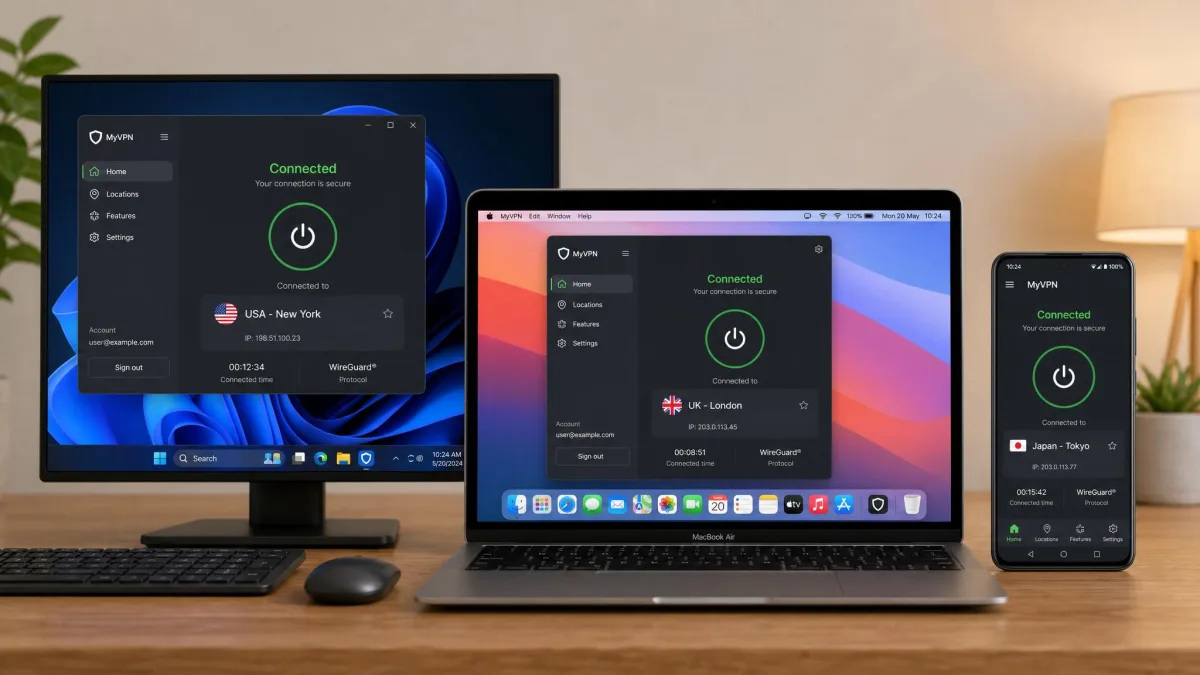
A good PC VPN rarely stays on the PC alone, and every pick here runs well past Windows. All five offer native apps for macOS, Android, and iOS, and NordVPN, ExpressVPN, Proton VPN, and IPVanish also ship proper Linux apps rather than a bare config file. That matters if you switch between a Windows desktop and a MacBook, or want the same protection on your phone. Because your account is what is licensed, you sign in with the same email everywhere and your device allowance covers the lot.
Device limits are the thing to watch. NordVPN, ExpressVPN, and Proton VPN's paid plan each cover 10 simultaneous connections, which is plenty for one person's PC, laptop, and phone. If you are protecting a family with many devices, Surfshark and IPVanish remove the count entirely with unlimited connections, so a single subscription can secure every PC, tablet, and phone in the house. Set the app to auto-connect on each device and the protection follows you from one screen to the next without any extra thought.
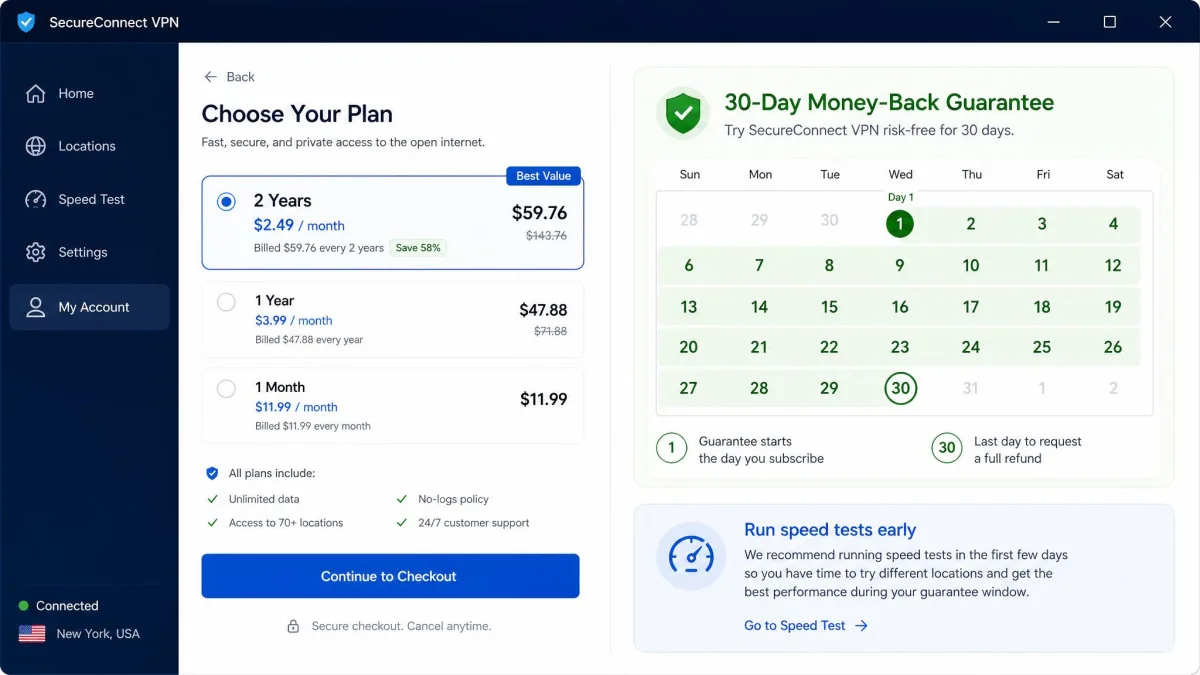
Whichever pick you choose, the smart move is to start on the longest plan that still fits inside the 30-day guarantee window, run your own speed and leak tests in the first few days, and keep the app only if it earns its place on your PC. That way you pay the lowest rate while taking none of the risk, and you end up with a VPN you have actually verified rather than one you simply hoped would work.
Conclusion: Our Top PC VPN Pick
After weeks of testing across Windows 10 and Windows 11, NordVPN is our best overall VPN for PC. It was the rare service that did everything well: near-baseline speeds on its NordLynx protocol, a deep security toolkit including Threat Protection and a reliable kill switch, an audited no-logs policy, and dependable access to Netflix, Disney+, and Hulu. If you want one VPN that handles privacy, speed, and streaming without compromise, it is the one to install first.
The rest of the field covers every other need. Surfshark is the best value and the cheapest way to protect a household with unlimited devices. ExpressVPN is the fastest and most user-friendly if you will pay a little more for polish. Proton VPN offers the only free plan we trust, plus a strong privacy-first paid tier. IPVanish is the audited, fast pick for covering unlimited connections cheaply. Any of the five is a genuinely good choice, and every one comes with a 30-day money-back guarantee, so you can confirm the speeds on your own connection before you commit.