Not every "free trial" in the VPN world is actually free. Plenty of the trials advertised on pricing pages are money-back refunds in disguise, where you hand over payment details, get charged on day one, and only see your money again if you remember to cancel and request a refund in time. Paying blind for a service you cannot test first is a bad deal, and the marketing rarely makes the difference clear.
So before we ranked anything, we set out to separate the genuine free trials from the refund-dressed-up-as-a-trial versions, and to note exactly which ones let you test speed and privacy without risking a cent. We wanted to know who asks for a credit card, who does not, how long each trial really runs, and how easy each one is to cancel before you are charged.
This guide is the result. Below you will find six VPNs we rate, what their trials actually give you, and the practical steps for using a trial and cancelling it cleanly. We also flag the free trial VPNs to avoid, because the sketchiest offers in this category are the ones that look the most generous.
How we test and rank VPN free trials
We buy or activate every trial ourselves, using the same account any reader would, so nothing here is based on a press pass or a seeded review unit. For each VPN we start the trial exactly as the vendor intends, on the platform where the trial is actually offered, then run it through the same checks: connection speed on local and long-distance servers, DNS and IP leak tests, streaming access, and how the apps behave day to day on Windows, macOS, iOS, and Android.
The free trial itself gets its own scrutiny. We record whether a credit card or other payment details are required to start, how long the trial runs on each platform, and whether the trial unlocks the full service or a stripped-down version. We also walk through cancellation on every plan, because a trial you cannot cancel cleanly is not risk-free no matter how it is advertised.
The single most useful thing we learned testing this category: a trial that requires payment details is easy to forget about, so we now cancel the moment signup completes, then keep using the service until the clock runs out. You still get the full test-drive, with none of the accidental-charge risk.
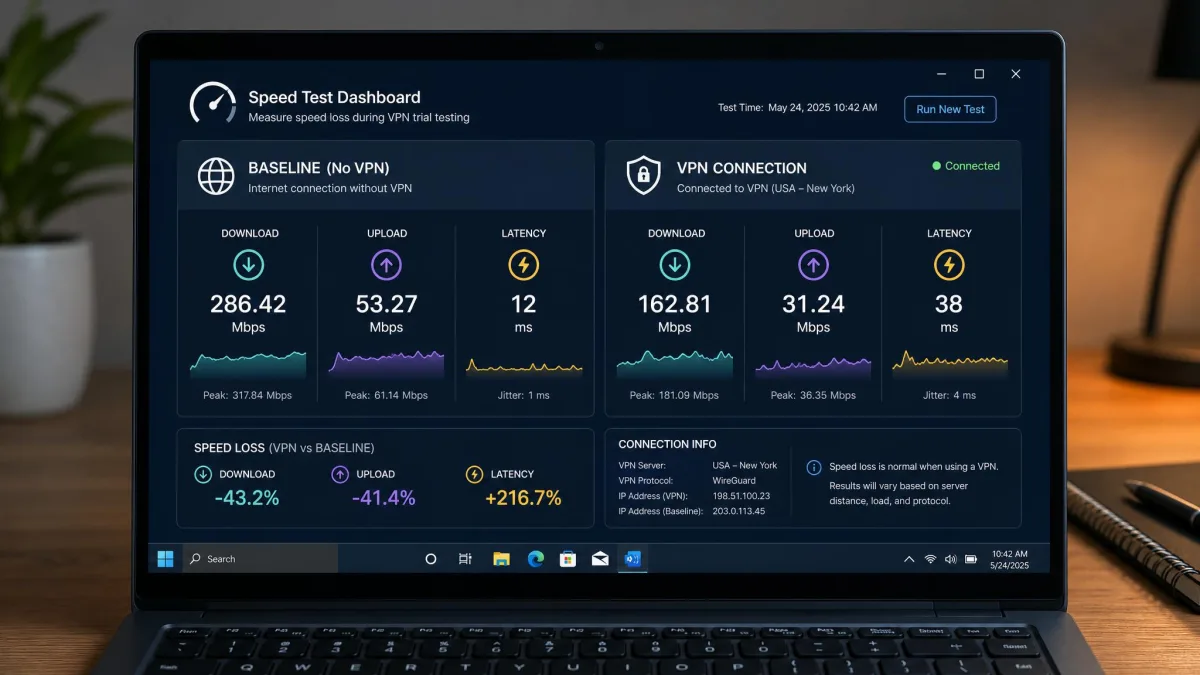
Speed, privacy, and streaming decide the ranking, but the quality of the trial breaks ties. A VPN that lets you try it out with no card, or gives you a full week to test rather than a single day, earns real credit here. We score on a 10-point scale and re-run any result that looks off before we trust it. For speed we take a baseline reading with the VPN off, then measure the same nearby and distant servers with it on, so the number we report is the loss the connection actually costs you rather than a raw figure that means little on its own.
Best VPN free trials at a glance
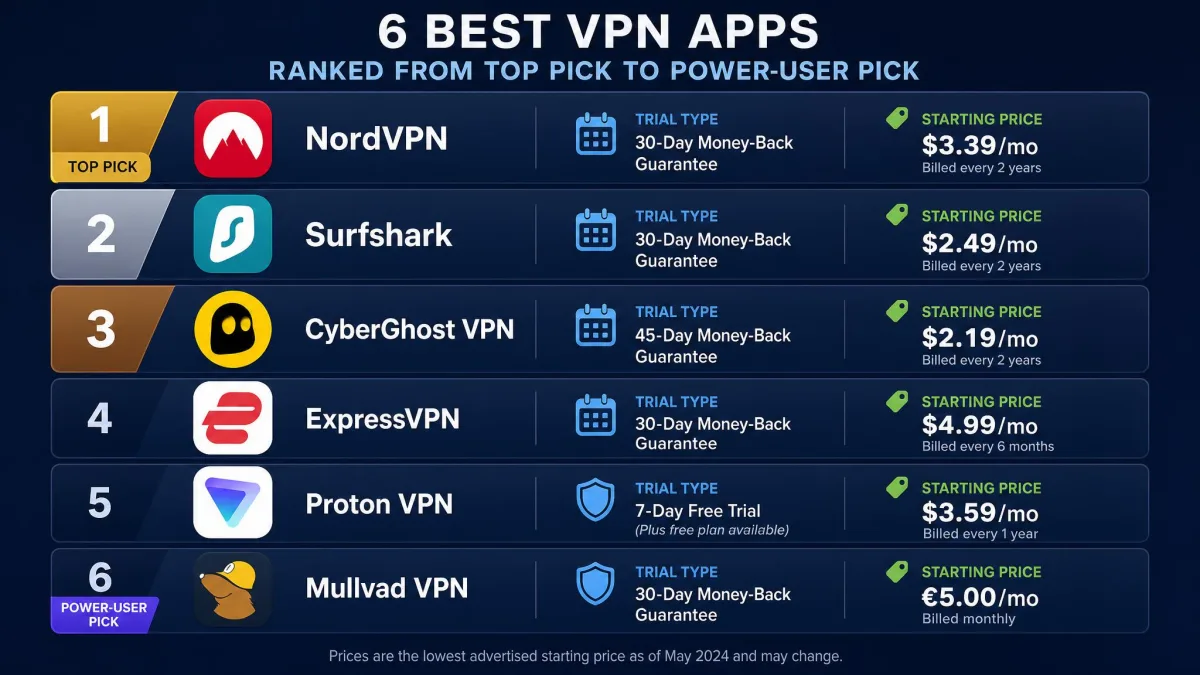
Here is how the six picks compare on the numbers that decide whether a trial is worth your time: how long it lasts, whether you need a card, the money-back window behind it, how many devices you can connect, and where pricing starts once the trial ends.
| Product | Free trial length | Card required? | Money-back guarantee | Starting price |
|---|---|---|---|---|
 |
3 to 7-day mobile (disputed) | Yes | 30-day | ~$3.49/mo |
 |
7-day mobile | Yes | 30-day | $2.49/mo |
 |
24h desktop / 3d Android / 7d iOS | No (desktop) | 45-day (6mo+) | ~$1.99/mo |
 |
7-day mobile (varies) | Yes | 30-day | ~$2.79/mo |
 |
Free forever tier | No | 30-day | Free |
 |
7-day mobile | No (app store) | 30-day | ~$2.03/mo |
The best VPNs with a free trial
NordVPN - Best overall VPN with a free trial
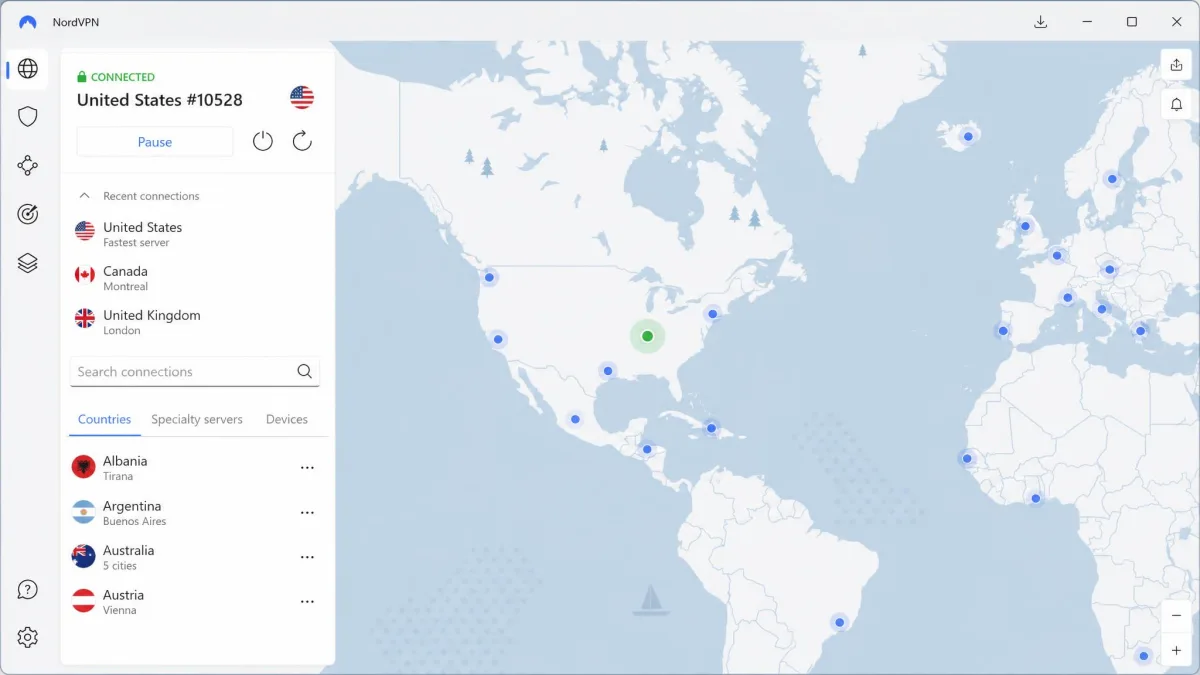
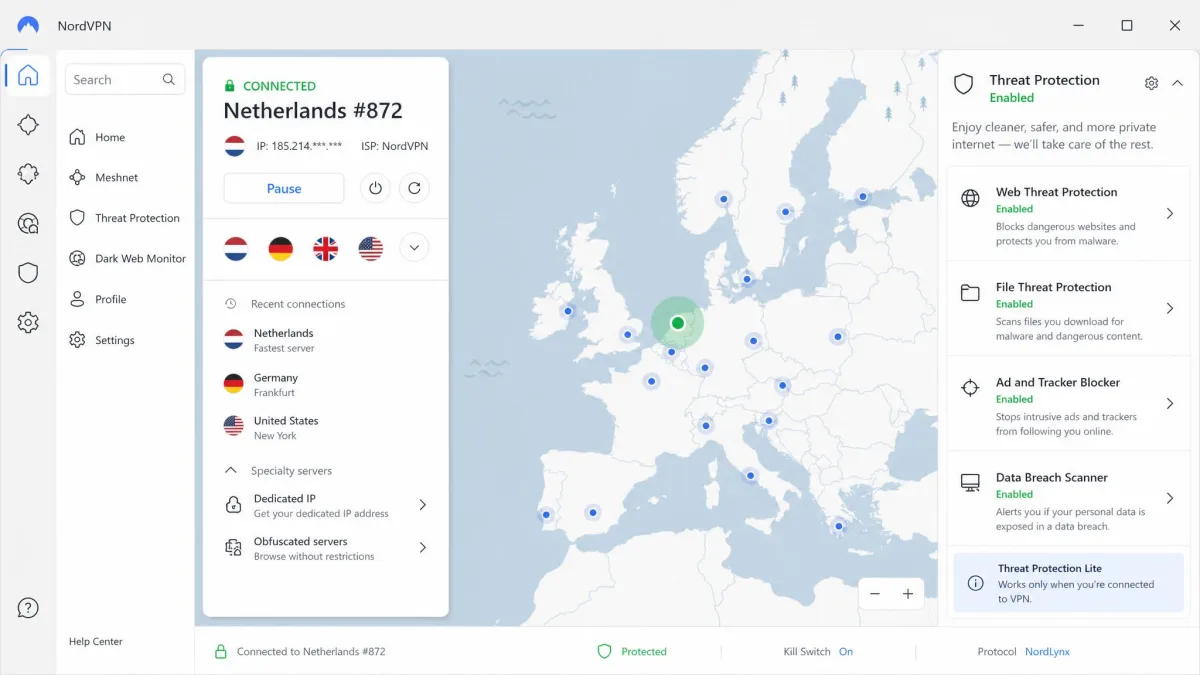
NordVPN is the VPN we reach for first, and its trial is a good example of why the money-back guarantee matters more than the trial label. There is a free trial on mobile, but reports disagree on its length: some list a 7-day mobile trial, while others describe a 3-day Android trial through Google Play, and it varies by app store and region. Whichever you land on, you enter card details to start it, and you are not charged if you cancel before it ends.
Speed is where it earned the top spot. When we ran our baseline against a nearby server and then a long transatlantic route, NordVPN held roughly 4% loss locally and about 14% on the distant hop, which is comfortably fast enough for 4K streaming and large downloads. On the security side, NordVPN ships Threat Protection, a kill switch, and an audited no-logs policy, with apps for Windows, macOS, iOS, Android, and Linux. The extras that usually go unused, Double VPN, Meshnet, split tunneling, and a dedicated IP option, are there if you want them.
The one thing to watch is billing. NordVPN's mobile trial requires card details up front, so cancel at least 24 hours before it ends to stay safe, because the app stores process cancellations on their own schedule rather than the moment you tap the button. On desktop there is no trial at all, so the 30-day money-back guarantee becomes your way in there. The 2-year Basic plan works out to around $3.49 a month at the intro rate, then renews at a higher standard rate after the first term, so budget for the second-year increase rather than the headline number.
Pros
- Fast on both local and long-distance servers, with only modest speed loss
- Genuine 30-day money-back guarantee on every plan
- Up to 10 simultaneous device connections
- Threat Protection, kill switch, and audited no-logs policy built in
Cons
- Mobile trial requires card details and its length is inconsistent across app stores
- No desktop trial, so on Windows or macOS you rely on the refund window
- Renewal price rises after the intro term
Surfshark - Best cheap VPN with a 7-day free trial
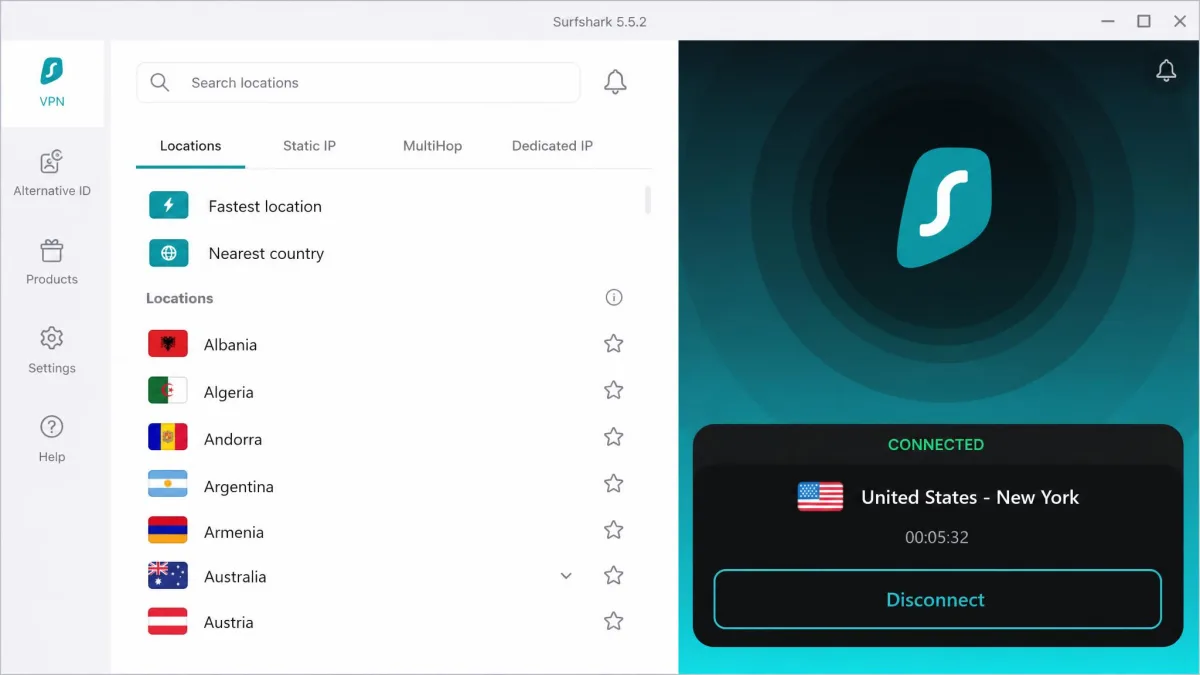
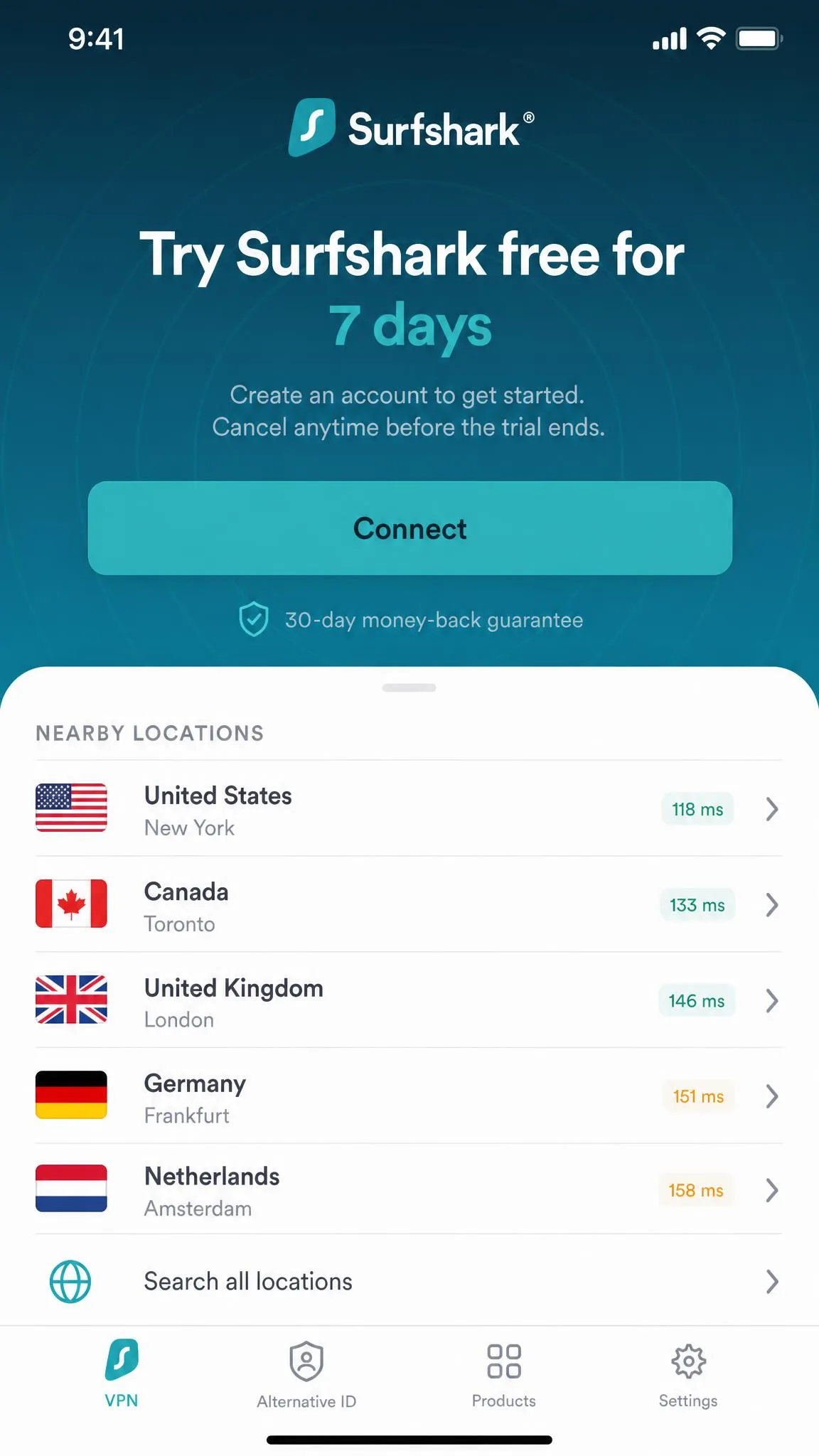
Surfshark offers a straightforward 7-day free trial through the mobile app stores, and it is the pick we hand to anyone who wants a real test-drive without spending much afterward. You do need to add payment details to start the trial, and it starts right from the app store, which is quick to set up but ties cancellation to your app store subscription screen rather than Surfshark's own site.
The trial connects up to 3 devices until it ends, enough to cover a phone and a tablet while you evaluate it. Once you subscribe, the unlimited simultaneous connections mean you can cover an entire household on one account, something none of the pricier picks here match. CleanWeb blocks ads and trackers, the kill switch covers reconnects, and MultiHop and the Bypasser split-tunneling tool are there for anyone who wants them. Because the trial mirrors the full app rather than a cut-down version, the week you get is a fair test of what the paid product actually feels like day to day.
Value is the headline. The Surfshark free trial leads into a Starter plan at $2.49 a month on the 24-month intro term, with One at $2.79 and One+ at $4.49 above it if you want the security extras bundled in. A 30-day money-back guarantee sits behind every plan, so between the trial and the refund window you have two separate ways to bail out before it costs you anything.
Pros
- Genuine 7-day free trial through the app store
- Unlimited simultaneous device connections after you subscribe
- Lowest starting price of our top picks
- CleanWeb ad and tracker blocking built into every plan
Cons
- Trial requires payment details up front
- Cancellation runs through the app store, not Surfshark directly
- Trial itself is capped at 3 devices
CyberGhost - Longest / no-credit-card free trials
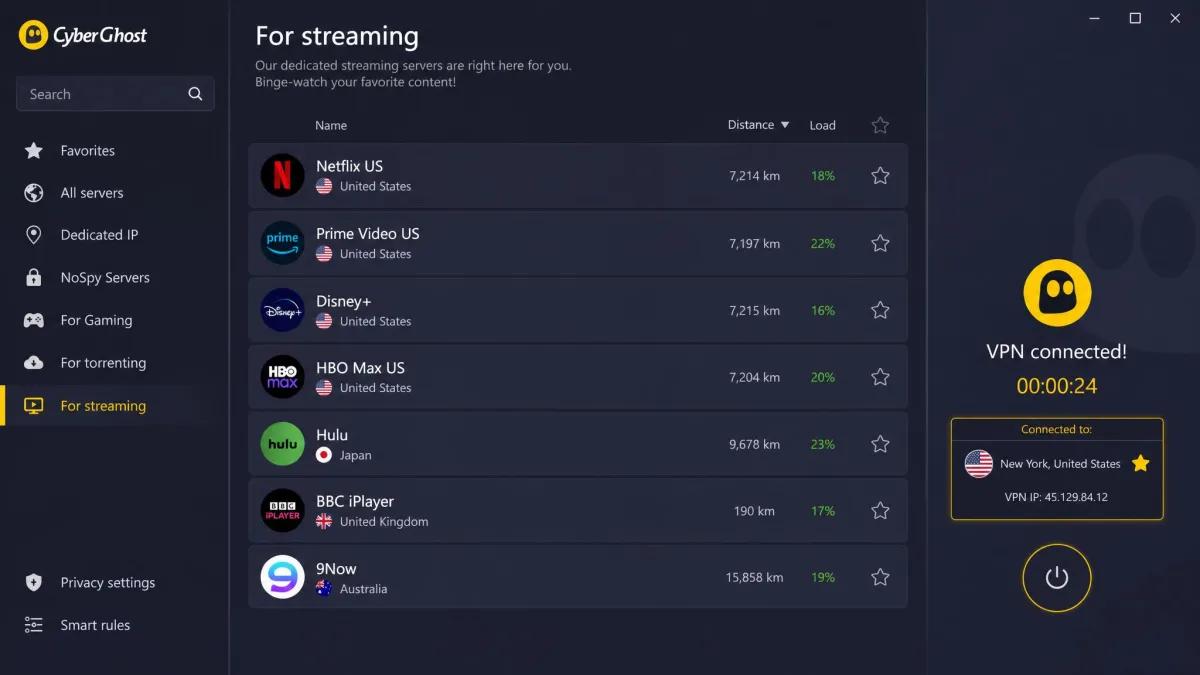
Where NordVPN and Surfshark ask for a card, CyberGhost is the pick for anyone who refuses to hand over payment details before testing. Its desktop trial runs on Windows and macOS with no credit card at all, and the mobile trials follow the same no-card approach: 3 days on Android and 7 days on iOS.
The catch is the desktop clock. The Windows and macOS trial lasts only 24 hours, which is tight for a thorough test-drive, so we treat the iOS trial's 7 days as the more usable option when you want time to try streaming and daily browsing. During testing the trial unlocked full access, including the dedicated streaming servers, and short-distance connections slowed by only around 5%. The 7,000-plus server network, NoSpy servers, kill switch, and support for up to 7 simultaneous devices all behaved as expected.
On price, the long-term CyberGhost plan comes to about $1.99 a month on the 26-month term, billed as one payment of $51.74, while the monthly plan is $12.99. The money-back window is unusually generous on the longer plans: 45 days on any plan of six months or more, dropping to 14 days on the monthly plan. That split matters more than it looks, because the short monthly window is easy to blow past if you sign up meaning to test for a few weeks. If you want the full picture before committing, our CyberGhost review digs deeper into the apps and server performance.
CyberGhost's desktop trial is only 24 hours long. If you want time to test streaming and everyday use without rushing, start the trial on iOS, where you get a full 7 days with no card required.
Pros
- No credit card needed to start the desktop or mobile trial
- Full access during the trial, including streaming servers
- 45-day money-back guarantee on plans of six months or more
- Large server network with dedicated streaming and NoSpy options
Cons
- Desktop trial is only 24 hours, too short for a real test-drive
- Trial length differs sharply by platform
- Monthly plan's guarantee shrinks to 14 days
ExpressVPN - Best free trial for streaming
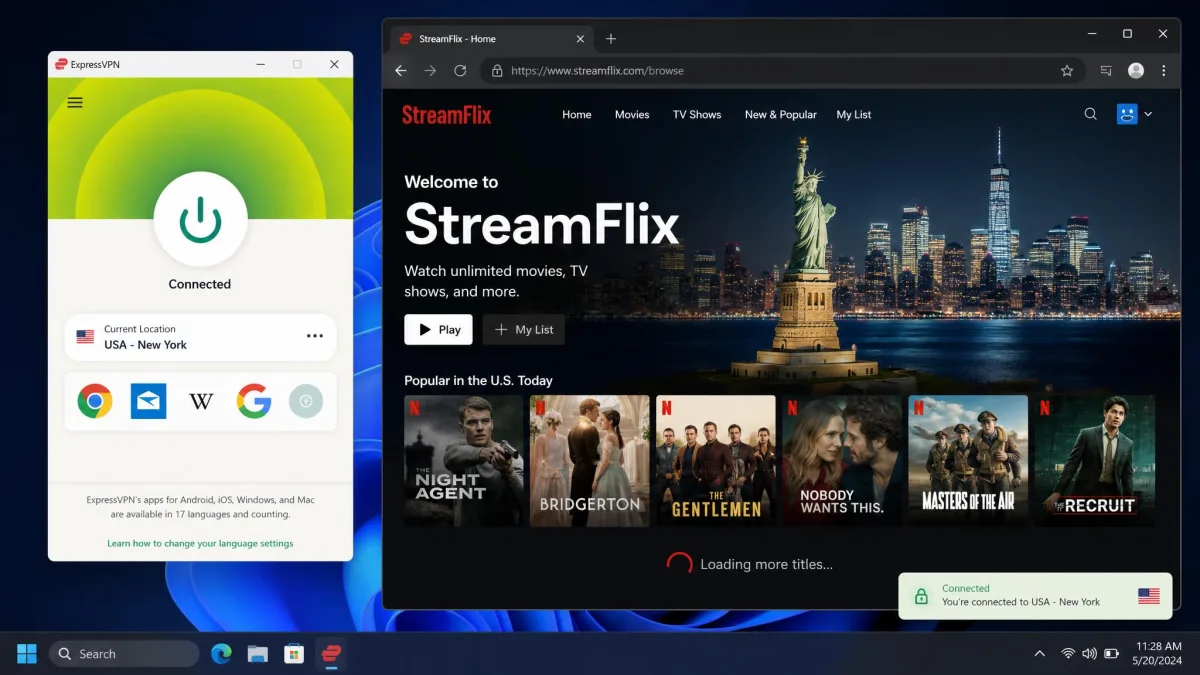
ExpressVPN is the one we turn to when streaming access is the whole point. It unblocked 18 Netflix regions during testing, more than any other pick here, and it dropped only about 2% of local speed on short-distance connections, so libraries loaded fast and held their quality. When we hopped between US, UK, and Japanese servers, each regional library loaded on the first try, with none of the buffering or "you seem to be using an unblocker" errors that trip up weaker VPNs.
The trial situation is the messy part. ExpressVPN once offered a widely available 7-day trial in the mobile app, but it has quietly pulled that trial from most platforms, so many people now fall back on the 30-day money-back guarantee instead. Where a mobile trial still appears it lasts around 7 days, but availability differs by device, region, and app store, and it may simply not be there when you look. When it is offered, you add payment details to start it.
That makes the 30-day money-back guarantee the dependable route in. Under the hood, the Lightway protocol and the RAM-only TrustedServer network are the reasons speeds stay high and consistent, since a server that wipes on every reboot cannot quietly build a store of your activity. The apps cover every major platform with usually eight simultaneous connections. Pricing lands at roughly $2.79 a month on the 2-year plan, which includes extra free months, though that promotional rate shifts with current deals. Our ExpressVPN review covers the streaming testing in more detail.
Pros
- Unblocked 18 Netflix regions, the most of any pick tested
- Very low speed loss on short-distance connections
- Lightway protocol and RAM-only servers keep speeds consistent
- 30-day money-back guarantee on all plans
Cons
- The 7-day mobile trial has been pulled from most platforms
- Trial availability is unpredictable by region and device
- Promotional pricing varies and is higher than the budget picks
Proton VPN - Best genuinely free plan
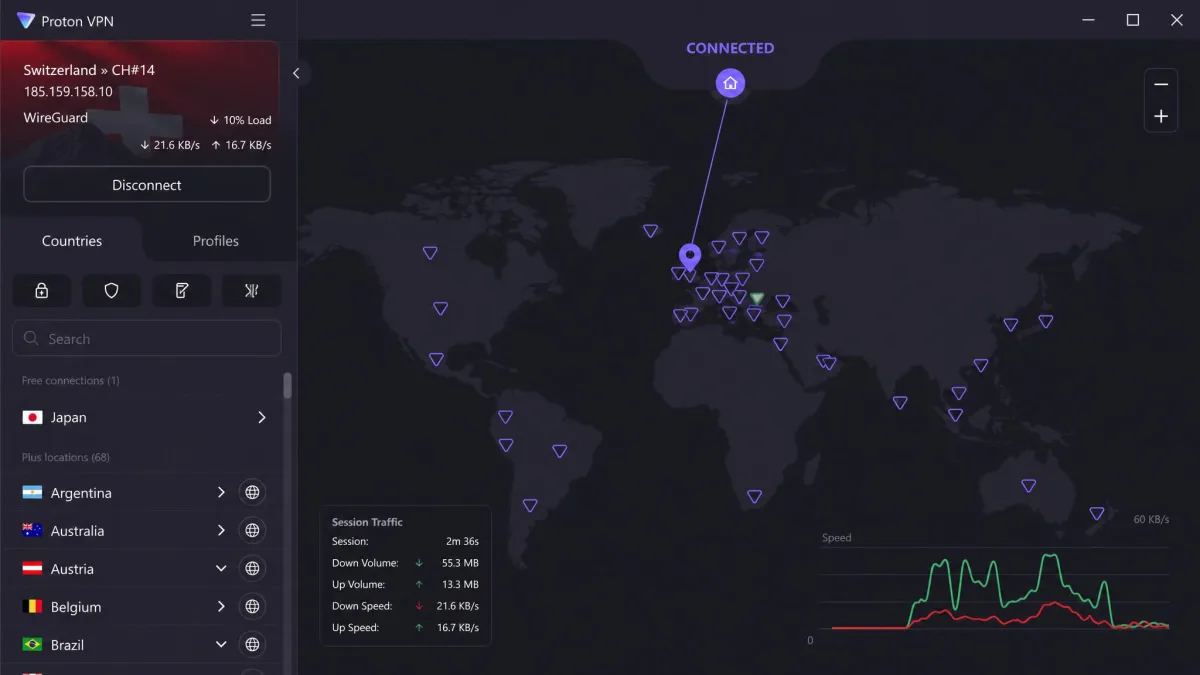
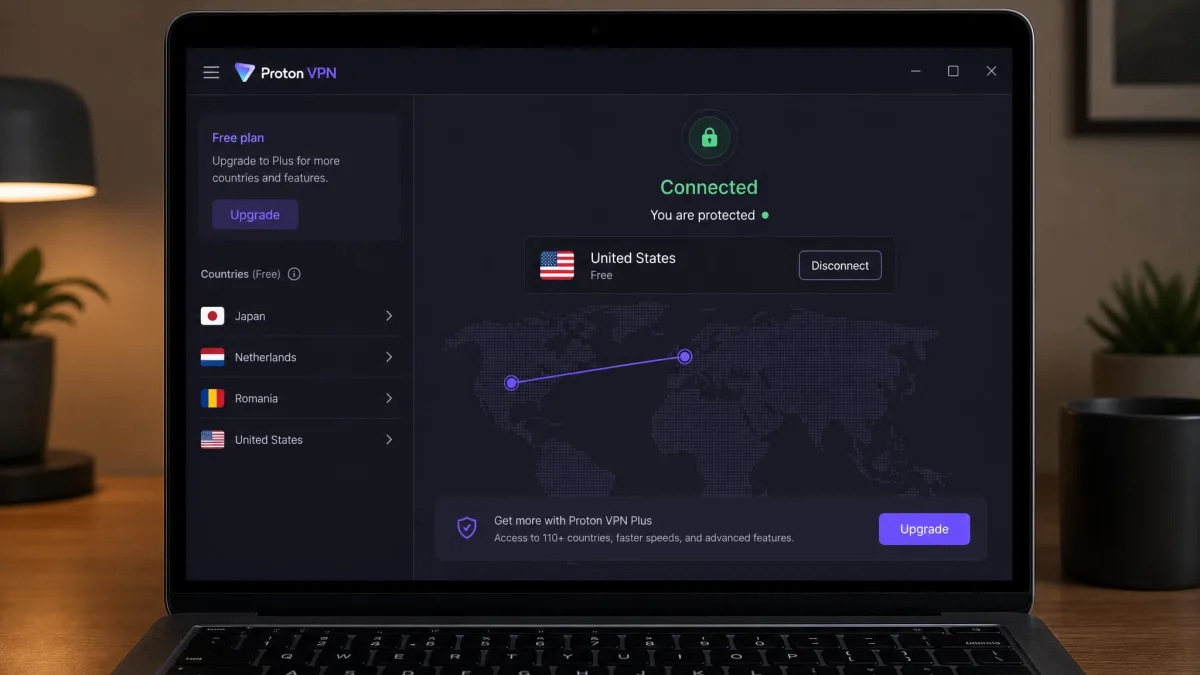
Proton VPN is the only entry here that does not need a trial at all, because its free tier is free forever, funded by paying users rather than by selling your data. If you distrust free VPNs on principle, and you should distrust most of them, this is the exception worth knowing about.
We ran the free plan on a single laptop for a stretch of everyday browsing, and the thing that stood out is what did not happen: no data meter ticking down toward a cap, and no throttling to nudge us toward a paid tier. That is rare for anything free, and it is the reason this plan stands apart. The trade-offs are that it connects only one device and a limited set of countries, and the exact free-tier server list is small and changes over time. There are no ads either.
For a lot of people that is enough to secure a single laptop or phone on public Wi-Fi indefinitely. Proton is based in Switzerland, keeps no logs, and ships open-source apps with a kill switch, the Stealth protocol, Secure Core routing, and the NetShield ad and malware blocker on paid plans. The open-source code matters because anyone can audit what the app really does, rather than taking a marketing claim on faith. If you want more devices or more locations, the paid plans carry a 30-day money-back guarantee. For a broader look at no-cost options, see our roundup of the best truly free VPNs.
Proton VPN's free plan is genuinely unlimited on data and speed, but it covers one device and a handful of countries. It is ideal as a permanent safety net for a single device, not as a whole-home solution.
Pros
- Genuinely free forever, with no data cap and no speed throttling
- No ads on the free tier
- Strong privacy pedigree: Switzerland-based, no-logs, open-source apps
- Paid plans add Secure Core, NetShield, and more countries
Cons
- Free plan connects only one device
- Limited set of free countries and servers
- Advanced features are reserved for paid tiers
Private Internet Access - Best for power users
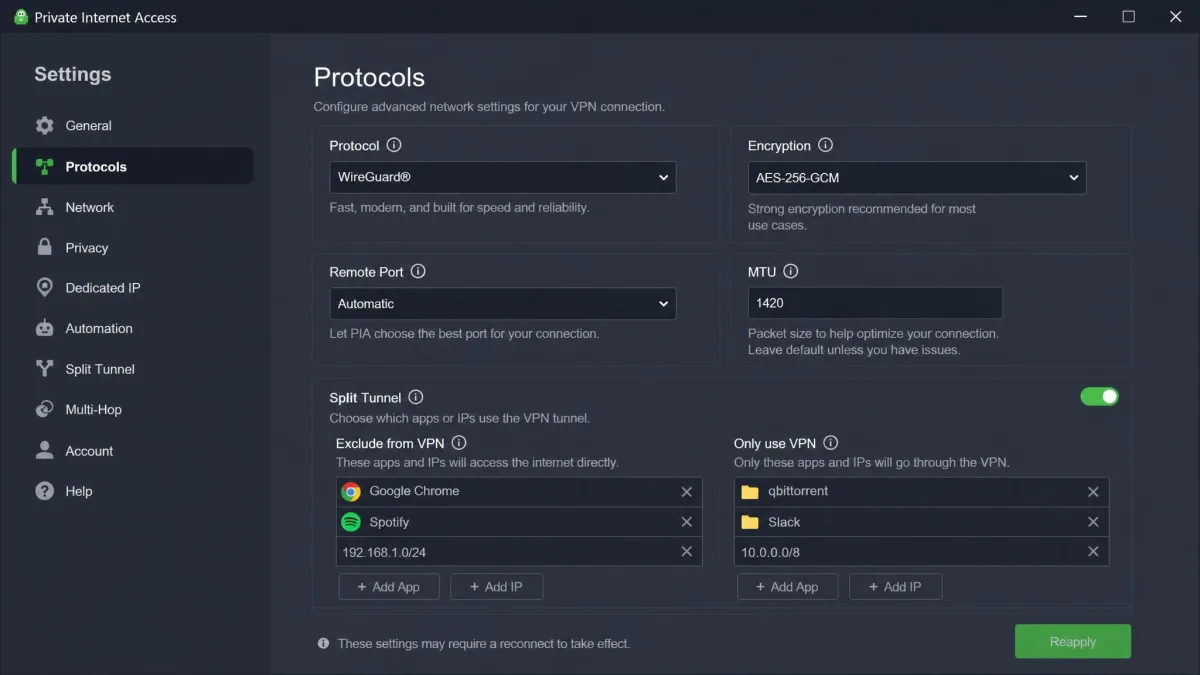
Private Internet Access rewards people who like to tinker. Where Proton keeps things minimal, PIA hands you a deeply configurable app with open-source code, granular protocol and encryption settings, and the kind of options most VPNs hide.
Its 7-day free trial runs on iOS and Android through the app store, with no charge until the trial ends. We started the trial straight from the App Store, which took under a minute, then went to cancel right away so nothing could slip through: because the trial bills through the store, that cancellation lives on the phone's own subscription screen rather than PIA's site, and tapping it there is what actually stops the clock. There is no separate desktop trial, so on a computer you rely on the money-back guarantee instead.
PIA's unlimited simultaneous connections cover several devices at once, and its no-logs policy has been tested in court rather than just claimed on a marketing page. That court record is the detail we weigh most heavily, because it is one of the few times a VPN's no-logs promise has actually been put to the test and held. Pricing sits around $2.03 a month on the 2-year plan with extra free months added, though that promotional rate depends on current deals. A 30-day money-back guarantee applies to every plan.
Pros
- 7-day mobile trial with no charge until it ends
- Unlimited simultaneous device connections
- Highly configurable, open-source apps
- No-logs policy proven in court
Cons
- No dedicated desktop trial
- Cancellation runs through the app store on mobile
- The depth of settings can overwhelm casual users
VPN free trials with no credit card required
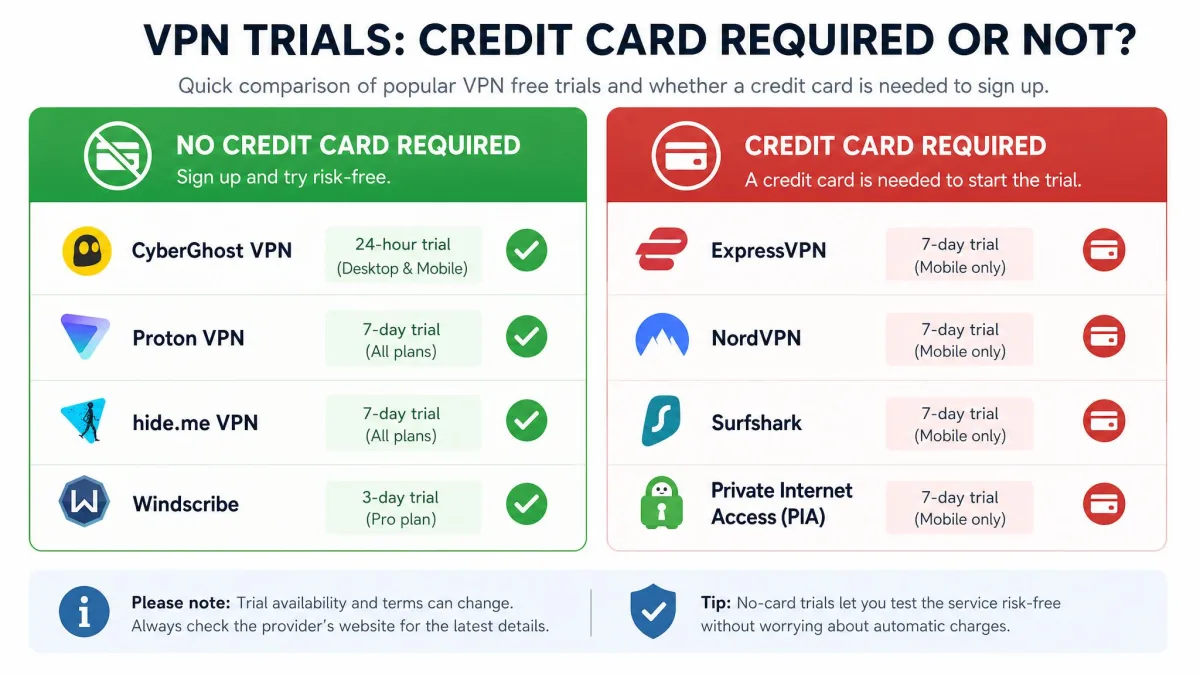
If your line in the sand is "no payment details before I test," the list narrows fast. Most trials in this category ask for a card so the vendor can convert you automatically when the trial ends. Only a handful let you try it out with nothing on file.
CyberGhost is the strongest option, since its Windows and macOS trial needs no card, and neither do its Android and iOS trials. Proton VPN sidesteps the question entirely: there is no trial to sign up for because the free plan is permanent and asks for no payment method. PIA sits in the middle, because its 7-day trial bills through the app store rather than taking your card directly, so cancellation happens on your phone's subscription screen instead of a checkout form.
"No credit card" is not the same as "no strings." An app store trial still uses your stored payment method, so it can convert to a paid subscription if you do not cancel in the app's subscription settings before the trial ends.
Everything else here, NordVPN, Surfshark, and ExpressVPN when its trial is available, wants payment details up front. That does not make them bad choices, but it does mean the 30-day money-back guarantee, not the "trial," is your genuine risk-free window with those three.
Free trial vs money-back guarantee: what's the difference
This is the distinction that trips up most buyers, so it is worth being blunt about it. A true free trial gives you full access for a set period without charging you first. A money-back guarantee charges you up front, then refunds you if you cancel within the window. Both let you test the service without long-term cost, but only one keeps money out of the vendor's hands the whole time.
In practice, most so-called VPN free trials are money-back refunds in disguise. You pay, you use the service, and you get your money back only if you remember to ask before the guarantee expires. That is why we treat the guarantee period as the real number to watch: NordVPN, Surfshark, ExpressVPN, Proton, and PIA all run 30 days, while CyberGhost stretches to 45 days on plans of six months or more. It also pays to keep a record of what you signed up for and when, since the burden of cancelling on time falls entirely on you.
One quirk to know: buying a trial or subscription through an app store puts your refund under the app marketplace's policies, not the VPN's own money-back guarantee. If a clean refund matters to you, sign up on the vendor's website rather than through the App Store or Google Play.
The upshot is that a shorter genuine trial can be worth more than a longer guarantee, because you never have to chase a refund. But if a VPN you want only offers a guarantee, that is fine too, as long as you note the deadline the day you sign up. Whichever route you take, remember that a VPN is only one layer of privacy, and the EFF's Surveillance Self-Defense guide is a good reference for the habits that protect you the rest of the time.
How to use a VPN free trial (step by step)
Getting the most out of a trial is less about the VPN and more about testing the right things while the clock is running. Here is the routine we follow every time.
First, sign up on the platform where the trial is actually offered. For CyberGhost that means starting on iOS for the full 7 days rather than the 24-hour desktop version. For Surfshark, NordVPN, and PIA, the trial lives in the mobile app store.
Second, if the trial took payment details, cancel it immediately after signup, then keep using the service until it expires. You still get the complete test-drive with none of the accidental-charge risk. Third, actually test what you care about: run a speed check on a nearby server and a distant one, load the streaming services you use, and connect every device you plan to protect. Finally, note the trial or guarantee deadline in your calendar the same day, so nothing sneaks up on you.
How to cancel a VPN free trial before you're charged
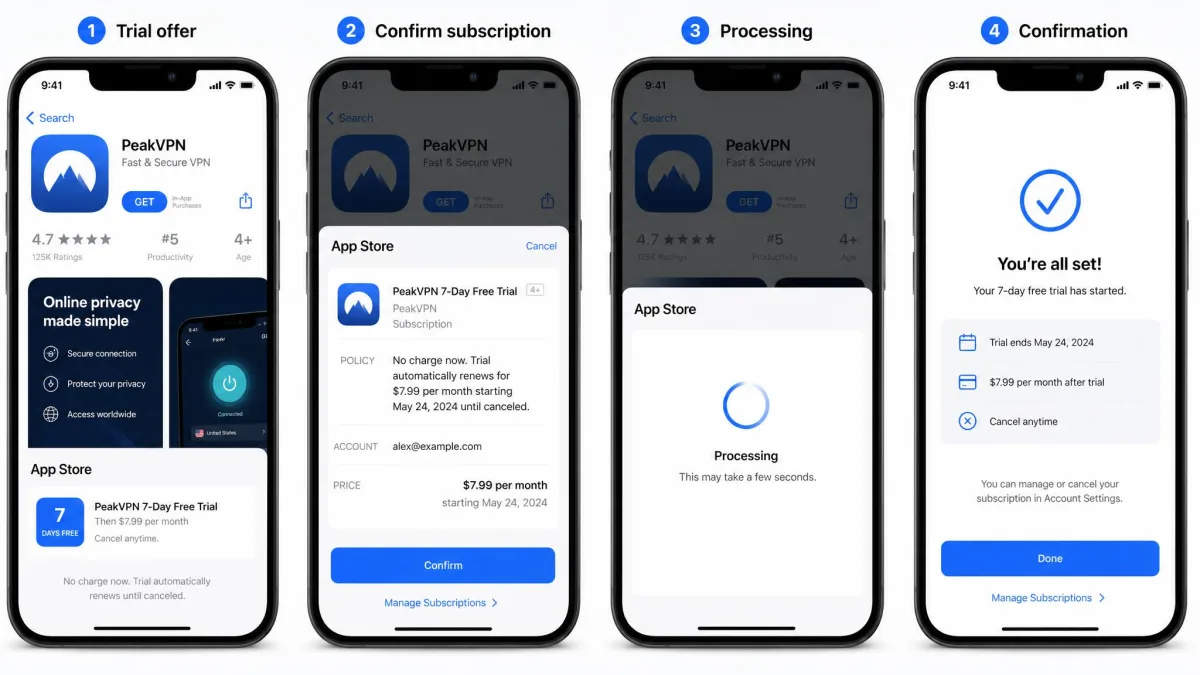
Cancelling cleanly is the whole game with any trial that took your payment details. The method depends on where you signed up, and getting it wrong is how people end up charged.
If you started the trial on a VPN's own website, cancel or turn off auto-renew in your account dashboard on that site. With NordVPN or CyberGhost, that means signing in, opening the billing or subscription page, and switching auto-renew off, which leaves your access running until the paid period would have begun. If you started it through the App Store or Google Play, cancel in your device's subscription settings instead, because the app store, not the VPN, controls that billing. On iOS that lives under your Apple ID subscriptions, and on Android under the Play Store subscriptions menu, so cancelling inside the VPN app itself does nothing. For NordVPN specifically, whose mobile trial requires card details up front, cancel at least 24 hours before the trial ends to be safe, since app stores process cancellations on their own schedule.
Trials that require payment details are the easiest to forget about, and a forgotten trial becomes a charge. The safest habit is to cancel right after you sign up: you keep full access until the trial ends, and there is nothing left to remember.
For a money-back guarantee, the steps are similar but the stakes are reversed: you have already paid, so you must actively request the refund inside the window, usually through support chat or your account page. Do it a few days early rather than on the last day, and keep the confirmation message or ticket number until the refund actually lands on your statement, which can take several business days to clear.
Free trial VPNs to avoid
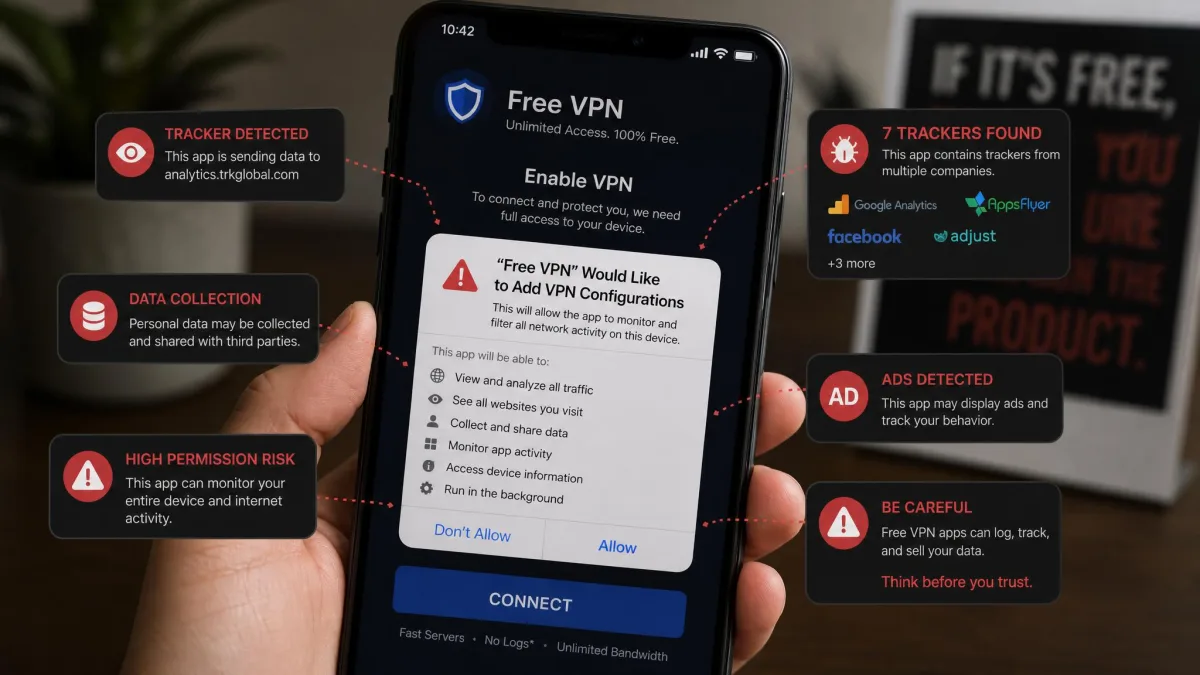
The riskiest offers in this category are the free VPNs that look the most generous. A service that costs nothing to run and gives away unlimited data has to make money somewhere, and too often that means logging your activity and selling it, or padding the app with intrusive ads and trackers.
As a rule, avoid free VPNs that demand broad permissions, show heavy in-app advertising, or stay vague about who owns them and where they are based. Free browser-extension VPNs are especially prone to leaking your real IP through WebRTC, which defeats the point. The safe version of "free" is a reputable provider's own free tier, like Proton VPN, or a genuine trial from a paid service, not an unknown app promising everything for nothing.
If a free VPN has no clear business model, assume you are the product. The one exception here is a free tier funded by a company's paying customers, which is why Proton VPN is on our recommended list and most other "free" apps are not.
If cost is the real issue, a cheap paid VPN with a genuine trial usually beats a free one on both privacy and speed. Our guide to the best cheap VPNs covers the options, and if you just want to understand the market, we break down how much a VPN costs across plan lengths.
Frequently asked questions
Can you use a VPN free trial more than once?
Are there free trials longer than 7 days?
Which VPN has a free trial with no credit card, and is it the same on every device?
Is a paid VPN better than a free VPN?
What's the best free trial for Netflix?
What happens to my data and settings when a trial ends?
Final verdict
If you want one answer, start with NordVPN. It was the fastest all-rounder in our tests, it carries a genuine 30-day money-back guarantee, and it is the easiest to recommend to someone who just wants a VPN that works. The trial length wobbles by app store, but the refund window makes the risk moot.
From there the choice depends on what you value. Surfshark is the value pick, with a real 7-day trial and unlimited connections at the lowest price here. CyberGhost is the one to try if you refuse to hand over a card, best started on iOS for the full week. ExpressVPN is worth the money-back detour if streaming is your priority. Proton VPN is the only free plan we would run long term, and PIA is the pick for power users who want to control every setting. Whichever you choose, note the deadline the day you sign up, and you can test all of them without risking a cent.