Urban VPN is a free, ad-funded VPN and browser proxy operated by Urban Cyber Security Inc., a company tied to the data broker BiScience. It runs on a peer-to-peer, IP-sharing network, needs no account, and markets itself as "the only free premium VPN." That pitch is the whole problem. A VPN exists to protect your traffic, and a free service still has to earn money somewhere, so the question is not whether Urban VPN works but what it does with your data while it does.
This review draws on Urban VPN's own privacy, pricing, and support pages, plus independent testing and investigations from vpnMentor, Security.org, Tom's Guide, and Koi Security. The short version is that Urban VPN connects quickly and costs nothing, but the privacy trade-offs run deep. Independent coverage has caught the extension harvesting private AI chats, the company sells user data by its own admission, and the P2P design can route strangers' traffic through your device. Those are not small footnotes for a security product.
This review walks through what Urban VPN is, how it handles your data, how it makes money, what the free and premium tiers cost, which devices it supports, and how it holds up on speed and streaming. If your real question is whether to install it at all, our Urban VPN safety verdict covers malware flags, the P2P network, and the extension in depth. If you only remember one thing, remember that "free" here has a real price, and we will show you exactly what it is.
Urban VPN at a glance: our verdict
Urban VPN is genuinely free and easy to install, and for a quick, low-stakes location change it does the job. As a tool you trust with sensitive traffic, though, it falls short. The business model depends on monetizing your data, the free tier has no kill switch, and the browser extension has a documented history of collecting far more than it should.
Pros and cons
Pros
- Genuinely free with unlimited bandwidth on Windows and macOS
- No account or registration required to start
- Quick, smooth setup and a simple one-tap connect
- Wide platform coverage, including browser extensions and a Fire TV Stick guide
- Unblocks some streaming services, including Disney+ and YouTube TV
Cons
- Business model relies on selling user data to third parties
- Browser extension was caught harvesting private AI chatbot prompts
- Peer-to-peer network can route other users' traffic through your device
- No kill switch on the free tier, so your real IP can leak on a drop
- Frequent disconnects and no live customer support
What is Urban VPN, and what does it do?
Urban VPN is a free VPN service that hides your IP address and lets you appear to browse from another country. You install the app or the browser extension, pick a location, and your connection is routed through one of the network's exit points. Because it needs no account, you can go from download to connected in under a minute, which is a big part of its appeal for casual users.
The service comes from Urban Cyber Security Inc., a company affiliated with the data broker BiScience. Public records place the operating company in Tel Aviv, Israel, and date the founding to 2018, though at least one review lists a New York address, so treat the exact headquarters as unsettled. What is not in doubt is the funding model: Urban VPN is free because it runs on ads, a peer-to-peer bandwidth-sharing network, and the monetization of user data.
That peer-to-peer design is the defining feature. Instead of relying only on dedicated servers, the free network shares IP addresses among its users. When you connect, your traffic can exit through another user's device, and other people's traffic can exit through yours. It is an ingenious way to keep the service free, and it is also the source of most of its privacy and legal risk.
Is Urban VPN a VPN or a proxy?
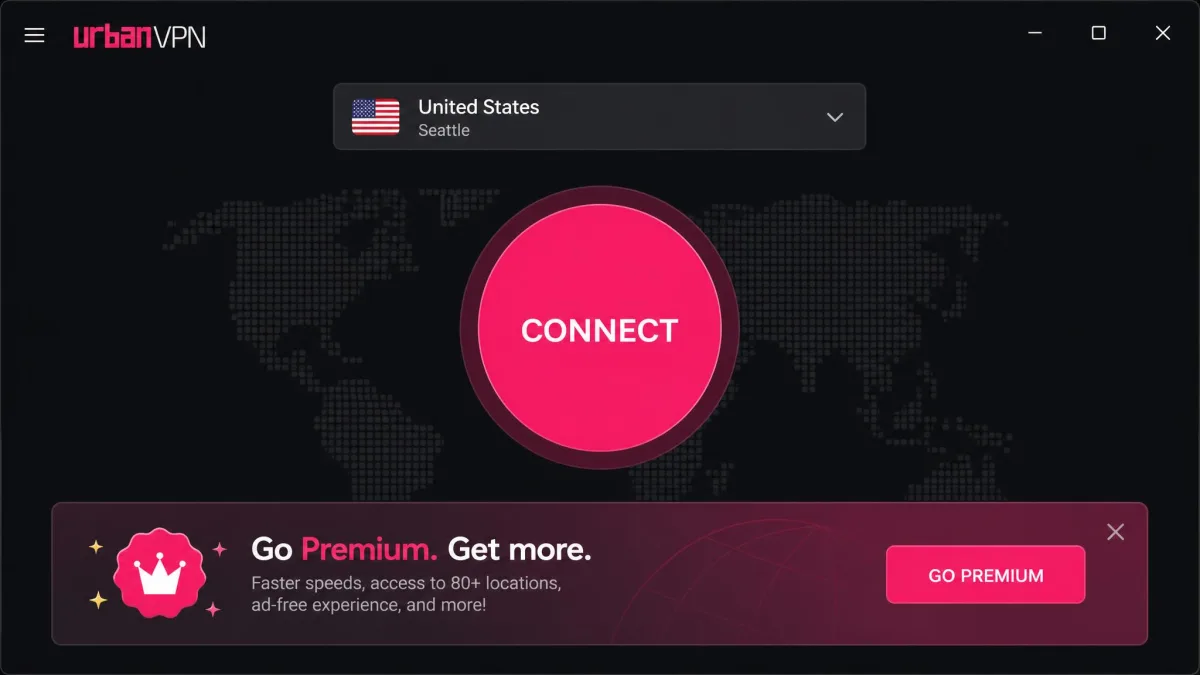
This distinction matters more than most people expect. The desktop and mobile apps are full system VPN clients that encrypt and route all of your device's traffic. The browser add-on, officially named "Urban VPN Proxy," is a proxy that only handles traffic inside your browser. Anything outside that browser window, such as another app or a background service, is not protected by the extension.
The gap trips people up because "Urban VPN Proxy" sits right next to "Urban VPN" in the Chrome Web Store and looks like the same product. If you install only the extension and assume your whole system is covered, you are wrong. For system-wide protection you need the desktop or mobile app, and even then the free tier leaves gaps we cover below.
Privacy and trust in brief
A VPN asks you to route all of your traffic through it, and Urban VPN gives you several concrete reasons not to extend that trust. The company sells anonymized user data unless you opt out, its privacy policy is not a true no-logs policy and has never been independently audited, and the free tier's peer-to-peer network can send strangers' traffic out through your IP address. Third-party ratings reflect that: vpnMentor scores it 3.3 out of 10 and ranks it 182nd of the 195 VPNs it has tested.
The most serious mark is a documented incident. Koi Security found the Urban VPN Proxy browser extension silently collecting users' conversations with AI chatbots such as ChatGPT, Claude, and Gemini, enabled by default and running even with the VPN switched off. The same code appeared in eight extensions from the same publisher, reaching more than 8 million Chrome and Edge users, as TechRadar's report on the harvesting details. On the technical side, the apps use respectable building blocks (OpenVPN on macOS, WireGuard with AES-256 on Premium), but the desktop free tier has no kill switch, and the extension is an unencrypted proxy that does not block WebRTC.
The Urban VPN Proxy extension was found collecting users' private AI chatbot conversations by default, even with the VPN turned off. If you have the extension installed, remove it and assume anything you typed into an AI chatbot while it was active may have been captured.
We have kept this to a summary because it is one part of a buying decision. For the full picture, including what antivirus scanners flag, how the P2P exit-node model works, what the extension can access, and how to remove it, read our dedicated answer to is Urban VPN safe.
How does Urban VPN make money, and does it sell your data?
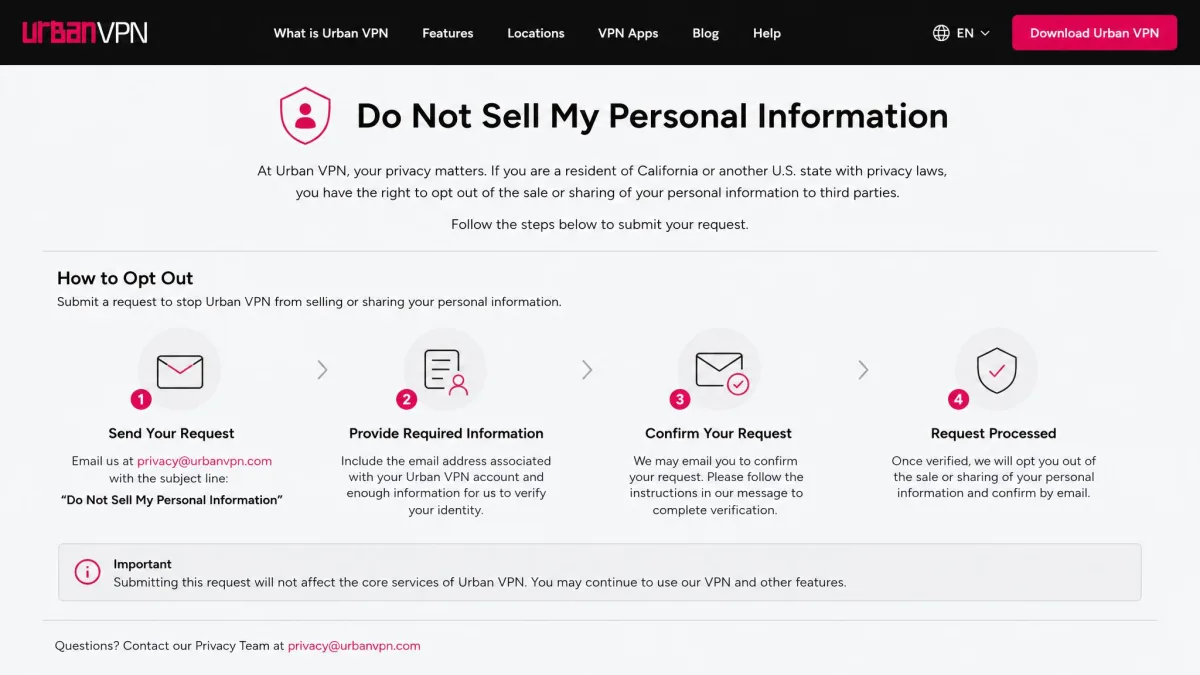
Every free VPN has to make money somewhere, and Urban VPN is unusually candid about how. The company earns through advertising, through its peer-to-peer bandwidth and IP-sharing network, and through monetizing user data. The Do Not Sell opt-out page only exists because selling data is part of the default arrangement.
Independent coverage backs this up bluntly. Tom's Guide reported that sensitive data is shared to Urban VPN's servers and then sold to third parties, and warned readers against downloading it. When a mainstream review tells people not to install a product, that is worth taking seriously. Yes, the data is described as anonymized, but re-identification of "anonymized" browsing data is a well-documented problem, so we do not find that framing reassuring.
The P2P network is the other half of the economics, and it carries its own cost to you. Because your device can act as an exit node for other users, someone else's traffic can appear to originate from your IP address. If that traffic is illegal, it can look like it came from your connection, which is a legal exposure most people never signed up for when they wanted to change their Netflix region.
Is Urban VPN free? Free vs Premium, and pricing
Urban VPN is genuinely free, with no trial that expires and no credit card at signup. On Windows and macOS the free app offers unlimited bandwidth, which is rare among free VPNs and a real point in its favor. The catch is the privacy model above, not a paywall.
There is also a Premium tier, though where it applies is muddy. The current pricing page lists a monthly plan at $12.99 per month, a six-month plan at $6.98 per month, and an annual plan at $4.95 per month billed as $59.40 for the year. Premium adds dedicated faster servers, split tunneling, a kill switch, dedicated streaming servers, customer support, and up to 8 simultaneous devices, plus the ability to opt out of data collection. A 30-day money-back guarantee applies. The advertised discount is promotional and drifts over time, so the annual plan is currently marketed at up to 68% off, while older snapshots cited around 72% off and a lower entry price near $3.08 per month. Treat any single discount figure as a moving target.
One nuance is easy to miss: several reviews say Premium is really aimed at the mobile apps, with Windows and macOS free by default, while the vendor's own pricing page lists desktop platforms among the supported Premium surfaces. The sources conflict, so if a desktop premium plan matters to you, confirm it on the current Urban VPN website before paying.
| Feature | Free | Premium |
|---|---|---|
| Servers | P2P network / shared IPs | Dedicated 65 x 10Gbps servers, 87 countries |
| Simultaneous devices | Not specified (no account) | 8 devices |
| Split tunneling | No | Yes |
| Kill switch | No | Yes |
| Dedicated streaming servers | No | Yes |
| Customer support | Self-serve articles only | Included |
| Price | Free (Android daily data cap) | $4.95/mo (annual) to $12.99/mo |
Does Urban VPN have a time or data limit?
There is no session time limit that we could find, so you can stay connected as long as you like. Data limits depend entirely on the platform. On Windows and macOS the free tier is unlimited, which is the headline feature Urban VPN markets hardest.
Android is different. The free Android app is reported to enforce a daily data cap, though sources disagree on the exact figure, citing both 100MB and 500MB per day. Because the number is unstable across sources, plan around the lower figure if you rely on Android, and expect to hit the ceiling quickly if you stream or download.
Which devices and platforms does Urban VPN support?
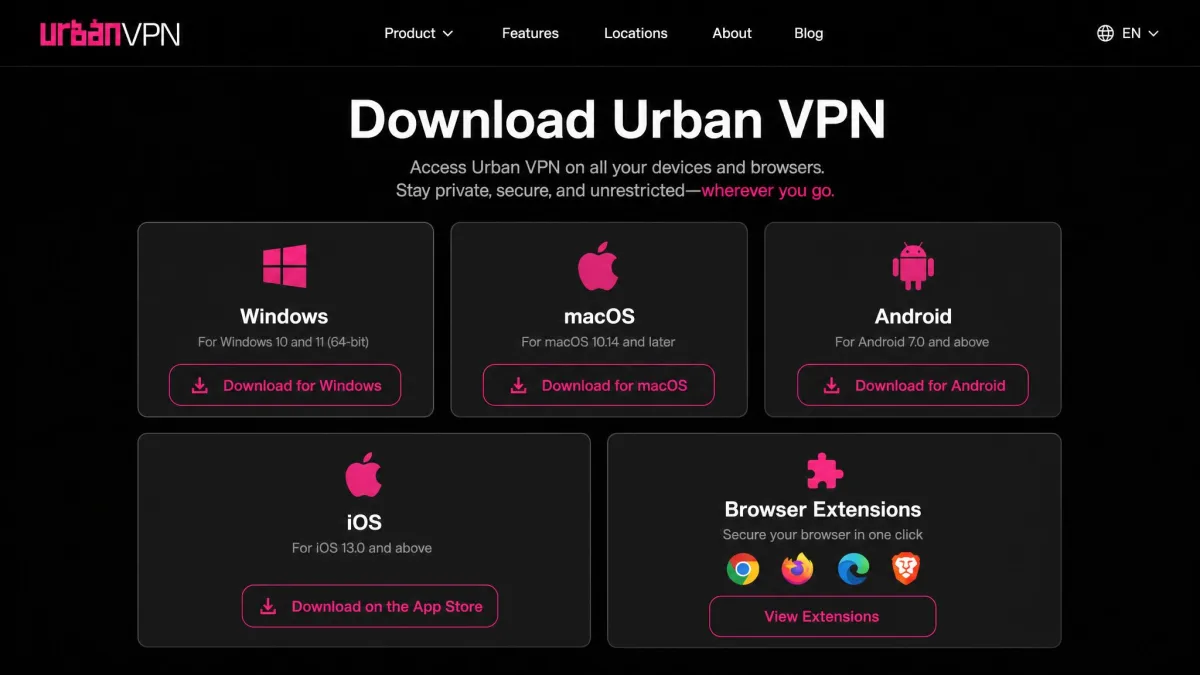
Urban VPN covers most of the platforms people care about, with native apps for the major operating systems and extensions for the main browsers. TV and console support is thinner and, in the case of Xbox, only possible through a workaround. The table below sums up where the service runs and what to watch for on each.
| Platform | Supported | Notes |
|---|---|---|
| Windows 11/10/8/7 | Yes | Free with unlimited bandwidth; full VPN client |
| macOS (Intel + Apple Silicon) | Yes | Uses the OpenVPN protocol; Apple ID billing for Premium |
| Android | Yes | Free tier has a daily data cap; Premium via subscription |
| iOS/iPadOS | Yes | Frequent disconnects; billed via Apple ID |
| Chrome/Firefox/Edge extension | Yes | A proxy, browser traffic only; the flagged component |
| Fire TV Stick | Yes | Setup guide available; no polished native experience |
| Xbox | Workaround only | No native app; requires router, PC share, or SmartDNS |
Urban VPN on Windows and desktop
Windows is where Urban VPN is at its best. The app is free, imposes no bandwidth cap, and installs without an account, so you are connected within a minute of downloading. The interface is a single connect button with a country list, which keeps things simple for anyone who just wants to change their location.
Setup is quick and needs no signup, but the free experience pushes ads and upgrade prompts. Reviewers also report that the in-app location list is noticeably shorter than the marketing suggests, closer to 56 locations than the 80-plus countries advertised. It works, but it feels like a funnel toward Premium.
Urban VPN on Mac and iPhone
The macOS app uses the OpenVPN protocol and runs on both Intel and Apple Silicon Macs. On Apple platforms, Premium is billed through your Apple ID, which is worth knowing if you want to cancel later. Functionally it mirrors the Windows client, minus the unlimited-bandwidth guarantees on mobile.
The iPhone app draws the most reliability complaints. Reviewers report the iOS app disconnecting frequently and needing manual reconnection every few hours, which is exactly the behavior you do not want from a privacy tool with no kill switch on the free tier. You can find the app on the App Store listing for Urban VPN, but be ready to babysit the connection.
Urban VPN browser extension (Chrome, Firefox, Edge)
The extension is available for Chrome, Firefox, and Edge, and it is the most convenient way to change your browser location. It is also the component at the center of the AI-prompt harvesting incident, so we cannot recommend installing it as things stand. If you already have it, remove it.
Remember that the extension is a proxy, not a full VPN. It only protects traffic inside the browser, and anything running outside that window is exposed. For a security product, that combination of limited coverage and a documented data-collection scandal is the worst of both worlds.
Can I use Urban VPN on a Fire TV Stick or TV?
Urban VPN supports the Fire TV Stick through a setup guide, so you can install it on Amazon's streaming hardware with a little effort. It is not a one-tap experience, but it is officially documented rather than a hack. For Chromecast or Android TV, you are into workaround territory, typically sharing a connection from another device.
Given its streaming limitations, a Fire TV install is only worth it for the services Urban VPN can actually unblock, which we cover below. For Netflix or BBC iPlayer on your TV, it will disappoint.
How to use Urban VPN and change your location
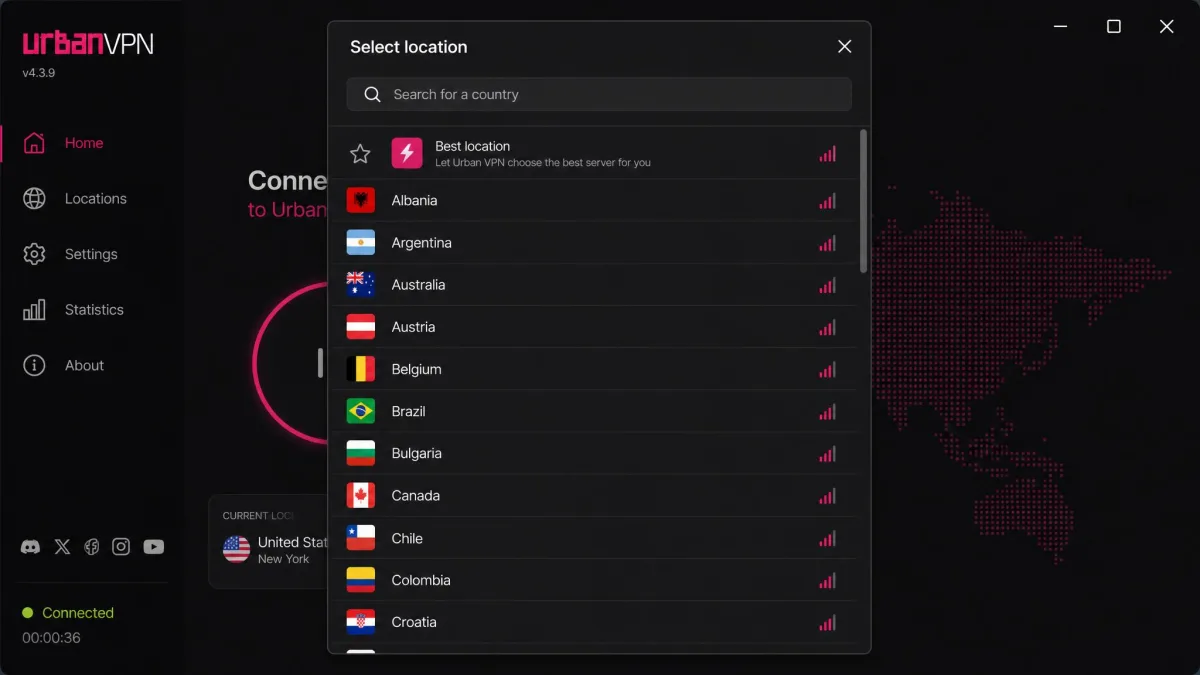
Using Urban VPN is refreshingly simple, which is one of its few unqualified strengths. The basic flow is the same across the app and the extension:
- Download and install the app from the Urban VPN website, the Google Play listing, or your platform's store.
- Open the app; no account or signup is required to start.
- Click the location selector and choose the country you want to appear from.
- Press connect and wait for the status to confirm you are online.
- To change your location, disconnect, pick a different country, and reconnect.
That is the whole process. Changing your virtual location is just a matter of selecting a different country from the list, which is handy for accessing region-locked content or a website that behaves differently abroad. The friction is not in the setup, it is in everything the service does behind the scenes.
Performance: speed, streaming, and servers
Performance is where Urban VPN goes from "free and simple" to "you get what you pay for." It is usable for light browsing on a nearby server, but speeds and reliability fall apart the further you reach, and streaming support is a patchwork. Below is how it holds up on speed, streaming, network size, torrenting, and gaming.
How fast is Urban VPN?
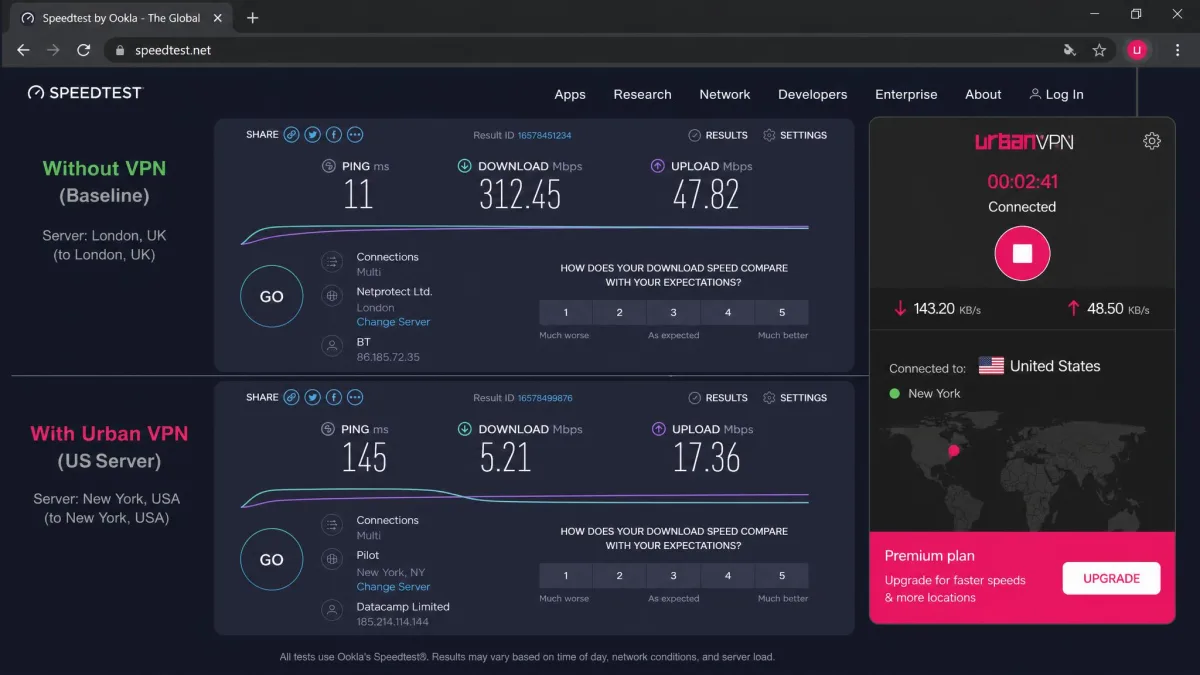
Speed depends heavily on how far your chosen server sits and how loaded the P2P network is at the time. On a nearby server the loss is modest, but distant connections take a real hit. Independent testing has recorded roughly an 88% drop on a distant US server, falling from around 109Mbps to about 24Mbps, while a nearby UK server lost only about 7%.
User reports follow the same pattern: speeds hold up on nearby servers and collapse on distant ones. Because the routing runs partly over the P2P network, throughput also swings from session to session, so treat any single number as indicative rather than fixed. For browsing and email it is fine; for heavy downloads over a long distance it is not.
Streaming and geo-unblocking (what works, what's blocked)
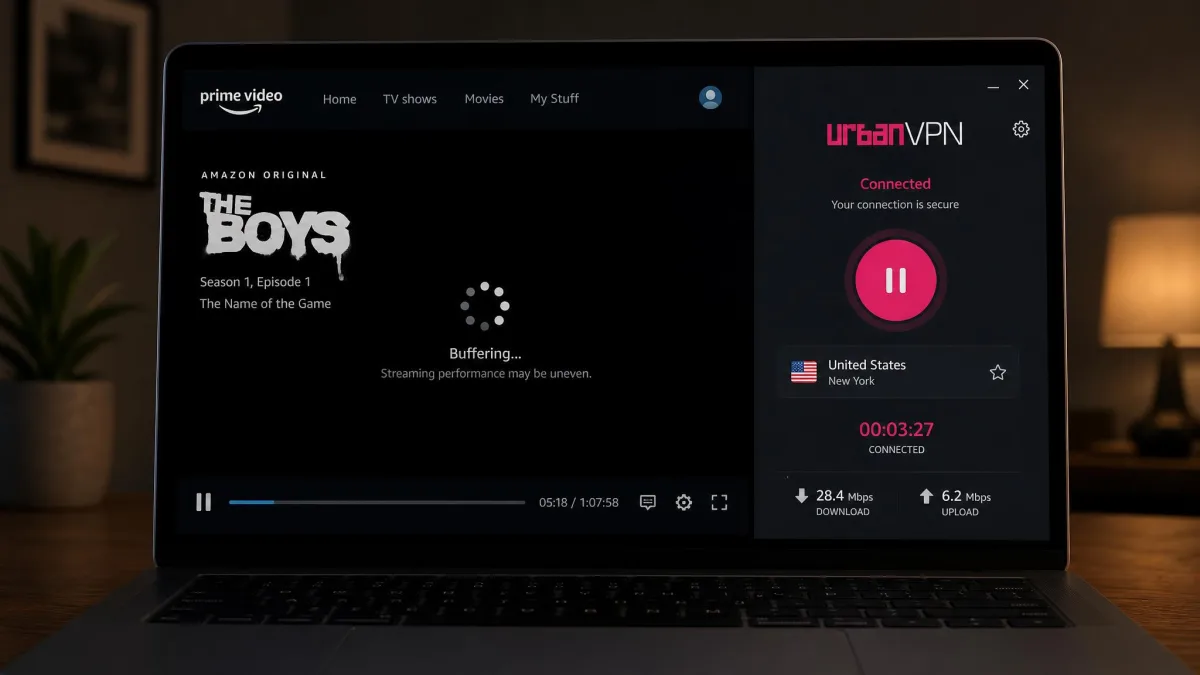
Streaming results were genuinely mixed. In independent tests, Urban VPN unblocked Disney+, Max, and YouTube TV, which is more than some free VPNs manage. Netflix, Amazon Prime Video, Hulu, and BBC iPlayer, on the other hand, blocked it outright.
Even on the services it does unblock, the experience is uneven: reviewers describe frequent buffering, and video quality drops on calls such as Zoom over the connection. If your main goal is reliable streaming of the big platforms, Urban VPN will frustrate you more often than not.
Servers and countries: how big is the network?
This is the murkiest part of Urban VPN's marketing. The counts are wildly inconsistent across the company's own surfaces, ranging from around 56 locations shown in-app to marketing claims of 350-plus locations across 82 countries, and figures as high as 4,500-plus servers in stray snippets. The current pricing page lists 65 high-capacity servers across 87 countries for Premium, while older vendor pages cited 652 servers in 89 countries.
Because no single count holds up, we would not put weight on any of them. What matters in practice is that the free tier leans on the shared P2P network rather than dedicated servers, and the in-app list you actually see is shorter than the headline numbers suggest.
Torrenting and P2P
Urban VPN's whole network is peer-to-peer, but that is not the same as being good for torrenting. The lack of a kill switch on the free tier means a dropped connection can expose your real IP mid-transfer, which is the one thing torrent users most need to avoid. There is also the legal exposure of other users' traffic exiting through your device.
It is telling that in privacy-focused communities, users steer people toward Mullvad VPN or Proton VPN rather than Urban VPN for anything P2P. That is the right instinct. For torrenting, a VPN with an audited no-logs policy and a working kill switch is not optional.
Gaming
Gaming is not a strength here, and it is not really the point of the product. The variable P2P routing and frequent disconnects make for inconsistent latency, which is poison for online play. There is also no native app for consoles like Xbox, so console gamers would need a router or shared-connection workaround.
If low, stable ping is what you are after, Urban VPN is the wrong tool. A paid VPN with dedicated gaming-friendly servers will serve you far better.
Customer support and reliability
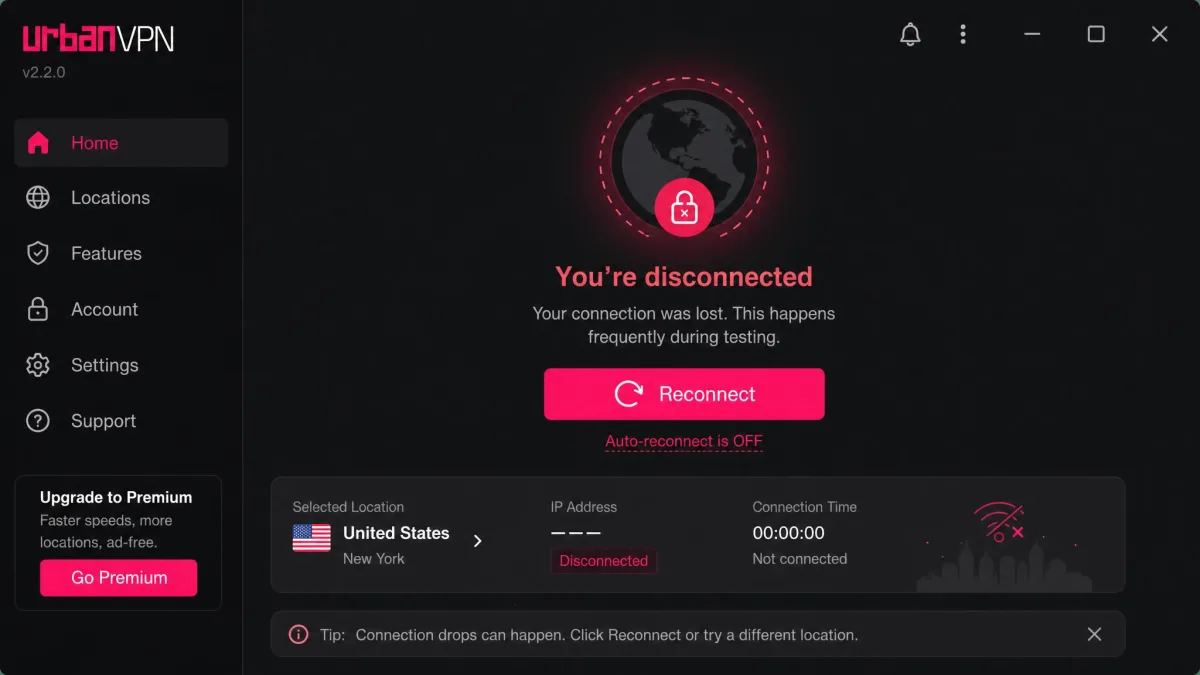
Support is minimal. There is no live chat, no email, and no phone line; help is limited to self-serve articles on the website. For a free product that is not shocking, but it means you are on your own when something breaks, and things do break. If the app will not connect, our Urban VPN connection fixes cover the common errors.
Reliability is the most common complaint across platforms. Connections drop often, and with no kill switch on the free tier, each drop is a moment your real IP can be exposed. Daily data usage also climbed noticeably while connected, by an estimated 500MB to 2GB, because other people's traffic routes through your device on the P2P network. That is a real cost if you are on a metered connection.
Urban VPN vs. the competition: better free and paid alternatives
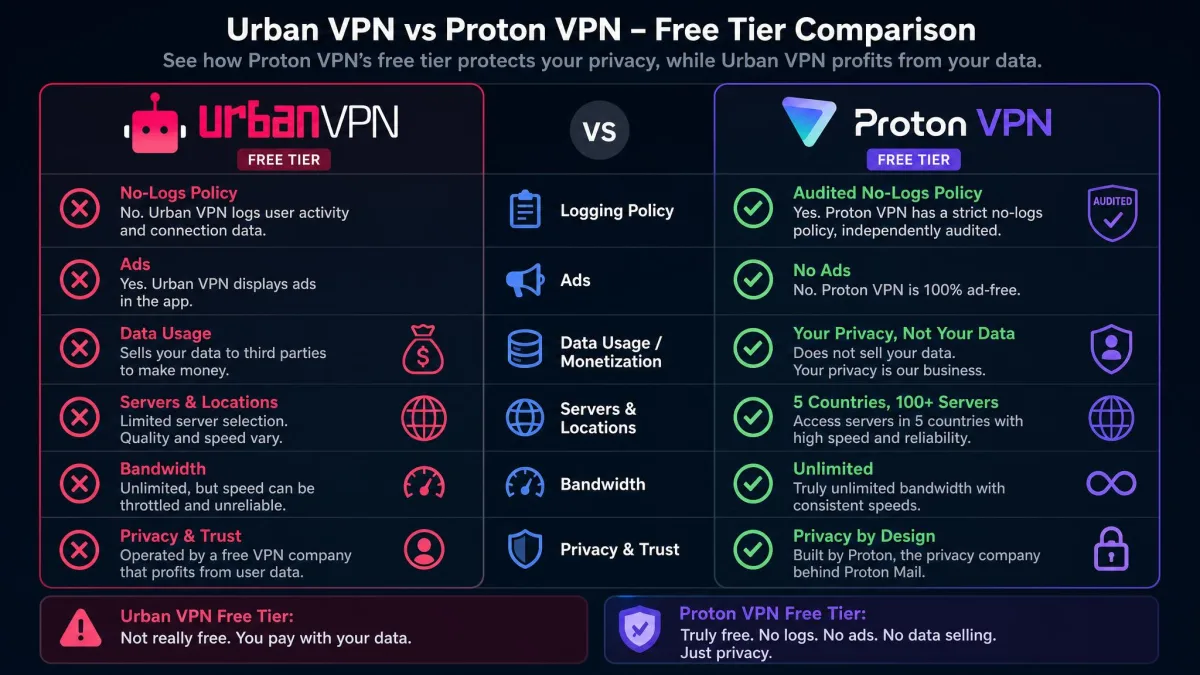
If your goal is a free VPN you can actually trust, the good news is that better Urban VPN alternatives exist. Proton VPN's free tier is the one we point people to most often: it offers unlimited data, shows no ads, and backs its no-logs claims with independent audits. That combination is exactly what Urban VPN lacks.
Among other free-VPN siblings, the picture is more varied. Some, like Hola VPN, share Urban VPN's peer-to-peer model and its associated risks, so switching to them solves nothing. Opera's built-in VPN is a convenient browser-level option for casual use. On the paid side, mainstream providers consistently outperform Urban VPN on speed, security, and features, and privacy communities repeatedly recommend Mullvad and Proton VPN over it.
Before you settle for a free VPN, check whether it publishes an independent audit and offers a working kill switch. Those two features separate a genuinely private free service from one that funds itself with your data.

Should you use Urban VPN? Final verdict
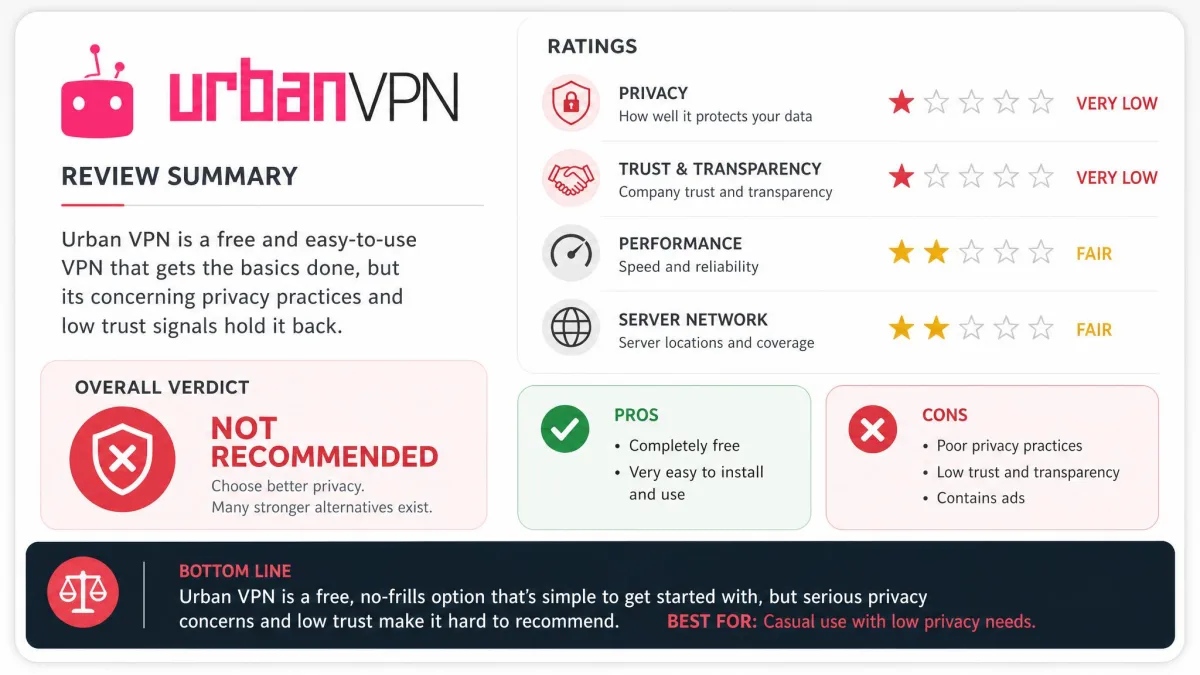
For most people, no. Urban VPN is free, quick to set up, and occasionally useful for a low-stakes location change, and if that is genuinely all you need, it works. But a VPN is a trust product, and this one asks you to trust a company that sells user data by default, runs a P2P network that can implicate your IP in strangers' traffic, and shipped an extension that harvested private AI chats from millions of users.
None of that is worth saving a few dollars when reputable free alternatives exist. Proton VPN's free tier gives you audited no-logs privacy, no ads, and unlimited data, which is the standard Urban VPN cannot meet. Use Urban VPN only if you fully understand the trade-offs and are doing nothing you would mind a data broker seeing. For everything else, choose a VPN built to protect you rather than to profit from you.