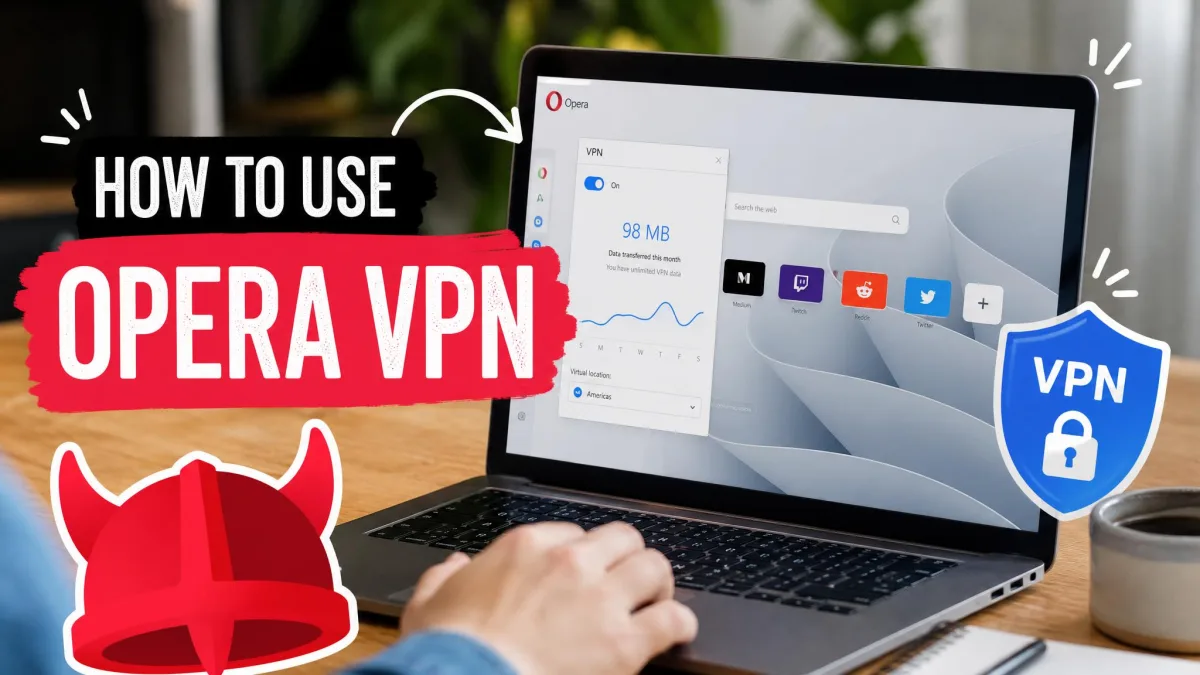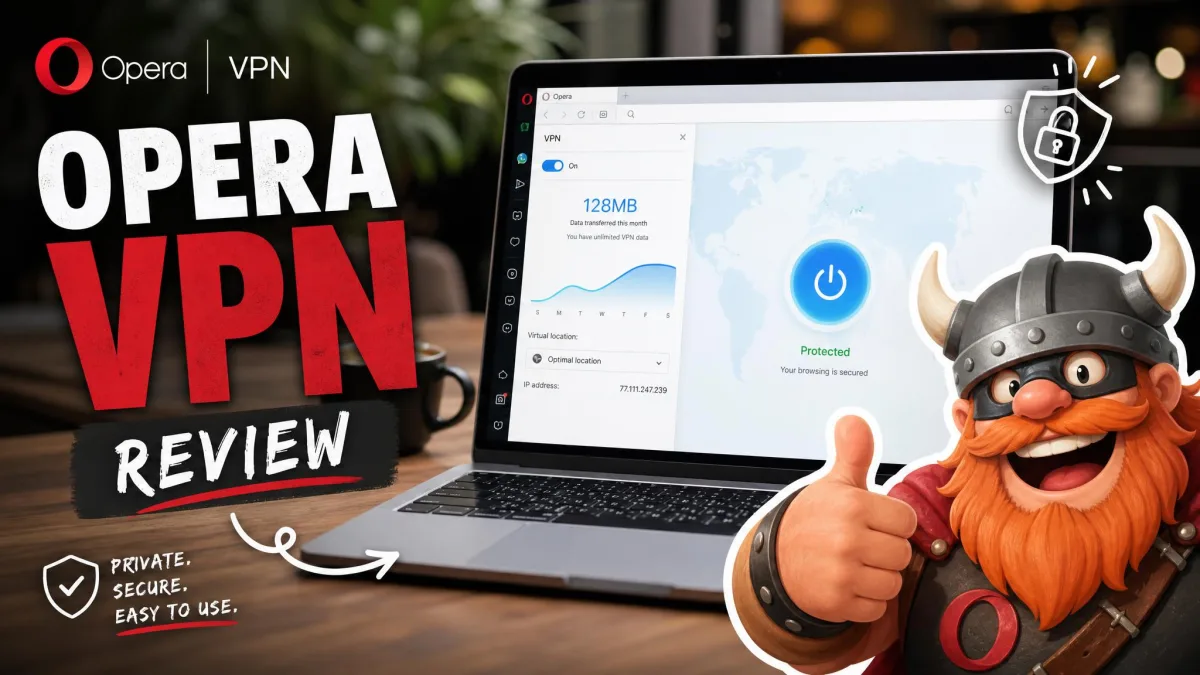
Opera VPN is a free proxy built into the Opera browser, and it is not a device-wide VPN. When you flip it on, it encrypts and reroutes only the traffic that moves through Opera itself. Everything else on your machine, your other apps, your games, your torrent client, keeps using your normal internet connection. That single distinction shapes everything else in this review.
So here is the honest one-line verdict up front: Opera VPN is a genuinely useful free tool for casual browsing privacy, but it is not the all-purpose security service that the word "VPN" usually implies. If you want to hide your browser traffic from your ISP or your local network on a coffee-shop connection, it does that well and costs nothing. If you want to protect your whole device, unblock streaming libraries reliably, or torrent safely, you will hit its limits fast.
We spent time with both the free browser VPN and the paid Opera VPN Pro tier across Windows, Mac, and Android, testing setup, leaks, speed, and streaming so you do not have to guess. Below we break down exactly what it protects, how safe it really is, who owns it, and whether the Pro upgrade is worth your money in 2026.
Opera VPN at a Glance
Opera VPN Pros and Cons
Before we get into the detail, here is the shape of what we found across our testing.
Pros
- Completely free with no account and no data limits
- Built right into the browser, so setup takes one toggle
- AES-256 encryption on the tunnel
- No-log policy independently audited by Deloitte (free tier)
- Available on Windows, Mac, Linux, Android, and iOS
Cons
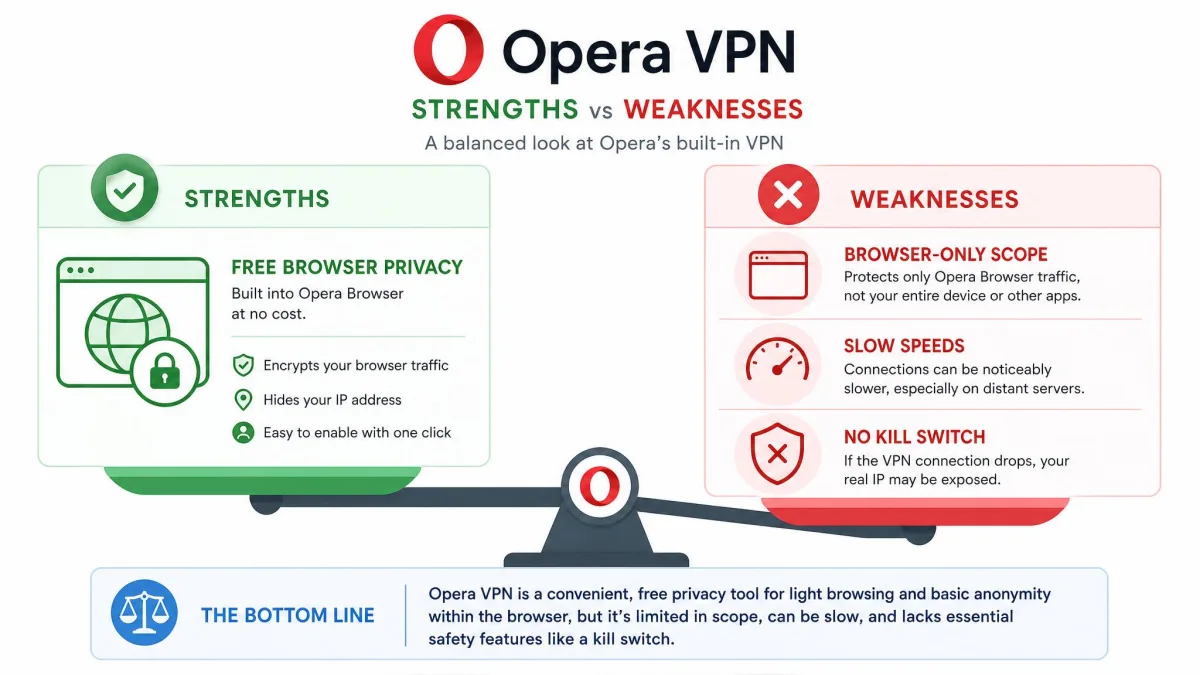
- Only protects traffic inside the Opera browser, not your whole device
- No kill switch on either the free tier or Pro
- Slower than dedicated paid VPNs, and long-distance servers hit hardest
- Unreliable for streaming, with Netflix often failing
- Owned by a China-based consortium, which raises trust questions for some users
What Is Opera VPN and How Does It Work
Yes, Opera comes with a VPN, and it has for years. It is a feature built into the desktop Opera browser rather than a separate app you download. When people ask "does the browser have a built-in VPN," Opera is the browser they usually mean, because it was the first mainstream option to bundle one for free.
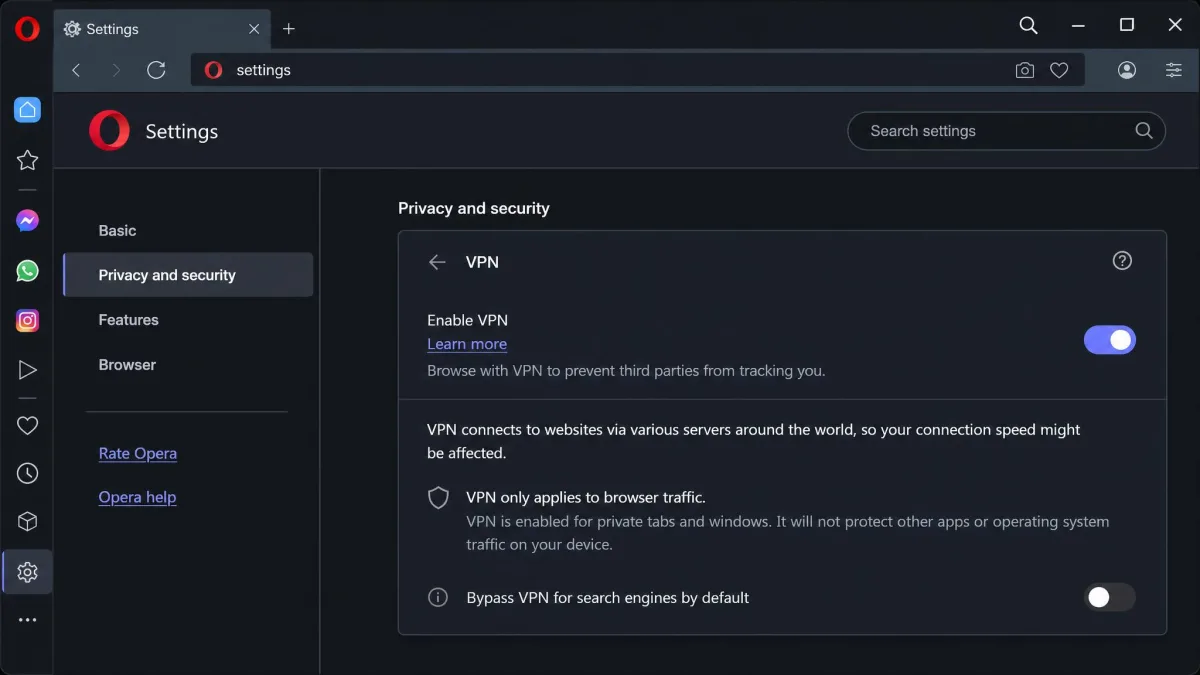
Here is the part that matters most. The free VPN is technically a secure proxy, not a full device-wide VPN. It encrypts the connection between Opera and Opera's servers, then sends your browser traffic out from one of those servers instead of from your real IP address. To the websites you visit, your location looks like the VPN server's location. But other apps on your computer, your email client, your Steam library, your system updates, all keep using your ordinary connection with your real IP.
A device-wide VPN routes every app's traffic through the encrypted tunnel. A browser proxy like Opera's free VPN only covers what happens inside that one browser window. Both hide your IP from the sites you load, but the proxy leaves the rest of your device exposed.
That is not a flaw so much as a design choice, and it explains the "free" price. Opera does not have to run heavy system-level software or maintain a huge dedicated server fleet for the free tier. In our testing the free VPN behaved exactly as described: browser traffic was masked, while a separate speed-test app running outside Opera showed our real IP untouched.
Security and Privacy
Is Opera VPN safe, secure, and worth trusting? For casual browsing, our answer is a qualified yes. The encryption is solid, the no-log claim has real backing, and it genuinely hides your browsing from your ISP and your local network. The caveats are about scope and ownership, not about the core technology being broken.
Encryption and Protocols
The free VPN uses AES-256 encryption on its tunnel, which is the same cipher strength that paid VPNs and banks rely on. That means the traffic between Opera and the VPN server is scrambled well enough that your internet provider or the owner of a public Wi-Fi network cannot read what sites you are loading.
Opera VPN Pro changed shape in the summer of 2025. Since the July 2025 VPN Pro revamp, the paid tier runs the Lightway protocol with wolfSSL cryptography and post-quantum protection by default, on Opera's own server infrastructure spanning 48 locations with a minimum of 10Gb/s per server. Older reviews that describe Nord-backed servers are describing the pre-2025 product; the current version is Opera's own Lightway setup, and that is what you get today.
No-Logs Policy
Opera says it does not log your activity: no browsing history, no originating network address, and no identifying information collected by the VPN. What sets this apart from the many free VPNs that make empty promises is that the claim was checked by an outside firm. The no-log policy was independently audited by Deloitte, with an audit period running from June to August 2024 and results published that September.
The Deloitte audit covered the free browser VPN only, across desktop, Android, and iOS. It did not cover Opera VPN Pro. Do not assume the paid tier carries the same audited no-log guarantee.
Jurisdiction and Company Ownership (14 Eyes)
This is where trust gets complicated, and it is the part most reviews skip. Opera's browser business was acquired in 2016 by a China-based consortium led by Beijing Kunlun Tech for about $600 million. Kunlun holds roughly 69% of shares. The operating company, Opera Norway AS, is headquartered in Oslo, Norway, which is a 14 Eyes intelligence-sharing country, and it keeps additional offices in Europe, China, and Africa.
For most people running the free VPN to keep a coffee-shop network from snooping, this is a non-issue. If your threat model includes state-level surveillance, the combination of 14 Eyes jurisdiction and a China-based majority owner is worth weighing honestly before you rely on it.
DNS/IP Leak Test Results
Because the free VPN is a browser proxy, it hides your IP from the sites you visit, but the encrypted tunnel only covers in-browser traffic. In our checks, sites loaded inside Opera saw the VPN server's IP rather than our own, which is exactly what you want from a proxy. The important asterisk is that anything outside Opera never enters the tunnel in the first place, so a "leak" there is not a bug, it is the product working as designed. Neither the free tier nor Pro includes a kill switch, so if the connection drops there is nothing to cut your traffic and prevent an IP exposure while it reconnects.
The free VPN hides your IP from the sites you visit, but the encrypted tunnel only covers what happens inside the Opera browser.
— From our hands-on testing
Speed and Performance
Does Opera VPN actually work and perform well enough for daily use? For general browsing, yes. For anything speed-sensitive, however, temper your expectations. Real-world performance depends heavily on which region you land on, so we treated speed and everyday responsiveness as two separate questions during testing. The first is raw throughput on the tunnel; the second is how the browser feels while you actually work online across several tabs. Both shape whether the VPN is pleasant to leave running all day, and Opera's answers to them are not the same.
Our Speed Test Results
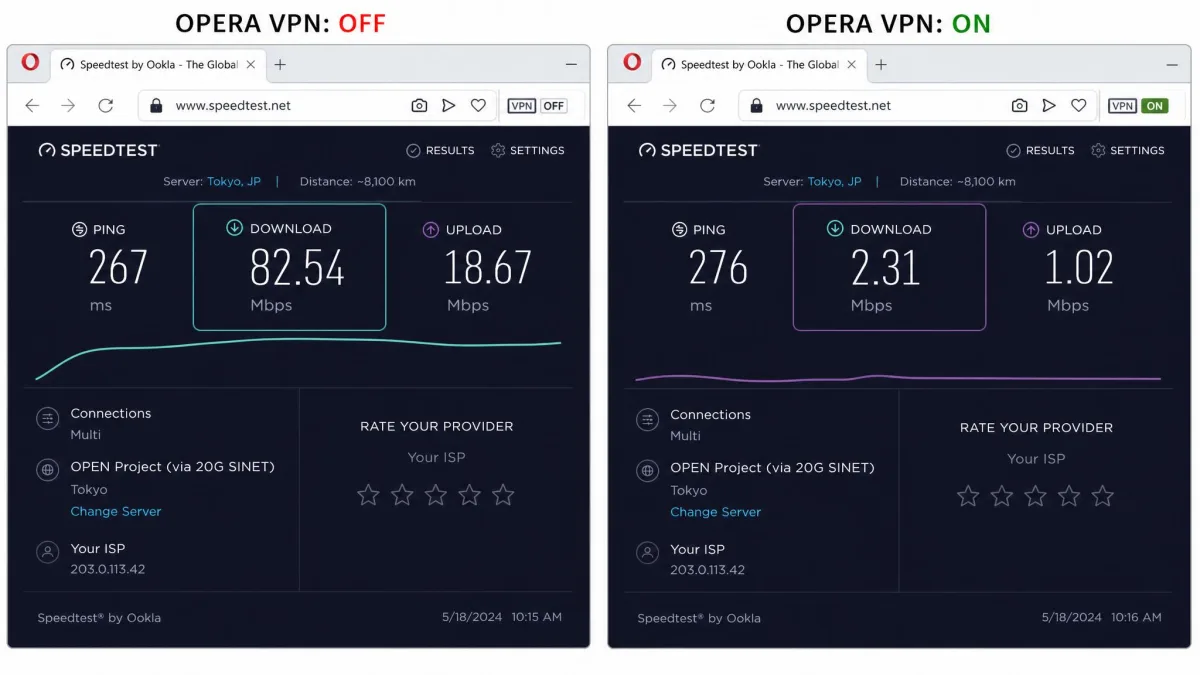
Free VPN servers can run noticeably slower than dedicated paid VPN services, and that matched our experience: pages loaded fine, but the picture swings sharply by region. Benchmarks vary too much to pin to a single number, but the pattern is consistent. On a 100 Mbps baseline, the free tier stays close to full speed on nearby regions, around 93 Mbps down on both Optimal and Europe and roughly 77 Mbps down on the Americas, then falls off on distant servers, to about 33 Mbps down on Asia. That range tracks the wider reviews, where drops run as low as 7% on nearby servers but climb to 50-90% by region and distance. In short, nearby regions stay fast enough for everyday use, while the Asia region loses more than half its speed.
Opera VPN Pro gave us firmer numbers. In testing it dropped download speeds by roughly 45% on average, with long-distance connections hit hardest. A US-to-Europe route fell about 59%. That is a heavy penalty for a paid service, and it is one of the clearest reasons we would point serious users toward a faster dedicated provider.
CPU Usage and App Performance
The bigger day-to-day drag is the browser itself. Opera can be slow and crash-prone under load, and that instability is the most common complaint we see tied to the VPN experience. When the browser stutters, the VPN feels like it is at fault even when the tunnel is fine. Performance here is really browser performance: the tunnel adds little measurable overhead of its own, but a heavy tab load can still make the whole session feel sluggish. On modern hardware this was occasional rather than constant for us, but it is worth knowing that the VPN's smoothness is only as good as the browser wrapped around it.
Across Windows, Mac, and Android sessions, the free VPN itself never crashed on us, but the Opera browser did hiccup a couple of times during heavy multi-tab use. That is a browser problem, not a tunnel problem, but it colors how the whole VPN feels in practice.
Servers and Server Locations
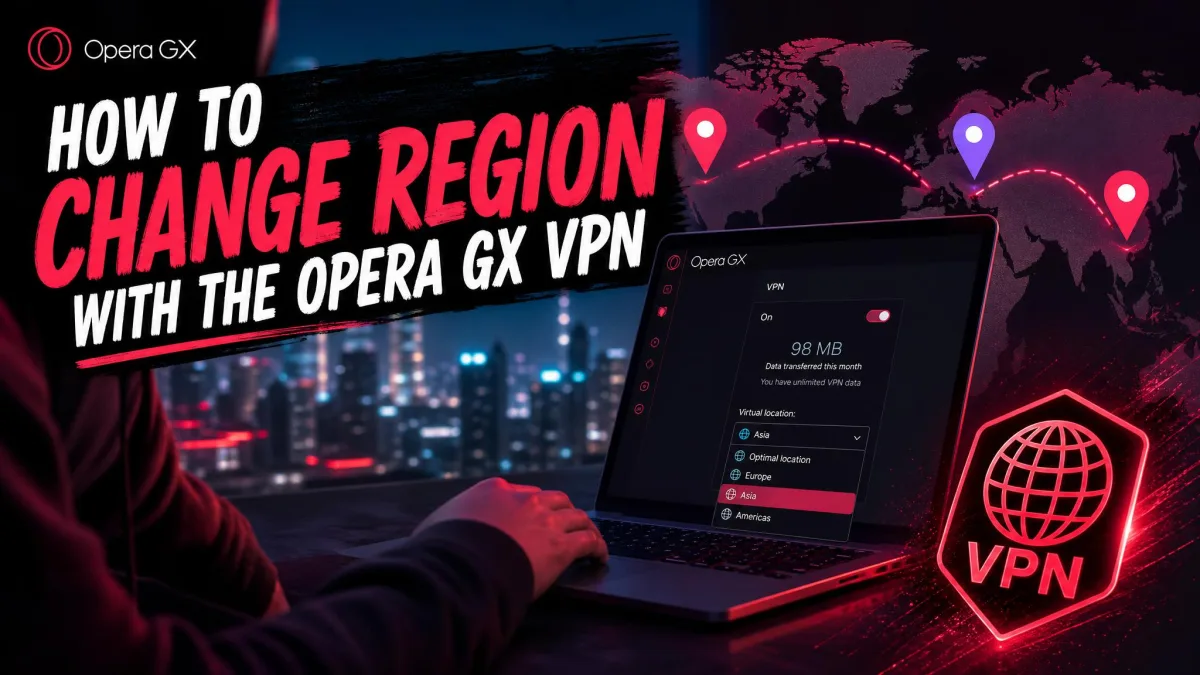
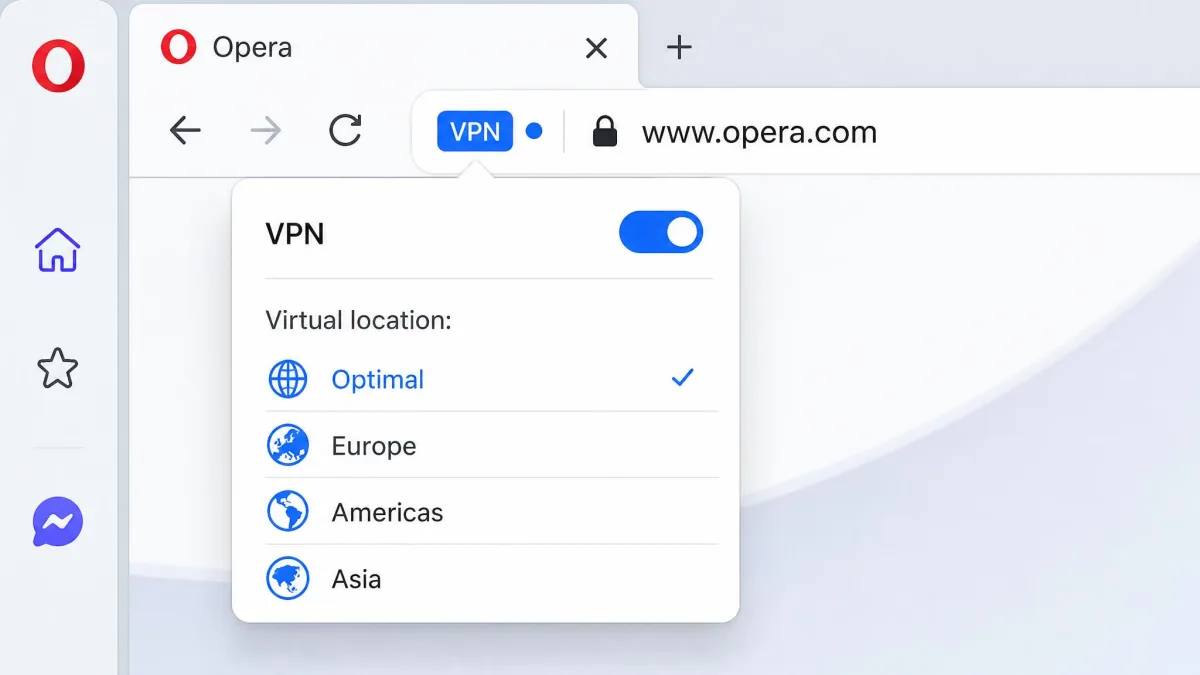
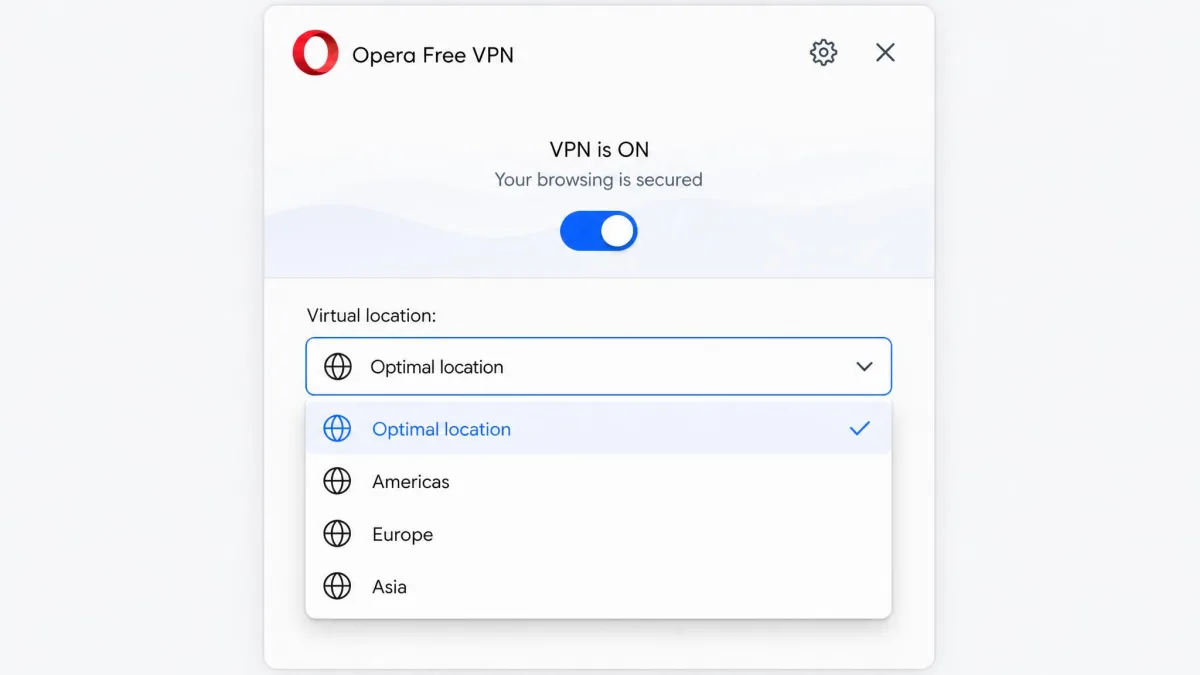
The free tier keeps things deliberately simple. You get 100+ servers, but you do not choose a specific country. Instead you pick one of three broad regions, the Americas, Europe, or Asia, or you let Opera pick an automatic Optimal Location for you. If you want to change your location or choose a region, you tap the VPN badge to the left of the address bar and select from that short list. That is the whole choice. In practice that means you can access region-varied content across several broad areas, but you cannot fine-tune to a single country the way a full VPN lets you.
Opera VPN Pro widens the map considerably with 3,000+ servers. The location count is where sources diverge: Opera's page lists 48 locations while a recent hands-on review counts 30+ countries, so the exact figure depends on how it is measured. On Pro you can choose a country, but not a specific city or individual server within it, and some previous multi-location options for the US and Canada have been removed.
Streaming and Geo-Unblocking (Netflix, YouTube, Prime)
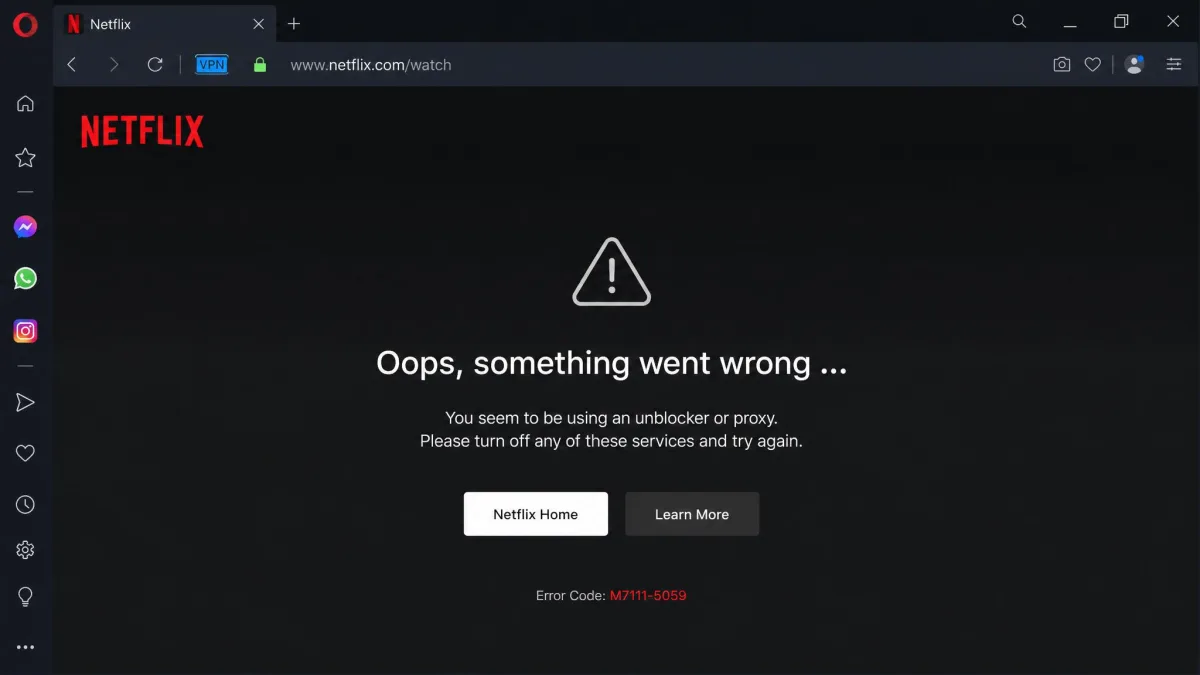
This is where the free tier disappoints most. The free VPN is not optimized for streaming and may fail on services like Netflix even when it loads ordinary sites without trouble. In our testing, general browsing and YouTube were fine, but Netflix frequently threw its proxy error. If your goal is to access a foreign catalog online, the free tier is not the tool, because its three broad regions rarely map to the specific country a streaming library checks for.
Opera VPN Pro does better, but not by enough. It unblocked Netflix US, Canada, and Australia in testing, yet failed on Netflix UK, and because there is only a single UK server there was no way to retry with a different address. For a service you are paying for, that inconsistency is hard to forgive when dedicated VPNs unblock these libraries reliably.
If streaming is your priority, pick a VPN built for it. Opera VPN Pro handled some Netflix regions but stumbled on others with no fallback server, which is exactly the frustration a streaming-focused VPN is meant to eliminate.
Torrenting and Gaming
Neither activity is Opera VPN's strength. Opera does not explicitly prohibit P2P, but the free VPN is a browser-only proxy, so a standalone torrent client runs outside the browser and therefore outside the tunnel, leaving that P2P traffic unprotected. Opera VPN Pro is system-wide and permits P2P on all servers, though it offers no torrent-specific features like a SOCKS5 proxy or port forwarding. It also still has no kill switch, so a dropped connection could expose your real IP mid-transfer, which is a meaningful risk for torrenting.
For gaming, the same logic applies. The free tier will not protect a game client because games run outside Opera. Opera VPN Pro can route game traffic, but the average 45% speed hit and higher latency on distant servers make it a poor fit for competitive play.
Device Compatibility and Platforms (Windows, Mac, Android, iOS)
The free VPN is broadly available. It ships inside the desktop Opera browser on Windows, Mac, and Linux, and it is built into the Opera browser apps on Android and iOS. Opera brought the free VPN to iOS in April 2023, which made it the first major browser to offer a free built-in VPN across desktop, Android, and iOS alike.
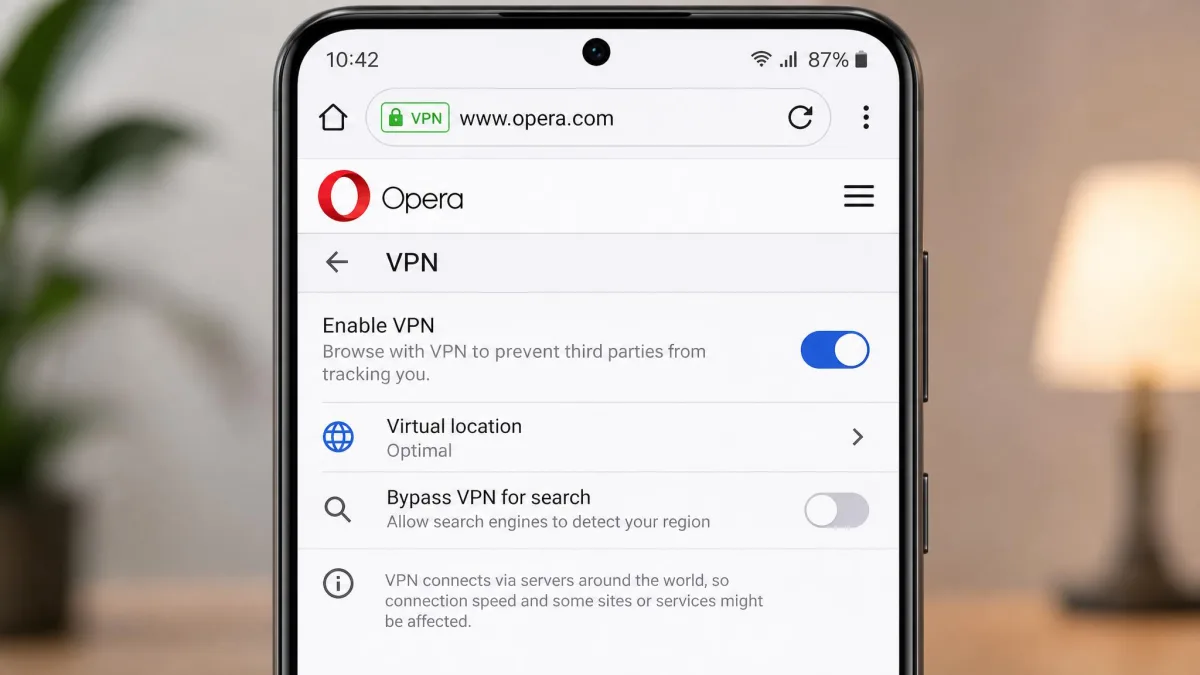
On Android specifically, the free VPN lives inside the Opera browser app rather than as a separate VPN app, so you enable it from the browser's settings and it protects your in-app browsing. Opera VPN Pro takes a different shape: it is a system-wide service that protects all apps on the device and covers up to 6 devices per subscription across Android and desktop.
Ease of Use: Getting Started with Opera VPN
Setup is the free VPN's best quality. It turns on with a single toggle in Opera's settings and needs no account, no email, and no payment details, so getting started is effectively frictionless. Compared to installing and signing into a standalone VPN app, this is about as low-effort as privacy tools get.
How to Turn Opera's VPN On and Off
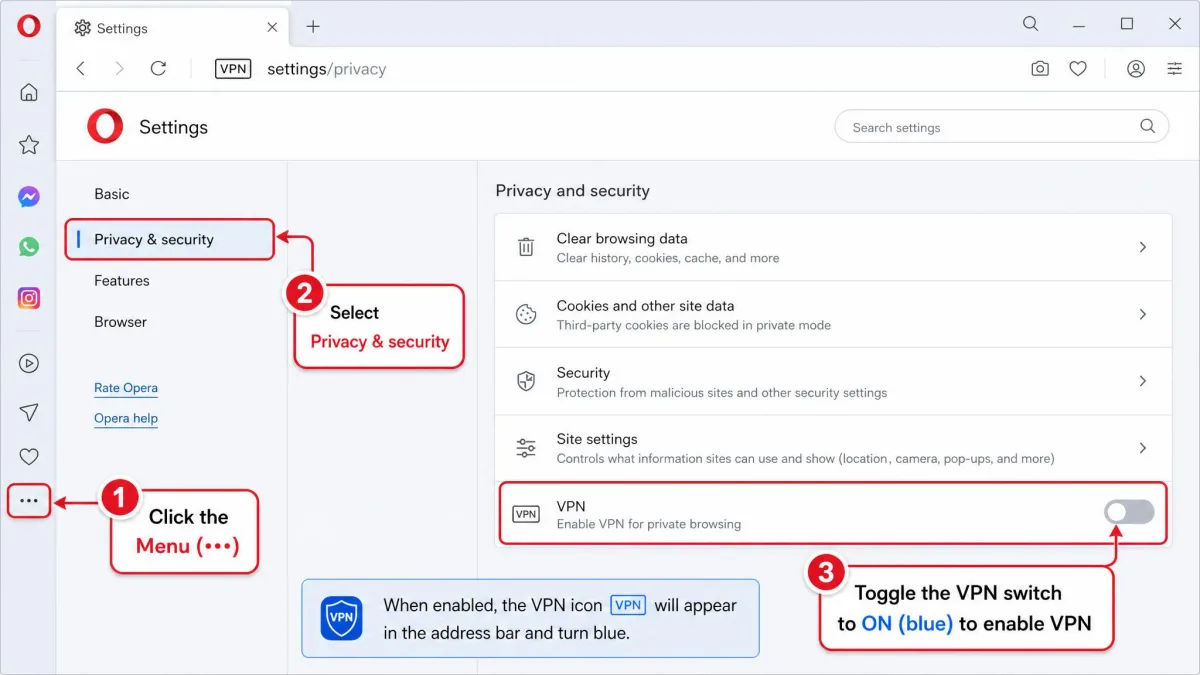
Turning it on takes a few seconds:
- Open Opera and go to Settings, then Privacy and security.
- Toggle on the VPN option.
- A blue VPN badge appears to the left of the address bar.
- Click that badge any time to switch the VPN on or off and to pick your region.
To turn it off, click the same badge and flip the switch, or disable it from the settings page. There is no separate app to close and no session to log out of.
Pricing: Opera VPN Free vs Opera VPN Pro
Is Opera VPN really free, and is the data unlimited? Yes on both counts for the browser tier. The free VPN costs nothing, requires no subscription and no account, and comes with no data limits, so you can leave it running with unlimited bandwidth. There is no catch on price, the trade-off is scope: you are getting a browser proxy, not a whole-device VPN.
Opera VPN Pro is the paid upgrade for people who want system-wide coverage. It runs $8 per month billed monthly, drops to $5 per month on the six-month plan (billed $30 every six months), and falls to $4 per month on the annual plan (billed $48 per year, a 50% saving over monthly). Pro includes a 7-day free trial and a 30-day money-back guarantee, so you can try it without immediate risk. To upgrade or download it, you start from Opera's VPN Pro page or the prompt inside the browser.
| Product | Buy | Price | Scope | Servers | Devices |
|---|---|---|---|---|---|
 |
Get it free → | Free | Browser only (proxy) | 100+ | In-browser only |
 |
Check price | $4/mo annual ($48/yr) | System-wide, all apps | 3,000+ | Up to 6 |
The free tier's unlimited data is genuinely unlimited in our use. You are not throttled to a monthly cap the way many free standalone VPNs limit you, which makes it a rare free option you can actually leave running.
Customer Support
Support is a weak spot, especially given the ownership and trust questions. Opera leans on help articles and community resources rather than the live chat that paid competitors offer, and Opera VPN Pro holds a poor 1.8 out of 5 rating on Trustpilot from reviewers, with billing and cancellation friction among the recurring complaints. If hands-on, responsive support matters to you, this is a point in favor of a larger dedicated provider.
Opera VPN vs the Competition (comparison table)
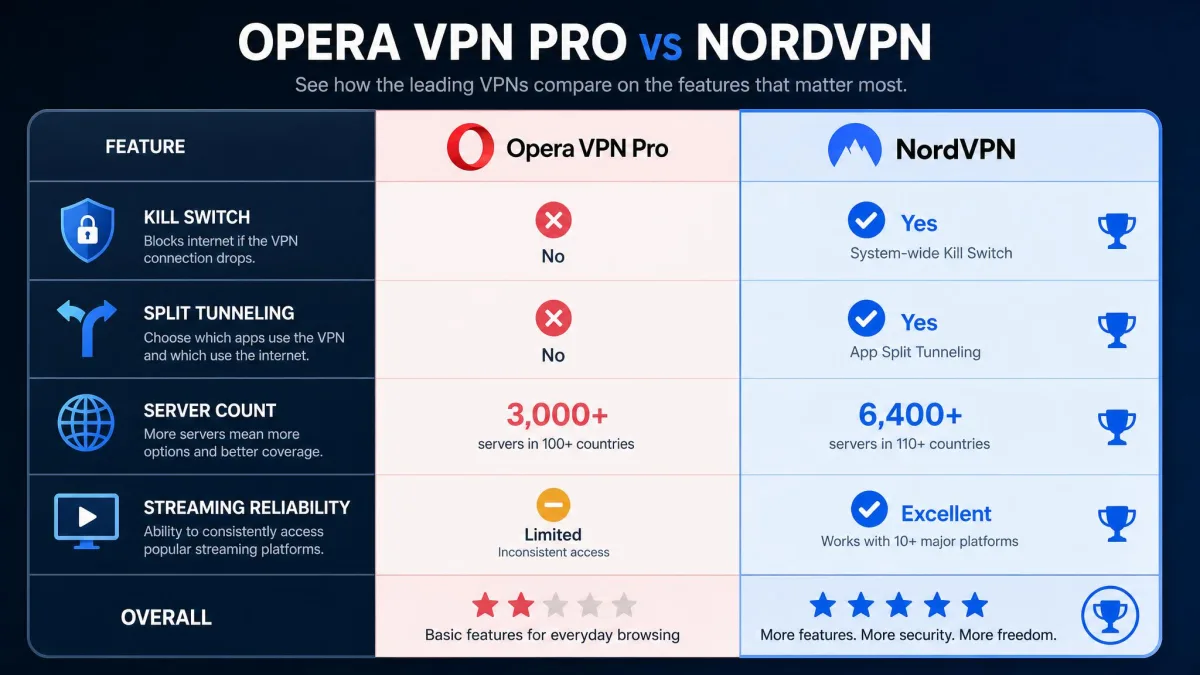
Stacked against a market leader like NordVPN, Opera VPN Pro shows its gaps clearly. NordVPN offers system-wide apps, a kill switch, split tunneling, audited RAM-only no-log servers, the fast NordLynx protocol, and reliable Netflix unblocking. Opera VPN Pro matches the system-wide coverage and the no-log intent, but lacks the kill switch and split tunneling, and its streaming and speed results trail well behind.
| Product | Buy | Servers | Kill switch | Split tunneling | Streaming |
|---|---|---|---|---|---|
|
Check price → | 3,000+ | No | No | Partial (Netflix US/CA/AU; UK failed) |
 |
No link available | 7,000+ | Yes | Yes | Reliable Netflix unblocking |
The takeaway is not that Opera is worthless, it is that Opera VPN Pro competes on price rather than features. If you want a serious paid VPN, a dedicated provider gives you more for a similar outlay. Where Opera wins outright is the free tier, because no major dedicated VPN gives away unlimited, no-account browser privacy the way Opera does.
Frequently Asked Questions
Is Opera VPN safe?
Is Opera VPN really free?
Does Opera VPN work with Netflix?
Does Opera GX have a VPN?
Does Opera Mini have a VPN?
Is Opera VPN a real VPN or a proxy?
Does Opera VPN keep logs?
Does Opera VPN hide my activity from my ISP?
Final Verdict: Is Opera VPN Worth It?
Opera VPN earns its place as a free convenience, not as a security cornerstone. The free browser tier is one of the best no-cost privacy tools available: it costs nothing, needs no account, has unlimited data, uses strong encryption, and backs its no-log claim with a real Deloitte audit. For hiding your browsing from an ISP or a public network, it is a genuinely good, one-toggle solution.
Where it falls short is everything beyond the browser. It does not protect your whole device, it is slow, it struggles with streaming, and it has no kill switch. Opera VPN Pro fixes the scope problem but still trails dedicated providers on speed, features, and streaming, and it carries the same ownership questions. Use the free tier freely for casual browser privacy, but if you need whole-device protection, reliable geo-unblocking, or safe torrenting, your money is better spent on a purpose-built paid VPN.