NordVPN is our pick for the best VPN for most people in 2026, with Proton VPN level with it on score and ahead of it on privacy. Our checks covered speed on nearby and distant servers, the major streaming services, kill switch behaviour, the apps on desktop and mobile, how fast support answered and the price each plan renews at. Every ranking below follows the score from our full review of that provider, so this page and those reviews always agree.
The short version: all six are good choices, and the right one depends on what you need a VPN to do. The list below shows where each service stands out, and the sections after it explain the trade-offs in detail.
Our top VPN picks at a glance
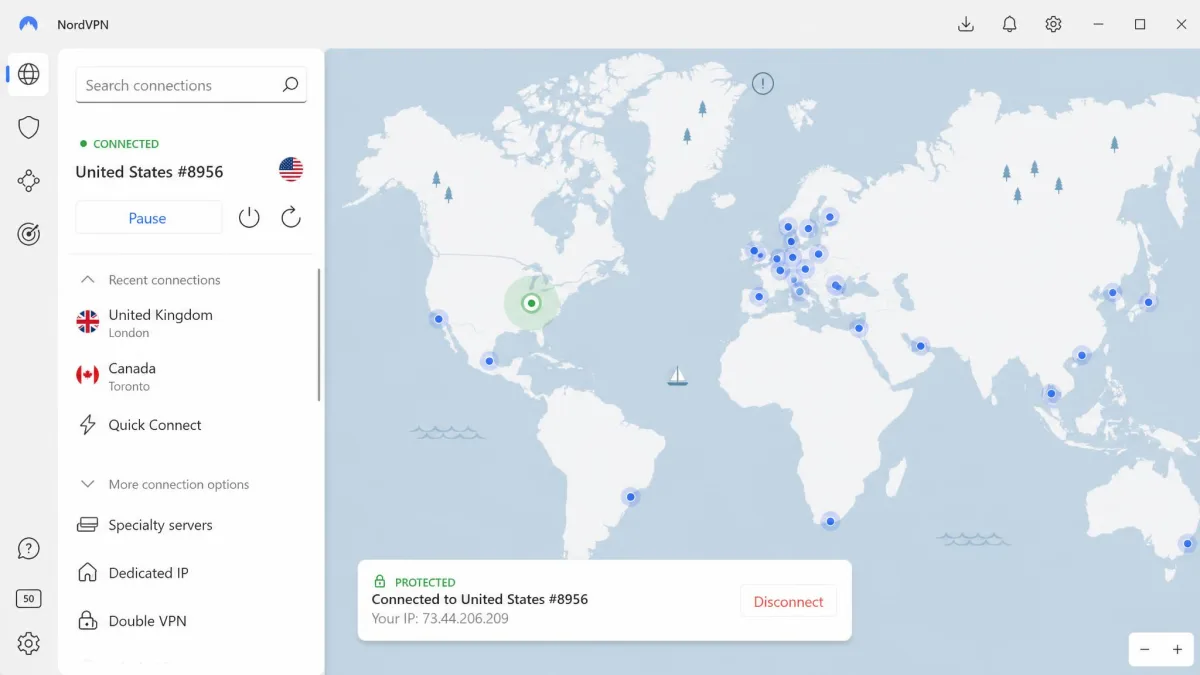
- NordVPN: the strongest all-rounder, with six independent no-logs assessments, fast NordLynx connections and reliable streaming.
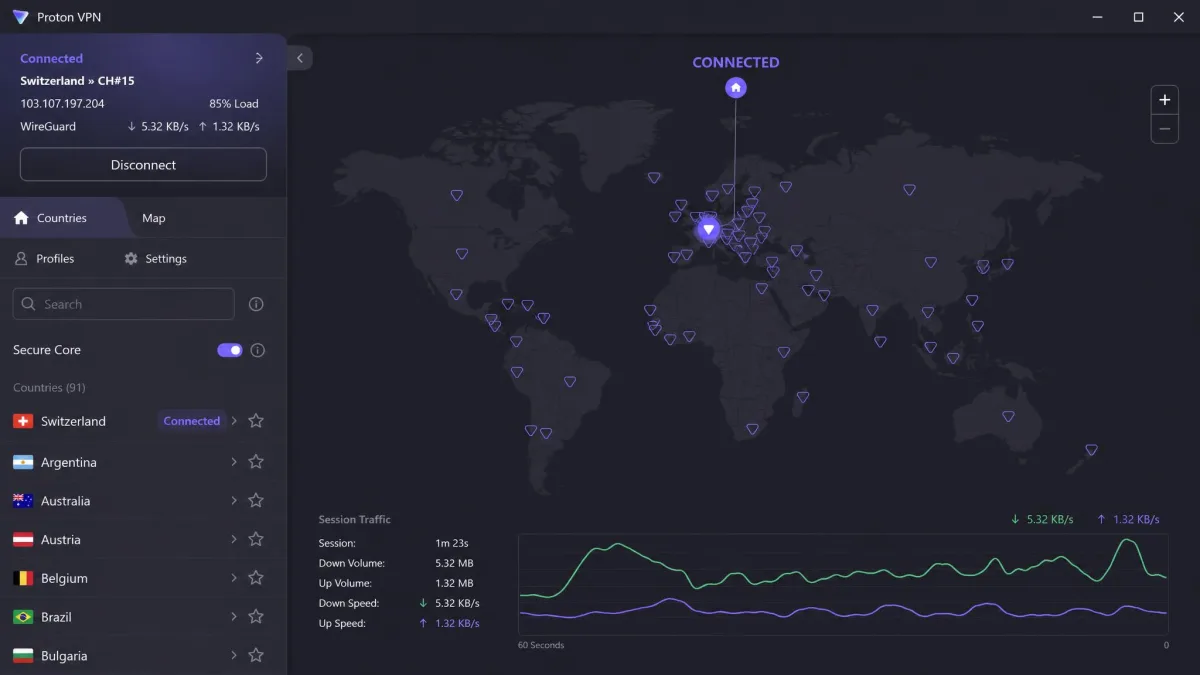
- Proton VPN: Swiss privacy, open-source apps, five straight years of no-logs audits and the best free plan of any service here.
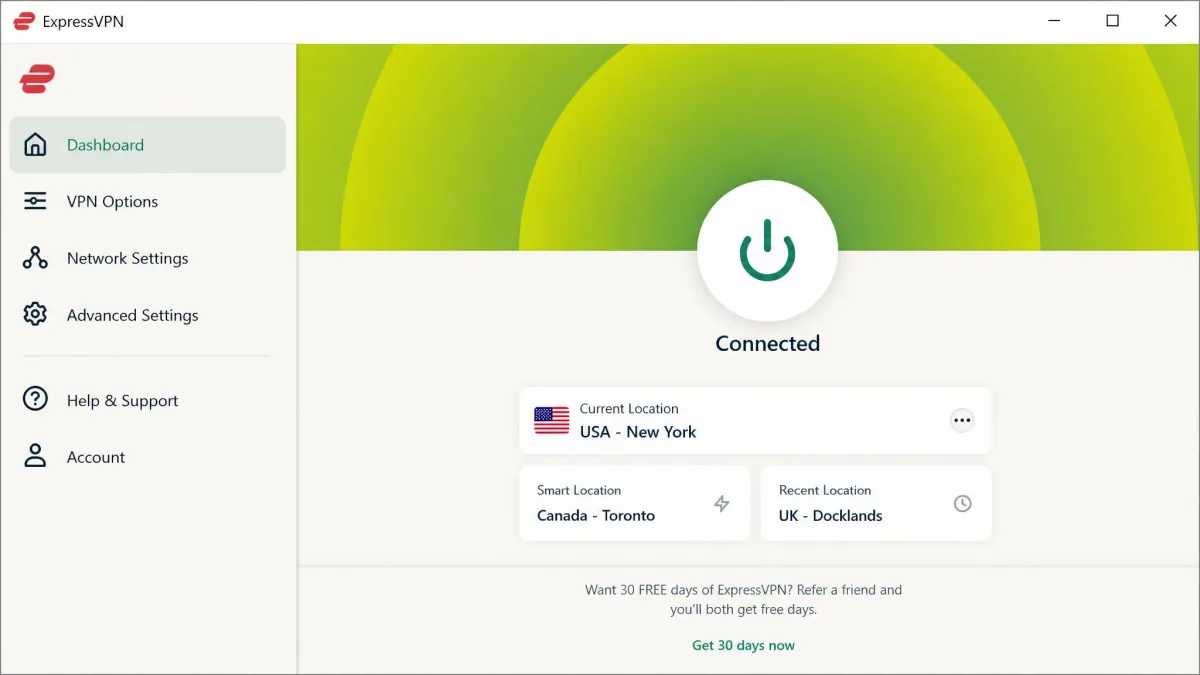
- ExpressVPN: the easiest apps to pick up on day one, with a long audit track record and a price to match.
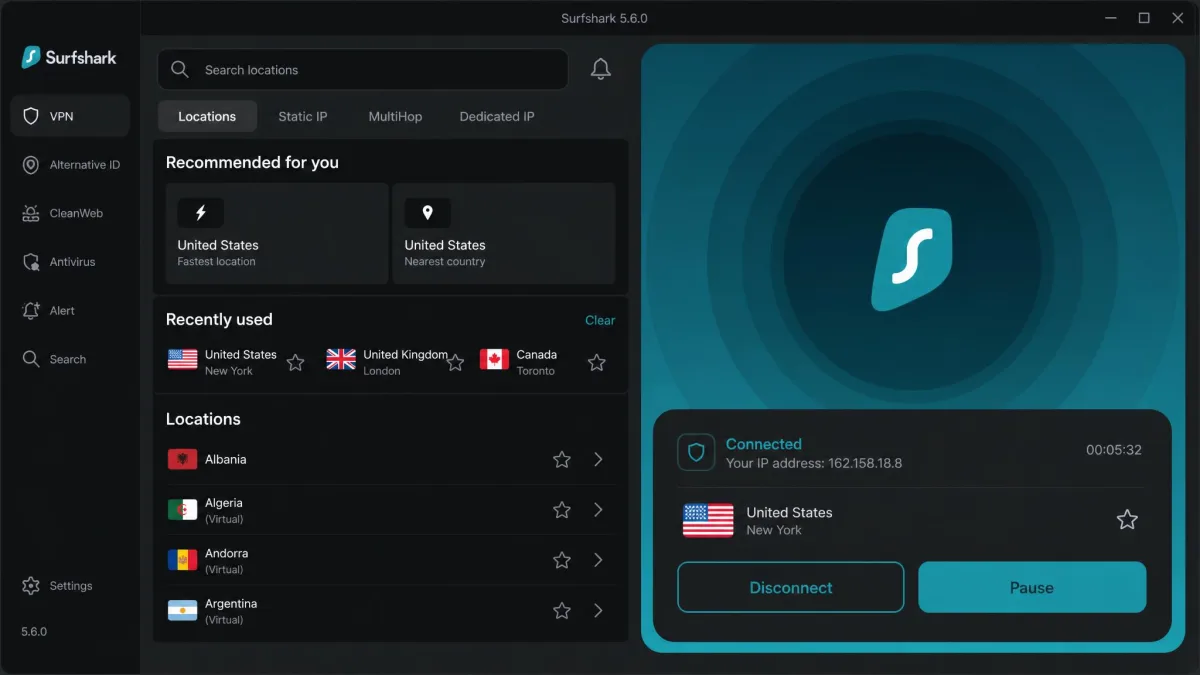
- Surfshark: unlimited devices on every plan for $2.49 a month on the 2-year Starter plan.
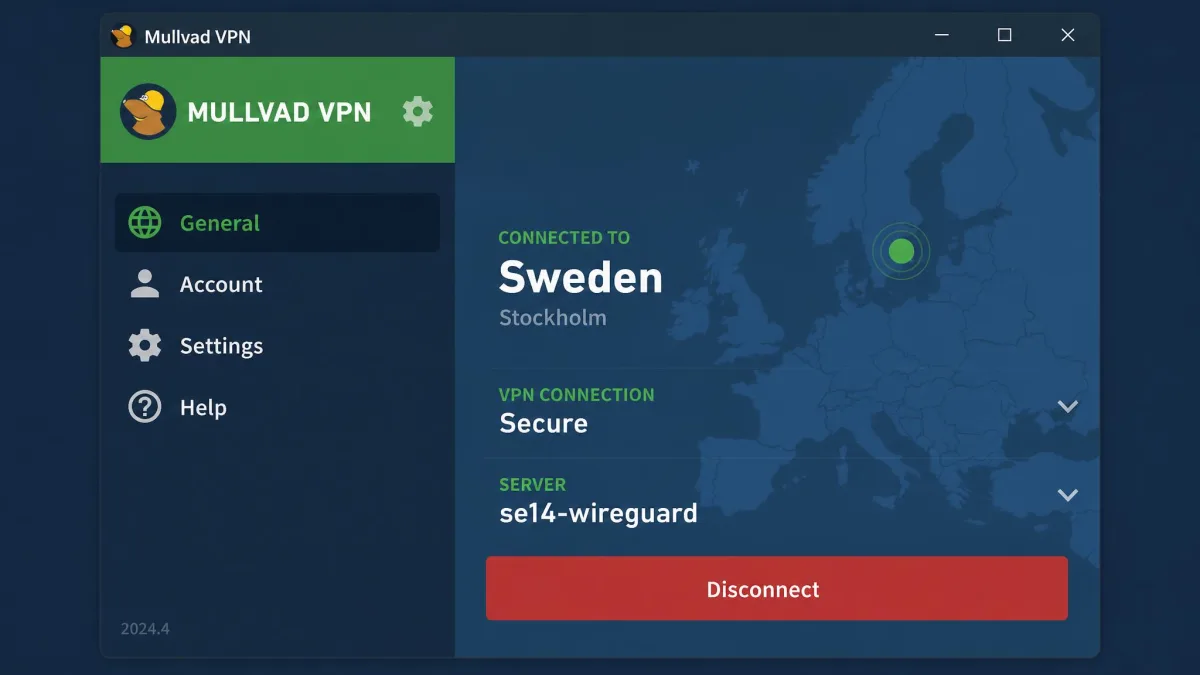
- Mullvad: no email, no name and a flat €5 a month, built for people who want as little of their identity on file as possible.
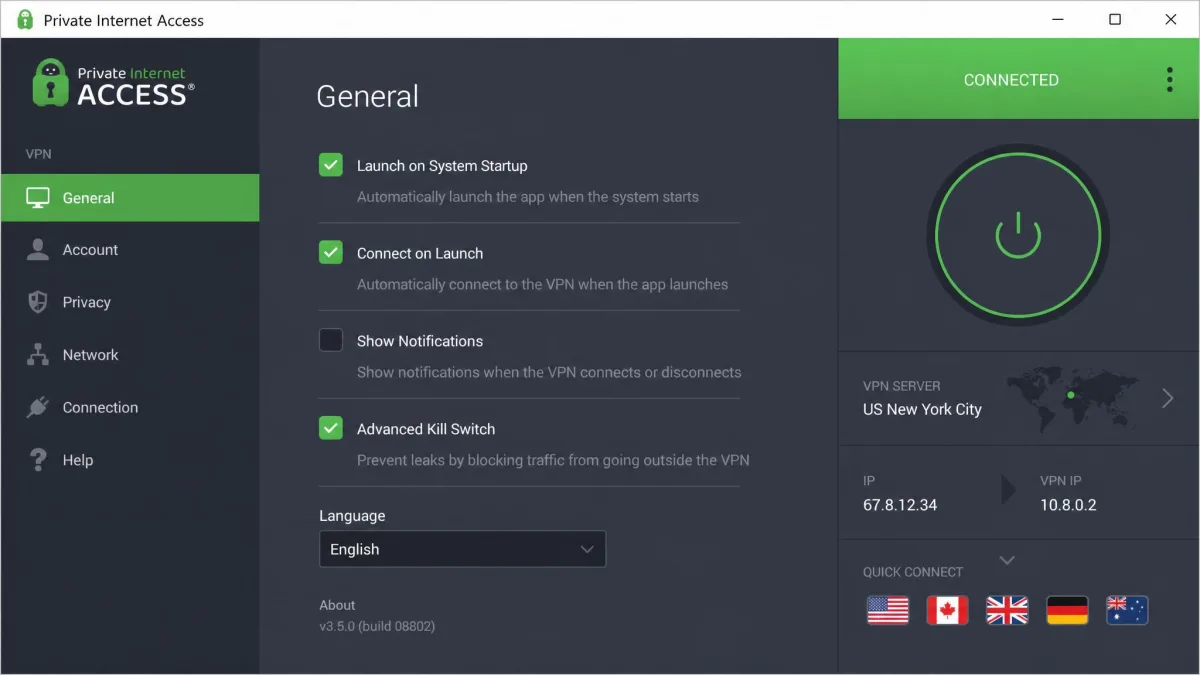
- Private Internet Access: deep settings, port forwarding and unlimited devices for about $2 a month on a long plan.
1. NordVPN: best VPN overall
NordVPN earns the top spot because it has no serious weak area. It is fast, it unblocks every major streaming service, and its no-logs policy has been checked by outside auditors more often than almost any rival's. It also comes packed with extras, including an ad and malware blocker, obfuscated servers and multi-hop routing, that cheaper services either skip or charge more for. For most people who want one VPN that handles everything, it is the safest recommendation we can make, and our full NordVPN review covers each feature in more depth.
Speed and performance
In our testing, speed loss on NordVPN stayed small in everyday use. On nearby servers over NordLynx, the service's WireGuard-based protocol, downloads drop by around 6 percent and uploads by around 4 percent. When we connected to a nearby server and went about a normal day of browsing, video calls and HD streaming, we could not tell the VPN was on. The main thing to keep in mind is protocol choice: NordLynx is the fast option, and it is also the only protocol that carries NordVPN's post-quantum protection, so there is little reason to switch to OpenVPN unless a network blocks WireGuard traffic.
Privacy and security
NordVPN has been based in Panama since it was founded in 2012, which keeps it outside the data retention rules of the US and the EU. The audit record matters more than the address. The company has completed six independent no-logs assessments: PwC in 2018 and 2020, then Deloitte in 2022, 2023, 2024 and 2025. The sixth, run by Deloitte Lithuania under the ISAE 3000 (Revised) standard, tested systems from November 10 to December 12, 2025, and the results were announced on February 6, 2026. It covered standard VPN servers as well as Double VPN, Onion Over VPN and obfuscated servers. The full reports are available only to NordVPN users after they log in to Nord Account, which is a small annoyance if you want to read them before buying.
Encryption goes further than most rivals. NordLynx supports ML-KEM (NIST FIPS 203), the post-quantum key exchange standard, which reached the Linux app in September 2024 and then Windows, macOS, iOS, Android, Android TV and tvOS in 2025. You enable it with a toggle in Connection settings. The security toolkit also includes an Internet and App Kill Switch, Threat Protection for blocking ads, trackers and malware, Double VPN and Onion Over VPN.
The track record is not spotless. In March 2018, one rented server in Finland was accessed through a remote-admin flaw at the data center, and NordVPN learned about it only when the data center told it on April 13, 2019. There was no evidence that user credentials or billing data were exposed, and the audits since then have been clean.
Streaming and unblocking
NordVPN was one of the two most dependable streamers in our testing, alongside Proton VPN. We worked through Netflix, Hulu, BBC iPlayer, Amazon Prime Video, Disney+ and HBO Max, and all six unblocked on every server we checked, so we never had to hunt for a working location. Censorship is a different story. In restrictive countries such as China, NordVPN needs manual setup with its obfuscated servers, which now run on the NordWhisper protocol, rather than a one-tap connect.
Apps and ease of use
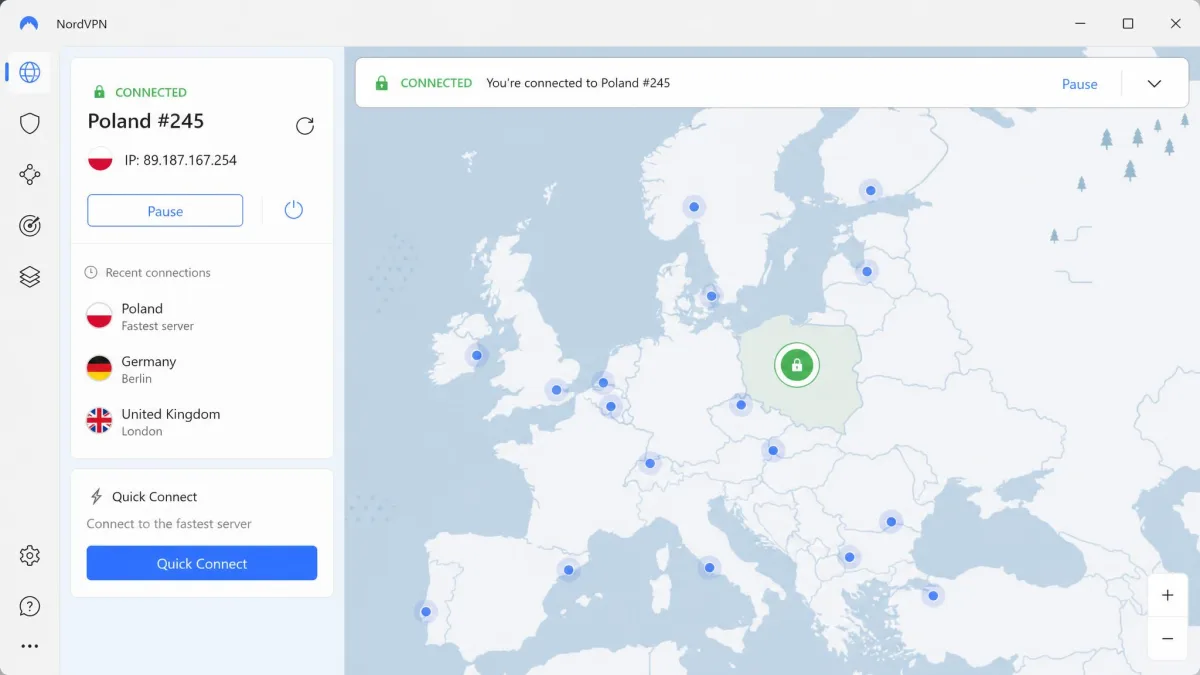
We found the apps straightforward to navigate on every platform we used, and NordVPN covers Windows, macOS, Linux, Android, iOS, Android TV and tvOS, with browser extensions and router setups too. On desktop, the server map looks good, but when we tried to reach a city-level server we had to keep zooming, so we switched to the list view, which is the more practical way to pick a location. On mobile, choosing a specific city hides behind a three-dot menu that we nearly missed. The desktop app also used a lot of memory at times. When we opened live chat, a bot answered first before a human agent took over, and the agents were quick and knowledgeable once we reached them. Meshnet, the feature that links your own devices into a private network, was slated to shut down on December 1, 2025, until NordVPN reversed the decision in September 2025 after user backlash.
Price and plans
NordVPN's Basic plan, which is the VPN on its own, costs from about $3.49 a month on the 2-year plan, billed up front. That promo moves with NordVPN's sales, so the monthly figure can shift by tens of cents week to week. The 1-year plan runs about $5 a month and the month-to-month rate is about $13 to $15. Higher tiers add extras like antivirus and a password manager, and those tiers cost noticeably more than rivals. A Dedicated IP add-on and Incogni data removal are available on top.
Renewal is where you need to pay attention. After the introductory term, the plan renews at a noticeably higher rate, and renewal charges land about two weeks before the term ends. That timing catches out people who plan to cancel on the last day. It is also the subject of a class action over automatic renewals filed on April 10, 2026, which alleges the renewal terms were hard to see and that the plaintiff paid $488.24 across three unwanted renewals. The case is pending. Every plan carries a 30-day money-back guarantee, and there is no free plan.

Pros and cons
Pros
- Six independent no-logs assessments since 2018
- Post-quantum encryption on every major platform
- Unblocks Netflix, Hulu, BBC iPlayer, Prime Video, Disney+ and HBO Max
- Threat Protection blocks ads, trackers and malware
- 10 simultaneous connections
Cons
- Renews at a noticeably higher rate, charged about two weeks early
- Antivirus sits behind pricier tiers
- Desktop map is fiddly for city-level servers
- Needs manual obfuscated setup in China
2. Proton VPN: best VPN for privacy
Proton VPN ties NordVPN on score and beats it on the privacy details that matter most to cautious users. Its apps are open source, its home is Switzerland, and it is the only service on this list with a free plan we would actually recommend. Where NordVPN leads on polish and streaming extras, Proton leads on transparency. Our full Proton VPN review walks through every tier, including the free one.
Speed and performance
Proton's speeds were uneven in a predictable way in our testing. Download speed held up well, at about 90 percent of the unprotected baseline on nearby servers, but when we connected to distant servers, upload speed fell away sharply. For streaming and browsing that barely matters, because both depend on downloads. If you upload large files or host video calls through a far-away server, you will notice the drop. Proton also includes its own VPN Accelerator speed feature, and the Smart protocol chooses a protocol for you automatically.
Privacy and security
Proton VPN launched in 2017 and is operated by Proton AG in Plan-les-Ouates, Switzerland, the same company behind Proton Mail. It made its apps open source on all platforms in January 2020, so anyone can inspect the code. On logging, Proton passed an independent no-logs audit by Securitum for the fifth consecutive year, covering 2022, 2023, 2024, 2025 and 2026, with the latest report added on June 16, 2026. The auditor found no evidence of logging of browsing activity, DNS queries, traffic or connection metadata that could identify a user.
Security features include a kill switch, the Stealth protocol for getting past VPN blocks, NetShield for blocking ads and malware on paid plans, and Secure Core, which routes traffic through hardened servers in privacy-friendly countries before it exits. NetShield does not block YouTube ads, so it is not a replacement for a browser ad blocker. For a closer look at the company's legal record and ownership, see our guide on whether Proton VPN is safe to use.
Streaming and unblocking
Proton VPN impressed us on paid plans. We went straight for Netflix Japan, a distant library that trips up most services, and it loaded without any server hopping. Amazon Prime Video, BBC iPlayer, Disney+, HBO Max and Hulu all unblocked the same way. The free plan does not support streaming at all, which is one of the main reasons to upgrade.
Apps and ease of use
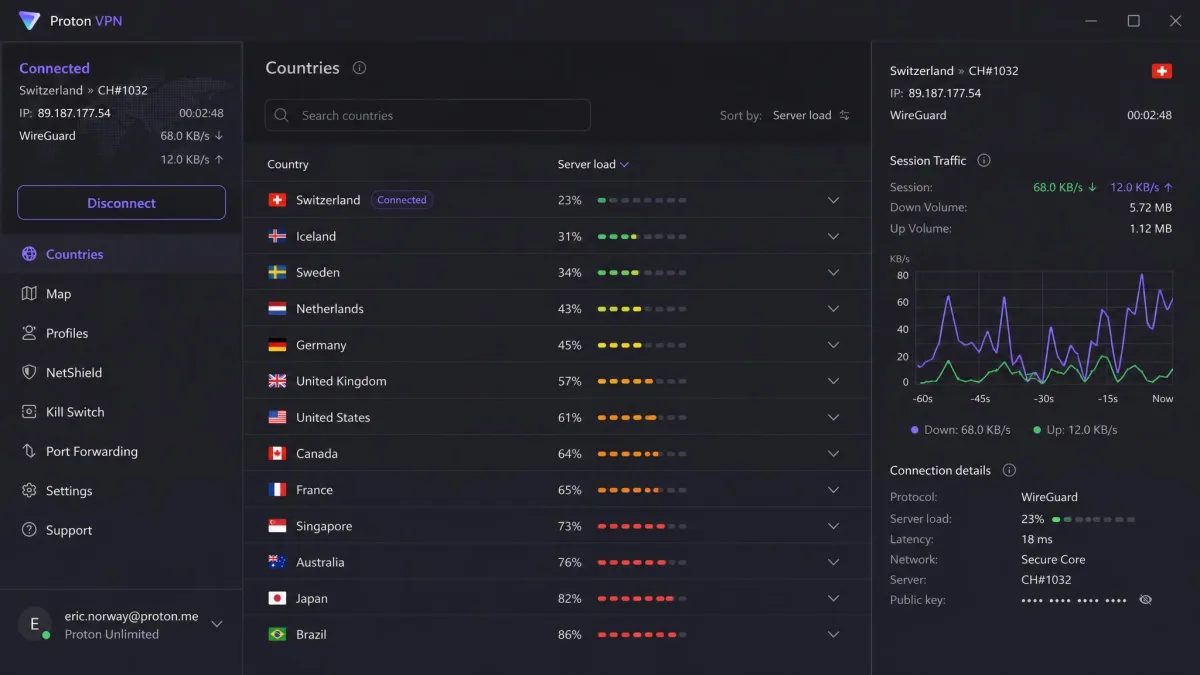
The desktop apps show server load and live connection data, which we leaned on when choosing between locations, and which power users will appreciate. Split tunneling, port forwarding and P2P servers are available on paid plans, and a new client called ProTUN reached beta on Android and Windows in mid-2026. Customer support was the weak spot in our testing. When we opened live chat, it took several minutes to get an answer, and our email questions took about two days to come back.
Price and plans
VPN Plus costs $9.99 on the month-to-month plan and $3.99 a month on the 1-year plan ($47.88). The 2-year plan runs from about $3 a month, although Proton's 2-year rate changes between sales. Proton reserves the right to change the rate between billing cycles, so check the renewal price at checkout before you commit to a long term. If you also want Proton Mail, Pass, Drive and Calendar, the Proton Unlimited bundle costs $7.99 to $12.99 a month depending on term.
Paid plans cover 10 devices and reach 20,000+ servers in 140+ countries. The 30-day money-back guarantee is prorated to the unused portion of your plan, which makes it less generous than a full refund. The free plan is covered under Best free VPN below.
Pros and cons
Pros
- Open-source apps on every platform
- No-logs audits five years running
- Swiss jurisdiction
- Unblocks distant Netflix libraries on paid plans
- Genuinely usable free plan with unlimited data
Cons
- Upload speed drops sharply on distant servers
- Slow live chat and email support
- Refund is prorated, not full
- NetShield does not block YouTube ads
3. ExpressVPN: best VPN for beginners
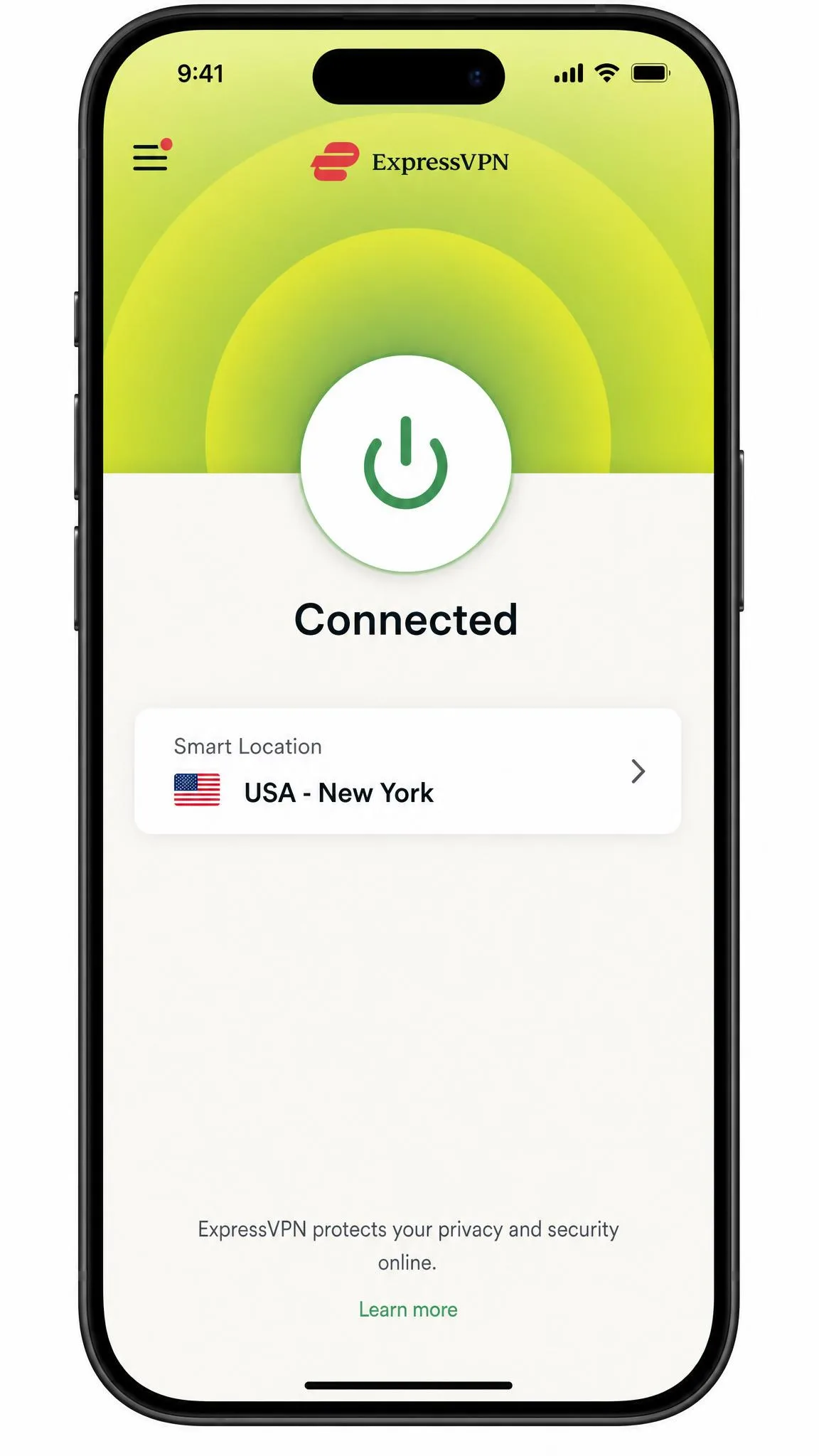
Where NordVPN and Proton VPN reward users who explore their settings, ExpressVPN is the service we would hand to someone who has never used a VPN. Its apps put almost everything behind one button, it has one of the longest audit histories in the industry, and its Lightway protocol is quick to connect. The trade-off, compared with the two services above it, is price. Our full ExpressVPN review goes deeper on each plan tier.
Speed and performance
Day to day, ExpressVPN was among the fastest services we tried, though rarely the single fastest. Connections completed quickly on Lightway, the protocol ExpressVPN rewrote in Rust, and speeds stayed strong on nearby servers. When we connected to far-away servers in Australia, South Africa and Singapore, speeds fell off noticeably, so if you regularly connect across continents, NordVPN is the more consistent choice.
Privacy and security
ExpressVPN was founded in 2009, is incorporated in the British Virgin Islands and has been owned by Kape Technologies since a September 2021 deal valued at $936 million. Its privacy claims have been checked many times. In a 2025 no-logs audit by KPMG, the auditor gave reasonable assurance on its TrustedServer setup and privacy-policy claims, with an assessment date of February 28, 2025 and publication on June 25, 2025. That brought ExpressVPN to 23 third-party audits published to date. There is also a real-world test on record: when Turkish investigators seized an ExpressVPN server in December 2017, they found no logs to aid their investigation.
TrustedServer means every server runs from RAM, so nothing persists after a reboot. Lightway supports post-quantum ML-KEM protection, though only on that protocol. Network Lock, the kill switch, did not throw a single false positive for us, and Threat Manager blocks trackers and malicious sites, although you cannot customize its blocklists. One flaw is worth knowing about: a Windows split-tunneling bug leaked some users' DNS requests from May 2022 until it was fixed in February 2024.
Streaming and unblocking
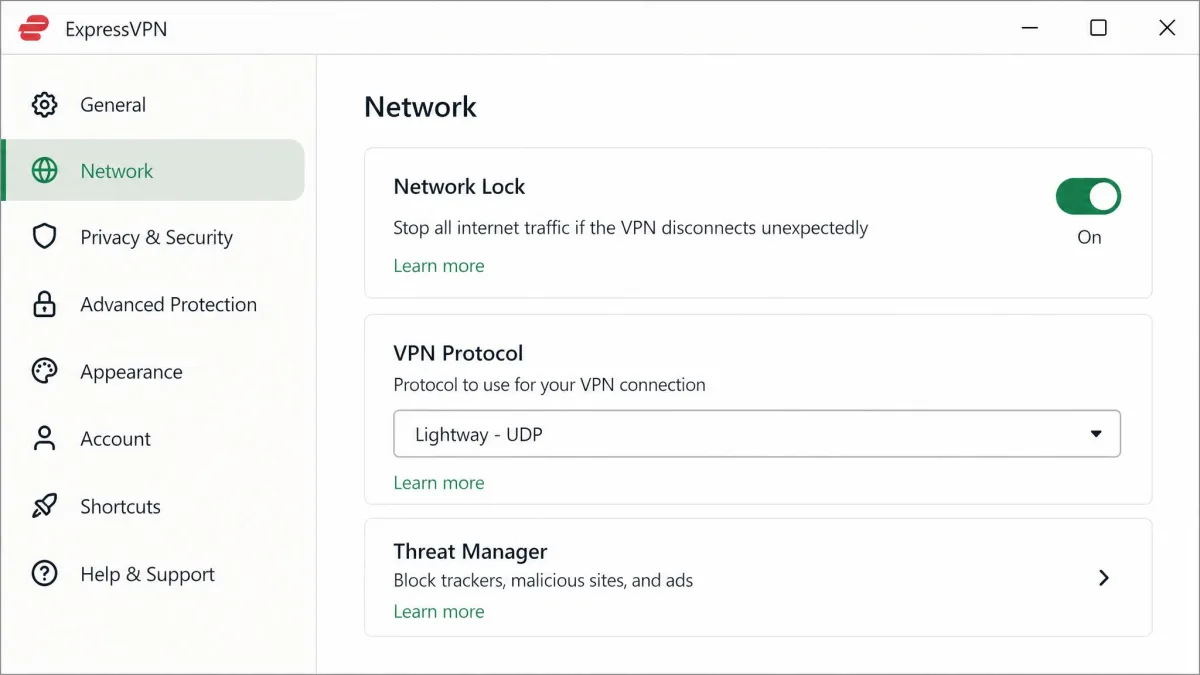
Netflix, BBC iPlayer, Hulu and Amazon Prime Video all unblocked for us across six continents. When Netflix did show us a proxy error, we simply reconnected, and that usually fixed it. MediaStreamer, ExpressVPN's smart DNS feature, extends streaming to devices that cannot run a VPN app, such as some game consoles and smart TVs, and the Aircove router covers every device on a home network.
Apps and ease of use
This is where ExpressVPN stands out. Its apps were among the most beginner-friendly we used, with a one-click connect button, quick server search and favorites, and mobile apps that mirror the desktop layout. Setup involved copying an activation code from checkout into the app after we downloaded it, and that was the only step that asked anything of us. Obfuscation runs automatically on all servers, so you do not need to find a special mode on restrictive networks. The limits show up at the edges: split tunneling works only on Windows and older macOS versions, and there is no dedicated IP option.
Price and plans
ExpressVPN now sells three tiers. Basic costs about $3 a month on the 2-year plan, billed for the first 28 months, although ExpressVPN changed this promo several times in 2026. Advanced costs $4.49 a month ($125.72 for 28 months) and Pro costs $7.49 a month ($209.72 for 28 months), with the higher tiers bundling a password manager, identity protection and eSIM extras. Basic covers 10 devices, Advanced 12 and Pro 14.
Price is the main drawback. ExpressVPN costs more than rivals for a similar core feature set, especially after renewal: plans autorenew at $99.95 a year for Basic, $119.95 for Advanced and $199.95 for Pro. There is no free plan, but a 7-day free trial is available through the mobile app stores, and new users get a 30-day money-back guarantee.

Pros and cons
Pros
- Simplest apps in this roundup
- 23 published third-party audits
- RAM-only TrustedServer infrastructure
- Automatic obfuscation on every server
- Streams from libraries across six continents
Cons
- Renews at $99.95 a year for Basic
- Split tunneling limited to Windows and older macOS
- No dedicated IP option
- Blocklists cannot be customized
4. Surfshark: best value VPN
Surfshark puts unlimited devices on every plan for less than any of the three services above it, and it keeps the streaming reach that the cheaper PIA lacks. It merged with NordVPN's parent company but runs separate infrastructure, and it feels like a leaner product in a few places. Our full Surfshark review has the details on each bundle.
Speed and streaming
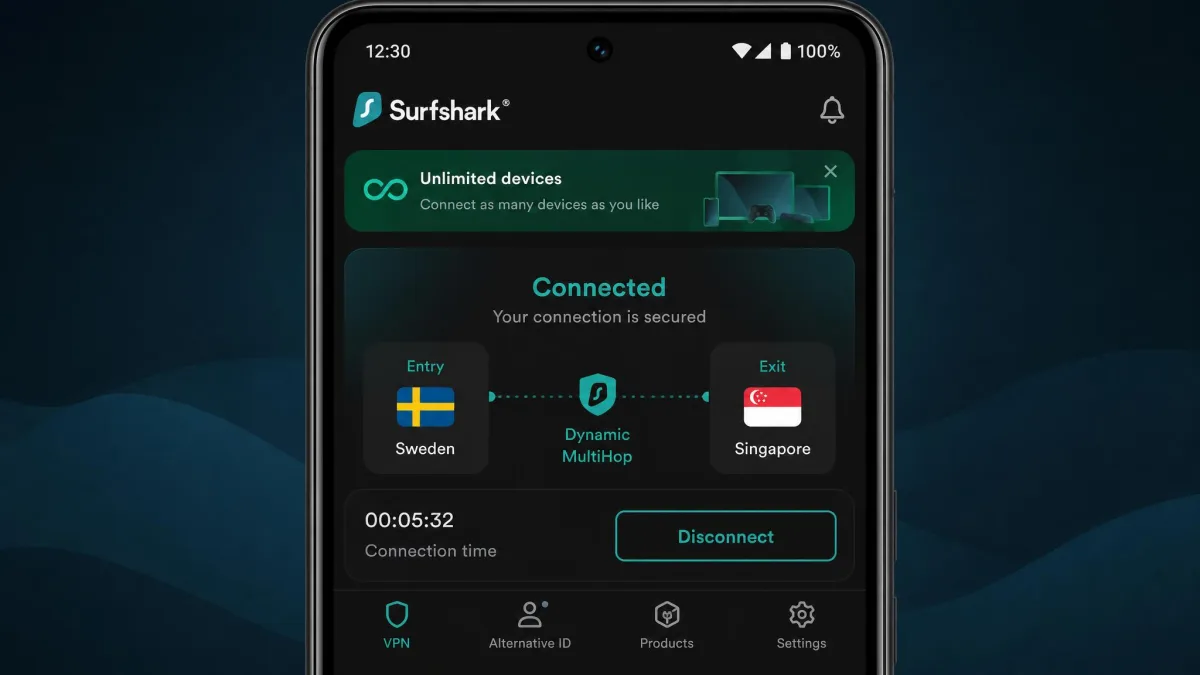
Setup was quick: going from download to a connected server took us under five minutes. Download speed loss on Surfshark was small in our testing, but upload speed can drop sharply, by as much as 80 percent on some servers. Latency also jumped even on nearby servers. We did not notice it while browsing or streaming, but it showed up in online gaming and video calls, so gamers are better served by NordVPN or ExpressVPN.
Streaming depends mostly on download speed, so Surfshark does well there. Netflix (several libraries), BBC iPlayer, Hulu and Amazon Prime Video all unblocked for us. Our streams took a moment to start, but once they were running they played without buffering. That is a solid result for a service at this price, even if NordVPN and Proton VPN unblock a wider range of services.
Privacy and security
Surfshark was founded in 2018 and moved from the British Virgin Islands to the Netherlands on October 1, 2021. Its merger with Nord Security was finalized in early 2022, but the two services run separate infrastructure. On logging, Deloitte re-verified its no-logs policy in 2025, following a first Deloitte check in 2023. Cure53 audited its infrastructure and its new Dausos protocol in 2026, and SecuRing completed an infrastructure audit in December 2025.
All 4,500+ servers run from RAM. WireGuard connections carry post-quantum protection, and the feature list includes a kill switch, CleanWeb for blocking ads and trackers, Dynamic MultiHop, Bypasser split tunneling and GPS spoofing on Android. Camouflage mode adds obfuscation on OpenVPN and gets through network restrictions such as school or office blocks, and NoBorders mode helps on restrictive networks. Surfshark is not guaranteed to work in China, though.
Apps and ease of use
The Windows and Android apps are the most complete. The macOS app lacks split tunneling and some features found on those platforms, so Mac users get a thinner version of Surfshark. Support is a strength. When we opened live chat, an agent answered in under a minute, and the answers were accurate. One caution comes with the unlimited device policy. Surfshark can suspend accounts it judges are shared beyond one household, so "unlimited" means your own devices, not your whole friend group.
Price and plans
Starter, the VPN-only plan, costs $2.49 a month on the 2-year plan ($67.23 for the first 27 months). Surfshark One, which adds Antivirus, Alert, Alternative ID and data removal, costs under $3 a month on the same term, and One+ costs more again. Month to month, Starter runs about $16. Surfshark does not print the renewal amount on its checkout page, but Starter renews at a noticeably higher yearly rate, around $79. Every plan includes a 30-day money-back guarantee, and servers cover 100 countries. PIA costs less on its 3-year plan, but Surfshark pairs unlimited devices with Hulu support and fast live chat, which is why it takes the value spot.
Pros and cons
Pros
- Unlimited devices on every plan
- Low entry price for an audited service
- Deloitte-verified no-logs policy
- Fast, accurate live chat
- Camouflage mode gets past school and office blocks
Cons
- Upload speed can drop by up to 80 percent
- Higher latency hurts gaming and calls
- macOS app lacks split tunneling
- Not guaranteed to work in China
5. Mullvad: best no-logs VPN for anonymity
Mullvad takes a different approach from every other service here: it tries not to know who you are at all. There is no email sign-up, no account name and no discount pricing, just a random account number and one flat fee. That makes it the best pick for anonymity, but it gives up streaming reliability and polish in exchange. Our full Mullvad review covers its privacy design in more detail.
Speed and streaming
In our testing, Mullvad's speeds were strong on nearby servers but fell away on intercontinental connections. Since January 15, 2026, when Mullvad fully removed OpenVPN, every connection runs on WireGuard. That simplifies the apps and keeps local connections quick, but it also means there is no fallback protocol if a network blocks WireGuard, so you rely on Mullvad's obfuscation settings instead.
Streaming was the weak spot. When we tried Netflix on US and UK servers, it was blocked some days and worked on the first try on others, while Max and Hulu failed every time. We also hit more CAPTCHA challenges than usual on websites while connected to Mullvad servers. If streaming is a priority, Mullvad is the wrong pick, and Proton VPN gives you similar privacy with far better unblocking.
Privacy and security
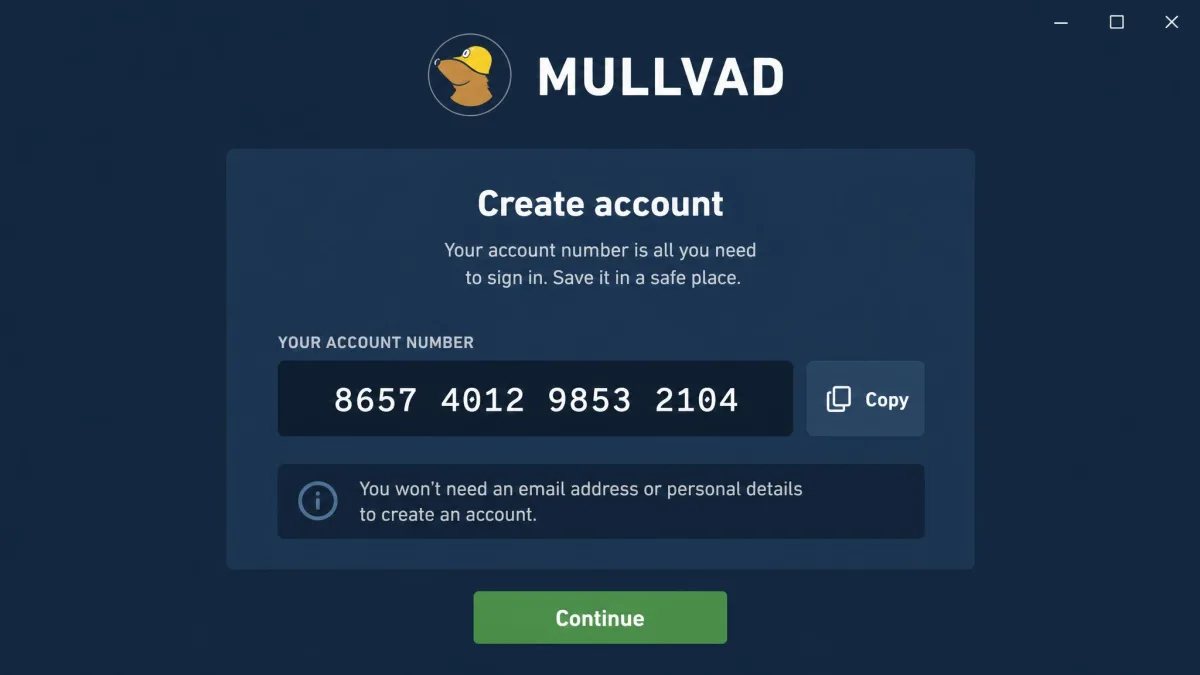
Mullvad was launched in March 2009 by Amagicom AB in Gothenburg, Sweden. Signing up took us seconds: we got a randomly generated 16-digit account number with no email, name or phone needed. You can even pay in cash, or with Bitcoin, Bitcoin Cash, Monero, bank wire, credit card, PayPal and several European bank methods.
The strongest evidence for its no-logs claim came from outside the company. On April 18, 2023, Swedish police searched Mullvad and found no customer data to take, and left with nothing. Mullvad's audit record backs that up. Cure53 completed its fourth infrastructure audit from June 3 to 14, 2024 and found no issue that could compromise user traffic anonymity or integrity. X41 D-Sec ran a white-box audit of the account and payment services in January 2026, Assured audited its GotaTun WireGuard engine in March 2026, and its Android app passed MASA assessments in March 2025 and June 2026.
The technical features are privacy-first too. Mullvad offers quantum-resistant tunnels, multihop, a kill switch with a stricter Lockdown Mode, DNS content blocking and RAM-only servers. DAITA pads packets to equal size and injects random traffic, which makes it harder for AI-based traffic analysis to guess what you are doing. In our checks, the kill switch and Lockdown Mode held, and our DNS and WebRTC leak tests came back clean.
Apps and ease of use
The apps for Windows, macOS, Linux, Android and iOS looked dated next to rivals, and with no smart or fastest-server option we ended up browsing the server list ourselves every time we connected. There are no smart TV apps, the only browser extension is for Firefox, and split tunneling is not available on macOS or iOS. P2P traffic is allowed on all servers. Support is email only, with no live chat, though the help guides are well written.
Price and plans
Mullvad charges a flat €5 a month, including VAT, for any length of time, which works out to about $6 depending on the exchange rate. There are no sales or holiday discounts, although paying with accepted cryptocurrencies earns a 10% discount. Because the fee never drops on longer terms, Mullvad costs more over two years than discounted rivals. The other side of that is honesty: there is no renewal jump to watch for. One account covers up to 5 devices, and there is a 14-day money-back guarantee, except on cash payments because of anti-money-laundering rules.

Pros and cons
Pros
- No email or personal details needed
- Flat price with no renewal increase
- No-logs claim proven during a 2023 police search
- Accepts cash and cryptocurrency
- DAITA defends against traffic analysis
Cons
- Streaming is unreliable
- Dated apps with no fastest-server option
- Email-only support
- Only 5 devices per account
6. Private Internet Access: best for power users
Private Internet Access, usually shortened to PIA, is the tinkerer's pick. Where ExpressVPN hides its settings to keep things simple, PIA exposes nearly all of them, from encryption choices to kill switch modes. It also pairs unlimited devices with the lowest long-term price of our six picks. Our full PIA review explains each advanced setting.
Speed and performance
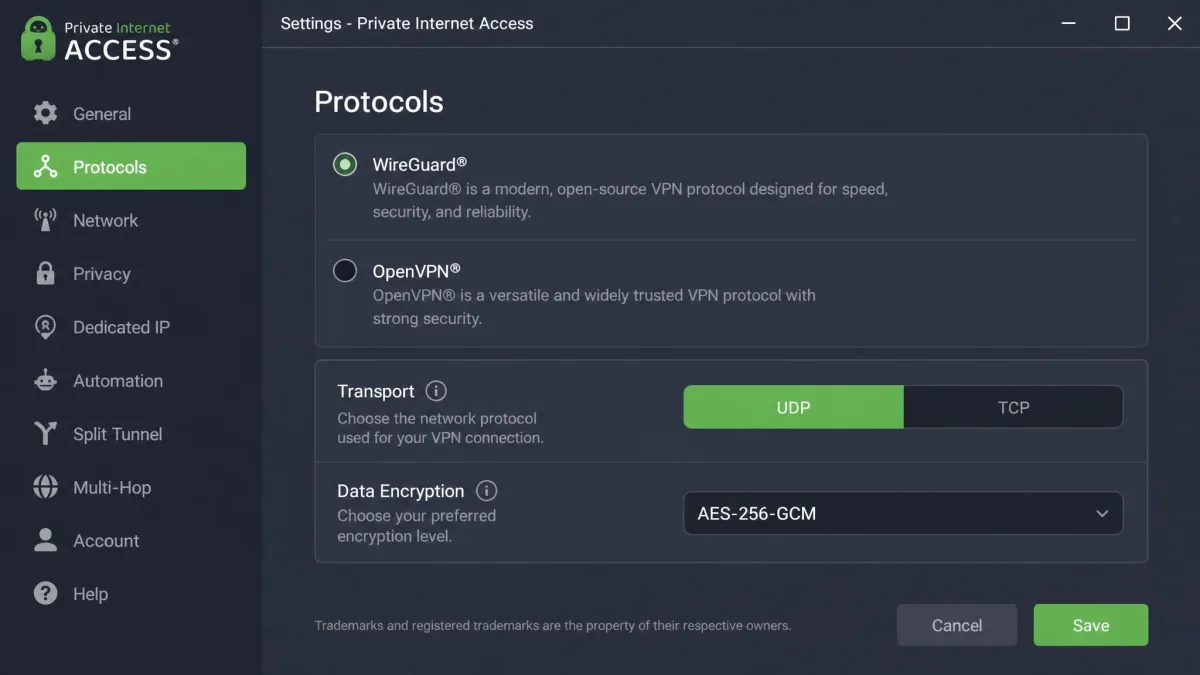
In our testing, PIA's US download speeds were competitive, but upload speeds were inconsistent and sometimes dropped sharply. For browsing and streaming, the download side is what counts. You can also switch between WireGuard and OpenVPN with UDP or TCP, which helps when a network throttles one type of connection.
Privacy and security
PIA was founded in August 2010 and was acquired by Kape Technologies on November 18, 2019, in a $95 million deal. That makes it a sister brand of ExpressVPN and CyberGhost. PIA is based in the US, a Five Eyes country, so its audits and transparency reports carry more of the privacy weight than its jurisdiction does. Its no-logs infrastructure has been audited by Deloitte three times under ISAE 3000 (Revised): in June 2022, in its 2024 security audit in April of that year, and in a third review completed in 2025 and published on February 24, 2026. Its transparency reporting adds real-world evidence: PIA received 30 legal data requests in Q4 2025 and produced no user data.
The desktop and Android apps are open source under GPLv3, and the iOS app under MIT. Servers run from RAM, and the security settings include standard and advanced kill switch modes, Shadowsocks multi-hop obfuscation, MACE for blocking ads and trackers, and port forwarding.
Streaming and unblocking
Netflix unblocked for us across multiple regions. Netflix UK and Germany, Amazon Prime Video, HBO Max and BBC iPlayer played in HD, but when we moved on to Disney+ and Hulu, neither would load, and Netflix Japan was too slow to use. That makes PIA fine for the big Netflix libraries but a weaker choice than NordVPN or Proton VPN if you watch across many services.
Apps and ease of use
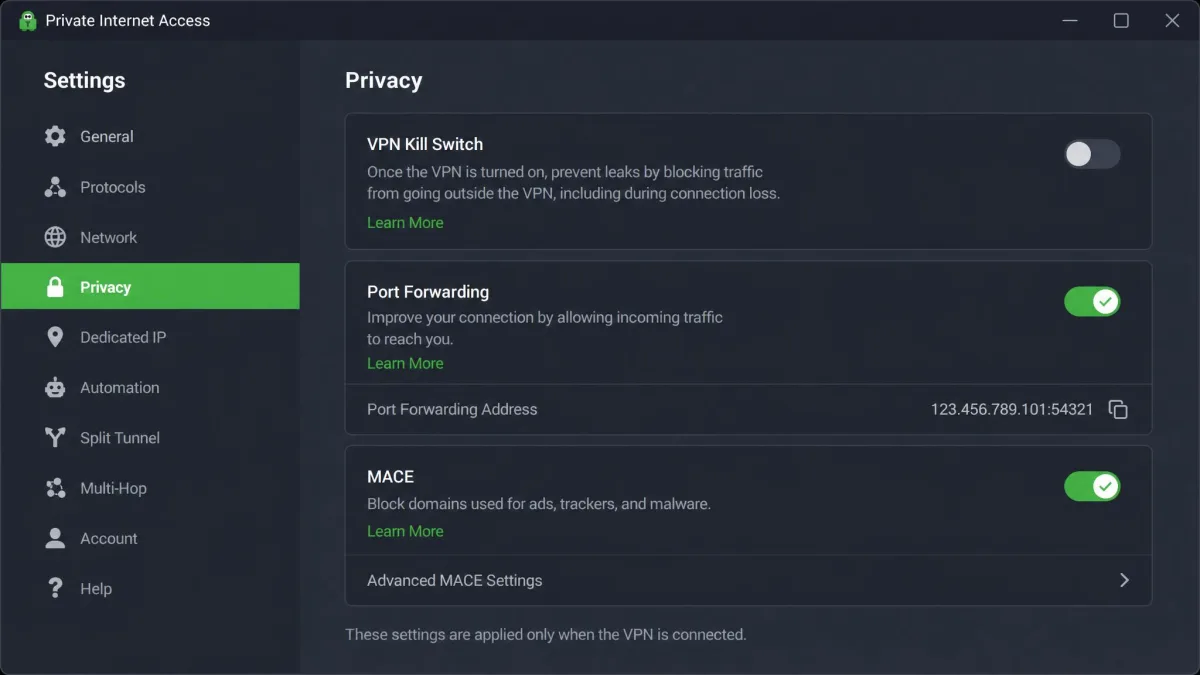
The settings go deep, with kill switch modes, protocol and encryption choices and inverse split tunneling, while the main screen stays simple. The iOS app lacks split tunneling and obfuscation, so iPhone users get a narrower version. On Windows, the app pinned itself to the system tray by default, and we had to change a setting to undo it. Live chat was inconsistent for us, answering in under a minute on one visit and slowly on another, and PIA can struggle in countries with active VPN blocking, such as the UAE.
Price and plans
PIA costs about $2 a month on the 3-year plan with 3 extra months ($79 up front), and that plan autorenews at $79 every 3 years, so there is no renewal jump. The 1-year plan costs $3.99 a month ($47.88) and autorenews at $47.88 a year. The monthly plan is $11.95. Every plan includes unlimited simultaneous devices, servers in 91 countries including all 50 US states, and a 30-day money-back guarantee for new subscribers (app-store purchases follow store terms). A token-based dedicated IP is available as an add-on.

Pros and cons
Pros
- Lowest long-term price, with no renewal jump on the 3-year plan
- Unlimited devices
- Deep settings for advanced users
- Three Deloitte no-logs audits
- Port forwarding and open-source apps
Cons
- Disney+ and Hulu fail to load
- Inconsistent upload speeds
- iOS app lacks split tunneling and obfuscation
- Struggles in countries that block VPNs
Best VPNs compared
The first table covers cost and plan limits, the part of a VPN purchase that changes most after sign-up. The second covers who runs each service, how recently its no-logs claim was checked and how it performs.
| Product | Buy | Long-plan price | Renewal | Devices | Money-back / free plan |
|---|---|---|---|---|---|
|
Check price → | About $3.49/mo(2-year) | Noticeably higher | 10 | 30-day; no free plan |
|
Check price | About $3/mo(2-year) | Check at checkout | 10 (1 on Free) | 30-day prorated; free plan |
|
Check price | About $3/mo(2-year Basic) | $99.95/yr (Basic) | 10 to 14 by tier | 30-day; 7-day mobile trial |
|
Check price | $2.49/mo(2-year Starter) | Around $79/yr (Starter) | Unlimited | 30-day; no free plan |
|
Check price | €5/moflat | No change | 5 | 14-day (not cash); no free plan |
|
Check price | About $2/mo(3-year) | $79 every 3 years | Unlimited | 30-day; no free plan |
| Product | Buy | Jurisdiction | Latest no-logs audit | Server countries | Speed and streaming |
|---|---|---|---|---|---|
|
Check price → | Panama | Deloitte, tested late 2025 (6th) | Well over 100 | Small speed loss; all major services |
|
Check price | Switzerland | Securitum, 2026 (5th yearly) | 140+ | Strong downloads; all major services (paid) |
|
Check price | British Virgin Islands | KPMG, 2025 | 113 (vendor count) | Fast nearby; all major services |
|
Check price | Netherlands | Deloitte, 2025 | 100 | Upload drops; Netflix, iPlayer, Hulu, Prime |
|
Check price | Sweden | Cure53 infrastructure, 2024 | About 50 | Fast nearby; streaming hit or miss |
|
Check price | US (Kape-owned) | Deloitte, published 2026 (3rd) | 91 | Fast US downloads; Disney+ and Hulu fail |
Server counts shift often. NordVPN has added locations quickly and counts differ on whether virtual locations are included, ExpressVPN expanded its list during 2026 so older counts undercount it, and Mullvad's live list of about 570 servers changes as locations are added or retired.
Other VPNs we considered
CyberGhost came closest to making the list. It costs $2.19 a month on the 26-month plan ($56.94 up front), offers a 45-day money-back guarantee on its 6-month and 26-month plans (14 days on the monthly plan), covers 7 devices and has servers in 100 countries. It completed its third no-logs audit in 2025. It missed out because the services above it either cost about the same with more devices or offer stronger privacy for a similar price. Our CyberGhost review covers it in full.
Ownership is worth knowing about when you compare these brands. Kape Technologies owns ExpressVPN, Private Internet Access and CyberGhost, while Nord Security owns NordVPN and Surfshark, which run separate infrastructure. We have also published full reviews of IPVanish and Windscribe if you want to compare beyond these six.
Several of the biggest VPN brands share an owner. That does not make them the same product, since each runs its own apps, servers and audits, but it is useful context when two "competing" services look suspiciously similar.
Best VPNs by use case
The overall ranking favors balance. If you have one specific job for a VPN, a different pick from the list may suit you better.
Best VPN for streaming
NordVPN and Proton VPN are the two most reliable streaming picks, because both unblock Netflix, Hulu, BBC iPlayer, Prime Video, Disney+ and HBO Max. Proton VPN edges ahead on distant libraries, reaching Netflix Japan without server hopping, but only on a paid plan. ExpressVPN is a good choice if you also want to stream on a console or smart TV through MediaStreamer. We rank more services by library and platform in our guide to the best VPN for streaming.
Best VPN for torrenting
Private Internet Access is our torrenting pick. Port forwarding improves peer connections, and advanced kill switch modes stop leaks if the tunnel drops. Proton VPN offers port forwarding and P2P servers on paid plans, and Mullvad allows P2P on every server. Our full ranking of the best VPN for torrenting covers client binding and setup.
Best VPN for gaming
Latency matters more than raw speed in games, so we would avoid Surfshark for competitive play because its latency jumps even on nearby servers. NordVPN's small speed loss on nearby servers makes it the safest gaming choice, and ExpressVPN's quick Lightway connections suit players who switch regions often. Our guide to the best VPN for gaming goes into ping and routing.
Best VPN for your device
Every pick here covers Windows, macOS, Android and iOS, but the quality differs by platform. Surfshark's macOS app lacks split tunneling, PIA's iOS app lacks split tunneling and obfuscation, and Mullvad has no smart TV apps. NordVPN has the widest spread, including Android TV, tvOS and routers. For platform-specific rankings, see our picks for the best VPN for PC, the best VPN for Android, the best VPN for iPhone and the best VPN for Mac.
Best free VPN
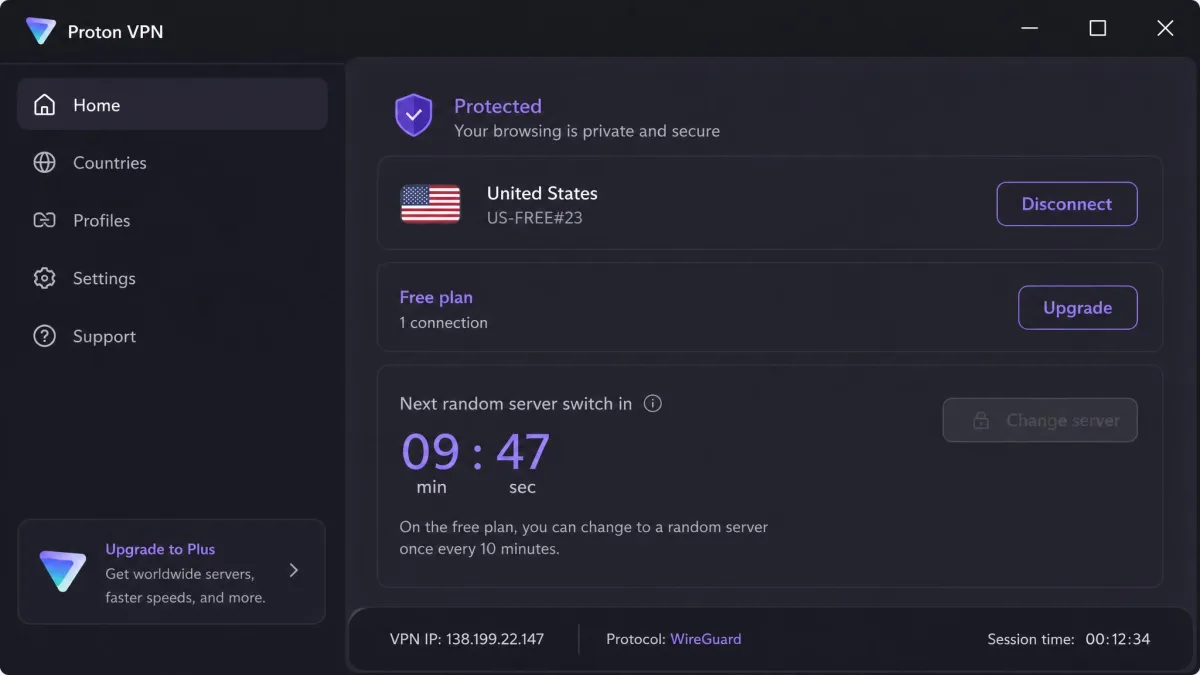
Proton VPN's free plan is the only free tier we recommend. It has unlimited data, no ads and no credit card requirement, and it still includes the Stealth protocol and a kill switch. The limits are real restrictions, not upsell nags: servers in 10 countries chosen at random, 1 device, medium speed, and no streaming, P2P or split tunneling. You also cannot choose a country, because Change server picks a random free location with a cooldown between switches, and free servers get crowded at peak hours, which slows page loads and video. We compare the other free options in our roundup of the best free VPN services.
How we rank VPNs
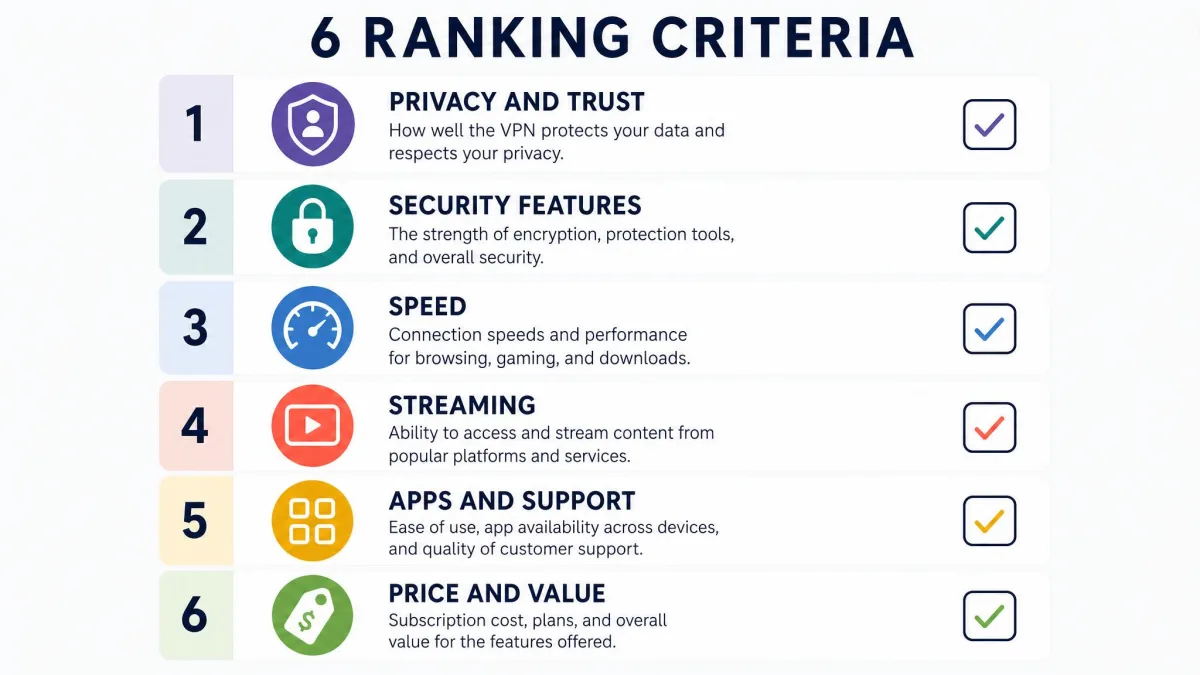
Every score on this page comes from our full review of that provider, and the numbered order follows those scores. NordVPN and Proton VPN tie at 9.0, so we placed NordVPN first for its wider platform coverage and extra features, and gave Proton VPN the privacy label it earns with open-source apps and Swiss jurisdiction.
Our hands-on checks focused on the areas where VPNs differ most in daily use. We connected to nearby servers and then to distant ones to see how much download and upload speed each gave up, and we paid attention to latency on video calls and games. We worked through the major streaming services, noting which loaded first time, which needed a reconnect and which would not load at all. We checked kill switch behaviour, installed the apps on desktop and mobile to see which features went missing on macOS or iOS, contacted support to see how fast a human answered, and priced every plan through to the renewal rate.
Those checks feed the scores, weighed in this order:
- Privacy and trust: whether the no-logs policy has been independently audited, how recently, and whether a real-world event such as a server seizure or police search has tested it.
- Security features: how the kill switch behaved, whether leak tests came back clean, plus obfuscation, RAM-only servers, post-quantum support and any past leaks or breaches.
- Speed: how much download and upload speed each service gave up on nearby and distant servers, plus latency for gaming and calls.
- Streaming and unblocking: which major services unblocked and how consistently.
- Apps and support: how easy the apps were to use across platforms, which features went missing on some systems, and how fast support answered.
- Price and value: the long-plan price, the renewal price, device limits and refund terms.
We do not rank on server count alone. A service with fewer, well-maintained servers can beat one with a huge list, and the counts vendors publish often include virtual locations.
What is a VPN and do you need one?
Every pick above does the same basic job: a virtual private network sends your internet traffic through an encrypted tunnel to a server run by the VPN company. Websites and apps see the server's IP address instead of yours, and your internet provider or the operator of a public Wi-Fi network sees only encrypted data going to that server, not the sites you visit. Our explainer on how a VPN works goes further into protocols and tunnels.
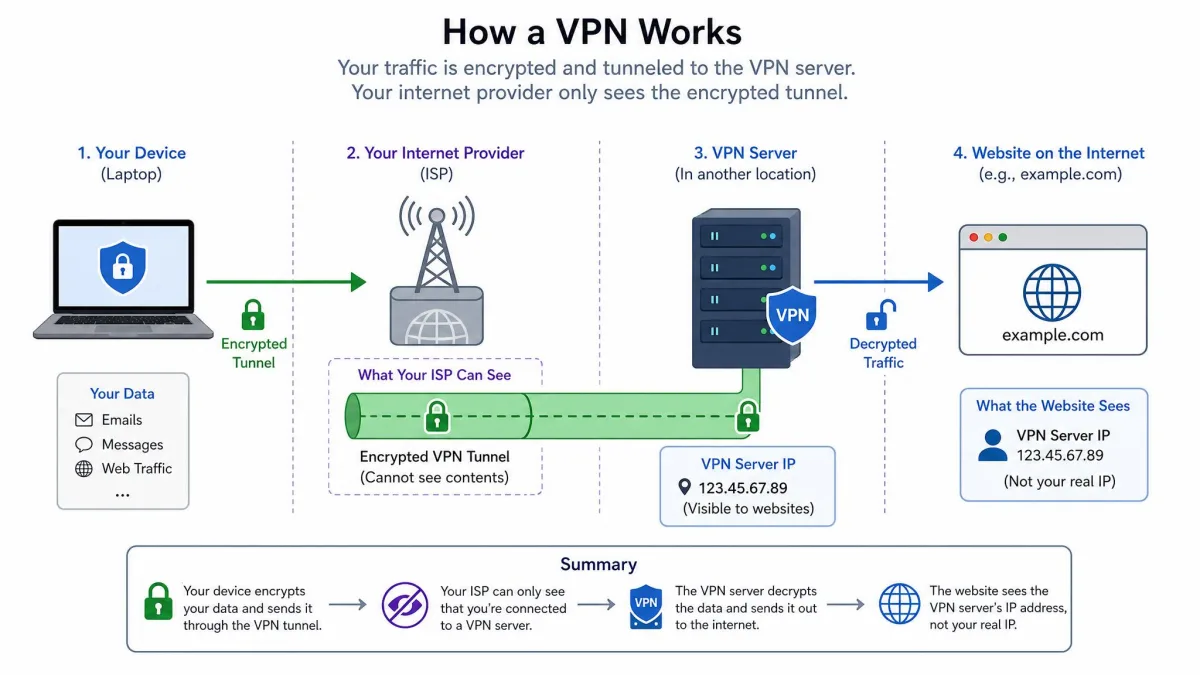
That makes a VPN useful in a few specific situations. It protects your browsing on public Wi-Fi in cafes, hotels and airports. It hides your activity from your internet provider. It lets you reach content that is blocked or geo-restricted where you are, such as a streaming library from home while you travel, and it can help get around censorship on restrictive networks. For torrenting, it keeps your real IP address out of public peer lists.
A VPN does not make you anonymous on its own. If you log in to Google or Facebook, those services still know who you are, and cookies and browser fingerprinting still work. It also does not replace antivirus, although several services here include ad and malware blocking. If all you do is browse sites over HTTPS on your home connection, you get less from a VPN than someone who travels, streams across regions or uses public Wi-Fi often.
How to choose the right VPN
The right VPN is the one that is strongest on the criteria you care about most. These are the checks worth running before you pay.
Privacy and logging policy
Read what the VPN says it logs, and look for a clear statement that it does not keep browsing history, DNS queries, traffic or connection timestamps tied to your account. Every service on our list makes that commitment. Be wary of free services that do not explain how they pay for their servers, because your data is often the answer.
Independent audits and jurisdiction
A no-logs promise is worth more when an outside firm has checked it. Look for audits by recognized firms, such as Deloitte, KPMG, PwC, Securitum or Cure53, and check the date: a single audit from years ago says little about how a service runs today. Jurisdiction matters less than audits, but a home country outside the Five Eyes and other intelligence-sharing alliances, such as Switzerland or Panama, adds a layer of legal protection.
Speed
Every VPN slows your connection a little, because your traffic travels farther and gets encrypted on the way. What matters is how much. On nearby servers, the best services lose only a few percent of download speed. Look at upload speed and latency too if you game, upload large files or take video calls, because some services that download quickly still lose most of their upload speed or add noticeable lag.
Streaming and unblocking
Streaming services actively block VPN IP addresses, so unblocking changes over time. Check which specific services and regions a VPN reaches rather than trusting a generic "works with Netflix" claim. A service that unblocks one Netflix library may fail on another, and many fail on Disney+ or Hulu.
Device support and simultaneous connections
Count every device you want to protect, including phones, tablets, laptops, TVs and consoles. Device limits on our list range from 5 on Mullvad to unlimited on Surfshark and PIA. Check that each platform you use gets the full app, because features such as split tunneling and obfuscation are often missing on macOS or iOS. A router setup covers devices that cannot run a VPN app.
Price and money-back guarantee
Long plans are much cheaper per month than monthly billing, but the introductory price is rarely the price you pay forever. Look up the renewal rate before checkout, and note when the renewal charge lands. Money-back guarantees vary too: most services on our list offer 30 days, Mullvad offers 14, and Proton's refund is prorated to the unused portion of your plan.
Take the long plan for the lowest monthly price, but find the renewal price before you pay and set a reminder a few weeks before the term ends. Some services charge the renewal about two weeks early, and the renewed rate can be more than double the introductory one.
Are free VPNs as good as paid VPNs?
Proton's free plan above is the exception, not the rule: most free VPNs are not as good as paid ones, and the gap is bigger than speed. Running a VPN costs money in servers and bandwidth, so a free service has to cover those costs somehow. The trustworthy free plans are limited versions of a paid service, funded by paying customers. Many other free VPNs are funded by ads, by selling data or by pushing you to upgrade through strict data caps.
Even a good free plan has trade-offs. Proton VPN's free tier, the strongest on this list, still carries the limits covered under Best free VPN above. For occasional use on public Wi-Fi, that is enough. For streaming, torrenting or protecting a whole household, a paid plan from about $2 to $3.50 a month is worth it.
Avoid free VPNs that do not say how they pay for their servers, show ads inside the app or ask for broad device permissions. A VPN can see all your unencrypted traffic, so a service that makes money from data is the worst kind of company to hand it to.
Can you trust a VPN's no-logs policy?
Every service above makes a no-logs promise, but you cannot verify one yourself, so trust has to come from evidence. There are three kinds worth weighing, in rising order of strength.
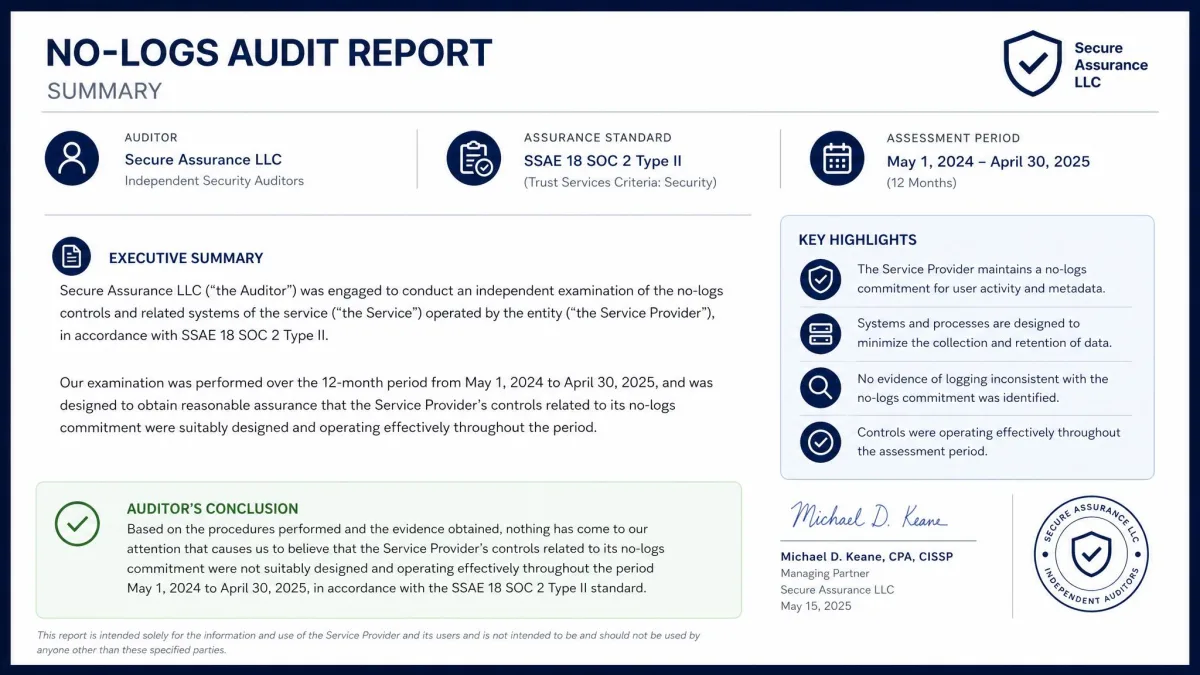
The first is the written policy. It tells you what the company promises, but it is only a promise. The second is an independent audit, where a firm such as Deloitte, KPMG or Securitum examines servers, configurations and procedures and reports whether the company's claims hold. Audits are strong evidence, but they are paid for by the VPN and cover a set window of time, which is why repeated audits count for more than a single one. NordVPN's six assessments since 2018 and Proton VPN's five consecutive years of Securitum audits show that kind of consistency.
The third and strongest kind is a real-world test, where authorities demand data and the VPN has none to give. Mullvad's 2023 police search, ExpressVPN's server seizure in Turkey in 2017 and PIA's 30 legal requests in Q4 2025 with no user data produced all fall into this category. RAM-only servers help here too, because data that is never written to disk cannot be recovered from a seized machine. A VPN that combines regular audits, RAM-only servers and a clean record under legal pressure has earned as much trust as any provider can.