TotalAV VPN is the encrypted-tunnel feature that ships alongside TotalAV's antivirus suite. It is sold as an add-on to a TotalAV package rather than as a standalone product, so you buy it as part of a security bundle. The app is design-led and simple, aimed at first-time VPN users who want privacy without a settings menu full of jargon. It handles the basics: it encrypts your connection, hides your IP address, and gives you a short list of countries to route through.
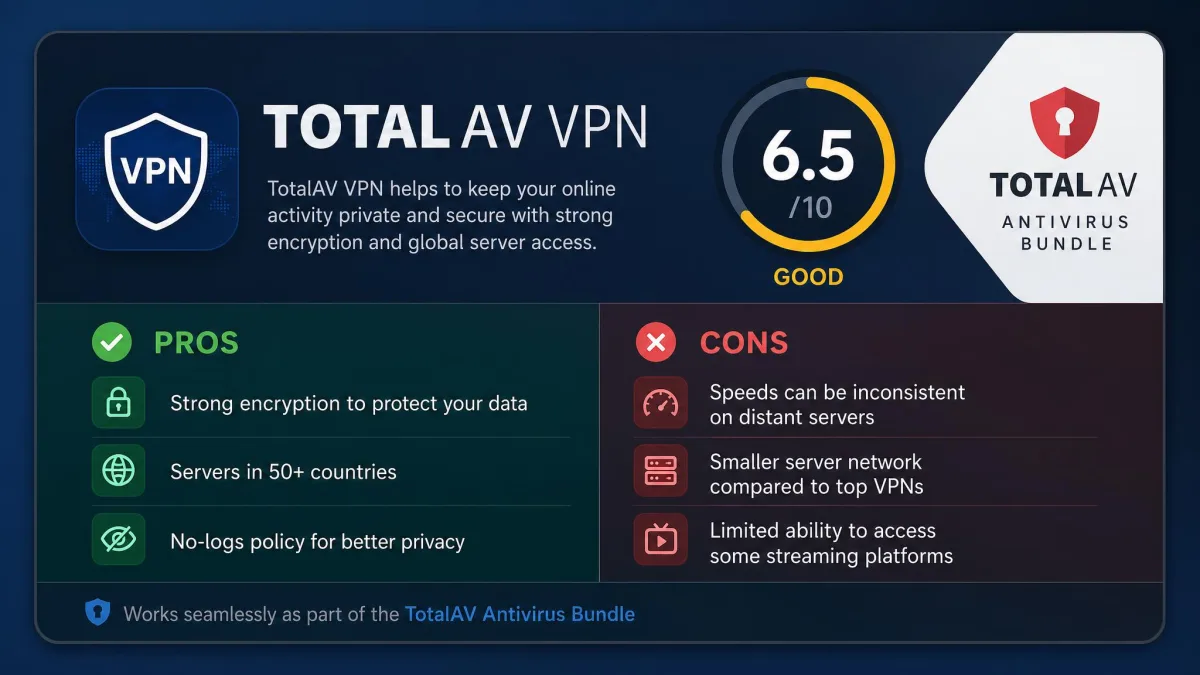
Here is the one-minute verdict. At around $3.25 a month for the first year, TotalAV VPN looks cheap, and for casual browsing it does the job. The value case weakens once you factor in the renewal price, the small server network, and the UK jurisdiction. It is worth it as a convenience layer bolted onto antivirus you already want. It is not worth buying the bundle for the VPN alone when standalone services cost the same and do more. Our rating is 6.5 out of 10.
We ran TotalAV VPN through our standard speed, leak, and streaming tests across Windows, macOS, Android, and iOS. The pattern was consistent: the app is easy to live with, but upload speeds and the feature set thin out fast the moment you push past casual use.
What Is TotalAV VPN? (and the Two-Version Situation)
TotalAV VPN is the virtual private network built into TotalAV, the antivirus brand from UK-based Total Security Limited. When you route traffic through it, the service encrypts your connection and swaps your real IP address for one from a server in another country. That is the standard job of any VPN, and TotalAV covers it without asking much of you.
The naming causes real confusion, so it is worth clearing up first. You will see the product called both "TotalAV VPN" and "Total VPN" depending on where you look. They point at the same underlying service, marketed under slightly different names. The important distinction is not the name but the packaging: the VPN is sold as an add-on inside a TotalAV plan, not as a separate app you can buy on its own.
That bundle-first approach shapes everything about the product. TotalAV built the VPN to sit next to its antivirus, and in our testing it works best in that role. It is a privacy convenience for people who already want the security suite, not a security solution meant to stand alone. That is not a knock on the engineering so much as a description of the product TotalAV chose to build. The company optimized for the buyer who wants one login, one app, and one bill covering both antivirus and a VPN, and it accepted a smaller feature set as the cost of that simplicity. If you are shopping for a VPN first and antivirus second, that framing matters, and we will come back to it in the verdict.
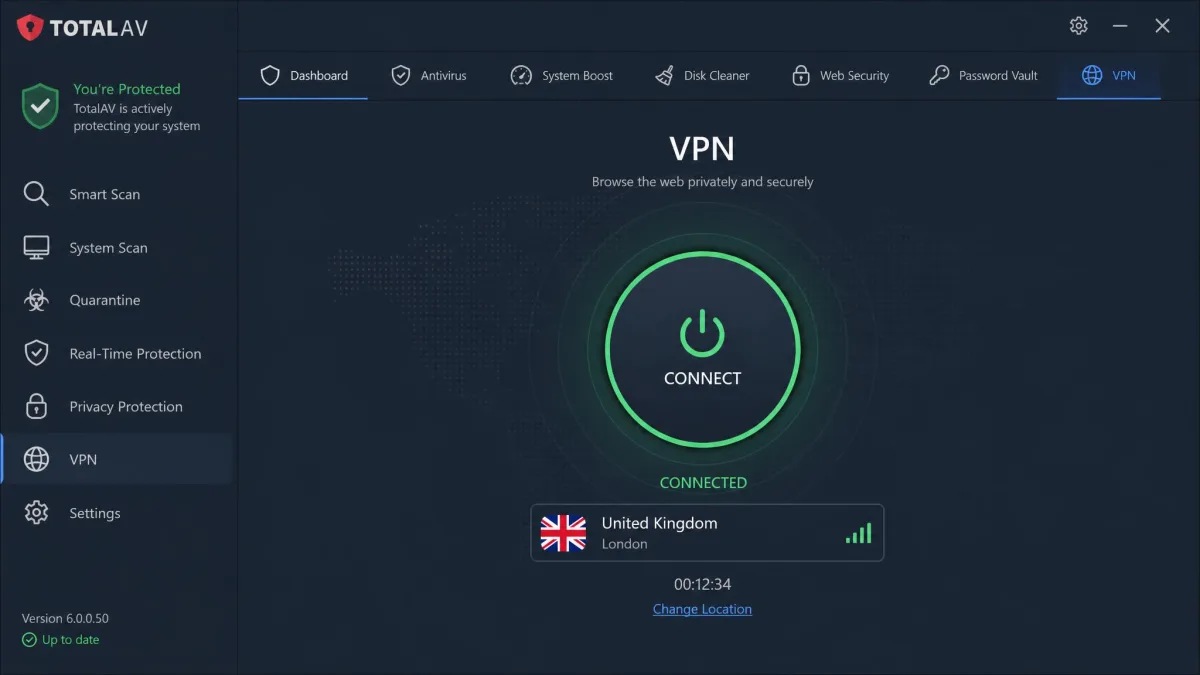
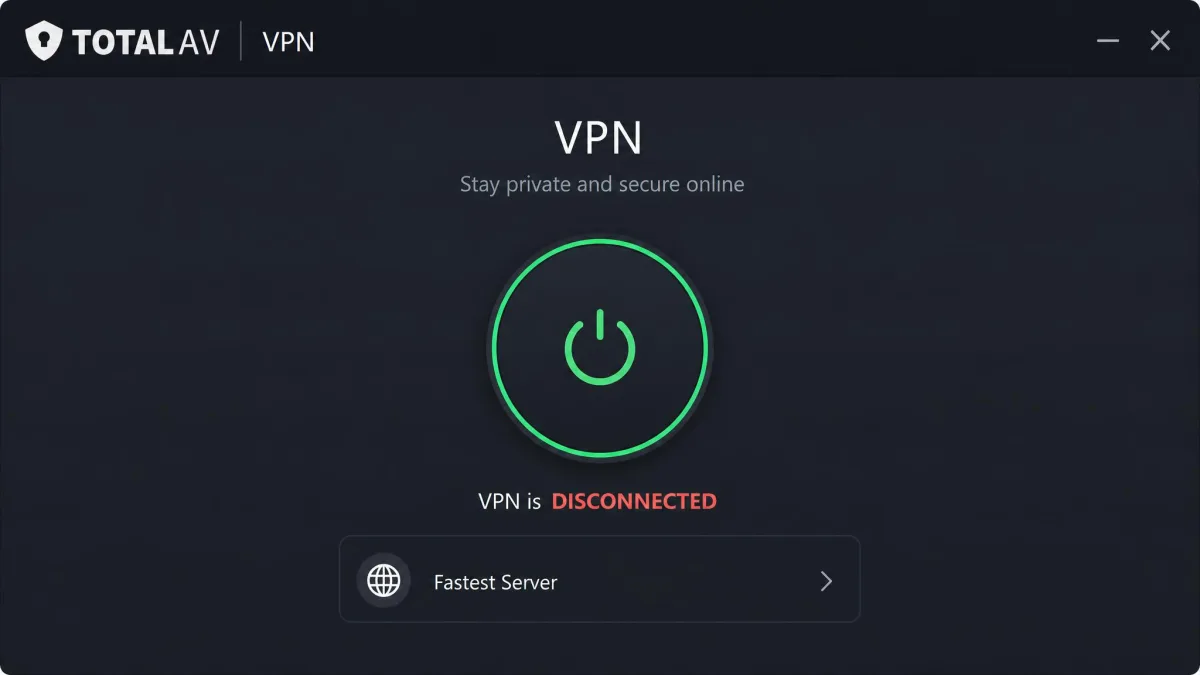
The app itself is clean and beginner-friendly. A single large button connects you to the fastest available server, and a country list lets you pick a specific location. There is no wall of protocol toggles or advanced networking options, which is deliberate. TotalAV wants the first-time user to feel at home, and on that narrow goal it succeeds.
Pricing & Plans
Pricing is where TotalAV VPN first looks attractive and then gets complicated. The headline number is genuinely low, but the structure around it deserves a close read before you commit.
First-Year Price vs Renewal Cost
The bundle that includes the VPN starts at roughly $39 for the first year, which works out to about $3.25 a month. That is competitive with the cheapest names in the category, and it is the number the marketing leans on. For twelve months, you get antivirus plus the VPN for the price of a single budget service.
Comparing that first-year figure against standalone VPNs makes it look like a bargain, and on a strict monthly basis in year one, it is. The important word is year. TotalAV prices the bundle the way most security suites do, with a deep introductory discount that resets to full price the moment the first term ends. Read the offer as a twelve-month promotion rather than a permanent rate, and the pricing stops feeling misleading.
The exact renewal figure is the moving part. TotalAV does not lock a single renewal number across every plan, and the dollar amount you land on will depend on your plan tier and whatever promotion is running when your term ends. What is stable across sources is the shape of the jump rather than any one figure, so budget for a materially higher second-year charge and confirm your own renewal number in your account before the term closes.
The introductory price is a first-year rate. On renewal it roughly triples, landing near $129.99 per year, though the exact figure varies by plan tier and promotion, so the second year costs far more than the headline $3.25 a month. Set a calendar reminder before your renewal date so the higher charge does not surprise you.
Bundling With TotalAV Antivirus
You cannot buy TotalAV VPN by itself. It comes only as an add-on to a TotalAV antivirus package, which is the single most important fact about its value. If you want the antivirus anyway, the VPN is a low-cost extra that rounds out the suite. If you do not, you are paying for security software you may not need just to reach the VPN.
That bundling is not automatically a bad deal. Plenty of people want antivirus and a VPN together, and buying both from one vendor is tidy. We cover the trade-offs of that approach in our guide to the best antivirus with a VPN, which is worth a read if a combined suite is what you are after. Just go in knowing the VPN is a passenger in the antivirus purchase, not the driver.
Free Trial & Money-Back Guarantee
There is no standalone free trial for the VPN. The antivirus side of TotalAV has offered free tiers and trial access at various points, but the VPN itself is not something you can sample for free before buying. To try it, you buy the bundle.
What protects you instead is a 30-day money-back guarantee. That gives you a month to run the VPN through your own tests, and if it does not perform on your connection or your streaming services, you can request a refund. We would treat that window as your real trial: install it, test the servers and platforms you actually care about, and decide before the 30 days close.
Features
The feature set is where TotalAV VPN shows its budget, beginner-first design most clearly. The essentials are present, but several tools that experienced users treat as standard are either missing or limited to certain platforms. Here is what you actually get.
VPN Protocols
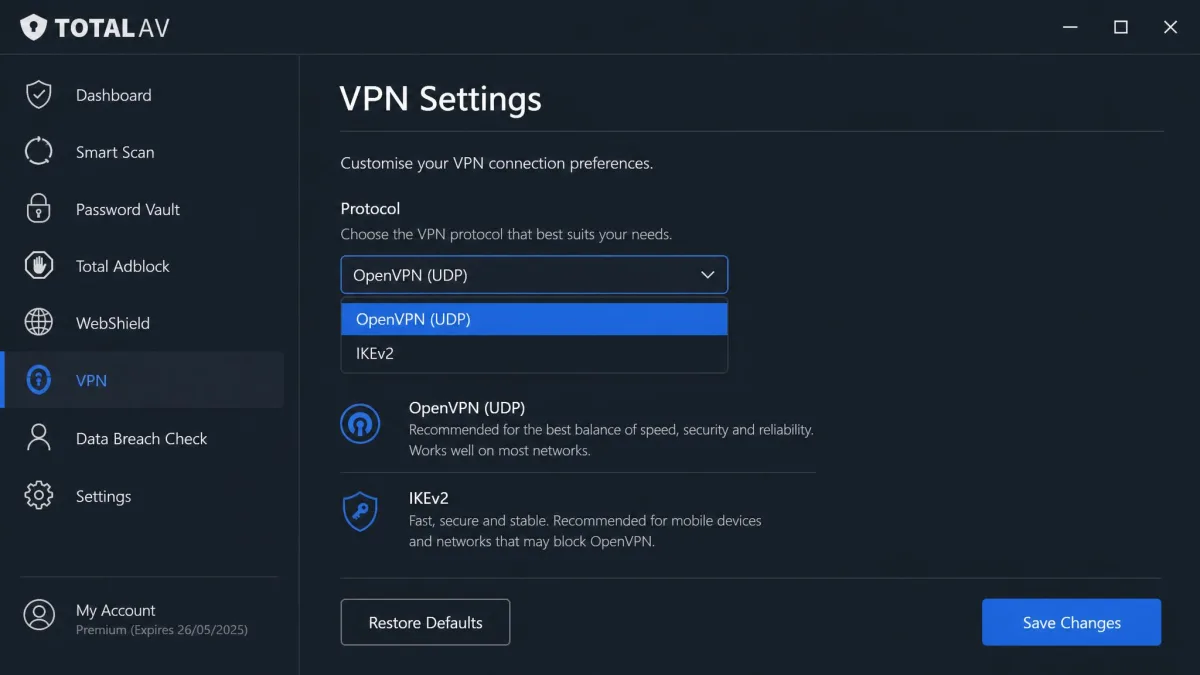
TotalAV VPN uses OpenVPN and IKEv2 on Windows and macOS, which are both solid, well-understood tunneling protocols. On Android, the app adds WireGuard, the modern protocol most services now favor for its speed. On iOS, you are limited to IKEv2 only, which is the thinnest protocol offering of the four platforms.
That split matters more than it sounds. WireGuard on Android gives you the newest technology, while iOS users get the oldest and fewest options. If protocol choice and the latest performance tech are priorities, the platform you use will decide how much of that you can access.
Kill Switch & Split Tunneling
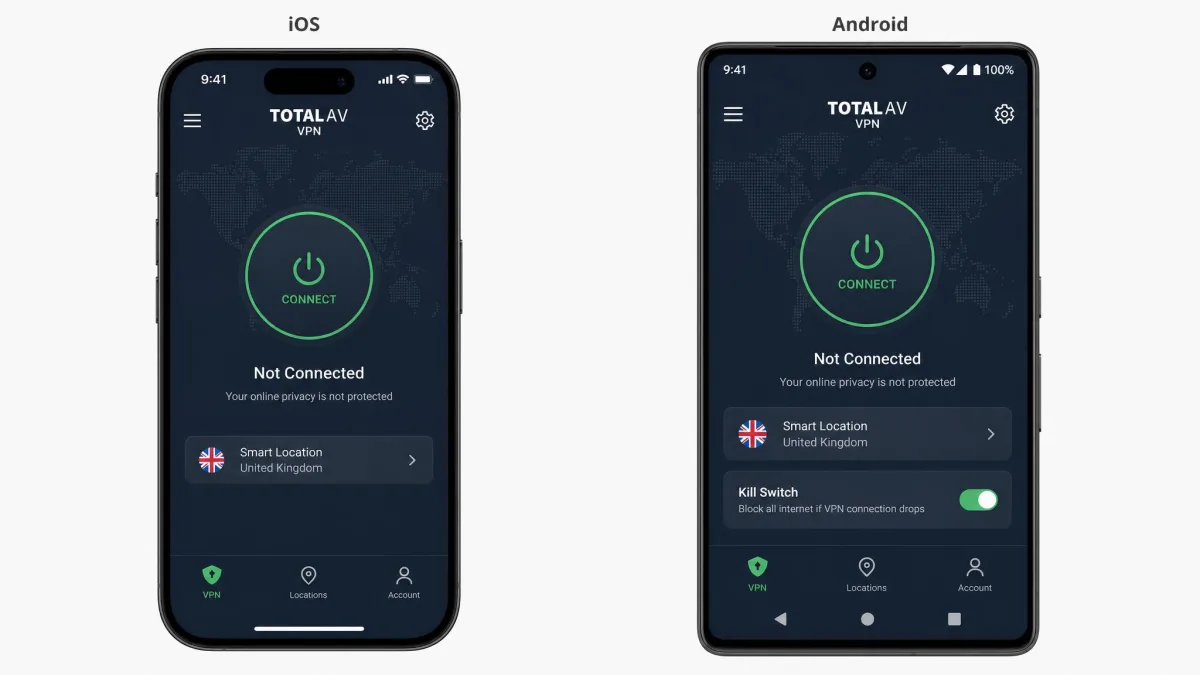
A kill switch cuts your internet if the VPN connection drops, so your real IP never leaks during a stumble. TotalAV includes a kill switch on Windows and macOS, but it is absent on iOS and Android. That is a notable gap, because mobile connections drop far more often than home broadband, and mobile is exactly where a kill switch earns its keep.
Split tunneling, which lets you route some apps through the VPN while others use your normal connection, is not offered at all. For a lot of users that is fine. For anyone who wants their banking app on the local connection while streaming runs through the tunnel, its absence is a real limitation.
A kill switch is your safety net if the tunnel drops. TotalAV gives you one on Windows and macOS but not on mobile, so treat the phone apps as best-effort privacy rather than airtight protection.
Server Network & Locations
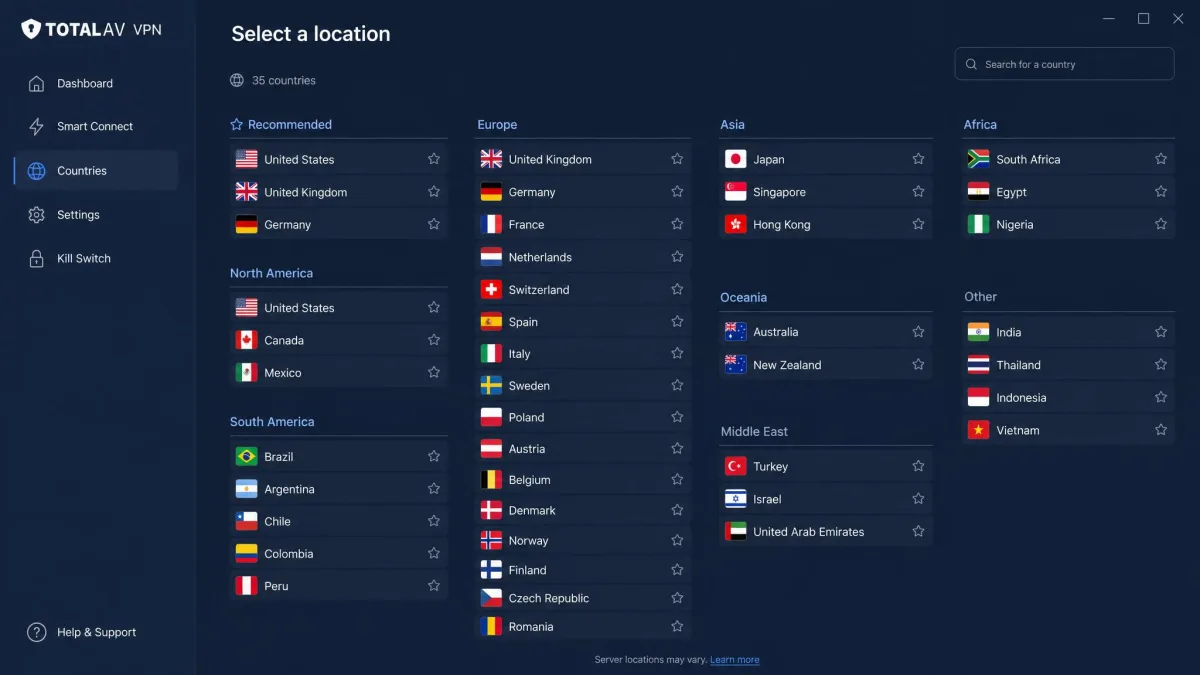
The network is small. TotalAV runs around 50 servers across roughly 35 countries, though the exact figures vary by source and shift over time as small fleets are common. Some testers count closer to 30 countries; the coverage sits in that 30 to 35 range.
In our testing, the coverage felt thin in practice, not just on paper. There are no servers in Africa and only a light presence across Asia, so if you need an exit point in those regions, TotalAV may not have one near you. For someone connecting mostly to US, UK, and European servers, the list is adequate. For anyone with broader geographic needs, it is a constraint you will hit quickly.
Speed & Performance
Speed is the area where a budget VPN either earns forgiveness or loses your patience. TotalAV VPN turned in a mixed result: perfectly usable for everyday browsing, noticeably slower once distance or uploads entered the picture.
Speed Test Results
On nearby UK servers, download speeds dropped roughly 40% from our baseline. That is a normal, livable hit for a mid-tier VPN, and web pages, video, and general browsing all stayed smooth. A 40% loss on a fast home line still leaves plenty of headroom for HD streaming, video calls, and multiple devices at once, so most people would never notice it during a typical evening online. Push out to a long-distance connection, though, and the loss grew to around 65% on servers as far away as Australia. That is a steep drop, and it showed in slower page loads and longer buffering on distant exit points.
The pattern is worth reading closely, because the two numbers describe two different experiences. Route through a nearby server and you are trading a small slice of speed for privacy, which is a fair deal. Route through the far side of the world and you are giving up nearly two-thirds of your line, which turns a fast connection into a merely adequate one. The practical lesson is to pick the closest server that still puts you in the country you need, rather than reaching for a distant location out of habit.
Uploads took the heaviest hit of all. On a distant server, our upload throughput dropped by more than half while download loss stayed comparatively small. That asymmetry matters more than the raw download figure for anyone who does more than browse. Video calls are the clearest example: a starved upload path is what makes your own camera freeze and your voice break up while the other person still comes through clearly, because upload carries your outgoing stream. Cloud backup is the other casualty. A large photo library or a folder of work files that would sync in minutes on your bare connection can crawl for an hour or more once a distant tunnel halves the upload lane. If you rely on the VPN while backing up or on calls, connect to the nearest server you can and expect the outbound side to lag the inbound.
Speeds were also inconsistent between platforms. The Android WireGuard connection lost far more download speed than the Windows OpenVPN connection in our tests, which is the opposite of what WireGuard's reputation would suggest. The takeaway is that your real-world speed depends heavily on both your server choice and your device, so use the 30-day window to test the routes you actually rely on.
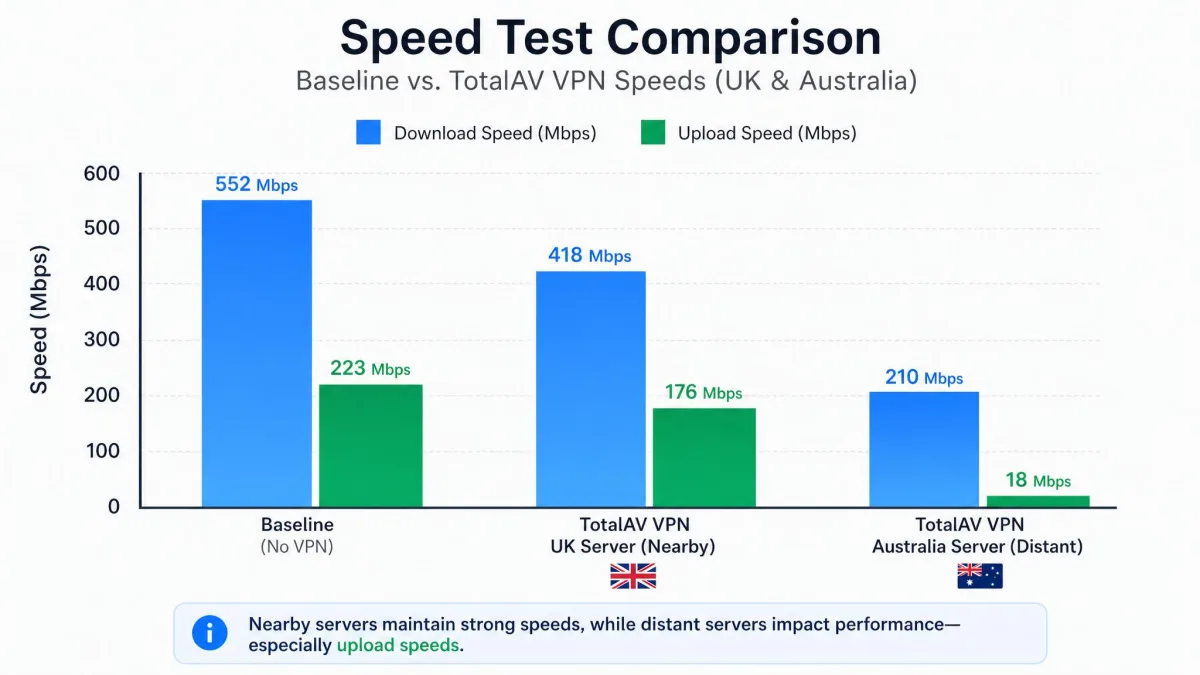
Uploads took the heaviest hit of all: on a distant server, throughput dropped by more than half while download loss stayed comparatively small.
— From our hands-on speed tests
Security & Privacy
Security and privacy are two different questions for a VPN, and TotalAV splits the difference between them. The encryption and leak protection are genuinely solid. The privacy policy and jurisdiction are where our concerns concentrate.
Encryption & Leak Tests
TotalAV VPN encrypts with AES-256 on OpenVPN and ChaCha20 on WireGuard, which are the same industry-standard ciphers the top-tier services use. There is nothing budget about the encryption itself; on this measure TotalAV matches the best.
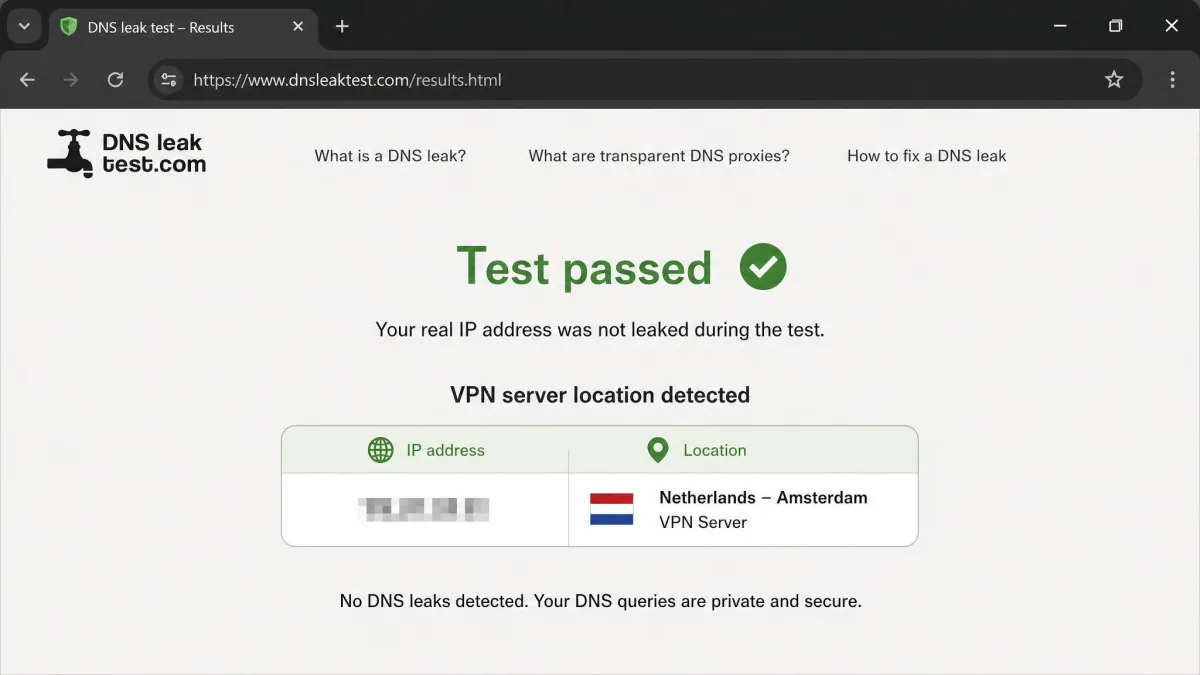
Leak protection held up in our testing. The service passed both our WebRTC and DNS leak checks, meaning your real IP address and DNS requests stayed inside the tunnel rather than leaking out to the sites you visited. We confirmed this using standard tools like Browser Leaks, and TotalAV came back clean. For the core job of not exposing who and where you are, the technical foundation is sound.
Logging Policy & Jurisdiction (UK / Five Eyes)
This is where the caution starts. TotalAV collects your IP address and device identifiers, and it does not publish a dedicated no-logs VPN privacy policy. There is also no independent audit of its logging practices, so you are trusting the company's word rather than a third party's verification. The strongest VPNs in the market have moved past that ask; TotalAV has not.
Jurisdiction compounds it. Total Security Limited is based in the UK, which is a member of the Five Eyes intelligence-sharing alliance. That does not mean your data is being handed over, but combined with data collection and no audited no-logs promise, it means TotalAV is a weaker choice for anyone whose threat model includes government data requests. For casual privacy it is fine. For serious privacy, the gaps add up.
TotalAV logs IP addresses and device identifiers, has no independently audited no-logs policy, and operates from the UK, a Five Eyes country. If audited no-logs privacy is a hard requirement for you, this is the wrong tool.
Streaming & Torrenting
Streaming and torrenting are the two use cases that sell most VPNs, so they deserve their own scrutiny. TotalAV VPN handles one of them acceptably and the other unevenly.
Netflix and Other Platforms
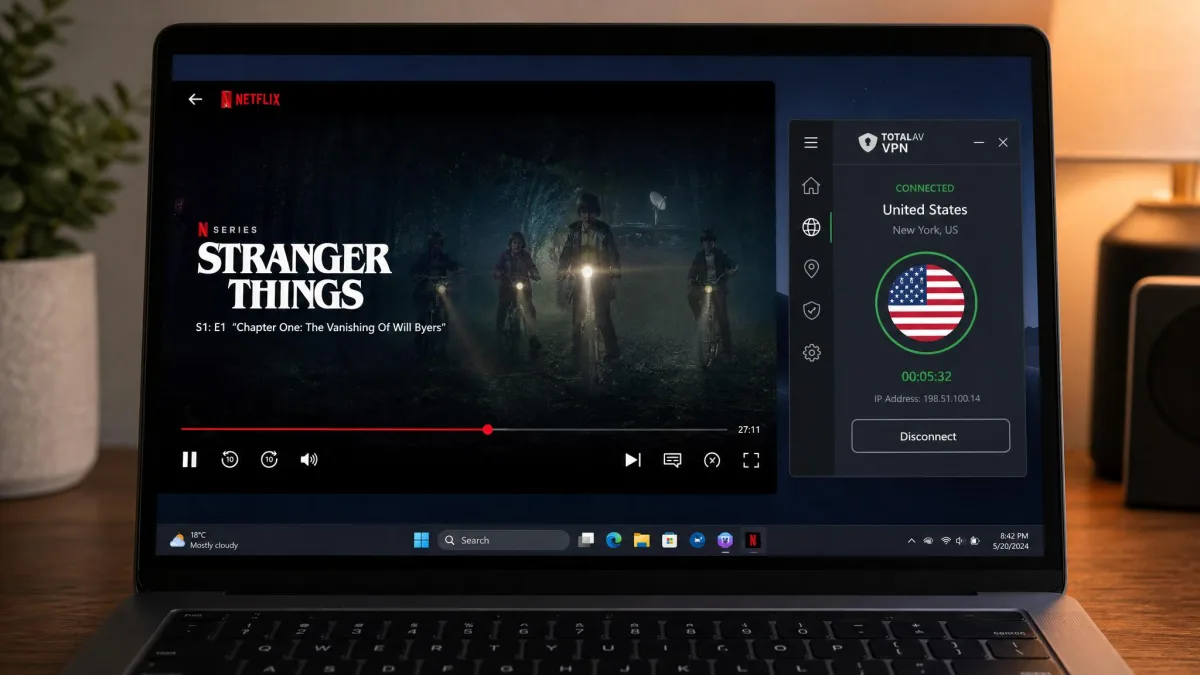
Netflix works. In our testing, TotalAV reliably unblocked Netflix, which is the platform most people ask about first. If a US or UK Netflix library is your goal, TotalAV can get you there.
Beyond Netflix, results were hit or miss. Disney+ and Prime Video gave mixed outcomes, sometimes loading and sometimes throwing a proxy error. Hulu and BBC iPlayer stayed blocked throughout our testing and did not unblock on any server we tried. If your streaming needs go past Netflix, the small server network shows its limits, and you should test your specific services inside the refund window before relying on them.
Torrenting / P2P
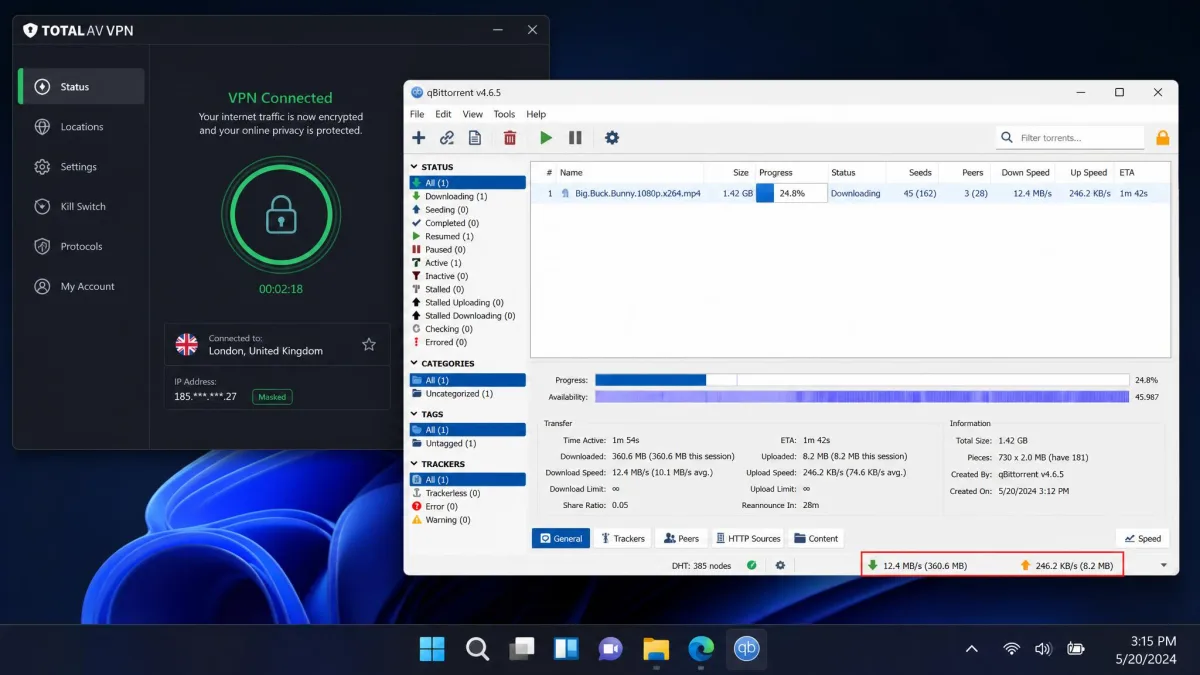
TotalAV VPN supports general encrypted traffic, so P2P and torrenting will pass through the tunnel with your IP hidden. What it lacks is the specialized support serious torrenters look for: there are no dedicated P2P-optimized servers, and the missing kill switch on mobile plus the absence of split tunneling limit how carefully you can control that traffic.
The absence of P2P-optimized servers has practical consequences worth spelling out. Dedicated torrenting servers exist because a general-purpose fleet is not tuned for sustained many-peer transfers, so on TotalAV you are sharing ordinary servers with browsing and streaming traffic, and swarm speeds can sag as a result. Without split tunneling, you also cannot keep a torrent client on the VPN while the rest of your apps use your normal line, so it is all-or-nothing routing. And because the kill switch is missing on mobile, a dropped connection on your phone can briefly expose your real IP mid-transfer, which is exactly the moment torrenters most want it hidden. None of this makes torrenting impossible on TotalAV; it makes it workable but unoptimized, best kept to a desktop where the kill switch is present.
One more constraint is worth naming. TotalAV cannot bypass restrictive censorship such as the Great Firewall in China, because it lacks the obfuscation tools that job requires. Obfuscation disguises VPN traffic as ordinary HTTPS so a censoring network cannot spot and block the tunnel, and without it a connection on a heavily filtered network will simply fail to establish. If you travel to or live behind that kind of censorship, this is not the VPN to rely on, and you should look at a service that advertises obfuscated or stealth servers instead.
Ease of Use, Apps & Device Compatibility
If there is one place TotalAV VPN clearly earns its keep, it is ease of use. The whole product is built around the first-time user, and that focus pays off across the apps.
Setup & Installation
Getting started is quick. Because the VPN ships inside the TotalAV suite, one installer sets up both the antivirus and the VPN, and you connect from the same dashboard. There is no separate download, no manual configuration, and no protocol you have to choose before you can go online. New to VPNs at large? Our beginner walkthrough on how a VPN works and how to set one up pairs well with this section.
In our testing, connecting was a one-button affair from a fresh install. You launch the app, press the large connect button, and you are routed to the fastest available server. That simplicity is the product's real strength, and it is a genuine advantage for anyone intimidated by more configurable services.
Simultaneous Connections
TotalAV VPN covers multiple devices on one plan. The package includes licenses for a small household of devices, with sources reporting between five and six simultaneous connections depending on the plan and the reviewer. That is enough for a phone, a laptop, and a tablet or two, which suits the family-of-one-plan buyer the product targets.
It is not generous by category standards, though, and that gap becomes obvious in the comparison ahead. Where TotalAV covers five or six devices, some rivals cover ten or place no limit at all. For a large household with many devices, the allowance is on the tight side.
Customer Support
Support is a quieter part of the package but still counts, especially on a bundle aimed at newcomers who may need a hand. TotalAV routes help primarily through its website, where a help center and knowledge base cover the common setup and connection questions before you ever contact a person. Alongside that product guidance sits account and billing support, which matters more than usual here because the renewal price is the thing most buyers end up querying. If you want to cancel before the second-year charge lands, the billing channel is where that gets handled, so it is worth knowing it exists before you need it.
As a company, TotalAV carries a strong public reputation: Trustpilot rates it 4.6 out of 5 and "Excellent" across more than 139,000 reviews. That volume of feedback lends the score weight, and it reflects genuine satisfaction with the wider brand and its support handling.
One caveat on that number, and it is an important one. The 4.6 rating covers TotalAV as a whole, driven largely by the antivirus and the overall brand, not the VPN in isolation. The separate Total VPN listing on Trustpilot sits lower, at 4.2 out of 5. Both are respectable scores, but the gap between them is the point: the 4.6 you see quoted in marketing is the company-wide figure, while the 4.2 is the one that speaks to the VPN product specifically. Read the headline 4.6 as a verdict on the wider company and support operation, and the 4.2 as the closer read on the VPN itself.
Pros & Cons
Here is the balance sheet after our testing, stripped to the points that should actually move your decision.
Pros
- Very cheap in the first year at about $3.25 a month
- Passed our WebRTC and DNS leak tests
- AES-256 encryption, matching top-tier services
- Genuinely simple app that suits first-time VPN users
- Unblocks Netflix reliably
- 30-day money-back guarantee to test it risk-free
Cons
- Renewal price roughly triples after year one
- Sold only as an add-on, never standalone
- Small network of around 50 servers, thin in Asia and absent in Africa
- No independent no-logs audit, and UK Five Eyes jurisdiction
- No split tunneling, and no kill switch on mobile
- Hulu and BBC iPlayer stayed blocked, uploads slow on distant servers
TotalAV VPN vs NordVPN & Surfshark
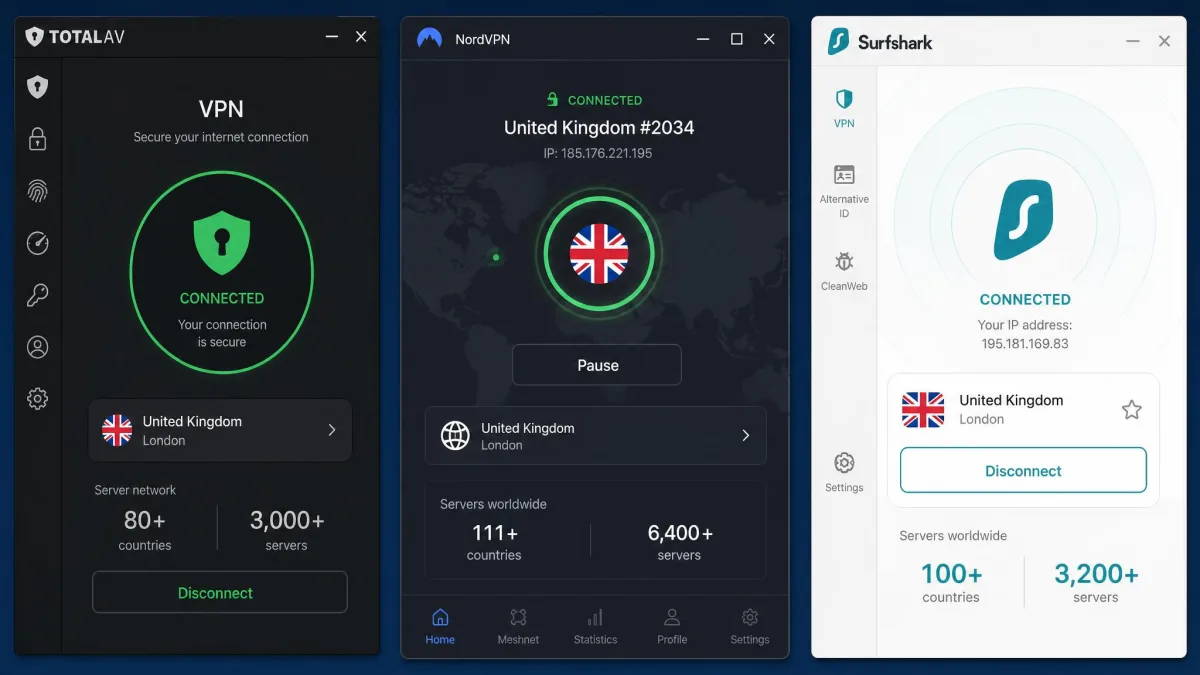
The fairest way to judge TotalAV VPN is against the standalone services that cost about the same. NordVPN and Surfshark both sit in a similar monthly price range on their longer plans, and both are dedicated VPNs first. The table below lays the three side by side on the measures that matter most.
| Feature | TotalAV VPN | NordVPN | Surfshark |
|---|---|---|---|
| Intro price | ~$3.25/mo (first year) | ~$3.49/mo (2-year) | ~$2.49/mo (2-year) |
| Servers / countries | ~50 servers / ~35 countries | 9,300+ servers / 137 countries | 4,500+ servers / 100 countries |
| Streaming | Netflix works, others mixed | Strong across platforms | Strong across platforms |
| Logging / audit | Logs IPs, no audit, UK Five Eyes | Audited no-logs, Panama | Audited no-logs, RAM-only, Netherlands |
| Simultaneous connections | 5 to 6 | 10 | Unlimited |
The comparison is not kind to TotalAV once the first-year discount is set aside. For roughly the same monthly cost, NordVPN offers more than 9,300 servers across 137 countries and an independently audited no-logs policy from Panama, outside the Five Eyes alliance. Surfshark undercuts everyone on price, runs audited RAM-only servers from the Netherlands, and places no cap on simultaneous connections. TotalAV competes on none of those axes.
Where TotalAV wins is the bundle. Neither NordVPN nor Surfshark includes the full antivirus suite that TotalAV builds the VPN into. If your goal is one purchase that covers both security software and a privacy tunnel, TotalAV's integration is the argument in its favor. On the VPN merits alone, the standalone services are stronger.

Quick Verdict (Rating + One-Minute Summary)
TotalAV VPN earns a 6.5 out of 10 from us: a capable, beginner-friendly bundle VPN that is easy to recommend as an extra and hard to justify on its own.
Is TotalAV VPN Worth It? Final Verdict
So, is TotalAV VPN worth it? The honest answer is that it depends entirely on why you are buying. As a privacy layer stapled to a security suite you were going to purchase regardless, it is worth it: the first-year cost is low, the encryption is strong, and the app is the easiest we tested to hand to a beginner. For that buyer, the bundle is a tidy, sensible package.
As a VPN chosen on its own merits, it is harder to recommend. The network is small, uploads slow sharply on distant servers, streaming beyond Netflix is unreliable, and the privacy story lacks the audited no-logs assurance the leaders now offer as standard. Add the renewal jump, and the year-two math favors a standalone service. If antivirus is not part of your plan, a dedicated VPN will serve you better for the money. If it is, TotalAV VPN is a reasonable, if unremarkable, extra.