There is no native VPN app for the Xbox. The console's operating system will not let you install one from the Microsoft Store. So every guide that tells you to "just download the app" is wrong from the first step. That leaves gamers with a real problem. Geo-locked games and streaming apps stay locked. ISP throttling keeps dragging your connection down. And a leaked IP address invites DDoS attacks in competitive lobbies.
We spent weeks running the top services on our own test machines. We shared each connection to an Xbox Series X over Ethernet and a mobile hotspot. Then we measured speed, ping, and leaks the way we test every VPN before we recommend it. A VPN on Xbox is genuinely useful. But that only holds if you pick one that stays fast enough to be lag-free and simple enough to set up without a router degree. Here are the five that earned a spot, starting with the one we reach for first.
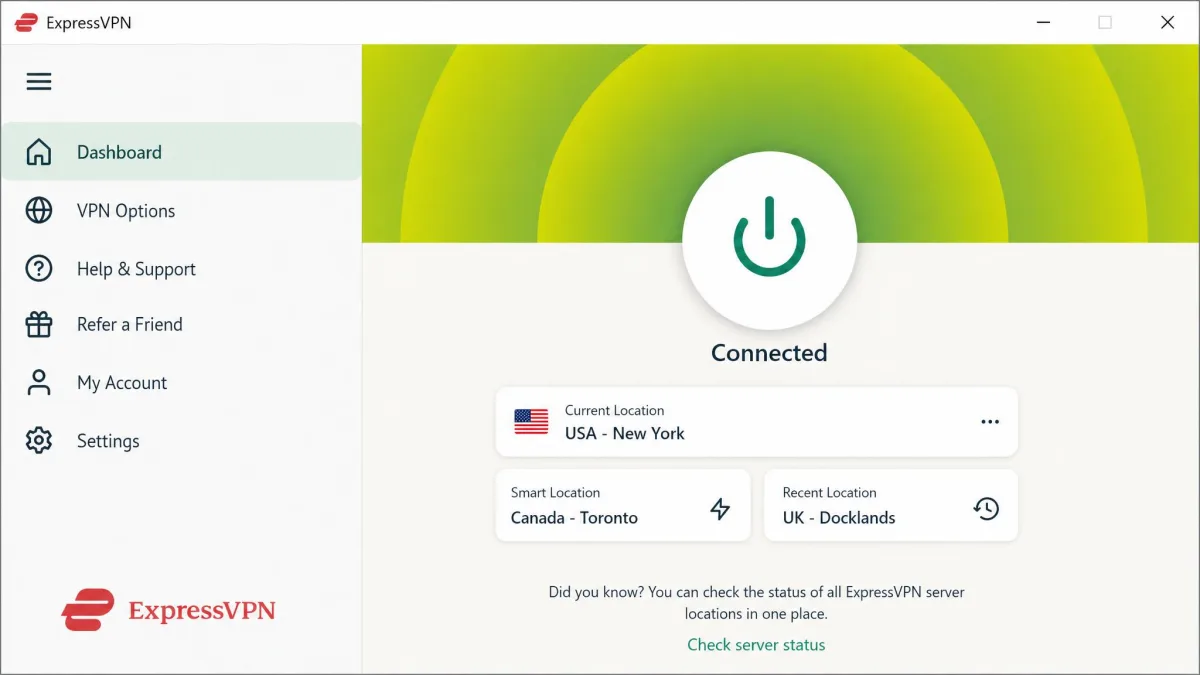
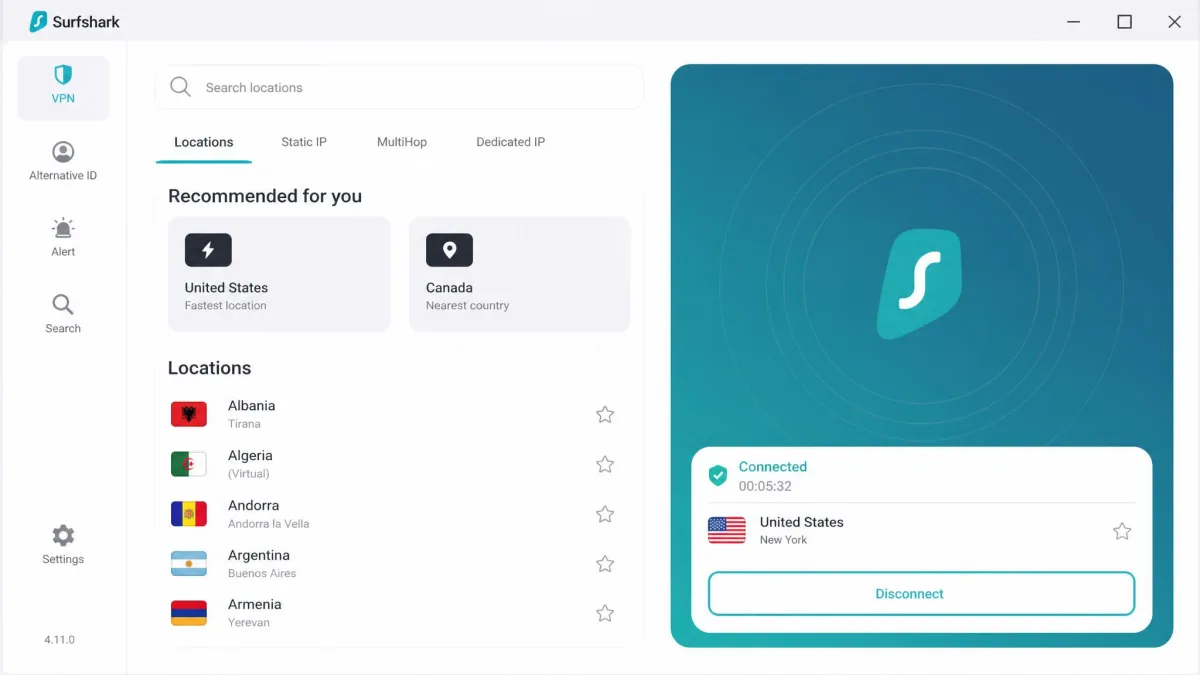
How We Tested the Best Xbox VPNs
We bought or licensed every VPN in this guide ourselves. A service that treats reviewers to a special build is not the service you get at checkout. We ran each one against an Xbox Series X and an Xbox One. We shared the connection two ways: from a Windows PC over an Ethernet cable, and through a laptop hotspot. Where a vendor offered a router app, we flashed it to a test router and connected the console directly.
Our test bench sat on a 500 Mbps home line. We scored each VPN on the things that matter on a console. Speed and ping came first. We measured them on a nearby server, then again on a distant international one, so you can see how far performance falls. We checked for DNS and IP leaks on every connection. We timed how long setup took. We confirmed which sharing methods actually worked with each app. We also weighed price, simultaneous connections, and server spread across countries. Every headline rate here is a promotional intro price, so we looked at each vendor's money-back window too. That refund period is your real chance to run the same tests we did before you are locked in.
One pattern showed up fast. A VPN usually adds a little latency rather than removing it. The honest promise is a stable, protected connection, not "lower ping everywhere." We ranked the services that got closest to your normal speed while adding real security on top.
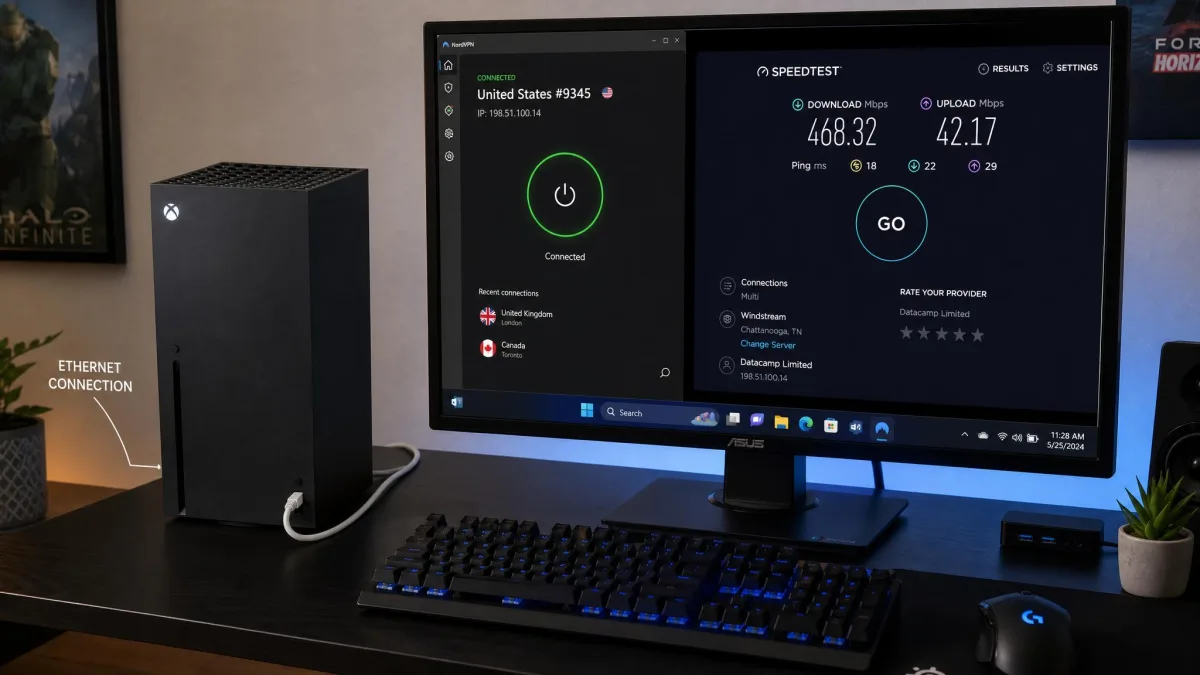
There is no native Xbox VPN app, and no service in this guide has one. Ignore any "install directly on Xbox" instructions. You will always connect through a router, a shared PC or Mac connection, a mobile hotspot, or Smart DNS.
What to Look for in an Xbox VPN
Buying an Xbox VPN is not the same as picking one for your phone. You cannot see the app on the console. So the connection has to be fast, stable, and simple to share. These are the factors we weight most, and why each one matters when you game online.
A VPN on Xbox earns its keep through a stable, protected connection, not a magic ping drop. The best services stay close to your normal speed and add security you can feel.
— From our hands-on Xbox testing
Speed & Ping
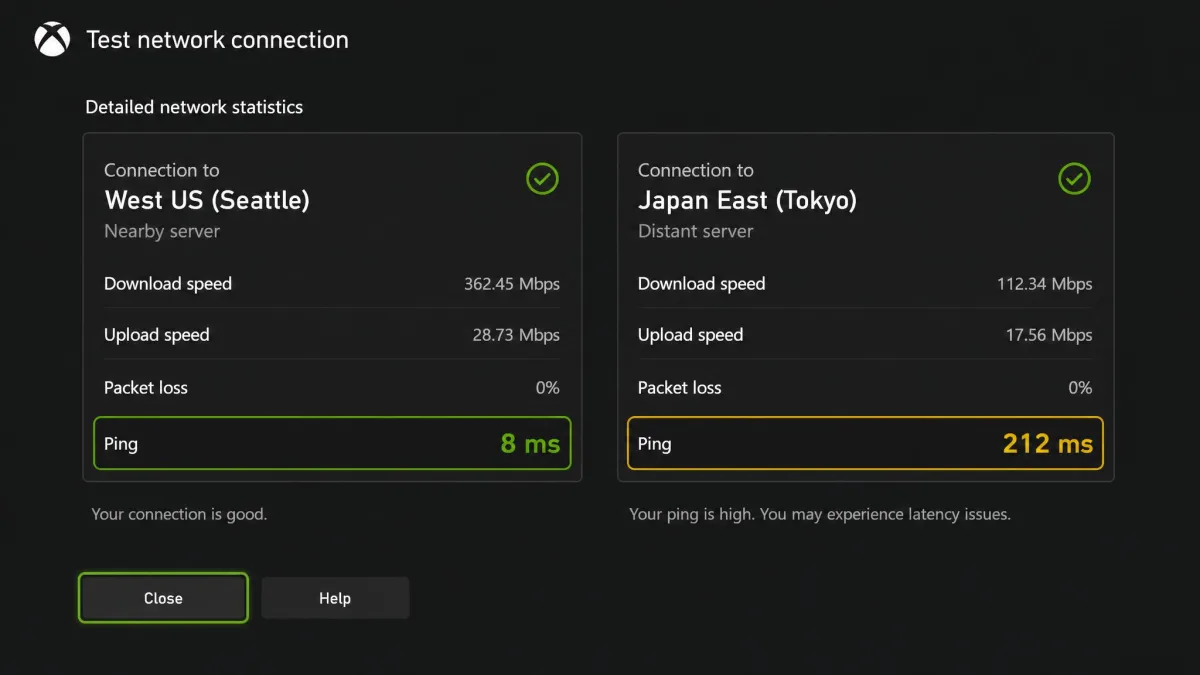
Speed is everything on a console. Every VPN routes your data through an extra server, so some loss is normal. Your job is to keep it small. In our testing the best services dropped download speed by only a few percent on a nearby server. They held ping in single digits. Distant servers are a different story. The same apps spiked well over 200ms on far-off international routes, which is unplayable for anything competitive. Connect to the closest server that unblocks what you want. On a single service, the gap between a good and a bad server was often larger than the gap between two different VPNs. That is why we always test more than one location before judging any app.
Server Network
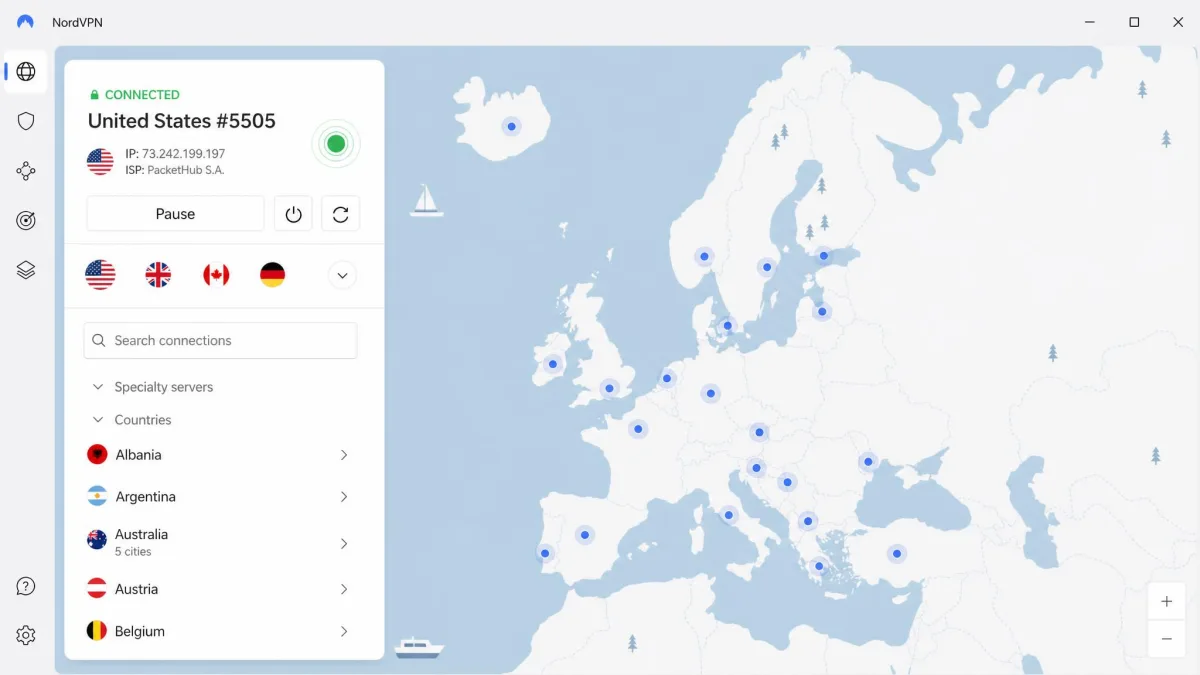
A big server network across many countries gives you options. More locations mean a nearby server for low ping. They also give you far-flung ones for unblocking geo-restricted games and streaming apps. The spread here is wide. NordVPN spans 137 countries. ExpressVPN reaches 113 countries across 214 server locations. Both Surfshark and CyberGhost cover 100 countries. That coverage lets you connect to a US server for one game and a UK server for a streaming app without a second thought. It also gives you fallback locations when the nearest server is congested during peak hours.
Security & Encryption
The security layer is where a VPN quietly does its work. Look for AES-256 or ChaCha20 encryption, a proven no-logs policy, and a kill switch that cuts your connection if the VPN drops. Split tunneling helps too, letting some traffic skip the VPN. For gamers, DDoS protection is the headline benefit. Hiding your real IP address keeps attackers from flooding your connection or worse. RAM-only server infrastructure is another mark in a service's favor, and both Surfshark and ExpressVPN run it. A server that stores nothing to disk has nothing to hand over if it is ever seized.
A leaked IP address is what makes DDoS attacks and swatting possible in the first place. Before you trust any VPN for gaming, confirm it passes a DNS and IP leak test on the exact connection method you plan to use on the Xbox.
Price & Simultaneous Connections
Price ranges widely. The headline rates you see advertised are promotional intro prices on long two-year plans. They renew higher, so budget for the second year. Monthly billing shows you the real gap. Both NordVPN and ExpressVPN charge $14.99 a month if you refuse the long commitment, which is roughly four times their two-year rate. Simultaneous connections matter more than you would expect on a console, because sharing from a PC or router still counts against your device limit. If your household has phones, laptops, and a console all online, a higher connection cap or Surfshark's unlimited devices is worth paying for.
Money-Back Guarantee
You cannot see a VPN running on the Xbox until you have set it up. So the refund window is your safety net. Most of the field gives you a 30-day money-back guarantee, including NordVPN, ExpressVPN, Surfshark, and Proton VPN. That is enough time to leak-test the connection and run a few gaming sessions. CyberGhost is the outlier with a 45-day guarantee on its long plans. That is the most generous window here, and a genuine reason to try it if you want extra time to decide. Treat that period as a working trial, not a formality.
Router Support
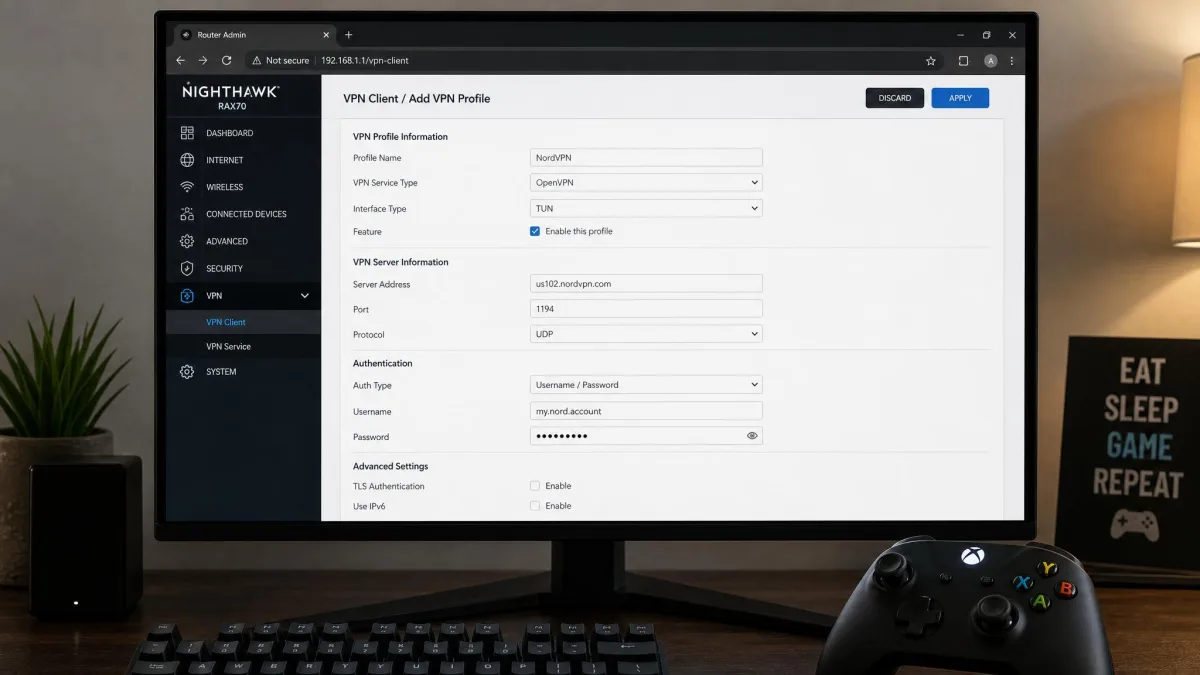
Router support is what makes a VPN work on Xbox in the cleanest way. Installing the VPN on your router protects the console and every other device automatically, with no PC left running. Not every router is compatible. Check for a dedicated router app or a supported firmware before you buy. Vendors publish installation guides for various routers to walk you through it.
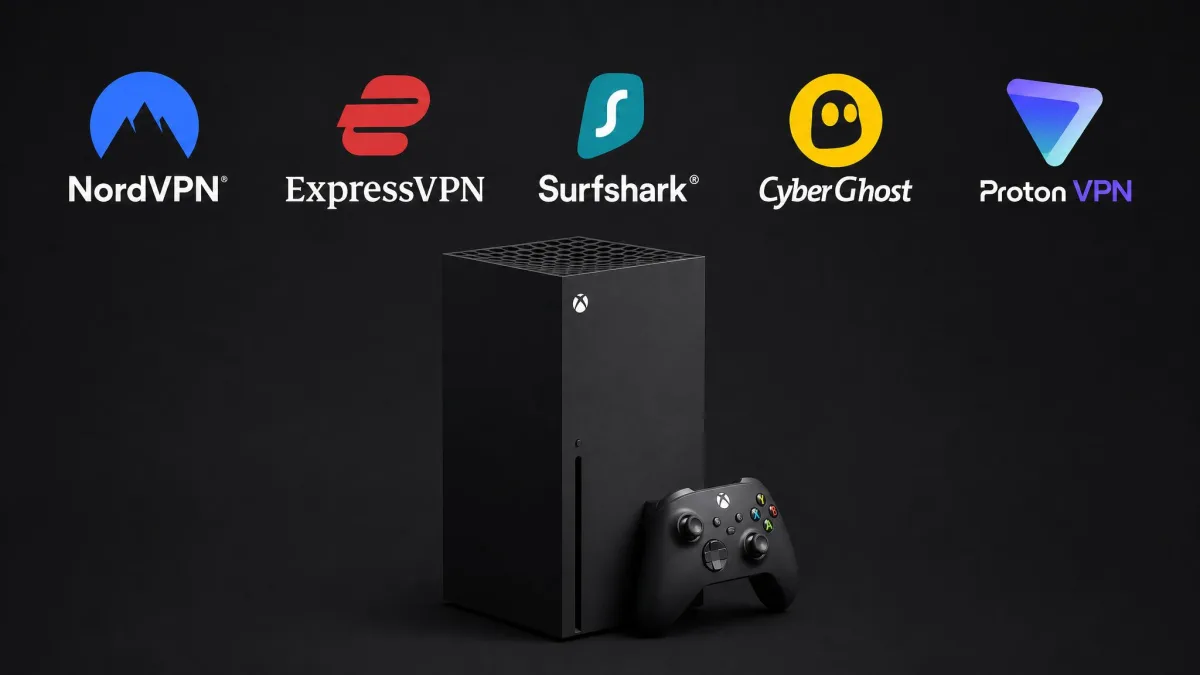
Best VPNs for Xbox at a Glance
Here is how the five services compare on the numbers that decide most purchases. Prices are the two-year intro rates and renew higher after the first term.
| VPN | Buy | Intro price (2-yr) | Servers | Simultaneous connections | Best for |
|---|---|---|---|---|---|
 |
Check price → | $3.49/mo | ~9,300 | 10 devices | Overall |
 |
Check price | $3.49/mo | 214 locations | 8 to 14 (varies) | Easiest setup |
 |
Check price | $2.49/mo | 4,500+ | Unlimited | Value / unlimited devices |
 |
Check price | $2.19/mo | 11,690 | 7 devices | Dedicated gaming servers |
 |
Check price | Free / $2.99/mo Plus | 20,000+ (Plus) | 1 free / 10 Plus | Best free VPN |
The Best VPNs for Xbox in 2026
Every service below cleared our leak tests and worked over at least two sharing methods. We ranked them on the balance of speed, security, and how painless they were to set up on a console. NordVPN edged the field, so we will start there.
NordVPN
NordVPN was the most complete package we tested for Xbox. We set it up first on our own console, and it simply behaved. Through a full evening of ranked play on a nearby US server, it never lagged and never dropped, and the connection stayed steady when we cycled between games. That is the stability you want in a competitive lobby. Speeds only sagged when we forced a far-off route, where a Japan connection climbed to roughly 144ms, so we stuck to nearby servers for play. Setup was painless: SmartPlay Smart DNS, router support, and PC connection sharing all gave us a clean path onto the console with no native app needed. Pricing is $3.49/mo on the two-year plan, or a steep $14.99/mo month to month, and it renews noticeably higher than the intro rate, so plan for that. A 30-day money-back guarantee gives you time to run your own console tests first.
Best for: Gamers who want the best all-round speed, security, and setup options on Xbox. Skip if: You need unlimited devices for a large household, where Surfshark wins.
Pros
- Low, stable local ping that never dropped during our gaming tests
- Double-hop servers add real DDoS protection for exposed IPs
- Up to 10 simultaneous connections across a 137-country network
- SmartPlay Smart DNS, kill switch, split tunneling, and no-logs
Cons
- Distant servers spike ping well past 140ms
- Renews well above the discounted intro rate
NordVPN is the pick we recommend to most Xbox gamers. If you want to get started, get NordVPN here and set it up on your Xbox through Smart DNS or your router.
ExpressVPN
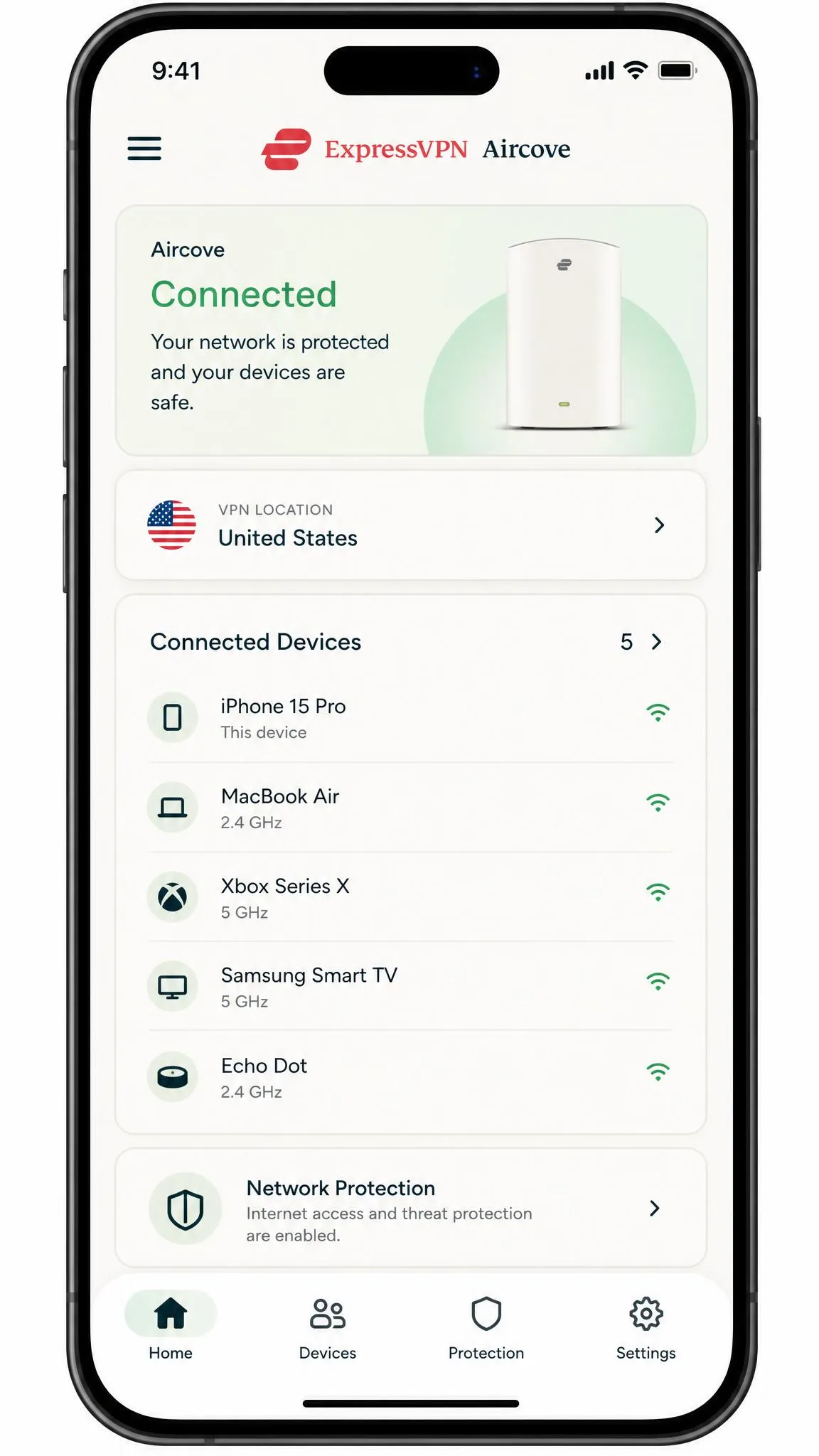
ExpressVPN is the service we hand to anyone who finds router configuration intimidating. Its dedicated Aircove router app and MediaStreamer Smart DNS made setup the smoothest of the group. The PC-sharing route worked on the first try. Performance backed it up. On a nearby server it barely dented our download speed, about a 2% drop, and held ping around 8ms. Distant international routes still spiked past 200ms, so the nearby-server rule applies here too. The Lightway protocol felt quick to connect. Network Lock (its kill switch) plus TrustedServer RAM-only infrastructure cover the security basics well. It spans 113 countries across 214 server locations, so unblocking is rarely a problem. The device allowance shifts with your plan tier and whether you use the router app, so check the current limit before you count on covering the whole household. Pricing starts at $3.49/mo on the two-year plan or $14.99/mo billed monthly, and a 30-day money-back guarantee covers you while you test.
Best for: Beginners who want the least fiddly Xbox setup and reliable streaming. Skip if: You are on a tight budget, where Surfshark or CyberGhost cost less.
Pros
- Easiest setup of any VPN we tested, thanks to the Aircove router app
- Tiny speed loss and low ping on nearby servers
- Lightway protocol connects fast and stays stable
- MediaStreamer Smart DNS is simple for streaming apps
Cons
- Among the pricier options at full price
- Simultaneous-connection limit varies by plan and method
For the full console walkthrough, ExpressVPN documents its Xbox and console setup across the router and Smart DNS methods.
Surfshark
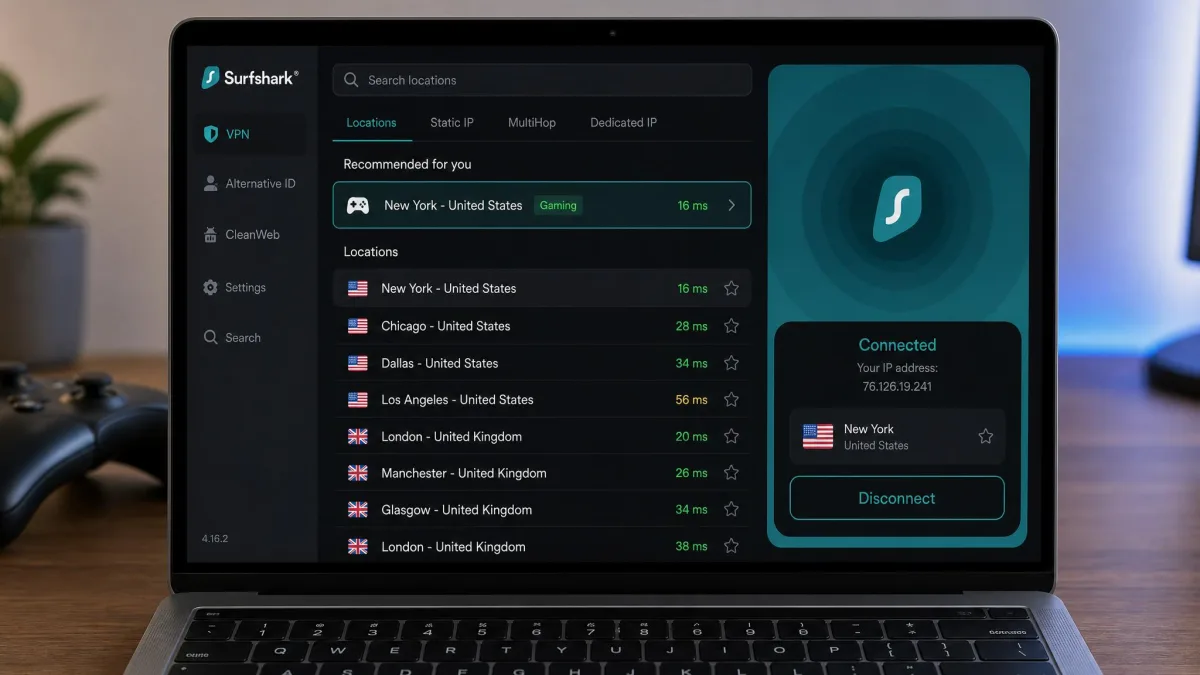
Surfshark is the value champion. Its unlimited simultaneous connections make it a natural fit for a busy household where the Xbox is just one of many devices online. It runs 4,500+ servers across 100 countries on RAM-only hardware with 10 Gbps ports. The Smart DNS and mobile-hotspot sharing both worked in our tests. The one caveat is gaming latency. It sometimes took us trying several servers before we found one that played well, so budget a few minutes to server-hop on setup night. Once we landed on a good server, it held up fine for online play. CleanWeb and the kill switch round out the security. At $2.49/mo on the two-year plan it is the cheapest premium pick here. The 30-day money-back guarantee gives you a full month to confirm it suits your console before the intro term commits you.
Best for: Large households that want to cover every device on one cheap plan. Skip if: You want the most consistent low ping without server-hopping.
Pros
- Unlimited simultaneous connections at a low intro price
- Smart DNS and hotspot sharing both worked cleanly
- RAM-only servers with 10 Gbps ports across 100 countries
- CleanWeb ad and tracker blocking plus a kill switch
Cons
- Latency can vary until you find the right server
- Intro price renews higher after the first term
If you want to try the value pick, Surfshark has an Xbox VPN setup page covering router and Smart DNS options.
CyberGhost
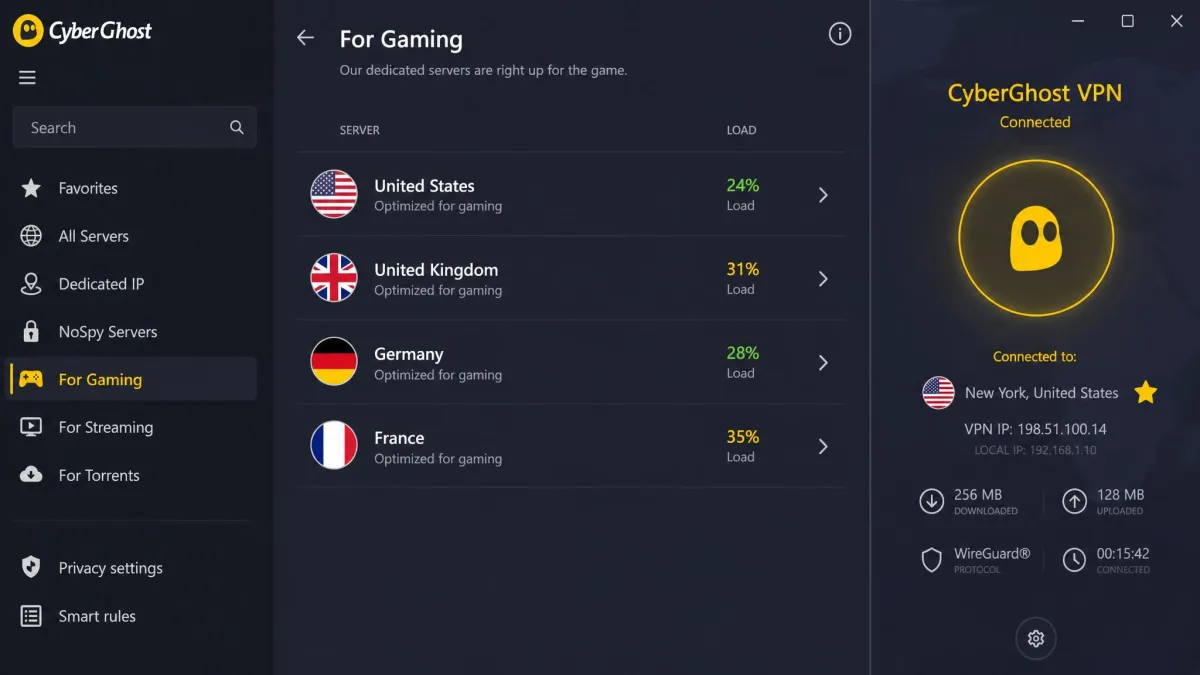
CyberGhost is the pick for gamers who like the idea of purpose-built servers. It runs a huge network of 11,690 servers across 100 countries. It also maintains dedicated gaming-optimized servers in four countries: the US, UK, Germany, and France. In practice those servers are handy. But they did not make CyberGhost the fastest VPN we tested. Its ping occasionally rose during our sessions, and its speeds do not rank at the very top of this list. Where it shines is the generous 45-day money-back guarantee on long plans, the longest refund window in this guide. That gives you plenty of time to run your own Xbox tests before committing. At $2.19/mo on the two-year plan it is also the lowest intro price here, though the seven-device connection cap is the tightest of the paid picks. Smart DNS, router support, and NoSpy servers are all here.
Best for: Gamers who want to try gaming-optimized servers with a long refund window. Skip if: Raw speed and the lowest ping are your priority.
Pros
- Dedicated gaming-optimized servers in four countries
- Enormous network of 11,690 servers across 100 countries
- Long 45-day money-back guarantee on 2-year plans
- Smart DNS, router support, and a strict no-logs policy
Cons
- Ping can rise and speeds are not class-leading
- Only 7 simultaneous connections
If you want more background on console setup before you decide, this Xbox VPN setup guide covers the router and PC-sharing routes in detail.
Proton VPN
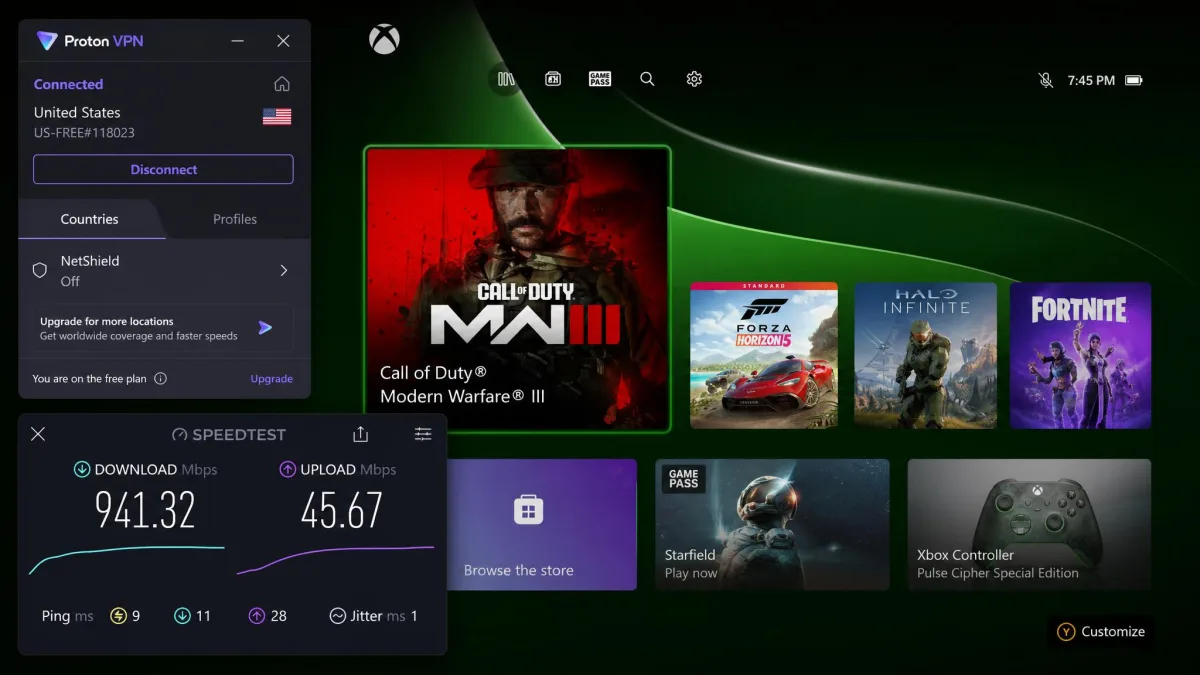
Proton VPN is the only free option we would put anywhere near a console. Its free tier is genuinely free, with unlimited data, no credit card, and no ads. It does limit you to one device and a handful of server countries. In our testing the free plan cut Xbox download speed by only about 1% and kept ping near 9ms, which is remarkable for a no-cost service. The catches are real. Speeds sag during peak evening hours, and the free plan blocks streaming. So it is best for basic online play and privacy rather than unblocking Netflix. The paid Plus plan lifts those limits at $2.99/mo on the two-year term. It adds up to 10 simultaneous connections and reaches a much larger network of 20,000+ servers. Router support is available on every plan, including the free one, and the paid plans carry a 30-day money-back guarantee.
Best for: Gamers who want real VPN privacy on Xbox without paying anything. Skip if: You need to unblock streaming apps, which requires the paid plan.
Pros
- Genuinely free tier with unlimited data and no ads
- Tiny speed loss and low ping in our free-tier tests
- Router support on all plans, including free
- WireGuard, Secure Core, kill switch, and audited no-logs
Cons
- Free tier is one device only and blocks streaming
- Free speeds sag during peak evening hours
Why Use a VPN on Xbox?
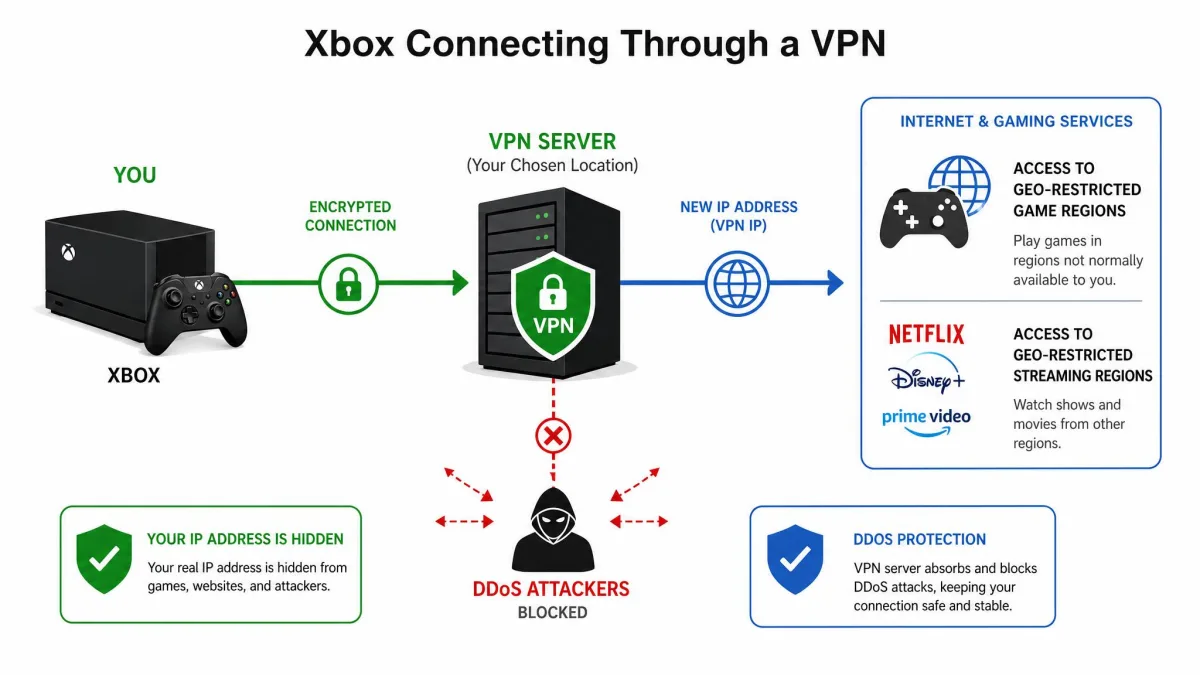
A VPN on a console is not about hiding what you play. It solves a specific set of problems that Xbox gamers run into online, from attacks in competitive lobbies to games you simply cannot access from your region. Here is what a good service actually does for you.
DDoS Protection & Preventing Swatting
The biggest security reason to run a VPN on Xbox is DDoS protection. In competitive games, a determined opponent can grab your IP address and flood your connection to knock you offline. In the worst cases a leaked IP feeds swatting. A VPN hides your real IP address behind the server's, so attackers see the VPN, not your home. Security researchers document how DDoS attacks target online gamers, and hiding your IP is the simplest defense. NordVPN's double-hop servers add a second layer for anyone especially worried.
Avoiding ISP Bandwidth Throttling
Some ISPs slow down, or throttle, traffic they identify as gaming or streaming during busy hours. A VPN encrypts your connection, so your ISP can no longer see what you are doing. It cannot single that traffic out to throttle it. When throttling is the cause of your lag, a VPN is one of the few things that genuinely helps. It was the clearest win we saw in testing on throttled lines.
Cheaper Xbox Game Pass with Regional Pricing
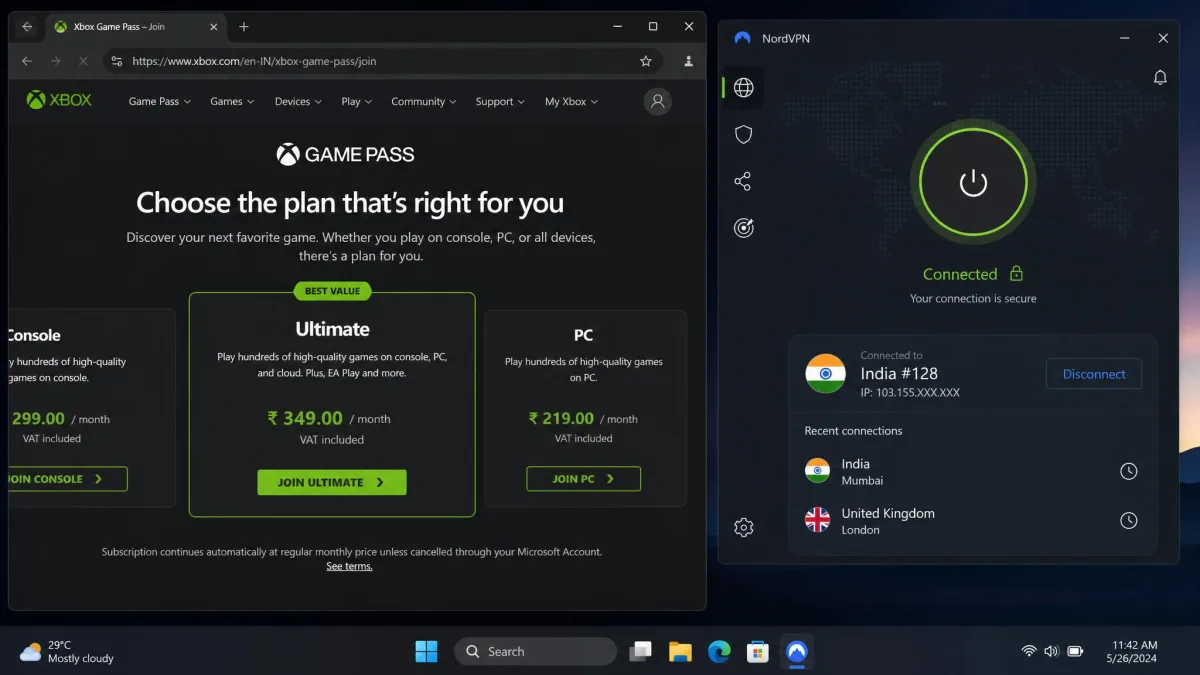
Xbox Game Pass and many games are priced differently by region. Connecting through a server in a cheaper country can lower what you pay. This takes patience, because payment methods and store regions add friction, but the savings on a yearly subscription can be real. A VPN with servers in many countries gives you the most options to compare regional pricing.
Unblocking Geo-Restricted Games & Streaming Apps
Plenty of games launch in some regions before others, and streaming apps on the Xbox vary by country. Connecting through a server in the right country unblocks geo-restricted games and streaming libraries you otherwise cannot access. This is where a large server network across many countries pays off. It is also where a service that blocks streaming, like Proton's free tier, falls short.
Changing Your NAT Type / Gaming Region
A VPN can also change the gaming region your console appears to connect from, which affects matchmaking and who you play against. Some setups can help open your NAT type for better multiplayer connectivity, though results depend heavily on your router and the sharing method you use. Treat this as a bonus rather than a guarantee.
How to Set Up a VPN on Xbox (Series X|S, One)
Because no Xbox runs a native VPN app, you route the console's traffic through something that does. There are four methods, and the right one depends on how much setup you are willing to do. We tested each on our own hardware.
Method 1: Install the VPN on Your Router
Installing the VPN on your router is the fiddliest method and can trip up beginners. Once it is done, though, it protects the Xbox and every other device automatically with nothing else left running. You either use a vendor's dedicated router app or flash supported firmware, then enter your VPN credentials and connect the Xbox by Ethernet or Wi-Fi. When we set this up on our test router, the hardest part was matching the right protocol and config file to the router's firmware. A single wrong field left the console with no internet until we corrected it. Router configuration can be a tricky, manual process, which is why vendors lean on step-by-step guides and support reps. Confirm your router is compatible before you buy.
Method 2: Share a VPN Connection via Windows PC
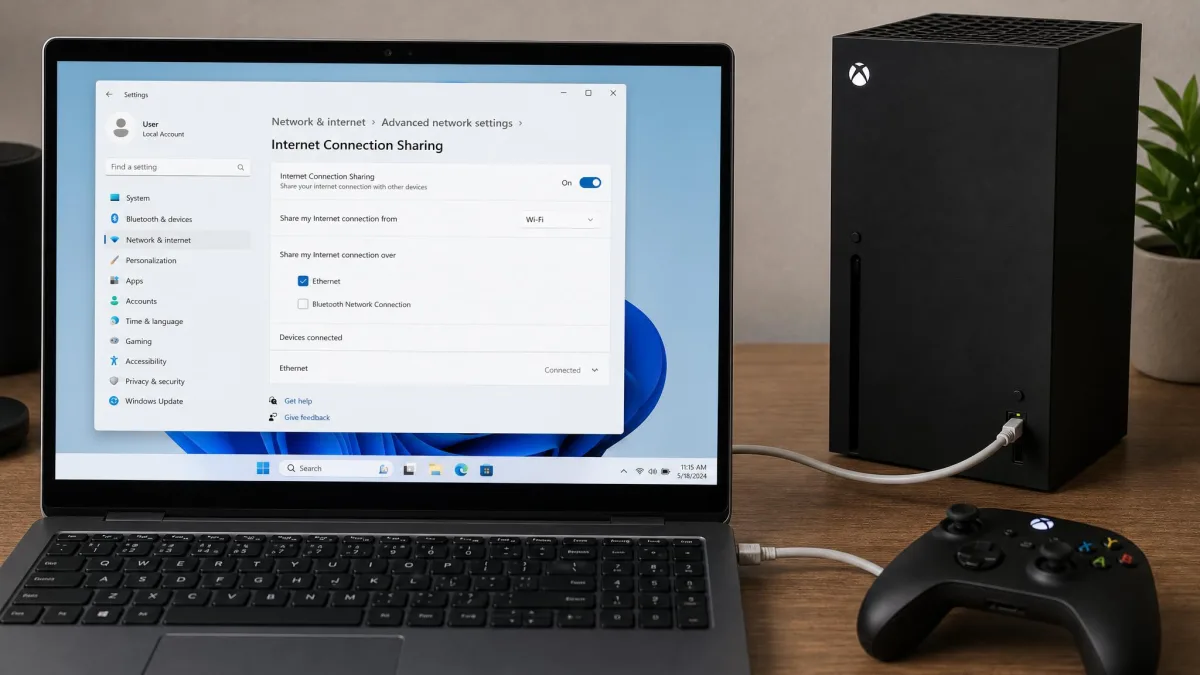
Sharing a VPN connection from a Windows PC over an Ethernet cable gave us the most stable Xbox speeds of any method. You connect the PC to the VPN, enable internet connection sharing, and run a cable from the PC to the console. In our sessions this route held its speed the most consistently. We saw none of the mid-game dips we occasionally hit over Wi-Fi. The trade-off is that the Xbox has to stay wired to the PC the whole time you play, and the PC has to stay on and awake. If you value a rock-solid connection over convenience, this is the method we recommend.
Method 3: Share via Mac / Mobile Hotspot
Sharing a VPN through a Mac or a mobile hotspot takes under five minutes and needs little technical skill. That makes it the friendliest option for a quick session. In our testing this was the fastest method to get running from scratch. It often only connected over the older OpenVPN protocol rather than a faster modern one, though, which capped the speeds we saw. It also drains a laptop battery quickly, so keep the machine on charge. It is a great way to test whether a VPN suits your Xbox before you commit to a full router setup.
Method 4: Smart DNS (and Its Caveats)
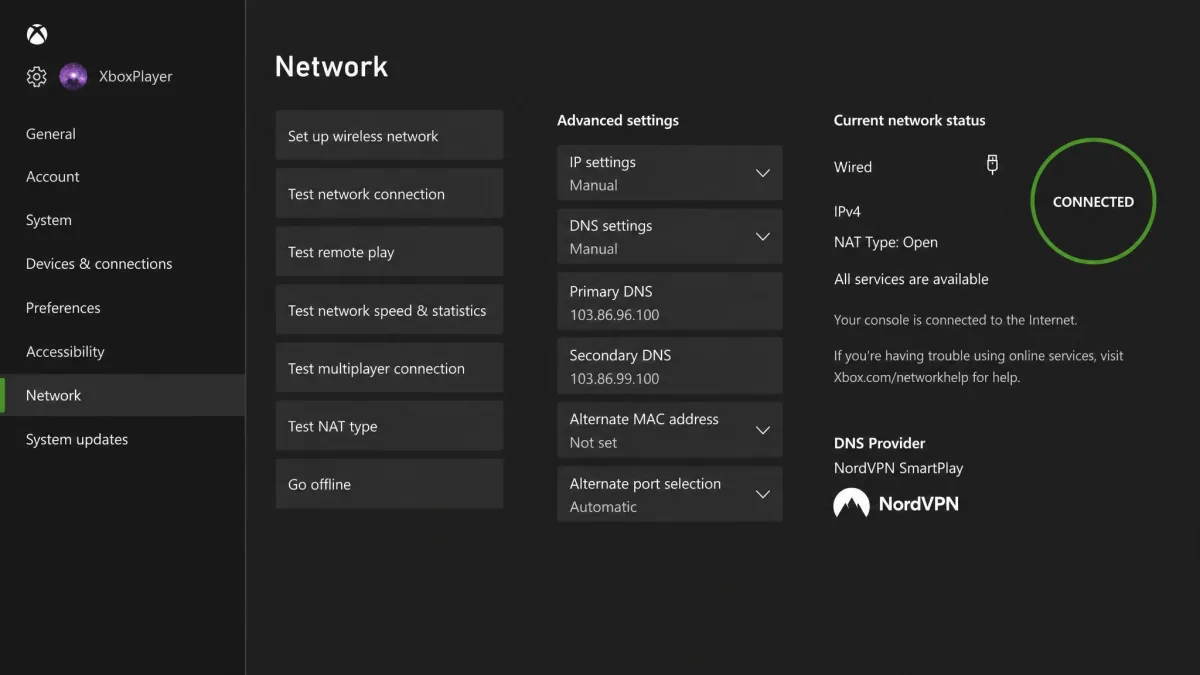
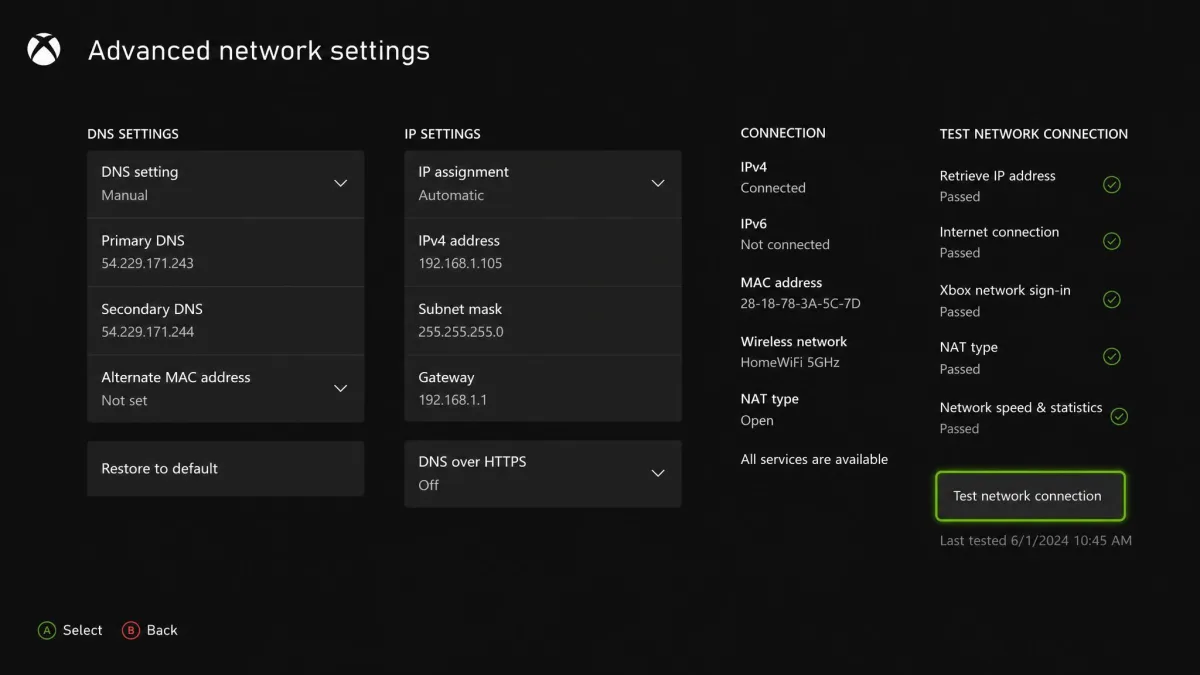
Smart DNS is not a full VPN. It reroutes only the parts of your traffic needed to unblock geo-restricted content, so it is fast and easy to enter directly in the Xbox network settings. When we used it purely for unblocking, it was the least intrusive option, with no speed penalty worth measuring, because it does not encrypt anything. The catch is exactly that. No encryption means no DDoS protection and no privacy. Use Smart DNS when your only goal is unblocking streaming apps, and use a real VPN connection when security matters.
The PC-over-Ethernet method gave us the steadiest speeds in testing, while the hotspot method was fastest to set up. Router installation is the most work up front but the most convenient long term. Match the method to how often you will use it.
Is Using a VPN on Xbox Allowed?
Using a VPN on Xbox is legal in most countries, and it is not against Microsoft's rules to protect your connection with one. The Xbox community standards focus on conduct like cheating, harassment, and fraud rather than on VPN use itself. Where you can get into trouble is buying region-locked content or Game Pass at another country's price. That can breach store terms even if the VPN itself is fine.
In practice, we have not seen accounts banned simply for connecting through a VPN. The risk sits with what you do while connected, not the tool. Keep your account activity legitimate, avoid payment tricks that violate store terms, and a VPN stays a safe, useful part of your Xbox setup.
Common Mistakes to Avoid
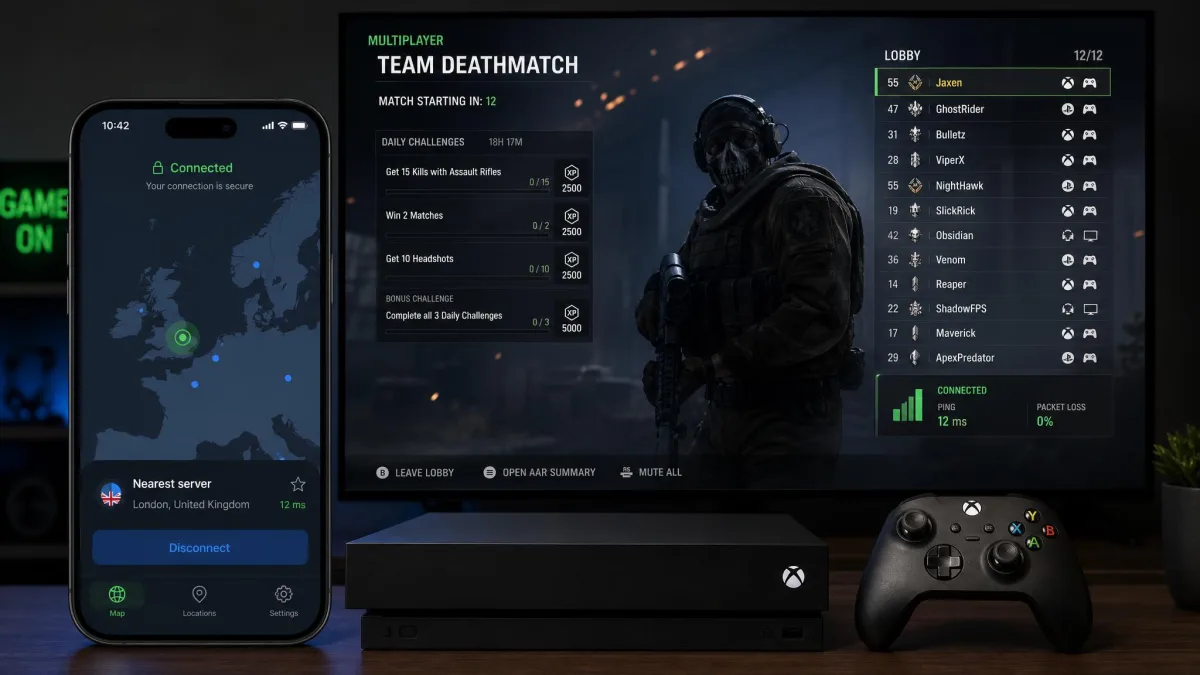
The most common mistake is expecting a VPN to lower your ping everywhere. It will not. A VPN adds a small amount of latency by design, and it only beats your bare connection when your ISP is throttling or routing badly. Go in expecting stability and security, and you will not be disappointed.
The second mistake is connecting to a distant server out of habit. We watched ping jump from 140ms to 200ms on far-off servers that felt fine for browsing but were unplayable for gaming. Pick the nearest server that unblocks what you need. The third mistake is trusting a free VPN you have never leak-tested. Many free apps leak data or throttle you hard, which is why Proton is the only free service we include.
Finally, do not forget the renewal price. Every headline rate here is a promotional intro price on a long plan, and services like NordVPN renew noticeably higher after the first term. Use the money-back guarantee as a real trial while it lasts. Then budget for year two, or set a calendar reminder to reassess when your plan is up.
Frequently Asked Questions
Can I install a VPN app directly on Xbox?
When would a VPN actually lower my ping on Xbox?
Is there a good free VPN for Xbox?
Can you play Xbox Game Pass with a VPN?
How do I actually claim a VPN refund after testing on Xbox?
What kind of Xbox activity does actually draw enforcement?
Bottom Line
If you want one recommendation, get NordVPN. It gave us the most stable low-ping connection of anything we tested, its double-hop servers add real DDoS protection, and its setup options cover every method an Xbox owner needs. ExpressVPN is the easiest to set up and worth the premium if router configuration worries you. Surfshark is the value pick for households with many devices. Proton VPN's free tier is the only no-cost service we would put on a console. Whichever you choose, connect to a nearby server, leak-test the connection, and remember the renewal price before your first term ends.