
Radmin VPN is a free virtual-LAN tool, not a traditional privacy VPN. It puts your PC and a friend's PC on the same local network over the internet, so a game or app behaves as if you were sitting in the same room. It does not hide your IP from websites, and it does not encrypt your general browsing. If that is what you came for, this is not the tool, and we will point you somewhere better below.
Here is the one-line verdict before we dig in: for free Windows LAN gaming and small remote-access jobs, Radmin VPN is genuinely useful and easy, but treat it as a networking utility rather than a privacy shield. We tested the current build on Windows to see how setup, gaming, and the messier troubleshooting actually hold up.
We ran Radmin VPN on our Windows test machines across repeated on-and-off sessions, focusing on setup, LAN gaming, connection stability, and clean removal. The app is Windows-only, so all of our hands-on work happened there. Where a claim depends on your own hardware or network, we say so plainly instead of pretending one result fits everyone.
What Is Radmin VPN? (Virtual LAN, Not a Privacy VPN)
Radmin VPN creates a secure virtual LAN over the public internet. Once two or more machines join the same network, they can see each other by a private IP address and share files, host game servers, or run remote-access sessions as if they were on the same local switch. It works through firewalls and NAT without port forwarding, which is the main reason people reach for it.
The tool comes from Famatech, the company behind the Radmin remote-control software, founded in 1999. Radmin VPN itself launched in 2016 as a free companion to that product line. That heritage matters: this is networking plumbing built by a remote-access vendor, not a consumer privacy product.
The distinction is the whole review. A privacy VPN routes all your internet traffic through a remote server to mask your IP and encrypt your browsing. Radmin VPN does neither. It only links your devices to each other. Websites still see your real IP, and your normal traffic never touches the tool.
So when people search whether Radmin VPN will protect their privacy online, the honest answer is that it was never designed to. Keep that framing in mind for every section below, because it explains both what the tool does brilliantly and where it simply does not apply.
Radmin VPN Pricing: Is It Really Free?
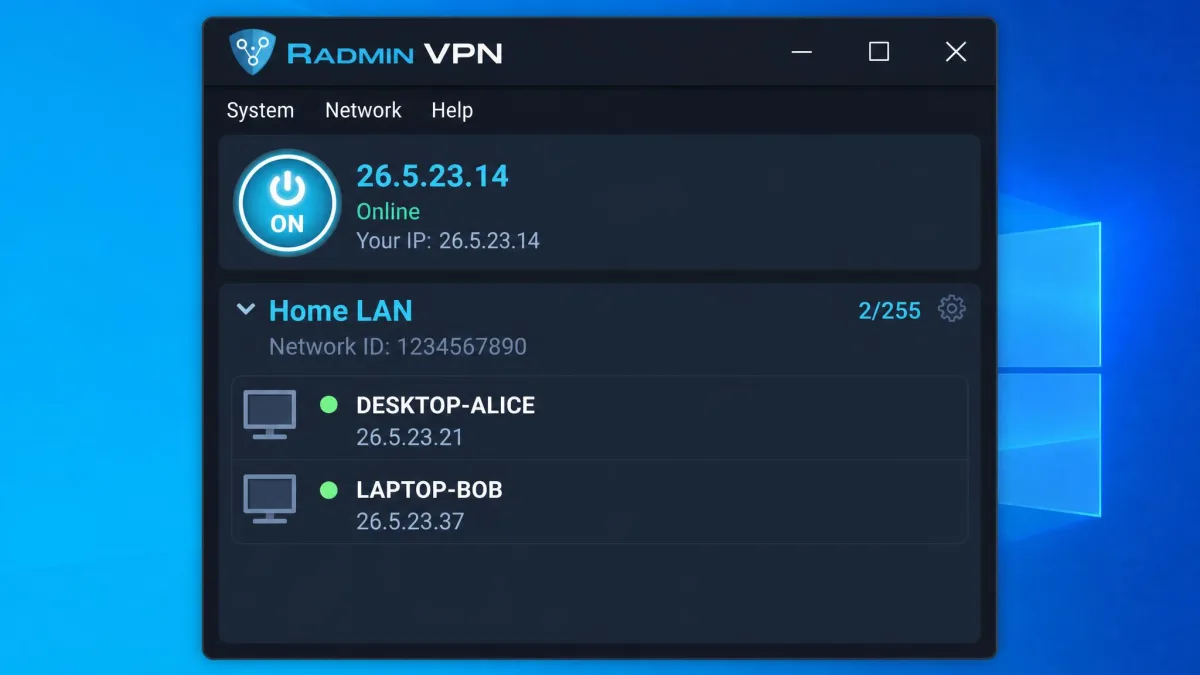
Yes, and with fewer strings than most free software. Radmin VPN is completely free, with no ads, no paid tier, and no premium upsell waiting to gate the useful features. There is no hidden "Pro" plan to graduate into.
That includes the parts vendors usually charge for. The free version does not limit the number of gamers on a network, so a large co-op group costs exactly the same as a two-person session, which is nothing. You also get access to a large pool of existing public and dedicated gaming networks created by other users, though that number naturally rises and falls as people create and retire networks.
The catch is not money. It is scope. You are getting a free LAN utility, not a free privacy service, so "is it worth it" depends entirely on wanting the former. For the LAN job, the value is hard to argue with.
Because Radmin VPN is free and Windows-only, there is no licence to buy and no account to create. That also means there is no vendor support desk in the way a paid VPN would offer, so the troubleshooting sections below matter more than they would elsewhere.
Features and Tools
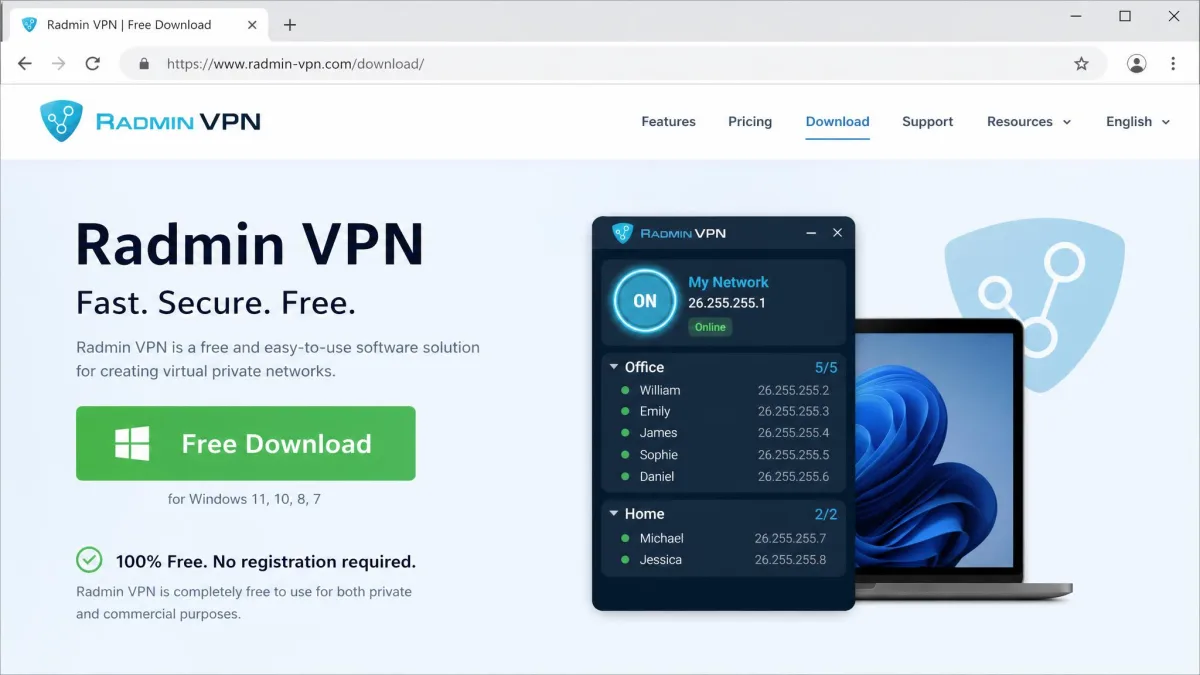
Strip away the marketing and the feature set is focused. You get a free virtual LAN over the internet, 256-bit AES encryption on that LAN, unlimited members per network, and connectivity through firewalls and NAT with no port forwarding to configure. It runs as a small Windows tray app that stays out of the way once connected.
Two features are worth calling out because searchers ask about them specifically. The first is the pool of pre-made public gaming networks, which lets you drop into an existing community rather than build your own. The second is the tie-in with Radmin's remote-control software, which is a separate product that piggybacks on the same virtual network.
That remote-control link is where "Full Control" comes from, and we cover it properly in the setup section. For now, the short version is that Radmin VPN handles the networking, and Full Control is a mode of the paid Radmin remote-desktop tool that runs on top of it.
Privacy and Logging: What Radmin VPN Collects
This is where you need to read carefully. The vendor states that it does not log your IP address or your online activity. We would love to state that as a flat finding, but there is no published independent no-logs audit to confirm it, so we treat the privacy claim as unverified rather than fact.
That caution is less alarming than it sounds, because privacy is not what the tool is for. Radmin VPN does not hide your IP from websites and does not encrypt your general internet traffic. There is very little browsing activity for it to log in the first place, since your normal traffic never routes through it.
The practical takeaway: do not use Radmin VPN as a stand-in for a privacy VPN, and do not send sensitive traffic expecting it to be shielded. If protecting your browsing is the goal, you need a real privacy VPN, and you can start with what a VPN actually does to understand the difference.
Radmin VPN links your devices to each other. It does not stand between you and the wider internet, so judge it as a network tool, never as a privacy shield.
Security and Encryption (AES-256)
On the encryption question, the facts are clearer. Radmin VPN uses 256-bit AES end-to-end encryption on the virtual LAN, which is the same strong, widely trusted standard used across banking and enterprise software.
The important qualifier is scope. That AES-256 protects traffic within the virtual LAN, and only there. It secures the link between your machine and the peers on your network. It does nothing to encrypt the rest of your internet connection, because that traffic never enters the tunnel.
There is also a human weak point that no cipher fixes. Radmin networks are protected only by a password, so a weak or shared password could let outsiders onto your LAN alongside your friends. Treat the network password like a house key rather than a throwaway, and change it if it ever leaks.
A strong network password is the only thing standing between your virtual LAN and a stranger. Anyone with the network name and password can join, see your machines, and reach shared services. Use a long, unique password and do not paste it into public Discord channels or forum posts.
Performance, Speed, and Lag
Performance is the part where honest reporting means admitting the range. No reviewer, ourselves included, can hand you a single throughput number that will match your setup, because Radmin VPN routes peer-to-peer where it can and your results ride on both players' home connections. What we can describe is the shape of what happens.
For many players, performance is genuinely good, and the added overhead is small enough that a co-op session feels local. For others on the same network, it is not. We have seen the split within a single group, and that uneven result is the common experience.
The most useful thing we can tell you is to test before you commit to a long session. Connect, run a quick game, and watch your ping. If it is clean, it will usually stay clean. If two players lag from the start, that rarely fixes itself mid-match.
Speed and Latency for Gaming
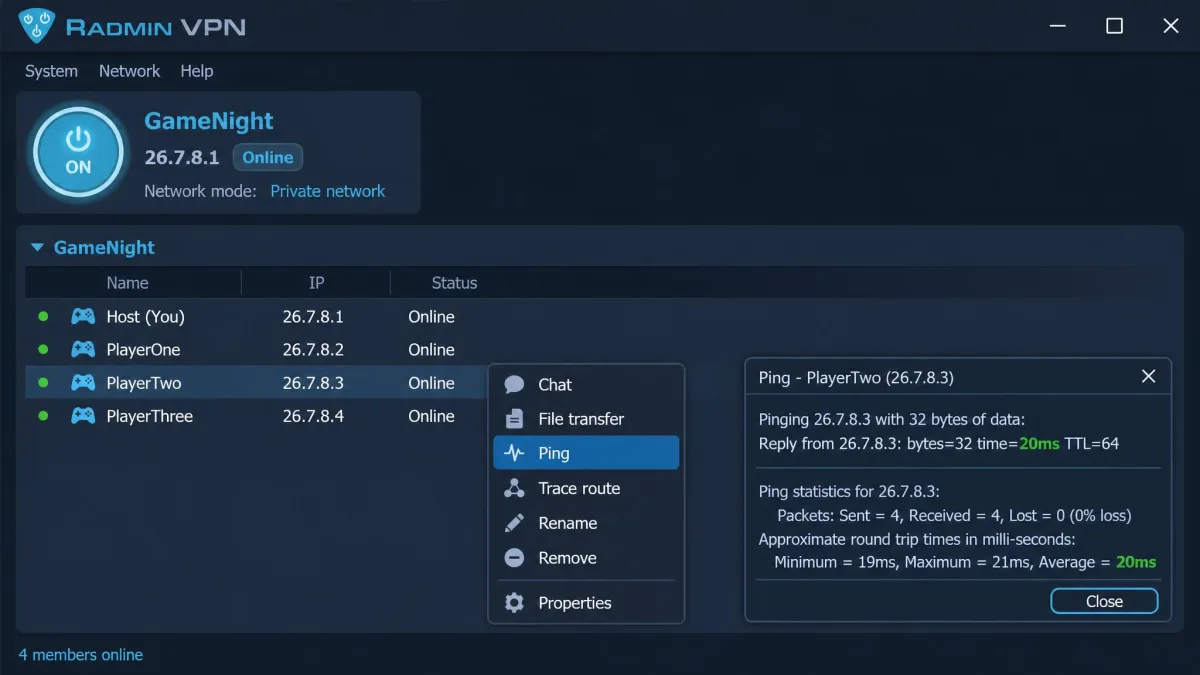
Latency is where the range gets dramatic. On one network we watched ping fall from around 330 ms down to roughly 20 ms once the LAN link settled, which is the difference between unplayable and smooth. Yet on that same network, two other friends still lagged badly the whole session.
There is a second, sneakier problem. Connections can drop every 20 to 30 minutes with a "request timed out" error, booting a player out of the party mid-session. When that happens, it is maddening precisely because everything worked fine until it did not.
If your group hits either issue, the fixes live in the troubleshooting sections below. For pure competitive play where every millisecond counts, a purpose-built option is a better bet, and our best VPN for gaming guide covers those. Radmin VPN shines for co-op and private servers, not ranked ladders.
Ease of Setup and Installation (Windows)
Setup is the tool's best trait. In our testing, you install the Windows client, click through a short installer, and you are looking at the main window in under a minute. There is no account to create, no email to verify, and no licence key to paste. That alone puts it ahead of most free networking tools.
From there you make one choice: create a new network or join an existing one. Both take seconds. The whole flow, from download to a live connection with a friend, ran in a couple of minutes on our test machines with nothing to configure.
Download the client only from Radmin VPN's official site. This is the single most important safety step in the entire review, because the antivirus flags we cover later mostly matter when people grab an installer from a mirror or a bundle site.
Install Radmin VPN on every machine that needs to be on the network before anyone tries to connect. Half of the "it won't work" reports we see come from one player who never installed the client or never launched it before joining.
How to Create and Join a Network Step by Step
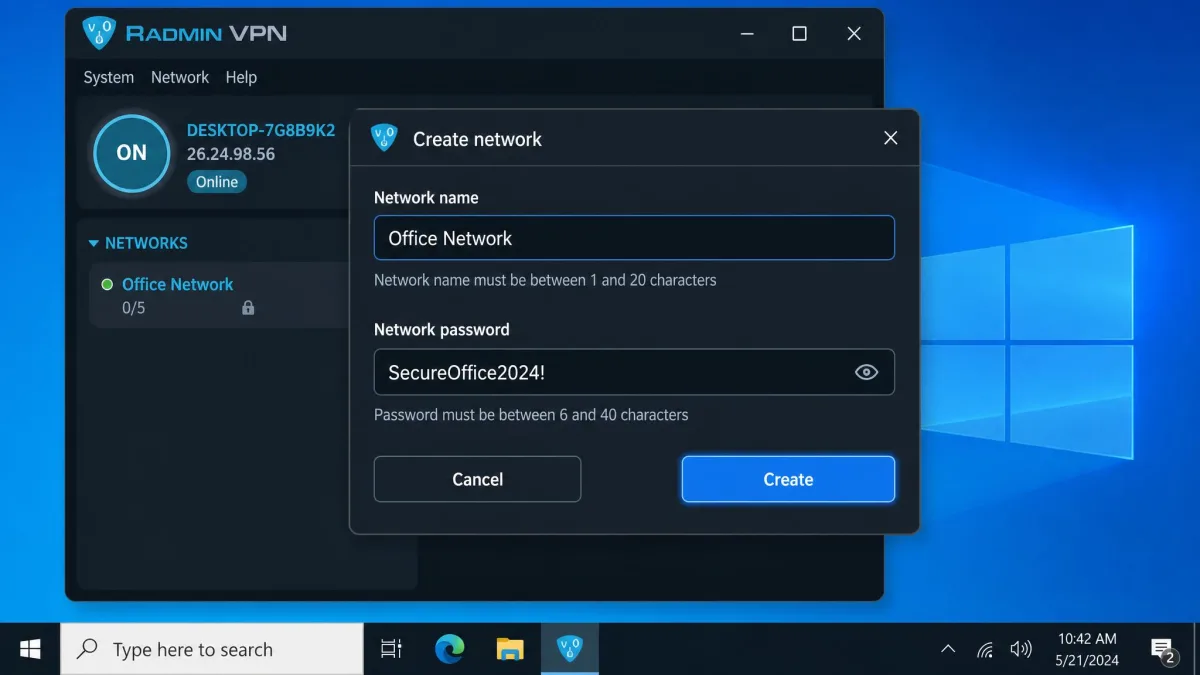
Creating a network is short. Open Radmin VPN and click Create network, then set a network name and a strong password, and confirm. Your machine becomes the first member, and the network appears in the main window ready for others to join.
Joining is the mirror image. Open Radmin VPN and click Join network, then enter the exact network name and password you were given, and confirm. Within a few seconds the peer list populates and each member shows a private IP you can use for game hosting, file shares, or remote access.
Full Control is a separate layer, and people conflate it with the VPN constantly. Full Control is a mode of the Radmin remote-control software (you view the remote desktop and control it), distinct from the VPN, and it requires Radmin Server installed on the remote PC. The official Radmin setup documentation walks through creating and joining networks and the Full Control versus View Only distinction if you plan to use remote desktop over the link.
Is Radmin VPN Safe, or Is It Malware?
This is the question that brings most people here, so we will answer it straight and even-handed. Radmin VPN is a legitimate virtual-LAN tool from an established vendor, and it is not malware. It is also not a privacy VPN, and it is not audited, so "safe" depends on what you are asking of it.
For its intended job, free LAN gaming and remote access, it is safe to use, with two conditions. Download it only from the official site, and use a strong network password. Those two habits close the realistic risks: a tampered installer and an unwanted guest on your LAN.
Where we stop short is treating it as a security product. Because there is no independent audit and it does not protect your general traffic, we would not lean on it for anything sensitive. Use it for what it is, and pair it with a real privacy VPN when privacy is the goal.
What Antivirus and Malware Scanners Flag
You will likely see warnings, and it helps to know why. Some automated sandbox analysis, such as an ANY.RUN behavioral report, returns a "Malicious activity" verdict on the installer, with tags pointing at the Inno Setup installer and Delphi packaging it uses. That reads scary in isolation.
Here is the balanced read. That verdict is an automated behavioral heuristic on an installer, not a confirmed infection of the official build, and the official Radmin VPN build is a legitimate, established tool. Installers that create virtual network adapters and services trip generic heuristics all the time, which is exactly the behavior a LAN tool needs.
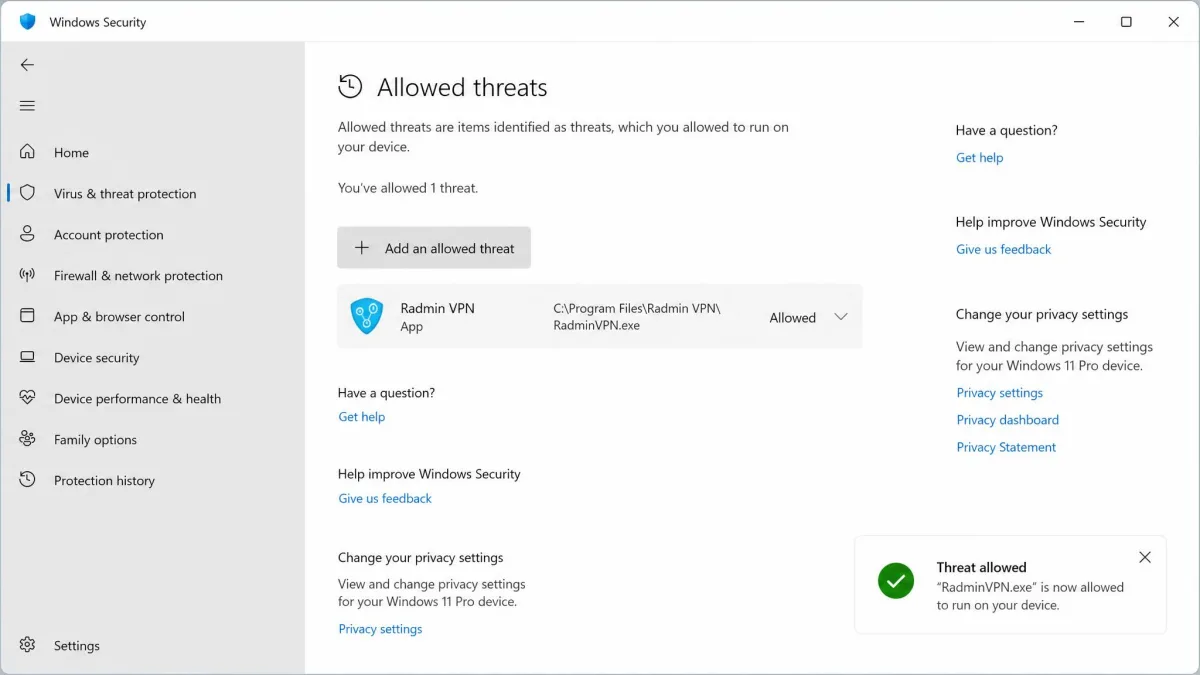
So we neither wave the flags away nor call the tool a virus. The sensible posture: download from the official site, keep your own antivirus running, and understand that you will probably need to whitelist Radmin VPN for it to connect. If a scanner flags a copy you got from anywhere other than the vendor, delete it.
Radmin VPN for Minecraft and LAN Games
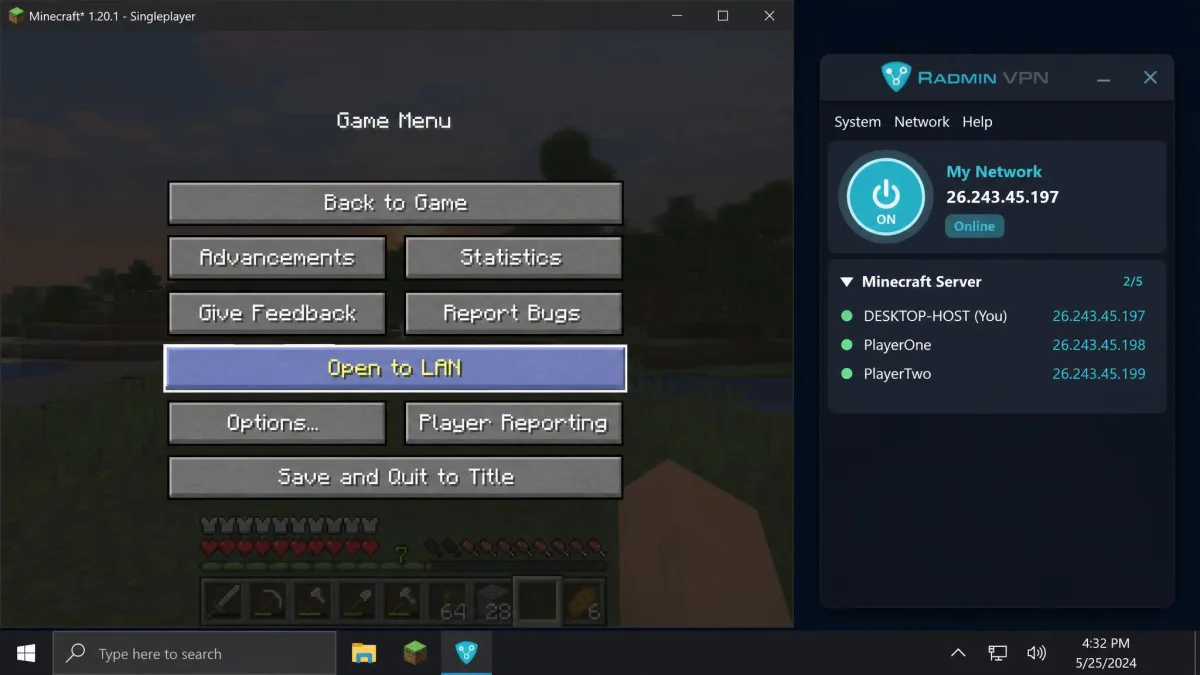
Minecraft is the classic use case, and the flow is reliable once everyone is set up. All players install Radmin VPN and join one shared network. The host loads a world, presses Esc, and clicks Open to LAN. Everyone else then joins through the LAN port Minecraft displays, using the host's Radmin private IP.
One habit will save your evening. You must launch Radmin VPN every time before playing, because if the app is closed, the virtual LAN and the game hosting stop working. Closing the tray icon quietly ends the network, and the "why can't they see my world" panic usually traces back to exactly that.
The single biggest Minecraft co-op blocker is security software. Radmin VPN often connects only when the Windows firewall or antivirus is turned off, or when the app is properly whitelisted in both. We would not leave your firewall off as a habit, so add the exception instead, which we cover in the troubleshooting section.
Radmin VPN for BO3 (Black Ops 3) and Other Co-op Games
Black Ops 3 is a common request, and the setup is a little more involved. For BO3, players pair Radmin VPN (or Hamachi) with the BOIII client to play multiplayer and Zombies together, with each player treated as a LAN peer over the virtual network. Radmin handles the networking; the client handles the game side.
There is no official BO3-over-Radmin support statement, so this leans on third-party tooling and community setups. Expect a bit more trial and error than Minecraft, and make sure every player is on the same Radmin network and running matching client versions before you start a lobby.
The broader point holds for most older or co-op-only titles. If a game supports LAN or system-link play, Radmin VPN can usually carry it over the internet, which is why it stays popular for games whose official servers are long gone.
Fixing Connection Problems: Registering, Greyed-Out Join, Service Not Started
Radmin VPN's rough edges are almost all connection problems, and most have known fixes. The two we hit most often are the app hanging on "registering" or "connecting" indefinitely, and the tool refusing to link until security software steps aside.
For a stuck "registering" state, a service restart or a reinstall is usually what clears it. A fuller reset that community fixes rely on runs like this: stop the service, delete the C:\ProgramData\Famatech folder, clear the Famatech\RadminVPN registry key, uninstall, reboot, run ipconfig /release then ipconfig /renew, and reinstall. That is a community-assembled sequence rather than an official one, and exact paths can shift by version, so treat it as a last resort.
If the app shows the service is not started, start the Radmin VPN Control Service from Windows Services (open services.msc), or click the round power button in the app to bring it back up. The exact service name can vary by version, so match on "Radmin VPN" if the name differs slightly.
A greyed-out Join network button is its own signal. Join can appear greyed out when the Radmin VPN service is not running or when a network adapter conflict exists. Start the service first; if that does not restore it, a reboot or a reinstall to refresh the virtual adapter usually does.
Firewall Exceptions, Ports, and Request Timed Out
Firewall exceptions are the fix that prevents the most grief. Rather than disabling your firewall to connect, add Radmin VPN as an allowed app in Windows Defender Firewall and in any third-party antivirus. That keeps your protection on while letting the LAN traffic through.
Ports come up in two different contexts, and people conflate them. For Radmin remote control (Full Control over the internet), the Radmin Server default port is 4899, which is changeable across the 1 to 65535 range and should be added as a firewall exception. Separately, some community fixes report opening TCP ports in the 17000 to 18000 range to clear a stuck "registering" state, but Radmin does not officially document that range, so treat it as an unverified troubleshooting step rather than a requirement.
The "request timed out" drop, where players fall out every 20 to 30 minutes, is the frustrating one. Whitelisting in the firewall, keeping the app open, and having the host restart the network are the levers that help most. If drops persist for a specific player, their home network or ISP is often the real culprit rather than Radmin itself.
Do not play with your firewall and antivirus fully switched off just to make Radmin VPN connect. It works, but it leaves your whole machine exposed for the entire session. Add a proper firewall exception instead; it takes a minute and keeps your protection running.
How to Uninstall or Disable Radmin VPN
Removing Radmin VPN is straightforward, with one common leftover to watch for. Uninstall it through Control Panel then Programs and Features, or through Windows Settings then Apps, and then reboot. That handles the application itself cleanly.
If you only want to pause it rather than remove it, you have lighter options. Right-click the tray icon and choose Exit to stop it for the session, or set the Radmin VPN Control Service to Disabled or Stopped in services.msc to keep it from starting with Windows. Note that disabling the startup service can occasionally leave it unable to re-enable cleanly on some systems, so prefer the tray Exit for a temporary pause.
Removing the Leftover Virtual Network Adapter
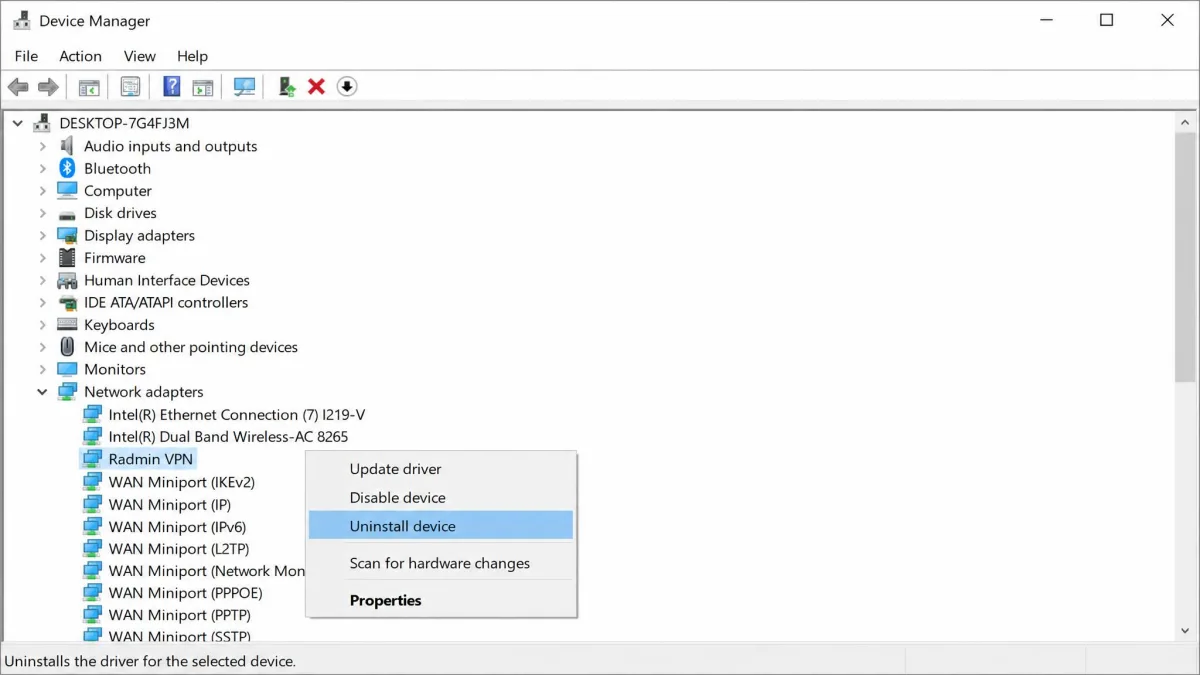
Here is the part people miss. A leftover virtual network adapter frequently remains after uninstall, and it must be removed manually. This is the harmless-looking entry that can confuse other networking tools or leave a phantom connection in your adapter list.
To clear it, open Device Manager, expand Network adapters, find the Radmin VPN adapter, and remove it, then reboot. Once that is gone, your network stack is back to how it was before you installed the tool.
Radmin VPN on Mac (and the Best Alternatives)
If you are on a Mac, the news is short: there is no native Radmin VPN client. Radmin VPN is Windows-only, covering Windows 11, 10, 8, and 7, and it is not available for macOS, Linux, iOS, or Android. No workaround changes that, so a mixed group with even one Mac player needs a different tool for everyone.
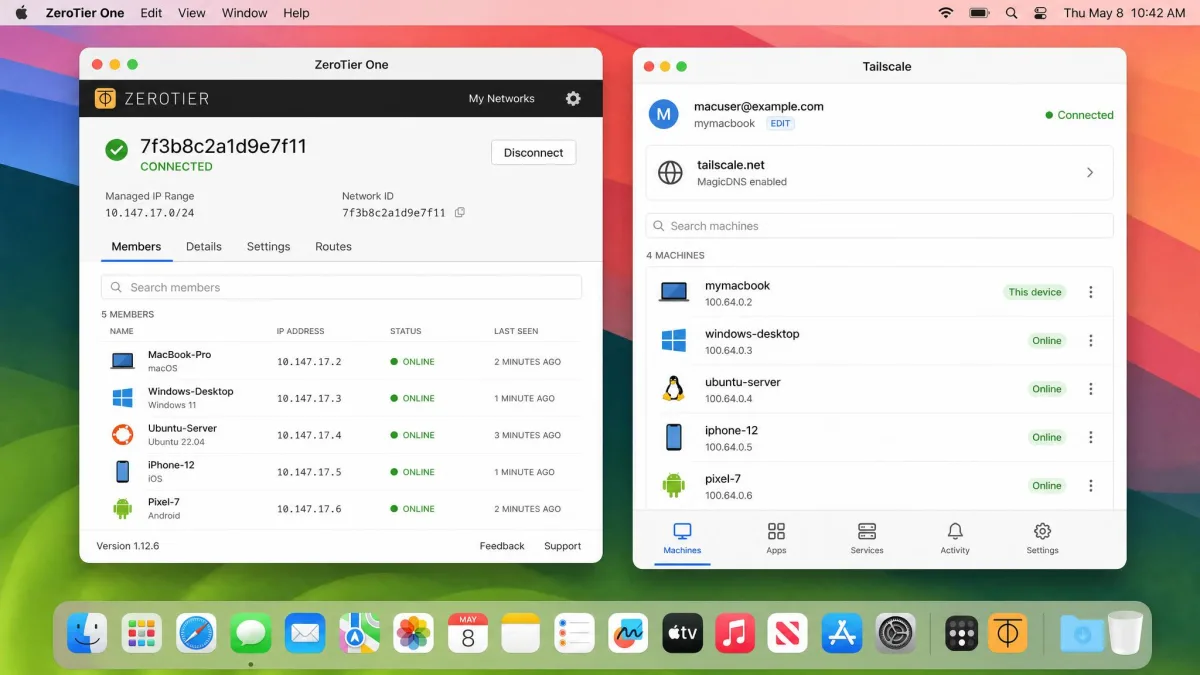
The good news is that the alternatives are excellent and free at the tier most people need. For a straight cross-platform swap, ZeroTier runs on Windows, macOS, Linux, iOS, and Android, and its free plan covers up to 25 devices, which is plenty for a gaming group or a small home setup.
The other one we reach for is Tailscale, a WireGuard-based mesh network that also runs on macOS and every major platform. Its free Personal plan covers up to 100 devices and up to 3 users. Either tool gives Mac users the same "one virtual LAN" experience Radmin VPN offers Windows users, and both are covered in our best free VPN alternatives roundup.
Radmin VPN vs Alternatives (Hamachi, ZeroTier, Tailscale)
Radmin VPN is not the only virtual-LAN game in town, and the right pick depends heavily on your platforms. The table below lines up the four tools people compare most, so you can match one to your group.
| Tool | Buy | Platforms (incl. Mac) | Free tier | Encryption | Best for |
|---|---|---|---|---|---|
 |
Check price → | Windows only, no Mac | Free, unlimited members | 256-bit AES (on-LAN) | Free Windows LAN gaming |
 |
Read review → | Windows, macOS, Linux | 5 computers per network | AES-256 | Cross-platform virtual LAN |
 |
Check price | Windows, macOS, Linux, iOS, Android | 25 nodes | End-to-end encrypted | Self-hosted cross-platform networking |
 |
Check price | Windows, macOS, Linux, iOS, Android | 100 devices, 3 users | WireGuard (end-to-end) | Modern mesh VPN for small teams |
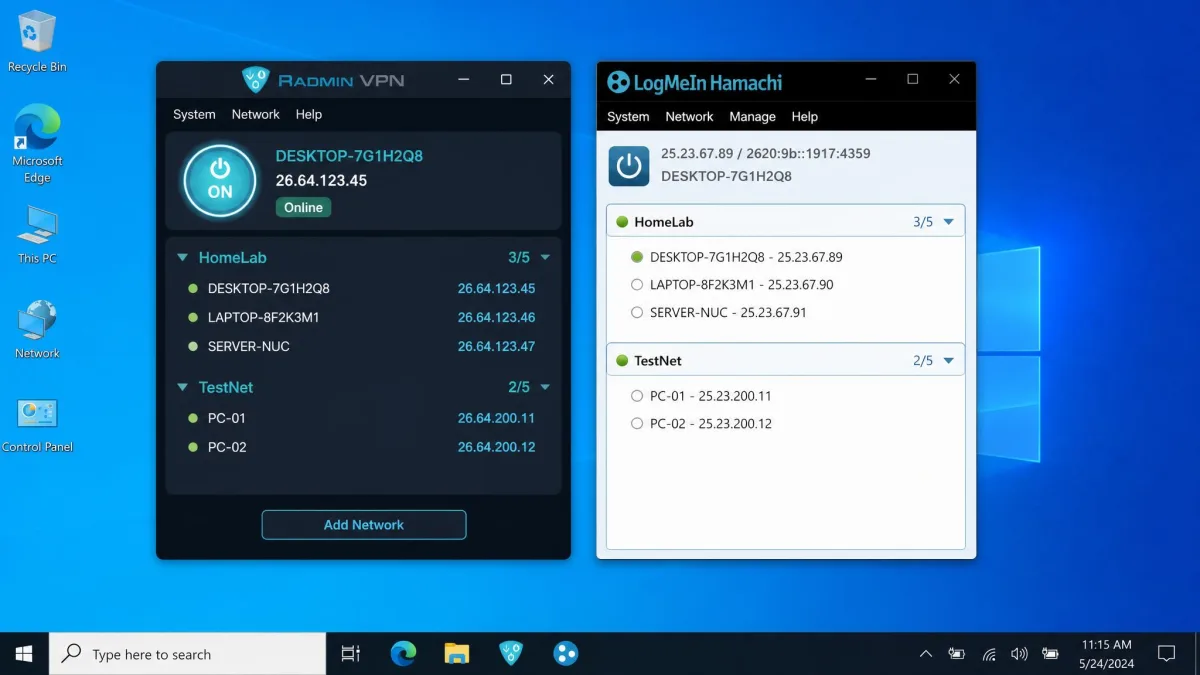
The head-to-head most people actually run is Radmin versus Hamachi. In our experience Radmin is simpler to get running: one install and connect, versus Hamachi's recurring driver and firewall fiddling. Hamachi wins on reach, since it runs on macOS and Linux too, but its free tier caps you at a small number of computers per network. If you want the deeper comparison, we cover it in our LogMeIn Hamachi review.
ZeroTier and Tailscale are the modern picks, especially for mixed-platform groups or anyone who cares about scale. ZeroTier leans toward self-hosted, configurable networking, while Tailscale is the polished, WireGuard-based option for small teams. For pure free Windows gaming, though, Radmin's unlimited-member networks are still the easiest on-ramp.
Who Should Use Radmin VPN?
Radmin VPN fits a specific person well. If you are on Windows, want to play LAN or co-op games with friends over the internet, and want it free with no account, this is close to ideal. The same goes for small remote-access tasks where you just need two machines to see each other.
It fits poorly for others. Mac and Linux users are out entirely. Anyone wanting privacy, IP masking, or encrypted browsing needs a real privacy VPN instead, since Radmin VPN protects only the LAN. And competitive players chasing the lowest possible latency will want a gaming-tuned service rather than a peer-to-peer LAN tool.
If you are still deciding whether a VPN even helps your play, our explainer on how a VPN helps in gaming is a good next read before you install anything.
Final Verdict: Is Radmin VPN Worth It?
For the right job, yes, and the price makes it an easy recommendation. Radmin VPN does one thing, a free virtual LAN over the internet, and it does it with genuinely fast setup and no catches on the pricing. For Windows LAN gaming and light remote access, it earns its place on the drive.
The reasons to hold back are all about scope, not quality. It is Windows-only, it is not a privacy VPN, and it comes with connection quirks and antivirus flags you need to manage. None of that is disqualifying if you know going in, which is the whole point of reading this first.
Pros
- Completely free with no ads, no account, and unlimited members per network
- Very fast setup: install, create or join, connected in minutes
- Strong 256-bit AES encryption on the virtual LAN
- Works through firewalls and NAT without port forwarding
- Simpler to get running than Hamachi in our testing
Cons
- Windows only, with no Mac, Linux, or mobile client
- Not a privacy VPN: no IP masking, no encrypted browsing, no audit
- Connection quirks like stuck "registering" and "request timed out" drops
- Antivirus and sandbox tools may flag it, so expect to whitelist it
- Leaves a virtual network adapter behind after uninstall