Urban VPN costs nothing, but its free service runs on a peer-to-peer network. Your device can carry other users' traffic, and their devices carry yours. That trade is the main reason people go looking for a replacement.
We ranked the alternatives below by the score each one earns in its full HTS review, which weighs privacy, leak protection, speed and streaming. Each of them routes your traffic through the provider's own servers rather than through strangers' devices. Proton VPN leads at 9.0/10, and its free plan has no data cap. For the full case against the service itself, read our Urban VPN review.
Our Urban VPN alternatives shortlist
Short on time? These three cover most people leaving Urban VPN. Proton VPN is the free pick, NordVPN is the paid service we would move to first, and Surfshark is the cheapest way to protect every device in a household.
Urban VPN alternatives compared
The table lines up all seven picks in score order. Urban VPN sits at the bottom as the baseline you are leaving. Prices marked "about" are promotional rates that move with each provider's sales.
| Product | Buy | Best for | Free plan (yes / data cap) | Starting price | Simultaneous devices | Standout feature |
|---|---|---|---|---|---|---|
 |
Check price → | Free plan with no data cap | Yes: no data cap, 1 device, 10 countries | $9.99 monthly; about $3.49/mo on 2 years | 1 free / 10 paid | Securitum no-logs audits, Secure Core |
 |
Check price | All-round paid use | No | $5.49/mo on 1 year; about $3.09-$3.49/mo on 2 years | 10 | Six no-logs audits, Threat Protection Pro |
 |
Check price | Unlimited devices on a budget | No | $2.49/mo on 2 years | Unlimited | CleanWeb blocker, TV apps |
 |
Check price | Free tier on several devices | Yes: 10GB/mo with email (2GB without) | $69/yr; $9 monthly; Build-A-Plan from $3 | Unlimited, free plan too | R.O.B.E.R.T. blocking, Build-A-Plan |
 |
Check price | Free tier with a soft cap | Yes: 10GB per 30 days, then about 1 Mbps | $1.11/mo on 24 months; $10.99 monthly | 10 paid; free limit varies by Privado page | 10GB free across 10 countries |
 |
Check price | Easiest setup | Yes: 2GB/mo, location chosen for you | $3.33/mo on 3 years; $9.99 monthly | Unlimited | Annual Cure53 audits, simple apps |
 |
Check price | Long refund window | Yes: 1 device, ad-supported; allowance varies by device | $12.99 monthly; about $7.99/mo on 1 year | 1 free / up to 10 paid | Hydra protocol, 45-day refund |
 |
Not recommended | Yes: no cap on desktop, but your device joins the P2P network | About $3-$5/mo on 1 year (price varies) | Unlimited free / 8 Premium | None |
Why people leave Urban VPN
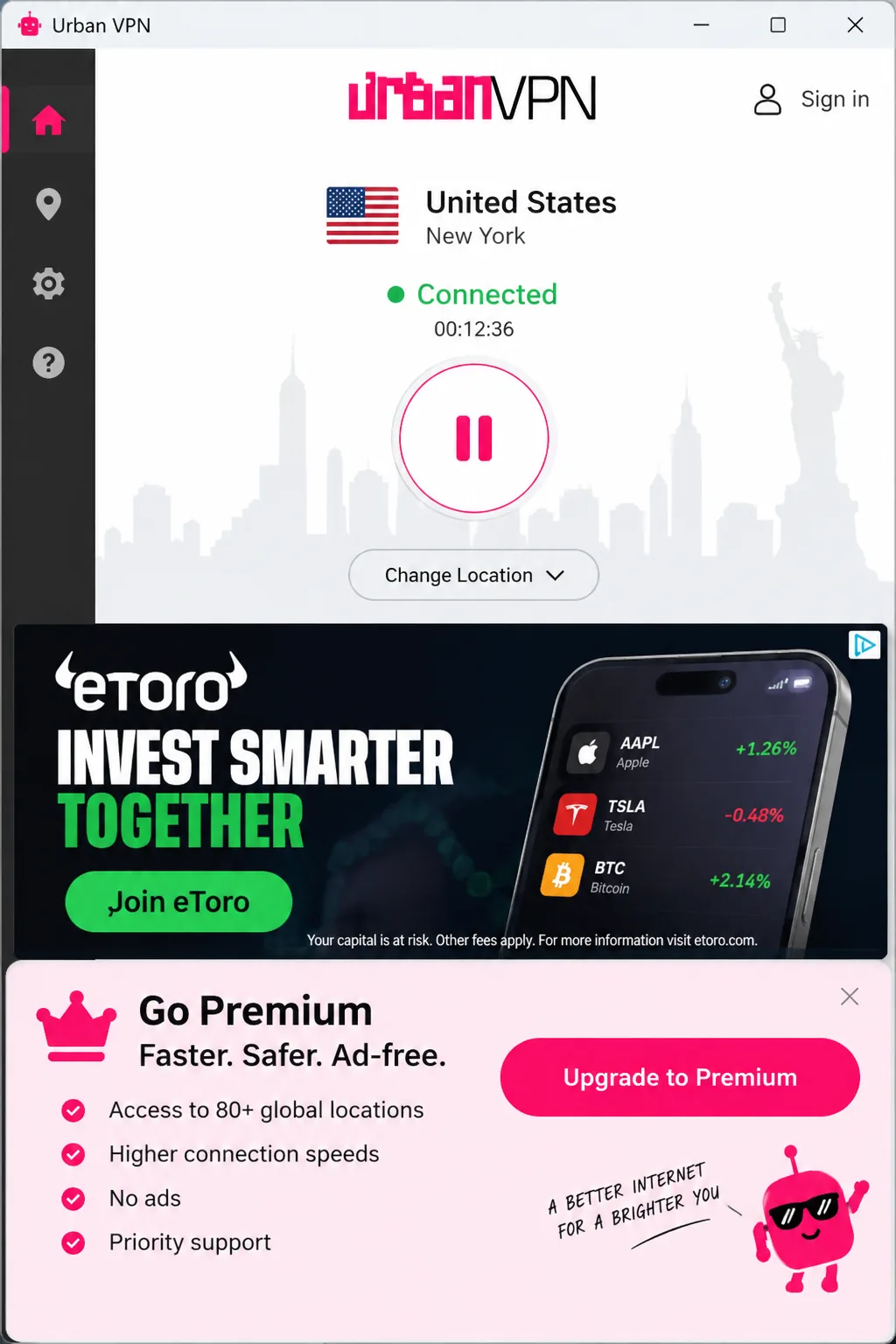
That bottom row hides several problems, and the peer-to-peer model comes first. Urban VPN's free service sends your traffic through other users' devices and theirs through yours. Every free user becomes part of the network. Urban markets its free Windows app as an "IP-sharing VPN", and dedicated servers are reserved for Premium. In our testing, daily data use climbed by roughly 500MB to 2GB while connected, because other people's traffic was passing through the device. Premium is the only way to opt out of exit-node duty.
The data practices are the second reason. Urban VPN's privacy policy was last updated September 4, 2026. It states that the parent company is a data broker, and that Urban may sell or otherwise disclose raw personal information to that parent or to affiliates. The policy lists browsing data such as URLs visited and ads clicked. It also lists prompts typed into AI tools like ChatGPT, Claude and Perplexity. Browsing data is de-identified and aggregated within 90 days. Urban Cyber Security Inc., registered in Delaware, runs the service. Press coverage ties it to the data broker BiScience, but the exact corporate relationship has never been published.
The browser extension adds a separate concern. Koi Security's findings, published in December 2025, showed that the Urban VPN Proxy extension captured conversations on eight AI platforms, including ChatGPT, Gemini and Microsoft Copilot. The capture code arrived in version 5.5.0 on July 9, 2025. At the time, the publisher's extensions had more than 8 million users across Chrome and Edge. Collection ran whether or not the VPN was connected. Switching off the "AI protection" feature did not stop it.
The Urban VPN Proxy extension is a browser proxy, not a full VPN. It covers only browser traffic and does not encrypt it. It also does not block WebRTC by itself, so your real IP can leak unless you disable WebRTC in the browser.
No independent audit has checked Urban VPN's privacy or no-logs claims. Connections on the apps dropped often in our testing. We found no kill switch on the free plan to block traffic when they did. Urban's FAQ describes a kill switch toggle but does not say which versions include it.
Performance is the final push for many users. A nearby UK server kept about 93 percent of our line speed, but a US server fell to 24 Mbps. That is too slow for UHD streaming. The iOS app needed manual reconnection every few hours, and Netflix, Prime Video, Hulu and BBC iPlayer stayed blocked. We score Urban VPN 4.5/10, and our breakdown of whether Urban VPN is safe goes deeper on each of these points.
Best Urban VPN alternatives
Every pick here has a full HTS review, and the score from that review sets its place on this list. Those reviews weigh speed, leak protection, kill switch behavior and streaming. The notes below report what stood out for each VPN. The order runs from Proton VPN and NordVPN at 9.0/10 down to Hotspot Shield at 6.5/10. Even the last pick scores two points above Urban VPN's 4.5.
1. Proton VPN: best free alternative with no data cap
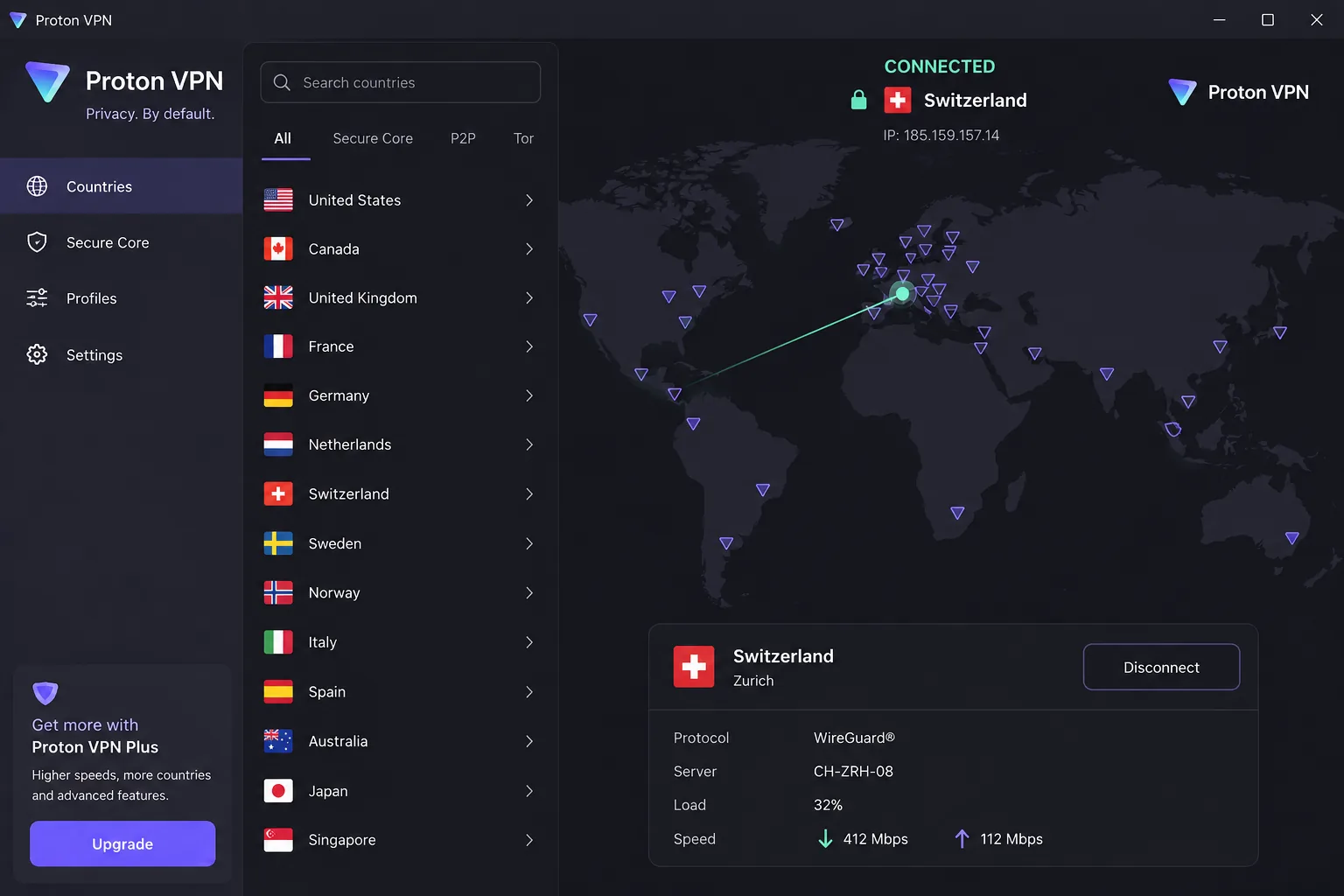
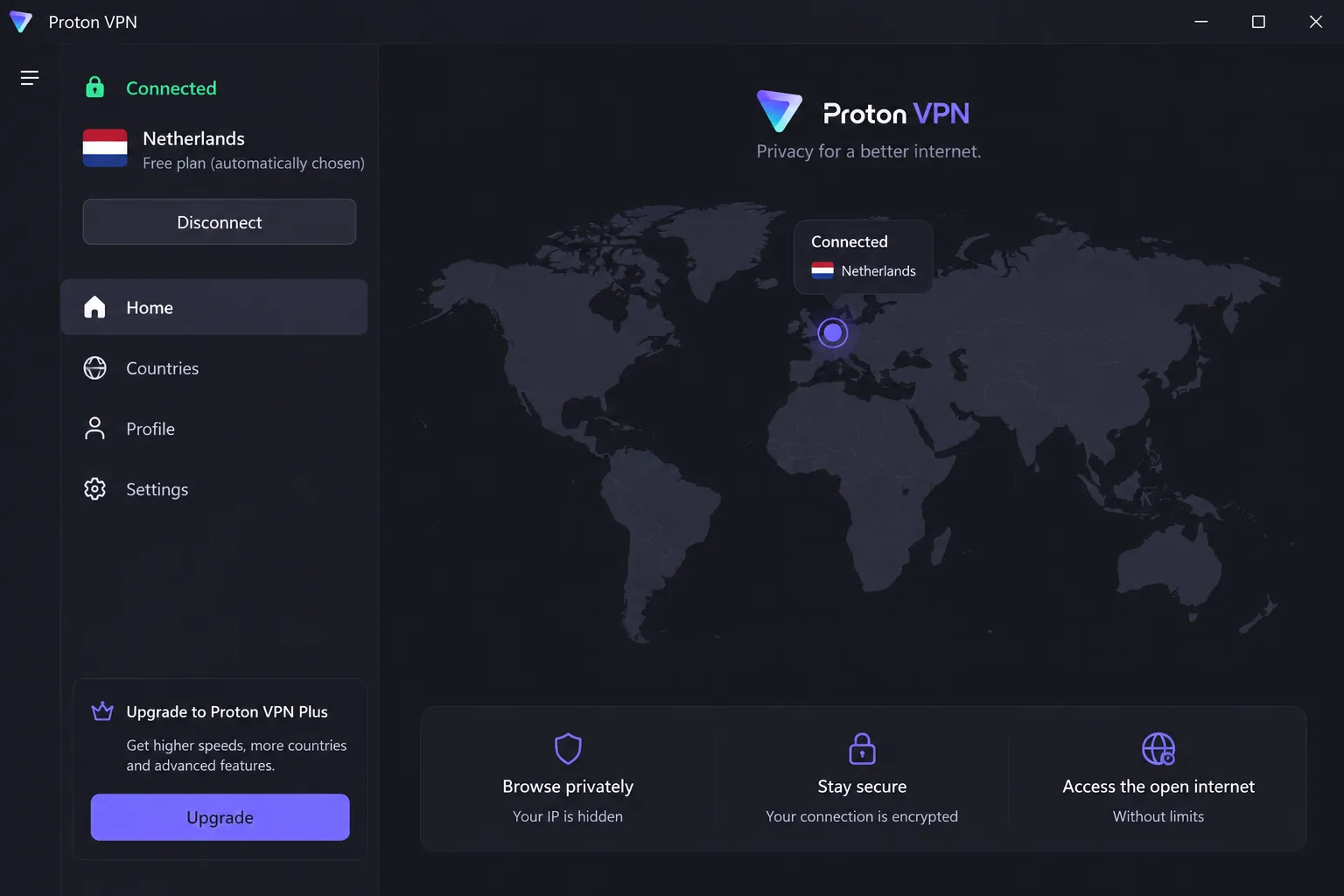
Proton VPN is the closest swap for anyone who chose Urban VPN because it was free. Proton VPN's free plan has no data or speed limits and shows no ads. It covers servers in 10 countries.
Installing it on our test machines took about two minutes. The apps explain each setting in plain language, which helps if Urban was your first VPN. On the free tier we saw no throttling and never hit a data limit. After we upgraded, nearby servers cost us under 10 percent of our download speed. Leak checks across dozens of server countries showed no DNS, IPv6 or WebRTC leaks.
VPN Plus costs $9.99 on monthly billing, or about $3.49 a month on the two-year plan. That rate moves with Proton's sales, and the plan renews at a different price. It covers 10 devices in 140+ countries with a 30-day money-back guarantee. Proton is based in Switzerland, and Proton VPN's independent no-logs audit by Securitum has run every year since 2022. We score it 9.0/10 in our Proton VPN review.
Pros
- Free Chrome and Firefox extensions that work without the desktop app
- Secure Core multi-hop and the NetShield ad blocker on paid plans
- Paid plans unblock Netflix, BBC iPlayer and Disney+ without server hopping
Cons
- Free plan covers one device and chooses the server for you
- No streaming or torrenting on the free tier
- Live chat is closed to free users, and email replies can take about two days
2. NordVPN: best all-round paid replacement
Where Proton VPN wins on its free plan, NordVPN is the paid service we would move to first. It has no free tier. It is faster, steadier and far better at streaming than Urban VPN.
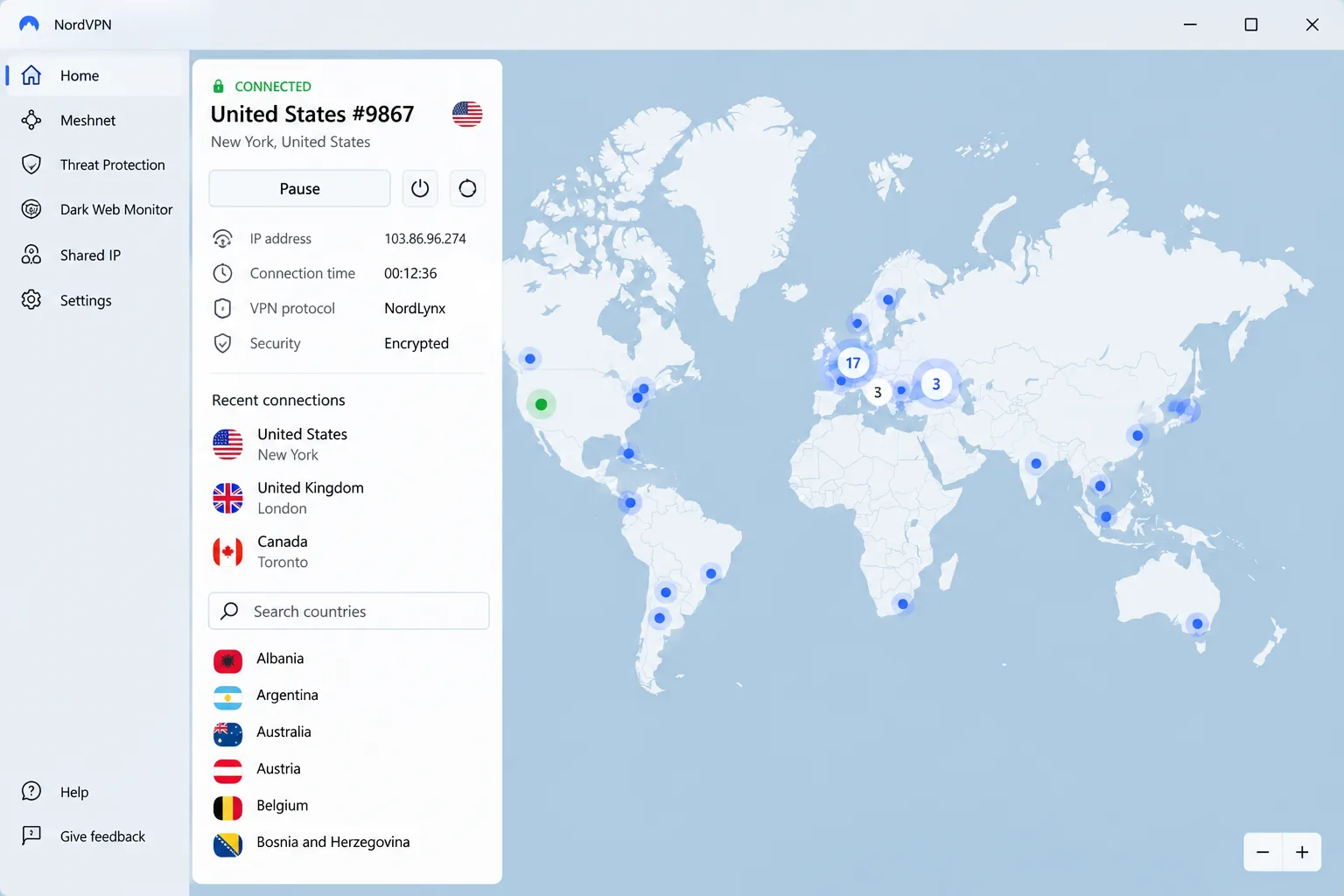
We connected to a nearby server first and lost only a single-digit percentage of our speed. Next we started a 4K stream, and it played without buffering. Netflix, Hulu, BBC iPlayer, Prime Video, Disney+ and HBO Max all unblocked on regular servers, with no hunt for special ones. The connection held without unexpected drops. Then we forced the tunnel to fail, and the kill switch cut traffic as it should. That is the gap Urban VPN's free plan leaves open.
We rate it 9.0/10 in our NordVPN review. Basic costs $5.49 a month on the one-year plan, or about $3.09 to $3.49 a month on two years. Both are introductory rates. It covers 10 devices with a 30-day money-back guarantee. NordVPN is based in Panama, and PwC and Deloitte have verified its no-logs policy six times.
Pros
- Threat Protection Pro blocks ads, trackers and malware
- NordLynx protocol with post-quantum encryption across its apps
- RAM-only servers, Double VPN and obfuscated servers
Cons
- No free plan
- Renewal price jumps well above the promotional rate
- The desktop map needs zooming to reach city-level servers, so the list view is quicker
3. Surfshark: best low-cost option for unlimited devices
NordVPN stops at 10 devices. Surfshark keeps Urban VPN's most useful perk, unlimited devices, and moves it onto a paid network built on its own servers.
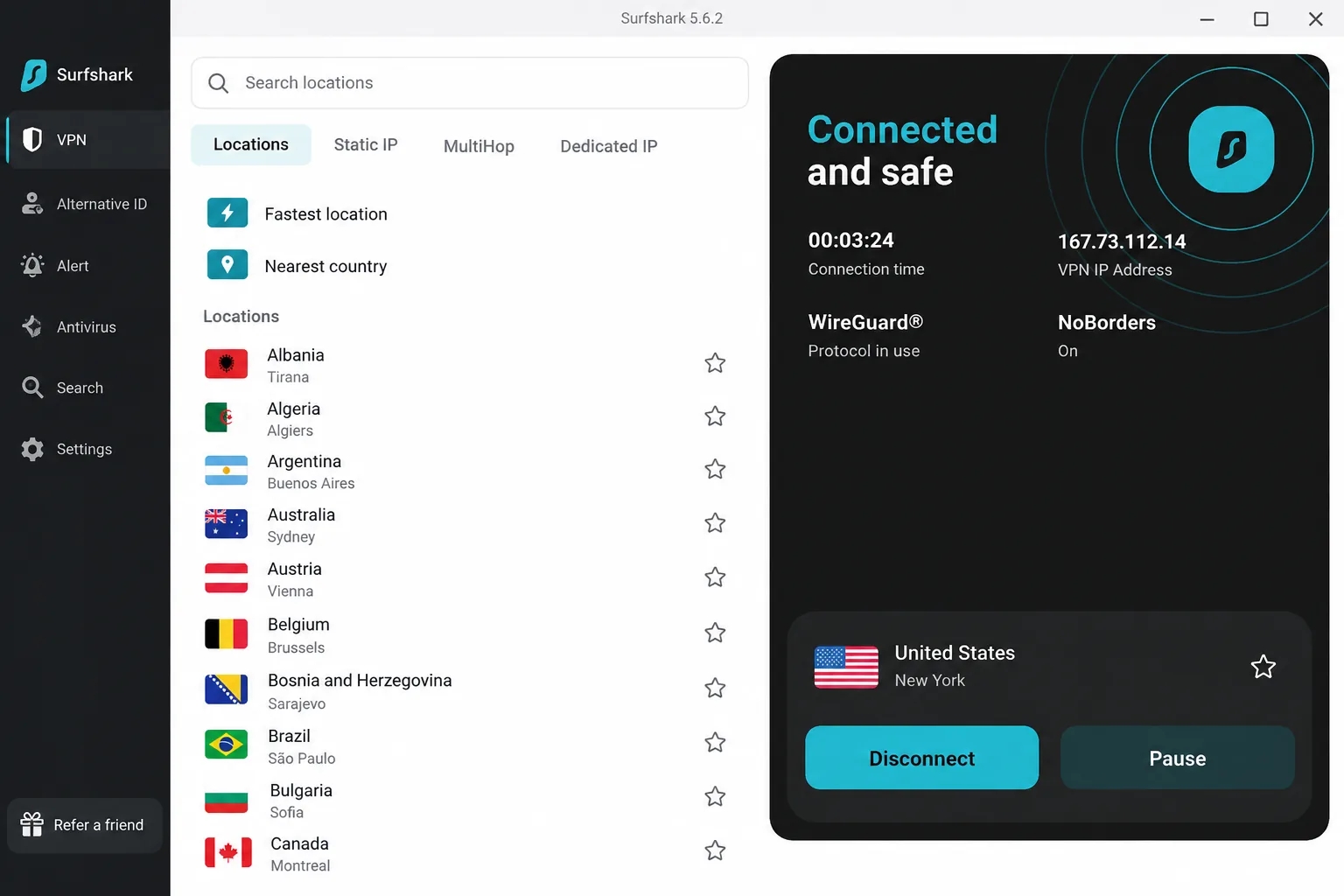
We started with the TV apps. The native Android TV, Apple TV and Fire TV apps made setup painless, so one account covered every screen in the house. On Windows, download speed dropped about 17 percent with steady latency. The macOS app was the surprise, losing about 31 percent. Netflix worked across regions and never detected the VPN. When we dropped the connection on purpose, the kill switch cut internet access instantly.
Starter costs $2.49 a month on the two-year plan and renews at $79 a year. Skip the month-to-month plan, because the value sits in the long term. Every plan covers 4,500+ servers in 100 countries, with a 30-day money-back guarantee. Surfshark is based in the Netherlands, and Deloitte checked its no-logs policy in 2023 and again in 2025. We score it 8.6/10 in our Surfshark review.
Pros
- RAM-only servers and Bypasser split tunneling
- CleanWeb blocks ads and trackers
- Camouflage obfuscation and MultiHop routing
Cons
- No free plan
- The month-to-month plan is among the priciest in the category
- Speed loss on macOS is heavier than on Windows
4. Windscribe: best free tier for several devices
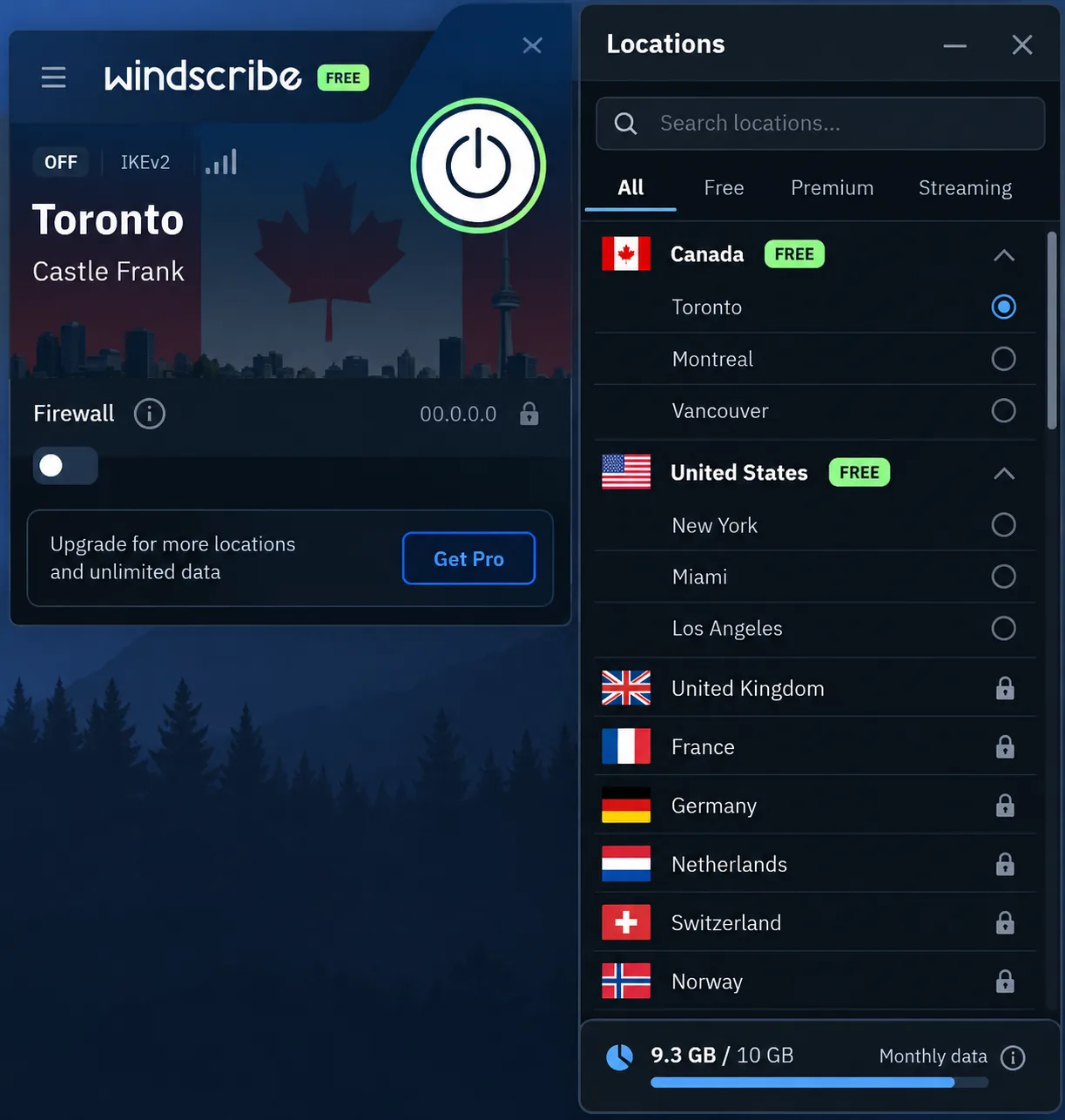
Where Surfshark needs a subscription to cover every device, Windscribe does it for free. You get 10GB a month with a confirmed email, or 2GB without one. Free servers sit in about 10 countries, though Windscribe rotates which locations are free.
Unlike Proton, Windscribe let us choose the free location ourselves. Free servers ran at roughly the same speed as Pro ones. At busy times, though, congestion caused sudden drops of up to 90 percent. Once we started streaming regularly, a few hours of HD video used up the 10GB allowance. Free servers opened Netflix US and UK libraries, but access was inconsistent on distant servers. When we needed help, the Garry chatbot answered quickly, while a human ticket reply took around 18 hours.
Pro costs $9 a month or $69 a year. Build-A-Plan charges $1 per location per month, with a $3 minimum. Refunds are available only within 7 days and for under 10GB of use. Windscribe is based in Canada and has no dedicated no-logs audit. Still, a Greek court dismissed charges against its CEO on April 11, 2025, because the company held no user logs. We score it 8.5/10 in our Windscribe review.
Pros
- Double Hop, split tunneling and port forwarding
- R.O.B.E.R.T. ad and malware blocking, with custom rules set in the website account panel
- Build-A-Plan lets you pay only for the locations you need
Cons
- Free data runs out quickly with video
- Busy free servers can slow down sharply
- The desktop app has more menus and toggles than most, and there is no live chat
5. PrivadoVPN: best free tier that slows down instead of cutting off
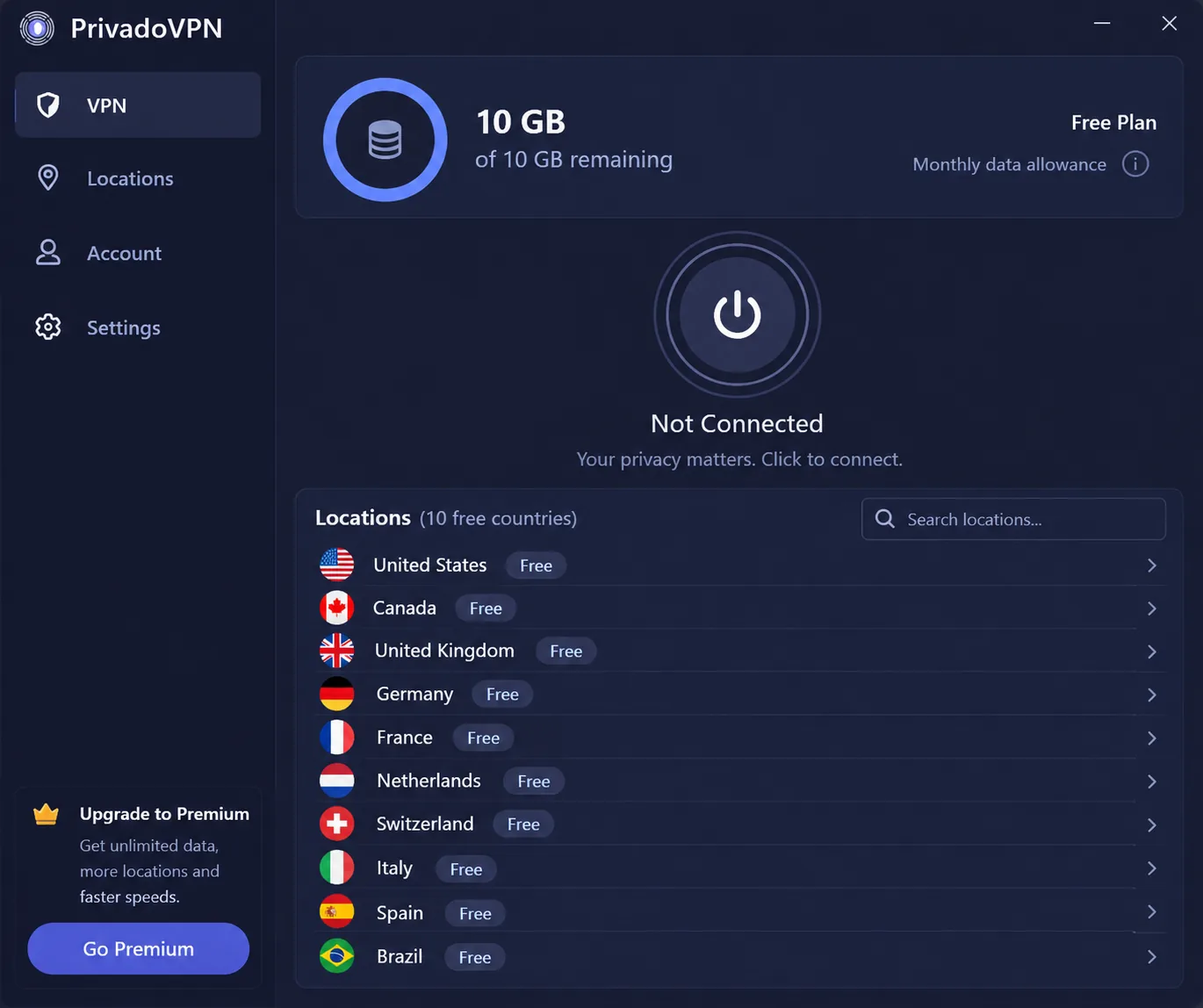
PrivadoVPN's free plan sits closer to Windscribe's than to Proton's. You get 10GB of data every 30 days across 10 countries. The difference is what happens at the limit.
When our allowance ran out, the connection dropped to about 1 Mbps rather than stopping. Before that point, free servers ran at about 125 Mbps nearby and 49 Mbps on a distant server. The distant server buffered too much for streaming. Free servers opened Netflix US on some evenings and failed on others, so treat free-tier Netflix as a bonus. Paid servers unblocked US and UK Netflix reliably, plus French, German and Japanese libraries. There are no dedicated streaming servers, so finding a working one took us a few tries.
The 24-month plan works out to $1.11 a month with three free months. The monthly plan costs $10.99. Premium covers 10 connections with a 30-day money-back guarantee. PrivadoVPN's own pages disagree on whether the free plan is limited to one device. PrivadoVPN now operates under Icelandic law. We score it 7.5/10 in our PrivadoVPN review.
Pros
- Ad-free free tier that needs only a verified email, no card
- Very low price on the 24-month plan
- Clean IP, DNS and WebRTC leak results
Cons
- No independent no-logs audit
- The macOS app lacks WireGuard and split tunneling
- Support is email tickets only
6. TunnelBear: easiest free VPN to set up
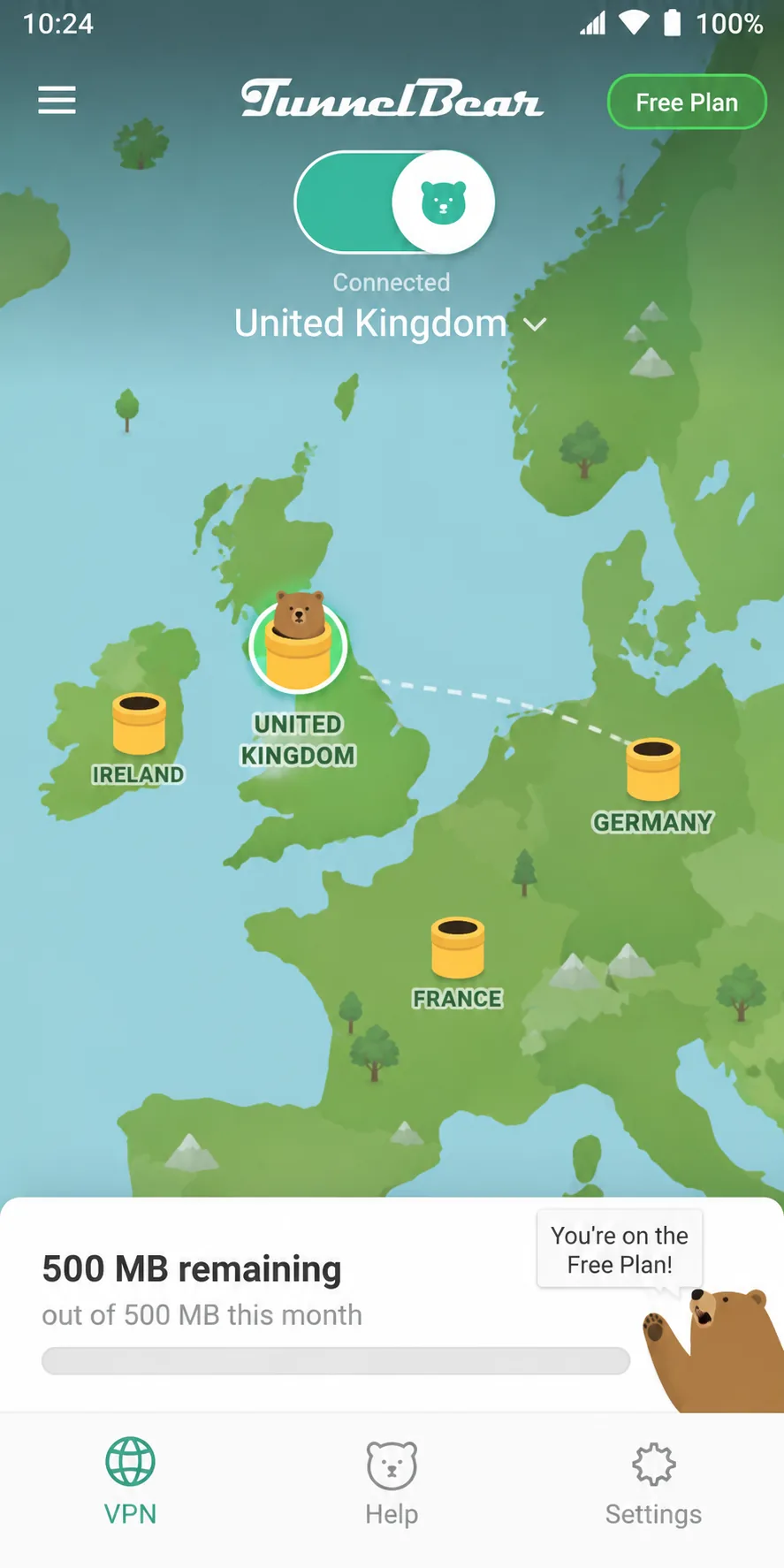
If PrivadoVPN stretches a free allowance, TunnelBear shrinks it in exchange for simplicity. Its free plan gives you only 2GB a month with no credit card.
We installed it, tapped connect and were protected, with sensible defaults already in place. That 2GB was gone after an evening or two of video. Since a January 26, 2026 update, free users cannot pick a country. The app connected us to the nearest server every time, and nearby speeds stayed close to our unprotected line. Distant servers, by contrast, slowed down noticeably.
We score it 7.5/10 in our TunnelBear review. Unlimited costs $3.33 a month on the three-year plan or $9.99 monthly. McAfee has owned TunnelBear since 2018. Leak tests for DNS, IPv6 and WebRTC came back clean. One setting needs your attention, though: the VigilantBear kill switch is off by default, so switch it on before anything else.
Pros
- GhostBear obfuscation for networks that block VPNs
- Yearly independent Cure53 security audits
- Unlimited devices on the paid plan
Cons
- The 2GB free allowance suits only light browsing
- Netflix US, Prime Video, Hulu, Disney+ and BBC iPlayer are often blocked
- Ticket-only support, with replies that can take up to 48 hours
7. Hotspot Shield: longest refund window of our picks
Hotspot Shield's 45-day money-back guarantee is the longest of the seven. That makes it a fit for people who want a long safety net before committing to a paid VPN. It is also the lowest-scoring pick, at 6.5/10 in our Hotspot Shield review. The free Basic plan covers 1 device and includes a kill switch. Its data allowance, speed and location choice differ between the desktop and mobile apps.
We opened the free mobile app, and a video ad played right away. Another played when we connected, and another when we disconnected. Once the tunnel was up, speed sat at about 2 Mbps. Switching to Premium changed the picture. US servers delivered roughly 150 to 270 Mbps, and each connection took about 10 seconds. Some servers managed only 45 to 82 Mbps, despite the "world's fastest VPN" billing.
Hotspot Shield says it does not log browsing or IP addresses. It does record connection times, data transferred and device hashes. Free-app data is shared with advertisers. Hotspot Shield has not shown an independent audit of its no-logs policy, so we do not treat that policy as audited. Premium renews at $12.99 a month on monthly billing. The annual rate of about $7.99 a month depends on the current promotion.
Pros
- Fast Premium servers in the US
- Premium unblocks Netflix, Max, Prime Video and BBC iPlayer
- 24/7 live chat for Premium users
Cons
- The free mobile app shows video ads and caps speed at about 2 Mbps
- Logs connection times and data volume
- Disney+ consistently detects the VPN
Free vs paid: which Urban VPN alternative fits you
Seven picks is a lot to weigh, but Urban VPN users usually stayed for two things: no bill and no device limit. No free alternative gives you both with unlimited data. Decide which one matters more.
Proton VPN's free plan never runs out of data, but it covers one device. If you need several devices covered for free, Windscribe allows unlimited connections but stops at 10GB a month. PrivadoVPN and TunnelBear suit lighter use. Our roundup of free VPN alternatives covers more options in this tier.
Paying makes sense once streaming or a whole household enters the picture. None of the free plans here unblocks streaming services reliably. Every free plan limits either data or devices. Surfshark at $2.49 a month removes both limits for less than many people spend on one streaming subscription.
How to choose an Urban VPN alternative
Whichever tier you land on, start with the test Urban VPN fails. Does the service send your traffic through its own servers, or through other users' connections? Every pick here uses its own network. That should be the first box any replacement ticks.
Next, look for an independent check of the no-logs policy. Proton, NordVPN and Surfshark have audited no-logs claims. TunnelBear has yearly security audits, and Windscribe's no-logs record was tested in court. Then check the kill switch and leak protection, including the WebRTC leaks that Urban's extension leaves open.
Finally, read the free-plan terms closely. A data cap, a one-device limit or an automatically assigned server can each rule out a plan. On a paid plan, compare the renewal price and the refund window, not just the promotional rate.
How to switch from Urban VPN
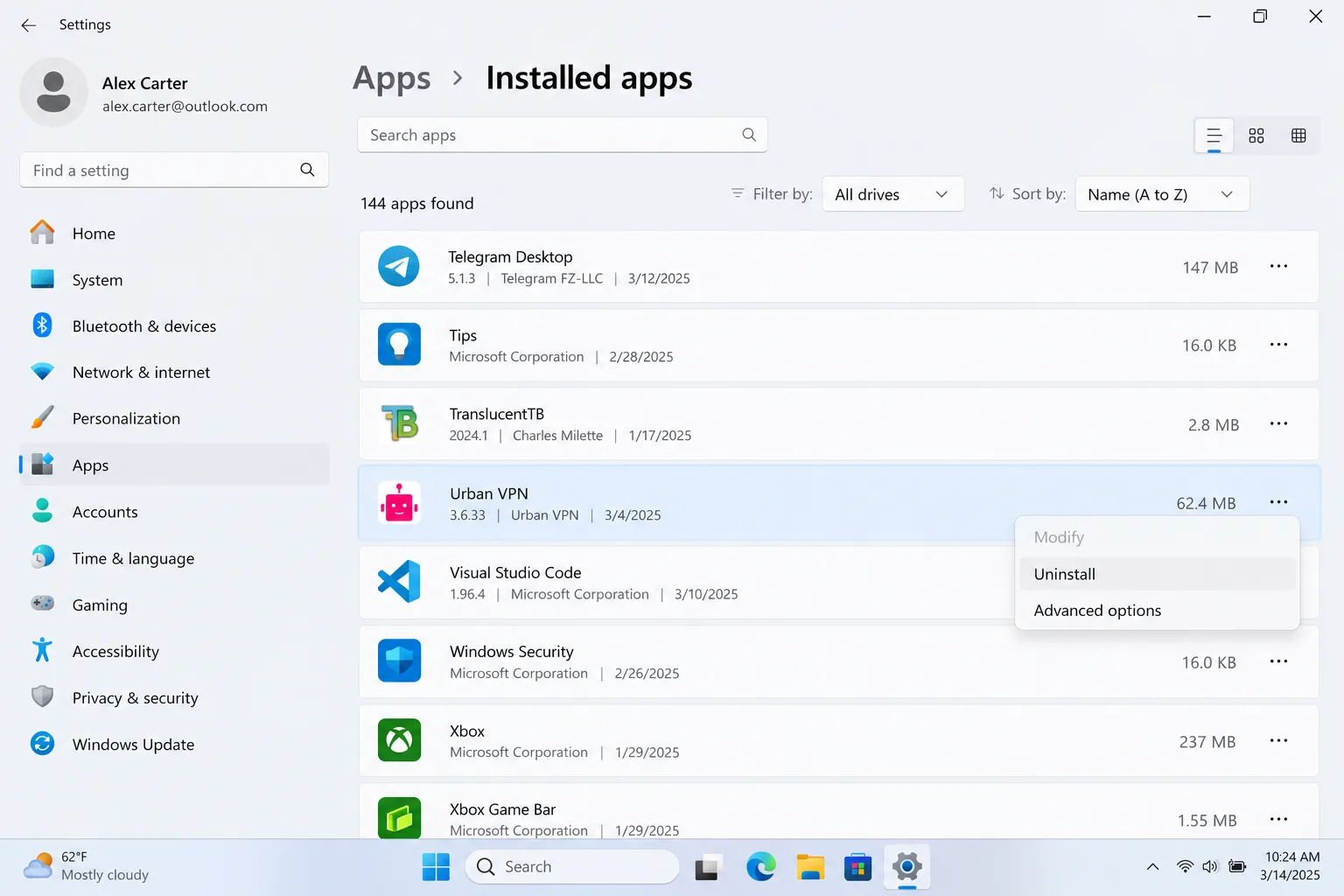
Remove Urban VPN before you install its replacement. Otherwise two VPN clients can fight over your connection. Our step-by-step guide on how to disconnect and remove Urban VPN covers every platform in detail.
On Windows, closing the app does not stop its background service, UrbanVPNServiceInteractive. It runs from C:\Program Files\UrbanVPN\. To remove it fully, open Settings > Apps > Installed apps and uninstall Urban VPN. On a Mac, quit the app first, then drag it from Applications to the Trash. On phones, uninstall the app the usual way. Then remove the browser extension from every browser where you added it.
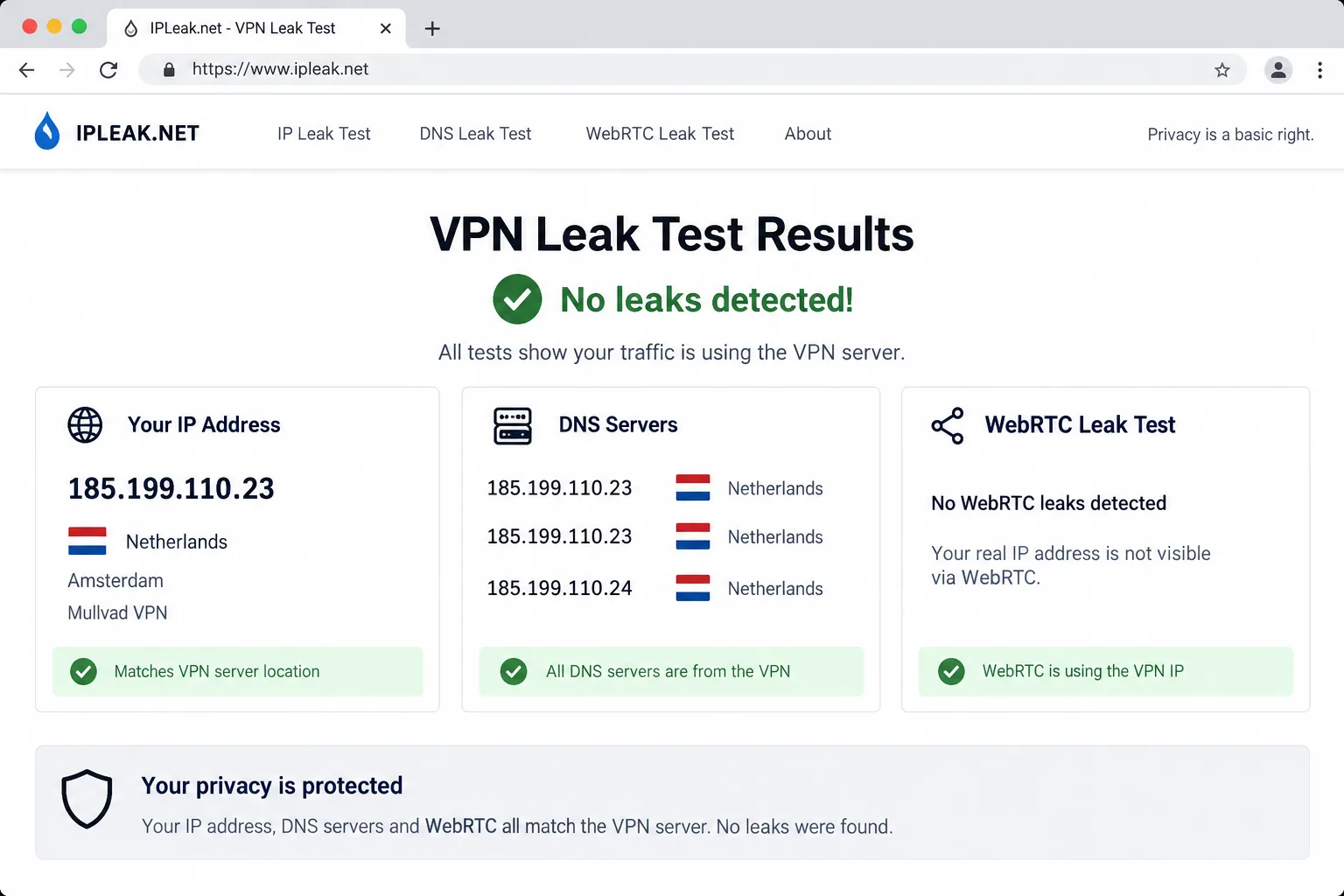
Next, install your new VPN, sign in and connect to a nearby server. Turn on the kill switch if it is off by default, as it is on TunnelBear. Run a leak check before you go back to normal browsing.
How we picked these alternatives
Beyond the review scores, we weighed free-plan terms, independent audits, jurisdiction, support and the real price after renewal. The list leans toward free plans because most Urban VPN users never paid. That is why ExpressVPN (8.8/10) and Mullvad VPN (8.5/10) sit outside the list despite strong scores. Neither offers a free plan.
Urban VPN alternatives FAQ
What is the best alternative to Urban VPN?
Is there a free VPN like Urban VPN?
Is Urban VPN safe or legit?
How do I remove Urban VPN from Chrome?
Is Urban VPN Proxy still on the Chrome Web Store?
Does Urban VPN Premium come with a money-back guarantee?
Bottom line
Leaving Urban VPN is a three-step job. Remove the app and its browser extension first, then start on Proton's free plan. Pay only once you need streaming or more than one device.