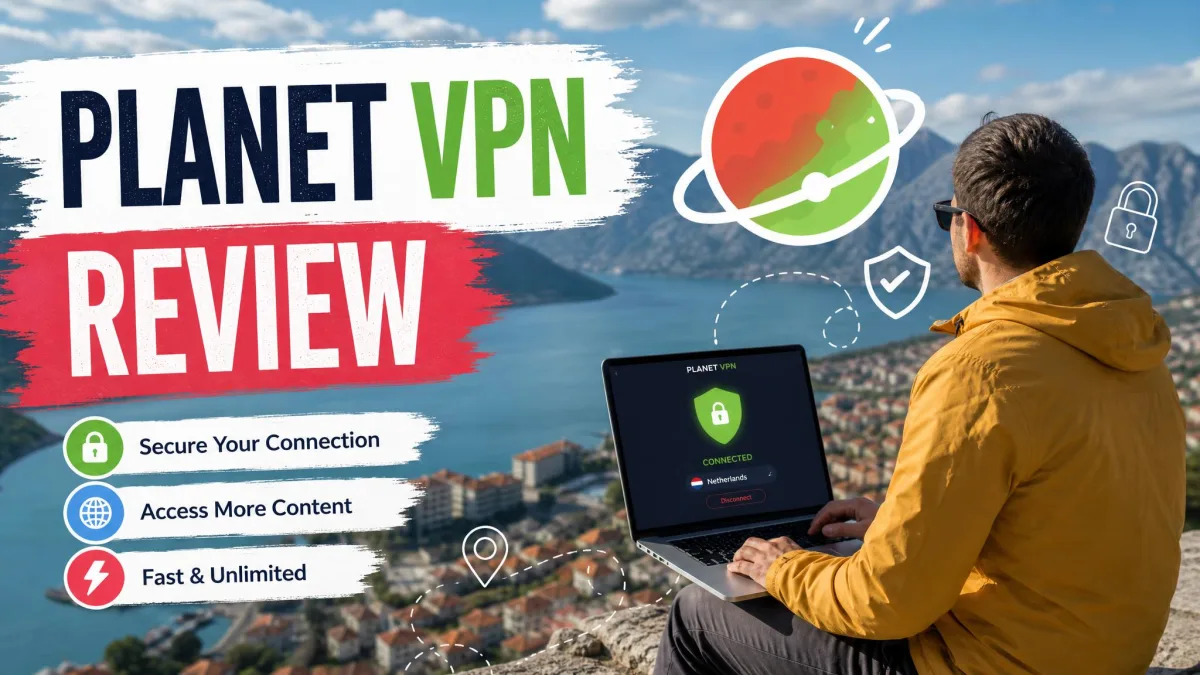
Planet VPN is a freemium VPN service run out of Bucharest, formerly RUSVPN and founded back in 2017. It sells itself on a simple promise: a genuinely free tier with no registration, no data cap, and one-click privacy. That promise is what pulls most people to it, and it is also what makes the safety question worth answering carefully.
We spent time with the free plan and the premium apps across Windows, macOS, Android, and iOS, running the same speed, leak, and streaming tests we use on every VPN. This review lays out what we found, where the free tier earns its keep, and where the security story gets murky. The short version is that Planet VPN is easy and usable, but the "is it safe?" answer comes with real caveats.
Planet VPN at a Glance (Quick Verdict)
Planet VPN is a decent free proxy for casual browsing and public Wi-Fi, and a middling paid VPN once you compare it against the wider market. It is fast on nearby servers, honest about being ad-supported, and simple enough that anyone can install it in a minute. The privacy claims, though, are unaudited, and the jurisdiction and logging picture is where we would slow down before trusting it with anything sensitive.
Planet VPN is the rebrand of RUSVPN, and it is based in Romania. Romania sits outside the 14 Eyes alliances, which is a plus, but the no-logs policy has never been independently audited. Treat the free tier as good-enough privacy for low-stakes use, not as a hardened tool for sensitive work.
We tested Planet VPN on our own Windows and macOS laptops plus Android and iOS phones, running our standard speed, DNS and WebRTC leak, and streaming checks on both the free and paid apps. The observations below come from that hands-on time, not from the vendor's marketing.
What Is Planet VPN? (Formerly RUSVPN)
Planet VPN is operated by FREE VPN PLANET S.R.L., a company registered in Bucharest, Romania. It launched in 2017 under the name RUSVPN and later rebranded to Planet VPN, likely around 2022, to shed the associations that came with the old name. The core product has stayed the same: a free VPN proxy with an optional premium tier.
The service leans hard into its free positioning. You can hide your IP, bypass geo-blocks, and add a layer of safety on public Wi-Fi without ever creating an account. That no-friction approach is the whole appeal, and it explains why the app shows up so often in "best free VPN" lists.
The name change matters for one reason: trust. RUSVPN carried a lot of skepticism, and rebranding does not erase a company's history. Romania is a genuinely privacy-friendly base, but the origins are worth knowing before you decide how much to rely on it.
Speed & Performance Tests
Speed is where Planet VPN splits into two very different products depending on where you connect. On nearby servers it is quick. Connecting to a London server, we saw only about a 15% drop, which is fine for browsing, video calls, and HD streaming. A local server felt close to an unprotected connection, and page loads stayed snappy.
Distance is the problem. Speeds fell off a cliff on far servers, with roughly a 27% drop to Dublin and up to an 88% drop to Australia. The Dublin route stayed usable for browsing and standard-definition video, but the Australia connection struggled to hold a stable stream at all. On the desktop app we also saw a sharp fall of around 82% on a mid-distance connection to France, while the mobile app held its speed much better on the same route. That desktop-versus-mobile gap surprised us, since most VPNs perform the other way around, and it meant our phones were the better tool for anything beyond a nearby server.
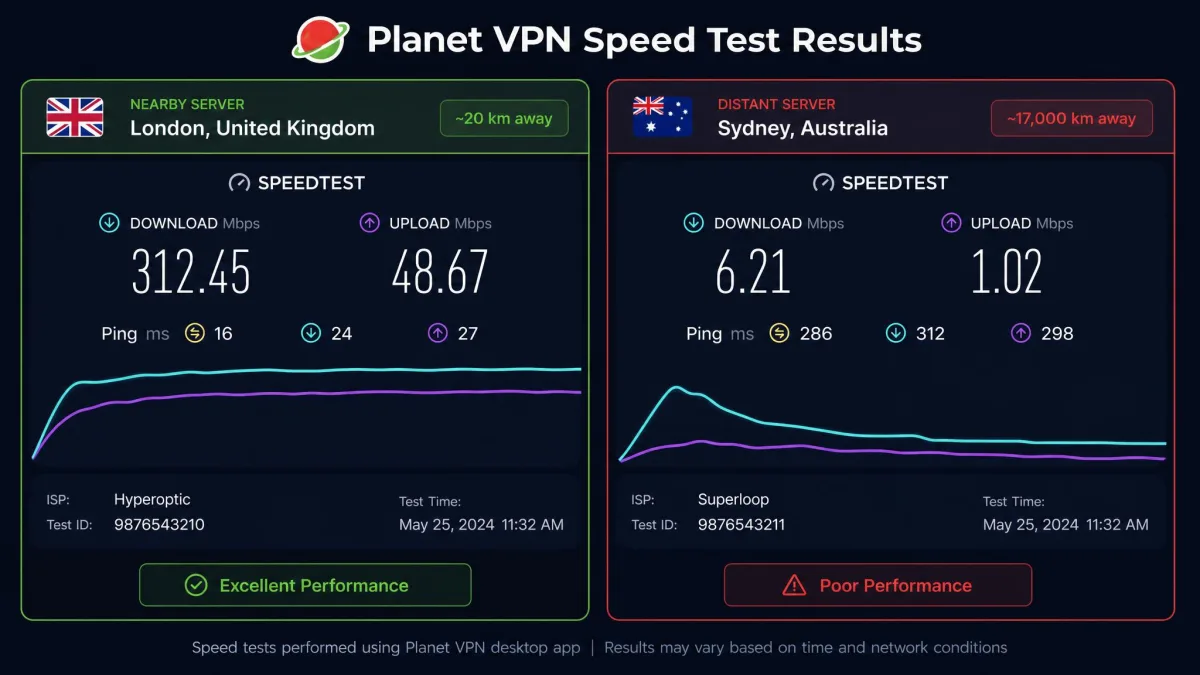
The other issue is consistency. Speeds felt variable regardless of server distance, and heavy multi-tab browsing got frustrating when throughput swung around without warning. A server that tested fast in the morning would sometimes crawl by the evening, with no change on our end to explain it. Connections also dropped intermittently for us, sometimes every few minutes, which turned a long download or video call into a coin flip.
For light use, the performance is perfectly workable. If you plan to stream in 4K, torrent large files, or connect to a server on the other side of the world, temper your expectations. The pattern we saw was clear: pick the closest server you can, and the experience is fine, but the further you reach, the less you can rely on it.
Security & Privacy
Planet VPN covers the security checklist you would expect from a mainstream VPN, but the privacy story is where the honest caveats pile up. The features are there on paper; the verification is not.
Encryption, Kill Switch & Leak Protection
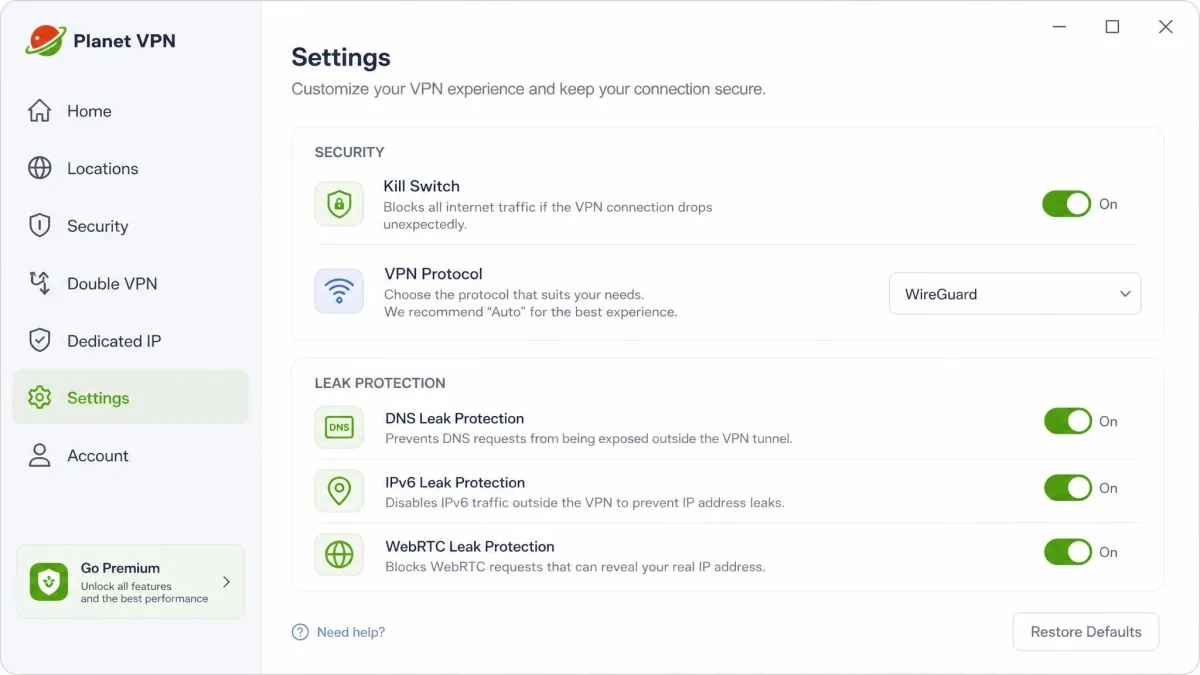
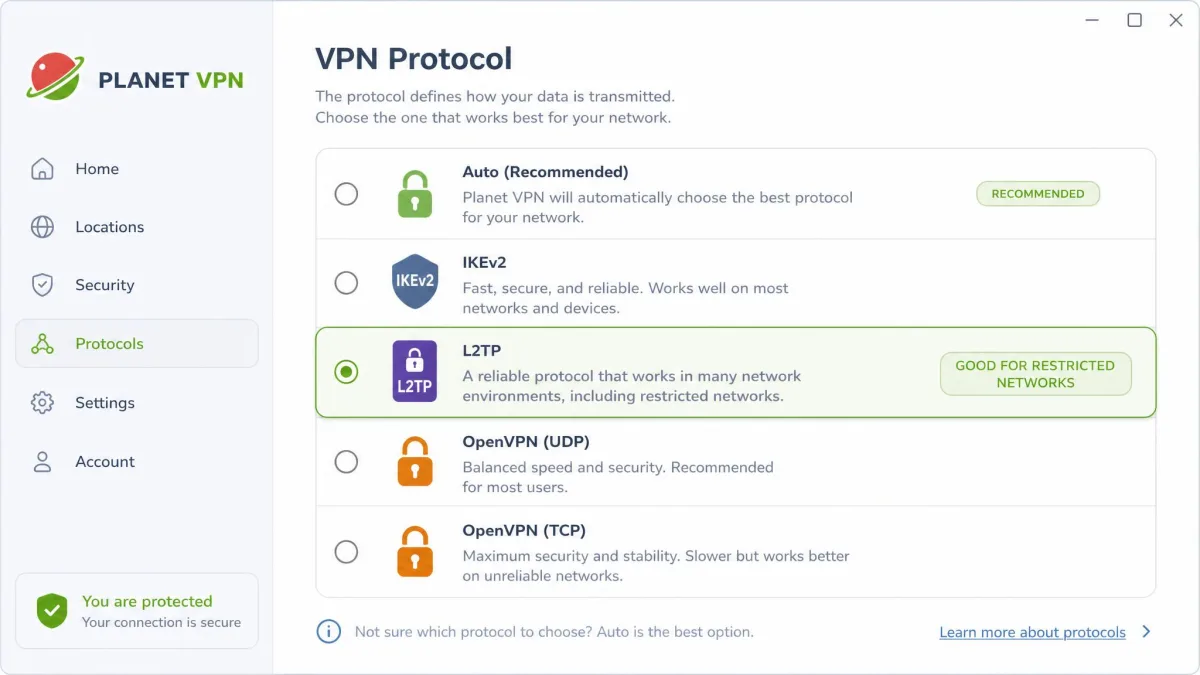
The apps use 256-bit AES encryption, the same standard used by the paid VPNs we rate highly. Protocol support includes OpenVPN, IKEv2, L2TP/IPSec, and in-house options, though the exact list varies by platform.
Leak protection is a genuine strength. Planet VPN advertises DNS, IP, IPv6, and WebRTC leak protection, and our own DNS and WebRTC checks came back clean. The kill switch is the weak spot. Planet VPN limits it to premium, so free users do not get one at all, and it is off until you open Settings and turn on Network Kill Switch. On Windows it worked once enabled, but the Android app shows no kill switch toggle, so confirm it exists on your platform before you rely on it.
If you rely on a kill switch to prevent exposure when the connection drops, confirm it is present and enabled on your specific platform before you trust it. Do not assume it is on out of the box.
Logging Policy & Jurisdiction (Is Planet VPN Safe?)
This is the heart of the safety question. Planet VPN claims a no-logs policy, but there is no independent audit to back it up, and that absence matters. In practice the policy is not as clean as the marketing suggests: some connection logs and metadata appear to be retained, including device information and short-term IP data that is deleted on a rolling basis.
The jurisdiction is a point in its favor. Romania sits outside the 5, 9, and 14 Eyes intelligence-sharing alliances, so there is no mandatory data-sharing obligation of the kind you find in those countries. But a privacy-friendly base does not compensate for an unaudited logging claim.
The device information and short-term IP data Planet VPN holds onto is exactly the metadata a strict no-logs policy is supposed to never collect in the first place.
— From our hands-on testing
So, is Planet VPN safe? For casual use, yes: the encryption is strong, leaks were not an issue for us, and the app itself installs cleanly from first-party sources. For high-stakes privacy, the honest answer is that you are trusting a claim nobody has verified, and the free tier is weaker than the paid one on the privacy features that matter. If your threat model includes anyone more determined than an advertiser on public Wi-Fi, an audited provider is the safer call. We cover ownership, logging, leaks and the free plan's ad funding in more depth in our full Planet VPN safety verdict.
Server Network & Locations (Including USA Servers)
The premium network is sizable, with 1,260+ servers. The vendor claims coverage across 100+ countries, but the verifiable count is closer to 60, and that gap is worth flagging: the marketing figure looks roughly double what actually holds up.
The free tier is far smaller. It covers about five countries, most consistently the USA, Netherlands, Germany, France, and the UK, spread across roughly six free server locations. The exact country set and location count vary depending on the source, so treat these numbers as approximate.
The upshot is a network that looks big on paper but is inconsistent in practice. Free users get enough to be useful, while premium buyers should judge it on the ~60 countries that actually hold up, not the headline figure.
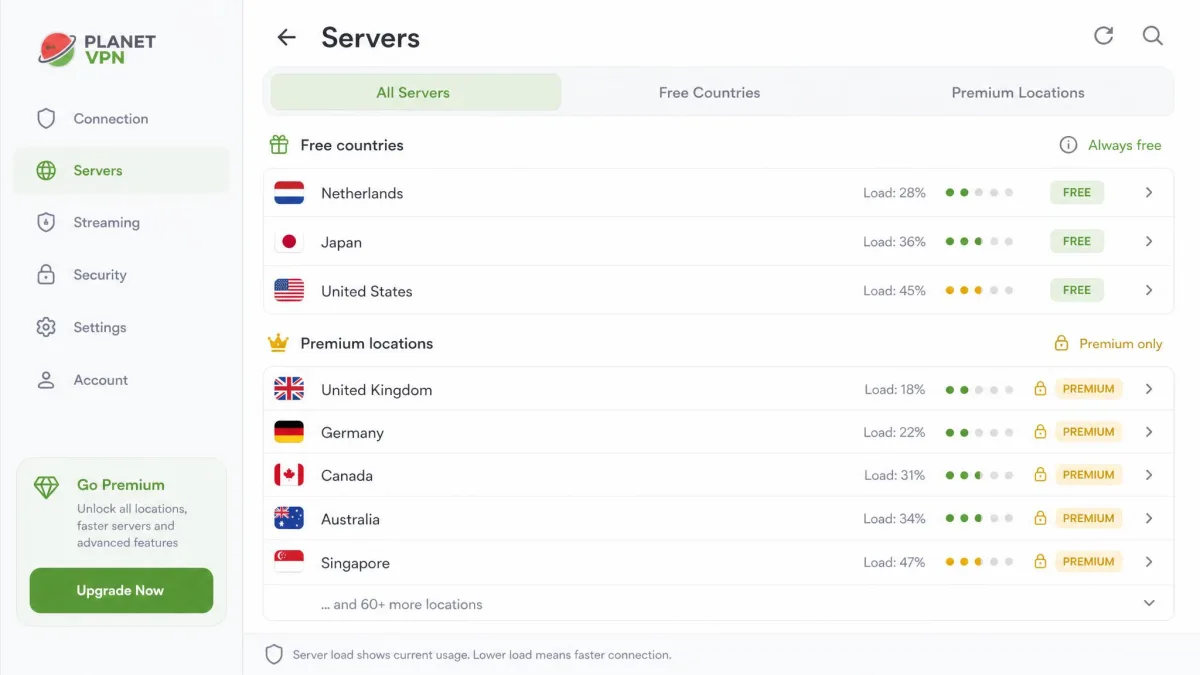
USA servers are the headline for many users, and they are available on both the free and premium tiers, which makes Planet VPN a workable way to reach American sites and services. The service also offers a lightweight "VPN USA" proxy through its browser extension for people who only want US access in the browser.
Apps & Supported Devices (Windows/PC, Mac, Android, iOS)
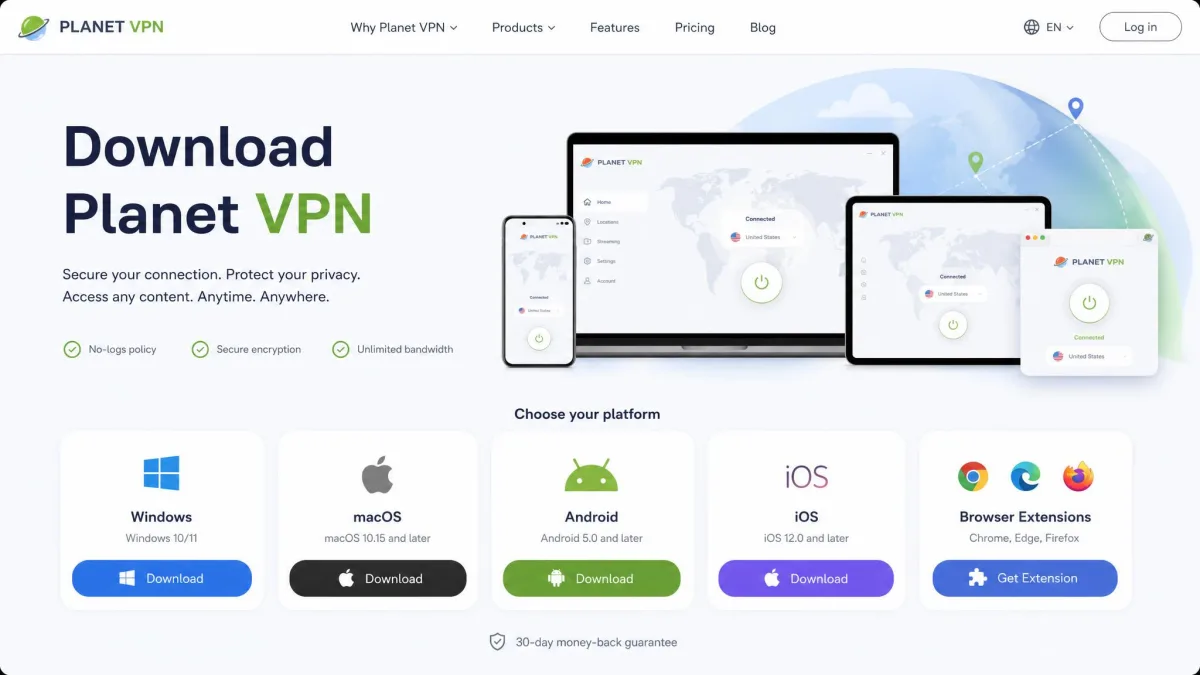
Planet VPN runs everywhere you would want it to. There are native apps for Windows, macOS, Android, and iOS, plus Android TV, Chromebook and router support and browser extensions for the major browsers. Linux is listed too, but it is a manual OpenVPN setup rather than a full app. Premium covers up to 10 simultaneous device connections, which is generous and enough for most households.
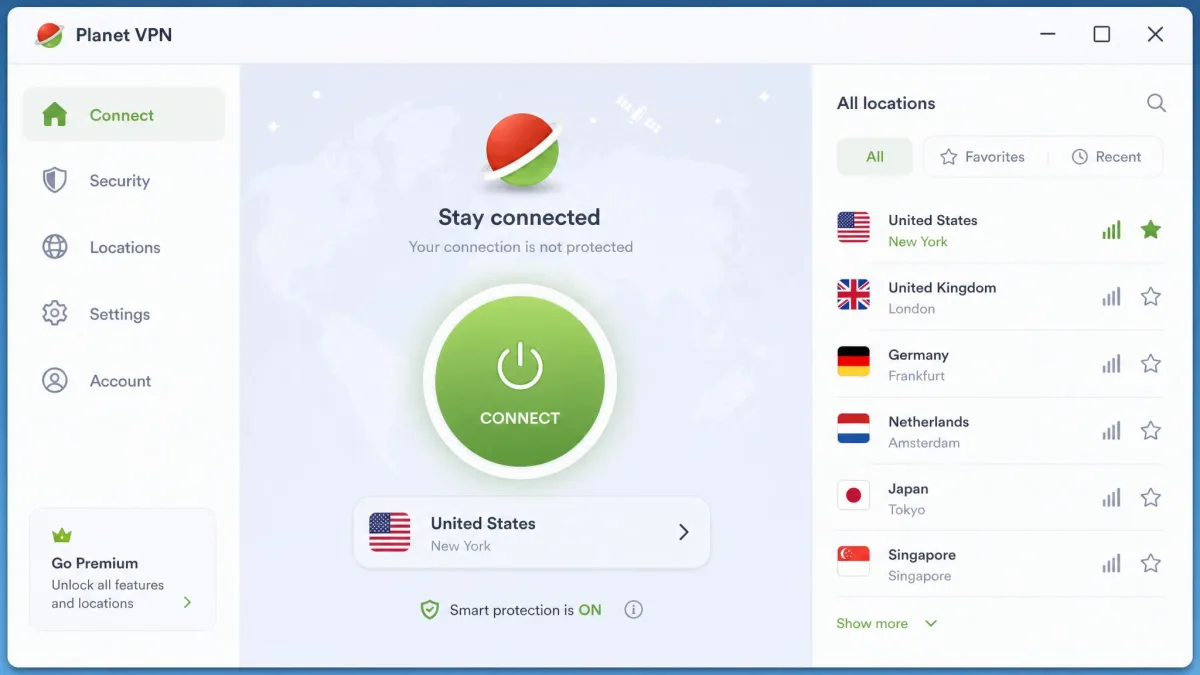
Across platforms the apps share the same clean, minimal design. Setup is quick and uncomplicated, and the interface is easy to navigate: pick a location, press connect, done. That simplicity is the app's best quality and a big part of why it appeals to first-time VPN users.
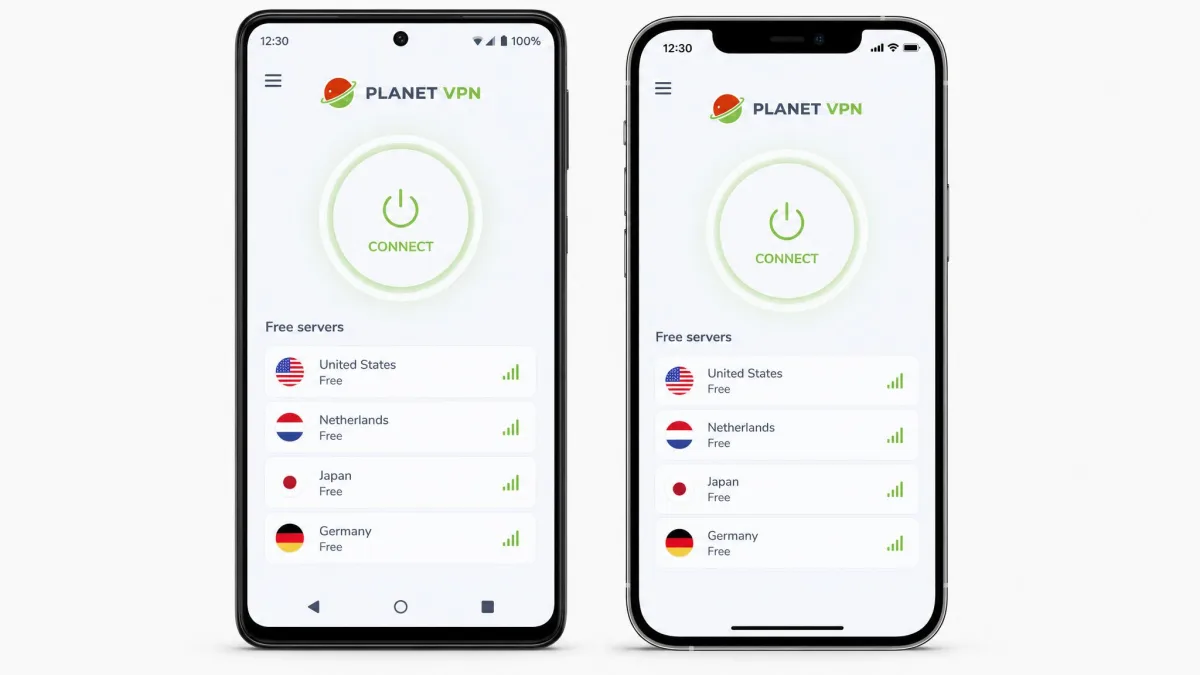
Here is a quick platform and compatibility snapshot:
- Windows/PC: full native app, direct EXE plus Microsoft Store.
- Mac: native DMG app, App Store listing.
- Android: Google Play, Huawei AppGallery, Amazon Appstore, direct APK.
- iOS: App Store app.
- Extras: Linux (manual setup), Android TV, routers, and browser add-ons.
Chrome Extension & Built-in Ad Blocker
The browser extensions are the part most people underrate. There are add-ons for Chrome, Firefox, Edge, and Opera, and they install with one click and no account. They act as a lightweight proxy to hide your IP and unblock sites, and there is a dedicated US-access option for reaching American content from the browser alone.
Planet VPN also includes a built-in ad blocker. In the browser extensions it blocks ads and trackers, and the mobile apps include a content filter on premium. It is not a full replacement for a dedicated blocker, but it trims the clutter and adds a small privacy benefit.
Streaming (Netflix, YouTube, Prime)
Streaming is a mixed bag, and it depends heavily on which server you pick. Netflix US loaded for us on some premium servers, with a load time around six seconds once connected. Playback stayed in HD after the initial buffer, and switching titles did not trigger a proxy error on the server that worked. The catch is that not every US server got through, so finding a reliable one took a few attempts. YouTube worked without issue on every server we tried, free or premium, which is the least we would expect from any VPN.
The rest is where it struggles. In our testing, Hulu, Disney+, Amazon Prime Video, and BBC iPlayer were detected and blocked. Prime Video was the most stubborn, throwing a location error within seconds on each US server we tested, while BBC iPlayer simply refused to start playback. The free tier generally fails at streaming altogether, so if unblocking a specific service is your goal, you will likely need premium and some trial and error to find a working server.
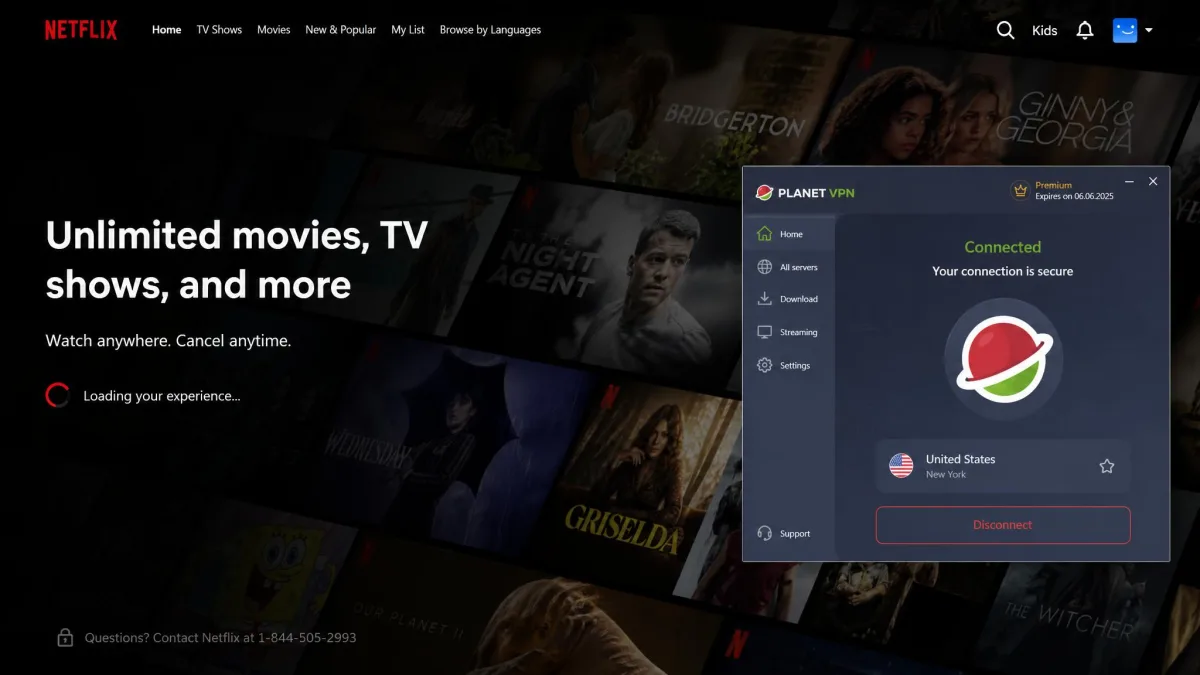
If Netflix US is your priority, Planet VPN can do the job on the right premium server. For a broad streaming library across multiple services, it is not reliable enough to recommend on that basis alone. A dedicated streaming VPN will save you the server-hunting that Planet VPN demands.
Torrenting & P2P
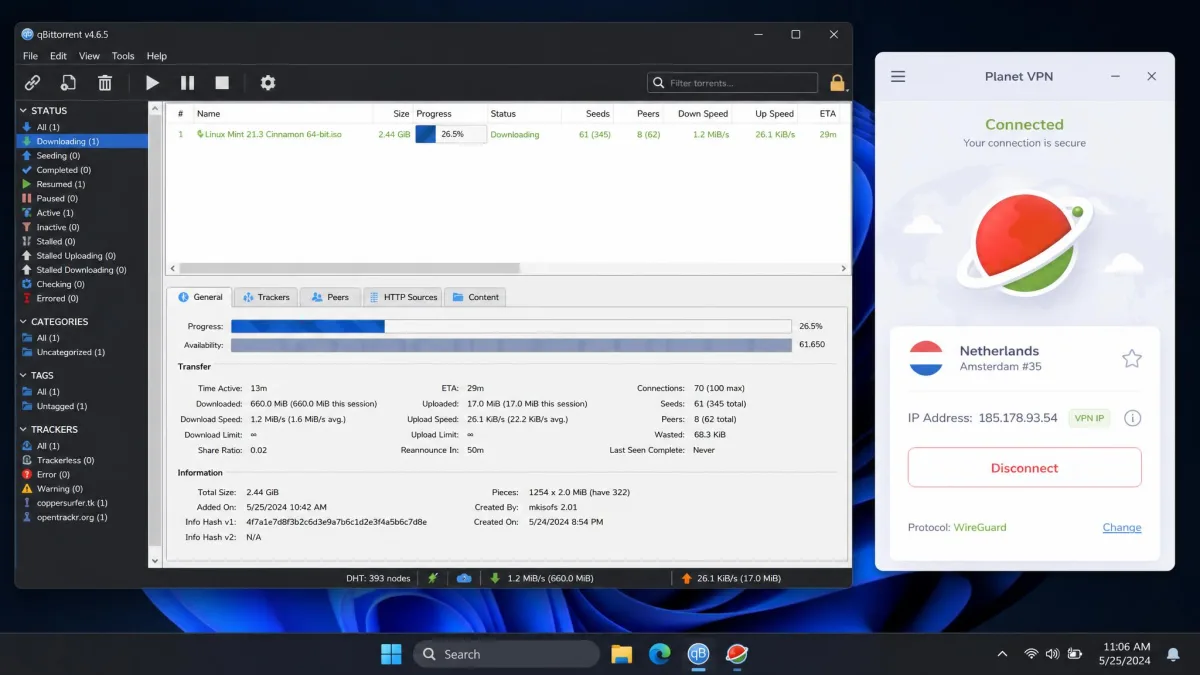
Torrenting is premium-only: the free servers block torrent clients with an error message. On premium, downloads can be slow, which fits the wider speed pattern on distant servers.
For occasional torrenting, it is serviceable if you are on premium and pick a nearby server. For heavy or frequent P2P, the variable speeds make it a frustrating choice compared with VPNs built around fast, P2P-optimized servers. There is also no dedicated P2P server category to steer you toward the best routes, so finding a fast one takes trial and error.
How to Download & Install Planet VPN Safely
The safest way to install Planet VPN is to go straight to the source. Download it from the Planet VPN official site or from an official app store rather than a random third-party mirror. Official channels include the Microsoft Store, Apple's App Store, Google Play, Huawei AppGallery, and the Amazon Appstore, plus direct EXE, DMG, and APK downloads and the browser add-on stores.
You will also find Planet VPN on third-party download portals such as Softonic, Softpedia, Uptodown, and SourceForge. These are not inherently malicious, but they sometimes bundle extra offers or repackage installers, so we would skip them when an official download is one click away. Official installers are vetted as clean by third-party security reviewers, which is another reason to stick to first-party downloads.
On Windows, download the installer from the official site or the Microsoft Store, then check the file before running it. Sticking to first-party sources is the single easiest way to keep the install safe.
Planet VPN Pricing: Free vs Premium
Planet VPN's pricing is straightforward, and the free tier is the real draw. The question is whether the paid plan adds enough to justify the cost when strong competitors sit at similar prices.
Is Planet VPN Really Free? Free Plan Limits
Yes, the free plan is genuinely free, and unusually generous about it. There is no registration and no account required, and there are no traffic or bandwidth caps, which is rare among free VPNs. The homepage also promises no time limits, although Planet VPN's own plans table lists a connection time limit for free users. You get access to about five free countries, including USA servers, across roughly six locations.
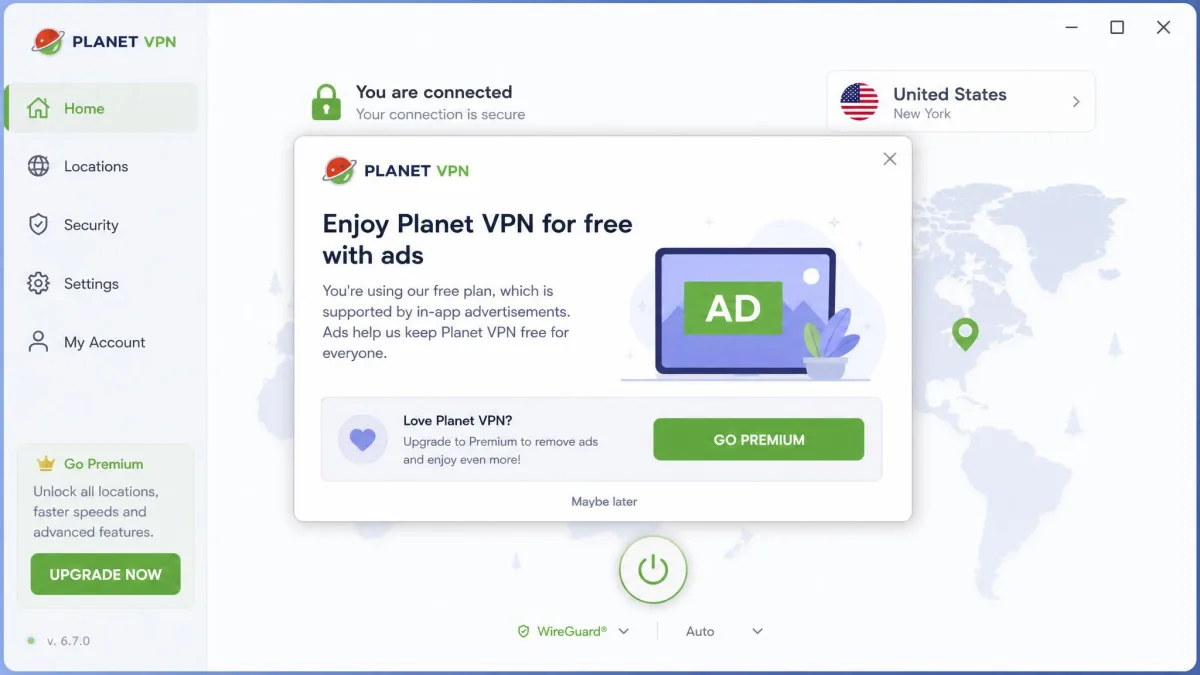
The catch is that the free plan is ad-supported. Short ads appear in the app, and in daily use they become a recurring annoyance. The free tier is also weaker on features and generally cannot unblock streaming services. Still, for no-registration, no-cap browsing on public Wi-Fi, it is one of the more usable free options we have tried.
Premium Plan Cost, Trial & Money-Back Guarantee
Premium removes the ads and opens up the full server network, more device support, and the extra features. Pricing is $9.99 per month, dropping to $3.99/month on the 1-year plan ($47.88/year) and as low as $1.99/month on the 48-month plan (billed $95.52 up front, about $23.88 a year). There is also a crypto payment option for the privacy-minded.
Planet VPN's current refund policy gives a single 14-day window on every plan, monthly or multi-year. Older descriptions, including an earlier version of this review, quoted 30 days on the longer plans, but the refund page no longer does. Support will try to troubleshoot first and asks for a reason, and crypto payments are generally not refundable, so test premium early and ask within the window. Compared with the wider market, the 48-month price is genuinely cheap, though as always the long commitment is where the discount lives, and the monthly rate is unremarkable.
Does Planet VPN Work in Restricted Countries?
Heavily censored countries are the hardest test for any VPN, and here the evidence is thin. Planet VPN's support says it works in China with either L2TP or its StarGuard protocol, as long as the app is installed before you arrive, but nobody has independently confirmed that, and the service is not marketed for China. Censorship methods in places like China change constantly, so any VPN's status can flip without notice, and a protocol that works one week can be blocked the next.
StarGuard, Planet VPN's proprietary protocol, has some ability to obfuscate VPN traffic, which is the feature that keeps a connection alive inside the Great Firewall. It is not a dedicated stealth mode built for censorship, though, and it is closed source with no public security review, so even a working server is a gamble. The same reasoning applies to other high-censorship regions such as Iran, Russia, and the UAE, where detection is aggressive and constantly updated.
Our honest take is that we would not rely on Planet VPN as a primary tool in a high-censorship country. If that is your use case, choose a VPN with proven, actively maintained obfuscation and a track record in that specific region. Treat any claim of it working in China as unreliable, and always have a backup option ready before you travel.
Customer Support
Support is one of the weaker areas. For free users it is email-only, and responses can be slow, commonly taking around 24 hours. Premium plans advertise 24/7 live chat, but it is not always reachable, so even paying users cannot count on real-time help when a connection problem needs fixing right away, which is a real gap given how often stability issues come up. When we sent a routine setup question, the reply arrived the next day and answered what we asked, but that turnaround is no help mid-crisis if a connection keeps dropping.
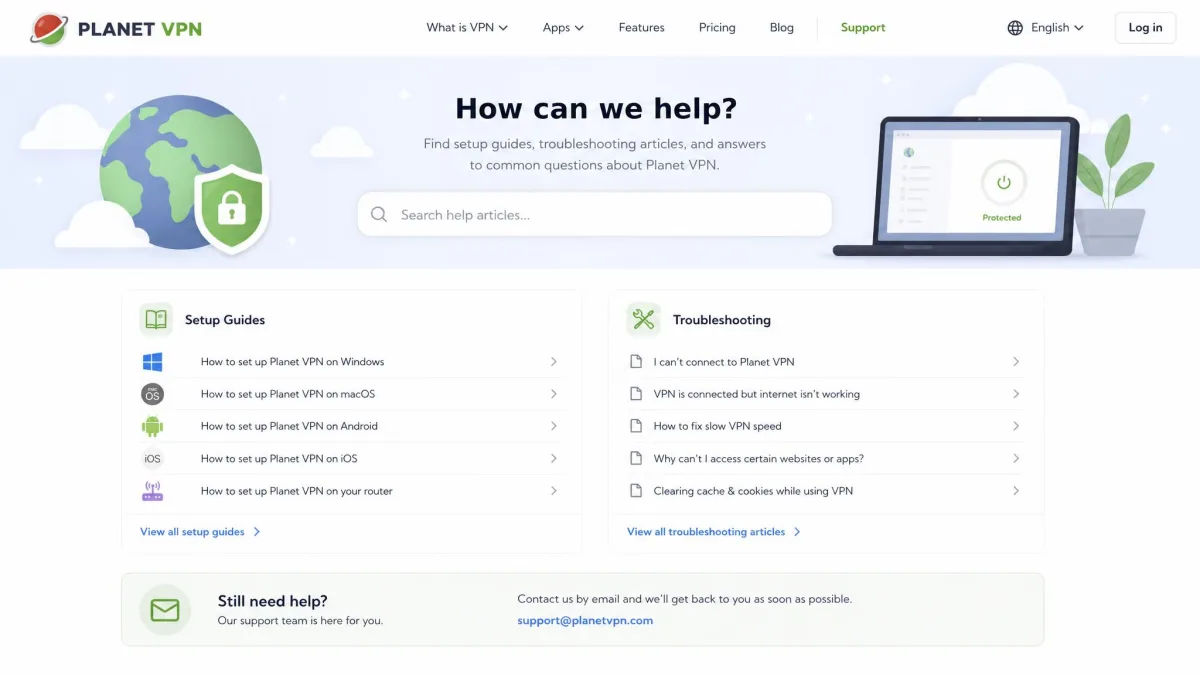
The vendor site does carry help articles and setup guides, which cover the basics well enough given how simple the apps are. Most first-time questions about installing the app or picking a server are answered there, so many users will not need to write in at all. Where the self-serve library falls short is on the trickier problems, such as login failures or a kill switch that will not engage, and those are exactly the issues that need a human.
If fast, hands-on support matters to you, this is a real limitation, especially against premium VPNs whose 24/7 live chat reliably answers. Premium users can expect quicker replies than free users, but patchy live chat means troubleshooting an urgent connection drop is still slower than it should be. For a product whose most common complaints are login and stability problems, the absence of real-time help stings more than it would elsewhere.
Pros & Cons
Pros
- Genuinely free tier with no registration and no data cap
- Fast on nearby servers, with strong leak protection
- Simple, clean apps across every major platform
- USA servers available on both free and premium
- Affordable premium, with a 14-day refund window
Cons
- No-logs policy is unaudited, with signs of retained connection data
- Speeds fall off sharply on distant servers
- Kill switch is premium-only and missing from some apps
- Free tier is ad-supported and generally cannot stream
- Free support is email-only and slow; premium live chat is patchy
Planet VPN vs Alternatives
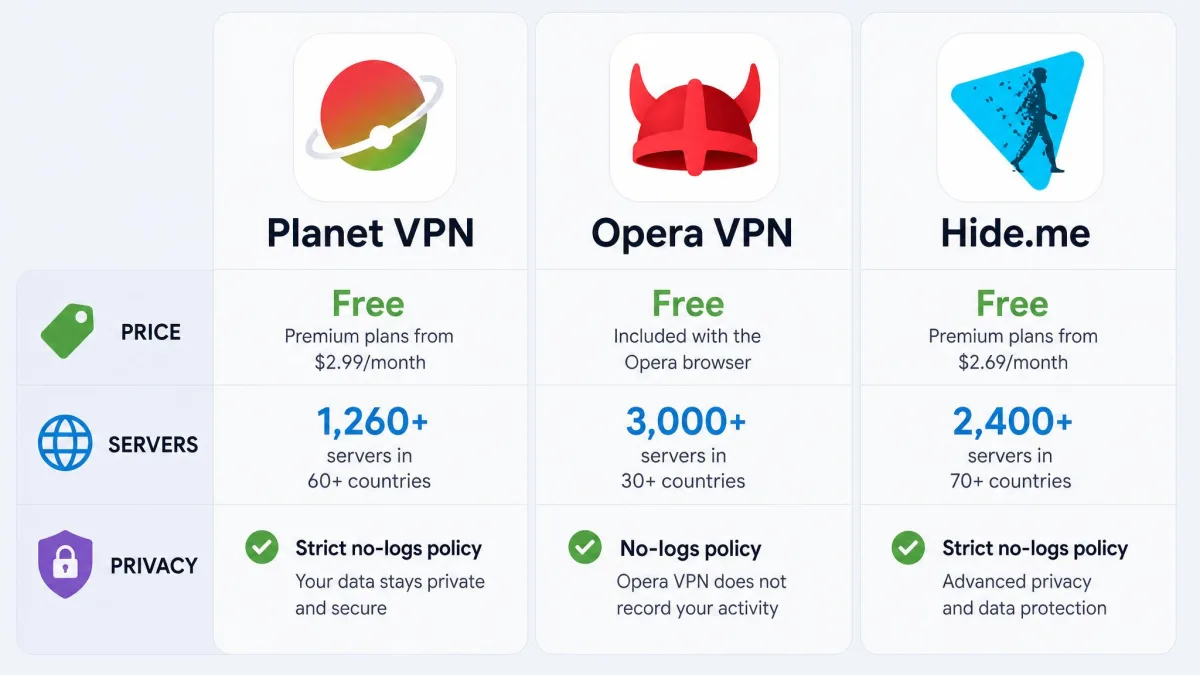
Against other free and freemium VPNs, Planet VPN's edge is its no-registration, no-cap free tier and its large paid network. Where it lags is on audited privacy and consistent speeds. Here is how it stacks up against two common alternatives you can also read about on our site.
| Product | Buy | Price | Servers | Streaming | No-logs | Devices |
|---|---|---|---|---|---|---|
|
Check price → | From $1.99/mo | 1,260+ | Netflix US only | Claimed, unaudited | 10 |
 |
Read review → | Free | Limited regions | Limited | Claimed | Browser-tied |
 |
Read review → | Freemium | Fewer, quality servers | More reliable | Audited no-logs | Varies |
If you want a completely free, browser-only option, Opera VPN is worth a look. If audited privacy is the priority and you can accept a smaller free allowance, Hide.me is the stronger choice. Planet VPN sits in between: more generous free access than most, but weaker verification than the privacy-first crowd.
Our Verdict: Is Planet VPN Worth It?
Planet VPN is a likable, easy free VPN that does the basics well and asks nothing of you to get started. For casual browsing, hiding your IP, and staying safer on public Wi-Fi, the free tier is one of the more usable ones out there, and the premium upgrade is cheap if you want ads gone and the full network. The Trustpilot picture backs the mixed feeling: a 4.1/5 across hundreds of customer reviews that splits sharply between happy users and frustrated ones, with login and stability problems the most common complaints.
Where we hold back is trust for anything sensitive. The no-logs policy is unaudited, the kill switch is premium-only and missing from some apps, and speeds and streaming are unreliable once you move beyond nearby servers. It is safe enough for everyday use and honest about being free, but it is not the VPN we would stake real privacy on.