You want to change your GPS location on an iPhone or Android phone, and two names keep surfacing: PoKeep Location Changer and iMyFone AnyTo. Both promise a fake GPS location you can move around the world without walking anywhere.
The trouble is that they look almost identical on paper. Both offer teleport, both offer a joystick, both work without jailbreak, and both want between $13 and $30 a month.
So the real questions are narrower. Which costs less over a year, which is less painful to set up, and which handles ban risk more carefully? Here is the comparison, with the table first.
PoKeep vs iMyFone AnyTo at a Glance
Both are desktop programs. You install one on a Windows PC or a Mac, connect your phone by cable or over Wi-Fi, and the software feeds a fake position to the device while the app stays open.
That architecture matters more than any single feature, because neither tool modifies the game itself. Desktop-side spoofing is the main reason these two behave more predictably than the modded APKs that circulate on file-sharing sites.
| Feature | PoKeep | iMyFone AnyTo |
|---|---|---|
| Teleport | Yes, plus jump teleport | Yes, one click |
| Joystick | Yes, 360-degree | Yes, 360-degree |
| Route simulation | Two-spot, multi-spot, GPX import and export | Two-spot, multi-spot, GPX import, cloud routes |
| Multi-device support | 1 PC and up to 10 phones | 5 phones (VIP) or 10 (SVIP), unlimited PC and Mac |
| Jailbreak required | No | No |
| Platforms | iOS 5 to 26, Android 6.0+, Windows 10+, macOS 11+ | iOS 5+, Android 6.0+, Windows 11/10/8/7, macOS |
| Free trial | Yes, up to 25 trial uses | Free version, terms not stated |
| Price per month | $12.95 | $19.99 (VIP) or $29.99 (SVIP) |
| Price lifetime | $89.95 promo (list $149.95) | $89.99 VIP promo (list $119.99), $119.99 SVIP promo (list $149.99) |
| Refund window | 30-day | 30-day |
| Ban-risk handling | Desktop spoofing with a distance-based cooldown timer | Desktop spoofing with a cooling timer |
How We Compared Them
Before the two product sections, here is the method behind everything that follows. We compared these two the way a buyer would, by lining up the vendor documentation against what actually happens once each app is connected to a phone. Pricing came from each vendor's own store page on the day of writing, because both prices move with active sales.
For the setup sections we followed each official guide step by step and noted where the instructions leave gaps. PoKeep's Developer Mode requirement and AnyTo's Google Play install path both turn a five-minute setup into an hour.
We also weighed how each app fails, not only how it works. An app that quietly reverts to your real location is a different problem from one that refuses to connect, and only one of those can cost you an account.
Ban risk is the one thing nobody can benchmark. No credible measured ban rate exists for either tool, so we scored the two on the safety features they give you rather than on outcomes nobody can prove.
What PoKeep Location Changer Is
PoKeep is a desktop location changer built around location-based games, and it leans harder into the gaming side than most rivals. Our full PoKeep review covers the app on its own.
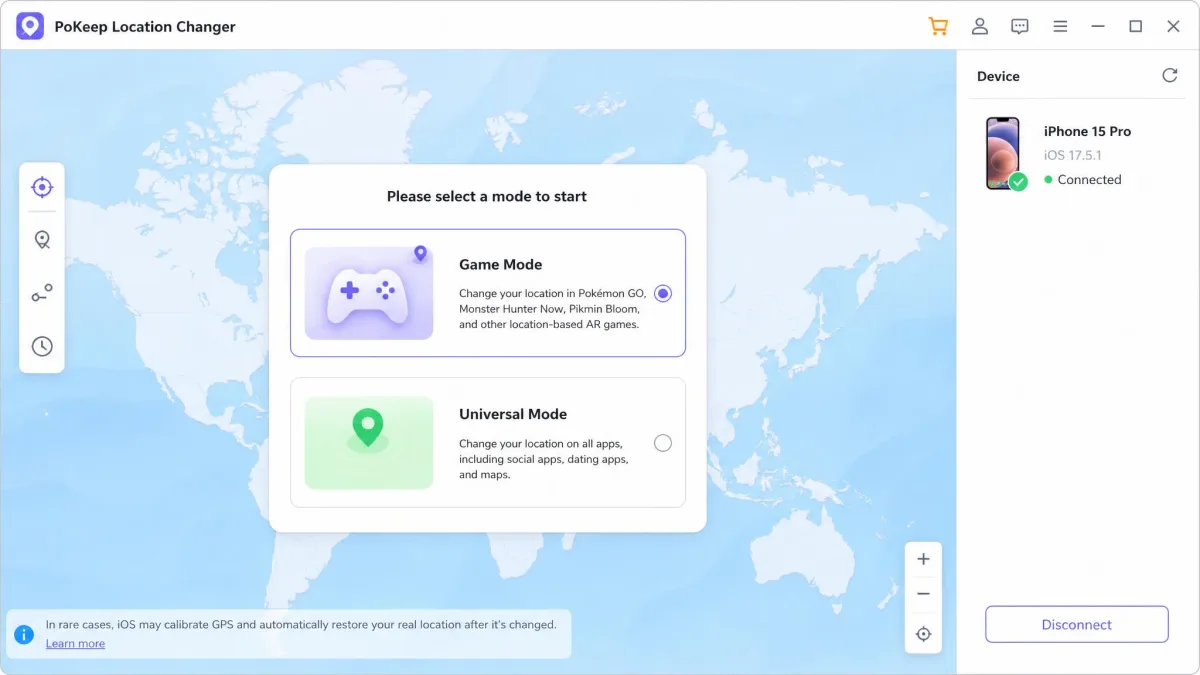
The pitch is one window with a world map, a search box, and movement modes down the side. You pick a spot, confirm, and the phone reports the new position to every app that reads GPS.
Key features
PoKeep gives you teleport, two-spot and multi-spot routes, and a jump-teleport mode for hopping between saved pins. Teleport means dropping your position onto a chosen point instantly, with no travel in between.
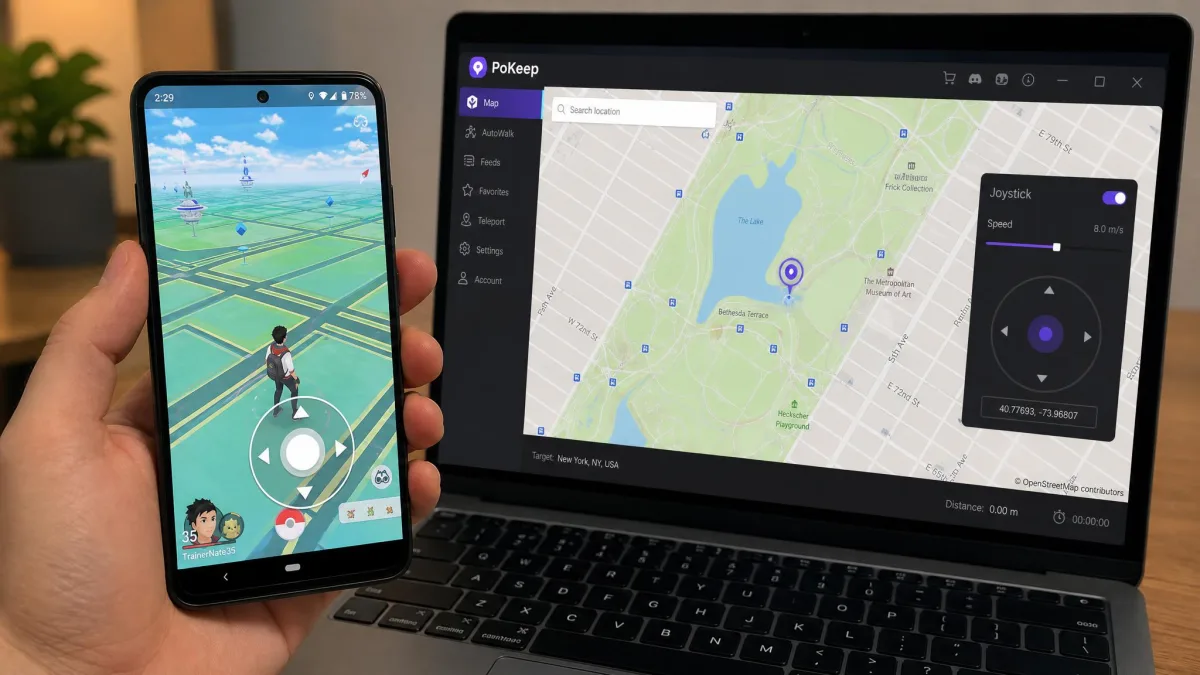
You also get a 360-degree joystick, adjustable speed sliders, GPX import and export, and a fluctuation mode that adds small wobbles to a walked path. A joystick here is an on-screen thumbstick that steers your avatar the way a controller would.
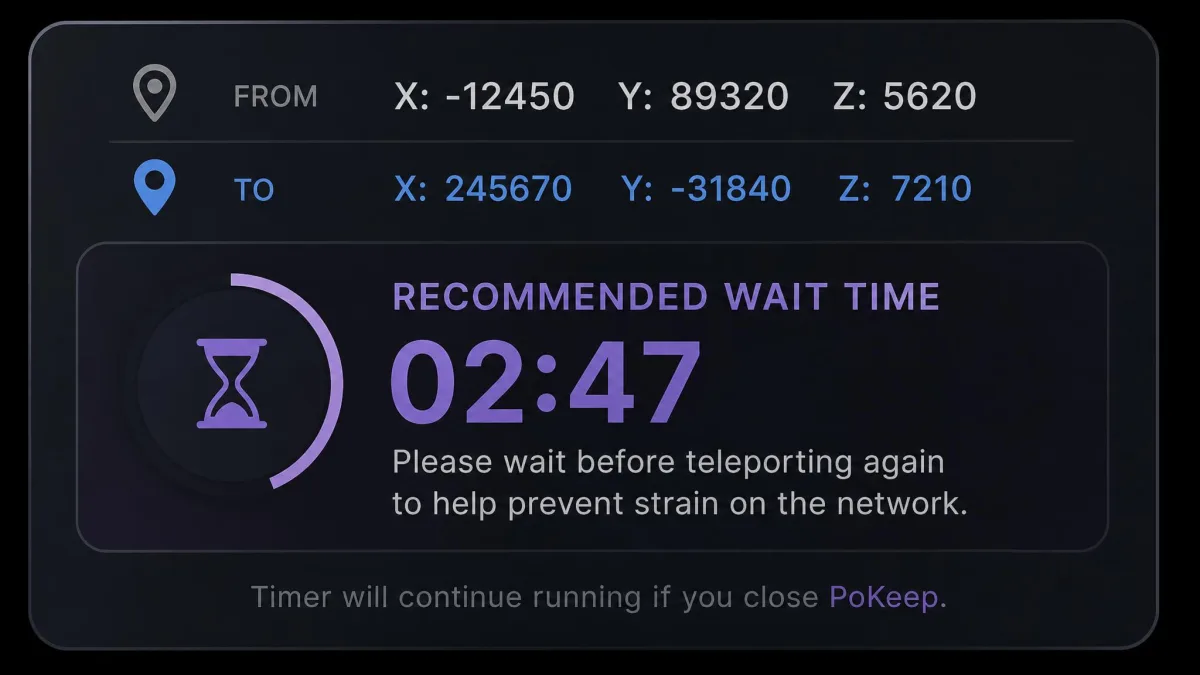
The feature we care most about is the cooldown timer. Cooldown is the wait the game expects between two distant locations, and PoKeep calculates it from the distance you just travelled, so the safe next move is shown rather than guessed at.
Treat the cooldown figure as a floor, not a target. Waiting longer than the app suggests costs you nothing, and it is the cheapest insurance against a soft ban, which is a temporary state where rare spawns and rewards quietly stop appearing.
Supported devices and platforms
PoKeep supports iOS 5 through iOS 26 with no jailbreak, and Android 6.0 and higher with no root. On the desktop side it needs Windows 10 or later, or macOS 11 or later.
Connections run over USB, Wi-Fi or Bluetooth depending on the mode, and those modes are worth knowing before you buy. On iOS, Game Mode pairs over Bluetooth, while Universal Mode will not run until Developer Mode is switched on in Privacy and Security, an easy step to miss on a first attempt.
Android is more disruptive. USB debugging has to be enabled, and Game Mode requires uninstalling the official game build first, the single most invasive step in the whole setup.
What iMyFone AnyTo Is
Where PoKeep is a focused gaming tool, iMyFone AnyTo is the broader consumer product, sold as a general GPS location changer that happens to be good at games. We go deeper on it in our iMyFone AnyTo review.
The vendor claims over 5.88 million users across more than 120 countries, though that is a marketing total with no independent audit behind the counting method.
Key features
AnyTo covers the same core ground of teleport, two-spot and multi-spot routes, and a 360-degree joystick. It adds cloud-saved routes, so a walk you designed on one machine is waiting on another.
Movement speed is adjustable from 3.6 to 120 km/h, the widest published range of the pair. PoKeep ties speed to per-mode sliders and publishes no numeric range, so a direct speed comparison is not possible.
There is also a cooling timer, GPX route import, a one-tap reset back to your true location, and an auto catcher with an IV scanner. The iGo companion app is reserved for the SVIP tier.
Supported devices and platforms
AnyTo supports iOS 5 and up with no jailbreak needed, plus Android 6.0 and up. Desktop support covers Windows 11, 10, 8 and 7, along with macOS.
The Mac situation is less clear than it should be. The listed macOS ceiling trails current releases, so support on the newest Mac builds is not clearly stated, and Mac owners on a recent OS should confirm with the free version first.
Device counts depend on tier. VIP covers up to 5 iOS or Android devices with unlimited PC and Mac installs, while SVIP raises the phone count to 10.
Feature-by-Feature Comparison
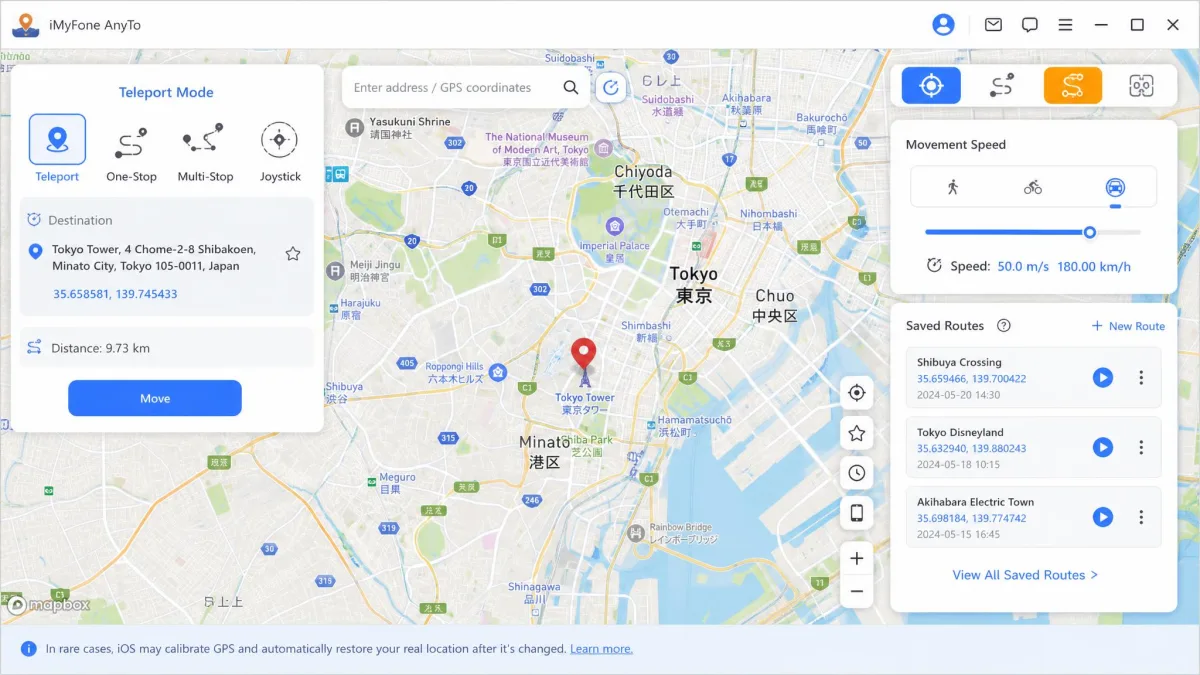
On a spec sheet these two are near twins, so the differences that matter are all in how the features behave once you are using them.
Location teleport and joystick control
Teleport is a tie. Both apps move your position to any searched point with a single click, and both keep a history of recent spots.
The joystick diverges slightly. On both apps it turns spoofing into something closer to steering a game character, with the route decided on the fly instead of drawn in advance.
PoKeep's advantage is the jump-teleport mode alongside it, which chains saved pins into repeat circuits. AnyTo counters with cloud-saved routes, the better answer if you switch computers often.
Route simulation and movement speed
Both tools simulate movement between two points or along a multi-point path, and both accept GPX files exported from other apps.
AnyTo publishes the clearer number with its 3.6 to 120 km/h range, spanning a slow walk to a car on a motorway. PoKeep's per-mode sliders are easier to nudge mid-session but harder to compare on paper.
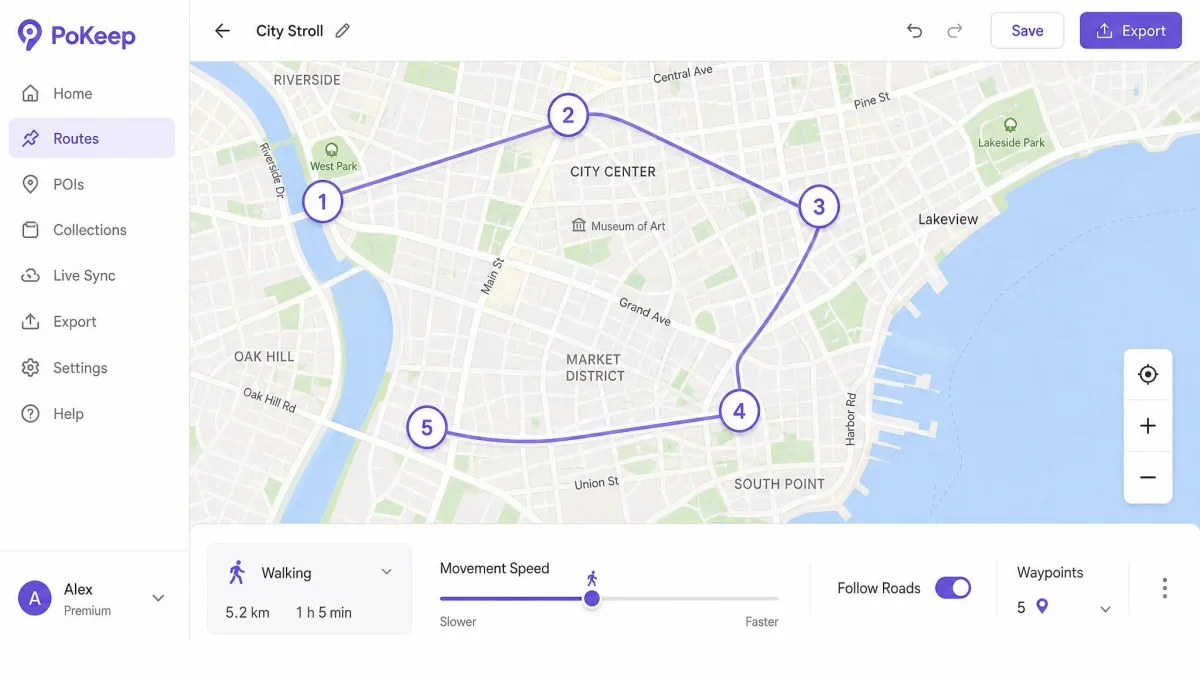
Speed is a detection signal in itself. Movement no human could produce is far more conspicuous than the act of changing location, so keep simulated walking near walking pace and save the fast settings for genuine driving routes.
Multi-device support
PoKeep's single license covers 1 PC and up to 10 phones, with no tier to think about. AnyTo gives VIP buyers 5 phones and SVIP buyers 10, with unlimited desktop installs on both.
If you only need one or two phones, the difference is academic. If you run a household of devices, PoKeep gets you to 10 without paying for the higher tier.
Interface and ease of use
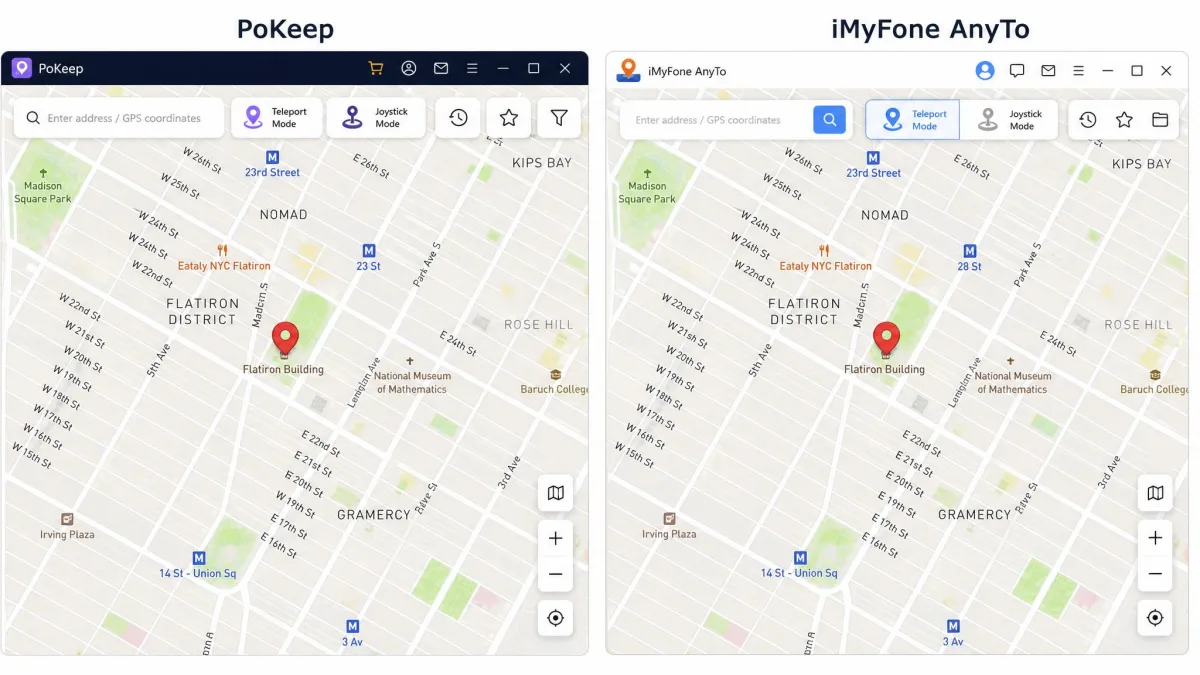
This is the clearest gap between them. PoKeep's interface is the cleaner of the two, with fewer secondary downloads and add-on prompts between opening the app and moving the pin.
AnyTo is not hard to use, but it asks more of you first. Its Android install path runs through Google Play, and a failed or blocked install is a frequent first-day stumbling block.
Neither app is plug-and-play. First-run setup takes fiddling on both, and the software only feels smooth once the device trust prompt, the drivers and the connection mode are all sorted.
Pricing: PoKeep vs iMyFone AnyTo
The interface gap between them costs nothing to live with. The price gap does, and it runs in the same direction at almost every tier.
PoKeep asks $12.95 for a 1-month license, $29.95 for a quarter, and $69.95 for a year. AnyTo starts at $19.99 for a VIP month or $29.99 for an SVIP month, with VIP yearly at $69.99, within a nickel of PoKeep's year, and SVIP yearly at $99.99.
Lifetime is where sale prices blur things. PoKeep's lifetime license sells at $89.95 against a $149.95 list. AnyTo's VIP lifetime sells at $89.99 against a $119.99 list, and its SVIP lifetime at $119.99 against a $149.99 list. All of those sit behind rotating promotional discounts, so the figure at checkout moves with whatever sale is running.
Both vendors offer a 30-day money-back guarantee, so the cost of choosing wrong is time rather than money. PoKeep also gives up to 25 separate trial uses before you pay, an allowance metered by uses rather than days that the vendor adjusts. AnyTo offers a free version but states no trial duration or use limit.
Read across a full year and the picture is simple. The two are level at $69.95 against VIP's $69.99, PoKeep doubles the device count at that price, and it undercuts SVIP by $30.

How to Change Your GPS Location with Each App
Neither app asks you to jailbreak or root anything, but the first run of each has a step people miss.
Using PoKeep step by step
Install PoKeep on your Windows or Mac desktop and open it. Connect your phone by USB cable, or pair it over Wi-Fi or Bluetooth to stay wireless.
Choose your mode first. On iOS, switch on Developer Mode in Privacy and Security if you plan to use Universal Mode, and expect to uninstall the official game build if you want Android Game Mode.
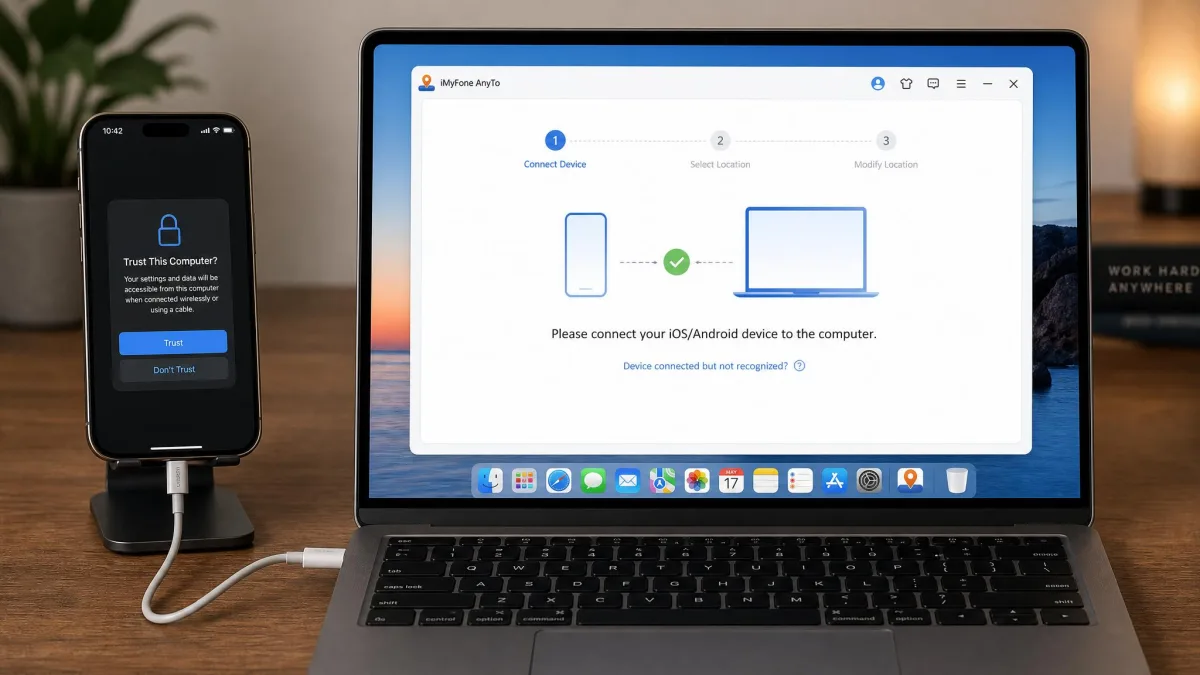
Trust the computer when your phone prompts you, then wait for the map to load your real position. Search for your destination, drop the pin, and confirm the move.
Watch the cooldown timer before your next jump. For jumps over 20 km the vendor guide tells you to turn off Location Services, cellular and Wi-Fi for at least 10 seconds first.
Using iMyFone AnyTo step by step
Download AnyTo, install it, and connect your iPhone or Android device. On Android, complete the companion install through Google Play when the app asks for it.
Tap trust on the device prompt, then let the map find your real location. Pick teleport mode from the toolbar in the top right corner.
Search for the place you want, click the pin, and press Move. Switch to two-spot or multi-spot mode for simulated walking, and set the speed slider before you start rather than mid-route.
Save routes you plan to reuse, because they sync to your account and wait for you on the next machine you sign in on.
Ban Risk and Safety: Which Is Safer for Pokémon GO?
Start with the honest answer. No spoofing app is safe in the sense of carrying no risk, because falsifying location and using third-party software are both named cheating behaviours under Niantic's rules.
Spoofing your GPS location breaks Niantic's Pokémon GO Terms of Service. Under Niantic's three-strike cheating policy, a first strike is a 7-day warning with degraded gameplay where rare Pokémon stop appearing, a second strike suspends the account for 30 days, and a third strike is a permanent ban.
The two apps still differ in how much they help you stay under the radar. Both spoof from the desktop rather than by modifying the game client, which is why they behave more predictably than modded builds.
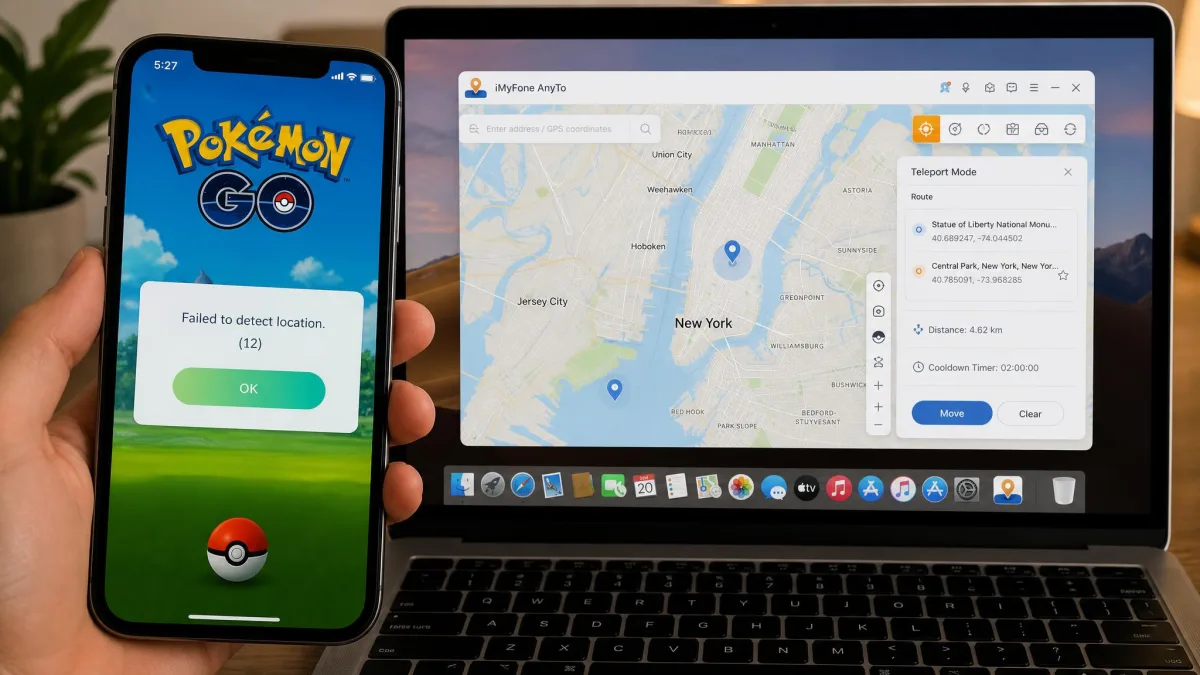
PoKeep's cooldown timer is the more useful of the two here, because it derives the wait from the distance just travelled instead of showing a generic countdown. AnyTo's cooling timer covers the same job with less guidance.
Stability is its own safety issue, and this is where AnyTo is weaker. Some iOS devices running AnyTo drift back to their real GPS position after a few hours, ending the session without warning, and the app can also freeze, fail to draw the map, or snap back mid-session.
That matters because a position that flips from Tokyo to your home street mid-session is exactly the pattern detection systems look for. Error 12 is the failure that shows up most often when an AnyTo session stops working.
The habit that lowers risk most has nothing to do with which app you buy. Experienced spoofers lean toward teleport-and-close over continuous joystick walking, because a short session with a long cooldown looks far less like a bot than hours of uninterrupted movement.
Pros and Cons
Those risk habits apply to both apps equally. What follows is where the two genuinely part company, condensed into the strengths and weaknesses you will feel in daily use.
PoKeep pros and cons
Pros
- Single tier, so there is no upgrade decision to make later
- Jump teleport chains saved pins into repeatable circuits
- Fluctuation mode adds small wobbles to a simulated walk
- Cleanest interface of the two, with fewer add-on prompts
- Free trial gives up to 25 separate uses before you pay
Cons
- Android Game Mode requires uninstalling the official game build first
- iOS Universal Mode fails silently until Developer Mode is enabled
- No published movement speed range to compare against rivals
- Lifetime price moves with whatever promotion is running
iMyFone AnyTo pros and cons
Pros
- Movement speed adjustable across a published 3.6 to 120 km/h range
- Cloud-saved routes follow your account between computers
- Unlimited PC and Mac installs on both VIP and SVIP
- Free version available, and no jailbreak needed
- Auto catcher and IV scanner on the SVIP tier
Cons
- Sessions can drift back to the real location after a few hours on iOS
- Connection failures common enough to need dedicated troubleshooting guides
- Android install runs through Google Play and often stalls on day one
- macOS support on the newest builds is not clearly stated
- The best features sit on the dearer SVIP tier
Which One Should You Choose?
Start with the phone in your hand rather than the feature list. If you are on a recent Mac, check that your OS is covered before you spend anything, and if your Android device sits inside a managed work profile, the Google Play install path is the thing most likely to stop you.
Choose iMyFone AnyTo if you need cloud-saved routes across several computers, want the published speed range for precise driving simulations, or genuinely use the SVIP auto catcher. For that group the higher price is defensible.
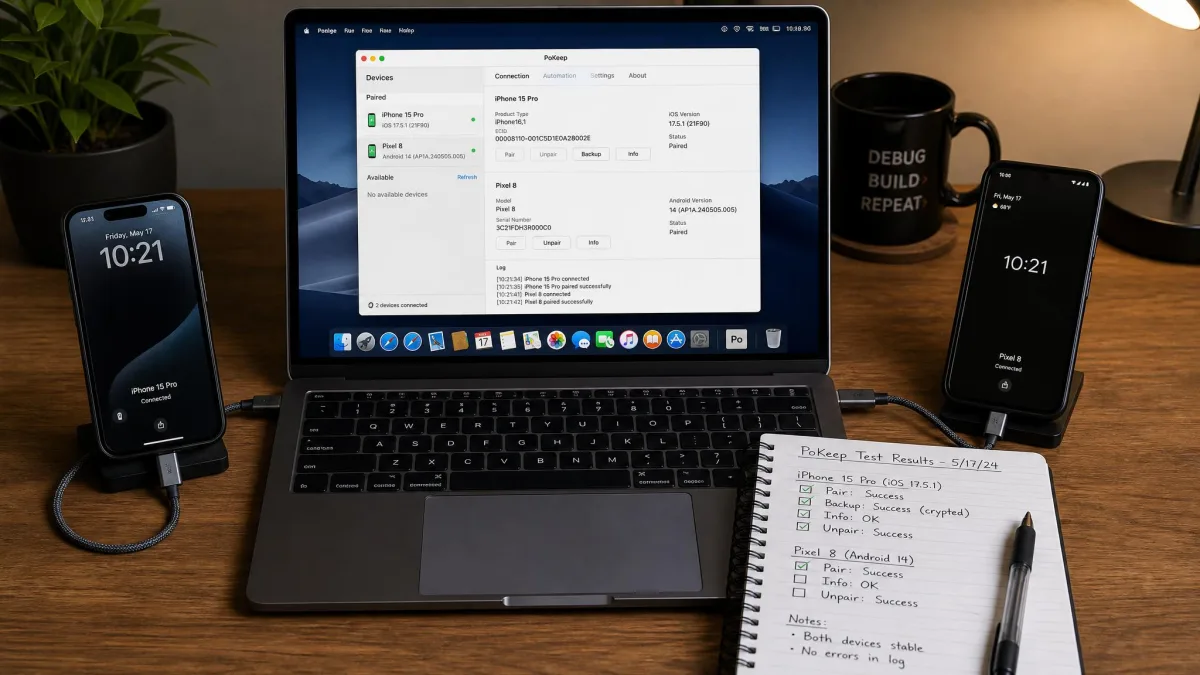
Choose neither if the account matters to you. A main account with years of progress is not worth a three-strike ban, and the sensible way to use either app is on a secondary account you can afford to lose. Whichever way you go, buy the shortest plan first and treat the 30-day refund window as the real trial.
Alternatives to Consider
If neither of these two feels right, the wider field of Pokémon GO spoofers has several close rivals worth reading about first.
FonesGo Location Changer vs iMyFone AnyTo and iMoveGo vs iMyFone AnyTo pit AnyTo against cheaper challengers, while MockGo vs iMyFone AnyTo and MocPOGO vs iMyFone AnyTo cover the alternatives people shortlist most often.
On the PoKeep side, read iMoveGo vs PoKeep and MockGo vs PoKeep next.