Most Pokemon GO spoofers that people still recommend online stopped working years ago, and the ones that do work carry a ban risk that no setting, no cooldown timer and no paid subscription removes. Location spoofing breaks Niantic's Terms of Service, and the game's discipline system is built to punish it in stages rather than all at once.
So we went through the 10 apps that still come up in 2026 searches, on both iOS and Android, and checked the things that actually decide whether one is worth installing: whether it still runs against the current game client, whether it needs a jailbreak or root, what the joystick and route tools really offer, what the free tier holds back, and what it costs per month.
Some are excellent. Two are dead and listed only so you stop looking for them.
The 10 Spoofers Compared at a Glance
Prices below are the current vendor figures at the time of writing. Free tiers vary wildly in what they actually let you do, so read the per-app entries before you judge a $0 column.
| Spoofer | Platform | Jailbreak or root | Joystick | Route simulation | Free tier | Price |
|---|---|---|---|---|---|---|
 |
iOS + Android | Not required | Yes | Yes, auto-walk | Yes | $4.99/mo VIP |
 |
iOS | Not required | Yes | Yes, GPX | Yes | $5/mo Pro, $10/mo Elite |
 |
Android | Not required | Yes | Yes, GPX on Standard | Yes | About $5/mo Standard |
 |
iOS, Android, desktop | Not required | Yes, 360 degree | Yes, GPX | Trial only | $9.95/mo desktop |
 |
Android | Mock location only | Yes | Yes, route playback | Yes, with ads | Free, paid ad-free |
 |
Android | Mock location only | No | No | Yes | Free |
 |
iOS + Android | Not required | Via hosted apps | Via hosted apps | Yes | Free, paid VIP |
 |
iOS via Windows computer | Not required | No | No | Yes | Free |
 |
iOS | Historically none | Yes | Yes | No | Discontinued since 2020 |
 |
iOS | Jailbreak | Yes | Limited | No | Defunct since 2019 |
What a Pokemon GO Spoofer Actually Does
A spoofer feeds the game a fake GPS position instead of the one your phone's location hardware reports. The map redraws around the coordinates you picked, and the spawns, PokeStops and gyms you see are the ones that genuinely exist at that place.
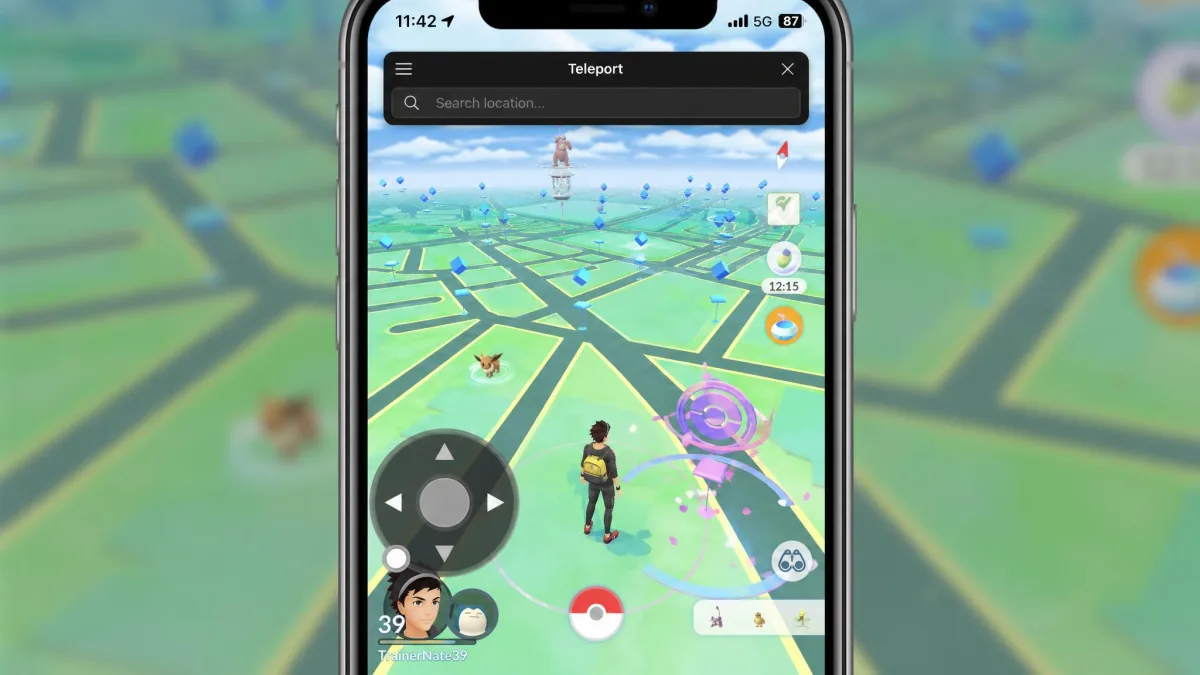
Two control styles cover almost everything on this list. Teleport jumps you straight to a set of coordinates or a searched place name. A joystick is an on-screen thumbstick that walks your avatar in real time, which is what registers distance for eggs and buddy candy.
Route simulation is the third tier. Import or draw a path, set a walking speed, and the app moves you along it while you do something else. That is the feature that separates a serious tool from a plain fake GPS app.
How the fake position reaches the game differs by platform. On Android, most apps either use the official mock-location hook in Developer Options or ship a modified game client that reports its own coordinates. On iOS there is no mock-location switch, so tools either sideload a patched client onto the device or push a location from a tethered computer.
A VPN does not change your in-game location at all. It moves your IP address and nothing else, and using one instead of a location tool simply does not work. If a guide tells you a VPN alone is enough, stop reading it.
Best Pokemon GO Spoofers for iPhone (No Jailbreak)
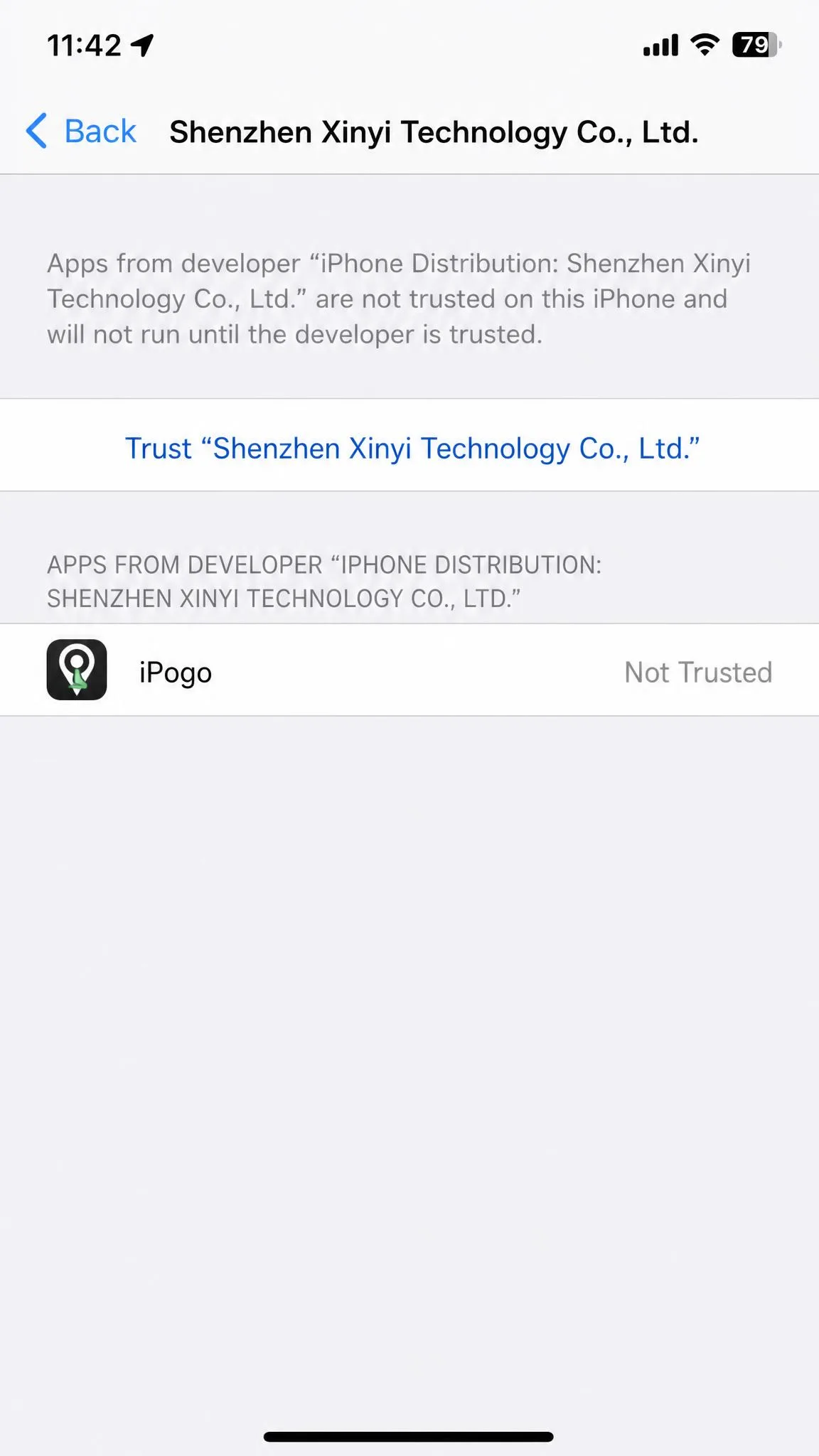
iOS is the harder platform, and the reason is signing rather than the game. Any patched client has to be installed outside the App Store, and a free developer certificate expires after seven days, at which point the app stops launching until you re-sign and reinstall it. Paid signing services such as Signulous remove that weekly chore, and that is the single biggest quality-of-life difference on iOS. Apple revokes enterprise and free developer certificates aggressively, which is why the re-signing chore comes around so often.
iPogo
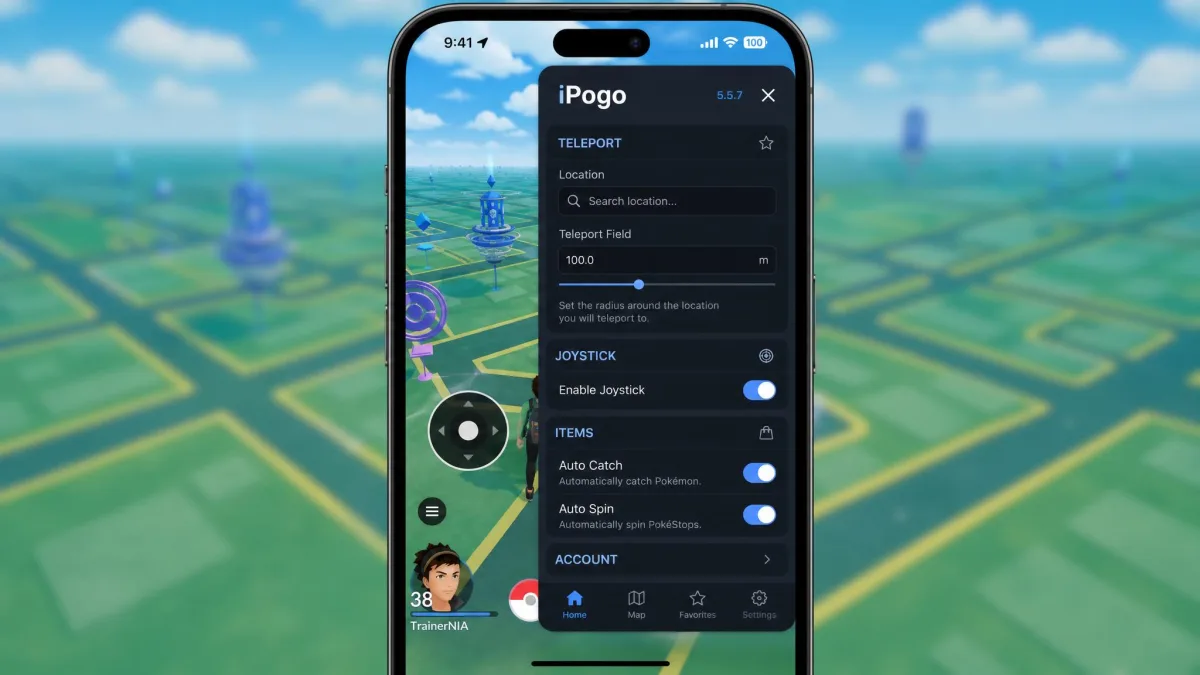
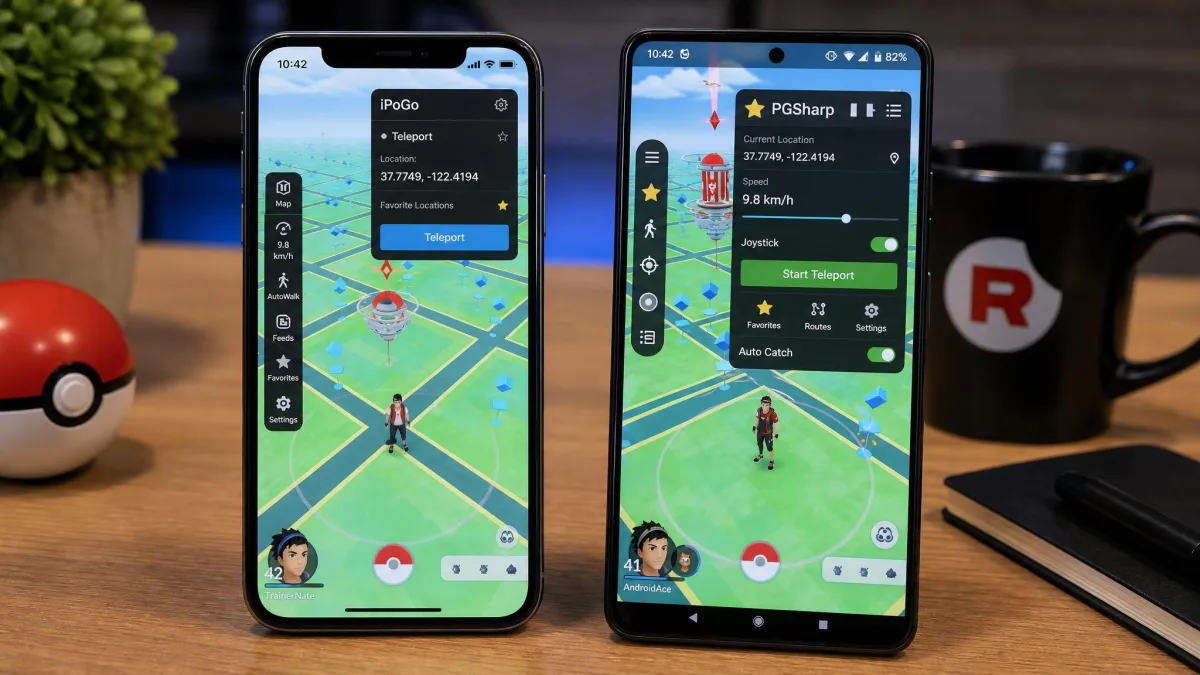
iPogo puts everything behind a single floating button on the map, and tapping it slides out a dense panel of toggles that sits over the game rather than replacing its interface. Teleport, joystick, auto-walk, auto catch, auto spin, enhanced throws, global Pokemon and raid lists, auto-transfer, a one-click bag cleaner and shiny filters all live in that one overlay, which is why the first hour with it is mostly reading labels. The iOS build is at 4.3.4 and installs by direct IPA, a jailbreak repo, or Signulous. The Android build is at 23.1 and offers a stock APK alongside a rooted variant.
The free tier is usable rather than a demo, so you can learn the overlay before deciding whether the automation is worth paying for.
The catch is the install path. Jailbreak is optional here, but the free routes carry the seven-day certificate expiry, so the revoke-free experience is really a Signulous subscription stacked on top of the VIP fee.
Pros
- One subscription covers both iOS and Android
- Deepest feature set on this list, including auto-walk and auto catch
- Usable free tier
Cons
- Certificate-free installs need a paid signing service on top
- Overlay takes a while to learn
Best for players who want one app for every device. Skip it if you want a Play Store download and nothing else.
SpooferPro
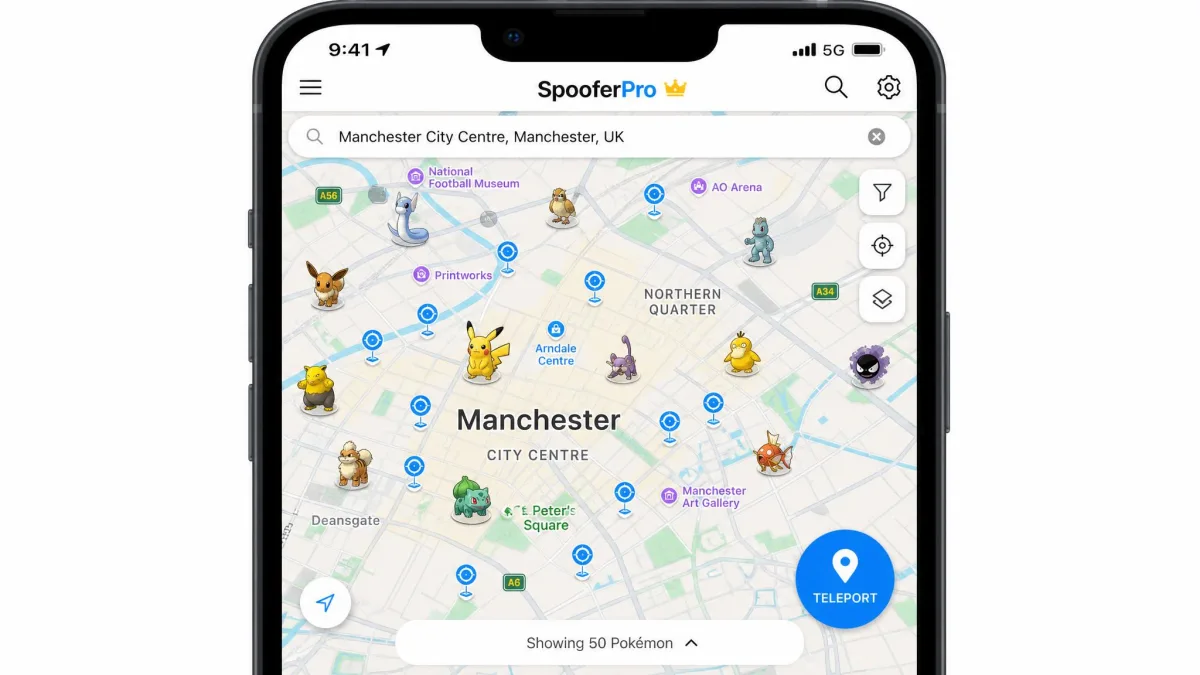
Where iPogo spreads across platforms, SpooferPro concentrates on iOS and does more with the map. It installs without a jailbreak through iPASTORE, Sideloadly, AltStore, TrollStore or a jailbroken device.
Its map of nearby Pokemon and stops is the standout, and IV preview, fast catch, auto gym battles, auto raid battles and background mode round it out. GPX route support and auto-walk are both present, so it handles route simulation properly rather than as a checkbox.
Pricing runs $5 a month for Pro with 80 or more features and $10 a month for Elite with 100 or more. There is a free tier with 50 or more features. One key covers a maximum of 3 devices, and entering it on a fourth deactivates the first, which matters if you rotate phones.
First launch is where people get stuck. After a direct install it commonly throws a Developer Mode error or quits immediately, and the fix is enabling Developer Mode in iOS settings and trusting the certificate before you open it again.
Pros
- Best built-in map of nearby spawns and stops
- IV preview, auto gyms and auto raids included
- Real GPX route support
- Free tier is genuinely featured
Cons
- iOS only
- Frequent Developer Mode errors on first launch
- Key is limited to 3 devices
iSpoofer
iSpoofer is the name that refuses to die in search results, and it is the clearest example of why an old recommendation is worse than none. Niantic sued its maker and the tool shut down in 2020. A limited revival surfaced in 2023 with reduced functionality and real security concerns around where the builds come from.
We do not recommend hunting for it. Anything sold under that name today is an unofficial build with no accountable owner, which is exactly the profile of a credential-stealing repackage. If you want its old feature set, SpooferPro is the direct replacement.
PokeGo++
PokeGo++ sits in the same graveyard, one year earlier. Its developer, Global++, was sued by Niantic in 2019 and pulled its sites offline, and the case resolved on January 13, 2021 with a $5 million judgment for Niantic.
It also required a jailbreak, which no current iOS release supports in a way most players will accept. There is no working, safe version to install.
3uTools
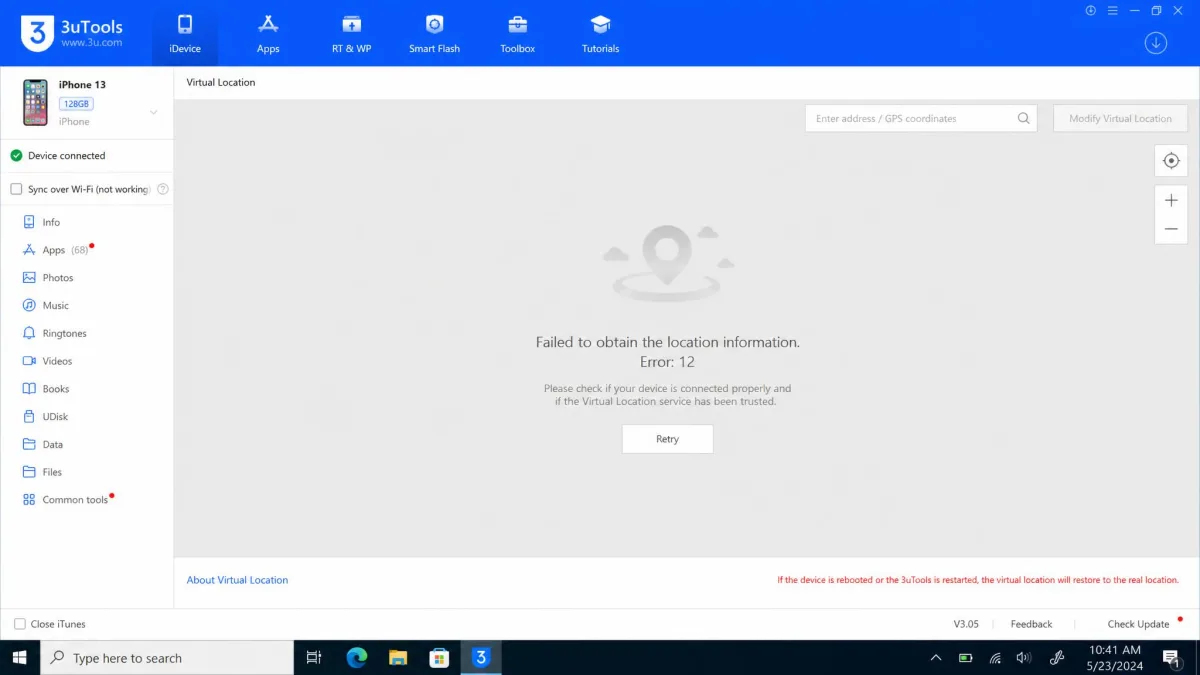
3uTools is the computer-tethered option, and it used to be the free answer for people who would not sideload anything. The Windows toolkit includes a Virtual Location map with single-point teleport, though it never had a joystick or route simulation, and it needs an iPhone connected by USB.
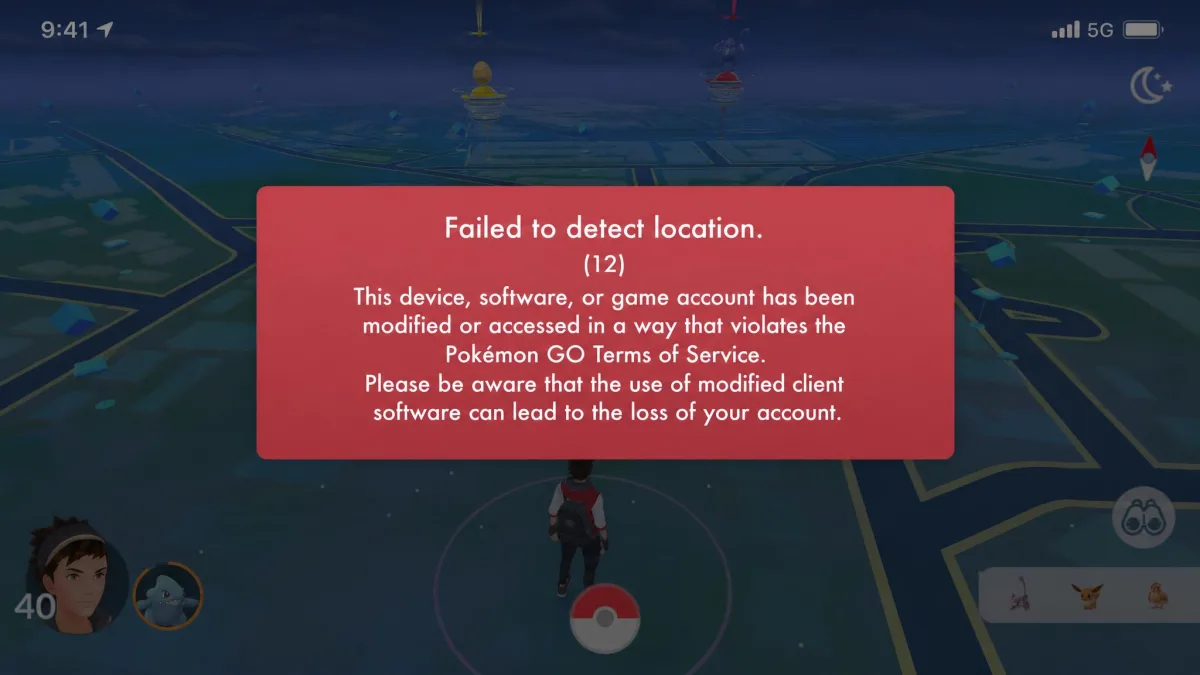
It no longer works for this game. Niantic strengthened tweak and modified-client detection in June 2024, and since then the Virtual Location map fails to load and error 12 appears when you try. It remains a useful iOS file manager. It is not a Pokemon GO spoofer any more.
Sideloaded IPAs and APKs from unofficial mirrors are the main malware route in this hobby. Download only from the developer's own domain, never from a link aggregator or a Telegram channel, and never enter your Pokemon GO login inside a third-party app that asks for it directly.
Best Pokemon GO Spoofers for Android (No Root)
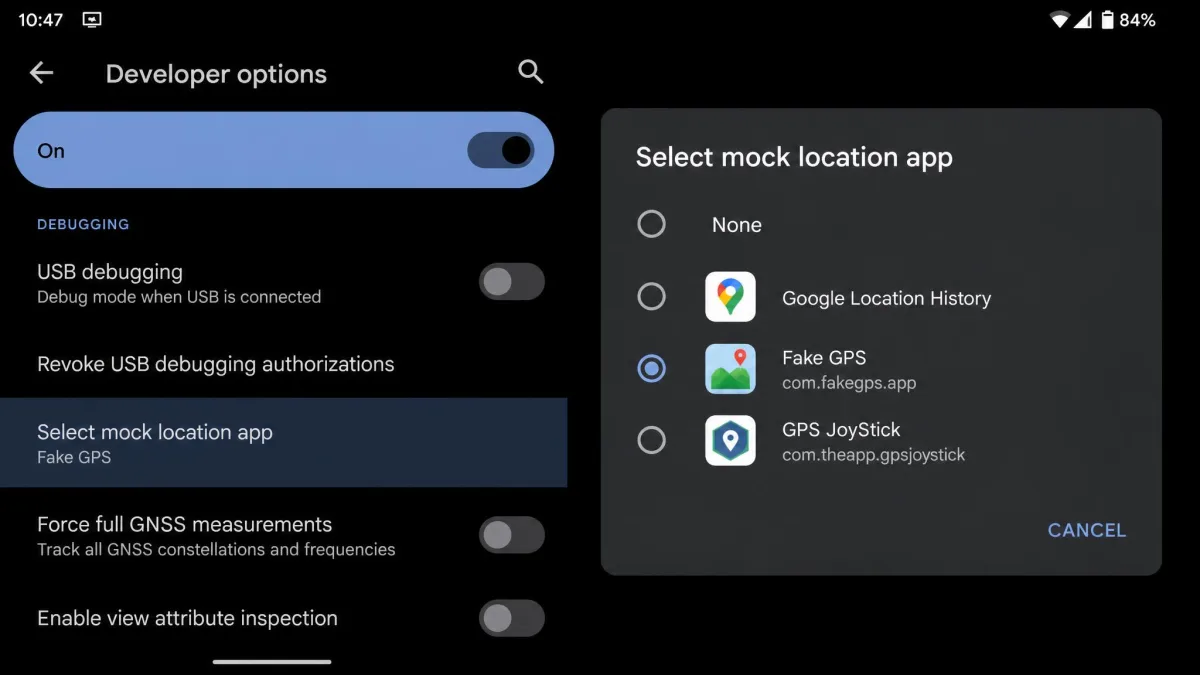
Android splits into two approaches. Modified clients replace the game itself and need no root, but they break every time the official app updates. Mock-location apps leave the game alone and use the switch Google already ships in Developer Options, which is safer to install and weaker in what it can do.
That setup step is the main snag for the mock-location route. You enable Developer Options, open the mock-location setting, and select your fake GPS app there before the game will read the position at all. Miss it and the app looks broken when it is merely inactive.
PGSharp
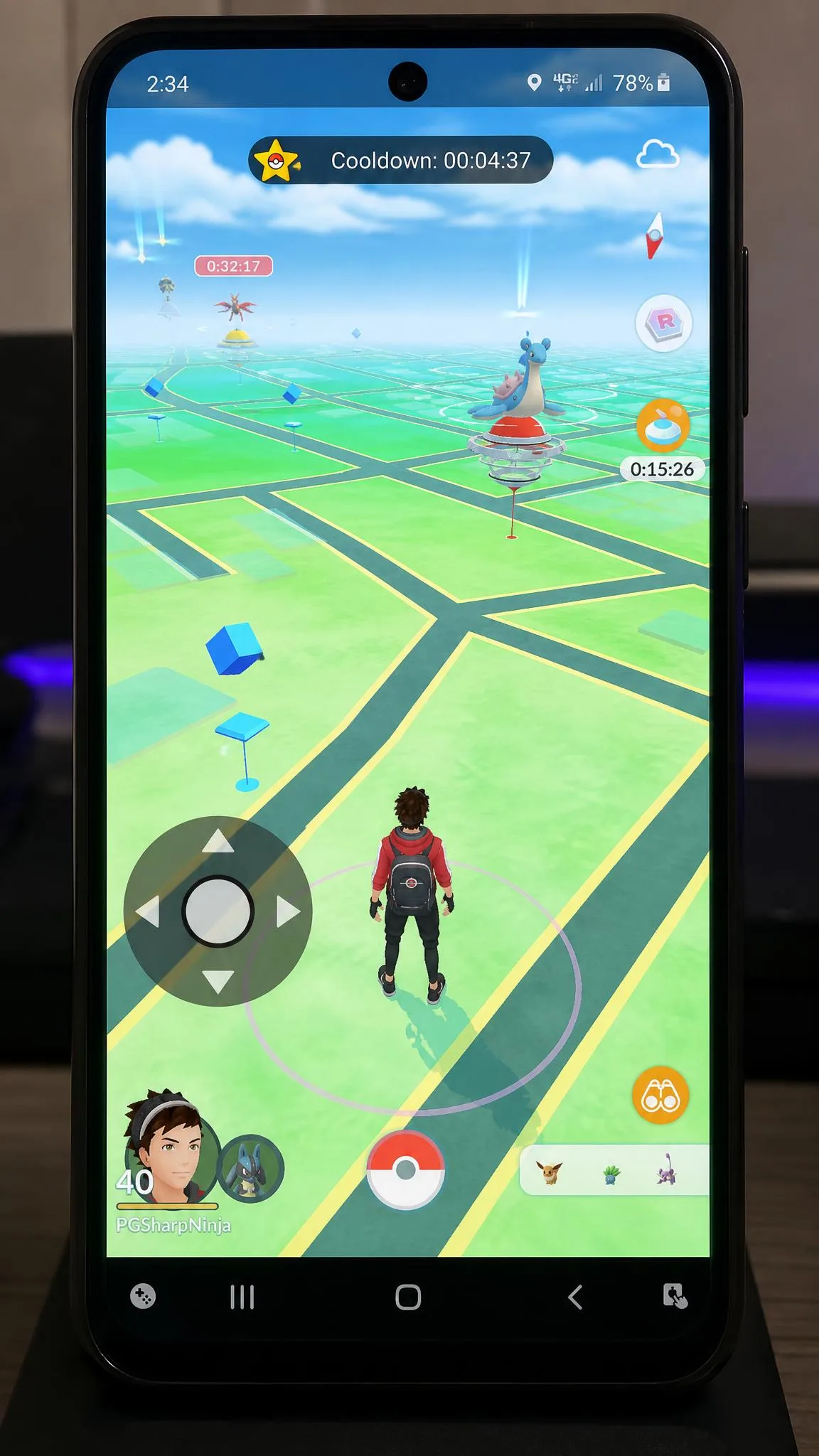
PGSharp is where most Android players should start. It is a modified Pokemon GO client installed by APK sideload with no root, and the free tier is fully functional rather than a trial.
Free gets you a joystick and teleport. Standard adds auto-walk, GPX route import, custom walking speed, an IV checker, cooldown tracking and removes the ads, and it runs about $5 per month, with the exact figure moving as promotions come and go across the reseller channels that sell the keys. The free tier also limits multi-device access.
Two things go wrong often enough to plan for. The joystick sometimes fails to draw on screen, and teleport can silently do nothing or throw an error, both usually fixed by a clean reinstall of the matching build. More importantly, a game update breaks the modified client until a new matching build ships, so updating Pokemon GO the moment Google prompts you is the fastest way to lose a working setup.
Pros
- Free tier includes joystick and teleport
- No root needed
- Built-in cooldown tracking and IV checker on Standard
- Largest support community of any Android option
Cons
- Breaks after most Pokemon GO updates
- Joystick and teleport failures are common
- Pricing is not published on an official page
Fake GPS Location - GPS Joystick
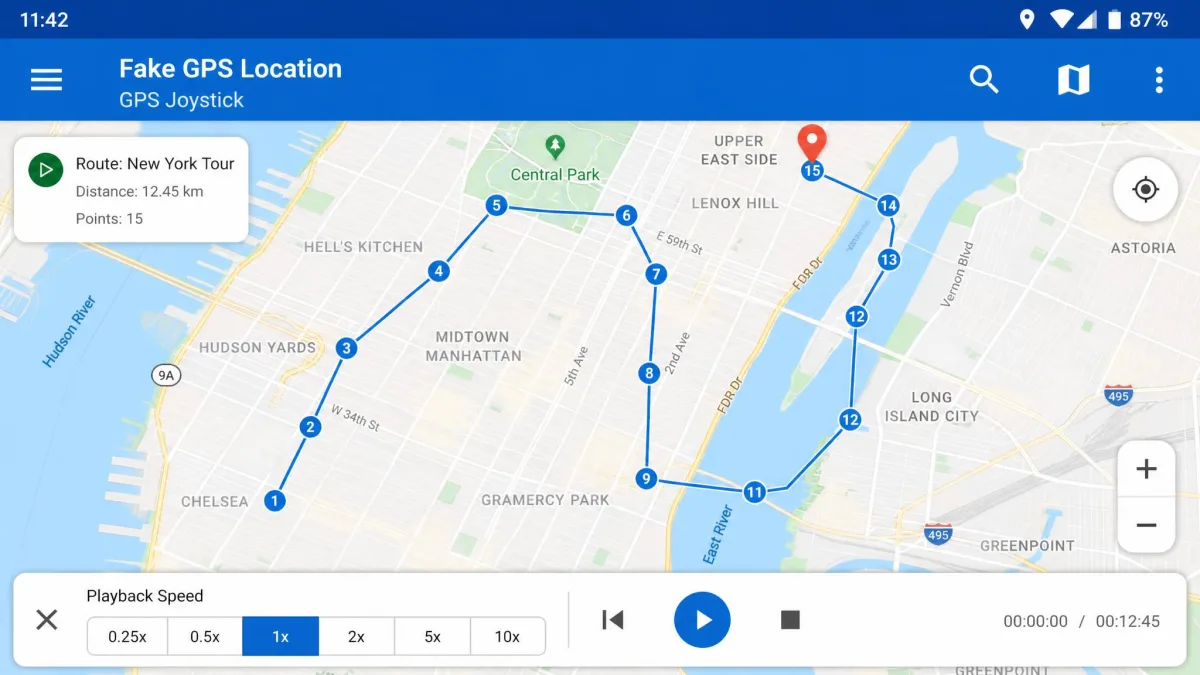
If PGSharp is the modified client, Fake GPS Location Joystick is the mock-location alternative that gets closest to it. It offers an on-screen joystick, saved favourite locations, and route recording and playback, which is unusual for an app that never touches the game client.
It is free with ads and has a paid ad-free upgrade. Google Play's community rates it 4.05 out of 5 across roughly 100 thousand ratings. It needs the Developer Options mock-location step, and because it does not modify Pokemon GO, a game update cannot break it.
MocPOGO
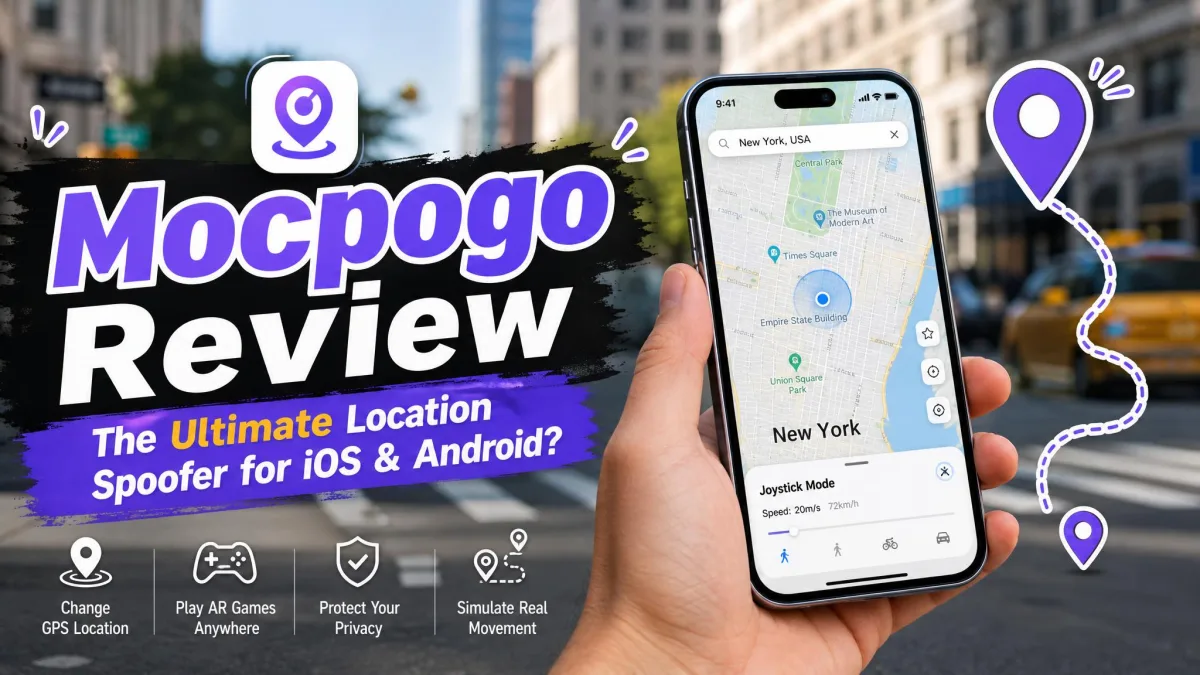
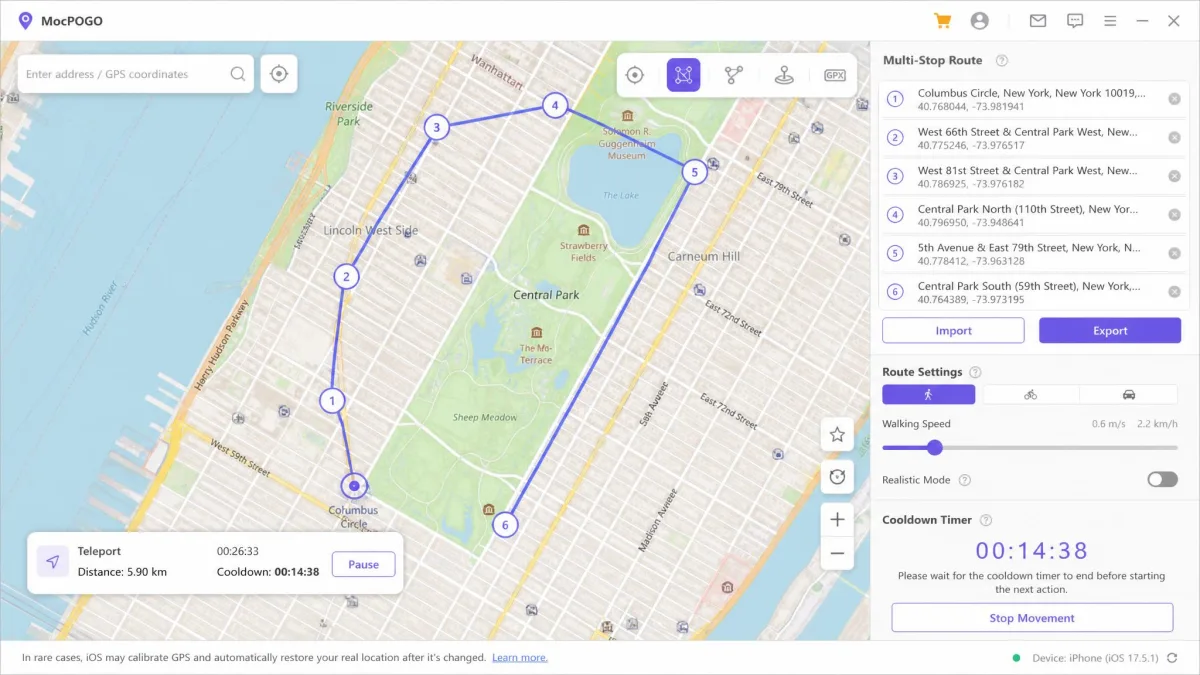
MocPOGO takes the desktop idea that 3uTools abandoned and makes it work. It runs on Windows 11, 10, 8 and 7, macOS 10.12 and later, iOS 13 and later, and Android, and it can spoof up to 15 devices at once.
Movement control is the best here. The joystick gives full 360 degree control, speed is adjustable from 3.6 to 100 km/h, custom routes and GPX import are supported, and there is a built-in cooldown timer. A Bluetooth iOS-to-desktop mode avoids the cable, and the same tool works with Life360, WhatsApp and Tinder.
Pricing is the sticking point. Desktop is $9.95 a month, discounted from $19.95, the Android app is $14.95 a month, and the iOS app is $19.95 a month, though buying iOS includes the Windows and Mac versions. Desktop-tethered tools ask for more setup up front, meaning a driver install, a USB trust prompt and a paired session, but they avoid the sideload certificate treadmill entirely.
Pros
- Works across iOS, Android and desktop with no jailbreak or root
- Best movement control, including 100 km/h speed range
- Handles up to 15 devices at once
- Built-in cooldown timer
Cons
- Most expensive option on this list
- Needs a computer for the desktop workflow
- Trial only, no lasting free tier
Fake GPS Location by Lexa
Fake GPS Location by Lexa is the plainest tool here and the most trusted by the people using it. Google Play's community rates it 4.65 out of 5 across roughly 610,000 ratings, well above GPS Joystick's 4.05, and it has around 56 million downloads.
What you get is a map, a pin and a fake position, free, with no ads worth complaining about. What you do not get is a joystick, route simulation or any Pokemon GO specific tooling, so it teleports and nothing more. It needs the same Developer Options mock-location setup as any app in this class.
Treat it as the boring choice for setting a location and leaving it. For egg distance or raid rotation, use one of the joystick tools instead.
TutuApp
TutuApp is a third-party app store rather than a spoofer, and it used to be the front door for modified Pokemon GO clients on both platforms. Today it is a shell of its former self, with repeated certificate revocations, broken hosted apps and a high ban probability for anything it serves.
Installs from it get revoked over and over, and modified clients sourced there are flagged quickly on login. There are better routes to the same apps, usually the developer's own site.
How to Choose the Right Spoofer for You
Start with the device, because it eliminates most of the list immediately. iOS players choose between a sideloaded client and a tethered computer. Android players choose between a modified client and a mock-location app.
Then decide whether you need a joystick or only teleport. If you want egg hatches, buddy candy and distance progress, a joystick or route simulation is not optional, and a plain fake GPS app will never give you that.
Cooldown tracking is the next filter, because an app that shows a live timer after each jump saves you from the most common self-inflicted soft ban. Finally, weigh the update treadmill. Modified clients break when the game updates. Mock-location apps and desktop tools keep working, but they do less. That trade is the real decision on this page.
Free vs Paid Spoofers: What You Give Up
Free tiers here are not crippleware, but they are consistently missing the same three things: automation, routes and multi-device support.
PGSharp's free tier is the clearest example. Joystick and teleport are included, and that covers casual play. Auto-walk, GPX routes, the IV checker and an ad-free interface all sit behind Standard.
iPogo and SpooferPro follow the same shape, with free tiers that work and paid tiers that automate. MocPOGO offers a trial only, so there is no lasting free option there at all.
The genuinely free route is a mock-location app. Lexa's app costs nothing forever, GPS Joystick is free with ads, and neither will ever charge you. You give up automation, and on many days that is a fair trade.
Paying more does not buy you a safer account. It buys automation, routes and fewer reinstalls, and the ban risk stays exactly where it was.
Is Pokemon GO Spoofing Safe? What Niantic Actually Does
Spoofing violates Niantic's Terms of Service, and enforcement is not precise. Wrongful first-strike warnings have hit iPhone players who were not spoofing at all, and some Android players were flagged after nothing more than a system software update. Use a secondary account, never your main.
No. Bans still land on players who follow cooldown discipline perfectly, so no configuration and no price tier makes an account safe. Anyone telling you otherwise is selling something.
Detection is also imprecise in both directions. Wrongful first-strike warnings have hit iPhone players who were not spoofing at all, and some Android players were flagged simply for updating their phone's system software. That cuts against the idea that careful play guarantees anything.
What Niantic does when it catches you is at least predictable, and it escalates in three stages rather than arriving as one permanent ban. The details of that ladder are in the next section, because they change how you should set up an account before you ever open a spoofer.
How to Spoof Pokemon GO Without Getting Banned
You cannot guarantee it. You can lower the odds, and the rules below are what actually move them.
The enforcement ladder is public. Under Niantic's three-strike discipline policy, a first strike is a warning lasting approximately 7 days with degraded gameplay, meaning no rare Pokemon encounters and exclusion from EX Raid Passes. A second strike suspends the account for approximately 30 days. A third ends it permanently, and severe cases skip straight to termination.
Cooldown Times and Soft Bans
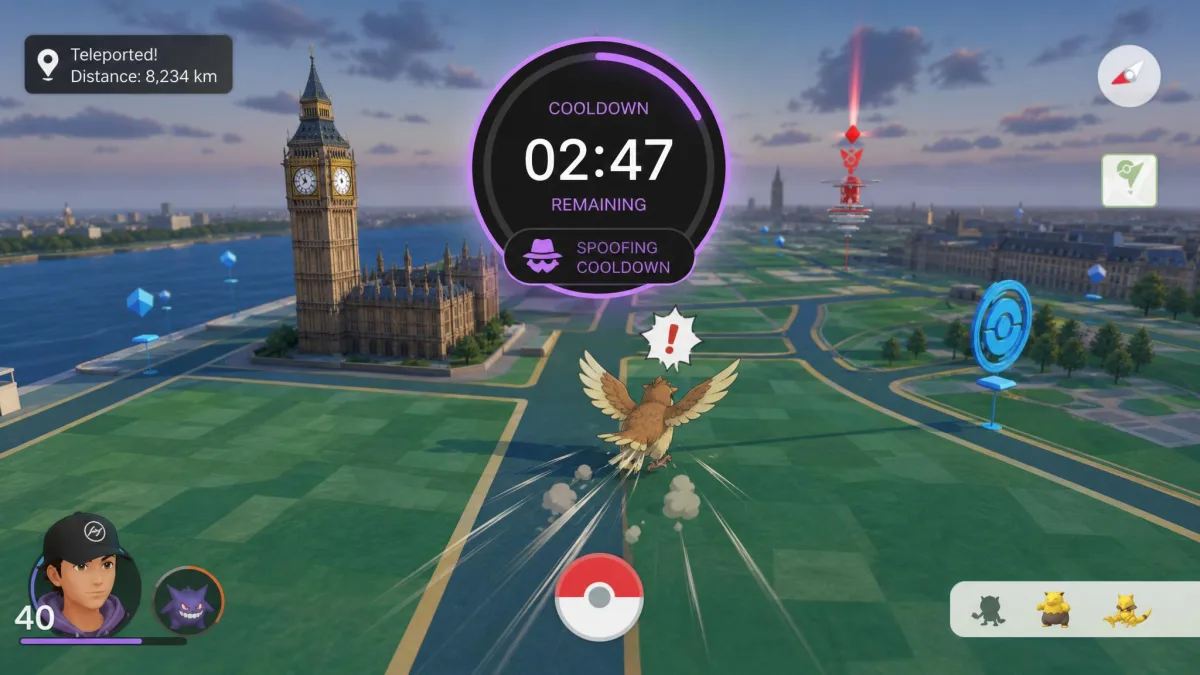
Cooldown is the waiting period the game expects between two locations, based on how far apart they are. Jump too far too fast and you get a soft ban, which blocks catches and PokeStop spins for up to 12 hours.
The ceiling is the number to memorise: maximum cooldown is 2 hours for any jump beyond roughly 1,500 km, no matter how much further you travel. So a hop to another continent and a hop to the far side of the planet cost the same wait.
Short hops are murkier, because the published distance-to-time pairs below 1,500 km do not agree with each other. A 1 km jump can clear in about 30 seconds, but we would not build a routine on that number. Treat the sub-minute figure as the floor rather than the wait, give a short hop a couple of minutes, and when in doubt wait longer than you think you need to.
The symptoms of a soft ban are consistent and easy to recognise: Pokemon flee instantly, PokeStops hand out nothing, and a red warning banner appears at login. Stop playing, wait it out, and do not try to catch through it.
Use an app with a built-in cooldown timer, such as PGSharp Standard or MocPOGO. Guessing the wait from memory is how most soft bans happen, and a timer removes the guesswork entirely.
Realistic Movement, Teleport and Route Simulation
Teleporting everywhere with no walking in between is the pattern that looks least like a person. Mixing in joystick movement and route playback produces a track that resembles normal play.
Speed matters as much as distance. Tools that let you set a walking pace, like MocPOGO's 3.6 to 100 km/h range, should be kept near human speeds for anything that looks like local play.
Route simulation is the best version of this. Draw or import a path, set a sensible speed, and let the app walk it while you do something else.
Use an Alt Account, Not Your Main
Playing on a secondary account rather than a main one is the oldest and most repeated piece of advice in the spoofing community, and it is the only advice on this page that reliably protects something you care about.
Set up a fresh account, keep it separate from the one holding your legacy Pokemon and your years of progress, and never sign the main account into a modified client. If a strike lands, it lands somewhere you can afford to lose.
Risks Beyond a Ban: Malware, Sideloading and Payment
The account is not the only thing exposed. Sideloading means installing software that no store reviewed, and modified game clients are an attractive place to hide a credential stealer.
Stick to the developer's own domain for every download. Mirrors, aggregators and messaging-app links are where repackaged builds circulate, and a modified client that asks for your Google or Apple credentials directly is a phishing screen, not a login.
Payment is the second exposure. Several of these tools sell keys through resellers, which is part of why PGSharp's price is hard to pin down, and a reseller charge is much harder to dispute than a vendor one. Buy from the official site where one exists.
The third risk is quieter. Crashes and version mismatches after game updates are the routine failure mode for modified clients, not an occasional edge case, so plan for the tool you paid for to be unusable for a few days after every major game release.
Frequently Asked Questions
What is the best Pokemon GO spoofer in 2026?
Is spoofing illegal?
Can you spoof without a jailbreak or root?
Do spoofers keep working after Pokemon GO updates?
Does Niantic ban for VPN use on its own?
Can I use one subscription on more than one phone?
Can a strike be appealed, or does it expire on its own?
The Bottom Line
If you are going to do this, do it on an account you can afford to lose, with a tool from an official site and a cooldown timer running.
The account rule comes first because it is the only one that protects anything. Make a fresh account, keep your legacy Pokemon and your years of progress somewhere a modified client never signs in, and accept that a strike will eventually land on whatever you do use.
After that it is a routing question. Android-only players should start with PGSharp, where the free joystick and teleport cover casual play and Standard adds the cooldown timer that keeps you out of trouble. Anyone who would rather drive the whole thing from a computer than fight seven-day certificates should pay MocPOGO's premium and take the driver install and USB trust prompt in exchange.
The two names to stop searching for are iSpoofer and PokeGo++. Both were killed in court, and anything sold under those names now is someone else's build with someone else's motives.
For location tools outside this game, Spoofer Go and iToolab AnyGo cover general GPS changing on both platforms.