PoKeep Location Changer and Tenorshare iAnyGo are desktop GPS location changer apps. Each one moves a connected iPhone or Android phone to any coordinates you pick, and neither asks you to jailbreak or root the device. Both cover the same core ground for Pokemon GO. You get one-click teleport, plotted walking routes, and joystick control on either side. The axis of difference is what sits on top. iAnyGo adds Bluetooth Auto-Catch, while PoKeep spends its budget on device count and movement realism.
We looked at the two things that decide the purchase. The first is what each app can do on your hardware. The second is what it costs to keep using it. Below we walk through the features, the setup for each tool, the ban-risk picture, and the pricing ladder, then name the one we would buy.
PoKeep vs iAnyGo at a Glance
These are close products with different centres of gravity. PoKeep is the broader household license with better movement realism. iAnyGo is the Pokemon GO specialist, and its Niantic-specific automation runs deeper.
| Feature | PoKeep | iAnyGo |
|---|---|---|
| GPS teleport | Yes, one-click | Yes, single-spot teleport |
| Route simulation | Two-point and multi-waypoint routes, GPX import and export | Multi-spot route up to 99 points, GPX import and export |
| Joystick | 360-degree joystick | Joystick control |
| Auto-catch and Bluetooth Plus+ | Not offered | Bluetooth Auto-Catch and auto-spin |
| Supported iOS | Through iOS 26 | iOS 14 through iOS 27 |
| Supported Android | Android 6.0 and later | Android 7 through Android 16 |
| Desktop | Windows 10 or later, macOS 11 or later | Windows 7 to 11, macOS 10.15 or above |
| Devices per license | 1 PC and 10 Phones | 1 PC with 1-5 mobile devices |
| Lifetime price | $89.95 | $95.95 |
| Jailbreak required | No | No |
How We Compared PoKeep and iAnyGo
We built this the way a buyer would. We read what each vendor publishes for the current builds. We checked the purchase pages rather than the marketing pages for prices. Then we cross-read owner accounts of what happens after install. Where sources disagreed, we treated the checkout page as canonical. The comparison pages each company writes about its rival tend to quote the wrong tier.
We weighted five things. Those were the movement feature set, platform and device coverage, setup friction, safety posture, and the real cost over a year. Unaudited marketing was excluded. Tenorshare advertises a zero ban rate and a hundred million users. Neither figure has independent verification behind it.
Both companies publish comparison pages about each other. We read them, and used them only for claims we could confirm elsewhere.
What Is PoKeep?
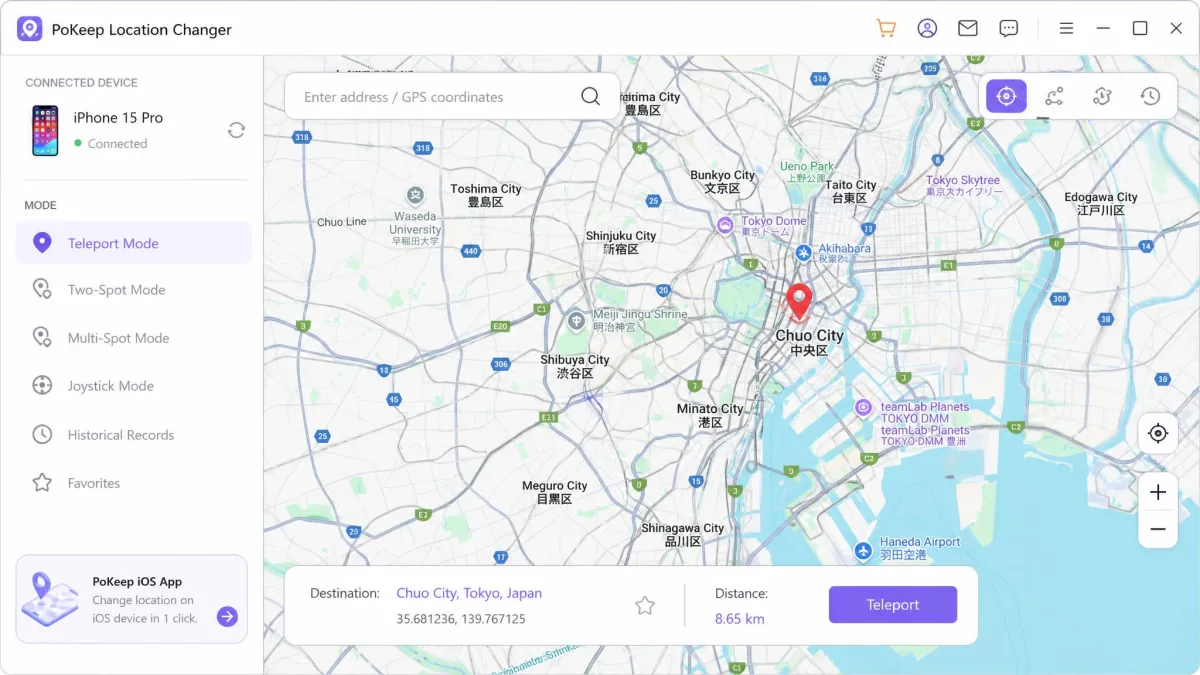
PoKeep Location Changer is a desktop app for Windows 10 or later and macOS 11 or later. It changes the GPS location a phone reports, over USB, Bluetooth, or WiFi. It uses Android mock location and iOS developer mode rather than a jailbreak, so the phone stays in a normal, supported state.
Its feature list is movement-heavy. One-click GPS teleport sits alongside a 360-degree joystick, two-point and multi-waypoint routes, and a jump teleport mode. GPX import and export are included. A cooldown timer and a fluctuation mode that varies simulated walking speed round it out. Beyond Pokemon GO, users point it at Tinder, Bumble, and Life360.
The headline licensing detail is device count. A single purchase stretches across a whole household rather than a single handset, which is the reason the app makes sense for a family or a group sharing one licence.
One caution is worth naming early. PoKeep's community footprint is thin. Its AlternativeTo listing carries no user reviews or ratings, so there is little crowd feedback to check the vendor's claims against.
What Is Tenorshare iAnyGo?
Tenorshare iAnyGo is the location changer in Tenorshare's utility catalogue, and it is the more Pokemon-specific of the two. It supports iOS 14 through iOS 27 across the iPhone 6 to iPhone 17 series. On the other side it covers Android 7 through Android 16. The desktop app runs on Windows 11 back to Windows 7, or macOS 10.15 and above. Separate iOS and Android app editions ship alongside it.
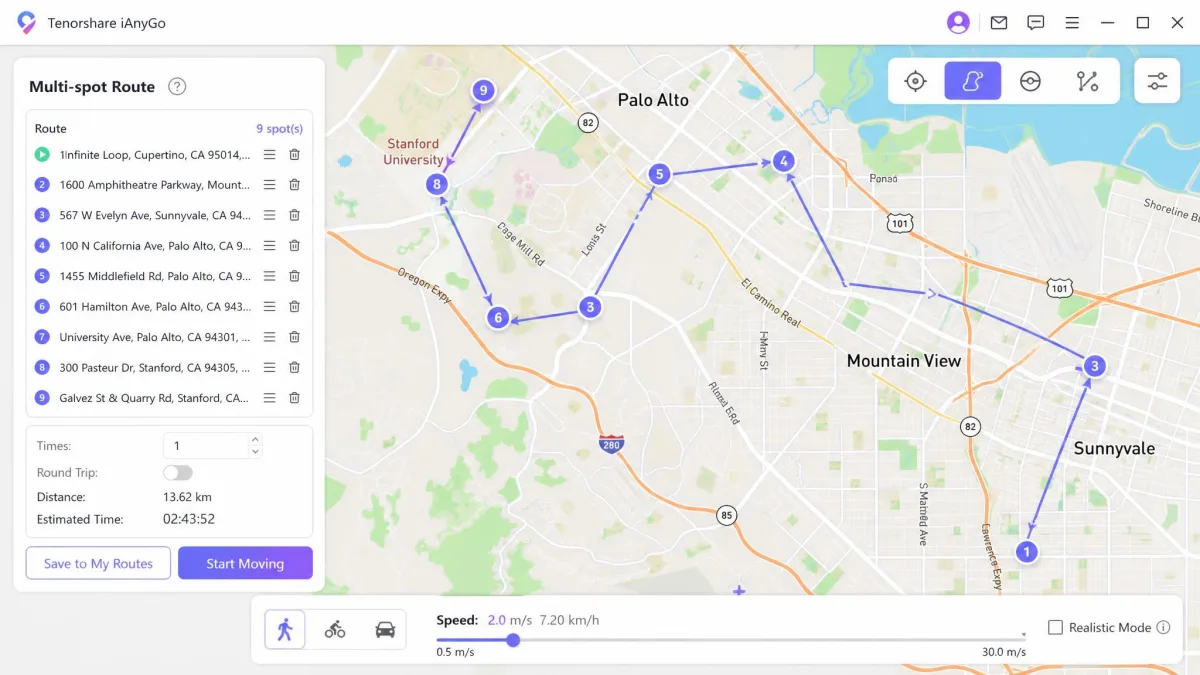
The movement set is broad. Single-spot teleport, multi-spot routes accepting up to 99 points, and joystick control form the base. Two-way and round-trip movement, adjustable speed, GPX import and export, and a cooldown timer fill it out. No jailbreak or root is required here either.
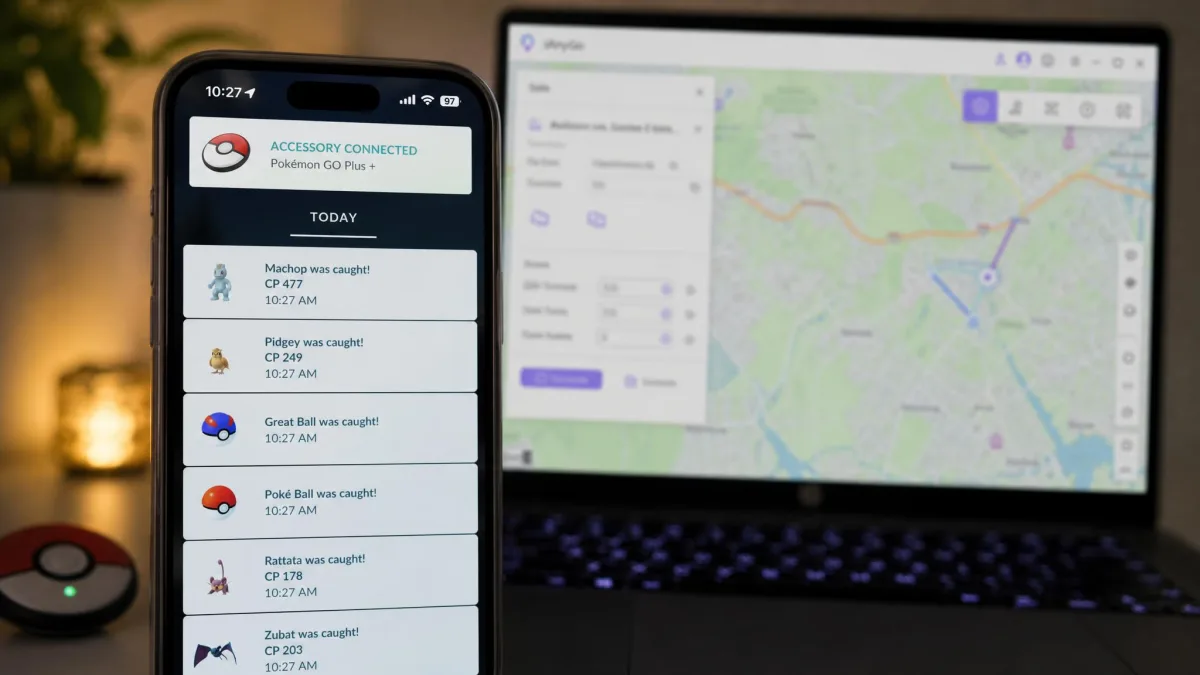
What iAnyGo adds is the Bluetooth layer. Auto-Catch and auto-spin let the desktop stand in for a Pokemon GO Plus accessory.
Tenorshare's Trustpilot presence is broadly positive, with TrustScores in the 4.8 to 4.9 range on tenorshare.net. That score covers the whole product catalogue rather than iAnyGo specifically, and it moves as new reviews land.
Feature Comparison: Teleport, Routes and Joystick
GPS Teleport and One-Click Location Change
Both apps do the fundamental job the same way. You drop a pin, confirm, and the phone reports the new coordinates to every app that asks. PoKeep calls it one-click teleport and iAnyGo calls it single-spot teleport. In use, the difference is naming rather than capability. On iOS this is the same class of trick Apple documents in how iOS location simulation actually works, applied to a retail phone instead of a debug build.
PoKeep also offers a jump teleport mode for stepping between coordinates in sequence.
Route Simulation and Speed Control
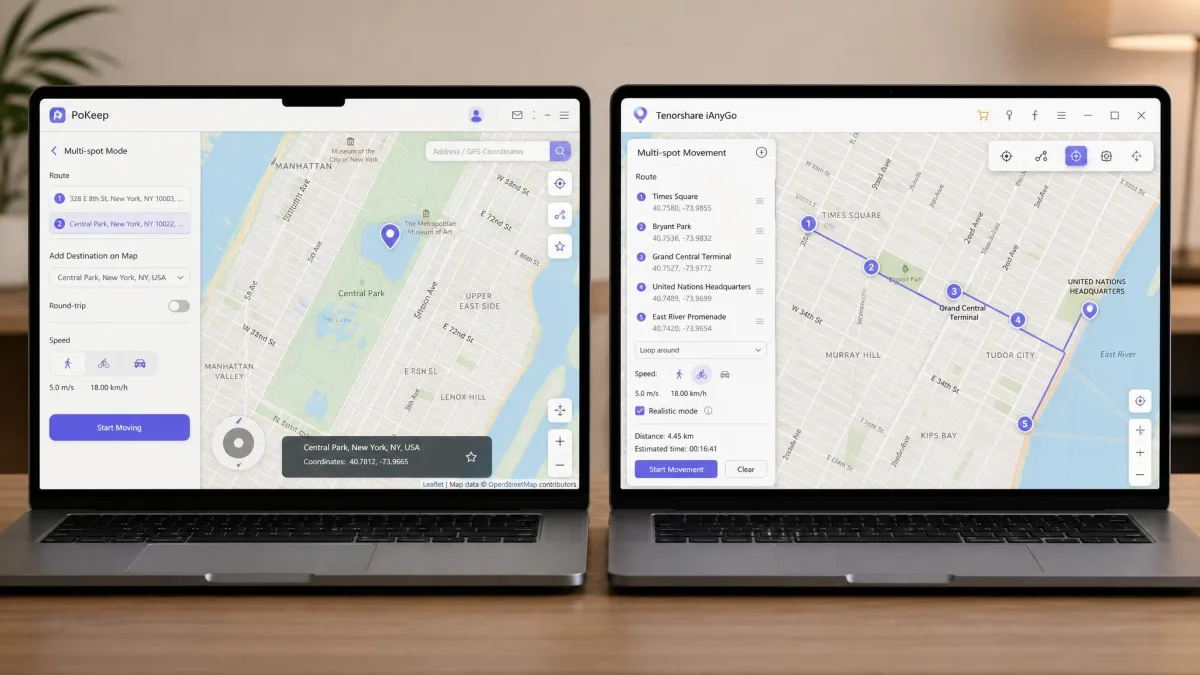
Here the two diverge in shape. iAnyGo wins on raw capacity. Its multi-spot route accepts up to 99 waypoints, with two-way and round-trip options and an adjustable speed slider.
PoKeep counters with realism. Alongside two-point and multi-waypoint routes, its fluctuation mode varies walking speed as the route plays out. That variation reads as more human than a fixed-speed line. Both tools import and export GPX files, so a route built in one is portable.
Joystick and Manual Movement
PoKeep's 360-degree joystick control is the better of the two for free-form movement. It gives fine directional control without dropping a pin for every turn. iAnyGo's joystick does the same job with less nuance. If your play style is wandering rather than commuting between plotted stops, PoKeep is the more comfortable app.
Auto-Catch and Pokemon GO Plus+ Support
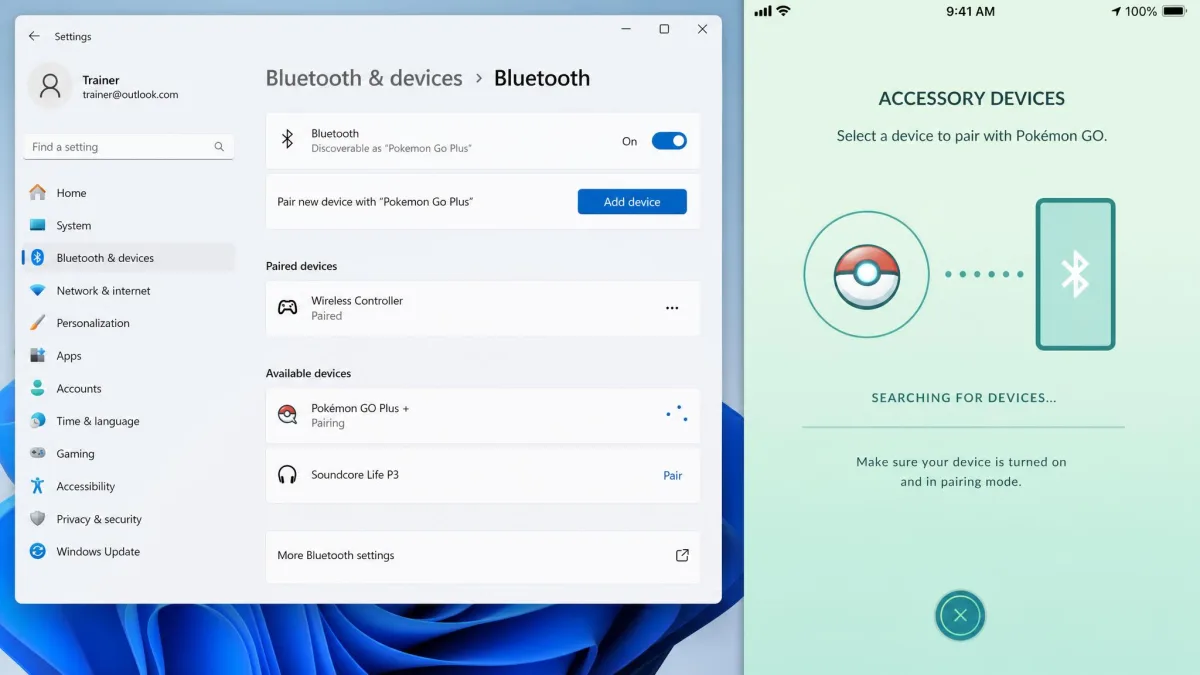
Auto-Catch is iAnyGo's exclusive, and it is a genuine differentiator. The software emulates Bluetooth Low Energy signals so Pokemon GO reads your computer as a valid accessory. Setup renames the PC's Bluetooth device to Pokemon Go Plus, then pairs it inside the game's settings. The whole flow is documented in Tenorshare's official iAnyGo Auto-Catch guide.
The requirements are specific. Auto-Catch needs Windows 10 x64 or above with Bluetooth Low Energy broadcast support. It also needs Pokemon GO version 4.9.0 or later. Mac users are out.
There is also a pairing ceiling. Auto-Catch supports a maximum of three connected devices at once. That limit applies to the Bluetooth pairing rather than your license's overall device allowance. When it stops responding, the usual cause is the app sitting in General Mode instead of Game Mode, or too many paired devices. Switching into Compatibility Mode generally brings it back.
PoKeep does not compete here at all. If hands-free catching and spinning is the reason you are buying, the comparison ends at this section.
Platform and Device Support
iAnyGo has the wider compatibility envelope on paper. It reaches back to Windows 7 and macOS 10.15. It supports Android 7 through Android 16, and covers iOS 14 through iOS 27. PoKeep asks for a newer host, Windows 10 or later and macOS 11 or later. It supports Android 6.0 and later, and covers iOS versions through iOS 26.
Device allowance flips the result. PoKeep's single license covers 1 PC and 10 Phones. iAnyGo's base license covers 1 PC with 1-5 mobile devices. Adding a second computer moves you to the 2 PC/Mac tier at $18.95 per month, and iAnyGo licenses stay bound to the number of computers you pick at checkout.
Ease of Setup: Step-by-Step With Each Tool
Setting Up PoKeep
Install the desktop app, then connect your phone by USB, Bluetooth, or WiFi. Confirm the connection before choosing a mode. On Android, enable developer options and set PoKeep as the mock location app. On iOS, allow developer mode when the phone prompts you.
The friction is front-loaded. PoKeep's first connection can take several minutes to establish, and pairing involves more steps than the marketing suggests. Once the link is up it stays stable through a session. PoKeep also avoids the Error 12 and developer disk image failures that plague older iOS spoofing tools.
Setting Up iAnyGo
Install iAnyGo, connect the phone, pick a mode, and teleport. That is the simple path. It is fine if all you want is a change of coordinates.
Auto-Catch is a longer road. iAnyGo's 2026 setup is noticeably heavier than earlier versions. The Bluetooth workaround and a secondary helper app both add steps before your first teleport. That helper application can crash mid-session, which forces a re-pair.
Whichever tool you pick, restart the phone after your session ends. It clears the mock location state and stops other apps inheriting a stale position.
Safety, Detection and Ban Risk
Neither app makes spoofing safe, and any vendor implying otherwise is selling you something. Location spoofing breaks Pokemon GO's terms of service, and Niantic treats it as cheating under Niantic's cheating and fair play policy. Enforcement runs on a three-strike ladder that ends in a permanent account ban.
Cooldown discipline is the control that matters. Both tools give you the same instrument, a timer that tells you how long to wait before the next jump. PoKeep's fluctuation mode adds a layer by varying simulated walking speed, which produces a less mechanical trace. Bluetooth accessory emulation is not a shield either. Account safety still comes down to respecting cooldown between jumps.
iAnyGo's location change can still trigger detection in some apps. Its more capable gaming features also sit behind the higher-priced licenses rather than the entry tier.
Do not spoof on an account you care about. Use a secondary account, keep jumps inside the cooldown window, and accept that a ban remains possible with either tool.
Pricing and Licensing Compared
Entry pricing is identical at $12.95 per month, so the decision happens further along the ladder. PoKeep runs $29.95 per quarter, $69.95 per year, and $89.95 for a one-time lifetime license. iAnyGo runs $22.95 per quarter and $42.95 per year. Its 1 PC/Mac lifetime license is $95.95, and a $129.95 lifetime bundle covers Windows, Mac, and iOS.
| Plan | PoKeep | iAnyGo |
|---|---|---|
| Monthly | $12.95 | $12.95 (1 PC), $18.95 (2 PC) |
| Quarterly | $29.95 | $22.95 |
| Yearly | $69.95 | $42.95 |
| Lifetime | $89.95 | $95.95 (1 PC/Mac), $129.95 bundle |
| Free trial | Limited-use free trial | Free 1-hour trial |
| Money-back window | 30-day | 30 days |
Read that ladder per device rather than per line. iAnyGo is clearly cheaper for one year on one computer. PoKeep is cheaper for permanent access, and it covers twice as many phones.
Trials differ in kind. PoKeep's free trial is limited to a fixed number of separate uses, though the allowance varies by promotion and install. iAnyGo advertises a free 1-hour trial with advanced gaming features excluded. Trial length and unlocked features change between builds on both sides.
Both carry a 30-day money-back guarantee. Tenorshare's deserves care, because refund outcomes on it are inconsistent. Some claims are paid in full. Others are answered with technical workarounds instead of money back.

Pros and Cons of Each Tool
Pros
- One license covers 1 PC and 10 Phones, the widest device allowance here
- Cheapest lifetime price at $89.95
- Fluctuation mode varies walking speed for a more natural trace
- 360-degree joystick control is the better free-form mover
- Avoids the Error 12 and developer disk image failures of older iOS tools
Cons
- No Bluetooth auto-catch or auto-spin at all
- First connection can take several minutes and pairing is fiddly
- Requires a newer host: Windows 10 or later, macOS 11 or later
- Almost no independent user feedback exists to cross-check its claims
Pros
- Bluetooth Auto-Catch and auto-spin, which PoKeep cannot match
- Cheapest annual price at $42.95
- Multi-spot routes accept up to 99 points
- Widest platform range, from Windows 7 and macOS 10.15 to iOS 27
Cons
- Base license covers only 1 PC with 1-5 mobile devices
- Auto-Catch is Windows 10 x64 only and needs Bluetooth Low Energy broadcast
- The 2026 setup adds a helper app that can crash mid-session
- Licenses cannot be moved to a different computer after purchase
Who Should Choose PoKeep
PoKeep is the app for the household rather than the individual. Picture siblings sharing one purchase, or a couple who both play, or one person cycling through a main phone and two spares. It also suits the wanderer, the player who drifts around a park rather than hopping between plotted stops, because the joystick and the fluctuation mode together produce the more convincing walk. The trade is Auto-Catch. You will be tapping to catch and spin manually.
Who Should Choose iAnyGo
Choose iAnyGo if you play on a Windows 10 x64 machine and want hands-free catching. For a serious grinder, Auto-Catch justifies the narrower device allowance on its own. It is also the cheaper annual option for a single user, and its support for older Windows and macOS builds keeps aging hardware in the game. Go in expecting the heavier setup.
Frequently Asked Questions
What happens to my license if I replace my computer?
Is the 30-day refund straightforward to claim?
How much can I actually do on the free trials?
Can I use either app for non-game apps like Tinder or Life360?
Does the phone have to stay connected to the computer the whole time?
Why is my location change not sticking?
Final Verdict
One caveat before the recommendation below. It assumes you are buying for Pokemon GO on hardware you already own, and a Mac-only household should read the platform section again before spending anything.
If Auto-Catch is what you came for, buy iAnyGo and accept the setup tax.