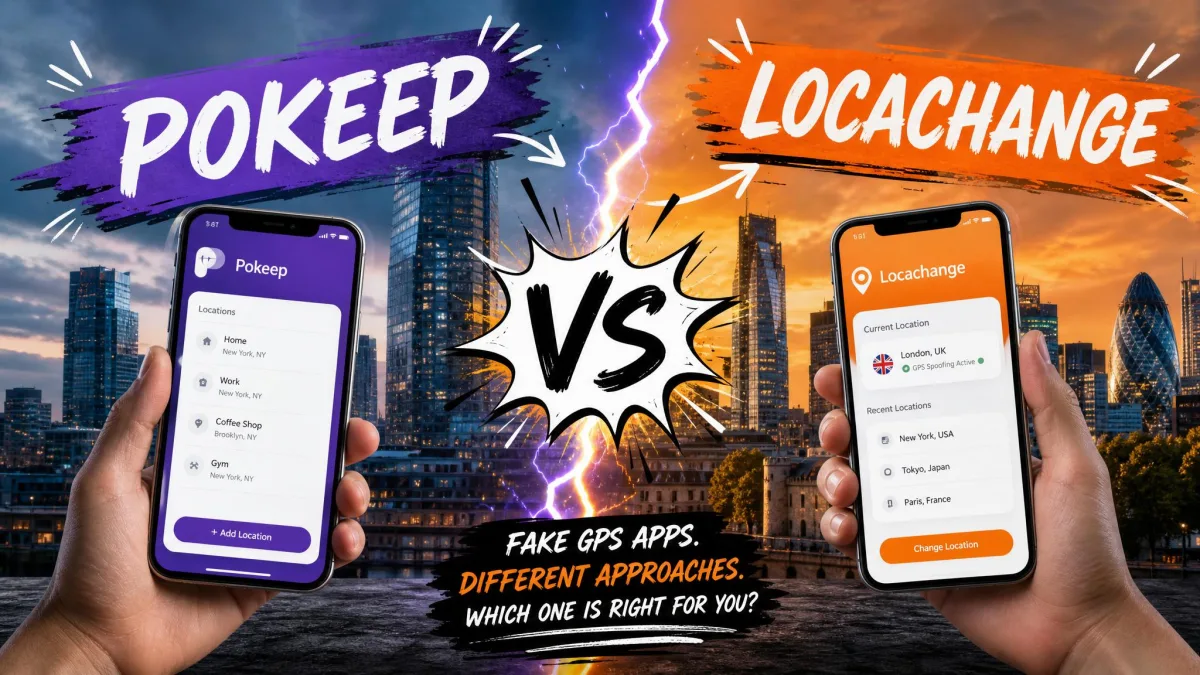
Changing your phone's GPS location sounds simple until you try it. Move the pin and save. The game either ignores the new spot or the tracking app flags the jump. When you want a location changer that holds, two names dominate the search results - PoKeep and LocaChange.
In our comparison, the two tools split cleanly. PoKeep wins on price and trial generosity. LocaChange answers with more movement modes and deeper Pokémon GO features.
We compared features, pricing, and safety controls on both official sites. We read the free-trial terms in full on both sites. We also weighed what the Pokémon GO spoofing community reports about ban risk. Here is what the head-to-head comes down to.
PoKeep vs LocaChange: At a Glance
Both tools spoof your GPS position on iOS and Android without a jailbreak or root. The table below lines up the specs that decide between them.
| Feature | PoKeep | LocaChange |
|---|---|---|
| Price per month | $11.95 ($12.95 on homepage; promos apply) | $19.99 |
| Free trial uses | 25 total - 5 uses each of 5 features | 1 use per mode; joystick 15 minutes |
| Platform support (iOS/Android/PC) | iOS 5-26, Android 6.0+, Windows 10+, macOS 11+ | iOS 14-27 Beta, Android 8-17, Windows 7-11, macOS 10.9-26 |
| Jailbreak/root required | No | No |
| Movement modes | 4: joystick, two-spot, multi-spot, jump teleport | 5: teleport, jump teleport, joystick, two-spot, multi-spot |
| Cooldown timer | Yes - timer, soft-ban calculator, fluctuation mode | Yes - smart cooldown timer |
| Multi-device (up to 10) | Up to 10 devices per license | Up to 10 devices (PC plan; iOS app: 1 iPhone) |
| Bluetooth connection | Bluetooth + Wi-Fi after initial USB setup | Not specified; docs show Bluetooth/USB |
| GPX import/export | Yes (full version) | Not documented |
| Pokémon GO extras | Cooldown and anti-ban modes; jump teleport for raids | PoGo Game Mode with search by name/IV; 50+ LBS games |
| Life360 compatibility | Life360 Ghost: freeze position | Displays chosen location |
What Is PoKeep?
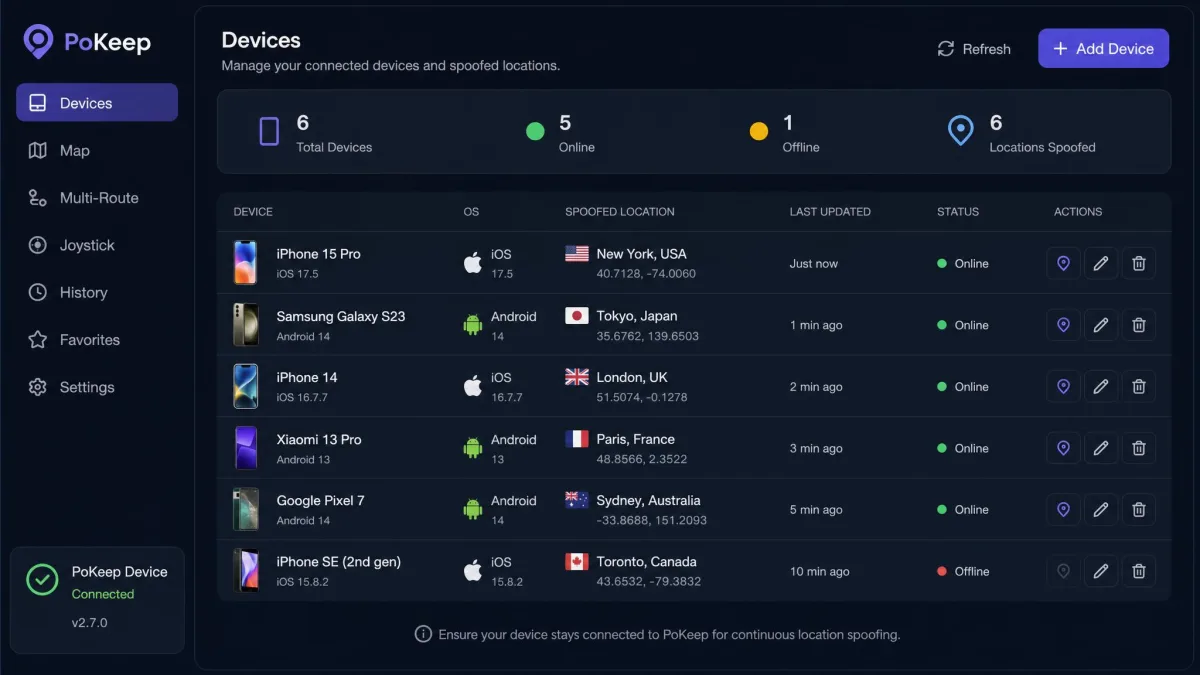
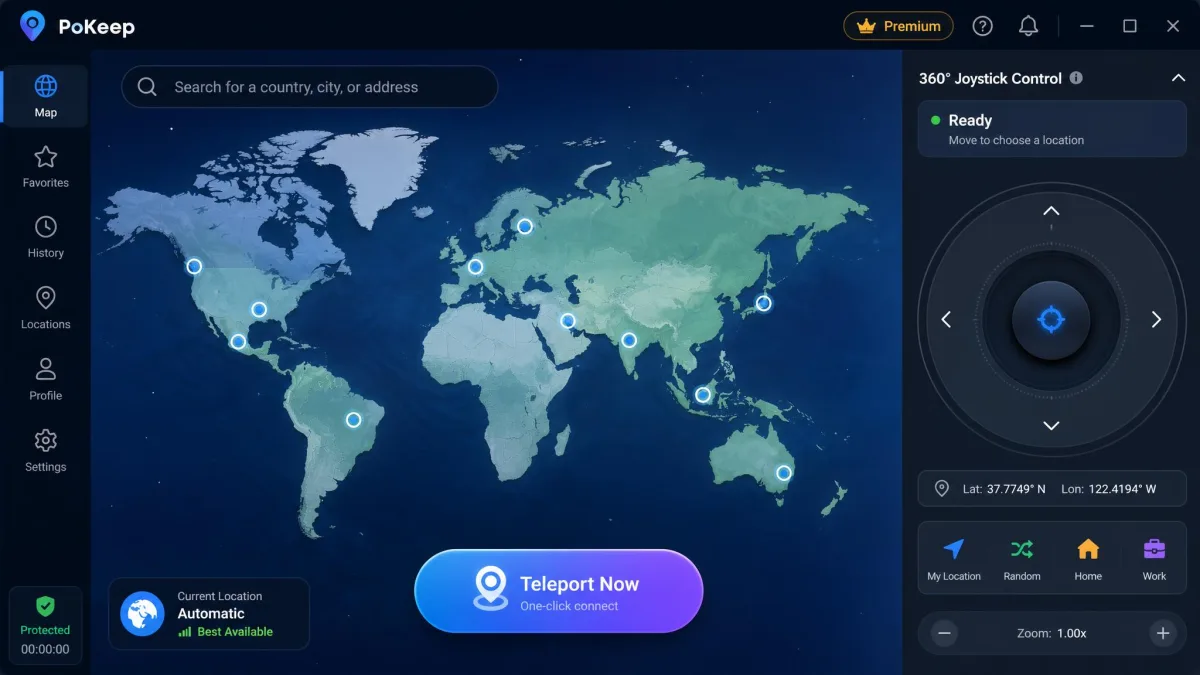
PoKeep is a location changer that runs from a desktop app. It moves your phone's GPS position anywhere on the map. It targets iOS and Android, and the usual location-based apps are covered, from Pokémon GO to dating apps to social apps like Snapchat and TikTok. The PoKeep official website markets it as a jailbreak-free location changer.
Trustpilot's community rates PoKeep 4/5 "Good", and recent reviews confirm it works for Pokémon GO, Snapchat, and WeChat Moments.
PoKeep: Key Features
The headline features are the four movement modes and the cooldown timer with a soft-ban calculator. One-click teleport drops you anywhere on the map.
PoKeep: Platforms and Pricing
PoKeep runs on iOS 5 through iOS 26 and Android 6.0 and up, with desktop clients for Windows 10 or later and macOS 11 or later. No jailbreak or root is required. Monthly pricing sits at $11.95 per the press release. The homepage comparison table lists $12.95 - the figure drifts by page and promo. Every paid plan carries a 30-day money-back guarantee.

What Is LocaChange?
LocaChange approaches the same job differently, with a wider feature set and a deeper Pokémon GO integration.
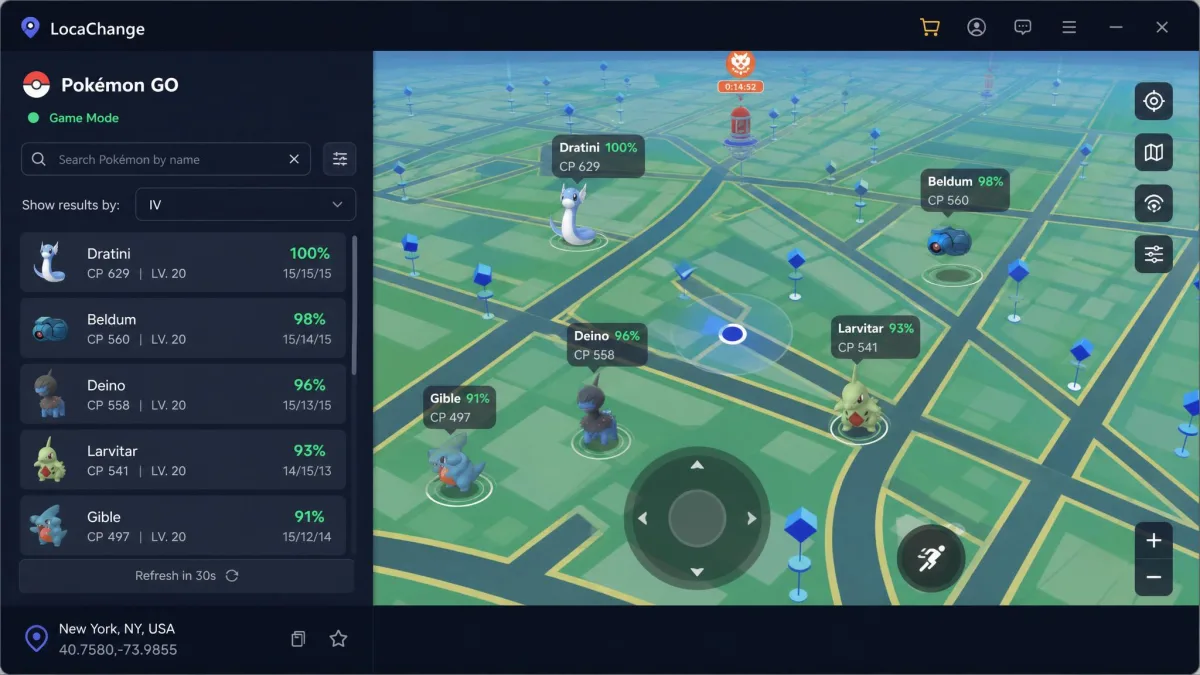
LocaChange is a location changer for iOS, Android, Windows, and macOS. The LocaChange official site pushes the game angle hardest. A dedicated Pokémon GO Game Mode adds search by name, number, and IV, and the tool covers Life360, Find My, and the usual social and dating apps.
One history note matters for Android users. LocaChange's Android app was removed from the Google Play Store in March 2025. The vendor now distributes it from its own site. The listing carried a 1.47/5 rating at removal, with complaints centered on an immediate paywall and a free tier that did little.
The documented problem area is iOS setup. The failure modes repeat across reports: Bluetooth pairing failures, "Failed to Detect Location 12", "GPS Signal Not Found 11", a map that will not load, and a location that keeps resetting. On iOS 18, the spoofed location can revert to the real one as soon as the connected computer is turned off. There are documented cases of LocaChange never working on iOS at all, even after the recommended VIP upgrade, with at least one refund request refused.
The support record runs the other way. Most of the vendor's Trustpilot reviews describe fast, helpful support that resolves issues and issues refunds within the promised 48 hours.
LocaChange: Key Features
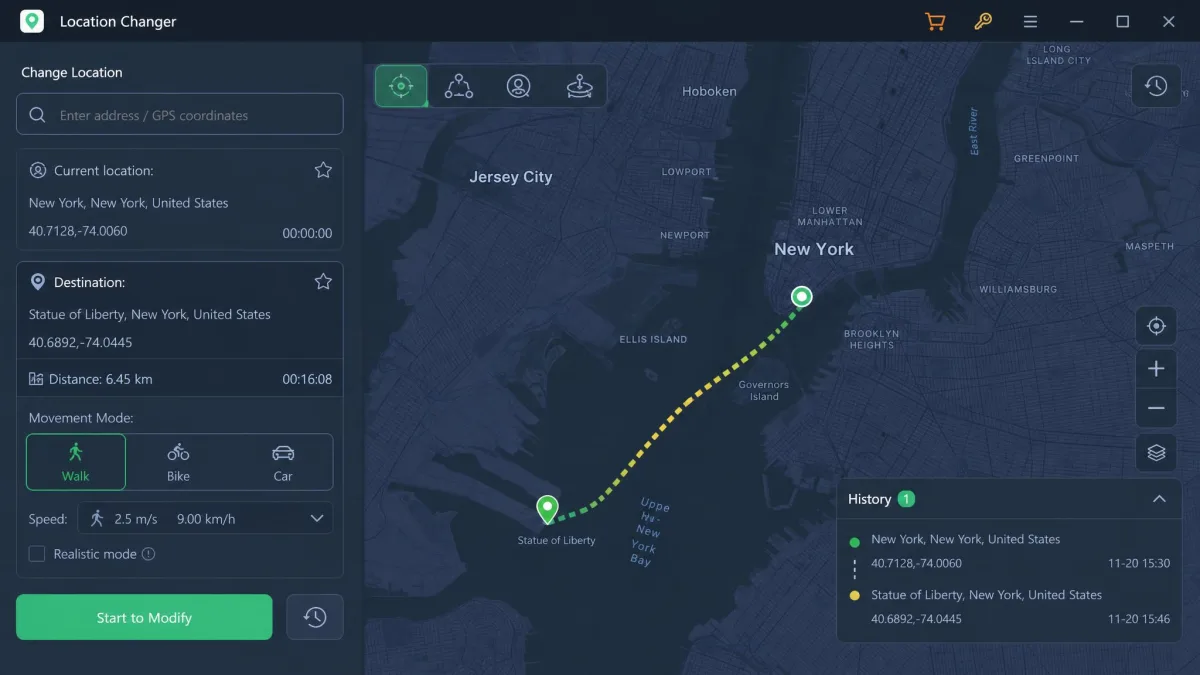
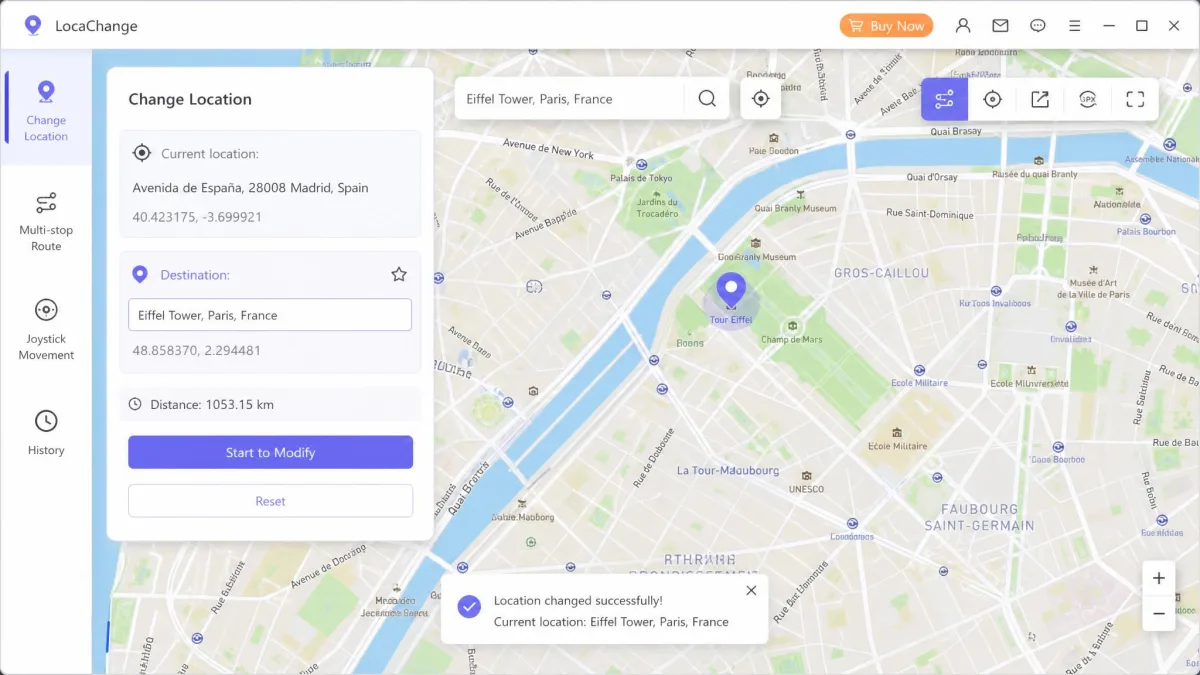
Five movement modes sit at the core - plain teleport, jump teleport, a 360-degree joystick, two-spot, and multi-spot - with speed from a 3.6 km/h walk to 120 km/h. A smart cooldown timer, auto-recorded history, and a favorites list complete the tool.
LocaChange: Platforms and Pricing
LocaChange covers iOS 14 through iOS 27 Beta and Android 8 through Android 17, with a desktop app for Windows 7-11 and macOS 10.9 through macOS 26. The free version caps you at one device. Paid plans run from $19.99 per month to a $119.99 lifetime license. A 30-day money-back guarantee backs every one of them, and you can cancel anytime through your platform or support.

PoKeep vs LocaChange: Feature-by-Feature Comparison
The marketing pages overlap heavily. The differences live in the details below.
Movement Modes (Joystick, Teleport, Two-Spot, Multi-Spot)
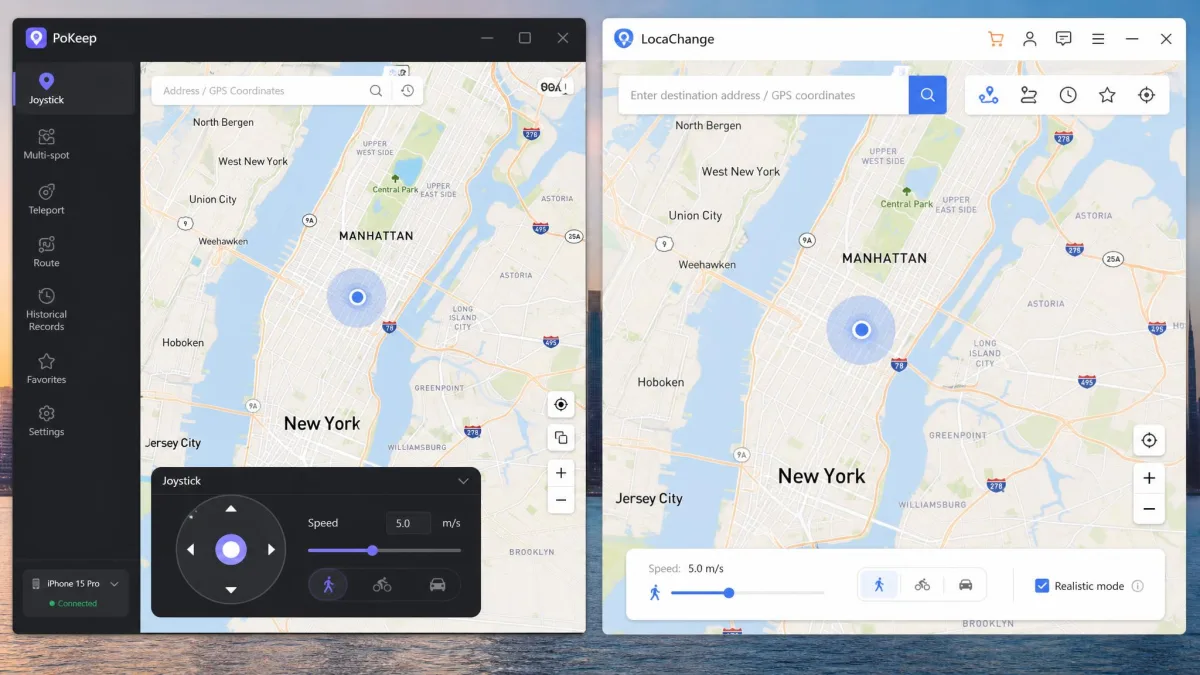
PoKeep ships four modes. A 360-degree joystick takes on-screen or W/A/S/D control. Two-spot movement walks an automatic path between two points, and multi-spot waypoint routes target PokeStops, Gyms, and spawn points. Jump teleport moves you instantly, with an Auto Jump option that waits out the cooldown first.
LocaChange adds a fifth mode: plain teleport, which moves you to a destination in one action without a simulated route. Its speed range runs wider, from 3.6 to 120 km/h.
Cooldown Timer and Safety Features
Both tools treat the cooldown as a first-class feature. PoKeep's cooldown timer pairs with a soft-ban calculator. It computes a safe waiting time for the distance you traveled. A realistic fluctuation mode adds natural speed variations so movement looks organic. LocaChange ships a smart cooldown timer that covers the same ground.
Platform Support: iOS, Android, and PC (No Jailbreak or Root Required)
Neither tool asks for a jailbreak or a root. PoKeep covers iOS 5 through iOS 26, Android 6.0 and up, Windows 10 or later, and macOS 11 or later. LocaChange covers iOS 14 through iOS 27 Beta and Android 8 through Android 17. Windows 7 through Windows 11 and macOS 10.9 through macOS 26 round out the desktop side.
Multi-Device Control (Up to 10 Devices)
PoKeep manages up to 10 iOS and Android devices under one license, in any mix. LocaChange's multi-device support depends on the plan. The PC version allows unlimited PCs plus up to 10 phones. The Android paid app has no device limit, and the iOS app license covers exactly one iPhone.
Connection Method: Bluetooth vs USB
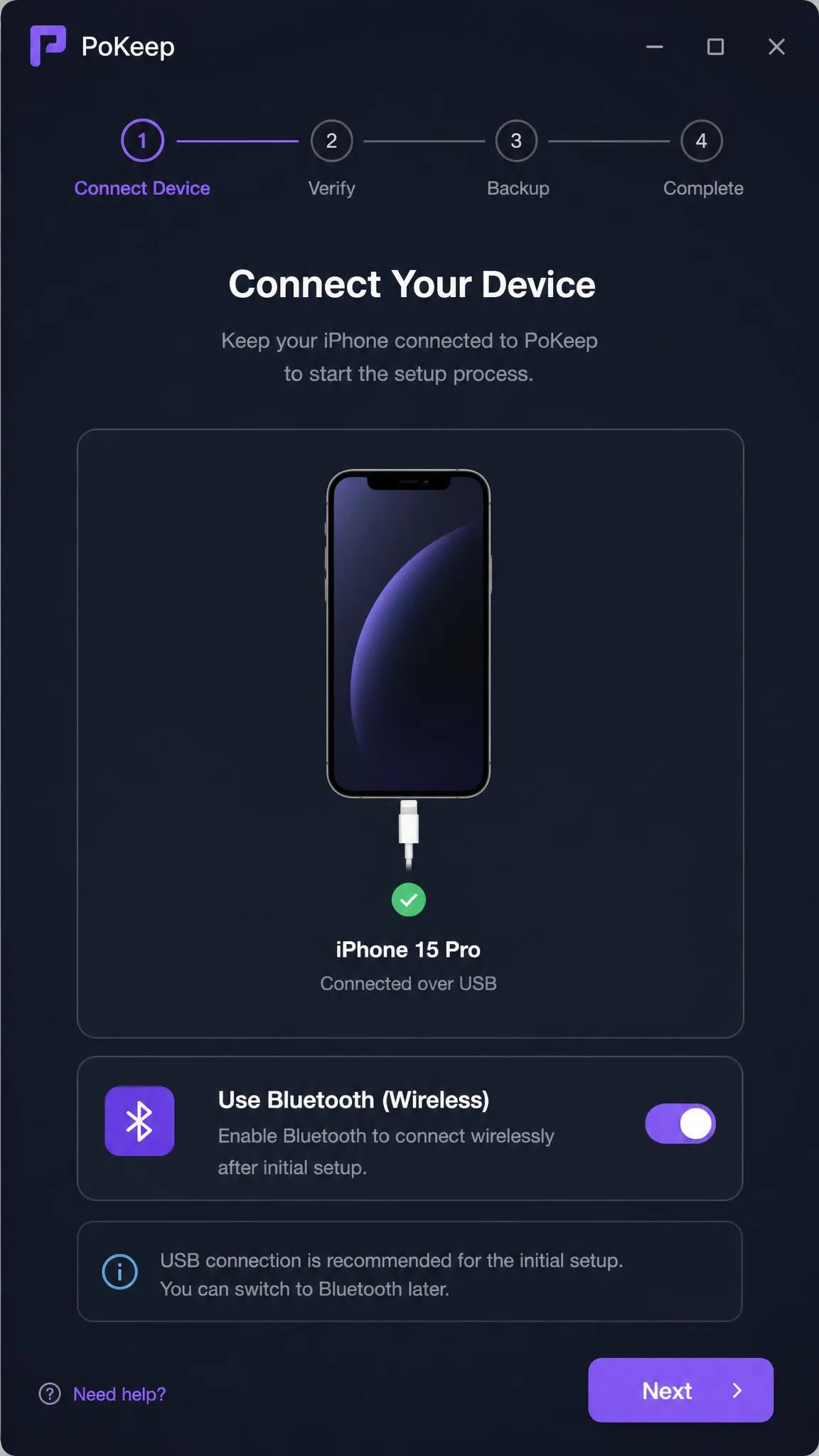
PoKeep connects your phone over USB for the initial setup, then switches to Bluetooth or Wi-Fi for wireless control. LocaChange never states its PC-to-phone connection method on the official site. Its troubleshooting documentation describes a Bluetooth and USB workflow, and Bluetooth pairing failures are the most common failure mode there.
GPX Routes, Favorites, and History
PoKeep imports and exports GPX routes in the full version. Favorite routes save to custom collections, and history records auto-save as you go. The free trial includes coordinate and route collection, but it excludes GPX import and export. LocaChange's official site never mentions GPX, so treat it as unsupported. Favorites and auto-recorded history are present on both sides.
Pokémon GO and Location-Based App Support
PoKeep lists Pokémon GO, Monster Hunter Now, Ingress Prime, Minecraft Earth, and Jurassic World Alive. Geocaching, Pikmin Bloom, and The Walking Dead: Our World complete the set. Its jump teleport suits raid hopping, and the two-spot mode handles egg hatching. LocaChange goes further with a dedicated Pokémon GO Game Mode. It adds a search tool for Pokémon by name, number, and IV, and its game mode covers 50+ location-based games, including Soundmap.
How to Use PoKeep and LocaChange: Step-by-Step
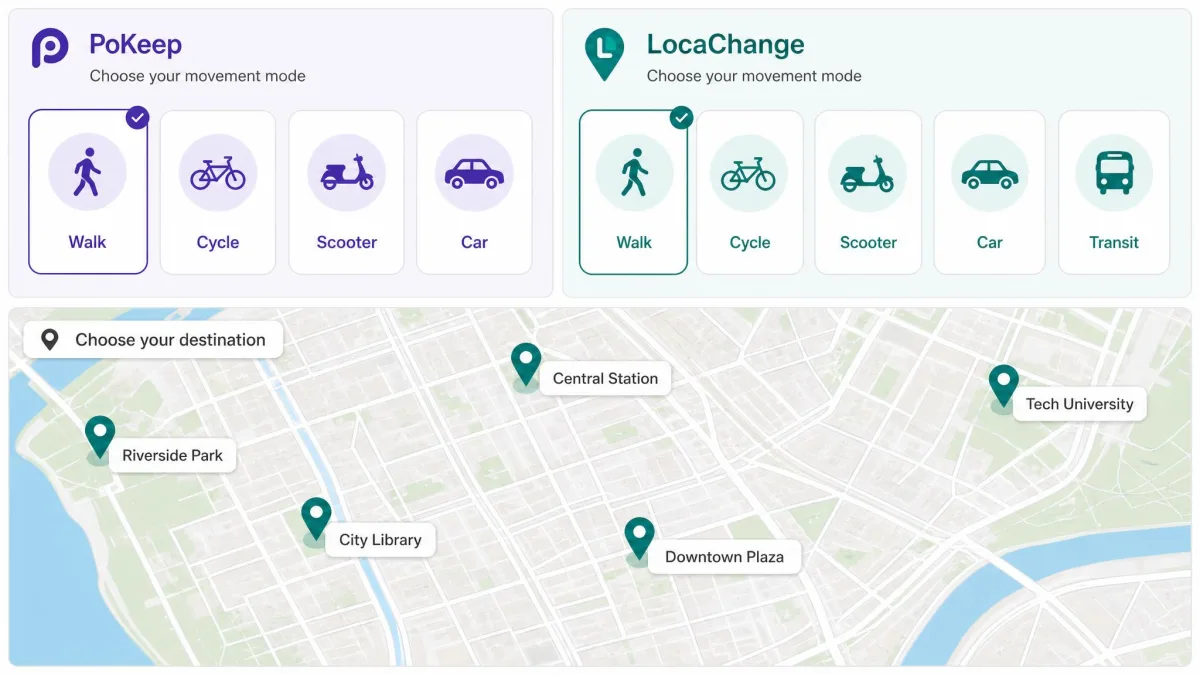
Both tools follow the same three-step rhythm - connect, choose, change. The details differ enough to matter.
Step 1: Connect Your Device
PoKeep connects over USB for the first setup, then hands off to Bluetooth or Wi-Fi. That first connection is the fiddly part, and it can take around ten minutes to complete. LocaChange's setup varies by platform: the iOS route adds installation steps, and the Android route needs developer settings.
Step 2: Choose a Mode and Destination
Pick a movement mode, then drop the pin on the map. Both tools let you search a destination and set a walking, cycling, or driving speed. Saved spots go to favorites for next time.
Step 3: Change and Restore Your Location
Apply the change and the phone's GPS position moves to the destination. On the free trials, each change counts against your use limit, so pick the destination before you spend a use. PoKeep restores your real location by restarting the device, and its trial includes a restore-true-location option.
Safety for Pokémon GO: Ban Risk Compared
The honest answer is the same for both tools: no spoofer is invisible, and the consensus on r/PokemonGoSpoofing says it plainly. Niantic's anti-cheat can flag impossible travel speeds, sudden jumps, and VPN-plus-GPS combinations. Since mid-2024, its tracking system has pushed many tools into "Failed to Detect Location (Error 12)". Spoofing also violates Niantic's ban policy, which is worth reading first.
Both vendors make confident safety claims. Treat them as marketing: cooldown timers reduce risk, and nothing removes it.
Cooldown Rules and How Both Tools Handle Them
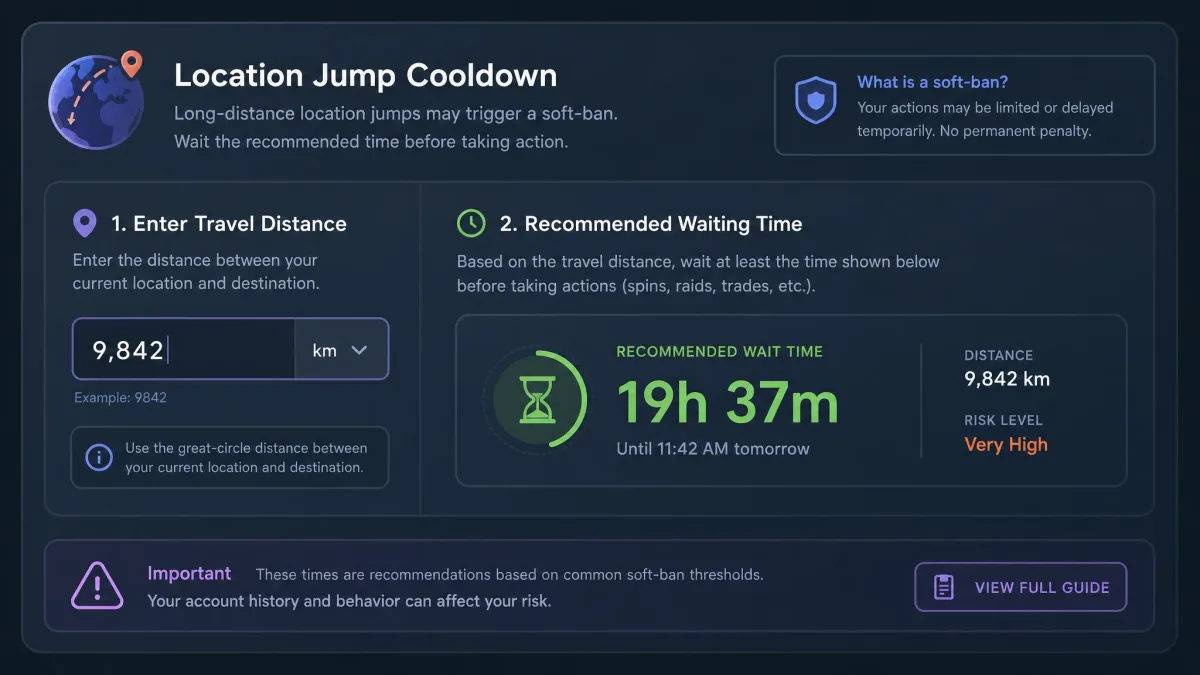
The cooldown rule is simple. After a long-distance jump, the game expects travel time, and moving faster than that reads as cheating. PoKeep's cooldown timer computes the waiting time from the distance. Its Auto Jump waits out the cooldown before moving you. LocaChange's smart cooldown timer covers the same ground.
Wait longer than the calculator suggests. The estimate is a floor, not a promise, and the extra minutes cost you nothing.
One limit applies to PoKeep specifically. It changes the GPS position only. Your IP address stays real, so any IP-based check can still expose your actual location.
Life360, Find My, and Tracking App Compatibility
Both tools handle the tracking apps. PoKeep's Life360 Ghost mode freezes your position so the circle sees a static spot. It works with Find My as well. LocaChange displays your chosen location on Life360 without notifying anyone and covers Find My iPhone. Both lists include the dating and social apps. Tinder, Bumble, Hinge, and Grindr sit on PoKeep's side, with WhatsApp and Snapchat on both.
Pricing: PoKeep vs LocaChange (Free Trials Compared)
The price gap is the biggest single difference between the two tools. PoKeep's plans run from $11.95 for one month, with the homepage comparison table showing $12.95. A quarter costs $22.95, a year costs $45.95, and a lifetime license runs $103.95. LocaChange charges $19.99 for a month. A quarter runs $39.99, a year runs $79.99, and the lifetime license is $119.99. PoKeep is cheaper at every term, and the lifetime gap is the widest: $103.95 against $119.99.
The trial gap matters just as much. PoKeep's free trial gives 25 uses in total: five each for change-location, two-spot, multi-spot, jump teleport, and joystick. It also includes restore-true-location, coordinate and route collection, and history. It excludes multi-device control and GPX import and export. LocaChange's free version gives one use of each mode, caps the joystick at 15 minutes, and limits you to one device.
In practice, the free versions differ in feel. PoKeep's trial is enough to verify the tool works on your phone before you pay. LocaChange's free version is effectively a demo. The install flow pushes payment up front, and the "try it free" wording has drawn criticism. It overstates what the free tier does.
Pros and Cons
Here is how the trade-offs line up side by side.
PoKeep: Pros and Cons
Pros
- Trial gives 25 uses across all five features - enough to judge it before paying
- One license covers up to 10 iOS and Android devices
- GPX route import and export in the full version
- Life360 Ghost mode freezes your position without notifying the circle
Cons
- First device connection can take around ten minutes
- The Windows installer can trigger antivirus flags on some systems
- Changes GPS position only - your IP address stays real
LocaChange: Pros and Cons
Pros
- Pokémon GO Game Mode adds search by name, number, and IV
- Game mode covers 50+ location-based games
- Trustpilot's community rates it 4.7/5 "Excellent"
- Speed adjusts from 3.6 to 120 km/h
Cons
- More expensive at every plan term
- Free version is one use per mode with a 15-minute joystick
- Documented iOS issues: Bluetooth failures, Error 12, Error 11
- On iOS 18 the spoof can revert when the connected computer turns off
Final Verdict: Which Should You Choose?
Put simply, PoKeep is the better all-round buy. The price gap is decisive, and the trial removes the risk of paying for something that does not work on your phone. LocaChange is the specialist's pick, and the 50+ game list and Pokémon GO Game Mode justify the premium for players who want them.