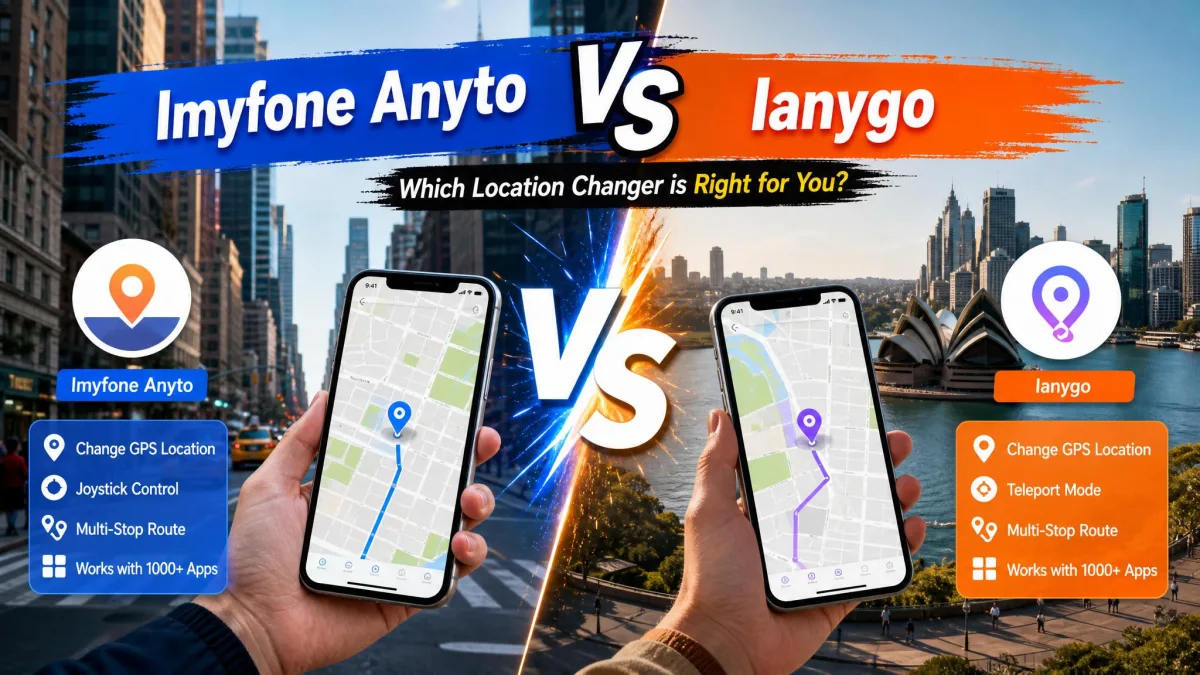
You already want to change your GPS location, and you are down to two apps. MocPOGO and iMyFone AnyTo both handle GPS spoofing the same way: install a desktop app, connect your phone, and drop a pin anywhere in the world. Neither one asks you to jailbreak an iPhone or root an Android handset. What separates them is price, licence scope and how much you can try before you pay. MocPOGO is the affordable option and drives far more phones at once. AnyTo costs more, supports older hardware, and has the better free version. We land on AnyTo for most people, and the sections below show where MocPOGO still wins.
MocPOGO vs iMyFone AnyTo at a Glance
Side by side, the split is clean. MocPOGO takes price and device count; AnyTo takes OS reach and the better free run.
| Feature | MocPOGO | iMyFone AnyTo |
|---|---|---|
| Supported iOS | iOS 13 and later | iOS 7.0 and later |
| Supported Android | Latest releases advertised, no published floor | Android 5.0 and later |
| Windows | Windows 11, 10, 8, 7 | Windows 11, 10, 8, 7 |
| macOS | macOS 10.12 or later | macOS 10.9 through 13 |
| Works without a computer | Yes, separate iOS and Android apps | Yes, via iGo, AnyTo Plus or the Android app |
| Jailbreak or root | Not required | Not required |
| Devices at once | 15 | 5 on VIP, 10 on SVIP |
| Free version | One run each of Teleport, Two-Spot and Multi-Spot | 5 teleports, one two-spot route, 1 hour of joystick |
| Starting price | $9.95 per month (Windows) | $19.99 per month (VIP) |
| Lifetime | $69.95 to $79.95 by platform | $119.99 VIP, $149.99 SVIP |
| Refund window | 30-day money-back guarantee | 30-day money-back guarantee |
| User rating | 3.5 out of 5 on Trustpilot, 48 reviews | 4.6 out of 5 across iMyFone's whole range |
What Each App Actually Does
Both are desktop location changers with mobile companions of their own.
MocPOGO in brief
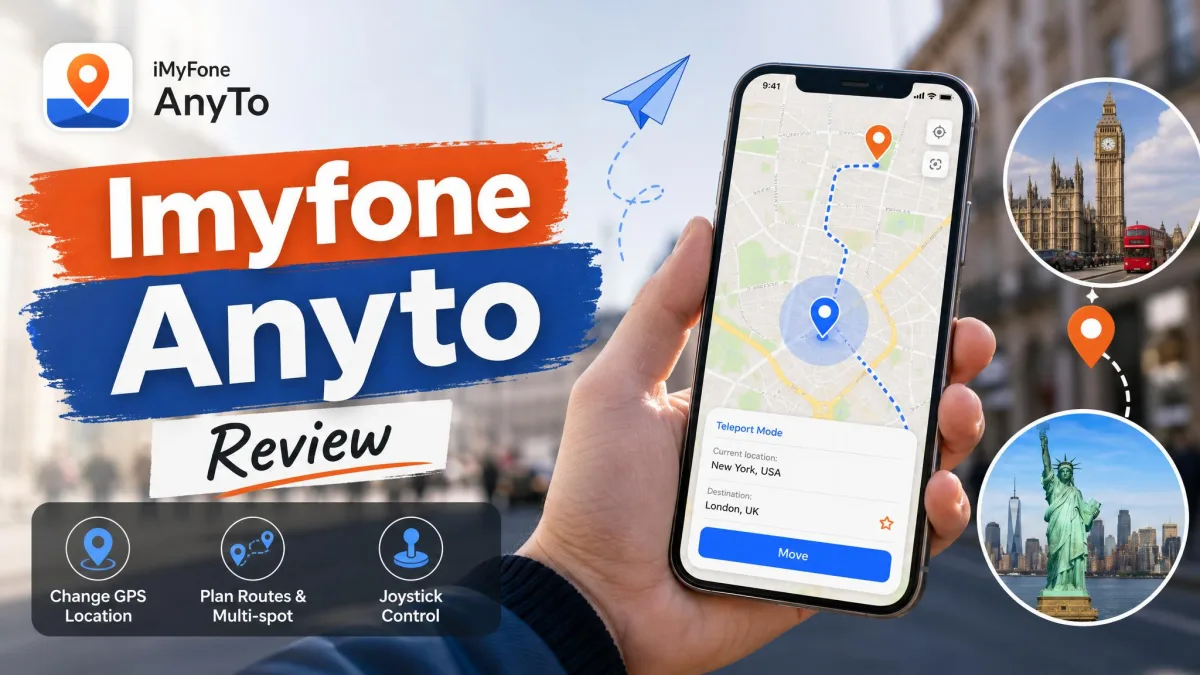
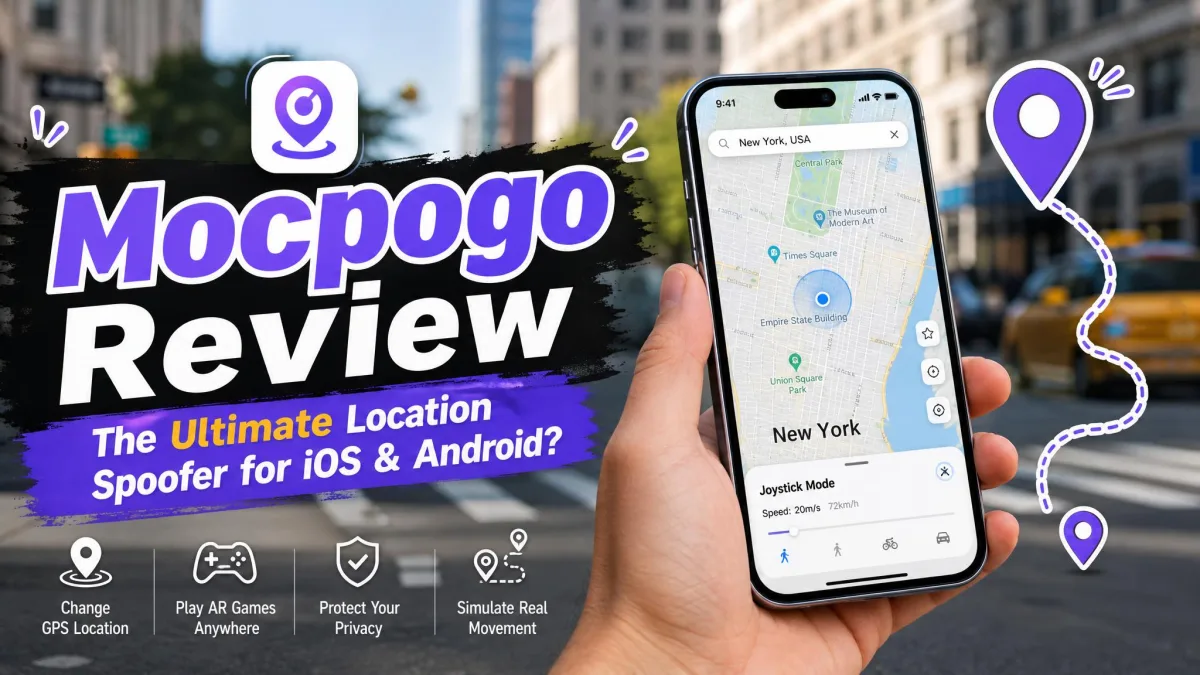
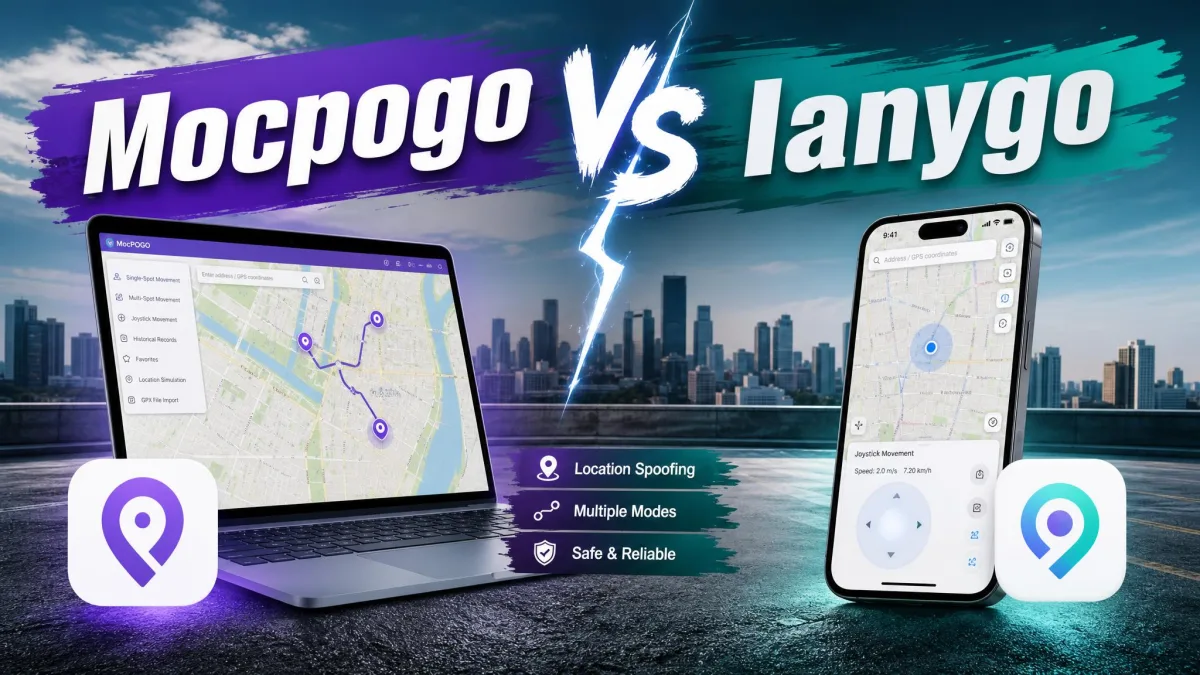
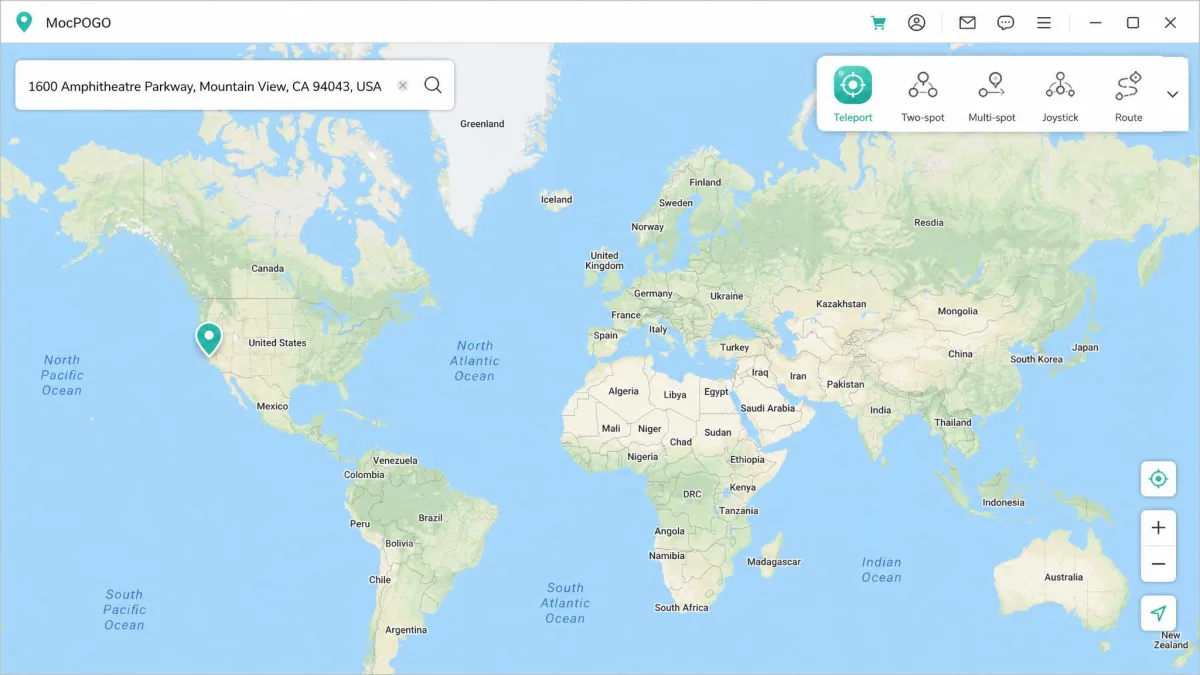
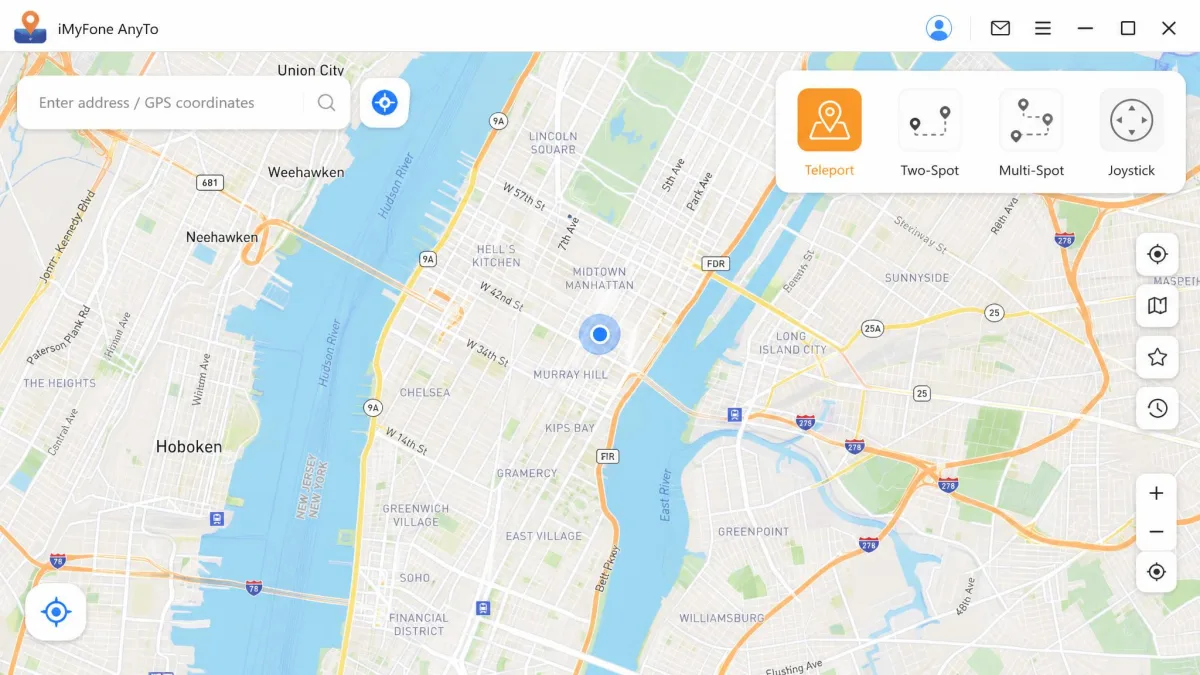
MocPOGO is built around Pokemon GO and other location-based games and apps, as our full MocPOGO review details. The desktop app carries teleport mode, two-spot and multi-spot routes, a jump teleport mode, a 360-degree joystick and GPX route import. Movement speed is adjustable. Saved spots and historical records come with the paid plans, and one licence controls up to 15 devices from a single computer. Separate iOS and Android apps change location on the phone alone.
iMyFone AnyTo in brief
iMyFone AnyTo covers the same ground and adds a game layer, which our iMyFone AnyTo review tests in depth. Teleport, two-spot, multi-spot and joystick modes all sit on one map. GPX import and export, cloud-saved routes and a one-tap reset to your real position round out the features. A realistic fluctuation mode nudges the position slightly so movement looks less machine-generated. The SVIP tier adds a cooling timer, an auto catcher, an IV scanner and Pokemon GO maps.
Device and Platform Support
If your hardware is old, this section decides it. AnyTo reaches much further back than MocPOGO on both mobile platforms.
Windows, macOS and the mobile apps
Both desktop apps run on Windows 11, 10, 8 and 7. MocPOGO asks for macOS 10.12 or later, while AnyTo's tech specs list macOS 10.9 through 13. MocPOGO supports iOS 13 and later and publishes no minimum Android version at all. AnyTo goes back to iOS 7.0 and Android 5.0, though Gaming Mode and Social Mode need Android 7-13 and skip 32-bit processors. Both vendors advertise the latest releases. Treat that top number as a moving target, because MocPOGO's own pages quote two different ceilings.
Do you need to jailbreak or root your phone?
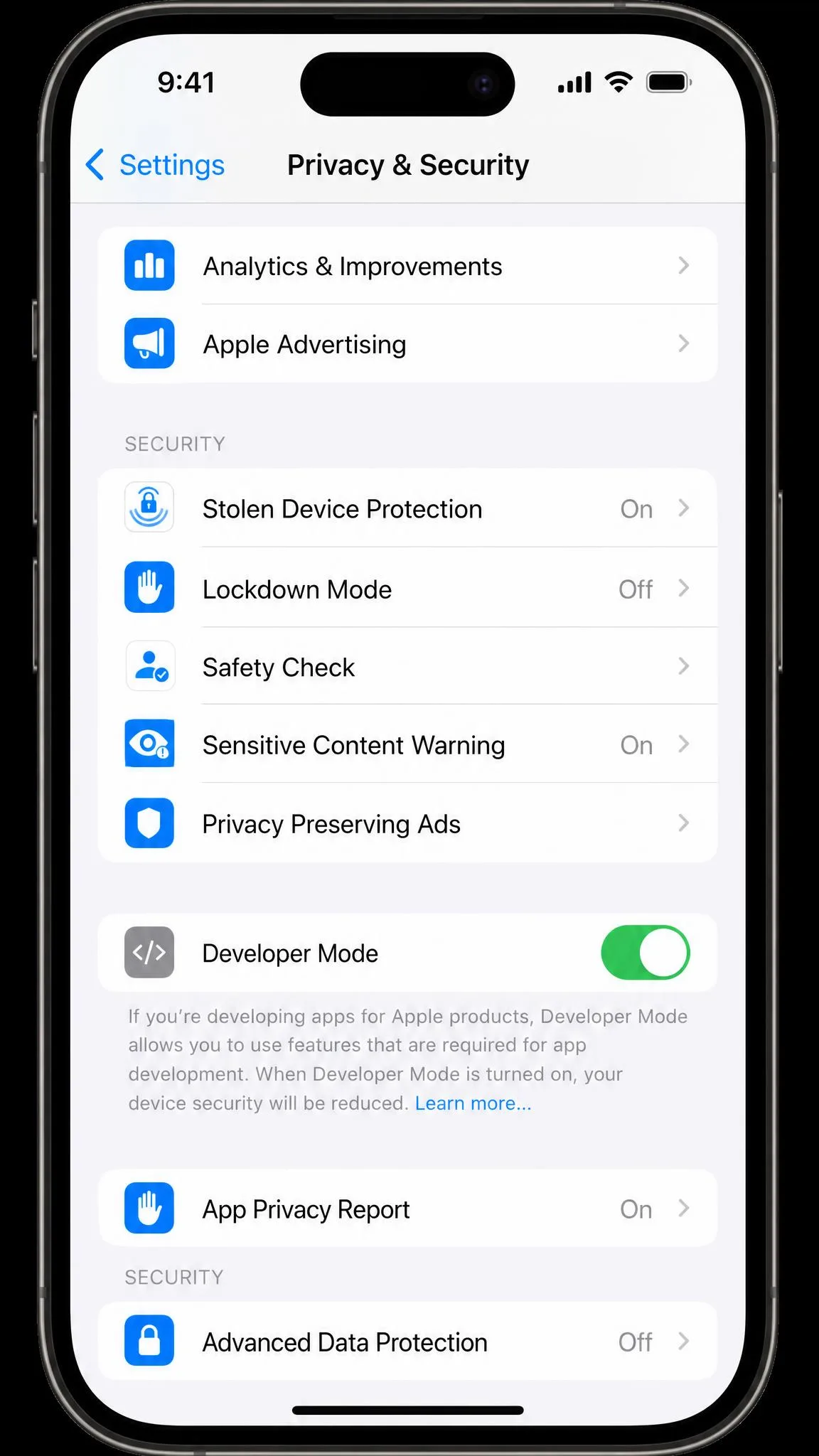
No, and that is true of both. What they need instead is developer access. On iPhone you switch on Developer Mode on iOS 16 and later at Settings > Privacy & Security > Developer Mode, then restart and unlock. On Android you tap Build Number seven times and enable USB debugging. AnyTo also asks you to clear any mock-location app you already selected, which is the step people miss.
Feature-by-Feature Comparison
The mode lists are nearly identical, so the decision lands on speed range, GPX handling and how many phones you drive at once.
| Feature | MocPOGO | iMyFone AnyTo |
|---|---|---|
| Teleport | Yes | Yes |
| 360-degree joystick | Yes | Yes |
| Two-spot and multi-spot routes | Yes | Yes |
| Custom speed range | 3.6 to 100 km/h | 3.6 to 120 km/h |
| GPX routes | Import | Import and export |
| Cooldown timer | Teleport mode only | Bundled with the Pokemon GO toolset |
| Extra game tools | Saved spots, historical records | Auto catcher, IV scanner, Pokemon GO maps |
Teleport and one-click location change
Teleport is the mode you will use most. Enter an address or click the map, confirm, and the phone reports its new position with a single click. Both apps keep a history of past locations. In Pokemon GO the change does not always register straight away, and the game has to finish loading first.
Joystick control and simulated GPS movement
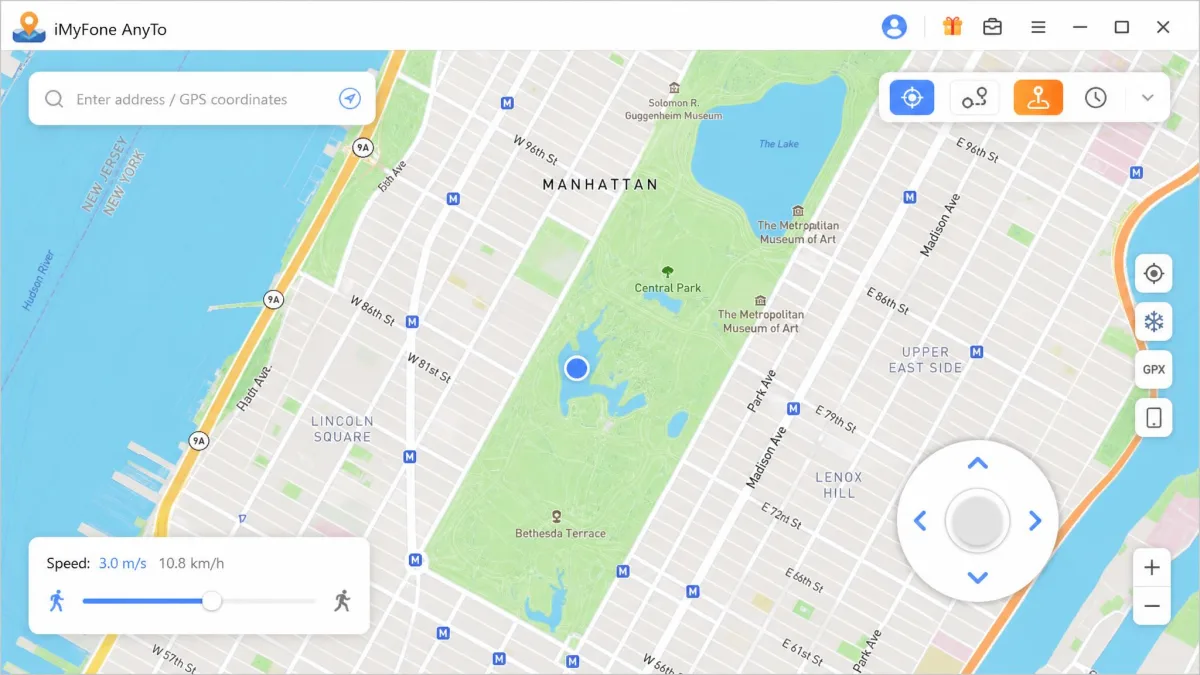
Both ship a 360-degree joystick that walks your avatar while you sit still. AnyTo lets you drive it before you pay. MocPOGO does not: its free trial covers one device and leaves the joystick locked, so there is no way to judge it first.
Route simulation, GPX import and custom speeds
Two-spot mode walks a straight line between two points, and multi-spot follows a path you draw. MocPOGO runs from 3.6 km/h to 100 km/h. AnyTo stretches to 120 km/h, which matters when you simulate a drive rather than a walk. Both import a GPX file. AnyTo also exports one and saves routes to the cloud, so you can easily reuse a route on another machine.
Multi-device and multi-character control
This is MocPOGO's clearest win. One licence drives up to 15 devices at once from a single computer, against 5 on AnyTo's VIP tier and 10 on SVIP. Check the computer allowance at checkout, though. AnyTo's store page describes unlimited PCs and Macs per plan, while circulating plan summaries describe one. MocPOGO's licences are locked to a single platform.
Cooldown timer and other safety extras
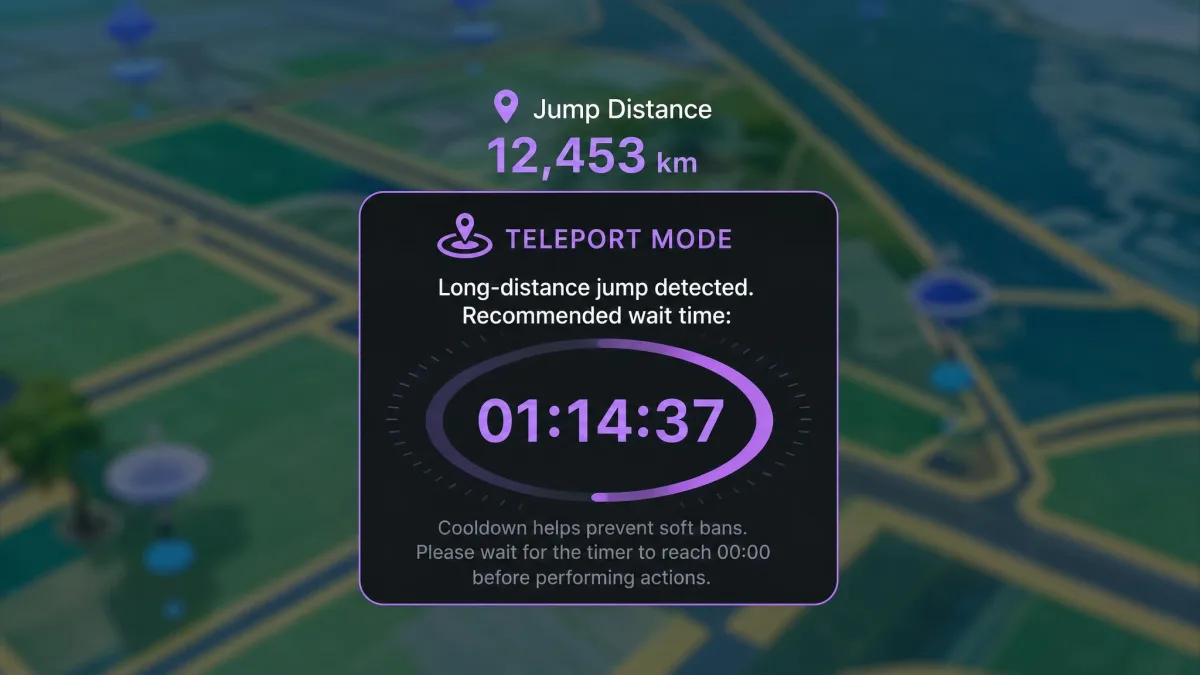
MocPOGO's cooldown timer recommends a wait based on how far you jumped, but it appears in Teleport mode only. Two-spot and multi-spot routes run with no on-screen guidance. AnyTo's cooling timer arrives with its Pokemon GO toolset, next to the auto catcher and IV scanner.
Pokemon GO's cooldown scales with distance. It tops out at 2 hours for jumps of 1,500 km or more and drops to about 30 seconds for a 1 km hop. Catching, spinning stops and battling start the clock. Teleporting, hatching eggs and trading do not.
Game and App Compatibility
Pokemon GO is why most people install either app, and both are built for it first. Anything that reads the position your phone reports behaves the same way:
- Location-based games such as Monster Hunter Now and Ingress
- Social and dating apps, which AnyTo's Social Mode targets on Android 7-13
- Delivery and rideshare apps, and anything else that gates by GPS location
Neither app is a permanent fix, because detection keeps changing. For the wider field, our guide to the best Pokemon GO spoofer ranks the category. There is also a walkthrough on how to fake your GPS location on an iPhone without a desktop app at all.
Pricing and Plans Compared
MocPOGO is the affordable choice at every tier, and the gap is wide enough to matter over a year.
| Plan | MocPOGO (Windows desktop) | iMyFone AnyTo (VIP) |
|---|---|---|
| 1 month | $9.95 | $19.99 |
| 3 months | $19.95 | $39.99 |
| 1 year | $39.95 to $49.95 | $69.99 |
| Lifetime | $69.95 to $79.95 | $119.99 |
MocPOGO pricing
The Windows desktop app starts at $9.95 per month, or $19.95 per quarter. The Mac build is $12.95 per month. Yearly pricing sits between $39.95 and $49.95, depending on platform and promotion. The lifetime licence lands between $69.95 and $79.95 for Windows, with Mac above that. The standalone iOS app is $19.95 per month and the Android app around $14.95. A Windows key will not activate the Mac build. Moving a licence to new hardware means emailing support to reset it by hand.
iMyFone AnyTo pricing
List prices here are roughly double. VIP costs $19.99 per month, $39.99 per quarter, $69.99 per year and $119.99 for lifetime. SVIP, which lifts you to 10 devices and adds the extra game tools, is $29.99 per month and $149.99 for lifetime. iMyFone runs a near-permanent discount, and coupon pages widely quote about half those figures. What you pay depends on the offer live that day.
Free trials, refunds and what the free version really gives you
AnyTo's free version is usable enough to judge the app: 5 teleports, one two-spot route and 1 hour of joystick. MocPOGO's free trial runs a compatibility check, then allows one run each of Teleport, Two-Spot and Multi-Spot on a single device. Saved spots and routes stay locked. Both vendors publish a 30-day money-back guarantee.
MocPOGO's monthly and yearly plans renew automatically, so cancel before the renewal date if you only wanted one month. Its policy also excludes claims where you skipped the free trial, and approved refunds take 7-10 business days to land.
Ratings, Reviews and Support
The ratings gap is the widest number here, and part of it is an artefact of how the two profiles are built.
MocPOGO's Trustpilot profile averages 3.5 out of 5 across 48 reviews. A base that small moves whenever a handful of new ratings land, so read it as a direction rather than a score. Crashes during use are the theme that returns most often, along with charges going through while the software failed to change location. iMyFone's company-wide Trustpilot rating sits at 4.6 out of 5 from roughly 8,020 reviews. That number covers the entire product range rather than AnyTo alone.
Support on both sides is email plus a help centre, and neither vendor publishes a response-time commitment. AnyTo's documentation is the more thorough of the two. It carries fixes for a blank map, a phone the app cannot detect, and the DNS Override step that long iOS jumps depend on.
Ease of Use: Changing Your GPS Location Step by Step
Neither app takes you from download to first teleport in one step, and the extra stages are where most people stall.
How to change your location with MocPOGO
- Download and install the desktop app, then register an account.
- On iPhone, enable Developer Mode in Settings, then reboot and unlock the handset.
- On Android, set USB mode to Transfer files, tap Build Number seven times and enable USB debugging. Xiaomi phones also need Install via USB.
- Connect by USB. Wi-Fi is available on iOS, but only after an initial USB pairing.
- Enter an address or click the map, pick a mode, then confirm the move.
Some iPhone owners on iOS 17 are asked for the computer password before the phone will trust the Mac build. Connection drops still happen with certain handsets after a clean setup. Switching Wi-Fi and Bluetooth scanning off stops the avatar rubber-banding between the spoofed position and the real one.
How to change your location with iMyFone AnyTo
- Install AnyTo on Windows or Mac and connect the phone with a USB cable.
- Wait for the map to load, then choose Teleport, Two-Spot, Multi-Spot or Joystick.
- Find the destination, set a speed if you are simulating movement, and click Move.
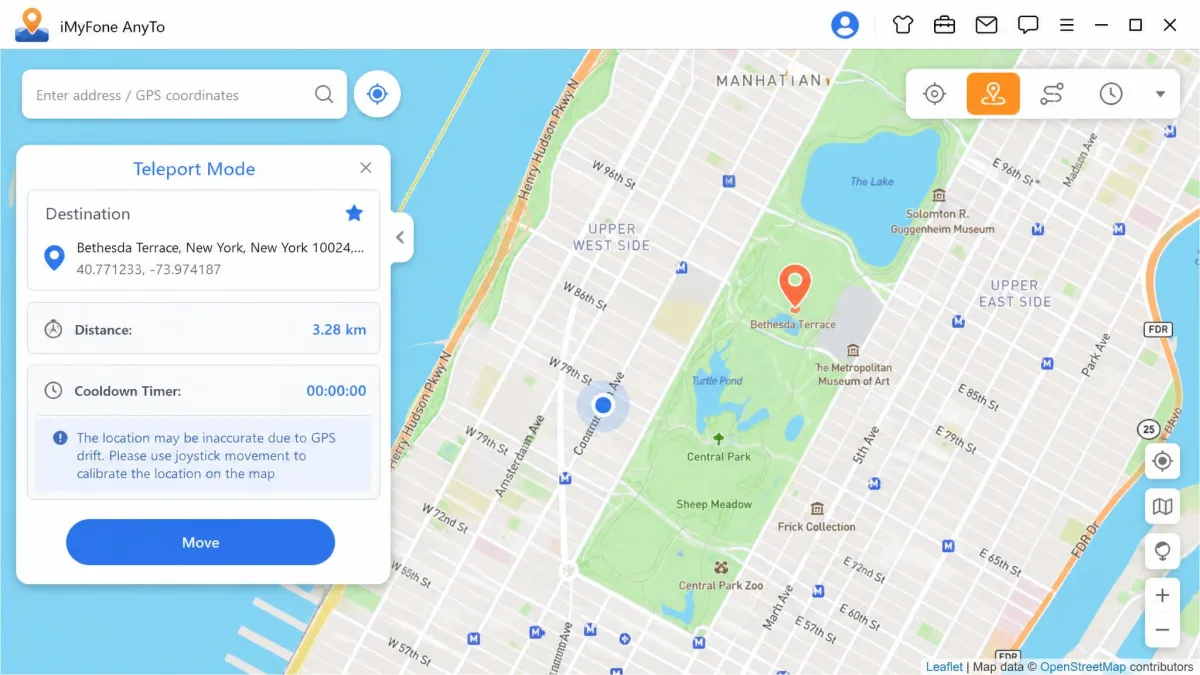
A phone the app cannot detect is the most common stumbling block here. The fix list starts with unlocking the screen, then swapping the cable and the port, then repairing the iTunes drivers. Android needs permissions that iOS does not, including USB debugging. Expect the spoofed position to snap back mid-session unless the helper app keeps running. The phone also stays tethered to the computer throughout.
Safety, Ban Risk and Protecting Your Account
Ban risk has the same shape for both apps, because it comes from the game rather than the software. Understanding how GPS spoofing works helps here. Detection keeps moving, both vendors are stuck in the same arms race, and neither can promise immunity whatever its marketing pages say.
Both apps breach the terms of the games they are used with, and accounts have been actioned for it. The Scopely Explore Terms of Service that now cover Pokemon GO define cheating to include "Using any techniques to alter or falsify a device's location (for example through GPS spoofing)". The same clause covers unofficial third-party software. Those terms carry an effective date of July 15, 2026.
Cooldown discipline is the practical defence. Players on r/PokemonGoSpoofing favour the teleport-and-kill method over walking the joystick between spots: jump, let the cooldown run, then act. Drastic jumps, New York to San Francisco in one move, produce a soft ban. Spoofing communities describe it as lasting from ten minutes to three hours.
Error codes are the early warning. MocPOGO throws Error 12, "Failed to detect location", when the game server rejects the spoofed position. AnyTo throws Error 11, "GPS Signal Not Found", when the phone sits still and no Bluetooth movement data reaches the game. Neither is a ban, but pushing on regardless is how a soft ban becomes something worse.
Pros and Cons
Condensed, here is where each app earns its money and where it will cost you time.
MocPOGO pros and cons
Pros
- Lowest monthly cost, from $9.95 on Windows
- Drives up to 15 devices from one computer
- Standalone iOS and Android apps need no computer
- Cooldown timer suggests a wait by jump distance
Cons
- Free trial keeps the joystick locked
- Cooldown timer works in Teleport mode only
- Licences do not transfer between Windows and Mac
- Crashes are the repeated theme in its Trustpilot feedback
iMyFone AnyTo pros and cons
Pros
- Free version gives 5 teleports and 1 hour of joystick
- Reaches back to iOS 7.0 and Android 5.0
- GPX import and export, plus cloud-saved routes
- Custom speed to 120 km/h and a fluctuation mode
Cons
- List prices roughly double MocPOGO's
- VIP covers 5 devices, and 10 needs SVIP
- Phone stays tethered to the computer all session
- Gaming Mode skips 32-bit Android chips
Other GPS Spoofers Worth Considering
Neither is your only option, and several rivals sit close on price. Our guide to the best GPS spoofing app covers the wider field, and the shortlist below is where we would look next.
- MockGo vs iMyFone AnyTo, for Foneazy's separately developed rival
- PoGoskill GPS Location Changer and PoKeep, both built for Pokemon GO
- WooTechy iMoveGo and Tenorshare iAnyGo, for iPhone-first workflows
- FonesGo Location Changer, another desktop option with a joystick
- PGSharp on Android, if you want to skip the computer
Verdict: Which One Should You Choose?
Both apps do the core job, so the tie-breakers are what you can test, what your phone runs, and how many devices you need.
Choose MocPOGO if...
- You want the lowest monthly cost and are on Windows
- You need to control more than 10 phones at once
- You want a mobile app that needs no computer
- You are happy to pay before testing the joystick

Choose iMyFone AnyTo if...
- You want to try teleport, a route and the joystick first
- Your iPhone or Android phone is several years old
- You want GPX export and cloud-saved routes
- You want the deeper Pokemon GO toolset on SVIP