Picking a GPS spoofer usually comes down to one awkward question: will this software actually move your phone's location where you want it, on the device you already own, without breaking anything? Two names come up constantly in that search. MockGo is Foneazy's desktop location changer for iPhone and iPad, and PoKeep Location Changer is a rival desktop tool that covers both iOS and Android from the same license.
Both spoof your GPS location without jailbreak, both add a joystick for manual walking, and both simulate routes for location-based games. The differences that matter are narrower than the marketing suggests, and they land on platform support, device limits, and what you pay for a lifetime license. Here is how the two compare, feature by feature, and which one we recommend for most users.
MockGo vs PoKeep at a Glance
The two apps are close relatives in feature terms, so the table below is the fastest way to see where they separate. Both run from a desktop computer, and both change your GPS location system-wide rather than inside a single app.
| Product | Buy | Teleport | Joystick | Two-spot mode | Multi-spot route | Jump teleport | Cooldown timer | Multi-device limit | GPX import | iOS support | Android root requirement | Price | Free trial |
|---|---|---|---|---|---|---|---|---|---|---|---|---|---|
 |
Check price → | One-click | 360 degrees, mouse drag or W/A/S/D | Yes | Yes | Manual or auto-jump | Distance-based | 10 phones, iOS or Android | Import and export | iOS 5 to iOS 26, no jailbreak | Android 6.0+, no root, USB debugging | $9.95/month, $89.95 lifetime | 5 uses per feature |
 |
Check price | One-click | 360 degrees, W/A/S/D and arrow keys | Yes, one-stop movement | Yes | Yes | Yes | 5 iOS devices | Yes | iOS 9 to iOS 26, no jailbreak | No Android support | $9.95/month, $59.95 lifetime | Use-capped, 3 teleports |
What MockGo Is and Who It Suits
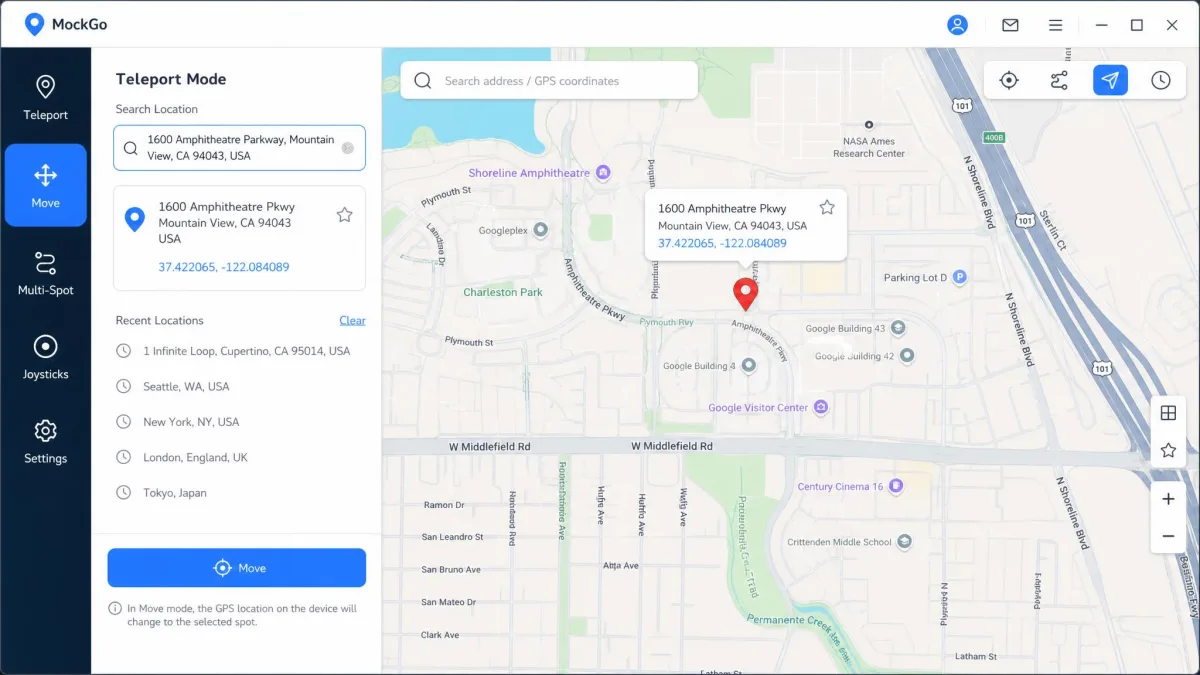
MockGo is a Windows and macOS application from Foneazy that changes the GPS location reported by a connected iPhone, iPad or iPod touch. It covers iOS 9 through iOS 26, and it does not need a jailbreak. You install the software, connect the phone, drop a pin on the map, and the phone reports that spot to every app that reads location.
Setup is cable-first. MockGo needs the original Lightning or USB-C cable and the desktop app, so the phone alone will not do the job.
MockGo suits an all-Apple household. If you have an iPhone and an iPad and no Android device in the mix, its device ceiling and cheaper lifetime license make it a sensible fit. Our MockGo review goes deeper on the desktop app itself, and MockGo's official page lists the current build, version 5.3.0, along with the full supported-app list.
Pros
- Cheaper lifetime license at $59.95
- Realistic mode varies simulated speed by 30% every 5 seconds
- Routes can be paused mid-walk and resumed without starting over
- Covers iOS 9 onward, so older iPhones still work
Cons
- No Android support at all
- Free trial is capped by uses, not days
- Needs the original cable and a desktop app every session
- Device limit stops at 5
What PoKeep Is and Who It Suits
PoKeep Location Changer does the same core job and adds Android. It supports iOS 5 through iOS 26 with no jailbreak, and Android 6.0 and higher with no root. That single difference reshapes the whole comparison, because one license covers both platforms at once.
PoKeep's first iOS connection asks for a Trust prompt and the device passcode before anything moves, which is standard Apple behavior rather than anything unusual. After that first cabled setup, PoKeep switches to Wi-Fi, so the phone does not have to stay tethered while you play. The desktop side needs Windows 10 or later, or macOS 11 or later.
PoKeep suits mixed households and anyone who spoofs on more than one handset. Our PoKeep review covers the app in isolation, and PoKeep's official site publishes the platform and trial details we used here.
Pros
- One license, any mix of iOS and Android handsets
- Play with the phone in your pocket instead of tethered to the desk
- Distance-based cooldown timer shown on screen
- GPX import and export, not just import
- Supports iOS releases as old as iOS 5
Cons
- Lifetime license costs $89.95
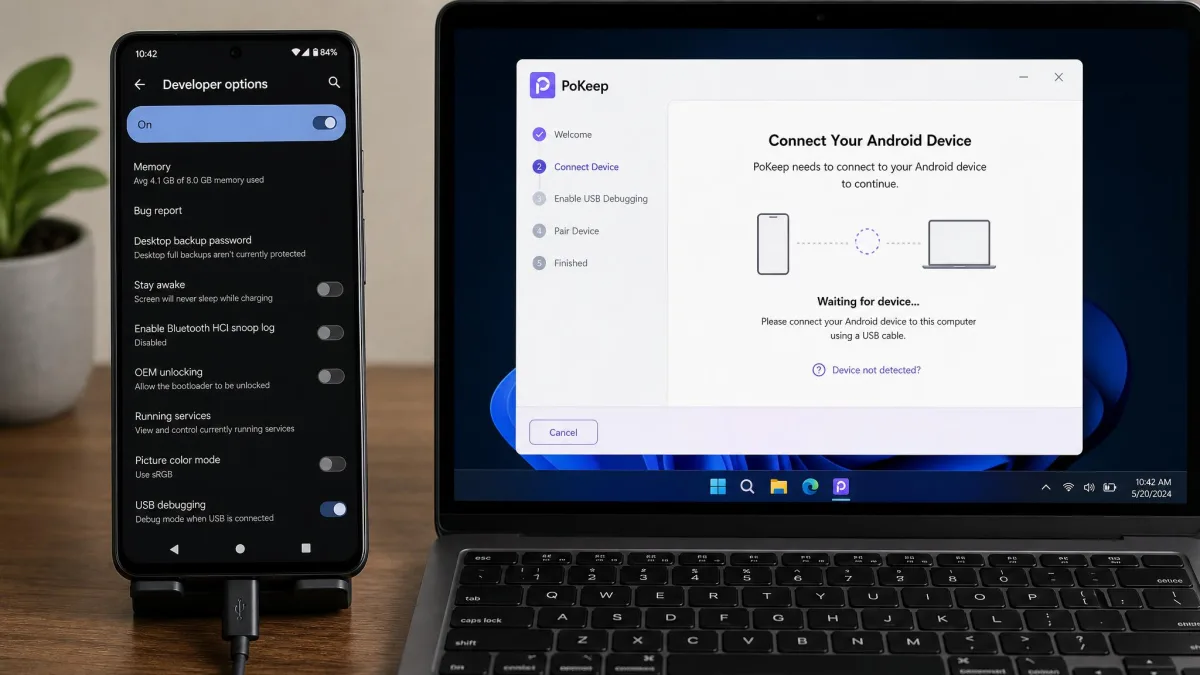
- Android setup needs Developer Options and USB debugging
- Android Game Mode means uninstalling the official game copy first
- Requires Windows 10 or macOS 11 as a minimum
Feature-by-Feature Comparison
Those two profiles put the apps in different corners, but day-to-day life with a spoofer is decided by the controls themselves, so this is where we take them one at a time.
Teleport and One-Click Location Change
Teleport is the headline feature on both, and both do it with a single click. You search an address or drop a pin, confirm, and the device reports the new spot. There is no meaningful gap in how quickly apps pick up the change.
The practical difference shows up in games. Teleporting a long distance while Pokemon GO is still open causes spawns to flee immediately, so closing the game before the jump matters regardless of which software you use.
Joystick and Manual Movement Control
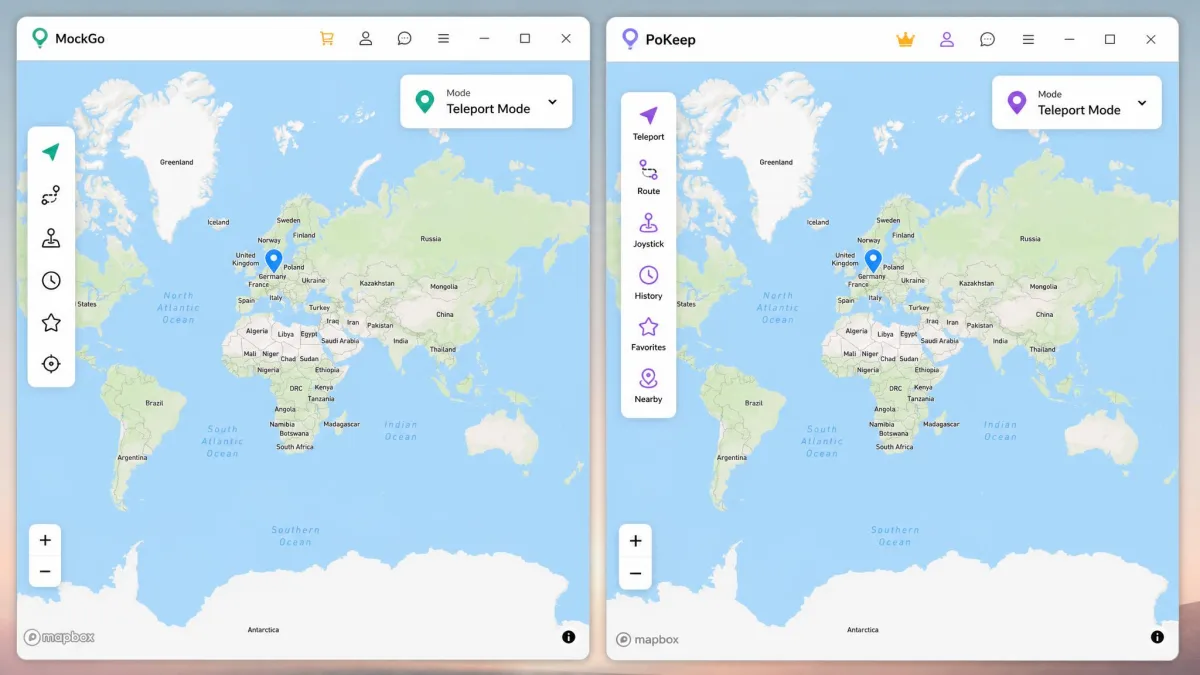
Both apps give you a 360-degree joystick for walking without moving. MockGo's joystick responds to W/A/S/D and the arrow keys. PoKeep's joystick can be driven either by dragging the wheel with a mouse or by W/A/S/D and the arrow keys, with speed set before you start moving.
That last detail is the small win for PoKeep: setting speed up front means you are not fumbling with a slider while the character is already walking.
Movement Simulation Modes (Two-Spot, Multi-Spot, Route, Jump Teleport)
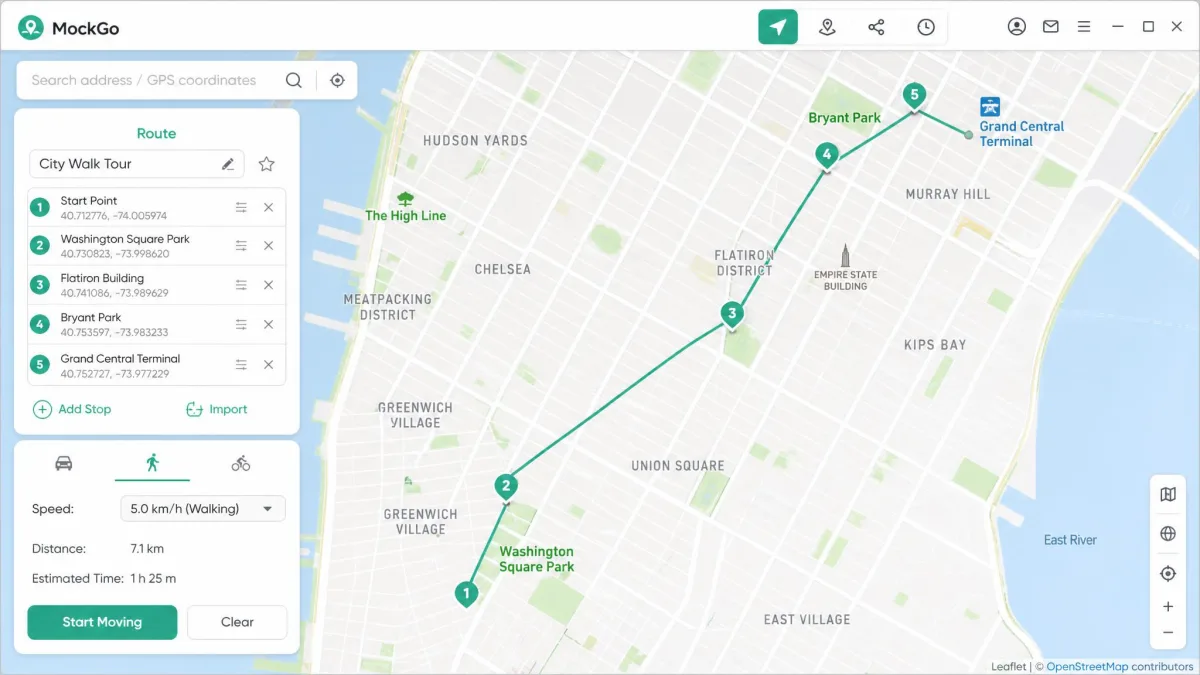
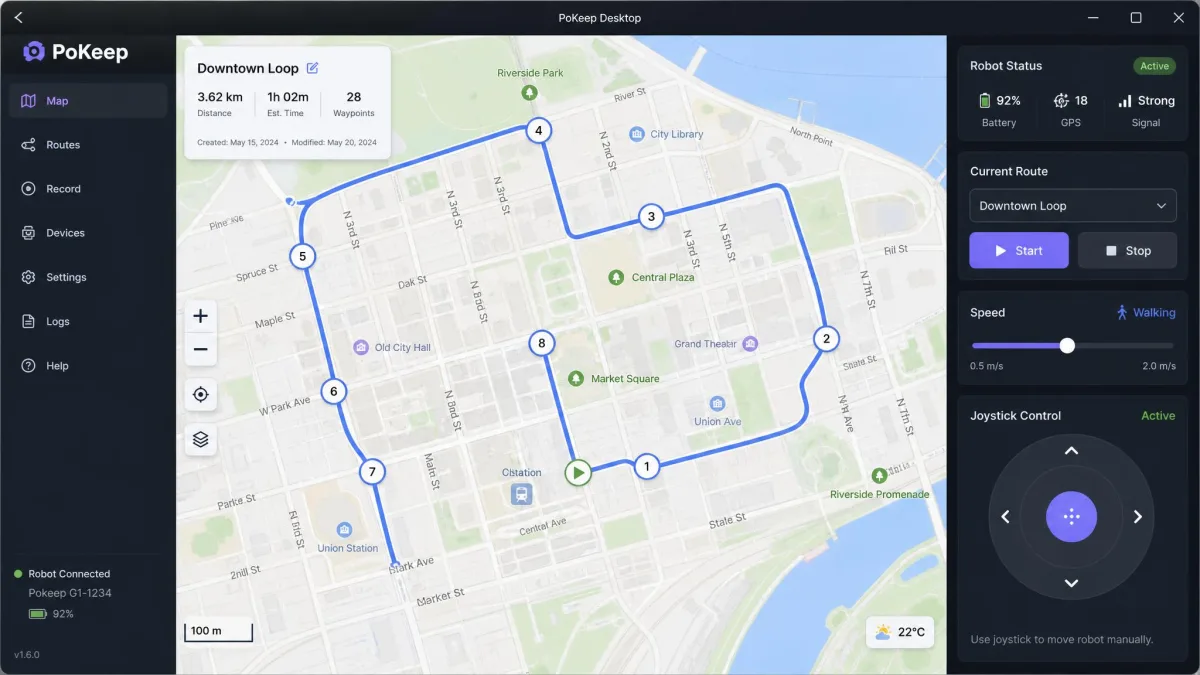
PoKeep offers four movement options: the 360-degree joystick, two-spot, multi-spot and jump teleport. MockGo matches all four, calling two-spot "one-stop movement" and multi-spot "multi-stop movement".
MockGo lets you set route speeds anywhere from 3.6 to 108 km/h, which covers walking through to driving. Its realistic mode varies the simulated speed by 30% every 5 seconds, so simulated walking does not look machine-steady on the map. Routes can be paused mid-walk and resumed, and a drawn path closes automatically when the start and end points fall within 50 meters of each other. PoKeep has its own realistic speed mode and adds auto-jump to its jump teleport.
Cooldown Timer and Safe-Spoofing Aids
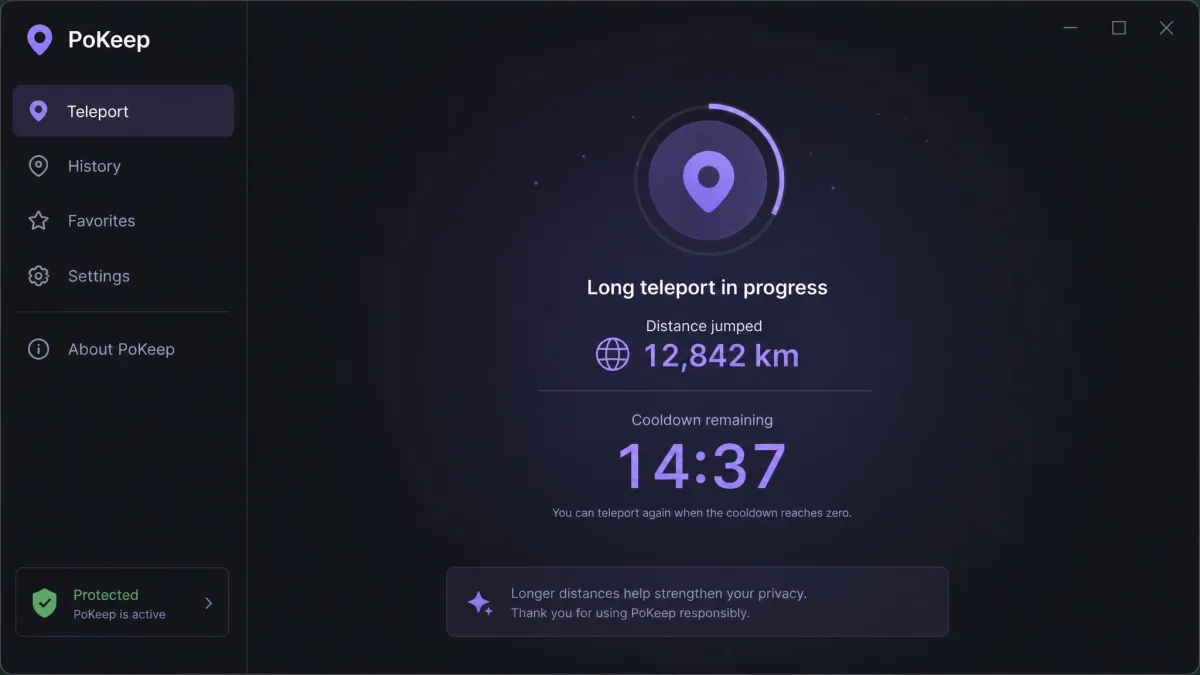
Both apps ship a cooldown timer, which is the tool that keeps you from triggering a soft ban by jumping further than a human could travel. PoKeep's cooldown timer calculates the wait from the distance jumped and shows it on screen, so the guesswork over soft bans disappears.
No cooldown timer is a guarantee. Location spoofing breaks the terms of service of Pokemon GO and most other location-based games, and accounts do get actioned. Treat the timer as a way to avoid obvious mistakes, not as protection against enforcement.
Multi-Device Control
MockGo controls up to 5 iOS devices at once from one computer. PoKeep's license covers 1 PC and 10 phones in any mix of iOS and Android. If you only ever spoof one device, neither limit will bother you. For a household or a group of accounts, PoKeep's ceiling is twice as high and platform-agnostic.
Extras: GPX Import, Favorites, History
Both apps import GPX files, so a route recorded elsewhere can be replayed as simulated movement. Both keep favorites and history records. PoKeep also exports GPX, so a route you build in the app can be reused outside it. That is the only extras difference that changes what you can actually do.
Save your regular spots as favorites on day one. Both apps let you jump straight back to a saved pin, which is faster than searching an address and far less error-prone than typing coordinates by hand.
Supported Apps and Games
Controls are only half the story, because a spoofer is worth nothing if the app you care about ignores the position it reports. Here is where each one lands.
Pokémon GO and Other Location-Based Games
Both tools list Pokemon GO first, and both extend to Ingress Prime, Jurassic World Alive and Minecraft Earth. PoKeep's list runs longer, adding Monster Hunter Now, Pikmin Bloom, Geocaching and Walking Dead Our World. If you play more than one location-based game, that breadth counts.
Dating Apps
Tinder, Bumble, Hinge, Grindr and Badoo appear on both lists, and PoKeep adds OkCupid. Changing your GPS location moves the pool of profiles you see, and both apps do it the same way, by changing what the phone reports rather than editing anything inside the dating app.
Social and Tracking Apps (Including Life360)
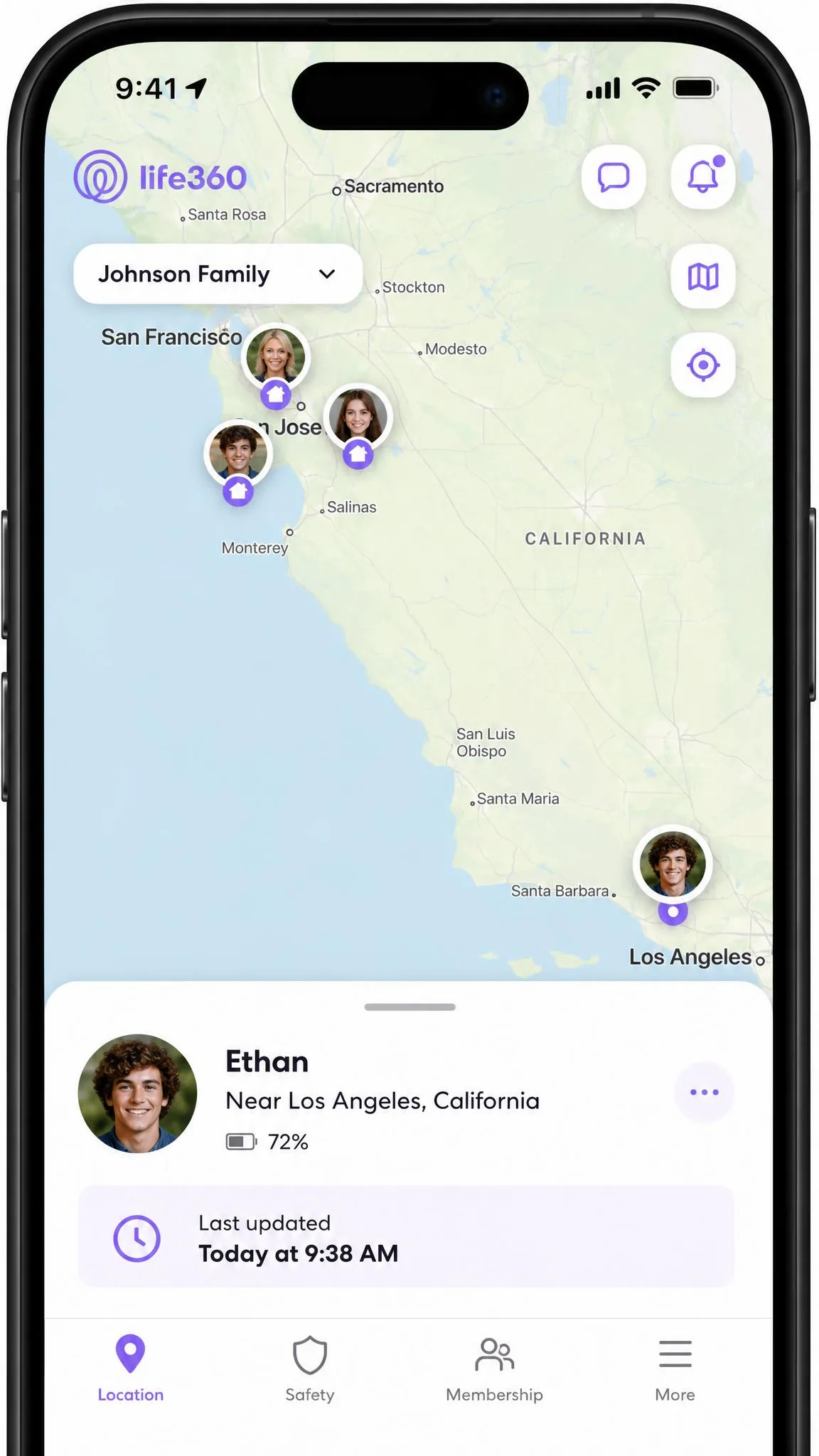
WhatsApp, Snapchat, Instagram and Facebook are covered by both, as are Life360 and Find My iPhone. PoKeep additionally lists Twitter, TikTok, Telegram and Apple Maps. If your reason for spoofing is privacy from a tracking circle rather than gaming, both will do the job, and the choice comes back to your platform.
Device and Platform Support
App coverage overlaps heavily, so the harder question is which handsets each program will talk to in the first place.
iPhone and iOS Compatibility
PoKeep reaches back further, supporting iOS 5 through iOS 26. MockGo covers iOS 9 through iOS 26 on iPhone, iPad and iPod touch. Neither needs a jailbreak, and the ceiling is the same on each.
Apple's guide to iPhone location settings is worth a read if you want to see which apps are reading your location before you start changing it.
Android Support and Root Requirements
This is the clean split. MockGo's desktop app drives iPhone and iPad only, so Android owners get nothing from it. PoKeep supports Android 6.0 and higher with no root required.
The trade-off is setup effort. Android needs Developer Options plus USB Debugging switched on, and Universal Mode needs PoKeep set as the mock location app in system settings.
Ease of Setup: How Each One Works Step by Step
Platform support tells you whether a tool will run on your phone at all. The steps below tell you how much work it takes to get there.
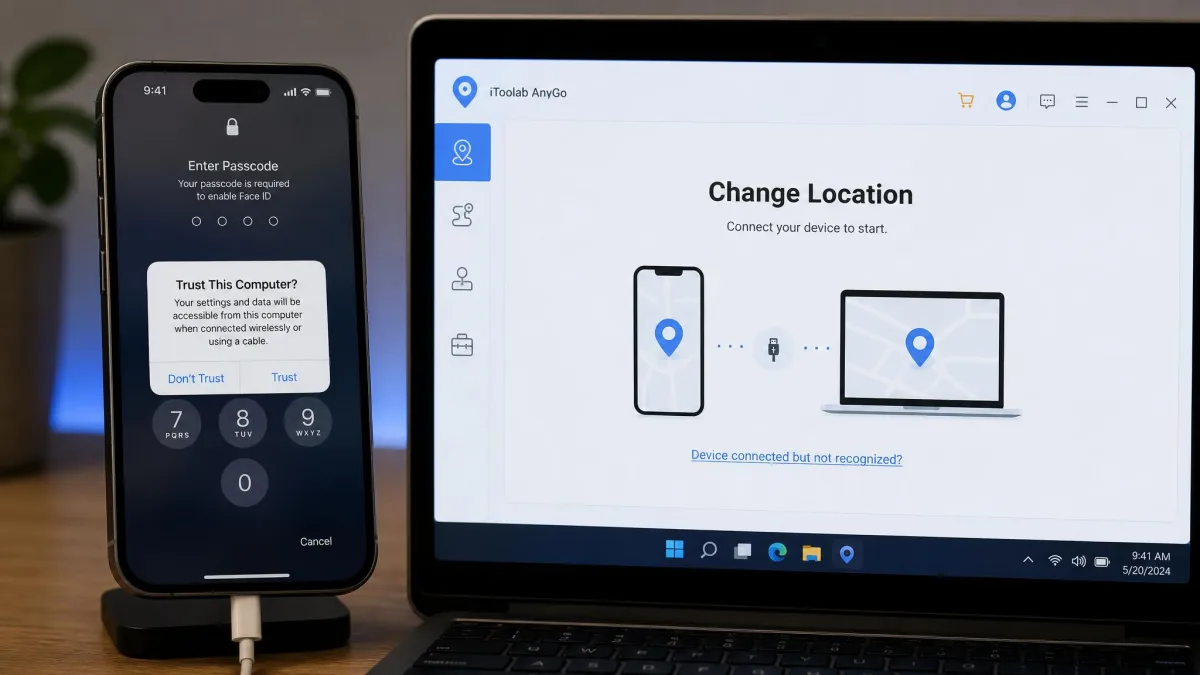
Setting Up MockGo
- Install MockGo on Windows 8.1 or later, or on macOS.
- Connect the iPhone with the original Lightning or USB-C cable.
- Unlock the phone and accept the Trust prompt.
- Choose Teleport Mode, then search an address or drop a pin.
- Click Move to apply the new GPS location.
For route simulation, pick one-stop or multi-stop movement instead, set your speed, then start. You can pause and resume without losing your place.
Setting Up PoKeep
- Install PoKeep on Windows 10 or later, or macOS 11 or later.
- Connect the phone by cable for the first session. iOS asks for a Trust prompt and the device passcode.
- On Android, enable Developer Options and USB Debugging first. Tap Build number seven times under Settings, About phone to reveal that menu on any handset.
- Pick Game Mode or Universal Mode. On iOS, Game Mode pairs over Bluetooth and Universal Mode needs Developer Mode enabled in Settings.
- Choose your mode from the four movement options and set the speed before you start moving.
One Android caveat is worth flagging: PoKeep's Android Game Mode requires uninstalling the official copy of the game first, which is the biggest setup hurdle on that platform. PoKeep's setup guide walks through the sequence.
Pricing and Licensing Compared
Setup effort is a one-evening cost. Price is the cost that repeats, and it is where the two finally diverge on paper.
Three of the four tiers are identical. Both charge $9.95 for a month, $19.95 for a quarter and $39.95 for a year. PoKeep lists its monthly rate as a discount from $14.95. Both carry a 30-day money-back guarantee.
The lifetime tier is where they part. MockGo's lifetime plan is $59.95. PoKeep's is $89.95, listed at 40% off $149.95. That $30 gap looks decisive until you remember that the device ceilings above are not like-for-like, so the two lifetime licenses are not buying you the same thing.
Trials differ too. PoKeep's free trial gives 5 uses per feature. MockGo's free trial allows one-stop and multi-stop modes once each and teleport and joystick three times, and it runs out fast, with only a handful of teleports and a single run of each route mode before the paywall. The trial is capped by number of uses rather than by time, so how far it goes depends on which modes you try first.
Before you reach for either lifetime plan, do the arithmetic on how long you will really use one of these. Spoofing tends to be seasonal, tied to a game event, a trip or a stretch of working from somewhere you would rather not advertise. At $9.95 a month, a lifetime license only starts paying for itself after roughly six months of steady use. If you are buying for one phone and one summer, the monthly tier is the cheaper decision on either app, and the 30-day guarantee makes it a low-risk way to find out whether you will keep going.
Safety, Ban Risk, and Privacy Considerations
Coverage and cost aside, the risk that actually ends accounts is behavioural rather than technical.

Neither vendor publishes a measured ban rate, and no independent source does either, so treat any specific number you see elsewhere with suspicion. What we can say is structural. Both apps change location at the system level without a jailbreak or root, which avoids the security exposure that unlocked devices carry.
The soft ban risk comes from movement that no human could make. Joystick movement, route simulation and cooldown timers together make PoKeep feel safer to run than older spoofing tools, and MockGo's realistic mode serves the same purpose by nudging simulated speed up and down as it goes. On the privacy side, both apps require a desktop connection and a passcode-unlocked phone, so nobody spoofs your device without physical access to it.
PoKeep holds a 4-star Trustpilot rating. Its strongest work is fake walking in Pokemon GO and location changes inside social apps, and that is the pairing most buyers will care about. Softonic's community rates MockGo 3.8 out of 5, and the fair complaint against it is how little the free trial lets you do before the paywall lands. Foneazy's Trustpilot rating is worth a look before you commit to either.
Alternatives Worth Considering
If neither fits, three head-to-head comparisons on this site cover the closest rivals: MockGo vs FonesGo, MockGo vs iMoveGo and MockGo vs MocPOGO. Between them they cover the tools most often shortlisted alongside these two, and our roundup of the best GPS spoofing apps ranks the wider field.
PoKeep is newer than most of the spoofers it competes with, so lean on the 30-day guarantee rather than on reputation when you buy.
Frequently Asked Questions
Is MockGo or PoKeep safer for Pokémon GO?
Can you get banned for spoofing?
Do either work without jailbreak or root?
Will PoKeep work on a work phone or a managed Android handset?
Which is cheaper?
Can I control multiple devices at once?
Do they work with Life360?
Verdict: Which One Wins
PoKeep takes it. The two apps match on teleport, joystick control, movement simulation, cooldown timers and GPX handling closely enough that no feature list decides this. What decides it is Android. PoKeep runs on Android 6.0 and higher with no root as well as on iOS 5 onward, so it keeps working when the phone in your hand changes brand.
MockGo still wins on one axis. If every device in your house runs iOS and you want a permanent license, $59.95 against $89.95 is a straightforward saving, and its route pausing and 3.6 to 108 km/h speed range are useful.