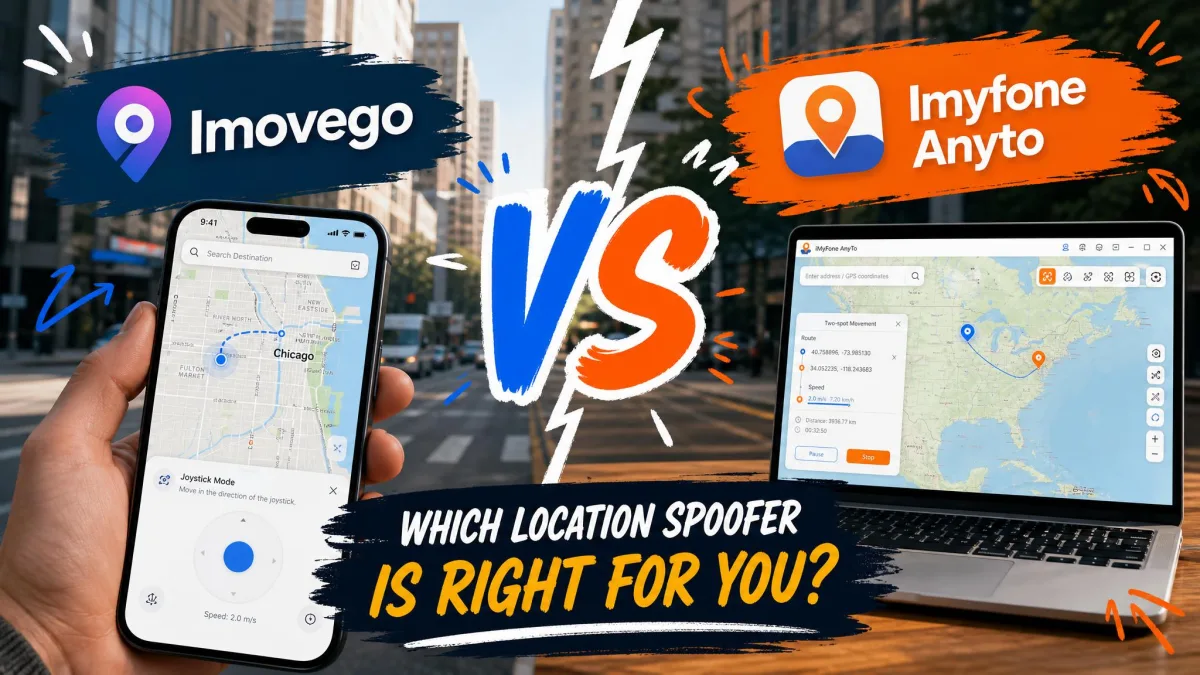
You have narrowed the choice down to two location changers. Both promise the same thing: move your phone's GPS location anywhere in the world in one click, with no jailbreak and no root. WooTechy iMoveGo and iMyFone AnyTo look almost identical on their sales pages. They are not identical once you pay.
Four things separate them in practice. There is pricing you can actually verify before checkout. There is how each one behaves the moment you connect a device. There is how the joystick and route modes handle simulated movement. And there is what happens to your account if a game notices. Below we compare both tools across those points, then give you a straight pick.
WooTechy iMoveGo vs iMyFone AnyTo at a Glance
Both apps run on a Windows or Mac computer. Both drive the phone over a cable or a Wi-Fi link, and both offer teleport, two-spot, multi-spot and joystick control. The split shows up in pricing transparency and in connection reliability.
| Product | Buy | Monthly price | Lifetime price | Devices per licence | Refund window |
|---|---|---|---|---|---|
 |
Check price → | $14.99 VIP | $89.99 VIP | 5 devices | 30-Day guarantee |
 |
Check price | From $14.99 | Varies by promotion | 5 iOS/Android | 30-day guarantee |
Those iMoveGo figures come straight from WooTechy iMoveGo's own purchase page. They are the same numbers whichever country you load the page from, which is more than we can say for the other side of this table. iMyFone AnyTo is listed from $14.99, and that headline is where the certainty ends.
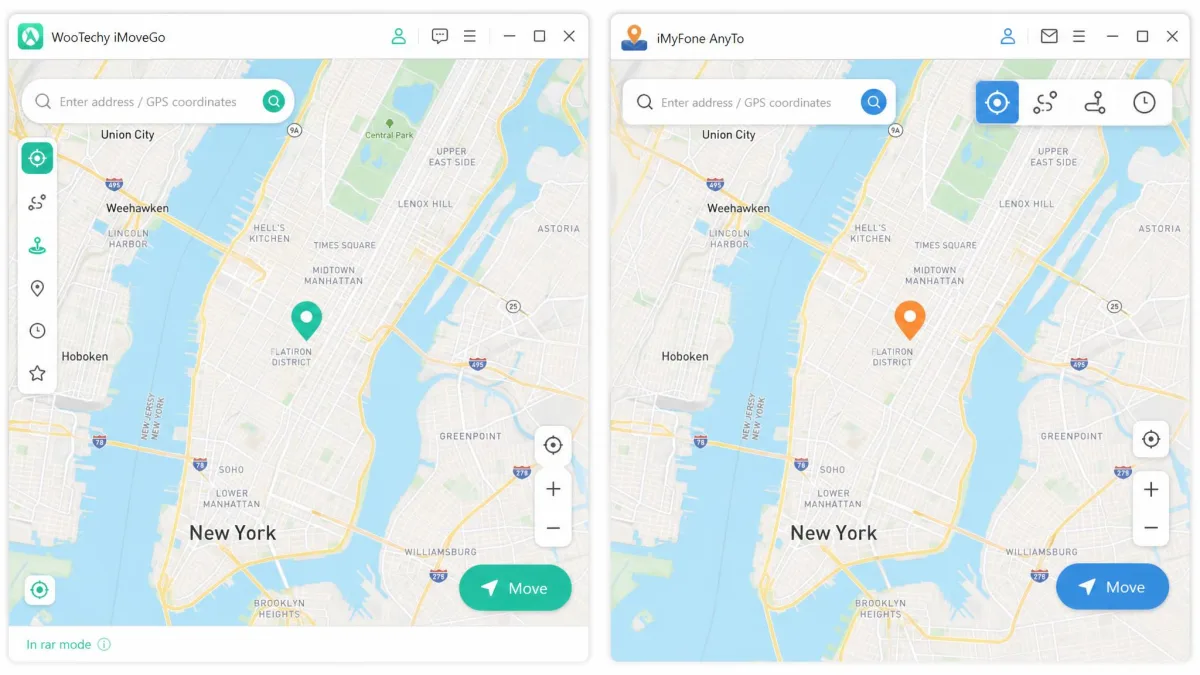
Device and Platform Support
Before either tool's mode list matters, it has to run on the hardware you own. iMoveGo runs on Windows 11, 10, 8.1, 8 and 7, and it wants 500MB of free disk space. Its Mac build covers macOS 10.10 through macOS 14. AnyTo covers Windows 11 down to 7 as well, and macOS 10.9 to macOS 14, so it reaches one macOS release further back.
On the phone side, AnyTo has the wider net. It supports iOS 5 and up, including the iOS 27 beta. On Android it starts at 6.0. iMoveGo covers Android 7.0 through Android 16, which is the newer end of the range rather than the older one.
iMoveGo's spec sheet lists support all the way to iOS 26. The top supported iOS release moves with each Apple update, so check the current spec list before buying for a brand-new iPhone. If your iPhone is on a beta build, AnyTo is the safer bet today.
Neither tool runs on the phone alone. Both are desktop apps that push a fake GPS location to a connected handset. Both keep working across Android and iPhone hardware from the same licence, so a mixed-device household is not a problem for either one.
Location-Change Modes Compared
Hardware settled, the mode list is where most buyers expect to find a difference. It is nearly the same on both sides. What differs is how much control you get inside each mode.
Teleport mode
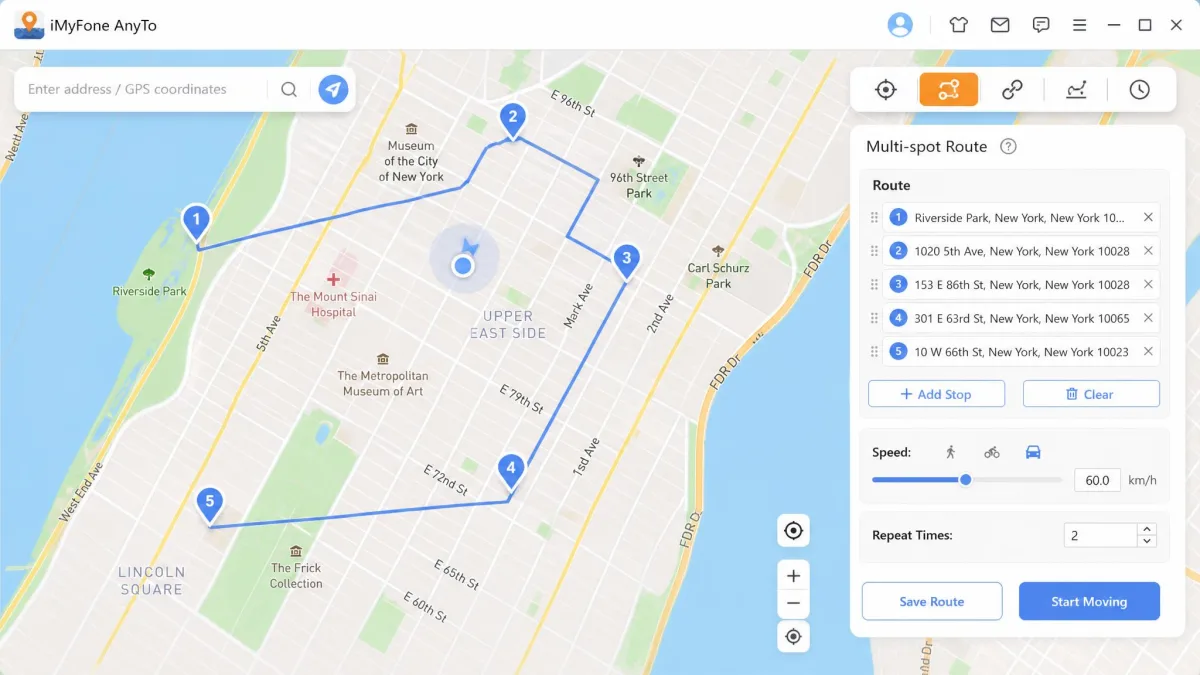
Teleport is the one-click move. You type an address or drop a pin, confirm, and the phone reports the new spot. It is the mode most people will use most of the time, and it is the one that has to be boring to be good.
AnyTo behaves slightly differently on the first jump of a session. Its first simulated movement takes about 1 minute to sync GPS. Give it that minute before you decide something has failed.
Two-spot and multi-spot routes
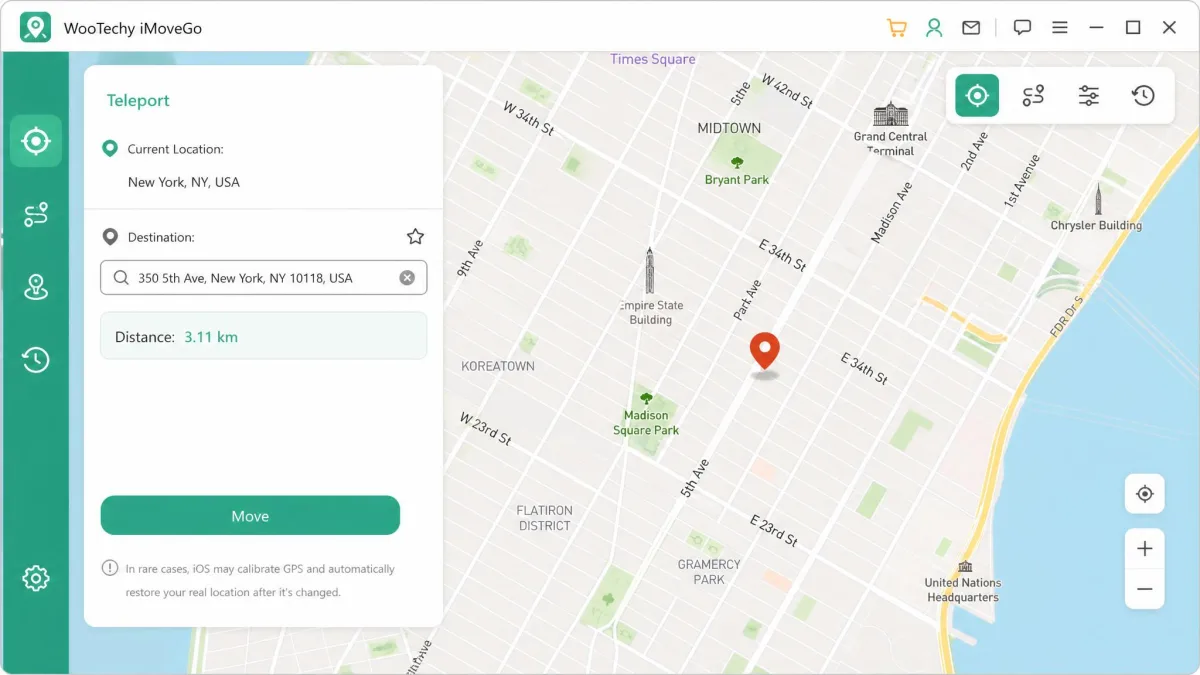
Both tools let you set a start and an end point and walk between them. Both let you chain several stops into a longer route. iMoveGo calls its two-point version jump mode. Routes can be paused and resumed on either app, so you are not locked into finishing a walk you started.
Joystick and manual control
AnyTo's joystick offers 360-degree control. That makes it the more precise of the two for hand-steered movement, and it is the single feature we would switch tools for. iMoveGo's joystick works well enough, but the joystick and the advanced route modes carry a learning curve compared with plain teleporting. Expect a session or two before it feels natural.
Speed control and GPX import
Both apps import and export GPX files, so a route you build once can be reused or shared. AnyTo publishes an exact range for its speed slider. Movement speed is adjustable from 3.6km/h to 120km/h, which covers a slow walk through to motorway pace. iMoveGo offers adjustable speed too, without naming a numeric range.
Ease of Use and Setup
Modes are where the two feel similar; setup is where they part company. iMoveGo's sequence is short: download the desktop app, connect by USB or Wi-Fi, install the iMoveGo Assistant on the phone, then pick a point on the map. The flow is brief, but the assistant step is easy to miss. Skipping it is the usual reason a first connection stalls.
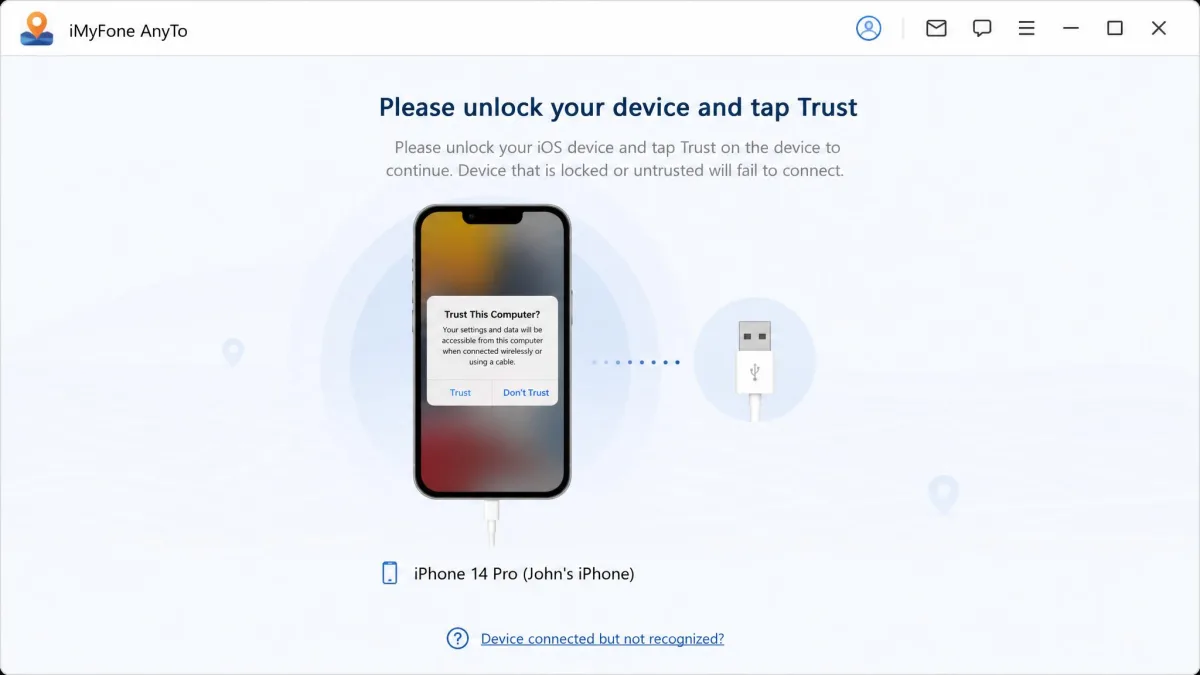
AnyTo's connection step is fussier. Its USB connection fails unless the phone screen is unlocked before you plug in. A cable or port swap is often the fix when the app refuses to see the device. Its Wi-Fi mode needs both machines on the same network, and it frequently only works after a first USB pairing.
Windows users can also hit a "key file not found" error on AnyTo. It clears only after old lockdown files are deleted. That is fixable, but it is the kind of detour that makes a tool feel less user-friendly than the marketing suggests.
Installing and connecting your device
Install the desktop app, open it, and accept the map view. Plug the phone in with a cable, unlock the screen, and trust the computer when the phone asks. Wait for the app to name your device. Then choose your mode from the toolbar in the top right. If you prefer a wireless link, pair once over USB first, then switch to the Wi-Fi option with both devices on the same network.
Leave the desktop app running while you use the phone. On AnyTo the spoofed location reverts unless the iGoHotspot helper stays running in the background, or you switch on Airplane Mode after the jump.
Jailbreak-free operation
Neither app requires a jailbreak or a root. That is the headline both vendors lead with, and it holds. You install a desktop client, connect a stock phone, and change the reported GPS location without modifying the operating system. Nothing is required beyond the app itself and a cable.
The trade-off is that the phone is only spoofed while the desktop session is alive. Close the app, disconnect, or restart the handset, and the real GPS returns.
Accuracy, Stability and Cooldown Behavior
Distance is where both tools show their limits. Teleporting more than about 20km away with iMoveGo requires changing DNS settings. That is a technical detour in an otherwise one-click tool. AnyTo has the same boundary in Bluetooth mode, where jumps beyond a 20km radius need a DNS override enabled.
Stability is good on current hardware. On older phones iMoveGo can lag or delay when movement is simulated. A five-year-old handset is the wrong test bed for smooth route walking.
Games are the fussiest consumer of a spoofed signal. Pokemon GO fails to pick up an AnyTo location change if the game is reopened before it has fully loaded, and rapid location-hopping makes it worse. Both apps ship a cooling timer to help you pace your jumps.
Battery drain is higher than normal while either tool is active. Plan for a shorter day on a single charge when you are running simulated movement for hours.
iMoveGo Pros and Cons
Our first iMoveGo session on Windows went exactly the way the vendor's guide says it should, right up until it did not. We installed the desktop client, plugged in the phone, and watched the app sit on a connection screen that never advanced. The step we had clicked past was the iMoveGo Assistant install on the handset itself. Once we ran that and reconnected, the device named itself in the corner of the window, and the first teleport landed on the pin we had dropped. We came back to the same setup across repeated sessions, and the spoofed position held each time without a re-jump.
Pros
- Fixed, published prices with no regional surprise at checkout
- Teleports land quickly and stay stable across sessions
- Supports Android up to Android 16 and iOS well past the versions most users run
- Route pause and resume, GPX import and export, and PokeStop maps built in
- No jailbreak, no root, and no phone-side configuration beyond the assistant app
Cons
- Jumps beyond roughly 20km need a DNS change
- Joystick and route modes take some learning
- Customer support can be slow or unhelpful to respond
- The free tier is restrictive enough that a real evaluation needs a paid plan
- Movement can lag on older phones
iMyFone AnyTo Pros and Cons
AnyTo asked more of us on the same Windows machine. We plugged in the iPhone with the screen still locked, and the app never named the device. Unlocking first and swapping to a different cable and port got us past that. Then Windows threw a "key file not found" error, which cleared only after we deleted the old lockdown files and started again. From there the map loaded normally, and the first simulated movement took about a minute to sync before the phone reported the new position. Every session after that opened cleanly, so the friction is front-loaded rather than permanent.
Pros
- 360-degree joystick control for precise manual movement
- Named speed range from 3.6km/h to 120km/h
- Supports iOS 5 and up, including the iOS 27 beta
- Manages up to 10 devices simultaneously on PC/Mac
- Auto catcher, IV scanner and an active Discord community
Cons
- USB pairing fails unless the screen is unlocked first
- Wi-Fi mode usually needs a prior USB pairing
- First movement of a session takes about 1 minute to sync
- The "key file not found" error on Windows needs a manual file cleanup
- Billing complaints cluster around unexpected charges and slow refund handling
Pricing: What Each Tool Actually Costs
Price is the cleanest win in this comparison, and it is not close.
iMoveGo pricing and plans
The VIP 1-Month plan is $14.99, the 1-Quarter plan is $29.99, and the VIP Lifetime plan is $89.99. SVIP starts at $19.99 for a month and reaches $119.99 for lifetime access with 10 devices. VIP covers 5 devices on the PC or Mac version. There is no 1-year tier, so the jump from quarterly to lifetime is the decision point. Every plan carries the 30-Day money-back guarantee.
iMyFone AnyTo pricing and plans
AnyTo is listed from $14.99, and that is as firm as the number gets. Its plan prices are shown region-dependent and are almost always discounted from list, so the checkout figure differs from the headline. The licence structure is clearer than the price. The VIP tier binds 5 iOS/Android devices with unlimited PCs and Macs, and the SVIP tier binds 10 iOS devices. AnyTo also offers a 30-day money-back guarantee.
Which is better value
If you plan to keep spoofing for more than about six months, iMoveGo's lifetime plan is the better arithmetic. You also know the figure before you reach checkout. If you only need a few weeks, load AnyTo's page and see what promotional rate you are offered. It may undercut everything here.
Best Use Cases
Cost aside, the right tool depends on what you point it at. Games, family trackers and social apps all read the same spoofed signal, but they punish mistakes very differently.
Pokemon GO and AR games
Both tools carry Pokemon GO maps, PokeStop data and a cooling timer. AnyTo adds an auto catcher and an IV scanner for players who want to run more of the game from the desktop. For AR games the practical difference is patience. Let Pokemon GO load fully before you change location, and space your jumps out.
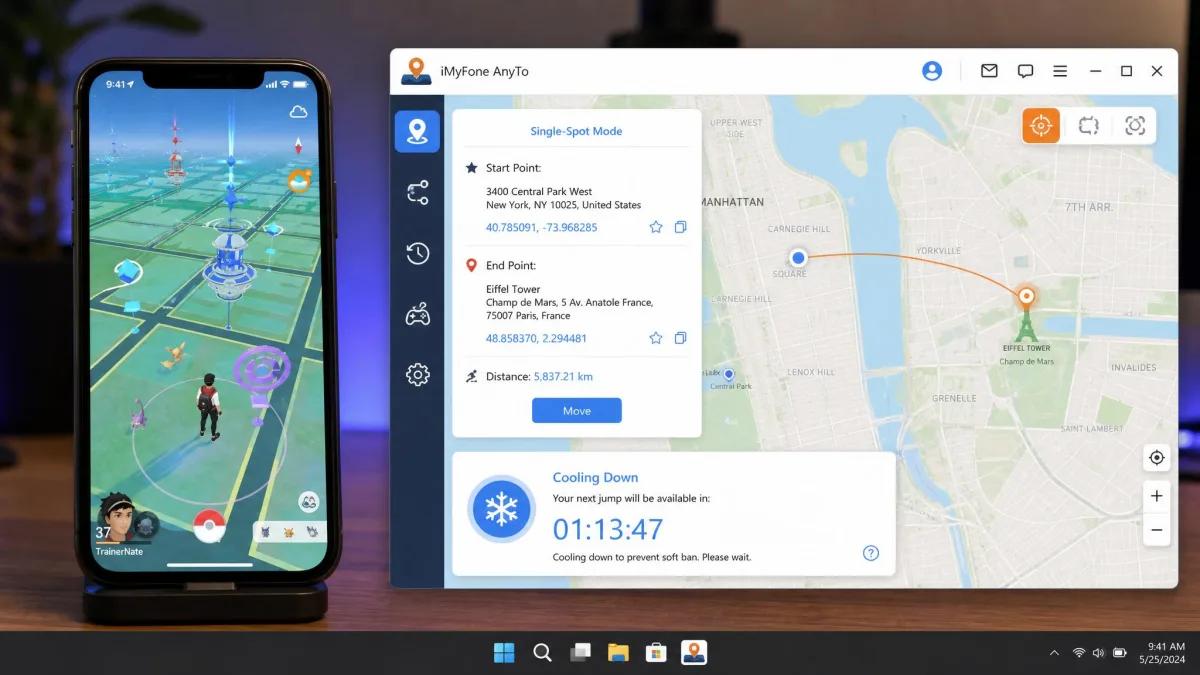
Life360, Find My and privacy
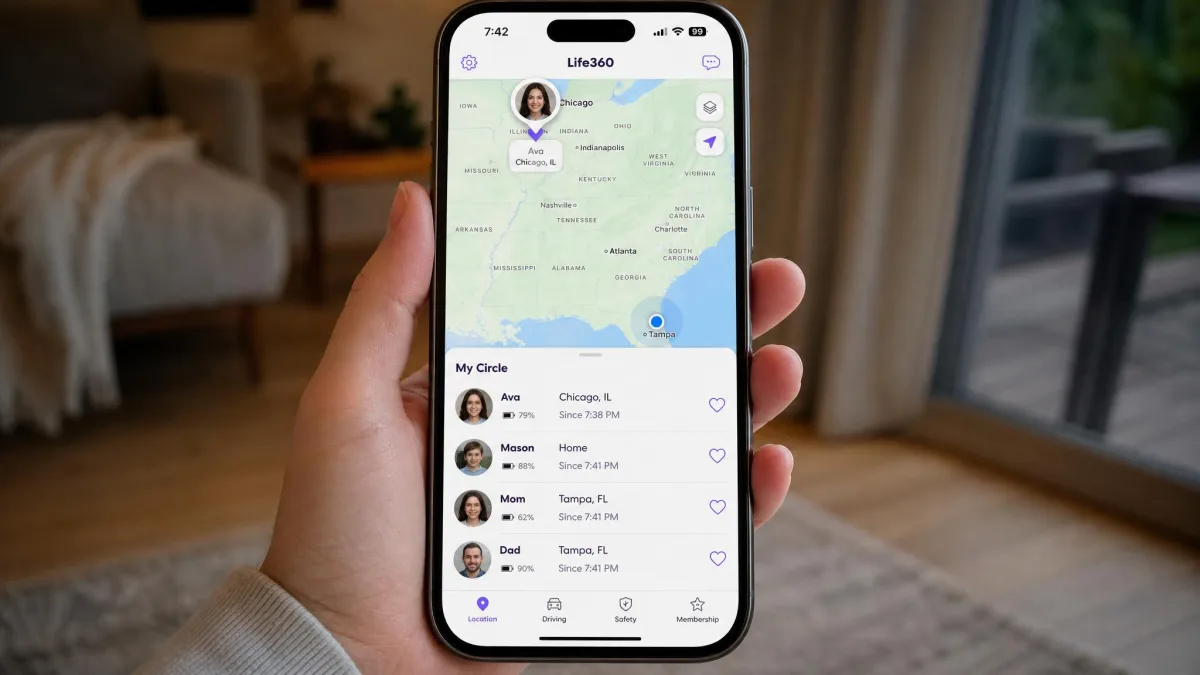
Plenty of users reach for a location changer for privacy rather than play. Both tools handle it the same way. Once the spoof is active, Life360 and Find My report the position you set. It is worth knowing how iOS handles location services before you rely on this. iOS shares one location with every app at once, so you cannot hide from one app and stay honest with another.
Snapchat, WhatsApp and dating apps
Snap Map, WhatsApp live location and dating-app radius filters all read the same system location, so both tools work on all of them. Neither vendor promises this. App makers treat location manipulation as a terms violation, so treat the risk as yours.
Safety and Ban Risk
Those use cases carry unequal consequences, and games are where the enforcement is real.
Is spoofing detectable
Yes, in the games that look for it. Niantic names GPS spoofing as cheating and enforces it in stages. Niantic's three-strike policy starts with a first strike that degrades gameplay for roughly 7 days. A second strike suspends account access for roughly 30 days. A third strike is a permanent ban.
Neither iMoveGo nor AnyTo can promise you will not be caught. No credible source quantifies ban rates for either tool, and anyone claiming a percentage is guessing.
Changing your reported location is not illegal in most places, but it does breach the terms of service of many games and social apps. Account penalties are enforced by those apps, not by the tool you use, and no location changer can appeal a ban for you.
How to reduce your risk
Move in plausible steps rather than continent-sized leaps. Use the cooling timer both apps provide. Keep the speed slider near a walking or driving pace instead of the maximum. Avoid returning to your real location seconds after a distant jump. Security-minded users also keep spoofing off any account they cannot afford to lose.
Which One Should You Choose?
Choose iMoveGo if
You are in this for the long run rather than a single trip. Past roughly six months of use, the lifetime plan costs less than paying monthly, and you can do that maths before you buy rather than after. It also suits the household running current Android hardware, since its Android support runs to Android 16. If your phone is a few years old and you plan to walk routes rather than teleport, temper your expectations either way.
Choose iMyFone AnyTo if
You own an iPhone on a beta build, or a spare handset too old for its rival's floor. Those two cases are decided before price enters the conversation. It also suits a household driving several phones at once from one computer, since it syncs up to 10 devices simultaneously. The one thing we would do differently on this side is timing: open the purchase page, read the figure at checkout rather than the headline, and buy only when the promotional rate in front of you is one you would pay again next year.
Alternatives Worth Considering
If neither one fits, the location changer category is crowded. MockGo and MocPOGO both target the same buyer, and we have compared each against these two tools in MockGo vs iMyFone AnyTo and MocPOGO vs iMoveGo. For a deeper look at either product on its own, see our WooTechy iMoveGo review and our full iMyFone AnyTo review.
Whichever you land on, the buying checks stay the same. Look for published pricing, current iOS and Android support, a real refund window, and a joystick you can actually steer.
Frequently Asked Questions
Is iMoveGo or AnyTo safer for Pokemon GO?
Can I run iMoveGo and AnyTo on the same phone?
Does a lifetime licence transfer if I replace my phone?
Will a spoofed location break banking or two-factor apps?
Will spoofing get my account banned?
Does changing my location affect app-store pricing or region?
Which works better on Android?
Do they offer refunds?
Every price, plan limit and system requirement in this comparison was checked against the vendors' own purchase and specification pages. The connection quirks come from documented behaviour rather than marketing copy.