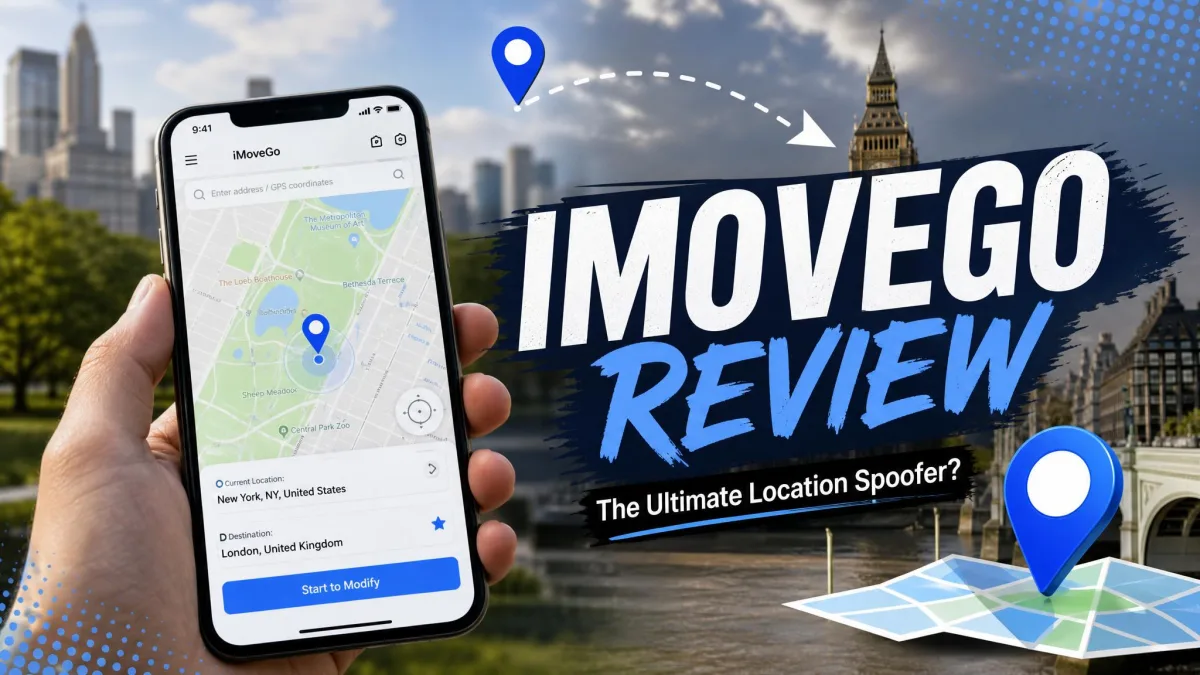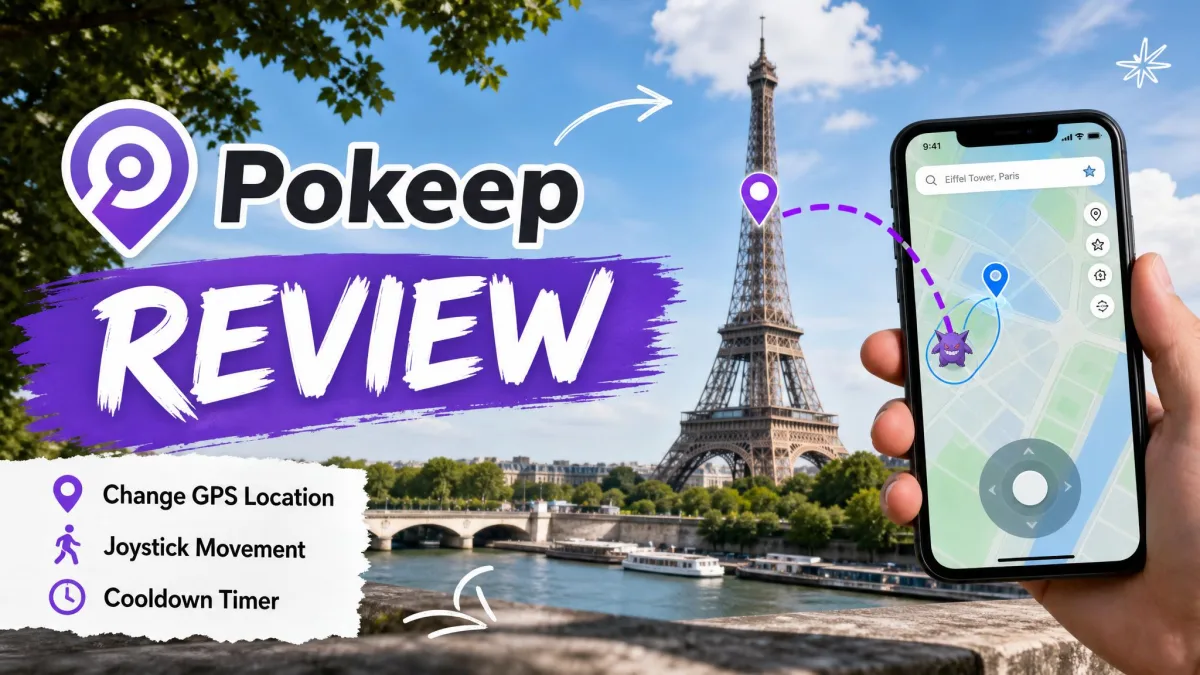
WooTechy iMoveGo is a desktop GPS location changer that drives a connected iPhone or Android phone from a map on your computer. PoKeep is a competing location changer built around the same idea, with a heavier focus on Pokémon GO and other location-based games. Both let you set a fake GPS location anywhere in the world, walk a route with a joystick, and do it without jailbreak or root.
So which one should you actually pay for? The two look nearly identical on a feature list, and the marketing pages do nothing to separate them. The differences that matter show up in setup length, connection options, trial limits and pricing. We put both through the same checks on iOS and Android, and the sections below compare them mode by mode before landing on a pick.
iMoveGo vs PoKeep at a Glance
Here is the side-by-side view. Prices are the current store figures from each vendor, and both back their plans with a refund window.
| Product | Buy | Entry price | Lifetime | Free trial | Platforms | Setup steps |
|---|---|---|---|---|---|---|
 |
Check price → | $12.95/ month | $89.95 | 25 trial uses, 5 per function | iOS 5 to iOS 26, Android 6.0+, Windows 10 / macOS 11 | 3 |
 |
Check price | $14.99/ month (VIP) | $89.99 VIP, $119.99 SVIP | Limited teleports, short joystick window | iOS and Android, Windows and Mac | 6 |
The full PoKeep feature list and iMoveGo's official feature list both claim the same core set: teleport, routes, joystick, cooldown timer, GPX support and multi-device control. On paper the two are twins. The rest of this comparison is about where that stops being true.
Movement Modes Compared
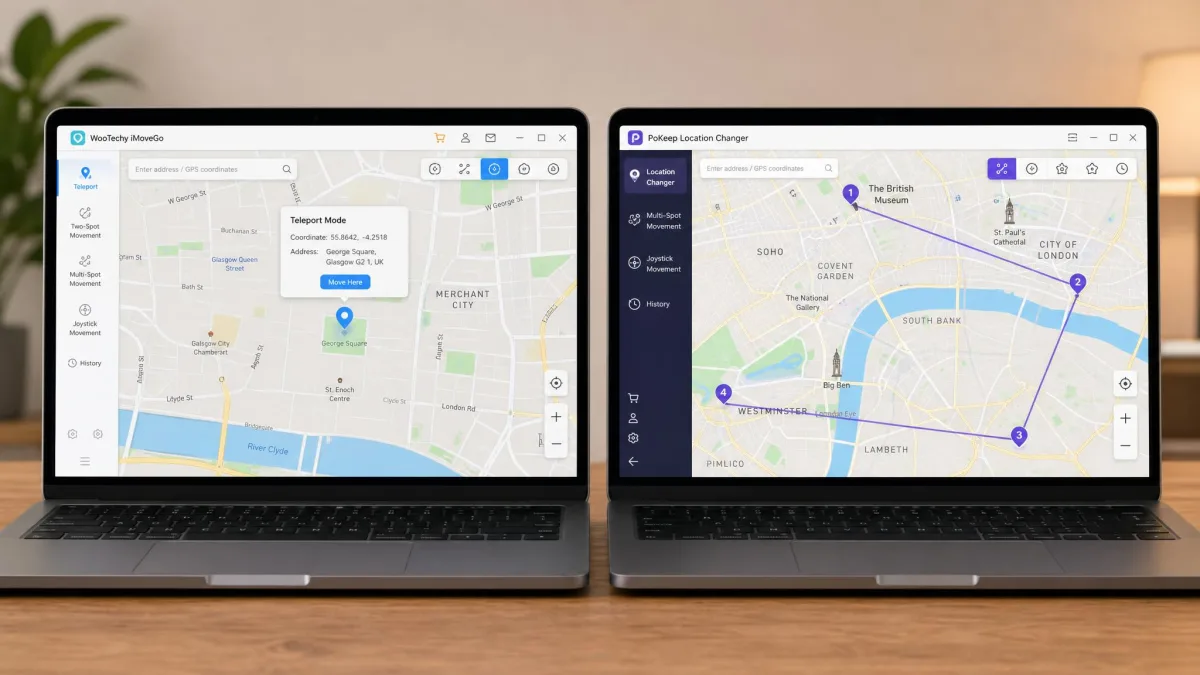
Every location changer sells itself on modes. Both tools ship four, and they use the same names, but they do not feel the same in use.
Teleport: One-Click Location Change
Teleport mode is the simplest thing either app does. You search an address or click the map, confirm, and the phone reports the new GPS location instantly. iMoveGo brands this as 1 Click teleport, and PoKeep's version behaves the same way. The difference is what happens on long jumps. PoKeep documents a specific rule for distances over 20km, and it is a fussy one. Location Services, cellular and Wi-Fi all have to be off for ten seconds or more before the new position takes hold. That instruction is at least written down, which beats guessing. On iMoveGo, long-distance teleports can need a DNS change before the app accepts a position more than 20km away, and nothing in the interface tells you that up front.
Two-Spot and Multi-Spot Route Simulation
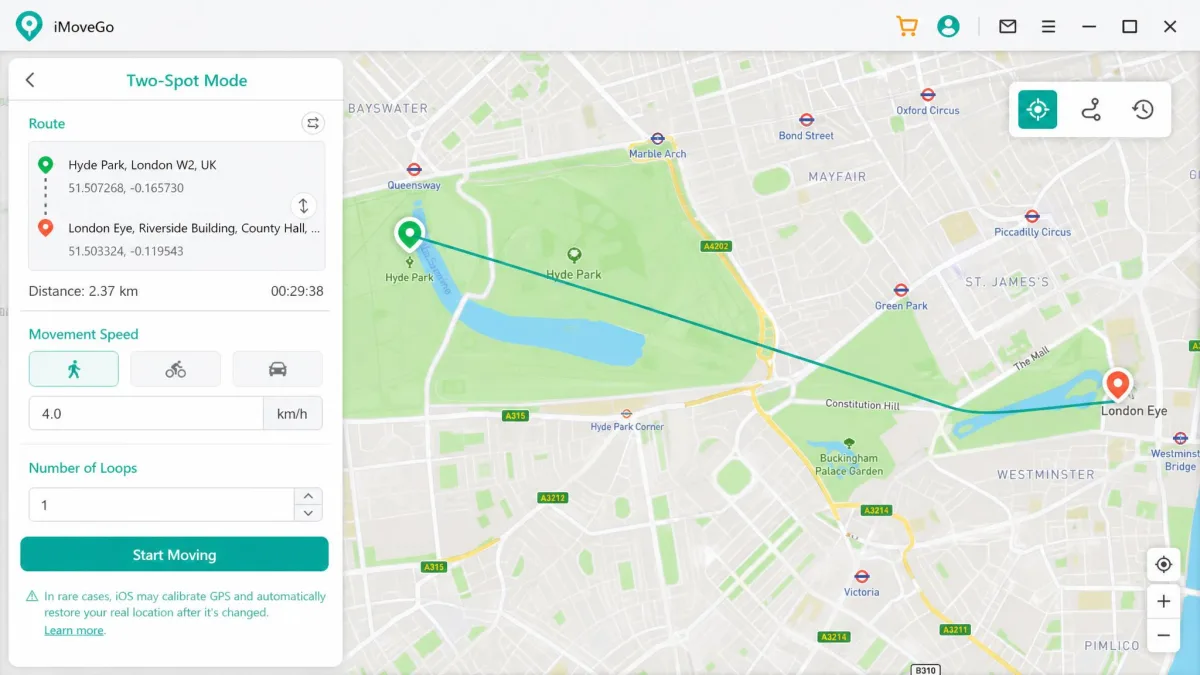
Two-spot mode draws a straight line between where you are and where you want to be, then walks it at a speed you set. Multi-spot mode lets you click a chain of waypoints and simulate a full loop, which is what most Pokémon GO players actually want.
iMoveGo allows unlimited waypoints in multi-spot mode, and both tools let you repeat a route in a loop rather than restarting it by hand. PoKeep's version adds a route collection, so a walking circuit you like can be saved and reused instead of redrawn.
Jump Teleport Mode
Jump teleport sits between teleport and route simulation. Instead of sliding along a line, the app hops between points, which is closer to how a real phone behaves when it reacquires GPS after a gap. Both include it, and PoKeep offers manual and automatic variants.
Joystick Control and Walking Speed
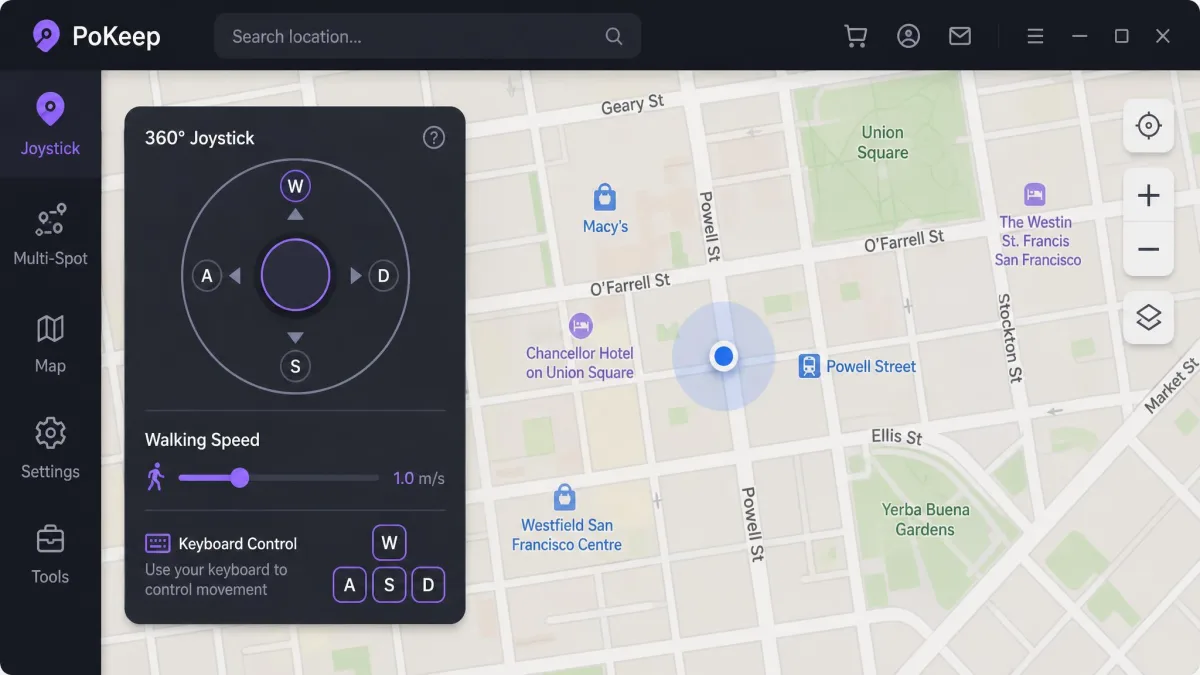
The joystick is the mode people use most, and it separates a usable location changer from a frustrating one. Both give you a 360-degree on-screen joystick with keyboard control, and PoKeep maps movement to W/A/S/D, the layout most players already have muscle memory for.
Speed is where iMoveGo pulls ahead. Its movement speed is adjustable from 3.6km/h up to 120km/h, so you can set a believable walking pace rather than picking from three presets. PoKeep offers walking, cycling and driving speeds, which is enough for most sessions but less precise.
Joystick control is the mode most often blamed for soft bans in the spoofing community, which means how you pace your movement matters more than which tool you bought.
App and Game Compatibility
A location changer is only useful if the apps you care about read the fake GPS location as real. Both vendors publish long support lists that overlap heavily.
Pokémon GO, Monster Hunter Now and Other Location-Based Games
iMoveGo lists Pokémon GO, Ingress Prime, Jurassic World Alive and Monster Hunter Now. PoKeep lists all of those plus Pikmin Bloom, Geocaching and Minecraft Earth, so its games coverage is the broader of the two.
One practical wrinkle sits on the Android side. PoKeep's guide instructs players to uninstall the official store build of a location game before spoofing it, which is an extra chore. iMoveGo takes a different route. During the Android connection it can install a modified Pokémon GO build on the phone, and some players are uncomfortable with that because it widens ban exposure rather than narrowing it.
Life360, Find My and GPS Tracking Apps
PoKeep supports Life360, Find My iPhone and Google Maps. iMoveGo covers Find My Friends and Apple Maps but does not name Life360 on its own feature page, so if family tracking is your reason for buying, PoKeep is the safer choice of the two.
Snapchat, Dating Apps and Social Media
Both handle Snapchat, WhatsApp, Tinder, Bumble and Grindr, and PoKeep also names Telegram, TikTok, Instagram, Hinge and Badoo. For most users this is a wash, since a spoofed system location is read the same way by every app that asks the operating system where you are.
Supported Platforms and Devices
iOS Support and the No-Jailbreak Question
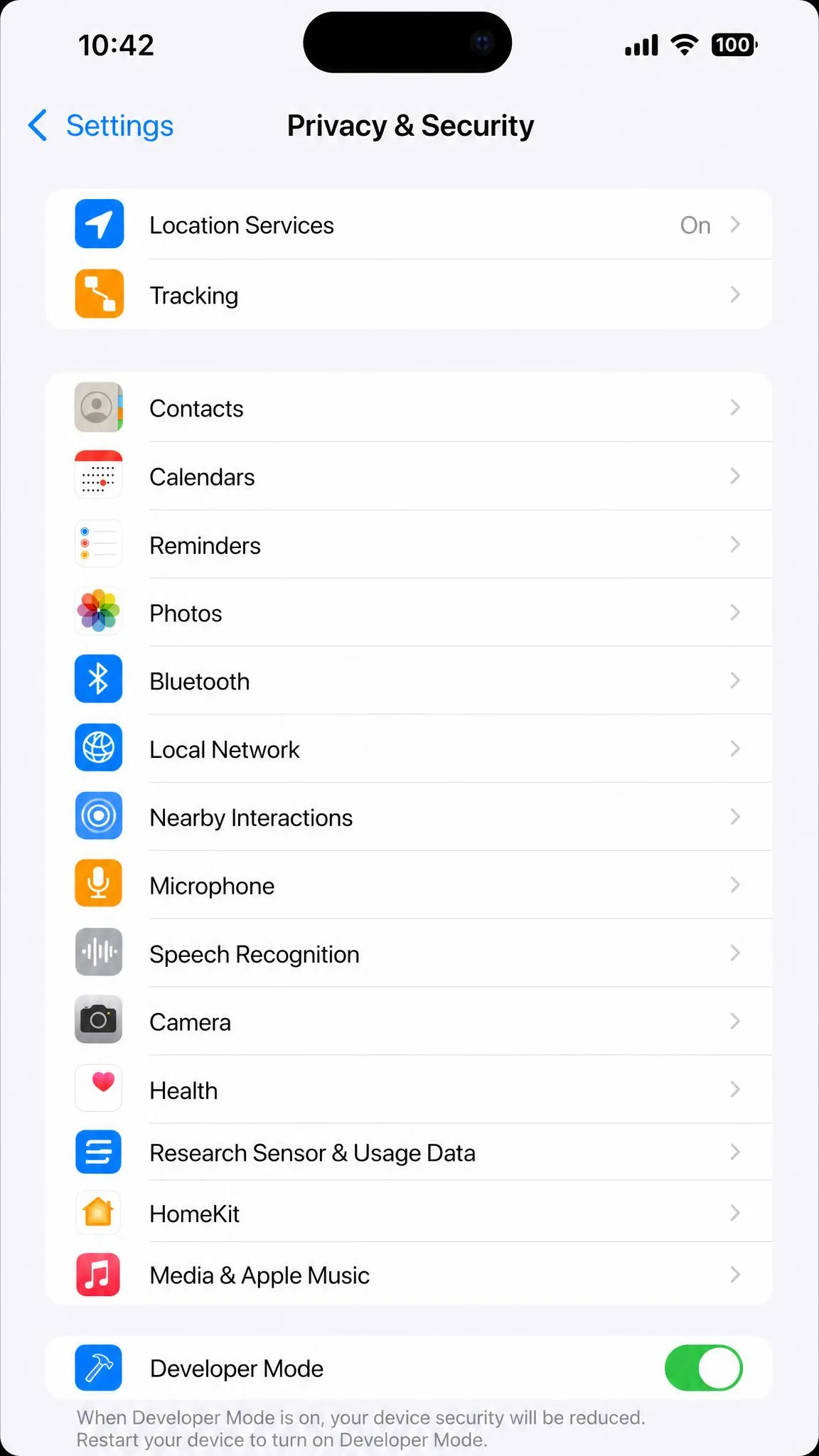
Neither tool needs a jailbreak. PoKeep uses iOS Developer Mode on the phone, and it publishes a hard version range: iOS 5 through iOS 26. iMoveGo advertises support for current iOS releases including iOS 26, though support for the newest iOS release tends to lag behind Apple's rollout, so the top-end version claim moves with each build.
There is a constraint both share. iOS spoofing is tethered, and the phone has to reach a computer at least once over USB before any Wi-Fi handover works. If you want a spoofer that runs entirely on the handset, neither of these is it.
Android Support, USB Debugging and Root
No root is required on either side. PoKeep works through Android mock location and supports Android 6.0 and up, which is a wide net. iMoveGo needs a helper app installed on the phone, and that requirement varies by Android version and connection mode, so some setups skip it.
One Android detail is easy to miss and will ruin a session if you do. PoKeep needs its mock-location app exempted from battery saver and locked against memory cleaning, or spoofing drops partway through.
Before your first Android session, pin the location app in the recent-apps list and add it to your phone's battery optimisation exceptions. It takes thirty seconds and prevents the most common mid-session failure.
Multi-Device and Bluetooth/Wi-Fi Connection
Both licences cover up to 10 devices, though iMoveGo splits that across tiers, with 5 devices on VIP and 10 devices on SVIP. PoKeep's single licence covers up to 10 iOS and Android devices without a tier split, and it adds Bluetooth pairing through its iOS Game Mode, which iMoveGo does not offer.
The desktop requirement is worth checking before you buy. PoKeep needs Windows 10 or later, or macOS 11 or later, so an older Mac may be out.
Safety Features: Cooldown Timers, Realistic Mode and Ban Risk
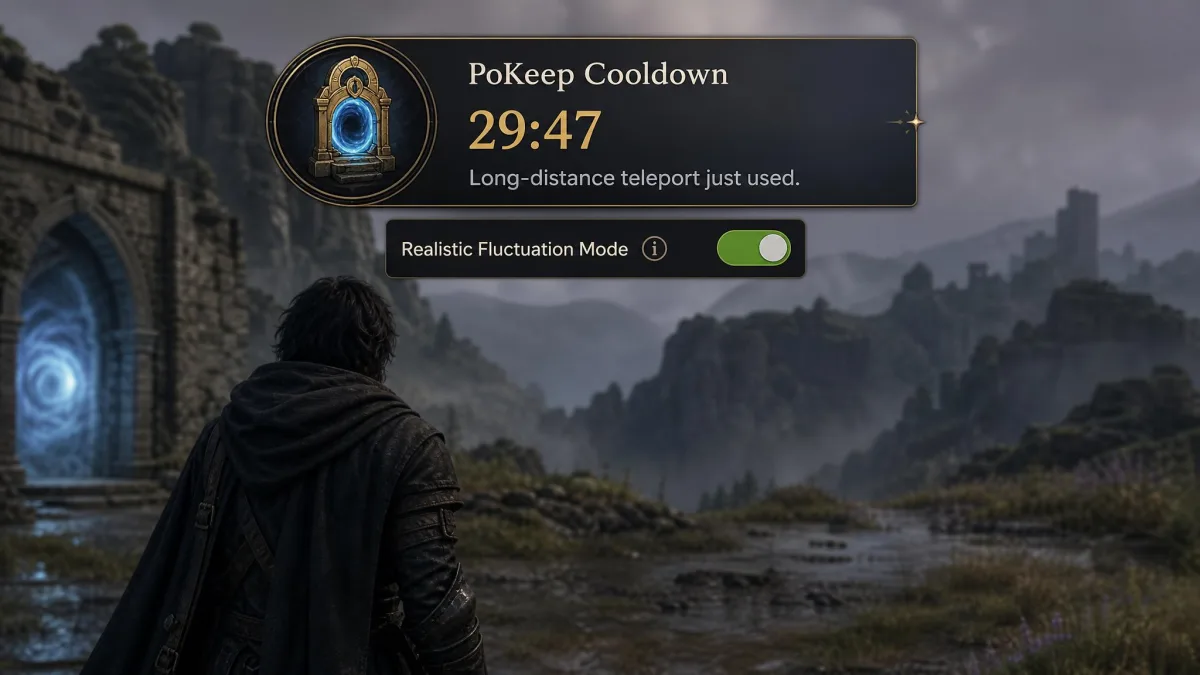
Both apps include a cooldown timer, the countdown that tells you how long to wait before the game will accept your new position without flagging the jump. PoKeep also adds a realistic fluctuation mode that jitters your reported position slightly, the way a real GPS fix drifts.
No credible published figure exists for how often either tool leads to an account action, and anyone quoting one is guessing. What we can say is that the joystick, route simulation and cooldown timer together make a session look far more plausible than raw teleporting does.
A soft ban is the usual outcome of a jump the game considers impossible, and it is temporary: rare spawns stop appearing and catches fail for a set period. Waiting out the cooldown timer before you interact with anything is the single most effective habit for avoiding one.
Extra Features: GPX Import/Export, Favorites, History and Route Collection
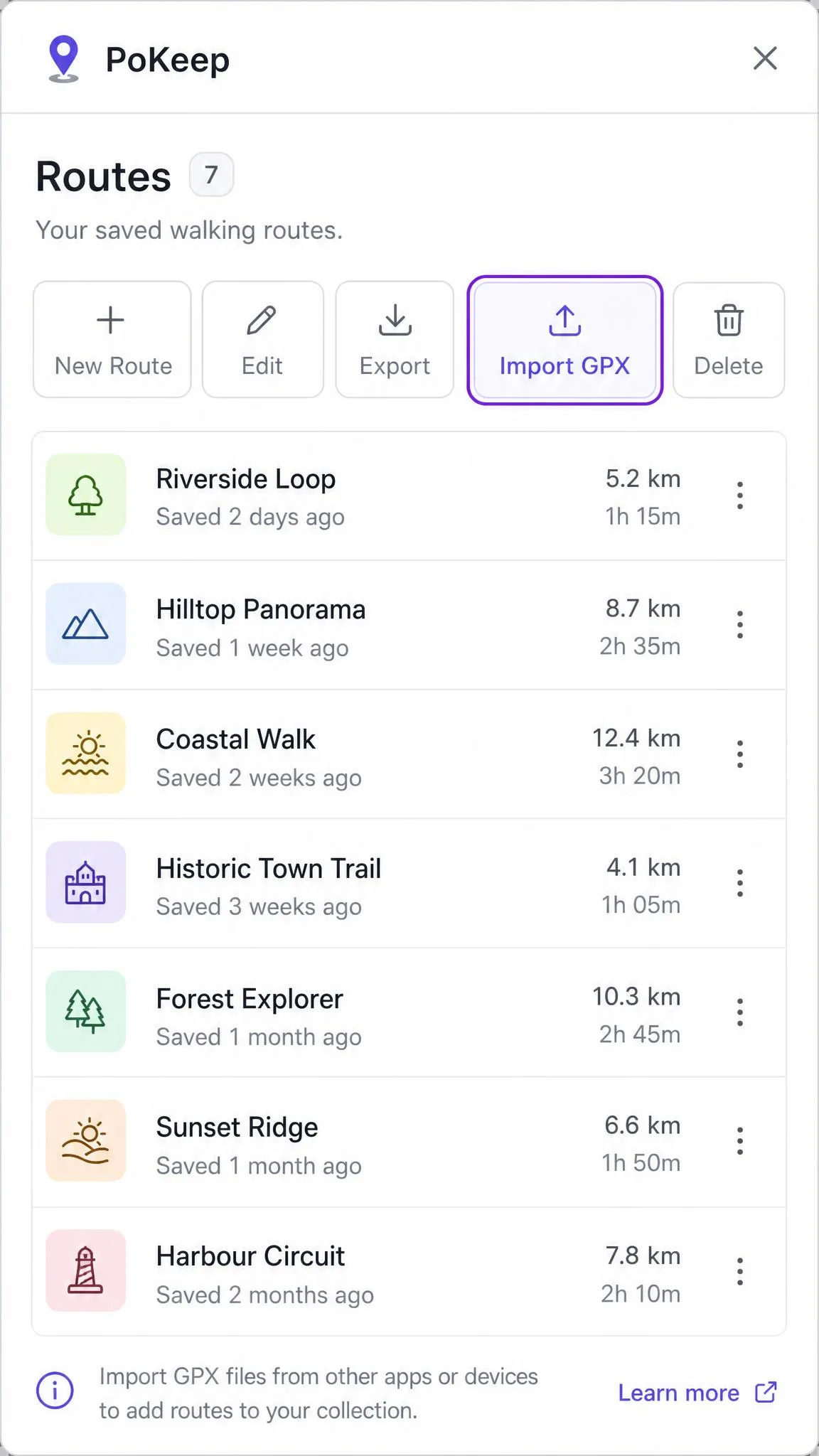
Both import and export GPX files, so a route drawn in one app, or downloaded from a community route pack, loads into the other. Both keep history records and saved favourites.
PoKeep's route collection is the more organised of the two, grouping saved routes rather than leaving them in a flat list. iMoveGo's saved routes work, but finding an old one takes longer.
Ease of Use: Setup and Interface
This is the clearest split between the two products, and the first connection is where you feel it.
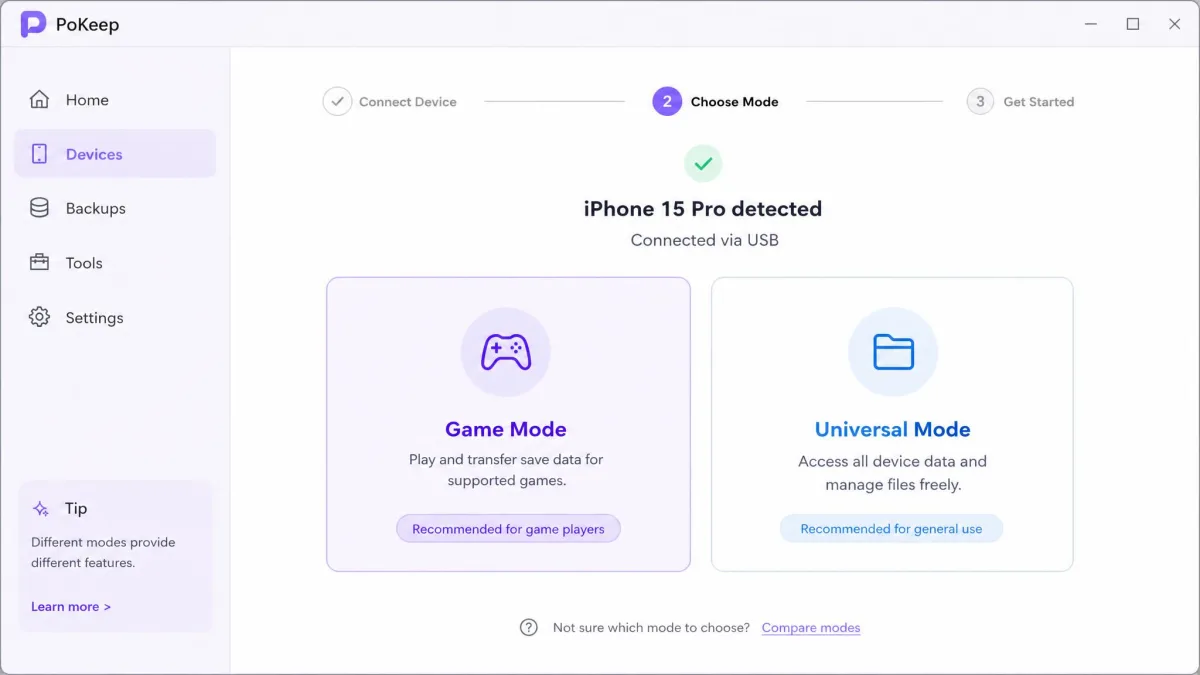
Getting PoKeep talking to an iPhone for the first time is a sequence rather than a single click. We plugged the handset in, opened Settings and switched on Developer Mode so Universal Mode would accept the device, then handed the phone back to the desktop app and waited while it did its work. The pairing took around ten minutes from cable to first map pin, which is long enough to make you wonder whether something has stalled. Once it completed, the session ran without any further intervention on our part, and the map responded normally for the rest of the sitting. The friction is entirely front-loaded, and it is the part of PoKeep most likely to trip a first-timer up.
iMoveGo front-loads friction too, but it spreads it across more prompts. The desktop app asks you to choose between a USB cable and Wi-Fi pairing, then to trust the computer on the handset, then to unlock the screen, then on Android to accept its assistant app, and only after all of that does a map appear. On an older handset the cost carries past setup. Switching from one location to another lags noticeably, so a teleport you have already confirmed on the desktop takes a beat to show up on the phone. The interface is not obvious to beginners either, the map controls take a session or two to get comfortable with, and the advanced controls carry a genuine learning curve.
One more difference matters before you commit money. iMoveGo's customer support can be slow and inconsistent to respond, which stings when a spoofer breaks after an OS update.
How to Change Your Location With iMoveGo (Step by Step)
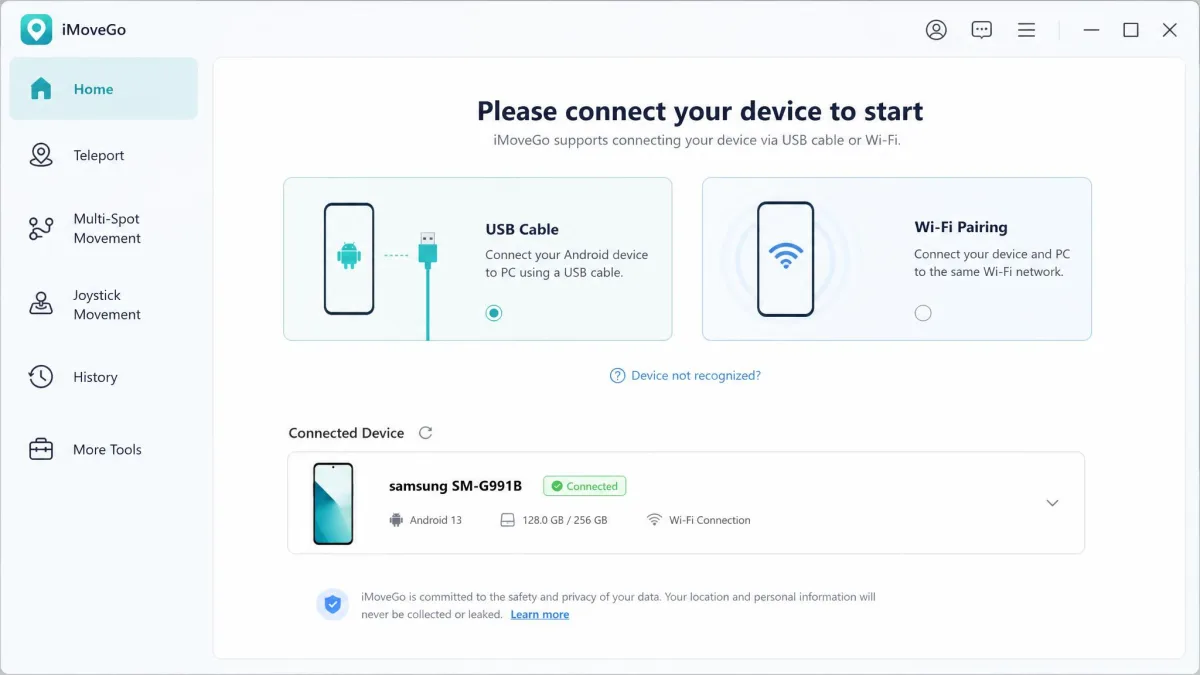
The official desktop flow runs to six steps. iMoveGo's official setup guide covers each in more detail.
- Install the iMoveGo desktop software on your Windows PC or Mac.
- Connect your phone by USB cable, or pick the Wi-Fi option to pair over the same network.
- Trust the computer when the phone prompts you, then unlock the screen.
- On Android, install the assistant app when the desktop app asks for it.
- Choose your mode from teleport, two-spot, multi-spot or joystick.
- Drop a pin or push the joystick, and the phone reports the new location.
If a teleport more than 20km away refuses to register, that is the DNS behaviour, not a broken licence. Work through the vendor's connection troubleshooting before you request a refund.
How to Change Your Location With PoKeep (Step by Step)
PoKeep documents both its iOS and Android flows as three steps, and PoKeep's user guide spells out the per-platform details.
- Install PoKeep on a Windows 10 or macOS 11 computer and connect your phone.
- Enable the required mode on the phone, which means Developer Mode for iOS Universal Mode, Bluetooth pairing for iOS Game Mode, or mock location on Android.
- Pick a spot on the map and teleport, or switch to joystick or route mode and start moving.
For long jumps, remember the 20km rule and turn Location Services, cellular and Wi-Fi off for at least ten seconds before the position changes. On Android, uninstall the store version of any location game you plan to spoof first.
Pricing: Free Trials, Subscriptions and Lifetime Licenses
Neither tool is free, and both use the same discount-from-list-price pattern.
iMoveGo splits its plans into VIP and SVIP tiers. VIP costs $14.99 for one month (list $19.99), $29.99 for a quarter (list $39.99), or $89.99 for a lifetime licence (list $119.99), and covers 5 devices on the PC version. SVIP runs $19.99 monthly (list $29.99) or $119.99 lifetime (list $149.99) and raises the ceiling to 10 devices.
PoKeep is simpler. A one-month licence is $12.95 (list $18.50) and covers 1 PC and 10 phones. The lifetime licence is $89.95 (list $149.95). Its quarterly plan is listed at $29.95 and the annual at $69.95, but those mid-tier figures shift with the promotion running at checkout, so check the total before you confirm.
Both vendors offer a 30-day money-back guarantee, which is the real safety net here given that neither free trial is generous. PoKeep's trial allows 25 separate trial uses, 5 per function, so you can genuinely test the joystick, teleport and route modes before paying. iMoveGo's free tier is tight enough that it only proves the app works, giving you a handful of teleports and a short joystick window. Trial allowances differ between the desktop builds and change with promotions, so treat any exact cap as provisional.
Pros and Cons of Each Tool
Pros
- PoKeep: three-step setup, Bluetooth Game Mode, Life360 support, 10 devices on one licence
- PoKeep: realistic fluctuation mode, a saved route collection, and a trial generous enough to judge the tool by
- iMoveGo: speed control from 3.6km/h to 120km/h, the finest-grained pacing of the two
- iMoveGo: unlimited waypoints in multi-spot mode and both USB and Wi-Fi connection
Cons
- PoKeep: initial pairing can take around ten minutes, and Android needs battery-saver exemptions
- PoKeep: requires uninstalling the store build of a game before spoofing it
- iMoveGo: more connection prompts to clear, a learning curve on advanced controls, and location switching that lags on older phones
- iMoveGo: can install a modified Pokémon GO build on Android, and support is slow to respond
Alternatives Worth Considering
If neither tool fits, our roundup of the best GPS spoofing apps ranks several close substitutes. Our MockGo vs PoKeep comparison covers a cheaper desktop option with a similar mode set, and MocPOGO vs PoKeep looks at the tool most often recommended to players who want a lighter setup. If you have narrowed the decision to WooTechy already, iMoveGo vs FonesGo Location Changer puts it against its nearest rival on price.
The underlying technique is the same in every case. These tools perform GPS spoofing, feeding your phone a coordinate that overrides what GPS positioning would otherwise report.
Which Should You Choose?
Sort yourself into one of three buyers and the decision makes itself. If you are a Pokémon GO or Monster Hunter Now player who wants to be moving on the map tonight, PoKeep is your tool, and the ten minutes of pairing is the only tax you pay. If you are buying for family-tracking reasons rather than gaming, PoKeep again, because Life360 sits on its support list and not on iMoveGo's. And if you are the sort of user who cares about simulating one specific cadence, an exact jogging pace or a believable cycling speed on a repeated route, iMoveGo is the only one of the pair that lets you dial it in.
Money is not the tiebreaker. The lifetime prices land within a few cents of each other, so buy on which workflow you will tolerate rather than on the sticker.