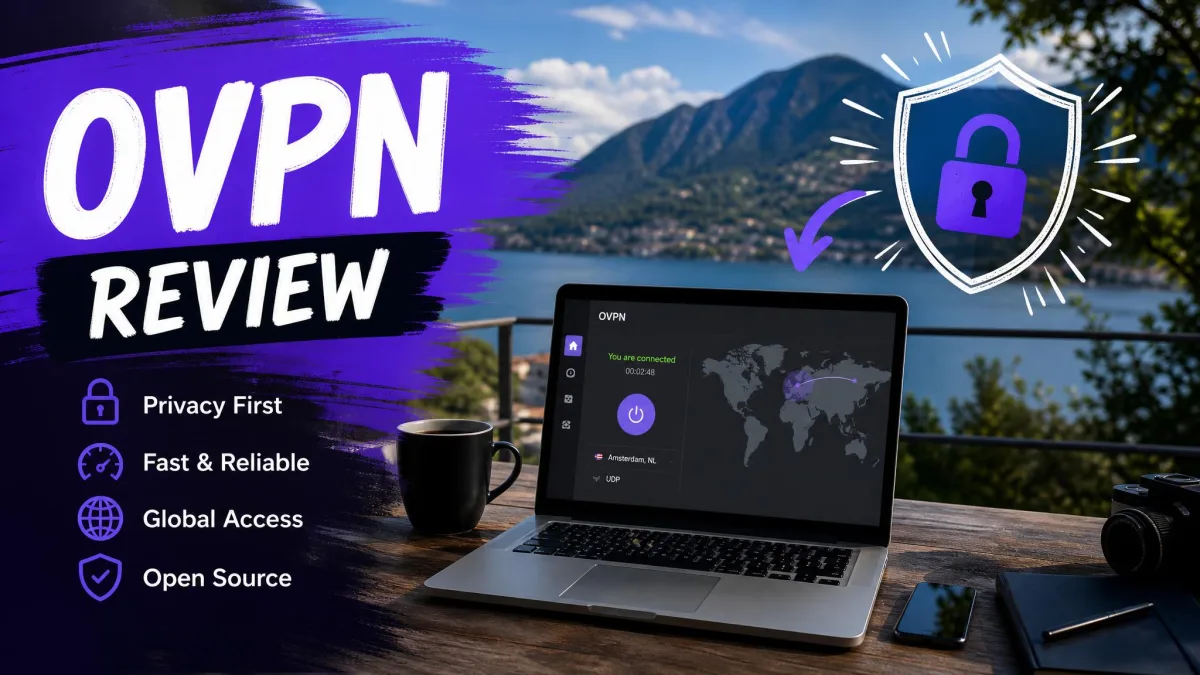
OVPN is a small, privacy-first VPN service run out of Stockholm that owns its own hardware and runs every server diskless, meaning the machines hold nothing on a hard drive and keep data only in RAM. That single design choice is the pitch: a provider built around not being able to keep logs, rather than one that simply promises not to. In this review we put OVPN through the same bench we run every VPN through, testing real-world speed on WireGuard and OpenVPN, running leak checks, trying to unblock Netflix and other streaming services, and reading the fine print on pricing and the no-logs policy.
We spent our testing time connecting from a high-bandwidth line, hopping between nearby and far-flung servers, and checking whether the apps behave the same across Windows, macOS, Linux, and mobile. We also looked hard at the parts that don't show up in a speed chart: how the company is owned, how support responds, and whether the money-back guarantee is as clean as it sounds. The result is a service with real strengths and a few caveats you should know before you pay.
Quick Verdict & Rating
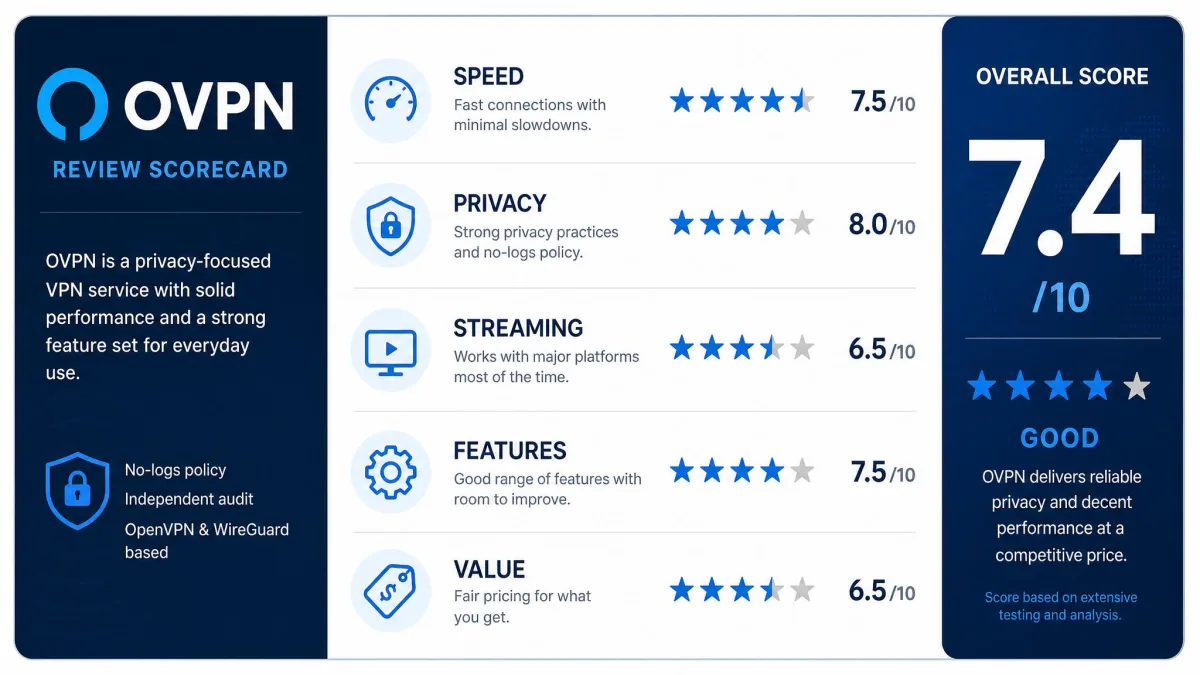
OVPN earns a solid recommendation for the privacy-minded, with a couple of honest reservations. The clean apps and the fast WireGuard speeds are the reasons to look at it. The small network, the above-average price, and a support reputation that lags behind its engineering are the reasons to pause.
If your priority is a no-logs VPN with a genuinely privacy-focused architecture, and you mostly connect to servers near you, OVPN is easy to like. If you want the biggest network, the lowest price, or same-day support, you can do better elsewhere. We rate it 7.4 out of 10.
Think of it as a specialist rather than an all-rounder. OVPN doesn't try to be the cheapest or the largest VPN on the market, and it isn't. What it does try to be is a service you can trust with your traffic, and on that measure it largely delivers.
OVPN is based in Stockholm, but its parent company, Pango, is US-based following a 2023 acquisition. That ownership detail matters for anyone choosing a VPN on jurisdiction alone, and we cover it in full in the privacy section below.
OVPN Pros and Cons
Before the section-by-section detail, here's the shape of what we found across testing. The strengths cluster around privacy engineering and speed on nearby servers. The weaknesses cluster around scale, price, and the human side of the service.
Pros
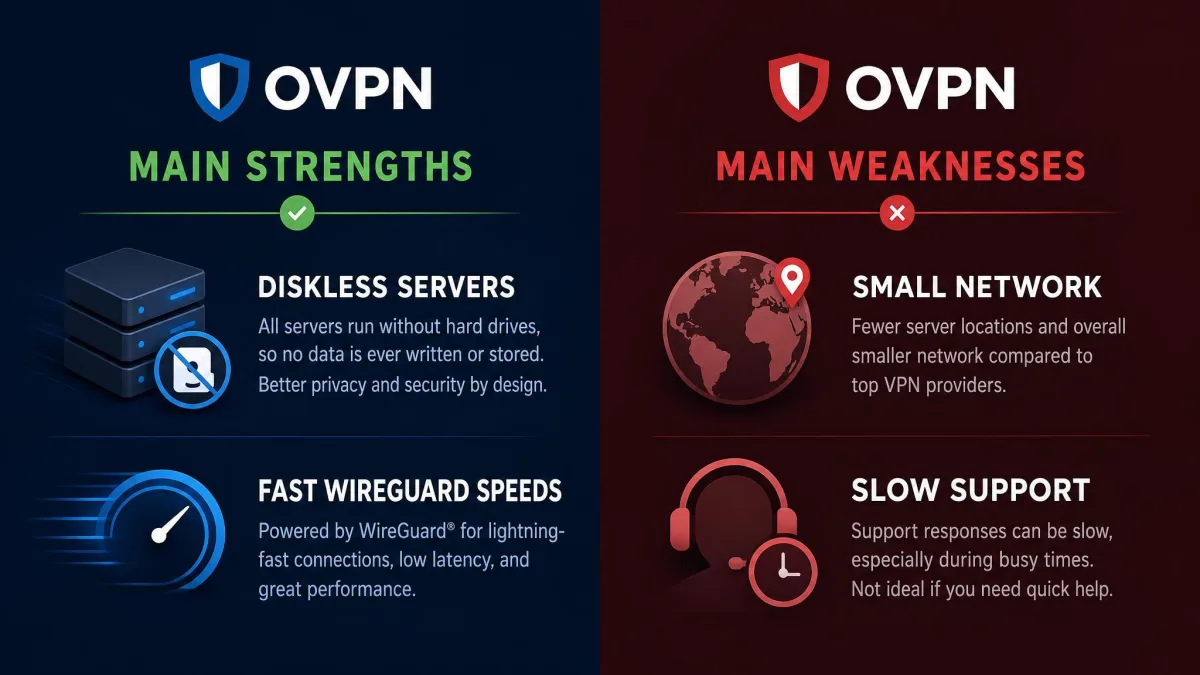
- Diskless, RAM-only servers the company owns, backing a genuine no-logs policy
- Fast WireGuard speeds on nearby servers, close to baseline in our tests
- Clean, simple apps that are easy to set up on desktop and Linux
- No IP, DNS, or WebRTC leaks in our checks
- Torrenting and P2P allowed on every server, with port forwarding
- Anonymous signup and Bitcoin payment options
Cons
- Small server network compared with mainstream rivals
- Prices run above average, especially on the monthly plan
- Kill switch is missing on mobile; split tunneling is Windows-only
- Support can be slow, sometimes taking days to reply
- Long-haul servers lose a large chunk of speed
Pricing and Plans (and Money-Back Guarantee)
OVPN charges $12 per month if you pay monthly, which is above average for the category. The longer commitments bring that down sharply. The 12-month plan works out to $4.99 per month, a 71% discount, and the 36-month plan drops to $4.22 per month, a 75% discount. As with most VPNs, the headline value is in the multi-year plan, and the monthly rate is priced to nudge you toward committing.
Your plan also decides how many devices you can connect at once. You get four simultaneous connections on the monthly plan, five on the annual, and seven on the three-year. That's a reasonable range, though rivals often give you five or more regardless of billing cycle. There's an optional Public IPv4 static IP add-on for anyone who needs a dedicated address, along with port forwarding. The static IP add-on costs $4 per month on top of your plan.
OVPN doesn't advertise a free trial, so the money-back guarantee is your safety net if you want to try it risk-free. OVPN's pricing page states a 10-day window, though other listings cite 30 days, so treat the exact length as uncertain and confirm it at checkout before you rely on it. If a refund is important to you, screenshot the terms shown on your order page.
Always check the refund window on the actual checkout page for your country and plan, not on a third-party review. VPN refund terms change quietly, and the number you see at purchase is the one that counts.

Features
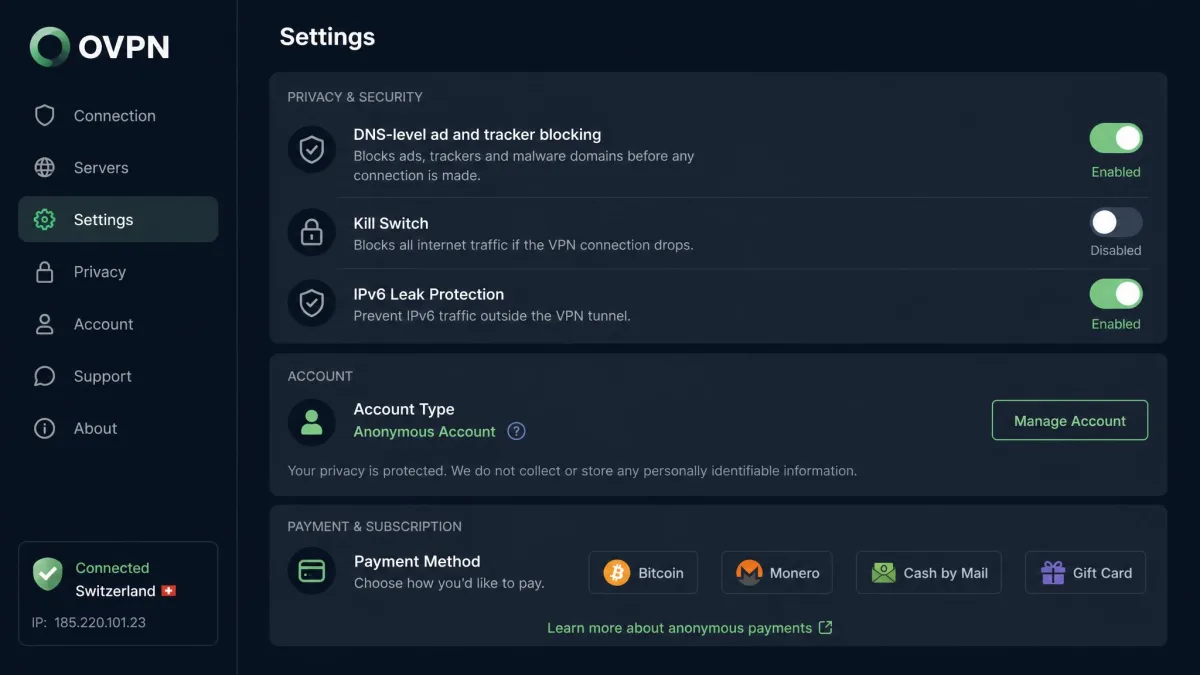
OVPN covers the core VPN feature set and a few privacy extras, though a couple of the headline features are limited to specific platforms. You get both WireGuard and OpenVPN, a kill switch on desktop, split tunneling on Windows, multi-hop connections, DNS-level ad and tracker blocking, port forwarding, and the diskless server architecture that underpins the whole service. Anonymous signup and Bitcoin payments round out the privacy-focused extras.
The feature list is solid on paper, but the platform gaps are worth knowing up front, so we've broken out the ones that matter most below.
Kill Switch
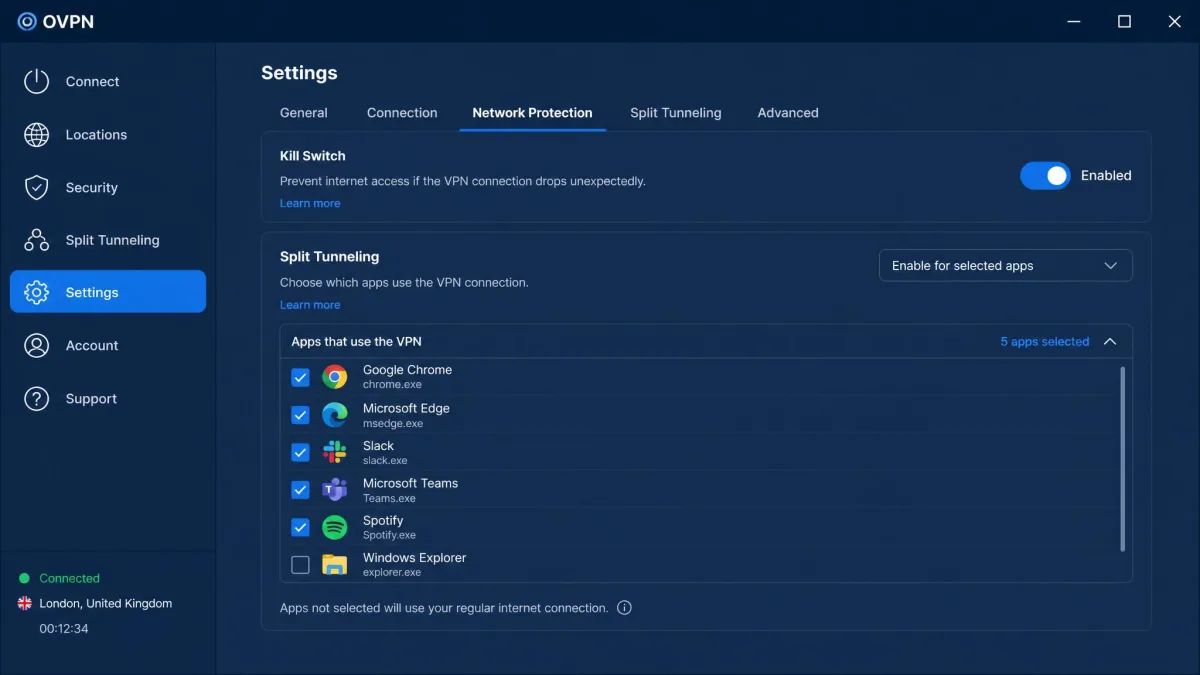
The kill switch does what it should on desktop, cutting your internet if the VPN connection drops so your real IP address never leaks during a reconnect. In our testing the desktop apps held the connection cleanly, and traffic stopped the moment we forced a disconnect.
The catch is mobile. The kill switch is missing on the mobile apps, which is a real gap if you rely on your phone for private browsing on the move. If a mobile kill switch is non-negotiable for you, that's a reason to look elsewhere or stick to OVPN on desktop only.
We'd still rate the desktop kill switch as reliable, and for laptop and PC users it does the job without fuss. It's the mobile omission that keeps this from being a clean win, since phones are exactly where you're most likely to hop between untrusted networks. If you spend most of your VPN time on a phone, weigh this gap heavily. A dropped connection on cellular or public Wi-Fi is precisely the moment a kill switch earns its keep.
Split Tunneling
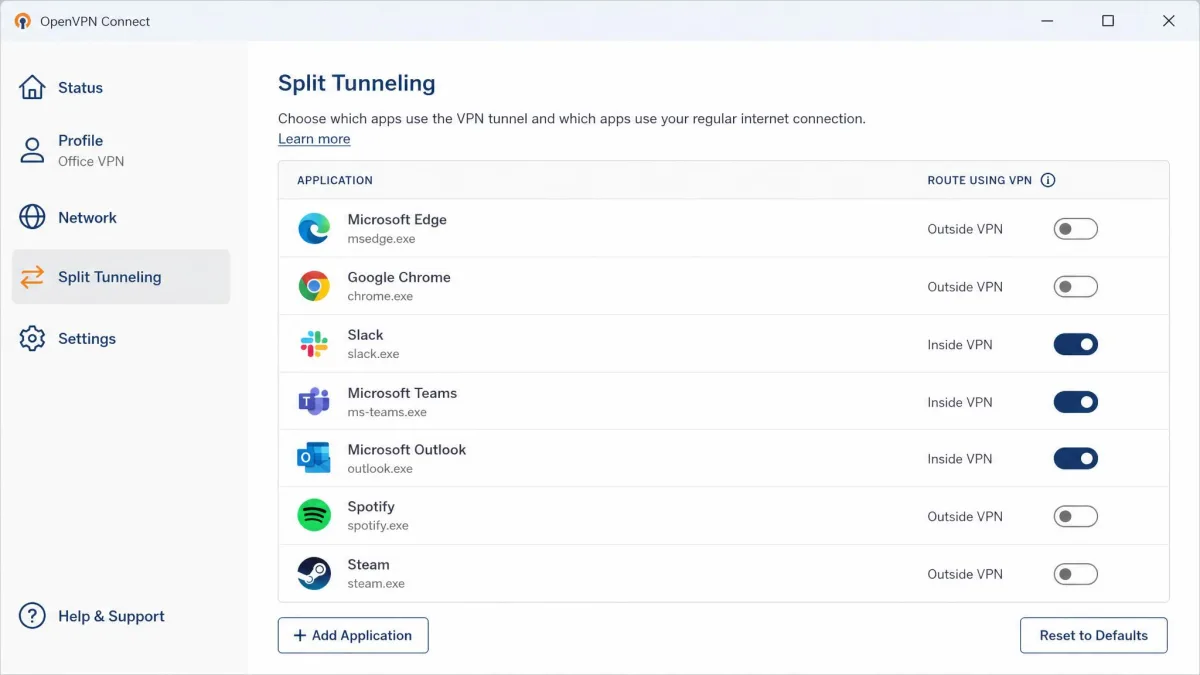
Split tunneling lets you route some apps through the VPN while others use your normal connection, which is handy when you want your bank app on your local network but your browser on the VPN. OVPN supports it, but only on Windows.
macOS, Linux, and mobile users don't get split tunneling at all. It's a common limitation across smaller VPNs, but it's still a limitation, and it's worth checking against your own setup before you subscribe. If you run a mixed household of Macs and phones, plan around routing everything through the tunnel rather than picking and choosing per app.
Static IP and Multi-hop Add-ons
Multi-hop, which routes your traffic through two servers for an extra layer of privacy, is included rather than sold as an add-on, which is a nice touch at this price. Plenty of rivals reserve multi-hop for a higher tier or a separate charge, so getting it in the base subscription is a genuine value point for anyone whose threat model calls for a second hop. If you want a dedicated address that doesn't change, the Public IPv4 static IP option is available as an add-on.
The Public IPv4 static IP add-on costs $4 per month on top of your subscription, so factor that into your budget if a dedicated address is something you need. A static IP is useful if you run a home server, need to whitelist an address for remote access, or want to avoid the repeated captchas that shared VPN IPs tend to trigger.
Ad Blocking and Extras
OVPN blocks ads and trackers at the DNS level, so known ad and tracker domains simply don't resolve while you're connected. It's not a full content blocker and it won't replace a dedicated blocker in your browser, but it trims a meaningful amount of junk with zero setup.
The extras that matter most for privacy are the quieter ones: anonymous signup, Bitcoin payment support, and port forwarding for anyone who needs it for torrenting or self-hosting. Together they signal a service built for people who actually care about staying anonymous, not just about hiding an IP.
Speed and Performance
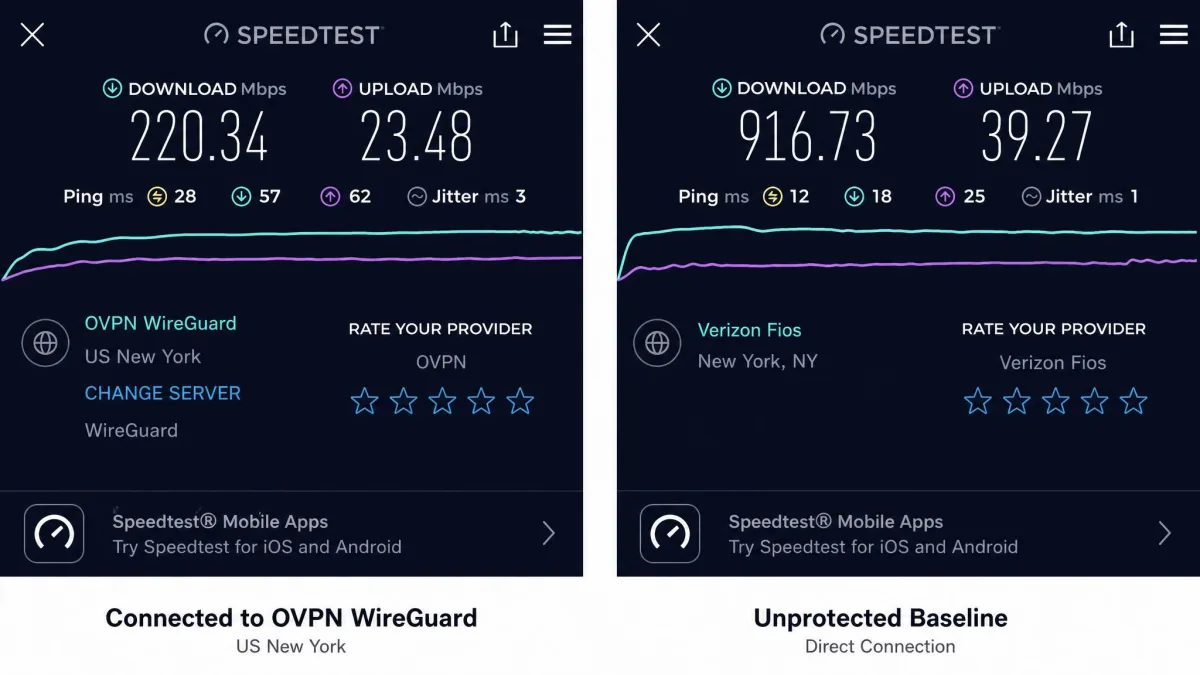
Speed is where OVPN pleasantly surprised us, at least on servers near our test location. On WireGuard over a high-bandwidth line, connections reached roughly 220 Mbps on average, and US servers dropped only about 5% from our baseline. For everyday browsing, HD and 4K streaming, and large downloads, that's plenty of headroom, and you're unlikely to notice the VPN is on.
The picture changes over distance. Long-haul connections took a real hit, and a far server like Singapore lost close to half of our baseline speed. That's not unusual for a smaller network with fewer far-flung locations. But if you routinely connect to servers on the other side of the world, expect the slowdown to be noticeable.
What that means in daily use is simple. Pick a nearby server and OVPN feels like it isn't there, which is the highest compliment you can pay a VPN. Reach for a distant one and you'll feel the drag on downloads and large transfers, though everyday browsing stays comfortable even then. For a network this size, the near-server performance is genuinely impressive, and it's the speed most people will actually experience day to day.
It helps to understand why the near-and-far gap is so pronounced here. A bigger provider spreads its servers across dozens of cities, so there's usually a fast one within a short hop of wherever you are. OVPN's smaller footprint means that when you need a specific distant country, you may be routed a long way to reach it, and the extra distance shows up as latency and reduced throughput. If your work depends on a low-latency connection to a far region, test that exact route during the money-back window before you settle in.
Speed Test Results (WireGuard vs OpenVPN)
We measure with a standard Ookla speed test run before and after connecting, testing each protocol on nearby and distant servers. WireGuard was consistently the faster of the two, which is what we expect from a modern protocol, and it's the one we'd leave on by default.
OpenVPN remains available for anyone who needs its compatibility or trusts its longer track record, and it's a sensible fallback on networks that throttle or block WireGuard. If raw speed is your priority, though, WireGuard is the clear choice on OVPN. The gap is most obvious on the nearby servers where headroom is highest. On slower home lines the difference between the two protocols narrows, since your own connection becomes the bottleneck long before the VPN does, so the protocol choice matters most when you have real bandwidth to spend.
Security and Encryption
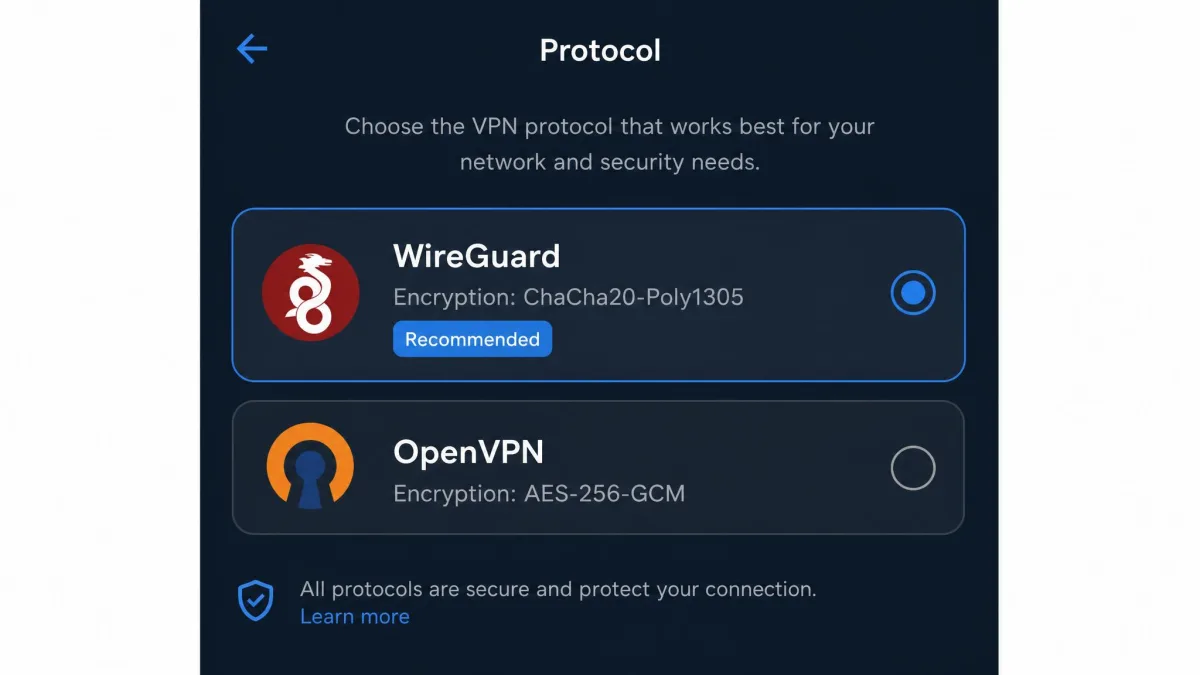
OVPN uses strong, current encryption on both of its protocols. OpenVPN connections are secured with AES-256-GCM, the same cipher standard used across the security industry, while WireGuard uses ChaCha20-Poly1305. Both are well regarded, and both support perfect forward secrecy, which means a compromise of one session key can't be used to unlock past or future sessions.
The encryption story is one of OVPN's genuine strengths, and it's paired with the diskless server design that we keep coming back to. Good ciphers protect your data in transit. RAM-only servers reduce what could ever be stored about you at the other end.
Protocols and Leak Tests
OVPN runs on two protocols: WireGuard, the faster and more modern option, and OpenVPN, the older, heavily audited standard. Having both means you can trade speed for compatibility when a restrictive network calls for it, without leaving the app.
Leak testing is the part we won't skip, because encryption is worthless if your real identity leaks around the tunnel. Running checks with a leak test tool, we saw no IP, DNS, or WebRTC leaks, and DNS requests routed through OVPN's own servers rather than your ISP's. That's exactly the behavior you want, and it held across the servers we tried.
We ran the leak checks more than once, on both protocols and on several servers, because a single clean result isn't proof of anything. Across every combination we tried, our real IP and DNS stayed hidden, which is the outcome that lets you trust the rest of the service. If OVPN leaked here, none of its other privacy work would count for much.
DNS requests routing through the VPN's own resolver, rather than your internet provider's, is a small but important sign. It means the sites you visit aren't quietly logged by your ISP even while the tunnel is up.
Privacy and No-Logs Policy
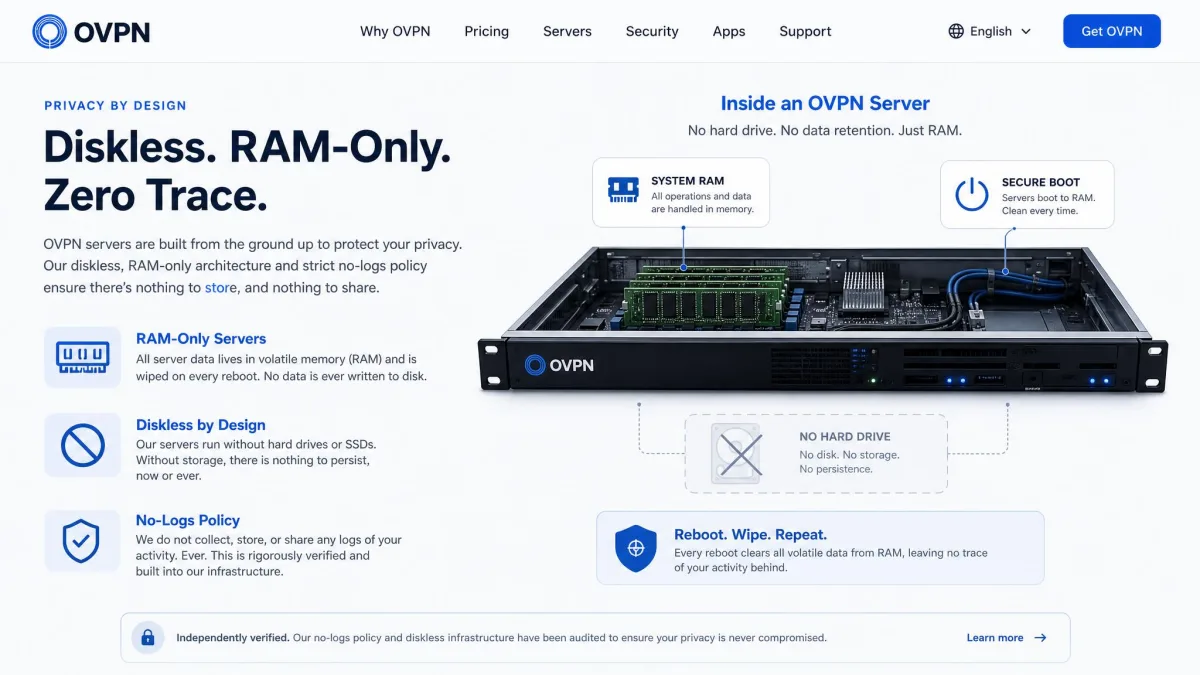
Privacy is OVPN's reason for being, and the architecture backs up the marketing. Every server runs diskless and RAM-only, with no hard drives, so there's no persistent storage to seize or subpoena. The company operates a strict no-logs policy, and the physical design makes that policy far more credible than a promise alone. Anonymous signup and Bitcoin payments let you keep your identity out of the account from the start.
This is the part of the service that most justifies the price. Plenty of VPNs claim no logs. Fewer build their entire server fleet so that keeping logs would be difficult by design.
That distinction is the whole reason to consider paying OVPN's premium. A no-logs promise is only as good as the infrastructure behind it. A company that can't easily store data is more trustworthy than one that simply says it won't. It's the kind of engineering decision you don't notice until it matters. When a machine reboots, whatever sat in memory is gone, so even a server that were seized mid-session would surrender little of use.
Jurisdiction (Sweden) and Transparency Reports
Jurisdiction is where the picture gets more complicated, and it's worth being clear-eyed about. OVPN is administratively based in Stockholm, Sweden, which sits within European data frameworks. Since 2023, though, it has been owned by Pango, a US-based parent company, and reviewers are split on how to label its effective jurisdiction as a result: some call it a Swedish VPN, others a US one.
For most users, the diskless no-logs design matters more than the flag on the letterhead, since there's little to hand over regardless of who asks. But if your threat model is specifically about jurisdiction, factor in the US parent alongside the Swedish base rather than taking the Sweden framing at face value. It's a nuance the marketing understandably plays down.
Server Network and Locations
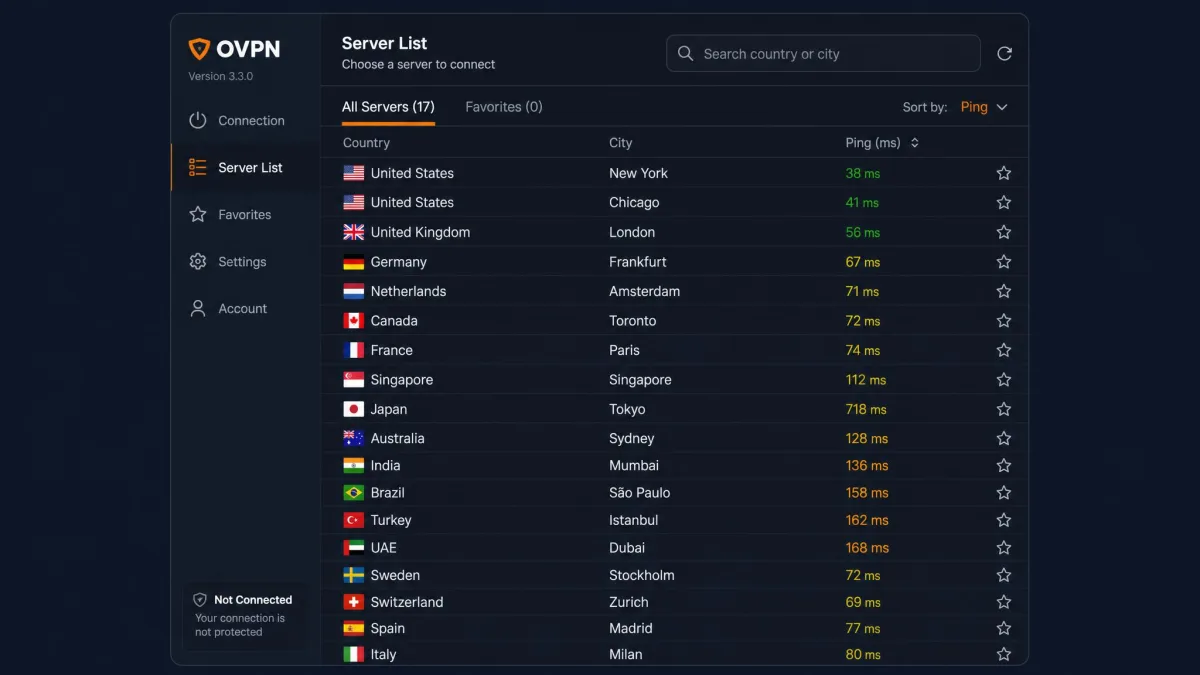
The server network is OVPN's clearest weak spot. It's small, with roughly 90 to 100 servers spread across about 17 to 20 countries, and the exact figures drift between sources because the network is modest enough that a handful of servers moves the count. Compared with mainstream providers running thousands of servers in 60-plus countries, that's a fraction of the footprint.
For many users that won't matter, since what counts is having a fast server where you actually need one. But a small network has real trade-offs: fewer options if a location gets congested, fewer choices for spoofing a specific country, and the long-haul speed drops we saw on distant servers. If broad global coverage is a priority, this is the number to weigh most carefully.
There is one concrete reason the map stays small, and it's a cost trade rather than a credibility question. Owning and racking hardware is far more expensive than renting cloud capacity, so OVPN simply can't buy servers in a hundred countries the way a landlord-model rival can, and you're trading breadth for control. In practice that means a little planning on your part. Before you commit, open the server list and confirm the country you actually need is present, because a small map can miss a specific region entirely. If your usual location gets busy in the evening, there may be only one or two alternatives in that country rather than a dozen, so it's worth noting a backup server you can switch to when a location slows down.
Streaming and Torrenting
OVPN handles the two most common reasons people reach for a VPN, streaming and torrenting, with different degrees of confidence. Streaming works, but results vary. Torrenting is a genuine strength.
Netflix and Other Streaming Services
In our testing, OVPN reliably unblocked Netflix US and UK, Disney+, Hulu, HBO Max, BBC iPlayer, and Amazon Prime, which covers the major services most people care about. A few smaller platforms didn't cooperate: ITVX and TNT Sport failed to unblock for us, so it's not a clean sweep.
It's worth setting expectations here, because streaming results are inconsistent across the wider testing picture: some sessions unblock Netflix US, Germany, and Sweden but can't reach BBC iPlayer or Amazon Prime at all. Streaming access shifts as services tighten their VPN detection, so treat OVPN as a capable streaming VPN for the big platforms rather than a guaranteed key to every library. If a specific service is your make-or-break, use the money-back window to confirm it works for you.
P2P / Torrenting Support
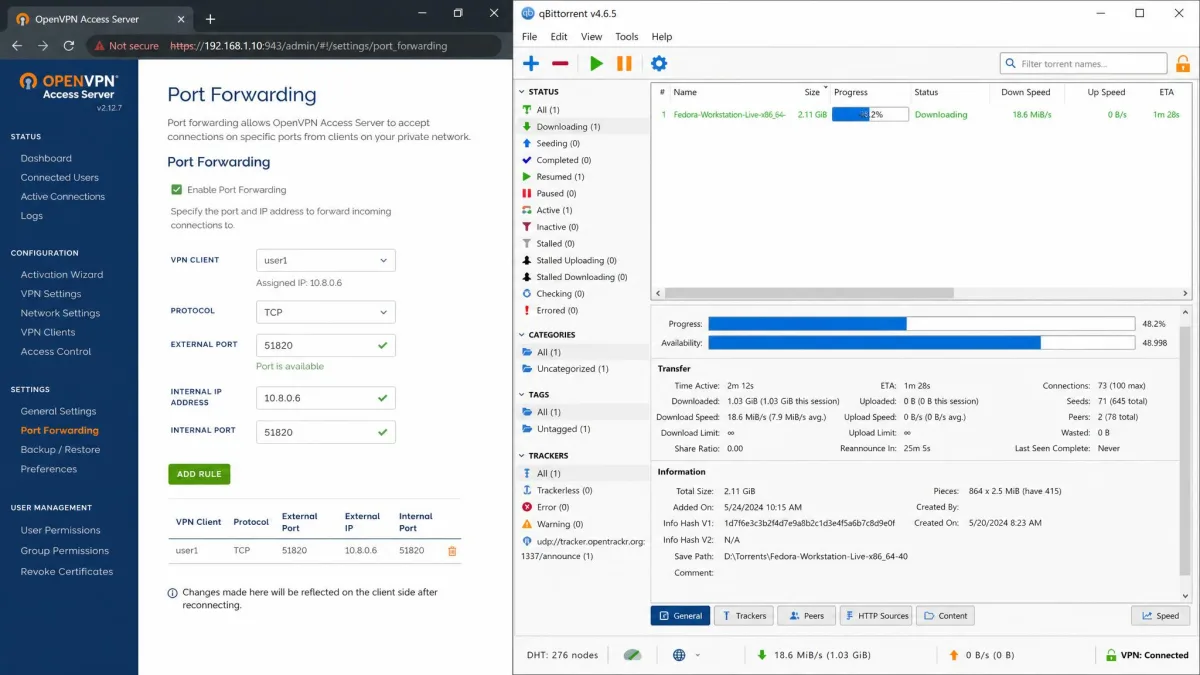
Torrenting is where OVPN is unambiguously good. P2P is allowed on every server, so you're not funneled onto a handful of "torrent-friendly" locations the way some providers force you to be. That alone makes it more flexible than a lot of the competition.
Port forwarding is available too, which can improve torrent connectivity and speeds, and it pairs naturally with the no-logs, diskless design that privacy-conscious torrenters tend to want. If P2P is high on your list, OVPN is one of the stronger picks here.

Apps and Ease of Use
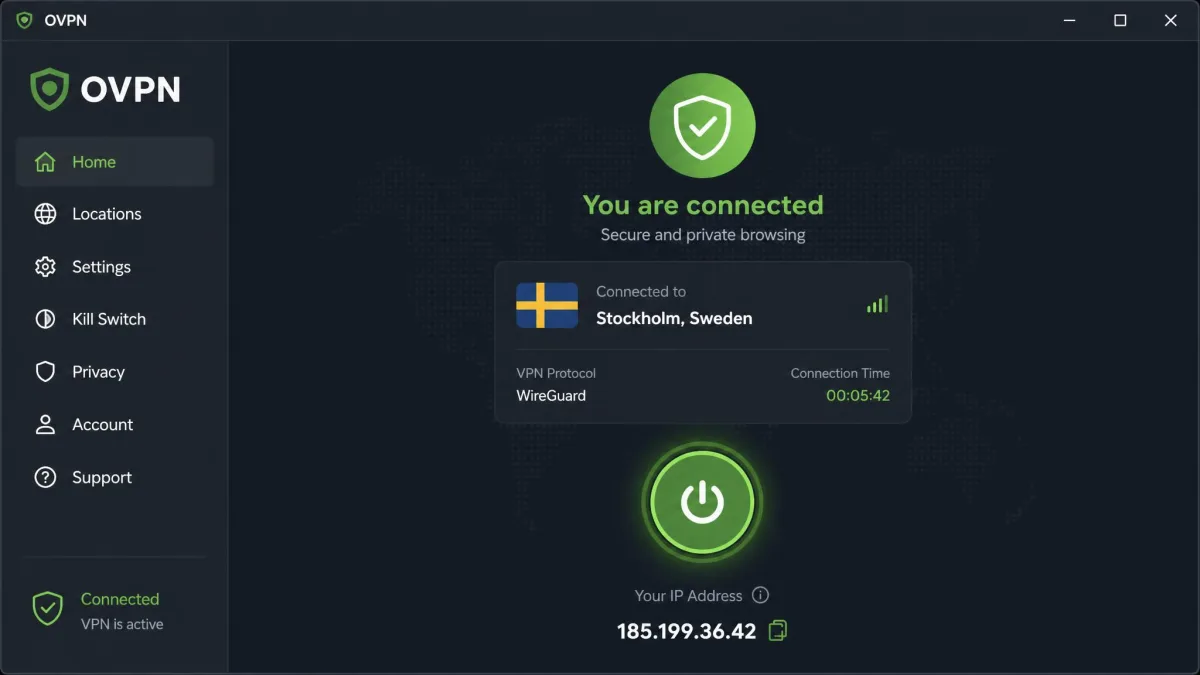
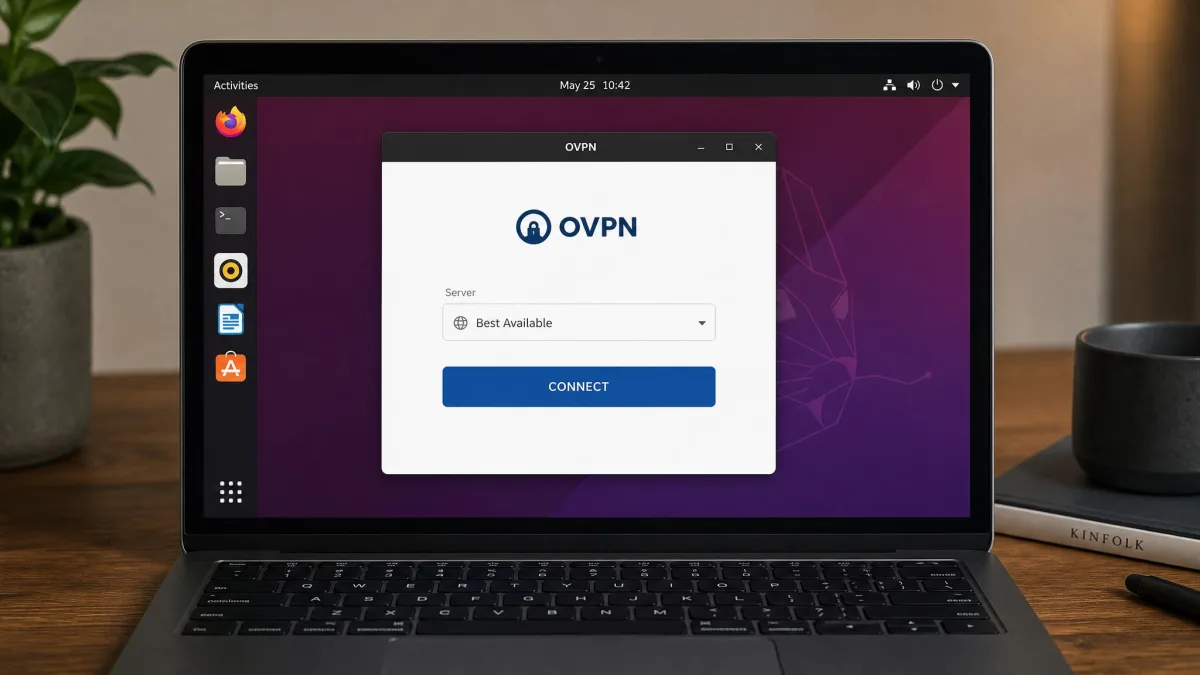
OVPN's apps are refreshingly straightforward. There's no clutter, no upsell wall, and no hunting for the connect button. The desktop and Linux apps in particular have a clean, simple interface, and setup took us only a few minutes from download to connected.
That simplicity is a feature, not a shortcoming, for most people. The trade-off is the platform gaps we've already flagged: some of the more advanced controls only appear on certain operating systems.
Windows, macOS, Linux, Android & iOS
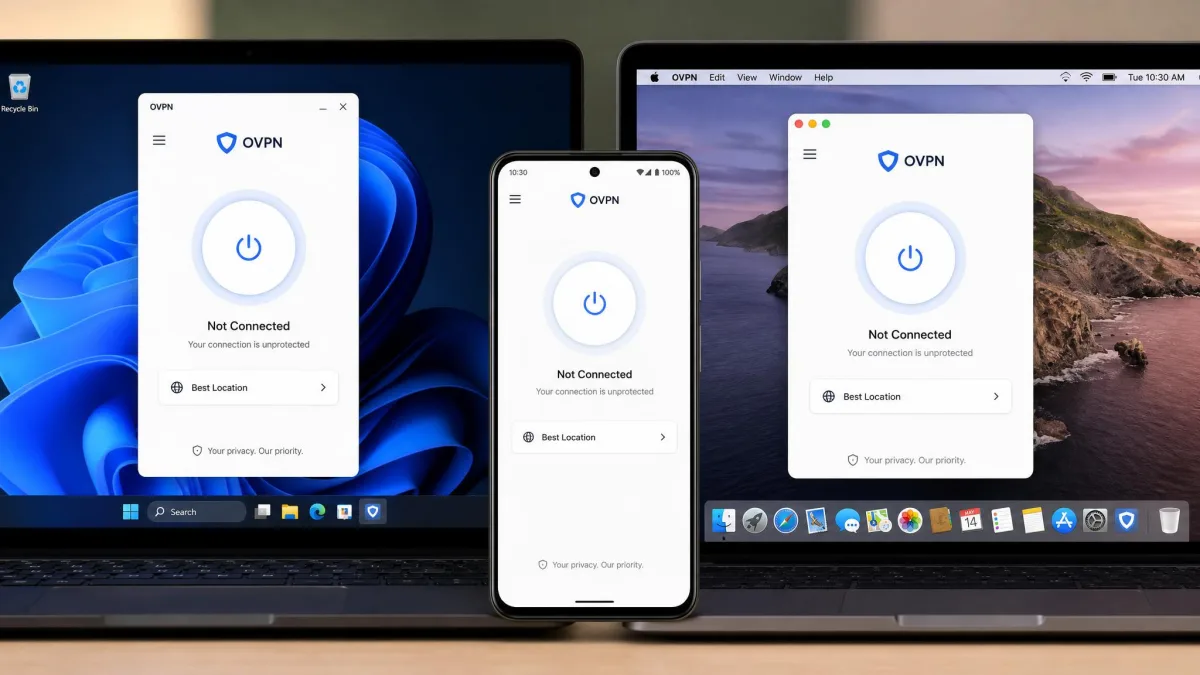
OVPN covers the major platforms with native apps for Windows, macOS, Linux, Android, and iOS, so whatever mix of devices you own, there's an app for it. The desktop and Linux clients are the most complete, and they're the ones we'd point a new user to first.
Mobile is where the compromises live. The kill switch is missing on the mobile apps, and split tunneling is Windows-only, so the phone experience is more basic than the desktop one. It's still perfectly usable for everyday private browsing, but power users will feel the gaps.
Browser Extensions and Setup
OVPN offers browser extensions for Chrome and other browsers if you want quick per-browser control without routing your whole device through the VPN. They're a convenient add-on, though a browser extension only protects traffic inside that browser, not your entire connection, so treat it as a complement to the full app rather than a replacement.
Setup across the board is painless. You download the app for your platform, sign in, and connect, and the automatically selected nearest server is usually a sensible default. Anyone who has wrestled with manual OpenVPN config files will appreciate how little OVPN asks of you.
For newcomers, that low friction is the best thing about the apps. You don't need to understand protocols or ports to get protected. You install, sign in, and you're connected. More advanced users still get the controls they want on desktop, so the simplicity never feels like a cage.
Customer Support
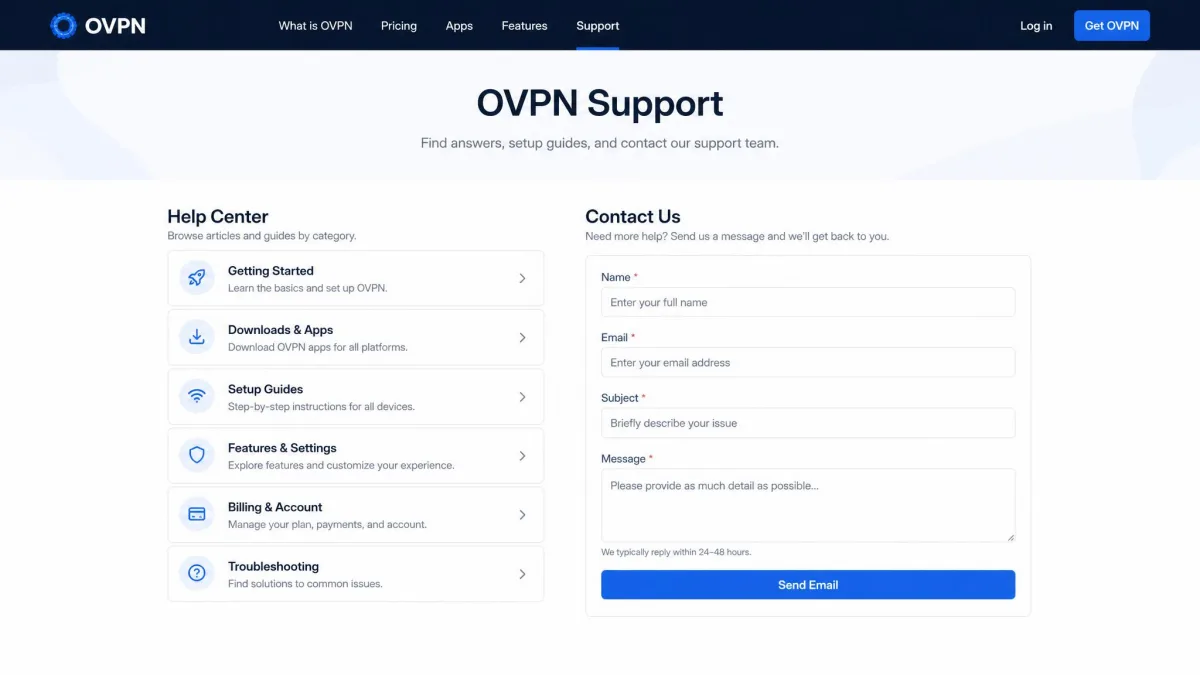
Support is the part of OVPN that hasn't kept pace with its engineering. In practice, replies can be slow, sometimes taking days to arrive, which is frustrating when you're mid-issue and need an answer. For a service that charges above-average prices, we'd expect faster turnaround.
The reputation issues go a little deeper than speed. Recurring accounts describe the VPN stopping mid-subscription, and refund or cancellation requests going nowhere, and support quality is the most common complaint overall. Trustpilot rates OVPN 1.8 out of 5 across 58 reviews, and while a Trustpilot score always skews toward people with a problem, the pattern is consistent enough to note.
It's worth understanding what those complaints actually describe, because the shape of them matters as much as the number. The most damaging ones cluster around billing and cancellation: subscribers who say the service stopped working partway through a paid term, and others who report struggling to cancel a renewal or claw back a refund. Slow replies turn an ordinary billing hiccup into a drawn-out ordeal, and that is where the low score comes from. Against that, the engineering complaints are rare, which tells you the product itself works. It's the human layer around it that lets people down. For a technically sound VPN, that is an avoidable weakness, and it's the single thing we'd most want to see the company fix.
If a fast, responsive support desk is essential for you, this is OVPN's weakest area. Keep records of your purchase and cancellation requests, and don't leave a refund request until the last day of the guarantee window.
None of this undoes OVPN's technical strengths, but it does temper the recommendation. A VPN is a subscription you live with, and the quality of support is part of the product, not a footnote. We'd love to see OVPN put the same care into its support desk that it clearly puts into its servers. Until it does, budget a little patience if you expect to lean on support often, and lean on the community and documentation for quick answers where you can. Setting up a renewal reminder a few days before your billing date is a sensible precaution, since it gives you room to cancel on your own terms rather than racing a slow support queue.
Alternatives to OVPN
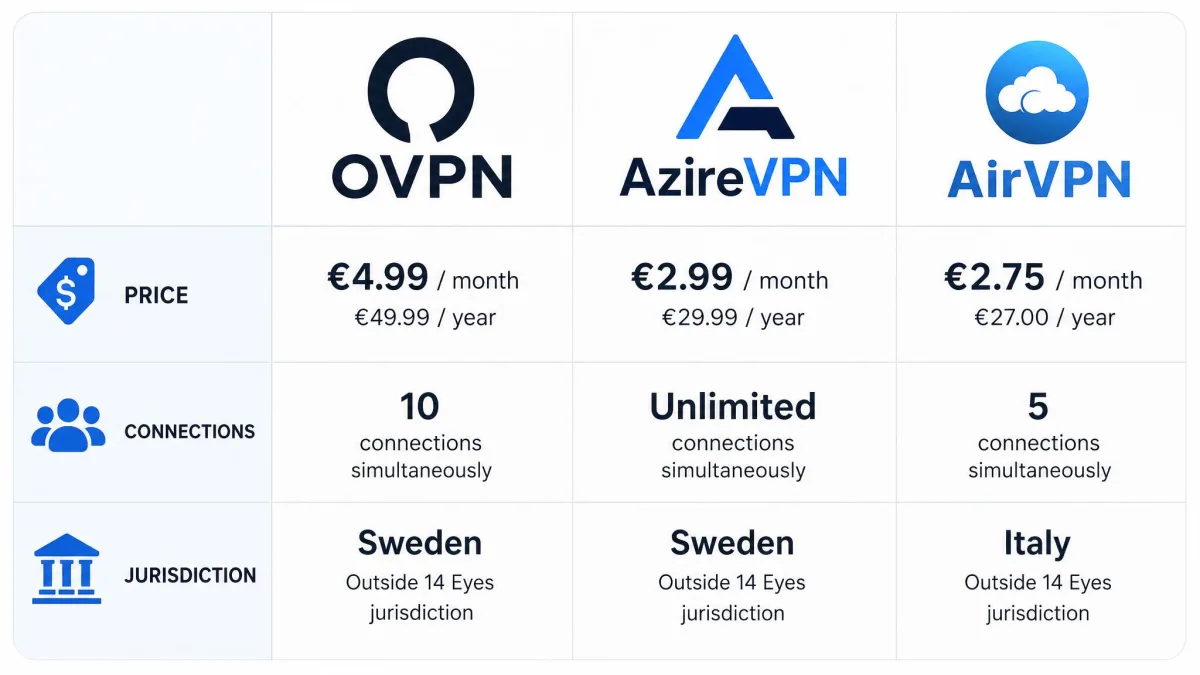
OVPN isn't the only small, privacy-first VPN with its own hardware, and two names come up often as alternatives: AzireVPN and AirVPN. Both share OVPN's enthusiast, privacy-forward approach rather than the mass-market polish of the big providers, and both are worth a look if OVPN's price or network gives you pause.
AzireVPN, also based in Sweden, has run its own diskless servers since 2012 and was an early WireGuard adopter back in 2017, with port forwarding and native IPv6. AirVPN, based in Italy, offers OpenVPN and WireGuard with port forwarding and an open-source client, and tends to appeal to the same technical crowd. Here's how the three stack up on the numbers that matter most.
| Product | Buy | Monthly price | Best long-term price | Simultaneous connections | Streaming | No-logs | Money-back |
|---|---|---|---|---|---|---|---|
|
Check price → | $12 | $4.22/mo (36-mo) | 4 to 7 | Yes, inconsistent | Yes (diskless) | 10-day (disputed) |
 |
EUR 5.00 | EUR 3.75/mo (12-mo) | Not confirmed | Limited | Yes | 7-day | |
 |
~$8 | ~$3.33/mo (36-mo) | 5 | Limited | Yes | Disputed (3 vs 30-day) |
On price, both alternatives undercut OVPN's monthly rate, and AirVPN edges it on the cheapest long-term plan. Where OVPN pulls ahead is streaming, where it's the most capable of the three despite the inconsistency, and its diskless no-logs design is at least the equal of either rival. If you want the lowest price and don't care much about streaming, the alternatives are compelling. If streaming matters and you like the RAM-only architecture, OVPN holds its ground.
Common Mistakes
The most common mistake we see is choosing OVPN on the monthly plan and judging it on price. At $12 a month it looks expensive, because it is. The service only makes financial sense on the annual or three-year plan, where it lands in line with the category. If you're testing the waters, use the money-back window rather than paying month to month long term.
The second mistake is assuming every feature works on every platform. The kill switch is desktop-only and split tunneling is Windows-only, so if you're buying OVPN primarily for your phone, you're getting the most stripped-back version of it. Check the feature matrix against your actual devices before you commit, and don't take the Sweden-based framing as the whole jurisdiction story given the US parent company.
A final mistake is skipping the trial period entirely. Because streaming access and support experience both vary, the smartest move is to subscribe, spend an evening running the services and features you actually care about, and request a refund inside the guarantee window if it doesn't fit. Treat the money-back guarantee as an extended test drive rather than an emergency exit, and you'll know within a day or two whether OVPN is the right VPN for you.
Final Verdict
Buy OVPN if privacy engineering is what you're actually paying for, and if you connect mostly to servers near home. That's the buyer who gets the best of it: fast nearby WireGuard speeds, a no-logs policy the hardware genuinely stands behind, and excellent torrenting. Skip it if you need the biggest network, the lowest sticker price, or a support desk that answers the same day. Those buyers will be happier with a mainstream rival or a cheaper enthusiast pick from our OVPN alternatives roundup.
The money math is the deciding factor for most people, and it's worth doing before you click buy. At $12 a month OVPN is genuinely expensive, but the 36-month plan brings it to $4.22, so a three-year commitment is roughly a third of the monthly rate. If you already know a VPN is a permanent fixture in your setup, that break-even is easy. If you're not sure you'll still want it next year, the short plans make OVPN one of the pricier ways to find out.
If we could change one thing, it wouldn't be the servers or the apps. It would be the support desk, which is the only part of the experience that doesn't match the care in the engineering. Fix that, and the reservations in this review get a lot shorter.