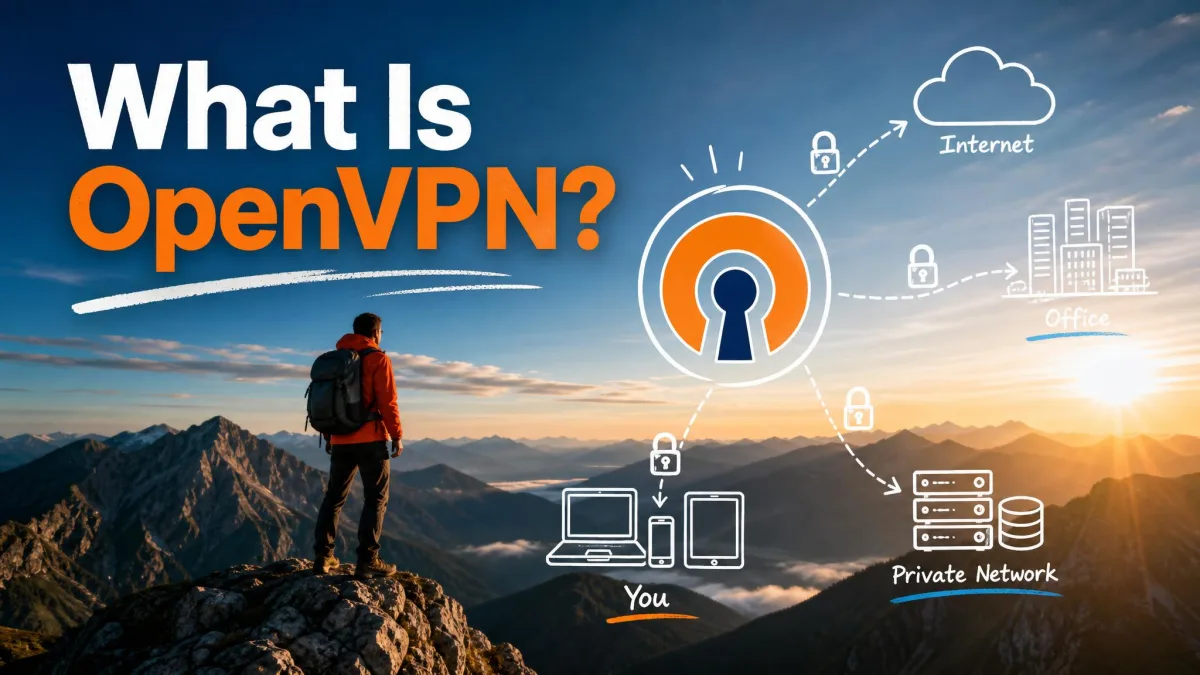
OpenVPN is an open-source VPN protocol that builds an encrypted tunnel between your device and a VPN server, so the data you send stays private on any network. It is also the name of the software project and company that maintain it. For more than two decades it has been one of the most widely trusted ways to secure a connection, and most major VPN services still offer it as an option.
We work with VPN software constantly, and OpenVPN is the protocol we reach for when we want a connection that is proven, flexible, and auditable rather than merely fast. This guide explains what OpenVPN is, how it works under the hood, whether it is safe, how it compares to newer protocols, and who should use it.
What is OpenVPN? (definition)
OpenVPN is an open-source software application and protocol that creates a secure point-to-point connection across the internet. When people say "OpenVPN," they can mean one of two things: the protocol itself, or the free software that implements it. Both share the same name and the same open codebase.
As a protocol, OpenVPN uses SSL/TLS to negotiate keys and then encrypts your traffic inside a private tunnel. It supports two roles, a client and a server, which lets it power both remote-access setups (one user connecting to a network) and site-to-site links (two networks joined together). Because the source code is public, anyone can inspect, audit, or improve it, which is a large part of why the security community trusts it.
The project ships in two forms. The free OpenVPN Community Edition is the open-source core that most consumer VPN apps are built on. The commercial Access Server adds a managed control panel and support for businesses. We will cover the difference in detail below.
How does OpenVPN work?
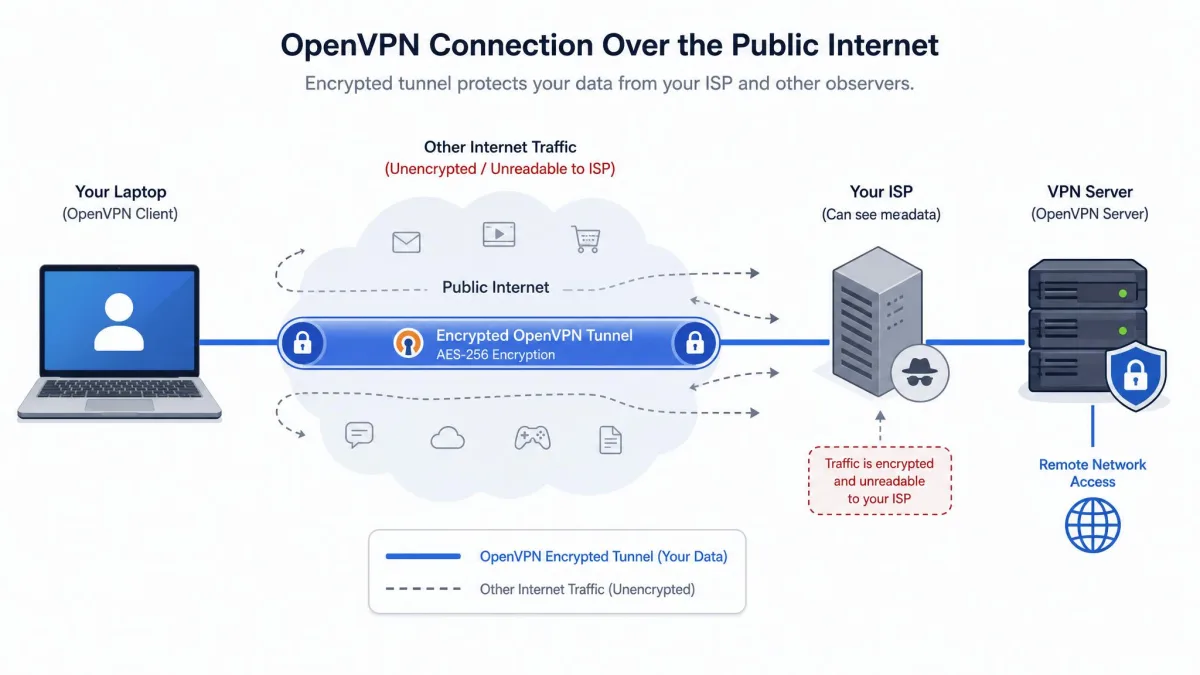
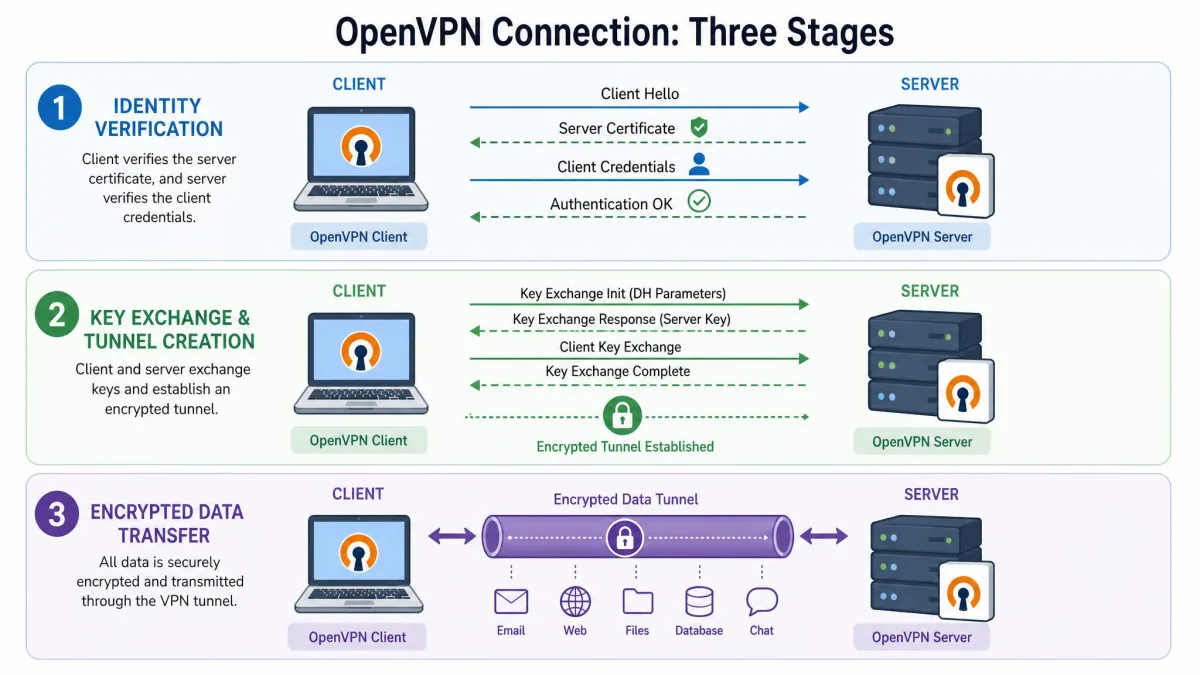
At a high level, OpenVPN works in three stages. First the client and server verify each other's identity. Then they agree on encryption keys and open a tunnel. Finally, all of your network traffic travels through that tunnel, encrypted, until it reaches the server and exits to the wider internet.
The clever part is that OpenVPN separates the control channel, which handles the secure handshake, from the data channel, which carries your actual traffic. This split is what lets the protocol stay both secure and efficient. Each stage below explains one part of that process.
The TLS handshake and authentication
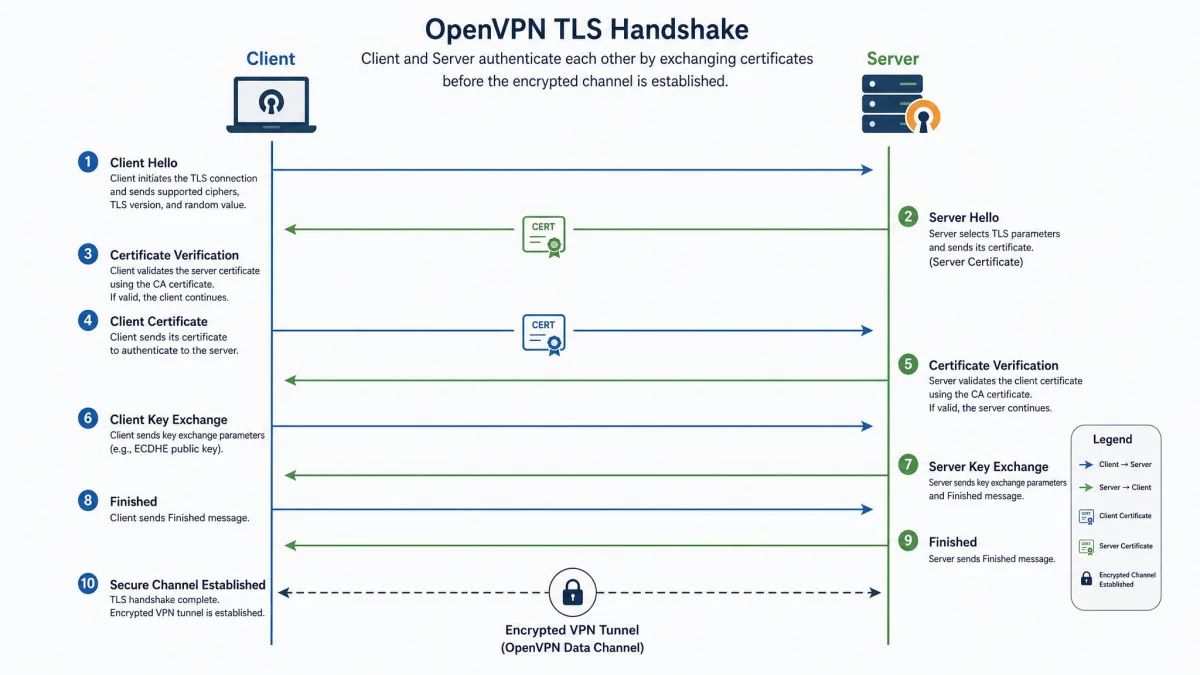
Every OpenVPN connection begins with a TLS handshake, the same kind of exchange your browser uses when it loads a secure website. During this step the client and server prove they are who they claim to be before any real data moves.
OpenVPN supports several authentication methods, and providers often combine them. It can use pre-shared keys, certificate-based authentication, or a username and password. Certificate-based authentication is the strongest and most common choice for production systems, because each side holds a cryptographic certificate that is hard to forge. This mutual check is what stops an attacker from quietly inserting themselves between you and the server.
Tunnel creation and encryption (OpenSSL / TLS)
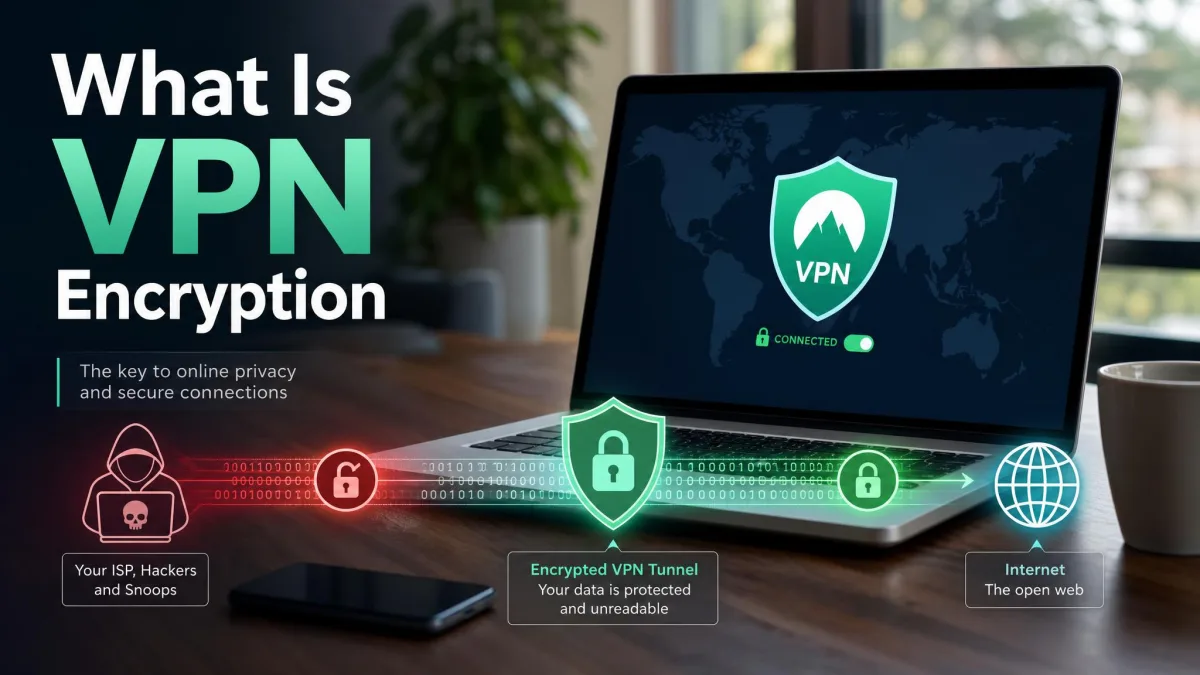
Once both sides are verified, OpenVPN builds the encrypted tunnel. For the cryptography it relies on the OpenSSL library, a mature and heavily reviewed toolkit that also underpins much of the secure web. Using OpenSSL means OpenVPN inherits a wide, well-tested range of ciphers rather than rolling its own.
OpenVPN supports up to 256-bit encryption, with AES-256 and ChaCha20 among the ciphers it can use, and it supports Perfect Forward Secrecy. Perfect Forward Secrecy generates fresh keys for each session, so even if one key were ever exposed, past traffic would stay protected. In practice this combination is considered very strong, and it is the same class of encryption used to secure banking and government traffic.
OpenVPN's default port is UDP 1194, the number officially assigned to the protocol. In TCP mode it often runs on port 443, the same port used by normal HTTPS web traffic, which helps it slip past firewalls that block VPNs.
OpenVPN over TCP vs. UDP
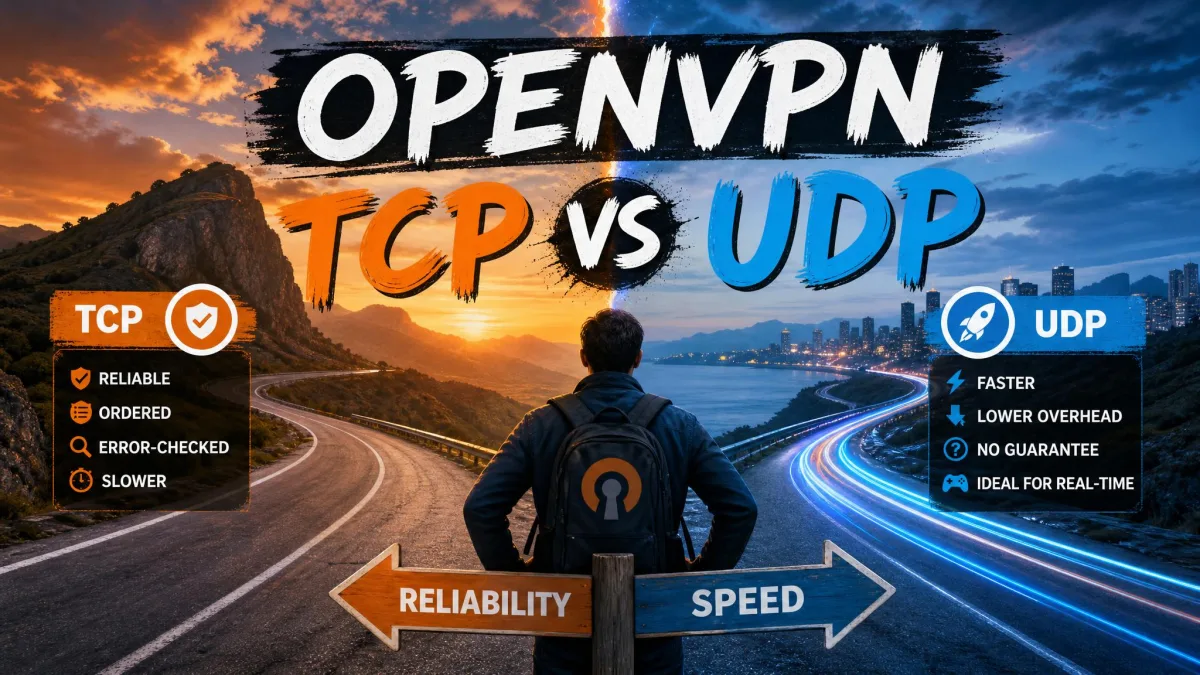
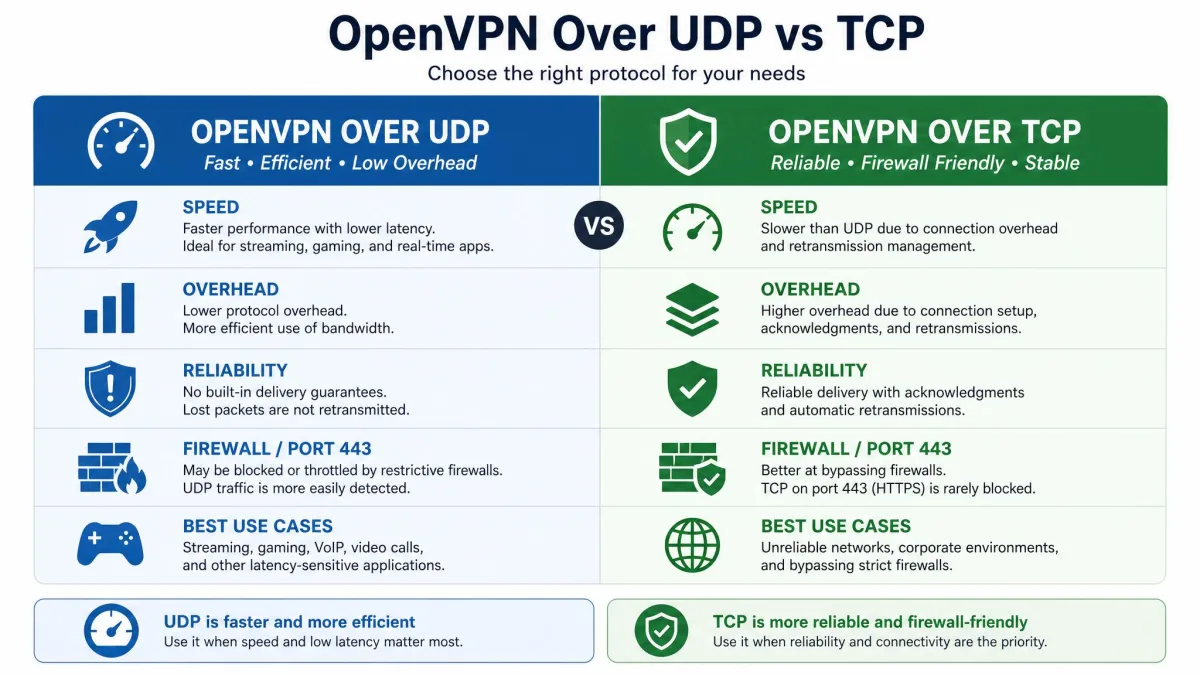
OpenVPN can run over two transport protocols, UDP and TCP, and the choice affects speed and reliability. UDP is the faster, lighter option and is the better default for streaming, gaming, and everyday browsing. It sends data without waiting for delivery confirmations, so it carries less overhead.
TCP is slower because it confirms that every packet arrives and re-sends anything that is lost, which adds latency. Its advantage is reliability and reach. Running OpenVPN over TCP on port 443 lets its traffic blend with ordinary HTTPS, so it can get past ISP and corporate firewalls that block other VPN traffic. The rule of thumb is simple: use UDP for speed, and switch to TCP only when a restrictive network blocks the connection.
Is OpenVPN safe? (security and open-source auditing)
OpenVPN is widely regarded as one of the safest VPN protocols available, and its safety rests on two pillars: strong cryptography and open code. On the cryptography side, the combination of OpenSSL, AES-256 or ChaCha20 ciphers, TLS key exchange, and Perfect Forward Secrecy gives it a security profile that no serious flaw has broken in normal use.
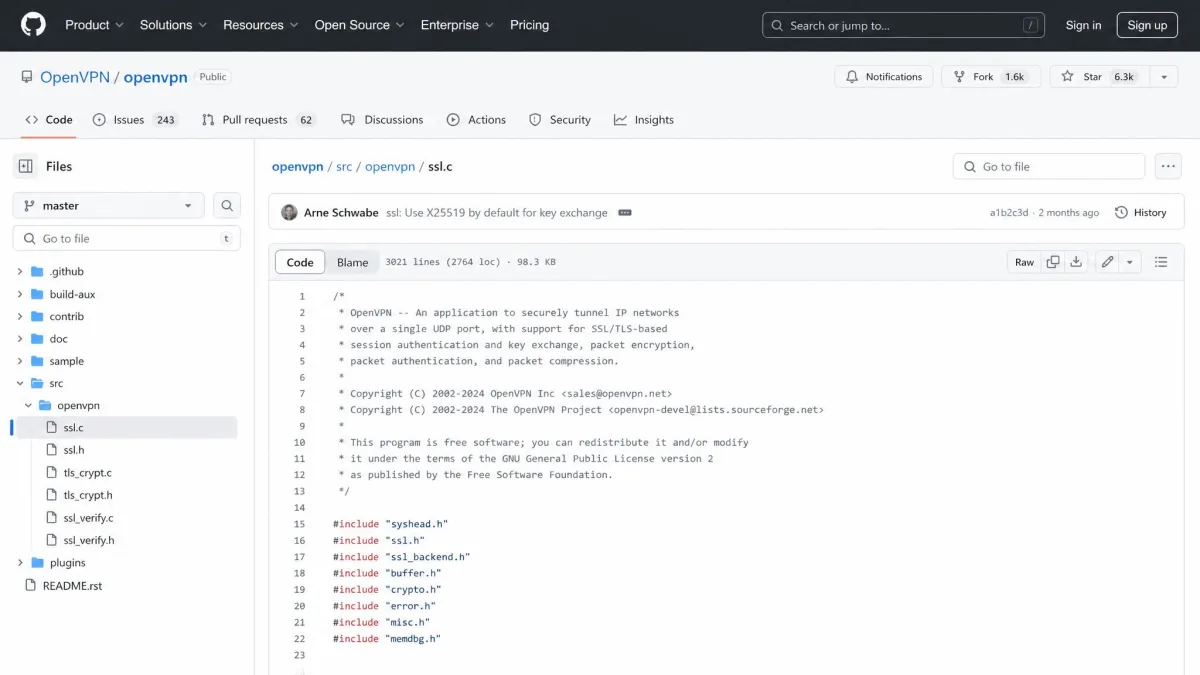
The second pillar is transparency. Because OpenVPN is open-source, its code is open to third-party audits and constant review by security experts around the world. Independent researchers have examined the codebase over the years, and problems that surface can be found and fixed in the open rather than hidden. You can read the full source yourself on OpenVPN on GitHub. This visibility is a big reason the protocol has earned long-standing trust from privacy advocates and enterprises alike.
No protocol is safe if it is set up carelessly, though. Weak ciphers, expired certificates, or a poorly configured server can undermine even the best design. When you use OpenVPN through a reputable VPN provider's app, those settings are handled for you, which is the safest route for most people.
On mobile, an OpenVPN connection can drop when Wi-Fi sleeps or when your phone switches between Wi-Fi and cellular, which can briefly expose your traffic. A good VPN app pairs OpenVPN with a kill switch that blocks traffic until the tunnel is restored.
OpenVPN pros and cons
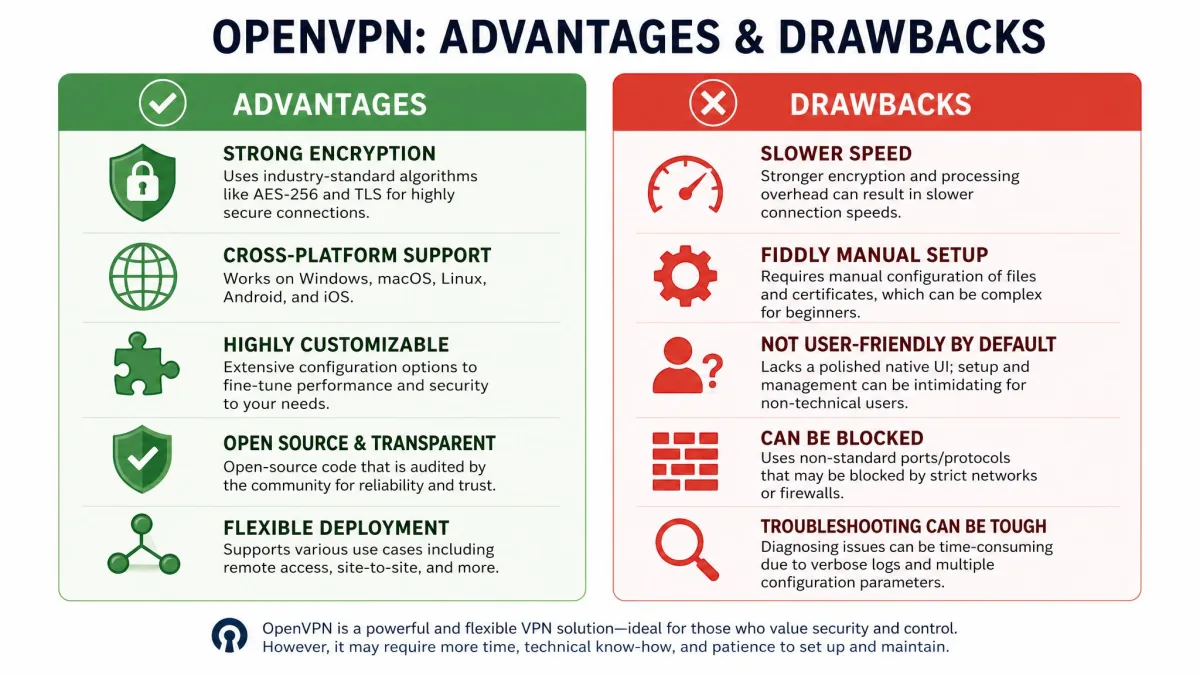
OpenVPN's biggest strength is the balance it strikes between security, flexibility, and transparency. Its biggest weakness is that this flexibility comes with complexity and that newer protocols now beat it on raw speed. The lists below summarize the trade-offs.
Pros
- Open-source code that anyone can audit, which supports its strong reputation for trust
- Very strong encryption with AES-256, ChaCha20, TLS key exchange, and Perfect Forward Secrecy
- Works over both TCP and UDP, so it can prioritize speed or bypass firewalls
- Runs on nearly every platform, from Windows and macOS to Android, iOS, and routers
- Excellent at getting past restrictive networks when run over TCP on port 443
Cons
- Not the fastest protocol; WireGuard and IKEv2/IPsec are generally quicker
- Manual configuration is fiddly and easy to get wrong
- Needs a separate third-party client, since no operating system supports it natively
- Heavier on resources than leaner modern protocols
Advantages of OpenVPN
The advantages come down to trust and versatility. Being open-source means the protocol is not a black box, so its security claims can be verified rather than taken on faith. Its support for both UDP and TCP lets it adapt to almost any network, and its wide platform coverage means one protocol can secure your laptop, phone, and home router alike. For businesses, its deep configurability makes it dependable across large, varied deployments.
Drawbacks of OpenVPN
The drawbacks are mostly about speed and setup. OpenVPN is not the fastest protocol, and on a modern connection you may notice that WireGuard or IPsec feel snappier. Setting it up by hand is also awkward: it means downloading .ovpn config files, installing a client, pointing it at the right config folder, and entering credentials, a multi-step process that is easy to get wrong. The protocol's huge range of options makes a manual setup error-prone, though a provider's ready-made app hides most of that complexity.
OpenVPN vs. other VPN protocols
OpenVPN is not the only VPN protocol, and it is no longer the fastest. The table below compares it with the main alternatives, and the sections that follow explain the trade-offs one by one.
| Protocol | Speed | Security | Open-source | Transport | Configurability |
|---|---|---|---|---|---|
| OpenVPN | Moderate (faster on UDP) | Strong (AES-256, OpenSSL/TLS) | Yes (GPLv2) | TCP and UDP | Very high |
| WireGuard | Fastest | Strong (ChaCha20-Poly1305) | Yes | UDP only | Limited |
| IKEv2/IPsec | Fast | Strong (IPsec) | Partial | UDP | Moderate |
| L2TP/IPsec | Slower | Moderate | No | UDP | Moderate |
| PPTP | Fast | Weak/outdated | No | TCP | Low |
OpenVPN vs. WireGuard
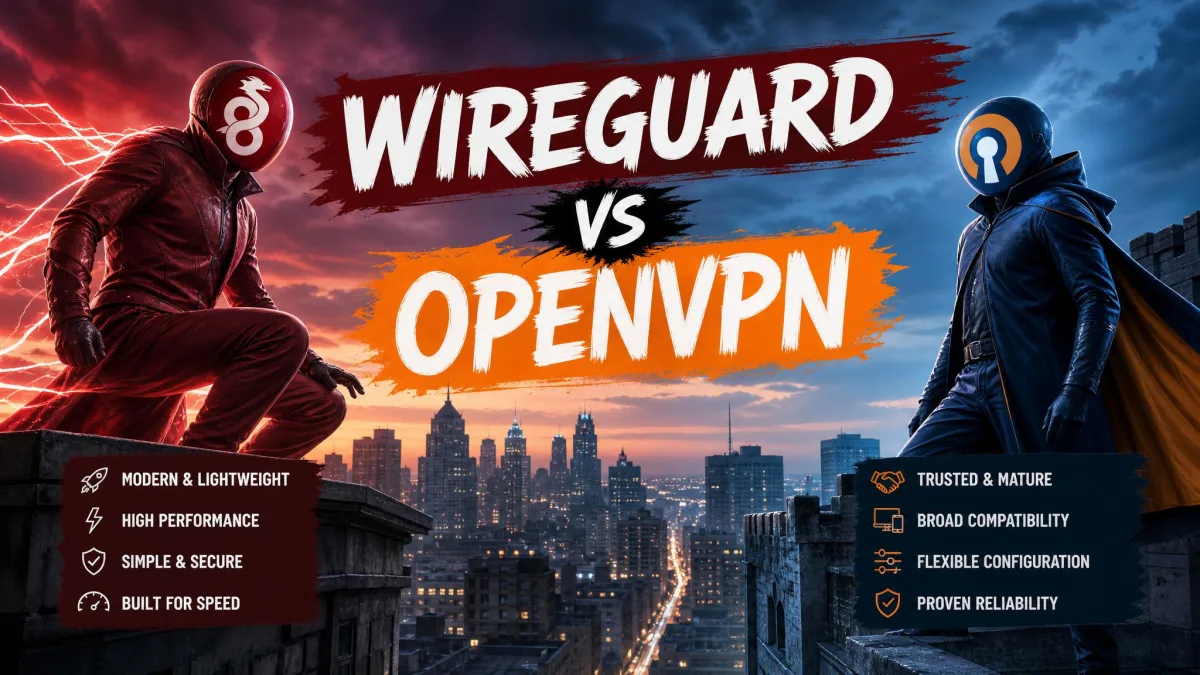
Where OpenVPN prioritizes flexibility and a long track record, WireGuard prioritizes speed and simplicity. WireGuard was first released in 2015 by Jason A. Donenfeld, and it uses a much leaner codebase built around modern cryptography, specifically ChaCha20-Poly1305 with Curve25519 key exchange. That smaller design makes it faster and lighter than OpenVPN, and it has become the default choice for people who want maximum speed.
OpenVPN answers with versatility. WireGuard runs over UDP only, on its default port 51820, while OpenVPN can switch to TCP on port 443 to defeat firewalls that WireGuard cannot get past. OpenVPN also offers far more configuration options for complex networks. For most consumers WireGuard is faster, but OpenVPN remains the more adaptable of the two.
OpenVPN vs. IKEv2/IPsec
Unlike OpenVPN, which always needs a third-party client, IKEv2/IPsec is built into many mobile operating systems. IKEv2 is fast and unusually good at reconnecting after a network switch, which makes it a strong pick for phones that hop between Wi-Fi and cellular. It is usually paired with IPsec for encryption.
OpenVPN's edge over IKEv2 is transparency and firewall resistance. IKEv2/IPsec is only partly open-source, and it uses fixed UDP ports that firewalls can block more easily than OpenVPN's TCP 443 mode. If you value auditability or need to punch through restrictive networks, OpenVPN still has the advantage.
OpenVPN vs. L2TP/IPsec and PPTP
Compared with the older L2TP/IPsec and PPTP protocols, OpenVPN is both more secure and more capable. PPTP is fast but considered insecure and outdated, and it should be avoided for anything sensitive. L2TP/IPsec is more secure than PPTP but slower, and it can struggle to get through firewalls. Both have largely been superseded by OpenVPN and WireGuard, and there is little reason to choose them today.
Which platforms and devices support OpenVPN?
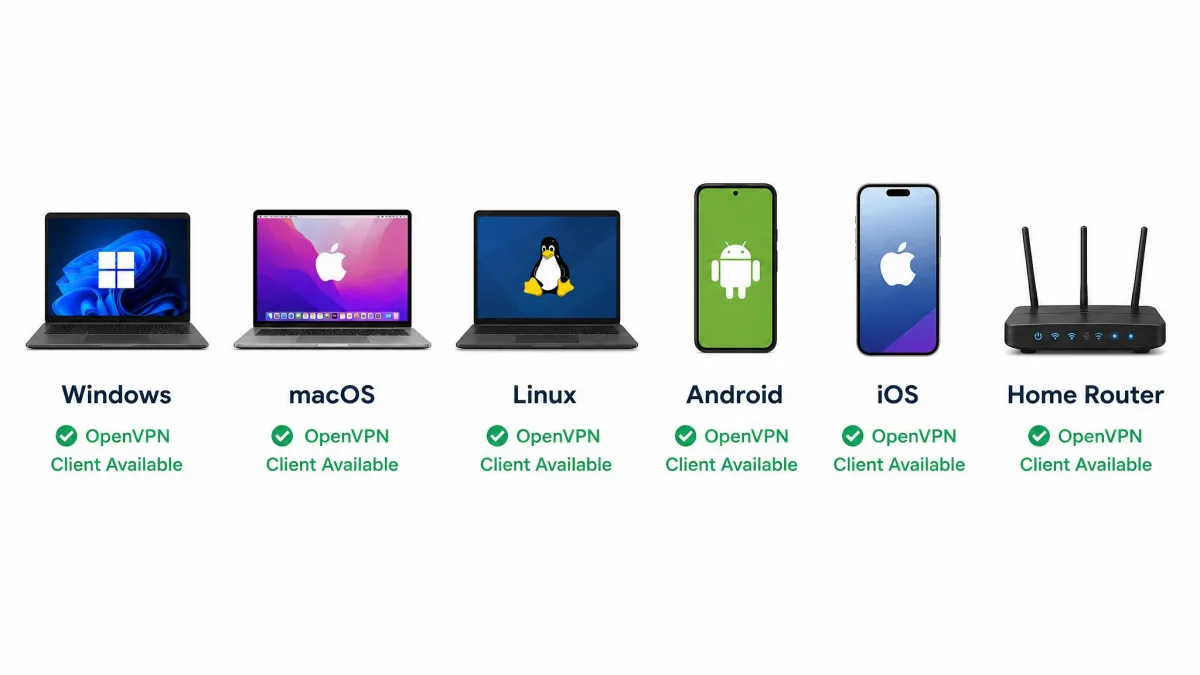
One of OpenVPN's biggest strengths is that it runs almost everywhere. The software officially supports Windows 7 and later, macOS 10.8 and later, Android 4.0 and later, iOS 6 and later, plus Linux and the various BSD systems. Many home routers can run it too, which lets you protect every device on your network at once.
The one catch is that OpenVPN needs a separate third-party client on every platform, because no operating system ships with native OpenVPN support built in. In practice this is rarely a problem: commercial VPN apps bundle an OpenVPN client, and for manual setups the official clients and open-source apps are free to download. Whatever device you own, there is almost certainly an OpenVPN client for it.
Is OpenVPN free? (Community Edition vs. Access Server)
Yes, OpenVPN is free in its core form. The software is released under the GNU General Public License version 2, or GPLv2, which makes it free open-source software that anyone can use, study, and modify. This free core is the Community Edition, and it is what most consumer VPN services build their apps on.
The project also offers a paid product called Access Server. Access Server wraps the same protocol in a managed web interface, user management tools, and official commercial support, which is aimed at businesses that want a ready-made VPN server rather than a hand-built one. For an ordinary user, though, the free Community Edition, or a VPN provider that uses it, covers everything you need at no cost.
How to set up and use OpenVPN
For most people, the easiest way to use OpenVPN is not to set it up manually at all. Sign up with a reputable VPN provider, install its app, and choose OpenVPN in the settings. The app handles the certificates, ciphers, and ports for you, and you simply pick a server and connect. This is the route we recommend for anyone who does not need a custom configuration.
If you do want a manual setup, the process has a few more steps. You download the OpenVPN client for your platform, obtain the .ovpn configuration files from your server or provider, import those files into the client, and enter your credentials. It is not difficult, but it is fiddly, and a small mistake in a config file can stop the connection from working. Keep your config files and keys somewhere secure, since they grant access to the tunnel.
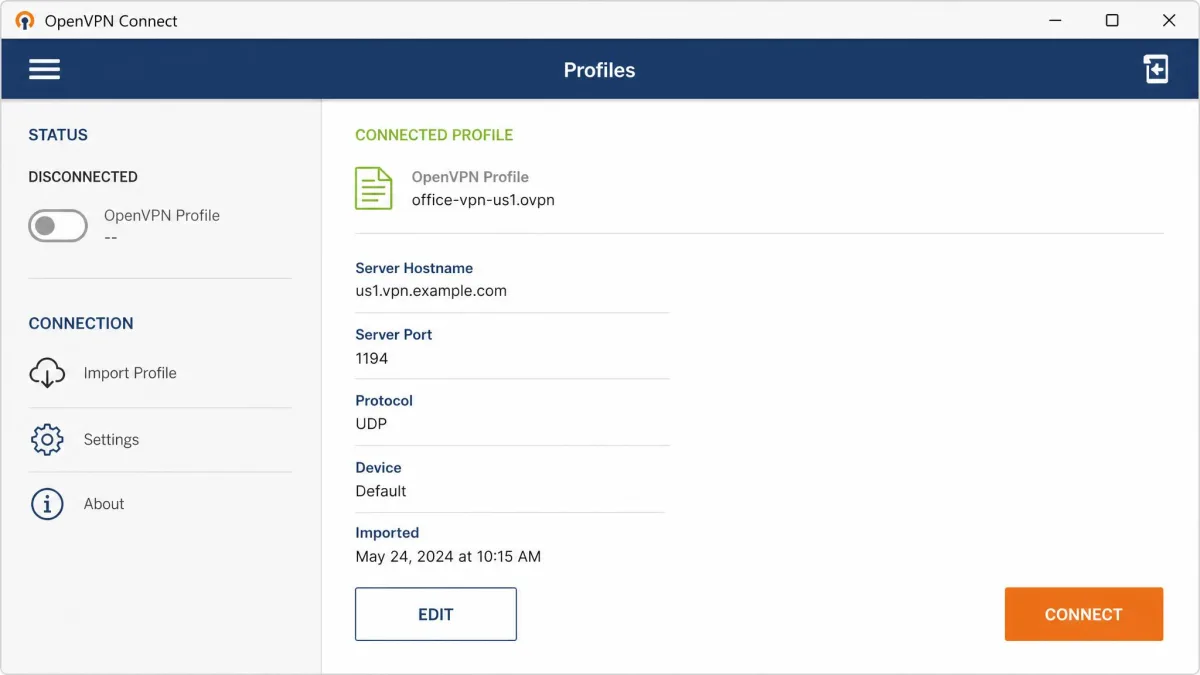
When you set up OpenVPN manually, start with a UDP config for the best speed and only switch to a TCP config if a network blocks the connection. Testing both takes a minute and saves a lot of guesswork later.
Should you use OpenVPN? (who it's best for)
OpenVPN is a strong choice if you value proven security and broad compatibility over squeezing out the last drop of speed. It suits privacy-conscious users who want a protocol that has been audited in the open, travellers who need to get past restrictive firewalls, and businesses that need a flexible, configurable VPN across many devices. It also stays dependable across large enterprise deployments thanks to its configuration flexibility, even where raw consumer speed lags newer options.
If your top priority is raw speed on a modern connection, WireGuard may serve you better, and many providers now offer both. The good news is that you rarely have to commit to one. Most major VPN apps let you switch protocols in the settings, so you can run OpenVPN when you need firewall resistance and reliability, and switch to something leaner when you want maximum speed.
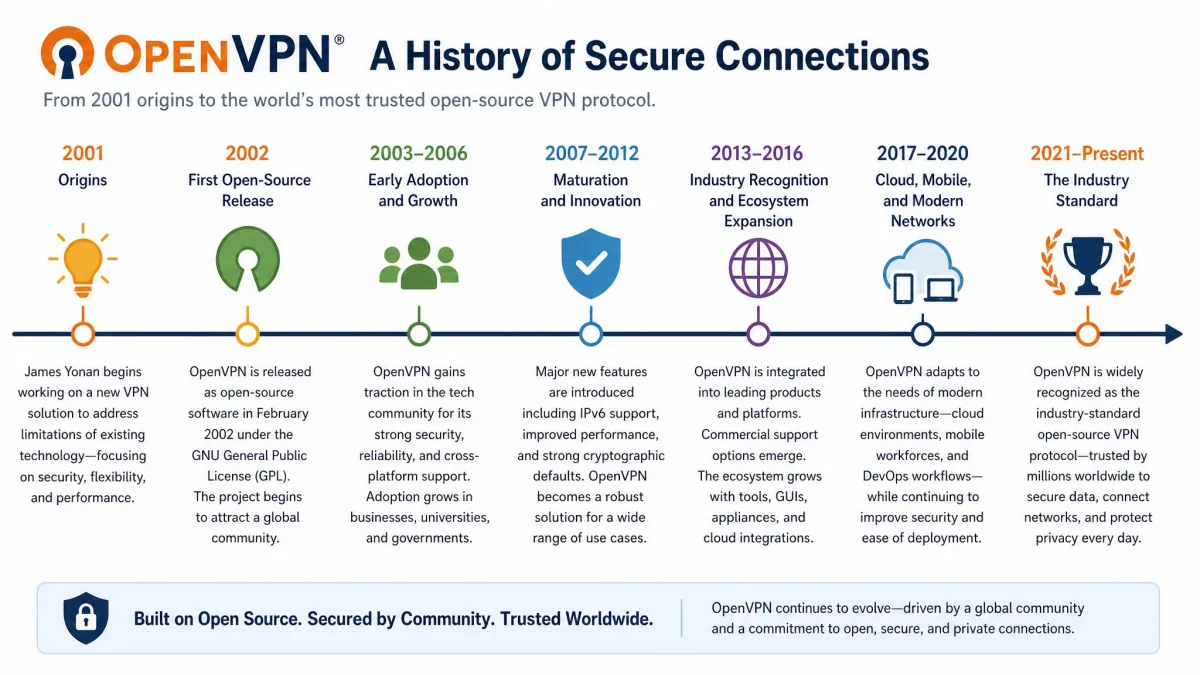
A brief history of OpenVPN (open-source origins, James Yonan, 2001/2002)
OpenVPN was created by James Yonan, who started the project in 2001 and released the first open-source version in 2002. From the beginning it was built as free software, and that open foundation shaped everything about it. Rather than hide its inner workings, Yonan's design invited public scrutiny, which is exactly what let the protocol earn its reputation for trust.
Over the following two decades OpenVPN grew from a single developer's project into an industry standard maintained by a dedicated company and a global community. The open-source Community Edition kept evolving alongside the commercial Access Server, and countless VPN services adopted the protocol as their backbone. If you want the wider timeline, OpenVPN's Wikipedia entry traces its releases in detail. That long, transparent history is a large part of why OpenVPN is still trusted today.
Frequently asked questions
Is OpenVPN free?
Is OpenVPN safe?
What is the difference between a VPN and OpenVPN?
Is OpenVPN outdated?
What is better than OpenVPN?
Bottom line
OpenVPN is an open-source VPN protocol that has spent more than twenty years proving it can secure a connection safely and flexibly. It encrypts your traffic with strong, well-audited cryptography, runs over both UDP and TCP, works on nearly every device, and gets past firewalls that stop other protocols. It is free at its core, transparent by design, and still trusted by privacy advocates and enterprises.
It is not the fastest protocol anymore, and setting it up by hand takes patience. But if you want a VPN connection built on open, verifiable security rather than marketing promises, OpenVPN remains one of the smartest choices you can make, and the easiest way to use it is simply to pick it inside a good VPN app.