Most people never see the code that carries their traffic, so they have to trust the company behind their VPN on faith. An open source VPN removes that leap of faith: the source code is public, anyone can inspect it, and independent researchers can confirm the client does what it claims. That single property, auditability, is what separates the tools on this list from the closed apps that dominate the app stores.
We wanted to know which open source options are worth running today, whether you self-host a private server or subscribe to an audited provider. So we worked through the leading projects and providers, set them up on our own machines, and paid attention to the parts that trip people up: the setup, the protocol support, the leak protection, and the day-to-day feel of the client.
For this guide, we spent hands-on time with each pick across the desktop and mobile platforms most readers use, installing the self-hosted projects ourselves and running the commercial apps on Windows, macOS, and Linux. Our aim throughout was to judge each option the way a real user would live with it, not the way a spec sheet describes it.

What Is an Open Source VPN?
An open source VPN is one whose source code is published under a license that lets anyone read, modify, and redistribute it. That code can be the protocol that encrypts your traffic, the client app on your device, or the server software that runs the tunnel. In many cases it is all three.
This matters because a VPN sees everything you do online. A closed app asks you to trust that it encrypts your traffic and keeps no logs. An open source app lets outside experts check. WireGuard, for example, is small enough to read from top to bottom in an afternoon, which is part of why it was merged into the Linux kernel at version 5.6.
There are two broad shapes here. Some open source VPNs are software you install and run yourself, like OpenVPN's Community Edition or a WireGuard server on a cloud host. Others are commercial providers, like Mullvad or Proton VPN, whose apps are open source and independently audited even though the network is theirs. Both count as open source, and they suit very different users.
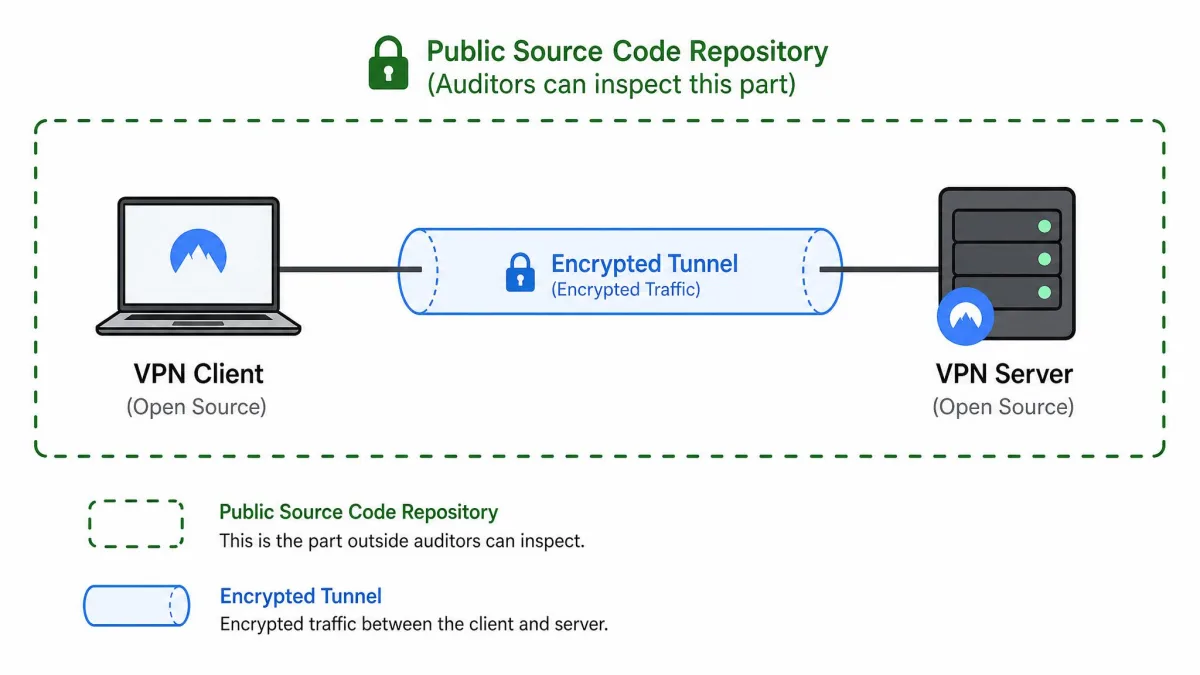
Why Use an Open Source VPN? (Transparency and Auditability)
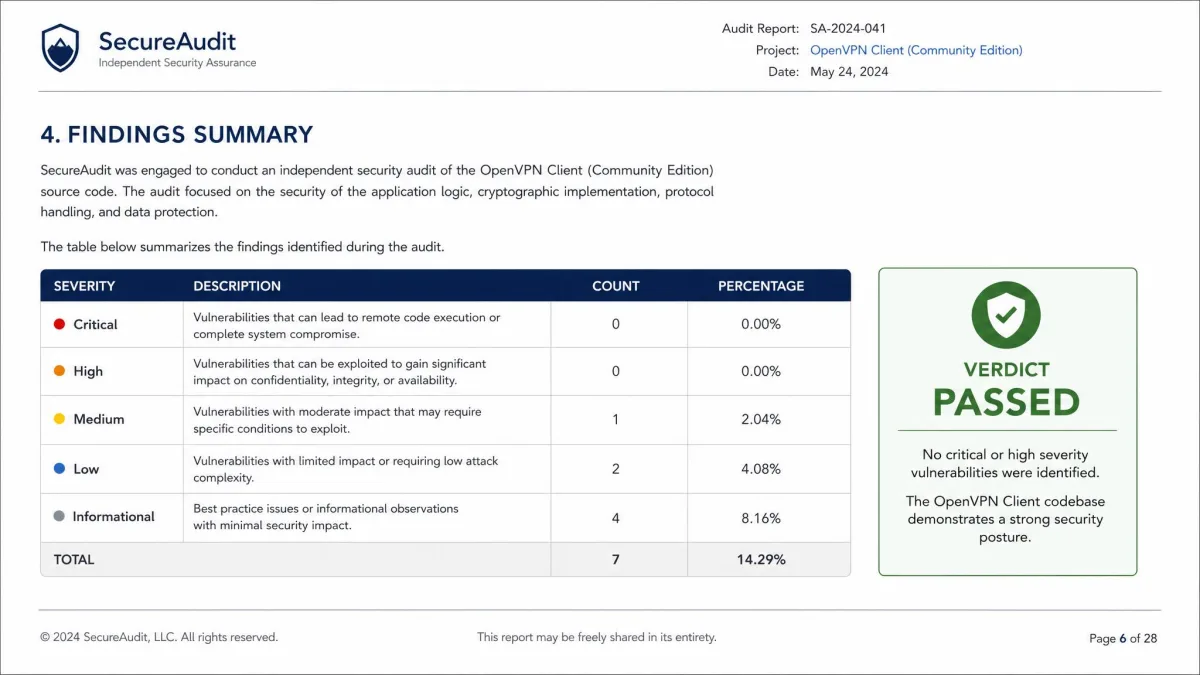
The headline benefit is transparency. When the code is public, a hidden backdoor or a quiet logging routine is far harder to keep secret, because researchers around the world can and do read it. You are not relying on a marketing claim about a no-logs policy; you are relying on a codebase that anyone can verify.
Auditability is the practical form of that transparency. Providers like IVPN have commissioned annual third-party security audits since 2019, and both Mullvad and Proton VPN publish independent audits of their apps. An audit of open source code is far more meaningful than an audit of a black box, because the auditor and the public are looking at the same thing.
There is a cost-and-control angle too. The self-hostable projects are free, so you can run a private VPN for the price of a small cloud server. You control the keys, the logging, and the network. For a business that wants remote access to internal systems without a monthly per-seat bill, that control is often the whole point.
Open source does not automatically mean private. A self-hosted server still sees your traffic's destination, and a badly configured one can leak DNS. Transparency lets you verify the software; good configuration is still your job.
How We Chose / What to Look For
We judged each option on the criteria that decide whether a VPN is actually usable: the strength and modernity of its protocols, its security and privacy handling, and how much work it takes to set up and live with across devices. We installed the free projects ourselves and licensed the commercial picks like any other user, so nothing here is based on a vendor demo.
Our hands-on evaluation focused on the things that matter once a tunnel is live. We paid close attention to leak protection, connecting each option and confirming that DNS requests and our public IP were actually riding inside the tunnel rather than escaping it. We also weighed how quickly connections came up and how the same tool behaved across Windows, macOS, and Linux, since cross-platform consistency is where self-hosted projects and polished commercial apps tend to part ways.
Protocols (WireGuard, OpenVPN, IPsec)
Protocol is the foundation, and three names cover most of this field. WireGuard is the modern default: it uses ChaCha20 cryptography, a tiny codebase, and a fast handshake, so connections come up quickly. OpenVPN is the veteran, built on the OpenSSL library with AES-256 encryption and years of scrutiny behind it. IPsec, often paired with L2TP, is the older standard still built into many routers and operating systems.
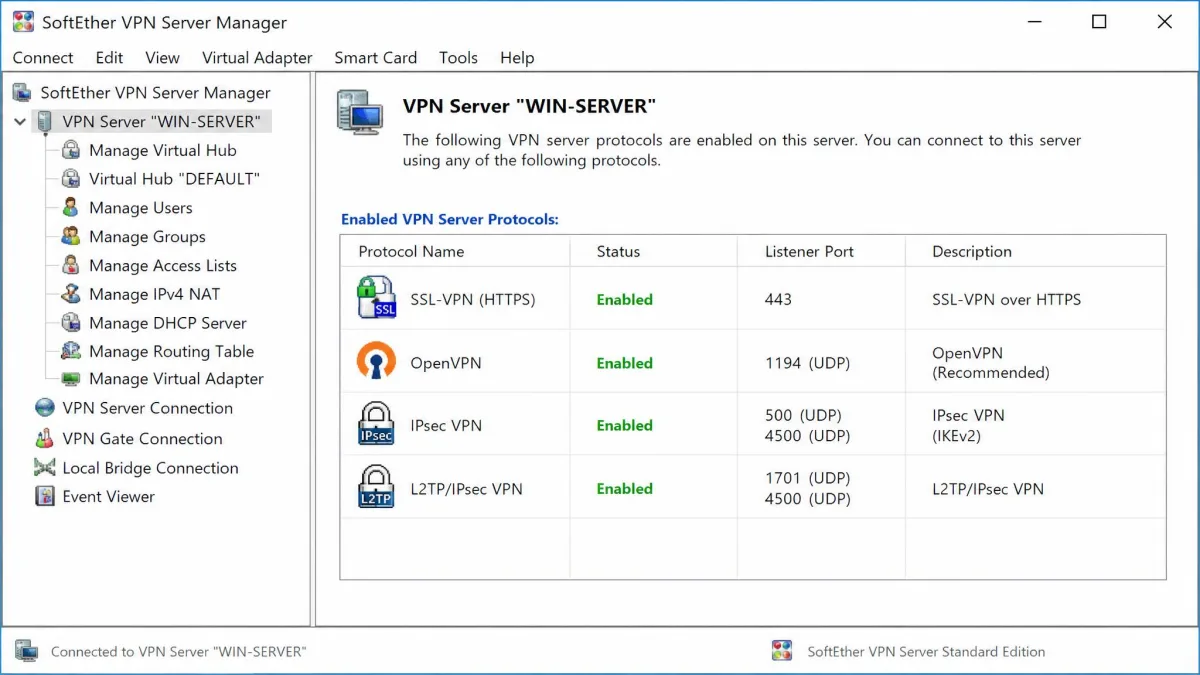
SoftEther is the outlier that supports all of the above. Its server speaks SSL-VPN over HTTPS plus six major protocols, including OpenVPN, IPsec, L2TP, MS-SSTP, L2TPv3, and EtherIP. That breadth is its main draw. If you need one server that talks to almost any client, SoftEther covers it.
Security and Privacy (encryption, DNS leak protection, logging)
Strong encryption is table stakes now, so the differences show up around it. DNS leak protection decides whether your lookups quietly escape the tunnel, and a kill switch decides what happens when the connection drops. On the commercial picks we looked for a real no-logs posture backed by an audit, not just a policy page.
For self-hosted setups, the logging question is answered by you, because you configure the server. That is a benefit if you want zero logs and a responsibility if you misconfigure it. Either way, the point of open source here is that you can confirm the encryption is what the documentation promises.
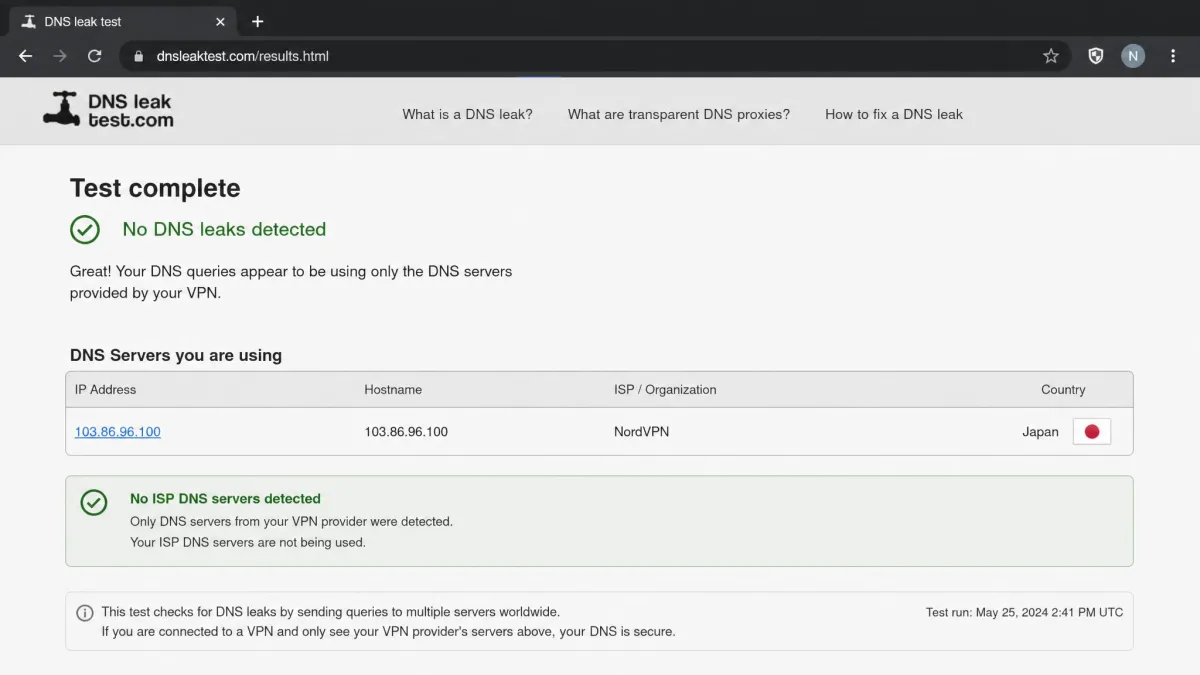
Whatever you choose, run a DNS leak test right after you connect. It takes a minute, and it is the single fastest way to confirm your tunnel is actually carrying every request.
Platform Support and Ease of Setup
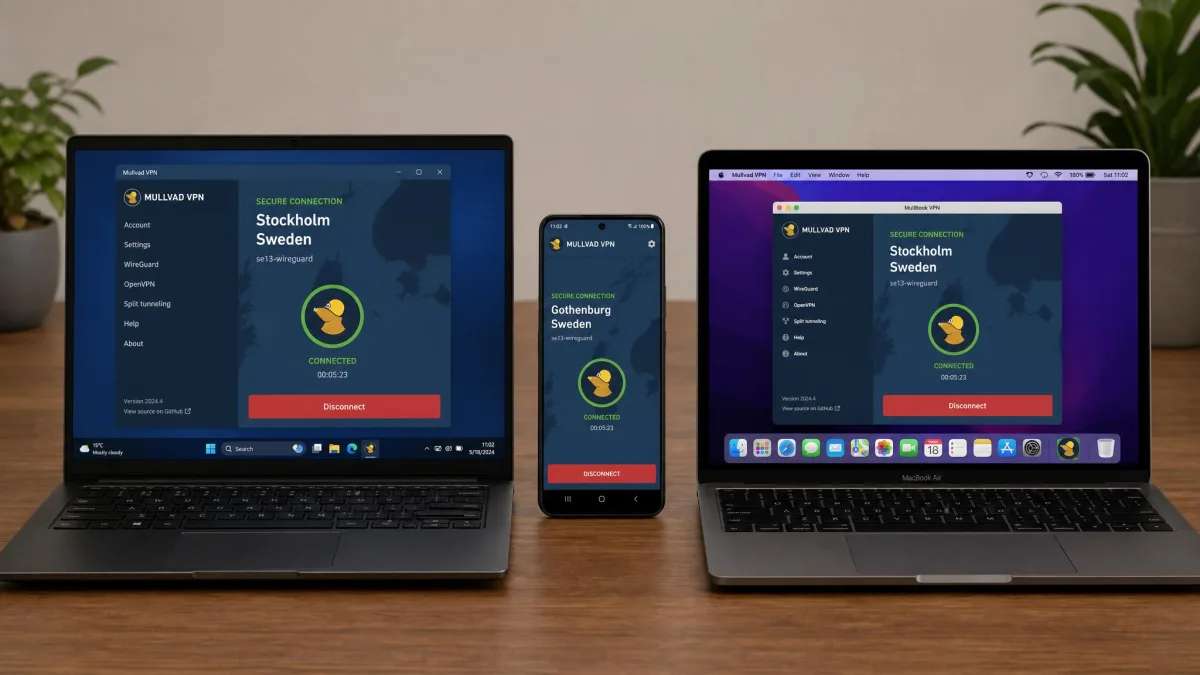
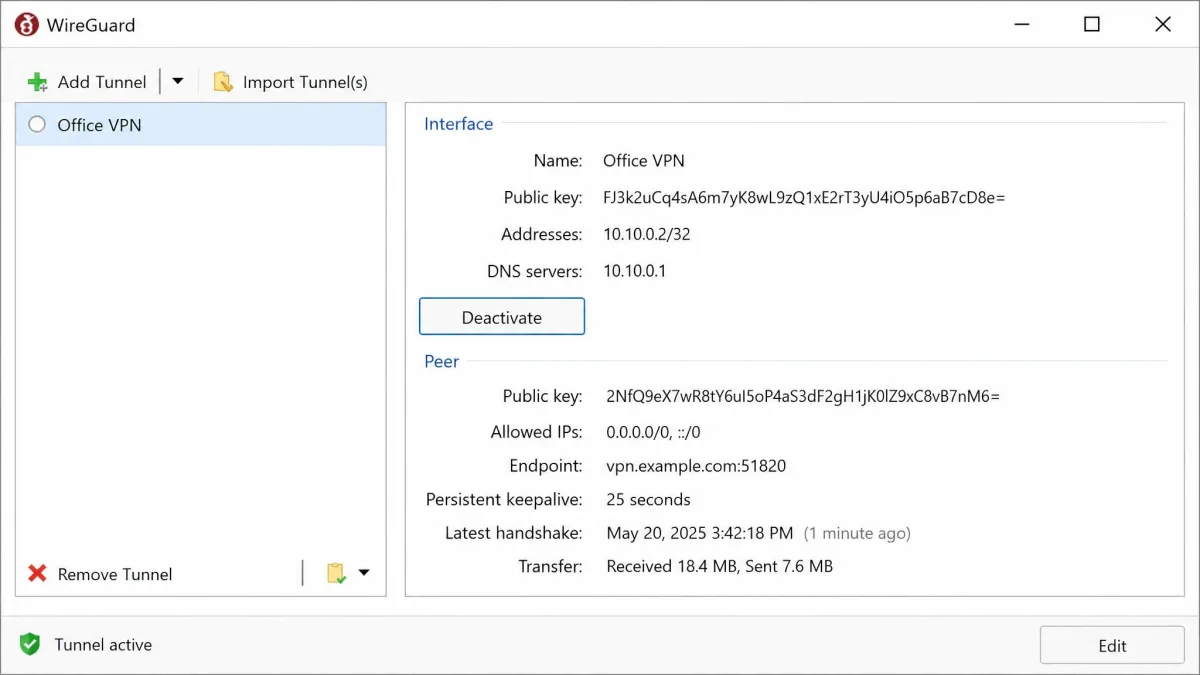
Setup is where these options separate the most. WireGuard ships without an official graphical app, so everyday desktop use leans on third-party GUI front-ends. OpenVPN's Community Edition needs genuine technical configuration before it will connect; it is not point-and-click. The commercial providers, by contrast, hand you a polished installer and a one-tap connect button.
Platform coverage is broad across the board. SoftEther runs on Windows, Linux, Mac, FreeBSD, and Solaris, with mobile clients for iPhone, iPad, and Android. The audited providers all offer native apps for the major desktop and mobile systems, so cross-device use is smooth.
Best Open Source VPNs
1. OpenVPN
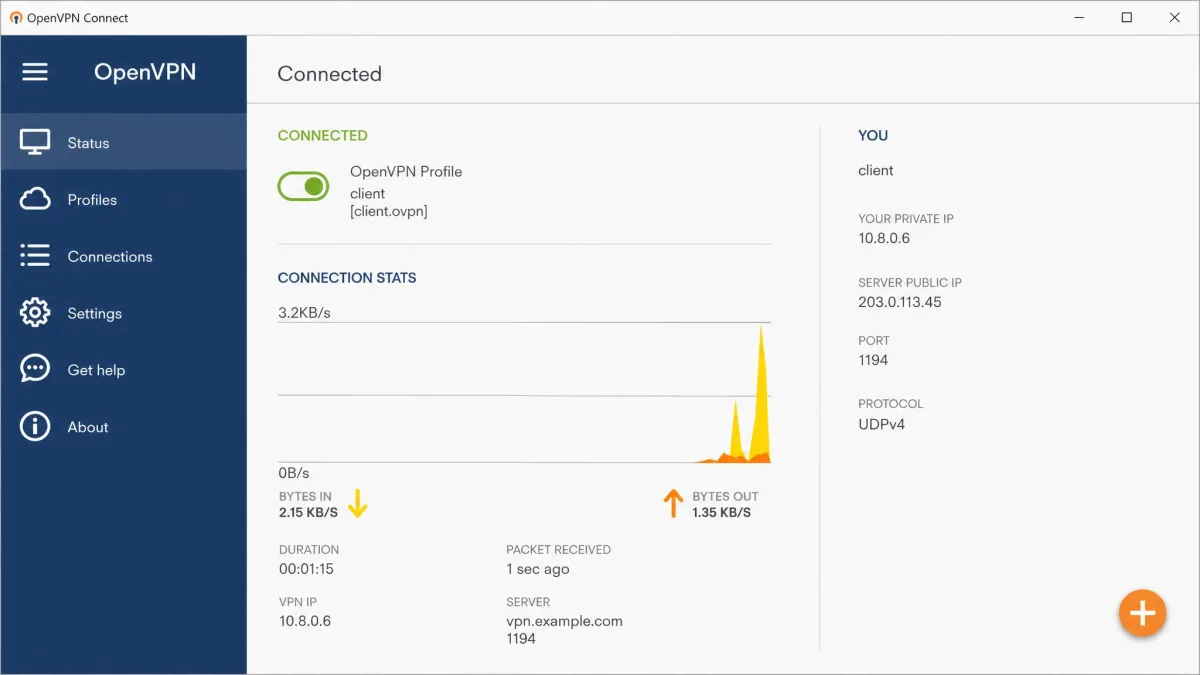
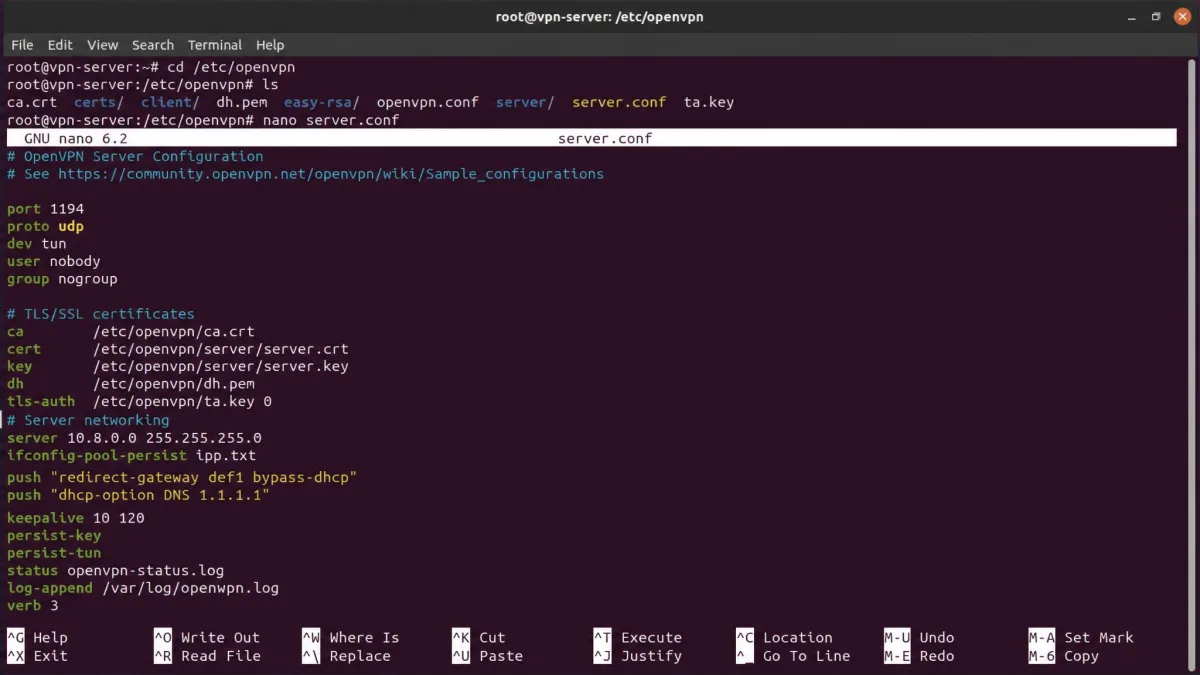
OpenVPN is the reference point every other option is measured against. It is open source under GPLv2, and its protocol has been picked apart by security researchers for years, which is exactly why so many providers still build on it. When we set up the Community Edition, it took real manual configuration before it would connect, with certificates and config files to sort out by hand. Once we had it configured correctly, though, it held up as a reliable, well-proven tunnel for both business and home use.
The free Community Edition is the truly open, self-hostable core. There is also a commercial Access Server product with cloud quick-launch templates for Azure, AWS, DigitalOcean, and Oracle Cloud, role-based access control, and paid support. Pricing there starts at roughly $11 per month for five users, though Access Server pricing is tiered per connection and shifts with your commitment and user count. For most readers, the free edition is the point.
Pros
- Free, open source Community Edition you can self-host
- The most widely supported and battle-tested VPN protocol
- AES-256 encryption via the proven OpenSSL library
- Cloud launch templates for major hosts on Access Server
Cons
- Community Edition needs real technical setup, not point-and-click
- No vendor support desk unless you pay for Access Server
- Paid Access Server pricing is tiered and can be hard to predict
2. WireGuard
Where OpenVPN is the proven veteran, WireGuard is the modern challenger built for speed. It is free and open source under GPLv2 and has been merged into the Linux kernel since version 5.6, which tells you how seriously the wider community takes it. Its small, auditable codebase and modern ChaCha20 cryptography mean connections come up fast, and in our testing the handshake was noticeably quicker than OpenVPN's.
The catch is polish. WireGuard has no official graphical user interface, so everyday desktop use leans on third-party GUI clients. That is a non-issue on Linux and a minor hurdle on Windows or macOS, where you install a front-end to manage tunnels. As a protocol, though, it is now the default choice for new self-hosted setups and underpins the apps from Mullvad, Proton VPN, and IVPN further down this list.
Pros
- Extremely fast handshake and modern ChaCha20 cryptography
- Tiny codebase that is easy to audit
- Free, open source, and self-hostable
- Now the default protocol inside many commercial VPN apps
Cons
- No official graphical app; relies on third-party GUI clients
- Bare protocol has fewer built-in privacy features than a full app
- Self-hosting still means you own the server maintenance
3. SoftEther VPN
SoftEther takes a different path from the single-protocol projects above it by trying to speak every language at once. It is open source under the Apache License 2.0, free for personal and commercial use, and it began as an academic research project at the University of Tsukuba in Japan. Its server supports SSL-VPN over HTTPS plus six major protocols, so one install can serve OpenVPN, IPsec, and L2TP clients together. It also offers VPN over ICMP and VPN over DNS to push through restrictive firewalls.
That flexibility comes with a setup cost. When we stood up a SoftEther server, it connected very fast once the server side was configured properly, but getting there took some configuration work. Its own native protocol also lacks broad client compatibility, so cross-device use often falls back to OpenVPN or L2TP. It runs on Windows, Linux, Mac, FreeBSD, and Solaris, with mobile clients available.
Pros
- Supports SSL-VPN plus six major protocols from one server
- Firewall penetration via VPN over ICMP and VPN over DNS
- Free under Apache 2.0 for personal and commercial use
- Runs across an unusually wide range of operating systems
Cons
- Server setup takes real configuration effort
- Native protocol has limited client compatibility
- No vendor support desk for self-hosted deployments
4. Mullvad VPN
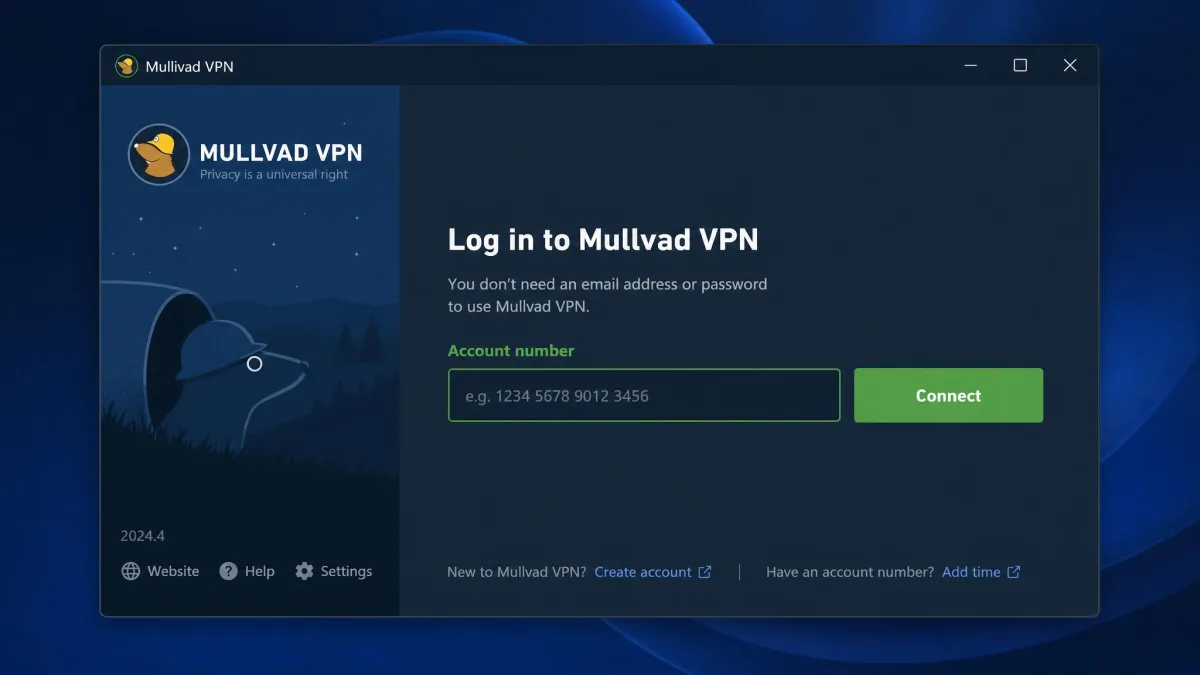
Mullvad VPN answers the question of what to do when you want open source transparency without running your own server. Its apps are open source and independently audited, and it pairs them with the most privacy-forward account model we tested. Signup is genuinely anonymous: it hands you an account number with no email required, which lowered setup friction to almost nothing. You can pay by card, bank wire, cash, or crypto, with a 10% discount for crypto.
The pricing is refreshingly simple. Mullvad charges a flat 5 euros per month regardless of how long you subscribe, covers up to 5 devices per account, and offers a 14-day money-back guarantee on non-cash payments. There are no tiers to decode and no annual lock-in, which fits the no-nonsense privacy stance of the rest of the product.
Pros
- Open source apps with independent audits
- Anonymous account numbers, no email required
- Flat 5 euros per month with no long-term lock-in
- Accepts cash and crypto for extra anonymity
Cons
- Flat pricing means no discount for long commitments
- Up to 5 devices may be tight for larger households
- Fewer bells and whistles than some larger providers

5. Proton VPN
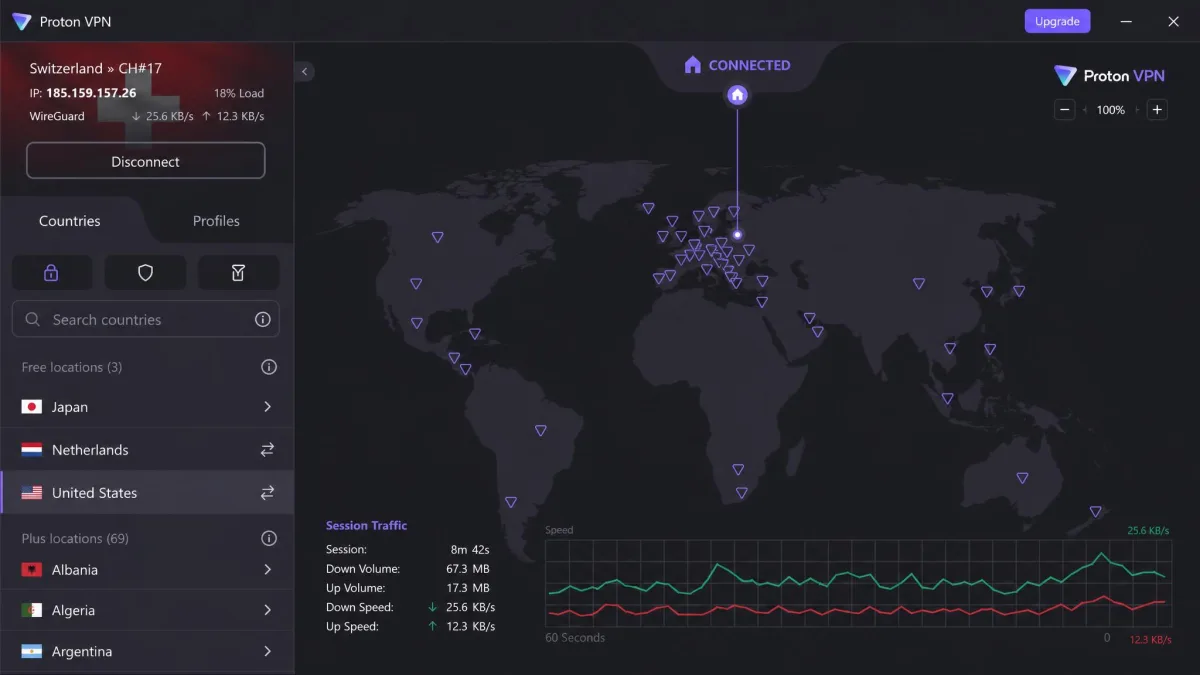
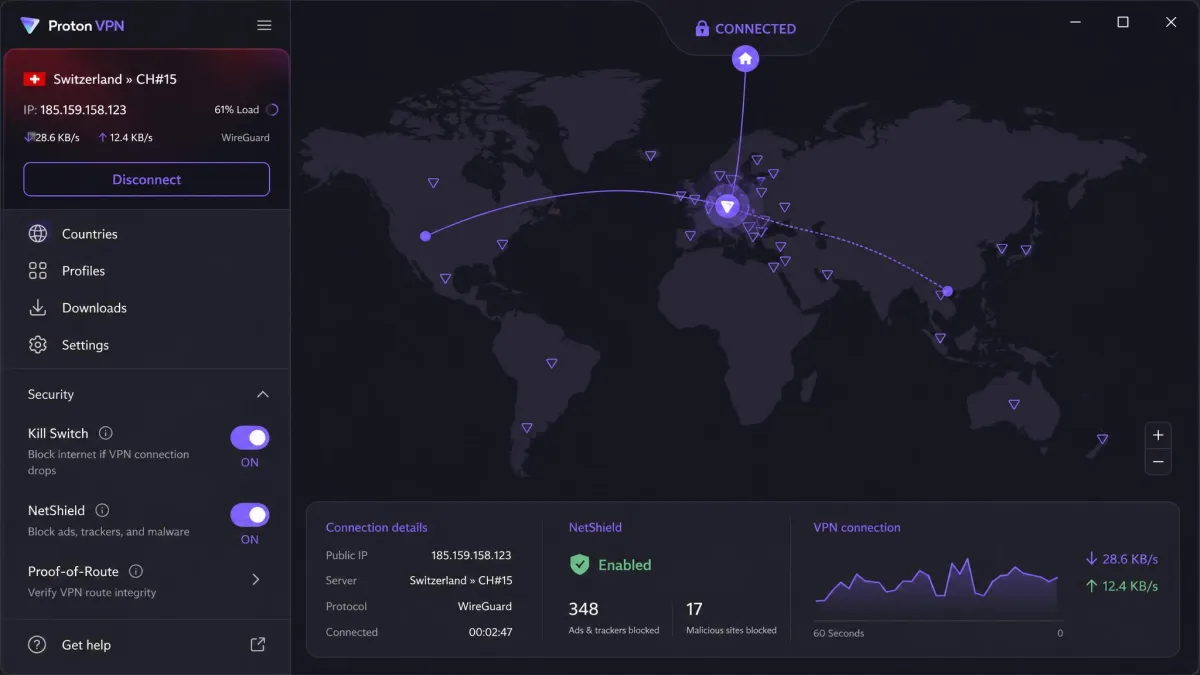
If Mullvad is the anonymity specialist, Proton VPN is the all-rounder most readers should try first. Its apps are 100% open source and independently audited, and unlike the self-hosted projects, the interface is polished and easy to navigate. It also runs the strongest free tier here: no ads, no logs, one device, and servers in a limited set of countries. That free plan alone makes it the easiest open source VPN to recommend to a newcomer.
Paid plans add the extras. VPN Plus brings a kill switch, Secure Core multi-hop, the NetShield ad and malware blocker, VPN Accelerator, and P2P support, across 10 devices. Pricing runs from about $2.99 per month on a two-year term up to $9.99 monthly, though the advertised per-month figure varies by commitment length, currency, and promotion. Proton advertises 2,000-plus servers in 140-plus countries, though server and country totals vary across its own pages and third-party reviews, so treat any single count as approximate.
Pros
- Apps are 100% open source and independently audited
- Genuinely usable free tier with no ads or logs
- Polished, easy-to-navigate interface across platforms
- Secure Core multi-hop and NetShield on paid plans
Cons
- Best per-month pricing needs a long commitment
- Free tier is limited to one device and fewer countries
- Advertised server counts are inconsistent across sources

6. IVPN
IVPN is the pick for readers who care most about proof, not just promises. All of its services and clients, across Android, iOS, macOS, Windows, and Linux, are open source, and it has commissioned annual third-party security audits since 2019. That audit track record is longer and more consistent than most of the field, which is exactly what you want from a privacy tool.
The network is deliberately compact, with 58 locations across 41 countries, and the feature set leans hard into privacy: quantum-resistant WireGuard connections, OpenVPN, multi-hop, an anti-tracker, a no-logs policy, and port forwarding. Pricing is tiered simply: Standard is $6 per month or $60 a year, Plus is $8 per month, and the Pro Suite is $10 per month with 10 devices. A 30-day refund window and a weekly plan make it easy to test before committing.
Pros
- Every service and client is open source
- Annual third-party audits every year since 2019
- Quantum-resistant WireGuard and multi-hop routing
- 30-day refund plus a short weekly plan for testing
Cons
- Smaller network at 41 countries than the big providers
- No free tier, only a paid subscription
- Fewer extras than an all-in-one suite like Proton

7. Outline
Outline rounds out the list for a specific job: giving other people access to a private server you run. Built as an open source project to make self-hosting approachable, it wraps a Shadowsocks-based server in a manager app so you can spin up a server on a cloud host and hand out access keys without touching a config file. It sits between the raw self-hosted projects and the fully managed providers.
Outline suits a small team or a family where one technical person runs the server and everyone else just imports a key. It is not a country-hopping streaming VPN, and it does not give you a network of servers. What it does give you is a private tunnel you control, with far less setup pain than a bare OpenVPN install. Outline is free and open source under the Apache License 2.0, developed by Jigsaw, a unit inside Google's parent Alphabet. The Outline Client runs on Windows, macOS, Linux, ChromeOS, Android, and iOS, and the Shadowsocks-based Outline Server remains free to self-host as of 2026, so you pay only for your own cloud infrastructure.
Pros
- Open source and designed to make self-hosting simple
- Access keys are easy to share with non-technical users
- You keep full control of the server and its logging
Cons
- Not built for streaming or country selection
- Single self-hosted server, not a provider network
- Still requires a cloud host you set up and pay for
Open Source VPN Comparison Table
Here is how the seven picks line up on the criteria that matter most, from protocol support to audit status. Use it to narrow the field before you read the setup section below.
| Product | Buy | Protocols | Self-hosted vs hosted | Platforms | License / audit | Best for |
|---|---|---|---|---|---|---|
 |
Visit site → | OpenVPN (SSL/TLS) | Both | Cross-platform | GPLv2, community-reviewed | Business self-hosting |
 |
Free | WireGuard | Self-hosted | Cross-platform | GPLv2, small auditable codebase | Speed and mesh |
 |
Free | SSL-VPN + 6 protocols | Self-hosted | Win/Linux/Mac/BSD/Solaris | Apache 2.0, academic project | Multi-protocol flexibility |
 |
Visit site → | WireGuard, OpenVPN | Hosted | Cross-platform | Open apps, independently audited | Anonymous privacy |
|
Visit site → | WireGuard, OpenVPN | Hosted | Cross-platform | 100% open source, audited | Best free tier |
|
Visit site → | WireGuard, OpenVPN | Hosted | Cross-platform | Open source, audited since 2019 | Audited privacy |
 |
Free | Shadowsocks-based | Self-hosted | Cross-platform | Open source, Apache 2.0 | Simple self-hosting |
How to Set Up an Open Source VPN
The setup path depends on which route you chose. For a commercial pick like Mullvad, Proton VPN, or IVPN, it is the same as any app: download the client for your device, sign in or paste your account number, and connect. There is no server to build, and the leak protection and kill switch are already wired in.
Self-hosting takes more steps but follows a clear pattern. Rent a small cloud server, install the VPN software, generate keys or certificates, open the right port in the firewall, then import the client config on each device. WireGuard is the gentlest starting point because its configs are short. OpenVPN gives you the most documentation to lean on. Outline hides most of this behind a manager app if you want the control without the command line.
Whichever route you take, verify the tunnel before you trust it. Connect, run a DNS leak test, confirm your public IP has changed, and check that traffic still flows if you toggle the kill switch. Those three checks catch the most common configuration mistakes in a couple of minutes.
Risks and Limitations of Open Source VPNs
Open source is not a magic shield, and it helps to know the trade-offs going in. The biggest one is support. Self-hosted projects like OpenVPN, WireGuard, and SoftEther have no vendor support desk, so you own all the troubleshooting yourself. When a tunnel drops at midnight, there is a forum and documentation, not a help line.
Configuration risk is the other big one. Open code lets you verify the encryption, but it does not stop you from leaving DNS unprotected or picking a weak key. A misconfigured self-hosted server can be less private than a well-run commercial app, even though the software is more transparent. The transparency is only as good as the setup around it.
There are practical limits too. A single self-hosted server gives you one location, so it is poor for streaming or region-hopping. And "open source app" does not always mean the whole service is open; some providers open their clients but not every backend component. Read what is actually audited before you assume the entire stack is public.
Free VPN browser extensions and unaudited "open source" apps are not the same as the vetted projects here. If a tool cannot point you to public code and an independent audit, treat its privacy claims with caution.
FAQ
Is an open source VPN safe to use?
Are open source VPNs really free?
OpenVPN or WireGuard, which should I pick?
What is the best open source VPN for Linux?
What are good open source alternatives to OpenVPN?
Conclusion / Bottom Line
The right open source VPN depends on whether you want to run the server or just trust an audited one. If you are comfortable self-hosting, WireGuard is the fastest starting point and OpenVPN the most proven, with SoftEther and Outline covering flexibility and easy sharing. If you want transparency without the maintenance, Mullvad leads on anonymity and IVPN on audit history.
For most readers, though, the easiest first step is a provider whose apps are open, audited, and pleasant to use every day.