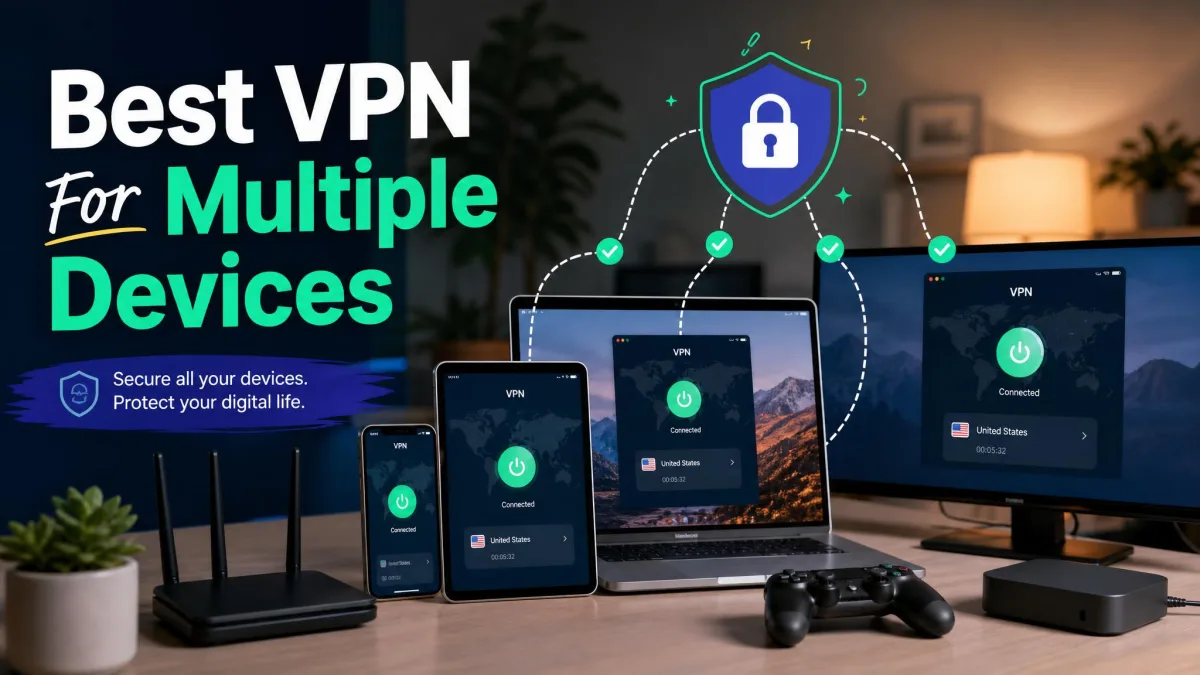
Most households no longer run one or two gadgets. A single home now juggles laptops, phones, tablets, a smart TV, a game console, and often a work machine on top. Protecting all of them with one subscription is the practical question. It is also the one most VPN buying guides skip. The number of simultaneous connections a plan allows decides whether it fits a real home. So does how the service holds up when several of those devices are active at once. Get both wrong and a VPN only looks good on a spec sheet.
We spent our testing time on exactly that scenario. Many devices, one account, running together. We ran each VPN across Windows, macOS, Android, and iOS. We checked how apps behaved on TV and router setups. We watched download speeds when more than one connection was live. The goal was simple. We wanted to know which providers cover an entire home without slowing to a crawl. We also wanted to know which ones break on a second device or force you into a second subscription.
This guide ranks six services that handle multi-device life well. They run from a top all-rounder to unlimited-connection picks and a value option built for big families. Each entry covers connection limits, platform support, speed under load, and price. That way you can match a plan to the exact mix of hardware you own.
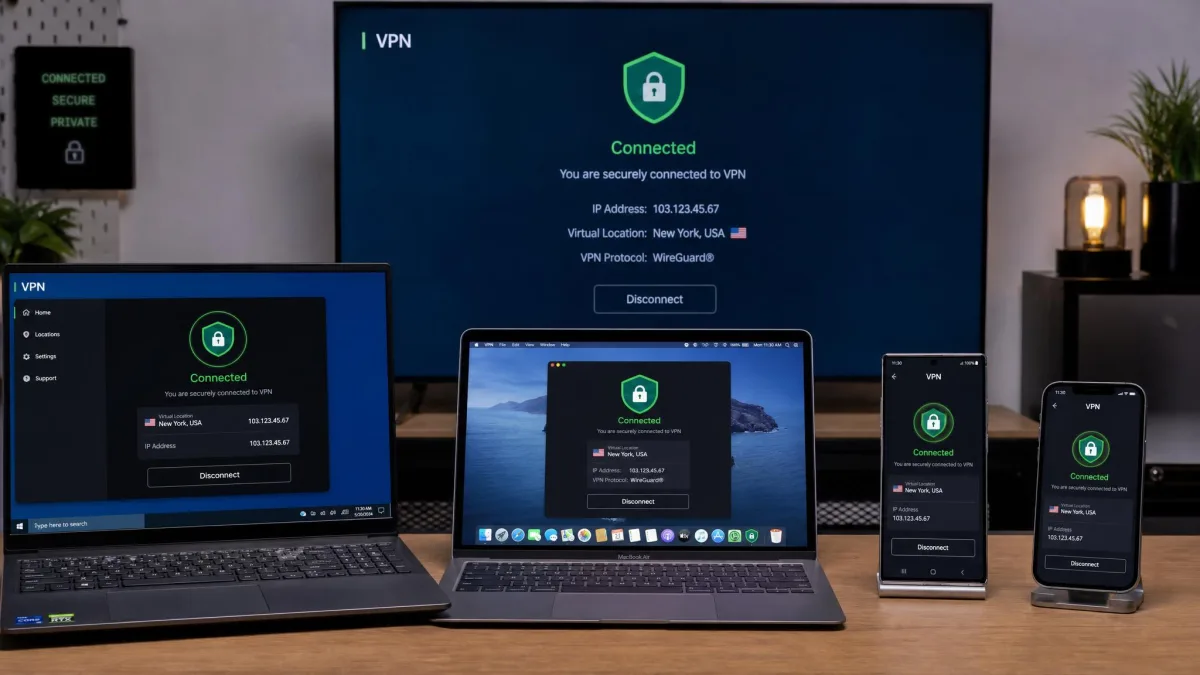
Why You Need a Multi-Device VPN
A VPN on one device only protects that device. The moment your phone leaves the house, its connection travels unprotected. The same is true when a tablet joins an open network or a smart TV starts streaming. A multi-device VPN closes that gap. One account covers every screen in the home at once. For a family or a shared house, that is the whole point.
The math also favors a single plan over several. Buying separate subscriptions for each person is wasteful. One multi-device plan already includes a pool of connection slots for exactly this use. You pay once. Then you spread that coverage across laptops, phones, and the living-room TV. For most homes the deciding number is not the price. It is how many devices can connect at the same time.
There is a coverage angle too. Households have grown a long tail of devices that never used to need protecting. Think streaming sticks, game consoles, smart-home hubs, and older tablets. Many of these cannot run a VPN app at all. So a plan that pairs a generous connection limit with router support is what actually covers the whole home. That combination is what separates a real multi-device VPN from a solo one.
How We Tested and Ranked These VPNs
Our approach centers on the way people actually use these services. That means several devices connected at the same time. We licensed or subscribed to each VPN ourselves rather than relying on vendor trials. Then we installed the apps across Windows, macOS, Android, and iOS. Where a service offered a TV or router app, we set that up too. Whole-home coverage is a core part of the multi-device question.
We scored each provider on five things. First, the number of simultaneous connections it allows. Second, how broad its platform and device support is. Third, how well download speeds held up when multiple connections were active. Fourth, the strength of its privacy and no-logs stance. Fifth, the value of its price relative to how many devices it covers. Streaming access fed into the speed and usability scores. A VPN that cannot unblock the services a family watches is a poor fit no matter how fast it is.
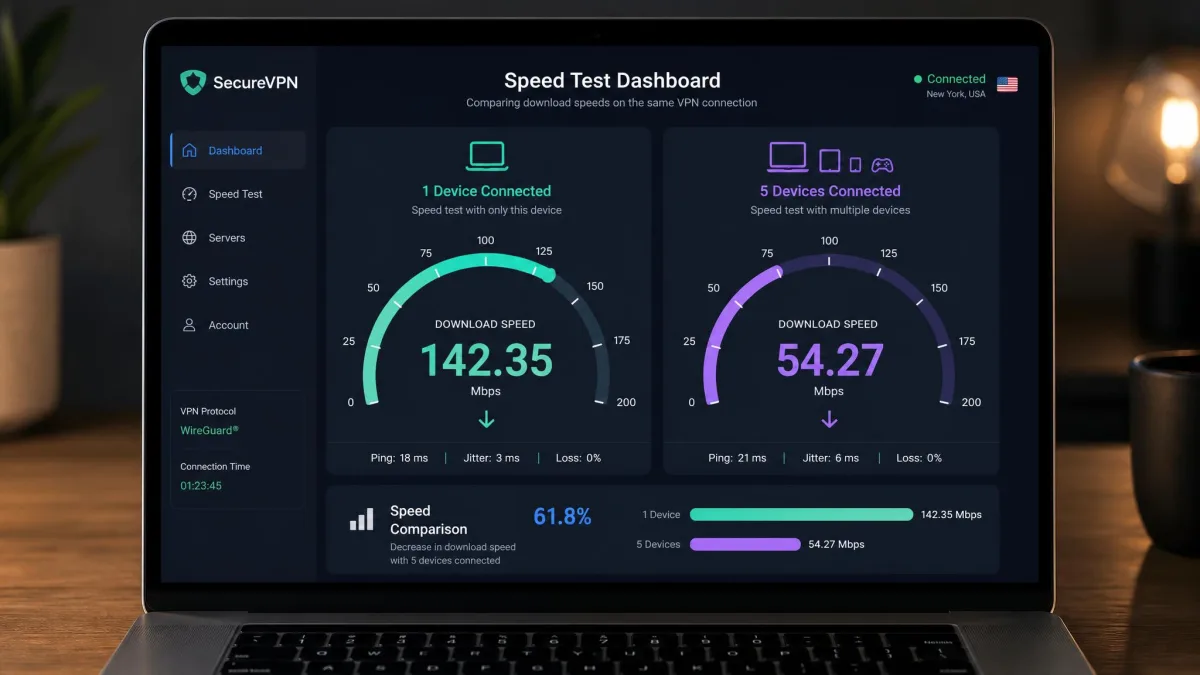
Speed under load mattered most for this topic. A VPN can post a great single-device benchmark and still buckle when a second and third device join. So we watched how each service behaved with concurrent connections. We did not trust a solo speed test. NordVPN held download speeds within roughly 6 to 8 percent of our baseline. Several devices could stream and download at once with no slowdown we could feel. Private Internet Access stayed within about 10 percent of baseline and held that consistency as we added connections.
We also paid attention to the awkward end of the device list. It is easy for a plan to feel fast with two or three devices. It can then sag once you push toward the connection cap. So we kept adding devices until we reached each plan's limit. Then we checked whether the last device on felt any different from the first. That is where marketing claims tend to fray. It is also where a household actually lives on a busy evening.
The multi-device test is where marketing claims meet reality. A plan that says "up to 10 devices" means little if device seven crawls. We kept devices connected together, not one at a time. So the speeds and quirks below reflect a busy home, not a lab bench with a single laptop.
Best VPNs for Multiple Devices at a Glance (Comparison Table)
Before the full reviews, here is how the six services line up. These are the numbers that matter for a multi-device household. Connection limits, price, platform reach, streaming strength, and speed under load are the quick filters most buyers use. So we put them side by side. Long-term prices are the advertised introductory rates on each provider's longest plan. They tend to renew higher, so treat them as a starting figure rather than a fixed cost.
| Provider | Buy | Connections | Price | Platforms | Streaming | Speed under load |
|---|---|---|---|---|---|---|
 |
Check price → | 10 | ~$3.49/mo | Win, Mac, Linux, iOS, Android, TV, router | Strong | Excellent (6-8% drop) |
 |
Check price | Unlimited | ~$2.49/mo | Win, Mac, Linux, iOS, Android, TV, router | Strong | Good |
 |
Check price | up to 14 | ~$2.99-3.49/mo | Win, Mac, Linux, iOS, Android, TV, router, Aircove | Strong | Excellent |
 |
Check price | 10 | ~$2.99/mo | Win, Mac, Linux, Chromebook, iOS, Android, TV | Good | Good |
 |
Check price | Unlimited | ~$2.03/mo | Win, Mac, Linux, iOS, Android, Smart TV, router | Weaker | Consistent (~10% drop) |
 |
7 | ~$2.19/mo | Win, Mac, Linux, iOS, Android, TV, router | Netflix ok, others patchy | Good |
The Best VPNs for Multiple Devices Reviewed
Each service below earned its place for a different kind of household. We lead with the strongest all-rounder. Then we move through the unlimited-connection picks, the easiest cross-device experience, the privacy specialist, and the family value choice. Prices shift with promotions. So we focus on what each plan covers rather than a single dollar figure.
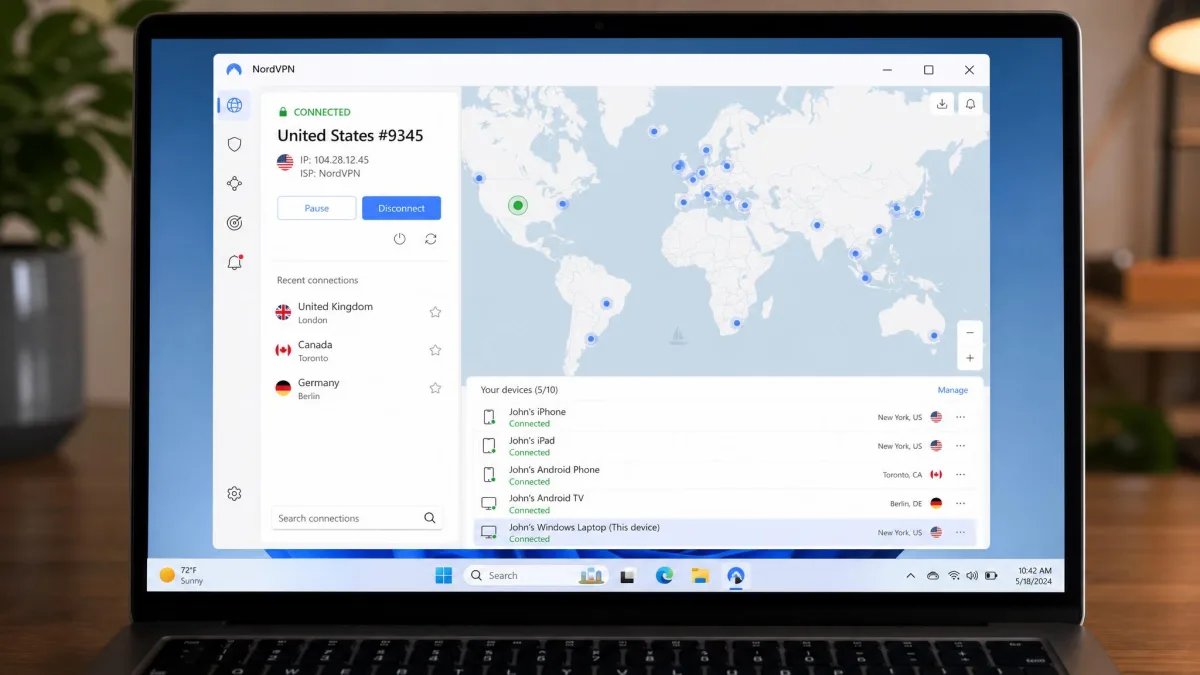
1. NordVPN: Best Overall Multi-Device VPN
NordVPN takes the top spot because it does the hardest part of multi-device life well. It stays fast when several devices are connected at once. We pushed the account to its full ten connections to see whether the last device felt any different from the first. It did not. Two smart TVs were streaming. A console was downloading a game update. Three phones sat on the same account. Through all of it, the tenth connection behaved just like the first, and the speed drop we felt was the same one we saw with a single device. That is the moment that decided the ranking.
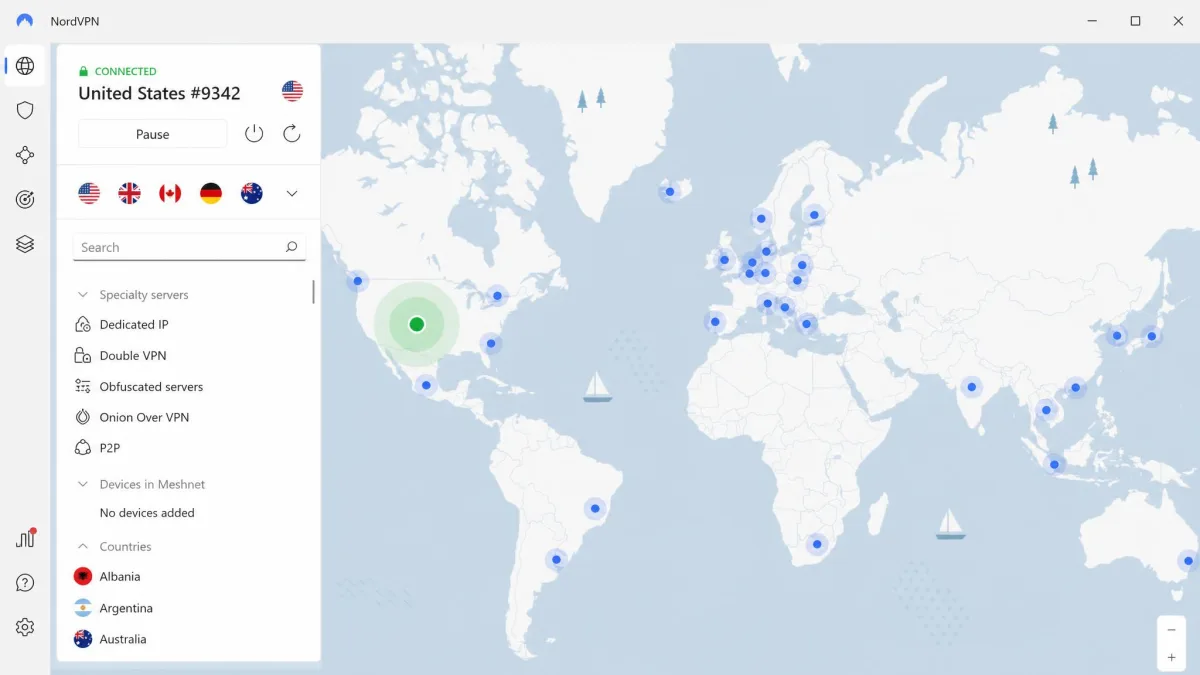
The plan allows 10 simultaneous connections, which covers most households outright. There is also a cleaner way to stretch that further. Put NordVPN on a compatible router and every device on your network is covered through one slot. Phones, consoles, and smart-home gear that cannot run a VPN app get protected too. It runs on Windows, macOS, Linux, iOS, and Android. It is backed by more than 5,400 servers and the WireGuard-based NordLynx protocol. Threat protection blocks ads and trackers across devices.
We spent an evening with the whole account live to see where it might crack. It never did. With the TVs streaming and the console pulling an update, browsing on a phone stayed instant. The download on a laptop never stalled. That headroom is what a home full of active devices actually feels day to day.
Pros
- Smallest speed drop under load of any service we tested
- Native, platform-specific apps including tvOS and Android TV
- Clean router support extends coverage on a single slot
- Strong streaming access across devices
Cons
- Ten connections is generous but not unlimited
- Introductory price renews higher than the advertised 2-year rate
Best for a busy household that wants top speed with several devices active at once. Skip it if you need to cover more than ten devices without touching a router. An unlimited plan fits that case better. The introductory price lands around $3.49 a month on the two-year plan. The exact figure moves with promotions and renews higher. The plan carries a 30-day money-back guarantee.
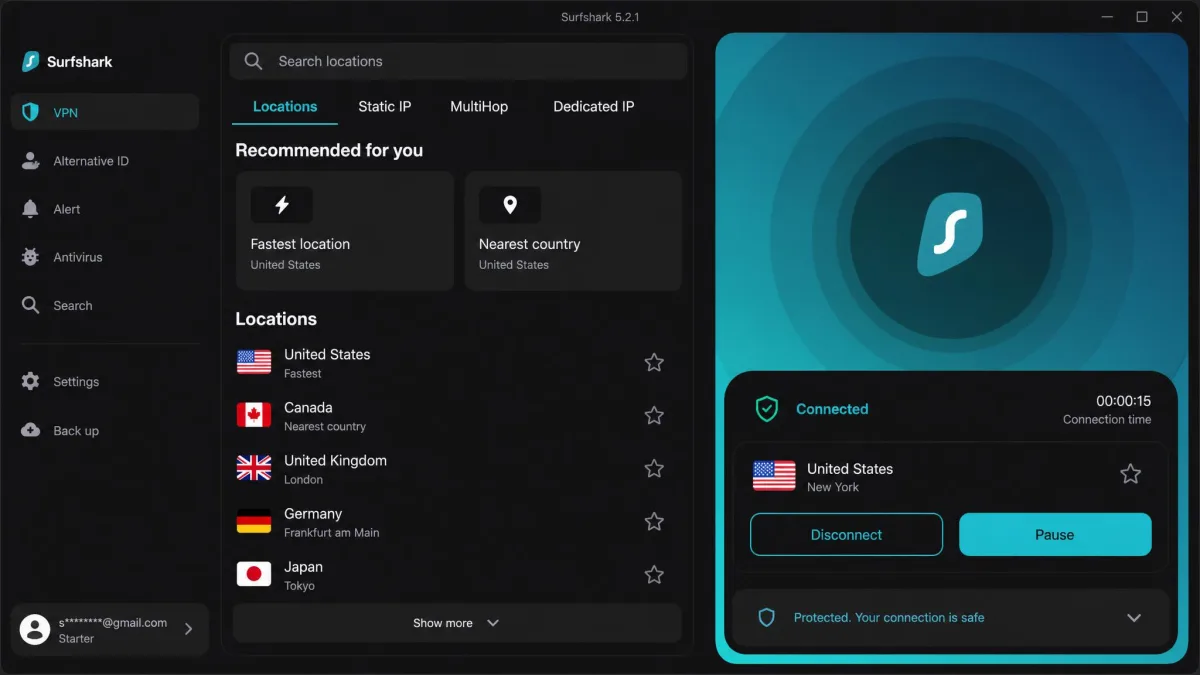
2. Surfshark: Best for Unlimited Connections
Where NordVPN caps you at ten, Surfshark removes the ceiling entirely. Its unlimited simultaneous connections cover a whole household on one subscription. There is no per-device catch. That makes it the obvious pick when you have stopped counting your gadgets. Roommates, extended family, a pile of tablets and consoles: one account handles all of it. That single trait carries the review. It is why Surfshark sits second overall.
The apps helped in daily use too. Surfshark uses plain, sensible feature names. Setting the same options on a phone and a laptop did not mean relearning a menu. It runs on Windows, macOS, Linux, Android, iOS, Android TV, Apple TV, and Fire TV. There are browser extensions for Chrome, Firefox, and Edge. CleanWeb blocks ads and malware. The trade-offs showed in two places. Download speeds ran noticeably slower than NordVPN's in side-by-side testing, on the order of 17 to 31 percent behind. Router support is also more limited than rivals, which adds friction if a router setup is central to your plan.
Because there is no connection cap, we had no ceiling to test against. So we simply kept adding devices. A dozen phones, tablets, laptops, and TVs stayed connected on one account. Nothing ever prompted us to disconnect anything. That freedom is what sells this plan. The speed sat behind NordVPN throughout. Streaming across several TVs at once was fine but felt a step slower under heavy load.
Pros
- Truly unlimited simultaneous connections on one account
- Clear, consistent app design across platforms
- Wide platform and TV support with CleanWeb blocking
- Strong streaming access
Cons
- Noticeably slower than NordVPN under side-by-side testing
- Limited router support adds friction for whole-home setups
Best for large or ever-growing households that want one plan to cover everything. Skip it if peak speed or a router-first setup is your priority. Pricing starts around $2.49 a month on the long 24-month Starter plan. That introductory rate renews higher. Every plan is backed by a 30-day money-back guarantee.
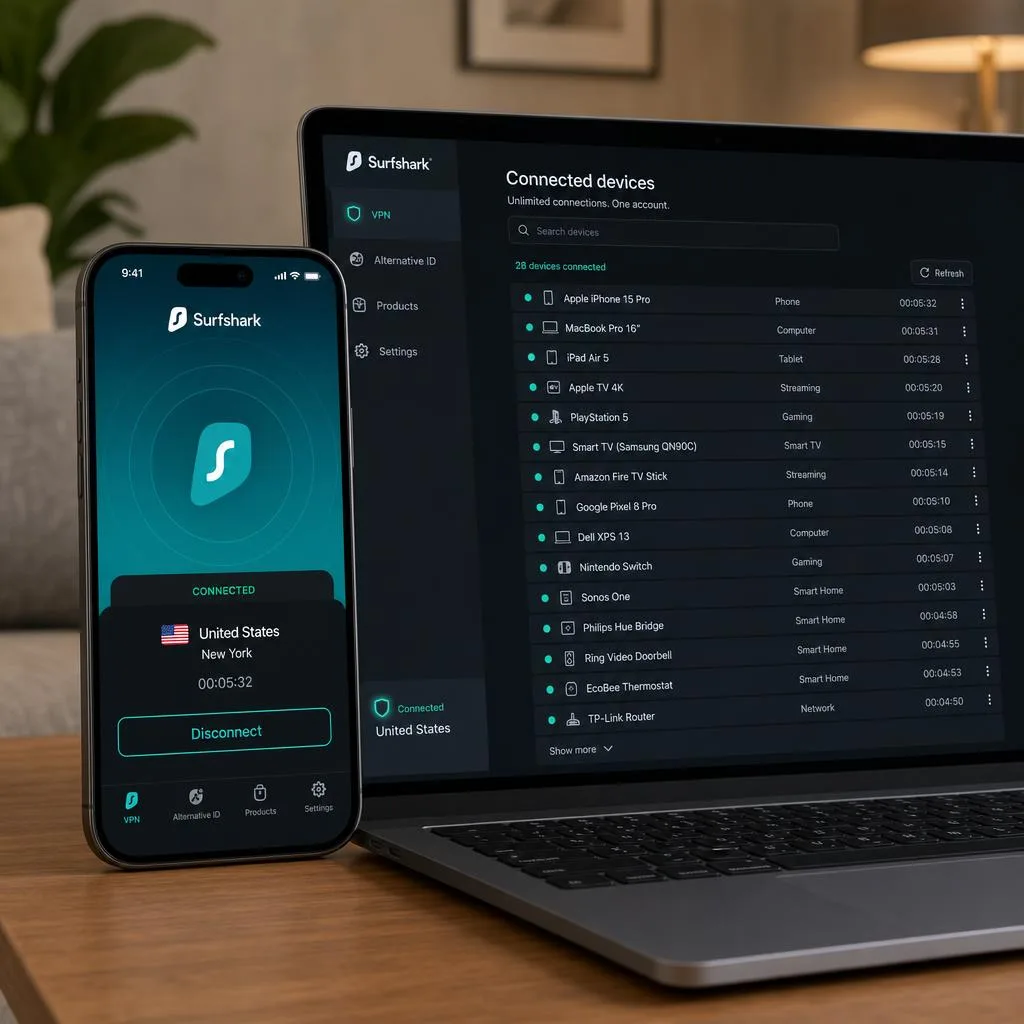
If your device count changes often, an unlimited-connection plan like Surfshark or PIA saves you a chore. You never have to re-check a limit when someone in the house buys a new phone or tablet.
3. ExpressVPN: Best for Ease of Use Across Devices
If Surfshark wins on raw device count, ExpressVPN wins on how little effort the setup takes. It offers apps for every popular platform. That made cross-device installation the most straightforward of the group. You install, sign in, and connect. The experience is close to identical on a Mac, an Android phone, or a smart TV. For a household where not everyone is technical, that consistency is worth a lot.
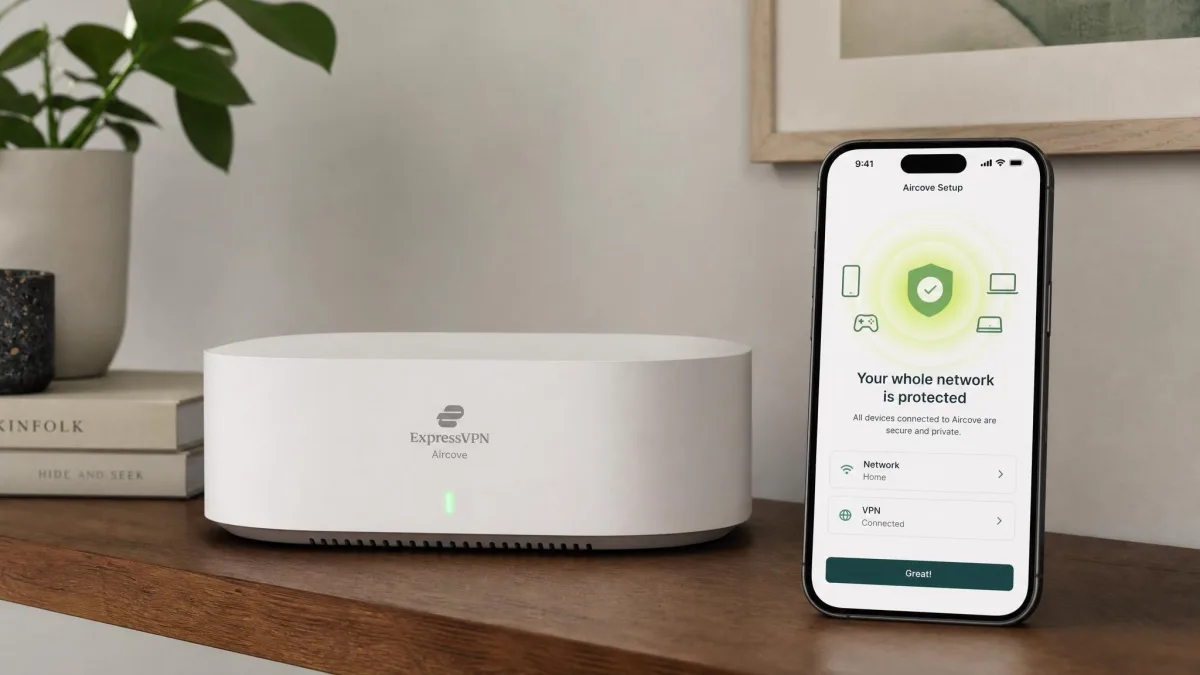
The standout for multi-device homes is ExpressVPN's Aircove routers. They arrive with the VPN preinstalled. That removes the manual router-flashing work that trips up most people. Plug it in and every device on the network is covered. No firmware wrangling is required. The service supports up to 14 devices at once, though that top number depends on the plan tier. The base plan caps lower than the premium tier, so check which plan you are buying. It runs on Windows 10 and 11, macOS on Apple silicon, Linux, iOS 15 and later, and Android 7 and later. It uses TrustedServer RAM-only servers and the Lightway protocol. The catch is cost. Pricing stays steep relative to rivals even on the longer plans.
The Aircove approach changed how the device count felt in practice. We did not install an app on every TV and console. Instead we let the router cover the harder devices. We used app installs only where we wanted a specific server location. That kept us well under the connection limit while still protecting the whole network. It was the neatest answer to a large device list we tested.
Pros
- The easiest cross-device setup we tested
- Aircove routers ship with the VPN preinstalled
- RAM-only TrustedServer network and fast Lightway protocol
- Apps for every major platform, TV, and console
Cons
- Pricing stays high compared with rivals
- Top connection count depends on the plan tier
Best for a household that values a simple, uniform setup across every device. It also suits anyone who wants a plug-and-play VPN router. Skip it if price is your main filter. Cheaper plans cover devices just as well. Connection count depends on the tier you choose. First-time users get a 30-day money-back guarantee.
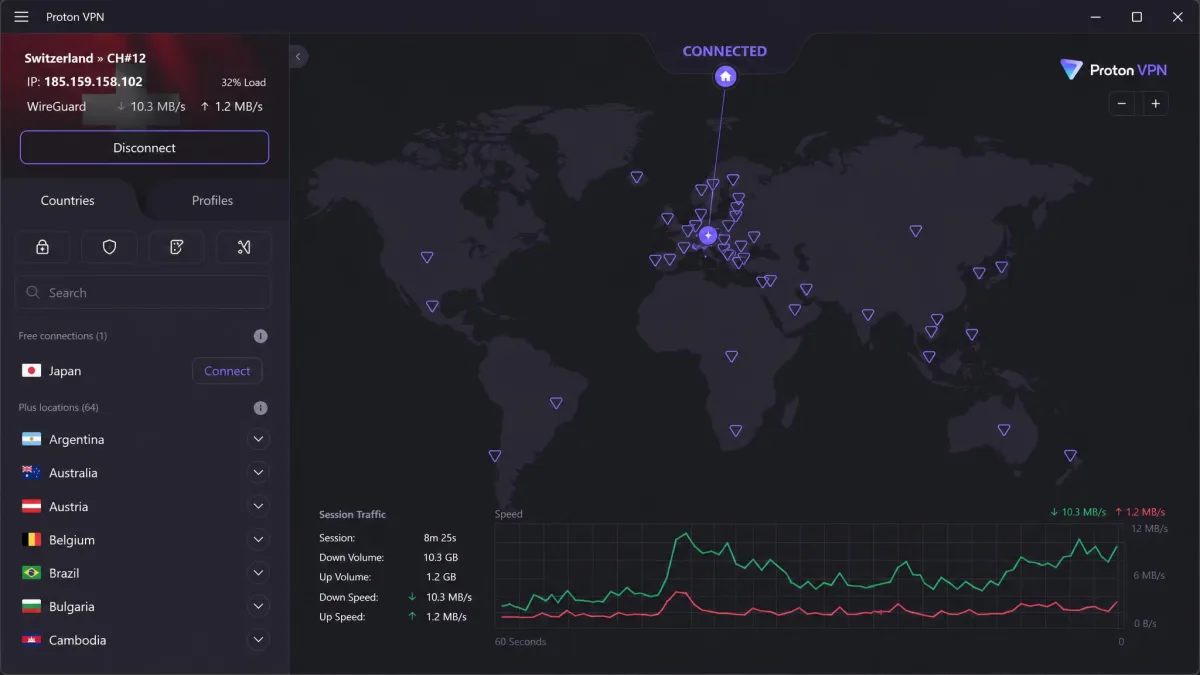
4. Proton VPN: Best Privacy-First Pick
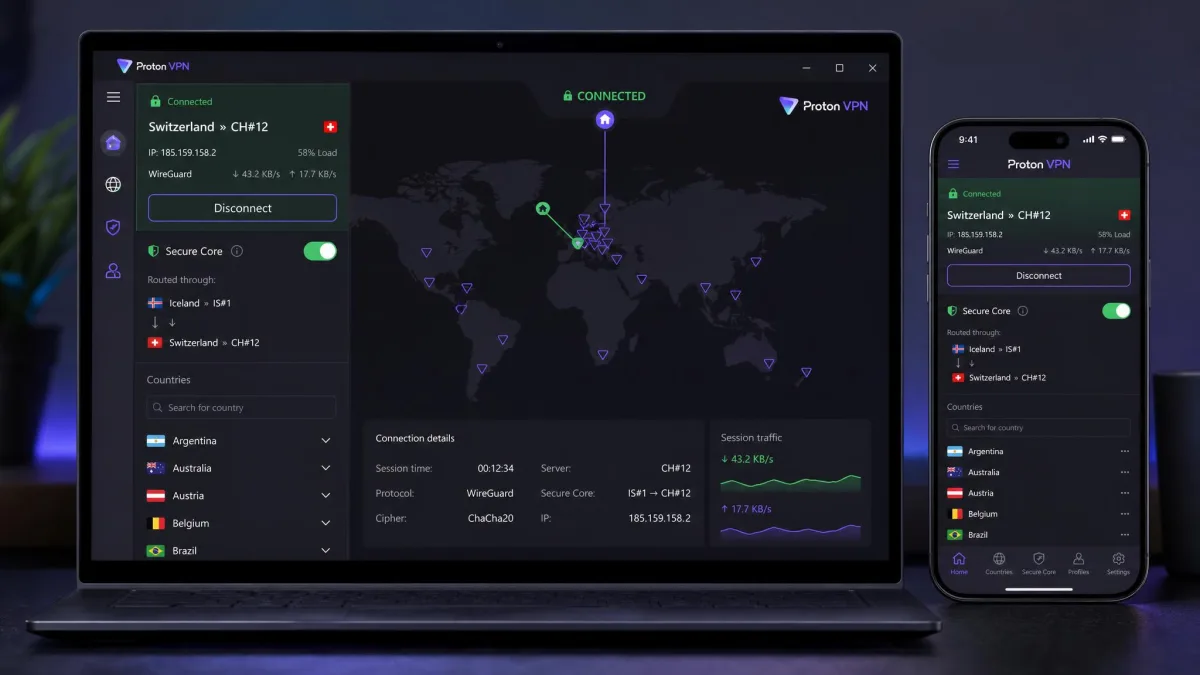
Proton VPN takes the privacy-conscious route that the others only gesture at. Its apps are open source. Its no-logs stance is central to the product. Its Secure Core feature routes traffic through hardened servers before it leaves the network. For a home where privacy is the reason you want a VPN, that transparency matters more than a speed benchmark. If you want the underlying idea, a plain-language explainer of how a VPN works covers the basics well.
For device coverage, paid plans allow 10 devices at a time, matching NordVPN. Proton VPN also offered some of the smoothest router integration of the group alongside Nord. So you can protect ten devices directly and extend to the rest through a router without a fight. It runs on Windows, macOS, Linux, Chromebook, Android, and iOS. It adds Android TV and Apple TV apps plus browser extensions for Chrome and Firefox. Speeds were good rather than class-leading. Streaming access was solid without topping the chart. Proton VPN is also one of the few services here with a genuine free tier. That free plan covers only one device at a time, so it is a way to try the apps rather than a multi-device solution.
Running Proton VPN across a full ten devices, we found the router path did most of the heavy lifting. Its router integration was as smooth as NordVPN's. So we covered the TVs and consoles through the router. We saved the direct slots for the laptops and phones that needed their own server choice. That split kept Secure Core available where we wanted it without exhausting the connection limit.
Pros
- Open-source apps and a privacy-first, no-logs design
- Secure Core routing for extra protection
- Ten connections plus smooth router integration
- A genuine free tier to try before you buy
Cons
- Speeds are good, not class-leading
- The free plan covers only one device at a time
Best for buyers who put privacy and transparency at the top of the list and still need to cover a full set of devices. Skip it if you want the outright fastest option for heavy simultaneous streaming. Paid plans start at a few dollars a month. They carry a 30-day money-back guarantee.
Proton VPN's free tier is the exception that proves the rule for free plans. It is a legitimate way to test the apps. But its one-device limit means it cannot cover a household on its own.
5. Private Internet Access: Best for Large Households
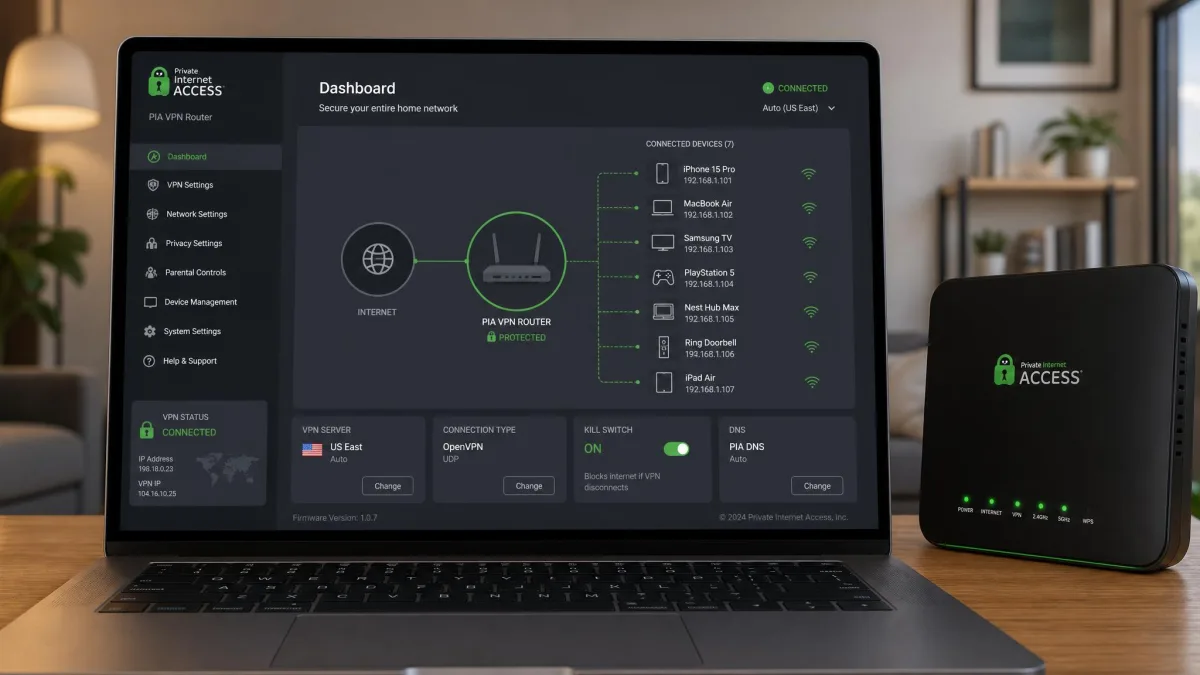
Like Surfshark, Private Internet Access removes the connection ceiling. It leans harder into raw scale, though. PIA allows unlimited devices simultaneously. It backs that with over 33,000 servers, one of the largest networks in this guide. For a large or shared house where the device count is genuinely high, that pairing keeps everyone connected without contention. Speeds held within about 10 percent of baseline across our testing. They stayed consistent as we added connections. That is the trait that matters when many devices are live.
PIA is also strong on routers. It documents setup for DD-WRT, Tomato, and pfSense with step-by-step walkthroughs. It runs on Windows, Mac, Linux, Android, and iOS. There is a Smart TV app, Chrome and Firefox extensions, and open-source apps throughout. Two limits keep it out of the top spots. Streaming can struggle with Hulu and Amazon Prime Video, a real drawback for streaming-heavy homes. We also saw a significant speed impact on macOS devices specifically. A Mac-first household should weigh that.
With no cap to hit, we loaded the account well past what the other plans allow. Then we watched the speed rather than the number. It stayed within about 10 percent of baseline even as the connection count climbed. That is the payoff of the huge server network. The macOS slowdown was the one sour note. On a house running several Macs at once we felt the difference. A Windows-heavy home did not.
Pros
- Unlimited simultaneous connections
- Over 33,000 servers for a very large network
- Detailed router guides for DD-WRT, Tomato, and pfSense
- Consistent speeds under load and open-source apps
Cons
- Can struggle to access Hulu and Amazon Prime Video
- Noticeable speed impact on macOS devices
Best for a large or shared household with a very high device count and router ambitions. Skip it if reliable streaming on Hulu and Prime is a must. Skip it too if your home runs mostly on Macs. The monthly plan runs $11.95. The long-term plan drops to a promotional $2.03 a month that renews higher. New subscribers get a 30-day money-back guarantee.
6. CyberGhost: Best Value for Families
CyberGhost rounds out the list as the value pick. It earns that label with the most forgiving trial terms here. Every rival offers a 30-day window. CyberGhost gives a 45-day money-back guarantee on its long-term plans. That is a meaningful cushion when you are outfitting a whole family. You get time to confirm it works on every device. Its router configuration guides were also the easiest to follow of the group. A parent covering the house through a router is not left guessing.
The plan allows 7 devices at once. That is the lowest ceiling in this guide but still enough for many families. It runs on Windows, macOS, Android, iOS, and Linux. There are apps for Amazon Fire TV, Android TV, Apple TV, and smart TVs, plus router support and browser extensions. Streaming-optimized servers help with Netflix. Access can be inconsistent beyond it. CyberGhost sometimes blocked Hulu and BBC iPlayer during testing. For a family whose device count sits under seven and who values a low price with a long guarantee, that is a fair trade.
Seven connections is where you feel the ceiling. So we mapped it to a real family before recommending it. Two parents and two children on phones, plus a shared laptop and a smart TV, reached six devices. That left one slot to spare. Add a game console or a second TV and you hit the limit. That is the point where the easy router setup earns its keep by moving those extra devices off the direct count.
Pros
- Longest money-back guarantee here at 45 days
- Very easy-to-follow router setup guides
- Low long-term price and wide TV app support
- Streaming-optimized servers for Netflix
Cons
- Seven connections is the lowest ceiling in this guide
- Streaming beyond Netflix can be inconsistent
Best for families under seven devices who want a low price and a generous trial window. Skip it if you watch a lot of Hulu or BBC iPlayer. Skip it too if you need more than seven direct connections. The monthly plan is $12.99. The 26-month plan drops to $2.19 a month. Long-term plans carry the 45-day money-back guarantee, while monthly plans get 14 days.
How to Choose the Best VPN for Multiple Devices (Buying Criteria)
The right VPN for one person is not always the right VPN for a household. Covering many devices brings its own filters. A handful of criteria separate a plan that fits from one that frustrates. Work through these five in order and the shortlist narrows quickly.
Number of simultaneous connections
This is the first filter. Count every device you want protected at the same time. Then add a few for future purchases. If that number is under ten, most of our picks fit. If it is higher, an unlimited plan removes the question entirely. Surfshark and Private Internet Access are the two to look at. Keep in mind that a router setup only ever uses one connection slot. It does not matter how many devices sit behind it. That changes the math for larger homes.
Platform and device compatibility
A connection limit means nothing if the service lacks an app for your hardware. Check that your operating systems are covered. Then look past phones and laptops to the trickier devices. Smart TVs, streaming sticks, game consoles, and Chromebooks all vary. Every provider here covers Windows, macOS, Android, and iOS. TV and console support is where the differences show. Consoles in particular usually need a router or a Smart DNS feature. They cannot run a VPN app directly.
Speed with multiple active connections
A VPN's headline speed test uses one device. Your home does not. What matters is how much speed survives when several connections run together. This is where NordVPN separated itself, holding within 6 to 8 percent of baseline under load. PIA stayed consistent at around a 10 percent drop. A service that posts a great solo number but sags with three devices active will feel slow. It will feel slow exactly when the whole family is online.
Security, privacy, and no-logs policy
More devices means more traffic passing through the provider. So a credible no-logs policy carries extra weight. Look for independently audited no-logs claims. Look for modern protocols like WireGuard or Lightway. Look for RAM-only servers that wipe on reboot. Proton VPN's open-source apps and Secure Core sit at the strong end here. Some services are also adding post-quantum protection. It is built on standards like the NIST FIPS 203 encryption standard, which future-proofs your traffic against later decryption.
Price and family/household plans
Finally, weigh price against how many devices the plan covers. An unlimited plan that costs the same as a ten-device plan is better value for a big home. A family under seven devices might save with CyberGhost's low long-term rate. Watch two things on price. Introductory rates almost always renew higher. And a long money-back guarantee, like CyberGhost's 45 days, lets you confirm the fit across every device before you commit.
The number that decides a multi-device VPN is not the headline speed, but how much of that speed survives when the whole house is online at once.
— From our hands-on multi-device testing
Family and Household Account Sharing
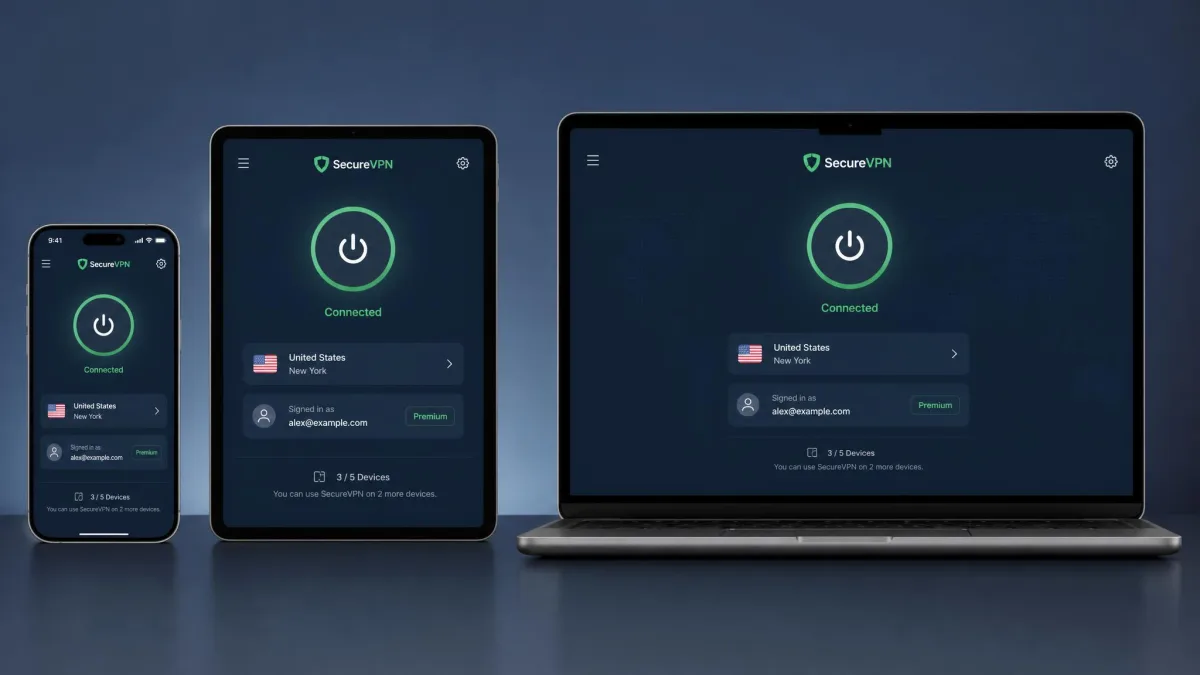
A multi-device plan and a family plan are usually the same thing. One subscription includes a pool of connection slots. Nothing ties those slots to a single person. Everyone in the house signs in with the same account credentials. Each device they log into counts as one connection until you reach the plan's limit. That is why a ten-connection plan can comfortably cover two parents, two children, and a shared TV or two.
Sharing this way is simpler than it sounds. It comes with one honest trade-off, though. Everyone uses the same login. So anyone in the household can change the connected server or adjust settings on their own device. That is fine for family. It is less ideal for a loose share among acquaintances. For a true household, it is the whole appeal. One bill, one set of credentials, and coverage that scales with the family rather than the wallet.
For families that keep buying new devices, the cleanest choice is an unlimited plan or a router setup. Surfshark and Private Internet Access never make you count. A new phone or tablet just connects. On a capped plan, move the always-on devices like TVs and consoles onto a router. That keeps the direct slots free for the phones and laptops that come and go. Either way, the goal is a household that does not have to think about the limit.
For a shared house rather than a family, an unlimited-connection plan avoids an awkward moment. Nobody gets bumped off when a new roommate's device connects. Nobody has to negotiate who gets a slot.
How to Set Up a VPN on Multiple Devices
Getting a VPN onto a full set of devices sounds tedious. It follows the same short pattern on each one, though. Start by choosing a plan that allows enough simultaneous connections. Then sign in with the same account everywhere. There is no separate purchase per device. One subscription is what those connection slots are for.
The order we recommend is simple. First, install the provider's official app on your main computer from its website. Sign in and connect to a nearby server to confirm the account works. Second, add your phone and any tablets. Install the app from the platform's app store and sign in with the same credentials. Third, move to the living room. Install the dedicated TV app on each smart TV or streaming stick that supports one. Fourth, handle the devices that cannot run an app. Game consoles and smart-home gear go through a router or a Smart DNS setting. Working outward from the devices you use most means you catch any snag early.
On each phone, tablet, and computer, the apps remember your login. So later launches are one tap. For smart TVs and streaming sticks, check whether the provider has a dedicated TV app. Most of our picks do, and installing it works the same way. Game consoles are the exception. They cannot run a VPN app. Those get covered through a router or a Smart DNS setting instead.
Install the VPN on your most-used devices first. Confirm the connection and your internet speed look right. Then roll it out to the rest. That way you catch any setup issue on a device you can easily troubleshoot before repeating it everywhere.
The one habit worth keeping is turning on auto-connect or always-on per device. Protection then starts with the device rather than relying on you to remember. Once that is set across the household, the VPN becomes invisible. That is exactly what you want.
Using a VPN Router for Whole-Home Coverage
A router is the smartest answer to a high device count. Install the VPN on a compatible router and every device on your network is protected through a single connection slot. That covers the gadgets that cannot run a VPN app at all. Game consoles, smart-home devices, and older TVs all qualify. For a home well past ten devices, this is often cleaner than juggling per-device apps.
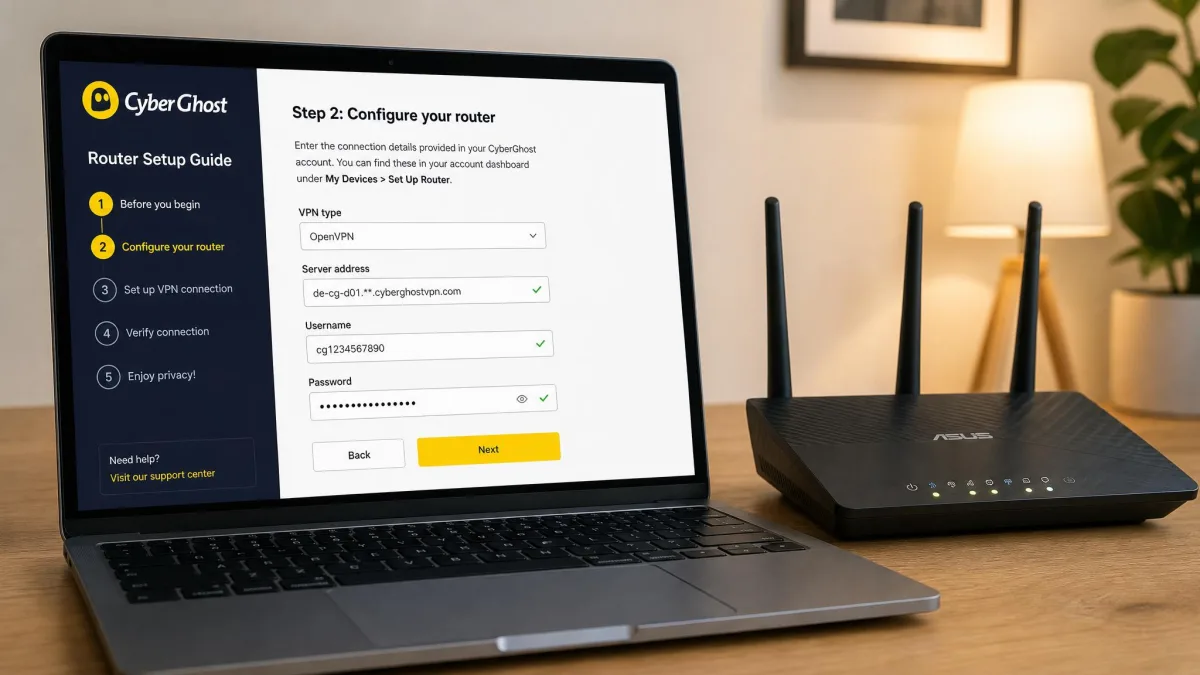
The general process follows a few steps, though the exact screens differ by provider. First, confirm your router is compatible or supports custom firmware like DD-WRT or Tomato. Second, log into the router's admin page and find its VPN client section. Third, enter the connection details the provider supplies. That usually means a configuration file, or a server address, username, and password. Fourth, connect and check on a single device that traffic is routing through the VPN. Confirm that before trusting the whole network to it. Providers with clear guides make this far less daunting than it first appears.
Setup difficulty varies by provider. It is worth choosing with that in mind. NordVPN and Proton VPN offered the smoothest router integration of the group in our testing. Private Internet Access documents router setup for DD-WRT, Tomato, and pfSense with step-by-step walkthroughs. CyberGhost's router guides were the easiest to follow for a first-time setup. ExpressVPN sidesteps the work entirely with its Aircove routers, which arrive with the VPN preinstalled. Surfshark is the one to watch here. Its router support is more limited than its rivals and adds friction if a router is central to your plan.
A VPN on the router covers everything behind it. But it also means the whole network shares one server location. Say someone needs a different country, or wants to switch the VPN off for a specific device. In that case, run the app on that device directly rather than relying only on the router.
If you would rather buy hardware built for this, our guide to routers with strong VPN support covers models that make the setup painless.
Free vs. Paid VPNs for Multiple Devices
The pull of a free VPN is obvious. For a multi-device home the math rarely works, though. Free tiers almost always cap you at a single connection. That defeats the purpose the moment you add a second device. They also tend to throttle speed, limit server choice, and cap monthly data. None of that suits a household streaming and downloading across several devices at once.
There is a privacy angle too. A free service has to fund itself somehow. For some providers that has meant logging or selling user activity. That is the opposite of what you are paying a VPN to prevent. The safer version of "free" is a reputable provider's free tier used as a trial. Proton VPN's is a good example. It is honest about its one-device limit rather than pretending to cover a home.
For actual multi-device coverage, a paid plan is the practical choice. The money-back guarantees make the risk small. Every provider here offers at least 30 days to test across your devices. CyberGhost stretches that to 45. That window lets you treat a paid plan like an extended free trial. You confirm it works on every device before the charge sticks.
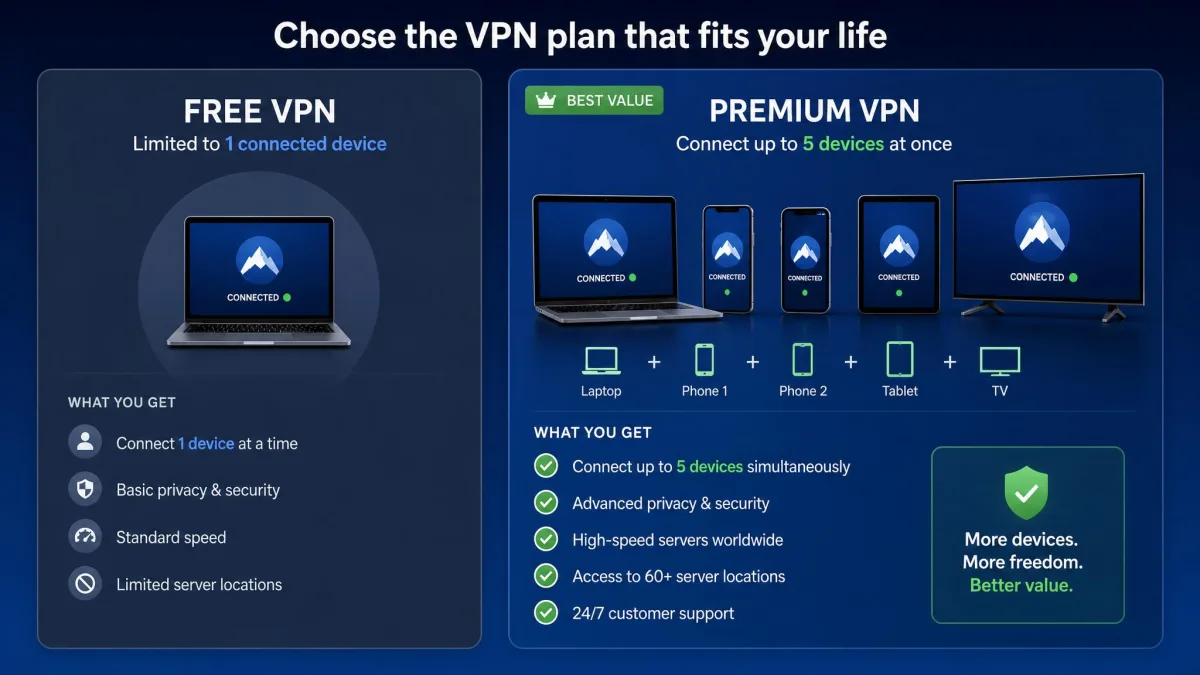
A free tier used as a trial is fine. A permanently free plan as your household's only VPN is not. The one-device cap and data limits make whole-home coverage impossible.
Final Verdict
For most households, NordVPN is the best VPN for multiple devices in 2026. It pairs ten simultaneous connections with the smallest speed drop under load we measured. It adds native apps on every platform and clean router support that extends coverage to the whole network on a single slot. That mix of speed and reach is what a busy, device-heavy home actually needs.
The runners-up cover the cases NordVPN does not win outright. If your device count has no ceiling, Surfshark and Private Internet Access both offer unlimited connections. Surfshark is the friendlier pick. PIA is the choice for the largest homes and router setups. If privacy leads your list, Proton VPN's open-source, no-logs design is the standout. And if value for a family under seven devices matters most, CyberGhost's low long-term price and 45-day guarantee make it the safe budget bet. Match the pick to your device count and priorities. Any of these will cover a home well.