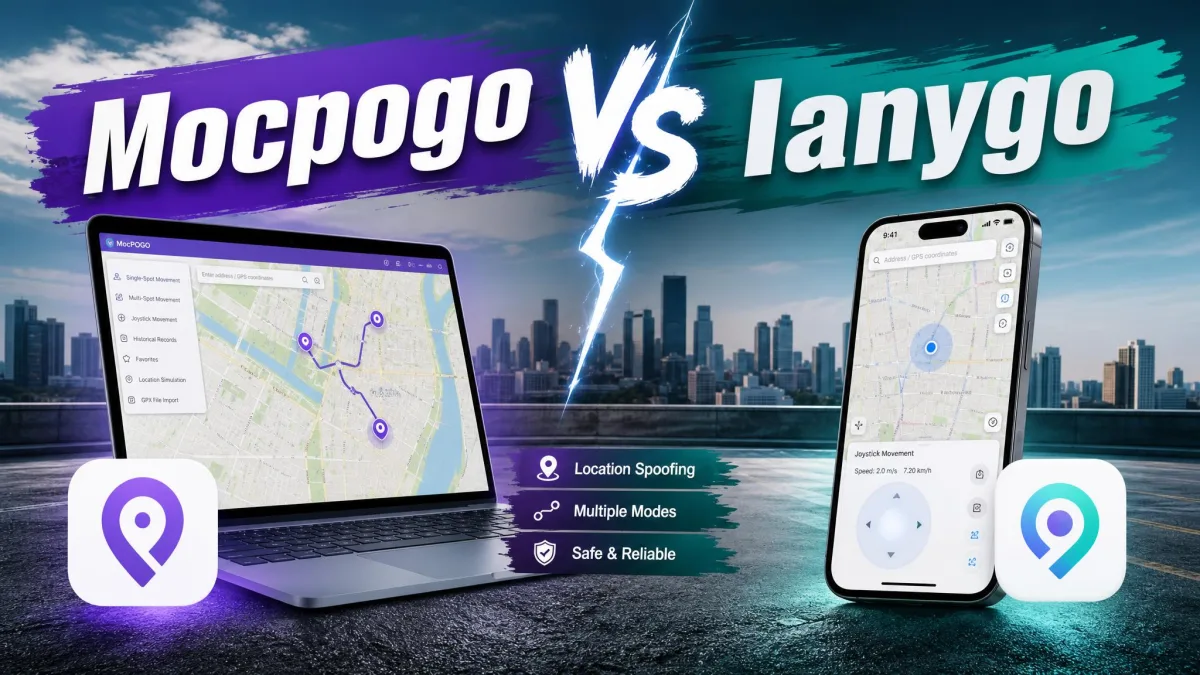
MocPOGO and Tenorshare iAnyGo are the two GPS location changers most buyers end up comparing before they pay for one. Both move an iPhone or an Android phone to a new spot on the map without jailbreaking or rooting it, and both drive that change from a Windows or Mac computer.
The real differences are narrower than the marketing suggests: what a licence costs, how many devices it covers, how much route control you get, and the risk you take with your game account.
MocPOGO is the better buy for most people, while iAnyGo earns its higher price in a few specific cases. The key specs below show exactly where the two split.
What Are MocPOGO and iAnyGo?
Both apps chase the same players, so it helps to know who builds each one.
What Is MocPOGO?
MocPOGO is a desktop-driven GPS location changer from MocPOGO Studio, with the Android package listed under Happydog Technology Limited.
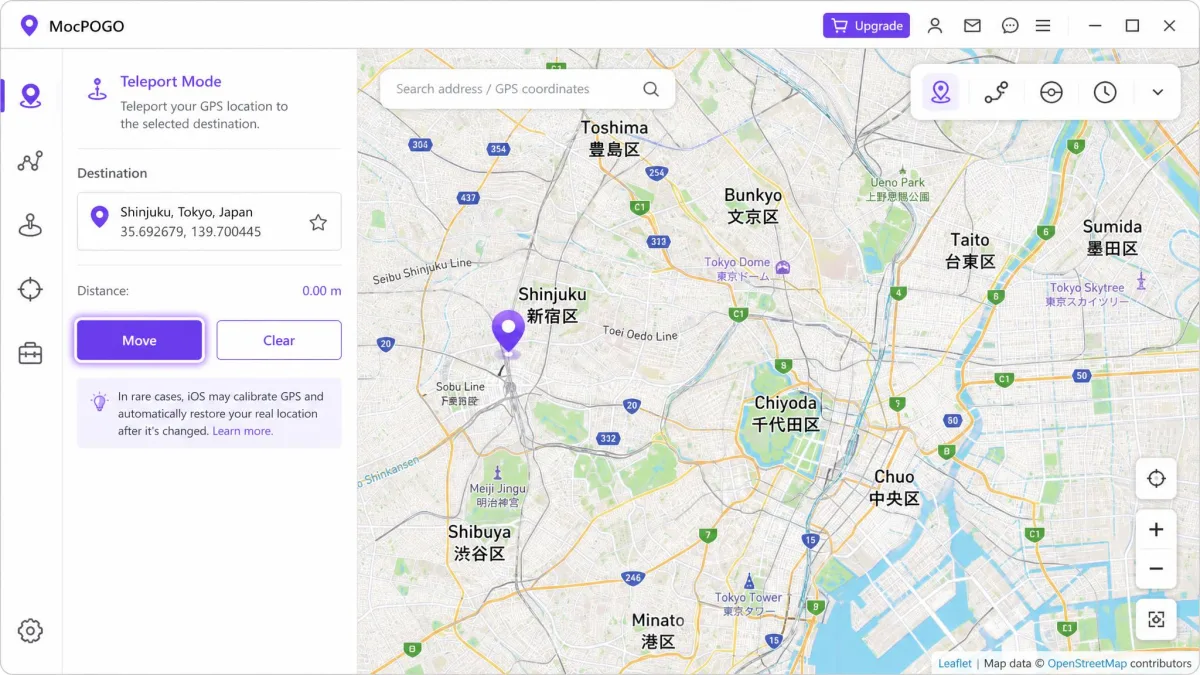
MocPOGO's official site aims it at location-based games and apps. You get teleport, two-spot and multi-spot routes, jump teleport, a 360-degree joystick, adjustable speed, GPX file import and export, and a cooldown timer.
It is designed for Pokémon GO, Monster Hunter Now, Ingress Prime and Pikmin Bloom, and it covers WhatsApp, Tinder, Google Maps and Life360.
Connections run over USB or over Wi-Fi.
What Is Tenorshare iAnyGo?
Where MocPOGO leans on breadth, iAnyGo leans on route precision.
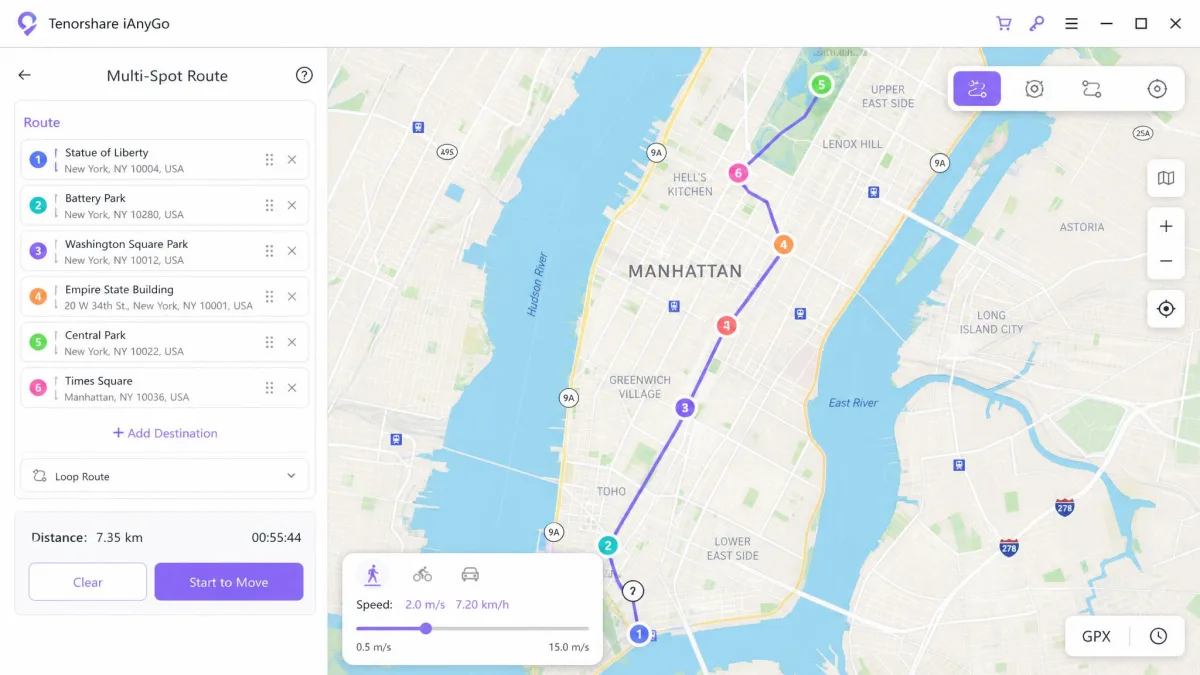
Tenorshare's iAnyGo product page lists instant location change, single-spot and multi-spot routes, and jump teleport. Add a joystick driven from the W, A, S and D keys, GPX import and export, a cooldown timer and bookmarked favourites.
It connects over Bluetooth as well as USB and Wi-Fi, and it ships an MHN Wizard for Monster Hunter Now players.
Like MocPOGO it needs no jailbreak and no root, but it always wants a computer in the loop.
MocPOGO vs iAnyGo: Key Specs Compared
Here is how the two apps line up on the specifications that decide most purchases.
| Category | MocPOGO | Tenorshare iAnyGo |
|---|---|---|
| Supported iOS | iOS 13 to 27 | iOS 14 to 27 |
| Supported Android | Android 7 and newer | Android 4 to 16 |
| Desktop needed | Windows 11 to 7, macOS 10.12 up | Windows 11 to 7, macOS 10.10 to 26 |
| Devices at once | 15 per licence | 5 on entry tier, 15 higher up |
| Movement modes | Teleport, two-spot, multi-spot, jump, joystick | Single-spot, multi-spot to 99 points, jump, joystick |
| Adjustable speed | 3.6 to 100 km/h | 3.6 to 108 km/h |
| Anti-detection | Cooldown timer, realistic movement | Cooldown timer, Bluetooth mode |
| Jailbreak or root | Not required | Not required |
| Free trial | One device, three modes once each | 1 hour, one iOS device |
| Best for | Android users, multi-device homes | iOS users wanting deep route control |
Feature Comparison: Teleport, Routes and Joystick Control
Movement Modes and Simulated Speed
Both apps simulate movement rather than dropping a pin, and both offer teleport, two-point and multi-point routes, and a live joystick.
The gap opens on detail. iAnyGo accepts up to 99 waypoints per route and pushes simulated speed to 108 km/h, against MocPOGO's 100 km/h.
MocPOGO's joystick takes a mouse. iAnyGo's runs on the keyboard, which suits keyboard players and irritates everyone else.
Neither ceiling matters much, because anything above a slow cycle looks wrong to the games these apps target.
Route Files, Favorites and History
Both apps import and export GPX files, so a route drawn once can be reused or shared, and both keep a location history alongside saved favourites.
MocPOGO's free trial locks that half away, because Historical Records, Saved Spots and Saved Routes stay unavailable until you pay.
Device Support and OS Compatibility
Route depth counts for nothing if the app will not run on your handset, and MocPOGO reaches a full release further back on iPhone. It covers iOS 13 through iOS 27, against iAnyGo's iOS 14. Android runs the opposite way, because iAnyGo goes back as far as Android 4 while MocPOGO's app needs Android 7.0 or newer.
Desktop support splits again. iAnyGo runs from macOS 10.10 Yosemite up to macOS 26 Tahoe, while MocPOGO wants macOS 10.12 or later.
Device counts are where the marketing gets slippery. Both vendors advertise 15 devices, but iAnyGo's iOS allowance runs from five on the entry plan up to fifteen higher up.
The Android ceiling moves with each yearly build, so the figure quoted today may lag the newest handsets.
Do You Need to Jailbreak or Root?
No. Neither app asks you to jailbreak an iPhone or root an Android phone, and both leave the game app unmodified.
What they want instead is access. iAnyGo needs developer mode enabled, and switching developer mode back off on an iPhone means a factory reset.
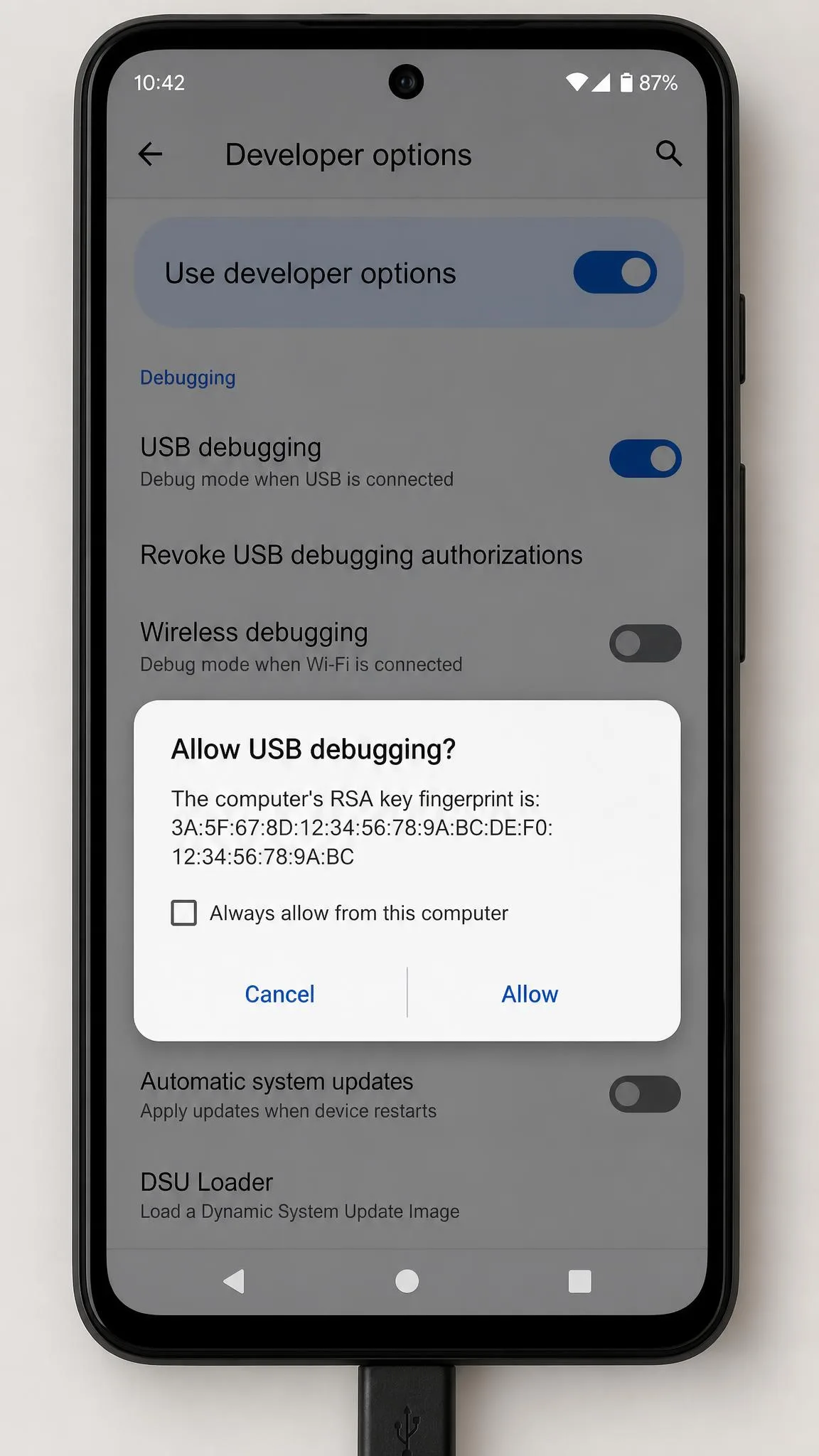
MocPOGO wants USB debugging approved and the computer trusted first, and some iOS setups add a TestFlight install step.
Pricing and Plans Compared
Access is one thing. What you pay for it is the clearest split on the board.
The Windows edition of MocPOGO costs $9.95 for a month and $19.95 for a quarter. The Mac edition starts at $12.95 monthly, and the iOS plan runs $19.95 with desktop access bundled in.
iAnyGo's single-computer licence costs $12.95 monthly, $22.95 quarterly, $42.95 yearly and $95.95 for lifetime. A two-computer licence takes the yearly figure to $62.95.
So MocPOGO is cheaper at entry, by three dollars a month and three a quarter on Windows, and $26 cheaper for a lifetime licence. It is not cheaper everywhere. Mac monthly is a tie at $12.95. On the yearly plan MocPOGO's own figure straddles iAnyGo's $42.95, depending on the discount running that week.
| Category | MocPOGO | Tenorshare iAnyGo |
|---|---|---|
| Monthly | $9.95 Windows | $12.95 for 1 PC |
| Quarterly | $19.95 Windows | $22.95 for 1 PC |
| Yearly | $39.95 to $49.95 | $42.95 for 1 PC |
| Lifetime | $69.95 Windows, $79.95 Mac | $95.95 for 1 PC |
| All platforms | iOS plan at $19.95 monthly | Bundle at $129.95 lifetime |
| Refund policy | 30-day money-back guarantee | 30-day money-back guarantee |
Prices were checked in August 2026. MocPOGO's yearly figure is discounted often enough to land either side of $40, and its lifetime price varies by platform edition and by promotion, so the checkout figure moves.
Licence binding is worth checking. A MocPOGO Windows licence will not activate the Mac build, and iAnyGo licences do not follow you to replacement hardware.
Auto-renewal is on by default across MocPOGO's plans, so the next charge lands unless you cancel before the renewal date.
Free Trials, Refunds and Device Limits
Both apps let you try before paying, and neither trial is generous.
MocPOGO's covers a single device and allows one run each of Teleport, Two-Spot and Multi-Spot mode.
iAnyGo's runs for one hour on a single iOS device, with game extras such as Auto Catch and Scan Nearby switched off. That hour confirms the phone connects and little else.
Both vendors publish a 30-day money-back guarantee. Neither one is unconditional. The exclusions that decide whether you actually get your money back are set out in the FAQ below.
A registry-level workaround that resets iAnyGo's trial counter circulates in spoofing communities, and it breaks the licence terms.
Ease of Use: Changing Your Location Step by Step
Price decides which one you buy. Setup decides whether you keep using it. Both apps ask for the same groundwork before anything moves.
How to Change Your Location With MocPOGO
Install the desktop app, connect your phone over USB, then enable developer mode and approve USB debugging.
Pick Teleport from the mode bar, search for a destination, and click Move. The change lands in a single click, and the joystick takes over if you want to walk rather than jump.
The mode bar is easy to read, though the labels say little about what each mode actually does.
The rough edges showed up afterwards. The avatar rubber-bands between the spoofed position and the real one while the phone keeps scanning Wi-Fi and Bluetooth in the background, so the map twitches before it settles.
Worse, the desktop app crashes mid-session. After one of those crashes it would not see our handset again until we closed the whole thing and started over.
Licensing gave us the longest delay of the lot. After a hardware change our licence refused to activate, and the way back was a support ticket and a wait rather than anything we could click in the app. Pokémon GO's Error 12 costs another restart, because it turns up after game updates and clears only after a software update and a device reboot.
How to Change Your Location With iAnyGo
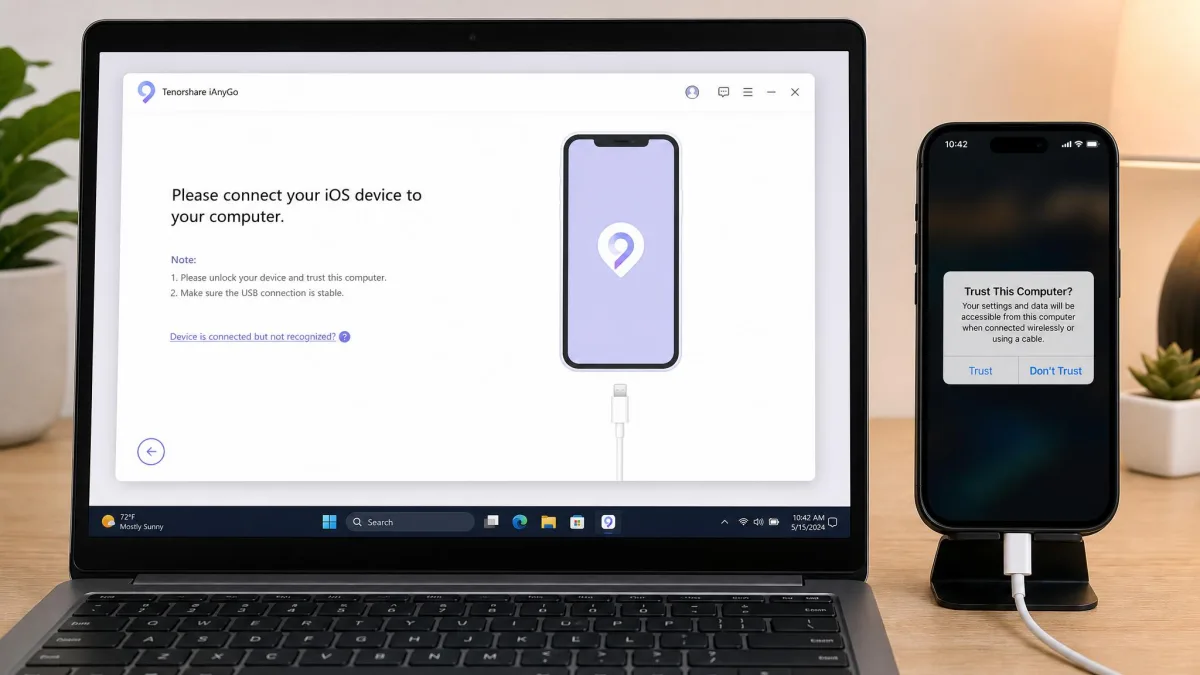
iAnyGo asks for the same groundwork and slightly different taps. Open it, connect your iPhone over USB, tap Trust This Computer, then enable developer mode.
Choose Change Location, type a destination, and click Start to Modify. Two steps put you on a spoofed position, and the interface is legible without a manual.
The friction arrives afterwards. The spoofed location keeps running after the session ends, so the phone has to be restarted before the real GPS fix returns. Disconnects and location-detection errors turn up often enough to count as normal use.
Error 12 was the failure that mattered most here. iAnyGo did not throw a dialogue and stop. The map kept showing the spoofed pin while the position quietly snapped back to the real one within a few minutes, which is a much harder thing to notice than an outright error.
The Bluetooth connection Tenorshare added to work around Error 12 then dropped its pairing. Getting it back meant deleting the stored pairing records on both the computer and the phone before either would see the other again.
Two smaller irritations sit alongside that. The map pane is locked at 1020 by 640 pixels and will not scale up on a large monitor. It can also throw an "Access blocked 403r" message that looks alarming and changes nothing about the location switch.
Support was better than any of that suggests. A weekend ticket came back inside about 22 hours, though the in-app feedback form hands you no ticket ID to chase.
Safety, Ban Risk and Anti-Detection
Bugs cost you time. The rules cost you the account. Changing your GPS location breaks the terms of every location-based game these apps target, and no cooldown timer undoes that.
Niantic disciplines spoofing in three strikes, and the third one ends the account. Neither app can protect a Pokémon GO account, so never spoof on one you would hate to lose.
Niantic's official player guidelines add a caveat worth reading twice, because offenders are not always given three strikes and some conduct ends an account with no warning.
TechCrunch's breakdown of how Niantic bans players is background on detection and appeals, though it dates from 2018.
Both apps market anti-detection features, and both help at the margins without removing the odds of a strike.
Cooldown Timers and Realistic Movement
The cooldown timer is the one feature worth learning properly, and both apps include one.
Jump again before it expires and you land in a soft ban, where Pokémon flee instantly and stops come up empty.
The window scales with distance. After a jump of more than 1,000 km, expect roughly two hours before the game behaves normally again.
Joystick walking at around 4 km/h reads as natural in-game, and pushing the speed slider to its ceiling is the fastest way to get noticed.
Pros and Cons of Each App
Both apps settle into a clear shape once you have used them properly, so here is each one in short form.
MocPOGO Pros and Cons
Pros
- Cheapest entry price of the two, at $9.95 a month on Windows
- One licence controls up to 15 devices at the same time
- Standalone Android app runs without a computer attached
- Free trial exercises three movement modes, not a countdown
Cons
- Annual and lifetime pricing is quoted inconsistently
- Desktop app can crash mid-session and refuse to reconnect
- A Windows licence will not activate the Mac build
iAnyGo Pros and Cons
Pros
- Multi-spot routes accept up to 99 waypoints
- Widest desktop support, macOS 10.10 through macOS 26
- Bluetooth connection mode alongside USB and Wi-Fi
- Android support reaches back to Android 4
Cons
- Costs more at entry and on lifetime, at $95.95
- The 1-hour trial is too short to test a real route
- Spoofed location persists until the phone is restarted
Which One Should You Choose?
When MocPOGO Is the Better Pick
Those two lists point at two different buyers rather than a winner and a loser. MocPOGO is the one to buy if you spoof on Android, if a household is moving several phones from a single licence, or if you want to exercise the modes properly before paying. It is also the lower-risk first purchase for anyone who is not sure they will still be doing this in three months.

When iAnyGo Is the Better Pick
If your routes are long enough that you draw them once and replay them, iAnyGo is the one worth the premium. It earns that premium again on an older Mac, where MocPOGO's installer will not run at all.
Alternatives to MocPOGO and iAnyGo
Neither app is the only option, and the category is crowded with near-identical tools.
The closest alternatives are PoKeep, iMyFone AnyTo Location Changer, iToolab AnyGo, iMoveGo and FonesGo Location Changer, and they differ mainly on price and update cadence.
Our roundups of the best GPS spoofing apps, the best Pokémon GO spoofers and the best location spoofers for iPhone cover the rest of the field.
Frequently Asked Questions
Can you get banned for spoofing with MocPOGO or iAnyGo?
Do MocPOGO or iAnyGo need a jailbreak or root?
Do you need a computer, or will the phone app alone work?
Which one works better for Pokémon GO specifically?
Can you get a refund if it does not work on your device?
Do they support the latest iOS and Android versions?
The Bottom Line
MocPOGO takes this comparison for most buyers. Neither app, though, is a purchase to make blind.
Before you pay either vendor, check your phone's OS version against the ranges above, then run both free trials on the exact device you plan to use.
Buy a month before you buy a lifetime licence, because the lifetime figures are the ones most exposed to promotions.
And treat the account you spoof on as expendable, whichever app you choose.