You want to change your phone's GPS location, you have narrowed the field to two desktop tools, and the marketing pages read almost identically. MockGo and MagFone Location Changer both promise one-click teleporting, joystick movement and support for the apps people actually want to spoof. The difference that decides it is not the feature list.
It is which devices you own. MockGo is an iPhone tool and nothing else. MagFone Location Changer covers iPhone and Android from the same software. Everything below sorts out what else separates them: pricing, refund terms, app coverage, how each one feels to set up, and what the user ratings are worth.
Here is where we land. On iPhone, MockGo is the better buy in 2026. If you need Android, MagFone is the only one of the two that can help you.
MockGo vs MagFone at a Glance
Both apps are desktop software that spoof a phone's location over a USB connection. You install the software on Windows or a Mac, connect the handset, then pick a spot on a map. The phone reports that spot to every location-based app on it until you switch the spoofing off.
The table below is the short version of everything we checked.
| Product | Buy | Supported mobile OS | Devices at once | Free trial | Refund window | Price |
|---|---|---|---|---|---|---|
 |
Check price → | iOS 9 to iOS 26, no Android | 5 devices, 15 devices on business plans | Teleport and joystick capped at 3 uses | 30-day on all plans | $59.95lifetime |
 |
Check price | iOS 12 to iOS 18 and Android 6.0 and later | 10 iOS and Android devices | Limited runs per mode | 5-day monthly, 30-day yearly and lifetime | About $89.95lifetime |
What Is Foneazy MockGo?
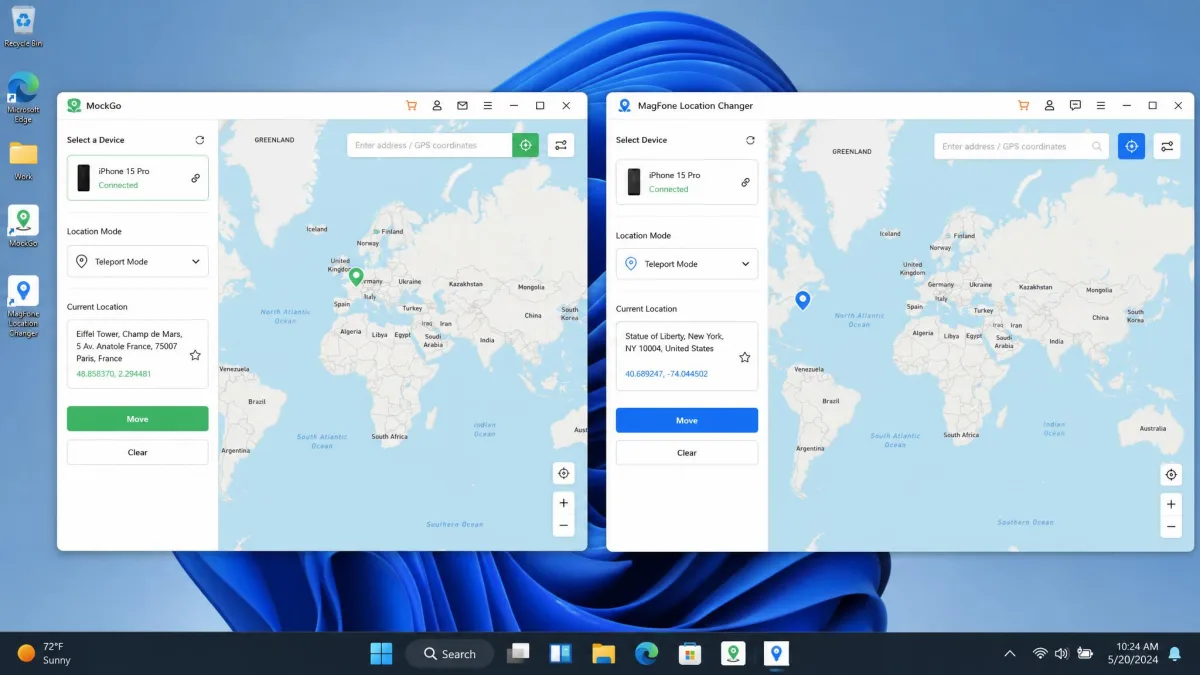
MockGo is Foneazy's iPhone GPS changer, a desktop app for Windows and macOS that moves your iPhone's reported position anywhere on the map. Foneazy's official MockGo page lists support from iOS 9 all the way to iOS 26, which is the widest iOS range either vendor claims.
There is no Android build. MockGo is an iPhone, iPad and iPod touch tool, so an Android owner can stop reading here and go straight to MagFone.
On the desktop side it runs on Windows 11 back to XP, or macOS 10.12 and later. No jailbreak is needed at any point.
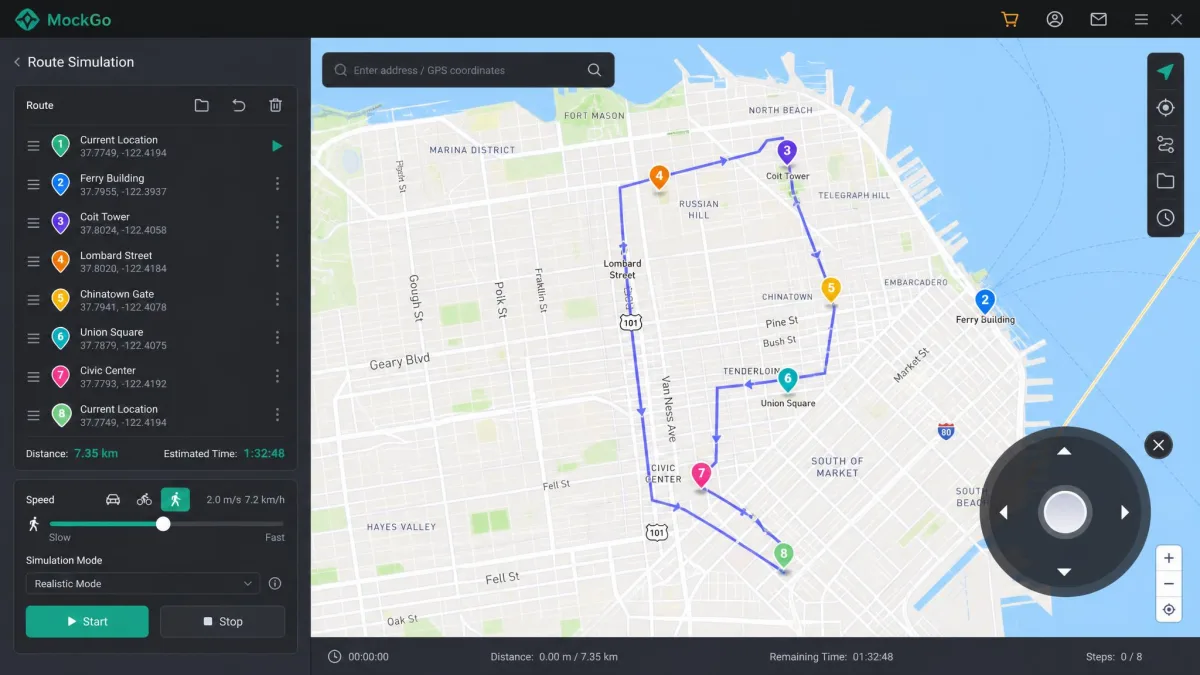
The feature set covers teleport mode, jump teleport with a cooldown timer, one-stop and multi-stop routes, a joystick you drive from the keyboard, GPX import, saved favourite locations, and adjustable speed from 3.6 km/h to 108 km/h. The interface ships in ten languages, including Portuguese, Japanese, Spanish, German and both Chinese scripts.
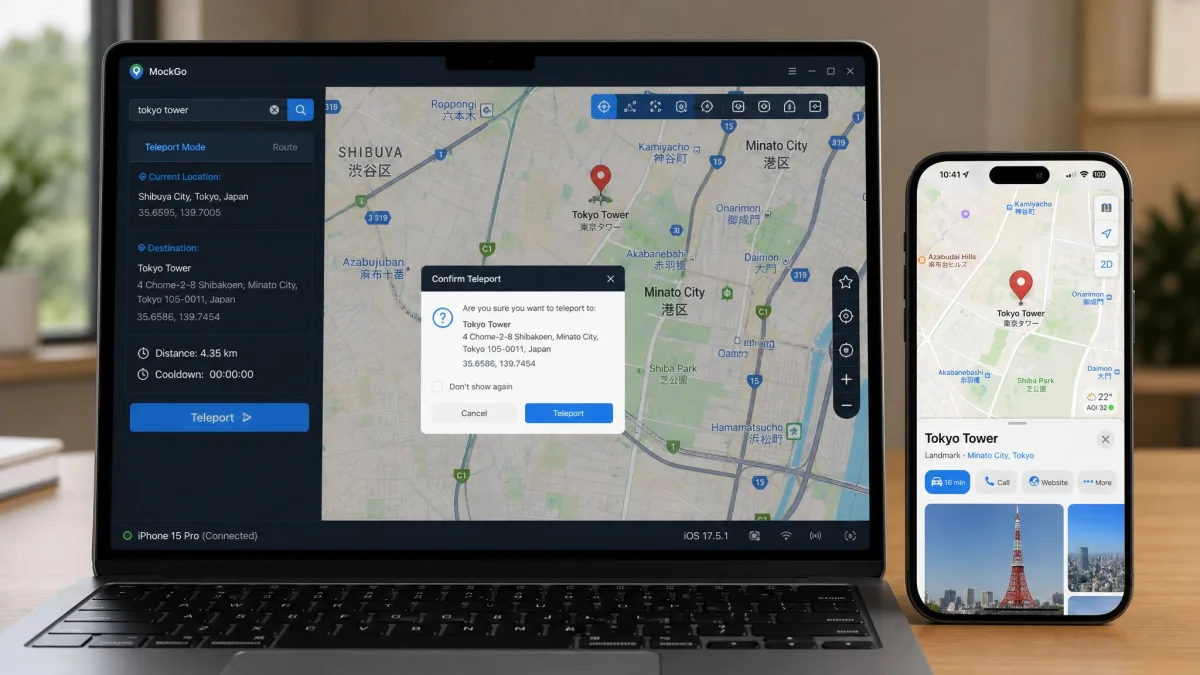
Installing it is the easiest part. Plug the iPhone into a USB port, launch the software, and the phone is recognised straight away. The map opens centred on your real position, with a Center On button for when it drifts.
What Is MagFone Location Changer?
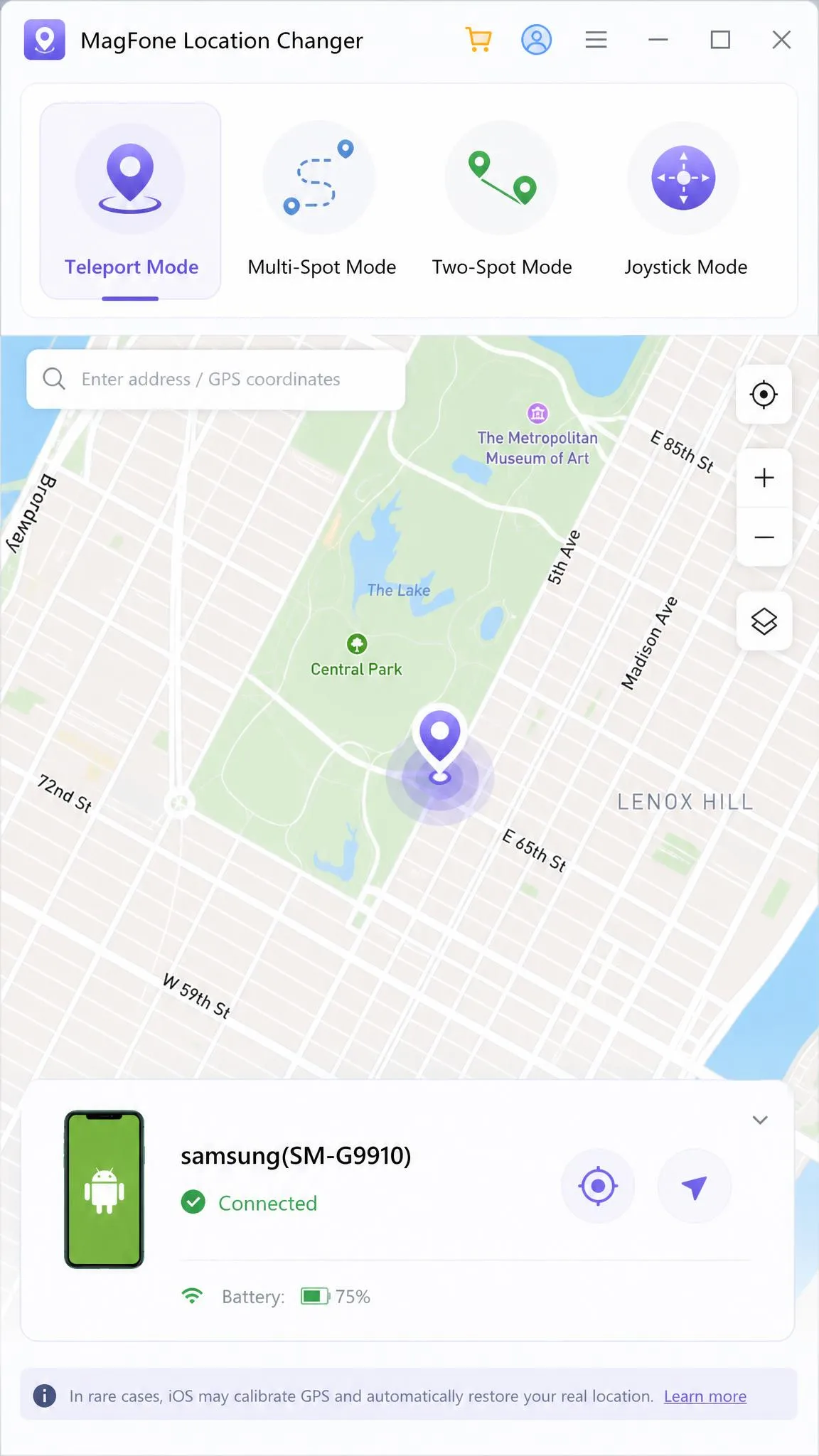
MagFone Location Changer is the cross-platform answer. MagFone's official Location Changer page presents it as a tool that changes location on iPhone and Android without jailbreak or root, over USB or Wi-Fi.
Third-party listings put the practical range at iOS 12 through iOS 18 and Android 6.0 and later, though version support moves with each release, and the vendor page and the software listings state different upper bounds. On the desktop it wants Windows 11 back to XP or Mac OS X 10.8 and later, plus 200 MB of free disk space.
Its modes are one-click teleport, two-spot mode, multi-spot mode, jump teleport, a 360-degree joystick with WASD keyboard control, and GPX import and export. Speed runs from 0.4km/h up to 108 km/h, which covers a slow walk as convincingly as a motorway drive. A presettable cooldown timer is built in to reduce the odds of a geo-based game ban.
MagFone shipped Location Changer V3.0.0 with a reworked Game Mode for iOS and Android in October 2025, so the software is under active development. The vendor is based in Shenzhen, and while the marketing site appears in six languages, the app interface itself is English-only.
Feature Comparison: Head to Head
On paper these two overlap almost completely. The gaps that matter are narrow, and they all sit in the same three places.
Teleport Mode and One-Click Location Change
Both tools do the core job the same way. Drop a pin, confirm, and the phone reports the new spot. In MockGo we found spoofed positions hold steady in location-aware apps rather than flickering back to the real position.
Both also offer jump teleport, which hops between saved points instead of drawing a path. Both attach a cooldown timer to it. MockGo's version warns you before a teleport that would risk a Pokemon GO soft ban, which is the more useful behaviour of the two because it stops you before the mistake instead of after.
Getting an iPhone back to its true location afterwards takes a reboot, and the phone can need a few minutes to settle. That applies whichever tool you used.
Route and Joystick Movement Simulation
This is where MagFone has the better hardware, so to speak. Its joystick is a full 360-degree control driven with WASD, and it supports GPX import and export. MockGo imports GPX but does not export it, and its joystick is keyboard-driven without the free-angle steering.
MagFone also wins on the low end of the speed dial. Starting at 0.4km/h, it can imitate a genuinely slow stroll; MockGo's floor of 3.6 km/h is a brisk walk and nothing slower. At the top both stop at 108 km/h.
MockGo counters with a realistic mode that varies your speed by about 30% every 5 seconds, so a route does not play back at a robotic constant pace. In our testing route playback moved at a believable pace rather than snapping between points, and that variation is the reason why.
Naming differs but function does not: MockGo's one-stop and multi-stop routes are MagFone's two-spot and multi-spot modes.
Multi-Device Support
Movement controls favour MagFone, and so does the headline connection count. MagFone connects and controls up to 10 iOS and Android devices at the same time. MockGo handles 5 devices on a consumer plan, and its business tier covers 15 devices starting from $19.95 for a month.
For one person with one phone this changes nothing. For a family plan, a raid group or a small team, MagFone's ten from a single licence is the better deal, unless you specifically need MockGo's business tier.
Device and OS Compatibility (iOS and Android)
This section decides the purchase for most people, so keep it simple.
MockGo is iOS only, covering iOS 9 through iOS 26 on iPhone, iPad and iPod touch. MagFone Location Changer runs on both iOS and Android, with third-party listings placing the range at iOS 12 to iOS 18 and Android 6.0 and later.
MagFone's advantage comes with a wrinkle. Its spoofing reliability falls off on newer iOS releases such as iOS 18, so an iPhone owner buying MagFone is buying the weaker iOS experience of the two.
MockGo has its own version-related snag. After an iOS upgrade the phone can stop being detected until you re-establish the connection. Most of those failures clear with a restart, or by using Reset Location and Privacy under Settings, then General, then Transfer or Reset iPhone.
On Android there is no contest, because only MagFone competes. Android spoofing depends on the phone's built-in mock location developer option, which you have to switch on yourself before the software can take over. Neither tool asks you to root the phone.
Supported Apps: Pokemon GO, Life360, Find My, Dating and Social Apps
Both cover the apps most people are here for. MockGo lists Pokemon GO, Life360, Find My iPhone and Find My Friends, Tinder, Bumble, WhatsApp, Snapchat, Facebook and Instagram.
MagFone's list is longer. Alongside Pokemon GO, Life360, Find My Friends, Tinder, Bumble, Instagram and Snapchat, it names Ingress Prime, Minecraft Earth, Jurassic World Alive, Spotify, Netflix and TikTok.
The extra names are worth something if you play more than one AR game or you want region-locked streaming to follow your fake position. For a Pokemon GO player who also wants Life360 to see a different address, the two lists are effectively equal.
Neither list is a guarantee. Apps change their detection methods, and a location that passes today can be flagged next month.
Spoofing your location can breach an app's terms. Niantic's Terms of Service prohibits falsifying your location in Pokemon GO, and doing it can cost you the account. MagFone's spoofing can be detected by Pokemon GO despite the built-in cooldown timer, so treat any cooldown feature as a way to lower your odds of a soft ban, never as protection.
Ease of Use: How Each One Works Step by Step
Both are beginner software. One of them asks for more from you before the map appears.
How to Change Your Location With MockGo
Install MockGo on your Windows PC or Mac and open it. Connect the iPhone with a USB cable and unlock it, then trust the computer if prompted. The phone is recognised straight away and the map loads on your real position.
Pick teleport mode, type an address or click a spot, then confirm the move. To simulate movement instead, choose a one-stop or multi-stop route, set the speed, and let it play. When you are finished, close the software and reboot the iPhone to restore the true location.
How to Change Your Location With MagFone Location Changer
MagFone's setup is heavier. After the USB connection you still have to turn on Developer Mode, and on Android you also have to select MagFone as the mock location app in the developer settings.
Once that is out of the way the interface is beginner-friendly. You choose the mode first, then drop a pin on the map, then start. It is a sensible order, and it is easier to follow than tools that make you guess which mode a click will trigger.
The friction is not evenly split, and neither is the reliability. MagFone can occasionally fail to detect a connected phone, and the connection can drop mid-session. An unstable network connection is a common cause of spoofing dropping out on either tool.
Across both apps, the pattern we kept seeing is that MockGo asks less of you before the map appears, and MagFone asks less of you once it is running. If a hands-off setup is what you want, that ordering matters more than any single feature.
Pricing and Plans Compared
Setup effort is a matter of taste; the money is not. The short plans are a tie. Both charge $9.95 for one month, $19.95 for three months or a quarter, and $39.95 for a year. MockGo's monthly plan lists at $14.95 before its usual discount.
Lifetime is where they part company. MockGo's lifetime licence is $59.95 against a $79.95 list price. MagFone's lifetime licence sits at around $89.95, though the lifetime figure moves with running promotions, so the checkout total can land well below the quoted price. MagFone's own store pages would not load for us, so every MagFone price here comes from third-party listings rather than the vendor.
MockGo's business tier covers 15 devices and starts from $19.95 for one month, which is the cheapest way to license a lot of iPhones from either vendor.
Refunds separate them further. MockGo gives all plans a 30-day money-back guarantee. MagFone gives monthly licences a 5-day refund window and reserves the 30-day guarantee for yearly and single licences. MagFone does handle refund requests within 24 business hours, with the money landing in 5 to 10 business days.
Trials are thin on both sides. MockGo's free trial limits teleport and joystick to 3 uses and one-stop or multi-stop routes to a single run. MagFone's trial gives new users five free runs of each mode, but trial allowances differ by build and by mode, so the number of free runs you get is not fixed. In practice MagFone's free trial is too limited to judge the software properly before paying, which makes its shorter monthly refund window sting more than it should.
Safety, Privacy and Account Risk
Price and refund terms only matter if the software is safe to run, and on that front both start from the same place. Neither tool needs a jailbreak or root, which is the single biggest safety point in their favour. You are not weakening the phone's security model to fake a position.
The risk sits with the apps you spoof. Games ban for it, dating apps can lock accounts for it, and family-safety apps like Life360 are built to be trusted rather than fooled. The App Store Terms of Service also govern what the apps you install may do with your personal information, and a spoofer does not change that relationship.
There is a data side too. Both apps run on your desktop with the phone attached, so your real location and your device information pass through vendor software. Read the privacy policy before you buy, and if you only want to stop apps tracking you, iOS location privacy settings will do that for free and without any third-party software at all.
Both vendors sell a cooldown timer as ban insurance. It is not. It reduces the chance that a jump looks impossible; it does not make your account safe.
User Reviews, Ratings and Trust Signals
The safety picture is the same for both tools; the reputation picture is lopsided, and it is worth being plain about how thin the public rating data is on either side.
MagFone has the better paper trail. SourceForge lists it at 5.0 out of 5, though that score rests on a single verified review from a weekly Pokemon GO player who praised ease of use and reliability and named the price as the only real drawback. MobiKin's review puts MagFone's average user rating at 4.1 out of 5, which is the more believable figure of the two.
MockGo has almost none. SourceForge carries no user reviews for MockGo at all, so its listing shows 0.0 out of 5, which reflects an empty page rather than a bad product. We could not read a Trustpilot score for Foneazy either, because the page would not load for us.
So the ratings gap looks wide on paper and close to meaningless in practice. Judge these two on what they do rather than on the handful of scores available.
One trust signal we can speak to is support. Foneazy's technical support worked a stubborn post-upgrade connection problem through to a fix across two sessions, though support can be slow to respond in the first place.
MagFone's rating advantage rests on one verified SourceForge review. Judge these two on what they do, not on the scores.
Pros and Cons
MockGo Pros and Cons
Pros
- Widest iOS range of the two, from iOS 9 to iOS 26
- Cheapest lifetime licence of the two
- 30-day money-back guarantee on every plan, including monthly
- Connects with almost no setup, and no jailbreak is needed
- Realistic mode varies speed by about 30% every 5 seconds for believable routes
- Cooldown timer warns you before a risky teleport
Cons
- No Android support at all
- Only 5 devices at once on consumer plans
- Free trial caps teleport and joystick at 3 uses
- Can stop detecting the iPhone after an iOS upgrade
- Support can be slow to respond
- Almost no public user reviews to check
MagFone Location Changer Pros and Cons
Pros
- Works on both iPhone and Android without jailbreak or root
- Controls up to 10 iOS and Android devices at once
- 360-degree joystick with WASD control, plus GPX import and export
- Speeds from 0.4km/h, so slow walking looks natural
- Broader app list, including Ingress Prime, Spotify, Netflix and TikTok
- Active development, with V3.0.0 and a reworked Game Mode in October 2025
Cons
- Monthly licences get only a 5-day refund window
- Lifetime licence costs around $89.95, well above MockGo's
- Needs Developer Mode, and on Android a mock location app selection
- Reliability falls off on newer iOS releases such as iOS 18
- Can fail to detect a connected phone, and connections can drop mid-session
- App interface is English-only
Customer Support and Refund Policy
The pros and cons lists both end on a support note, so it is worth spelling out what you actually get. Foneazy runs a support centre with product guides, written help and YouTube tutorials, plus email contact, and advertises 24/7 availability. MagFone offers email support at its support address alongside a ticket system, also advertised as 24/7.
Neither is a live-chat operation, so expect to wait. What we can say is that Foneazy's team stayed with a difficult connection problem across two sessions until it was solved, even though the first reply took a while. That pattern is worth planning around: raise a ticket the same day a problem appears rather than the day before you need the software working, and include the iOS version and the exact point where the connection fails, since a post-upgrade fault is the case their team handles most often.
MagFone's side of the ledger is more procedural than personal. Requests go through the ticket queue, get an answer within 24 business hours, and pay out in 5 to 10 business days once approved, which is fast for the category even if nobody talks you through it.
Alternatives Worth Considering
Neither of these is the only option, and the category is crowded.
If you want the full landscape rather than a head-to-head, our guide to the best location changer for PC covers the field. For deeper detail on either product on its own, read our MockGo review and our MagFone Location Changer review.
Two direct rivals are worth a look. FonesGo Location Changer is another cross-platform tool in the same price bracket, and UltFone iOS Location Changer is an iOS-focused alternative if MockGo does not suit you.
For Pokemon GO players specifically, we have compared MockGo against PoKeep and MocPOGO, both of which lean harder into game-mode features than either tool here.
Which One Should You Choose?
The platform split at the top of this guide settles most purchases. These are the cases where it does not, and what tips them.
You own an iPhone and an Android phone and you only want to pay once. MagFone is the answer despite its higher lifetime price, because no number of MockGo licences can cover the Android handset.
You need to drive more than five handsets from one computer. That is MagFone's ten-device ceiling, or MockGo's business tier if every device is an iPhone and you would rather stay on iOS-only software.
You care about how the movement looks rather than where it lands. GPX export, free-angle joystick steering and a walking speed slow enough to pass for a stroll are all MagFone's, and none of them has a MockGo equivalent.
You are on the newest iOS release. That is MockGo's case to lose, since MagFone's reliability is the shakier of the two on recent iOS versions.
You want to be up and running in a minute. MockGo, without argument. MagFone's Developer Mode step is not hard, but it is a step.
Frequently Asked Questions
Is MockGo or MagFone Location Changer safe to use?
Can you get banned from Pokemon GO for spoofing?
What happens if the cable comes out or the connection drops mid-session?
Do I need a cable, or will these work over Wi-Fi?
What kind of computer do these need?
Do they support the latest iOS and Android versions?
The Verdict
That leaves one question worth answering plainly.