Changing the GPS location on an iPhone or Android phone used to mean jailbreaking, rooting, or trusting a sideloaded app of unknown origin. Desktop tools like MagFone Location Changer removed that step, and the category is now crowded with near-identical apps at near-identical prices.
So the question is not whether MagFone can move your virtual location. It can. The real question is whether it does that reliably enough, and cheaply enough, to beat the rivals sitting next to it in the search results.
We put it through teleport jumps, multi-stop routes, joystick walking, and a full pricing audit. Here is what we found.
Every price, device limit, and feature claim here was pulled from MagFone's current purchase page on 4 August 2026. Where the vendor and independent testing disagree, we say so instead of picking the friendlier number.
What Is MagFone Location Changer?
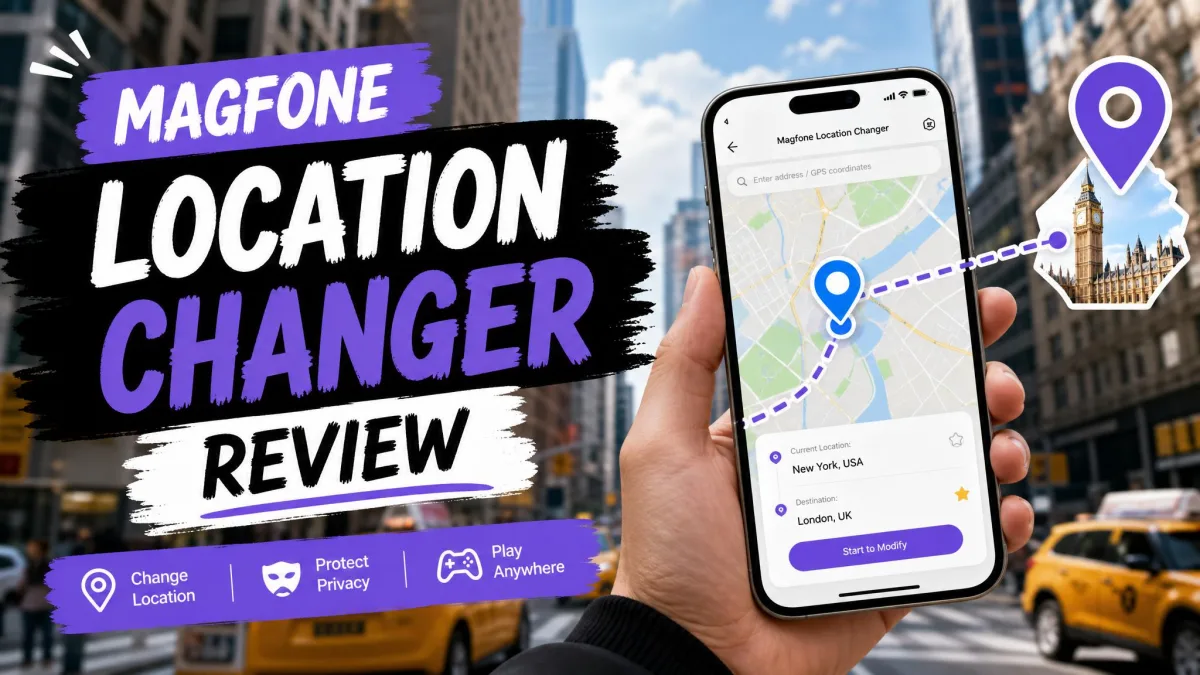
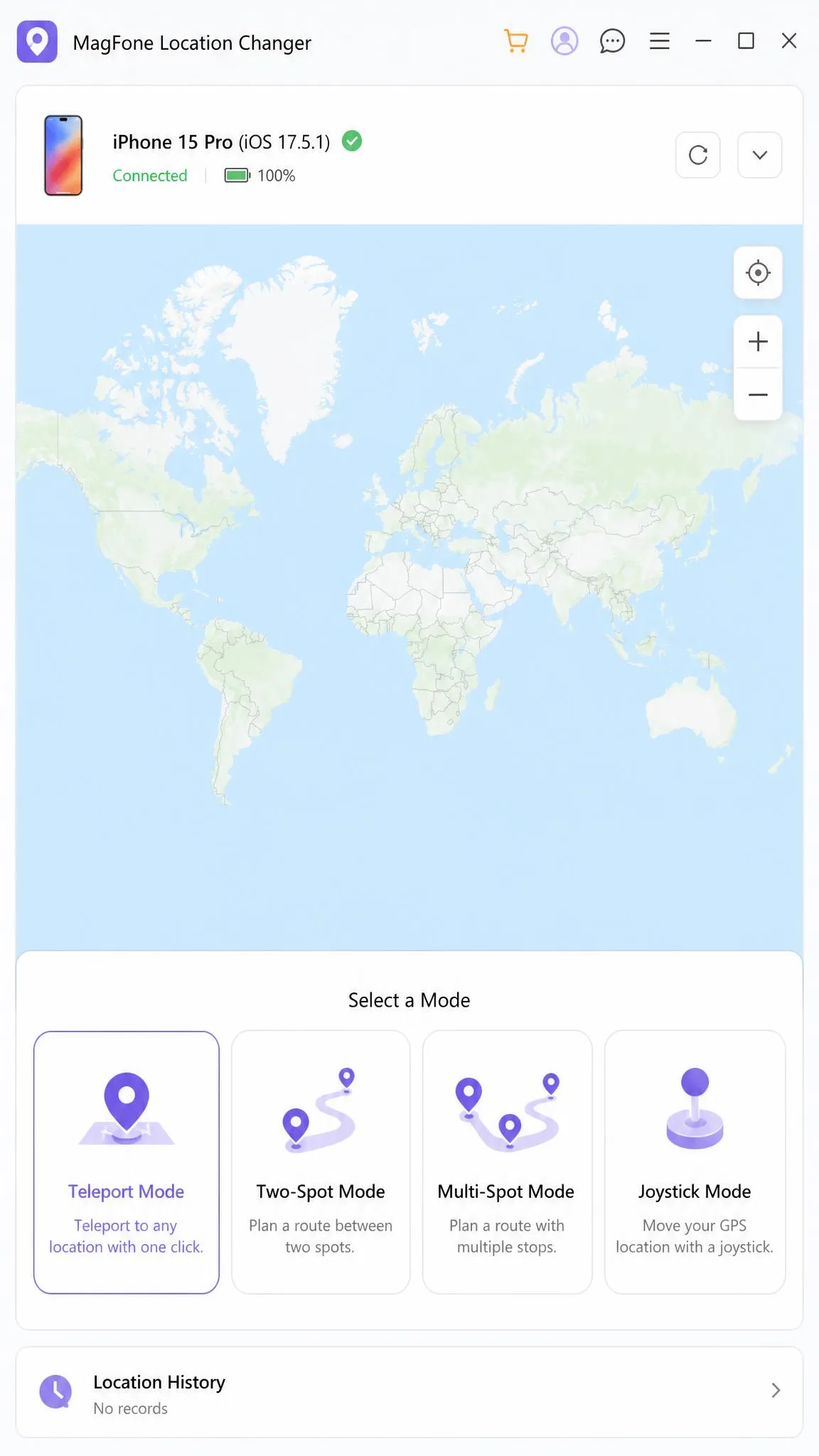
MagFone Location Changer is a desktop app for Windows and Mac that changes the GPS location your iPhone, iPad, or Android device reports to other apps. You install it on a computer, connect the phone by USB cable or Wi-Fi, and drive the fake position from a map on the larger screen.
It is not a mobile app. There is no phone-only workflow, and that is the biggest structural limitation of the product.
The software claims support for 40+ location-based apps, including Pokemon GO, Tinder, and Spotify. Anything reading the system location on a connected device picks up the change, because MagFone alters what the handset reports rather than patching each app.
Verdict at a Glance
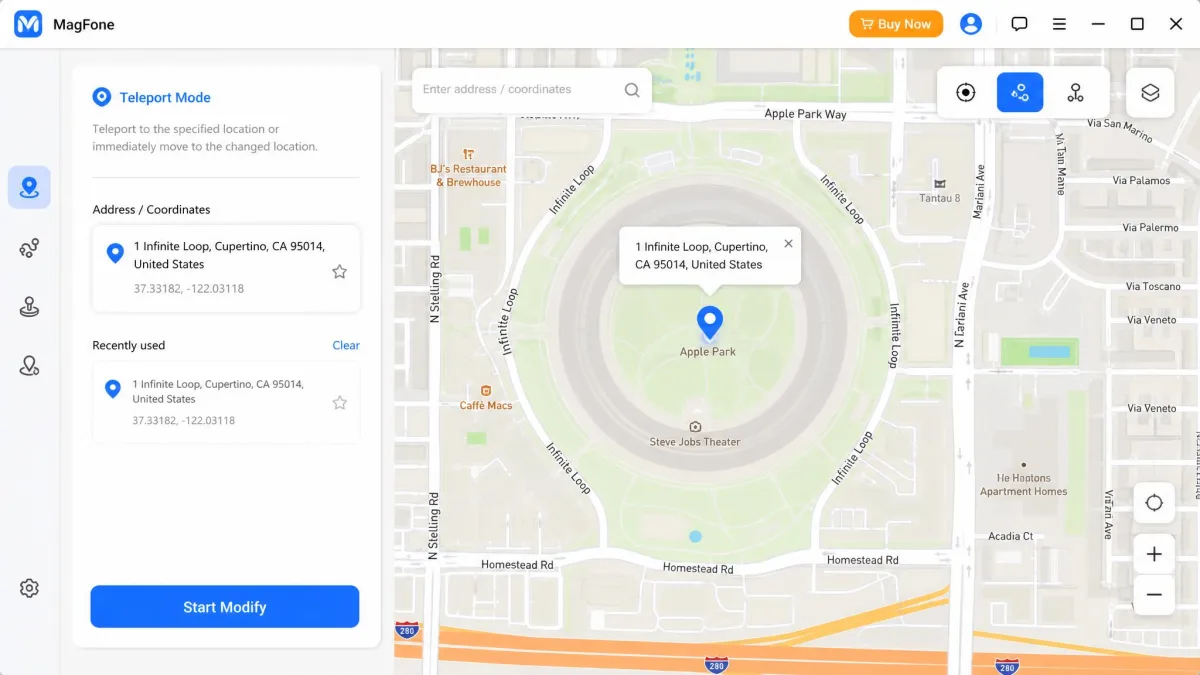
MagFone is a competent, unremarkable location changer with a clean map interface and pricing that undercuts most rivals at the lifetime tier. The interface is clear enough that a first-time user can teleport to a new coordinate without opening any documentation, and location-based apps picked up the spoofed coordinate immediately after we clicked Start Modify, with no reboot needed.
What holds it back is the computer in the loop. Every session runs from a Windows or Mac machine tethered to the phone, and that single design decision shapes everything else about living with the product.
Key Features
The feature list is close to a category standard, which makes the execution details the interesting part.
Teleport Mode (One-Click Location Change)
Teleport mode is the one most people buy for. Search an address or click a point on the map, click Start Modify, and the device reports that coordinate. A Jump Teleport option handles hopping between saved points, and favourites let you bookmark spots you return to.
One-Stop and Multi-Stop Route Movement
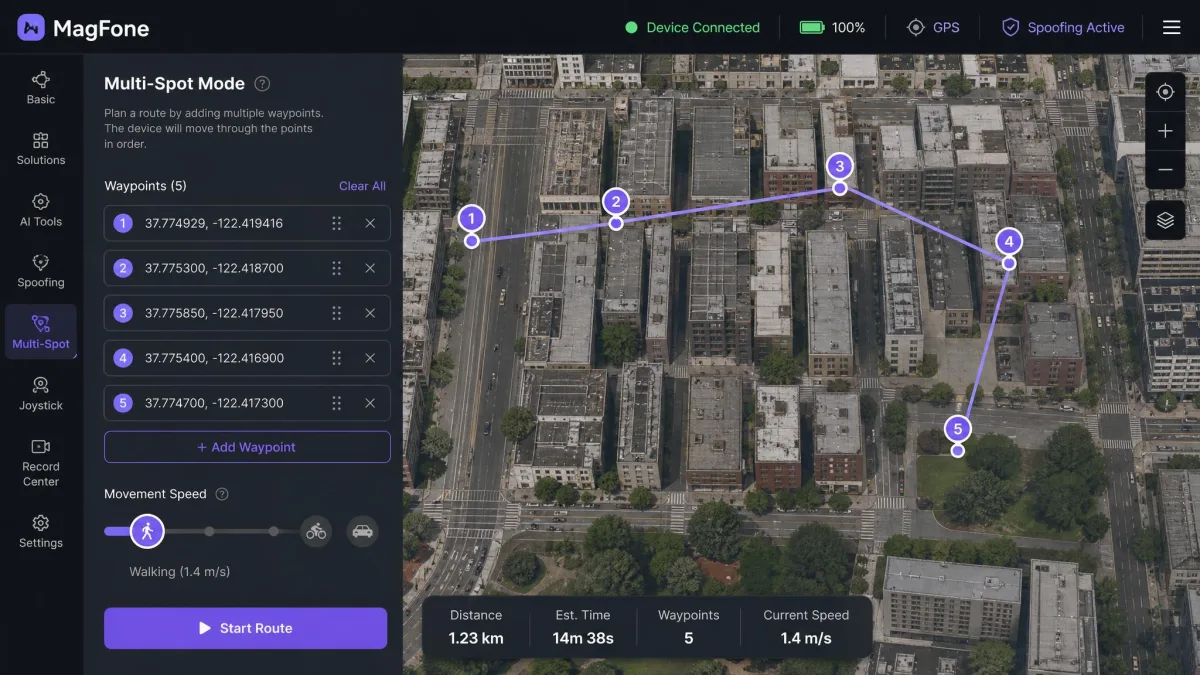
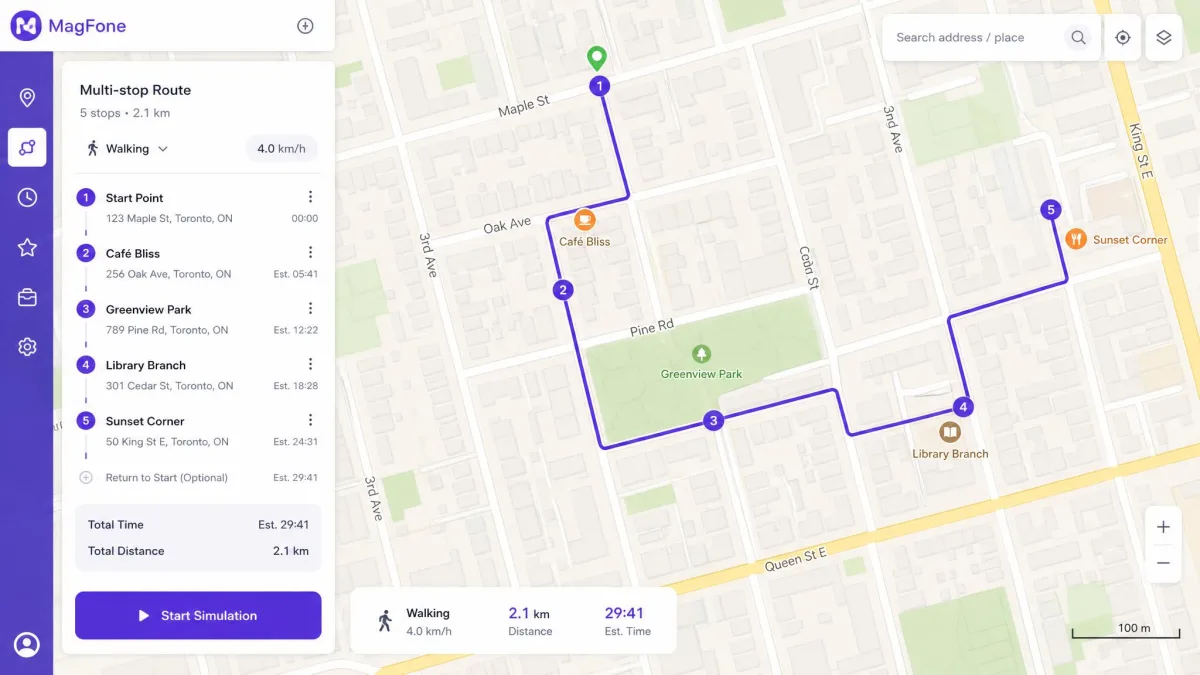
Two-Spot movement walks a straight line between a start and an end point. Multi-Spot movement lets you drop a chain of waypoints and simulate movement along that whole path, with cycle and round-trip options so a route repeats without you touching the computer. That is the mode that matters for games rewarding distance travelled.
Joystick and GPX Import
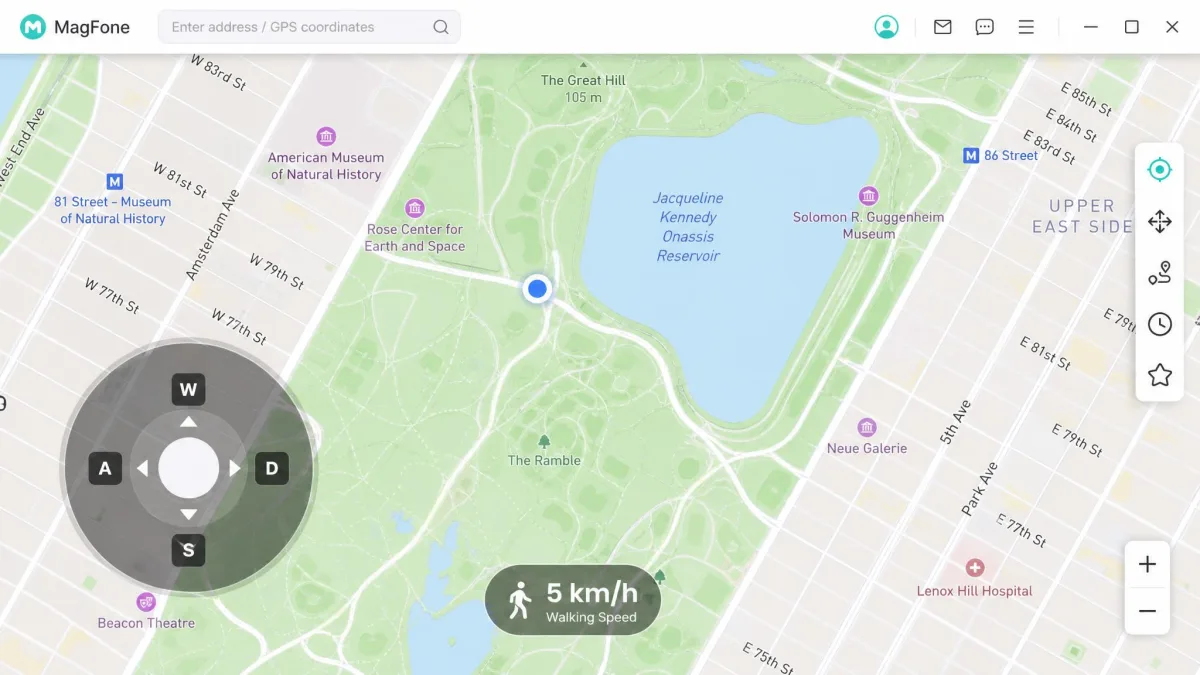
The joystick gives free-form control with the W/A/S/D or arrow keys, which feels closer to walking than clicking waypoints does. MagFone also supports GPX import and export, so a route recorded elsewhere can be replayed on the device. Neither iMyFone AnyTo nor iAnyGo confirms GPX import on its official feature page, so this is a genuine edge.
Cooldown Timer and Speed Control
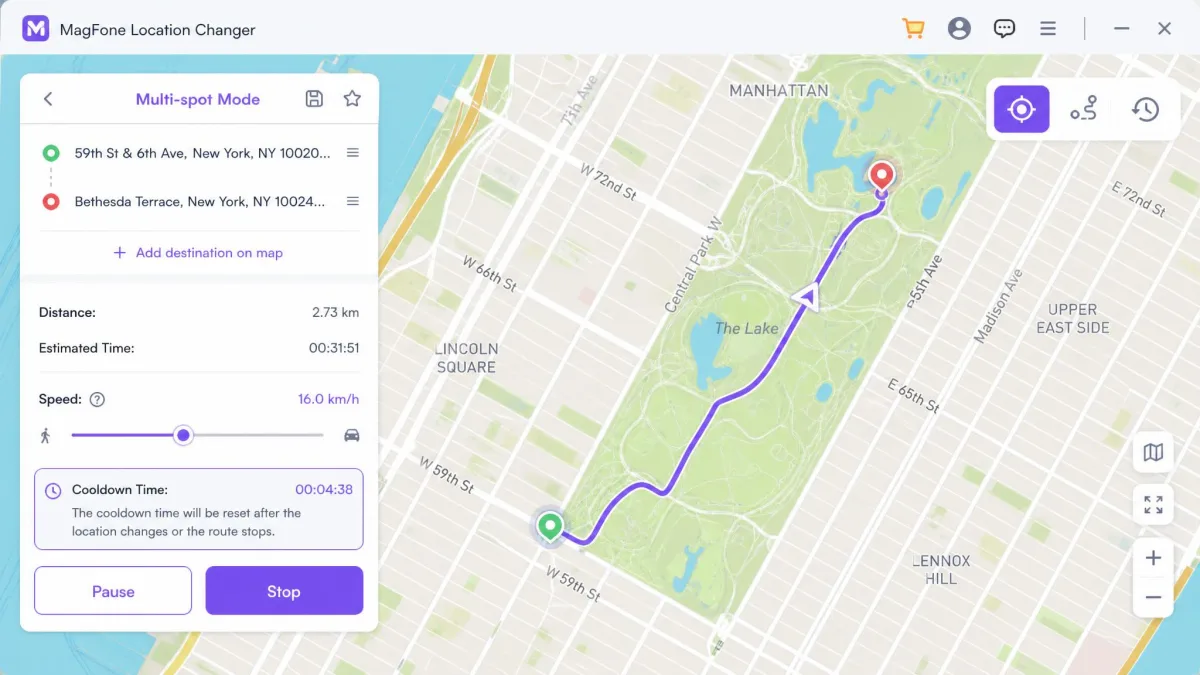
Movement speed is adjustable from 0.4 km/h up to 108 km/h, covering walking, cycling, and driving without the jerky teleport look that gets accounts flagged. The built-in cooldown timer counts down the interval a game expects between jumps. It does not make you undetectable, but it removes the main way people get caught.
Set a plausible walking pace and let a multi-stop route run instead of teleporting repeatedly. Slow, believable movement attracts far less attention than continent-hopping does.
Supported Devices and System Requirements
That whole toolkit only matters if MagFone recognises your hardware, so the compatibility list deserves a closer look than most spec sheets get. The desktop app runs on Windows and macOS and controls iPhone, iPad, and Android handsets. One licence covers 1 PC or Mac driving up to 10 iOS or Android devices at once, which is generous at this price.
On the desktop side, MagFone asks for Windows 10 or later, or macOS Big Sur 11 or later, with a 1 GHz processor and 200 MB of free disk space. Those are undemanding numbers, and any machine bought in the last decade clears them.
Phone support runs from iOS 12 through iOS 26, covering iPhone 4 to iPhone 17, and from Android 6 through Android 16 across a claimed 5,000+ handsets. The marketing copy on the product page quotes narrower, newer-sounding ranges, but the tech-specs page is the one to trust. Support for a brand-new iOS release still tends to arrive in a later build rather than on day one, so an iPhone you updated last week may need to wait.
How to Use MagFone Location Changer (Step by Step)
The workflow takes about five minutes the first time and under a minute after that.
Step 1: Install and Launch on Windows or Mac
Download the installer, run it, and launch the app. The free download includes a limited trial, though the allowance varies by build and mode, so treat the free-run count as rough rather than fixed.
Step 2: Connect Your iPhone or Android Device
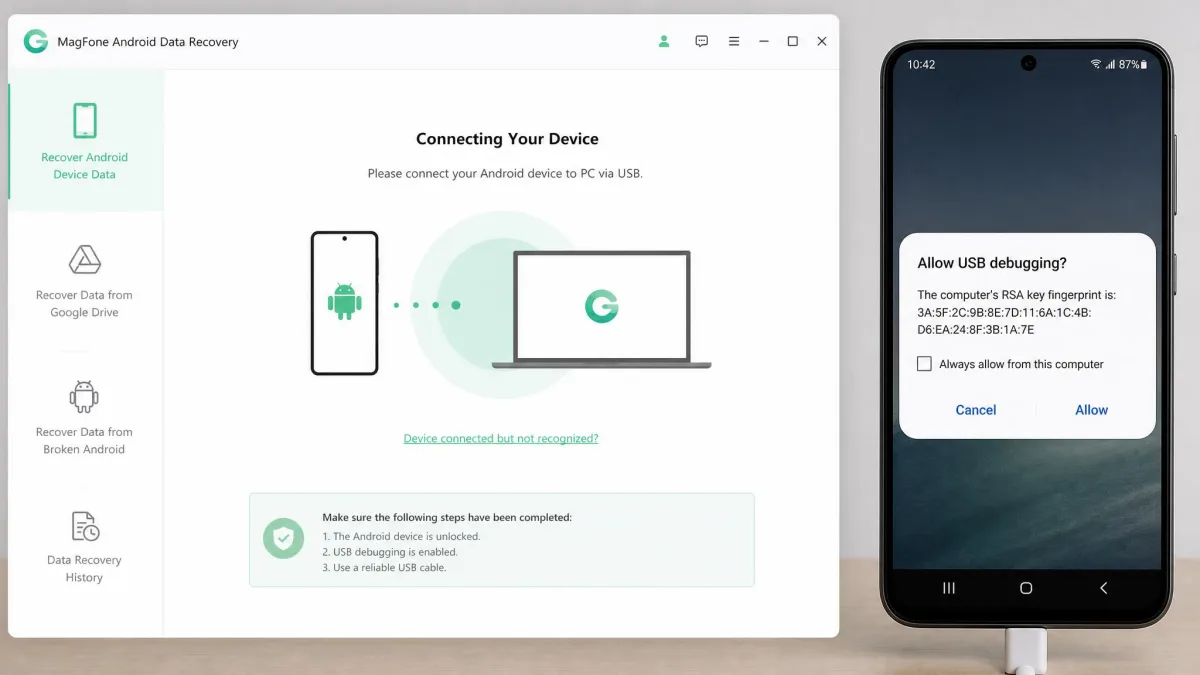
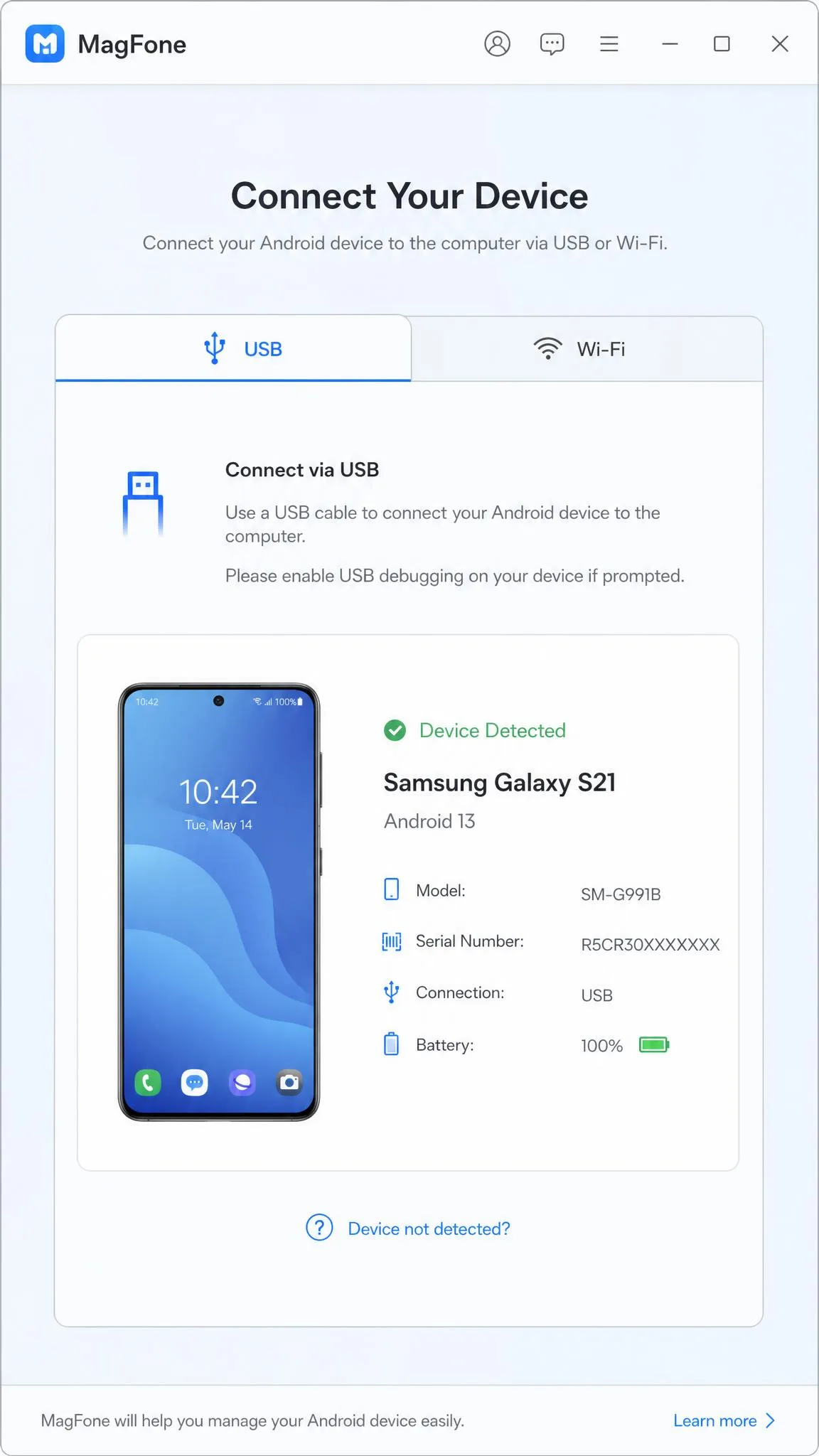
Connect the phone with a USB cable, or pair over Wi-Fi if both are on the same network. On iPhone, tap Trust when prompted, then enable Developer Mode in Settings before the desktop app can push a location.
On Android, open Settings, then Developer options, and turn on USB debugging. Detection is the flakiest part of this product, and enabling USB debugging then reconnecting the cable is what fixed it for us every time.
Step 3: Pick a Mode and Set Your Virtual Location
Click Start, choose a mode from the icons in the top right corner, then search an address or click a point on the map. For a route, drop your waypoints in order and set the speed before you begin. Click Start Modify to push the new GPS location.
Step 4: Verify the Change in Maps and Other Apps
Open Apple Maps or Google Maps and check the blue dot. The change registers immediately. To go back, close MagFone and restart the phone, since nothing is permanently installed on the handset.
What You Can Use It For
The honest use cases are narrower than the marketing suggests, but they are real.
- AR and location-based games. Pokemon GO and similar titles drive most of this category.
- Region-locked content. Some catalogues key off device location rather than IP address.
- Dating apps. Setting a virtual location before a trip is a common reason people buy.
- Privacy on social apps. Hiding your real position in WhatsApp live location or Find My.
- Developer testing. Replaying a GPX route beats walking around the block.
Understanding how GPS spoofing works helps here. Your phone calculates position from satellite signals, and a spoofing tool replaces that result before apps read it. Anything cross-checking Wi-Fi networks, cell towers, or your IP address can still notice the mismatch.
Pricing and Plans
If the feature set is a category standard, price is where MagFone actually tries to win. It sells single-platform and cross-platform licences, both discounted hard against list price, and these figures come from MagFone's current pricing page.
| Plan | Price | Regular price |
|---|---|---|
| Monthly licence | $9.95 | $24.95 |
| Quarterly licence | $19.95 | $49.95 |
| Yearly licence (Most Popular) | $39.95 | $129.95 |
| Lifetime licence | $89.95 | $179.95 |
| Windows + Mac monthly bundle | $14.95 | $49.90 |
| Windows + Mac lifetime bundle | $107.95 | $359.90 |
Every plan carries a 30-day money-back guarantee plus free technical support. Support is email only, at support@magfone.com, and MagFone promises to reply as soon as possible without publishing a response-time target, so how fast a ticket gets answered is not something you can count on in advance.
The yearly licence makes sense for most buyers. Monthly is fine for a single trip, and lifetime only pays off past two years, which is a long bet on a category Apple and Google keep making harder.
Pros and Cons
Pros
- No jailbreak on iPhone and no root on Android is required
- Clean map interface you can use without reading documentation
- One licence drives up to 10 devices at once
- Full route toolkit: teleport, two-spot, multi-spot, joystick, GPX import and export
- Speed control from 0.4 km/h to 108 km/h plus a cooldown timer
- Lifetime pricing that undercuts most of the shelf
Cons
- Needs a Windows or Mac computer in the loop, with no phone-only option
- Device detection is inconsistent and often needs USB debugging enabled first
- Connections drop mid-session and force a reconnect
- English-only interface
- The free trial is too tight for a real evaluation
- Support for brand-new iOS releases arrives in a later build

Is MagFone Location Changer Safe and Legit?
MagFone is a legitimate commercial product sold through a standard payment processor with a refund window. The installer is clean and nothing is permanently installed on your phone. The risk in this category is never the software itself.
Jailbreak and Root Requirements
No jailbreak is needed on iPhone and no root on Android. MagFone runs jailbreak-free and root-free, but it still needs a Windows or Mac computer and a USB or Wi-Fi link. That trade is worth making, because jailbreaking voids warranties and opens real security holes while a desktop tether just means carrying a laptop.
Ban and Detection Risk in Location-Based Games
This is where buyers get burned. Some games, Pokemon GO among them, can still detect spoofed movement, so a successful location change does not guarantee an undetected session. Jumping between distant continents in quick succession and setting unrealistic speeds is what triggers app-side flags, while slow, plausible routes attract far less attention.
Spoofing your location breaks the terms of service of most location-based games and many dating apps. A ban is a permitted outcome under rules you agreed to, and no cooldown timer makes you immune. Never spoof on an account you would be upset to lose.
Privacy and Data Handling
MagFone does publish a privacy policy, though the link printed on the product page points at a page that no longer exists. The policy covers personal information, usage data, and technical data gathered through direct input, cookies, and third-party services. It never mentions location data specifically and sets no retention period, so what happens to the coordinates the desktop app handles is not spelled out anywhere we could find.
What we can say is that the app feeds coordinates from the desktop, so your real position is known to the computer running it. Apple documents the iPhone Location Services settings that control which apps read your position, and reviewing that list is worth ten minutes before installing any spoofing tool.
What Real Users Say
Review volume for MagFone is thin, which is itself a data point.
MobiKin's aggregate puts MagFone at 4.1 out of 5, with praise for the intuitive interface and smooth performance in location-based apps alongside flags for occasional connection issues. That matches our experience closely.
SourceForge's listing shows 5.0 out of 5 built on a single review, too small a sample to mean anything. Rating figures across this category sit on thin volumes and move with each new listing, so the score is indicative rather than settled. MagFone's own reviews page currently displays no submitted customer reviews at all.
The recurring complaint everywhere is the one we hit: a computer in the loop, and connections that drop. Nobody complains that the spoofing does not work.
Best Alternatives to MagFone Location Changer
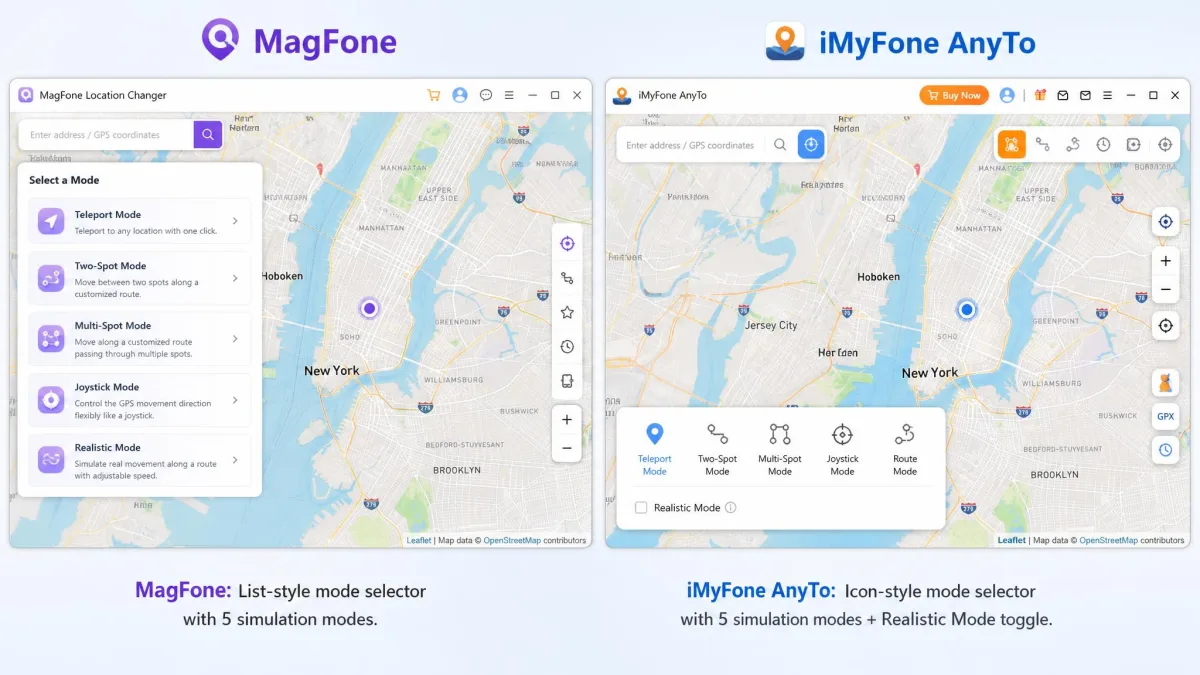
Three products dominate this shelf, and they are more alike than their marketing admits. MagFone's V3.0.0 release added a dedicated Game Mode for iOS and Android, the clearest recent attempt to differentiate.
| Product | Buy | Monthly | Lifetime | Devices per licence | Joystick / GPX | Refund |
|---|---|---|---|---|---|---|
|
Check price → | $9.95 | $89.95 | 10 | Yes / Yes | 30-day |
 |
$9.95 | About $119.99 listed | 5 (VIP) / 10 (SVIP) | Yes / Not confirmed | 30-day | |
 |
$9.95 | $89.95 | Not verified | Yes / Not confirmed | 30-day |
iMyFone AnyTo is the most polished of the three and the one we would hand to a nervous first-timer. Its trial is also the most honest: each movement mode runs once, and joystick mode gives you 15 minutes, enough to know whether it works on your phone before you pay. Our full iMyFone AnyTo review has the detail.
Tenorshare iAnyGo matches MagFone almost exactly at $9.95 monthly and $89.95 lifetime, with the same teleport and route modes. Its device limit is not confirmed on an official page, which is the one thing MagFone states plainly. See our iAnyGo review.
iToolab AnyGo is worth a mention for its cooldown timer and GPX import, but its lifetime price is discounted so aggressively and so often that no single figure holds for long.
iFunbox turns up in these comparisons and should not. It is primarily an iOS file manager rather than a purpose-built GPS spoofer, so location changing is a secondary capability and it shows.
Our FonesGo Location Changer review covers the cheapest credible option we have tested.
FAQs
What happens to my licence if I reinstall Windows or move to a new computer?
Does enabling Developer Mode or USB debugging carry its own risk?
Will it get me banned in Pokemon GO?
Does the computer have to stay awake for a running route?
An app still shows my fake location after a restart. What now?
Does it work on the latest iOS?
Is there a free trial?
Final Verdict: Who Should Buy It
Buy MagFone if you want a straightforward virtual location tool for a laptop you already carry, and you value the 10-device licence and the honest lifetime price. The yearly plan at $39.95 is the sweet spot for anyone who expects to use it more than once.
Skip it if you wanted to change your GPS location from the phone alone, if you do not read English comfortably, or if you need day-one support for a brand-new iOS release.