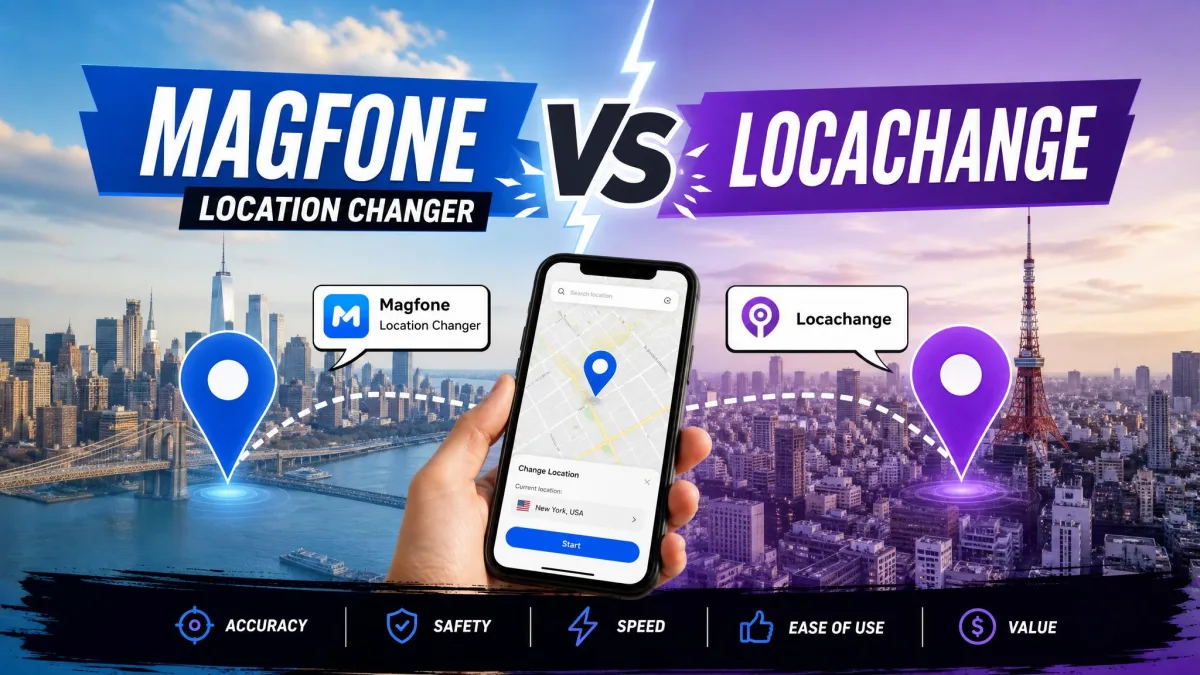
If you're deciding between MagFone Location Changer and LocaChange to spoof your iPhone or Android location, you're comparing two of the most popular GPS changers. Both fake your location in one click without jailbreak or root, and the real differences sit in price, trial terms, and reputation.
We ran LocaChange hands-on for four days and worked through MagFone's limited free trial on a Windows desktop, and this guide covers the comparison, pricing, ban risk, and our pick.
MagFone Location Changer vs LocaChange: Quick Comparison
The two tools are closer than the marketing suggests. MagFone leads on price at every tier; LocaChange counters with a longer track record and a 4.7 out of 5 Trustpilot rating.
At a Glance: Feature-by-Feature Table
| Feature | MagFone Location Changer | LocaChange |
|---|---|---|
| One-click teleport | Yes (Jump Teleport Movement) | Yes (Teleport Mode / Jump Teleport Mode) |
| Movement modes (two-spot / multi-spot / joystick) | Yes, all three | Yes, all three, plus Fluctuation Mode |
| GPX import/export | Yes | Yes |
| Route simulation | Yes, custom routes, cycle or round trip | Yes, multi-spot routes with auto-walk |
| Cooldown timer | Yes, preset to avoid game bans | Yes, countdown timer |
| Multi-device control | Up to 10 devices from one PC | Up to 10 devices via desktop app |
| Pricing (monthly / quarterly / yearly / lifetime) | $9.95 / $19.95 / $39.95 / $89.95 | $19.99 / $39.99 / $79.99 / $119.99 |
| Platform support | iOS 27 & Android 16; Windows 7-11, Mac | iOS 14-27 Beta, Android 8-17, Windows, macOS |
| No root/jailbreak | Yes | Yes |
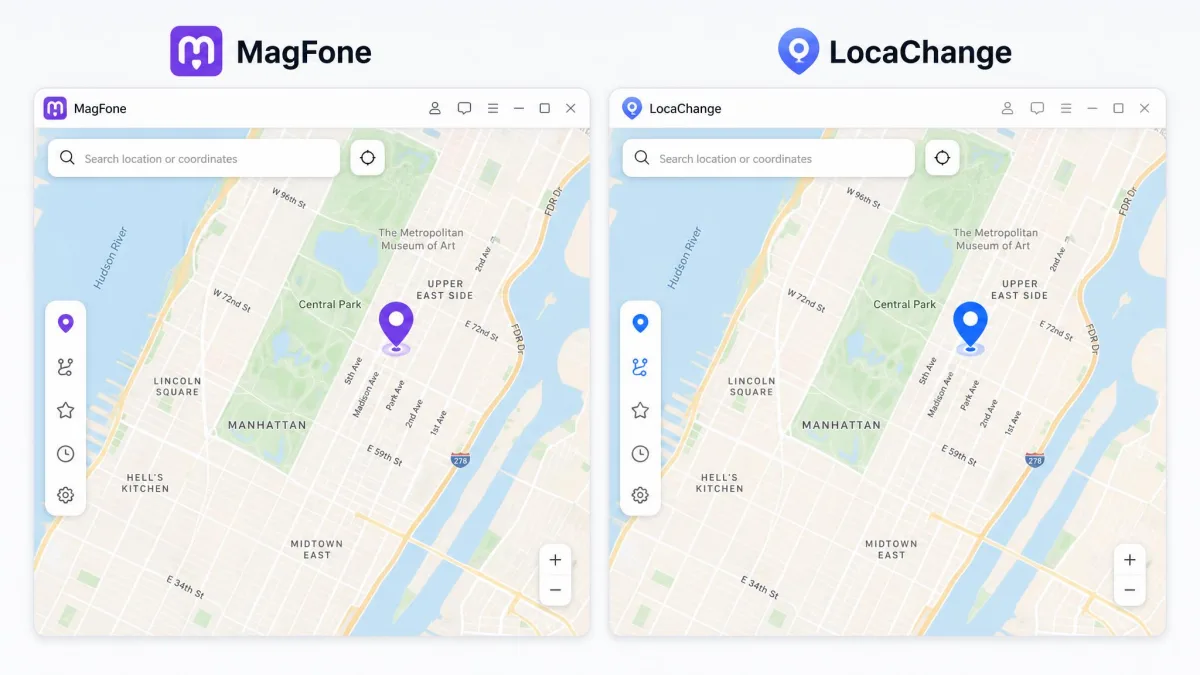
What Is MagFone Location Changer?
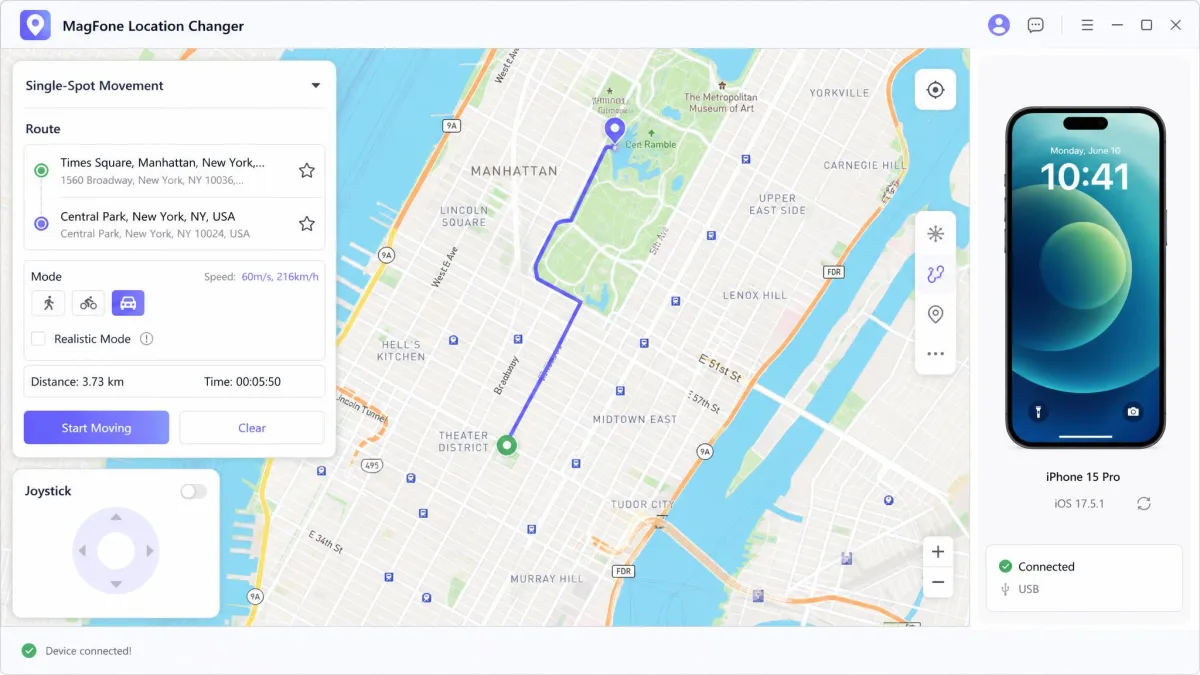
MagFone Location Changer is a desktop GPS changer for iOS and Android from MagFone. Install it on a Windows or Mac computer, connect your phone over USB or Wi-Fi, and control the fake location from the desktop map.
Key Features of MagFone Location Changer
Beyond the core fake GPS, MagFone offers one-click teleport, two-spot and multi-spot movement, a joystick with keyboard control, speed from 0.4km/h to 108km/h, route collection, and a cooldown timer.
Supported Platforms and Device Compatibility
The official page banners iOS 27 and Android 16 support; the desktop app runs on Windows 7 through 11, with separate Windows and Mac builds. The current Windows build is version 3.6.1, a 107 MB trial download. The compatibility list covers Pokémon GO, Life360, Tinder, Snapchat, Minecraft Earth, Ingress Prime, Wizards Unite, and Pikmin Bloom.
Our Windows session began with the free trial, which is limited enough that you cannot fully evaluate the tool before paying. The functional gaps mean you decide whether to pay before you have seen everything it does. Our first connection attempt also stalled: detection failed with the newer iOS build we used, a weak spot on versions like iOS 18. Trusting the computer on the iPhone, then swapping the cable and port, brought the phone up in the device list. Once connected, the one-click teleport moved the pin to the new spot and the cooldown timer started counting down. Respect that timer before you jump into a game like Pokémon GO.
What Is LocaChange?
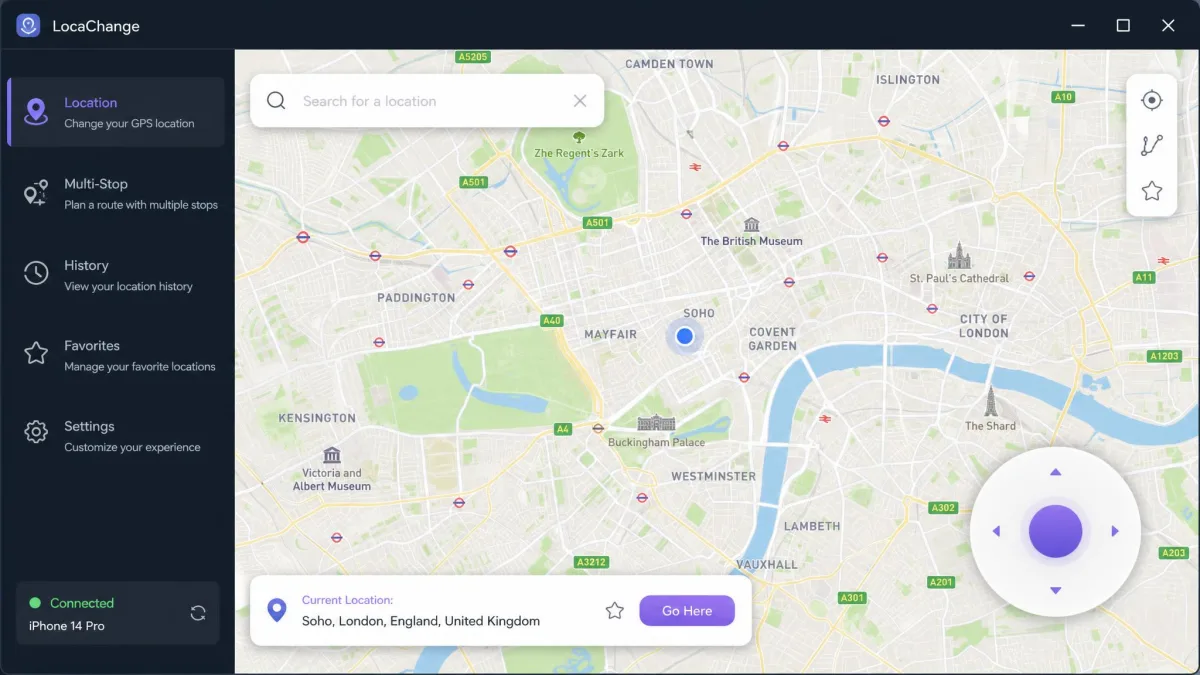
LocaChange is a location changer with eight years of development behind it, covering iOS, Android, Windows, and Mac. Like MagFone it is desktop-driven: the phone connects over USB or Wi-Fi and the fake location is set from the desktop app. For a head-to-head against a similar tool, see our FonesGo Location Changer vs LocaChange comparison.
Key Features of LocaChange
LocaChange covers the same ground, adding teleport and jump teleport modes, a joystick, two-spot and multi-spot modes, a fluctuation mode, a cooldown countdown, and speeds from 3.6km/h to 120km/h. Route work adds auto-walk, a Pokémon GO game mode, 50 or more location-based games, and Google Fit support.
During our four-day test we dropped a pin across town and watched how the app handled the journey. Teleports took effect instantly, with no lag and no reboot, and route simulation moved the avatar along actual streets instead of cutting across blocks. The joystick stayed responsive through the whole run, which is the difference between a tool you can drive and one you fight.
LocaChange Pricing and Plans
Plans run from $19.99 per month to a $119.99 lifetime license, each with free lifetime updates and 24/7 support. The published trial gives one teleport, one two-spot run, one multi-spot run, and 15 minutes of joystick use. One plan detail worth noting: the iOS app plan covers a single iPhone, while the desktop version controls up to 10 iOS and Android devices.

MagFone Location Changer vs LocaChange: Features Compared
Here is how the shared features behave beyond the table.
Teleport and One-Click Location Change
Both tools change your location in one click: search an address or drop a pin, and the phone reports the new position immediately.
Movement Modes: Two-Spot, Multi-Spot, Joystick, and Route Simulation
Both ship the full set: two-spot, multi-spot, joystick, and route simulation. MagFone's joystick adds 360-degree directions and keyboard control. MagFone runs named routes as cycles or round trips; LocaChange offers auto-walk routes.
GPX Import/Export and Route Management
Route files move in and out of both tools: MagFone imports and exports GPX and searches moving routes, while LocaChange adds a favorite list, history, and live atlas to the same set of tools.
Compatibility with Games and Apps (Pokemon GO, Life360, Tinder)
Both vendors claim support for the usual spoofing targets, including Pokémon GO, Life360, Tinder, and Snapchat. MagFone's list runs longer, adding Minecraft Earth, Ingress Prime, Wizards Unite, Geocaching, Pikmin Bloom, and Monster Hunter Now. LocaChange counters with a dedicated Pokémon GO game mode. Treat both lists as claims, not guarantees.
MagFone Location Changer vs LocaChange: Pricing Compared
MagFone Pricing (Monthly/Quarterly/Yearly/Lifetime)
MagFone sells in sale terms: $9.95 monthly against a $24.95 list price, $19.95 quarterly against $49.95, $39.95 yearly against $129.95, and $89.95 lifetime against $179.95, with auto-renewal and a 30-day money-back guarantee. Bundles add a Mac at $14.95 monthly or $107.95 lifetime, and the yearly tier is marked Most Popular.
LocaChange Pricing (Monthly/Quarterly/Yearly/Lifetime)
LocaChange lists $19.99 monthly, $39.99 quarterly, $79.99 yearly, and $119.99 lifetime, with the same 30-day money-back guarantee, lifetime updates, and 24/7 support. One wrinkle: the app prompts for payment right after installation, so the try-it-free messaging can mislead.
Safety and Security: Is It Safe to Use?
Is LocaChange Safe?
LocaChange is safe to install: no jailbreak or root, and the vendor states it does not store your location history, though its own documentation warns that spoofing violates Niantic's Terms of Service. The account risk lives in the apps you spoof with, not in the changer.
Is MagFone Location Changer Safe?
The same install-level safety applies and nothing modifies the firmware, but our testing showed safety does not extend to the apps themselves. Spoofing with MagFone can be detected by Pokémon GO, bans are possible if you ignore the teleport cooldown, and unrealistic movement patterns can trigger restrictions.
Risk of Detection and Account Bans
No changer can promise safety because GPS spoofing detection happens on the app's servers. Game servers flag positions inconsistent with real-world travel times. Both tools include cooldown timers for this reason.
Spoofing your location can get your account suspended, and detection is always possible. Neither tool can guarantee you will never be detected, because the checks run on servers you do not control.
User Reviews: What Do Users Think?
LocaChange Reviews (Trustpilot, Reddit)
LocaChange carries an Excellent rating of 4.7 out of 5 on Trustpilot, where reviewers consistently call the support agents fast, patient, and helpful, including when arranging refunds. It is not one-sided: complaints describe the tool never working with Pokémon GO on iOS, with refunds denied. iOS failure modes include Bluetooth connection failures, a map that will not load, and location resets. Setup help threads live on Reddit.
MagFone Location Changer Reviews
MagFone has no independently verified aggregate rating that we could find, so weigh vendor claims against your own test.
Pros and Cons
Where each tool stands after testing and the price comparison.
MagFone Location Changer: Pros and Cons
Pros
- Cheapest at every plan tier
- Full movement and GPX feature set
- Up to 10 devices from one PC
- Free technical support and upgrades for the license term
Cons
- Free trial is limited, with no published length
- Interface is English-only
- Detection issues on newer iOS versions like iOS 18
LocaChange: Pros and Cons
Pros
- Highly rated on Trustpilot (Excellent)
- Published free trial limits
- Eight years of development experience
- Free lifetime updates and 24/7 support
Cons
- Costs roughly double MagFone on subscription plans
- Some purchases never worked with Pokémon GO on iOS
- Payment prompt after installation can mislead
How to Change Location: Step-by-Step
Both tools follow the same four steps: install, connect, pick a spot, teleport.
How to Use MagFone Location Changer
Install the Windows or Mac build and connect your phone; detection is the step that trips most people up. Then search an address, choose teleport or a movement mode, set a realistic speed, and let the cooldown timer finish before playing.
If MagFone does not detect your phone, enable USB debugging in Android's developer options, or tap Trust on the iPhone when prompted, then swap cables or ports. That sequence fixed every detection failure we hit.
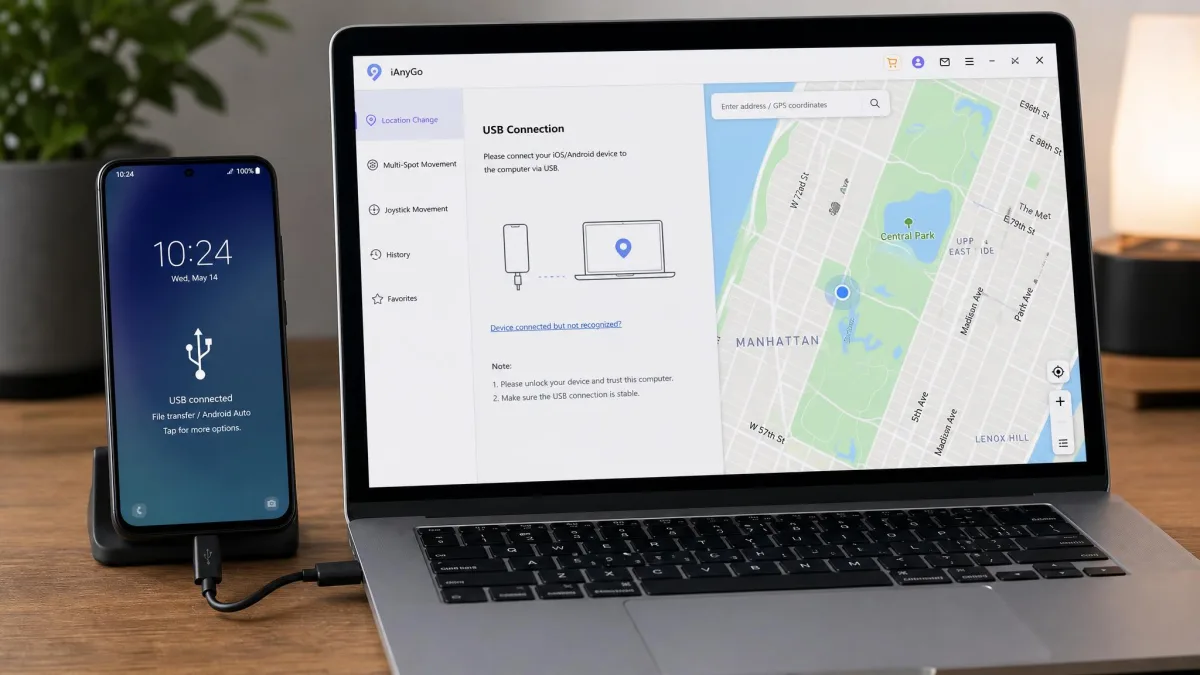
How to Use LocaChange
Connect your phone with a USB cable the first time, which on Android means enabling Developer Mode; after that, later connections were wireless over Wi-Fi. Pick Teleport Mode, search for the target spot, and teleport, or switch to two-spot, multi-spot, or joystick.
Which One Should You Choose?
Both tools are close enough that the answer depends on your priorities. Start with the price gap, which is the one difference you can measure in a spreadsheet. Then weigh the longer track record, the published trial limits, and the strongly rated support team against the premium. Setup and account risk are identical.