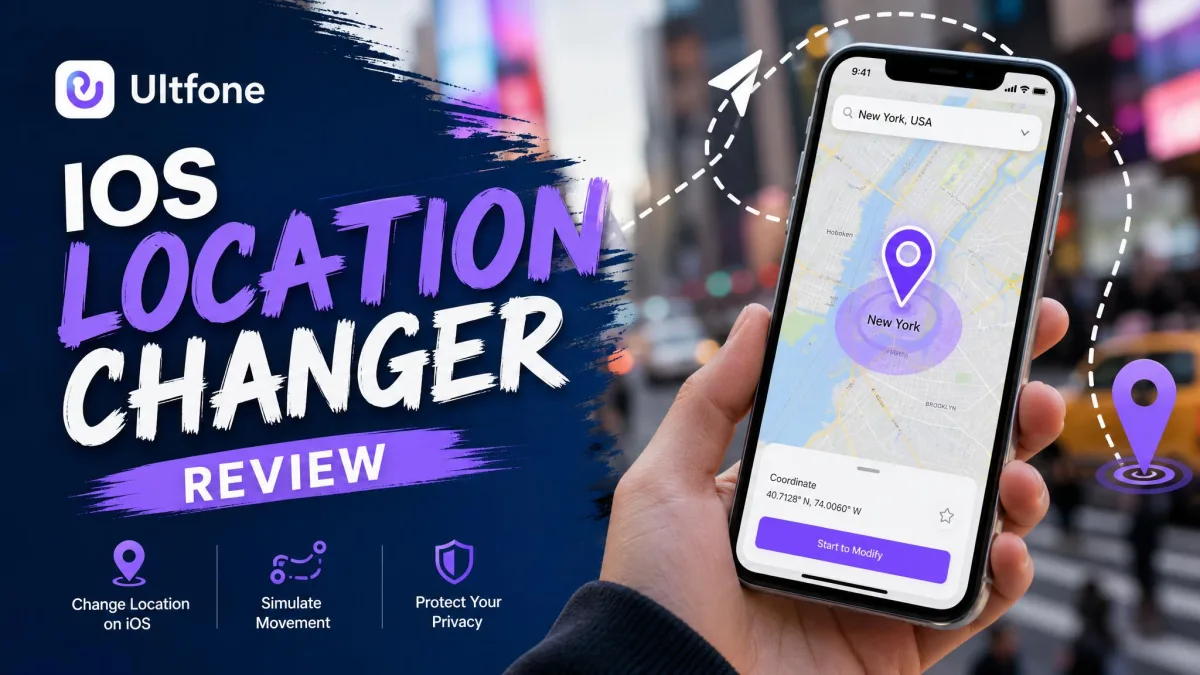
Changing your iPhone's GPS location has several practical uses. Players use it for Pokemon GO and other AR games. Others widen the search radius on dating apps. Some reach geo-restricted content, or test location-based features in an app they are building. UltFone iOS Location Changer is paid desktop software that does this without a jailbreak. It offers teleport, route simulation and joystick modes. We tested it on an iPhone 15 to see how a fake location holds up in real apps. This review covers what it does, what it costs, whether it is safe, and which alternatives are worth a look.
Our Verdict at a Glance
What Is UltFone iOS Location Changer?
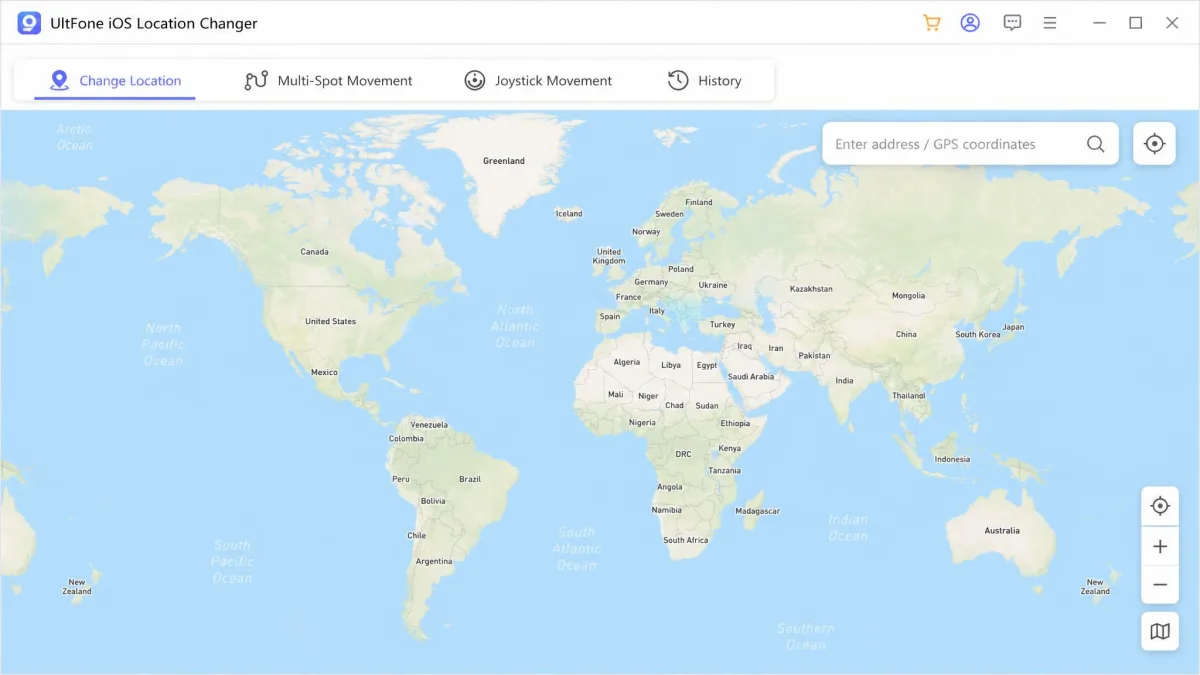
UltFone iOS Location Changer is desktop software for Windows and Mac. It changes the GPS position your iPhone reports to every other app. You connect the phone, pick a spot on the map, and apps that ask where you are get the spot you chose. UltFone's official product page lists four ways to move: one-click teleport, single-spot routes, multi-spot routes and a joystick.
This is GPS spoofing over a trusted USB or Bluetooth link. Nothing on the handset is modified, and no jailbreak is involved.
Who It Is Built For
Four groups buy a tool like this, and they want different things from it.
- Pokemon GO and other AR players who want raids without walking to them
- Dating app users widening a search radius past their own city
- Anyone opening geo-restricted content or a region-locked store listing
- Developers checking how their own location-based features behave abroad
Supported Devices and iOS Versions
iOS 14 is the stated minimum, on both the desktop tool and the separate iPhone app. The top of the range is harder to pin down. UltFone quotes three different ceilings across its own pages, and that ceiling moves with every Apple release.
The standalone app also excludes iOS 17.0 and iOS 17.1 outright. That is an odd gap to leave in the middle of a supported range.
| Requirement | What UltFone supports |
|---|---|
| Computer | Windows 11, 10, 8.1, 8 and Windows 7; macOS 10.10 and above |
| iPhone and iPad | iOS 14 and up; the app excludes iOS 17.0 and iOS 17.1 |
| Android | Android 14 on one UltFone page, Android 15 and above on another |
| Devices per licence | 5 mobile devices on 1 PC or Mac |
| Connection | USB or Bluetooth, with no jailbreak and no root |
The Windows and Mac builds are sold as separate licences, so one purchase does not cover both machines.
UltFone Features We Tested
How We Tested
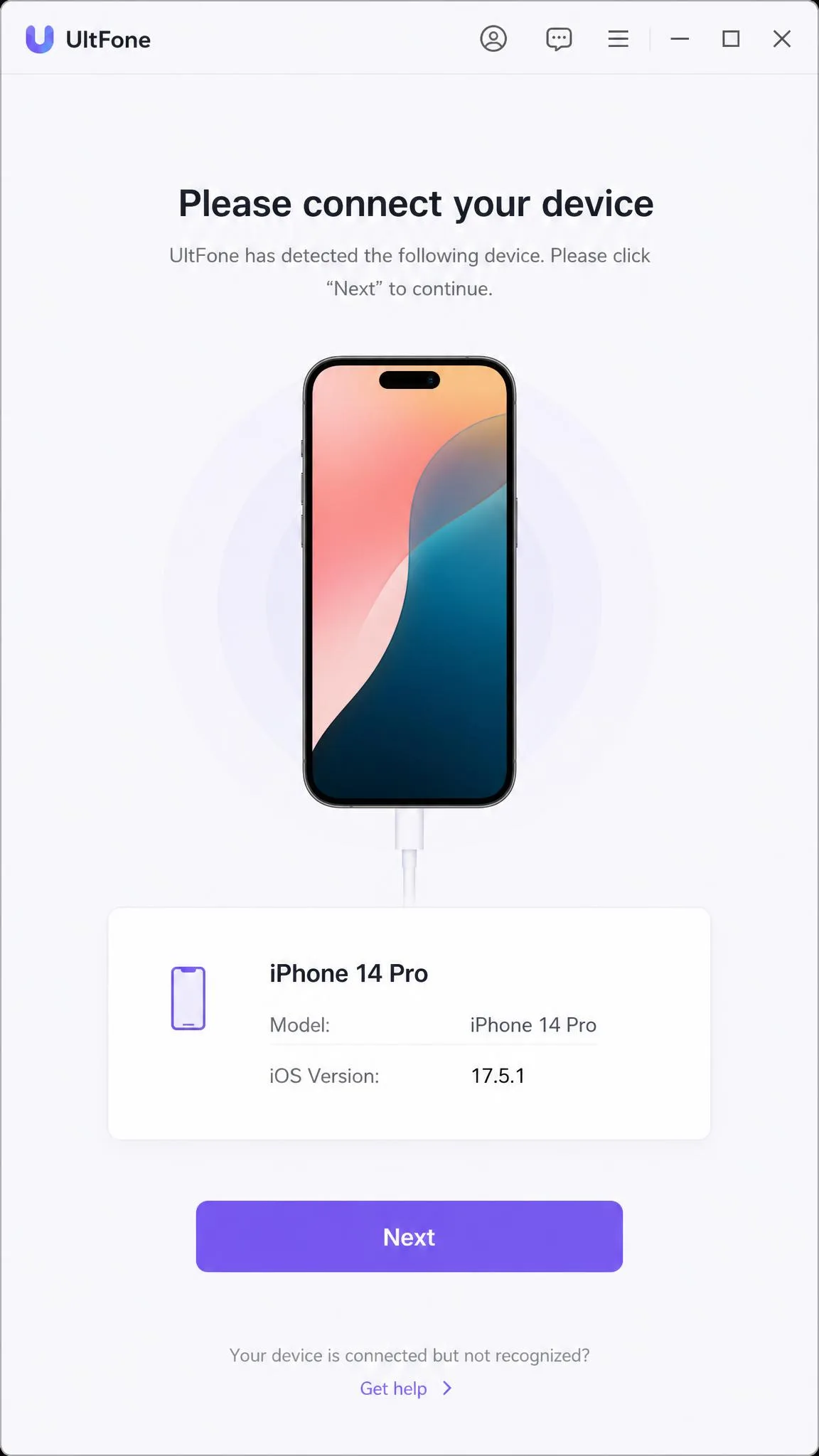
We ran UltFone on an iPhone 15 running iOS 18.2, connected over USB to a Windows PC. Every change was checked in Find My and Apple Maps first. Then we opened Pokemon GO to see whether a location-based game agreed.
Setup runs in two stages, computer first and phone second. That is more friction than tools that live on the handset alone.
The map opened on the wrong current location before we applied our first change. It makes the opening minute more confusing than it needs to be.
One-Click Teleport
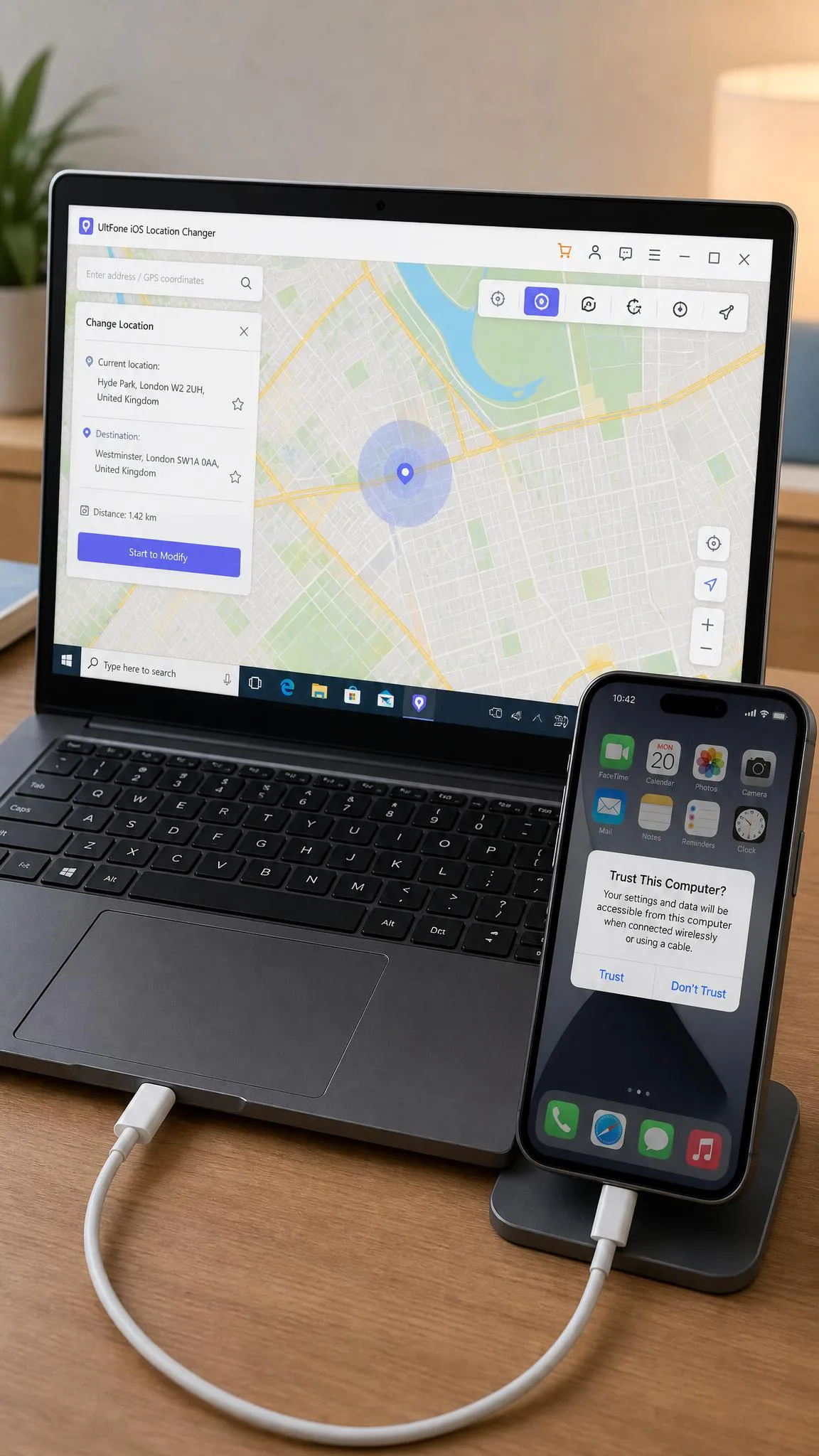
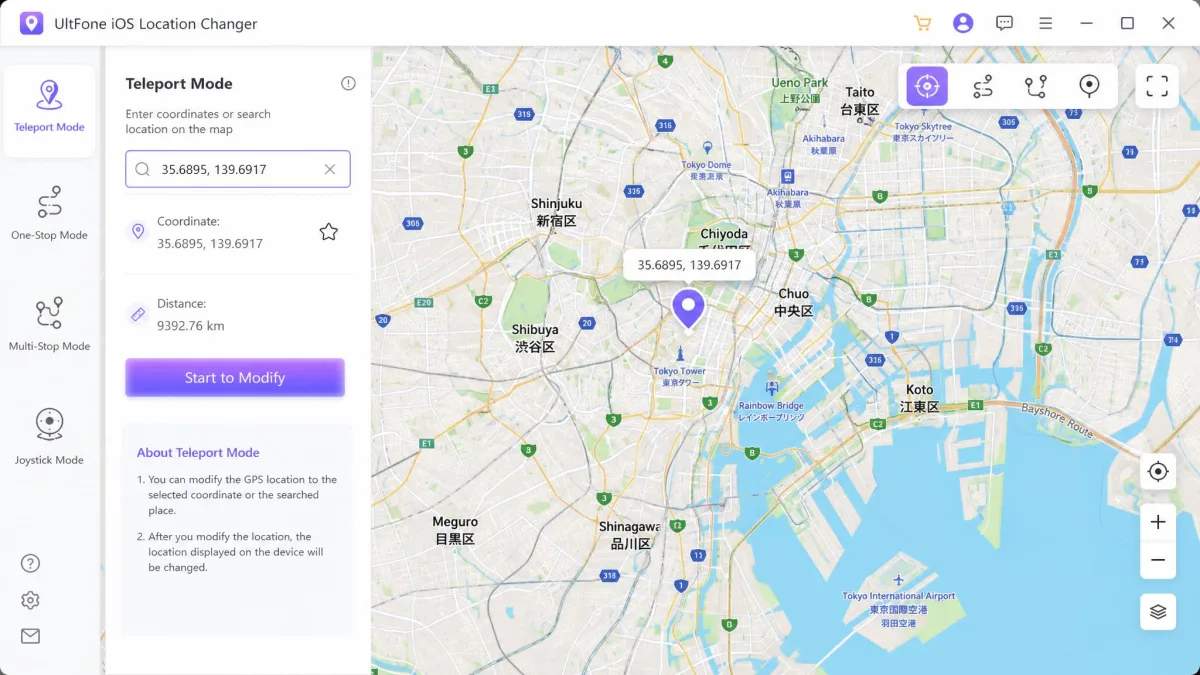
Teleport is the mode that works best. We typed coordinates into the search bar and clicked Start to Modify. Find My and Apple Maps both showed the new city straight away. Nothing on the phone objected, and every repeat change applied with one click.
Holding that position is the harder part. On our iPhone 15, a spoofed spot lasted around three to five minutes before snapping back to the real one. We had to apply it again to carry on.
Single-Spot and Multi-Spot Route Simulation
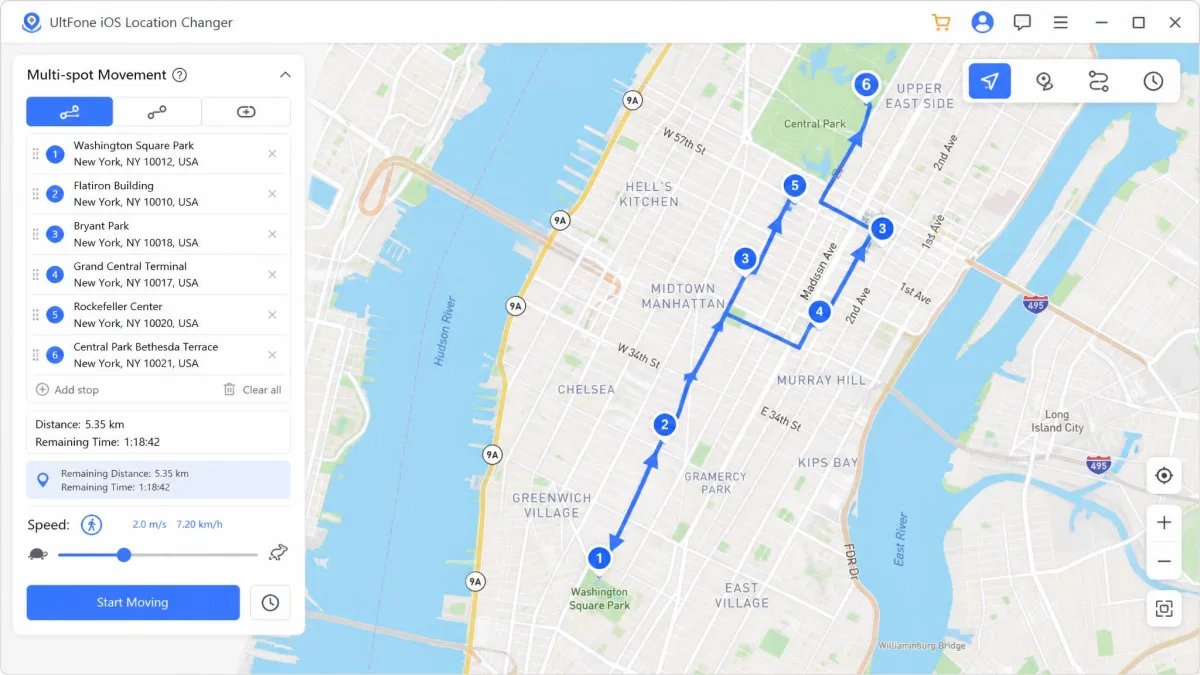
Where teleport drops you somewhere, route simulation walks you there. Single-spot mode plans a route between two points and moves along it. Multi-spot mode lets you drop your own waypoints, up to 24 nodes in Navigation Mode. Straight Mode takes an unlimited number.
A speed slider runs from 3.6 km/h to 108 km/h, so you can simulate a natural walk or a motorway drive. Our 2 km multi-spot loop ran for about four minutes, then dropped the GPS connection partway round.
Joystick Movement
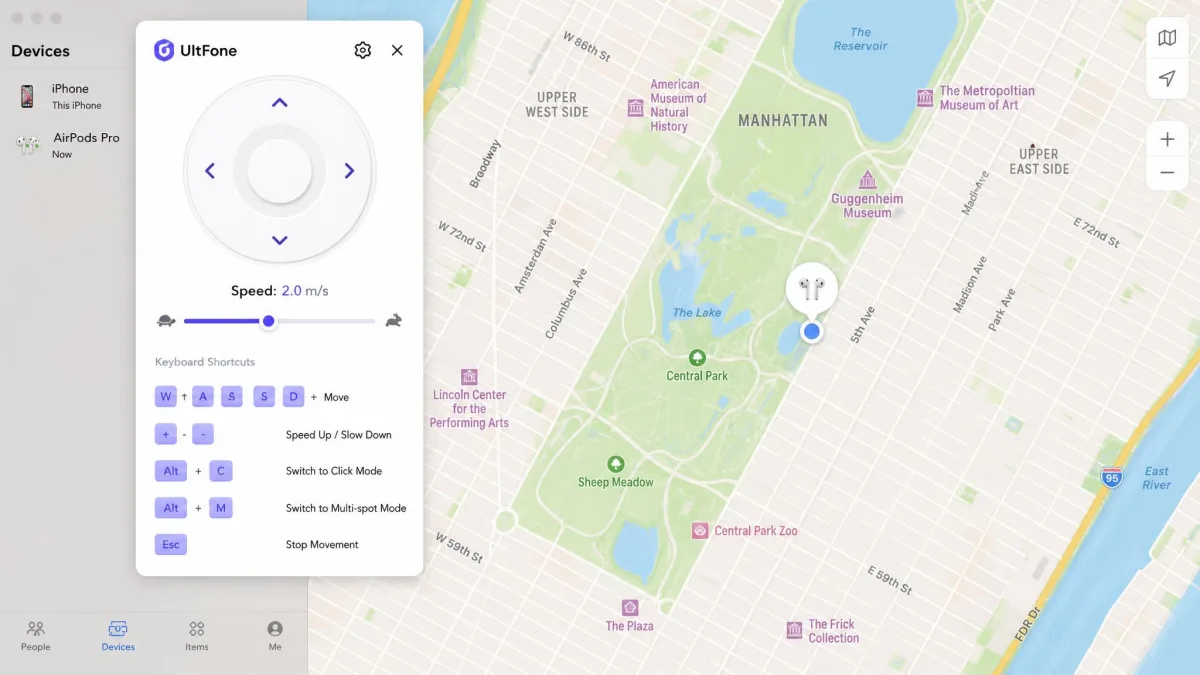
The joystick is the mode you steer by hand, through a full 360 degrees, with the mouse or the keyboard. On the desktop side it felt fluent, and the map played a route without jitter. Inside Pokemon GO it was less steady.
Our joystick walks froze and reset in the game while the desktop window still showed the route running. There is no in-game overlay either, so a long session means switching back to the computer again and again.
Jump Teleport and the Cooldown Timer
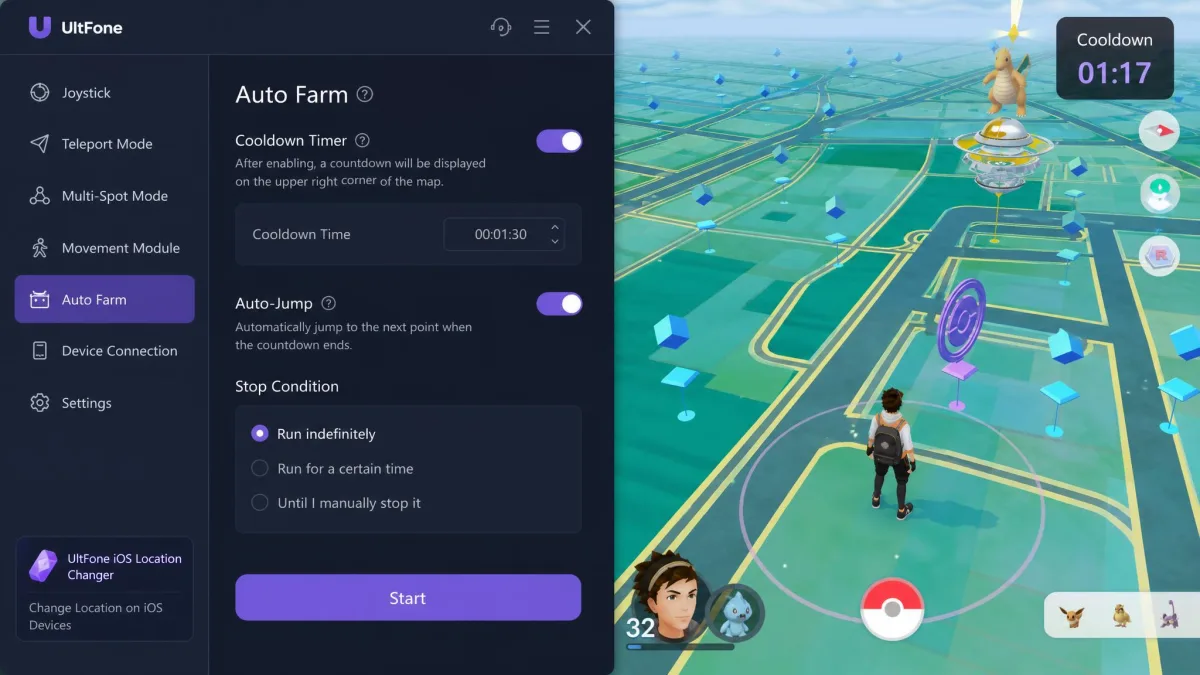
Jump teleport exists because games notice impossible travel. The cooldown timer is on by default. Settings let you disable it, jump automatically once the wait expires, or return to the previous spot with a Back button. UltFone does not publish how long each wait should be for a given distance. Our Pokemon GO spoofing guide for iPhone includes a cooldown chart.
The timer behaved as a reminder for us, not as a technical safeguard, and it does not stop an account being flagged. UltFone's own guide tells Pokemon GO players to keep simulated movement below 2.9 m/s.
Historical Records and Multi-Device Support
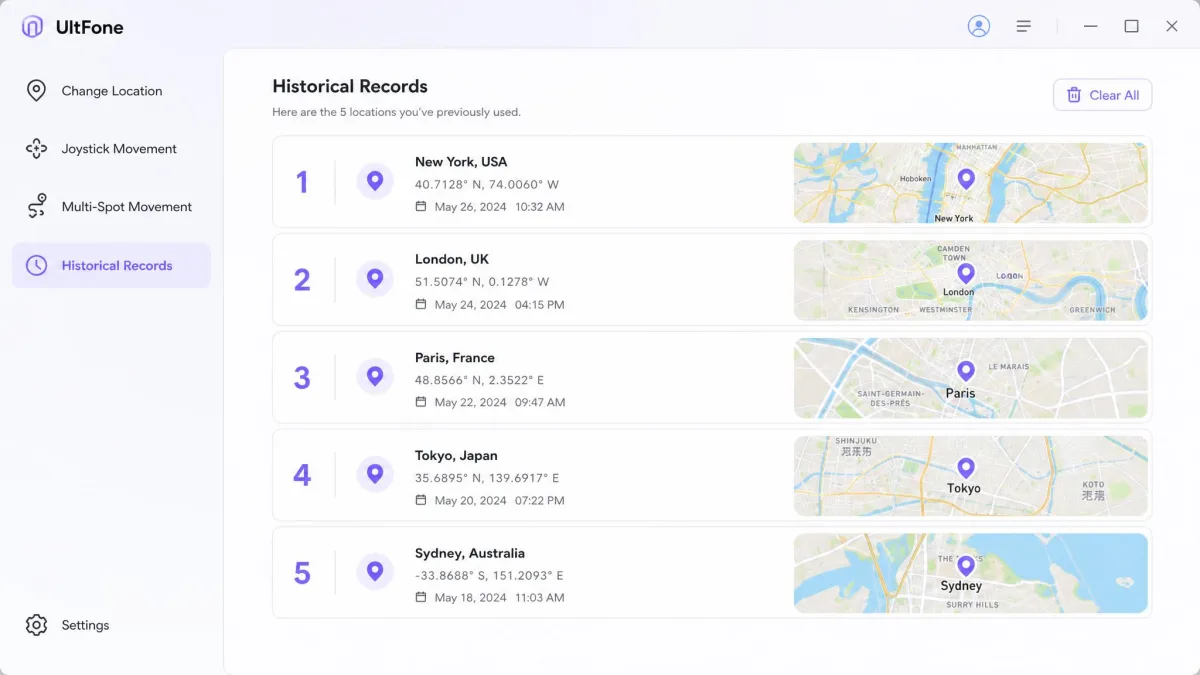
Two smaller features earn their place. UltFone keeps an automatic history of past spots, so last week's location is one click away. It also imports and exports GPX files if you want to reuse a route. One licence can spoof up to 5 mobile devices from a single computer.
Switching between modes is clumsier than it should be. You go back to the home screen each time instead of swapping on the map, which slows down back-to-back runs.
How to Use UltFone iOS Location Changer Step by Step
Getting started is short, and UltFone's own setup guide matches what we saw on screen. Our walkthrough of how to change your location on iPhone covers the built-in options first.
- Open the app on your PC or Mac and accept the disclaimer.
- Connect your iPhone with a USB cable, then pick it from the device list.
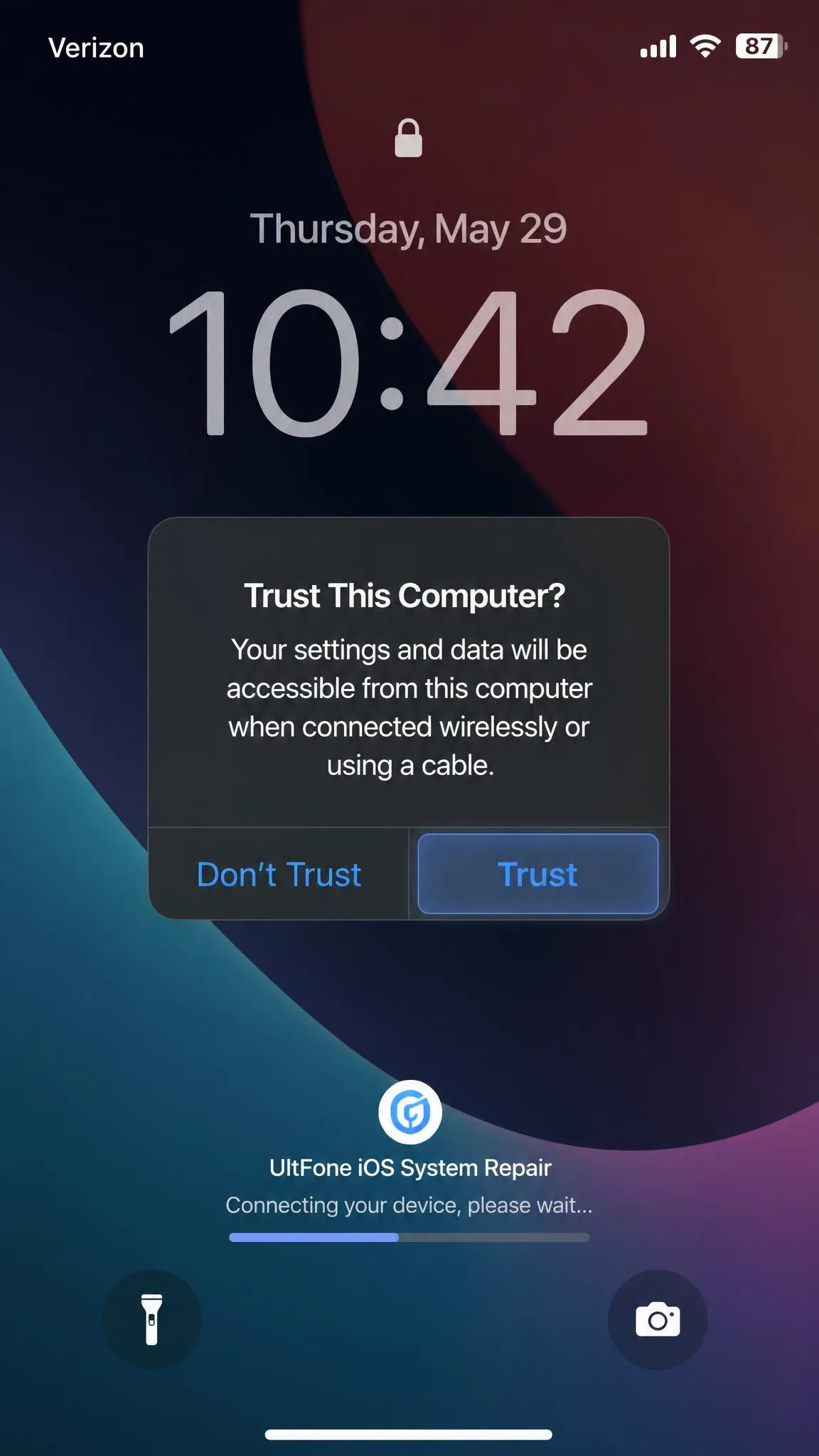
- Unlock the phone and tap Trust. The map will not load until you do.
- Choose a spot on the map, or type an address or coordinates into the search bar.
- Click Start to Modify. Find My should show the new position within seconds.
One habit is worth forming. Start UltFone and apply the location before you open the app you want to fool. A change applied afterwards does not always register.
Is UltFone iOS Location Changer Safe and Legit?
UltFone says the company was established in 2010, and the software installs like any other commercial desktop tool. The privacy trade is worth reading before you buy. Its privacy policy, last updated in 2023, describes collecting account details, device and OS data, MAC and IP addresses, serial numbers, crash reports and the first six and last four digits of your card. It shares that data with partners and affiliates for payment processing, storage and analysis.
The bigger risk is not the software. It is the rules of the apps you point it at.
Does It Need a Jailbreak?
No. It works over a USB or Bluetooth link from the computer, with no jailbreak on iOS and no root on Android. That is also why the main product is desktop software rather than an App Store download.
Apple's App Store Review Guidelines bar false information and features under rule 1.1.6, naming fake location trackers directly. Calling an app entertainment-only does not get around the rule.
Ban Risk in Pokemon GO and Other Location Games
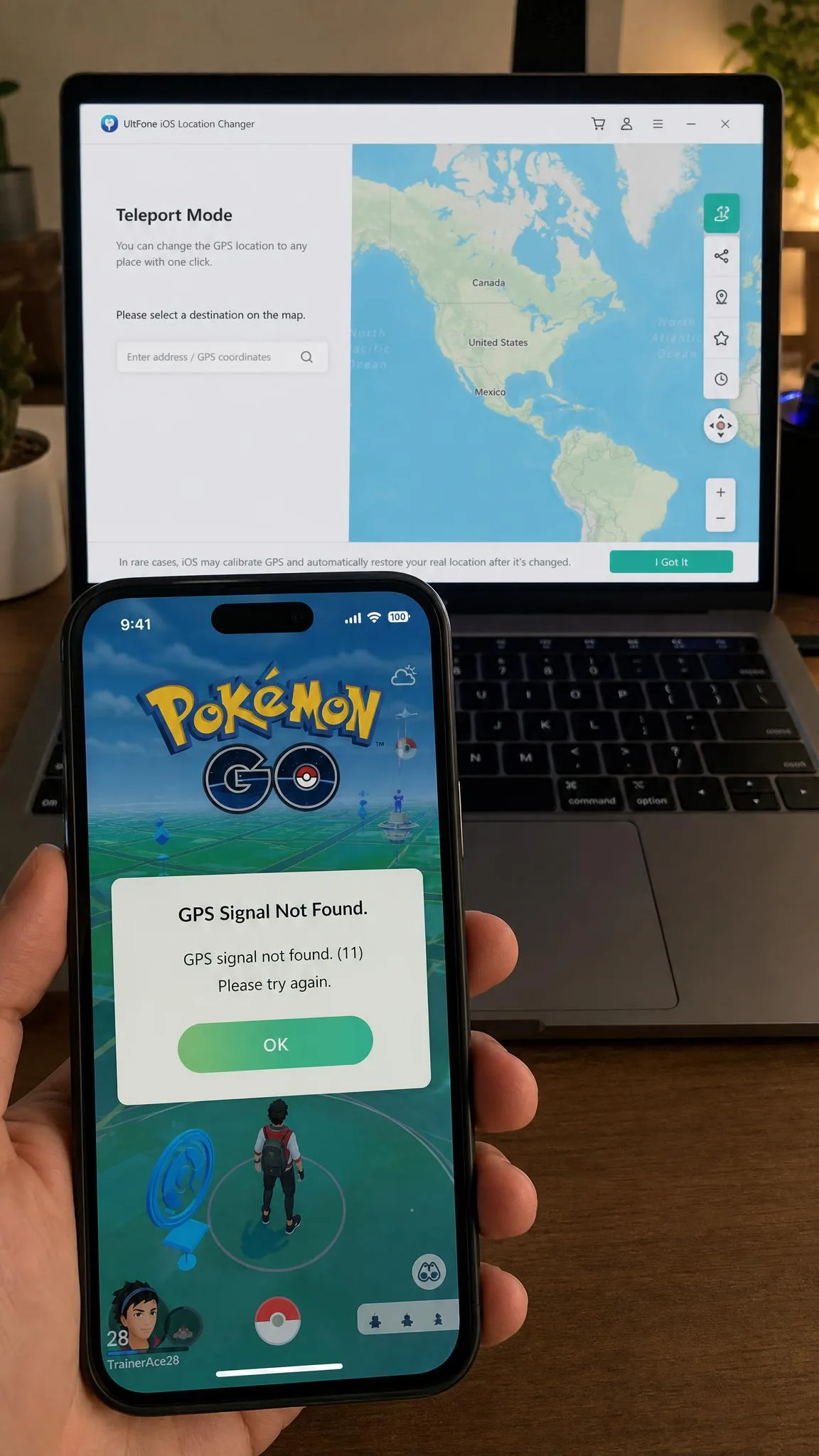
Every serious location-based game treats spoofing as cheating. Section 3.1 of the Pokemon GO terms, now published by Scopely Explore bans any technique that falsifies a device's location. It also bans reaching the game through modified or unofficial third-party software. Section 3.5 lets the publisher suspend or terminate an account at its sole discretion, without notice.
The published discipline ladder runs in three strikes: roughly 7 days of degraded gameplay, then roughly 30 days of suspension, then a permanent ban.
Spoofing breaks the terms of every major location-based game, and no setting inside UltFone changes that. Nobody publishes a ban rate, so the strike ladder is the only guide to what happens if you are caught.
If you play anyway, our roundup of the best Pokemon GO spoofing apps compares how each tool handles cooldown rules.
UltFone iOS Location Changer Pricing and Plans
UltFone sells the Windows and Mac versions on separate price lists, and Mac costs more at every tier. UltFone's current pricing for a single Windows PC runs like this:
- Monthly: $9.95
- Quarterly: $19.95
- Yearly: $39.95
- Lifetime: $69.95
Each tier covers 1 PC and 5 mobile devices. Mac buyers pay $14.95 monthly, $19.98 quarterly, $59.98 yearly and $79.98 for a lifetime licence. That is a $10.03 premium over the Windows lifetime price for the same features.
A 30-day money-back guarantee covers the initial purchase, and subscription plans auto-renew by default.
Pros and Cons
Pros
- One-click teleport lands in seconds, and ordinary apps accept the new position
- Four movement modes, including a 360-degree joystick and 24-node route planning
- No jailbreak and no root, over a plain USB or Bluetooth link
- GPX import and export, plus an automatic history of every spot used
- 5 mobile devices covered by a single licence on one computer
Cons
- Spoofed positions held only three to five minutes on iOS 18.2 before snapping back
- A 2 km multi-spot route dropped its connection mid-run, and joystick walks froze in-game
- 3 free changes are not enough to judge the route and joystick modes
- Mac costs more at every tier, at $79.98 lifetime against $69.95 on Windows
- UltFone's own pages state three different supported iOS ceilings
What Real Users Say About UltFone
UltFone's Trustpilot profile averages 4.1 out of 5 across roughly 726 reviews. That total drifts week to week as entries are added and removed. The shape of the ratings tells you more than the average does. 78% of entries are five-star and 19% are one-star, with the bands in between at 1% or below.
The one-star entries cluster on two problems: the location changer not working after purchase, and difficulty stopping a recurring payment.
— The recurring pattern in UltFone's Trustpilot reviews
Support is the split that runs through both halves. Fast, helpful replies are the most common praise in the five-star entries. Unanswered tickets after a purchase complaint show up repeatedly in the one-star ones. UltFone also runs a testimonial page of its own, curated by the vendor and worth reading as marketing.
UltFone's own testimonial page shows a flat 5.0 stars across 1,760 reviews. Its independent Trustpilot profile reads 4.1.
— Vendor testimonials measured against an independent rating
UltFone vs. the Best Alternatives
Three other iPhone location spoofers compete directly with UltFone, and price is the clearest difference between them.
| Product | Buy | Devices per licence | Free trial | GPX import and export | Price |
|---|---|---|---|---|---|
|
Check price → | 5 devices, 1 PC or Mac | 3 location changes | Import and export | $69.95lifetime |
 |
5 on VIP, 10 on SVIP, unlimited PCs and Macs | Free trial, attempts not stated | Import and export | $119.99lifetime | |
 |
15 devices, 1 PC | Limited trial, no card needed | Import only | $79.95lifetime | |
 |
1 to 5 devices, 1 PC or Mac | Free trial version | Not advertised | $95.95lifetime |
iMyFone AnyTo carries the highest lifetime price at $119.99. That single licence covers unlimited PCs and Macs, which UltFone does not. iToolab AnyGo is $79.95 lifetime for the Windows licence and allows 15 devices, though the bundle covering Windows and Mac is $119.95. Tenorshare iAnyGo costs $95.95 and does not advertise GPX at all.
All four skip the jailbreak, and all four carry a 30-day money-back window.
UltFone's argument is the entry price. At $69.95 it is the cheapest lifetime licence here on Windows, and the one we would choose for occasional, non-gaming use. Mac buyers face a closer call, because $79.98 buys one machine while AnyTo's $119.99 covers every computer you own.
FAQs About UltFone iOS Location Changer
Is UltFone iOS Location Changer free, and what does the trial include?
Can I use UltFone without a computer?
Why is UltFone not working or stuck on connecting?
How do I cancel an UltFone subscription or ask for a refund?
Does changing my location affect Find My and dating apps too?
Final Verdict: Who Should Buy It
Buy it if you change your location now and then for ordinary apps. A dating app, a store region, a travel app or your own app in testing all qualify. On those jobs it delivers with one click, and the Windows lifetime licence is the cheapest here.
Skip it if location-based games are your reason for shopping. Holding a position through a whole raid session is the one thing it did not do reliably.
If you do buy, start on the monthly plan rather than the lifetime one. The free version will not tell you whether the tool holds up on your own iPhone and your own iOS build. At $9.95, the 30-day money-back window buys you a proper look. Turn auto-renew off as soon as the licence is active, because a renewal fee is not refunded once it has been charged.