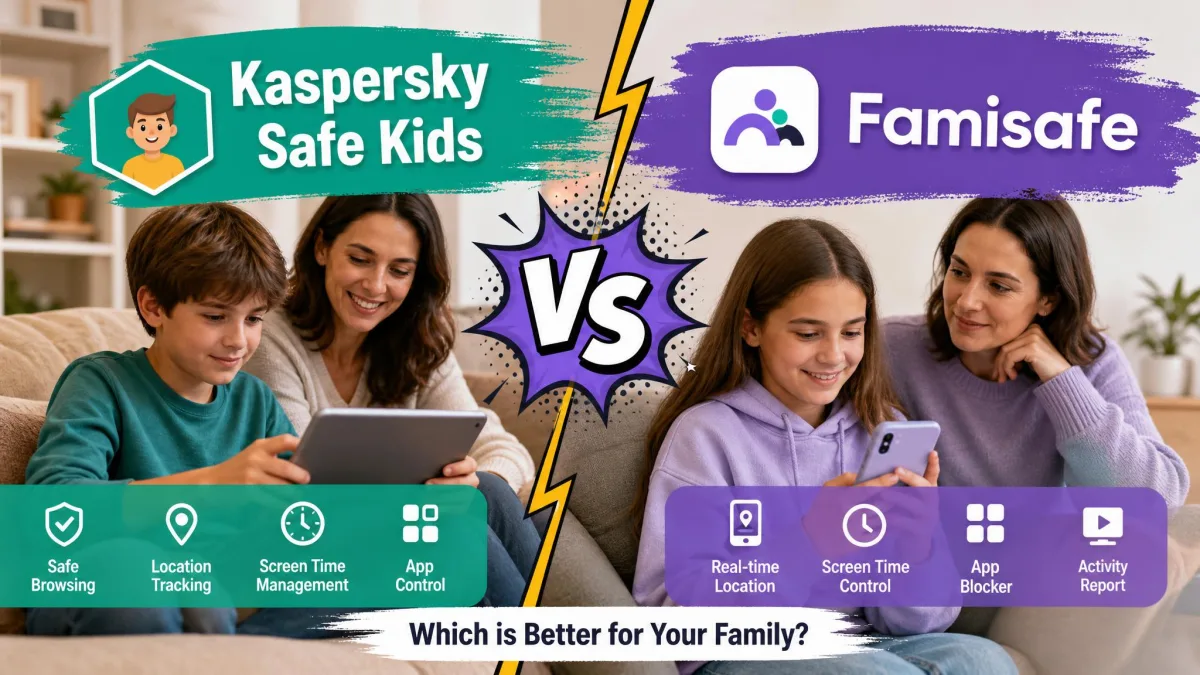
Both of these apps promise the same three things: filter the web, cap screen time, and show you where your child is. The real decision is not which feature list looks longer on a pricing page, it is which app your family will still have running in six months, on the phones and laptops you actually own. That question has a clear answer in 2026, and it is not the same answer for every household.
Below we work through filtering, time limits, app controls, location, monitoring, reporting, setup, platforms, pricing and support, and we call a winner in most rounds so you can weigh the categories your own children will test hardest. One of those rounds turns on something that is not a feature at all, and for American readers it decides the whole comparison before the first setting is opened.
Bottom Line Up Front
If you are shopping today, the choice comes down to where you live and how much detail you want. The verdict below is the short version; every round that follows explains how we got there.
Kaspersky Safe Kids vs Qustodio at a Glance
The table below is the short version of everything that follows, drawn from both vendors' own documentation and from how the two apps behave once the same rules are applied to the same devices. Prices are annual, and both companies offer a 30-day money-back guarantee on direct purchases. Read the rows on devices and platforms carefully, because that is where the two products diverge most.
| Product | Buy | Web filtering | Screen time limits | App and game blocking | Location and geofencing | Social and message monitoring | Activity reports | Platforms supported | Devices per plan | Annual price | Support channels |
|---|---|---|---|---|---|---|---|---|---|---|---|
 |
Check price → | Category filtering across browsers and apps, weaker on iOS | Daily limits, custom routines, per-app limits on Complete | Per-app blocking and per-app time limits | Location tracking, geofencing, Android panic button | YouTube monitoring, calls and SMS on Android, social activity view | 7 days of history free, 30 days on paid plans | Android, iOS, Windows, macOS, Chromebook, Kindle | 5 devices on Basic, unlimited on Complete, 1 device free | $54.95 Basic, $99.95 to $109.95 Complete | Help centre, email and ticket support |
 |
Check price | Category filtering across Chrome, Edge and Firefox, iOS only inside Kaspersky's own browser | Daily limits and schedules per device | App control by age category, not available on iOS | GPS location and geofencing, Premium only | YouTube search monitoring and Safe Search | Real-time alerts and activity summaries in the web dashboard | Windows, macOS, Android, iOS | Up to 500 devices and 100 child profiles | Roughly $15 to $28 per year, not sold in the US | Knowledge base, support portal, community forum |
Main Differences Between Kaspersky Safe Kids and Qustodio
Strip away the marketing and there are three differences that decide this comparison for most families. The first is depth of reporting, the second is price, and the third is whether you can legally buy the app at all in your country.
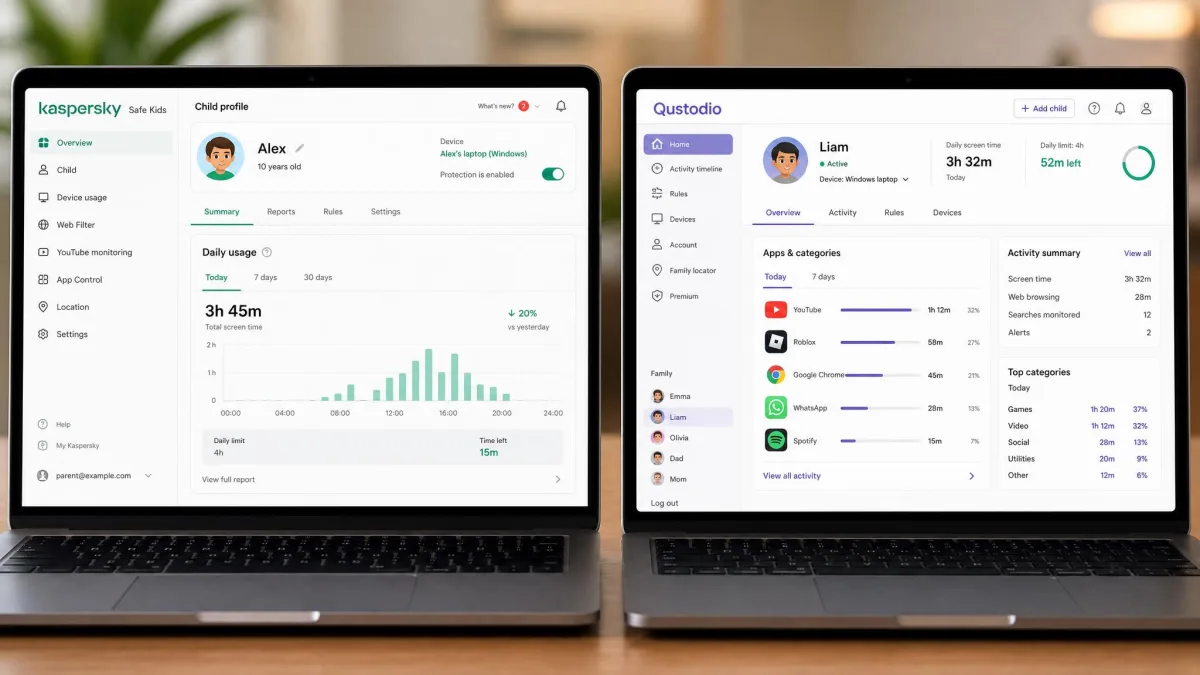
Qustodio's per-child dashboard gives a more granular view of browsing, app use, YouTube searches and location than Kaspersky's does, and it adds calls and SMS monitoring on Android that Kaspersky simply does not offer. Kaspersky Safe Kids answers with speed and cost: it is quick to get running compared with rival apps, it pairs neatly with the wider Kaspersky security suite on the same account, and one Premium subscription stretches to 100 child profiles and 500 devices. Qustodio's Basic plan stops at 5 devices.
The third difference is not a feature at all. The US Commerce Department prohibition means sales and updates to US customers were barred from September 29, 2024, so American families are pushed toward alternatives regardless of the app's merits. If you are reading this from the United States, treat the rest of this article as a comparison between Qustodio and the alternatives we name near the end.
Kaspersky Safe Kids can no longer be purchased or updated by customers in the United States. If you already run it there, you are running a build that no longer receives updates, and that alone is reason to move.
Web and Content Filtering
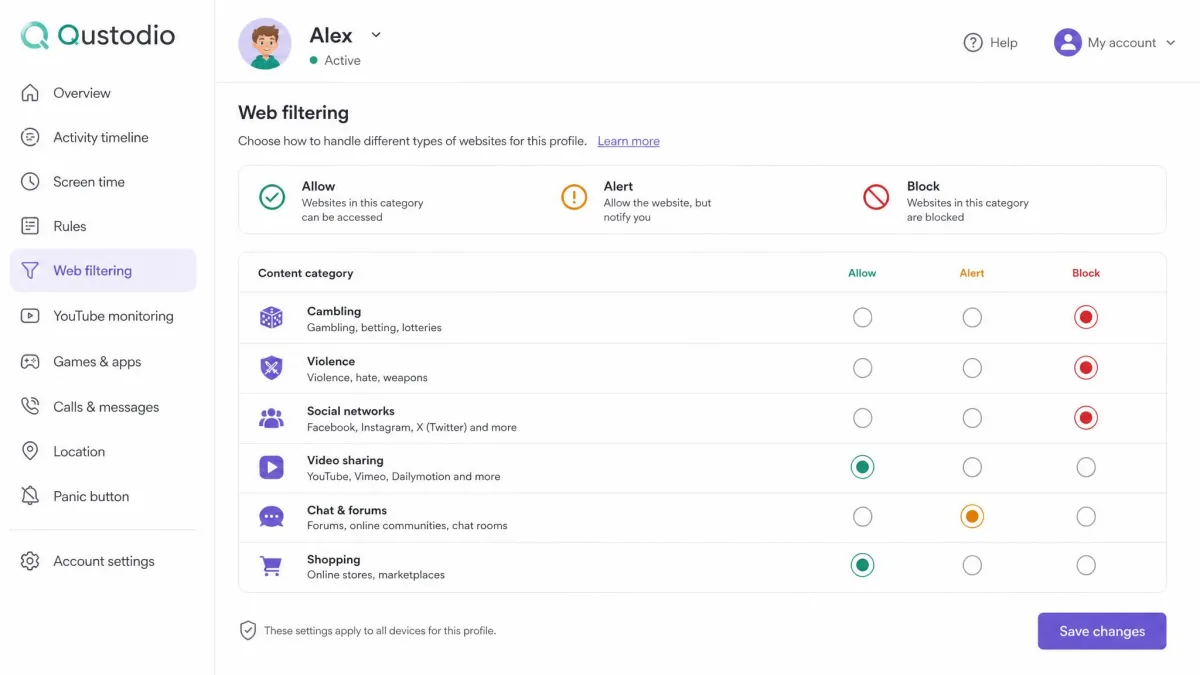
With availability settled, the round that decides most non-US households comes first. Filtering is the feature parents check first and the one children attack hardest, so what matters is not how many categories each app lists but what happens when a child opens a different browser or installs a free VPN. Both apps filter by category, and both let you override individual sites. The gap shows up at the edges.
Kaspersky Safe Kids filters the mainstream browsers including Chrome, Edge and Firefox, but leaves some less common browsers unfiltered, which is the standard workaround a curious eleven-year-old finds within a week. It holds up better against VPNs than you might expect: its web filtering stays intact against several major VPN apps on both mobile and desktop, so installing a free VPN does not get a child past the filter. On iOS the picture changes sharply, because filtering only holds inside Kaspersky's own browser, and restrictions do not apply to Safari on recent iOS versions. Safari is no longer hidden automatically either, so the loophole sits on the home screen in plain view unless you block Safari with Screen Time.
Qustodio filters across browsers and apps rather than relying on one branded browser, which makes it harder to sidestep on Android and Windows. Its iOS coverage is thinner than its Android and Windows coverage, because Apple's restrictions block several of its stronger features, and a child who deletes the iOS VPN profile stops being monitored quietly, with no obvious flag raised to the parent.
Winner: Web Filtering
Qustodio, because filtering that works across every browser beats filtering that works in one. Kaspersky's VPN resistance is genuinely good, but the open Safari route on iOS is too large a hole to forgive.
Screen Time Management and Time Limits
Filtering decides what a child can reach; time limits decide how long they get to sit with it. Screen time is where parental control apps either earn their subscription or get uninstalled in frustration, usually because the rules are too blunt. A daily cap that ends a video call mid sentence causes more arguments than it prevents.
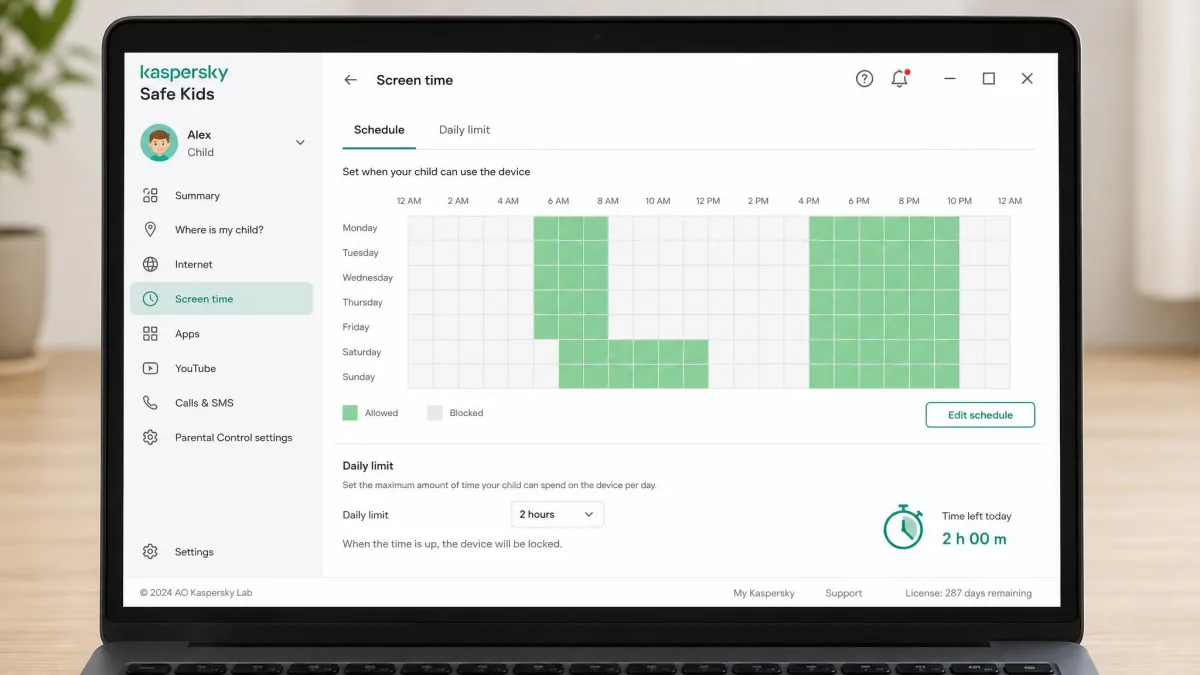
Kaspersky Safe Kids gives you daily limits and schedules per device, which covers the basics well. Setting those rules takes more steps than it should, though, with the settings spread across several screens rather than gathered in one place, so the first evening with the app involves more clicking than you would expect from a product this straightforward elsewhere.
Qustodio offers daily limits, custom routines and, on the Complete plan, per-app time limits. That last control is the one that changes daily life at home, because you can allow two hours of homework apps and thirty minutes of a game inside the same day instead of treating all screen time as one undifferentiated pool. Routines let you build a school-night shape once and then leave it alone.
Winner: Screen Time
Qustodio, on the strength of routines and controls that reach inside the day rather than capping it. Kaspersky covers the same ground competently, but only at the whole-device level.
App Blocking and Game Controls
On an iPhone, Kaspersky Safe Kids cannot monitor app usage or block device access at all, which makes this round Android, Windows and macOS territory for it before the settings are even opened. Where it does run, it sorts apps into age categories for you, which is fast to configure and reasonable in its defaults. The philosophy is sound; the platform coverage is the problem.
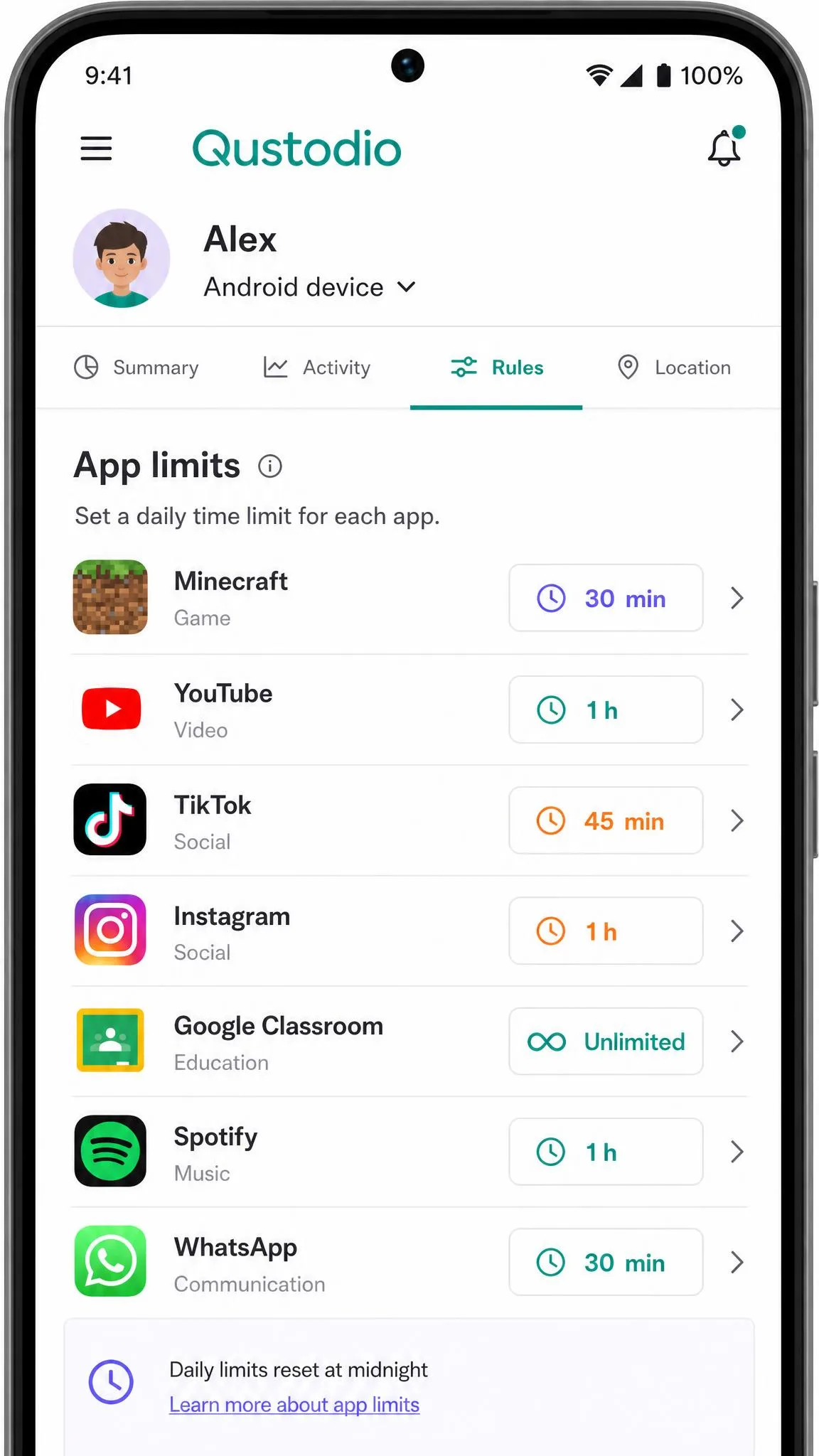
Qustodio takes the opposite approach and hands you the full list, blocking app by app and attaching an individual limit to each one. That is the more useful control once your child has a phone full of apps you have opinions about, and it is the difference between banning a game outright and letting it run for half an hour after homework. Qustodio takes this round comfortably, on every platform it supports.
Location Tracking and Geofencing
Blocking a game keeps a child inside the rules at home; location tracking is the feature for the hours they spend outside it. Both apps track location and both support geofencing, so the comparison here is about reliability, extras and what the free tier withholds. Neither product is a dedicated tracker, and neither pretends to be.
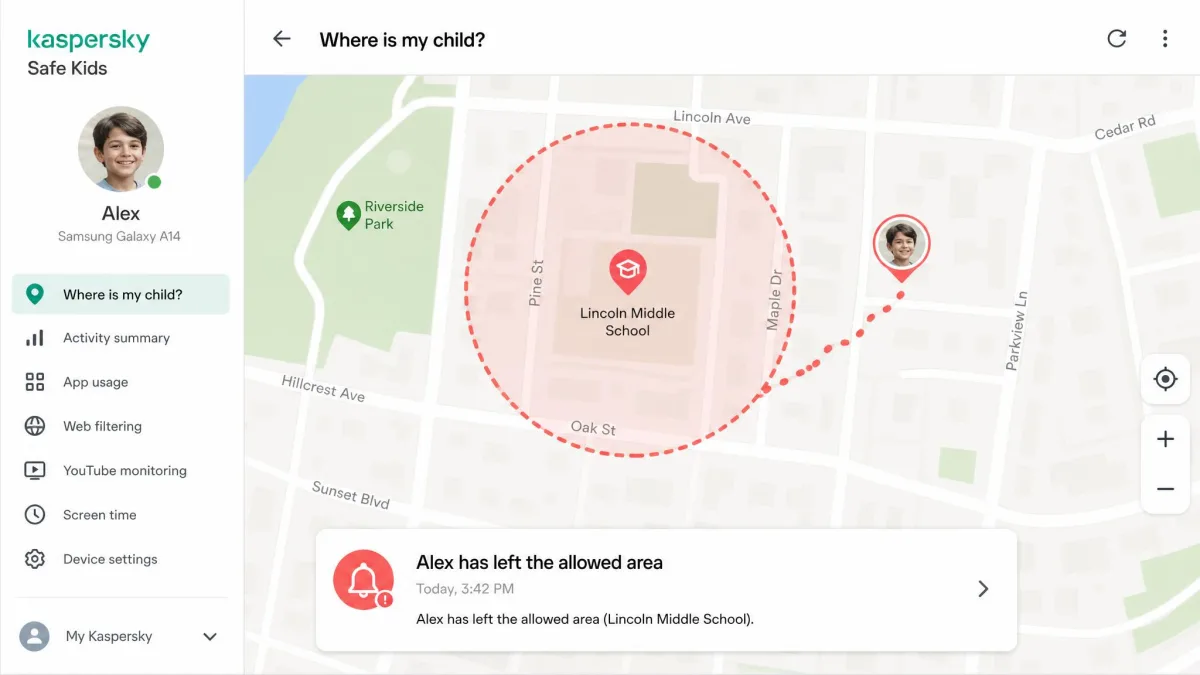
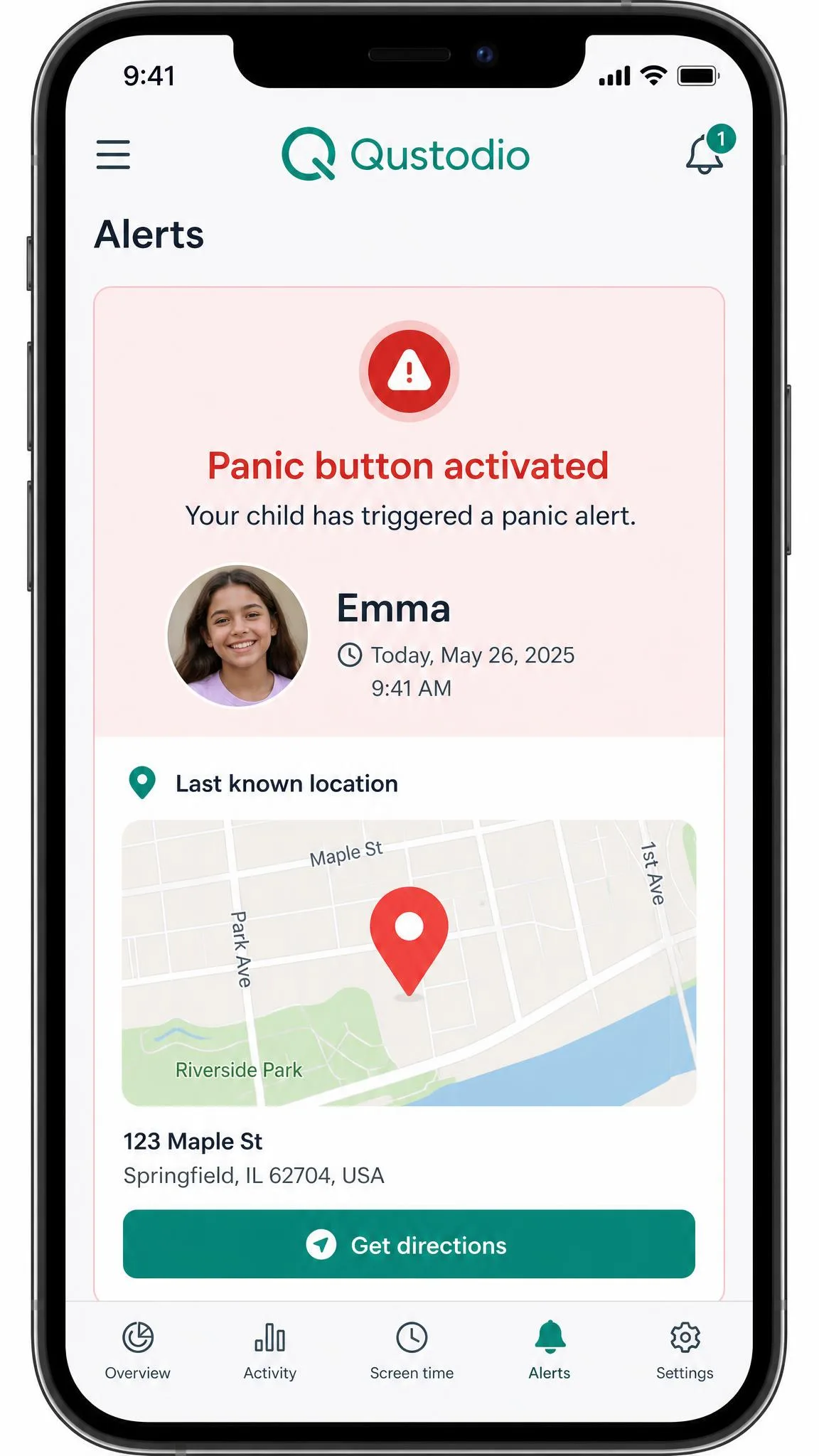
Kaspersky Safe Kids provides GPS location and geofencing, but only on Premium. On the free tier, GPS location, geofencing, real-time alerts, battery notifications and YouTube search history are all held back, which is worth knowing before you assume the free version covers the school run. Qustodio tracks location, supports geofences and adds a panic button on Android that lets a child alert you directly, a genuinely useful addition for an older child travelling alone. That combination takes the round for Qustodio, and not gating tracking behind a paid tier is half the reason.
The cost of Qustodio's approach is battery. Its VPN profile and continuous GPS tracking can shorten battery life noticeably on older phones. Testing is not unanimous on the size of that effect, with some measurements showing roughly 10 to 15 percent faster drain and others finding no measurable difference, so how much you notice depends on the handset. A dead phone reports no location at all, which is worth remembering before you switch on continuous tracking for a child carrying a four-year-old handset.
Social Media, YouTube and Message Monitoring
Knowing where a child is raises the obvious next question of who they are talking to once they get there. Monitoring is the most sensitive category in this comparison, and the one where the two products' philosophies genuinely differ. Kaspersky watches the search box; Qustodio watches the conversation.
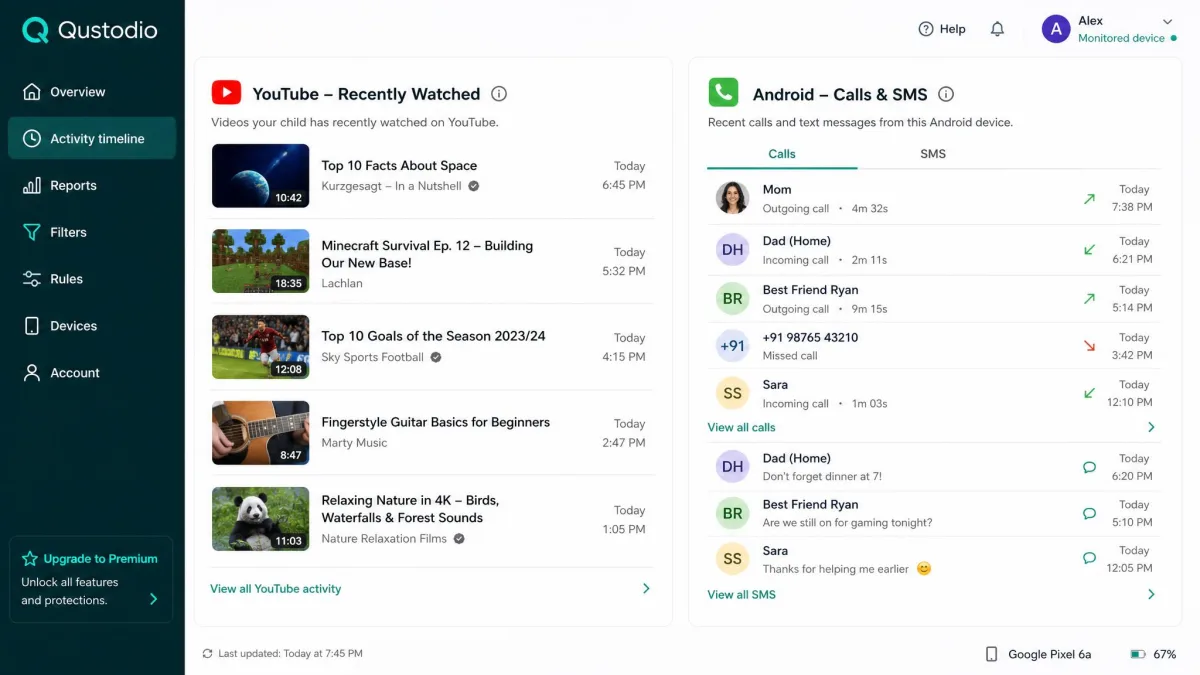
Kaspersky Safe Kids monitors YouTube searches and enforces YouTube Safe Search, which catches a meaningful share of what a younger child goes looking for. It does not read messages, and it offers no social media activity view. Qustodio monitors YouTube, shows a social media activity view, and on Android reports calls and SMS, which is as close as either app gets to message monitoring on a modern phone.
Neither app can read messages inside encrypted chat apps such as WhatsApp, Signal or iMessage. Any parental control product that claims otherwise on a stock, non-rooted phone deserves a very hard look.
Winner: Monitoring
Qustodio. Calls and SMS on Android plus a social activity view is a comprehensive picture next to YouTube search history alone.
Activity Reports and Alerts
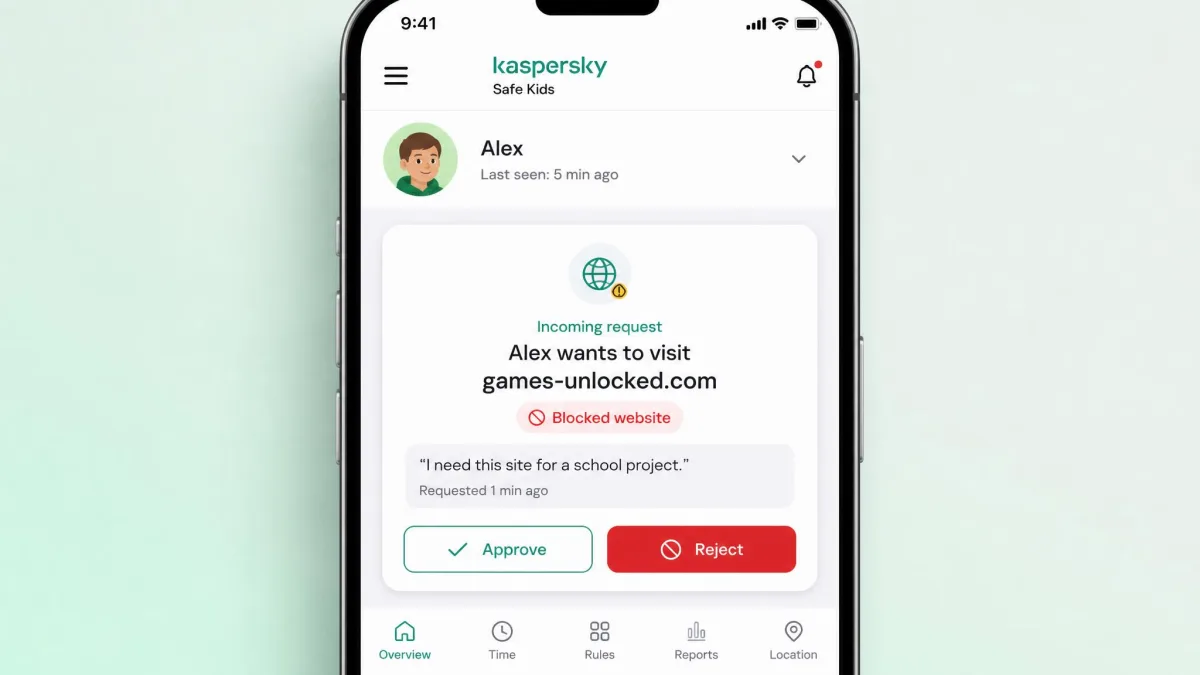
The most distinctive thing either app does with its data is not a report at all. When Kaspersky Safe Kids blocks something, the child can send an access request straight to your phone, and you approve or reject it from the parent app in a couple of seconds. That turns a block into a short conversation instead of a dead end, and in a house with a teenager it defuses the argument that would otherwise arrive at dinner. Around that sit real-time alerts and activity summaries in the web dashboard, which tell you what happened today rather than what has been happening all month.
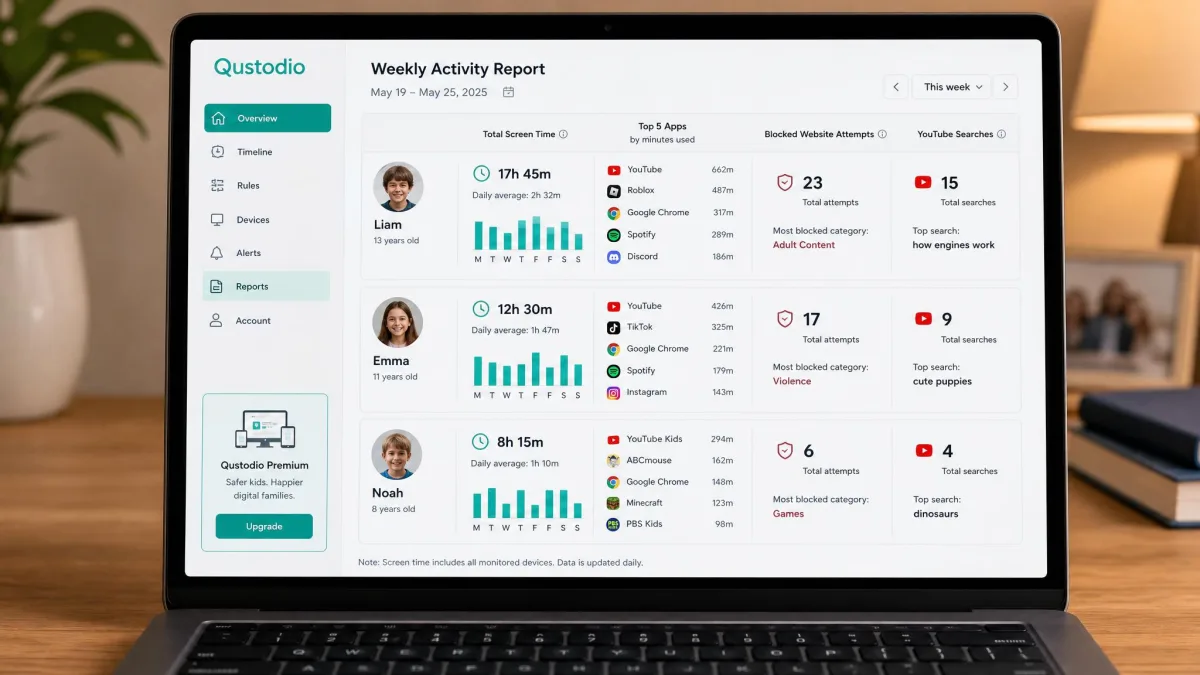
Qustodio answers with memory rather than immediacy. It keeps 7 days of activity history on the free plan and 30 days on paid plans, presented per child with browsing, app use, searches and location gathered into a single timeline, so a pattern you would never spot in a daily alert becomes obvious across a month. That is the more useful record for catching a habit as it forms, and it is why the round goes to Qustodio even though Kaspersky owns the better single moment.
Ease of Use, Setup and Dashboard
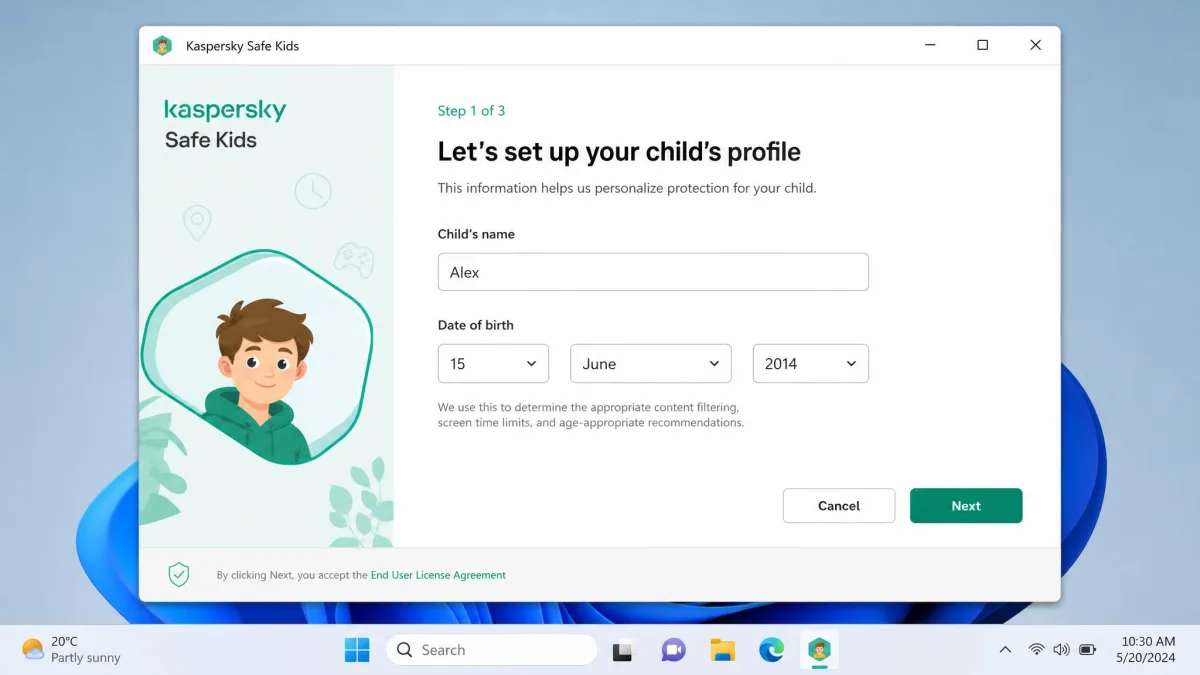
Depth of reporting has carried every round so far, and this is where it costs Qustodio something. Setup friction decides whether a parental control app survives its first month, and Kaspersky clearly takes this one. Getting a child profile created, a device paired and rules applied is faster here than with most rivals.
Kaspersky Safe Kids is quick to get running compared with rival apps, and it pairs neatly with the wider Kaspersky security suite on the same account, so households already using Kaspersky antivirus manage both from one place. The dashboard is plain and legible. Its weak spot is the screen-time configuration described earlier, where the controls are scattered across several screens.
Qustodio's dashboard is denser because it has more to show. That density is the price of the granular reporting, and most parents get comfortable with it after a couple of sessions, but the initial setup asks more of you, particularly on iOS where a VPN profile and several permissions have to be granted in the right order.
Winner: Ease of Use
Kaspersky Safe Kids. It reaches a working configuration faster, and the security-suite integration is a real convenience for existing Kaspersky customers.
Across both apps the pattern that keeps showing up is the same one every serious test finds: each handles the core jobs of category filtering, daily time limits, location tracking and geofencing without failing outright. The split is depth of reporting against ease of setup, and which side of that split matters depends far more on your child's age than on any feature list.
Platform Support: Android, iOS, Windows and macOS
Setup difficulty varies by platform, and so does how much either app can actually do once it is installed. Both are strongest on Android and Windows and weakest on iOS, which is Apple's doing more than either vendor's, but it still shapes your decision.
Kaspersky Safe Kids runs on Windows, macOS, Android and iOS, and the details of what each platform supports are set out on Kaspersky's Safe Kids support pages. On iOS it cannot monitor app usage or block device access, and web filtering holds only inside Kaspersky's own browser. Qustodio covers Android, iOS, Windows, macOS, Chromebook and Kindle, a broader list that matters if your school issues Chromebooks. Its Android and Windows coverage is fuller than its iOS coverage, where Apple's restrictions block several of its stronger features, and alerts on iOS can lag by a few seconds because of Apple's background limits.
Winner: Platform Support
Qustodio, on breadth. Chromebook and Kindle support settles it, and both apps are equally constrained on iPhone.
Pricing and Plans Compared
Price is the round Kaspersky wins outright, and it is not close. The two products sit in genuinely different brackets, which is why the value question comes down to how much reporting depth you are willing to pay for.
Kaspersky Safe Kids Pricing
Kaspersky Safe Kids offers a free tier covering web filtering, app control, YouTube Safe Search and daily time limits, though free-tier feature boundaries move between releases, so the exact split can differ from what a given build shows. Premium adds GPS location, geofencing, real-time alerts, battery notifications and YouTube search history, and there is a 7-day full-feature trial of the Premium version before you commit. The Premium price varies by region and storefront, so the annual figure shifts between roughly $15 and $28. Direct purchases from Kaspersky Safe Kids carry a 30-day money-back guarantee. One subscription covers up to 100 child profiles and up to 500 devices, which is generous to the point of being irrelevant for most households.
Qustodio Pricing
Qustodio prices its Basic plan at $54.95 per year for up to 5 devices. The Complete tier, which adds per-app time limits and unlimited devices, is listed at both $99.95 and $109.95 a year depending on region and current promotion. Billing is annual only, with no monthly option. The free plan is limited to 1 device and keeps 7 days of activity reports, which makes it a trial rather than a usable long-term plan. Qustodio also runs a free Premium trial, but its length is inconsistent across signup routes and promotions, running anywhere from 3 to 30 days. Direct purchases carry a 30-day money-back guarantee, while app-store purchases follow the store's own policy.
Winner: Value for Money
Kaspersky Safe Kids, by a distance. Even at the top of its price range it costs roughly half of Qustodio Basic while covering vastly more devices. Value only counts if you can buy it, though, and in the US you cannot.
Privacy and Data Handling
Whatever you pay, you are also paying in data. Any app that logs a child's browsing, location and messages becomes a database of sensitive information about a minor, so the privacy question is not academic. Both vendors publish policies, and both collect a great deal by design.
Kaspersky's situation is unusual, because the US prohibition was framed around national security rather than any specific finding about this app. That context is worth weighing even outside the US, since it shapes where the company's infrastructure sits and how comfortable you are with that. Qustodio collects a larger volume of detail, particularly with calls and SMS monitoring switched on, which is the trade you accept for its reporting. In both cases the practical advice is the same: tell your child what is being monitored. Covert monitoring tends to end badly, and both apps are visible on the device anyway.
Customer Support
Sooner or later something will not work, and the last round is about who picks up. Support is hard to compare fairly, because response times swing with volume and neither company publishes a measured average. What can be compared is the channels available and the reputation each has earned.
Kaspersky routes Safe Kids support through its general consumer support portal rather than a dedicated Safe Kids desk, so the entry point is shared with the antivirus products. You get live chat, email and phone alongside a knowledge base and an active community forum. Phone support covers more than 10 countries, including Germany and Japan, rather than everywhere the app is sold, and support hours differ by country and by channel, so chat and phone availability is not the same everywhere it is sold. Live chat is a genuine advantage here, because Qustodio does not offer one at all, though the wait to reach an agent can be long. Email replies and community forum answers came back within a few hours in our experience, and they were specific rather than templated. Qustodio runs a help centre with email and ticket support. Its subscription billing and renewals are a recurring source of complaints, and support can be slow to resolve them, which is the single most common theme in its public feedback. Qustodio's community rating on Trustpilot sits at 2.4/5 across roughly 547 reviews, with performance, iOS inconsistency and billing the recurring themes. Its Android Kids App is rated about 1.6/5 across roughly 56,400 reviews, though that score is driven largely by the children being monitored rather than by the parents paying.
Winner: Customer Support
Kaspersky Safe Kids, narrowly, because self-service documentation that works beats ticket support that stalls on billing. Neither company distinguishes itself here.
Pros and Cons
Here is the balance sheet for each app, drawn from the rounds above. Read them against your own household rather than as a scoreboard, because the deciding factor is usually one specific need rather than a total.
Kaspersky Safe Kids Pros and Cons
Kaspersky Safe Kids is the value pick and the faster app to live with, provided you can buy it where you live. Our full Kaspersky Safe Kids review goes deeper on the free tier and the parent app.
Pros
- Far cheaper per year than Qustodio at every tier
- Up to 100 child profiles and 500 devices on one subscription
- Quick to set up and pairs with the wider Kaspersky security suite
- Web filtering holds up against several major VPN apps
- Child access requests you approve or reject from the parent app
- 7-day Premium trial and a 30-day money-back guarantee
Cons
- No longer sold or updated to customers in the United States
- On iOS it cannot monitor app usage or block device access
- Restrictions do not apply to Safari on recent iOS versions
- Screen-time settings are spread across several screens
- No per-app time limits and no message monitoring
- Location and real-time alerts are Premium only
Qustodio Pros and Cons
Qustodio is the deeper product and the one available everywhere, at a price that asks you to genuinely want that depth. Our full Qustodio review covers the Complete tier in more detail.
Pros
- Granular per-child dashboard covering browsing, apps, YouTube and location
- Per-app blocking and per-app time limits on Complete
- Calls and SMS monitoring on Android, plus a social activity view
- Broadest platform list, including Chromebook and Kindle
- Android panic button for older children
- 30 days of activity history on paid plans
Cons
- $54.95 a year for Basic, and Basic covers only 5 devices
- Billing and renewal complaints are a recurring theme
- No live chat, so every support issue starts as a ticket
- The VPN profile and GPS tracking can shorten battery life on older phones
- Deleting the iOS VPN profile stops monitoring quietly
- Setup on iOS asks for a VPN profile and several permissions in the right order
Which Should You Choose?
The categories above give Qustodio seven rounds and Kaspersky Safe Kids three, but rounds are not weighted equally in a real family. Price and setup speed matter enormously if you are protecting a nine-year-old with one tablet, while reporting depth matters far more if you are managing a teenager with a phone, a laptop and a Chromebook. The scoreline tells you which app does more; your child's age tells you whether more is what you need.
Choose Kaspersky Safe Kids If
Choose it if you are outside the United States, you want category filtering and daily limits without paying subscription-tier money, or you have several children and several devices to cover on one plan. It is also the right choice if you already run Kaspersky security software, since both live on the same account, and if your children are young enough that YouTube Safe Search plus a daily cap is genuinely comprehensive protection.
Choose Qustodio If
Choose Qustodio if you are in the US and Kaspersky is not available to you, or if the question you keep asking is not what your child did today but what they have been doing for the past month. It suits households where the devices outnumber the children, where a teenager carries an Android phone you want visibility into, and where school hardware means Chromebooks and Kindles sit alongside the phones. Budget for the Complete tier if you want limits that reach individual apps rather than the whole device.
Alternatives Worth Considering
Neither app is the only sensible answer, and if the US prohibition has ruled Kaspersky out for you, the useful next step is a comparison against something you can still buy. We have run Kaspersky Safe Kids against the main contenders individually, and each of those comparisons is a different shape of the same decision.
Kaspersky Safe Kids vs Bark is the one to read if message and social monitoring is your priority, since Bark's alerting model is unlike either app here. Kaspersky Safe Kids vs Canopy matters if image filtering is the point. Kaspersky Safe Kids vs Kids360 and Kaspersky Safe Kids vs Mobicip cover the budget and the school-friendly ends of the market respectively. If you would rather start with what is already built into your devices, how to set up parental controls walks through the free router and operating system options first.
Frequently Asked Questions
A few questions come up repeatedly when parents weigh these two, and most of them have answers the feature tables do not show.
What happens to a Kaspersky Safe Kids install already running in the US?
Which is better for YouTube monitoring?
Which has better location tracking?
Can Kaspersky Safe Kids see messages?
What happens to my settings when a free trial ends?
Which works better on iPhone?
Final Verdict
Qustodio takes this comparison because it does more with what it sees, and it is available wherever you live. Kaspersky Safe Kids remains the better-value app and the faster one to set up, and outside the United States it is a perfectly sound choice for younger children who need filtering and a daily cap rather than detailed reporting. Inside the United States, it is no longer a choice at all.
What we would do differently, having spent this long with both, is stop treating the decision as permanent. A seven-year-old with a shared tablet needs a filter and a bedtime, and the cheaper app does that without complaint. The same child at thirteen, carrying a phone out of the house, needs the month-long record and the controls that reach individual apps, and that is the point at which paying for depth starts to make sense rather than the point at which to begin.