Most parents shopping for a parental control app are trying to solve two different problems at once, and no single app is equally good at both. Bark is built to read what your child is saying and sends you alerts when something looks wrong, while Kaspersky Safe Kids is built to control which websites and apps your child can reach and for how long. We compared the two on the things families actually use them for: message and social monitoring, screen time rules, web filtering and app blocking, location, pricing, and how each one behaves on iPhone versus Android.
One honest note before we start. Kaspersky Safe Kids is no longer purchasable by U.S. households, for reasons we cover in the privacy section, so American parents reading this comparison should treat Bark as the practical choice and Kaspersky as useful context. Everywhere else, the decision is a genuine toss-up that depends mostly on your child's age.
Kaspersky Safe Kids vs Bark at a Glance
These two apps sit at opposite ends of the parental control market, which makes the comparison cleaner than most. Bark watches content and stays quiet until it finds something. Kaspersky Safe Kids watches boundaries and stays quiet as long as your child stays inside them.
| Feature | Bark | Kaspersky Safe Kids |
|---|---|---|
| Text and social monitoring | Texts, email, and 30+ apps and platforms | Not offered |
| AI content analysis | Context-aware AI flagging | Category filtering only, no message analysis |
| Screen time limits | Daily limits and custom schedules | Daily limits free, scheduling is Premium-only |
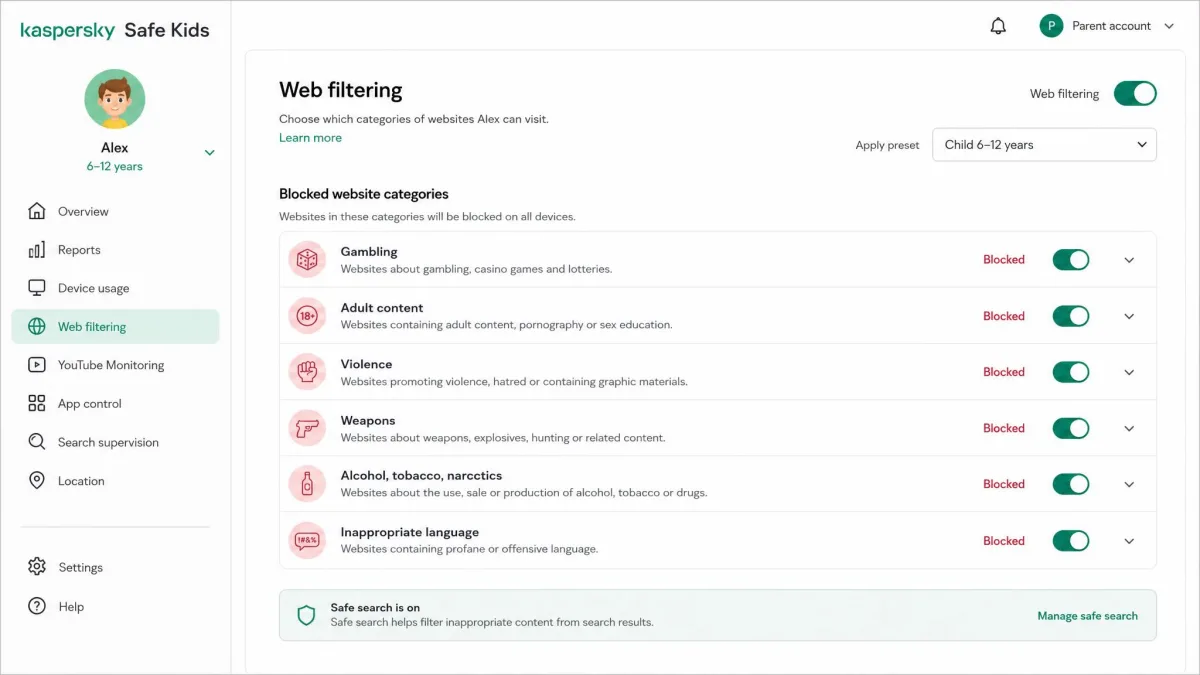
| Web filtering | Category blocking plus custom site blocks | Category filtering plus YouTube safe search |
| App blocking | Yes, per app and per schedule | Yes on Android and Windows, no app control on iOS |
| Location and geofencing | Check-ins plus arrival and departure alerts | GPS tracking and geofencing, Premium-only |
| iOS support | Partial, no iMessage without workarounds | Partial, no app control, Safari gaps |
| Android support | Full, including texts and calls | Full |
| Devices per plan | Unlimited children and devices | Up to 100 profiles and 500 devices |
| Free tier | None, 7-day trial only | Yes, basic filtering and screen time |
| Starting price | $5/mo (Jr), $14/mo (Premium) | Around $15/yr, regional pricing varies |
Quick verdict: who each app is for
Bark suits parents of tweens and teens who have already handed over a phone and now want to know what is happening inside it. The alerts are the product, and nothing else in this comparison replaces them.
Kaspersky Safe Kids suits parents of younger children who need firm limits rather than surveillance, and parents outside the U.S. who want the lowest possible price. Its free version alone covers more ground than most paid competitors give you.
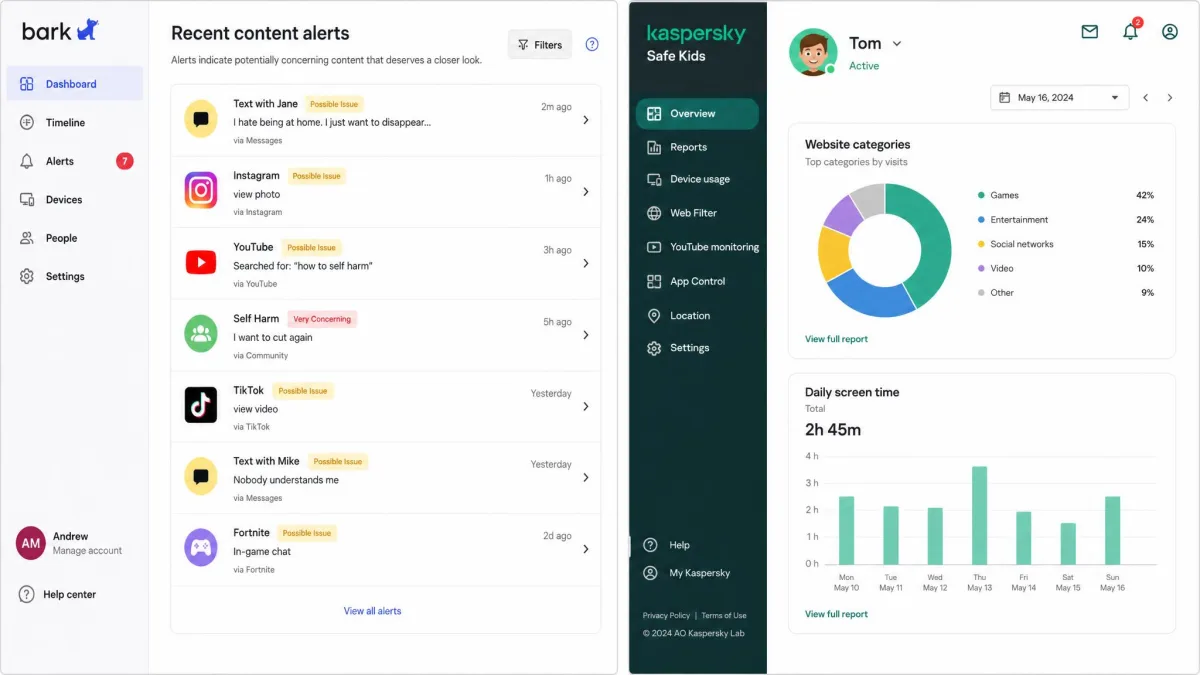
Side-by-Side Feature Comparison
The table above hides one structural difference worth spelling out. Bark sells one product at two levels: Bark Jr covers screen time scheduling, web and app blocking, and location, while Bark Premium adds the content monitoring that made the company's name. Kaspersky splits along a different seam, giving away basic filtering and screen time and charging for scheduling, location, YouTube search history, and real-time alerts.
That means the two cheapest tiers are not really comparable. Bark Jr costs $5 per month and does roughly what Kaspersky Safe Kids Free does for nothing at all. If budget is the deciding factor and content monitoring is not, Kaspersky wins that specific matchup outright.
Content Monitoring and Alerts
This is the section where the comparison stops being close.
Text, email, and social media coverage
Bark monitors more than 30 apps and social platforms, including Instagram, TikTok, Snapchat, and Discord, alongside text messages and email. Kaspersky Safe Kids offers no social media conversation monitoring at all, and gives parents very little visibility into what happens inside an individual app once it is open. It can tell you that your child spent 90 minutes in Snapchat. It cannot tell you anything about the messages.
If reading content matters to you, the choice is already made, and the rest of this article is really about how much you give up elsewhere by making it.
AI content analysis vs. keyword flagging
Bark's analysis weighs context rather than matching a keyword list, so a phrase like "kill this test" does not trigger the same alert as a genuine threat. In practice that keeps the alert volume low enough that parents keep reading them, which is the entire point of a monitoring product.
It is not flawless. Bark can flag unsaved phone numbers in group chats as risky contacts, which produces repeated alerts about perfectly ordinary group participants. Alerts also do not always carry enough surrounding conversation for a parent to judge whether a flag matters, and full conversation histories are not viewable in the dashboard, so you sometimes have to go and ask your child directly.
Kaspersky Safe Kids has no equivalent feature to compare here. Its alerts tell you that a blocked website was requested or that a device left a geofenced area, not that a conversation turned worrying.
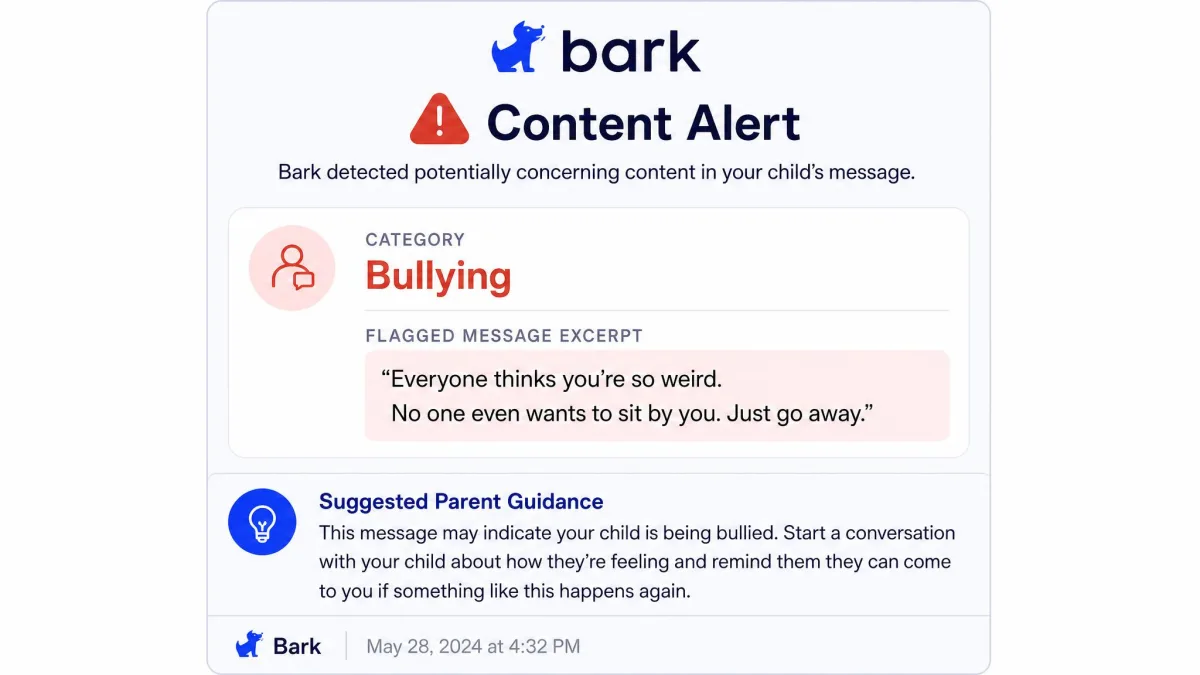
How alerts reach parents
Bark sends alerts to the parent app and by email, and the parent dashboard keeps an alert history you can work through later. Kaspersky's real-time alerts sit behind the Premium tier, so free users see activity in the daily reports rather than as it happens.
Bark tells you what your child said. Kaspersky Safe Kids tells you where your child went. Deciding which of those you actually need is the whole comparison.
Screen Time Management and Schedules
Where Bark's advantage in monitoring is decisive, screen time is close to a draw, and the details decide it.
Daily limits, bedtime, and school schedules
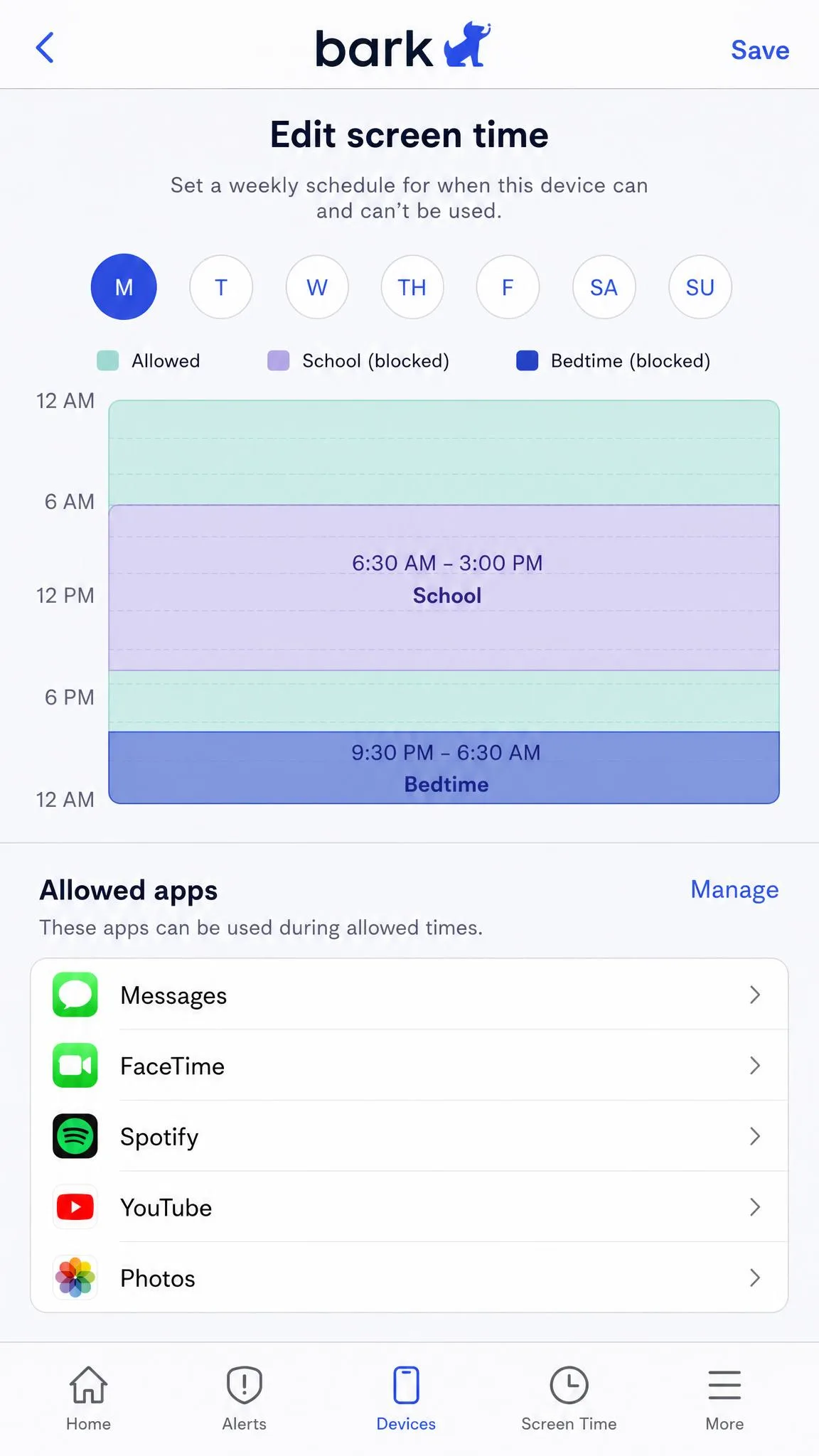
Both apps set a daily allowance and both let you carve out blocked windows for bedtime, homework, and school hours. Kaspersky includes daily limits in the free version but keeps device usage scheduling behind Premium, which is a meaningful catch if you assumed the free tier covered bedtime. Bark builds schedules into every paid plan, including Bark Jr.
Per-app vs device-wide controls
Kaspersky Safe Kids lets parents whitelist specific apps so they stay usable during blocked hours, which is genuinely useful when a child needs a calculator or a messaging app to reach you after lights out. Bark handles the same idea through its rule sets, allowing some apps and blocking others inside a given schedule.
On iOS, Bark's screen time limits have to be managed in parallel through Apple's own Screen Time settings, so you end up maintaining two sets of rules. Check this before you assume one dashboard will cover everything.
Web Filtering and App Blocking
Category filtering and blocked-site lists
Both apps filter by category and let you add a specific website to a block list. Kaspersky pairs its category filtering with YouTube safe search and a record of what your child searched for on YouTube, which is a better fit for younger kids than anything Bark offers at the same price.
Kaspersky's filtering is also more durable than its reputation suggests. Testing has put a child through several alternative browsers looking for a way around the filter, and every one of those websites stayed blocked. The weakness is elsewhere: on iOS, Safari can fall outside the filtering rules entirely.
Blocking specific apps and requesting access
App blocking is where the platform gap bites hardest. Kaspersky Safe Kids blocks apps on Android and Windows but offers no app control on iOS at all. Bark blocks apps on both platforms, and its request flow lets a child ask for access rather than simply hitting a wall, which cuts down on arguments.
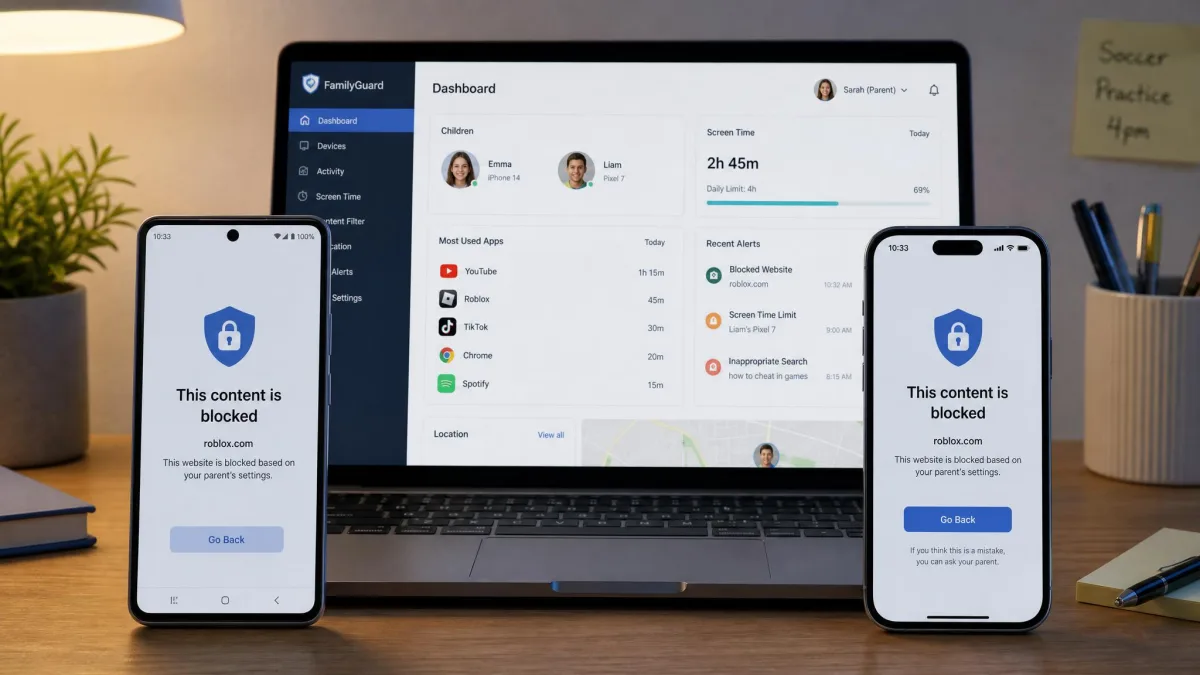
Whichever app you choose, set the rules with your child in the room. Both products announce themselves on the device when monitoring starts, so a quiet install is not really available to you, and a child who discovers the app alone tends to spend the next week trying to remove it.
Location Tracking and Geofencing
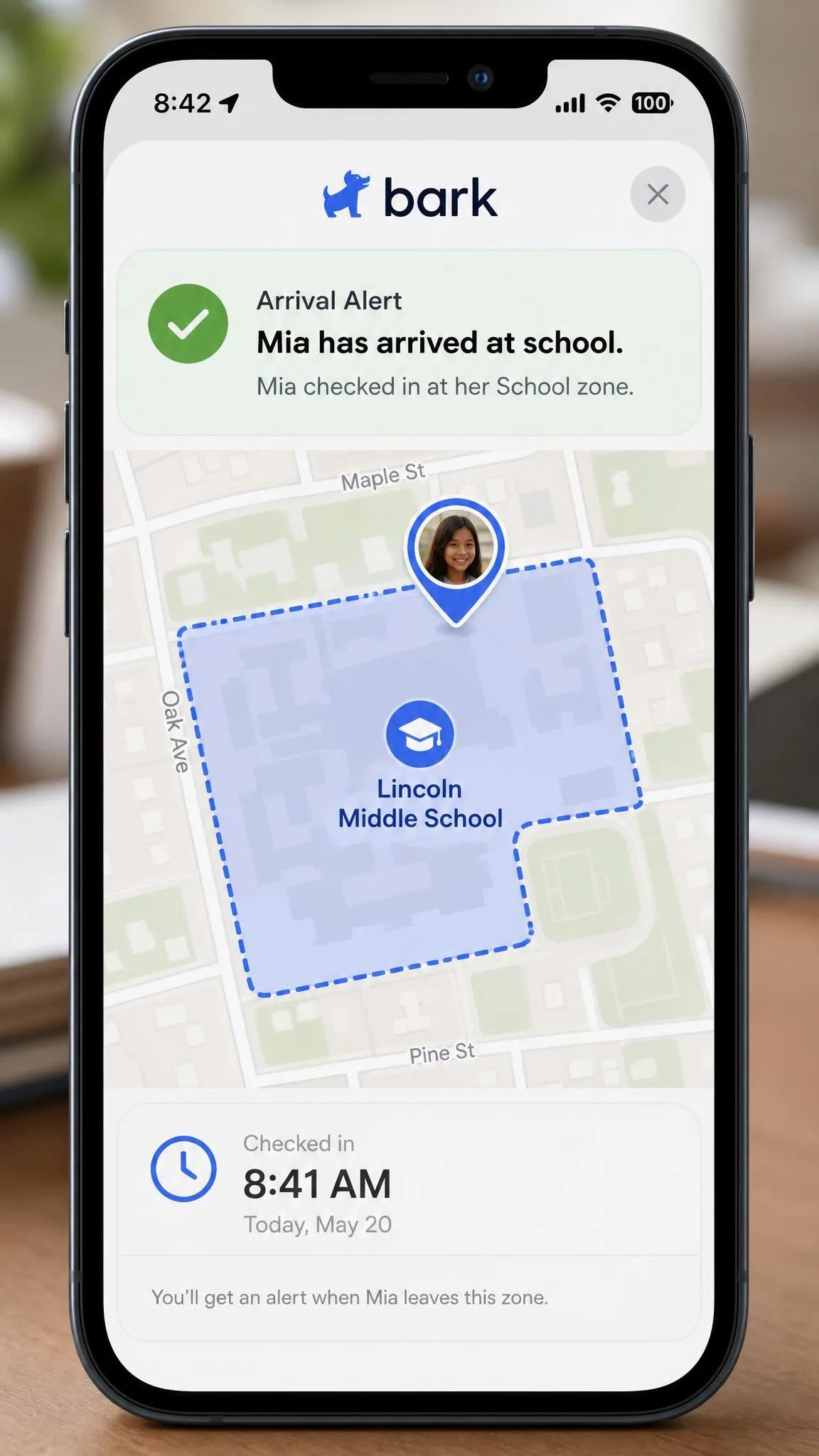
Bark offers location check-ins plus arrival and departure alerts, so you get a notification when your child reaches school or leaves a friend's house. Kaspersky Safe Kids offers GPS tracking and geofencing too, but both sit behind Premium, and its geofencing can misbehave, with saved alerts disappearing from the dashboard.
Neither app is a dedicated tracker, and battery drain on the child's phone is the usual real-world limit on both. Kaspersky does add battery level alerts at the Premium tier, which is a small but practical touch when a tracked phone dies mid-afternoon.
Device and Platform Compatibility (iOS vs Android)
Kaspersky Safe Kids covers Windows, macOS, Android, and iOS, which is a wider spread than Bark, and the desktop coverage matters if your child does homework on a shared laptop. Bark concentrates on phones and tablets, with its own hardware for families who want to start from a clean device.
Both apps are stronger on Android. Bark can monitor texts and calls on Android, but on iOS it cannot monitor iMessage without workarounds, and each social account has to be connected by hand. Kaspersky loses app control entirely on iOS and has the Safari filtering gap noted above. If your child is on an iPhone, expect a partial version of whichever product you pick.
Apple's platform rules, not vendor laziness, cause most of these gaps. Every third-party parental control app on iOS works within the same restrictions, which is why iOS reviews of this whole category read more harshly than Android ones.
Setup, Ease of Use, and the Parent Dashboard
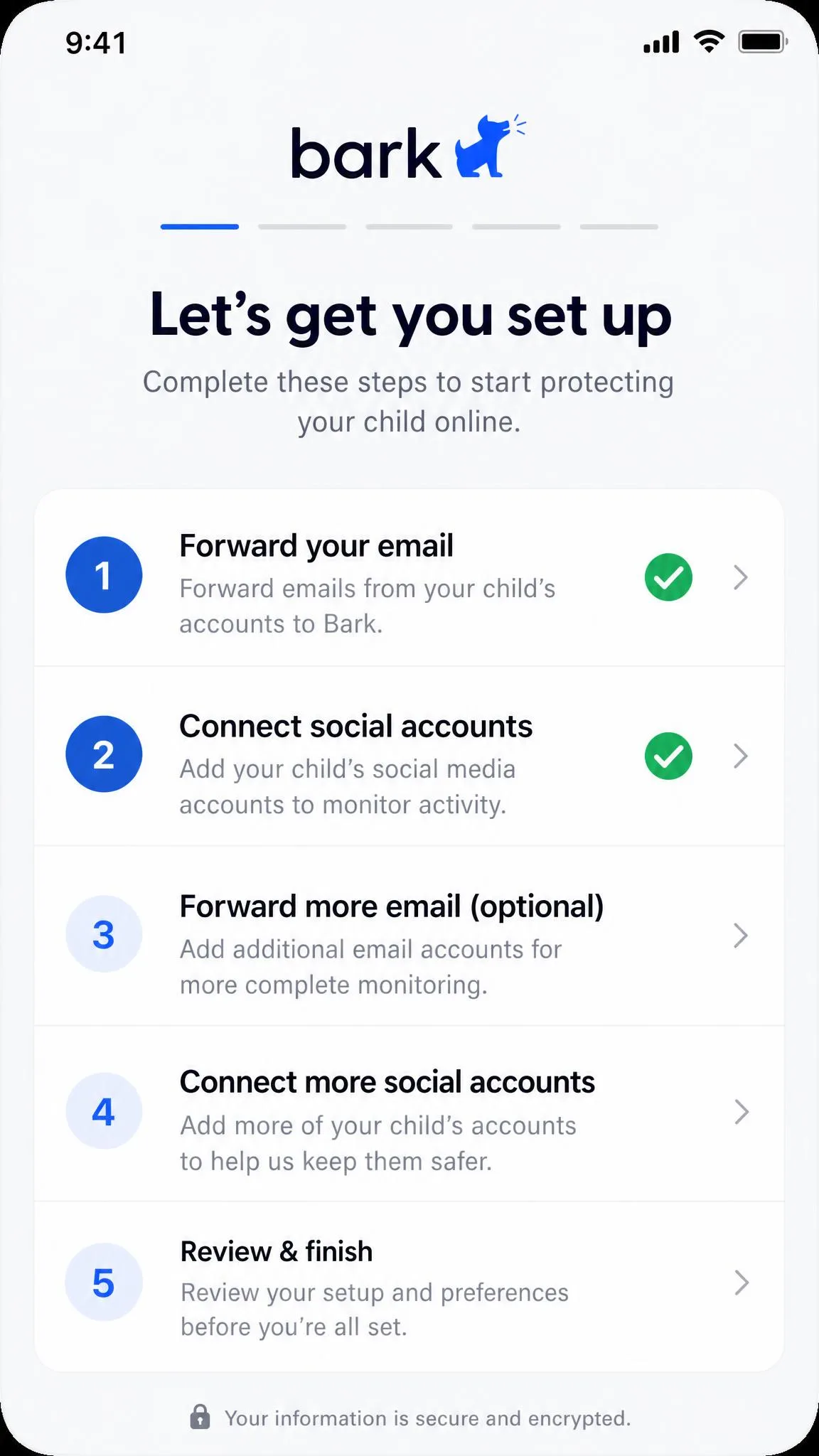
Bark installs in about five minutes on Android but takes roughly fifteen minutes on iOS, because Apple's restrictions force email forwarding setup and the manual connection of each social account. Its setup wizard walks parents through each step with a to-do checklist, so nothing gets skipped, which is often the difference between a finished install and an abandoned one. The ongoing cost is maintenance, because connected accounts periodically need reauthentication, and support is available only in limited hours.
Kaspersky Safe Kids setup is close to effortless on Android. The iOS path is more involved and expects the child to have a separate Apple ID, which catches out families sharing one. Once it is running, the dashboard is clear, but the tabs can be slow to load, so checking a single figure takes longer than it should.
Pricing and Plans Compared
Free tier and free trial
Kaspersky Safe Kids has a free version covering basic web filtering, YouTube safe search, app usage control, and screen time management, plus a 7-day Premium trial that extends to 30 days when it is bundled with a Kaspersky security trial. Bark has no free tier, only a 7-day free trial that asks for a credit card at signup. Both carry a 30-day money-back guarantee.
What each paid plan includes
Bark Premium is $14 per month or $99 per year plus tax, and it covers unlimited children and unlimited devices, which is unusually generous for a large family. Bark Jr is $5 per month or $49 per year and drops the content monitoring. Bark's parental control app also comes in hardware form: the Bark Phone at $240 up front or $10 per month across 24 months, and the Bark Home router add-on at $79 one time, or $6 per month if you lease it.
Kaspersky Safe Kids Premium is far cheaper on paper. In the markets where it is still sold, Premium lists at roughly $14.95 a year, though that is a non-U.S. figure that shifts by region and currency, and Kaspersky publishes no standalone price on its own Safe Kids page. The first-year rate also differs from the renewal rate, so treat any single figure you see quoted as local to that market. One account supports up to 100 child profiles and up to 500 devices, which no family will ever exhaust.
| Plan | Bark | Kaspersky Safe Kids |
|---|---|---|
| Free version | None | Yes, filtering and screen time |
| Free trial | 7-day, card required | 7-day Premium, 30 days when bundled |
| Entry paid plan | Bark Jr, $5/mo or $49/yr | Free tier covers this ground |
| Full plan | Bark Premium, $14/mo or $99/yr | Premium annual licence, price varies by region |
| Coverage | Unlimited children and devices | Up to 100 profiles, 500 devices |
| Refund window | 30-day money-back guarantee | 30-day money-back guarantee |
Privacy, Trust, and the Kaspersky Question
What each app collects and who can see it
Bark's model requires it to process the content of your child's messages, which is a real privacy trade even though the design softens it by surfacing flagged excerpts rather than whole conversations. Kaspersky collects far less about what your child says, because it never reads messages, but it does log browsing, app usage, and location. Both fall under children's privacy rules in the US, and both privacy policies are worth ten minutes of your time before you set either one up.
The FCC listing and what it means for U.S. families
Kaspersky Lab software sits on the FCC Covered List of equipment and services judged an unacceptable national security risk, and PCMag's report on the FCC warning covers how that decision was framed at the time. The practical consequences came later. The U.S. Commerce Department barred Kaspersky from entering new agreements with U.S. persons as of July 20, 2024, and signature and codebase updates to U.S. installations stopped on September 29, 2024.
If you are in the United States, you cannot lawfully buy a new Kaspersky Safe Kids licence, and an existing installation is no longer receiving updates. That takes Kaspersky off the shortlist for American families regardless of how the features compare.
Outside the U.S., Kaspersky Safe Kids is sold and supported normally, and the feature comparison above applies as written.
Talking to your child about monitoring
Both companies assume you will tell your child, and both make hiding the software difficult in any case. A determined child can weaken Kaspersky Safe Kids by revoking the parental control permissions on the device, and Bark depends on connected accounts staying connected. Framing either app as an agreed safety net rather than a punishment is also the pragmatic move, because the alternative is an arms race you will eventually lose.
How We Compared the Two Apps
We scored both apps on the eight things parents ask about most: content and message monitoring, screen time controls, web filtering, app blocking, location and geofencing, platform parity between iOS and Android, setup effort, and price per child. We weighted iOS behaviour heavily, because that is where parental control apps most often fail to match their marketing, and we treated any feature locked behind a higher tier as absent from the tier below it.
Where our findings differ from a vendor's feature list, the feature list is usually technically correct and practically misleading. Scheduling that exists only in Premium is not a free feature, and app blocking that skips iOS is not really app blocking.
Which App Should You Choose?
Having weighed all of that, the recommendation splits cleanly along the line of what you are actually worried about.
Choose Bark if...
Choose Bark if your child has a phone and an active social life on it, if you want to be told when a conversation turns toward bullying, self-harm, or contact from an adult stranger, or if you have three or more children and the unlimited-device pricing saves you money. Choose it too if you are in the U.S., where it is effectively the only one of the two available.
Choose Kaspersky Safe Kids if...
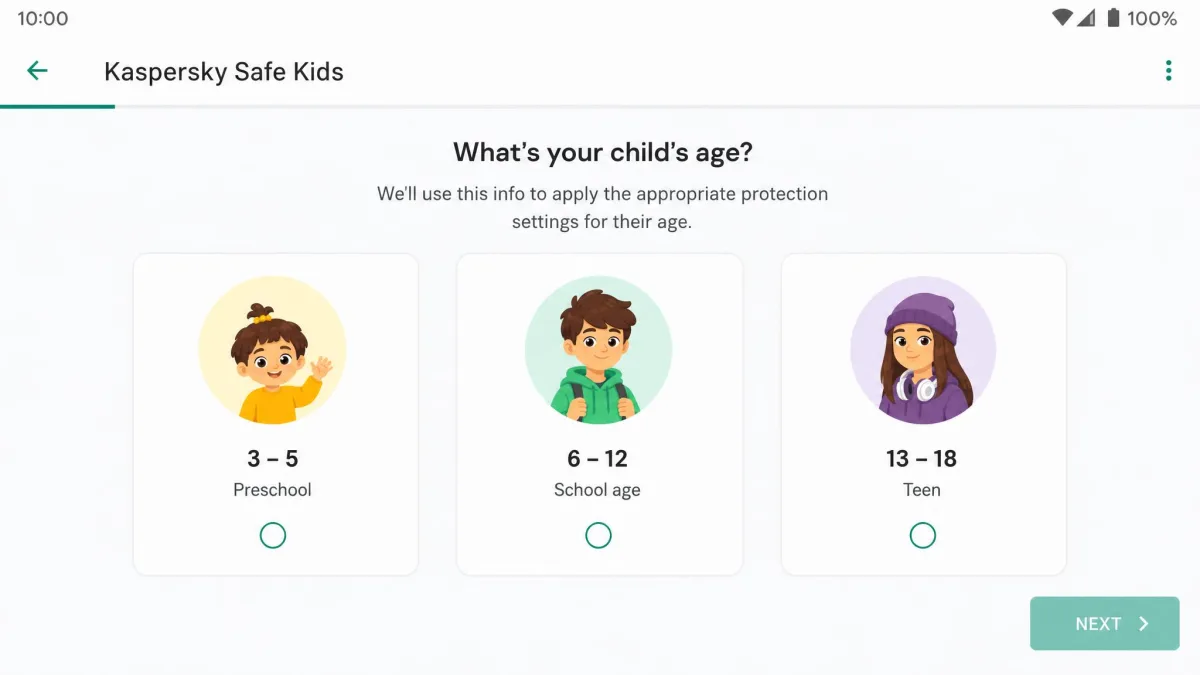
Choose Kaspersky Safe Kids if your kids are young enough that boundaries matter more than conversations, if you want strong web filtering and YouTube safe search without paying anything, or if you need Windows and macOS coverage as well as phones. The preset age profiles for ages 3-5, 6-12, and 13-18 give you a sensible starting configuration in about a minute, which is the fastest useful setup in this comparison.

Alternatives Worth Considering
If neither app fits, Google Family Link covers screen time, app approval, and location for free on Android, though it does nothing about message content. Qustodio sits between these two products, offering decent filtering plus some social monitoring at a mid-range price. Families who would rather enforce filtering at the router than on each device should look at network-level tools instead, and our guide to set up parental controls to keep kids safe online walks through that approach.
Frequently Asked Questions
Is Bark better than Kaspersky Safe Kids?
Does Kaspersky Safe Kids read text messages?
Can kids bypass Bark or Kaspersky Safe Kids?
Is Kaspersky Safe Kids free?
Which works better on iPhone?
Do both track location?
Is Kaspersky safe to use in the U.S.?
Which is better value for a large family?
Final Verdict
So, after weighing monitoring depth against cost and platform reach, the two apps do not really compete for the same buyer.