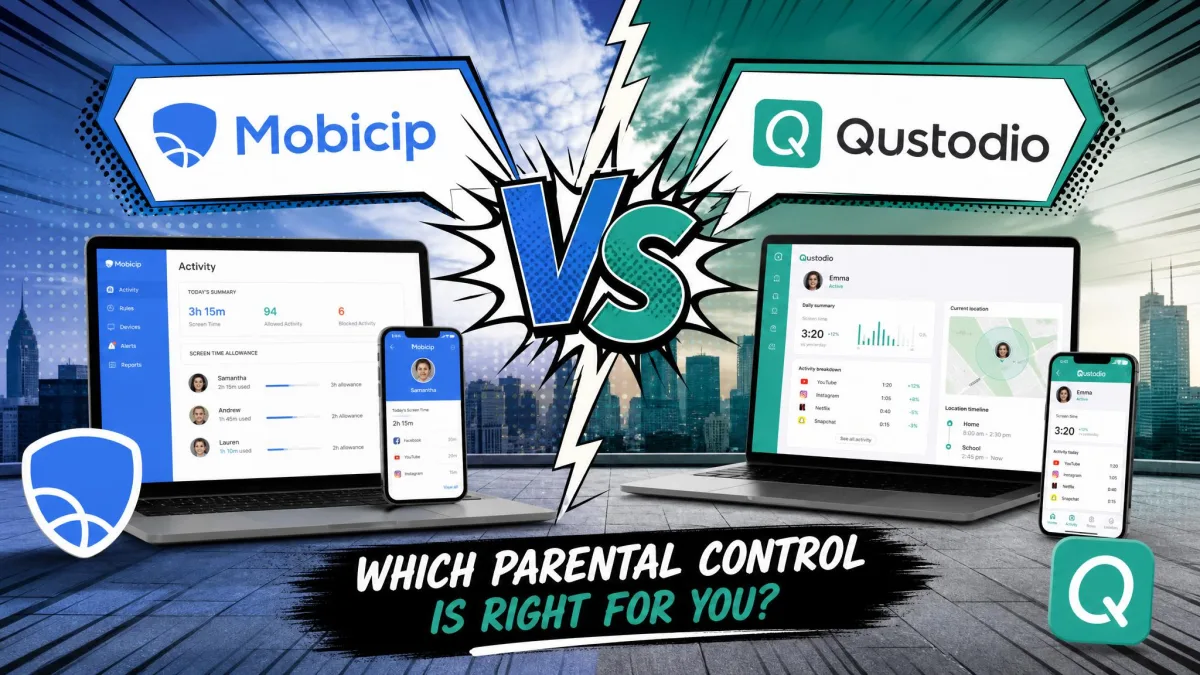
Most families do not run one kind of device. There is an iPad in the living room, an Android phone in a school bag, a Windows laptop for homework and a Chromebook the school handed out in September. Choosing a parental control app means picking the one that behaves sensibly across all of them, not the one with the longest feature list.
Mobicip and Qustodio both promise that coverage, and they are the two names parents compare most often. They price very differently, they split on social media and message monitoring, and they hand you very different device allowances for the money.
This head-to-head settles it. Qustodio is the stronger all-round app for families who want message and social monitoring alongside filtering, while Mobicip is the better value if you mainly need web filtering and screen time across a lot of devices.


Mobicip vs Qustodio: Quick Comparison Table
| Product | Mobicip | Qustodio |
|---|---|---|
| Web filtering | 20+ categories, profanity filter, keyword blocking, whitelist-only mode | Category filtering that holds across all major browsers and in-app browsers |
| Screen time | Daily limits, managed schedules, Vacation Mode, Lock All Devices; no per-app time caps | Daily limits, scheduled breaks, custom routines, per-app limits |
| App blocking | App blocker with uninstall protection | App blocking, granular on Android, limited on iOS |
| Social monitoring | Facebook and Snapchat only | WhatsApp, Instagram and Line, plus calls, messages and gaming voice chat alerts |
| Location and geofencing | Family locator, location history, geofencing alerts | Family location tracking with geofence alerts |
| Supported platforms | iPhone, iPad, Android, Kindle Fire, Mac, Windows, Chromebook | Windows, Mac, iOS, Android, Chromebook, Kindle |
| Device limit | 5 devices / 10 devices / 20 devices by tier | 1 device free, 5 devices on Basic, unlimited on Complete |
| Free plan | None; 7-day trial only | Free tier covering 1 device |
| Starting price | $2.99/month billed annually, or $35.88 per year | About $54.95 to $59.95 per year |
| Support channels | Help centre and email | Help centre by default; tickets and phone via the paid Care Plus add-on |
How We Compared Mobicip and Qustodio
We compared these two the way a parent would evaluate them: install both, set up a child profile on each, then work through filtering, screen time, app blocking, location and reporting on the same devices. We weighted the things families complain about most, which is blocking accuracy, whether alerts actually arrive, how much setup friction there is, and what happens after an app update.
We scored on six areas: filtering accuracy, screen time control, monitoring depth, platform and device coverage, setup experience, and price per device. Pricing came from each vendor's own published plans, and where sources disagreed we said so rather than picking a number.
Vendor comparison pages are not evidence. Mobicip's own vs-Qustodio page makes claims about Qustodio's filtering and uninstall protection that no independent testing supports, so nothing from it appears here as fact.
Mobicip Overview
Running that same six-area pass over Mobicip first, Mobicip proves to be a cross-platform parental control service built around web filtering and screen time scheduling, sold in three tiers that differ only in how many devices they cover. That last point matters more than it sounds, because the cheapest paid plan gives you every feature the most expensive one does. Our full Mobicip review covers each feature in more depth.
Coverage is broad. The apps run on iPhone, iPad, Android, Kindle Fire, Mac, Windows and Chromebook, which is enough for the mixed device pile most families actually own.
Key Features
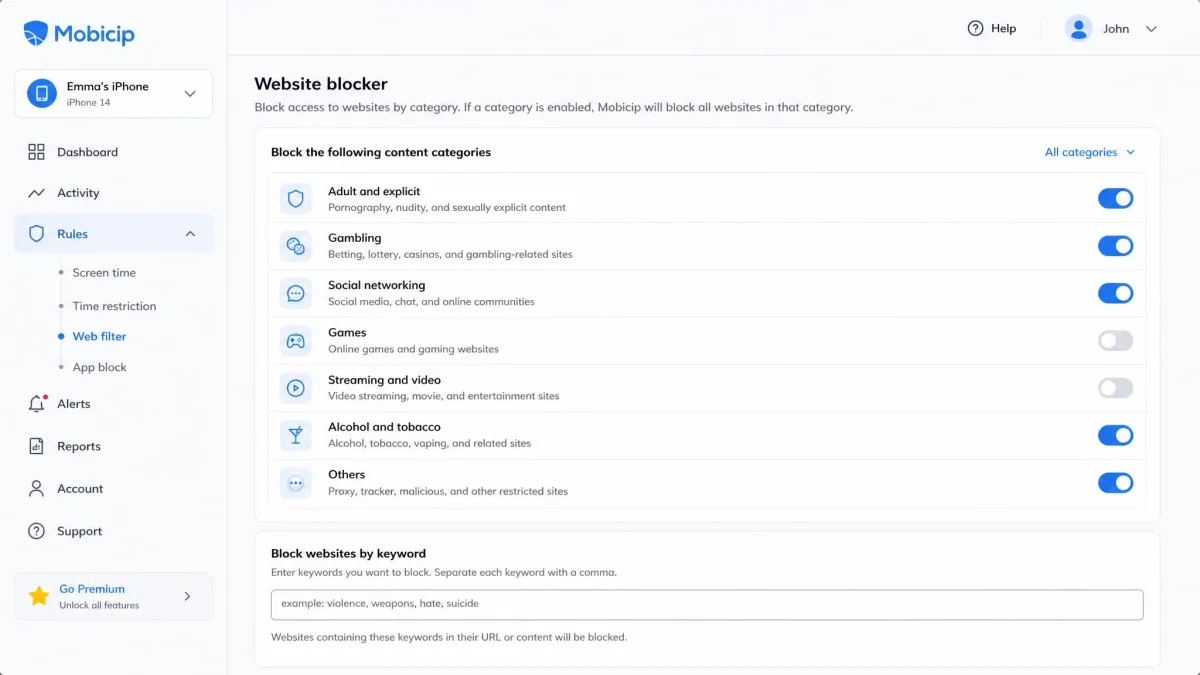
- Website blocker with more than 20 content categories, a profanity filter and a whitelist-only mode
- App blocker with uninstall protection, plus app limits
- Screen time limits, managed schedules, Vacation Mode and a Lock All Devices button
- Family locator with location history and geofencing alerts
- Activity reports, remote device lock and a social media monitor
- Parenting expert tips built into the parent dashboard
In our testing, the scheduling side is where Mobicip is strongest. Screen time locks engage on schedule, the Lock All Devices button does exactly what it says, and Vacation Mode behaves predictably when the school routine goes out of the window. Location tracking stays accurate in day-to-day use, and the activity reports line up with what the children were really doing.
The filtering is where our confidence drops. A site on the blacklist gets blocked on one attempt and sails through on the next, and the filter has a habit of blocking harmless pages while letting the occasional explicit page slip past. We also found that after an app update, apps that had been explicitly allowed can start getting blocked again, which means a settings pass every time a release lands.
Pros and Cons
Pros
- Cheapest entry price of the two, at $2.99 per month billed annually
- Every tier includes the full feature set; only the device count changes
- Generous device allowances, up to 20 devices on Premium
- Screen time schedules, Vacation Mode and Lock All Devices work reliably
- Accurate location tracking and trustworthy activity reports
- 7-day free trial plus a 30-day money-back guarantee
Cons
- Web filtering is inconsistent, blocking safe sites and missing some explicit ones
- No per-app time caps, only total screen time and schedules
- No Instagram or TikTok coverage in the social monitor
- Android permission setup is fiddly and pairing can stall partway through
- Support replies can take a long time
- No free plan at all
Qustodio Overview
Qustodio is the bigger name of the two, and says it protects 9 million families. It sells a free single-device tier, a Basic plan for 5 devices and a Complete plan that lifts the device limit entirely, and it layers call, message and social monitoring on top of the usual filtering and screen time tools.
Platform support runs across Windows, Mac, iOS, Android, Chromebook and Kindle, so the same shortlist of family hardware is covered.
Key Features
- Web filtering and app blocking across browsers and in-app browsers
- Screen time management with scheduled breaks and custom routines
- Social media monitoring for WhatsApp, Instagram and Line
- Call and message tracking with contact blocking, plus gaming voice chat alerts
- Family location tracking and geofencing
- Activity reports, real-time alerts, app insights and YouTube monitoring
- Optional Care Plus support add-on
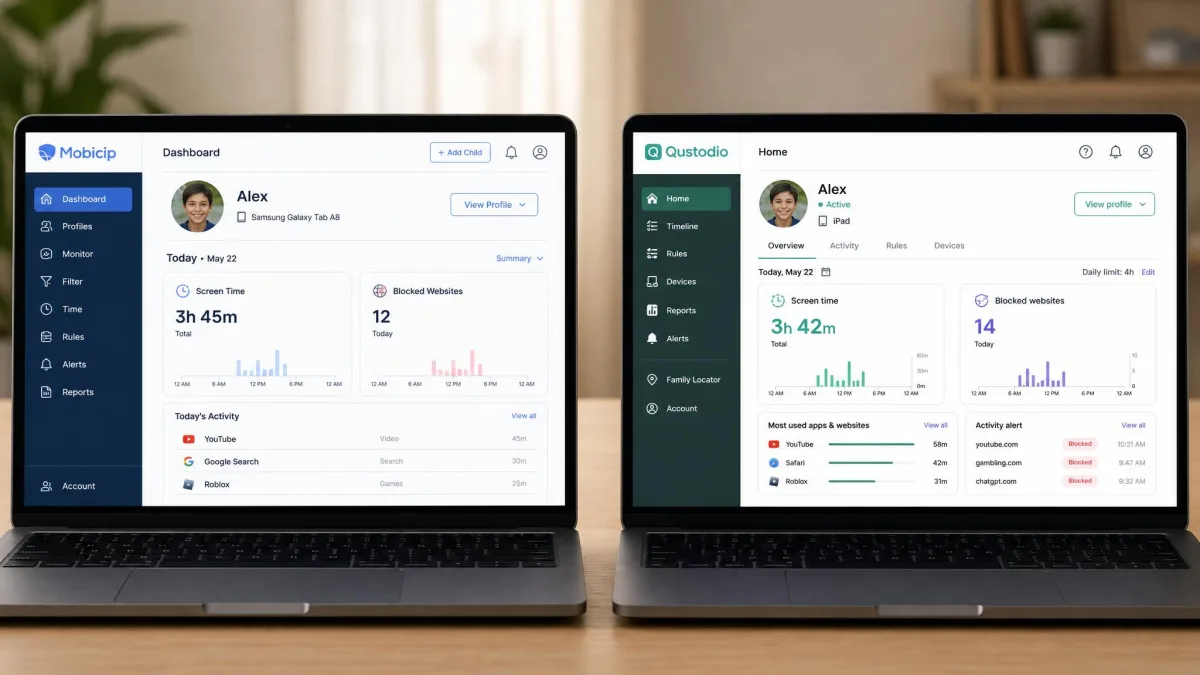
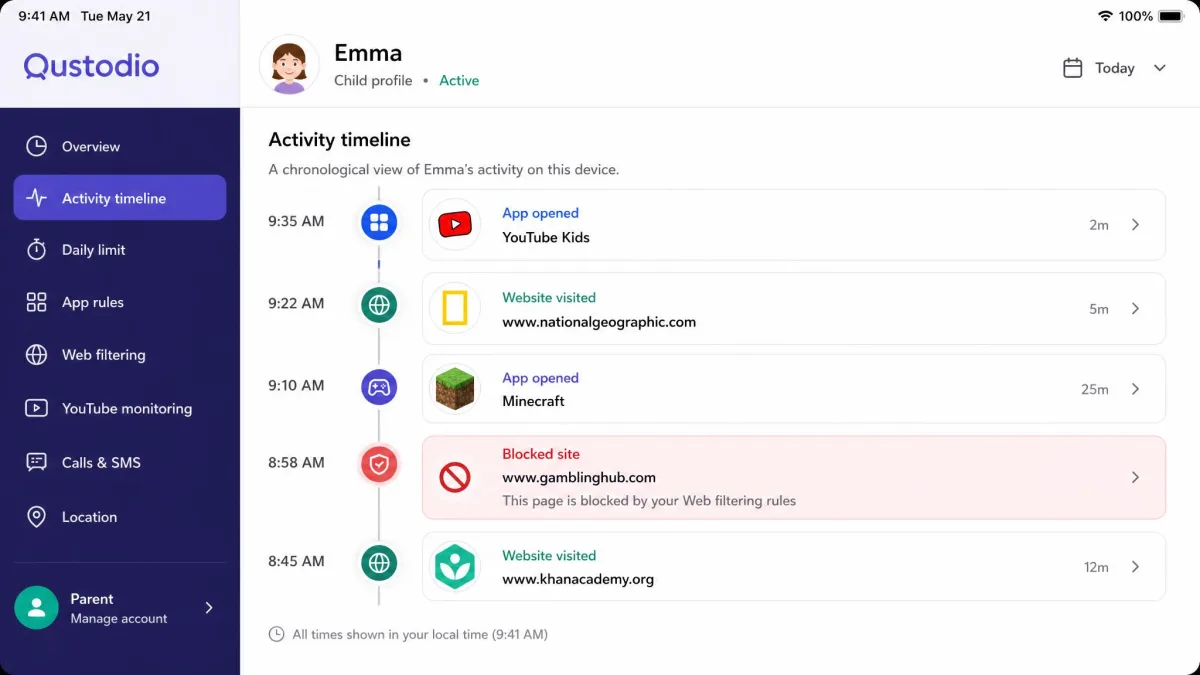
What struck us first was the dashboard. Qustodio lays a child's day out as a timeline, so a Tuesday afternoon reads as a sequence of apps opened, sites visited and one blocked attempt at four o'clock, rather than a pile of totals you have to interpret for yourself. It is the easiest reporting view of any parent dashboard here, and it was the screen we found ourselves opening out of habit. Time limit notifications, geofence alerts and app blocks fire accurately, with a few seconds of lag that is most noticeable on iOS.
There are two real weak spots. YouTube restrictions can be inconsistent, and social media, gambling and adult sites are not always blocked reliably, so the filter earns trust on ordinary browsing rather than on the edge cases. The second is what the operating system will let Qustodio see at all, which we come back to under app blocking.
Pros and Cons
Pros
- Genuinely free plan covering 1 device
- Deepest monitoring of the two, including calls, messages and social apps
- Complete tier covers unlimited devices
- Filtering holds across all major browsers and in-app browsers
- Alerts and blocks fire accurately with only a few seconds of lag
- Clear, timeline-style activity reports
Cons
- Materially weaker on iOS, with no SMS access and coarser app blocking
- YouTube and some adult or gambling sites are not blocked reliably
- Only a 3-day free trial
- Location tracking and the VPN profile can cost battery life on older phones
- Human support sits behind the paid Care Plus add-on
- Cancelling a subscription is awkward
Feature-by-Feature Comparison
Web and Content Filtering
Mobicip gives you the finer controls on paper. Filtering spans more than 20 content categories, and the keyword-level blocking gives you tighter control than a plain category filter, which helps when you want to block a topic rather than a list of domains.
Qustodio wins on consistency. Its category filter held across every browser and in-app browser we tried, whereas Mobicip's blacklist blocked a listed site on some attempts and let the same site through on others. That inconsistency is the harder thing to live with, because a filter you have to keep re-testing is a filter you never quite stop thinking about.
Neither is perfect. Qustodio's YouTube restrictions can be inconsistent, and some social, gambling and adult sites get through, so treat either app as a strong first line rather than a sealed wall.
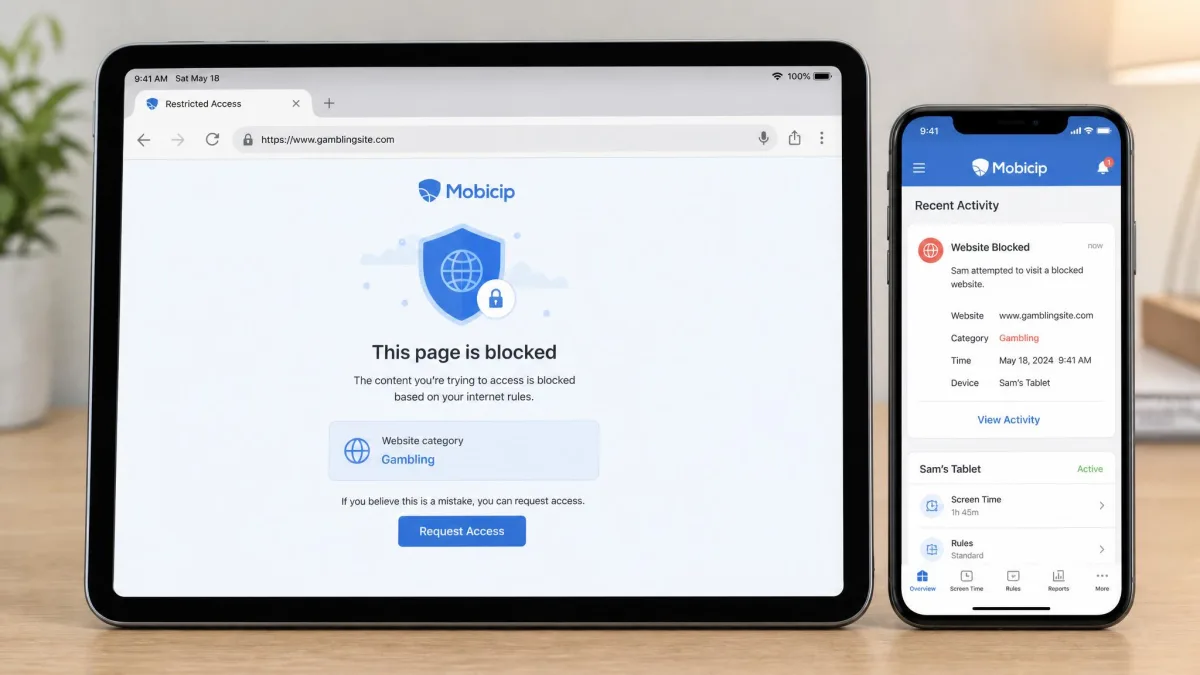
If keeping your kids safe online is the whole reason you are buying, set up the filter on the device your child uses most, then spend an evening testing the sites you care about before you trust it.
Screen Time Management
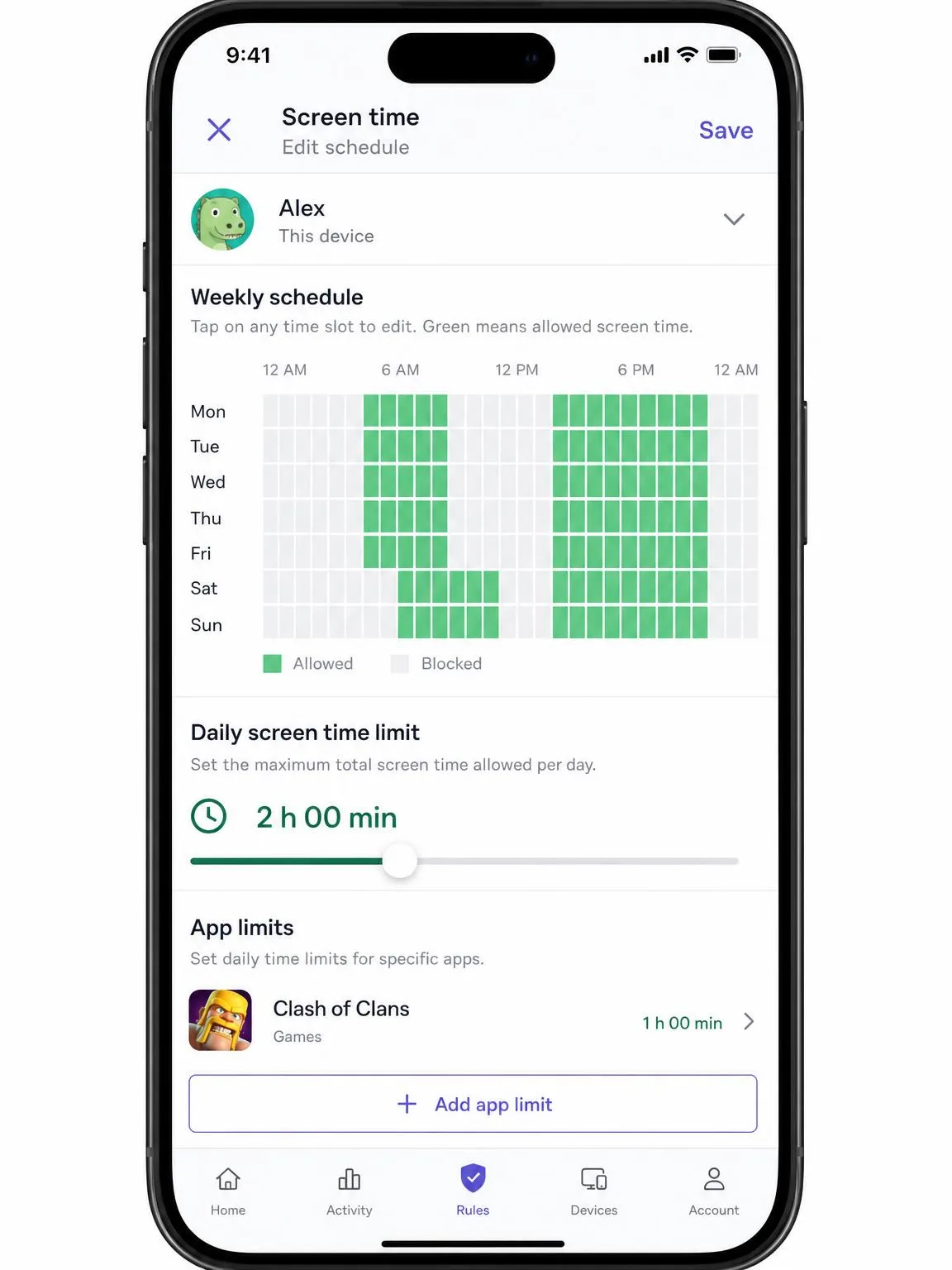
Both apps handle daily limits and schedules well. Mobicip's locks engage on time, and the Lock All Devices button is the single most useful control here when dinner is on the table.
The gap is per-app control. Mobicip cannot cap time on an individual app, only total screen time and schedules, while Qustodio offers per-app limits, scheduled breaks and custom routines. If your problem is one game rather than the internet in general, that difference decides the comparison on its own.
App Blocking and App Control
Mobicip's app blocker comes with uninstall protection, which is the feature that stops a determined child from simply removing the app and carrying on. That tamper resistance is the practical reason to keep it on a younger child's phone.
Qustodio blocks apps granularly on Android and much more coarsely on iOS, and on iOS it cannot read SMS or report detailed app usage either. That is a limit Apple imposes on every app in this category rather than a flaw unique to Qustodio, but the outcome in your house is the same: an iPhone child gets a thinner product than an Android one.
Social Media and Message Monitoring
This is the clearest win in the whole comparison. Qustodio covers WhatsApp, Instagram and Line, tracks calls and messages, blocks contacts and raises alerts on gaming voice chat.
Mobicip's social media monitor covers Facebook and Snapchat only, with no Instagram or TikTok coverage, which leaves out the two platforms most parents ask about first.
Qustodio is still not the deepest monitoring tool available, even on its top tier, so a family that specifically wants message-level oversight should compare it against dedicated monitoring apps too.
Monitoring messages and social accounts is a serious step, and in many places it carries legal weight once a teenager is involved. Tell your child what is being monitored and why.
Location Tracking and Geofencing
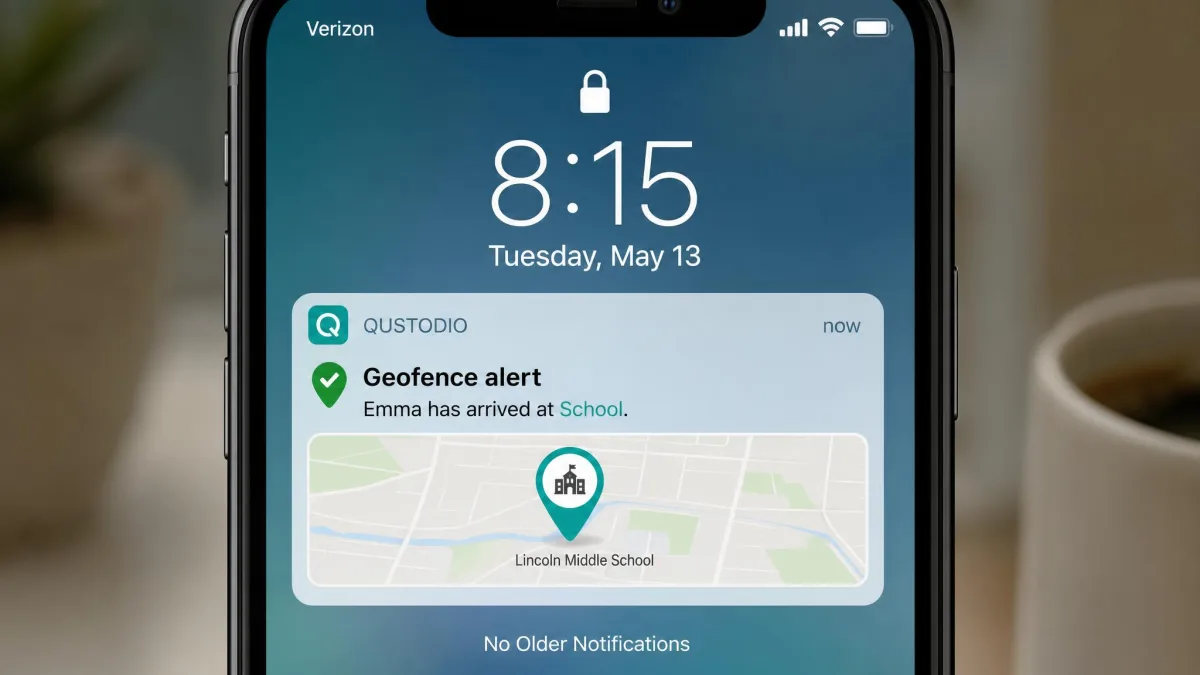
Both offer real-time location and geofencing, and both do it well. Mobicip adds location history, and its tracking stayed accurate for us in ordinary daily use.
Qustodio's geofence alerts fire accurately with a few seconds of lag. The cost is battery life: its VPN profile and GPS tracking add roughly 10 to 15 percent battery drain, worse on older phones, although on some Android handsets we saw no meaningful drain at all.
Reports, Alerts and Remote Management
Qustodio's timeline reports are easier to scan, and the real-time alerts arrive quickly enough to be worth acting on. App insights and age-appropriate recommendations round the dashboard out.
Mobicip's reports are accurate rather than elegant, and they match actual app usage. Its remote controls, particularly remote device lock and Lock All Devices, are the more satisfying to use day to day.
Qustodio tells you more about what your child is doing. Mobicip gives you more devices for the money and a faster way to shut everything down.
Device and Platform Compatibility
The platform lists are nearly identical. Mobicip runs on iPhone, iPad, Android, Kindle Fire, Mac, Windows and Chromebook, and Qustodio runs on Windows, Mac, iOS, Android, Chromebook and Kindle. Both cover the school Chromebook and the hand-me-down Kindle Fire, which is more than several rivals manage.
Device counts are where they separate. Mobicip gives you 5 devices on Lite, 10 devices on Standard and 20 devices on Premium. Qustodio gives you 1 device free, 5 devices on Basic and unlimited devices on Complete.
For a family of four with phones, tablets and laptops, Mobicip's Standard tier is the cheaper route to full coverage. For a family that has genuinely lost count, Qustodio Complete is the only plan here with no ceiling.
Feature parity across Mobicip's tiers means you never pay more for capability, only for headroom. Work out your device count first, then buy the tier that fits it.
Setup and Ease of Use
Qustodio is the smoother install. You create the parent account, add a child profile, then install the child app and follow the prompts, and the two ends find each other without much fuss.
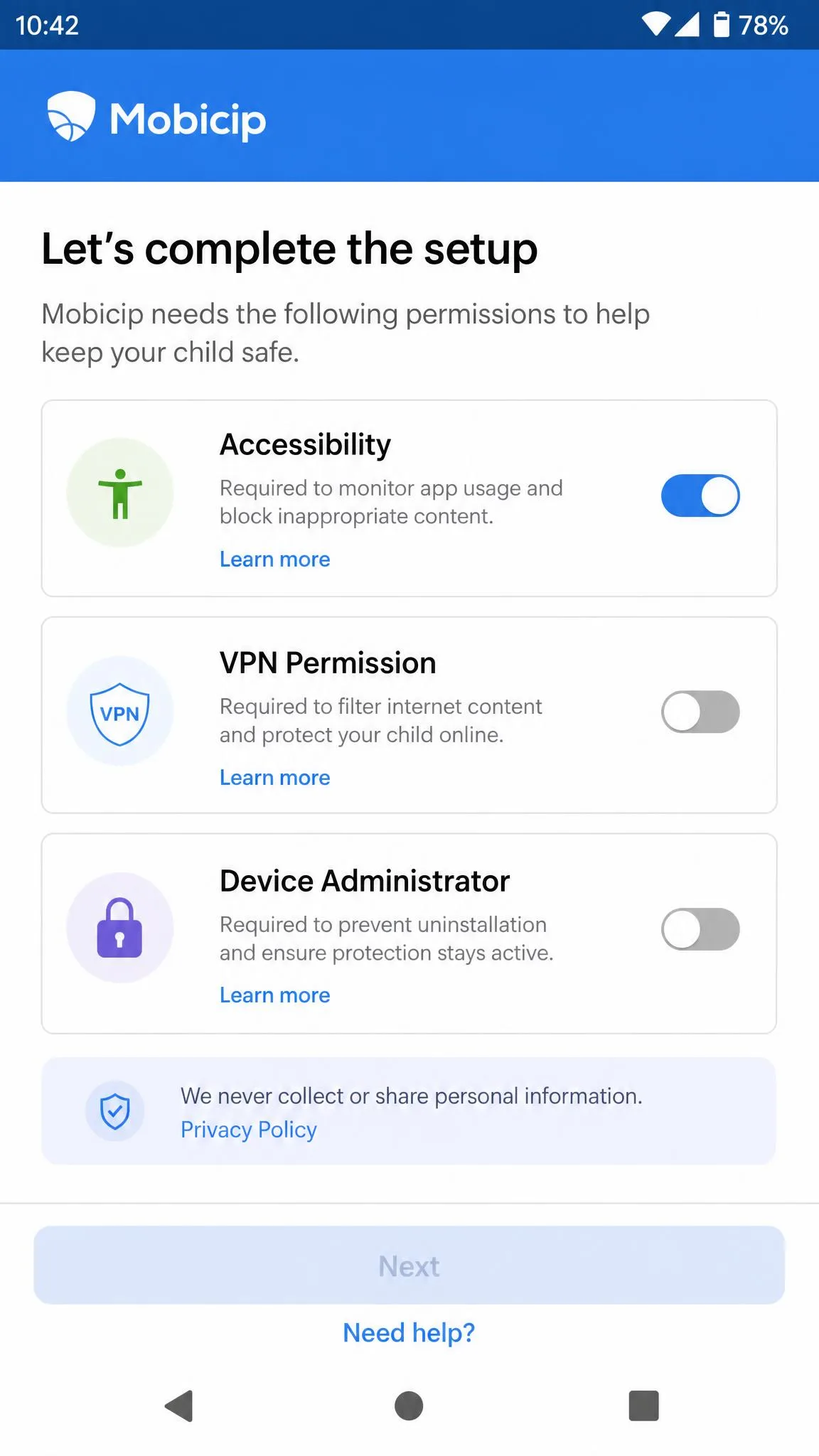
Mobicip asks more of you on Android. Granting the permissions it needs is fiddly, and pairing the parent and child apps can stall partway through, which usually means starting the pairing again rather than anything being broken.
Once running, both dashboards are approachable. Neither expects you to be tech-savvy, and both put the controls parents reach for most, screen time and blocked sites, on the first screen.
Pricing and Plans Compared
Mobicip publishes three tiers: Lite at $2.99 per month billed annually for 5 devices, Standard at $4.99 per month for 10 devices, and Premium at $7.99 per month for 20 devices. The entry paid plan works out to $35.88 per year.
Qustodio's list prices are harder to pin down. Basic runs roughly $54.95 to $59.95 per year for 5 devices, and Complete runs roughly $99.95 to $109.95 per year for unlimited devices, because the tiers have been repriced recently and the figure varies by region and promotion. Check Qustodio's plan tiers before you buy.
Free Plans and Trials
Qustodio has the only free plan of the two. It covers 1 device with basic web filtering, daily screen time limits and activity reporting, which is enough to protect a single tablet indefinitely at no cost.
Mobicip has no free tier. It offers a 7-day free trial of all premium features, and your card is not charged during the trial.
Qustodio's trial is shorter at 3-day, but it needs no credit card at all. Both back purchases with a 30-day money-back guarantee, although Qustodio's applies to direct purchases from its own site, with app store purchases following Apple or Google refund rules.
Value for Money
On pure cost per device, Mobicip wins comfortably. Ten devices for $4.99 per month is less than Qustodio charges for five, and the feature list does not shrink at the cheaper tier.
Qustodio earns its higher price with monitoring depth and filtering consistency. If message and social oversight is the reason you are buying, the extra spend buys something Mobicip cannot offer at any price.
Customer Support Compared
Neither app is a standout here. Mobicip routes you through live chat, email at support@mobicip.com, a web contact form or a scheduled call-back with a support specialist, so there is no live inbound phone number to dial when something breaks at bedtime. The company says email replies typically go out within 24 business hours. Live chat runs a morning window Tuesday through Saturday, though the advertised hours differ between Mobicip's own listings, so the window shifts.
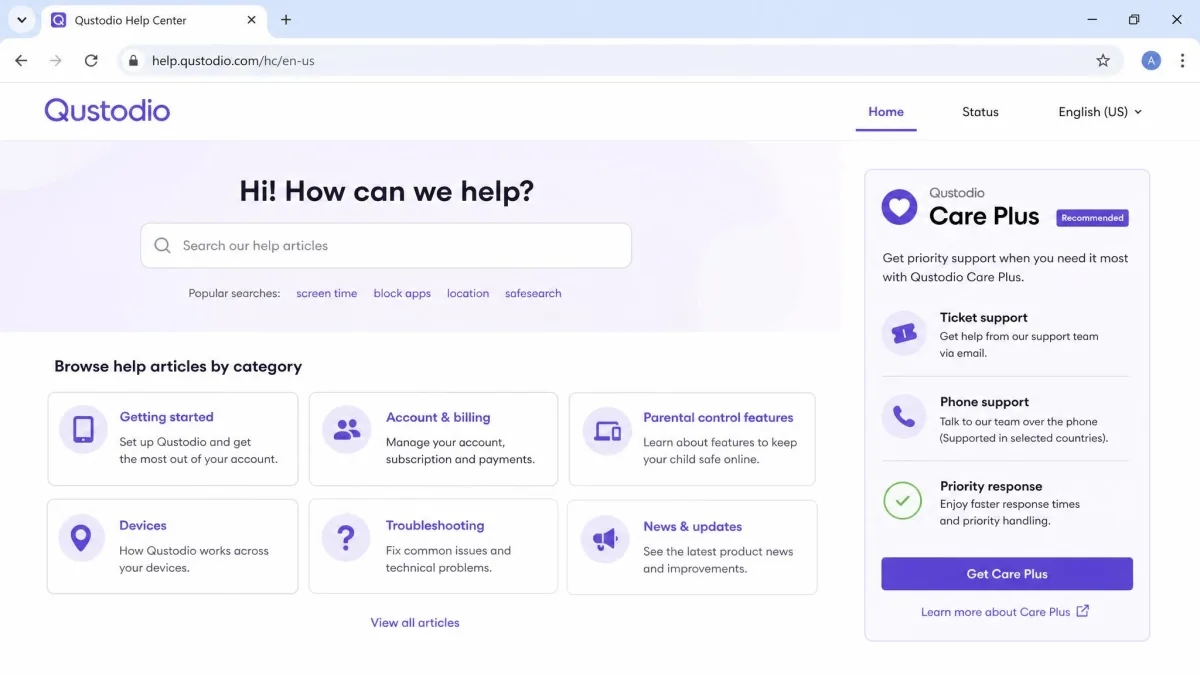
Qustodio's default path is self-help articles. Direct human support, meaning tickets plus a dedicated phone number, sits behind the paid Qustodio Care Plus add-on, and support replies slowly without it. Care Plus costs $12.99 as an add-on to the Basic plan and comes bundled at no extra cost with Complete, and it buys priority phone support, ongoing check-ins and personalised help in English or Spanish. On Basic, it is the only route to that phone line.
Community sentiment is worth knowing before you commit. Qustodio's Trustpilot score sits at 2.4 out of 5 across 547 reviews, with 49% of reviewers awarding one star and pointing at support, the website and reporting accuracy, while the vendor advertises a 4.3-star app rating. Those two numbers describe different populations of user, and both are true.
Mobicip's picture is quieter. Its Apple App Store average is about 3.4 stars, and its Trustpilot rating of 4 out of 5 rests on a handful of ratings, so it swings sharply each time a new one lands. Its Google Play score has moved with recent app releases, so the figure differs between listings and regions.
Common Setup Mistakes to Avoid
The most common mistake is trusting the filter on day one. Both apps ship with sensible category defaults, and both let something through eventually, so spend twenty minutes testing the sites and apps that actually worry you before you consider the job done.
The second is buying the wrong device tier. Count every device your children touch, including the school Chromebook and the old tablet in a drawer, then buy for that number.
The third is skipping the conversation. An app a child discovers by accident becomes a game to defeat, and uninstall protection only buys you so much time.
Which Should You Choose?
Choose Mobicip If Your Family Looks Like This
You have several children and a lot of devices, your main concerns are website filtering and daily screen time, and you would rather pay $35.88 per year than double that. You want every feature at the cheapest tier, and you accept a filter that needs occasional correction and support that is not fast.
Mobicip also suits families whose children are younger, where uninstall protection and a hard Lock All Devices switch matter more than reading messages.
Choose Qustodio If Your Family Looks Like This
You have a teenager, you want visibility into calls, messages and social apps, and you would like alerts you can rely on. Your children are mostly on Android, which is where Qustodio is at its strongest, and your device count is either one, in which case the free plan is genuinely useful, or effectively unlimited, in which case Complete is the only plan that fits.
Qustodio is also the better first step if you want to try before you spend, since the free tier gives you real peace of mind on one device without a card.
Frequently Asked Questions
Which is cheaper, Mobicip or Qustodio?
Which covers more devices?
Which is better for social media monitoring?
Can a child bypass or delete either app?
Can Qustodio Care Plus be added mid-term, and how do refunds work on an App Store purchase?
What happens to my child profiles if I stop paying?
Do they work on Chromebook and Kindle?
Final Verdict
The buying order matters more here than the winner does. If you are new to parental controls, start on Qustodio's free single-device tier and put it on the device that worries you most. A fortnight of real use tells you whether you need monitoring at all, or whether filtering and a bedtime schedule were the whole problem, and it costs nothing to find out.
If you land on Mobicip instead, buy Standard rather than Lite. Lite's five devices sound like plenty until you count the school Chromebook, the old tablet and the homework laptop, and because every tier carries the same features, the extra two dollars a month buys headroom rather than capability. Standard is the tier this product is really priced around.
The one thing we would do differently is the order of setup. We configured filtering first and screen time second, and it should have been the other way round. Schedules are what change household behaviour in the first week; the filter is what you tune slowly over the month that follows, once you know which sites actually come up.