Kaspersky Safe Kids is a broad, low-cost parental control suite that filters sites by category, sets screen time limits, tracks location, and covers unlimited kids and devices under one parent account. Canopy is a narrower, pricier tool built around one idea: an AI filter that strips explicit images and video from a page as it loads, in real time, instead of blocking the whole site. Our verdict rests on what you are trying to stop, and for the widest set of features at the lowest price, Kaspersky wins. If your worry is pornographic imagery reaching an older child, Canopy does something no blocklist can.
Both have gaps worth knowing before you pay. Kaspersky's geofencing would not stay working for us, and US buyers cannot legally purchase it at all. Canopy has no free plan, costs several times more, and its iPhone build was the least dependable software here. Neither app shows the contents of your child's messages.
Kaspersky Safe Kids vs Canopy at a Glance
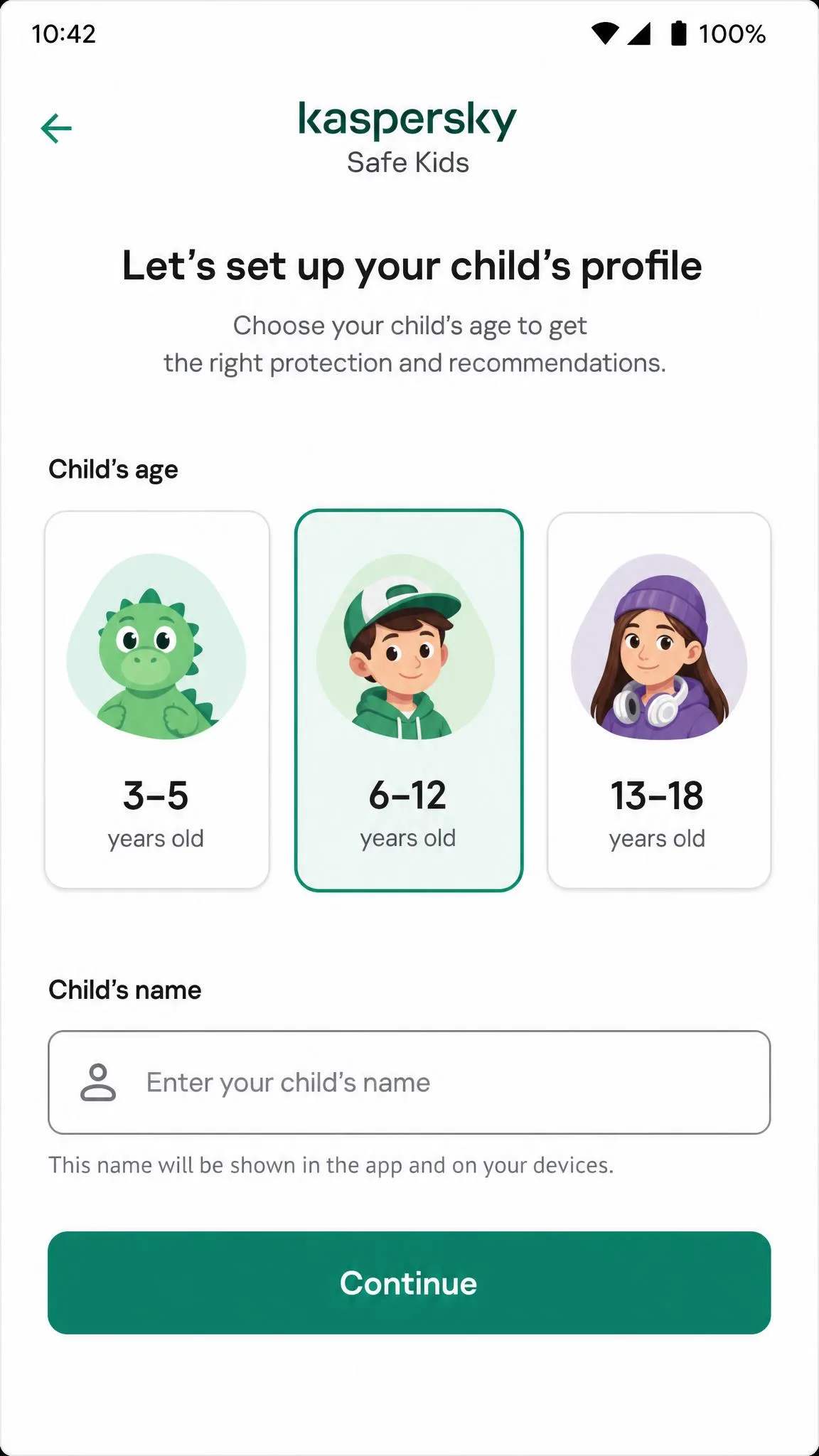
Kaspersky Safe Kids is the value pick and the more complete one on paper. It runs on Windows, macOS, Android, and iOS, costs $14.99 per year for premium, and keeps a free plan covering web content filtering, YouTube Safe Search, app usage controls, and device time management. It has taken 7 consecutive AV-TEST parental control awards, claims 106 million harmful websites blocked, and its presets for 3-5, 6-12, and 13-18 year olds let most parents finish setup unaided.
Canopy is a content filter that works from the other end. Instead of judging a whole domain, it inspects what is on screen and removes explicit images and video before they render, so a child can keep using a site whose other pages are fine. It adds sexting alerts, filtering for AI chatbots including ChatGPT and Gemini, lingerie and swimwear filtering, screen time management, location tracking, and tamper alerts. Plans start at $8.33 per month billed annually for one device.
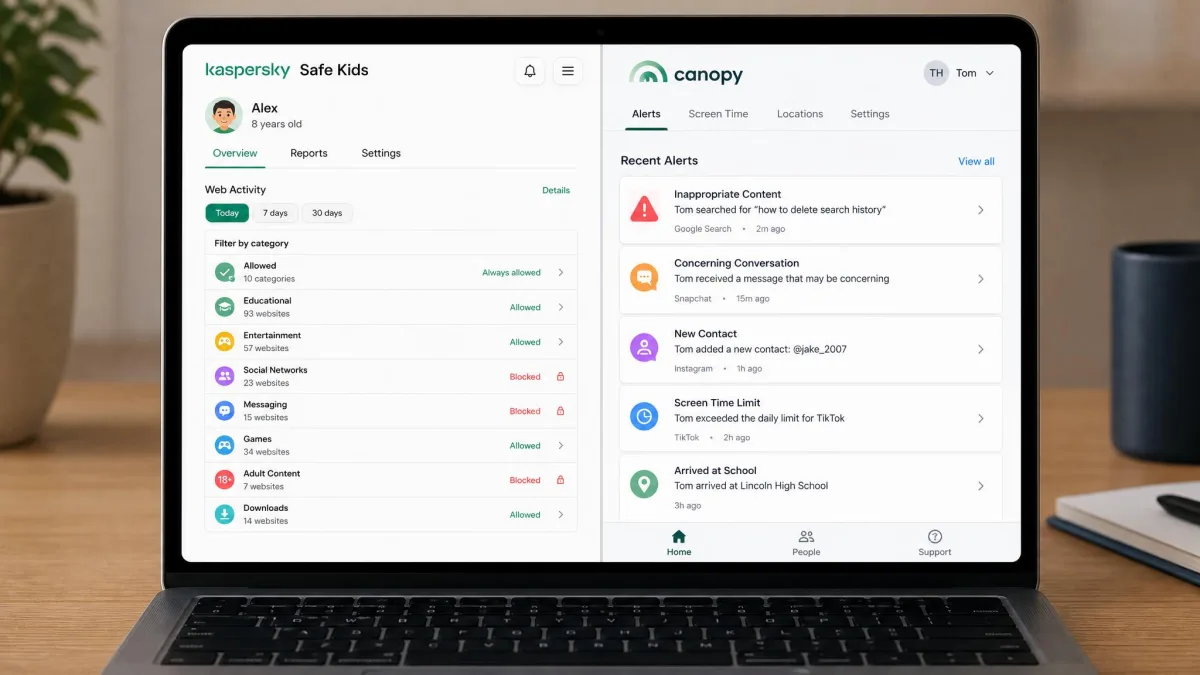
Side-by-Side Feature Comparison
Here is how the two apps line up on the features parents ask about, from price to how easily a determined child gets around them.
| Product | Kaspersky Safe Kids | Canopy |
|---|---|---|
| Price (annual) | $14.99 per year | From $8.33/month billed annually |
| Price (monthly) | No monthly plan | Higher than annual, tiers vary |
| Free plan | Yes, filtering and basic screen time | No, trial only |
| Free trial | 7-day premium trial | 7-day trial |
| Refund window | 30-day guarantee | 30-day guarantee |
| Devices covered | Unlimited devices and profiles | 1, 3, or up to 10 by tier |
| Web and content filtering | Category-based site blocking | Strips explicit content in real time |
| Image and video filtering | No | Yes, real-time AI filtering |
| Screen time limits | Yes, limits and schedules | Yes |
| App blocking | Android and desktop, not iOS | Android, unreliable on iOS |
| Location and geofencing | Yes, premium only | Yes |
| Alerts and notifications | Real-time, premium only | Sexting and tamper alerts |
| Text and social monitoring | No | No message logs |
| iOS support | Limited enforcement | Limited, VPN-based |
| Android support | Full | Full |
| Windows and Mac support | Yes | Yes, plus ChromeOS |
| Ease of bypass | Moderate | Moderate |
Content Filtering and Blocking Inappropriate Content
Filtering is where these two stop being alternatives. One decides whether your child may open a page. The other decides what your child sees once the page is already open.
How Kaspersky Safe Kids Filters the Web
Safe Kids runs a category-based web content filter. You pick which categories to block, or apply an age preset, and any site in a blocked category is blocked. In our testing the filter held up across different browsers, which matters more than it sounds: plenty of tools police one browser and quietly ignore the rest, and a child who installs a second browser has beaten the system.
The limit is structural. Category blocking is a yes or no call on a whole domain, so a site mixing safe and unsafe pages forces you to allow everything or block everything. It handles obvious adult sites easily, but has no answer for explicit content inside an ordinary site.
How Canopy's Real-Time Image Filtering Works
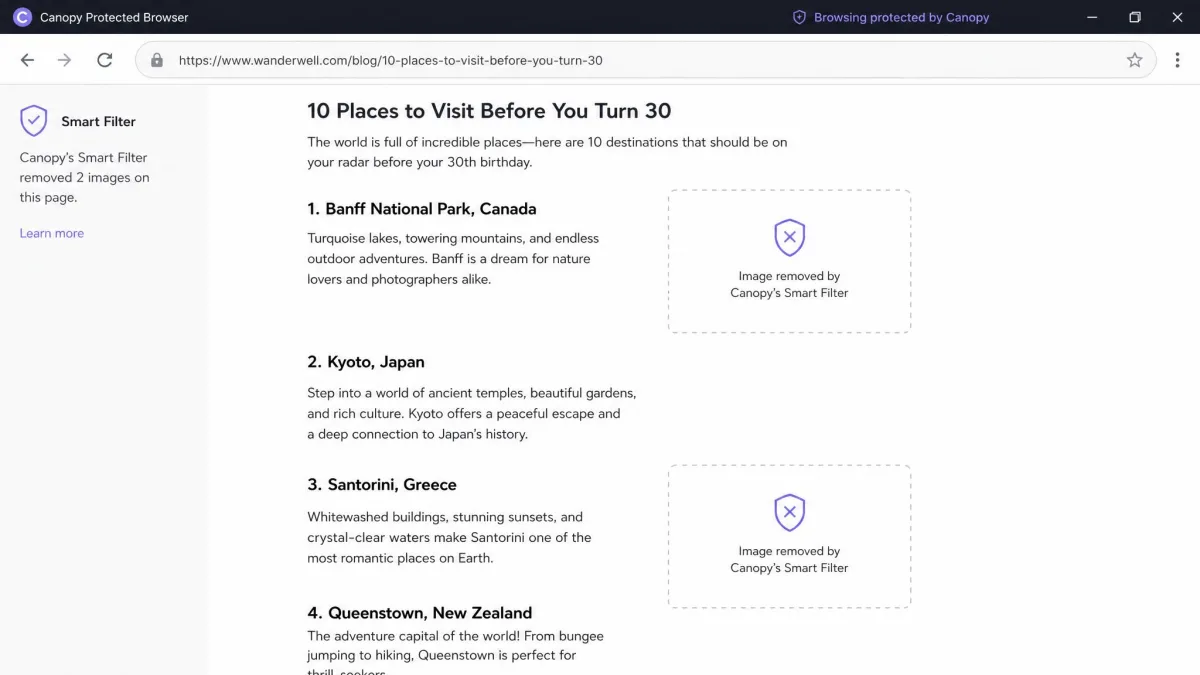
Canopy's smart filtering scans a page as it loads and removes explicit images and video before they appear, leaving the rest usable. It extends that to lingerie and swimwear, tighter than most rivals allow. For a teenager who needs the internet for schoolwork and friends, that is a very different experience from a blocklist, because most of what they want keeps working.
Sexting detection is the part we trust least. Canopy advertises alerts when a child sends or receives an explicit photo, but the behaviour is hard to confirm, and a swimwear photo sent by text passed through without triggering anything.
Verdict on Filtering
Canopy takes this section, but only for one job. If imagery is what keeps you awake, it is the only one that acts once a page is open. For everything else, Kaspersky's filter is broader, cheaper, and easier to explain to a child.
Category blocking asks whether your child may open a page. Canopy asks what your child may see once the page is open. That difference is the whole comparison.
— From our hands-on testing notes
Screen Time Limits and Scheduling
Both let you cap daily use and schedule when a device works. Kaspersky Safe Kids allows daily limits, device schedules, and per-app limits, though scheduling sits behind premium while basic time management is free. Screen time was one of the dependable parts of Safe Kids for us, and the controls behaved the same way every time we changed them.
Canopy handles screen time management and downtime scheduling too, and on Android its schedules applied cleanly. On iPhone we could not rely on them, and downtime sometimes failed to apply at all, which turns a screen time policy into a suggestion.
On iOS, Apple restricts what any third-party parental control app can enforce. Kaspersky Safe Kids cannot block apps or new app installs on an iPhone, and when a limit is exceeded it notifies you rather than stopping the child. Canopy works around this with a VPN profile, which brings its own weakness. Judge both on iOS by what they can tell you, not what they can prevent.
App Blocking and App Management
Kaspersky Safe Kids handles app blocking properly on Android and desktop. You can see which apps a child uses, manage access app by app, and set per-app limits, and the free tier already includes app usage controls. On iOS that disappears entirely.
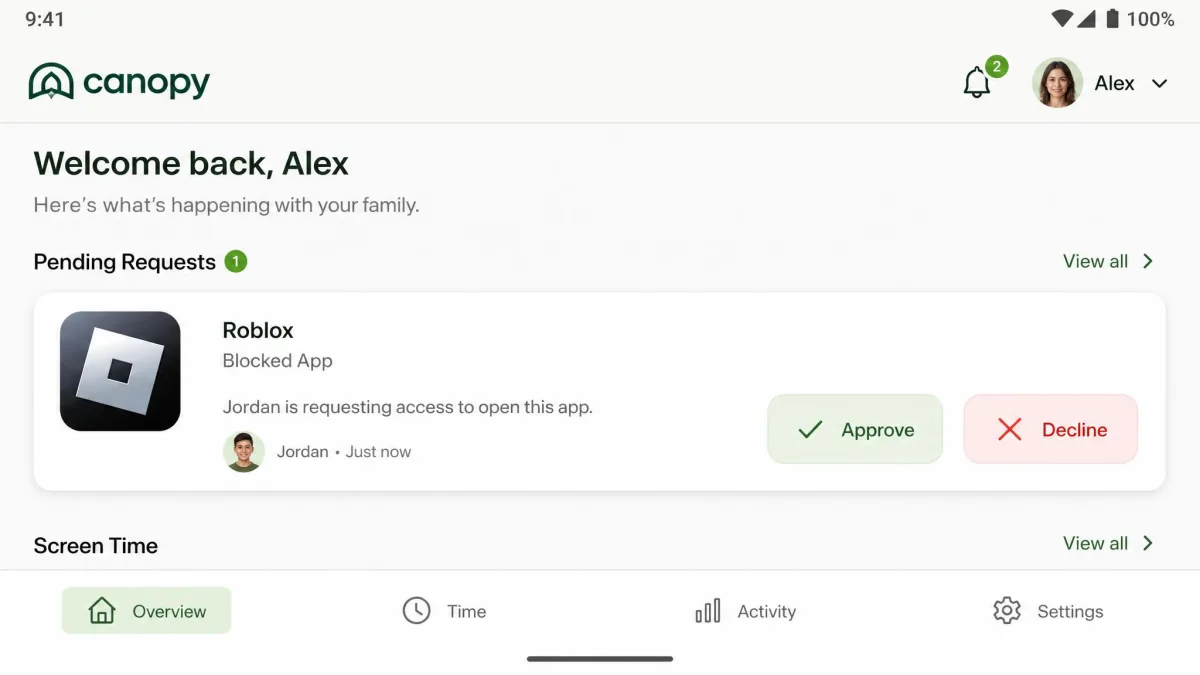
Canopy blocks apps on Android as advertised, and its permission-request flow, where a child asks for access and a parent approves from the dashboard, worked as documented. Its iOS build is the weak half of the product, since blocked apps stayed reachable in our testing.
Location Tracking and Geofencing
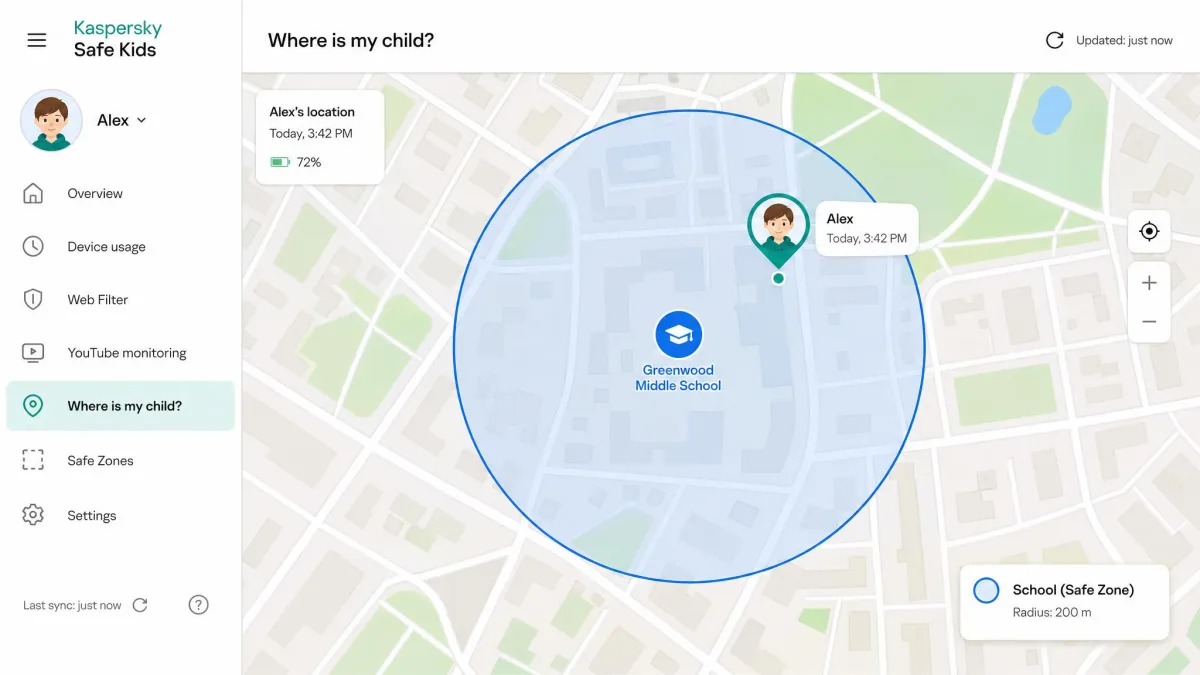
Kaspersky Safe Kids offers GPS location tracking, geofencing with a custom radius, and battery alerts. Real-time location was reliable, but geofencing was not, and saved zones vanished from the dashboard repeatedly across setup attempts. Both are premium only, so the free plan gives you no location at all.
Canopy includes location tracking on its plans, but on iPhone its geofencing alerts never fired for us. If arrival and departure notifications are why you are buying, test that during the trial week.
Monitoring, Alerts, and Sexting Detection
Plenty of parents end up disappointed by both here. Neither app shows the contents of your child's texts or social media chats, so if you want Bark-style monitoring that reads messages and flags concerning language, that is a different category of software.
What you get instead is signals. Kaspersky Safe Kids sends real-time alerts by email and app, and builds activity reports covering browsing, app use, and search history. Canopy sends sexting and tamper alerts and keeps no message logs, so its protection is a visual filter with a notification layer rather than a monitoring system.
On paper the two are a coin flip. AllAboutCookies scores Canopy 4.2 out of 5 and Kaspersky Safe Kids 4.1 out of 5. The gap that matters is not the score, it is which failure mode you can live with.
Device and Platform Support: iOS, Android, Windows, Mac
Kaspersky Safe Kids covers Windows, macOS, Android, and iOS, with unlimited child profiles and devices under one My Kaspersky account. For a family with several kids and a pile of aging laptops and iPhones, that is its most valuable trait.
Canopy supports iOS 12+, Android 9+, macOS High Sierra 10.13+, Windows 10+, and ChromeOS, adding Chromebook coverage Kaspersky lacks. The catch is device count, since Essential covers one, Plus covers three, and Premium up to ten.
On Android both do what they say. On iPhones both are compromised, differently, and that is the honest headline of this comparison. Kaspersky is limited but predictable, while Canopy attempts more and delivers less, and its iPhone flow started breaking down for us after a few hours of use.
Pricing and Plans Compared
Kaspersky Safe Kids Pricing, Including the Free Plan
Safe Kids Premium is $14.99 per year, with a 7-day free trial and a 30-day money-back guarantee. Regional pricing varies, so check the figure in your own store first.
The free plan is unusually generous. It includes web content filtering, YouTube Safe Search, app usage controls, and device time management, enough to keep a younger child on a safe internet for nothing. Scheduling, GPS location, geofencing, and real-time alerts are the premium additions.
US buyers should read this before anything else. The Commerce Department prohibited new sales of Kaspersky software after July 20, 2024, with updates ending September 29, 2024, so you cannot legally buy Safe Kids in the United States and existing installs no longer get updates. Shopping from the US, Canopy is effectively your only choice of the two.
Canopy Pricing
Canopy's official annual tiers are Essential at $8.33 per month for one device, Plus at $9.99 for up to three, and Premium at $12.50 for up to ten, each billed annually. Every plan gets a 7-day free trial and a 30-day money-back guarantee, and there is no free tier afterwards. Month-to-month billing runs higher, and tier prices and device counts have changed between revisions, so check the current table first.
Which Offers Better Value?
On cost it is not close. Kaspersky covers every device in the house for $14.99 a year, while Canopy's three-device Plus plan runs about $120 a year for a fraction of the coverage. Canopy is over 200K protected families deep and sells on capability rather than price, so if image filtering is your actual problem the money is defensible. For several kids who mostly need boundaries, it is hard to justify.

Setup, Ease of Use, and the Parent Dashboard
Kaspersky Safe Kids installs quickly on Android. The iPhone route is far more involved and can require creating a separate Apple ID for the child, which is where many parents abandon an evening install. The parent dashboard itself is plain enough to manage without a manual.
Canopy explains the permissions it wants rather than dumping a list on you, and its support is the better of the two. Phone and chat both answered within minutes, though a fast reply did not always mean a fix.
Pros
- Kaspersky covers unlimited devices and children for $14.99 a year
- Kaspersky's free tier is genuinely usable for younger kids
- Canopy filters explicit images and video in real time
- Canopy adds AI chatbot filtering and fast phone and chat support
Cons
- Kaspersky geofencing lost saved zones repeatedly in our testing
- Kaspersky cannot be bought in the US under the Commerce prohibition
- Canopy's iPhone build failed on app blocking, geofencing, and downtime
- Neither app shows the contents of messages or social media chats
Can Kids Bypass or Uninstall It?
Assume a motivated child will eventually try to get around parental controls. Kaspersky Safe Kids keeps its settings behind the parent account, and on Android and desktop that holds up well. On iOS the enforcement gap is the bypass, since nobody needs to uninstall an app that can only report a limit was exceeded.
Canopy markets removal prevention with tamper alerts, yet on Android a determined child can get it off the device more easily than that suggests. On iOS its protection depends on a VPN profile, which a child who finds it in settings can switch off. The most common Canopy complaint is the one we ran into, a correctly configured block that does not take effect.
Check the child's device yourself every few weeks rather than trusting the dashboard. Kaspersky's run of awards in AV-TEST's independent parental control assessment is one reason we still rate its filter highly. Read the vendor's privacy policy before handing any app this much data, and treat the rest as a conversation rather than a setting.
Which One Should You Choose?
Choose Kaspersky Safe Kids If
You have more than one child, more than a couple of devices, or a tight budget, and you want filtering, screen time limits, app management, and location in one place for the price of a takeaway. You are outside the United States, since you cannot buy it inside it. You are protecting younger kids, where a blocklist and a bedtime schedule genuinely do the job and the free tier alone may be enough. Skip it if geofencing is the feature you are buying for.
Choose Canopy If
Explicit imagery is your worry and your child is past the age where a blanket blocklist is practical. You want a teenager online normally while pornographic images are stripped out in real time, with tamper alerts alongside. You are on Android, where it performs closest to its marketing, or in the US, where Kaspersky is unavailable. Skip it if you are on iPhone and expecting enforcement, or juggling several devices on a modest budget.
Frequently Asked Questions
Is Kaspersky Safe Kids free?
Does Canopy have a free plan?
Which is better on iPhone?
Can Canopy block explicit images in real time?
Can kids uninstall either app?
Does Kaspersky Safe Kids monitor text messages?
Which is cheaper for a family of four?
Can either block adult content across all browsers?
Online safety is not a software problem alone. The app buys you time and visibility, and the conversation does the rest.