Kaspersky Safe Kids and Norton Family are two of the best known parental control apps on the market, and they solve the same problem from opposite ends of the price list. Kaspersky is the cheap, broad option that runs on Windows, macOS, Android and iOS and still offers a permanently free tier. Norton Family costs several times more, drops macOS entirely, and puts its money into deeper web supervision and reporting.
We set both up the way a parent would, on Windows and Android with an iPhone in the mix, and worked through the controls that matter most: web filtering, screen time schedules, location tracking and the parent dashboard. What follows is what each app actually gives you for the money, and where each one quietly falls short.
Kaspersky Safe Kids vs Norton Family at a Glance
The short version is that Kaspersky wins on price and platform reach, while Norton wins on filtering depth and device count. Everything below unpacks that trade.
| Row | Kaspersky Safe Kids | Norton Family |
|---|---|---|
| Free tier | Yes, limited feature set | No free tier |
| Annual price | About $14.99 a year | $49.99 first year |
| Free trial | 7-day premium trial | 30-day trial |
| Refund window | 30-day money-back | 60-day annual, 14-day monthly |
| Devices covered | Up to 500 devices, 100 child profiles | Unlimited devices, up to 15 children |
| Platforms | Windows, macOS, Android, iOS | Windows 7 or later, Android 8 or later, iOS, no macOS |
| Web filtering | 17 categories, allow, warn or block | Around 45 to 47 categories |
| Screen time limits | Schedules plus per-app limits | Schedules and School Time, no per-app limits |
| Location tracking and geofencing | GPS tracking with location alerts | Location map with 30-day history and geofencing |
| App blocking | Yes on Windows, macOS and Android | Blocking only, no per-app duration limits |
| Social media monitoring | Facebook and VK only | None |
| YouTube and search monitoring | YouTube Safe Search and activity reports | Search term monitoring and browser YouTube supervision |
| Reports and alerts | Real-time alerts, activity reports, low battery alerts | Emailed activity reports, instant alerts, access requests |
Kaspersky Safe Kids: What It Is and How It Works
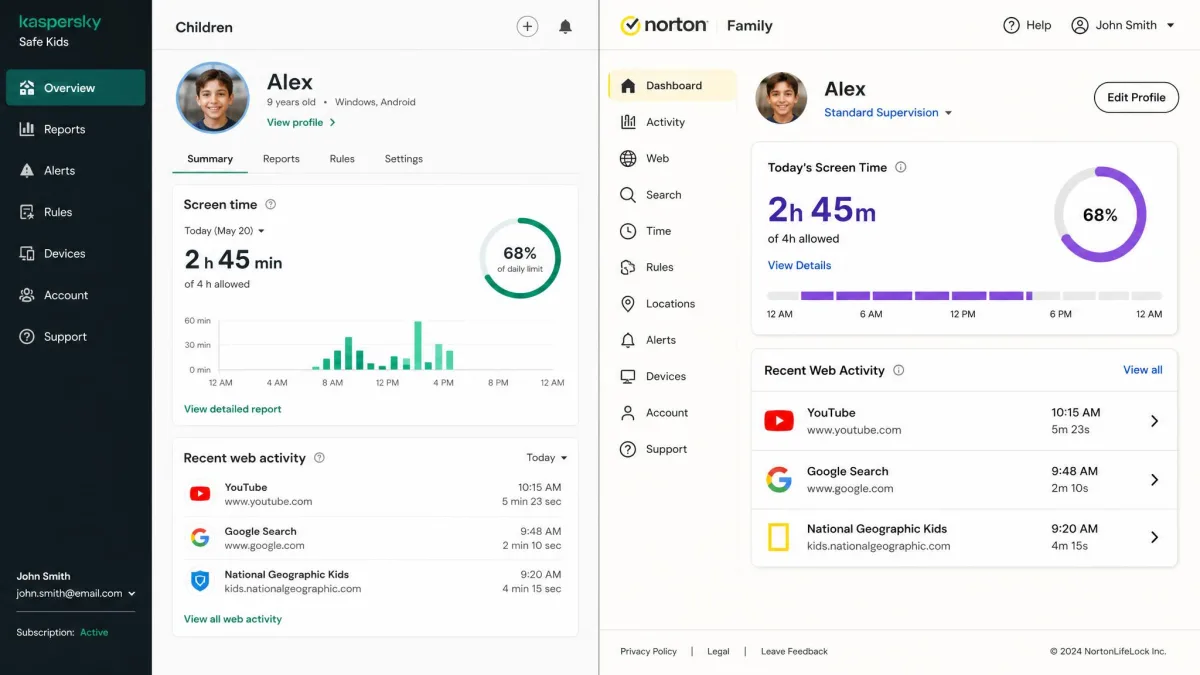
Kaspersky Safe Kids is a parental control app that covers web filtering and Safe Search, YouTube Safe Search with activity reports, app and website blocking, per-app time limits, screen-time schedules, GPS tracking with location alerts, low battery alerts, a child dashboard, child-initiated requests for more time or access, and real-time notifications to the parent. It is sold as a standalone subscription, and Kaspersky Premium also includes a year of Safe Kids at no extra cost.
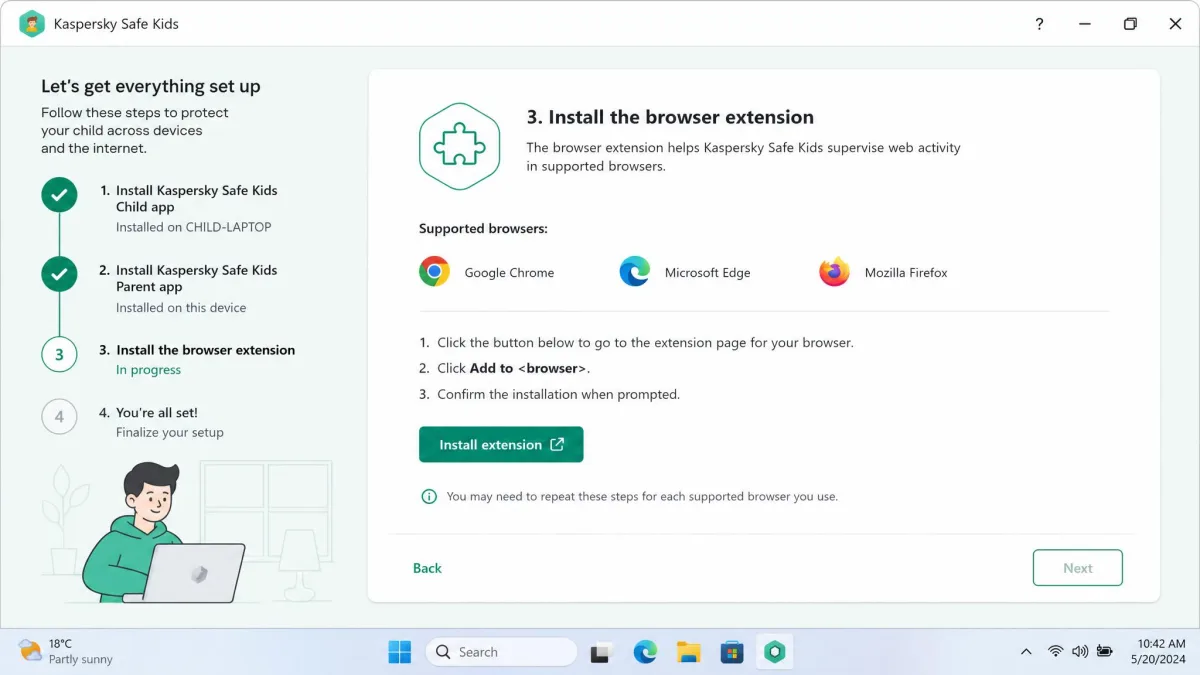
Setup spans three pieces rather than one. You install the child app on the device, install the parent app on your own phone, and manage house rules from a browser dashboard, and desktop use also needs a browser extension in place before filtering works. That is more moving parts than most apps ask for, but the dashboard that results is straightforward enough for a non-technical parent to run without help. Our full Kaspersky Safe Kids review goes deeper on the day to day experience.
Who Kaspersky Safe Kids Is Best For
This is the app for a family with mixed hardware and a small budget, especially one with a Mac in the house. It is also the better pick if you want per-app time limits rather than blunt on or off blocking, and the free tier is usable on its own for basic filtering if you are not ready to pay anything yet.

Norton Family: What It Is and How It Works
Where Kaspersky spreads itself thin across four platforms, Norton Family concentrates on web supervision. It offers content blocking, time limits and device schedules, search term monitoring, YouTube video supervision, app install tracking, location mapping with 30-day history, geofencing boundary alerts, School Time mode for study hours, instant device lock, a parent mobile app, emailed activity reports and a request system so a child can ask for access. It covers unlimited devices, which matters more than it sounds once a household has three children and nine screens between them.
Setup was the quickest part of our time with it. You install the app on the child's device, scan the QR code, sign in with the parent account and choose a restriction level, and the profile is live. Our full Norton Family review covers the parent app in more detail.
Who Norton Family Is Best For
Choose Norton if your children are on Windows and Android, you want more granular content categories, and you like the idea of a weekly email summary landing in your inbox without logging in anywhere. School Time and instant lock are also the stronger study-hours tools of the two.

Pricing and Plans Compared
The gap here is wide enough to decide the comparison for a lot of families. Kaspersky asks roughly $15 a year for premium, and Norton asks $49.99 for the first year, which is more than three times the cost for a broadly similar toolkit.
Kaspersky Safe Kids Free vs Premium
Kaspersky keeps a permanently free tier, which drops GPS tracking, real-time alerts, screen-time scheduling and YouTube monitoring. Premium restores all of those. Pricing on Kaspersky's official Safe Kids page sits at about $14.99 a year, though that figure moves with regional store and promotional pricing, so check your local total before you commit. There is a 7-day free trial of the premium features, and a 30-day money-back guarantee behind the paid year.
Norton Family Pricing and Norton 360 Bundling
Norton Family's official plan page lists $49.99 for the first year, with a 30-day free trial that asks for payment details up front. Renewal is priced separately and can be higher than the introductory year, so budget for a step up in year two. Norton also folds Family into Norton 360 Deluxe at $99.99 for the first year, which is the better buy if you also want antivirus, a VPN and cloud backup rather than parental controls alone. Refunds run 60 days on annual billing and 14 days on monthly.
Content Filtering and Web Blocking
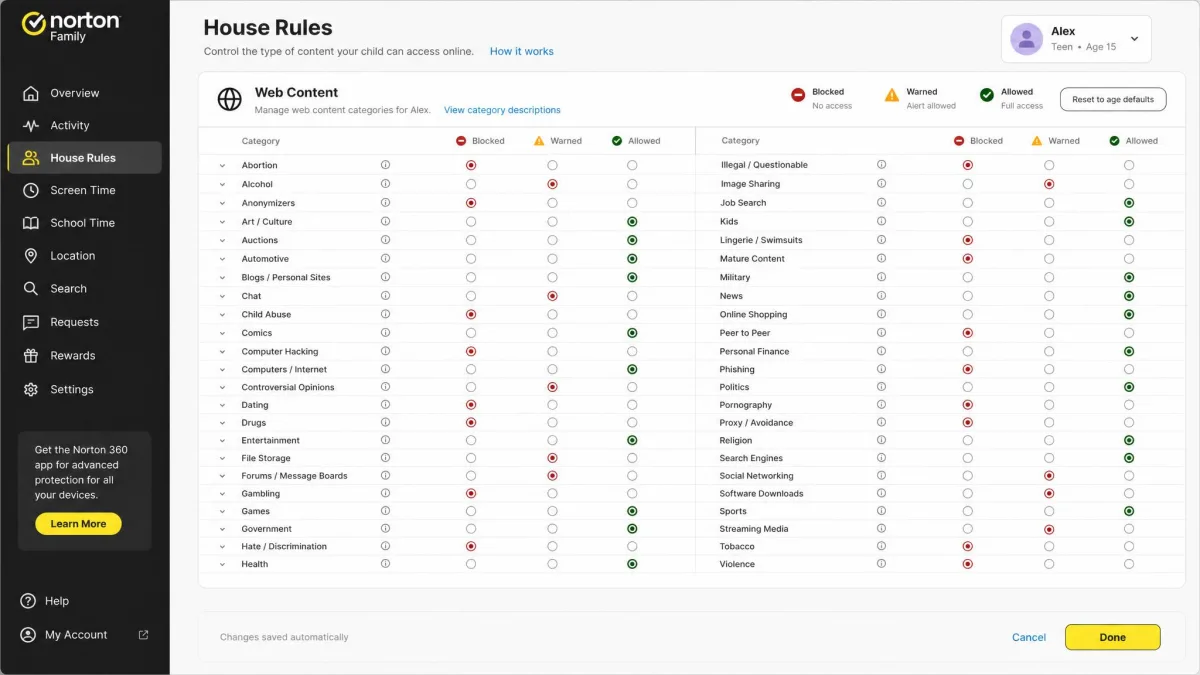
Filtering is where those two design philosophies show up most clearly. Kaspersky sorts the web into 17 filterable categories, and each one can be set to allow, warn or block. The warn setting is underrated: it lets an older child proceed while logging the visit, which is often a better conversation starter than a hard wall. Norton runs a much larger taxonomy, somewhere around 45 to 47 categories depending on the release, so you can be far more specific about what you are shutting out.
Neither is airtight. Kaspersky's filtering does not cover every browser, so a child who installs an unsupported one can slip past it. On Windows, Norton's web filtering and its search and video tracking can be worked around with incognito mode or a browser Norton does not recognise. Norton did detect and block the popular VPN apps we tried on both mobile and desktop, though VPN use is not blocked by default, so turn that setting on rather than assuming it.
How the Two Apps Score in Independent Testing
Kaspersky has lab numbers behind it. In AV-TEST's parental control assessment from December 2022, testers pushed 7,000 websites through the filter and recorded a 92% average blocking rate on Windows and 87% on Android. No equivalent independent blocking-rate test exists for Norton Family, so its larger category list is a design claim rather than a measured advantage. That is worth weighing if lab evidence matters to you.
Monitoring a teenager's browsing and location works far better when they know it is happening. Treat protection as something your teenager takes part in rather than something done to them, and neither of these apps reads text messages, so covert surveillance is not on the table anyway.
Screen Time Limits and Scheduling
Both apps let you set daily allowances and schedules, and both let a child ask for more time instead of simply hitting a wall. The difference is granularity. Kaspersky adds per-app time limits, so you can cap one game at 45 minutes a day without touching the rest of the device. Norton has no per-app duration limits at all, only whole-app blocking, which means an app is either available or it is gone.
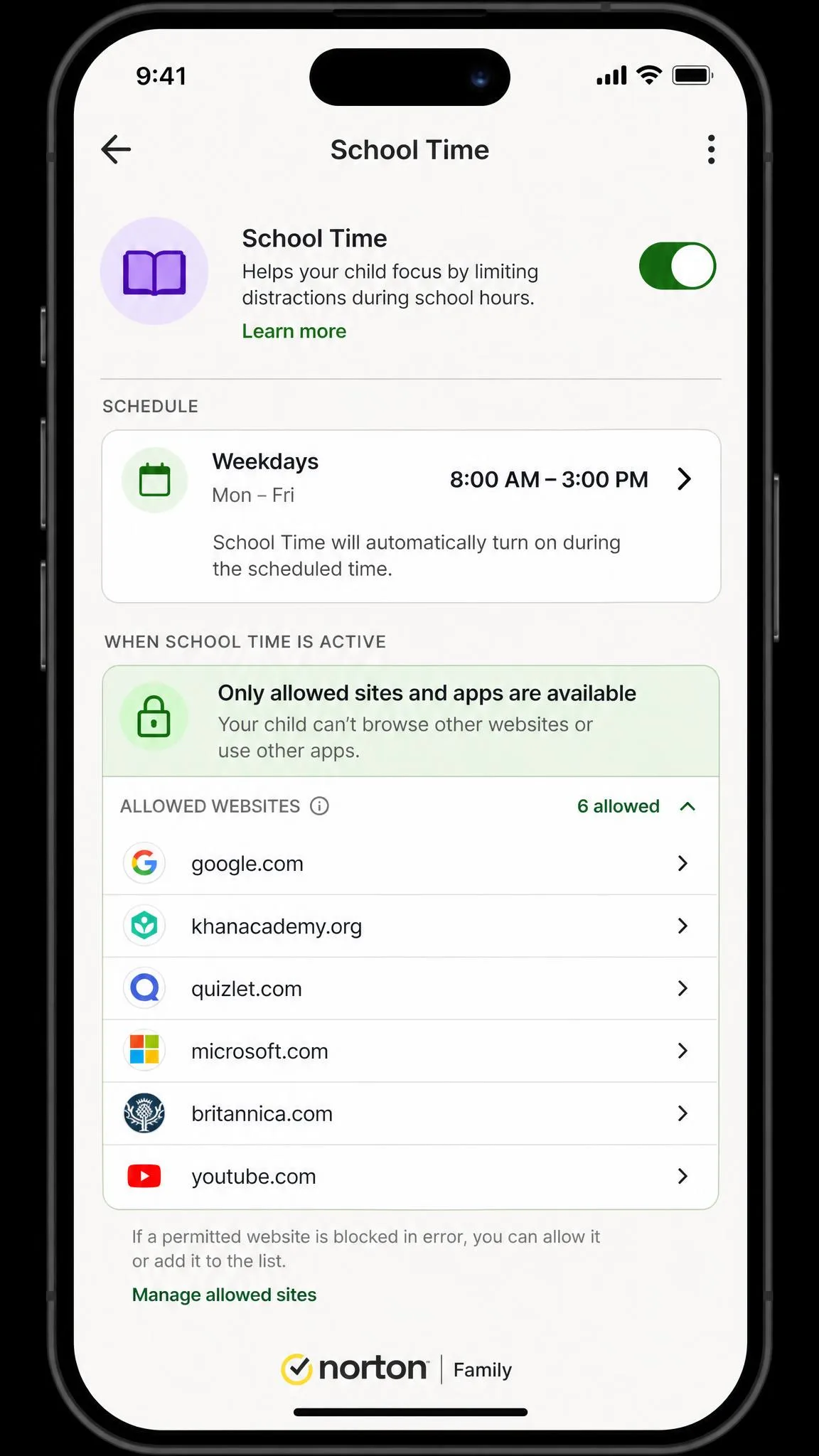
Norton answers with School Time, a mode that locks the device down to approved sites during study hours, plus an instant lock that freezes the whole device and cannot be uninstalled away by the child on supported platforms. For a parent whose real problem is homework hours rather than one specific game, that is the more useful pair of tools.
Location Tracking and Geofencing
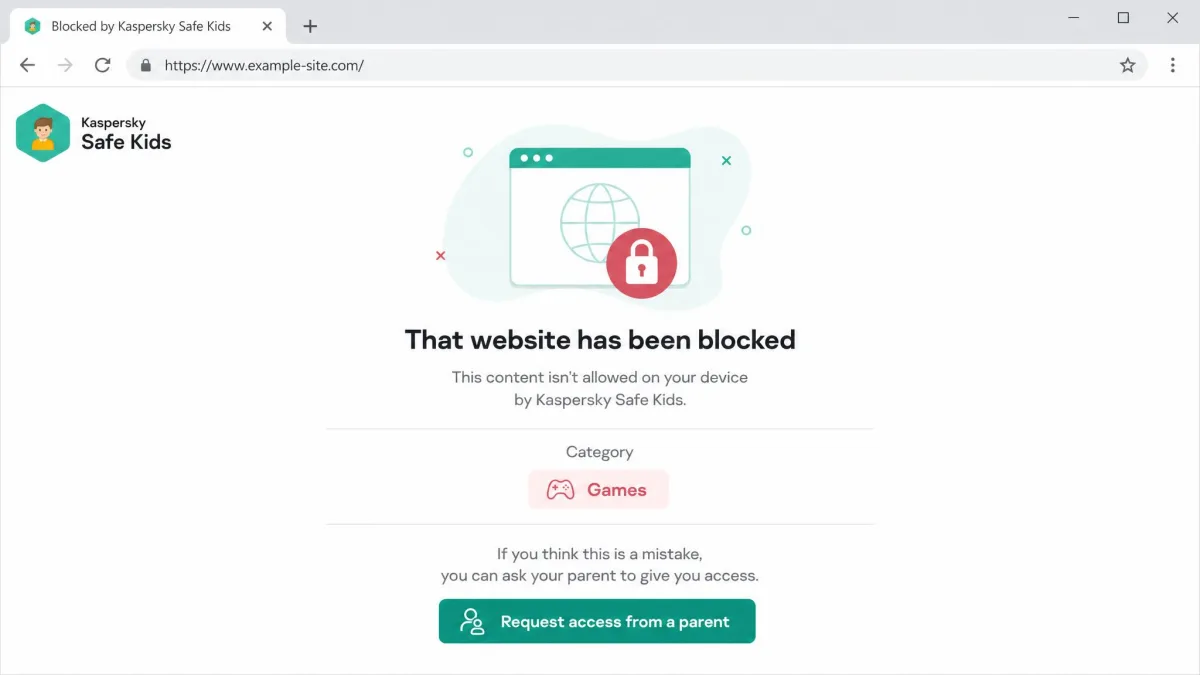
Kaspersky offers GPS tracking with location alerts and low battery warnings, which is the practical minimum. Norton goes further with a location map carrying 30-day history and geofencing boundary alerts, and in normal use those alerts fire promptly and updates arrive quickly.
Two caveats sit on Norton's side. Location reporting stops while School Time or Instant Lock is active, so the device cannot be found during exactly the window you might want it. Location tracking can also be unreliable and the app can fail to sync, and iOS setup in particular can stall partway through configuration.
App, Search and Social Media Monitoring
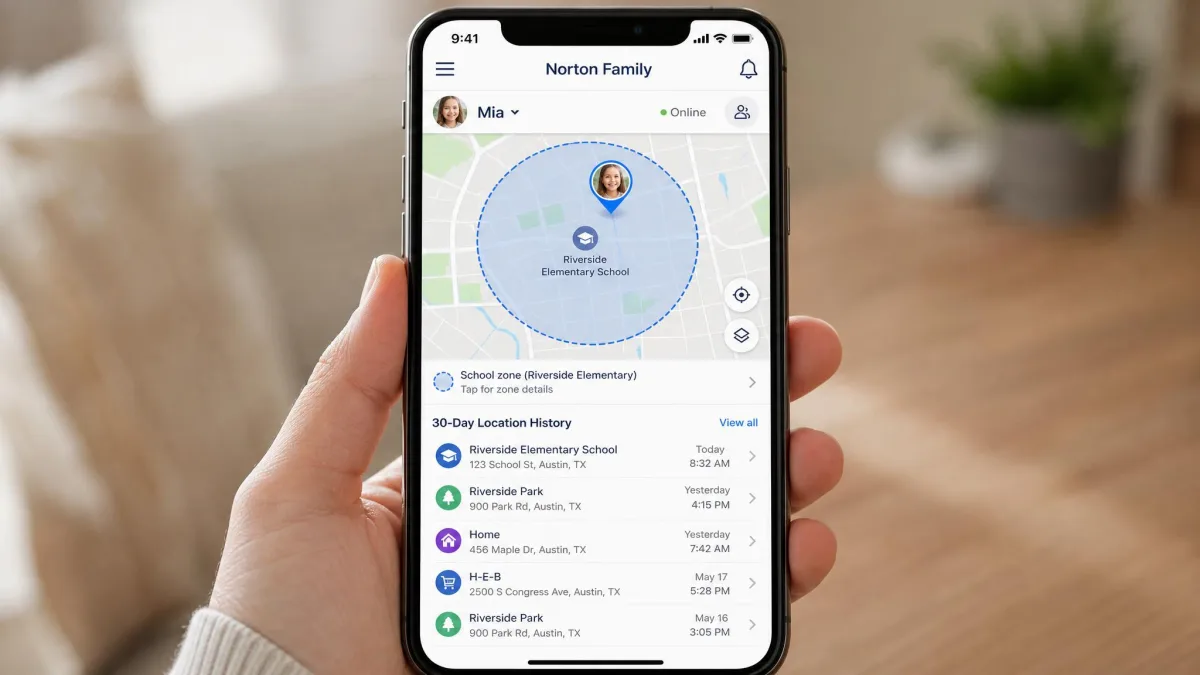
Norton tracks search terms, supervises YouTube viewing and logs newly installed apps. The YouTube supervision only catches videos watched in a browser, though, not viewing inside the YouTube app, which is where most children watch. Norton does not monitor social media at all, and neither app reads text, email or chat conversations.
Kaspersky covers YouTube Safe Search and produces YouTube activity reports, and it blocks apps and sites on Windows, macOS and Android. Its social monitoring reaches Facebook and VK only, with no Instagram, TikTok or Snapchat, so it does not reflect where most teens actually talk. Treat social monitoring as a feature neither app really delivers in 2026.
Reporting, Alerts and the Parent Dashboard
Kaspersky pushes real-time notifications to the parent app, logs activity reports and flags a low battery on the child's phone. Norton leans on emailed activity summaries plus instant alerts and a clean request queue, so you can approve or refuse a child's ask from your phone in a few seconds.
Which you prefer depends on how you want to be interrupted. Kaspersky's real-time alerts are better if you want to know now, and Norton's email digests are better if you want a weekly picture without a stream of notifications during your workday.
Device and Platform Support
Kaspersky covers Windows, macOS, Android and iOS. Norton supports Windows PCs that are not in S mode, Android and iOS on the child side, and does not support macOS for Norton Family features at all. Norton's minimums are Windows 7 SP1 or later and Android 8 or later. Neither app supports Chromebooks, which is a real gap for families whose school issues them.
On device counts, Kaspersky's licence stretches to 100 child profiles across up to 500 devices. Norton covers unlimited devices with up to 15 child profiles. In practice both are effectively unlimited for a normal household.
iOS Limitations You Should Know About
Both apps are weaker on iPhone than on any other platform, and that is Apple's doing rather than a fault in either product. On iOS, Kaspersky cannot block apps or device access, and its filtering only holds inside Kaspersky's own browser. Norton's web filtering is the same story: it applies inside the Norton Family browser, and opening Safari or Chrome sidesteps it entirely. If your child is on an iPhone, plan to pair either app with Apple's own Screen Time controls.
Ease of Setup and Everyday Use
Norton is the faster install. Scanning a QR code and picking a restriction level got a working profile running in minutes. Kaspersky asks more of you up front, with a child app, a parent app, a browser dashboard and a desktop browser extension to install before the filtering is complete, though the dashboard is clear and easy to run afterwards.
Living with them is closer than setup suggests. Norton's support can be slow to respond when something breaks, and installation or update problems do occur. Kaspersky's browser coverage gap is the equivalent nuisance on its side.
Pros and Cons of Each App
Kaspersky Safe Kids Pros and Cons
Pros
- About $15 a year, the cheapest paid tier in this comparison
- A free tier that is usable on its own for basic web filtering
- Windows, macOS, Android and iOS, including full Mac support
- Per-app time limits, not just whole-app blocking
- Independent AV-TEST results behind the filtering claims
Cons
- Only 17 filter categories against Norton's much larger list
- Social monitoring stops at Facebook and VK
- Three-part setup plus a browser extension on desktop
- Filtering does not cover every browser
- No Chromebook support
Norton Family Pros and Cons
Pros
- Around 45 to 47 web filter categories for finer control
- Unlimited devices and up to 15 child profiles
- School Time mode and instant device lock
- Location map with 30-day history plus geofence alerts
- 30-day trial and a 60-day money-back guarantee on annual plans
Cons
- $49.99 for the first year, with renewal priced higher
- No macOS support at all
- No per-app time limits, only blocking
- YouTube supervision misses the YouTube app itself
- Location reporting pauses during School Time and Instant Lock
What Real Users Say
Ratings track the split we found. Norton Family holds 3.9/5 on the Apple App Store, 3.3/5 on Google Play and 4.7/5 on Trustpilot, and the low Google Play figure lines up with the sync and reliability trouble we ran into ourselves. Kaspersky's Premium bundle page carries a 4.7/5 customer rating from 1,439 reviews, though that covers the wider security suite rather than Safe Kids alone.
The pattern in the app stores is consistent: parents rate these products on whether the child device keeps reporting in, not on how many filter categories the vendor ships. If you want to check current feature support before you buy, the Kaspersky Safe Kids support documentation and the Norton Family help center both list it by platform, and Google Family Link is the free fallback worth trying on Android before you pay for anything.
Verdict: Which Should You Choose?
Choose Kaspersky Safe Kids If You Want Cheap, Broad Coverage
At roughly a third of Norton's price, with macOS support, per-app time limits and lab-verified blocking rates, Kaspersky is the better default for most families. The free tier also lets you find out whether you will actually use parental control software before you spend anything.
Choose Norton Family If You Want Deeper Web Supervision
If your children are on Windows and Android, you want finer filter categories, and School Time solves your real problem, Norton earns its higher price. Just plan for a renewal that costs more than year one, and do not count on it for a Mac.