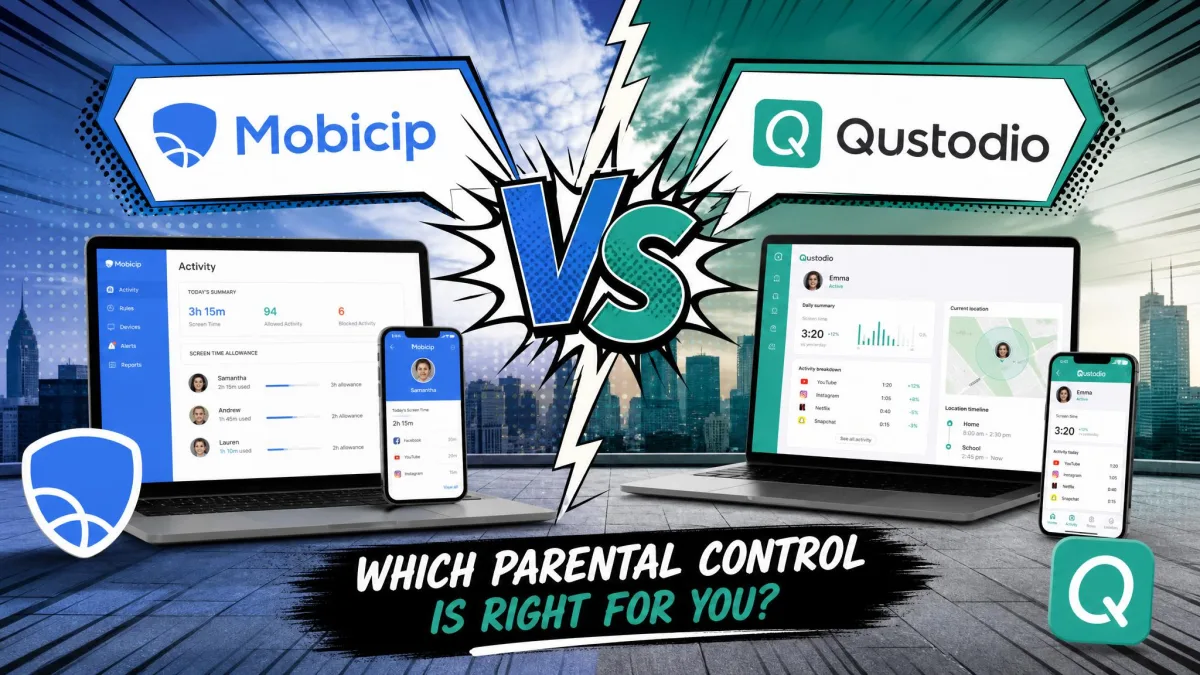
Most parents shopping for a parental control app want one clear answer: which of these two will actually block what it promises to block, on the phone their child actually owns. Kaspersky Safe Kids and Mobicip both promise web filtering, screen time limits, app blocking and location tracking, and they arrive at those features from opposite directions. When we set both up and worked through them side by side, the split was cleaner than we expected. Kaspersky has the stronger free tier and the more accurate web filtering, and Mobicip has the broader platform list, the deeper scheduling and the better story on iPhone.
There is one more thing that shapes this comparison, and it is not a feature. Kaspersky is a Russian-owned security company, and the US Commerce Department prohibited new sales of its software to American customers in 2024. That does not make the app worse at filtering, but it does change who should buy it. We cover that in full further down.
Kaspersky Safe Kids vs Mobicip at a Glance
The short version is that these two apps are aimed at slightly different households. Kaspersky Safe Kids is the pick for an Android-heavy family that wants strong content filtering without paying anything, and Mobicip is the pick for a family with a mixed pile of devices, older children, and a willingness to pay a monthly fee for scheduling that goes beyond a daily cap.
| Product | Buy | Starting price | Free plan | Devices covered | Platforms | Web filtering | Screen time scheduling | App blocking | Location and geofencing | Social media monitoring | Text and call monitoring | Activity reports |
|---|---|---|---|---|---|---|---|---|---|---|---|---|
 |
Check price → | $2.99/mo billed annually | Limited Basic plan, scope unclear | 5, 10 or 20 by tier | iOS, Android, Windows, macOS, Chromebook, Kindle | Categories plus custom blocklists | Daily limits, routines, app-category limits on Premium | Yes across platforms | Family locator with location history | Premium tier only | No | Yes |
 |
Check price | No US price, CA$24.99 or GBP20.99 first year | Yes, with filtering and basic time limits | Unlimited child profiles and devices | Windows, macOS, Android, iOS | Categories plus allow and blocklists | Daily limits and per-app schedules | Yes on Android, limited on iOS | Current location plus safe-area alerts | No | No | Yes |
How We Tested
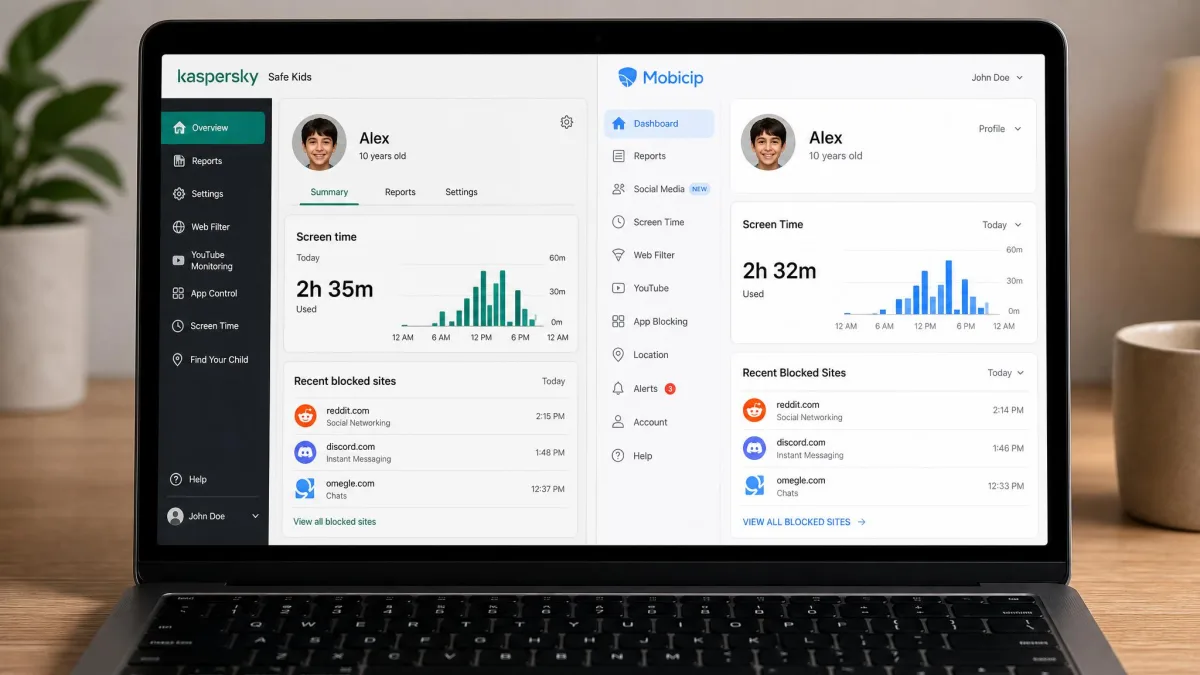
Before the section-by-section results below, here is how we worked. We set both apps up the way a parent would, using a parent account on a laptop and child profiles on an Android phone and an iPhone, then worked through each feature area in turn rather than reading the feature list back to you. We checked category filtering against ordinary browsing and against sites we expected to be blocked, added custom blocklist entries and tested whether they actually held, set daily limits and schedules and watched what happened when the clock ran out, and looked at what each dashboard reported afterward.
We scored on five things: how accurately the filter blocks, how well time limits and schedules hold up in daily use, how much the app can do on iOS compared with Android, how easy the parent dashboard is to work, and what the whole thing costs for a typical two-child household. We also read Kaspersky's Safe Kids support documentation for the per-platform setup requirements, because in this category the fine print about permissions decides whether a feature works at all. Our ratings are editorial judgements, not vendor-supplied scores.
Pricing and Plans Compared
Kaspersky Safe Kids: Free Tier and Premium Pricing
Kaspersky's pricing used to be the simplest in this category, and the US prohibition has complicated it. There is a free tier and there is Premium, but Safe Kids Premium carries no US retail price at all, because the prohibition on new US sales that began July 20, 2024 is still in force. The $14.99 per year figure that still circulates on older listings is historical rather than a price an American parent can pay today. Where the app is still sold, Premium is priced by region, for example CA$24.99 for the first year in Canada and GBP20.99 for the first year in the UK, and those are first-year rates that renew higher. The free tier is unusually generous, because it includes web content filtering with category controls, app management, basic daily screen time limits and YouTube safe search.
Premium adds the parts most parents eventually want, including GPS location tracking, safe-area alerts, low-battery alerts, YouTube search history and real-time notifications when a child requests access to something blocked. There is a 30-day money-back guarantee on the paid plan.
Third-party testing reports unlimited child profiles and devices on both tiers, although the unlimited-device allowance is a vendor policy that can change between plan revisions, and regional plan pages do not always state it. Treat unlimited as generous rather than guaranteed.
Mobicip: Lite, Standard, and Premium Pricing
Mobicip splits into three paid tiers, all quoted as a monthly rate billed annually. Mobicip's current pricing tiers run $2.99 per month for Lite covering up to 5 devices, $4.99 per month for Standard covering up to 10, and $7.99 per month for Premium covering up to 20.
The tier ladder is not about features until you get to the top. Lite and Standard differ only in device count, so the practical decision is between Standard and Premium. Premium is the tier that adds social media monitoring and app-category time limits, and those two are the features most parents of teenagers are actually shopping for. Mobicip offers a 7-day free trial of Premium features and the same 30-day money-back guarantee Kaspersky provides.
There are references to a free Basic plan offering limited versions of paid features, but the vendor pricing page shows only the three paid tiers, so the scope of any free plan is unclear. Do not choose Mobicip expecting a usable free option.
Which One Is Better Value?
On raw arithmetic Kaspersky wins by a wide margin wherever you can still buy it. A year of Safe Kids Premium at the Canadian or UK first-year rate costs less than six months of Mobicip Lite, and the free tier means a family on a tight budget can get content filtering for nothing at all. For a US family the arithmetic does not apply, because there is no price to compare against. Mobicip Premium at $7.99 per month works out near $96 per year, which is a real subscription rather than an afterthought.
That said, value is not only price. What you are buying from Mobicip is reach and flexibility, and the table above shows how much wider its platform column runs. If the platforms you need are only Windows, macOS and Android, Kaspersky is the better value by any measure. If your family runs on iPads and school Chromebooks, Mobicip is the only one of the two that can do the job at all.
Mobicip's advertised prices are monthly equivalents on an annual plan. A true month-to-month rate is not published, so budget for the full year when you compare the two.
Web and Content Filtering
How Kaspersky Safe Kids Filters the Web
Filtering is where Kaspersky earns its reputation. The app works from category controls, so you switch off groups such as adult content, gambling or violence rather than hunting individual sites, and you can layer your own allow and blocklists on top. In our testing the filtering was accurate, with few false blocks on ordinary school-research browsing, and it extends to YouTube search terms rather than stopping at the browser address bar.
Safe search is enforced on the major engines, and blocked pages produce a clear notice with a request button, so a child can ask for access instead of hitting a wall. That request reaches the parent as an alert to allow or refuse.
The weak spot is platform. On Android, filtering runs through the Kaspersky browser and system-level permissions and works properly. On iOS, web filtering is near-absent by comparison, which we return to below.
How Mobicip Filters the Web
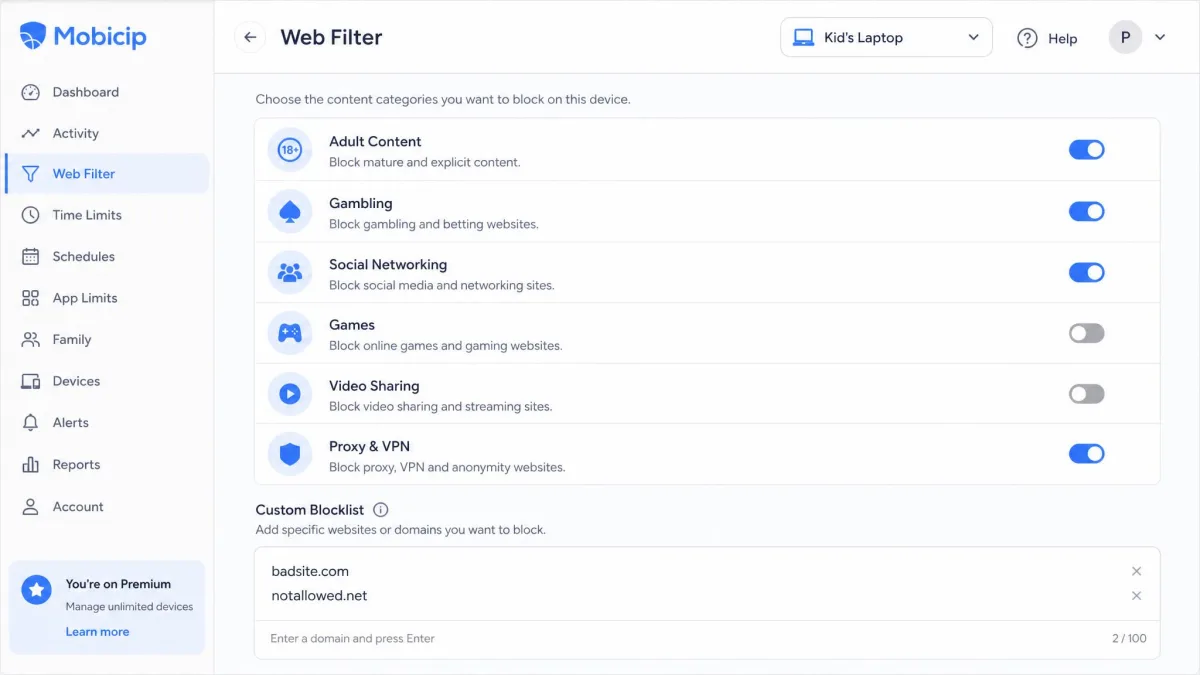
The custom blocklist is where our Mobicip testing turned up its most awkward finding. We typed a handful of domains into the blocklist field on the parent dashboard, waited for the child device to sync, then opened each one in turn on the phone. Most were stopped, but some of the same entries loaded normally, while those identical sites were caught the moment we switched their content category off instead. For a parent that difference matters, because a blocklist you cannot trust absolutely is a list you have to keep spot-checking.
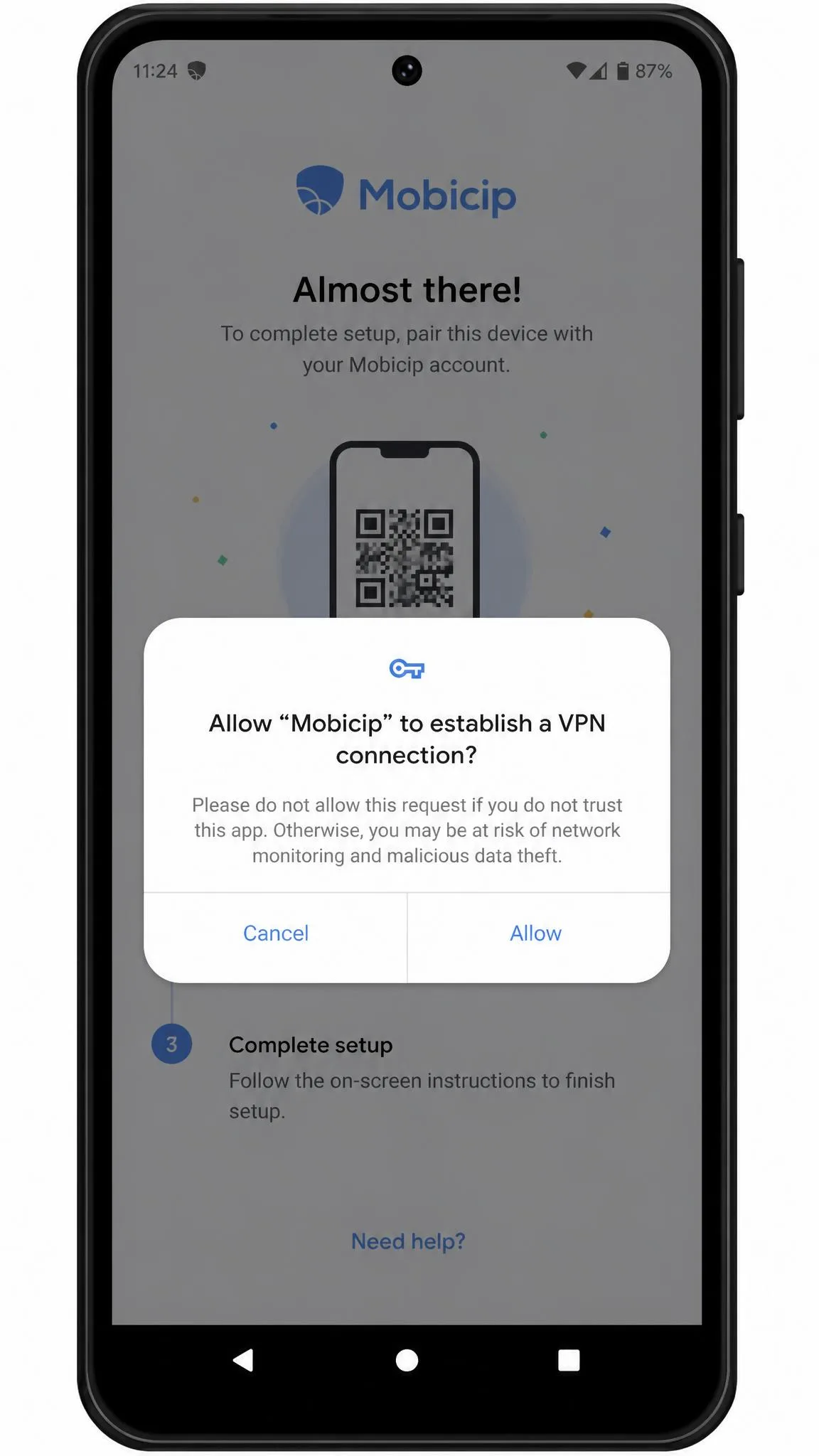
Category filtering itself is broad, and the mechanism behind it is the other thing to understand. On Android, Mobicip leans on a VPN profile to route and inspect traffic, and that approach has a cost. It raises battery use and can slow the device noticeably, and if anyone turns the VPN profile off in device settings, filtering stops entirely.
So the practical advice is to lean on categories wherever you can, and to treat manual entries as a supplement rather than the backbone of your setup.
Filtering Verdict
Kaspersky takes this one on Android and Windows. Its category filtering is more accurate, its YouTube coverage is better, and it does not depend on a VPN profile a child can switch off. Mobicip's filtering is competent and covers more platforms, but the inconsistency on custom blocklists and the VPN dependency are gaps rather than nitpicks.
Screen Time Limits and Scheduling
Kaspersky Safe Kids Time Controls
Kaspersky gives you a daily allowance per device and a schedule grid for the hours the device may be used at all, so you can allow four hours a day but lock the phone from 9pm. Individual apps can be blocked outright or restricted to a time window, which is useful for a child who does homework on the same tablet they game on.
The free tier includes basic daily limits, which is genuinely rare. What you do not get is the finer routine building that Mobicip offers.
Mobicip Time Controls and Routines
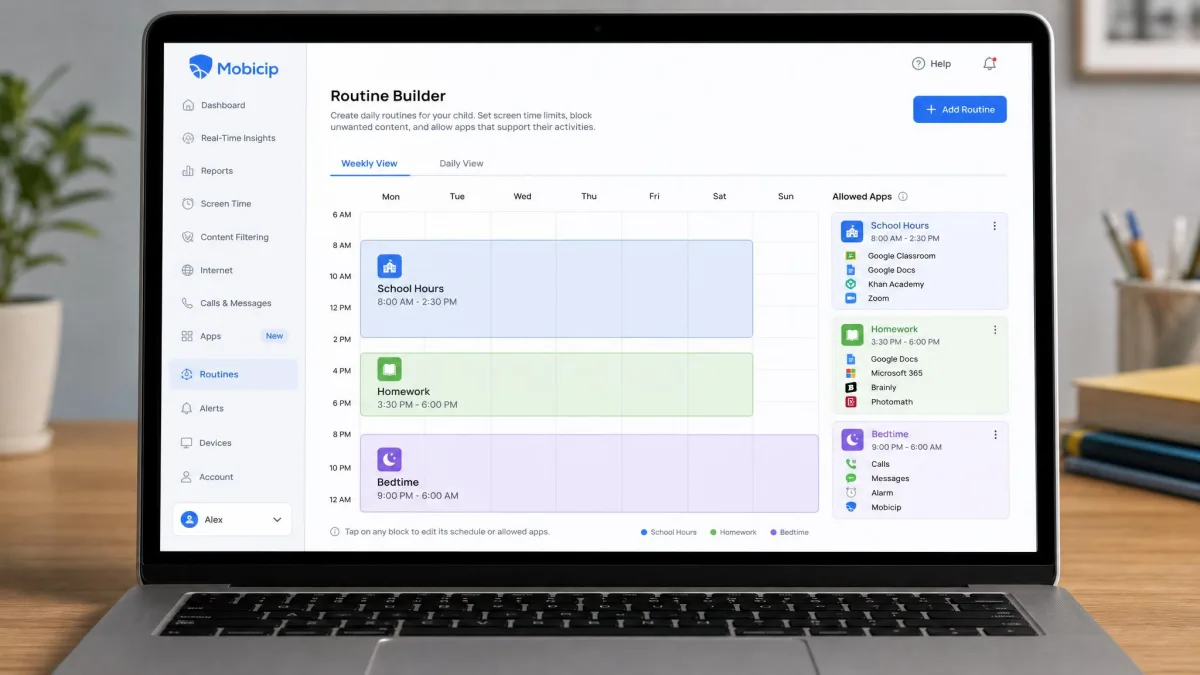
Mobicip's scheduling is the more sophisticated of the two. Alongside daily limits you build routines, which are named blocks such as school hours, homework and bedtime, each with its own rules about which apps stay available. On Premium you can also cap time by app category, so an hour of social apps a day becomes a setting rather than a negotiation.
Remote lock and pause are one tap from the parent dashboard, and screen-time requests from the child arrive there for approval. In practice, app blocking and screen time schedules hold up dependably for younger children, which is the group most families are setting limits for in the first place. Older children have more ways around it, and we cover those below.
Screen Time Verdict
Mobicip wins on scheduling. Routines plus app-category limits are simply more expressive than a daily cap and a curfew grid, and they map better onto how a school week actually runs.
Set the schedule before you set the daily cap. If bedtime and school hours are already blocked, the daily allowance you need is smaller than you think, and there is less to argue about.
App Blocking and App Management
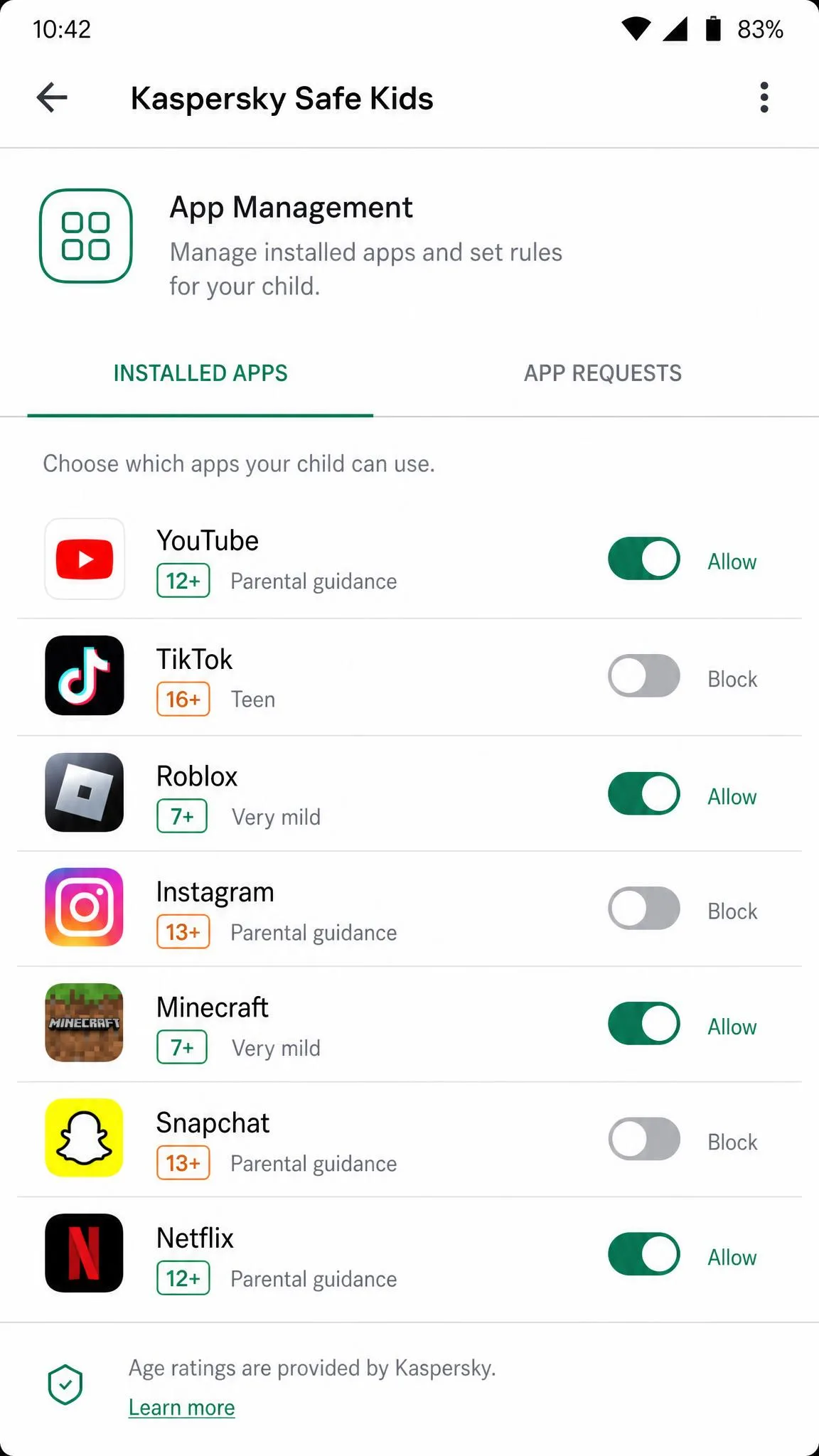
Blocking a whole app is a blunter instrument than filtering a page, and at the surface both apps do it the same way. Each one lets you see the full list of installed apps on a child device and block any of them, and each lets you approve or refuse a child's request to use a blocked app. Kaspersky adds app-usage scheduling, so an app can be allowed only during set hours rather than switched on or off permanently, and it categorises apps by age rating so you can block everything above a threshold in one action.
Mobicip's app blocking works consistently across every platform it supports, which is its main advantage here.
The difference that decides this section is iOS. Kaspersky's app filtering is severely limited on iPhone and iPad, so an Android household gets a much stronger version of the same product than an Apple household does. Mobicip's app controls are more even across platforms.
Social Media and Message Monitoring
If app blocking is about what a child can open, this section is about what a parent can see, and it is the shortest in the comparison because there is not much on offer. Mobicip includes social media monitoring on its Premium tier, which surfaces activity and flagged terms from supported platforms in the parent's activity feed. Kaspersky has no equivalent at all on either tier.
Neither app monitors calls or text messages. That gap deserves emphasis, because parents often assume a parental control subscription covers messaging. SMS-based contact stays invisible to parents on both apps, and so does anything happening inside a messaging app the filter does not read. If message visibility is the reason you are shopping, neither of these two solves your problem, and a monitoring-first tool is the better place to look.
Location Tracking and Geofencing
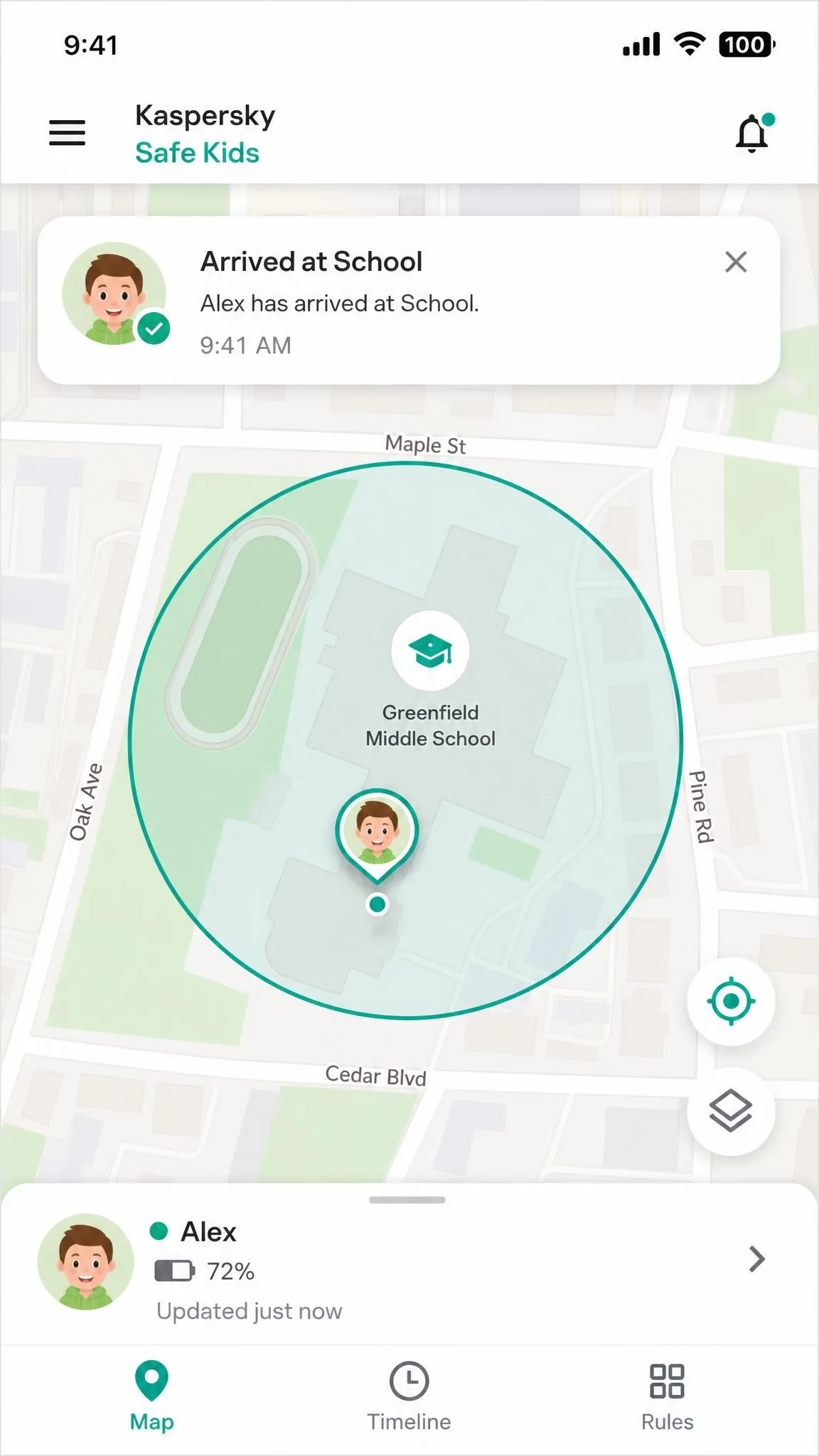
Kaspersky's location tracking is precise, and the safe-area alerts are the part parents use most: draw a zone around school or home and get a notification when the child arrives or leaves. Premium also sends low-battery alerts from the child's phone, which quietly prevents the most common tracking failure. The limitation is that Kaspersky shows only the current position, with no history to scroll back through.
Mobicip's family locator keeps a running record instead, so you can see where a device has been across the day rather than only where it is now. For most families that is the more useful of the two approaches, especially with an older child whose account of their afternoon does not always match the map.
Location features on both apps depend on the child's phone having location services enabled and the app running. Neither can report a position from a phone that is switched off or has had permissions revoked.
Reports, Alerts, and Remote Management
Tracking where a device goes is only half of what a dashboard is for, and the other half is telling you what happened on it. Both apps produce activity reports covering browsing, blocked attempts, app usage and daily screen time, and both push alerts when something needs a decision. Kaspersky's reporting is detailed on the web side, including YouTube search history on Premium.
Mobicip's activity feed is the broader one, because it pulls in social media activity on Premium alongside the browsing and app data. Remote lock and pause sit directly in the dashboard, so a parent can freeze a device from their own phone without a conversation.
Reliability is where Mobicip gives some ground back. Connections can drop and syncing can lag, and a phone restart is the most reliable fix when a device stops reporting in. More seriously, functionality can break after an operating system or app update and stay broken for weeks, which is a difficult thing to plan around when the whole point is continuous coverage.
Device and Platform Support: iOS vs Android
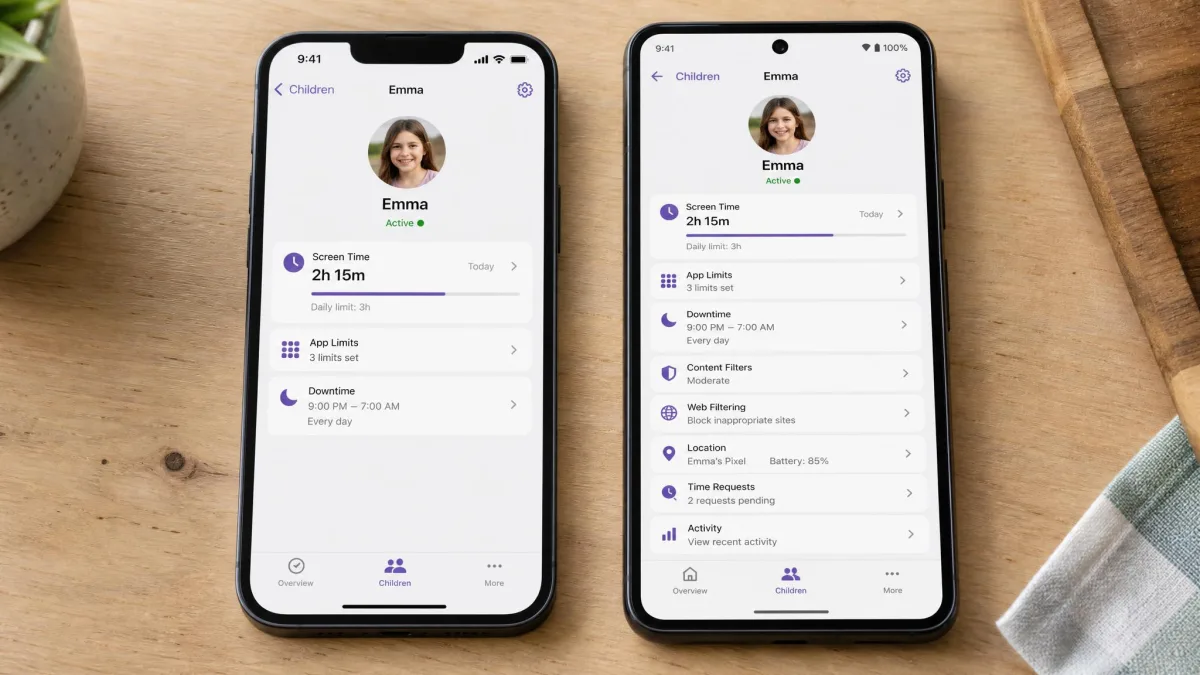
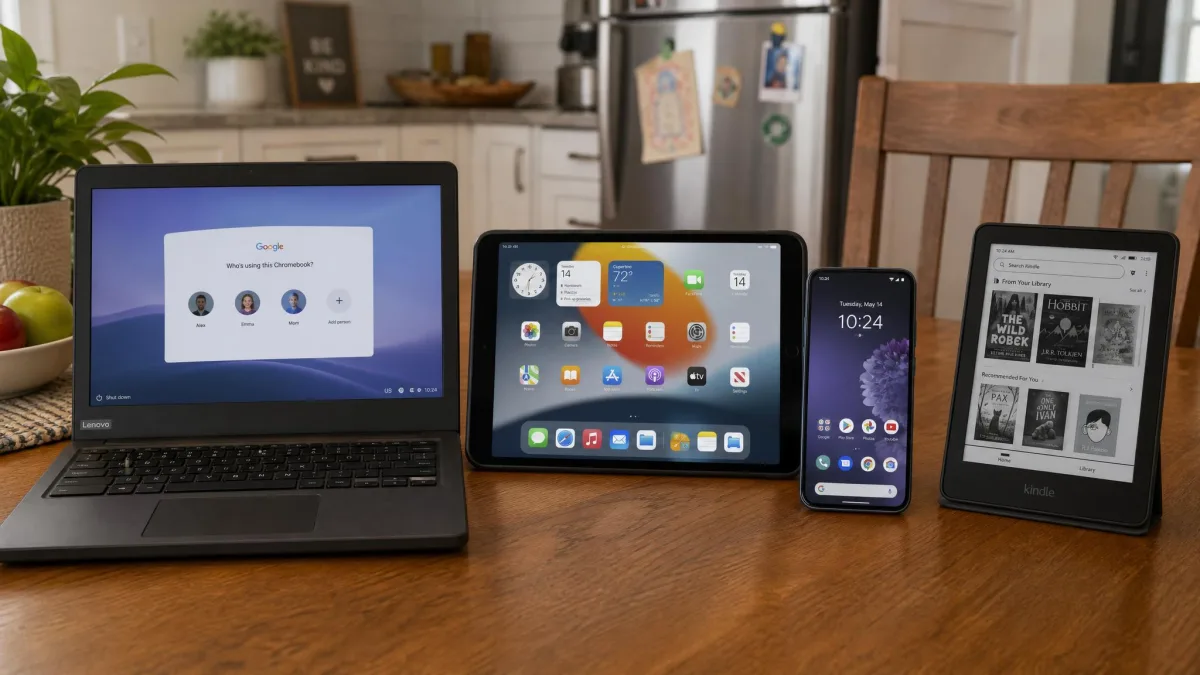
The platform gap that keeps surfacing in each section above deserves its own accounting. Kaspersky Safe Kids runs on Windows, macOS, Android and iOS. Mobicip adds Chromebook and Kindle to that same four, and those last two are the ones that decide real purchases.
Platform parity matters more than the platform list, though. Kaspersky is dramatically thinner on iOS than on Android. App filtering is severely limited on iPhone, web filtering is near-absent, and screen time limits are advisory rather than enforced, which means a determined child can ignore them. On Android the same product does everything it claims. If your child uses an iPhone, the Kaspersky you are buying is not the Kaspersky the feature list describes.
Mobicip is more even. It is not identical across platforms either, because Apple restricts what any third-party app may do, but its iOS build enforces more than Kaspersky's does. On Android, Mobicip's VPN dependency is the cost of that coverage.
Kaspersky Safe Kids on iOS should be treated as advisory rather than enforcing. If iPhone is your child's main device, Mobicip or Apple's built-in Screen Time will hold limits that Kaspersky will not.
Setup and Ease of Use for Parents
All of that coverage has to be installed before any of it counts, and neither app is a one-tap job. Both need physical access to the child's device. Mobicip takes about five to seven minutes per child device to install and pair, with different steps on Android than on iOS, and the parent dashboard is clear once you are through it.
The Android install is worth walking through, because one prompt in it carries more weight than everything else combined. Partway through pairing, the system asks you to allow a VPN profile, and Mobicip's filtering runs through that connection. We accepted it, confirmed the child device was filtering, then went into the phone's own settings and switched the profile off the way a curious teenager would. Filtering stopped immediately, and pages that had been blocked a minute earlier loaded without complaint. Nothing in the parent dashboard announced the change either, which is why we would check the device status panel weekly rather than assume silence means everything is running.
Kaspersky's setup on Android asks for accessibility and other advanced system permissions before filtering will work, and skipping any of them leaves a feature silently inactive. Work through the permission prompts in one sitting, then check that the parent dashboard shows the device as fully protected before you hand the phone back.
Mobicip's support channels are unusually deep for this category, with a detailed FAQ, a ticket system and scheduled phone calls, although replies can take several days and there is no live chat option. Both dashboards are easy to use day to day. Kaspersky's is the more compact, Mobicip's the more configurable, and neither requires you to be tech-savvy to run.
The Kaspersky Question: Security Concerns and the US Ban
Kaspersky is a Russian-headquartered company, and that has consequences that have nothing to do with how well Safe Kids filters a website. On June 20, 2024 the Commerce Department announced a Final Determination against the company. Under the Commerce Department's 2024 prohibition, new agreements to sell Kaspersky software to US customers were barred from July 20, 2024, and antivirus signature and codebase updates for US customers ended on September 29, 2024.
The determination targets Kaspersky's security products and the company's access to US customer systems. Safe Kids is a parental control app rather than an antivirus engine, but it is the same vendor, it runs with deep system permissions on a child's device, and it handles location and browsing data about a minor. Wirecutter left Kaspersky Safe Kids out of its parental-control testing over security concerns about the Russian vendor, which tells you how the question is being weighed elsewhere.
We are stating this neutrally, because it is a supply and jurisdiction question rather than a claim about the code. Kaspersky's engineering has a strong track record, and the vendor points to 7 AV-TEST awards for its protection work. But a US family cannot buy a new Kaspersky licence through normal channels, and a family anywhere that is uncomfortable with a Russian vendor holding a child's location history has a straightforward alternative in Mobicip. In the EU, the UK, Switzerland, most of Latin America and much of Asia and Africa, where the prohibition does not apply, the free tier remains a legitimate option for a parent who weighs the trade-off and accepts it.
New US sales of Kaspersky software have been prohibited since July 20, 2024, and update delivery to US customers ended on September 29, 2024. If you are in the United States, treat Kaspersky Safe Kids as unavailable rather than merely discouraged.
Kaspersky Safe Kids Pros and Cons
Pros
- The most capable free tier in this comparison, including category web filtering and basic daily limits
- Accurate web filtering that extends to YouTube search terms
- Premium is cheap where it is sold, around CA$24.99 or GBP20.99 for the first year, with a 30-day money-back guarantee
- Unlimited child profiles and devices reported on both tiers
- Precise location tracking with safe-area and low-battery alerts
Cons
- Not available for new purchase in the US
- Severely limited on iOS, where time limits are advisory rather than enforced
- No location history, only the current position
- No social media, call or text message monitoring
- Android setup requires several advanced permissions before anything works
Mobicip Pros and Cons
Pros
- Covers six platforms, including Chromebook and Kindle
- Routines and app-category time limits are the best scheduling here
- Location history rather than a single current position
- Social media monitoring on the Premium tier
- 7-day free trial plus a 30-day money-back guarantee
- Deep support options, including a ticket system and scheduled phone calls
Cons
- Costs from $2.99 per month billed annually, with no dependable free plan
- Custom blocklist entries are inconsistent, and some blocked sites still load
- The Android VPN profile raises battery use and disables filtering if switched off
- Connections drop and syncing lags, often needing a device restart
- App store ratings are low, at 2.4 on Google Play and 3.4 on the App Store
- Support replies can take several days, with no live chat
Which Should You Choose?
Choose Kaspersky Safe Kids If...
Choose Kaspersky if you are outside the United States, your children are on Android or Windows, and content filtering is the job you actually need done. The free tier alone beats what most competitors charge for, the category filtering is the more accurate of the two, and the YouTube coverage closes the gap that catches out younger children. It also suits a large family, since profiles and devices are not metered the way Mobicip's tiers are.
Choose Mobicip If...
Choose Mobicip if you are in the United States, if any child in the house uses an iPhone, iPad or a school Chromebook, or if you want scheduling that understands a school week rather than a single daily number. Premium is the tier worth buying, because social media monitoring and app-category limits are the features that separate it from the cheaper plans. Budget for the annual charge and use the trial period to confirm the filtering behaves on your specific devices before you commit.
Alternatives Worth Considering
If neither of these fits, the category has depth. Bark takes a monitoring-first approach and is the better answer if you want alerts about what a teenager is saying rather than a wall around what they can reach. Apple's built-in Screen Time is free, hard to remove by design, and enough for many iPhone families on its own, and Google Family Link plays the same role on Android at no cost.
Frequently Asked Questions
Is Kaspersky Safe Kids free?
Is Mobicip free?
Which is better for iPhone?
Which is better for Android?
Can kids uninstall or bypass either app?
Is Kaspersky safe to use given its Russian ownership and the US ban?
How many devices does each cover?
Can either read text messages?
The Bottom Line
Our recommendation flips on one question, and it is not a feature question: where you live. For an American family the decision is settled before the feature comparison even begins, because only one of these two can be bought at all. Outside the US, and on Android hardware in particular, Kaspersky Safe Kids is the stronger filtering engine at a fraction of the running cost, and a parent comfortable with the vendor's jurisdiction gets more protection per pound or dollar spent.
What would we want fixed before recommending Mobicip without caveats? Two things. Manual blocklist entries need to hold as reliably as category rules do, and the app needs to survive an operating system update without going quiet for weeks afterward. Neither fault is fatal, but both are the kind that only surface once you have stopped checking, which is exactly when a parental control app is supposed to be doing its work.