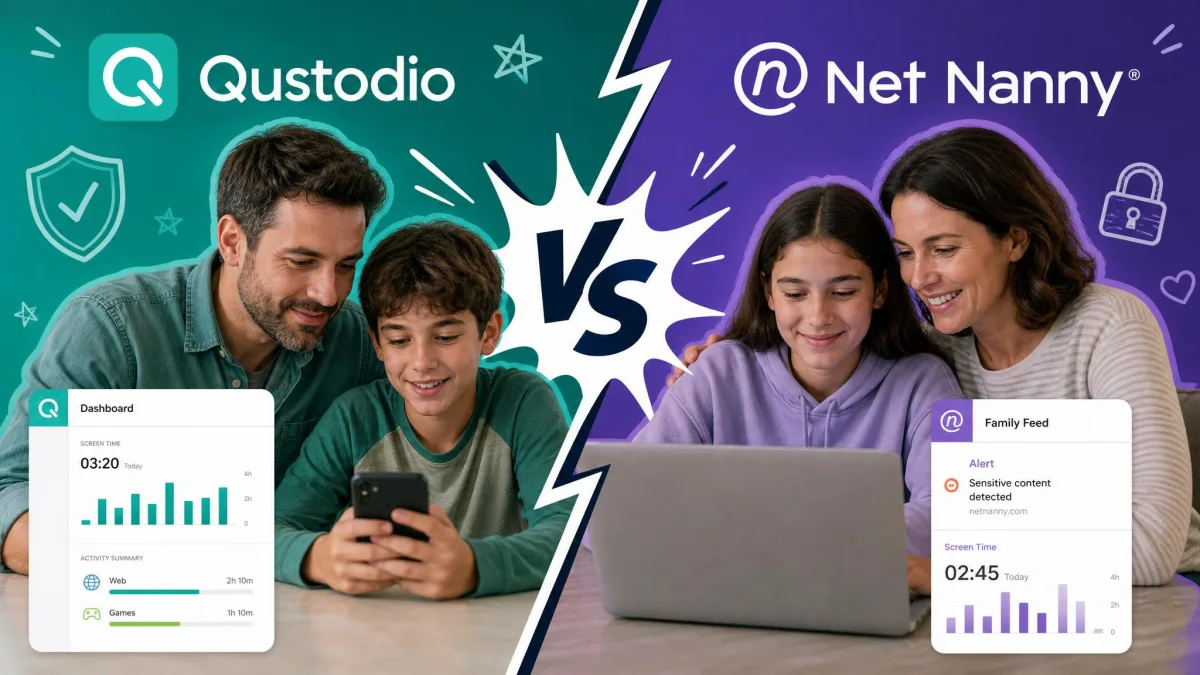
Choosing between Qustodio and Net Nanny is one of those decisions where both options are genuinely good, which somehow makes it harder. Both are among the most recommended parental control apps for 2026, and both promise the same core things: web filtering, screen time limits, and a way to keep an eye on what your child does online. To sort out which one actually fits your family, we set both up on real family devices, ran them across Windows, iOS, and Android, and paid close attention to where each one helped and where it got in the way. What follows is what we found.
The short version: for most families we think Qustodio is the better all-round choice, thanks to broader monitoring, geofencing, and a genuinely free plan. Net Nanny still wins one important category outright, and if that category matters most to you, it may be the app to pick. Let's compare them feature by feature so you can see which winner is your winner.
We tested both apps hands-on across a mix of Windows, iPhone, and Android devices, the same kinds of devices most families actually own. We paid for the plans ourselves rather than relying on demo accounts, because the setup friction and the day-to-day quirks only show up when you live with an app for a while. Where our experience lines up with independent testing, we say so.
Quick Verdict: Qustodio vs Net Nanny at a Glance
If you want the answer without the deep dive, here it is. Qustodio is our overall winner. It monitors more, including SMS and calls on Android, adds geofencing that Net Nanny simply does not have, and offers a free one-device plan plus a short trial so you can try before you buy. It is the more complete parental control app for families juggling several devices and several kids.
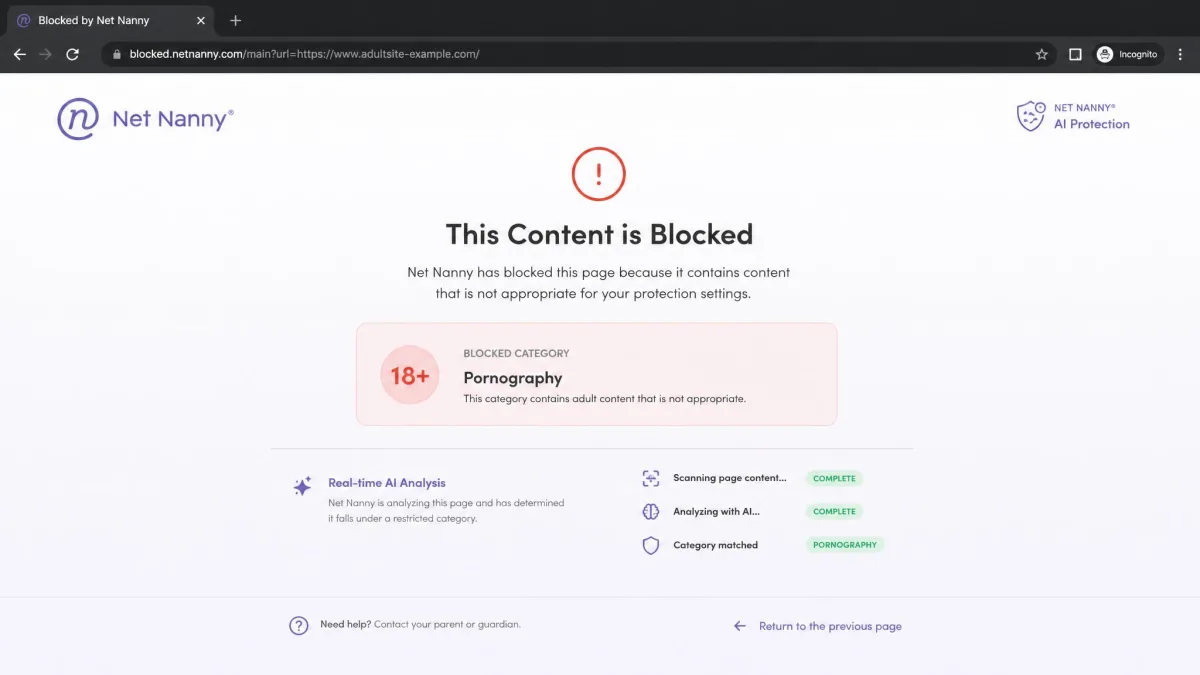
Net Nanny wins web filtering, and it wins it clearly. Its real-time AI reads a page as it loads and decides whether to allow or block it, rather than checking a page against a fixed list. In our testing that filter reacted in under half a second, faster than list-based blockers. If your single biggest worry is a child stumbling onto inappropriate content, Net Nanny's filter is the best part of either app.
So the decision comes down to breadth versus filtering. Most parents will be happier with Qustodio's wider net. Parents who care about nothing more than airtight content filtering should look hard at Net Nanny.
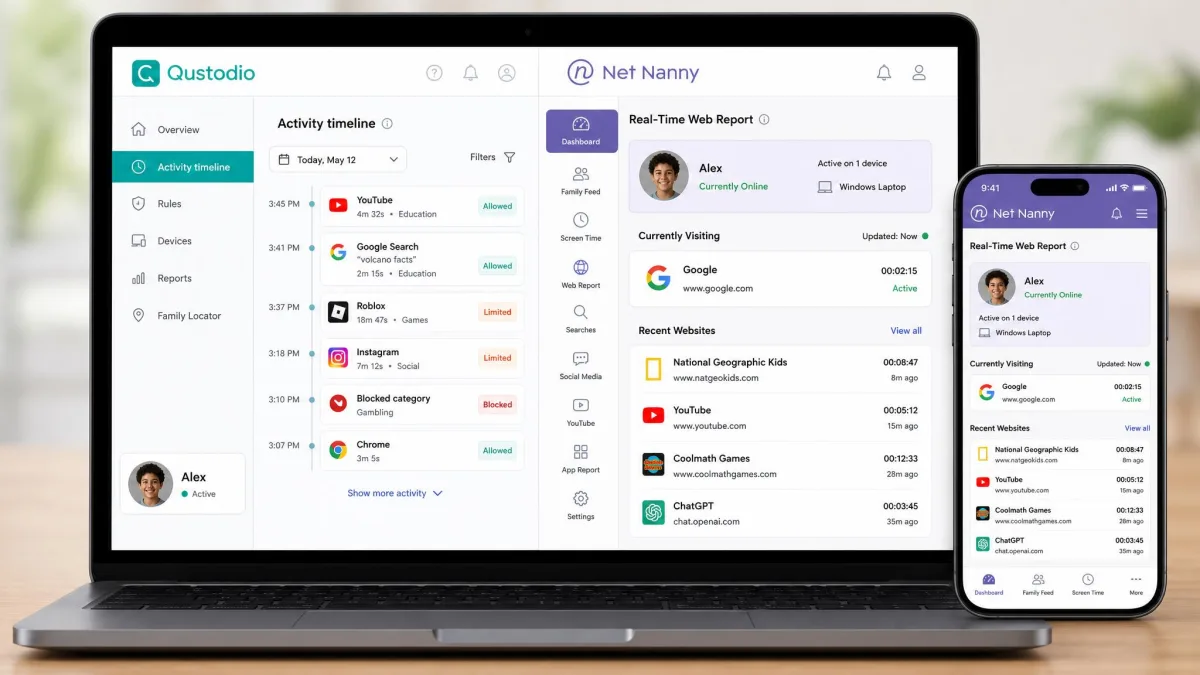
Qustodio vs Net Nanny: Head-to-Head Comparison Table
Here is how the two parental control apps line up across the features that matter most to families. We go deeper on each row in the sections below.
| Product | Buy | Web filtering | Screen time | Location | App blocking | Monitoring | Price | Support |
|---|---|---|---|---|---|---|---|---|
 |
Check price → | 29 categories, browser-agnostic | Limits + blackout periods | Location + geofencing alerts | Yes, with game and app time limits | Daily/weekly email, plus SMS and calls on Android | $54.95/yr | Email, chat, help center |
 |
Check price | 14 categories, real-time AI | Limits + blackout periods | Location only, no geofencing | Yes | Real-time web reports, no SMS or calls | $54.99/yr | Email and chat, no phone |
Web Filtering & Content Filtering
Web filtering is the heart of any parental control app, and this is the one category where the two take genuinely different approaches. Qustodio uses category-based filtering with 29 content categories you can allow, block, or set to alert. It also lets you block or allow specific sites by name. In our testing the filter blocked inappropriate content reliably regardless of which browser the child used, whether that was Edge, Chrome, or something else, and it caught most attempts to slip past it with a VPN or proxy.
Net Nanny takes the smarter-in-the-moment route. Instead of matching a site against a list, its real-time AI analyzes the actual content of a page as it loads and decides on the spot. That is why it reacts so fast and why it can catch brand-new pages that a list has never seen. Net Nanny covers 14 content categories, fewer on paper than Qustodio, but the real-time analysis is doing more of the work.
There is one honest caveat. Net Nanny's custom content filtering was not flawless in our testing. It sometimes failed to catch explicit language in song lyrics even after we configured it to. No filter is perfect, but it is worth knowing the AI is strongest on web pages and weaker on text buried inside other content.
Winner: Web Filtering
Net Nanny. Its real-time AI is the single best filtering engine in this comparison, and for many parents that alone is the deciding factor. Qustodio's filter is genuinely good and browser-agnostic, but Net Nanny's approach is smarter where it counts.
Screen Time Management & Limits
Both apps handle screen time the way most parents want: daily time limits, plus blackout periods that lock a device during homework, dinner, or overnight. You set the rules once and the app enforces them. Neither one is missing a feature the other has here, so this comes down to how the limits feel in daily use.
Qustodio breaks time down by device and by app, so you can give a child two hours total and still cap a single game inside that budget. Net Nanny enforces its limits cleanly too, and it adds a Pause button that cuts internet access instantly. In our testing that Pause button worked well for ending a screen-time argument at home, since you can freeze the connection from your phone without a countdown or a negotiation.
Set blackout periods before you set daily limits. Locking devices overnight and during homework removes most of the friction, and you may find you barely need a tight daily cap on top of it.
Winner: Screen Time
A tie, leaning Qustodio. Both enforce limits reliably. Qustodio's per-app time budgets give you finer control, while Net Nanny's instant Pause is the more satisfying panic switch. Pick based on which style fits how you parent.
Location Tracking & Geofencing
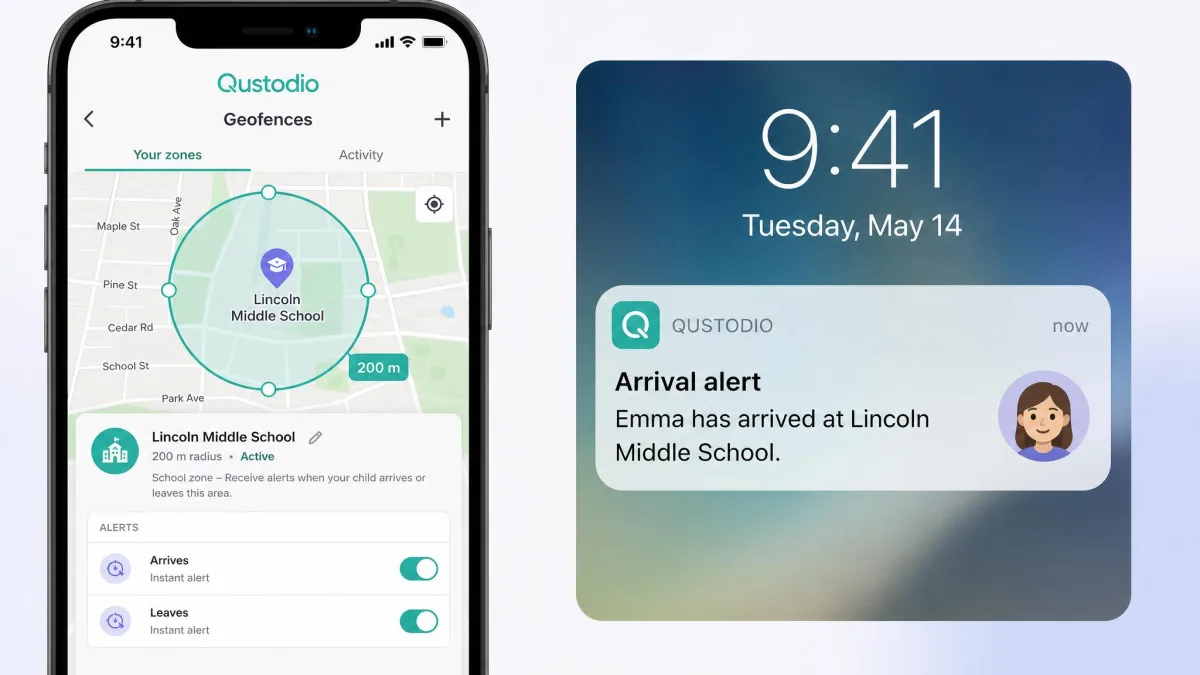
This is where the gap opens up. Qustodio tracks a child's device location and adds geofencing, which lets you draw a zone around a place like home or school and get an alert when your child arrives or leaves. For parents of younger kids or new drivers, those arrival and departure alerts are the feature they end up using most.
Net Nanny offers location tracking so you can see where a device is, but it has no geofencing. There are no zones and no automatic arrival or departure alerts. You can check the map, but the app will not tell you on its own when your child gets to school.
On iPhones, both apps see reduced location granularity because of Apple's restrictions. Qustodio's location and monitoring are more detailed on Android than on iOS, so your child's device type affects what you actually get.
Winner: Location Tracking
Qustodio, and it is not close. Geofencing with arrival and departure alerts is a real feature that Net Nanny simply does not offer.
App & Game Blocking
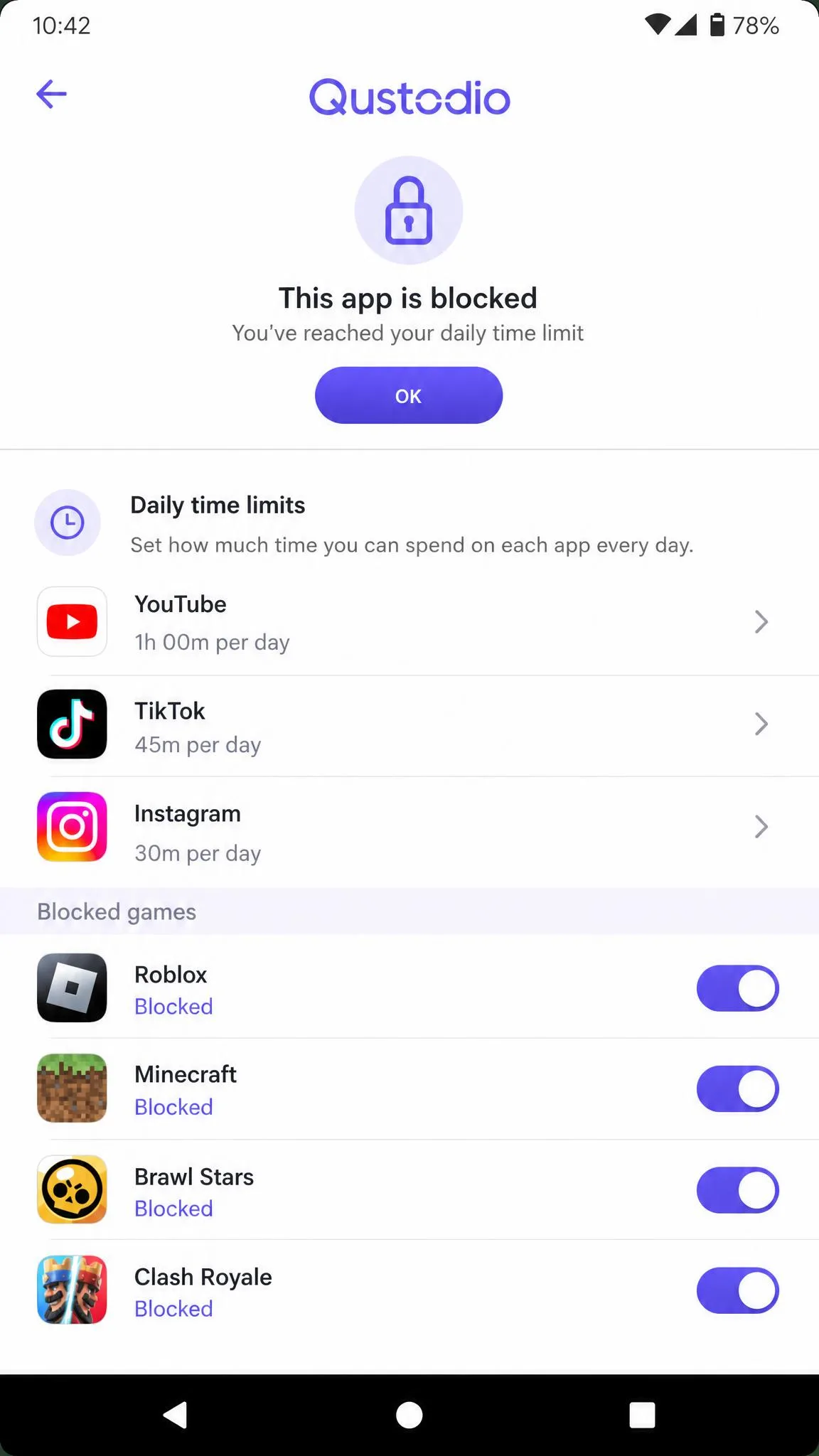
Both apps let you block specific apps and games, and both let you set time limits on them rather than only blocking outright, which is often the more realistic approach with older kids. You can allow a messaging app but cap the gaming, for example.
Qustodio gives you app and game blocking with per-app time limits across its supported platforms, though iOS gives you less granular control than Android because of Apple's limits. Net Nanny blocks apps too and enforces the rules cleanly. The practical difference is smaller here than in other categories, so most families will be satisfied either way.
Winner: App Blocking
A narrow win for Qustodio. Its per-app time limits are a little more flexible on Android, but Net Nanny is close enough that this should not swing your decision on its own.
Social Media & Activity Monitoring / Reports
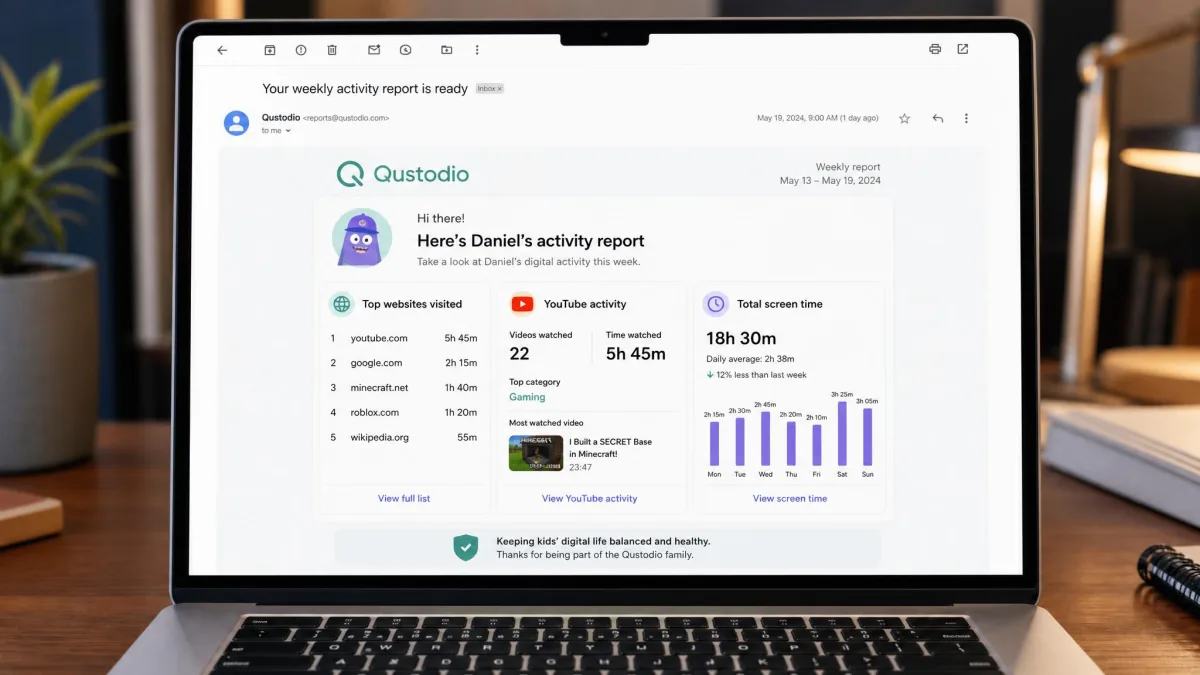
Monitoring is where Qustodio's breadth shows most. On Android it monitors SMS and calls, adds YouTube monitoring, and sends daily or weekly email activity reports so you get a digest without living in the dashboard. One thing to know is that Qustodio's activity syncing can lag ten to fifteen minutes before updates appear, so the dashboard is not always instantaneous.
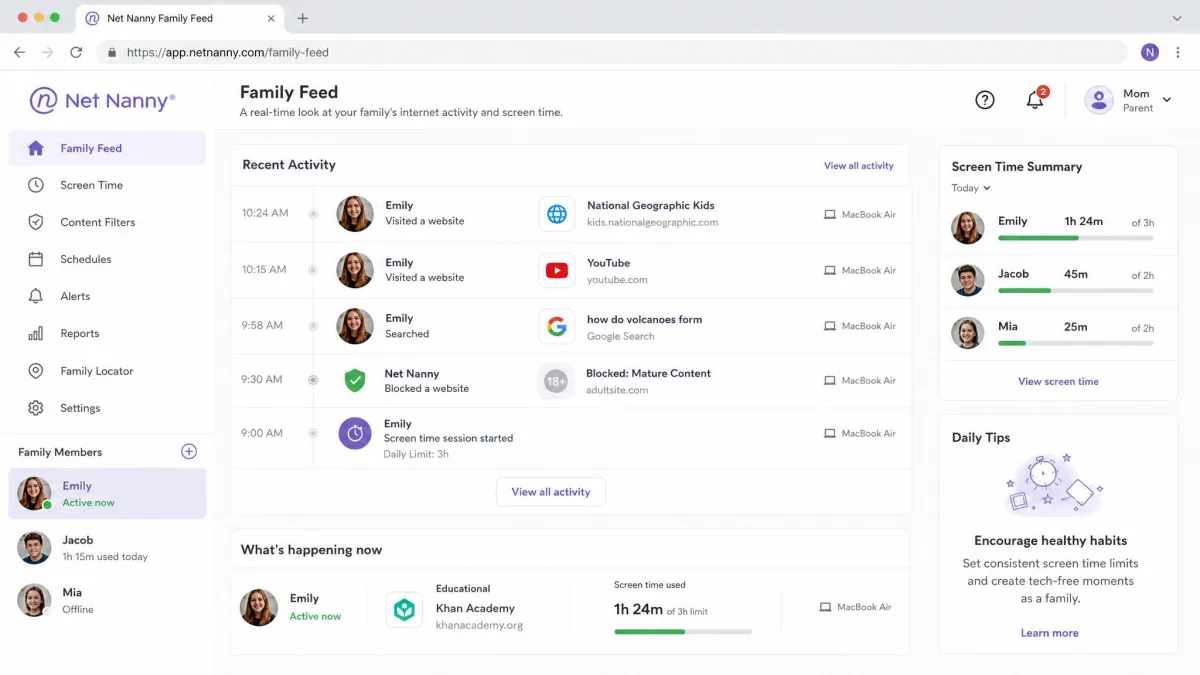
Net Nanny takes a lighter approach. It offers real-time web-based activity reports that update as your child browses, which is genuinely handy. But it has no call or SMS monitoring, and its social media monitoring is limited with no direct-message tracking. If seeing who your child talks to matters to you, that is a real gap.
Qustodio monitors more of your child's day, while Net Nanny shows you less but shows it the instant it happens.
— From our hands-on testing
Winner: Monitoring & Reports
Qustodio. SMS and call monitoring on Android, plus scheduled email reports, give parents a fuller picture than Net Nanny's web-only reporting, even with that ten-to-fifteen-minute sync lag.
Ease of Use & Setup
Setup is where the two apps feel most different in practice. Qustodio's Windows install was quick, roughly ten minutes from download to a working setup. The iOS process was more involved, since it requires configuring a VPN profile before monitoring works properly. We also found the Windows app interface a little less polished, with the occasional bug, and older or budget devices ran noticeably sluggish under it.
Net Nanny's setup is simple overall, with one quirk: creating an account requires a mobile device, which is a minor annoyance if you are a desktop-first parent trying to set everything up from a laptop. Its parent dashboard is clean and easy to read once you are in.
Net Nanny does not send tamper alerts. On an iPhone the MDM profile can be removed fairly easily in Settings, which disables the controls without notifying you. If your child is technical, check the profile is still in place from time to time.
Winner: Ease of Use
A tie. Net Nanny's dashboard is a touch cleaner and its setup is simpler, but the mobile-only signup and the missing tamper alerts even things out. Qustodio installs fast on Windows but asks more of you on iOS.
Device Compatibility & Platforms
Both apps cover the platforms most families use. Qustodio supports iOS, Android, Windows, Mac, and Kindle Fire. Net Nanny supports Windows, Mac, iOS, Android, Kindle, and adds Chromebook, which is a real plus for families whose kids use school-issued Chromebooks.
One thing to flag on Net Nanny: Android support has been inconsistent across reviews, with some reports that only older Android versions are fully supported. If your child is on a recent Android phone, confirm current compatibility before you commit. On iOS, both apps are limited by Apple's restrictions, so expect less on an iPhone than on an equivalent Android device.
Pricing & Plans
Pricing is closer than it first looks, and it depends entirely on how many devices you need to cover.
Qustodio offers a genuinely free plan at $0 that covers 1 device on an ongoing basis, not a time-limited trial. There is also a separate 3-day free trial of the Premium features with no credit card required. Its paid Basic plan runs around $54.95 per year for up to 5 devices, and the Complete plan is roughly $99.95 per year for unlimited devices, with AI-powered alerts included. Do note that Qustodio's list prices vary by region and promotion and are frequently discounted, so what you pay may be lower.
Net Nanny has no free plan. Its 1-device desktop plan is $39.99 per year, the 5-device Family Protection Pass is $54.99 per year, and the 20-device pass is $89.99 per year. Billing is annual only, with no monthly option on either app at this tier.
Winner: Value
Qustodio. The free one-device plan and the no-card trial let you start at zero, and at the 5-device tier the two apps cost almost the same while Qustodio does more. Net Nanny's single-device plan is cheaper if you only need to cover one desktop, so it wins that narrow case.
Customer Support
Support is a quieter category, but it matters when a filter misbehaves at 9pm. Net Nanny offers email and live chat during business hours, with no phone line, backed by a knowledge base of guides. That covers most questions, though the lack of a phone option and the business-hours limit can sting if you hit a problem after hours.
Qustodio provides email, chat, and a help center as well. Neither app offers around-the-clock phone support, so in practice both leave you working through written channels and self-serve guides for most issues.
Winner: Support
A slight edge to Qustodio for its broader help center, but this is close. Neither app will wow you with support, so do not let this category decide your purchase on its own.
Pros and Cons of Each App
Here is the honest ledger on each parental control app after our hands-on time with both.
Pros
- Broader monitoring, including SMS and calls on Android
- Geofencing with arrival and departure alerts
- Genuinely free 1-device plan plus a no-card 3-day trial
- Browser-agnostic web filtering across 29 categories
Cons
- Windows interface is less polished, with occasional bugs
- Activity syncing can lag ten to fifteen minutes
- iOS features are more limited than Android
That ledger is for Qustodio. Net Nanny's trade-offs run the other way: its real-time AI filter is the best here and its dashboard is clean, but it drops geofencing, SMS and call monitoring, and tamper alerts, and its Android support has been inconsistent across recent reviews.
Overall Winner: Qustodio vs Net Nanny
After setting both up and living with them, Qustodio is our overall winner for most families. It monitors more, it adds geofencing, its free plan lets you start without paying, and at the 5-device tier it costs about the same as Net Nanny while doing more. It is not flawless, the Windows app can feel rough and the sync lags, but the breadth wins out.
Net Nanny earns its place. If content filtering is the one thing you care about above all, its real-time AI is the best filter in this comparison and a completely defensible pick. For everyone else, Qustodio is the app we would set up first.