Kaspersky Safe Kids and Net Nanny are the two parental control apps most parents end up weighing against each other, and they solve the same problem in very different ways. One gives you a permanently free tier and unlimited devices for a low annual fee. The other charges by the device and spends that money on a real-time filter that reads pages as they load.
The right answer depends on which devices your kids actually use, how much you want to spend, and whether you live somewhere Kaspersky software is still sold. We compared both apps feature by feature against each vendor's current system requirements, so you can see where each one holds up and where it quietly falls apart.
Kaspersky Safe Kids vs Net Nanny at a Glance
Here is how the two apps line up on the features parents ask about most. The differences that matter are concentrated in three places: what you pay per device, which platforms are genuinely supported today, and how each filter behaves when a child pushes against it.
| Feature | Kaspersky Safe Kids | Net Nanny |
|---|---|---|
| Price (annual) | $14.99 | $39.99 to $89.99 |
| Devices covered | Unlimited | 1, 5 or 20 |
| Free tier | Yes, permanent free plan | No |
| Trial and refund | 7-day trial, 30-day money-back | 14-day window |
| Web filtering | Age-based categories plus Safe Search | Real-time AI across 30 categories |
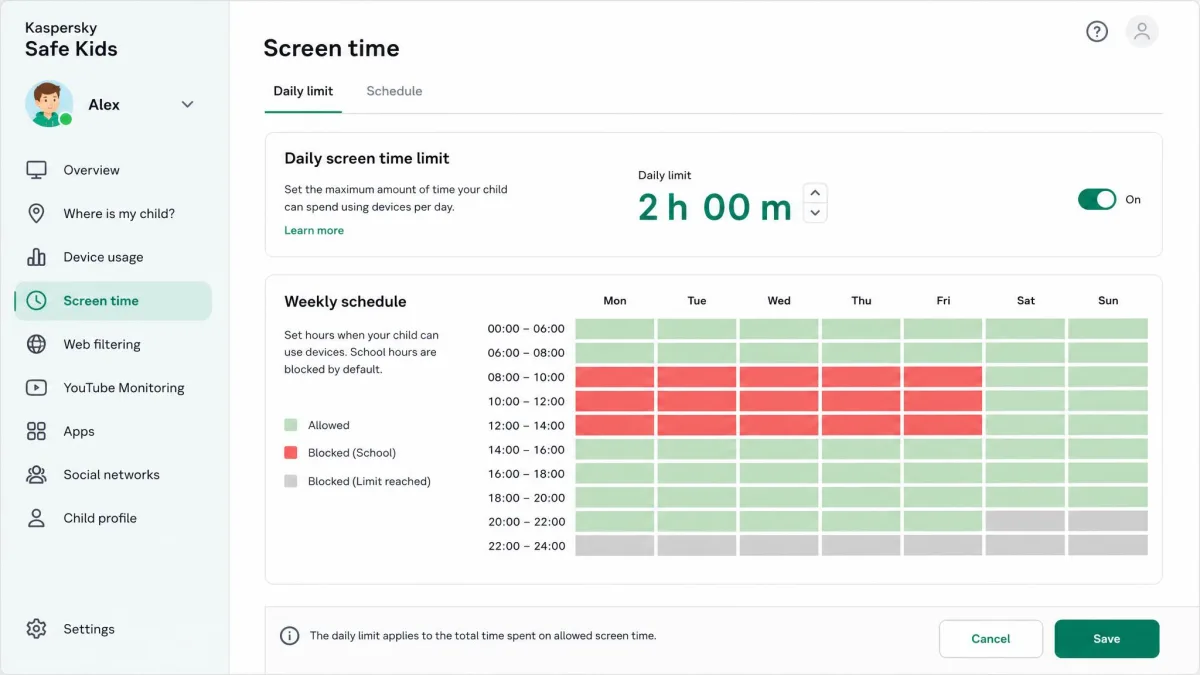
| Screen time | Daily limits, scheduling on premium | Daily limits plus Pause Internet |
| App blocking | Android and desktop, none on iOS | Mobile only, none on iOS |
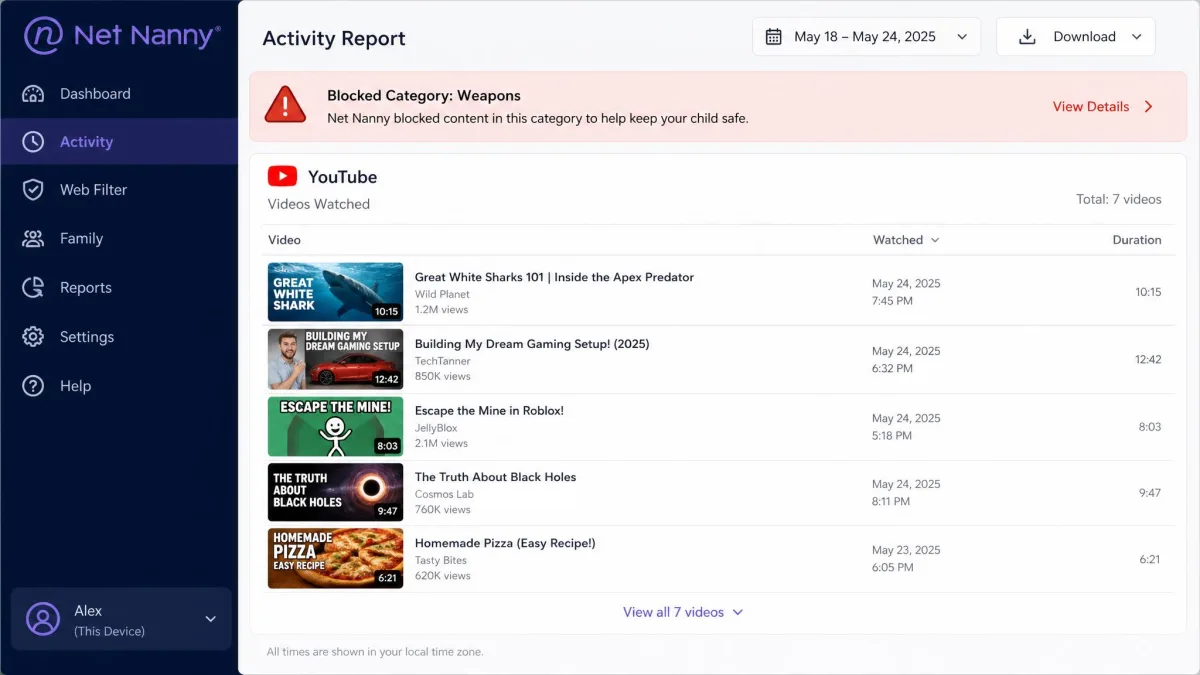
| YouTube monitoring | Search history and Safe Search | Titles and thumbnails, forced Restricted Mode |
| Text and social monitoring | Android text monitoring, no DMs | None |
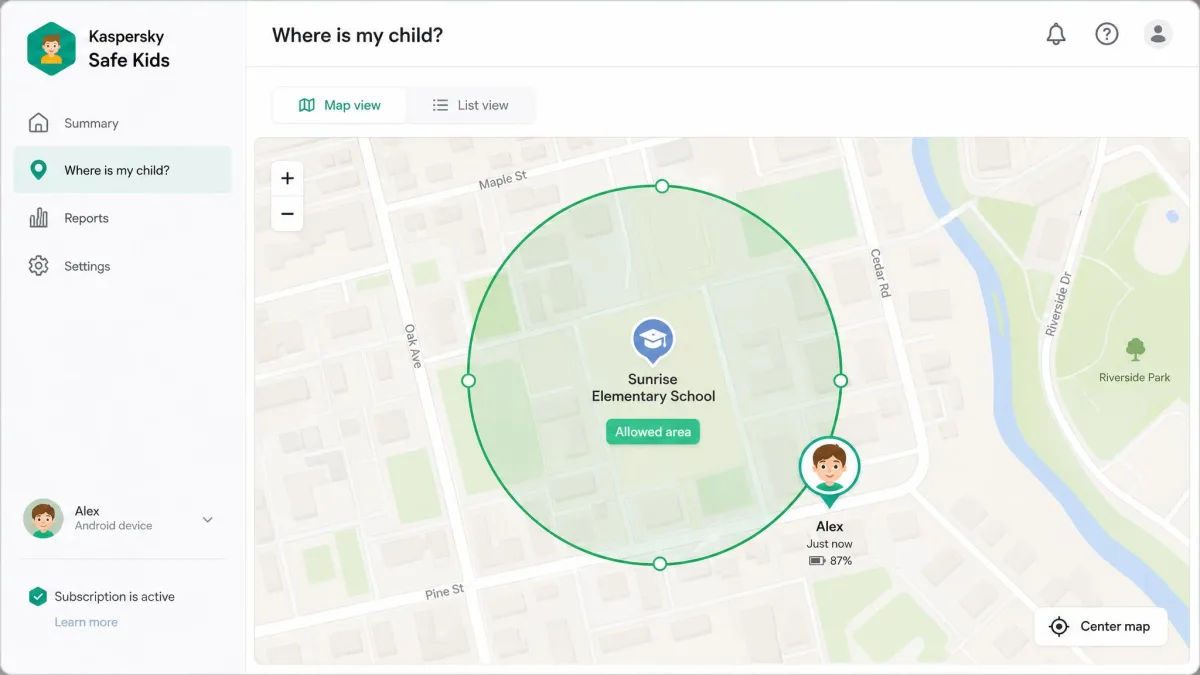
| Location tracking | GPS plus geofencing | GPS plus geofencing |
| iOS support | iOS 18 | iOS 11 and up, needs a 5-device plan |
| Android support | Android 11 | Currently unavailable |
| Windows and Mac support | Windows 7 SP1, macOS 11 | Windows 10, macOS 10.13 |
| Reporting | App, web and YouTube reports plus alerts | Real-time alerts, 30-day retention, weekly summaries |
Pricing and Plans Compared
Price is where these two apps separate fastest, and not only because of the headline numbers. Kaspersky charges once for the whole household, while Net Nanny charges you for a device count you have to guess at in advance.
Kaspersky Safe Kids pricing and free tier
Kaspersky Safe Kids sells a single premium tier at $14.99 per year, though that headline price is a first-year rate that renews higher and varies by region and currency. One subscription monitors an unlimited number of child devices, so a family with four kids and seven screens pays the same as a family with one tablet.
The free tier is unusually generous for parental control software. It covers app control, screen time limits, web filtering and YouTube Safe Search, which is most of what a parent of a younger child needs. What the free plan drops is GPS tracking, battery alerts, real-time alerts and scheduling, so it stops being enough the moment your child starts travelling to school alone.
If you want to try premium before committing, there is a 7-day free trial and a 30-day money-back guarantee behind it.
Net Nanny pricing and device tiers
Net Nanny prices by device. A single desktop device costs $39.99 per year, the 5-device Family Pass costs $54.99 per year, and the 20-device Family Pass costs $89.99 per year. List prices before the standing discount are $49.99, $79.99 and $129.99, though those list prices sit behind a rolling promotional discount, so the checkout total moves with the current offer.
There is no free tier at all. Net Nanny gives you 14 days to change your mind, but the company presents the same 14 days as a trial in some places and as a refund guarantee in others, so read the checkout page rather than assuming.
Which is better value per device
For a two-child household with five devices, Net Nanny costs $54.99 a year and Kaspersky costs $14.99, and Kaspersky keeps covering devices as you add them. That gap is large enough that value is not really the argument for Net Nanny.
The counter-argument is what you get for the money. Net Nanny spends its higher price on filtering that runs live rather than from a list, and on real-time alerts for self-harm, weapons and drug terms that Kaspersky does not match.
One cost that never appears on either pricing page is the second parent phone or the school laptop you add in March. Kaspersky absorbs it. On Net Nanny, going from five devices to six moves you up to the $89.99 tier.
Web and Content Filtering
Filtering is the feature parents buy these apps for, and it is the clearest technical difference between them.
How Kaspersky Safe Kids filters
Kaspersky filters by category, matching sites against age-based content groups and layering Safe Search on top of search engines. Website tracking and app-level blocking behave as configured, which is the reassuring part. The limitation is scope: content filtering only holds inside supported browsers, so a child who opens a browser Kaspersky does not hook is browsing unfiltered.
On iOS that gap widens. Kaspersky's iOS builds offer no app control, and its restrictions do not apply inside Safari, which is the browser most iPhone kids reach for first.
How Net Nanny real-time filtering works
Net Nanny analyses page content as it loads rather than checking a block list, covering more than 30 content categories with pornography detection and profanity masking. The filter reacts in under half a second, which is genuinely faster than list-based blockers and means new sites do not need to be catalogued before they are caught.
Its accuracy is uneven, though, and that unevenness is category by category rather than random. Blocking Anime shut down Crunchyroll immediately. With Gambling blocked, online casinos still opened, and custom keyword filters failed outright. You also still have to add specific websites to the block list by hand.
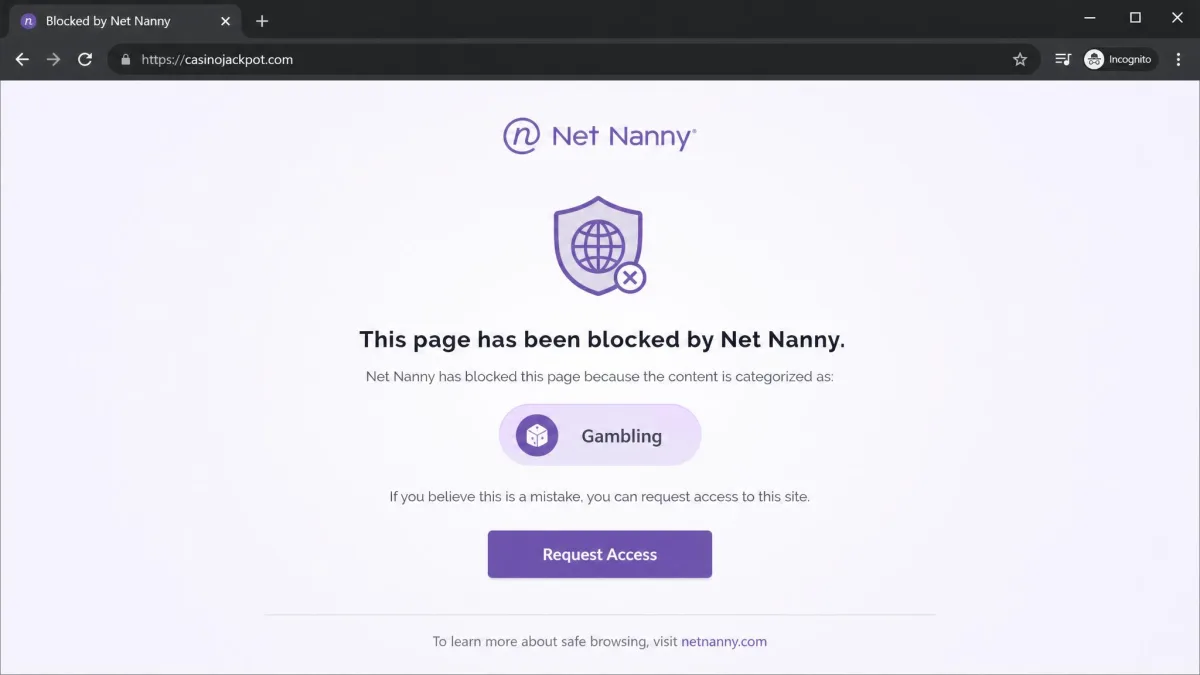
Do not assume a filter category is working because one test site was blocked. Check every category you care about against a site your child would actually visit, on the device they actually use.
Neither app is a substitute for the wider guidance on child and youth safety online, which treats software as one layer among several. Independent comparative labs have not published a current 2026 result set covering these two products, so older independent lab results are useful background rather than a scoreboard for this matchup.
Screen Time Limits and Scheduling
Both apps set daily screen time limits, and both let you build a schedule so devices go quiet at homework time and bedtime. Kaspersky shows children a limit bar on the device itself, which cuts down on the arguments that start when a screen goes dark without warning.
The catch on Kaspersky is that scheduling sits behind the paid tier. The free plan gives you a daily cap and nothing more precise than that.
Net Nanny's version of the same idea is Pause Internet, a single control that stops connectivity across a child's devices right now rather than at a scheduled time. It is the more useful button at the dinner table, and it is the feature Net Nanny subscribers keep the app for.
Device and Platform Support
This is where the comparison stops being about features and starts being about whether the app will run at all.
iPhone and iPad
Kaspersky Safe Kids requires iOS 18 and above. Setup on iOS is far more involved than on other platforms because it needs a fresh child Apple ID created first, which is an evening's job rather than a five-minute one.
Net Nanny supports iOS 11 and up, but iOS coverage requires the 5-device or 20-device plan, so the cheap single-device tier is desktop only. Neither app offers app control on iOS, which is an Apple restriction rather than a vendor failing.
Android phones and tablets
Kaspersky supports Android 11 through Android 16, and Android is where the app is at its strongest. App blocking, text monitoring and full web filtering all work there.
Net Nanny's Android app is not currently available, and support gave no release date. Android coverage is still advertised in places but is not deliverable, so real platform support depends on the device you install on. If your child's main device is an Android phone, this decision is already made for you.
Windows, Mac and Chromebook
Kaspersky runs on Windows 7 SP1 or higher through Windows 11, and on macOS 11 to 14. Net Nanny needs Windows 10 or 11 and macOS 10.13 or newer, so it is stricter on the Windows side and more forgiving on the Mac side.
Chromebook is a harder no than it looks. Net Nanny’s own Net Nanny 10 support page lists Chromebook as not supported, alongside Android and Kindle Fire, and names only Windows 10 and above, macOS 10.13 to 11.x and iOS 11 or higher. Other listings, including Wikipedia and some vendor-adjacent pages, still show ChromeOS, so treat any Chromebook coverage as tied to the stalled Android app rather than something you can count on today.
US sales and updates of Kaspersky software have been prohibited since September 29, 2024. American parents cannot buy Safe Kids or receive updates for it, which makes this a genuine choice only outside the United States.
App, YouTube and Social Media Monitoring
Kaspersky blocks apps by name and age rating on Android and desktop, reports on app and web activity, and logs YouTube searches while forcing Safe Search. On Android it also monitors text messages, which Net Nanny does not do on any platform.
Net Nanny monitors YouTube by title and thumbnail and forces Restricted Mode, reports searches instantly, and fires real-time alerts on self-harm, weapons and drug terms. Its YouTube blocking is inconsistent in practice: preview thumbnails for restricted categories still appear, and searches made inside the YouTube app go uncaptured. Search activity can also take days to populate in the dashboard, and it does not capture every inappropriate search, which undercuts the instant-reporting promise.
Neither app reads social media conversations. Kaspersky offers no conversation monitoring, so posts and direct messages stay invisible to parents, and Net Nanny has no call, SMS or email monitoring and no direct-message visibility either. If reading your child's messages is the requirement, neither of these is your app.
Location Tracking and Geofencing
Both apps offer GPS tracking with geofencing, and both attach it to their paid tiers only. Kaspersky adds low battery alerts, which is the small feature parents notice most when a phone dies mid-afternoon.
Kaspersky's geofencing is the weaker of the two in practice. Allowed areas can disappear after being saved, and departure alerts sometimes never fire, which is exactly the failure you cannot afford in a safety feature.
Net Nanny's tracking is more dependable where it runs, but it works on iOS and not on Windows devices, so a laptop-only child is not on the map at all.
Setup, Ease of Use and the Parent Dashboard
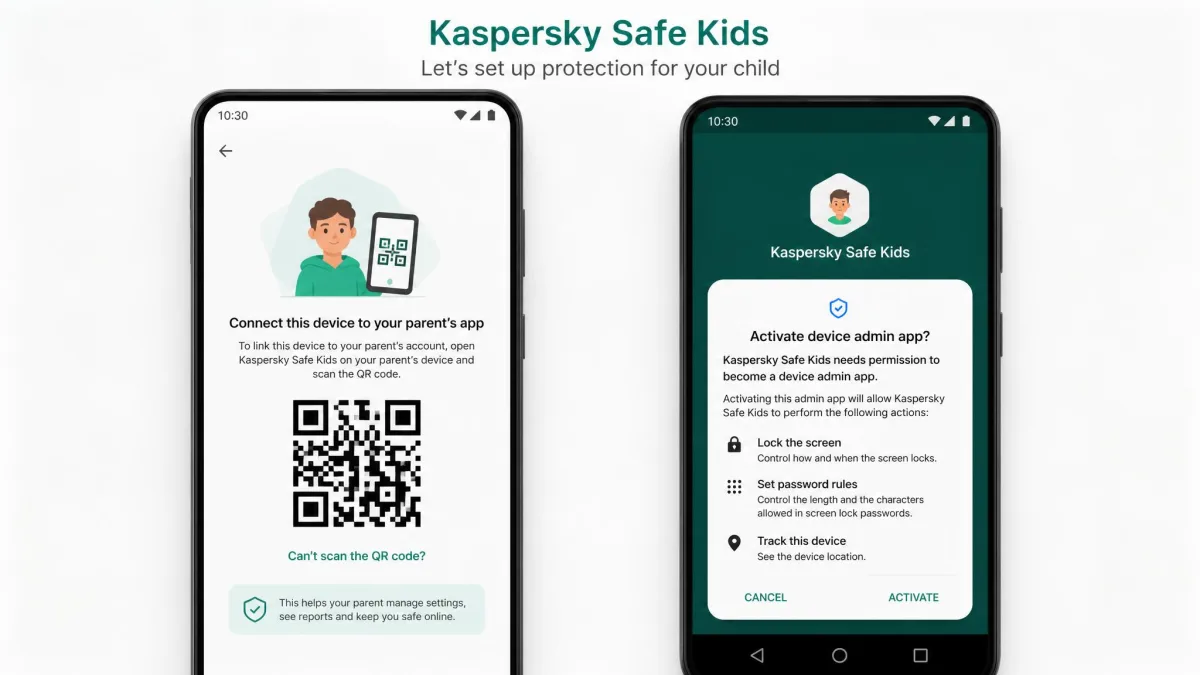
Kaspersky's Android setup is quick. You create the child profile, scan a QR code, install the app, then grant device admin and data access permissions. The iOS path is the slow one because of the child Apple ID requirement.
The parent dashboard is where Kaspersky gives that time back. Each tab loads slowly, which drags when you are switching between tabs often. Reaching support runs through a contact form that is awkward to use.
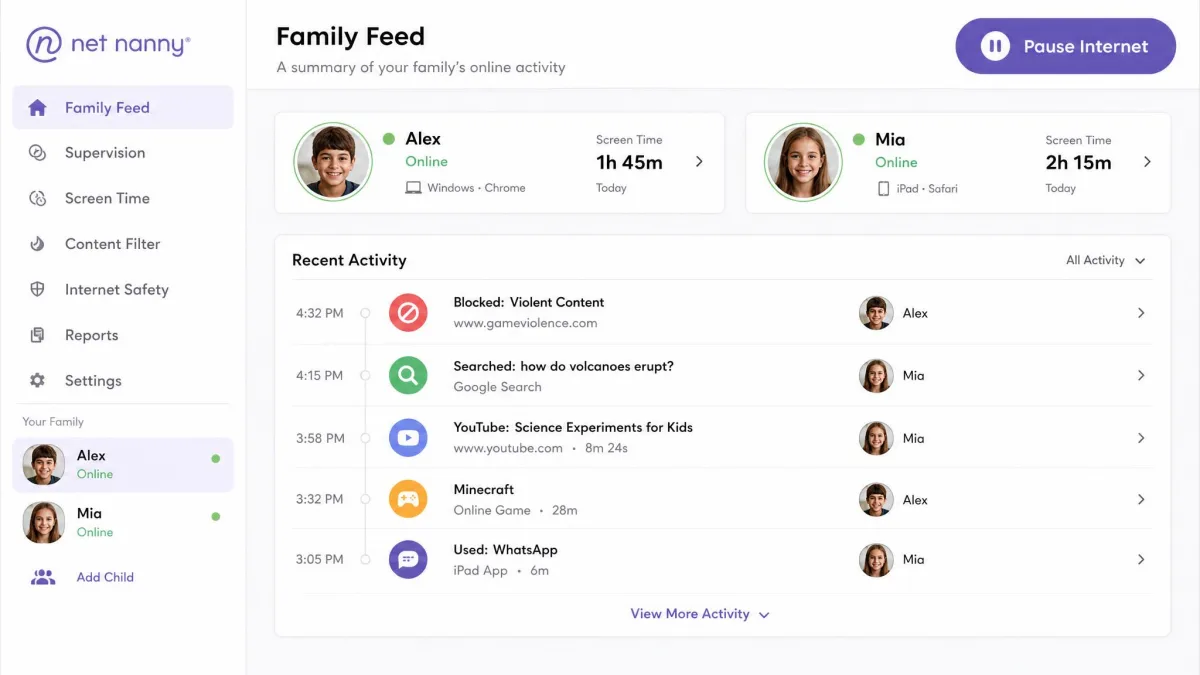
Net Nanny's installation is smoother than in past versions, though it can stall on some machines, with logins looping and the dashboard showing no activity afterwards. The Family Feed interface also looks dated and clunky next to newer parental control dashboards, and websites still have to be added to the block list by hand.
Two more practical warnings apply to Net Nanny. Billing can misfire, with a single subscription charged more than once after auto-billing was switched off and the charges appearing under unfamiliar merchant names. Cancelling online can be difficult, and support responds slowly through ticket and email only.
Reporting, Alerts and Remote Management
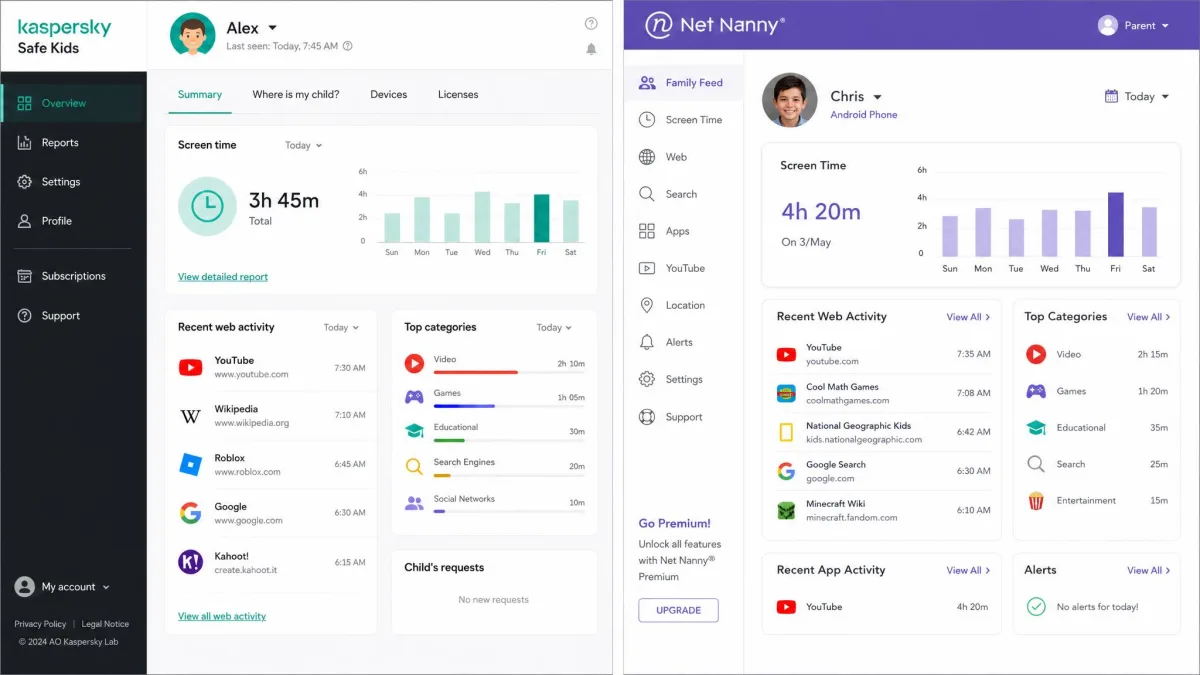
Kaspersky reports on app use, web activity and YouTube searches, and sends real-time alerts on the premium tier. Net Nanny keeps 30-day activity data retention with weekly summary reports, plus those instant alerts on high-risk search terms.
For a parent who wants a weekly digest and nothing more, Net Nanny's summary email is the better piece of paperwork. For a parent who wants to look something up in the moment, Kaspersky's per-tab reports get you there, just not quickly.
Can Kids Bypass Either App?
Either filter can be sidestepped by switching to a different browser or search engine on the same device, which is the most common workaround and the one worth closing first by removing the extra browsers.
Kaspersky is harder to remove once it is on. On Android it cannot be uninstalled without the parent account password, which shuts the obvious escape route. Net Nanny's uneven category coverage is its own bypass risk, because a child who finds one category passing traffic does not need a technical trick at all.
The honest description is that these apps are a speed bump for a determined teenager and a solid wall for a younger child.
Kaspersky Safe Kids: Pros and Cons
Pros
- $14.99 per year covers an unlimited number of devices
- A permanently free tier with app control, screen time and web filtering
- Android text monitoring that Net Nanny does not offer
- 7-day trial plus a 30-day money-back guarantee
- Quick Android setup and a password-locked uninstall
Cons
- Not available to buy or update in the US since September 29, 2024
- Geofencing drops saved areas and misses departure alerts
- No app control on iOS and no filtering inside Safari
- Parent dashboard tabs load slowly
- Support runs through an awkward contact form
Net Nanny: Pros and Cons
Pros
- Real-time filtering that reacts in under half a second
- More than 30 content categories with profanity masking
- Pause Internet stops connectivity across devices instantly
- Real-time alerts for self-harm, weapons and drug terms
- Location tracking that works reliably on iOS
Cons
- No free tier and a much higher price per family
- The Android app is currently unavailable with no release date
- Category filtering is uneven, with gambling sites getting through
- YouTube monitoring misses searches made inside the app
- Trustpilot's community rates it 2.1 out of 5
Kaspersky wins the value argument outright. Net Nanny wins the filtering argument only in the categories where its filter actually holds.
— From our feature-by-feature comparison
Which Should You Choose?
Once you know your household's devices and your country, the decision gets much simpler than the feature lists suggest.
Choose Kaspersky Safe Kids if...
You are outside the United States, you have more than two devices to cover, or your child's main device is an Android phone. Choose it also if you want to start free and upgrade later, because the free plan already handles the basics that most parents of under-tens need. It is the better app for keeping an eye on younger kids across a mixed household of phones, tablets and computers.
Choose Net Nanny if...
You are in the US, your family is on iPhones and Macs, and you want the strongest live filtering available for age-appropriate browsing. Choose it if the real-time alerts on self-harm and drug terms matter more to you than the price, and be ready to check each filter category yourself rather than trusting the defaults to keep your kids safe.

Alternatives Worth Considering
If neither app fits, the category is well stocked. Qustodio is the usual next stop for parents who want stronger social monitoring, and we cover that matchup in Kaspersky Safe Kids vs Qustodio. Bark takes the opposite approach, watching message content instead of blocking sites, which we compare in Kaspersky Safe Kids vs Bark.
For cross-platform families, Kaspersky Safe Kids vs Mobicip is the closest match on device coverage, while Kaspersky Safe Kids vs Canopy is worth reading if image filtering is your priority. Households with younger children often land on Kaspersky Safe Kids vs Kids360 instead.
If you would rather not pay at all, start with the controls already built into your router and your operating system. Our guide to how to set up parental controls walks through the free options, and our longer Kaspersky Safe Kids review and Net Nanny review go deeper on each app on its own.
Switching From One To The Other
Most parents who switch between these two do it for one of two reasons: a renewal that arrived higher than expected, or an Android device the software will not cover. If you are leaving Net Nanny, cancel first and confirm the cancellation in writing, because cancellations can be slow and duplicate charges have appeared under unfamiliar merchant names.