The best CactusVPN alternatives are NordVPN, Proton VPN and ExpressVPN, with Surfshark, Mullvad VPN, CyberGhost and TorGuard close behind. Each one runs a much larger server network than CactusVPN, and most of them unblock the big streaming services through the VPN connection itself instead of leaning on Smart DNS.
That difference in network size and streaming is the main reason people switch, and we lay out the evidence from our own testing further down. CactusVPN still has genuine strengths, including unlimited devices and a bundled Smart DNS service. We ranked the seven alternatives below by the scores from our own full reviews, and our CactusVPN review scores the baseline 6.4/10.
CactusVPN vs the Best Alternatives at a Glance
The table lists the seven picks in score order, with CactusVPN as the last row for reference. Prices marked "promo" are introductory rates that renew higher. Country counts shown as ranges shift as providers add locations or count virtual ones differently.
| Provider | Buy | Best for | Server countries | Simultaneous devices | Starting price | Free plan / money-back |
|---|---|---|---|---|---|---|
 |
Check price → | Best overall | 118-167, by count method | 10 | About $3.49/mo(2 yr, promo) | No free plan; 30-day |
 |
Check price | Free and privacy-first | 140+ | 10 (1 on Free) | About $2.99/mo(2 yr, promo) | Free plan; 30-day, prorated |
 |
Check price | Stable, low-latency connections | 105-113 | 10 (Basic) | About $2.79/mo(2 yr, promo) | No free plan; 30-day |
 |
Check price | Budget, unlimited devices | 100 | Unlimited | $2.49/mo(2 yr) | 7-day mobile trial; 30-day |
 |
Check price | Anonymous sign-up | About 50 | 5 | €5/moflat | No free plan; 14-day |
 |
Check price | Streaming servers | 100 | 7 | About $2.19/mo(26 mo, promo) | No free plan; 45-day (14 on monthly) |
 |
Check price | Torrenting, dedicated IPs | About 50 | 8 (Standard), up to 30 | About $5/mo(long term, promo) | No free plan; 7-day |
 |
Baseline: Smart DNS on a budget | 22-25 | Unlimited | $3.96/mo(2 yr, $95) | No free plan; 30-day, conditional |
The Best CactusVPN Alternatives
Every service below outscores CactusVPN in our reviews, but each wins for a different reason. The right pick depends on what pushed you to look elsewhere.
1. NordVPN - Best Overall CactusVPN Alternative
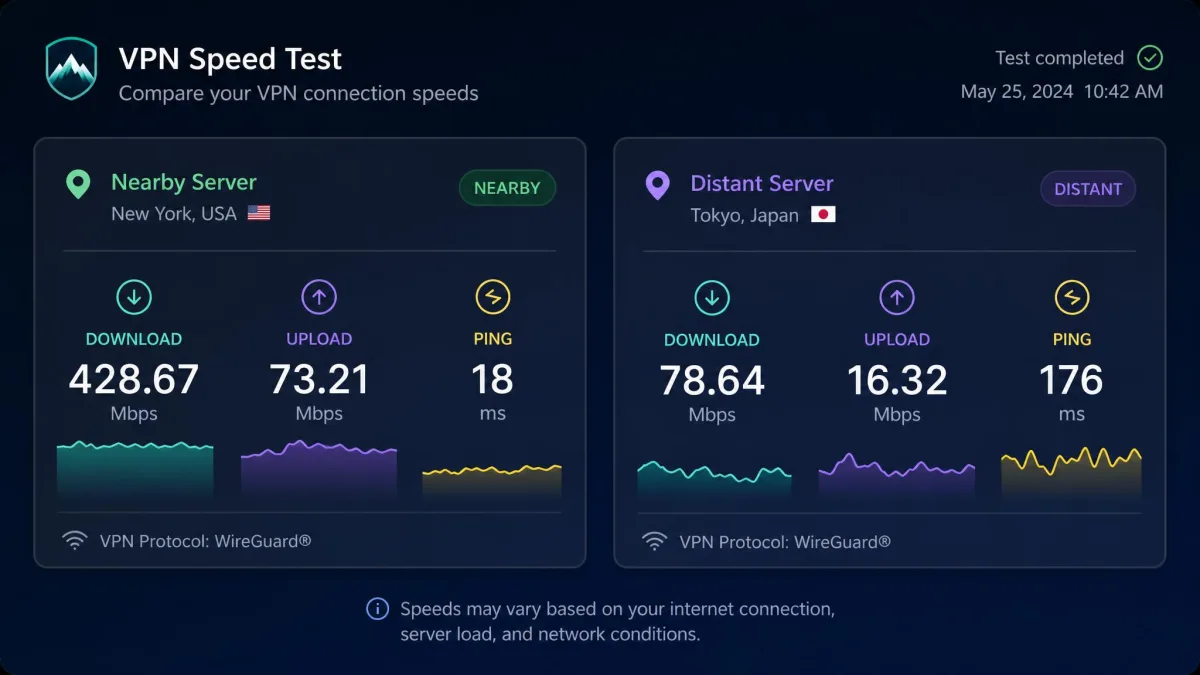
NordVPN is the upgrade we would suggest to most CactusVPN users, and our NordVPN review scores it 9.0/10, tied for the top of this list. Its network of 9,000+ servers puts a server close to most people, and on nearby servers we lost only single-digit percentages of speed, where CactusVPN averaged a drop of about 47 percent.
The difference showed up in our first speed checks, and 4K streams played without buffering. Netflix, Hulu, BBC iPlayer, Prime Video, Disney+ and HBO Max all unblocked reliably through the VPN connection. When we forced the tunnel to fail, the kill switch cut traffic straight away. Our one gripe was the desktop map, which needs zooming to reach city-level servers, so we switched to the quicker list view.
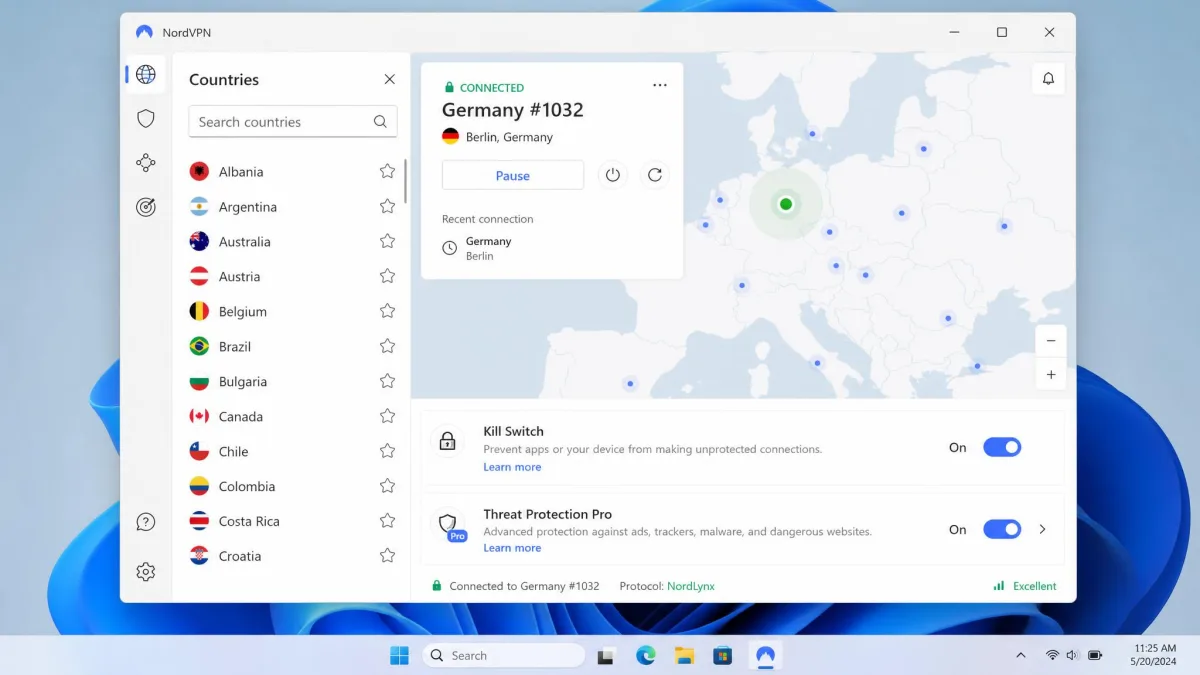
- Server network: 9,000+ servers in roughly 118 to 167 countries, depending on how virtual locations are counted
- Devices: 10 at once
- Price: $14.99 on monthly billing, or about $3.49 a month on the two-year plan (a promotional rate that renews higher)
- Money-back: 30-day guarantee
- Audit: Deloitte has checked its no-logs policy six times, most recently with fieldwork in late 2025; NordVPN is based in Panama
Pros
- RAM-only servers and post-quantum encryption
- Obfuscated servers run on NordWhisper, its in-house protocol
- Double VPN, Meshnet and Threat Protection Pro included
Cons
- No free plan
- 10-device cap, versus CactusVPN's unlimited devices
- Renewal charges land about two weeks before the term ends
2. Proton VPN - Best Free and Privacy-First Alternative
Proton VPN offers what CactusVPN never has: a permanent free plan. CactusVPN has no free tier at all, while Proton's free plan has no data cap, no ads and no credit card requirement.
Installation took us about two minutes, and the apps explain each setting in plain language, a friendlier experience than CactusVPN's unsearchable server list. On the free tier we saw no throttling, although the app picks the server location for you. After we upgraded to VPN Plus, nearby servers cut our download speed by under 10 percent. Netflix, Prime Video, BBC iPlayer, Disney+, HBO Max and Hulu unblocked without any server hopping, and our leak checks found no DNS, IPv6 or WebRTC leaks across dozens of server countries. Our Proton VPN review scores it 9.0/10, level with NordVPN.
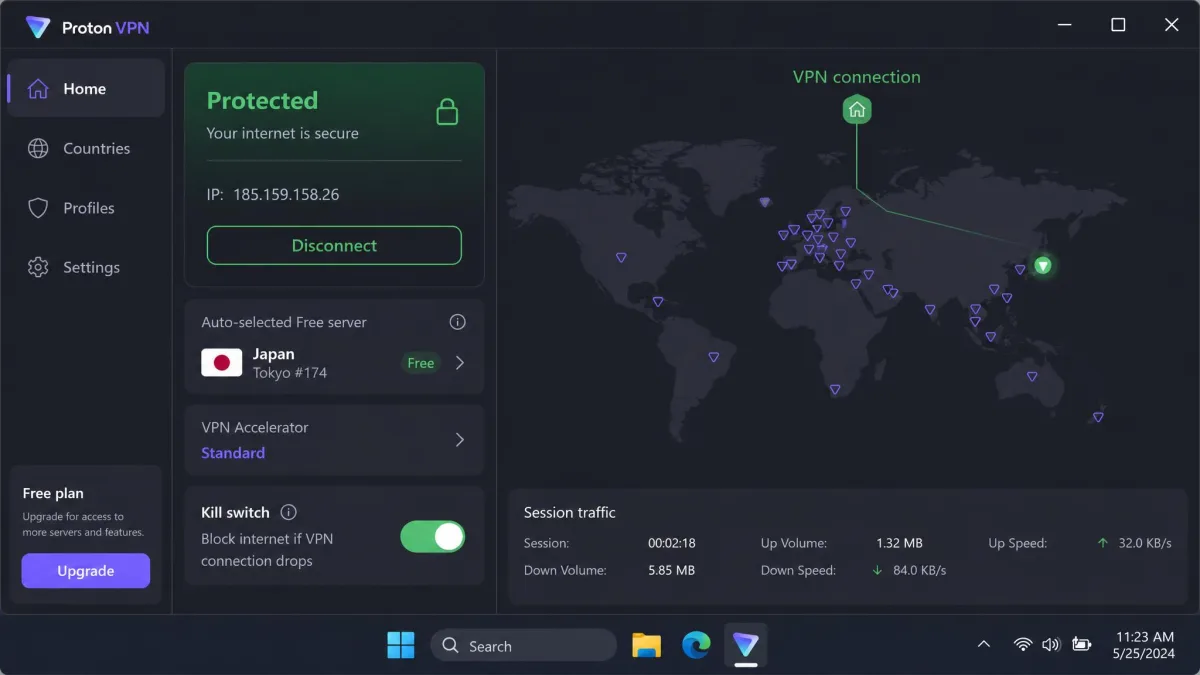
- Server network: 20,000+ servers in 140+ countries
- Devices: 10 devices on VPN Plus, 1 device on the free plan
- Price: free, or VPN Plus at $9.99 on monthly billing or about $2.99 a month on the two-year plan (a promotional rate that moves with seasonal sales)
- Money-back: 30-day guarantee, prorated for unused time
- Audit: Securitum's 2025 no-logs audit of Proton VPN found full compliance; Proton is based in Switzerland
Pros
- Open-source apps, Secure Core routing and NetShield blocking
- Stealth protocol for networks that block VPNs
- Split tunneling and Alternative Routing
Cons
- No Smart DNS product for TVs and consoles
- Free plan covers 1 device, with no streaming or P2P
- Live chat is not 24/7, and email replies can take about two days
3. ExpressVPN - Best for Stable, Low-Latency Connections
ExpressVPN answers CactusVPN's latency problem. CactusVPN's ping ran roughly 100 to 400 ms in our testing, while ExpressVPN added only 5 to 6 ms.
Across long daily sessions on Windows and Mac, our connections stayed rock solid, and the Network Lock kill switch tripped only rarely. Download speed dropped by roughly 37 to 39 percent, a bigger loss than NordVPN's, but it held steady from one session to the next. Netflix, Hulu and ESPN+ loaded without issues. We also liked that obfuscation runs automatically on every server, so there is nothing to configure on a restrictive network. Our ExpressVPN review scores it 8.8/10.
- Server network: servers in 105 to 113 countries, a total that keeps growing as ExpressVPN adds locations
- Price: Basic costs $12.99 on monthly billing, or about $2.79 a month on the two-year plan (a promotional rate that renews at about $99.95 a year)
- Money-back: 30-day guarantee
- Audit: KPMG's 2025 assurance review of ExpressVPN's no-logs policy; based in the British Virgin Islands and owned by Kape Technologies
Pros
- Automatic obfuscation on every server
- RAM-only TrustedServer infrastructure
- Split tunneling
- Apps for routers, Apple TV and consoles
Cons
- No free plan
- 10 devices on Basic; 12 or 14 means paying for Advanced or Pro
- Same parent company as CyberGhost and Private Internet Access
4. Surfshark - Best Budget Pick for Unlimited Devices
Surfshark, which scores 8.6/10 in our Surfshark review, is the only other VPN here that matches CactusVPN's unlimited device policy, and its two-year plan costs less per month. You pay $2.49 a month against CactusVPN's $3.96.
On our Windows machine, download speed dropped about 17 percent, and on macOS the loss was about 31 percent, with latency steady throughout. Netflix worked across regions without triggering VPN detection. If you used CactusVPN's Smart DNS on a television, the native apps made setup on Android TV, Apple TV and Fire TV painless. When we cut the VPN connection on purpose, the kill switch blocked internet access instantly.
- Server network: 4,500+ servers in 100 countries
- Price: $2.49 a month on the two-year Starter plan ($67.23 for 27 months, with 3 bonus months); monthly billing runs about $15 to $16.45, depending on region and promotion
- Money-back: 30-day guarantee, plus a 7-day free trial through the iOS and Android app stores
- Audit: Deloitte verified its no-logs policy in 2023 and again in 2025; Surfshark is based in the Netherlands
Pros
- CleanWeb ad and tracker blocking
- Bypasser split tunneling and RAM-only servers
- NoBorders mode for restrictive networks
Cons
- No free plan
- Camouflage mode works only over OpenVPN
- Monthly billing can cost slightly more than CactusVPN's $15
5. Mullvad VPN - Best for Anonymous Sign-Up
If CactusVPN's crypto payments appealed to you, Mullvad takes anonymity much further. It needs no email address and no personal details.
Signing up took us seconds, since all we needed to log in was a random account number. On local servers our speed loss was only around 6 percent, though distant servers slowed downloads noticeably. Streaming was hit or miss: some servers reached Netflix and others were detected, so Mullvad is not a like-for-like replacement for CactusVPN's Smart DNS. Our Mullvad VPN review scores it 8.5/10, a notch above Private Internet Access, which is why Mullvad takes this slot.
Pricing is refreshingly simple. Mullvad charges a flat €5 a month on any term, unchanged since 2009, and it never runs sales. New payments carry a 14-day refund window, although cash, crypto and App Store payments are excluded. The network covers about 50 countries, with 566 servers on its live list at the time we checked, a figure that changes as servers are added and retired. Mullvad is based in Sweden and runs regular independent audits, most recently X41 D-Sec's review of its account and payment services in January 2026.
Pros
- Accepts cash and crypto payments
- DAITA, multihop and obfuscation built in
- Open-source apps
Cons
- 5-device limit
- WireGuard only, since OpenVPN was removed in January 2026
- No port forwarding and email-only support
6. CyberGhost - Best for Streaming Servers
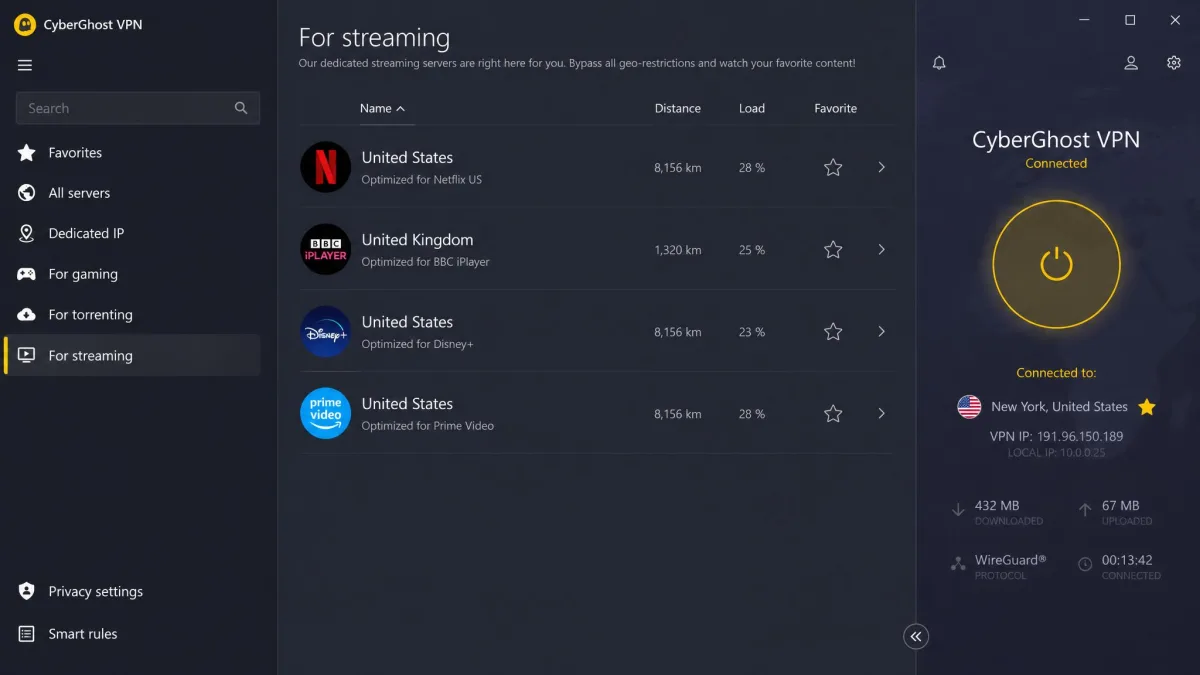
Where CactusVPN relies on Smart DNS for streaming, CyberGhost labels its servers by the service they unblock. That makes it the simplest swap for anyone who mostly used CactusVPN to watch TV.
Setup was quick and beginner-friendly, and switching protocols on the desktop app took about four seconds. Through the dedicated streaming servers, Netflix US, BBC iPlayer, Disney+ and Prime Video all unblocked on the first try. Distance still matters here. Nearby servers lost roughly 5 to 19 percent of our speed, while long-distance servers dropped by about 44 to 59 percent. Our CyberGhost review scores it 8.4/10.
- Server network: servers in 100 countries
- Devices: 7 at once
- Price: $12.99 on monthly billing, or about $2.19 a month on the 26-month plan (rotating promotions move it between about $1.99 and $2.19)
- Money-back: 45-day guarantee on the 6-month and 26-month plans, 14 days on monthly billing
- Audit: Deloitte's third no-logs assurance report for CyberGhost (Q4 2025); CyberGhost is based in Romania and owned by Kape Technologies
Pros
- 24/7 live chat support
- NoSpy and RAM-only servers
- Dedicated IP add-on available
Cons
- 7-device limit is tighter than most rivals
- The Windows app looks dated next to the mobile apps
- No multi-hop, and it does not work in China
7. TorGuard - Best for Torrenting and Dedicated IPs
TorGuard scores closest to CactusVPN, at 7.4/10 in our TorGuard review, but it is the better tool for torrenting. CactusVPN allows P2P on only a handful of European servers plus Malaysia, while TorGuard supports P2P across most of its network and adds port forwarding and dedicated IPs.
BitTorrent is blocked on every US server, so our torrents stalled until we picked a non-US location. Once we were on a permitted server, torrenting worked, and port forwarding was available. IP, DNS and WebRTC leak tests came back clean, and the kill switch held traffic when the tunnel dropped. The apps were far less polished, with slow connects, "not responding" states and driver errors interrupting sessions, and the two kill switches sit on different tabs.
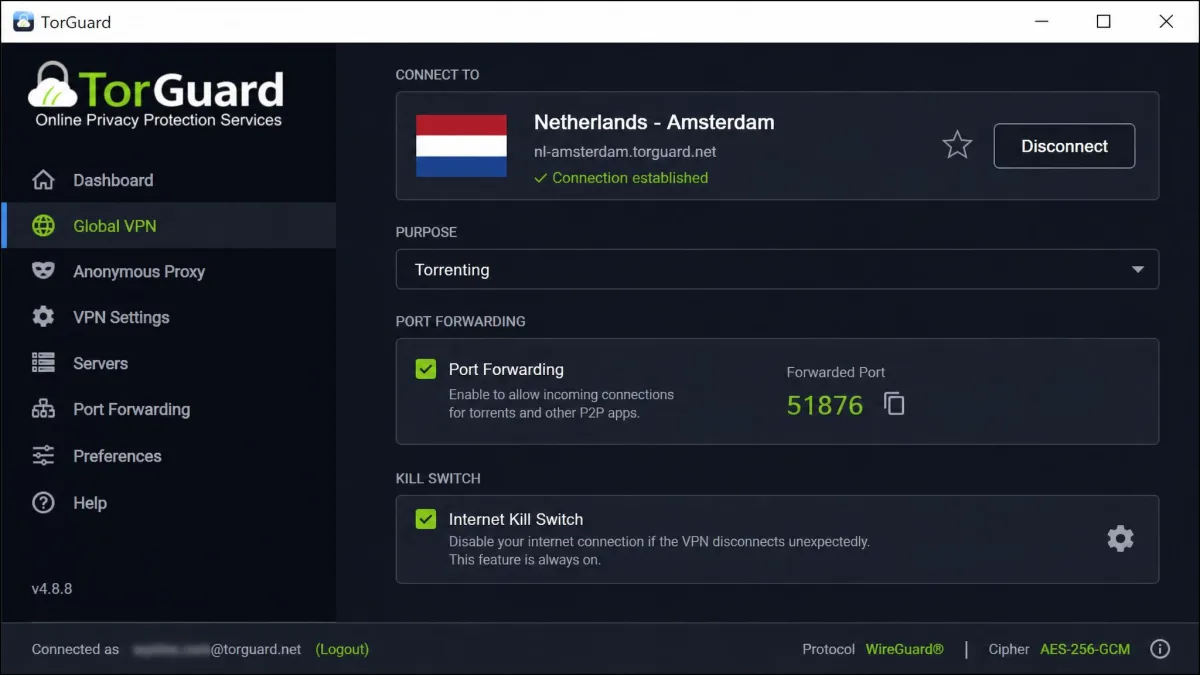
TorGuard sells three tiers. Standard costs $10.99 on monthly billing and covers 8 devices, Pro costs $14.29 for 12, and Premium costs $16.49 for 30. Longer terms and promo codes bring the monthly cost down to roughly $4 to $5.50. A dedicated IP is a $7.99 monthly add-on on Standard and comes included with Pro and Premium. The network spans 3,000+ servers in about 50 countries.
- Money-back: 7-day guarantee; dedicated, streaming and residential IPs are excluded, and crypto and gift-card payments are not refundable
- Audit: no independent no-logs audit published; TorGuard is based in Orlando, Florida, inside the Five Eyes
Pros
- Port forwarding and dedicated IPs
- Accepts crypto and cash payments
- Pro plan unblocks Netflix in 15+ libraries plus Disney+ and BBC iPlayer
Cons
- No published no-logs audit
- Standard servers often fail on Netflix and Prime Video
- Email and ticket support that can take days to answer
Best Free CactusVPN Alternatives
All seven picks above are paid services, and CactusVPN has no permanent free plan either; its trial offer has changed over time, and its own pricing page now offers only the 30-day refund window. If you want to try a replacement without paying, three free services are worth a look, and each has clear limits.
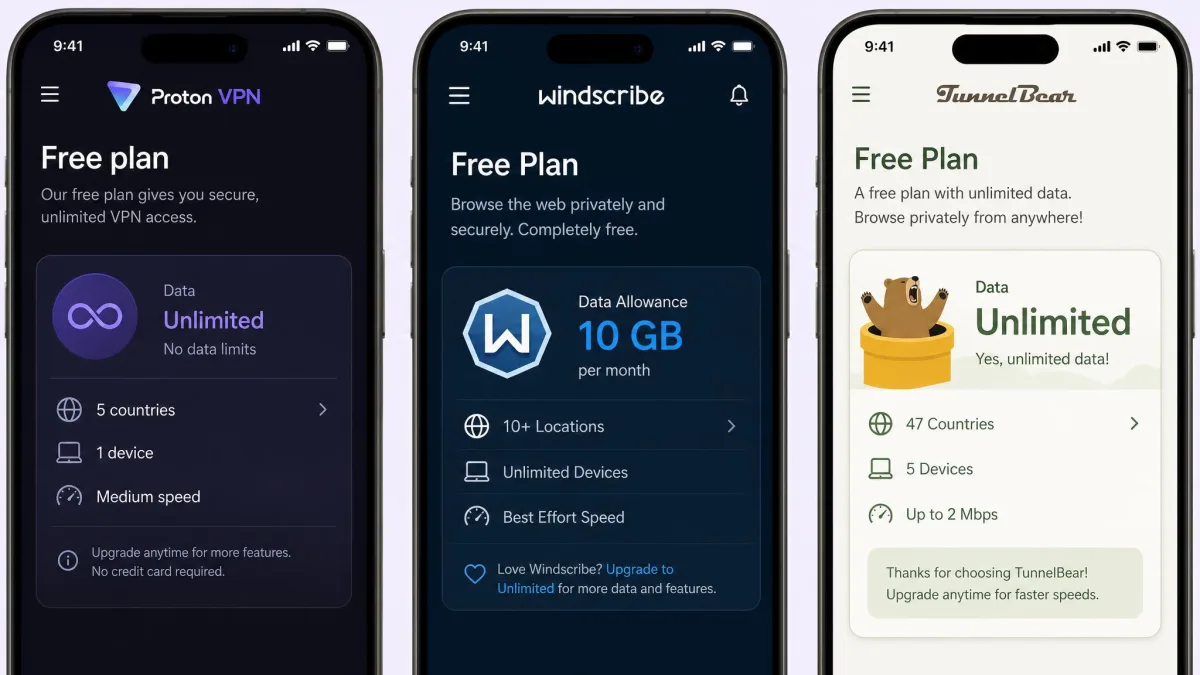
Proton VPN Free is our best free pick, and it is the only free option here you can leave running all day without watching a data meter. The trade-offs are 1 device, no manual country choice, no streaming and no P2P. Free servers sit in a limited set of countries (Proton says 10, and the list keeps changing).
Windscribe is the better choice if you need several devices, because its free plan allows unlimited simultaneous connections. You get 2GB a month by default, or 10GB after confirming an email address, and you choose from free servers in about 10 countries that Windscribe rotates. The free plan keeps the full feature set, including R.O.B.E.R.T. blocking and the firewall. Its free servers usually matched Pro speeds for us, but congestion caused sudden drops of up to 90 percent, and Netflix access was inconsistent. Our Windscribe review scores it 8.5/10.
TunnelBear has the easiest interface for first-time VPN users. Connecting is a one-click tap on the map, and the free plan needs no credit card. Its 2GB monthly allowance covered email and light browsing, but it ran out after a single HD film, and free users can no longer pick a country. Our TunnelBear review scores it 7.5/10.
We would skip the free tier of Hotspot Shield. It limits you to one device, serves ads on mobile and buffered during evening streaming, and our Hotspot Shield review covers the paid service in full.
Why Look for a CactusVPN Alternative?
Every pick above beats CactusVPN somewhere, but CactusVPN is not a bad service. It does a few things better than much bigger rivals, and a few things clearly worse. The right move depends on which side of that list matters to you.
What CactusVPN Does Well (Smart DNS, Protocol Choice, Low Price)
Smart DNS is CactusVPN's standout feature. It comes with every VPN plan at no extra cost and supports 340+ websites and streaming services. In our testing it handled streaming the VPN tunnel could not, including Netflix US, UK, Australia and Japan.
Protocol choice is the second strength. CactusVPN offers OpenVPN over TCP and UDP, WireGuard, SSTP, SoftEther, IKEv2, L2TP/IPSec and PPTP, with AES-256 encryption on most of them and DNS-over-HTTPS. SoftEther is not built into the app, though, so you need the separate SoftEther client installed ahead of time.
The price is fair for a small provider. CactusVPN's current pricing is $95 for two years (about $3.96 a month), $70 a year (about $5.83 a month) or $15 on monthly billing, with unlimited devices on every plan. The desktop app installed in under two minutes, connected without fuss and put a light load on our system. Once set up, it ran quietly in the background.
Where CactusVPN Falls Short (Small Server Network, Streaming, Support)
The network is small. CactusVPN runs roughly 36 to 39 servers in 22 to 25 countries; it does not publish a server total, and its own pages disagree on the country count. Distance hurts. In one run, a server in Japan crawled at about 4.5 Mbps while a US server delivered 226 Mbps. Across our checks, download speed dropped about 47 percent on average, and ping ran high enough to rule out gaming. Some servers refused to connect until we retried, with the P2P servers the most likely to fail. The server list has no search, and changing servers means disconnecting first.
Streaming through the VPN tunnel usually failed on Netflix, Hulu, Prime Video and BBC iPlayer, although US Netflix got through in some sessions. Smart DNS fills part of that gap, but HBO Max, Hulu, Disney+ and BBC iPlayer still failed. Smart DNS also interfered with our system DNS settings, which knocked out the internet connection until we restarted the computer.
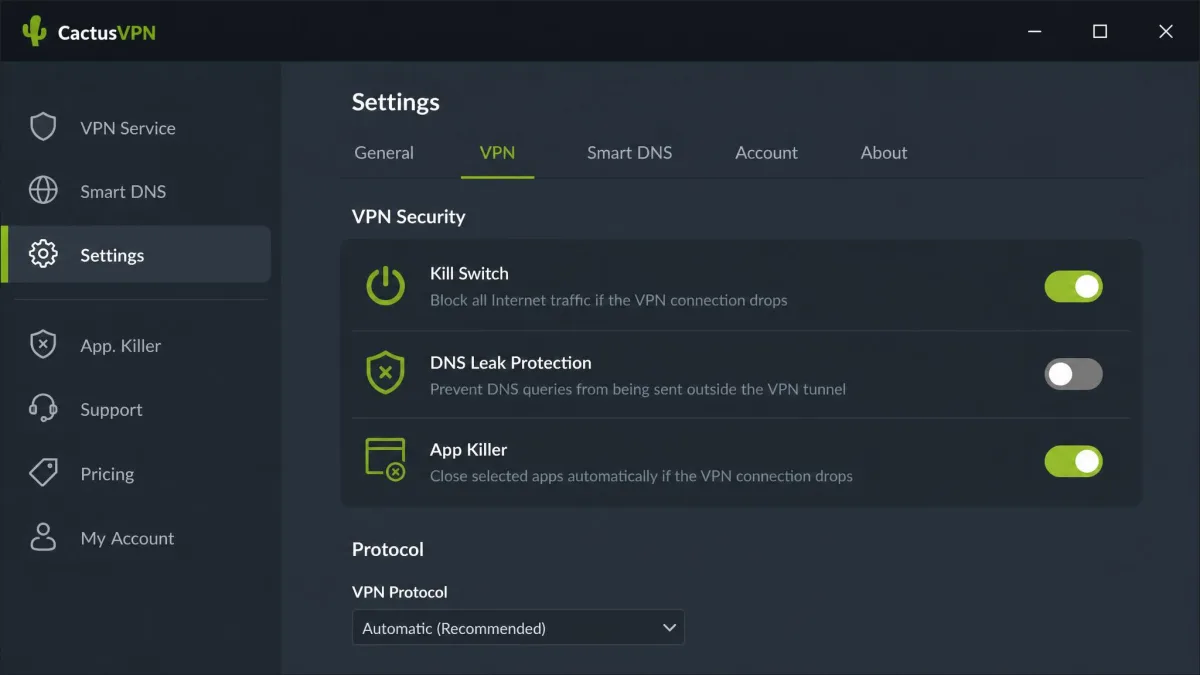
Leak protection needs attention too. DNS leak protection ships switched off, and we saw DNS leaks on default settings until we turned the toggle on. The kill switch also failed to engage during a server switch, briefly exposing our real IP. With protection switched on, DNS and WebRTC leak tests and the kill switch test passed.
On privacy, CactusVPN has taken a real step. Securitum audited its no-logs policy, with fieldwork from April 20 to May 7, 2026, and a final report dated May 8, 2026. The auditors confirmed no activity logging, no logging of user-attributable connection metadata such as DNS traffic, and no inspection of user traffic. It is a first, single audit covering four production servers in four locations, though, not the whole fleet, and it has no repeat history like NordVPN's six Deloitte engagements.
Support is uneven. Some of our tickets got replies within minutes to a few hours, while others waited several days. CactusVPN's support channels and hours have changed over time, so live-chat availability varies by when you ask.
How to Choose a CactusVPN Alternative
A bigger brand is not automatically a better fit. These four checks separate a real upgrade from a sideways move.
Encryption, Protocols and DNS Leak Protection
Treat AES-256 or the WireGuard protocol as the baseline. Every alternative on this list supports WireGuard or a WireGuard-based protocol such as NordVPN's NordLynx. CactusVPN's long list of older options, like PPTP and L2TP/IPSec, matters only if you run legacy hardware.
What matters more for security is what the app does by default. Look for DNS leak protection that is on out of the box and a kill switch that holds during server changes, since those were the two places CactusVPN slipped.
Run a DNS leak test the first time you connect to your new VPN, and again after switching servers. Our guide on how to test for DNS leaks walks through it in a couple of minutes.
No-Logs Policy and Jurisdiction
An audited no-logs policy is now the norm, so check how often a provider repeats the audit. NordVPN, CyberGhost and Surfshark have each been through repeat Deloitte engagements, while CactusVPN has one. Jurisdiction matters as well. CactusVPN's Moldova base sits outside the 5, 9 and 14 Eyes alliances. The alternatives here are based in Panama, Switzerland, the British Virgin Islands, the Netherlands, Sweden and Romania, while TorGuard operates from the US, a Five Eyes country.
Server Network and Streaming Access
A bigger network mostly means a closer server, and a closer server means less speed loss. For streaming, a VPN that unblocks services through its own tunnel covers every app and browser, while Smart DNS only helps with the services it supports and does not encrypt your traffic.
Price, Devices and Money-Back Guarantee
Compare the renewal price, not just the promo rate, and count your devices before you buy, since the caps on this list run from Mullvad's five up to unlimited. Money-back windows range from TorGuard's 7 days to CyberGhost's 45, with most picks at 30 days. If price is your main filter, our roundup of the best cheap VPNs goes deeper on budget options.
Which CactusVPN Alternative Is Right for You?
- For streaming: NordVPN, or CyberGhost if you want servers labeled by service
- For a tight budget with many devices: Surfshark
- For privacy: Proton VPN, or Mullvad VPN if you want to sign up without an email
- For torrenting: TorGuard, on a non-US server
- For free: Proton VPN Free, or Windscribe if you need more than one device
- For gaming and video calls: ExpressVPN
How We Picked These Alternatives
We weighed each VPN on the same points where CactusVPN is weakest or strongest: speed on near and distant servers, leak protection with default settings, streaming through the VPN connection, audit history, price and device limits. We then ordered the picks by the scores from our full reviews of each service.
NordVPN and Proton VPN tie at 9.0/10. We list NordVPN first as the best all-round replacement and Proton second because its free plan makes it our best free pick. Mullvad VPN (8.5/10) made the list ahead of Private Internet Access (8.4/10). PIA is still a strong option for tinkerers, with unlimited connections and servers in 91 countries plus all 50 US states, but US and UK Netflix no longer unblock on it. It is owned by Kape, like ExpressVPN and CyberGhost.
Two other names came up often. PureVPN scores 7.2/10 and advertises the lowest promo price, around $1.99 a month, but connections dropped, we could reproduce a DNS leak, and speeds fell off sharply on distant servers. Hotspot Shield, at 6.5/10, scored only slightly above CactusVPN.
FAQ
Is CactusVPN safe and legit?
What is the best free CactusVPN alternative?
Which VPNs offer Smart DNS like CactusVPN?
Can I get a refund from CactusVPN when switching?
Is there a cheaper alternative to CactusVPN?
The Bottom Line
NordVPN is the CactusVPN alternative we would reach for first, because its much larger network keeps a server close to most users and its streaming works through the VPN itself. Whichever service you choose, handle the switch in order. If you relied on Smart DNS for a TV or console, confirm that your new provider covers that device before you cancel. If you want money back from CactusVPN, ask for it inside the 30-day window and before cancelling. Then run a DNS leak test the first time you connect with the new app, and again after your first server change. Our CactusVPN review has the full breakdown of what you would be leaving behind.