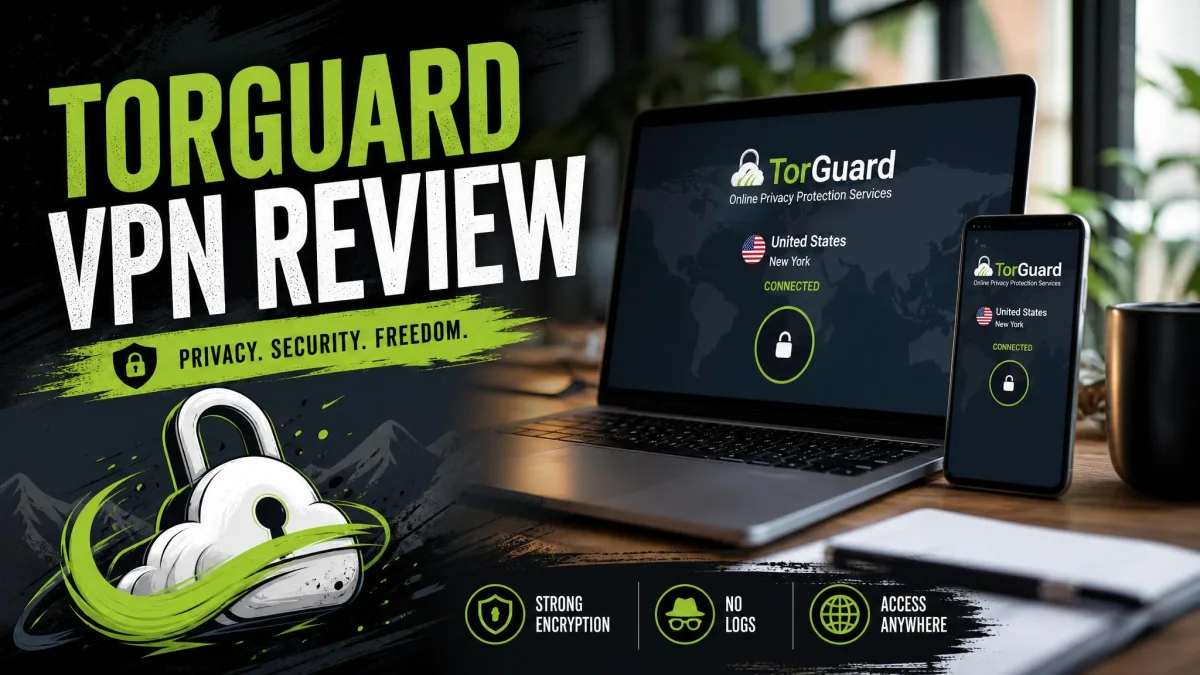
TorGuard has always sold itself to power users, the people who want dedicated IPs, port forwarding, and a torrenting-first network rather than a slick one-click app. On that promise, it mostly delivers. The trade-off is real friction: the apps are buggy, the company sits in the United States, and reliable streaming usually means paying for a pricier plan.
So the question is not whether TorGuard can do the job. It can. The real question is whether you are the kind of user who will forgive its rough edges to get the control it offers, or whether a smoother rival would serve you better for less money.
We spent time with TorGuard across Windows, macOS, Android, and Linux, running our usual speed, leak, streaming, and torrenting checks before forming a verdict. That mix matters, because TorGuard behaves quite differently depending on the platform and the plan you land on. A tool that feels powerful on one setup can feel half-finished on another.
Below we walk through what we found, where TorGuard earns its keep, and where it frustrated us. We have tried to be balanced, because this is a VPN that genuinely suits some people and genuinely does not suit others. The trick is working out which group you fall into before you hand over any money.
We test every VPN the same way: real download and upload benchmarks against an unprotected baseline, DNS and IP leak checks on each protocol, streaming attempts across several regions, and a torrenting run to confirm P2P actually works. TorGuard put up strong technical numbers and tested our patience in equal measure, which is a fair summary of the whole experience.
Our testing ran hands-on over an extended period rather than a single sitting, and it spanned both the desktop and mobile apps rather than one platform. We started by recording a no-VPN baseline on our own connection, then measured the speed hit against it while connecting to a spread of servers, sampling both nearby locations and distant ones so a single lucky endpoint could not flatter the results. We repeated the checks across sessions, since a VPN that behaves one day can stumble the next. The figures we quote below are relative to that baseline, so your own absolute numbers will differ depending on your line and your distance to the server.
TorGuard at a Glance
Pros and Cons
Before we get into the detail, here is the short version of what we liked and what wore us down over our testing. Neither list is short, which tells you something about TorGuard: it is a VPN of sharp highs and equally sharp lows rather than a smooth middle.
Pros
- Torrenting-friendly network with port forwarding and dedicated IP add-ons
- Wide protocol choice, including WireGuard, OpenVPN, and Stealth obfuscation
- Up to 30 simultaneous connections on the top plan
- Accepts cryptocurrency and cash for extra payment privacy
- Long-term subscribers report stable, unchanging pricing
Cons
- Apps are buggy, with frequent connection and "not responding" errors
- Based in the United States, inside Five Eyes, with no independent no-logs audit
- Streaming success depends heavily on which plan and server you pick
- Short, discretionary money-back window granted case by case
- Customer support can take days to respond
Read those two columns together and a pattern appears. Almost every strength is something a technical user will value, and almost every weakness is something that punishes a casual one. Keep that in mind as we work through the sections below.
We should be clear about one thing up front: none of the cons below are fatal on their own. Taken together, though, they add up to a VPN that demands more effort and more forgiveness than the polished alternatives. Whether that is a fair deal depends entirely on what you need from it.
Pricing and Plans
TorGuard splits its VPN into three tiers, and the differences come down mostly to how many devices you can connect and which add-ons are bundled. On monthly billing, Standard runs $10.99 a month, Pro sits at $14.29 a month, and Premium tops the range at $16.49 a month. Those are the headline figures you will see before any long-term discount is applied.
Standard covers 8 simultaneous connections, Pro raises that to 12, and Premium jumps to 30. For a single household, Standard is usually plenty, since even a phone, a laptop, a tablet, and a smart TV leave you room to spare. The higher tiers only make sense if you are protecting a small office or a genuinely large device fleet.
Commit to a longer term and the Standard rate drops to roughly $4 to $5 a month. The exact discounted figure shifts with the billing term and whatever promotion is running, so treat those numbers as a range and check the live price at checkout rather than trusting a fixed quote. This is worth doing carefully, because the gap between the monthly and long-term rates is large enough to change the whole value calculation.
Add-ons are the other half of the pricing story, and they can quietly inflate your bill. A dedicated IP is a paid add-on on the Standard plan, though it comes bundled with Pro and Premium. Residential IPs and extra features sit behind similar upsells, so the sticker price is rarely the final price for a power user who wants the full toolkit.
The refund policy is where TorGuard lags the field. You get a 7-day money-back guarantee, and it is granted case by case rather than automatically. That is a tight window next to the 30 days offered by NordVPN, ExpressVPN, and Surfshark, so you have less room to test the service properly before committing. We would treat that week as a hard deadline to run every check that matters to you.
There is one more billing wrinkle worth flagging before you subscribe. A share of subscribers report unexpected renewal charges landing without a clear warning, and a smaller group describe account suspensions that arrived without notice. We could not reproduce those on our own account inside the testing window, but they appear often enough in customer feedback that we would not ignore them. The practical defence is to note your renewal date, keep an eye on the card you pay with, and turn off auto-renewal if you only want the service for a fixed stretch.
Add-ons and tier upgrades can push your total well past the headline price. Read the checkout total in full before you subscribe, then start your testing straight away rather than leaving it for later.

Features: What Can TorGuard Do?
Feature depth is TorGuard's strongest argument. Where many consumer VPNs bury or omit advanced controls, TorGuard puts them front and centre. The catch, as we cover later, is that finding those controls in the app is not always easy, and the presentation does the features no favours.
Protocols and Encryption
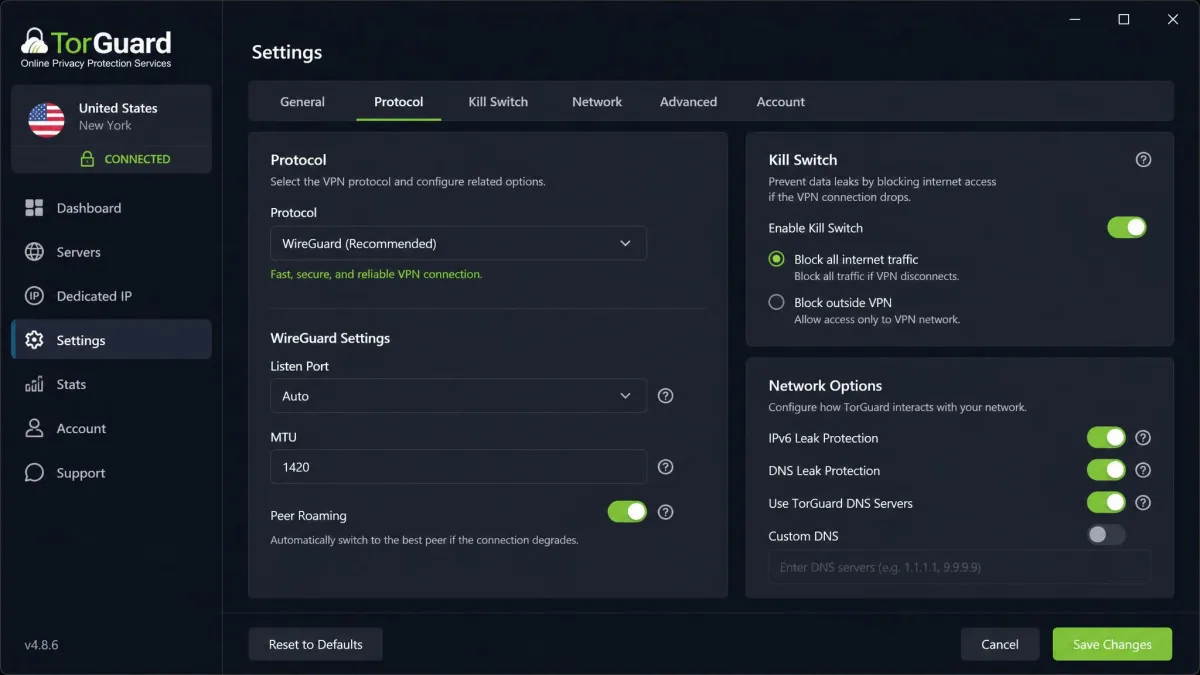
TorGuard supports a full spread of protocols. You get WireGuard using the ChaCha20 cipher, OpenVPN with AES-256 encryption, and OpenConnect with AES-128. On Windows it also offers Stealth obfuscation, which disguises VPN traffic to slip past networks that try to block it. That is a wider menu than most consumer VPNs bother to expose.
That range matters because different jobs need different tools. WireGuard is the one you will reach for most, since it is fast and modern, while OpenVPN remains the reliable fallback when a network is fussy. Stealth is the option you turn to on restrictive networks where a standard VPN connection simply will not hold, such as a locked-down office or a heavily filtered country.
Encryption itself is standard-strong across the board, so there is no weak link on the cryptography side. The protocols are all industry-proven, and TorGuard leaves the choice in your hands rather than hiding it behind a single automatic setting. For anyone who likes to tune their connection, that openness is a genuine plus.
Kill Switch, Split Tunneling and Extras
The kill switch is one area TorGuard handles well. It offers both an app-level and a network-level kill switch, so you can cut either specific programs or your entire internet connection if the VPN drops. In our leak checks this behaved as expected, holding traffic rather than letting it spill onto the open connection.
Split tunneling is a weaker story. Support is limited and platform-dependent: on some platforms it is absent, and where it exists it appears confined to Android. Rivals such as NordVPN and Surfshark offer split tunneling far more broadly, so if routing only certain apps through the VPN matters to you, confirm it works on your device before you commit rather than assuming parity with the competition.
The extras are where TorGuard rewards tinkerers. Port forwarding is available, which torrenters and self-hosters will appreciate, and the service accepts cryptocurrency and cash for people who want to keep payment details out of the picture. Router support rounds out the list, letting you protect every device on a network from a single install.
Dedicated IPs and Add-Ons
Dedicated and residential IP addresses are a headline TorGuard feature, and they are genuinely useful. A dedicated IP helps you avoid the blocklists that shared VPN addresses often land on, which is handy for accessing accounts or services that flag VPN traffic. It also cuts down on the endless CAPTCHAs that shared IPs tend to trigger.
That single benefit is easy to underrate until you have lived with a shared VPN address that gets you blocked from your own bank or flagged on every search. A static, dedicated address behaves much more like a normal home connection, which is precisely what many users want a VPN to do.
On the Standard plan a dedicated IP is a paid add-on at $7.99 a month. Pro and Premium subscribers get one included, which softens the sting of those higher tier prices if a static address is something you actually need. For business users and anyone whitelisting an IP for remote access, this feature alone can justify the choice of TorGuard over a cheaper rival that does not offer it.
Residential IP addresses go a step further, using real consumer-grade addresses that are far harder for services to detect and block. They cost more and are aimed at a narrow group of users, but the fact that TorGuard offers them at all speaks to who this VPN is really for. If you have ever been blocked for looking like a VPN, these add-ons are the reason some people stay with the service.
Speed and Performance
Speed is where we test claims against reality, and TorGuard's results were mixed. On a nearby, same-city server the connection held up reasonably, but even there we saw only around two-thirds of our unprotected baseline speed. That is a steeper drop than the best VPNs impose, where a close server often costs you almost nothing.
Reach for a distant server and the picture worsens. Speeds fell off sharply the further we connected from home, to the point where long-haul connections felt noticeably sluggish for anything demanding. For everyday browsing this is fine, and you will not notice the difference loading web pages. For large downloads over distance, though, it is a real compromise.
It is worth breaking the results down by protocol, because that choice shaped our experience more than any other setting. WireGuard was consistently the strongest performer, holding on to the largest share of our baseline on both nearby and mid-range servers. OpenVPN trailed it by a clear margin, shaving off noticeably more throughput even on the same route, which is the usual price you pay for its extra compatibility. OpenConnect landed somewhere in between and felt best kept for the moments a network refuses the others. Stealth obfuscation, unsurprisingly, was the slowest of the set, since wrapping the tunnel to disguise it adds overhead. That is a fair trade only when a plain connection will not hold at all.
Upload speeds deserve their own mention, because they followed the same shape as downloads but felt the distance penalty more acutely. Close to home the upload side held up well enough for calls and backups. Push out to a far server and uploads sagged faster than downloads did, which is the opposite of what a casual user notices but exactly what a heavy user feels. If you back up files to the cloud, make frequent video calls, or seed torrents, that upload sag over distance is the number to watch, and it is another reason to test the specific servers you plan to use rather than trusting a single headline figure.
The good news is that the fast protocols are there. Running WireGuard rather than OpenVPN recovered a meaningful chunk of performance, so protocol choice makes a real difference to what you experience day to day. If speed matters most to you, connect to the closest server you can and stick with WireGuard. That single combination did more for our numbers than any other setting.
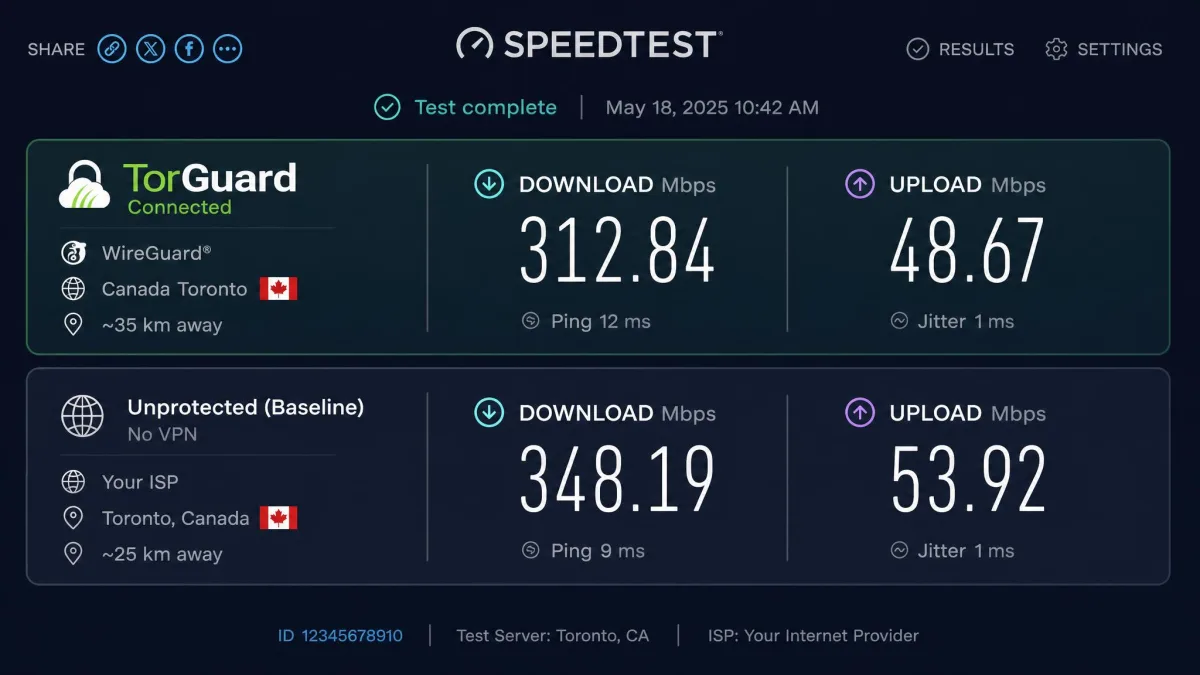
VPN speed depends heavily on your own connection, your distance to the server, and the protocol you choose. Our figures are relative to an unprotected baseline, so your absolute numbers will differ from ours. Always test the servers you actually plan to use.
Servers and Network Coverage
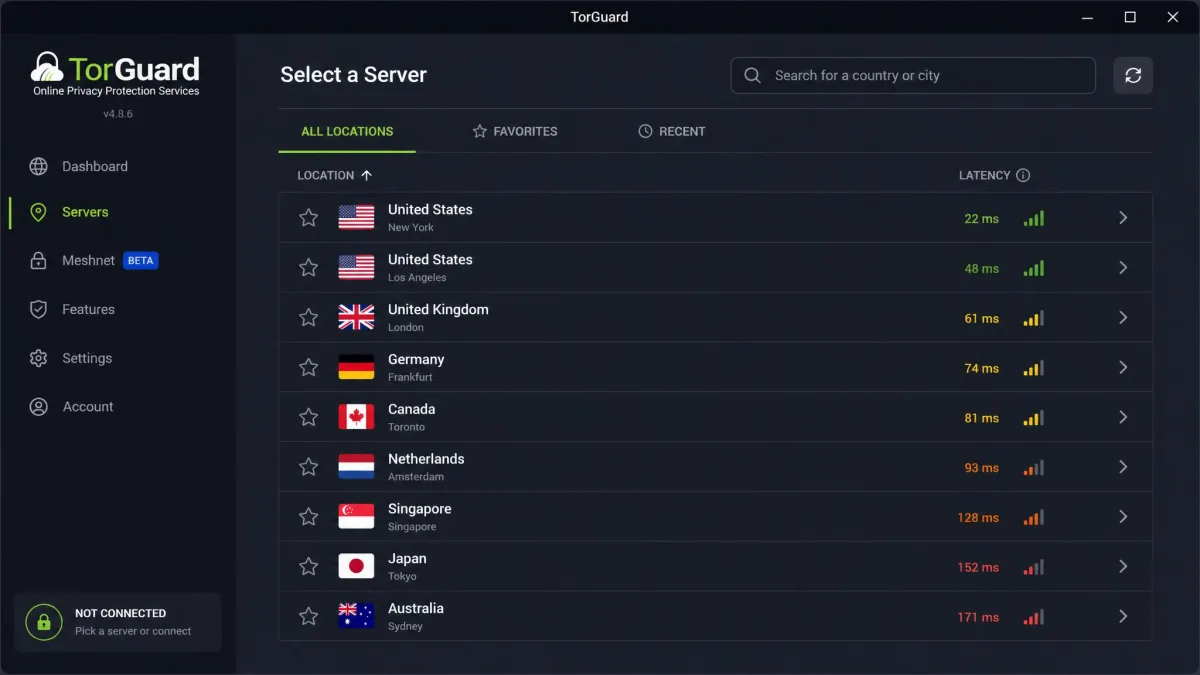
Where speed is variable, network coverage is steadier. TorGuard runs a network of more than 3,000 servers. Its country coverage sits somewhere around 50. Sources count between 48 and 50 depending on how locations are grouped, so treat "roughly 50 countries" as the fair figure.
That is a solid footprint, though not a leading one. NordVPN spans over 100 countries. Surfshark reaches 100, and ExpressVPN covers 113. TorGuard's network is built more for depth in the locations it serves than for sheer flag-count breadth. For a torrenting-focused user, that trade-off is usually the right one.
For most people the country list is wide enough to find a nearby, fast server, which is what actually affects your experience. Need a presence in an unusual location? Check TorGuard's live list first, since its coverage is respectable rather than exhaustive. The core regions in North America, Europe, and Asia are all well represented.
Streaming and Unblocking
Streaming is the most plan-dependent part of the whole TorGuard experience. It is where your choice of tier really shows. Results were inconsistent in our testing. On some servers Netflix loaded fine, while on others it failed with a proxy or wrong-password style error. There was no single switch that fixed it, which is frustrating.
The pattern that emerged is that the Pro plan performed much better. On Pro, Netflix worked across more than 15 country libraries, and Disney+ and BBC iPlayer came through too. We also had success with Hulu, Amazon Prime Video, and Max on the better-provisioned Pro locations. That is a broad enough spread to cover most households' watchlists. On the cheaper Standard servers, the story was rougher. Netflix and Prime Video frequently refused to play, and even a connected Standard server was more likely to be caught and blocked partway through. That gap between the tiers is the single most important thing to understand before you buy TorGuard for streaming.
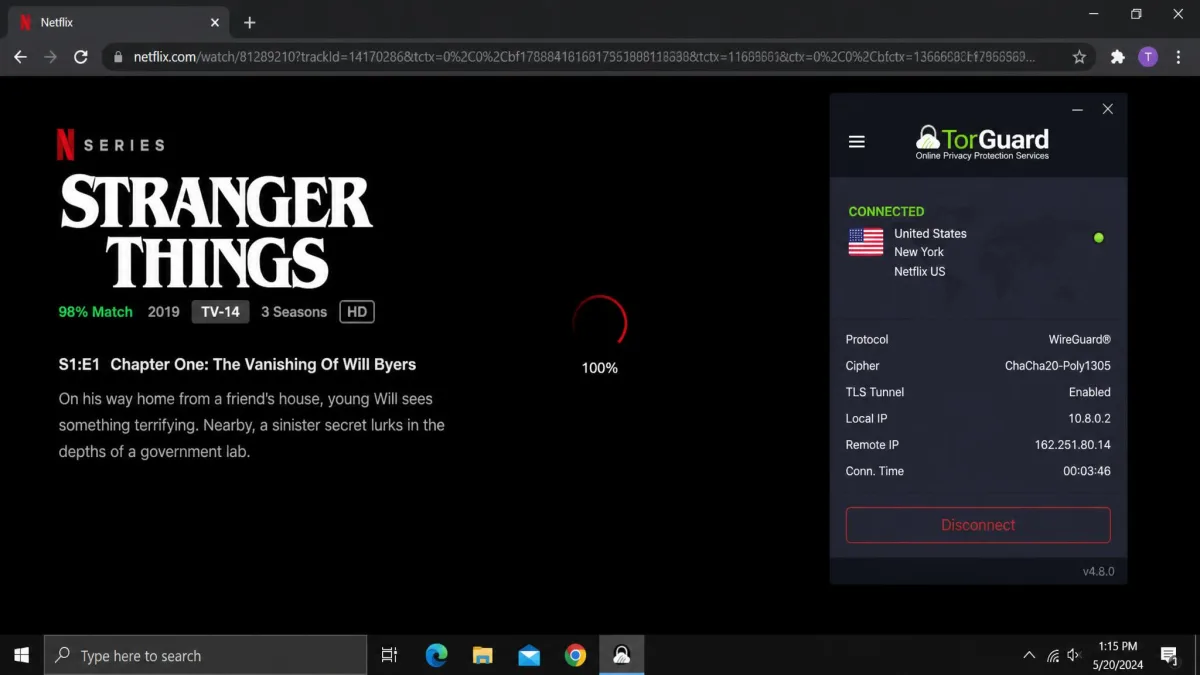
So TorGuard can be a capable streaming VPN, but not reliably on its entry tier. If unblocking is a priority, budget for Pro. Accept, too, that you may need to hop between servers to find one that works with your chosen service. Compared with NordVPN or ExpressVPN, which unblock the major platforms consistently out of the box, this is more work than most people will want to do. The realistic expectation is that you will keep two or three known-good servers bookmarked per service and switch to them when one stops working. That is manageable for a patient user and tiresome for everyone else.
Torrenting and the US Server Restriction
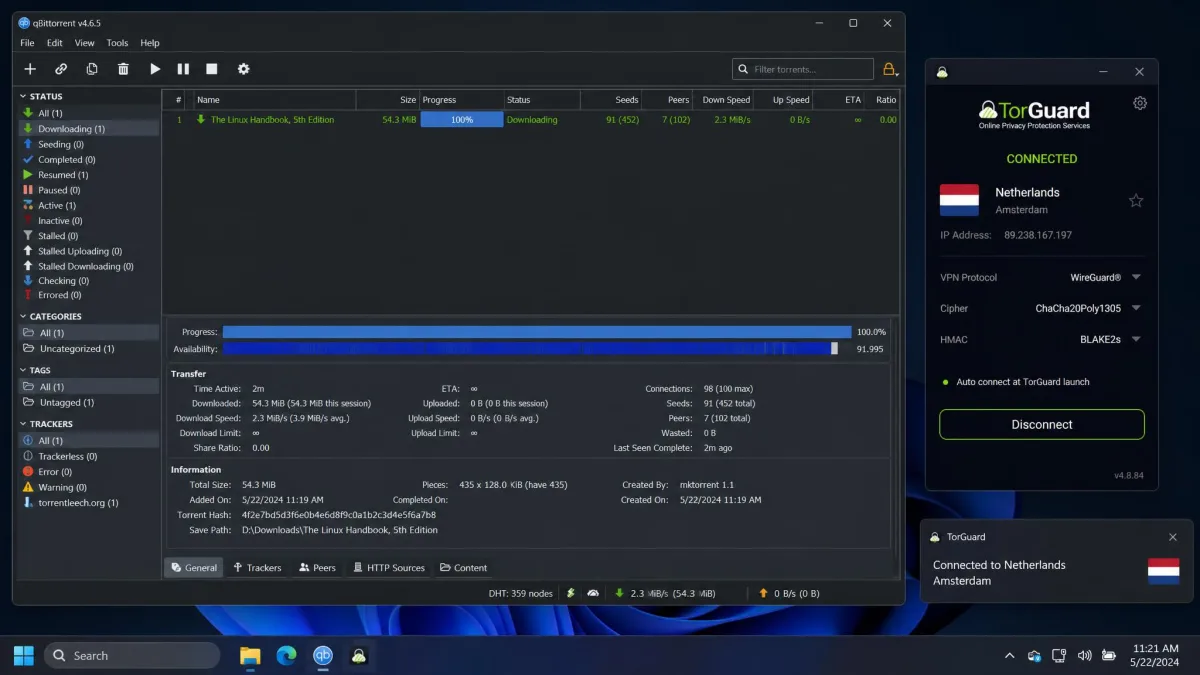
Where streaming disappoints on the cheap plan, torrenting is TorGuard's home turf. P2P is fully supported, and combined with port forwarding and dedicated IP options, this is a VPN built with downloaders in mind. It is genuinely one of the better torrenting VPNs for anyone whose main use case is heavy file sharing.
There is one important catch. BitTorrent traffic is blocked on every US-based server, so P2P users must manually pick a non-US location before they start. Connect to a US server and your torrent client will simply stall, with no obvious warning that the block is the cause.
If you torrent with TorGuard, choose a non-US server first. BitTorrent is blocked on all US-based servers, which is a direct consequence of the company's US jurisdiction.
Once you are on a permitted server, torrenting worked as intended for us, with port forwarding available to improve connection quality. The restriction is an annoyance rather than a dealbreaker, provided you remember to switch locations each session. It does, however, sit awkwardly with TorGuard's whole pitch, since the company built a torrenting VPN and then had to fence off its home country.
Privacy and Logging
Privacy is the area where TorGuard asks for the most trust. The company is headquartered in Florida. That places it squarely inside the Five Eyes intelligence-sharing alliance. For some users that jurisdiction alone is a concern, since it means the company could in principle face legal pressure to cooperate with authorities.
TorGuard states that it does not keep logs, and there is no evidence that it retains browsing activity. But it has not commissioned an independent no-logs audit. That promise rests on the company's word rather than third-party verification. Rivals like NordVPN, ExpressVPN, and Surfshark have all had their no-logs claims audited, which is now the industry standard for a privacy-first VPN.
TorGuard is based in the US and inside Five Eyes, and its no-logs claim has not been independently audited. If a court-tested, verified no-logs policy is essential to you, that gap matters.
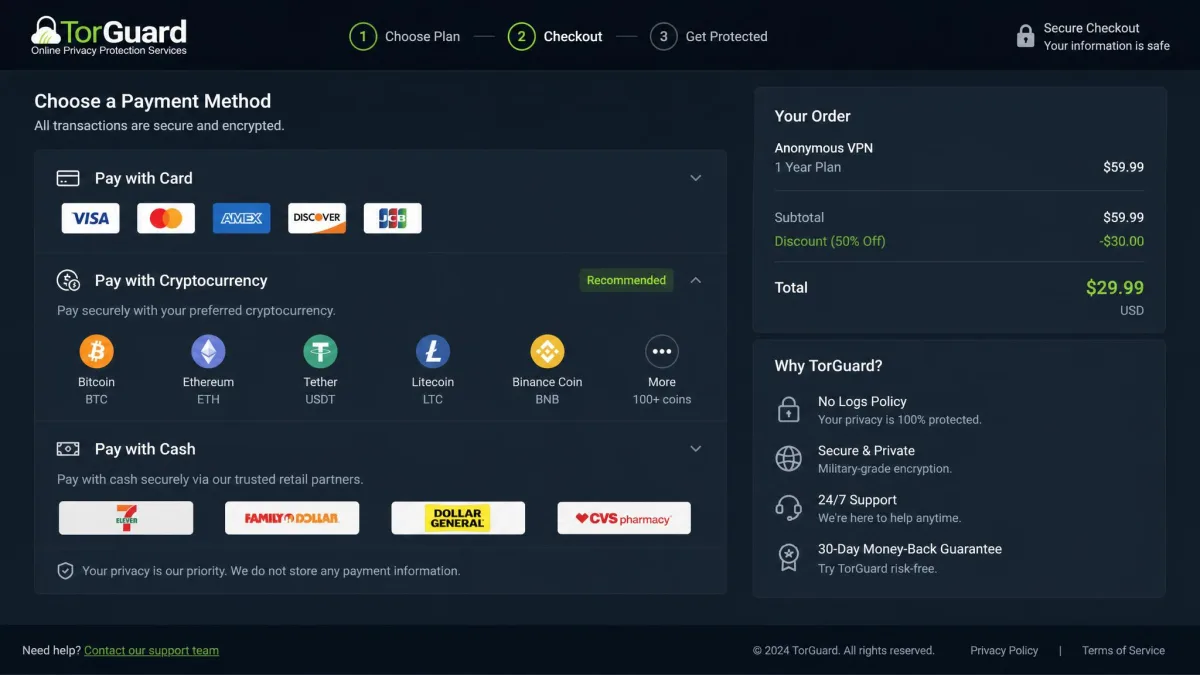
To its credit, TorGuard does support cryptocurrency and cash payments. That lets privacy-focused users avoid tying a subscription to their real identity. It partly offsets the jurisdiction concern for people who plan carefully. It is a meaningful gesture toward anonymity, even if it cannot undo the fact of where the company is based.
Security: Is TorGuard Safe?
On the technical side, TorGuard is safe to use. The encryption is strong. The protocol lineup is proven, and the kill switch performed correctly in our leak tests, holding traffic when the connection dropped. We saw no DNS or IP leaks across the protocols we checked.
The security question, then, is less about the tunnel and more about trust and reliability. The absence of an independent audit and the US base are the real caveats, not any flaw in the cryptography itself. Is your threat model casual, protecting yourself on public Wi-Fi or keeping an internet provider from logging your browsing? TorGuard covers that competently.
For higher-stakes users, the honest answer is different. TorGuard is technically sound but has not proven its privacy claims the way audited competitors have. That distinction is what separates "safe enough for most people" from "safe enough for anyone." Where you land on that line should decide whether the technical strengths are enough for you.
It is also worth separating two ideas that often get confused. A VPN can be secure in the sense that its encryption is unbreakable, while still being a poor privacy choice because of where it is based and how much you have to take on faith. TorGuard sits in exactly that position. The tunnel itself is trustworthy, but the surrounding company has done less to earn your trust than the audited names it competes with. For most people that is an acceptable trade, and for a determined few it is a dealbreaker.
Apps and Ease of Use
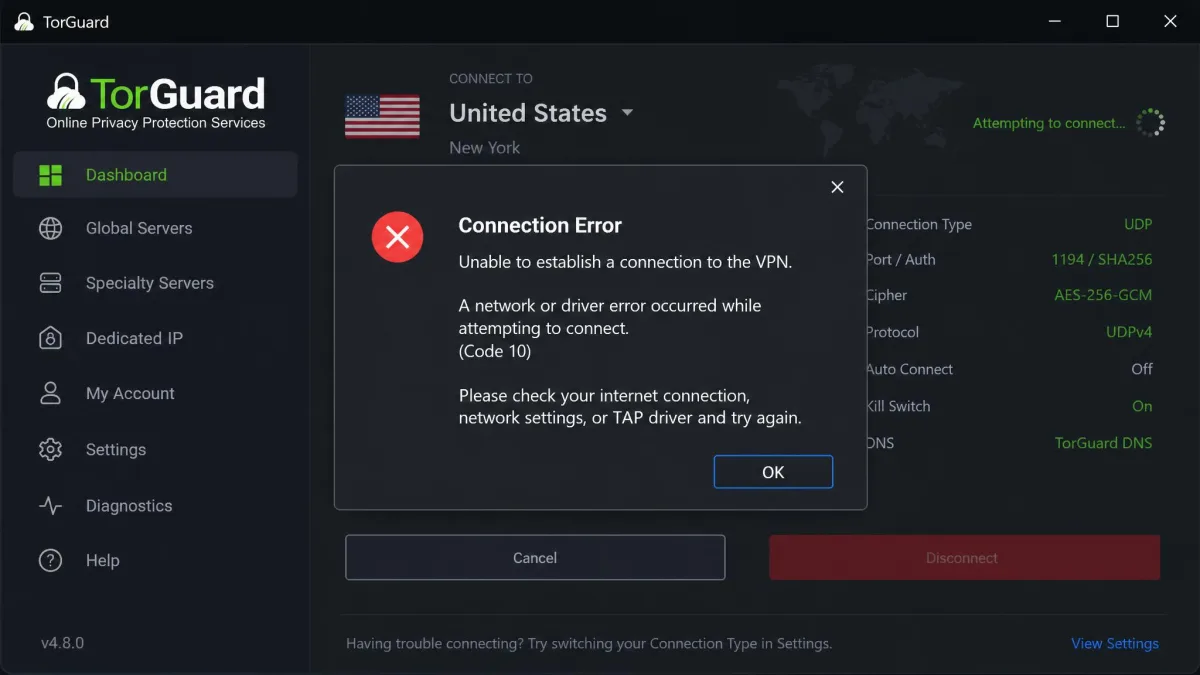
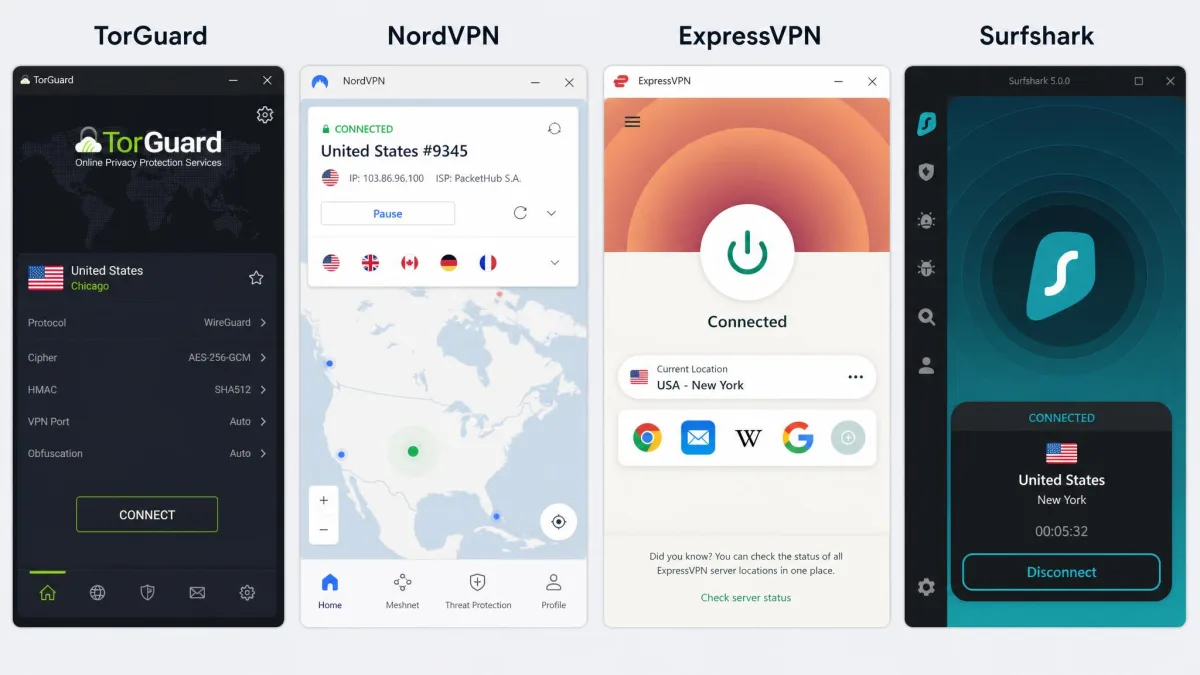
This is where TorGuard tested our patience. The apps stay buggy in daily use. Connecting and disconnecting can take too long, and we ran into "not responding" states and failed connections citing HTTP, network, or driver errors. It rarely broke completely. But it interrupted us often enough to become a pattern rather than a fluke.
The settings menu compounds the problem. Features are scattered across tabs with little obvious logic, which makes the app genuinely confusing for beginners. Powerful options are there, but you have to hunt for them, and the layout assumes you already know what you are looking for. A newcomer will feel lost in a way they would not with a mainstream rival.
The experience is not uniform across platforms, so it is worth taking each one in turn. On Windows the app is the most fully featured, and it is the only place Stealth obfuscation lives. It is also where we hit the most connection errors and "not responding" spells. The macOS build felt a touch steadier in our testing. Even so, it inherits the same cluttered settings layout and the same habit of taking its time to connect. On Android the app was the most approachable of the lot, and notably it is where split tunneling actually appears, which makes the phone the best place to route only chosen apps through the VPN. iOS is the plainest of the mobile builds. It is competent for a straightforward connect-and-go session but short on the deeper controls that draw people to TorGuard in the first place. Router support exists too, and it is a genuine strength for anyone who wants to protect a whole home from one install, though the setup is firmly aimed at users comfortable in a router admin panel.
We kept coming back to the same thought while using the desktop app. The raw capability is here, but the design gets in its own way. A cleaner layout and a few sensible defaults would transform the experience without touching a single feature. As it stands, the app rewards patience and punishes everyone else.
Even getting started took longer than it should. Initial account activation lagged for us, taking around five minutes before the first login worked, which is an odd first impression for a paid product. And on Linux, WireGuard has to be installed manually and separately. That feels distinctly out of place in 2026.
None of this makes TorGuard unusable, and experienced users will adapt. But next to the one-tap simplicity of its main rivals, the apps feel dated and fiddly. Want something your family can use without help? This is not it, and no amount of feature depth changes that.
Customer Support
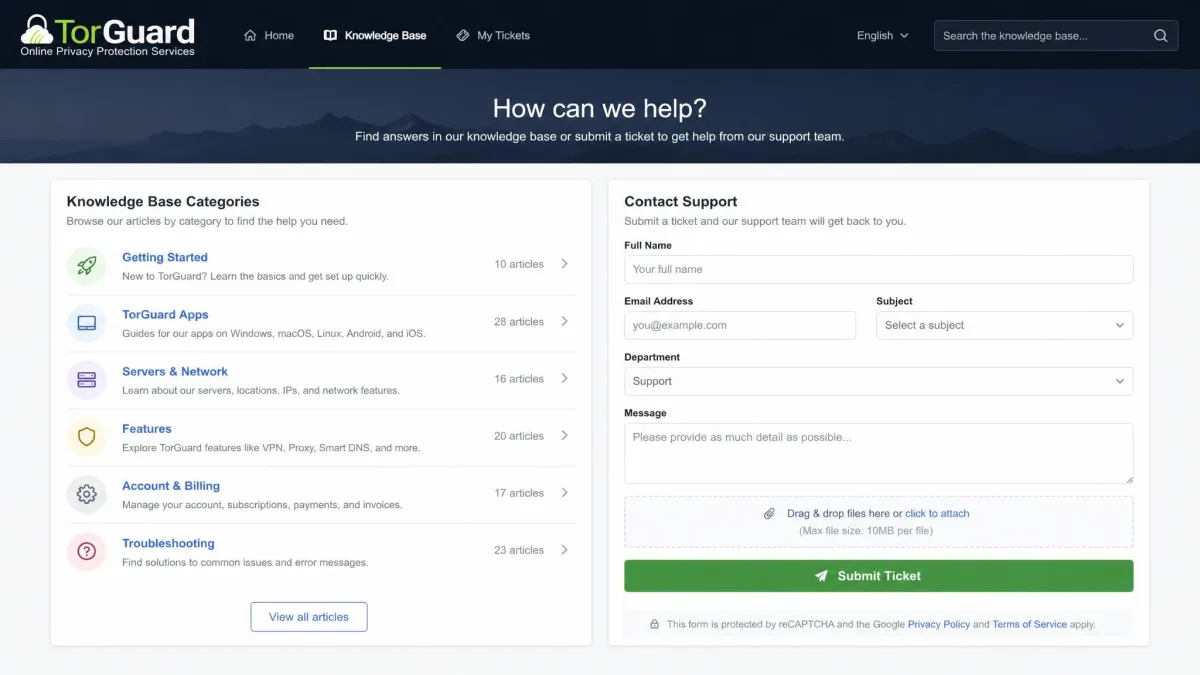
When the apps misbehave, support becomes important. Here TorGuard is slow. Help can take several days to arrive, and some waits run into hours even for the faster channels. For a product with as many rough edges as this one, that is a poor combination. The moments you most need help are exactly the moments the app is failing.
The knowledge base covers the basics, so simple setup questions are answerable without contacting anyone. The frustration comes when you hit one of the app's connection errors and need a real person. That is when the delays bite hardest. We would like to see faster, more consistent support given how often the software needs a hand.
It is worth putting that alongside the wider customer picture, which is more positive than the support delays alone suggest. TorGuard holds a 4.2 out of 5 rating on Trustpilot across roughly 3,740 reviews. That is a genuinely respectable score for a VPN, and it points to a large base of satisfied long-term users. Those happier reviewers tend to praise the stable, unchanging pricing and the steady day-to-day reliability once the service is set up. The critical reviews cluster around the themes we ran into ourselves: slow responses, the occasional billing surprise, and the reports of account suspensions we flagged earlier. Read together, the score tells a consistent story. People who commit to TorGuard and get past its setup friction mostly stick with it, while the frustration is concentrated at the start of the relationship and in the support queue.
TorGuard Alternatives
TorGuard is not the only VPN aimed at demanding users, and for many people a rival will be the smarter buy. Here is how it stacks up against three of the strongest mainstream options on the specs that matter most.
| Product | Buy | Price/mo | Servers | Countries | Protocols | Devices | Money-back | Streaming | Torrenting |
|---|---|---|---|---|---|---|---|---|---|
 |
Check price → | ~$4-5 | 3,000+ | ~50 | WireGuard, OpenVPN, OpenConnect, Stealth | 8 / 12 / 30 | 7-day | Inconsistent | Yes, not on US servers |
 |
~$3.39 | 8,000+ | 100+ | NordLynx, OpenVPN | 10 | 30-day | Strong | Yes | |
 |
~$4.99 | 3,000+ | 113 | Lightway, OpenVPN | 8 | 30-day | Strong | Yes | |
 |
~$2.49 | 4,500+ | 100 | WireGuard, OpenVPN | Unlimited | 30-day | Strong | Yes |
NordVPN is the all-rounder, with a huge audited network and strong streaming for a lower long-term price. Surfshark undercuts everyone and allows unlimited devices, which makes it the value pick for busy households. ExpressVPN is the polish option, with the smoothest apps and reliable unblocking, though it costs the most of the three. Each offers a far more generous refund window than TorGuard.
Where TorGuard still competes is on torrenting control and add-ons like dedicated IPs and port forwarding. If those are your priorities, it earns a place on the shortlist. If they are not, the alternatives are easier to recommend, and cheaper besides. The choice really does come down to whether you need TorGuard's specialist toolkit or just want a good all-round VPN.
Verdict: Is TorGuard Worth It?
TorGuard is a specialist tool, and it should be judged as one. For torrenters, self-hosters, and people who want dedicated IPs and granular control, it does things the mainstream VPNs make harder. Long-term subscribers value its stable pricing and steady day-to-day reliability once it is set up. There is a loyal core of users for good reason, and its 4.2 out of 5 Trustpilot score across roughly 3,740 reviews backs that up.
That loyalty is easy to understand once you see the service from a power user's chair. The features they rely on, dedicated IPs, port forwarding, obfuscation, and generous device limits, are exactly the ones cheaper VPNs strip out. When those tools are the point, the buggy app is a price worth paying rather than a reason to leave.
But the friction is undeniable. The buggy apps, the scattered settings, the slow support, the tight refund window, the occasional billing surprise, and the unaudited US base all count against it. Casual users chasing easy Netflix and one-tap protection will find NordVPN, ExpressVPN, or Surfshark a better fit for less money and less hassle. Those rivals have simply moved the bar for what a mainstream VPN should feel like.
Our advice is straightforward. If you know exactly why you want TorGuard's power-user features, it is worth the rough edges, and the specialist toolkit will pay you back. If you are not sure you need them, you probably do not, and a smoother rival will serve you better. Whichever way you lean, the short refund window means you should decide fast, so test it hard in the first few days and be honest about whether the control is worth the hassle.