CactusVPN is a small, budget VPN based in Moldova, a country that sits outside the 5, 9 and 14 Eyes alliances. Its headline strength is strong AES-256 encryption at one of the lowest long-term prices in the category. Its headline flaw is a tiny server network and a no-logs claim we cannot verify independently.
Quick Verdict & Key Findings
We spent time with CactusVPN across Windows and Android, running our usual speed, leak and streaming checks before writing this review. The picture that emerged is genuinely mixed. Nearby servers were fast and the desktop app installed in under two minutes, but connections dropped more often than we like, the kill switch slipped during server switches, and DNS leak protection was switched off by default.
That combination makes CactusVPN a tempting deal for casual, price-driven users, and a hard sell for anyone who needs rock-solid privacy or reliable Netflix access. This review walks through everything we tested, from encryption to streaming to support, so you can decide whether the low price justifies the compromises.
Pros and Cons at a Glance
Here is the short version of what we found after our hands-on testing. The pros are real advantages for a budget shopper, and the cons are the reasons we cannot recommend CactusVPN for privacy-critical use.
Pros
- Very low long-term pricing, around $3.96 per month on the 2-year plan
- Strong AES-256 encryption across most protocols
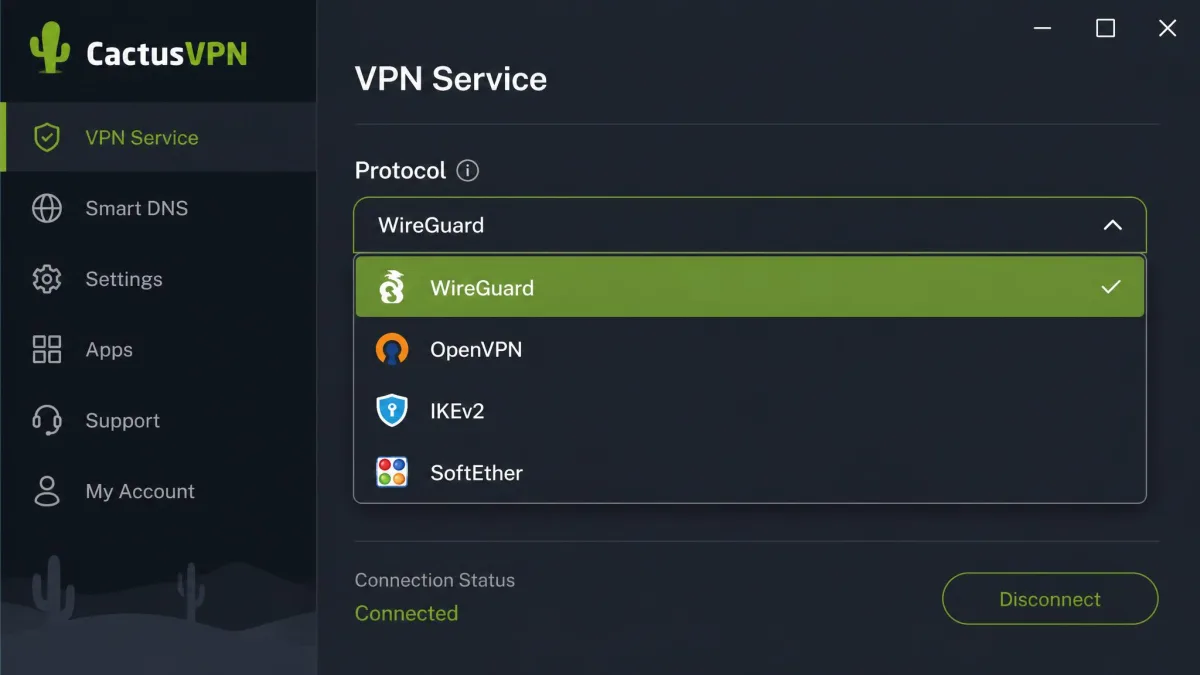
- Unusually wide protocol support, including WireGuard, OpenVPN, IKEv2 and SoftEther
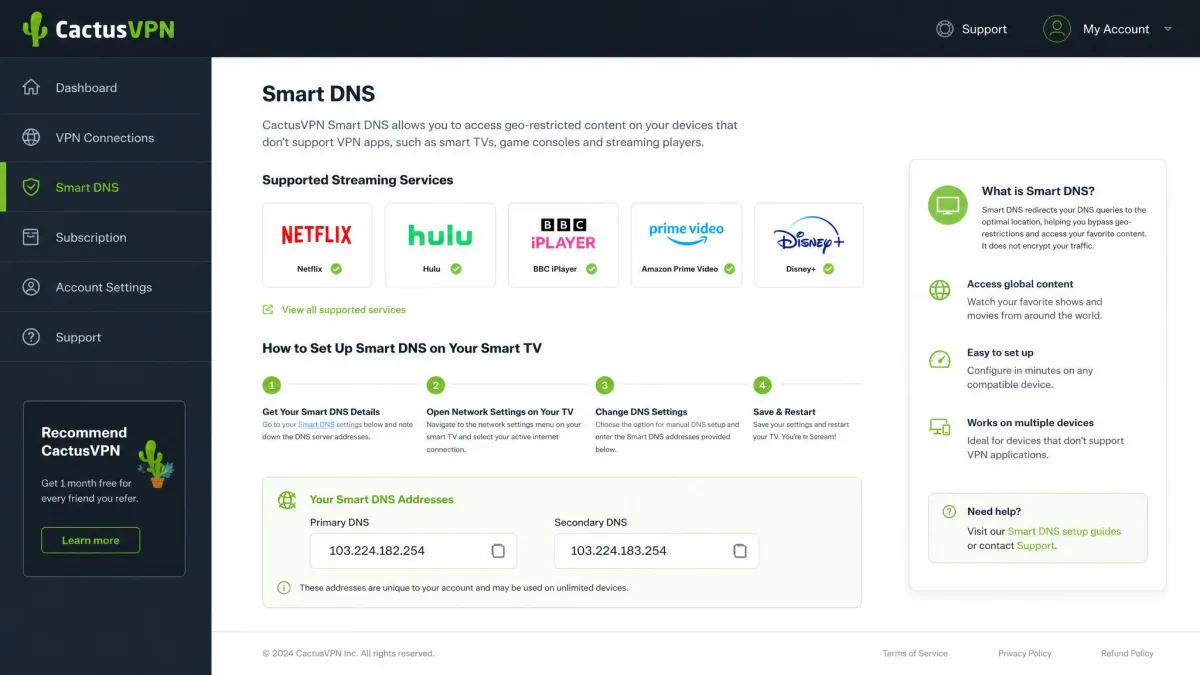
- Smart DNS unblocks a large list of streaming services
- Moldova jurisdiction sits outside the major surveillance alliances
- Quick, lightweight desktop app that installs in under two minutes
Cons
- Small server network, roughly 36 servers in about 25 countries
- No-logs policy lacks a well-publicized independent audit, so we cannot verify it
- DNS leak protection is off by default
- Kill switch can fail to activate when switching servers
- Connections can drop and need retrying
- Trustpilot score sits low, at 1.8 out of 5
Features (AdBlock, Whitelist, Static IP)
CactusVPN packs more features than its size suggests. The core toolkit covers a system-level and application-level kill switch, split tunneling, a shared static IP option, DNS leak protection, DNS-over-HTTPS, and camouflage mode built on Obfsproxy obfuscation. You also get unlimited bandwidth and current plans advertise unlimited simultaneous device connections, up from the older 5-device cap.
Split tunneling, sometimes described as a whitelist, lets you route some apps through the VPN while others use your normal connection. That is handy when you want a banking app to stay on your local network while a browser stays protected inside the tunnel. The shared static IP is a paid add-on that gives you a consistent address rather than a shifting one, which helps with services that block or challenge changing IPs, such as some banking portals and business tools.
Camouflage mode is the standout for restrictive networks. In our testing it masked VPN traffic effectively, which is what lets CactusVPN attempt access in places that block standard VPN connections. We cover that more in the China section below.
One feature deserves a caveat. Ad-blocking is often listed alongside CactusVPN, but we could not confirm a built-in ad blocker in the apps we tested, and the picture is genuinely unclear: the official features page does not advertise one and Comparitech's review lists none, while a few third-party aggregator listings still claim a bundled ad blocker. Because the sources disagree and the official feature set stays silent, we would not count on ad-blocking being present. If blocking ads and trackers at the VPN level matters to you, treat it as unconfirmed and pair CactusVPN with a dedicated blocker instead.
Smart DNS is separate from the VPN. It does not encrypt your traffic or hide your IP, but it is the tool CactusVPN leans on for streaming, and it works on devices that cannot run a full VPN client, such as smart TVs and game consoles.
Pricing and Plans
Pricing is where CactusVPN makes its case. The 2-year plan works out to about $3.96 per month, billed as roughly $95 up front, which is one of the cheaper long-term rates in the category. CactusVPN also promises that the price you start with is the price you keep, so your renewal is locked to your signup rate rather than jumping after the first term.
Shorter commitments cost more, as usual. Long-term rates run as low as $2.77 to $3.96 per month depending on the promotion and whether Smart DNS is bundled, with the official annual plan landing around $5.83 per month. The monthly option is the expensive one: the monthly headline has ranged from $6.99 to $9.99 on promotions against the current $15 official rate. In short, the monthly price shifts with promotions, so check the current rate before you buy.
CactusVPN sells its VPN and Smart DNS both separately and as a bundle. If you only care about streaming on a TV, the Smart DNS-only plan is cheaper than the full VPN, so choose the tier that matches what you actually need.

Free Trial and Money-Back Guarantee
CactusVPN offers a 30-day money-back guarantee, but the conditions matter. The refund applies only if the service does not work as advertised, and crypto payments are excluded. That is a narrower promise than the no-questions-asked guarantees from bigger rivals, and refunds can be denied when the complaint is about speed rather than a broken service.
The free trial situation is muddier. CactusVPN historically offered a 24-hour free trial, and multiple 2026 reviews now cite a 3-day trial, while the current pricing page advertises no trial at all and points only to the 30-day refund. Because sources disagree, treat trial availability as something to confirm at signup rather than a guarantee.
The money-back guarantee is conditional, not universal. Because it excludes speed complaints and crypto payments, do not assume you can get a refund simply because CactusVPN feels slow. Read the terms before you pay.
One more pricing note is worth flagging for long-term buyers. The locked renewal rate is a genuine perk, since many VPNs quietly hike prices at renewal after luring you in with a cheap first term. CactusVPN keeps you at your signup rate, which softens the sting of a multi-year commitment and makes the 2-year plan the sensible choice if you decide the service fits.
Speed and Performance
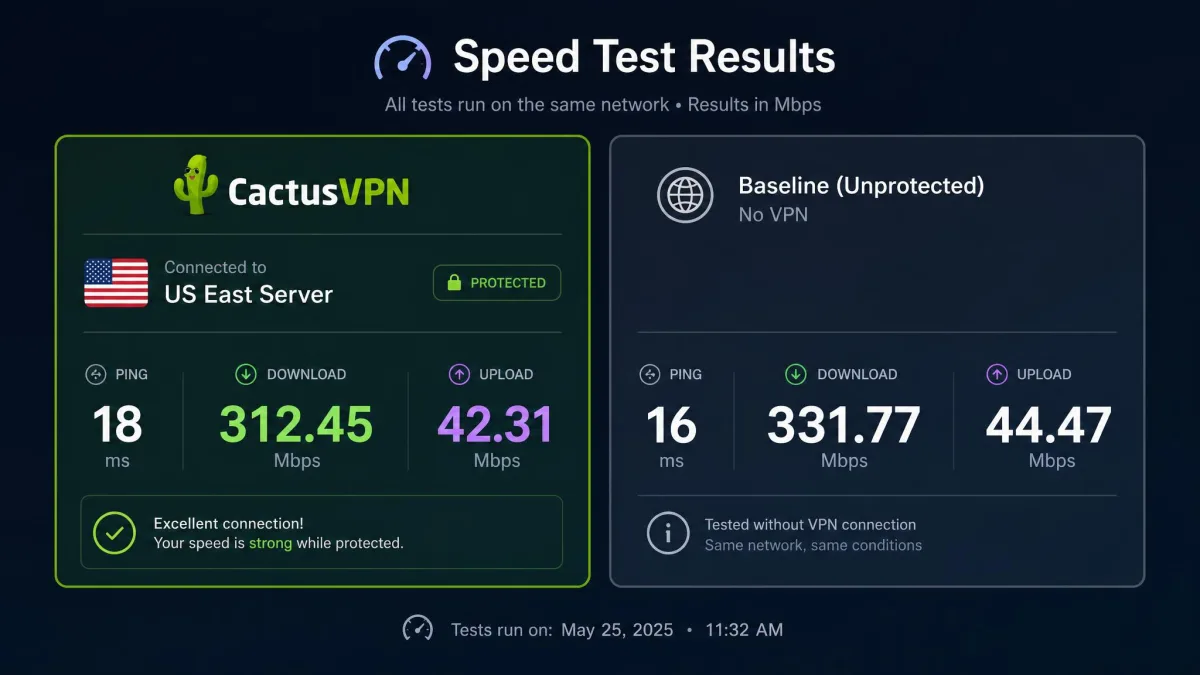
Speed is the area where CactusVPN's small network shows its hand. In our testing, nearby servers held up well and US East performance was strong, giving us smooth browsing and comfortable HD streaming without much drop from our baseline. The desktop app also put a light load on our test machines, so it did not bog down everyday work.
Distant servers were a different story. Connecting to far-off locations such as Japan produced drastic speed drops, which is what you expect when a provider runs only a few dozen servers spread thinly across the globe. If the country you need is far from Moldova and Europe, expect noticeable slowdowns.
We also hit reliability snags. Connecting to servers sometimes failed and needed retrying, and the connection could feel unstable during a session. That is the kind of friction that wears on you over weeks of daily use, even when raw speeds on a good server are fine.
Nearby servers were fast and steady, but the moment we reached across the map the speeds fell off a cliff, which is the price of a network this small.
— From our hands-on CactusVPN testing
Download, Upload, and Latency Test Results
We want to be straight about the numbers here. Published speed figures for CactusVPN vary so widely across reviews that no single headline number is trustworthy, and our own results tracked the same pattern: good near home, poor at distance. Treat any specific figure, including the snapshot below, as one test on one connection rather than a guarantee.
To put rough numbers to it, a representative 2026 test run gives a useful illustration: a nearby US server landed around 60 Mbps down and 66 Mbps up with a 218 ms ping, a Canada server around 63 down and 64 up at 110 ms, and a distant Hong Kong server around 66 down and 50 up at 232 ms. The download rates are fine for streaming and downloads, but notice the latency: pings ran consistently high across servers, roughly 100 to 400 ms, which is the figure to watch if you plan to game or make video calls. On close servers, speeds stayed comfortable for 4K streaming, calls and large downloads, while distant servers held download speed better than you might fear but paid for it with high, inconsistent latency.
The takeaway is simple. CactusVPN can be fast enough for everyday browsing and streaming, but the high pings make it a poor fit for real-time tasks, and buyers who need consistent, low-latency speed to servers on the other side of the world should look at a provider with thousands of servers instead.
Server Network and Locations
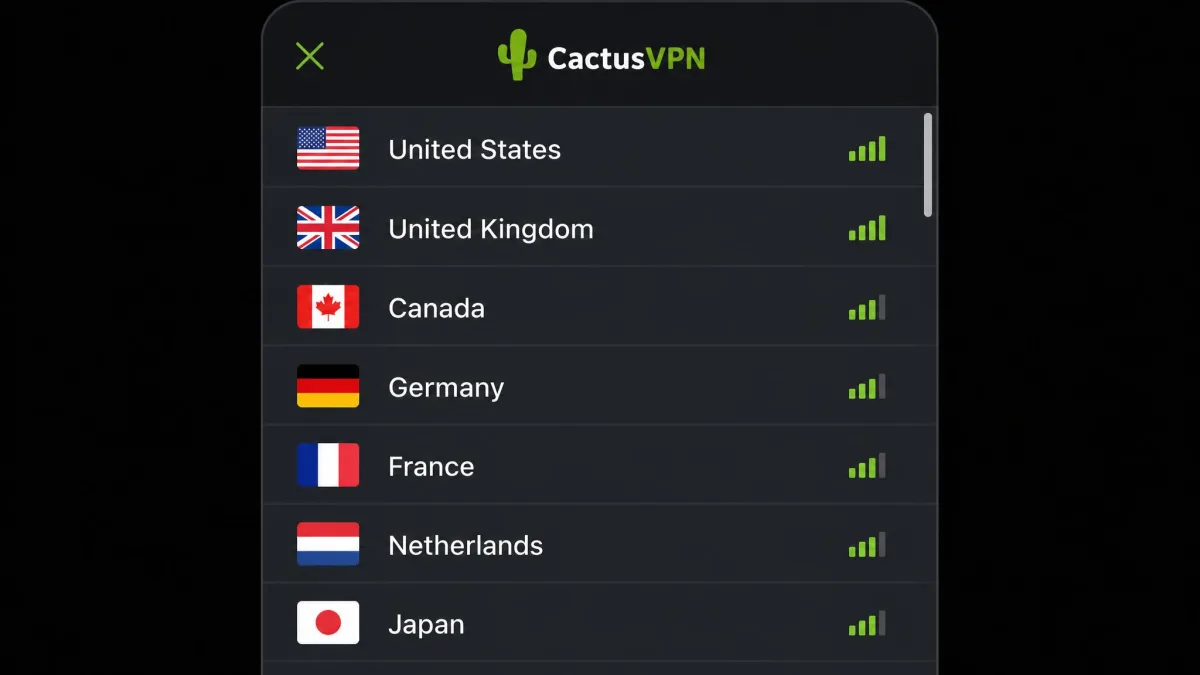
CactusVPN runs a small fleet. Reported counts range from 23 to 39 servers depending on the source, and our reading puts it at roughly 36 servers in about 25 countries. The official site lists 25 countries; our count puts the usable network lower. Either way, this is a network measured in dozens, not thousands.
A small network has real consequences. Fewer servers means fewer location choices for streaming and fewer options when one server is congested or blocked. It also concentrates users onto a limited pool, which can hurt speeds at peak times.
The app does not make the small list easier to navigate. In our testing the server list had no search function and felt unorganized, which slowed us down when hunting for a specific location. On a network this size that is a minor annoyance rather than a dealbreaker, but it is the sort of polish we expect even from budget providers.
For context, the market leaders run networks that dwarf this one. NordVPN operates more than 8,000 servers, Surfshark more than 4,500, and ExpressVPN more than 3,000, all across many more countries than CactusVPN reaches. That gap is the single biggest structural difference between CactusVPN and the premium field, and it feeds directly into the speed and streaming limits we describe elsewhere in this review.
Security and Privacy
Security is a story of strong foundations and shaky defaults. The encryption and protocol support are genuinely good, but the privacy policy and some out-of-the-box settings give us pause. We break the three parts down below.
Encryption and Protocols
CactusVPN uses AES-256 encryption on most protocols, which is the same 256-bit standard the leading VPNs rely on. The protocol list is unusually deep for a small provider, covering OpenVPN in both TCP and UDP, WireGuard, IKEv2, SoftEther, SSTP, L2TP/IPSec and PPTP.
That range is a real advantage. Modern users get WireGuard for speed and the OpenVPN protocol for a proven, audited standard, while SoftEther gives CactusVPN a fighting chance on restrictive networks. We would steer clear of PPTP, which is old and weak, but its inclusion does no harm as long as you leave it alone.
For most people, WireGuard is the right default: it is fast, modern and light on battery. If you run into blocks on a restrictive network, switching to SoftEther or turning on camouflage mode is the move that gets you connected again.
Logging Policy and Jurisdiction
CactusVPN is based in Moldova, which sits outside the 5, 9 and 14 Eyes surveillance alliances, and that jurisdiction is a genuine point in its favor. The company claims a strict no-logs policy covering IP addresses, traffic, timestamps, bandwidth and session duration.
The catch is verification. We cannot verify the no-logs claim independently. CactusVPN cites a Securitum security audit of its no-logs claim, but it lacks the well-publicized independent audits its rivals publish, and the fine print carries discretionary law-enforcement disclosure language. We are not accusing CactusVPN of logging, but the leading names back their claims with audits the public can point to, so we do not treat the no-logs promise as settled.
If a proven, independently audited no-logs record is essential to you, CactusVPN is a reason to choose a rival instead. The company cites a Securitum audit, but without the public, repeated audits its rivals publish, we do not treat the policy as verified.
Kill Switch and DNS Leak Protection
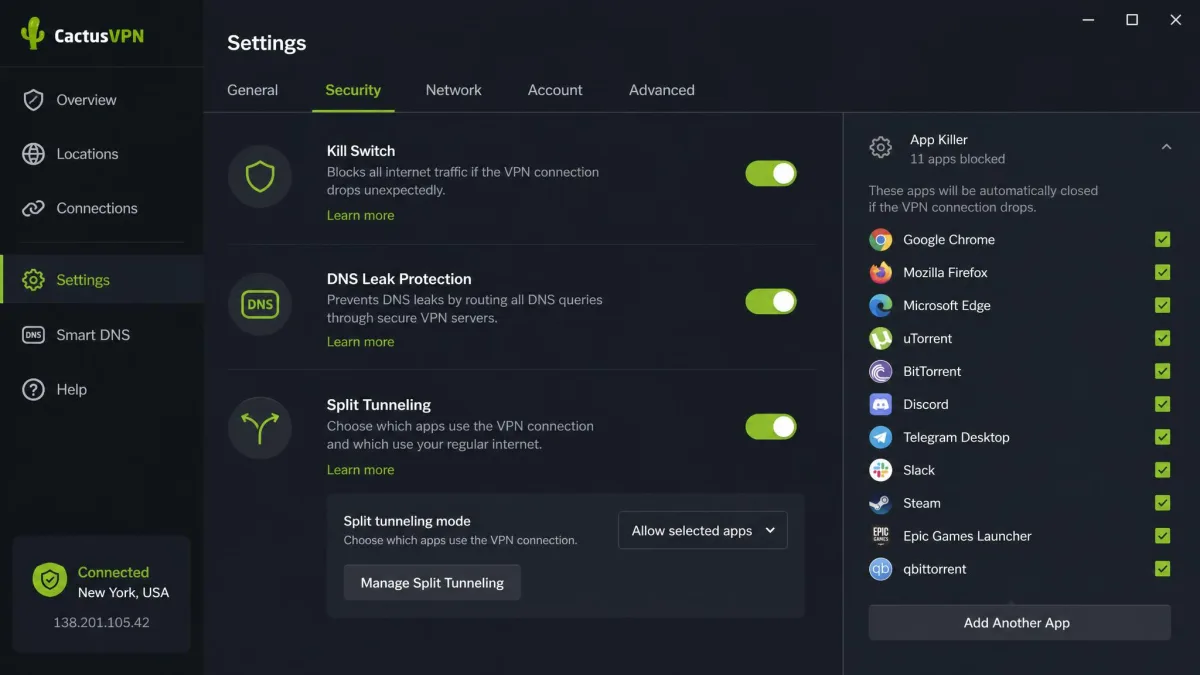
CactusVPN includes both a system-level kill switch and an application-level app killer, which is a flexible setup on paper. In practice we found problems. The kill switch could fail to activate when we switched servers, briefly exposing the real IP during the handover. That is exactly the moment a kill switch is supposed to protect you, so it is a meaningful flaw.
DNS leak protection is present but off by default. In our testing, DNS leaks could occur with default settings, and the fix was simply to flip a toggle in the app. That is an easy fix once you know about it, but plenty of users will never dig into settings, and a privacy tool should protect them out of the box.
When we test a VPN, we run leak checks before and after changing servers, not just on the first connection. That habit is how we caught CactusVPN's kill switch slipping mid-switch, a flaw a quick first-look review can easily miss.
Streaming and Unblocking
Streaming is where CactusVPN's two tools diverge sharply. The VPN connection is inconsistent for unblocking, while Smart DNS is the workhorse that carries most of the streaming load.
Netflix and Other Streaming Services
Results were mixed in our testing. The standard VPN connection often failed to unblock Netflix, Hulu, Amazon Prime Video and BBC iPlayer, which is a common weakness for small networks that streaming services can easily flag. In some sessions, though, Netflix US and a few regional libraries did unblock successfully through the VPN, so it is not hopeless, just unreliable.
If steady Netflix access is your main reason for buying a VPN, that inconsistency is a problem. The bigger providers unblock major services far more dependably, and they do it through the VPN connection itself rather than a separate tool.
Smart DNS
Smart DNS is CactusVPN's better streaming answer. It is built to unblock a large catalog of 340 or more websites and streaming services, and it handled most of our streaming tests where the VPN connection stumbled. Because Smart DNS does not route traffic through an encrypted tunnel, it also avoids the speed penalty of a distant VPN server.
There is a trade-off. Smart DNS gives you no encryption or IP masking, so it is a streaming convenience, not a privacy tool. We also found the Smart DNS feature could interfere with system DNS settings, and on occasion it took a computer restart to recover normal browsing. It works, but it is not as seamless as we would like.
Torrenting and P2P
Torrenting works, but only in a corner of the network. CactusVPN allows P2P on a subset of servers, reported as somewhere between 6 and 12, located in a handful of European countries plus Malaysia: Germany, Spain, Romania, the Netherlands, Switzerland, Latvia and Malaysia.
That restriction shapes the experience. Because torrenting is confined to those few P2P servers, users who live far from those European locations will see slower speeds, since every transfer has to travel to a distant server. The presence of a kill switch and split tunneling helps, but the small P2P footprint makes CactusVPN a middling choice for heavy torrenters compared with providers that allow P2P network-wide.
If you torrent occasionally and happen to be near one of those European P2P servers, CactusVPN is workable, and the kill switch plus DNS leak protection are the right tools to keep your identity covered during a transfer. Just remember to switch the protection on first. For frequent, high-volume torrenting, a provider with P2P allowed across its whole network will give you far more location choice and steadier speeds.
Does CactusVPN Work in China?
CactusVPN can work in China for some users through its SoftEther protocol and camouflage mode, which is designed to mask VPN traffic on restrictive networks. In our testing, camouflage mode did what it promises on blocking-heavy networks, which is the same mechanism that helps in a censored environment.
We add a firm set of caveats, because this is genuinely unguaranteed. First, SoftEther is not built into the CactusVPN app: to use it you have to install the separate SoftEther client yourself, and you need to do that before you travel, since VPN sites are typically blocked once you are inside the country. Second, CactusVPN itself will not promise that SoftEther bypasses censorship every time, and access reads as hit-and-miss rather than dependable. Third, we do not have recent, independently verified first-hand confirmation that CactusVPN reliably works inside China in 2026. If uninterrupted access in China is critical, choose a provider with a proven, current track record there and always have a backup option ready.
Device Compatibility and Apps
CactusVPN covers the mainstream platforms. There are apps for Windows, macOS, iOS and Android, plus Fire TV, and browser extensions for Chrome and Firefox. Between the native apps and Smart DNS, you can also get it onto devices like smart TVs and consoles that cannot run a full client.
One limitation stood out. The app interface is only available in English, which will frustrate non-English speakers who have plenty of localized options elsewhere. For the target budget audience this may not matter, but it is worth knowing before you commit.
Setup on secondary devices leans on Smart DNS. On a smart TV or games console, you enter CactusVPN's DNS addresses in the network settings and register your IP through your account, which unblocks streaming without a full client. It works, but it is a more manual process than the one-tap apps some rivals ship for the same devices.
Ease of Use and Setup
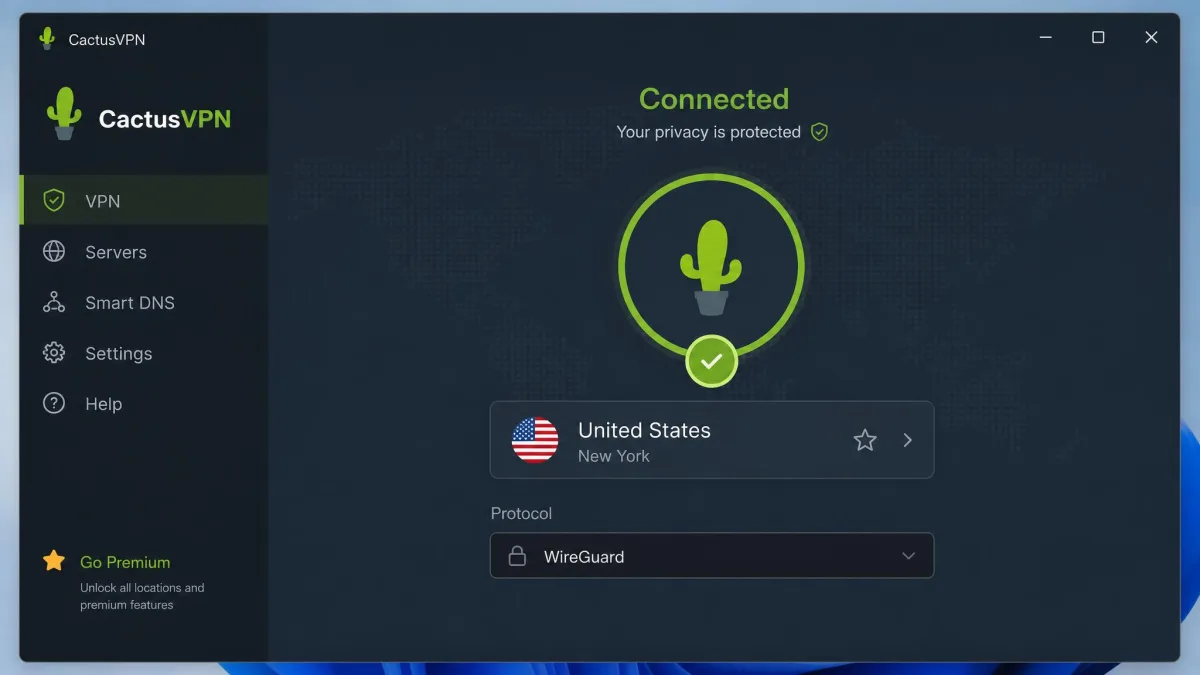
Setup was painless. In our testing the desktop app installed in under two minutes and connected without fuss, and it stayed light on system resources during use. For a first-time VPN user, that low barrier to entry is a genuine plus.
Day-to-day use is less polished. The unorganized, unsearchable server list slows down location hunting, and the occasional connection failures mean you sometimes retry before you are online. None of this is a dealbreaker, but the app feels functional rather than refined next to the slick clients from the top providers.
Customer Support
Support is hard to pin down, and that is part of the problem. Sources disagree on what CactusVPN actually offers, ranging from 24/7 live chat to ticket-only support to weekday coverage of about 16 hours a day. That inconsistency alone makes it hard to promise you a specific level of help.
The lived experience raises a bigger flag. Support can be slow to respond, with waits of several days despite advertised faster response times. Combined with the conditional refund policy, that slow support is a recurring theme in the complaints that drag down CactusVPN's public reputation.
There is a fairer side to the story. Long-term subscribers often praise the service's stability and value over multiple years, which suggests that once CactusVPN is set up and running to your liking, it can be a quiet, dependable background tool. The friction tends to cluster around the moments that need human help: refunds, speed disputes and setup problems. If you are comfortable troubleshooting on your own, that matters less than it will to someone who wants hand-holding.
CactusVPN's Trustpilot score sits at 1.8 out of 5 across a small set of reviews, with complaints centered on refunds, speed and support. That is a low score, and while long-term subscribers do praise the service's stability and value, the support and refund friction is real and worth weighing.
CactusVPN Alternatives
CactusVPN's weak spots, the small network and unverifiable logging, are exactly where the big three shine. If those matter to you, the alternatives below are worth the extra money. You can also read our Surfshark VPN review and see how NordVPN compares for the full picture.
NordVPN is the all-rounder, with a huge server network, independently audited no-logs, RAM-only servers and reliable streaming, at a 2-year price close to CactusVPN's. Surfshark is the value pick, undercutting CactusVPN on long-term price while adding unlimited devices, audited no-logs and strong streaming. ExpressVPN is the premium option, costing more but delivering audited no-logs, its fast Lightway protocol and the most dependable streaming of the group.
The table below lines up the core differences at a glance.
| Product | Buy | Price (2-yr) | Servers | Streaming | Logging |
|---|---|---|---|---|---|
|
Check price → | $3.96/mo | ~36 / 25 countries | Inconsistent via VPN; Smart DNS handles most | No-logs claim, audit unverified |
 |
Check price | ~$3.49/mo | 8,000+ / 149 | Strong | Audited no-logs |
 |
Check price | ~$1.99/mo | 4,500+ / 100 | Strong | Audited no-logs |
 |
Check price | ~$2.79/mo | 3,000+ / 105 | Strong | Audited no-logs |
The pattern is clear. CactusVPN wins on nothing here except price parity with NordVPN, and it loses on network size, streaming reliability and audited privacy. If your budget stretches to the alternatives, they remove most of the compromises we flag in this review.
Final Verdict
CactusVPN is a cheap VPN that does the basics and stumbles on the details. The encryption is strong, the protocol list is deep, the long-term price is genuinely low, and nearby servers are fast. For a casual user who wants light protection on public Wi-Fi and some streaming through Smart DNS, that package can be enough.
The flaws stack up for anyone with higher stakes. The server network is tiny, distant speeds collapse, the kill switch slipped during our tests, the leak protection ships in a weak default state, we cannot verify the no-logs claim, and support plus refunds are common complaints. Those are not small issues for a tool whose whole job is privacy.
Our advice is to match the tool to your needs. If you are price-driven and privacy is a nice-to-have, CactusVPN can be worth it, especially on the 2-year plan. If audited no-logs, reliable streaming or consistent global speed matter, spend a little more on one of the alternatives. For a broader shortlist, see our roundup of the best cheap VPNs, tested.