You land in a new city, connect to the airport Wi-Fi, and open your banking app without a second thought. That untrusted network is exactly where trouble starts. Public hotspots in hotels, cafes, and airports are shared with strangers. Anyone on the same connection can watch traffic that is not properly protected.
Travel adds a second headache too. The streaming service you pay for back home may go dark the moment you cross a border. Some countries block whole categories of sites outright. A good travel VPN solves both problems at once. It encrypts your connection on any network. It also lets you reach your usual content from almost anywhere.
We put every VPN through real-world speed, leak, and streaming benchmarks before it earns a recommendation. We ran each service below on real trips and test machines. Our devices spanned Windows, macOS, iOS, and Android. We checked speeds, leaks, and streaming access over several weeks. These five earned their spots.
The market is crowded, and most roundups just recycle vendor spec sheets. We did the opposite. We connected from different continents. We watched what happened to speeds over distance. We tried to reach home streaming from foreign networks the way you would from a hotel room. The goal was simple. We wanted to know which VPN we would actually pack for a trip, and which we would leave behind. Below you will find our ranked picks, the full comparison, and practical advice on choosing, setting up, and legally using a VPN wherever you are headed.
How we tested and chose the best travel VPNs
We treat travel VPNs the way a traveler actually uses them, not the way a spec sheet describes them. Every service here was installed on our own devices. We ran each one across Windows, macOS, iOS, and Android over several weeks of real trips and lab sessions. We paid for the plans ourselves, so nothing below is a vendor talking point.
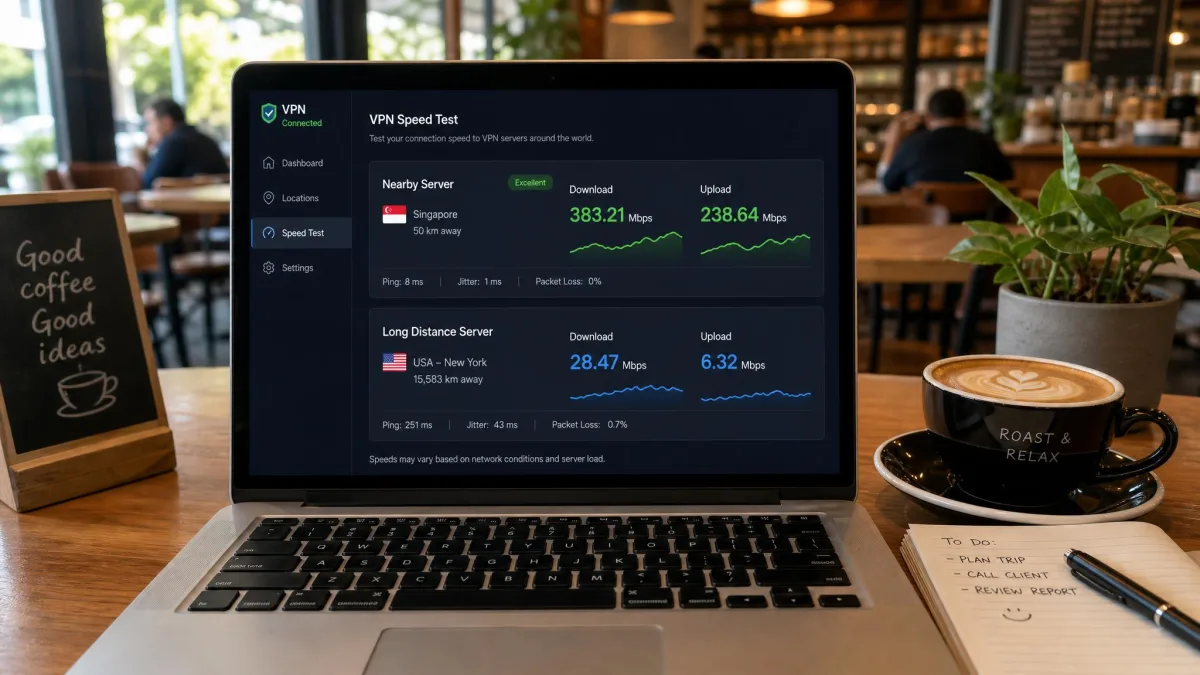
Speed was the first thing we measured. We ran benchmarks on nearby servers and on long-haul connections. A VPN that flies at home can crawl once you are on the other side of the world. We logged local throughput and the slower cross-continent numbers separately, because both matter when you travel. A provider that manages 100 Mbps down the street but 30 Mbps across an ocean is a very different tool depending on where you are standing.
Next we checked security. We tested for DNS and IP leaks. We confirmed the kill switch cut traffic the instant a connection dropped. We tried the obfuscation modes that matter in censored regions. Leaks are the quiet failure mode of a travel VPN. Everything looks fine until a server hiccups on flaky hotel Wi-Fi and your real address slips out. So we deliberately forced reconnects to see what happened.
Then came streaming. We attempted to load Netflix, Amazon Prime Video, Disney+, and BBC iPlayer from foreign servers. We wanted to see what unblocked cleanly and what threw a proxy error. Across the recommended services, setup friction was minimal. Streaming unblocked reliably for the major platforms on the leading picks. The gaps showed up in consistency rather than capability.
Finally we scored ease of use, connection stability on public Wi-Fi, device limits, and price. A travel VPN has to be something you can set up in a hotel lobby without a manual. We weighted the score toward the things a traveler feels day to day: how fast it connects, whether it stays connected, and whether it gets you to the content you already pay for.
The single biggest surprise across weeks of testing was how much distance punishes some providers. Nearby speeds were close across the board. Long-haul connections separated the field fast, and that gap is exactly what a traveler feels. Connections also occasionally dropped on public Wi-Fi. Asia-Pacific servers tended to be the slowest across every provider we tried.
Best VPNs for travel in 2026 (detailed reviews)
Nearby speeds barely separated the top providers. The winners are the ones that stayed fast far from home, unblocked streaming without fuss, and slipped past censorship when it counted. Here is how each pick performed.
1. NordVPN - Best travel VPN overall

NordVPN
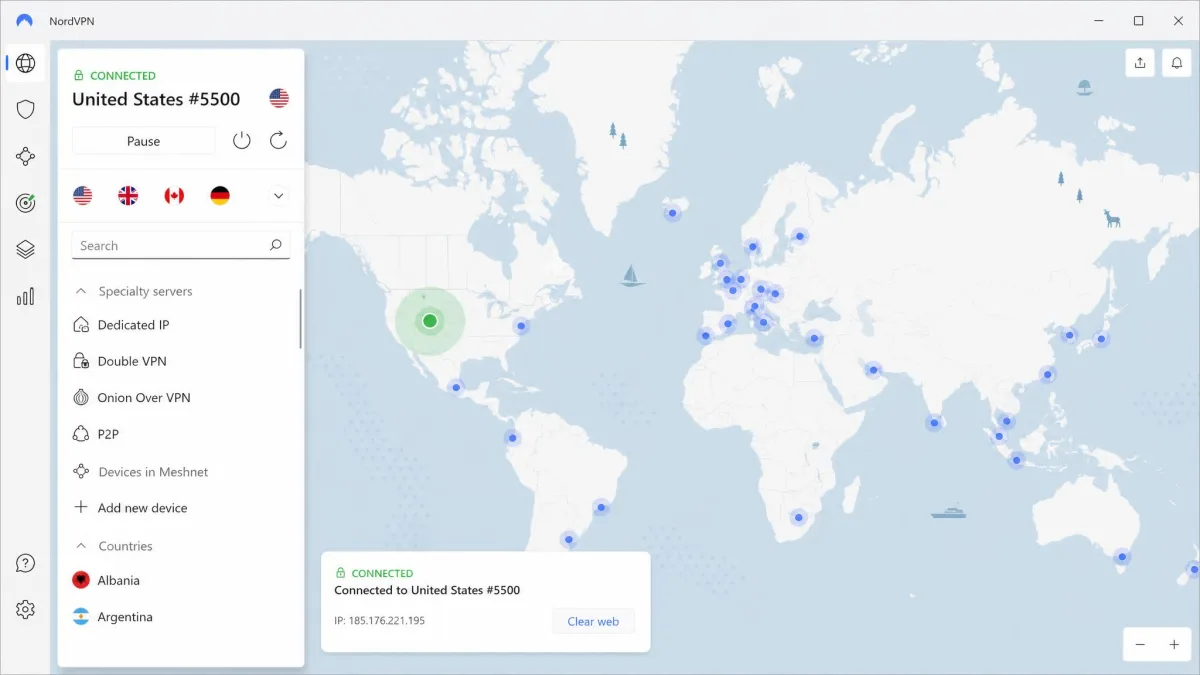
NordVPN was the most complete travel VPN we tested. We ran it from a hotel in Asia and pulled a US connection to check on home banking. It still held around 87 Mbps, and pages loaded like we were sitting at our own desk. On a nearby server it hit about 102 Mbps. That steadiness is what you feel when you hop between countries and networks. Its mobile apps launch and load quickly. Auto-connect kicked in the moment we joined an untrusted network, so protection started before we remembered to flip it on. When we tried Netflix and Amazon Prime Video from abroad, both played on the first attempt.
Pros
- Fast, consistent speeds even on long-distance connections
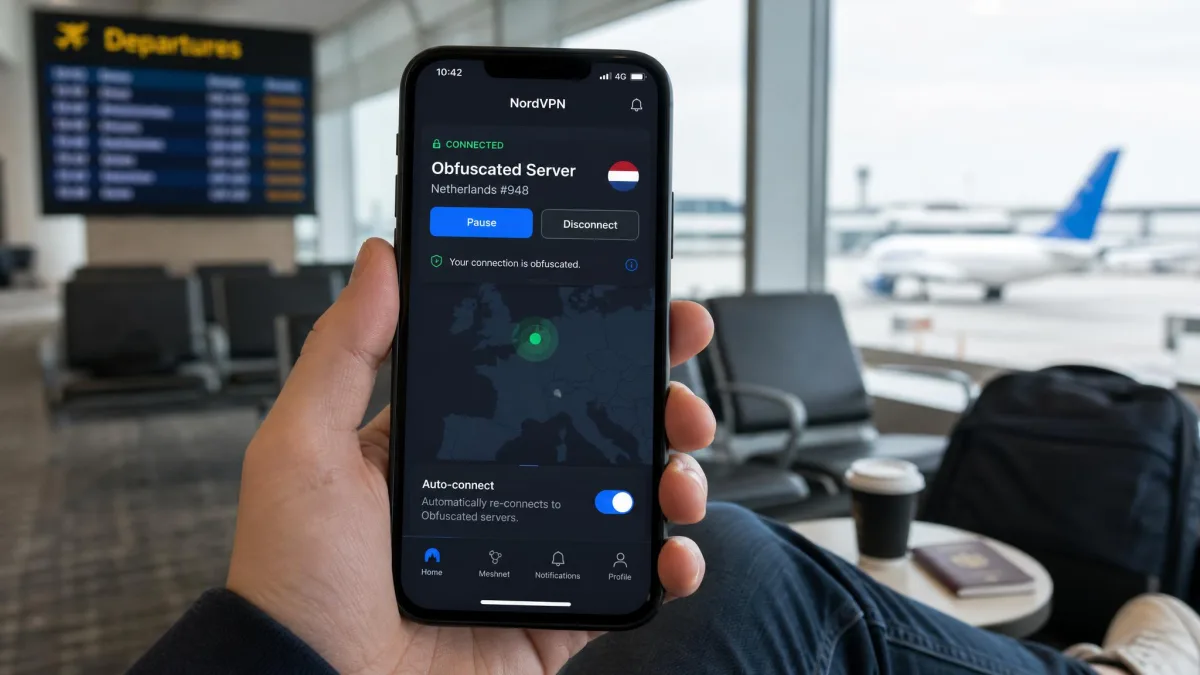
- Obfuscated servers work in high-censorship regions
- Auto-connect protects untrusted Wi-Fi automatically
- Netflix and Prime Video unblock reliably
Cons
- The app can feel heavyweight on older phones
- Some US connections ran slower than expected
- African server coverage is thin
Best for: Travelers who want one VPN that does everything well. Skip if: You need the lightest possible mobile app or heavy African coverage.
The network is large, with roughly 8,000 or more servers spread across around 130 countries. Published totals vary between sources and shift as the network grows. NordVPN covers 10 simultaneous connections and backs paid plans with a 30-day money-back guarantee. On top of the standard kill switch, it adds Threat Protection, Double VPN, and Meshnet. The 1-month plan runs $14.99, but the 2-year plan drops the effective rate to $3.49 a month. The one place it lagged was Africa. The server list thinned out there, and our nearest options sat a long way from where we were connecting. For a traveler who bounces between Europe, the Americas, and East Asia, though, that gap rarely comes up. The breadth of servers everywhere else meant we always had a close, fast option to connect to.
2. ExpressVPN - Best for ease of use abroad
Where NordVPN wins on breadth, ExpressVPN wins on speed of setup. It is the service we would hand to someone who has never used a VPN before.

ExpressVPN
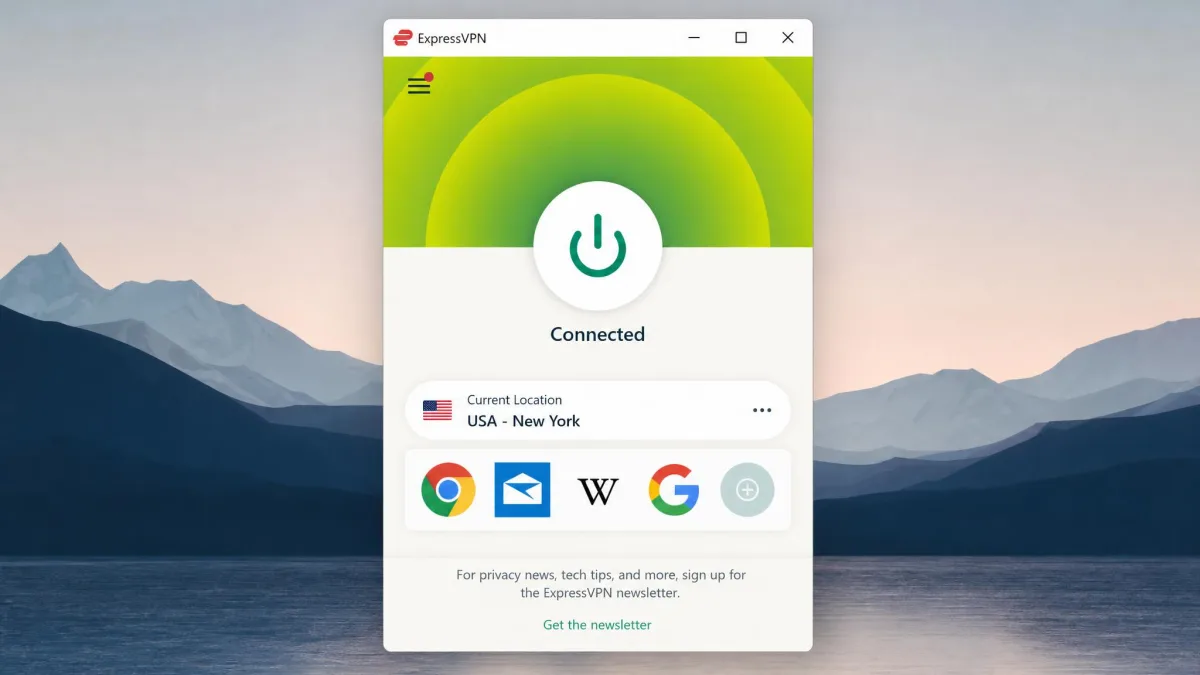
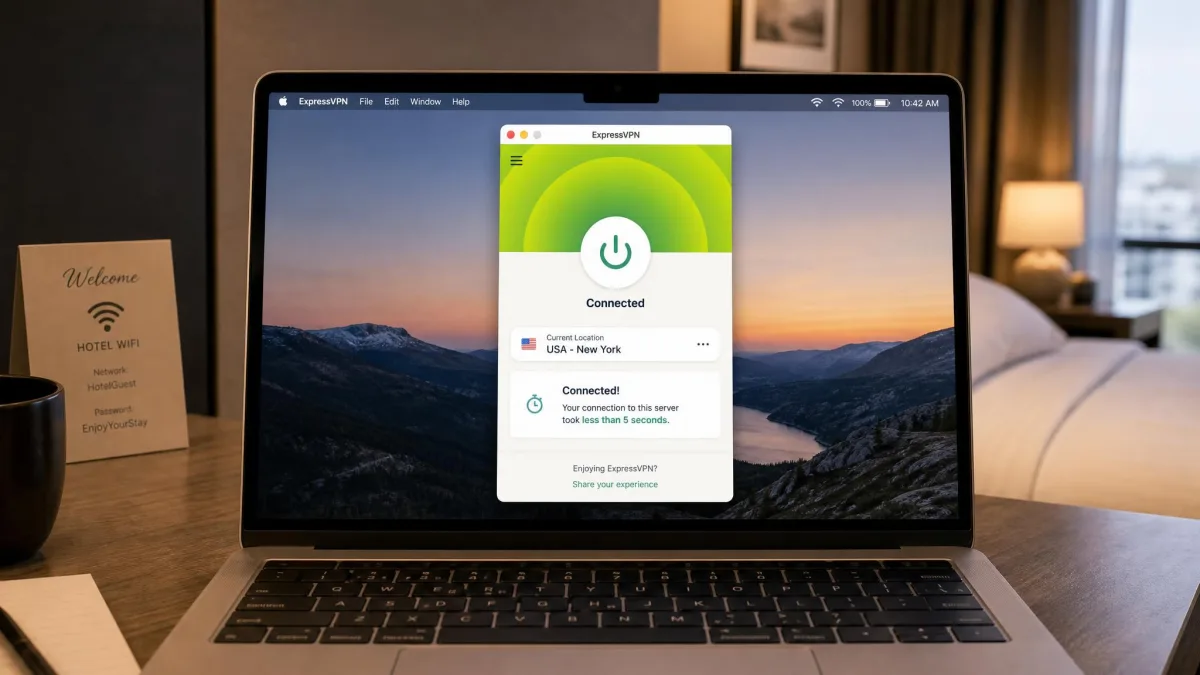
ExpressVPN is the fastest to get going of anything we tested. It establishes a connection in under five seconds. That matters when you just want protection before a quick task on hotel Wi-Fi. The apps are clean and near-identical across every platform. Switching from your laptop to your phone abroad takes no relearning. The one caveat is distance. Speeds drop noticeably over long hauls, falling to around 31 to 43 Mbps on far Asian servers. So it is snappier close to home than at the far edge of its network. It is also the priciest pick here.
Pros
- Connects in under five seconds
- Clean, consistent apps on every platform
- Lightway protocol and RAM-only servers
- Reliable streaming across major services
Cons
- Annual plans run pricey compared with rivals
- Speeds fall off on very long-distance servers
Best for: First-time VPN users who want the simplest experience abroad. Skip if: You want the lowest price or top long-haul speeds.
ExpressVPN runs the Lightway protocol on TrustedServer RAM-only infrastructure. Split tunneling and a kill switch are available across major platforms and routers. Its server presence spans roughly 105 to 113 countries, and the country total differs between the vendor page and reviewer counts. The supported device count was recently raised. The official page cites up to 14 devices, while some reviews still list 10. The 1-month plan is $12.99, dropping to about $2.79 a month on the longest term. Paid plans carry a 30-day money-back guarantee. If your priority is a VPN a non-technical family member can run without help, this is the one. The router support means you can protect a whole rental in one setup. On a trip where you are handing the tablet to a partner and the phone to a teenager, that low-friction experience is worth more than a few extra megabits per second.
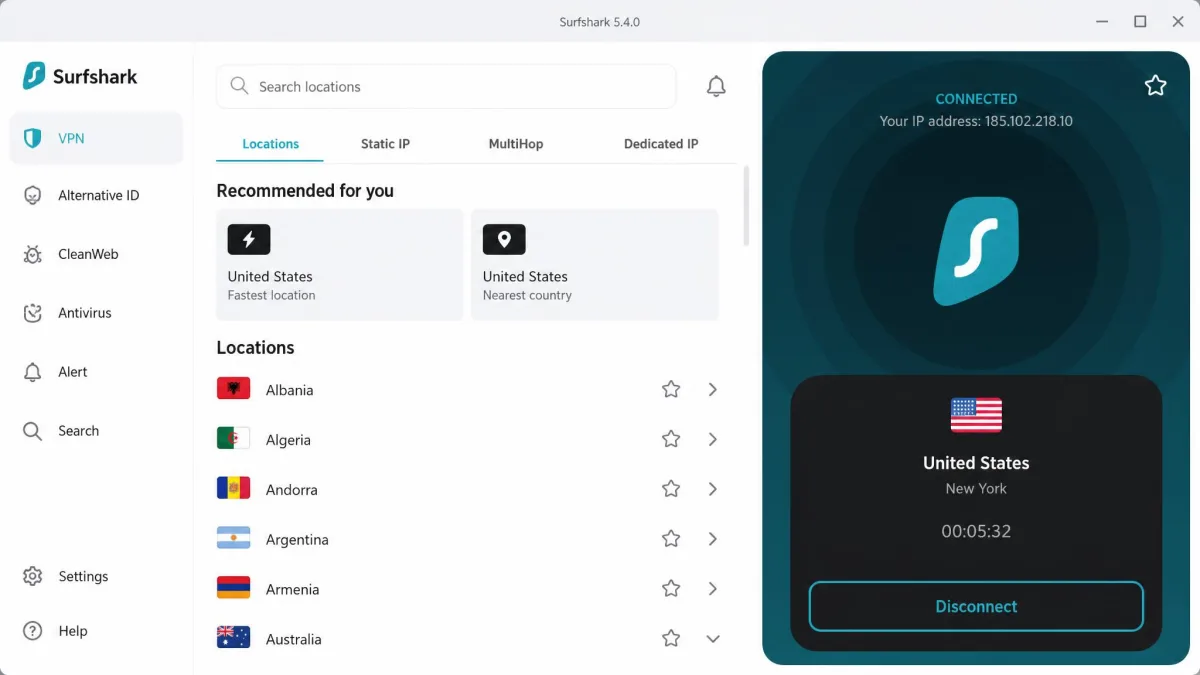
3. Surfshark - Best budget travel VPN
If ExpressVPN is the premium option, Surfshark is the one that protects the whole family for the price of a coffee.

Surfshark
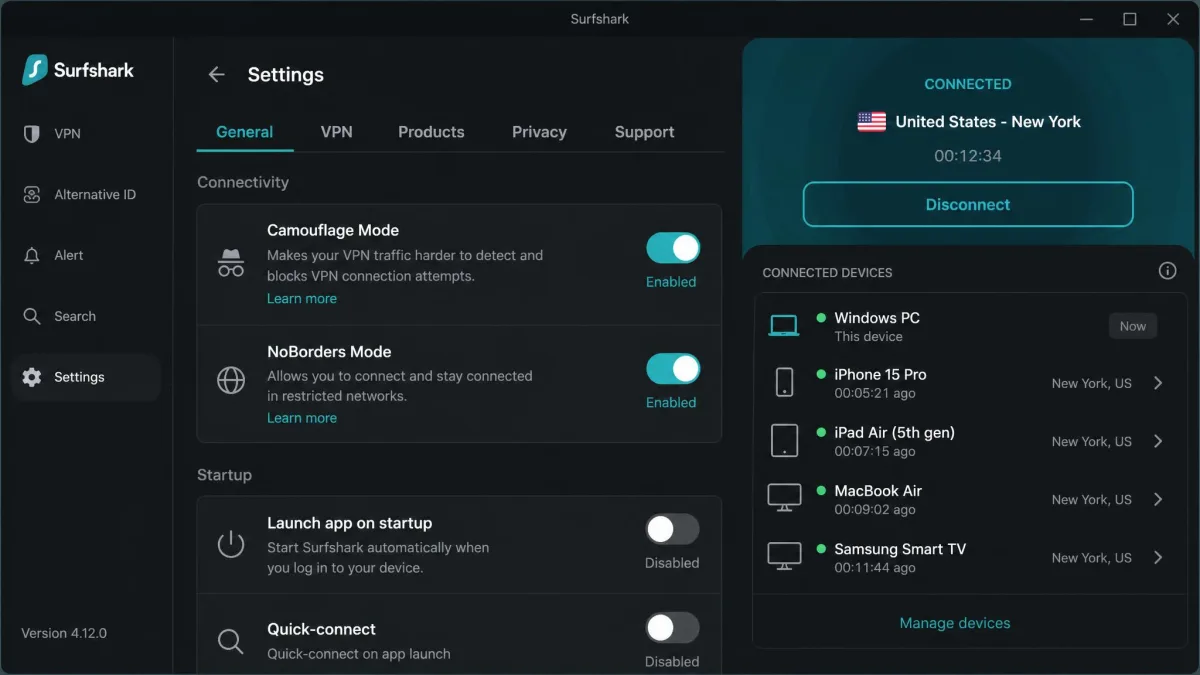
Surfshark delivers most of what the pricier picks do for a fraction of the cost. It posted the fastest nearby speeds of the whole group, around 102 Mbps on a Singapore server. Close-range performance is genuinely excellent. Its distant connections were the weakest of the group, though, dropping to about 31 Mbps on a US connection from Asia. That is the trade-off for the low price. What tipped it over the line for travel is unlimited simultaneous connections. You can cover your phone, laptop, tablet, and a travel companion's devices on one plan. Its Camouflage Mode and NoBorders Mode also worked well for reaching services in censorship-heavy regions.
Pros
- Unlimited simultaneous connections on one plan
- Fastest nearby speeds we recorded
- Camouflage and NoBorders modes for censored regions
- Very low long-term price
Cons
- Distant connections were the slowest of the group
- Frequent interface updates and limited customization
Best for: Families and anyone covering many devices on a budget. Skip if: You need top speeds on long-haul connections.
Surfshark runs 4,500 or more servers in 100 countries. It includes the CleanWeb ad and tracker blocker, MultiHop, a kill switch, and Alternative ID. The 24-month Starter plan works out to $2.49 a month including three bonus months. The 1-month plan is about $15.45. Every plan comes with a 30-day money-back guarantee. It updates its interface often, so the layout can shift between trips. It also offers less granular control than PIA. But for a group that just wants everything covered cheaply, the trade is easy to make. The unlimited-device policy quietly makes it the cheapest option per traveler once you are covering a family. One $2.49-a-month plan stretches across as many phones, laptops, and tablets as you can carry.
4. Proton VPN - Best for privacy and restrictive countries
Surfshark stretches a budget across devices; Proton VPN stretches performance across distance while keeping privacy front and center.

Proton VPN
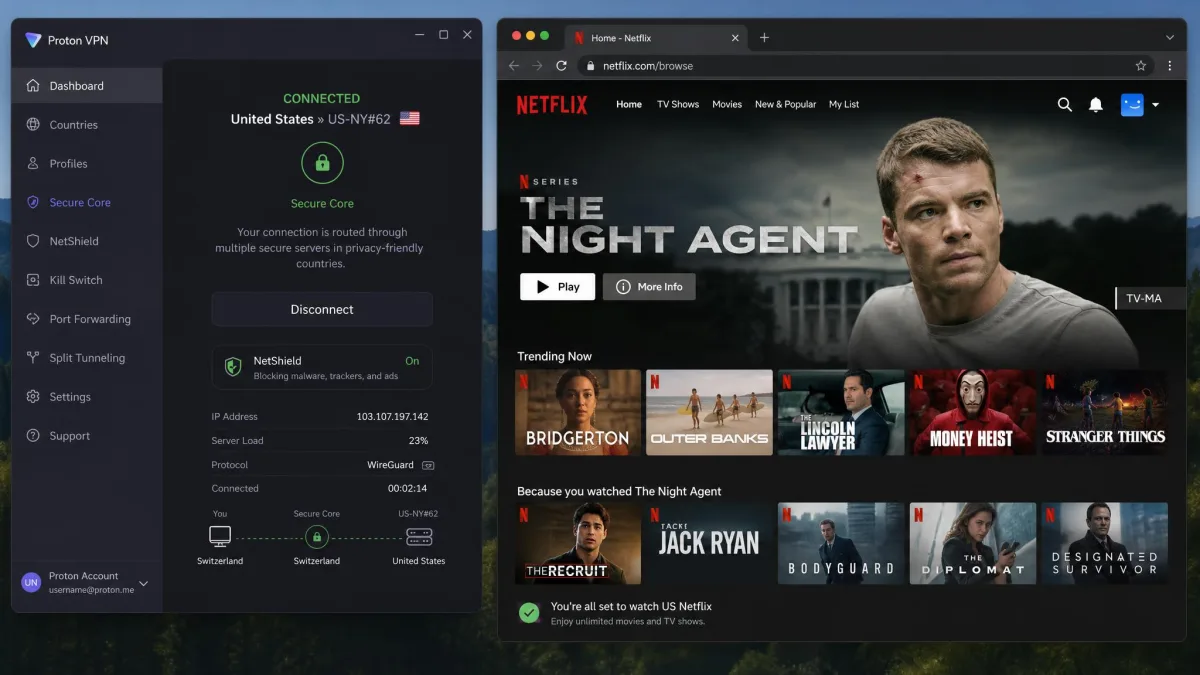
Proton VPN was the standout for long-distance travel. It loses only about 8% of its speed even on distant servers, staying near 85 to 96 Mbps in our testing. That is the most consistent long-haul performance of any pick here. It makes a strong choice when you are far from home and still need real throughput. It unblocked 90 or more streaming sites and over 20 Netflix libraries in our testing, including the US, UK, Canada, Japan, and France. Its Swiss base, open-source audited apps, and Stealth obfuscation protocol make it our go-to for privacy-minded travelers and restrictive countries. There is also a genuinely usable free plan.
Pros
- Loses only about 8% speed on distant servers
- Unblocks 90+ streaming sites and 20+ Netflix libraries
- Swiss jurisdiction and open-source audited apps
- Free plan with no data cap
Cons
- Free tier is limited to a handful of server locations
- Top-tier features sit behind the Plus plan
Best for: Privacy-focused travelers and restrictive-country trips. Skip if: You want unlimited devices or the cheapest paid plan.
Proton VPN runs 2,000 or more servers across 100 or more countries, though the country total differs between the vendor page and reviewer counts. VPN Plus covers 10 devices on the official page, while some reviews cite unlimited, so treat the exact limit as edition-dependent. Extras include Secure Core routing, the NetShield ad and malware blocker, and Tor over VPN. The 1-month VPN Plus plan is $9.99, dropping to $2.99 a month on the 2-year term. Paid plans have a 30-day money-back guarantee. The free plan carries no data cap, but it limits you to one device and a small set of countries. That is why we frame it as a safety net rather than a full travel solution. If your trip takes you somewhere sensitive and you want the strongest privacy story, the Swiss jurisdiction and the audited, open-source apps are the reasons we keep it in the bag.
5. Private Internet Access - Best for customization
Proton VPN keeps things locked down and simple; Private Internet Access hands you the controls and lets you tune everything yourself.

Private Internet Access
Private Internet Access is the tinkerer's travel VPN. Its apps expose more settings than anything else here. You can change protocol and encryption choices, and even reach port forwarding and the MACE ad blocker. Speeds were a step behind the top performers, at roughly 78 Mbps locally and around 59 Mbps on a US connection from Asia. So it is capable rather than class-leading. It is based in a Five Eyes country, and support quality can be inconsistent. That is worth weighing if privacy jurisdiction is a priority. The upside for travelers is unlimited devices and servers in every US state, which makes reaching home content simple.
Pros
- Deepest customization of any pick
- Unlimited simultaneous connections
- Servers in all 50 US states
- Open-source apps with a strict no-logs policy
Cons
- Slower than the top performers
- Based in a Five Eyes country
- Support quality can be inconsistent
Best for: Power users who want granular control over their connection. Skip if: You want top speeds or a jurisdiction outside Five Eyes.
PIA runs servers in 91 countries, including all 50 US states. It adds RAM-only NextGen servers, port forwarding, and 24/7 support. The 1-month plan is $11.95, while the multi-year plan advertises about $1.79 a month. That promotional rate varies with the current sale. New subscribers get a 30-day money-back guarantee. The state-level US coverage is genuinely useful for travelers. It lets you pick a server close to home for lower-latency access to regional banking and streaming, rather than settling for a generic national exit. Maybe you are the kind of traveler who likes to force a specific protocol on a stubborn hotel network, or open a port for a game or a home server. PIA gives you switches the other apps hide.
Travel VPN comparison table
Nearby speeds were close, so the table below focuses on the details that decide a purchase: coverage, price, device limits, streaming, and the guarantee that lets you test risk-free.
| Provider | Buy | Servers/countries | Monthly price | Simultaneous connections | Streaming | Guarantee |
|---|---|---|---|---|---|---|
|
Check price → | ~8,000+ / ~130 countries | $14.99 | 10 | Netflix, Prime Video | 30-day |
|
Check price | 105-113 countries | $12.99 | Up to 14 | Reliable across services | 30-day |
|
Check price | 4,500+ / 100 countries | $15.45 | Unlimited | Netflix and more | 30-day |
|
Check price | 2,000+ / 100+ countries | $9.99 | 10 (Plus) | 90+ sites, 20+ Netflix | 30-day |
|
Check price | 91 countries | $11.95 | Unlimited | Reliable, all US states | 30-day |
The lowest long-term prices tell a similar story. PIA advertises about $1.79 a month on its 3-year plan. Surfshark runs $2.49 on the 24-month Starter, ExpressVPN $2.79, Proton VPN $2.99, and NordVPN $3.49. Every one of these rates depends on committing to a multi-year term. The monthly-only prices are far higher, so the guarantee window is your real trial period.
Streaming and unblocking region-locked content abroad
Reaching your home content is half the reason to pack a VPN, so we spent as much time on streaming as we did on raw speed. The mechanics are simple once you understand them. A streaming service shows you the library of the country your VPN server sits in, not the country you are physically standing in. To watch your usual catalog abroad, you connect to a server back home and load the app. The service then treats you as if you never left.
In our testing, the leading picks handled the big platforms without drama. NordVPN unblocked Netflix and Amazon Prime Video cleanly. Proton VPN was the unblocking champion of the group, reaching more than 90 streaming sites and over 20 Netflix libraries, including the US, UK, Canada, Japan, and France. Across the recommended services we found setup friction minimal and playback reliable for Netflix, Disney+, and BBC iPlayer on the leading picks. The differences showed up in consistency rather than raw capability. Every provider missed the occasional library on the first try, but a quick server switch almost always fixed it.
If a show will not load, do not give up on the provider. Streaming services blocklist individual server IP addresses, so switching to a different server in the same country usually clears the proxy error in seconds. Keep two or three home-country servers noted so you always have a fresh one to jump to.
Two practical points matter more abroad than at home. First, streaming eats bandwidth, so the long-distance speed number is the one that decides whether 4K plays smoothly or buffers. This is where Proton VPN's minimal speed loss and NordVPN's steady long-haul throughput pull ahead of the cheaper picks. Second, live sports and regional catalogs are the fussiest to unblock. If a specific event or library is the whole reason you are subscribing, test it during the money-back window before you rely on it.
Region-locked content is not limited to entertainment. Banking portals, government services, and some shopping and news sites also change or block what you can see based on your location. A home-country server restores those too. That is why we treat unblocking as a core travel feature rather than a nice-to-have for binge-watchers.
Why you need a VPN when you travel
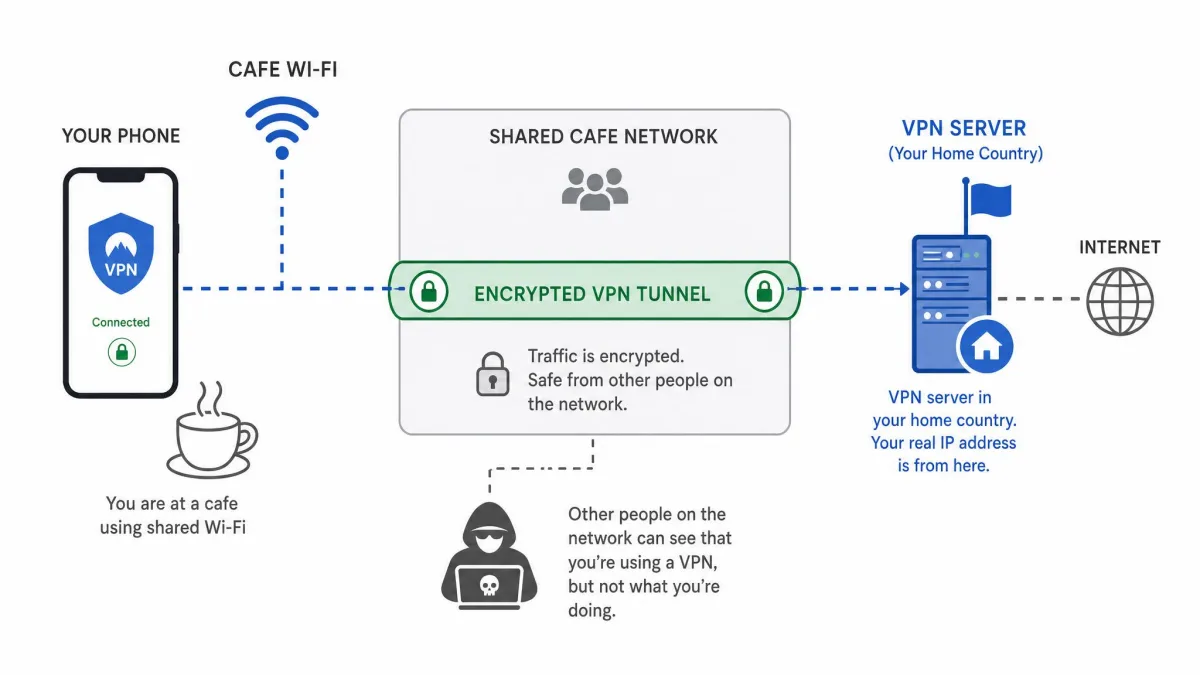
Public Wi-Fi is the core reason. Hotel, airport, and cafe networks are shared and rarely secured well. Anyone on the same connection can attempt to intercept traffic that is not encrypted. A VPN wraps everything your device sends in encryption. A snooper on the network then sees scrambled data instead of your logins, messages, and banking sessions.
The threat is not hypothetical. On an open network, an attacker on the same access point can run tools that capture unencrypted requests. They can also trick your device onto a lookalike hotspot. Encryption from a VPN closes that window. That is why we treat it as basic travel hygiene rather than a power-user luxury.
The second reason is access. Streaming libraries, banking portals, and some apps check your location and change or block what you can see when you travel. A VPN routes your connection through a server back home, which restores the services you already pay for. That is why we test streaming so heavily. Reaching your own content abroad is half the point.
Turn on auto-connect so your VPN activates the instant you join any new network. On the road you will forget to do it manually, and public Wi-Fi is exactly when you cannot afford to.
There is a privacy angle too. On networks you do not control, a VPN hides which sites you visit from the network operator. It also masks your real IP address from the services you reach. For most travelers, the peace of mind of knowing every connection is protected is worth the small monthly cost. It also helps with the practical annoyances of travel, like the price differences that some booking sites show based on your location.
How to choose the right travel VPN
Start with speed over distance, not just nearby. Plenty of VPNs look fast at home and then stall on a long-haul connection. That connection is the one that matters when you are abroad. Look for a provider that holds usable throughput on servers far from where you are.
Server coverage comes next. You want servers in your home country to reach your own content. You also want servers near wherever you are traveling to keep latency low. Check that both are covered before you buy. A VPN with thin coverage in your region can leave you routing through a distant continent, and you feel every extra mile.
Simultaneous connections add up fast on a trip. A phone, a laptop, and a tablet is three before you count a travel companion. If you cover several devices, unlimited-connection plans like Surfshark or PIA save money.
Then weigh the security essentials: a reliable kill switch, leak protection, and obfuscation if you are heading somewhere that blocks VPNs. Ease of use matters more on the road than at home, since you will be setting up on unfamiliar networks. A cluttered app you have to fight is the last thing you want in a foreign airport.
Finally, treat the money-back guarantee as a free trial. Every pick here offers 30 days, which is long enough to test on an actual trip. Install it before you leave and use it across your first week away. Cancel for a refund if it does not hold up on the networks you actually encounter.
The VPN that wins at home is not always the one that wins abroad. Distance is the great separator, and it is the one number most buyers never check.
— From our hands-on testing
Is it legal to use a VPN abroad?
For most travelers in most places, using a VPN is completely legal. The United States, the UK, and the entire European Union permit VPN use, and business travelers rely on them daily. The nuance is that a handful of countries regulate or restrict them.
China allows only government-approved VPNs and blocks many consumer services, though travelers routinely use obfuscated servers to connect. Russia has tightened its rules and blocks some providers. Countries like the UAE penalize using a VPN to commit an act that is otherwise illegal there. The safest approach is to check current conditions before you go, because rules and enforcement shift faster than most guides can keep up.
Laws and enforcement change quickly in restricted countries. Before you travel, review the official U.S. State Department travel advisories for your destination, and install and test your VPN before you arrive, since app stores and provider sites may be blocked once you land.
A separate point worth stressing: a VPN does not make an otherwise illegal activity legal. It protects your connection and your privacy, but local laws still apply wherever you physically are. Treat a VPN as a security tool, not a loophole, and you will stay on the right side of the line in almost every destination.
Can I use a free VPN for travel?
You can, but we rarely recommend it. Most free VPNs cap your data, throttle speeds, and offer a tiny list of server locations. That is precisely the wrong combination for streaming or long trips. Many also monetize by logging and selling browsing data, which defeats the purpose of running one on public Wi-Fi. A free tool that quietly harvests the traffic you were trying to protect is worse than no VPN at all. It hands you a false sense of security on the exact networks where you are most exposed.
The honest exception is Proton VPN's free plan. It carries no data cap and comes from a provider we trust, though it limits you to one device and a small set of countries. For light, occasional use it is a reasonable safety net, and its lack of a data ceiling sets it apart from almost every other free option. But the single-device limit means you have to choose between protecting your phone or your laptop, not both. The short server list makes reliable streaming a gamble. For real travel across regions with streaming, a paid plan backed by a 30-day guarantee is the smarter buy, and you can always claim the refund if it falls short.
How to set up and use a VPN before you travel
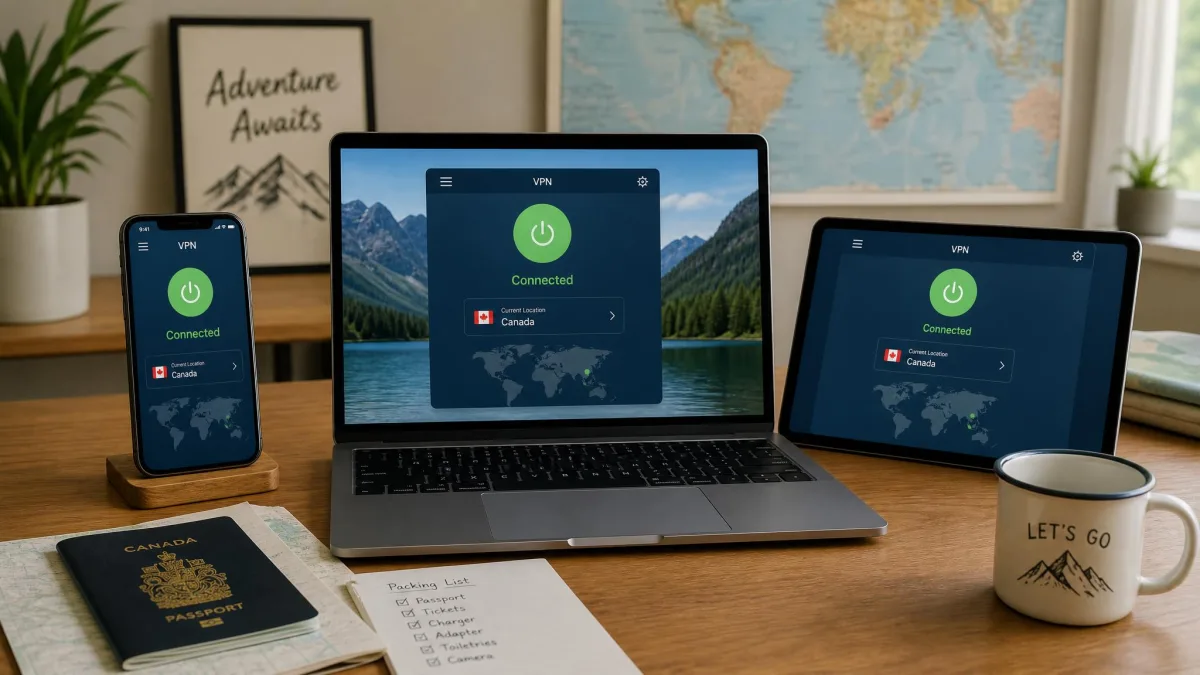
Set everything up at home, before you leave. This is the step travelers skip and regret, because provider websites and app stores can be blocked in the very countries where you need the VPN most.
Choose your plan and create your account on your home network. Install the apps on every device you are bringing, then sign in and confirm each one connects. Turn on the kill switch and auto-connect in the settings so protection is automatic on untrusted networks.
If you are heading to a restricted country, enable the obfuscation or stealth mode before departure and note a couple of working server locations. Test the whole setup on your own Wi-Fi, then try a mobile connection, so you know it works before you are relying on it abroad. It is also worth saving the provider's support contact offline, since reaching a help page can be difficult once you are behind a national firewall.
One last habit that pays off: log in to your key accounts, like email and banking, from your VPN at home first. Some services flag a first-ever login from a foreign IP. Clearing that check on a network you trust beats troubleshooting it from a hotel room.
Best travel VPN FAQs
Is it legal to use a VPN abroad?
Can I use a free VPN while traveling?
Will my streaming account get flagged for logging in from another country?
Should I install a VPN before I travel?
Does a VPN work in China?
Which protocol should I choose to keep latency down?
Common travel VPN mistakes to avoid
The most common mistake is waiting until you arrive to install anything. By then the provider's site or app store may be blocked, and you are stuck. Set up at home, every time.
A close second is picking a VPN purely on its nearby speed score. Those numbers look great in a home review and tell you little about how the service behaves from another continent. That far-off connection is the one you actually use. Weigh long-distance performance more heavily than headline speeds.
Travelers also forget to enable the kill switch. Then they assume they are protected when a flaky hotel connection has quietly dropped the tunnel. Turn it on once and leave it on. And do not lean on a random free VPN for banking on public Wi-Fi, since many log or sell the very data you are trying to protect.
Another quiet trap is ignoring obfuscation until you need it. If your destination filters VPN traffic, the plain protocol can fail to connect at all. By then you cannot reach the settings page or a help article to fix it. Switch on the stealth or obfuscated mode while you are still home and confirm it holds.
Finally, match the plan to the trip. A single-device plan is a false economy once you count a phone, a laptop, and a travel companion. An unlimited-connection service often costs less in practice than it looks on the pricing page.
Bottom line: our top travel VPN pick
There is one more habit worth building. Promotional prices swing with the calendar, and the lowest rates only apply to multi-year terms. Note the exact monthly figure you are quoted at checkout and compare it against the guarantee window. If a provider disappoints on your first trip, the 30 days give you room to switch without losing money.
Every service here is a capable travel companion, and the right one depends on your priorities. Pick ExpressVPN if simplicity matters most, Surfshark to cover many devices cheaply, Proton VPN for privacy and long-distance consistency, and PIA if you want to tune every setting. But for the traveler who wants one VPN that handles speed, streaming, and censorship without fuss, NordVPN is the one we reach for.