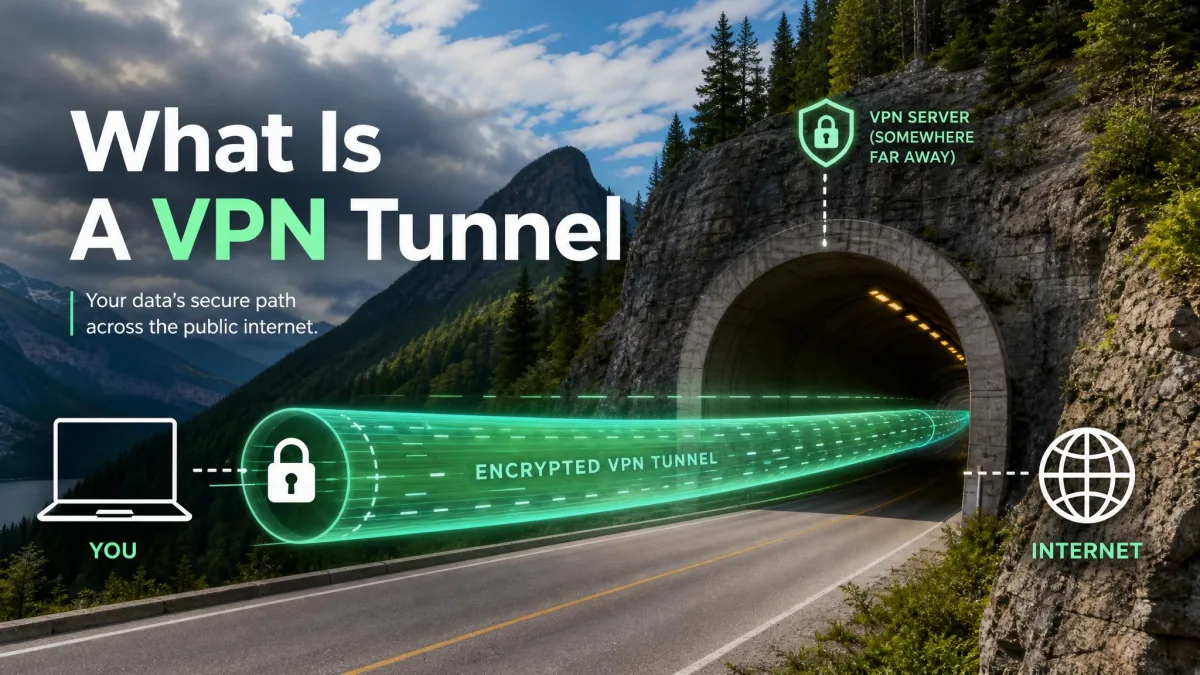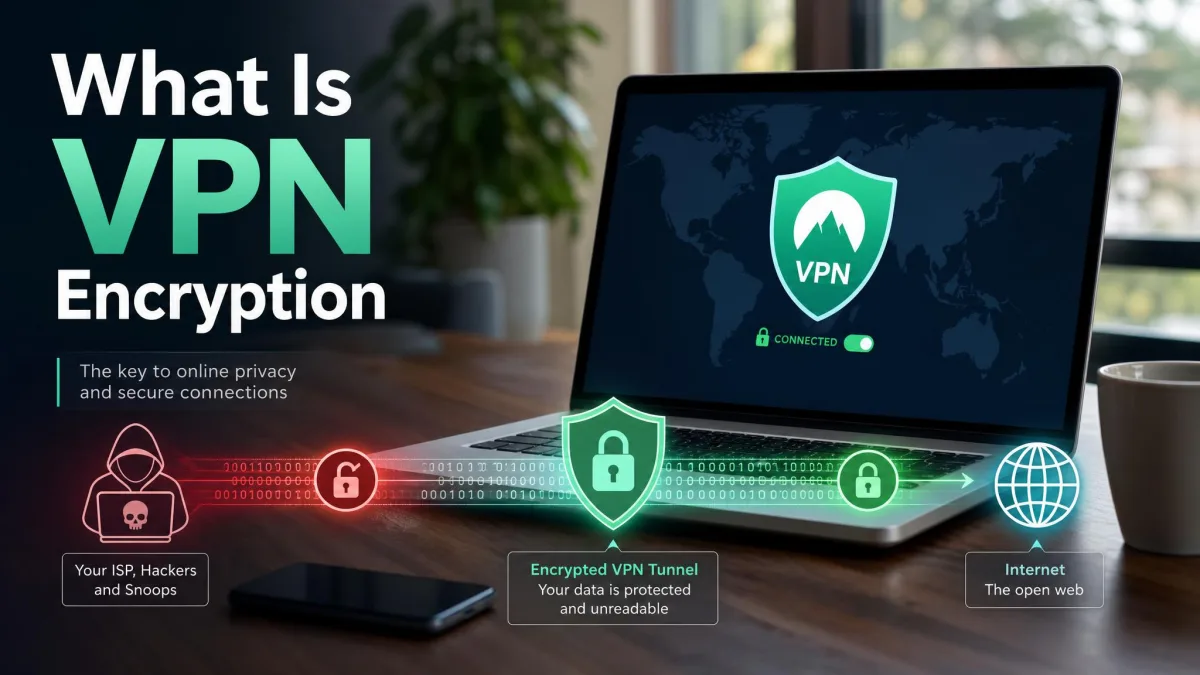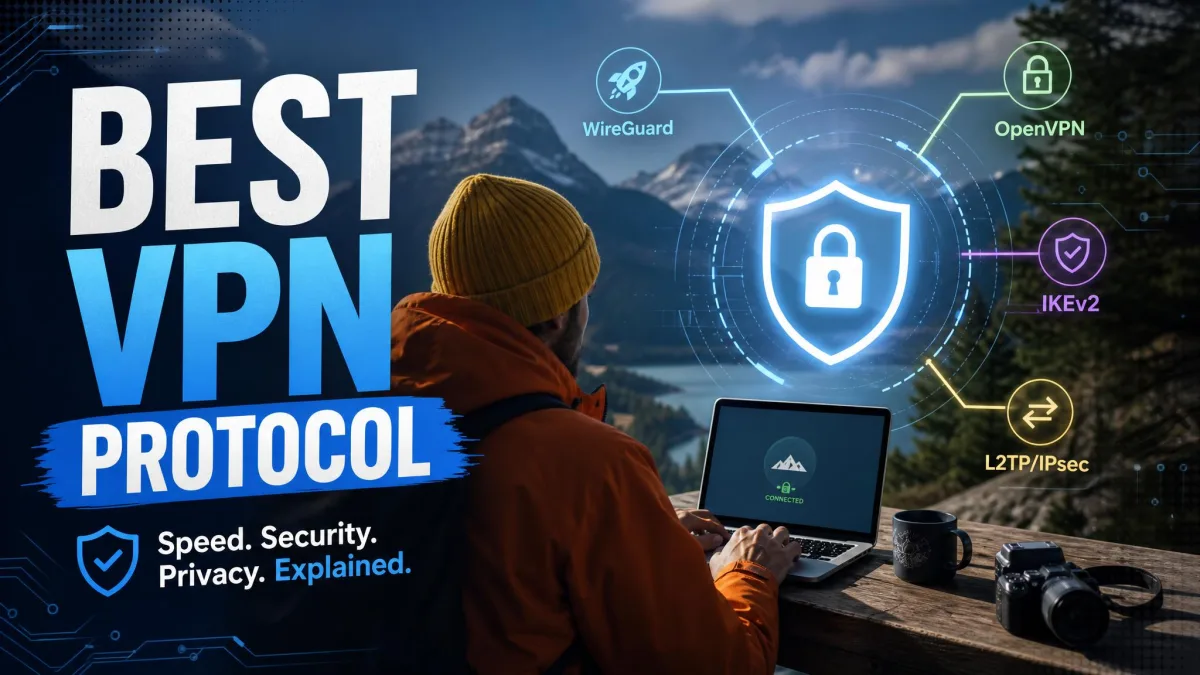
A VPN protocol is the set of rules that decides how your device and a VPN server build an encrypted tunnel and move data through it. It governs the handshake that authenticates the two ends, the ciphers that scramble your traffic, and the transport that carries the packets across the network. If you want a refresher on how a VPN works at a high level first, that background makes the protocol choice easier to follow. Pick the right one and you get fast, secure, private connections. Pick the wrong one and you trade away speed, or worse, real protection.
Most people never see this choice because their VPN app picks a default. That default is usually fine, but it is not always the best fit for streaming, gaming, or a phone that hops between Wi-Fi and mobile data. Knowing what each protocol does under the hood lets you choose with intent rather than trust.
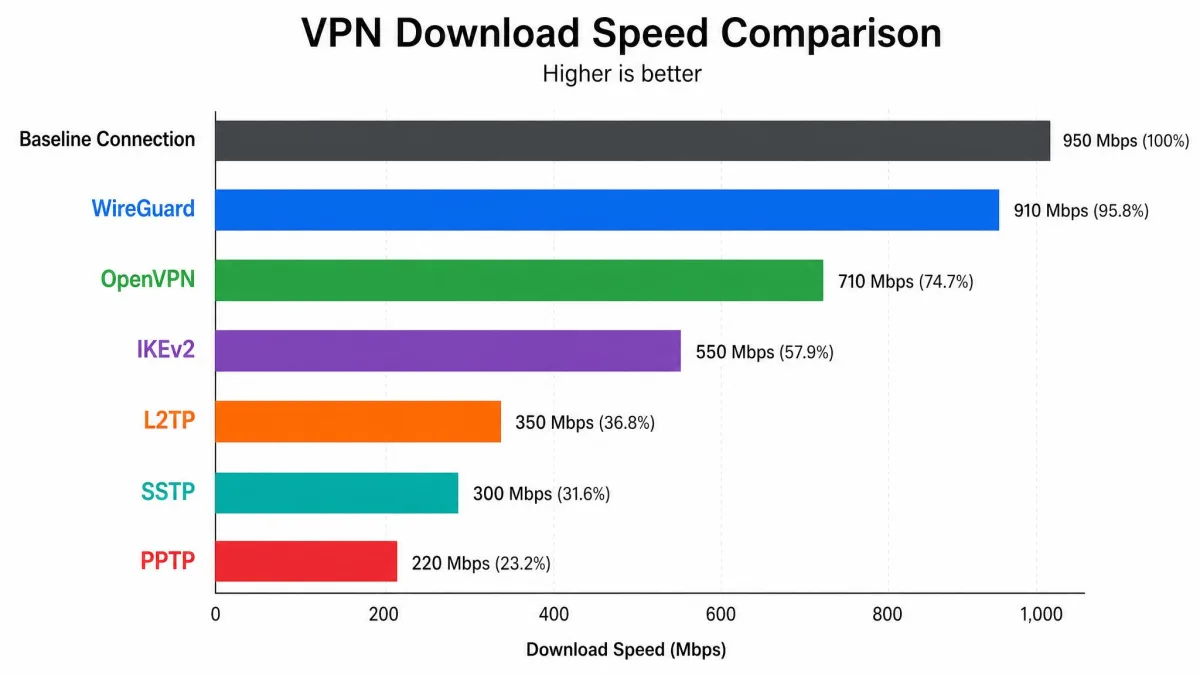
We spent weeks running the major protocols through real speed, leak, and reliability checks on Windows, macOS, Android, and iOS test machines. We measured throughput against a baseline unprotected connection, watched how each one behaved when a network dropped, and noted how much setup each one demanded. What follows is how they ranked, and which protocol we reach for in each situation.
What Is a VPN Protocol?
A VPN protocol is the negotiated rulebook that two machines, your device and a VPN server, agree to follow before they exchange a single byte of private data. It defines three things: how the two ends prove who they are, which encryption keeps the traffic secret, and how the encrypted packets travel across the internet.
The encryption is the part most users focus on, and it matters, but the transport and the handshake shape the experience just as much. A protocol with strong ciphers but a heavy, chatty handshake will feel slow. A lean protocol with a fast handshake will feel quick even on a distant server.
Protocols also differ in how much code they carry. A smaller codebase is easier to audit and leaves fewer places for vulnerabilities to hide. That single idea explains much of why the newest protocols have pulled ahead of the older ones.
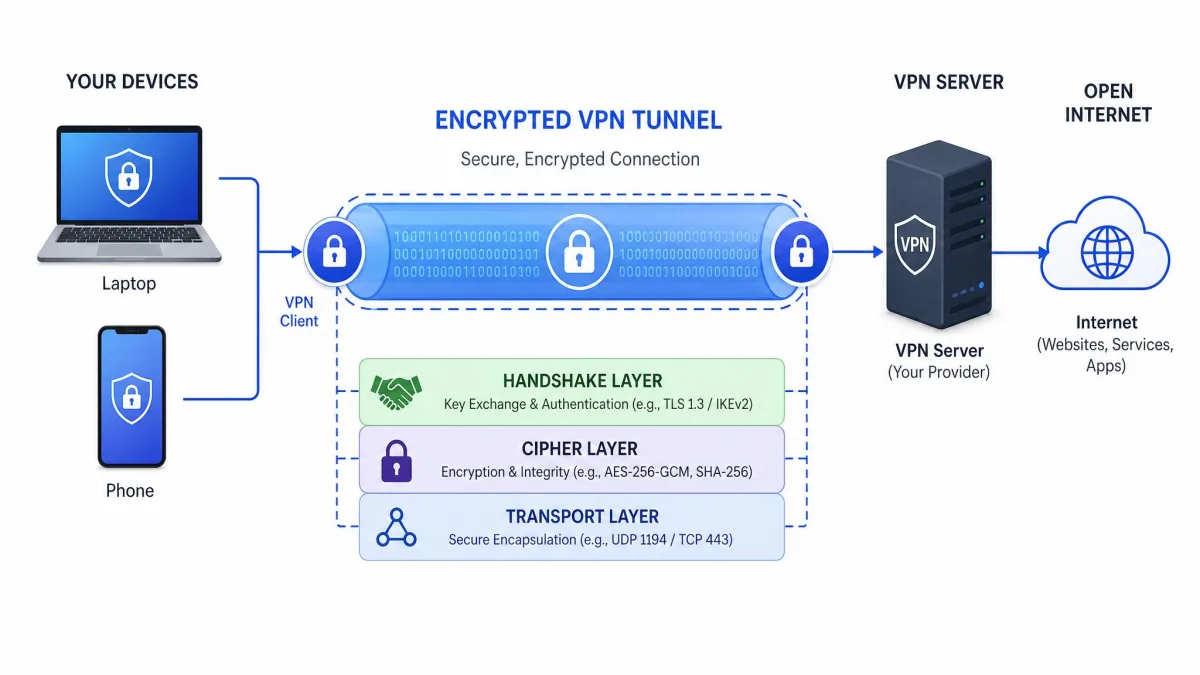
A VPN protocol and VPN encryption are related but not the same thing. The protocol is the whole rulebook; the encryption cipher, such as AES-256 or ChaCha20, is one component the protocol chooses to use. Our primer on VPN encryption breaks down how those ciphers actually protect your traffic. Two protocols can use the same cipher and still perform very differently.
The Best VPN Protocols Compared (at a Glance)
Here is how the main protocols stack up across the factors that decide most choices: raw speed, security, device compatibility, and the job each one does best. Read this table first, then jump to the section for whichever protocol you are weighing.
Comparison Table: Speed, Security, and Compatibility
| Protocol | Speed | Security | Compatibility | Best use case |
|---|---|---|---|---|
 |
Fastest | Excellent (ChaCha20) | Broad and modern | Streaming, gaming, everyday use |
 |
Good | Excellent (AES-256) | Universal | Security and censorship bypass |
 |
Very good | Strong (AES-256) | Native on mobile | Phones and network switching |
 |
Slow | Weak and dated | Legacy devices | Legacy fallback only |
 |
Moderate | Good (TLS) | Windows-native | Windows firewall bypass |
 |
Fast (weak crypto) | Broken, avoid | Legacy Windows | None, avoid |
The pattern is clear. The two protocols worth defaulting to are WireGuard and OpenVPN. The rest fill specific niches, and one of them, PPTP, should not be used at all.
The Main VPN Protocols Explained
Each protocol below gets the same treatment: what it is, how it performed in our testing, and where it belongs. We start with the two you will actually want to use most of the time.
WireGuard: Fastest Modern Protocol
WireGuard is the newest mainstream protocol, released in 2015, and it has quickly become the gold standard for speed. It uses a fixed, modern cipher suite built around ChaCha20 and Poly1305 as defined in RFC 8439, with Curve25519 for key exchange and BLAKE2s for hashing. There are no legacy options to misconfigure, which is a large part of why it is both fast and hard to weaken.
Its biggest advantage is size. WireGuard's own reference implementation is roughly 4,000 lines of code, against something on the order of 400,000 lines for OpenVPN. That order-of-magnitude difference makes the code far easier to audit, and it was merged into the Linux kernel in version 5.6, which lets it run with very low CPU overhead.
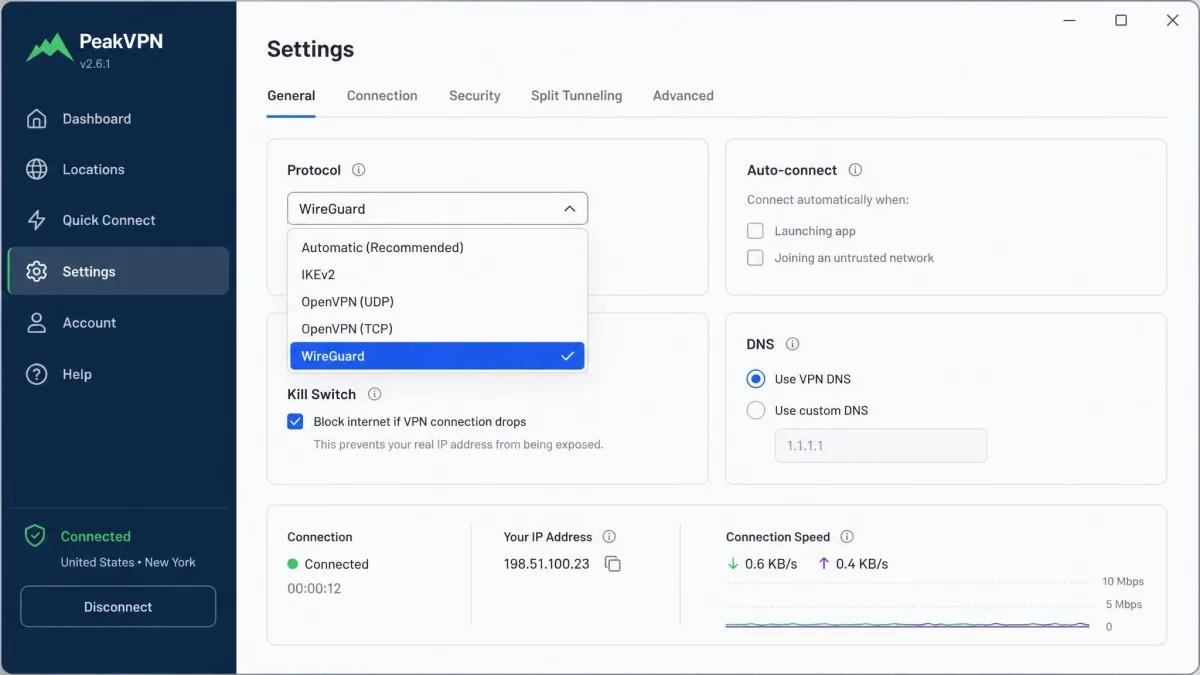
In our testing WireGuard consistently delivered speeds closest to the baseline unprotected connection, typically 10 to 20 percent faster than OpenVPN on comparable server load. It runs over UDP on port 51820 by default, and it reconnects fast after a network switch. Setup friction is the lowest of any protocol, usually a single toggle in the app.
There is one privacy caveat worth knowing. Plain WireGuard assigns a static internal IP that can linger on the server, so most providers wrap it in a system that rotates or masks that address. We cover that under NordLynx below.
OpenVPN: Most Secure and Reliable
OpenVPN, released in 2001, is the protocol that earned the industry's trust and still holds it. It is open source, has been audited for two decades, and has no known vulnerabilities when it is properly configured. It can draw any cipher from the OpenSSL library, but in practice providers pair it with AES-256, usually AES-256-GCM, over a TLS handshake with Perfect Forward Secrecy.
Its defining strength is flexibility of transport. OpenVPN runs over either TCP or UDP and can be set to any port. Running it over TCP on port 443, the same port normal HTTPS web traffic uses, makes VPN traffic very hard to block. In our testing that TCP-443 configuration was the most reliable option for getting through restrictive firewalls, at the cost of some speed.
Speed is where OpenVPN shows its age. It usually costs a 20 to 30 percent speed reduction versus the raw connection, though tuning settings and using UDP recover some of that. For most users the trade-off is worth it when security or reach matters more than shaving milliseconds.
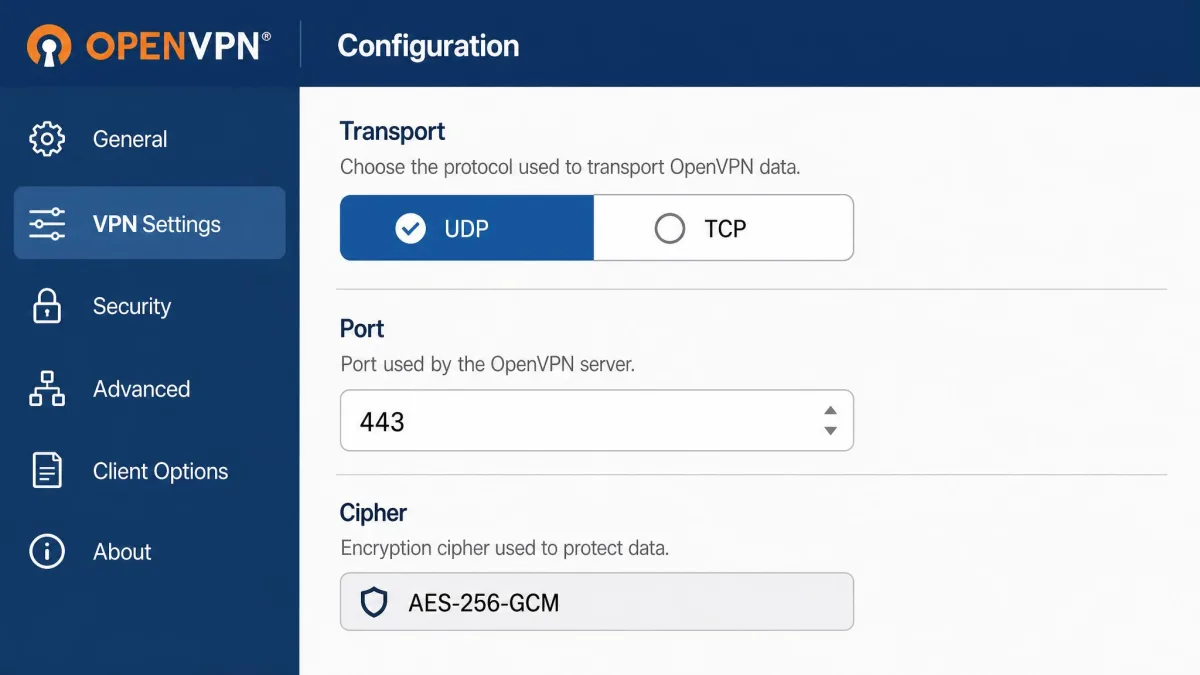
When it comes to slipping past a strict firewall, nothing we tested beat OpenVPN running over TCP on port 443, the same port your browser uses for normal secure web traffic.
— From our hands-on protocol testing
OpenVPN uses UDP port 1194 as its default. You can read the full technical background at the OpenVPN project site, which documents its cipher and transport options in detail.
IKEv2/IPSec: Best for Mobile
IKEv2, paired with the IPsec VPN suite, is the protocol built for devices that move. It runs over UDP, using port 500 for the key exchange and port 4500 for NAT traversal, and it typically encrypts with AES up to 256-bit. It is native on both iOS and Android, so it turns on without extra software.
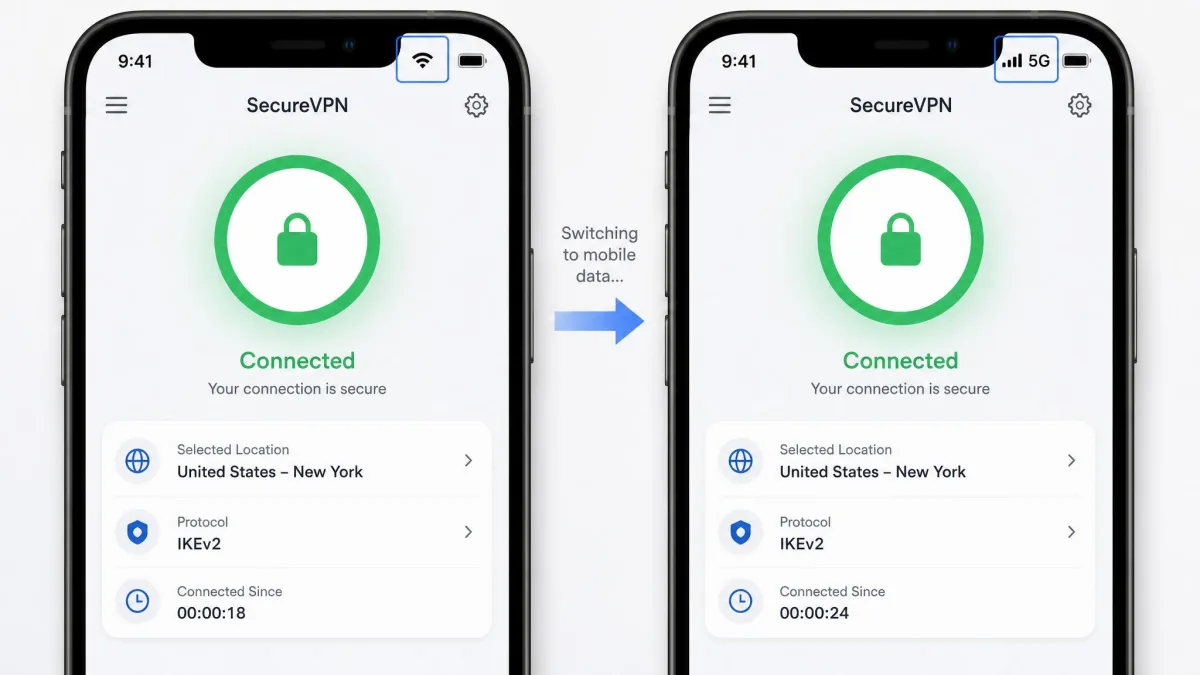
Its standout feature is MOBIKE, which handles mobility and multihoming. In plain terms, IKEv2 reconnects almost instantly when a phone switches between Wi-Fi and mobile data. In our testing that made it the smoothest choice on the move, with no visible drop when we walked out of Wi-Fi range mid-download.
IKEv2 has closed-source origins at Microsoft and Cisco, though open implementations exist and are widely used. Independent sources disagree slightly on its security: most describe it as having no known weaknesses when properly implemented, while a few point to documented issues. We treat it as strong, with the caveat that the quality of the implementation matters more here than with WireGuard.
L2TP/IPSec: Legacy Compatibility
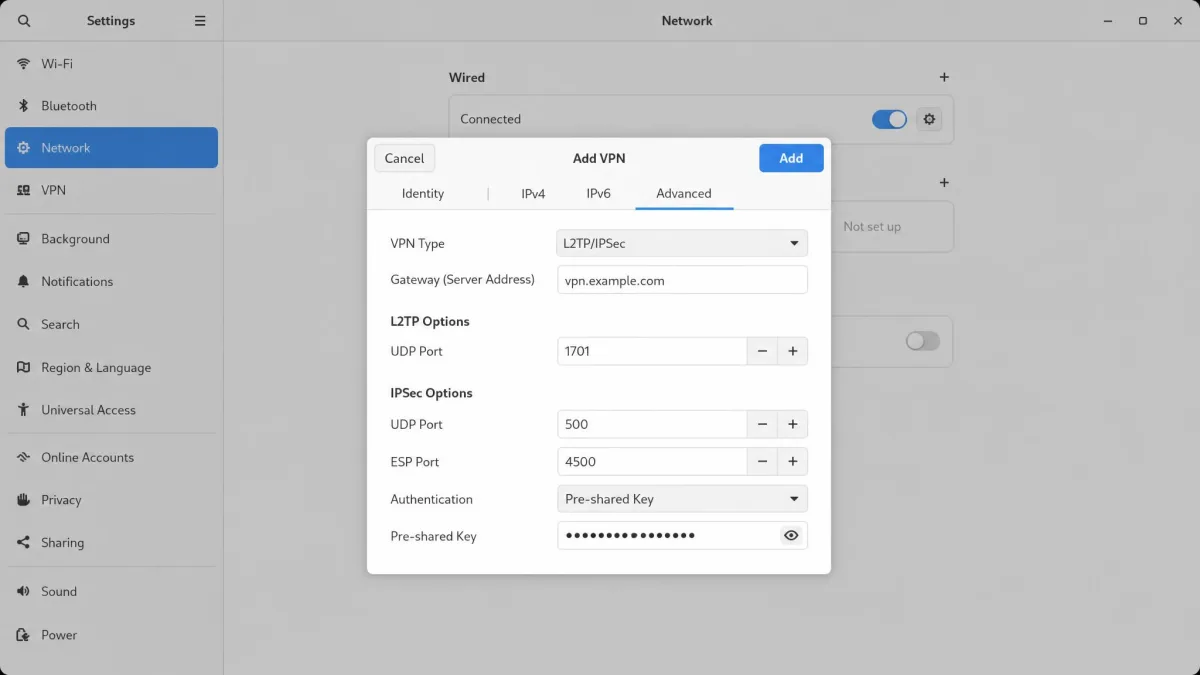
L2TP was developed in the 1990s by Cisco and Microsoft, and on its own it provides no encryption at all. It is always paired with IPSec, which supplies the ciphers, usually AES but sometimes the now-weak 3DES. It uses UDP ports 500 and 4500 for the IPSec handshake and UDP 1701 for the L2TP traffic itself.
Because it double-encapsulates traffic, wrapping data in two layers, L2TP/IPSec feels noticeably slower than modern protocols, and in our testing it could be fiddly to keep stable. It also carries long-standing concerns about possible tampering with the underlying IPSec standard.
Its one genuine merit is wide legacy-device compatibility. If you are configuring an old router or an operating system too dated for WireGuard, L2TP/IPSec may be the only option that connects. Outside that narrow case, there is no reason to choose it.
SSTP: Windows and Firewall Bypass
SSTP is a Microsoft proprietary protocol that carries VPN traffic over TLS/SSL on TCP port 443. Like OpenVPN in TCP-443 mode, that lets it slip past firewalls that block obvious VPN ports, and it has clean native support on Windows.
The catch is reach and openness. SSTP is closed source and has limited support outside Windows, so it does not travel well across a mixed set of devices. In our testing it performed a little worse than OpenVPN and only worked cleanly on Windows, which makes it best kept as a fallback rather than a default. If you live entirely in Windows and need to beat a firewall, it is a reasonable second choice behind OpenVPN.
PPTP: Outdated, Avoid
PPTP first appeared in the Windows 95 era and uses TCP port 1723 with GRE for encapsulation. Its encryption is MPPE with the RC4 cipher at a 128-bit maximum, and that encryption has known vulnerabilities dating to 1998. Its authentication can be cracked with publicly available tools, and Microsoft itself advises upgrading away from it.
Do not use PPTP for anything sensitive. It connects fast because its encryption is weak, and that weak encryption is trivially broken. Treat any PPTP connection as effectively unencrypted, and choose WireGuard or OpenVPN instead.
We include PPTP only so you can recognize and avoid it. The single situation where it still appears is ancient hardware that supports nothing else, and even then the honest answer is to replace the hardware.
Proprietary and Niche Protocols (NordLynx, Lightway, Shadowsocks, OpenConnect, SoftEther)
Several providers ship their own protocols, and a few open projects fill specialist roles. These are worth knowing even if you never pick them by name.
NordLynx is NordVPN's protocol, built on WireGuard with a custom double-NAT layer added on top. That double NAT is the fix for WireGuard's static-IP behavior we mentioned earlier: it keeps WireGuard's speed while protecting privacy. It is not open source, but it inherits WireGuard's performance.
Lightway is ExpressVPN's in-house protocol, and unlike NordLynx it is open source. It was originally built on wolfSSL and later ported to Rust, with an early codebase around 2,000 lines, though that figure predates the Rust rewrite and may no longer be exact. In hands-on testing Lightway can edge out even WireGuard on speed while keeping connections stable.
The remaining names solve narrower problems. Shadowsocks is an encrypted proxy designed for censorship bypass rather than a true VPN protocol. OpenConnect is an open implementation of Cisco's AnyConnect SSL VPN. SoftEther is a multi-protocol open-source VPN server that can speak several of the protocols above. Most users will never need to set these up by hand, but they matter in restrictive networks and in self-hosted setups.
What Is the Best VPN Protocol for You? (By Use Case)
The best protocol depends on what you are doing. Here is the one we reach for in each common situation, and why.
Best for Streaming
For streaming, choose WireGuard. Streaming rewards raw throughput and low latency, and WireGuard's near-baseline speeds mean higher resolution with less buffering. If your provider ships a WireGuard-based option such as NordLynx, that works just as well. Only fall back to OpenVPN if a service is actively blocking your connection and you need its stealth mode to get through.
Best for Gaming
For gaming, WireGuard again. What matters here is latency and stable reconnection, not just bandwidth, and WireGuard's lean design keeps ping low while its fast reconnection recovers quickly from a dropped route. We saw the smallest latency penalty of any protocol with it. Avoid TCP-based modes for gaming, since TCP's reliability handshakes add lag that hurts fast-paced play.
Best for Mobile
For mobile, IKEv2/IPSec is the pick. Its MOBIKE support means the tunnel survives the constant Wi-Fi-to-cellular handoffs a phone makes all day, reconnecting so fast you rarely notice. WireGuard is an excellent second choice on mobile and also reconnects quickly, so if your app defaults to it you are in good hands.
Best for Privacy and Security
For privacy and security, OpenVPN and WireGuard are both excellent, and the right answer depends on your threat model. OpenVPN has the longest audit history and the widest scrutiny, which some privacy-focused users still prefer. WireGuard has modern, formally verified crypto and a tiny codebase, but insist on a provider that masks its static-IP behavior, as NordLynx and similar systems do.
Best for Torrenting
For torrenting, WireGuard is the default for its speed, but pair it with a provider that offers a kill switch and confirmed no-logs policy. If your provider throttles or blocks peer-to-peer traffic on some servers, OpenVPN in UDP mode is a solid alternative that most P2P-friendly services support widely.
Whichever protocol you choose, the protocol alone does not make you private. A no-logs policy, a working kill switch, and DNS-leak protection matter just as much. The best protocol on an untrustworthy service is still an untrustworthy connection.
TCP vs UDP: Why Transport Matters
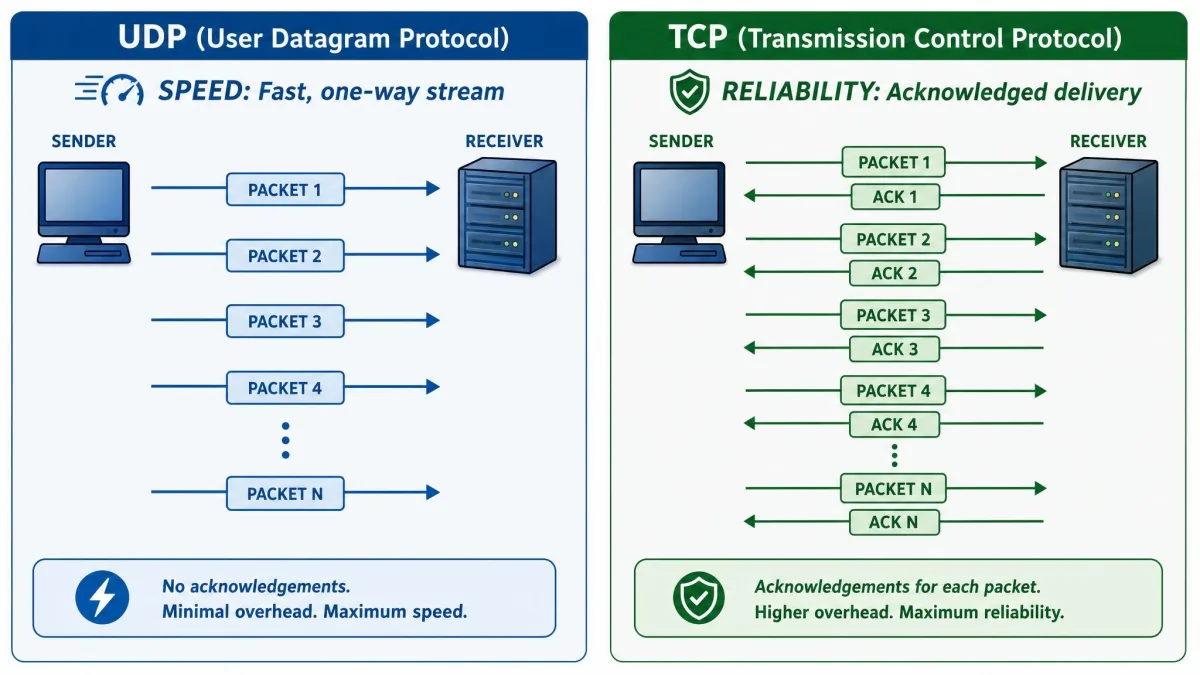
Underneath every protocol sits a transport choice, and it changes how a VPN feels. UDP sends packets without waiting for confirmation that each one arrived. TCP checks and re-sends anything lost, which guarantees delivery but adds overhead.
For most uses, UDP is faster and the better default. WireGuard uses UDP exclusively, and OpenVPN and IKEv2 default to it too. Streaming, gaming, and general browsing all benefit from UDP's lower latency, and the occasional lost packet is invisible in practice.
TCP earns its place when reliability or stealth beats speed. Because TCP on port 443 looks like ordinary secure web traffic, it is the transport that gets through firewalls that drop everything else. The trade-off is a phenomenon called TCP meltdown, where two stacked reliability layers fight each other and slow things down. Use TCP when you must, and UDP the rest of the time.
How to Choose and Change Your VPN Protocol
Choosing is simpler than the options suggest. Start with WireGuard or its provider-branded equivalent for everyday speed. Switch to IKEv2 if you are mostly on a phone, and reach for OpenVPN over TCP-443 only when a network is blocking you. Ignore L2TP, SSTP, and PPTP unless a specific device forces your hand.
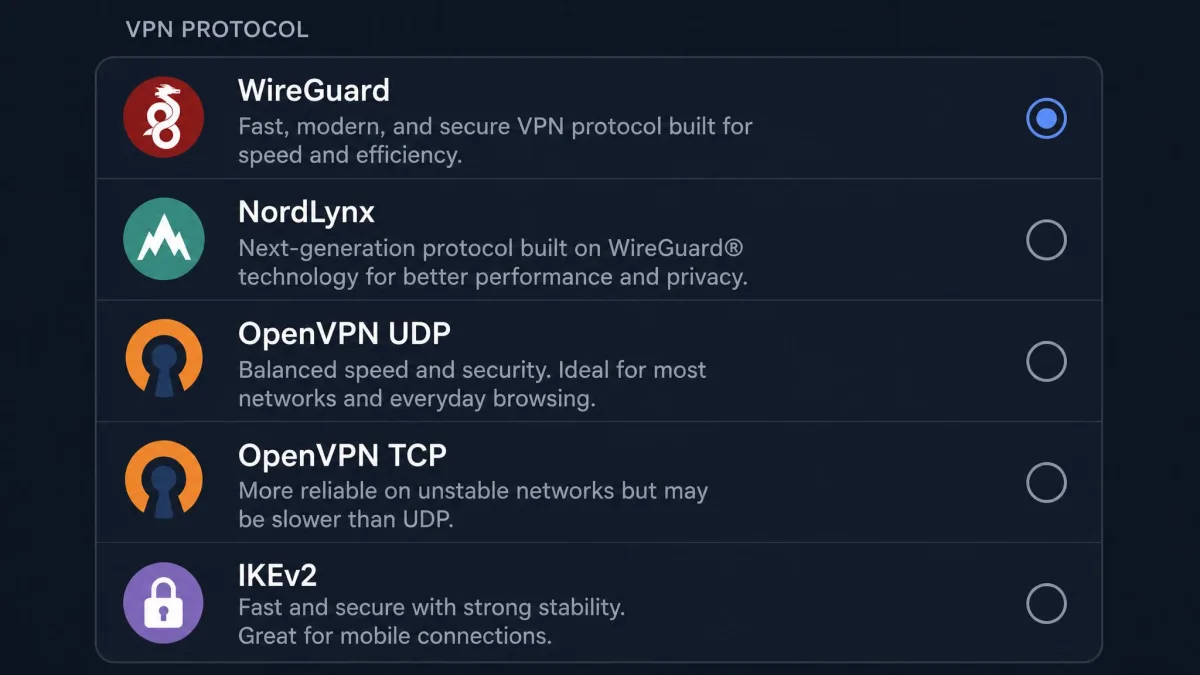
Changing the protocol is usually a menu, not a reinstall. In most VPN apps you open Settings, find a "Protocol" or "Connection" section, and pick from a list. Some apps offer an "automatic" mode that selects a protocol for current conditions, which is a fine default if you would rather not decide.
If your app hides the protocol setting, look under an "Advanced" or "Connection" tab. On desktop clients it is almost always exposed; on some mobile apps the choice is made automatically and cannot be changed. Manual setups, such as configuring L2TP/IPSec by hand, require entering ports and shared keys yourself, which is another reason to prefer app-managed WireGuard.
After you switch, run a quick check. Confirm the connection holds, then use any reputable IP and DNS leak test to make sure your real address is not exposed. We do this every time we change a protocol before trusting it with anything private.
Frequently Asked Questions
What is the fastest VPN protocol?
What is the most secure VPN protocol?
WireGuard vs OpenVPN: which should I use?
IKEv2 vs OpenVPN: what is the difference?
Which VPN protocol is easiest to set up?
Why should I avoid PPTP?
Final Thoughts
For 2026 the answer is short. WireGuard is the best VPN protocol for most people: it is the fastest, uses excellent modern encryption, and turns on with a single tap. Keep OpenVPN in your back pocket for firewalls and for the reassurance of its long audit record, and lean on IKEv2 when you live on your phone.
Everything else is situational or obsolete. L2TP/IPSec and SSTP survive as narrow fallbacks, and PPTP should be left in the past. Choose a trustworthy service first, then set the protocol to match what you are doing, and you will have a connection that is genuinely fast, secure, and private. You can read more on the technical background of WireGuard if you want to go deeper on how its cryptography is built.