A Windows PC that used to boot in seconds now takes a minute to settle, the browser has collected years of cache, and the C: drive is showing red. Two names come up almost immediately when you go looking for a fix. CCleaner has been the default answer since the mid-2000s, and Advanced SystemCare is the all-in-one challenger that promises to clean, boost and protect from one dashboard.
We ran both on Windows 11 in their free and paid forms, working through the same routine on each: a junk-file clean, a registry pass, a startup review, and a look at what the paid tiers actually unlock. Neither is a miracle worker, and anyone promising a slow PC will suddenly feel new is selling something. What the two genuinely differ on is how much they clean for free, how heavily they sell to you afterwards, and how much control you keep. Here is how they compare on cleaning, extras, price and safety.
CCleaner vs Advanced SystemCare at a Glance
CCleaner is a cleaner with optimization extras bolted on. Advanced SystemCare is a suite that happens to include a cleaner. That difference drives almost every row below.
| Product | Buy | Junk cleaning | Registry | Real-time protection | Free-tier limits | Pro price |
|---|---|---|---|---|---|---|
 |
Check price → | Custom Clean plus Health Check, free | Included free | None | No scheduling, no automatic updates | $44.95/yr list, 1 device |
 |
Check price | One-click AI scan; deep clean is PRO only | PRO only | Yes, plus Safe Folder ransomware guard | Deep clean, registry, RAM management withheld | $16.77/yr promotional, 1 PC |
Startup control is free on both, and driver updating splits them: CCleaner sells a Driver Updater in its paid tiers, while IObit keeps drivers in the separate Driver Booster product. CCleaner covers Windows 7 through 11 with separate Mac and Android editions, and Advanced SystemCare Free still supports Vista and XP.
What Is CCleaner?
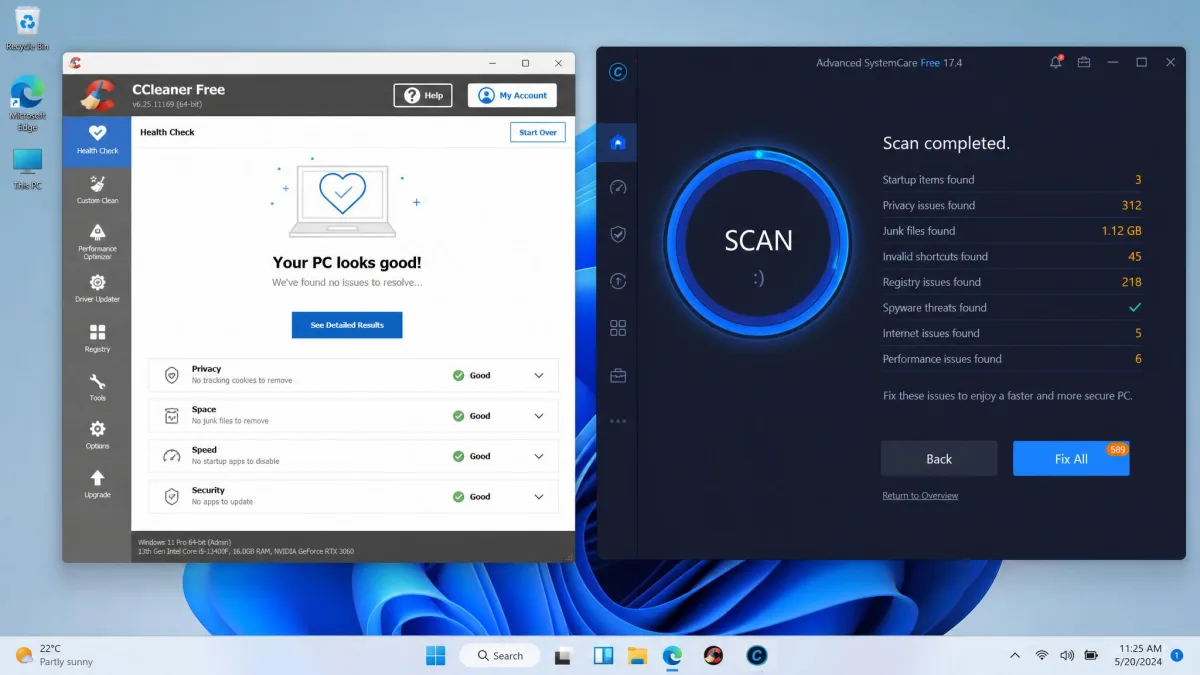
CCleaner is a Windows cleanup utility from Piriform, now part of Gen Digital, and it has been the reference point for this category for close to twenty years. Version 7.09.1432, released in July 2026, keeps the two-mode structure the tool has used for years. Health Check runs a guided pass that surfaces trackers, leftover files and out-of-date apps together, and Custom Clean lets you tick exactly which caches, logs and Windows components get emptied.
Around those two modes sit a registry cleaner, a Startup Manager, a browser plugin manager, a Duplicate Finder, a Disk Analyzer and a Drive Wiper, all free. The paid tiers add a Software Updater, a Driver Updater, a Performance Optimizer, cloud cleaning for Google Drive and OneDrive, and automatic privacy protection. In use it scans quickly, and Health Check pulls trackers, junk and outdated software into one list. The interface looks its age, but that turns out to be a strength, because every option is visible without hunting through menus.
Who CCleaner Is Built For
CCleaner suits the person who wants to clean a PC properly, occasionally, without buying anything. The free tier handles most of what a home user needs, and Professional mainly earns its money if you want scheduled, hands-off cleaning. It is also the better pick if you distrust suites that install background services, because the free build stays out of the way between runs.
What Is Advanced SystemCare?
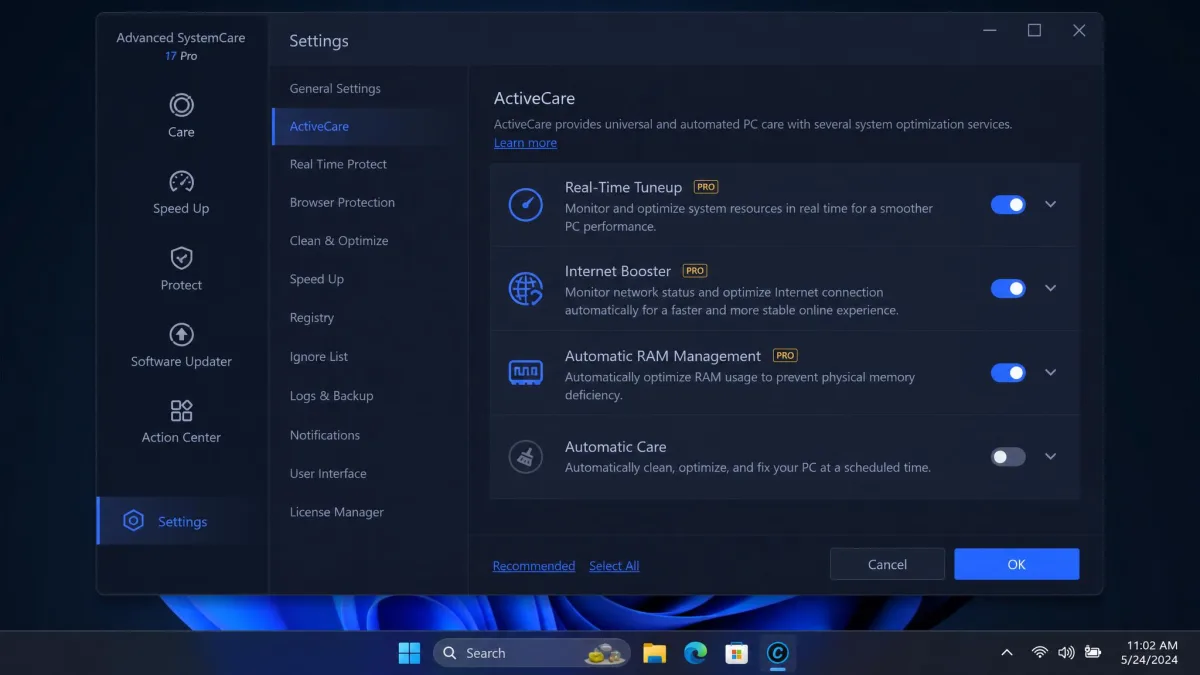
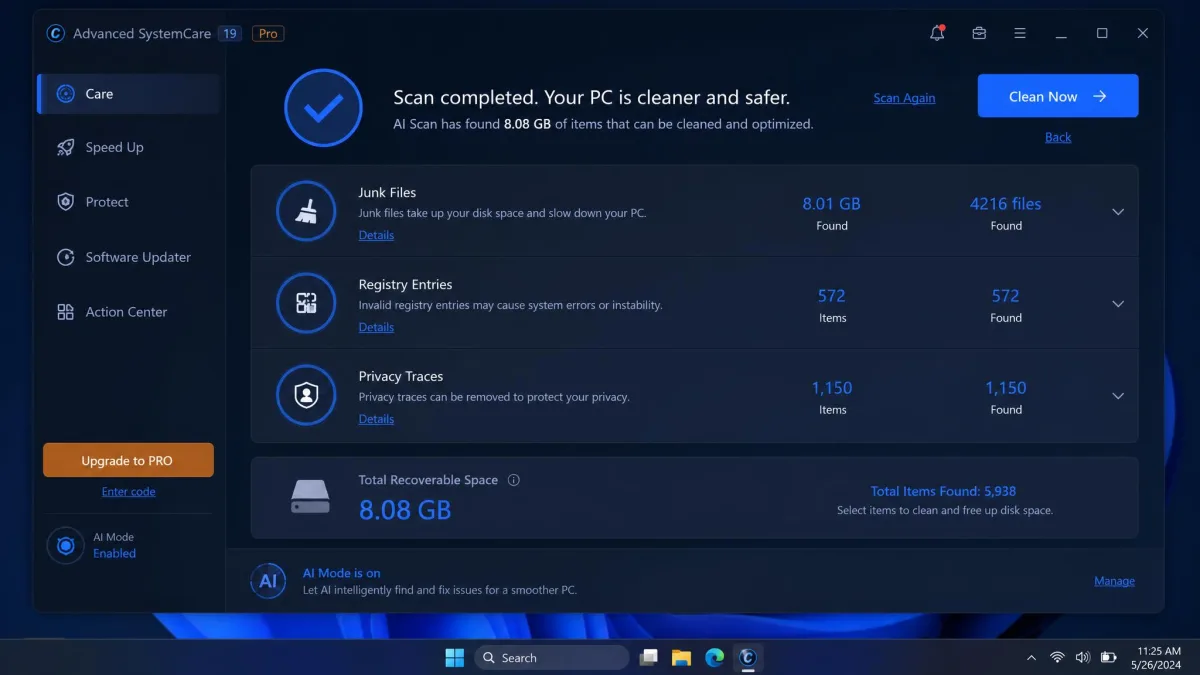
Where CCleaner is a focused cleaner, Advanced SystemCare aims at everything at once. IObit's free build, version 19.4.0 at a 62.8 MB download, opens on a single large scan button and runs a one-click AI scan across junk files, the registry, startup entries, privacy traces and security settings in one pass.
The module list is long: a large file finder, a startup optimizer, Turbo Boost, real-time tuneup, an internet booster, automatic RAM management, a privacy sweep, anti-tracking, browser and DNS protection, real-time protection, a ransomware-resistant Safe Folder, FaceID intruder capture and an Action Center. IObit's Advanced SystemCare manual runs to dozens of pages for a reason. IObit claims more than 200 million users, though that is a marketing figure with no published method behind it.
The one-click scan does clear junk files and tidy the registry well, and on a genuinely cluttered machine a single pass can flag around 8GB of recoverable space. Speed is the weaker half of the story. On a PC already in decent shape, the measurable difference after a full optimization run is slight.
Who Advanced SystemCare Is Built For
Advanced SystemCare suits power users who want many tools behind one dashboard and are comfortable ignoring upsells. It also makes sense on an older, low-RAM machine, since it is the only one of the two with automatic RAM management. Its minimum requirements are 512 MB of RAM, a 1 GHz CPU and 300 MB of free disk space.
Cleaning Power: Junk Files, Browser Cache and Registry
Browser cleaning is where the two land level. Both clear cache, cookies, history and download lists across Chrome, Edge and Firefox, and both let you whitelist the cookies you want to keep, so the everyday job most people install a cleaner for is a draw.
The difference shows up a layer down. Run both free builds on the same machine and Advanced SystemCare reports an impressive-looking pile of recoverable space, then asks you to upgrade before it removes the deeper layers. CCleaner's Custom Clean simply removes what you ticked, and it shows you the list before it touches anything.
Before your first clean on either tool, open the cookie exclusion list and add the sites you stay signed in to. It takes two minutes and saves you re-authenticating across a dozen accounts afterwards.
Registry Cleaning and Repair
CCleaner includes registry cleaning in the free build; Advanced SystemCare does not. That is the single biggest free-tier difference between them.
It is also worth asking whether you should use the feature at all. Registry cleaning is the most oversold idea in this category, and the realistic benefit on a modern Windows install is close to nothing measurable. A few hundred orphaned keys are not what makes a PC slow.
Registry cleaning carries real downside risk and almost no measurable upside on Windows 10 or 11. If you run it, always accept the backup prompt first. Removing entries that a program still references can break that program rather than speed anything up.
Speed and Performance Impact
Advanced SystemCare's one-click pass tidies junk and registry entries competently, but the gain afterwards is modest when there was not much wrong to begin with. Score it on ease of use and price and it does well; score it on measured performance gain and it lands closer to 6.5 out of 10.
CCleaner does not promise a speed change at all. Its paid Performance Optimizer only puts background applications into a sleep state rather than claiming to accelerate Windows itself, which is a narrower and more honest pitch. The repeatable win from both tools is disk space. Reclaiming several gigabytes from browser caches, Windows update leftovers and temporary files is a genuine benefit on a small SSD, and it is the outcome you should buy either tool for.
What Each Tool Costs You at Startup
The two differ most in what they leave running. CCleaner's free build is essentially inert between runs, with the notable exception of its Health Check reminder. Advanced SystemCare installs background components by design, since real-time protection, real-time tuneup and automatic RAM management cannot work otherwise. On a machine with 16 GB of RAM that trade is unremarkable. On an older laptop, be deliberate about which background modules you keep.
Extra Tools: Optimization, Driver and Privacy Modules
If Advanced SystemCare wins anywhere outright, it is here. Its module count dwarfs CCleaner's, and several extras are things CCleaner does not offer at all: an internet booster, a large file finder, FaceID intruder capture, and browser and DNS protection.
CCleaner's extras are fewer but more focused. Duplicate Finder and Disk Analyzer are the two most useful of them, Drive Wiper is genuinely useful when you are handing a machine on, and Professional Plus adds Recuva Pro and Speccy Pro. IObit's missing driver updater is the one real hole in its all-in-one claim, since drivers live in the separate Driver Booster product.
Security and Privacy Protection
Advanced SystemCare is the only one of the two with real security features. Real-time protection, a Safe Folder that blocks unauthorised changes to protected directories, browser protection and DNS protection all ship in the product, with the strongest tiers behind PRO. CCleaner does not attempt real-time antivirus and treats privacy as a cleaning problem rather than a shielding one, clearing tracking data on a schedule and adding Kamo anti-tracking on the Premium Bundle.
We would not treat either product as a security layer. Advanced SystemCare's protection modules are a reasonable extra on top of Microsoft Defender, not a replacement for it, and CCleaner's privacy tools clean up after tracking rather than preventing it.
User Interface and Ease of Use
Advanced SystemCare has the better-looking application. Its dashboard is modern, the one-click scan is genuinely one click, and a first-time user gets a result within a minute of installing.
Living with it is more frustrating. Individual settings are harder to track down, and finding the switch for a specific module often means working through several screens. CCleaner looks older, but adjusting a single cleaning rule takes seconds.
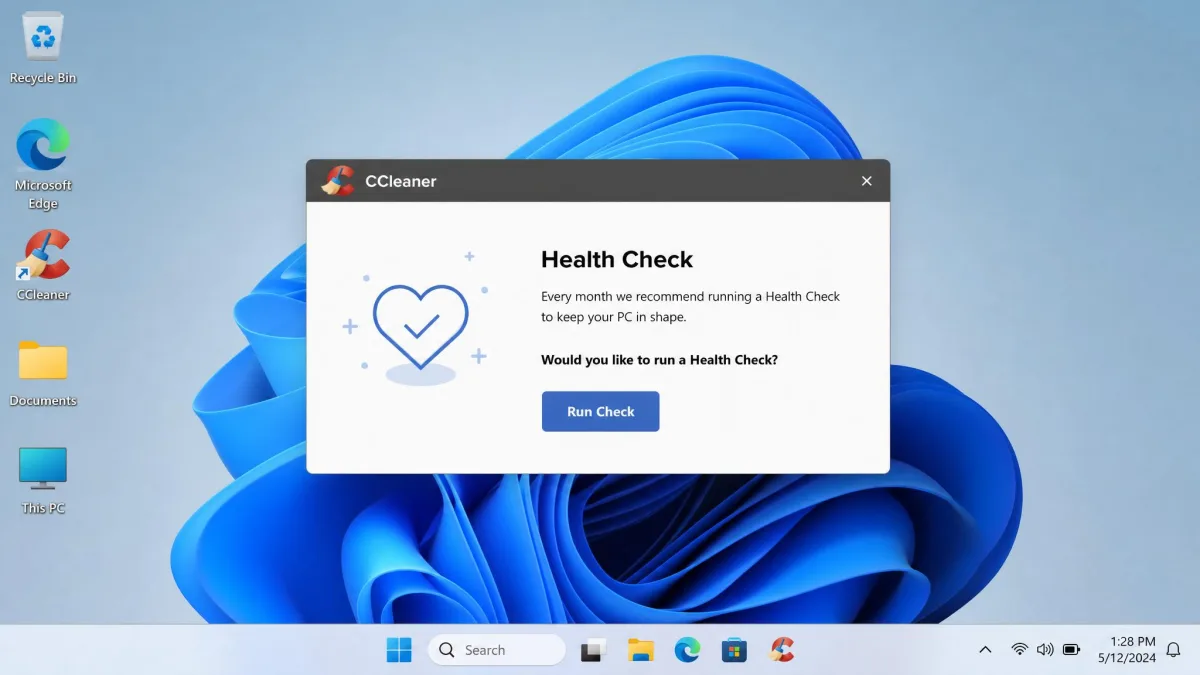
Both interrupt you. CCleaner's Health Check pop-up can reappear several times a day with no obvious switch to turn it off, and it returns the next day even after a clean run has finished. Advanced SystemCare prompts you to install other IObit tools repeatedly, and those prompts keep coming on the paid version too. Its Action Center doubles as IObit's offer hub, mixing genuine app updates with promotions for other IObit products, which makes it hard to tell at a glance whether something needs your attention.
Pricing and Value: Free vs Pro
On headline price, IObit undercuts CCleaner heavily. On value, the comparison is closer than the numbers imply, because the two free tiers are not equivalent.
| Tier | CCleaner | Advanced SystemCare |
|---|---|---|
| Free | $0, unlimited devices | $0 |
| Entry paid | $44.95/yr list, 1 device | $16.77/yr promotional, 1 PC |
| Multi-device | $64.95/yr, 3 devices (Pro Plus) | $19.99/yr, 3 PCs |
| Refund window | 30-DAY money-back guarantee | 60-day money-back guarantee |
CCleaner Pricing
CCleaner Free costs $0 and covers unlimited devices, with standard cleaning, standard privacy protection and a basic Health Check. Professional is listed at $44.95 per year for one device, though that figure moves with frequent promotions and varies by region, so checkout often lands below the list price. Professional Plus is $64.95 per year for three devices, and the Premium Bundle covers five devices and adds Kamo, shown at $64.95 against a higher $89.95 list price. Every paid plan carries a 30-DAY money-back guarantee.

Advanced SystemCare Pricing
Advanced SystemCare Free costs $0. Advanced SystemCare 19 PRO is listed at $16.77 per year for one PC, marked down from $29.99, with a 3-PC licence at $19.99 and a 5-PC licence at $29.99. IObit runs near-permanent discounts, so the checkout price swings between the promotional figure and the list price, and the ladder is inconsistent enough that the 2-PC tier has been priced above the 3-PC tier on the same page. The refund window is a generous 60-day guarantee.
The real value question is not which subscription is cheaper. It is whether you need to pay at all. CCleaner's free tier does more cleaning work than IObit's, so if free is where you intend to stay, CCleaner wins before price enters the conversation.
Safety, Reputation and the Adware Question
Both products carry reputational baggage, and both deserve a plain accounting rather than a whitewash or a scare. CCleaner's is specific and historical. In 2017 an attacker compromised Piriform's build process, and the 2017 CCleaner supply-chain compromise affected roughly 2.27 million users who installed the affected builds between 15 August and 15 September that year.
The 2017 CCleaner Security Incident
The backdoor shipped in 32-bit CCleaner v5.33.6162 and CCleaner Cloud v1.07.3191. Cisco Talos identified the malicious build in September 2017 and the command-and-control server was taken down within days of notification, although reported dates vary slightly between security write-ups. Piriform's official security notification documents the affected versions and the response.
Two things are worth knowing before you install either product. CCleaner shipped a backdoored build to about 2.27 million machines in 2017 through a compromised build server, and those versions are long superseded by the current 7.09.1432 release. On the IObit side the recurring issue is not malware but persistent upselling, and installers in this category have a long history of bundling potentially unwanted programs. Decline the extras and read each installer screen rather than clicking through.
Nine years on, the practical position is that CCleaner's build pipeline was rebuilt after the incident and no comparable compromise has followed. Trustpilot rates CCleaner 4.0 out of 5 across roughly 28,000 reviews, with 69% five-star and 10% one-star ratings, and the score shifts as new reviews land. G2's community is warmer, at 4.5/5 across 620 G2 reviews.
IObit's Bundling and Upsell Record
IObit's problem is different in kind. There is no equivalent security incident, but the company has a long-running reputation for aggressive cross-promotion, and that reputation is earned inside the product itself. Trustpilot puts IObit at 3.9 out of 5 across more than 2,000 reviews, though that score covers the whole vendor rather than Advanced SystemCare alone, so it is not a like-for-like comparison.
Pros and Cons Side by Side
CCleaner Pros and Cons
Pros
- Registry cleaning, Startup Manager and Custom Clean all included free
- Every setting is visible without hunting through menus
- Free tier covers unlimited devices
- Pro Plus bundles Recuva Pro and Speccy Pro
Cons
- The Health Check pop-up reappears daily with no obvious off switch
- Dated interface design
- No real-time protection of any kind
- Professional costs roughly three times IObit's promotional price
Advanced SystemCare Pros and Cons
Pros
- Huge module count, including real-time protection and a Safe Folder ransomware guard
- Modern dashboard with a genuine one-click scan
- Cheapest entry price and a 60-day refund window
- Automatic RAM management helps on low-memory machines
Cons
- Deep cleaning, registry repair and RAM management sit in the PRO tier
- Upsell prompts continue even on a paid licence
- Individual settings are hard to find inside the dashboard
- Measured performance gain is modest on a healthy PC
Which One Should You Choose?
CCleaner takes it. The deciding factor is not the feature count, which Advanced SystemCare wins comfortably, but what each tool does for the person who never pays. CCleaner's free build cleans deeper, and it shows you every rule before it runs so you keep control of what leaves the disk. Add a smaller background footprint between runs, and it is the safer recommendation for most Windows 11 users.
Choose CCleaner If...
- You intend to stay on the free version
- You want to see and control exactly what gets deleted
- You already run an antivirus and do not need a second one
- You prefer a tool that does nothing until you open it
Choose Advanced SystemCare If...
- You want one dashboard covering cleaning, tuning and protection
- You are running an older or low-RAM machine
- You need Windows Vista or XP support
- Budget is the deciding factor and you will pay for PRO
Alternatives Worth Considering
Neither tool is the only option. BleachBit is the open-source choice, with no upsells and no telemetry, and our CCleaner vs BleachBit comparison is worth reading if a transparent codebase matters more to you than polish. Glary Utilities sits between the two products here on breadth, covered in CCleaner vs Glary Utilities.
If you want cleaning without the suite ambitions, CCleaner vs Wise Disk Cleaner covers the lightest option in the category. For IObit against the open-source route, see Advanced SystemCare vs BleachBit, and for another all-in-one contender there is Advanced System Optimizer vs CCleaner.
Frequently Asked Questions
Is CCleaner safe to use now?
Is Advanced SystemCare safe or is it bloatware?
Will my licence renew at the price I paid?
Can I run both at the same time?
Is the free version of either enough?
Do either of them cover Macs or phones?