You have a PC that feels slower than it did a year ago, and two of the best known tune-up utilities are competing for the same $30. Avast Cleanup Premium sells simplicity and a genuinely clever Sleep Mode, while Advanced SystemCare sells a toolbox so large it takes a week to explore. Both promise to speed up your PC, clear out junk files, and reclaim disk space. Only one of them is the right purchase for you.
We installed both on the same Windows 11 machine and worked through the same cleanup routine on each: junk scan, registry scan, browser traces, startup list, then a week of normal use. What follows is what each tool actually does, what each one costs once the introductory year ends, and where the two genuinely differ.
Avast Cleanup Premium vs Advanced SystemCare at a Glance
The short version is that these tools are aimed at different buyers. Avast Cleanup Premium is a focused cleaner with a few standout tricks and cross-platform coverage. Advanced SystemCare is a sprawling optimization suite that costs less and covers only Windows.
| Product | Avast Cleanup Premium | Advanced SystemCare Pro |
|---|---|---|
| Price (1 PC / 1 yr) | $29.88 first year, $65.99 after | $16.77 first year, $29.99 list |
| Devices covered | 1 PC, or up to 10 devices | 1, 3 or 5 PCs by tier |
| Free version available | No, 30-day trial only | Yes |
| Disk/junk cleaner | Yes | Yes |
| Registry cleaner | Yes | Yes |
| Browser/privacy cleaner | Yes, 25+ browsers | Yes |
| Startup optimizer | Yes | Yes |
| Sleep Mode / background hibernation | Yes | No |
| Duplicate and photo finder | Yes | Duplicate and large-file finder |
| Data recovery | Yes | No |
| Software updater | Yes | Yes on Pro |
| AI optimization mode | No | Yes |
| Real-time tune-up | No | Yes |
| Security/privacy protection | Privacy traces only | Yes, DNS and Safe Folder |
| File shredder | Yes | Yes |
| Platform support | Windows, macOS, Android | Windows only |
| Money-back guarantee | 30-day | 60-day |
Pricing: Which One Costs Less?
Price is where the two tools separate most cleanly, and the introductory year hides most of the story. Both vendors discount heavily for new buyers, then renew at a much higher rate.
Avast Cleanup Premium Pricing
Avast Cleanup Premium costs $29.88 for the first year on a single Windows PC. That rate is introductory, and the regular renewal price is $65.99 per year for the same one-PC licence.
The multi-device plan is the better value if you have more than one machine. It covers up to 10 devices across Windows, macOS, and Android for $34.68 in the first year, then $79.99 per year afterwards.
There is a 30-day money-back guarantee, and Avast sends a renewal notification 65 days before it charges you.
Avast subscriptions renew automatically at the higher regular rate unless you switch auto-renewal off in your account dashboard before the renewal date. Doubling from $29.88 to $65.99 is easy to miss on a card statement.
Advanced SystemCare Pro Pricing
Advanced SystemCare is the cheaper product on both the first-year price and the renewal. IObit sells the one-PC Pro licence at $16.77 for the first year against a list price of $29.99 per year, and the five-PC tier also sits at $29.99 per year on the promotional pricing.
The three-PC tier is the one to watch. Its price moves constantly between a promotional figure near $20 and an MSRP near $90, so what you pay depends entirely on the offer running that day.
IObit also offers a 60-day money-back guarantee, which is twice the window Avast gives you.
Free Versions Compared
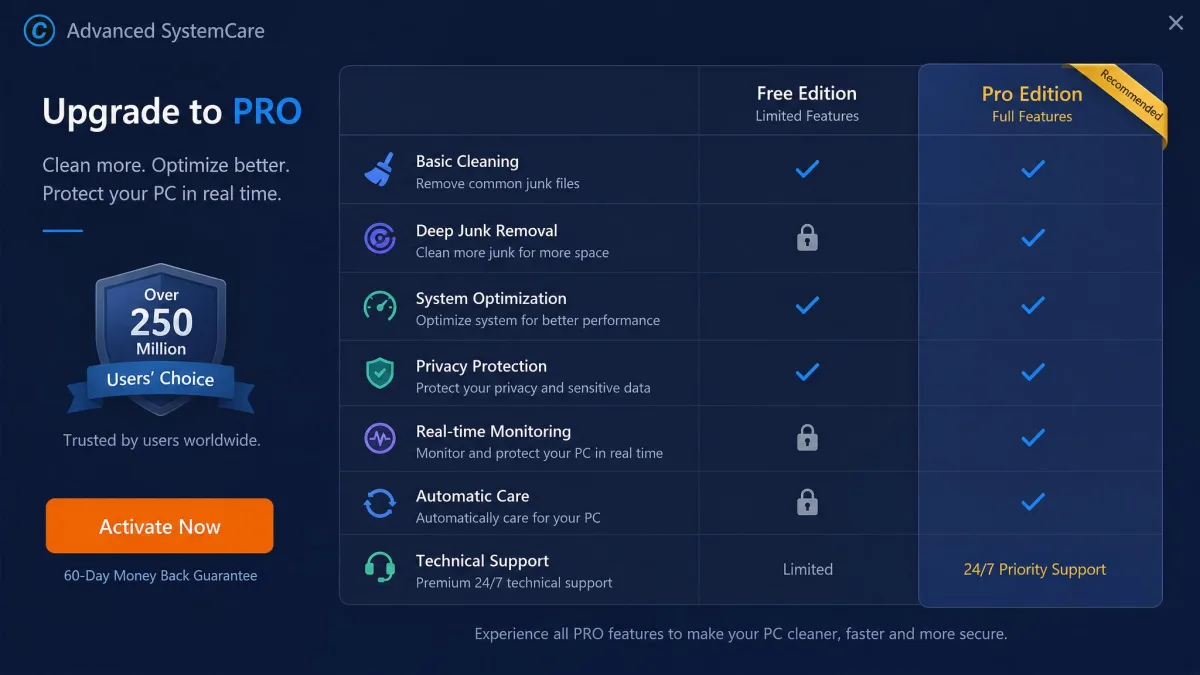
Advanced SystemCare has a genuinely free edition, and it is not a crippled one. The free build covers AI cleaning, registry optimization, the disk cleaner, the startup optimizer, turbo boost, and browser and DNS protection. Paying for Pro mainly buys you deep junk removal, real-time monitoring, and the Safe Folder feature rather than the core cleaner itself.
Avast Cleanup Premium has no permanently free edition at all. The only free path is a 30-day trial with no credit card required, and that trial allows one complete scan before you have to make a purchase decision.
That difference matters more than the sticker price. You can run Advanced SystemCare forever without paying, but Avast Cleanup is a subscription or nothing.
What Both Tools Do the Same
Most of what people buy a PC tune-up utility for is present in both products, at a similar standard. These overlapping features are worth understanding before you weigh the differences, because they are where the bulk of the day-to-day work happens.
Disk and Junk File Cleaning
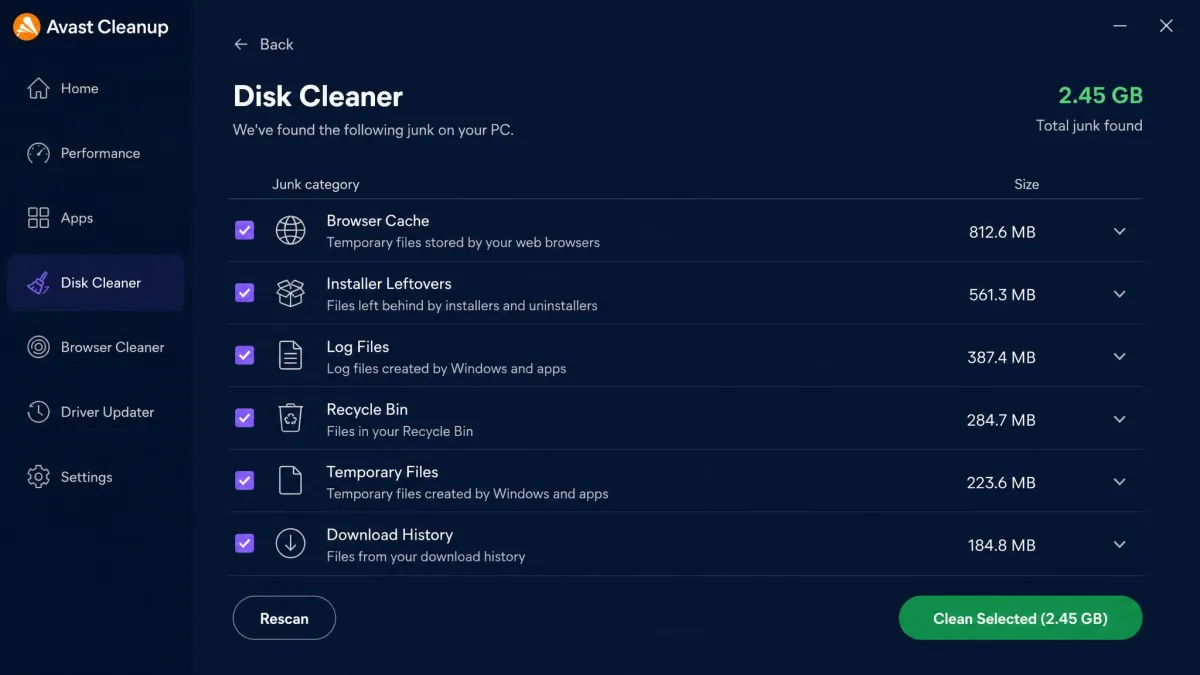
Both tools scan for the same broad categories: temporary files, cache folders, installer leftovers, log files, thumbnails, and the debris that Windows update leaves behind. Both let you review the findings by category before deleting anything.
Avast's Disk Cleaner is the more granular of the two, showing you exactly which application left which files. Advanced SystemCare's junk scan is faster to trigger and rolls into its wider one-click clean, which is more convenient and less informative.
In our week of normal use, both cleared a meaningful batch of junk and freed real disk space. Neither produced a visible speed gain on hardware that was already healthy.
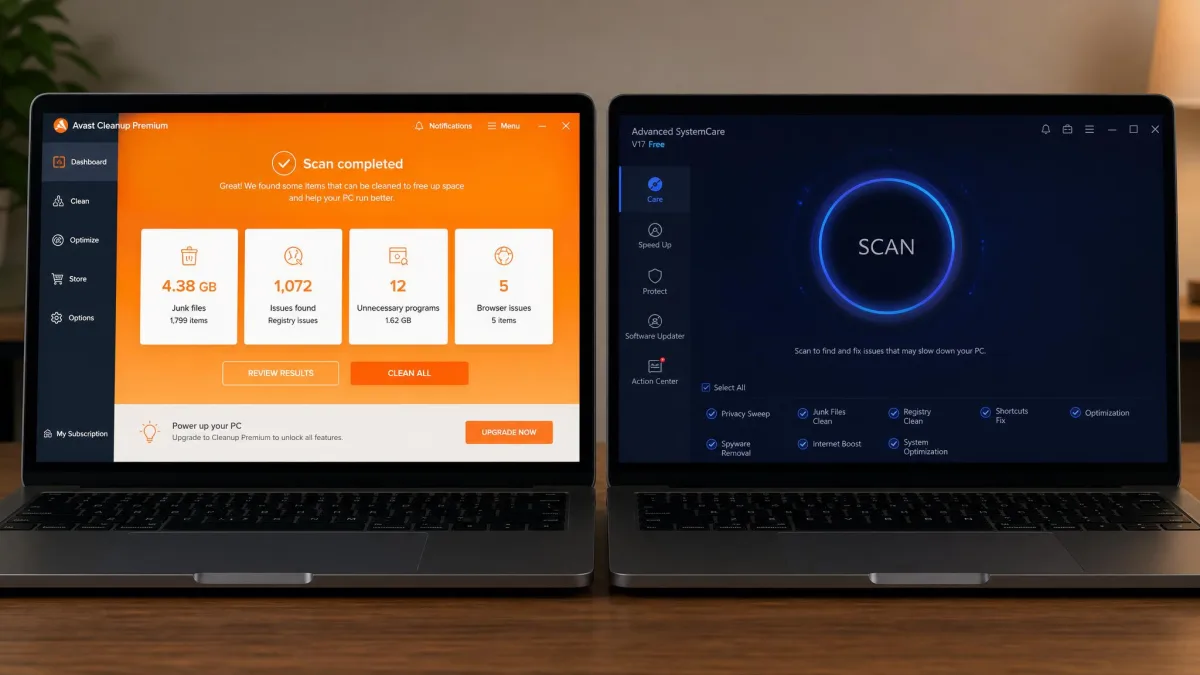
On a lightly used machine, Avast's first scan turned up nearly 4.9 GB of junk, and almost all of it was browser cache and temporary files left by apps we rarely open. That is a useful clear-out, but it is single-digit gigabytes rather than the tens of gigabytes the marketing implies. Advanced SystemCare reports its haul the same way, though it does not publish a comparable figure and its own gains come more from startup and service trimming than from disk space reclaimed.
Registry Cleaner
Both include a Windows Registry cleaner, and both present it prominently. Avast scans for orphaned entries and invalid file references, and Advanced SystemCare bundles registry optimization into its main scan sequence.
We would treat this feature as the least valuable thing either product offers. Registry cleaning delivers minimal measurable benefit on a modern Windows install, and Microsoft itself cautions against third-party registry cleaners.
A registry cleaner can remove an entry an application still needs, and the damage shows up later as a program that will not launch. If you run one, take a system restore point first. Avast's Undo Center gives you a way back; Advanced SystemCare relies on its own backup file.
Browser Cleaner and Privacy Traces
Avast Cleanup's Browser Cleaner clears cookies, history, and cached data across more than 25 browsers, which is unusually wide coverage. If you keep Chrome, Edge, Firefox, and a niche browser on the same machine, it will find all of them.
Advanced SystemCare handles the same job through its privacy and trace eraser, and adds browser anti-tracking on top. Its coverage list is shorter, but it reaches beyond browser data into Windows usage traces.
Shortcut Cleaner
Both tools tidy broken shortcuts, which is a small feature that nobody buys a cleaner for and everybody quietly appreciates. Avast's Shortcut Cleaner sweeps the desktop, start menu, and recent-documents lists for links pointing at files that no longer exist.
Advanced SystemCare's shortcut fixer does the same work and folds it into the main scan, so you rarely run it deliberately.
Software Updater
Avast Cleanup Premium includes a Software Updater that checks installed applications against current versions and patches them. It is one of the more genuinely useful pieces of the suite, because out-of-date software is a real security problem rather than a cosmetic one.
Advanced SystemCare has an equivalent updater, available on the Pro tier rather than the free edition. Neither updater covers everything you have installed, so treat both as a convenience rather than a patch-management system.
Startup Optimizer
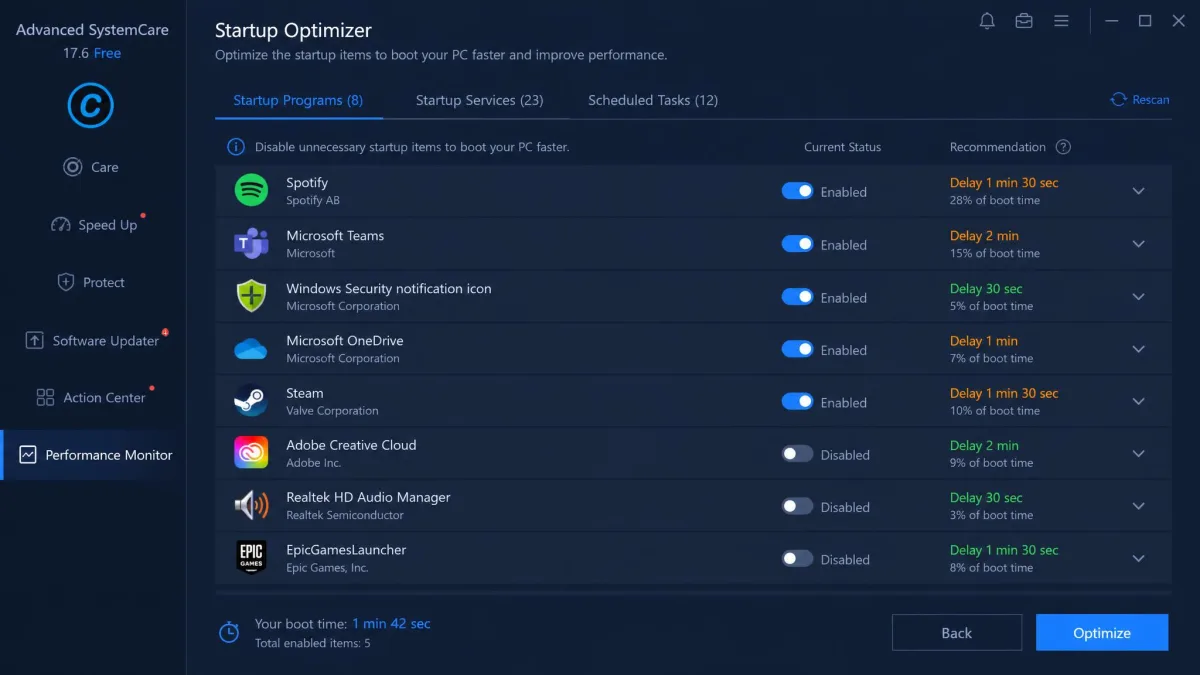
Both products list what launches at boot and let you disable entries, and both go further than the Windows Task Manager startup tab. Advanced SystemCare's version is the more thorough, covering startup items, services, scheduled tasks, and browser startup extensions in one screen.
Avast's startup optimization is simpler and gives each item a plain-language recommendation, which is friendlier if you are not sure what a service does.
Where Avast Cleanup Premium Pulls Ahead
Avast's advantages are fewer in number and larger in effect. Each one solves a problem the other product does not attempt.
Sleep Mode and Background App Hibernation
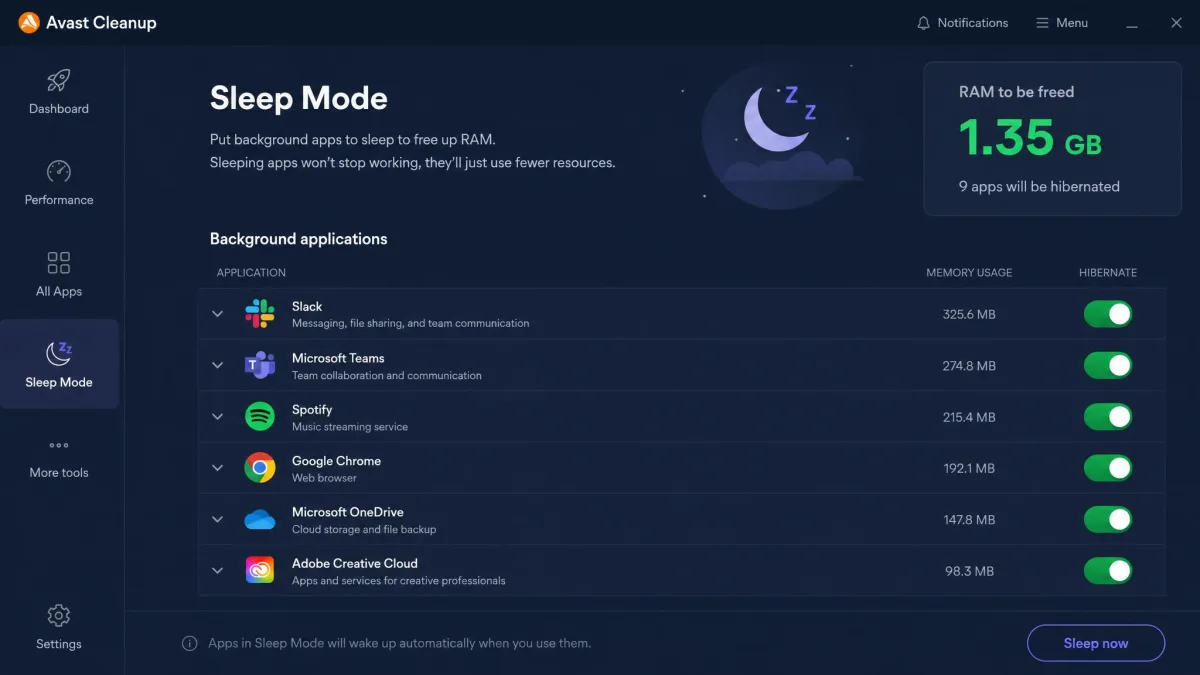
Sleep Mode is the reason to buy this product. It puts non-essential applications into hibernation so they stop consuming CPU and memory in the background, and wakes them the moment you click them.
Of everything either tool does, this is the single feature that produces the most noticeable day-to-day speed difference. Advanced SystemCare has no equivalent.
Avast Cleanup also keeps its own CPU usage low during scheduled scans, so it stays out of the way while you are gaming or editing video.
Sleep Mode is the one feature in either product that changes how the machine feels, because it stops background apps from consuming resources rather than deleting files after the fact.
Disk Cleaner Depth and Duplicate Photo Finder
Avast's duplicate finder is aimed specifically at photos, and it groups visually similar shots rather than only byte-identical copies. If you have a decade of phone camera backups on the drive, that distinction is worth real gigabytes.
Advanced SystemCare has a duplicate and large-file finder, but it works on file matching rather than image similarity.
Data Recovery, Undo Center and Uninstall Simulator
Three smaller Avast features share one theme, which is reversibility. Data Recovery attempts to restore deleted files, the Undo Center rolls back a cleaning action, and the Uninstall Simulator shows you what removing an application would change before you commit.
Together they make an aggressive clean much less risky. Advanced SystemCare has none of these, and its safety net is a single restore point.
Automatic Maintenance
Avast can run its full maintenance routine on a schedule without asking. Set it monthly and the tool essentially disappears, which is the correct behaviour for a utility like this.
Where Advanced SystemCare Pulls Ahead
IObit competes on breadth and on price, and it wins both of those arguments comfortably.
AI Mode and Real-Time TuneUp
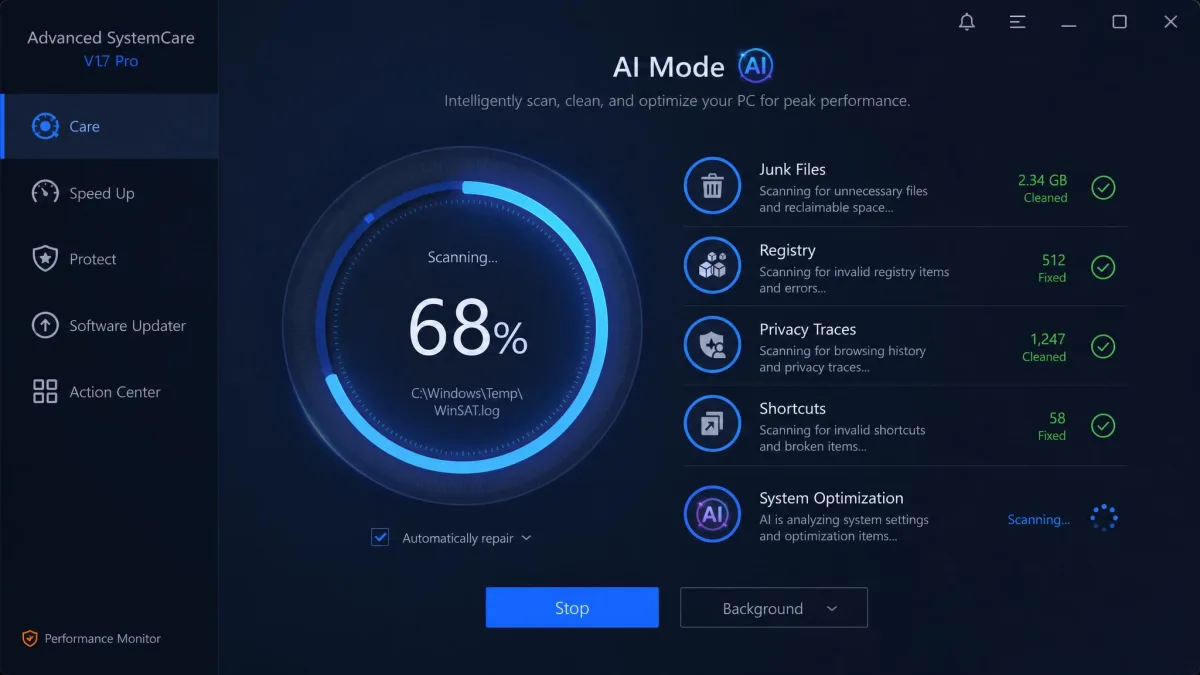
Advanced SystemCare 19 leads with an AI Mode that profiles how you use the machine and adjusts which optimizations it runs. Alongside it sits a real-time TuneUp that monitors resources continuously rather than only when you open the app.
Avast has no equivalent to either. Whether AI Mode does more than reorder existing tasks is hard to prove, but the real-time monitoring is a genuine functional gap in Avast's product.
Security and Privacy Protection
This is where the feature gap becomes wide. Advanced SystemCare adds DNS protection, browser anti-tracking, a Safe Folder for ransomware protection, and FaceID intrusion detection that photographs whoever unlocks your PC.
Avast Cleanup handles privacy traces only. Avast sells the security features separately in its antivirus products, which is a fair split but leaves the cleaner looking thin by comparison.
The ASC Toolbox (Internet Booster, Smart RAM, File Shredder and More)
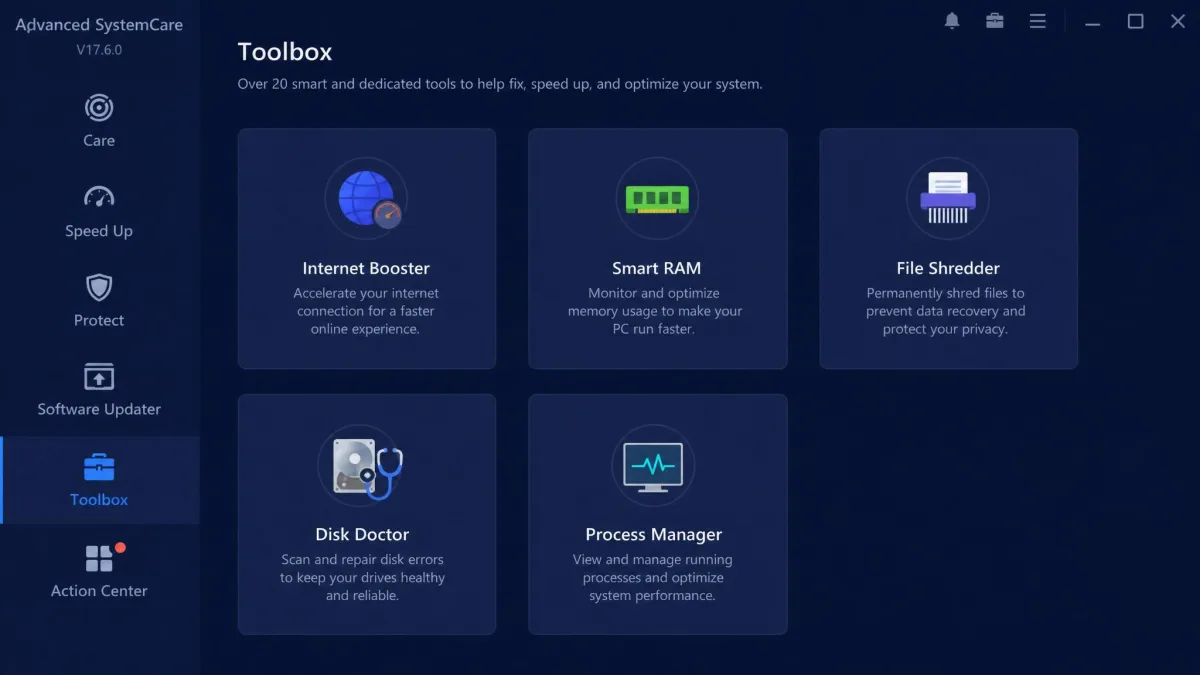
The toolbox is where the version 19.5.0 release earns its size. Internet Booster tunes network settings, Smart RAM frees memory on demand, and the file shredder, disk doctor, process manager, and large-file finder all sit one click away.
Some of these duplicate what Windows already does well. Enough of them are useful that the toolbox stops being a gimmick.
Sheer Feature Count for the Money
At $16.77 for the first year against Avast's $29.88, Advanced SystemCare delivers roughly twice the tool count for roughly half the price. IObit reports more than 200 million users worldwide, and volume pricing is clearly part of how it got there.

Performance: How They Actually Compare on a Real PC
We ran both tools through the same routine on the same Windows 11 laptop, cleaning with one, restoring the machine, then cleaning with the other.
The honest finding from our week with both: neither tool made a healthy PC measurably faster. What each did do was free disk space and reduce the number of things running in the background. If your machine is slow because it is full and cluttered, both help. If it is slow because the hardware is old, neither is the fix.
Scan Speed and Junk Reclaimed
Avast Cleanup's scans can run long on a cluttered drive, and the app is chatty with notifications while it works. Advanced SystemCare's one-click scan feels quicker to start because it runs its checks in parallel and reports a running total as it goes.
Avast's first scan is the slow one, at roughly two minutes, and how long it takes tracks how much clutter is on the drive rather than anything about the app. After that, a routine maintenance scan returns results in about 30 seconds, and a full cleanup-and-optimize run lands near three minutes. It stays light while it works too, sitting under 3% CPU at idle and around 12.70% during an active cleanup, so you can leave a scan running without derailing whatever else you are doing. Advanced SystemCare does not publish a comparable minute figure, and its AI mode and manual mode take about the same time to finish, so the AI badge changes which recommendations you get rather than how fast you get them.
Both vendors publish headline numbers we would ignore. Avast claims an average of 71GB reclaimed and 79% faster startup, but those are Avast's own internal-test figures and real-world results swing widely with how cluttered the PC already is. IObit claims up to 200% faster performance and 300% faster browsing, and those figures are marketing claims we have never been able to reproduce with a measurement.
Boot Time and System Impact
Advanced SystemCare's startup optimizer visibly shortens boot time, mostly because it reaches services and scheduled tasks that the Windows startup tab hides. That is the clearest measurable win either product scored in our testing.
Avast's contribution to boot time is smaller, but its background footprint is lighter once the machine is running.
How big that win is depends almost entirely on the starting state of the machine. On a badly degraded PC, boot time fell from about 2 minutes 40 seconds to 1 minute 15 seconds once the startup optimizer had run, while tidier machines shift by a far smaller margin, closer to 98 seconds down to 75. On a PC already struggling to open a single application, the change in how quickly apps launch afterwards is obvious. Avast does not publish a before-and-after boot measurement, and its startup optimization is pitched as a lighter touch on the same list.
Interface and Ease of Use
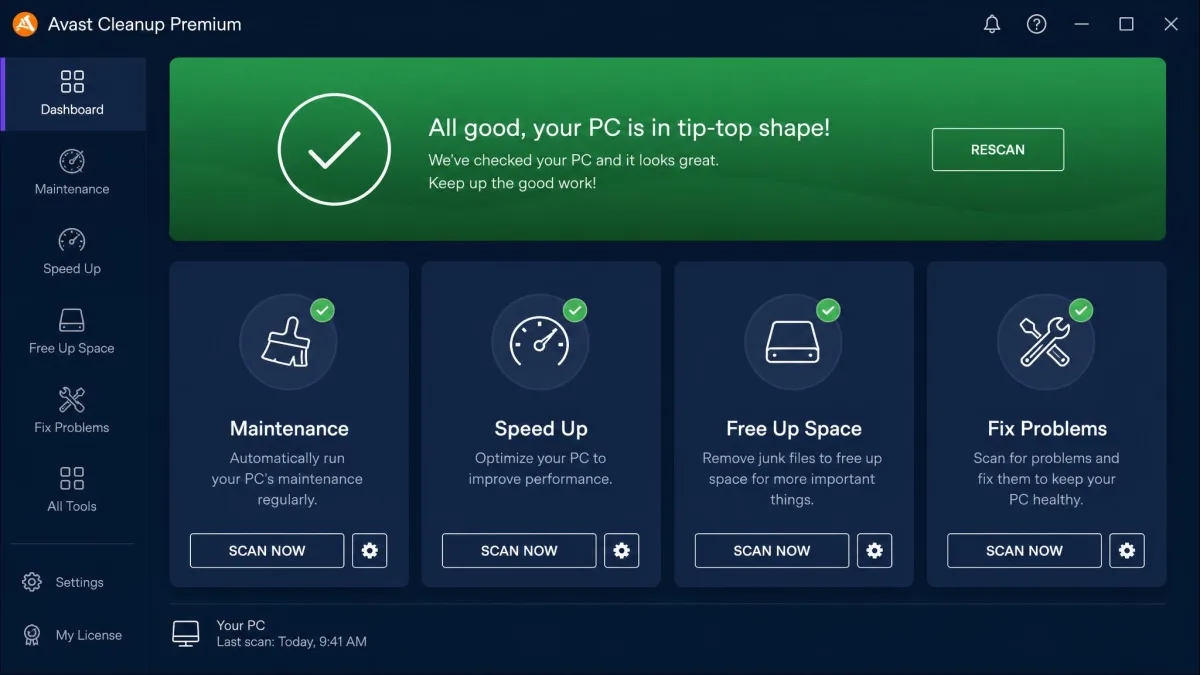
Advanced SystemCare's interface is the easier of the two to navigate. Its interactive icons and tool drawers put more tools within a single click, and the main scan screen tells you what it is doing while it does it.
Avast Cleanup is cleaner to look at and slower to get around. Features live in categories, and finding a specific tool takes more clicks than it should.
Both products interrupt you. Avast pushes upsell notifications for other Avast products, which grates when you bought it purely as a cleaner. Advanced SystemCare shows ads and upsells other IObit apps even on the paid Pro version, and its pop-ups can be awkward to dismiss, sometimes requiring a click on a decline phrase rather than a plain close button.
Pros and Cons of Each
Avast Cleanup Premium: Pros and Cons
Pros
- Sleep Mode is the most effective single feature in either product
- Undo Center and Uninstall Simulator make cleaning reversible
- Covers Windows, macOS, and Android on one 10-device licence
- Browser Cleaner reaches more than 25 browsers
- Low CPU usage during scheduled scans
Cons
- Renewal jumps to $65.99 per year for one PC
- No permanently free edition, only a 30-day trial
- Upsell notifications for other Avast products
- Scans run long on a cluttered drive
- No security or real-time protection features
Advanced SystemCare: Pros and Cons
Pros
- $16.77 first year and $29.99 list, cheaper than Avast at both stages
- A genuinely capable free edition
- 60-day money-back guarantee
- Far more tools, including DNS protection and Safe Folder
- Startup optimizer visibly shortens boot time
Cons
- Windows only, with no Mac or Android coverage
- Ads and upsells continue on the paid Pro version
- Pop-ups can be awkward to dismiss
- Three-PC pricing swings wildly with the offer of the day
- No equivalent to Sleep Mode
Safety, Privacy and Reputation
Both companies are established vendors, and neither product is malware. The reputational differences are about behaviour rather than legitimacy.
IObit's installers and updates have a history of bundling additional applications without clear signposting, so read the setup screens carefully rather than clicking through. Customer support can be slow, and licence-code and auto-renewal problems are a recurring source of friction. Trustpilot's community rates IObit around 3.0 out of 5 across more than 1,300 reviews.
Avast's reputational baggage is different. The company faced serious criticism over browsing-data collection in its free antivirus business, and while Cleanup is a separate product, it is fair to weigh that history. On day-to-day behaviour the paid Cleanup product is well mannered, aside from the upsells.
Avast Cleanup Premium is also bundled inside Avast Premium Security. If you already pay for that suite, check your account before buying the cleaner separately.
Alternatives Worth Considering
Neither of these is the only way to clean a PC, and two of the alternatives cost nothing.
CCleaner
CCleaner remains the default recommendation for people who want junk-file and registry cleaning without a subscription. The free build covers both, though it has no sleep-mode equivalent and no automatic scheduling. Professional pricing sits somewhere between $30 and $45 per year, and the tiers overlap in naming enough that you should check what a given plan actually includes.
Glary Utilities
Glary Utilities is the closest thing to Advanced SystemCare from a smaller vendor. The Pro edition runs about $39.95 per year and one licence covers three PCs, which makes it competitive for a household with several machines.
BleachBit
BleachBit is free, open source, and deliberately unglamorous. It has no dashboard, no scores, and no upsells, just a checklist of things it can delete. Experienced users often prefer it for exactly that reason.
Windows Built-In Tools
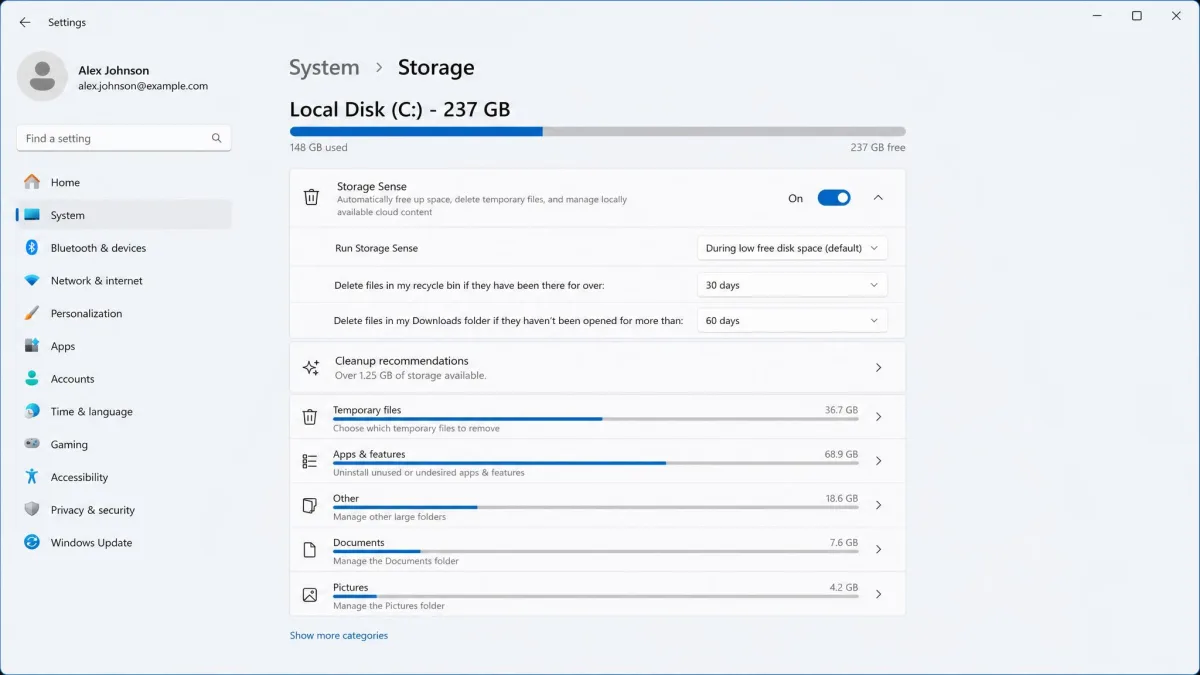
An experienced Windows user can reproduce most of what either paid tool does with Disk Cleanup, Task Manager, and Storage Sense in roughly 15 minutes a month at no cost. Windows PC Manager packages several of those functions into one Microsoft-made app, free of charge.
Common questions before you buy
Before the verdict, two practical points decide this for a lot of people. If you own a Mac or an Android phone alongside your PC, Avast's 10-device licence covers all of them and Advanced SystemCare covers none of them. If you want to spend nothing, Advanced SystemCare's free edition is the only real option here.
Run Advanced SystemCare Free for a fortnight before you buy anything. If the free edition already fixes what was bothering you, neither paid product is worth the money.
Which Should You Buy? Our Verdict
Advanced SystemCare wins on paper and on price. Avast Cleanup Premium wins on the one feature that changes how the machine feels.
Choose Avast Cleanup Premium If You Want Simplicity
Buy Avast if you want a cleaner that you set up once and then forget, if Sleep Mode's background hibernation appeals, or if you need one licence to cover a PC, a Mac, and a phone. The Undo Center makes it the safer tool for someone who is nervous about deleting the wrong thing. Budget for the $65.99 renewal or set a reminder to cancel.
Choose Advanced SystemCare If You Want More Tools
Buy Advanced SystemCare if you are on Windows only, you enjoy having every utility in one place, and you want the lower price and the longer 60-day refund window. Accept that you will be dismissing ads on a product you paid for, and read every installer screen.