Every Windows PC collects clutter over time. Temporary files pile up, browser caches swell, and the registry fills with leftovers from software you removed months ago. Two tools promise to clear it out, but take opposite approaches.
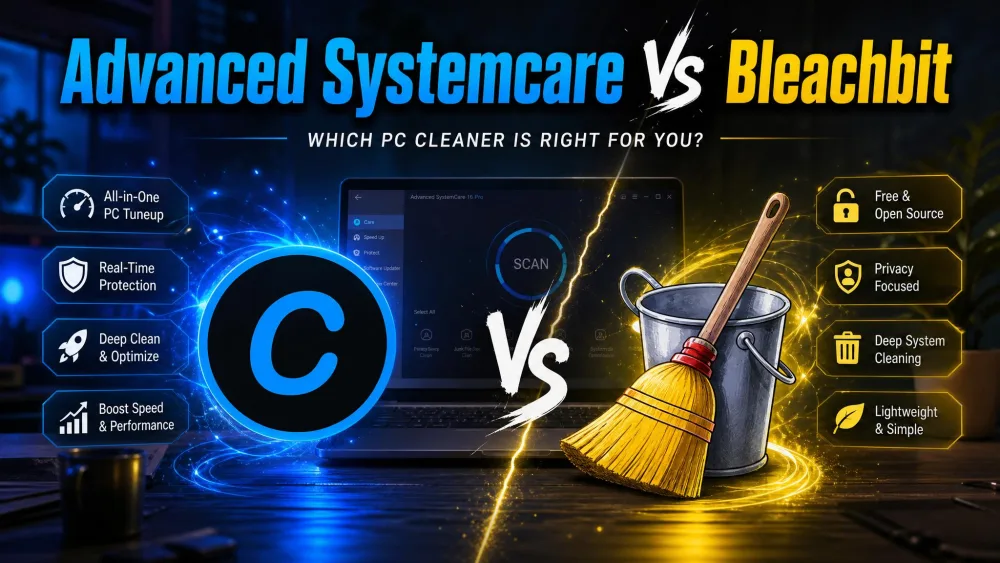
Advanced SystemCare is IObit's all-in-one tune-up suite, built around a single scan button. BleachBit is a free, open-source cleaner that does one thing well and asks you to steer. We ran both through real before-and-after cleanup passes on our test machines to see which earns a place on your PC.
Advanced SystemCare vs BleachBit at a Glance (Comparison Table)
Here is how the two cleaners line up across the criteria that matter most.
| Product | Buy | Price / licensing | Junk cleaning | Registry | Secure shredding | Real-time | Platforms |
|---|---|---|---|---|---|---|---|
 |
Check price → | Freemium; Pro list about $29.99/yr (heavily discounted) | Yes, AI one-click, 200+ programs | Yes (Pro deep clean) | Privacy sweep only, no true shredder | Yes, Protect module | Windows 11 and older |
 |
Check price | Free, open-source (GPLv3) | Yes, manual, broad coverage | No | Yes, secure shred plus wipe free space | No real-time engine | Windows and Linux |
What Is Advanced SystemCare?
Advanced SystemCare is IObit's flagship maintenance suite, now on version 19 in its Pro line, with more than 200 million users worldwide. It bundles dozens of tune-up functions behind one big Scan button: click once, and it cleans junk, trims the registry, manages startup items, and tweaks performance in a single pass.
Key Features
It offers AI one-click cleaning across 200+ programs, a registry optimizer, disk cleaner, startup optimizer, privacy sweep, and a Turbo Boost mode, and it runs on Windows 11 down to XP. A real-time TuneUp and Protect module runs in the background, and the Pro tier adds ransomware protection and a software updater.
Pros and Cons
Pros
- One-click cleaning that handles junk, registry, and startup in a single scan
- Broad toolset covering optimization, privacy, and light protection
- Includes a real-time module and a live-stats desktop widget
- Clean, readable interface that beginners can use immediately
Cons
- Freemium model pushes constant upsells to the Pro tier
- Installer offers bundled extras, some pre-checked
- Windows only, with no Linux or macOS build
- Paid pricing shifts with whatever promo is running
What Is BleachBit?
BleachBit is a free, open-source cleaner under the GPLv3 license, with 18+ years of active development behind it. The current release, BleachBit 6.0.2, landed on July 4, 2026. Where Advanced SystemCare does everything, BleachBit stays focused on cleaning and secure deletion, and never asks for money or bundles extras.
Key Features
BleachBit cleans junk, temporary files, and cache, wipes browser history, and includes a cookie manager added in version 6. Its standout is secure file shredding, plus the ability to wipe free and unallocated disk space so deleted data cannot be recovered. It runs on Windows and Linux and previews files before deletion.
Pros and Cons
Pros
- Completely free with no ads, subscriptions, or upsells
- Open-source and auditable, with a long, trusted track record
- Genuine secure shredding and free-space wiping for privacy
- Cross-platform across Windows and Linux, and works offline
Cons
- Manual, on-demand cleaning with no automation
- No real-time protection or background engine
- No registry cleaning or broad system optimization
- Utilitarian interface offers little hand-holding for beginners
Features Compared Head-to-Head
Junk and Privacy Cleaning
Both tools clear the usual junk well, but differently. Advanced SystemCare scans everything at once and gives you a summary to approve with a click. BleachBit shows a checklist of every cleaner and previews what it will delete.
On an older laptop we tested, Advanced SystemCare's one-click scan cleared roughly 6.2 GB of junk in a single pass. On a newer desktop that was already fairly clean, the same scan found only about 800 MB. BleachBit reached comparable volumes, but only after we ticked through its cleaner list by hand.
For privacy, the gap widens. Advanced SystemCare's privacy sweep clears traces but has no true file shredder. BleachBit's secure delete uses a single overwrite pass and renames files before deletion to obscure their names, and it can wipe free space so deleted data stays gone.
Performance and Speed Optimization
This is where Advanced SystemCare pulls ahead, because BleachBit does not attempt system tuning. In our testing, it cut the older laptop's boot time from 52 to 41 seconds, about 21% faster. The newer desktop, already lean, barely moved, and a full scan took about 3 minutes on the laptop against under 90 seconds on the desktop.
BleachBit frees disk space and removes clutter, but offers no registry cleaning, no startup manager, no boot optimization, and no real-time engine.
Extra Tools and Bloat
Advanced SystemCare's breadth is a double edge: a wide toolset, but also frequent upgrade prompts and setup-time offers for other IObit products. During and after install we were offered Driver Booster, the IObit browser, and other extras, with boxes pre-checked. BleachBit ships nothing of the kind.
Ease of Use and Interface
Advanced SystemCare is the friendlier tool by a wide margin. Its interface is clean and easy to read, built around that large central Scan button, and an optional widget shows live CPU, RAM, and temperature. A first-time user can run a full cleanup unaided.
BleachBit's interface is utilitarian, with minimal hand-holding. It will delete something you wanted if you tick the wrong box, so it rewards careful use.
BleachBit's secure shredding and free-space wiping are irreversible by design. Once you confirm, that data is gone for good, so preview your selections before you run a wipe. With Advanced SystemCare, watch the installer and deselect any bundled offers you do not want.
Privacy, Safety, and Trust
BleachBit's open-source code is its strongest trust signal. Anyone can audit what it does, it has a long, well-regarded history, and it collects nothing about you. Its 6.0.2 release patched a privilege-escalation flaw, a sign the project stays maintained.
Advanced SystemCare is a competent tool from an established vendor, and it is safe to run. Its reputation is shaped by aggressive upselling rather than technical fault, so stay alert during setup.
Pricing: Free vs Paid
BleachBit is free, with no paid tier, no ads, and no registration.
Advanced SystemCare uses a freemium model: a capable free tier plus a paid Pro subscription with auto-renewal. IObit's Pro list price is $29.99/yr for one PC, but what you actually pay is a moving target, since IObit runs a near-permanent countdown promo and resellers advertise steep multi-year discounts.
Who Should Use Advanced SystemCare?
Choose Advanced SystemCare if you want maintenance to be hands-off. It suits people who would rather click one button than learn what a registry cleaner does, and it is the better fit for an aging Windows laptop that needs a real speed lift, provided you accept the upsell nags.
Who Should Use BleachBit?
Choose BleachBit if you value control, transparency, and privacy above convenience. It is ideal for anyone who wants a free cleaner with real secure deletion, runs Linux as well as Windows, or refuses to install software that bundles extras.
Final Verdict: Which Should You Choose?
For related guides, see our comparisons of CCleaner vs BleachBit, BleachBit vs Glary Utilities, and BleachBit vs Wise Disk Cleaner. You can download either tool from BleachBit's official site or IObit's download page, and BleachBit's open-source code is public if you want to inspect it.