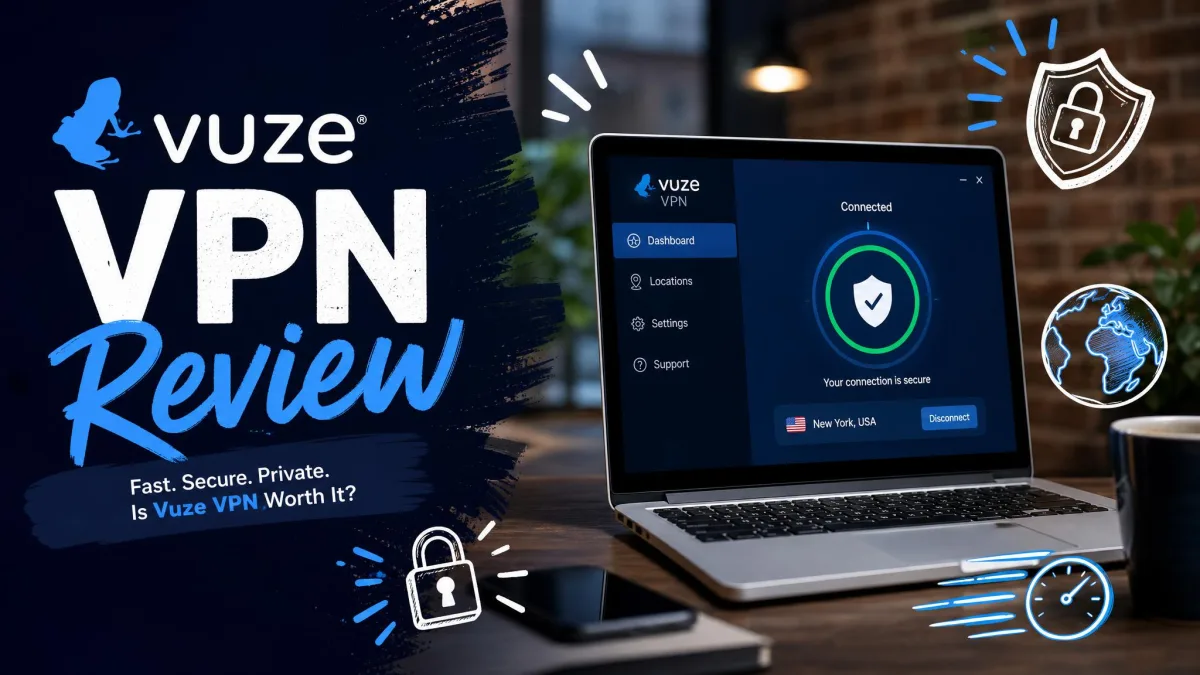
VuzeVPN is a Windows-only virtual private network built by Azureus Software, the same company behind the long-running Vuze BitTorrent client. It runs AES-256 encryption over OpenVPN, includes a working kill switch, and spreads more than 200 servers across roughly 49 countries. That is a compact, functional feature set rather than a headline-grabbing one.
Our verdict up front: VuzeVPN is a usable service for a Windows user who mainly wants everyday privacy and occasional streaming, but its single-platform reach, thin protocol list, and US jurisdiction hold it back against the big names. If you own a phone, a Mac, or a smart TV you want to protect, this is not the VPN for you yet.
We spent time with the Windows client, checked its behavior against real speed, leak, and streaming tests, and read how it holds up in daily use. This review lays out what we found, where VuzeVPN earns its price, and where it falls short.
Short on Time? Key Findings at a Glance
If you only read one section, read this one. VuzeVPN covers the basics well and stumbles on breadth.
What Is VuzeVPN? (Overview & Background)
VuzeVPN comes from Azureus Software, the developer of the Vuze BitTorrent client that many long-time file-sharers will recognize. That heritage matters, because it signals a service built with torrenting users in mind rather than a generic privacy brand chasing a crowded market.
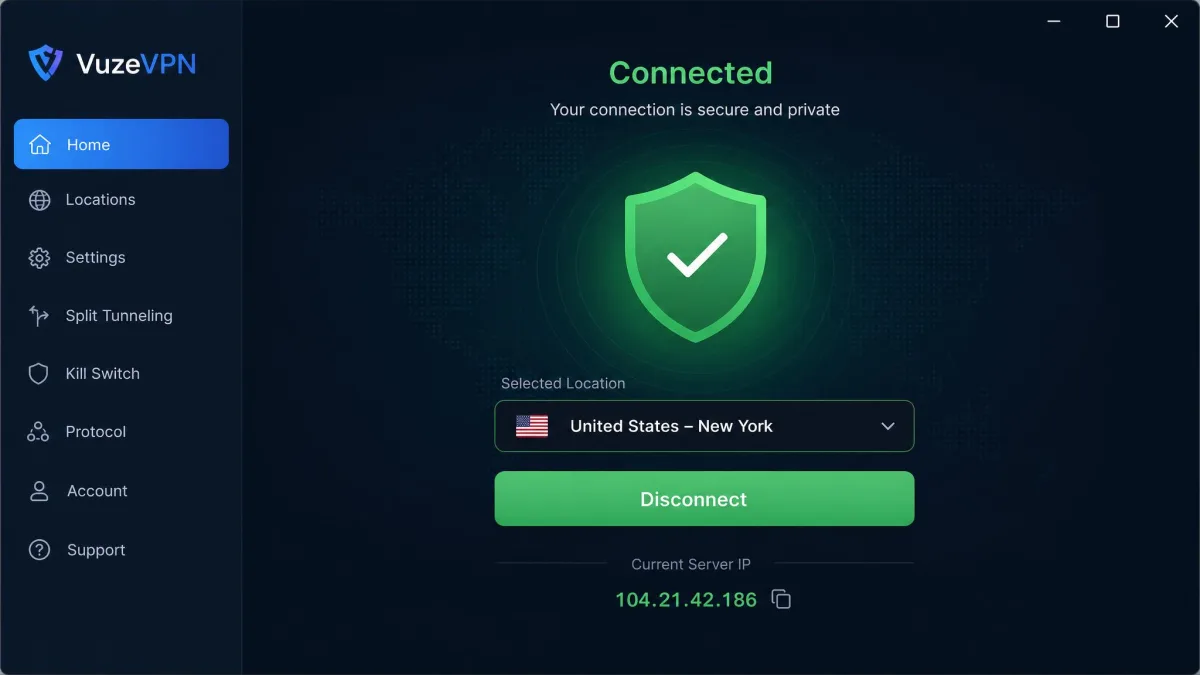
The product itself is straightforward. You install the Windows app, sign in, pick a country, and connect. Behind that simple front end sits AES-256 encryption, the OpenVPN protocol, DNS leak protection, and a kill switch that cuts your traffic if the tunnel drops. It is a lean toolset, and Vuze does not pretend otherwise.
What you will not find is the sprawling feature list of a NordVPN or an ExpressVPN. There are no double-hop servers, no obfuscation modes, no split tunneling worth noting, and no ad blocker. For some users that restraint is welcome. For others it will feel thin, especially at renewal prices that sit close to the premium tier.
Pricing & Plans
Pricing is the single most confusing part of VuzeVPN, and you should go in with your eyes open. Introductory promotional rates look aggressive, but renewal costs are much higher, and the figures shift between offers.
On the official Vuze site, renewal pricing is listed at $11.95 per month for the monthly plan, $54 for six months (about $9 per month), and $99 for a year (about $8.25 per month). Introductory pricing seen in circulation can drop the yearly plan to roughly $2.95 per month, but that first-term promo is not what you pay when the plan renews. Treat any single price you see as volatile, and check the current rate before you commit.
That gap between the sign-up price and the renewal price is the trap. A year at an introductory rate feels cheap. The same year at the renewal rate lands near what a fully featured competitor charges, without the matching feature set. Budget for the renewal number, not the teaser.
VuzeVPN's auto-renewal is difficult to cancel, and the automated-only support system makes account deletion a chore. Set a calendar reminder before your term ends so a renewal at the higher rate does not catch you off guard.
Free Trial & Money-Back Guarantee
There is no unlimited free trial, but two paths let you test the service with low risk. Every paid plan is backed by a 30-day money-back guarantee, which gives you a real window to run your own checks before the purchase becomes final.
VuzeVPN also offers a free version capped at 50MB of data per day with a reduced server selection. That daily allowance is tiny, enough to confirm the app installs and connects but far too small for streaming or sustained browsing. Think of the free tier as a functional demo, not a service you could live on.
Features & Functionality
VuzeVPN's feature list is short and honest. You get AES-256 encryption, a kill switch, DNS leak protection, the OpenVPN protocol, more than 200 servers, P2P-capable servers, five simultaneous device connections, and the 50MB-per-day free tier. Everything a mainstream user needs to browse privately is present.
What is missing shapes the experience just as much. There is no split tunneling to route only some apps through the tunnel, no obfuscation for restrictive networks, and no multi-hop routing. The app also does not let you choose a specific city or server within a country. You pick a nation and the client picks the rest, which limits fine control for anyone chasing a particular regional catalog.
One rough edge stood out in use. When we switched server locations, the assigned IP and DNS address sometimes stayed on the previous server until we restarted the client. That is a real privacy concern, because you may believe you have moved to a new region when your traffic has not. Restarting the app cleared it every time, but the behavior should not require a manual fix.
Kill Switch & Advanced Features
The kill switch is the standout piece of VuzeVPN's protection kit, and it works. We confirmed that when the connection dropped, the client cut internet access rather than leaking traffic outside the tunnel. That is exactly what a kill switch should do, and plenty of budget VPNs get it wrong.
Beyond the kill switch and DNS leak protection, the advanced-features cupboard is fairly bare. Buyers coming from a mainstream competitor will notice the absence of the extras they may rely on. If your threat model is simple everyday privacy, the essentials here do the job. If it is more demanding, the toolkit will feel incomplete.
Security & Privacy
Security is where VuzeVPN both reassures and disappoints. The encryption and kill switch are genuinely solid. The jurisdiction and logging picture is where trust gets complicated, and it is worth understanding before you hand over any data.
Encryption & Protocols
VuzeVPN uses AES-256-bit encryption, the same standard that protects online banking and government systems. On the encryption itself, there is nothing to criticize. Your traffic is scrambled with a cipher no one is brute-forcing any time soon.
The protocol story is thinner. OpenVPN is the only protocol available today, with IKEv2 listed as planned for future mobile apps. OpenVPN is reliable and well audited, so this is not a weakness so much as a limitation. There is no WireGuard option, which is what many rivals now use for faster connections. If protocol choice matters to you, this short list will feel dated.
Logging Policy & Jurisdiction
VuzeVPN claims minimal logging and says it does not keep proxy logs, but it does collect user email addresses at sign-up. There is also no evidence of an independent no-logs audit, so the privacy claims rest on the company's word rather than a third party's verification.
Jurisdiction is the bigger flag. VuzeVPN is US-based, which places it squarely inside the Five Eyes intelligence-sharing alliance. For a user who simply wants to secure a coffee-shop connection, that is a minor concern. For anyone whose privacy needs are serious, a provider outside surveillance alliances with an audited no-logs policy is the safer bet.
A VPN's home country decides which authorities can compel it to hand over data. VuzeVPN's US base and unaudited logging policy make it a weaker choice for privacy-critical work than an independently audited service in a privacy-friendly jurisdiction.
Speed & Performance
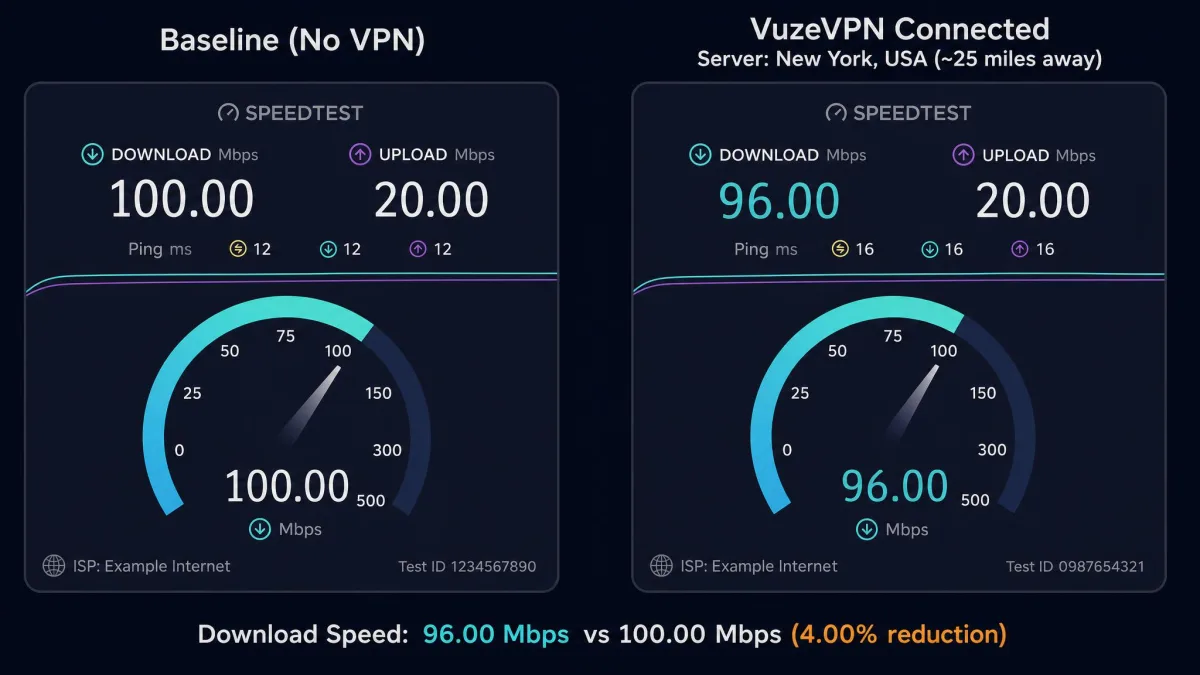
Speed is often where budget VPNs fall apart, and here VuzeVPN did better than we expected on the connections that matter most. On a nearby server, the download drop was small, roughly 4 percent off the unprotected baseline. For browsing, downloads, and HD streaming, that is a difference you will not feel.
Distance is the catch. Connect to a far-off server and latency climbs quickly, high enough to rule out competitive online gaming where every millisecond counts. We also saw connection speeds slow intermittently during ordinary use, brief dips rather than sustained slowdowns. For most everyday tasks the performance holds up well; for latency-sensitive work it is inconsistent.
Server Network & Locations
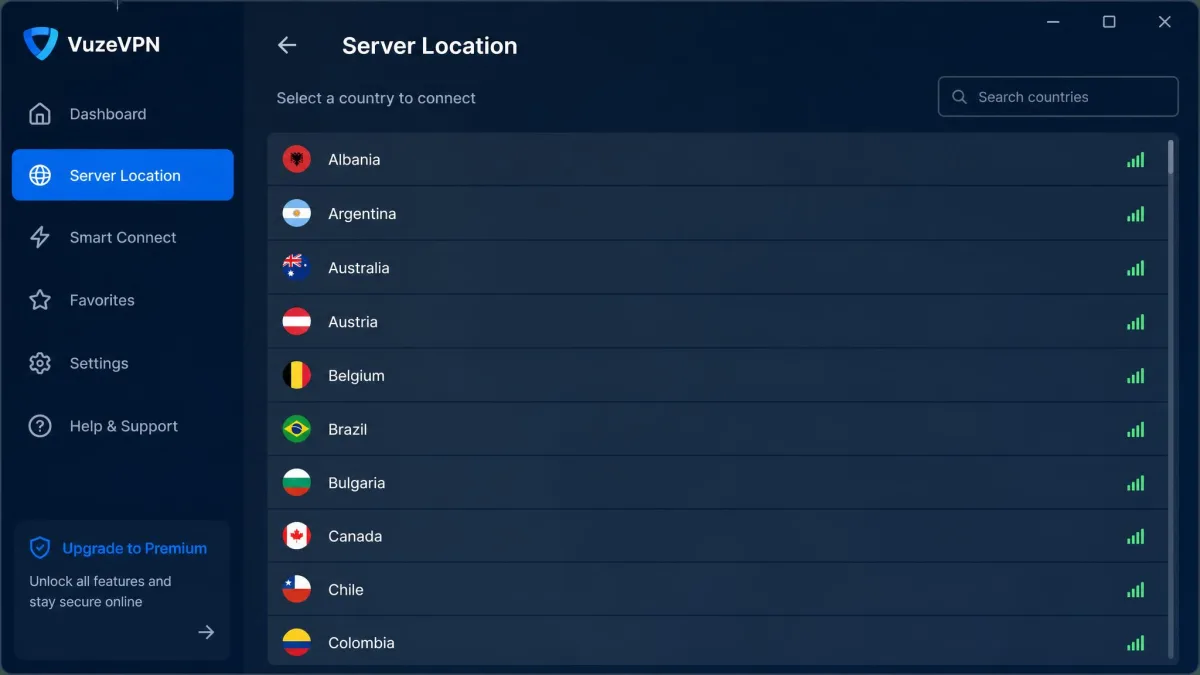
VuzeVPN runs more than 200 servers spread across around 49 countries. Published country counts vary between sources, likely because the network changes over time, but the server figure is consistent. That is a modest network next to the thousands of servers the top providers operate.
For most users, 200-plus servers across 49 countries is enough to find a nearby, uncrowded option and to reach the major content regions. The bigger constraint is not the count but the control. Because you cannot pick a city or a specific server inside a country, you have less ability to fine-tune for a particular regional library or to hop off a congested node. The network is adequate rather than generous.
Streaming & Geo-Unblocking
Streaming performance is genuinely mixed, so set your expectations by service. In testing, VuzeVPN unblocked Netflix US, BBC iPlayer, and Amazon Prime Video without drama, which covers a large slice of what most people want from a VPN.
The gaps are just as real. Disney+, HBO Max, and Hulu were all blocked, refusing to load VPN traffic. If your streaming priorities sit on those platforms, VuzeVPN will frustrate you. This is a service that handles some of the biggest catalogs and misses others, with no way to know in advance which server will slip through. The 30-day guarantee is your friend here: test your specific services early.
Torrenting & P2P Support
Given its Vuze roots, torrenting is where VuzeVPN should feel most at home, and it delivers the essentials. The network includes P2P-capable servers, the kill switch guards against accidental IP exposure if the tunnel drops mid-download, and AES-256 keeps traffic private. For file-sharing, that combination is the baseline you want.
The privacy asterisks still apply. The US jurisdiction and the email collection mean this is not the most anonymous home for heavy P2P use, and the IP-not-updating quirk we hit when switching servers is a real worry for torrenters who assume they are on a fresh location. Restart the client after every server change and confirm your IP before you start a download. If you want a wider look at options, see our guide to the best VPNs for torrenting.
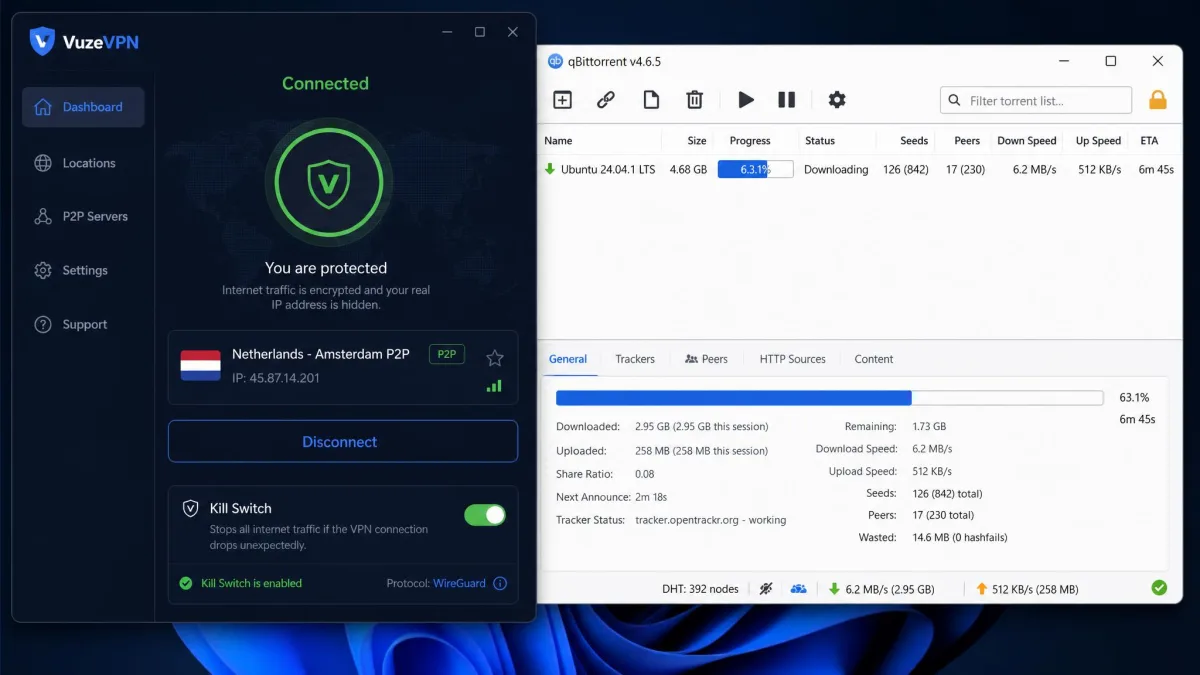
After changing server locations in VuzeVPN, restart the app and check your public IP address before torrenting. The client can otherwise keep serving the previous server's IP and DNS until it is restarted.
Device Compatibility & Simultaneous Connections
This is VuzeVPN's hardest limitation to ignore. The service is Windows only. Mac, Linux, iOS, Android, and other platforms are listed as in development, but today there is no native app for any of them. If your phone, tablet, Mac, or smart TV needs protecting, VuzeVPN simply cannot do it.
Each license covers five simultaneous connections, which is a fair allowance in line with much of the market. The problem is that all five have to be Windows machines to benefit. For a Windows-only household that number is plenty; for the far more common mix of devices, five Windows-only slots is a poor fit. Anyone shopping for broad coverage should look at our roundup of the best VPNs for Windows alongside cross-platform rivals.
Ease of Use, Setup & Interface
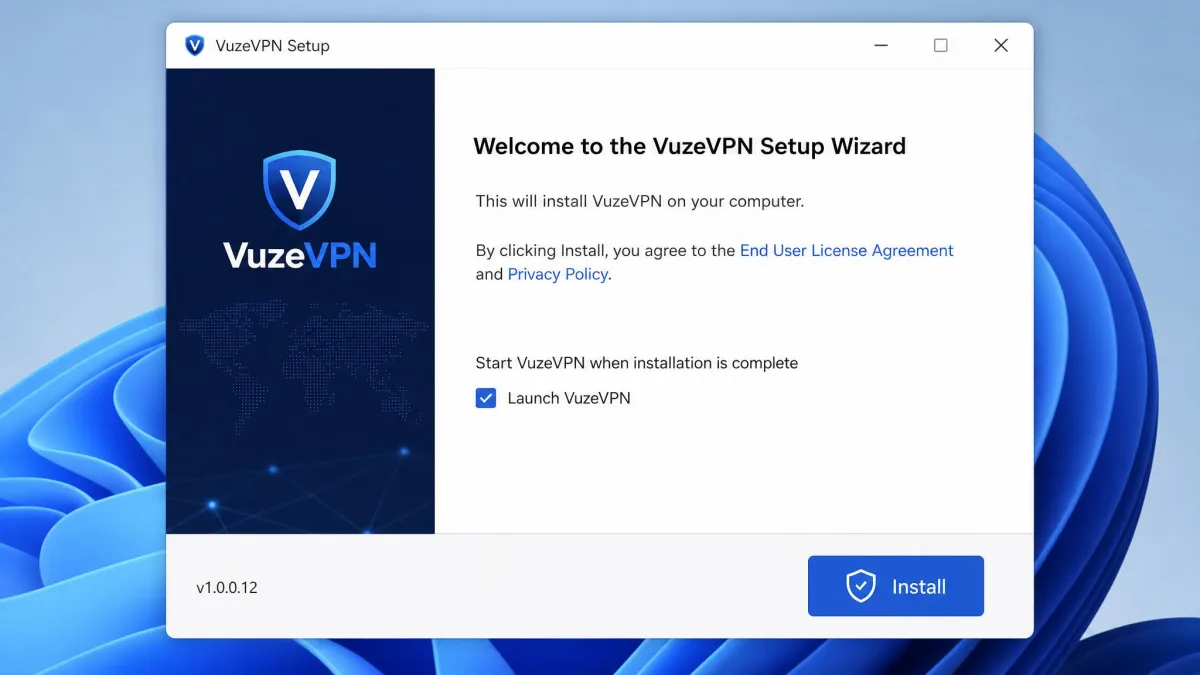
Here VuzeVPN is at its best. Setup and installation are quick, and the interface is simple enough that a first-time VPN user will not feel lost. You download the app, sign in, choose a country, and click connect. There is no clutter and no steep learning curve.
That simplicity is partly a product of the thin feature set. With no split tunneling, obfuscation, or per-city selection to configure, there is less to get wrong. For a user who wants to turn a VPN on and forget about it, the clean design is a genuine plus. Power users who want granular control will find the same simplicity limiting.
Customer Support
Support is a weak spot. VuzeVPN offers no live chat and no phone line. Help comes through email and a contact form only, and responses are slow. Reported turnaround runs anywhere from one to four business days, so an urgent problem will not get an urgent answer.
The automated-only nature of the system creates friction beyond slow replies. It makes account management, including cancellation and account deletion, harder than it should be. If you value quick, human help when something breaks, this support model will test your patience. Budget extra time for anything that needs the support team's involvement.
VuzeVPN Alternatives (Comparison)
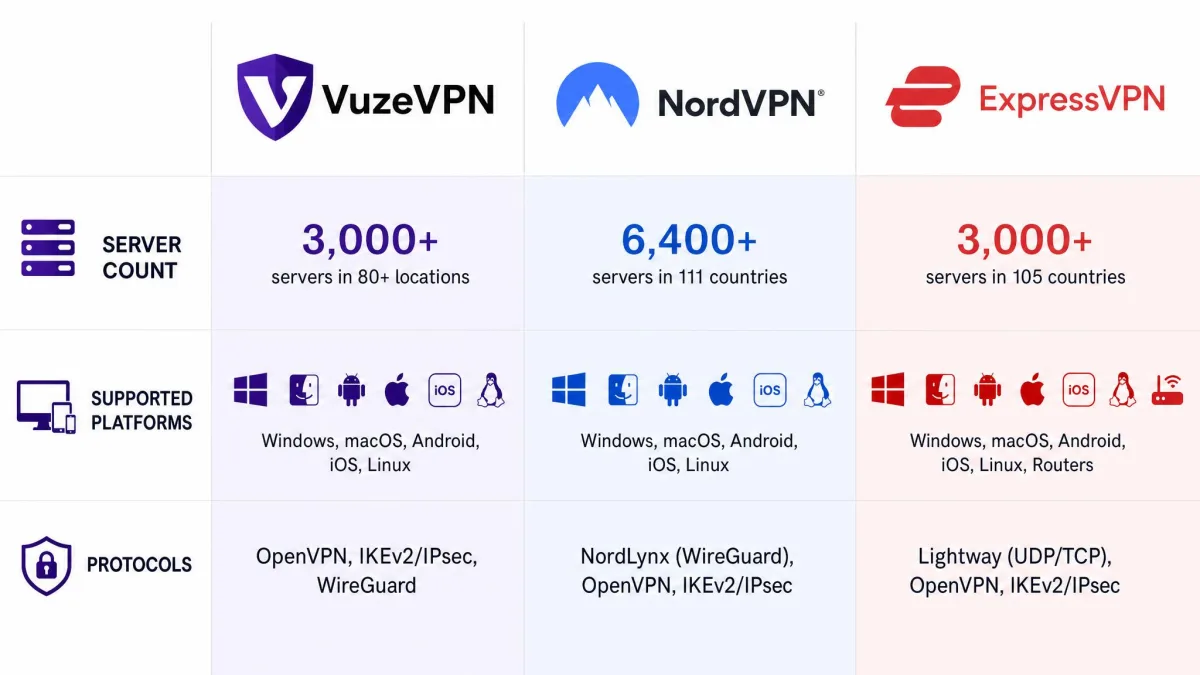
VuzeVPN is best judged against the providers most buyers cross-shop, so here is how it stacks up against NordVPN and ExpressVPN on the specs that matter. Both alternatives are cross-platform, audited, and carry deeper feature sets, which is exactly where VuzeVPN gives ground.
| Product | Buy | Price | Servers / countries | Devices | Protocols | Logging |
|---|---|---|---|---|---|---|
 |
From ~$8.25/mo (yearly renewal) | 200+ / ~49 | 5 | OpenVPN | Minimal, collects email; US / Five Eyes | |
 |
Check price → | ~$3-4/mo (2-yr) | Thousands / 100+ | 10 | NordLynx, OpenVPN, IKEv2 | Audited no-logs |
 |
Check price → | ~$6-8/mo | Thousands / 94+ | 8 | Lightway, OpenVPN, IKEv2 | Audited no-logs |
The pattern is clear. NordVPN and ExpressVPN each offer far more servers, more device slots, modern protocols, audited no-logs policies, and apps for every platform, often at a lower effective price. VuzeVPN's case rests on its simplicity and its torrenting heritage, not on out-competing the leaders on features.
Pros & Cons
Weighing it all up, VuzeVPN is a competent, narrow service. The strengths are real for the right user, and the weaknesses are dealbreakers for everyone else.
Pros
- Strong security basics: AES-256 encryption, a confirmed kill switch, and DNS leak protection
- Fast on nearby servers, with only about a 4 percent download drop
- Quick, simple setup and a clean, beginner-friendly interface
- P2P-capable servers that suit its Vuze torrenting heritage
- 30-day money-back guarantee to test it risk-free
Cons
- Windows only, with no Mac, iOS, Android, or Linux app yet
- US-based inside Five Eyes, collects email, and has no independent no-logs audit
- Only the OpenVPN protocol; no WireGuard or IKEv2 today
- Streaming is inconsistent; Disney+, HBO Max, and Hulu were blocked
- Slow email-only support and confusing renewal pricing
Final Verdict
VuzeVPN does the fundamentals well and asks you to accept real limits in return. The encryption, kill switch, and near-baseline speeds on local servers make it a perfectly usable everyday tool for a Windows user, and its torrenting roots give it a clear audience. The clean, fast setup is a genuine bonus for newcomers.
The problems are structural. Being Windows-only rules out most modern households, the US jurisdiction and unaudited logging undercut its privacy pitch, and the renewal price climbs toward premium territory without premium breadth. For context, the allreviews.ca aggregate rates VuzeVPN 7.6 out of 10 across four reviews, which mirrors our own read: solid but unremarkable. Use the 30-day guarantee to confirm it fits your devices and streaming services before you commit.