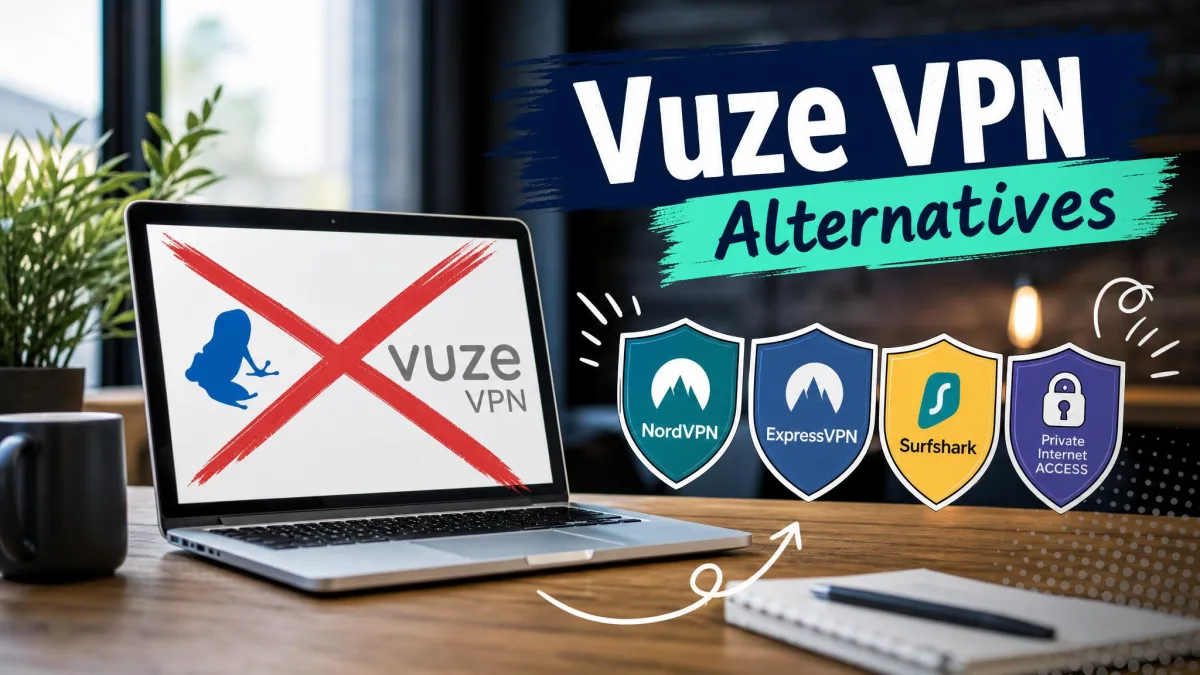
If VuzeVPN no longer fits how you use a VPN, the limits we found in our VuzeVPN review are probably the reason. It runs on Windows only, uses OpenVPN as its single protocol and reaches about 49 countries, yet its $11.95 monthly rate sits close to premium pricing. We still rate it a usable 6.5/10, but every VPN on this list does more for the money.
NordVPN is our top pick, with apps for every major platform and an audited no-logs policy. Proton VPN is the best free alternative, and Private Internet Access is the one we would choose for seeding, because it still offers port forwarding. Below, we compare all eight on privacy, speed, platforms and torrenting support.
VuzeVPN Alternatives Compared at a Glance
The table lists the eight picks in ranked order, with VuzeVPN in the last row as the baseline. Prices marked "about" are promotional rates that move with each provider's sales.
| VPN | Buy | Best for | Platforms | Servers / countries | P2P / port forwarding | Kill switch | Free plan | Starting price |
|---|---|---|---|---|---|---|---|---|
 |
Check price → | Best overall | Windows, Mac, Linux, iOS, Android, TV | 9,000+ / 118+ (count varies) | P2P servers / no | Yes | No | About $3.09-$3.49/mo (2 years) |
 |
Check price | Free plan | Windows, Mac, Linux, iOS, Android | 20,000+ / 140+ | Paid plans only / yes (paid, P2P servers) | Yes, free tier included | Yes: no data cap, 1 device, 10 countries, no P2P | $9.99/mo; about $3.49/mo (2 years) |
 |
Check price | Streaming, restrictive networks | Windows, Mac, Linux, iOS, Android, TV, routers | 113 countries | All servers / router only | Yes (Network Lock) | No | About $4.99/mo (Basic, promo) |
 |
Check price | Budget, unlimited devices | Windows, Mac, Linux, iOS, Android, TV | 4,500+ / 100 | Most countries / no | Yes (off by default) | No | $2.49/mo (2 years) |
 |
Check price | Privacy purists | Windows, Mac, Linux, iOS, Android | About 50 countries | Allowed / no (removed 2023) | Yes | No | EUR 5/mo flat |
 |
Check price | Port forwarding | Windows, Mac, Linux, iOS, Android | About 104 countries | All servers / yes (not US) | Yes | No | $11.95/mo; about $1.89/mo (long plan) |
 |
Check price | Beginners | Windows, Mac, Linux, iOS, Android, TV | 100+ countries | Torrent servers in 87 countries / no | Yes | No | $12.99/mo; about $1.99/mo (2 years) |
 |
Check price | Torrenting on public Wi-Fi | Windows, Mac, Linux, iOS, Android, TV, routers | 6,000+ / about 65-78 | P2P servers / paid add-on | Yes (off by default) | No ($0.99 7-day trial) | $2.15/mo (2 years) |
 |
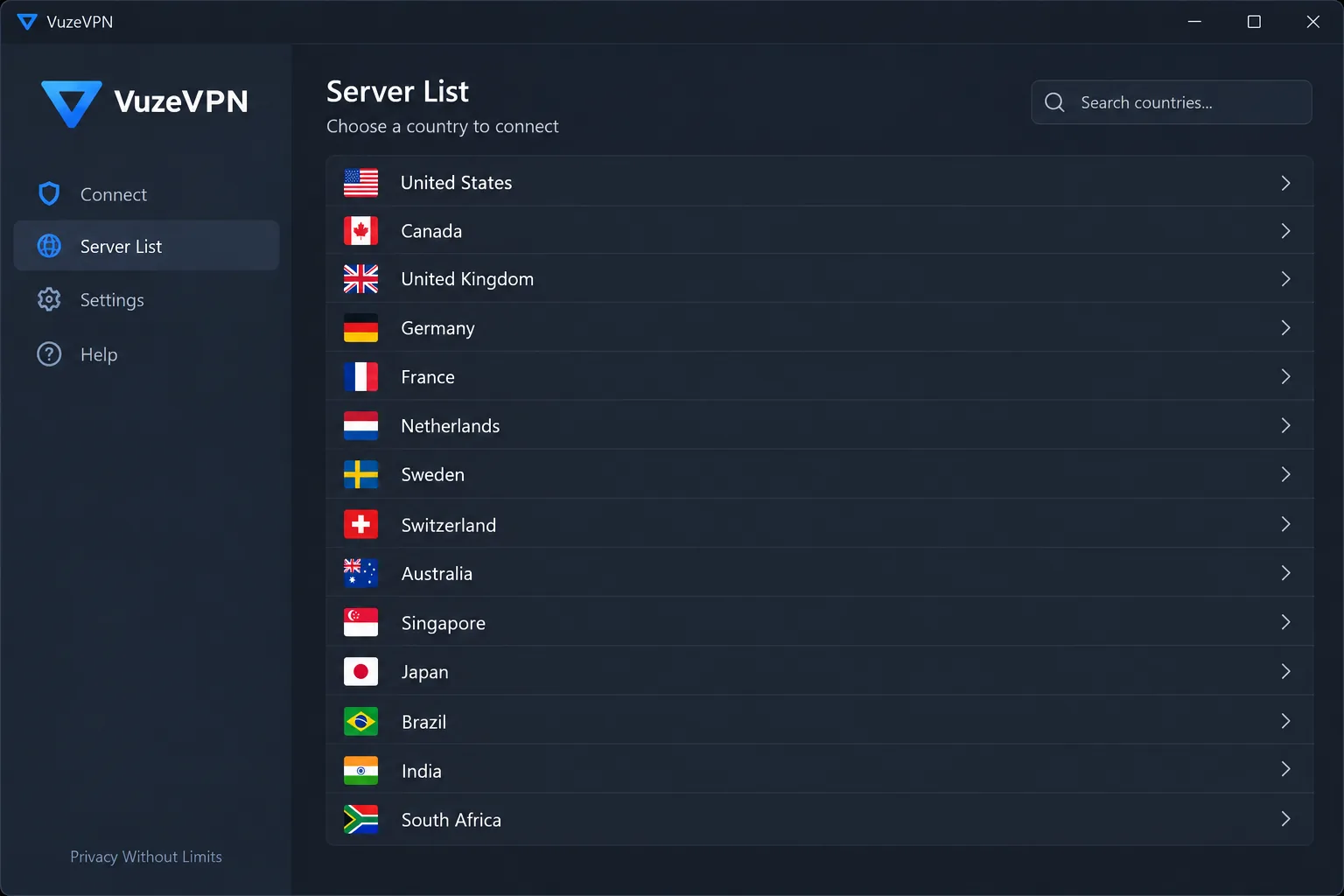
Windows-only torrenting | Windows | 200+ / about 49 | P2P-capable servers / no | Yes (manual on) | 50MB/day | $11.95/mo; $99/yr (about $8.25/mo) |
Why Look for a VuzeVPN Alternative?
VuzeVPN comes from Azureus Software, the company behind the Vuze BitTorrent client, and it is built around one job. It hides your IP address while you download torrents, and our IP, DNS, IPv6 and WebRTC leak tests came back clean.
The trouble starts outside that job. Windows is the only platform with a current, maintained app, and the interface lists servers by country only, with no load or speed indicator. When we switched locations, the old IP and DNS address sometimes stayed in place until we restarted the client. Uploads fell by up to 25 percent, which hurts anyone who seeds. After the kill switch cut our connection, the app did not reconnect right away.
Privacy is the bigger question. VuzeVPN is a US company with no independent audit. It markets a no-logs service, yet its privacy policy lists personal data it collects, such as IP addresses and device details. Support runs through a web form only, and cancelling auto-renewal with that system was a chore.
1. NordVPN - Best VuzeVPN Alternative Overall
NordVPN fixes nearly every limit we found in VuzeVPN while keeping strong torrent support. We score it 9.0/10 in our NordVPN review.
Key features
NordVPN's features include NordLynx (built on WireGuard), OpenVPN and NordWhisper, plus split tunneling and SOCKS5 proxies you can enter straight into a torrent client. Basic covers 10 devices and costs about $3.09 to $3.49 a month on the two-year plan, an introductory rate that renews higher.
How it compares to VuzeVPN
We downloaded a 264MB torrent on a 10 Mbps line to see what the tunnel costs. It finished in 286 seconds, about 92 percent of our unprotected rate, and the connection held without a drop. NordVPN routes torrent traffic to its P2P servers automatically. It does not offer port forwarding on its regular plans, though, so seeding is limited. It is based in Panama, and NordVPN's sixth Deloitte no-logs assessment was announced in February 2026.
Pros and cons
Pros
- RAM-only servers, Double VPN and post-quantum encryption
- Threat Protection Pro blocks ads and malware
Cons
- No port forwarding on regular plans
- The desktop map needs zooming to reach city-level servers
2. Proton VPN - Best Free VuzeVPN Alternative
Where NordVPN is the best paid replacement, Proton VPN is the one to try if you want to stop paying. We score it 9.0/10 in our Proton VPN review.
Key features
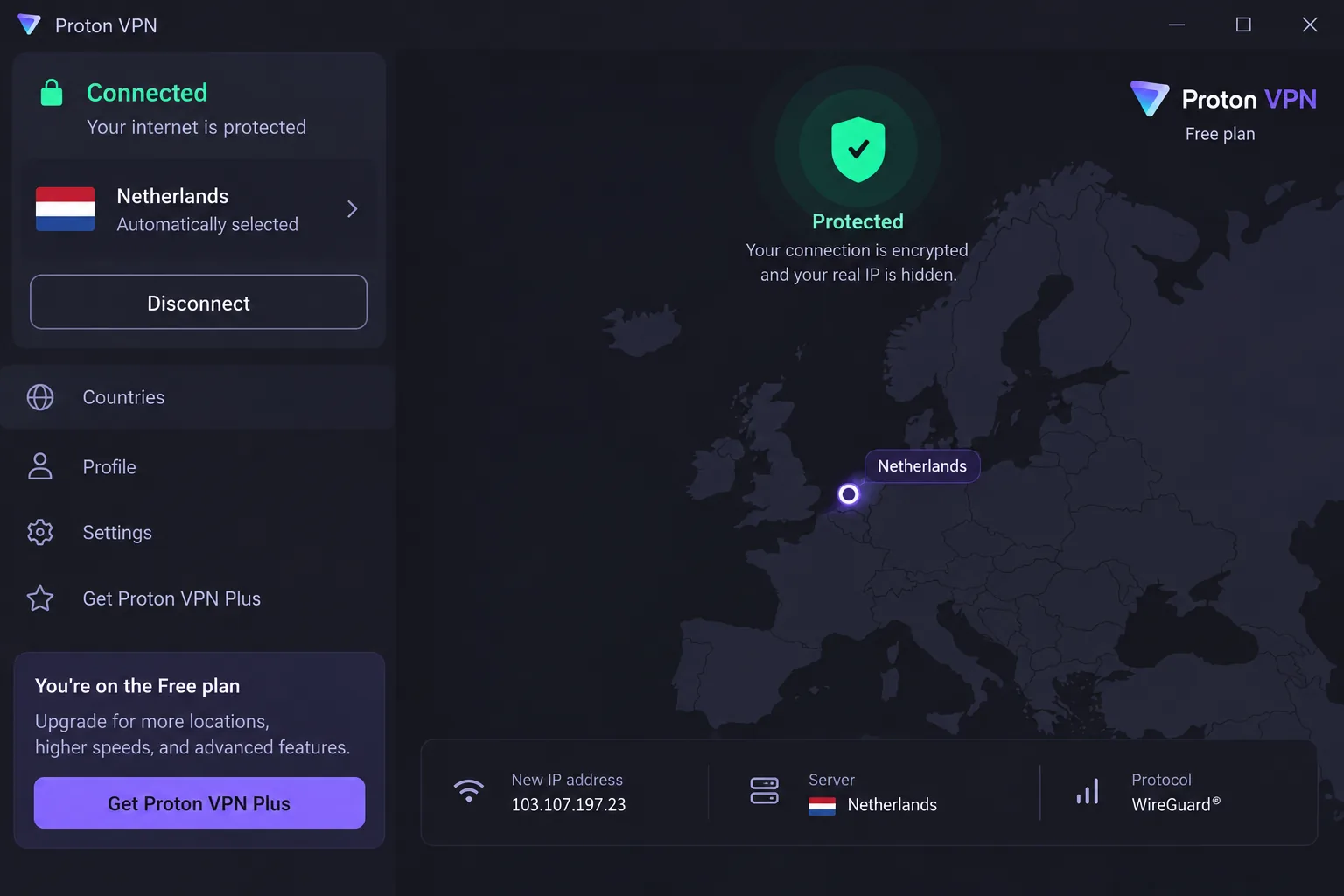
The free plan has no data limits, no ads and no credit card requirement, but it covers 1 device, picks the server for you and does not allow P2P. Torrenting with Proton VPN needs a paid plan. VPN Plus covers 10 devices and costs $9.99 monthly or about $3.49 a month on the two-year plan, a rate that moves with Proton's seasonal sales.
How it compares to VuzeVPN
Installation took about two minutes. The free tier showed no throttling, which is a long way from VuzeVPN's 50MB daily allowance. On a paid plan, our 264MB test torrent finished in 273 seconds. Port forwarding worked on P2P servers, but the forwarded port usually changed on each reconnect, so we updated the port number in the client every time. Proton is based in Switzerland, and Proton VPN's independent no-logs audit by Securitum, published in June 2026, is its fifth in a row.
Pros and cons
Pros
- Stealth protocol for networks that block VPNs
- Open-source apps, Linux included
Cons
- Free plan blocks P2P and streaming
- Live chat is not 24/7, and email replies can take about two days
3. ExpressVPN - Best for Streaming and Restrictive Networks
Proton's Stealth protocol helps on networks that block VPNs, and ExpressVPN goes further with automatic obfuscation. We score it 8.8/10 in our ExpressVPN review.
Key features: streaming and obfuscation
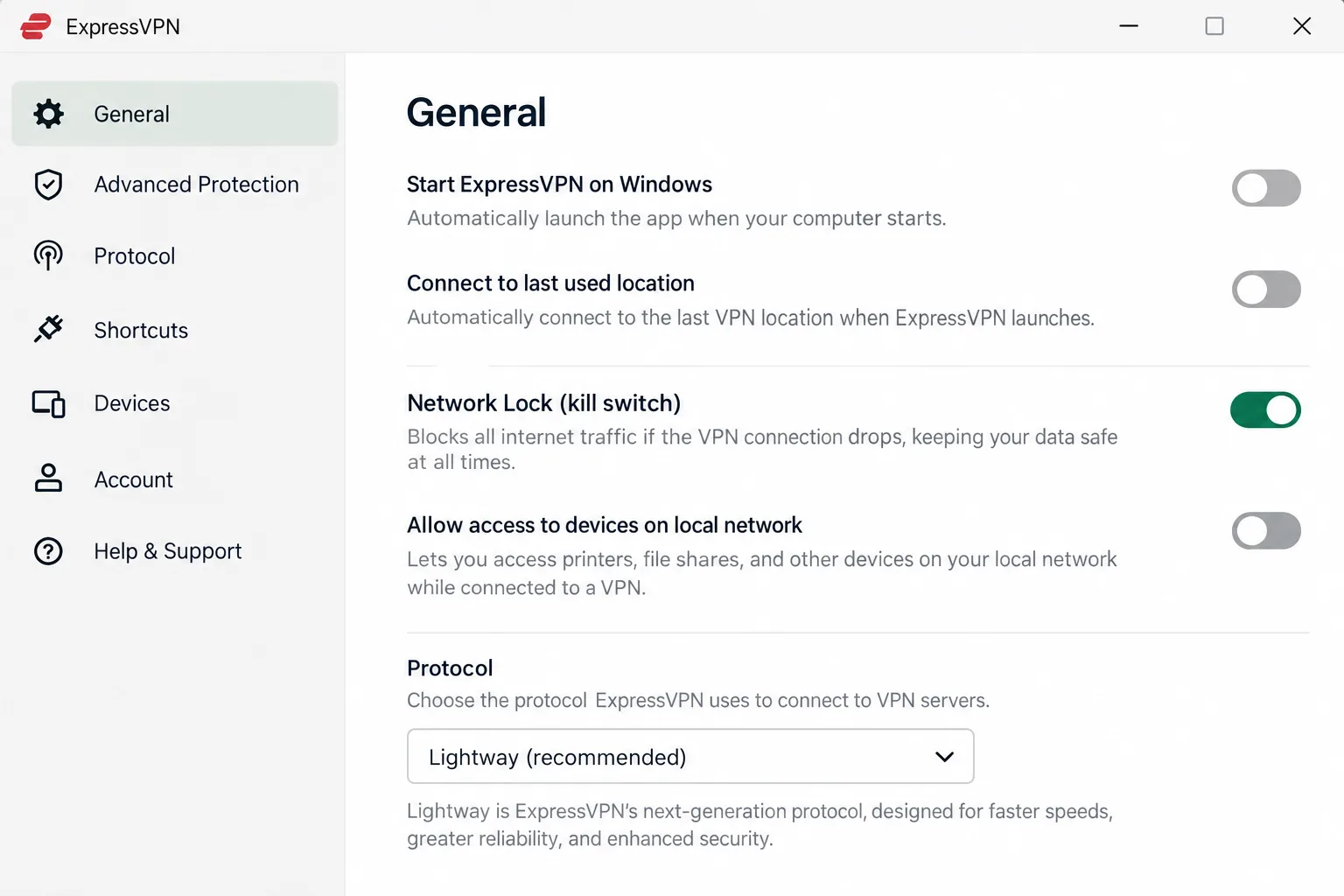
ExpressVPN uses its Lightway protocol, RAM-only servers and MediaStreamer smart DNS for devices that cannot run a VPN app. Basic costs about $4.99 a month on a 12-month plan with 3 months free, though the starting rate depends on the current promotion. The company is based in the British Virgin Islands and published a KPMG assessment in June 2025.
How it compares to VuzeVPN
A 50GB torrent took 1 hour 25 minutes through ExpressVPN, against 1 hour 19 minutes without it. Network Lock, its kill switch, fired correctly when a server timed out and again when our network changed. Netflix libraries in several countries, ESPN+ and Hulu all streamed without issues. P2P is allowed on every server, but port forwarding only works on a compatible router.
Pros and cons
Pros
- Router apps and Aircove routers protect a whole home network
- Up to 14 devices on the Pro plan
Cons
- Costs more than NordVPN and Surfshark on comparable terms
- Basic renews at $99.95 a year
4. Surfshark - Best Budget Alternative (Unlimited Devices)
ExpressVPN charges a premium for its reach, while Surfshark pairs a low price with no device limit. We score it 8.6/10 in our Surfshark review.
Key features
Starter costs $2.49 a month on the two-year plan and renews at $79 a year. It covers unlimited devices, where VuzeVPN caps you at 5. You also get WireGuard, IKEv2, the CleanWeb blocker and Camouflage mode. Surfshark is based in the Netherlands and passed Deloitte no-logs assessments in 2023 and 2025.
How it compares to VuzeVPN
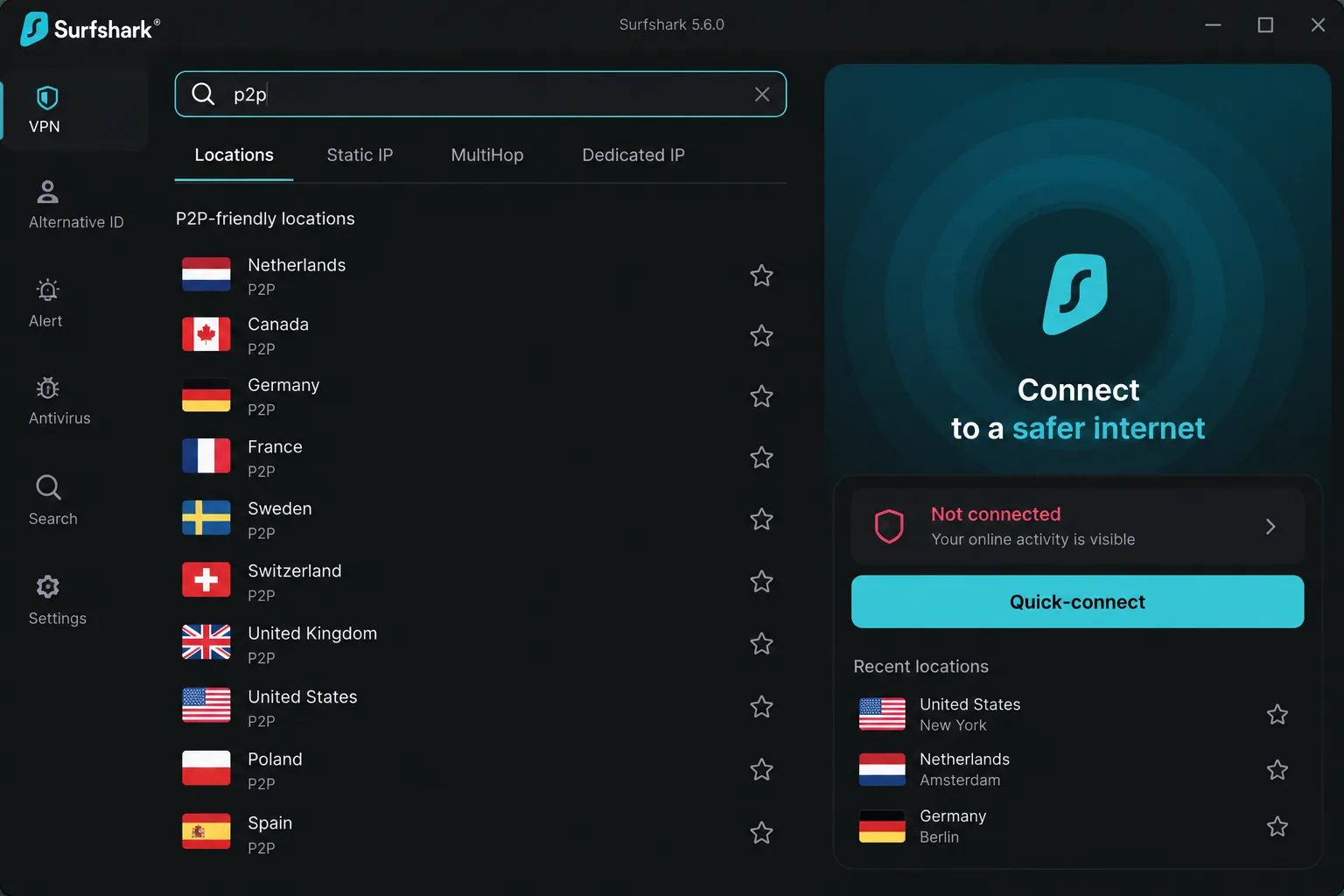
A 50GB torrent took 1 hour 31 minutes through Surfshark, against 1 hour 19 minutes unprotected, a speed loss of about 13 percent. P2P servers are not labeled in the app, so we found them by typing "p2p" into the server search. On an IPv6 network we occasionally saw an IPv6 address leak, so run a leak test if your provider uses IPv6.
Pros and cons
Pros
- Unlimited simultaneous devices
- Native apps make setup painless on Android TV, Apple TV and Fire TV
Cons
- No port forwarding, so seeding is less effective
- P2P is blocked on servers in some countries
5. Mullvad VPN - Best for Privacy Purists
Surfshark wins on price per device, while Mullvad wins on how little it knows about you. We score it 8.5/10 in our Mullvad VPN review.
Key features: anonymous accounts
Mullvad charges a flat EUR 5 a month for up to 5 devices. It is WireGuard-only, with DAITA traffic padding, multihop and open-source apps. You can pay in cash or crypto, and the refund window is 14 days. The company is based in Sweden.
How it compares to VuzeVPN
Sign-up took seconds. Mullvad generated a random 16-digit account number as our only login, while VuzeVPN asks for an email address. Local speed loss was only around 6 percent, though distant servers slowed downloads noticeably. Mullvad's 2024 Cure53 infrastructure audit was its fourth, and a 2023 Swedish police raid found no user data. Torrenting is allowed, but Mullvad removed port forwarding in 2023, citing abuse.
Pros and cons
Pros
- No email or personal details needed
- Same flat price on every plan length
Cons
- Streaming is hit or miss from server to server
- Email-only support, with replies in hours rather than minutes
6. Private Internet Access - Best for Torrenting with Port Forwarding
Mullvad dropped port forwarding, and PIA is the alternative that kept it. We score it 8.4/10 in our Private Internet Access review.
Key features
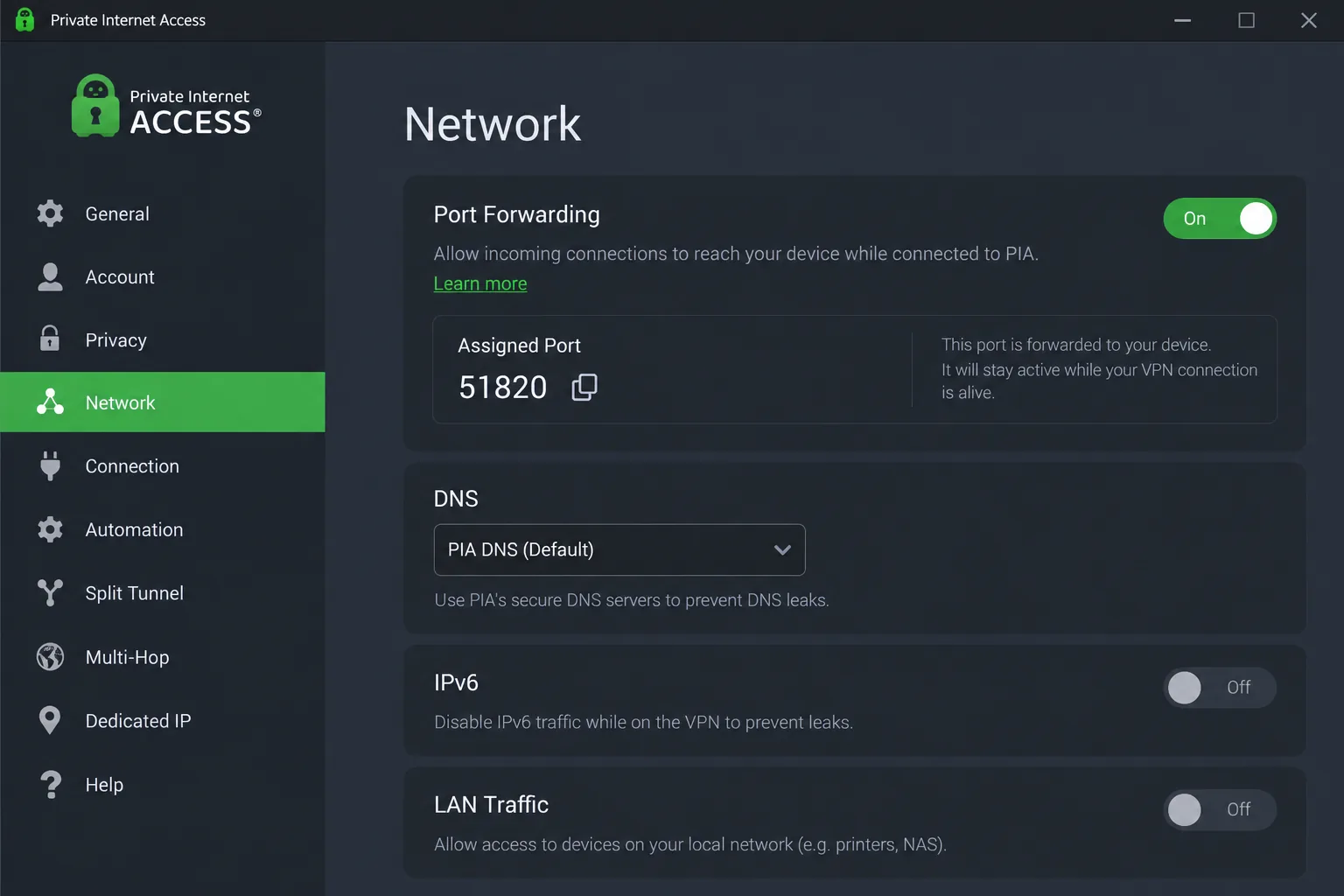
PIA puts a port forwarding toggle in its settings, with supported locations marked in the app. It allows P2P on all servers and adds a SOCKS5 proxy and a native Linux app. Monthly billing is $11.95, matching VuzeVPN. The long-term deal runs about $1.89 a month, though that rate rotates often. PIA is a US company owned by Kape, and Deloitte checked its no-logs claims in December 2025.
How it compares to VuzeVPN
PIA came closest to an unprotected connection in our 50GB torrent runs, finishing in about 1 hour 22 minutes against 1 hour 19 minutes without the VPN. The forwarded port was assigned at random and changed each time we reconnected, so we copied the new number into the client before each session. VuzeVPN has no port forwarding at all, which is why PIA seeds far better.
Pros and cons
Pros
- Built-in port forwarding for better seeding
- Unlimited simultaneous devices
Cons
- The long settings list can overwhelm beginners at first
- Weak for streaming, as US and UK Netflix did not unblock
7. CyberGhost - Easiest Alternative for Beginners
PIA rewards people who like settings, while CyberGhost suits people who would rather not touch them. We score it 8.4/10 in our CyberGhost review.
Key features
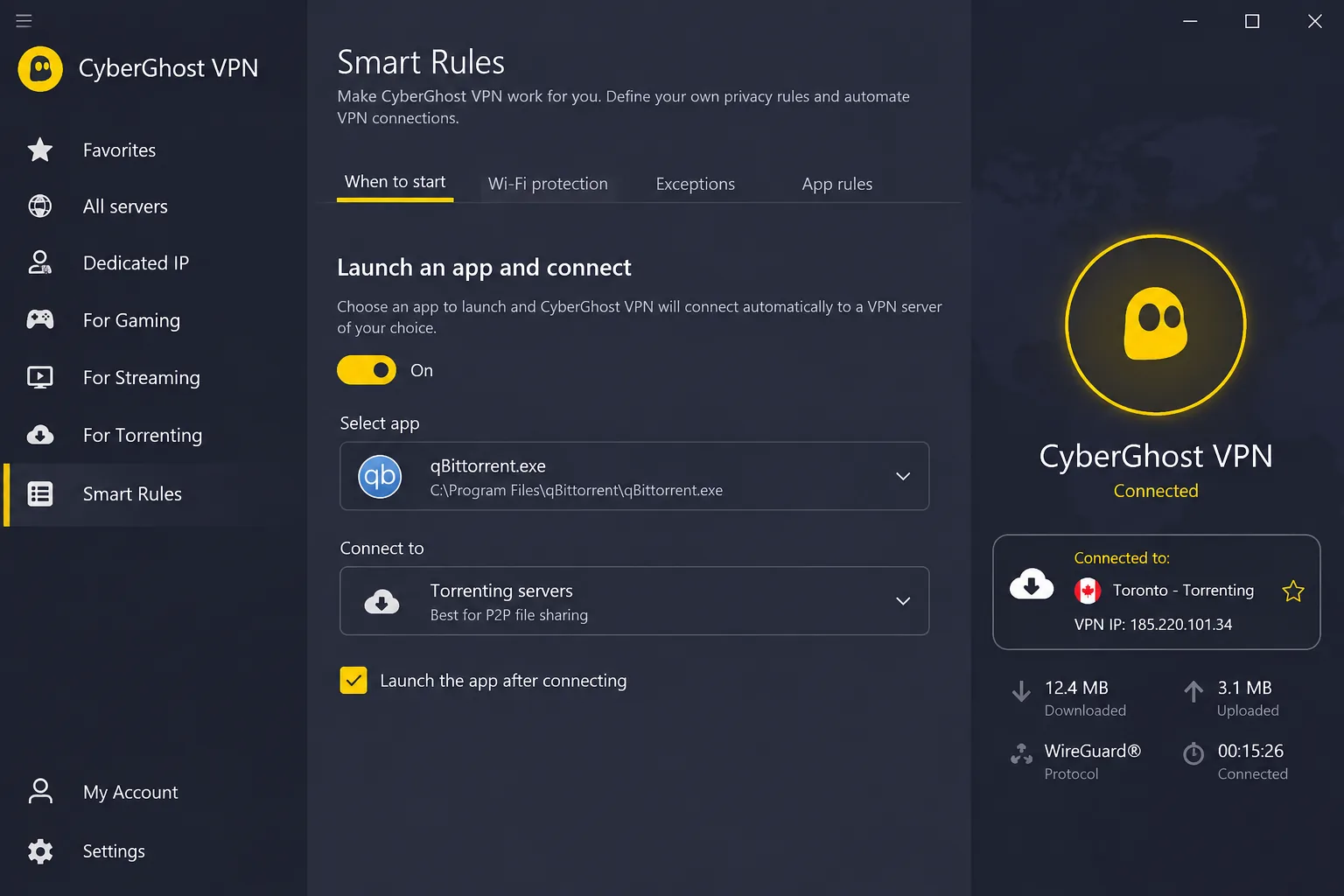
CyberGhost labels dedicated torrenting servers in 87 of the 100+ countries it covers and adds smart rules and 24/7 live chat. It allows 7 devices and costs $12.99 monthly or about $1.99 a month on the two-years-plus-two-months plan, a rate that shifts with its promotions. CyberGhost is based in Romania and completed its third Deloitte no-logs assessment in late 2025.
How it compares to VuzeVPN
Setup was quick, and we used a smart rule to launch CyberGhost and connect to a torrent server whenever our torrent client opened. Our 264MB torrent finished in 323 seconds, about 82 percent of the unprotected rate and the slowest result of the major picks. Some regular servers showed DNS and IP leaks, while the torrenting servers stayed clean, so we stuck to those.
Pros and cons
Pros
- 45-day money-back guarantee on long plans
- 24/7 live chat, where VuzeVPN offers a web form
Cons
- No documented port forwarding in the current apps
- The Windows app looks dated next to newer rivals
8. PureVPN - Best for Torrenting on Public Wi-Fi
CyberGhost keeps things simple, but PureVPN gives you a paid way to open ports. We score it 7.2/10 in our PureVPN review. That score is the lowest on this list but still ahead of VuzeVPN.
Key features
PureVPN's port forwarding add-on lets you forward up to 15 ports at once. It runs 6,000+ servers, including P2P ones, and adds obfuscation and WireGuard. Standard costs $12.95 monthly or $2.15 a month on the two-year plan, with a 31-day refund window. The company is based in the British Virgin Islands.
How it compares to VuzeVPN
On public Wi-Fi, leak protection matters most, and our IP, DNS and WebRTC leak tests came back clean on Mac and Windows. The kill switch was less reliable. Our real IP showed when we switched locations and when the app reconnected after a drop, so turn the kill switch and auto-connect on by hand. PureVPN's KPMG audit contract has no public report. Before a 2018 policy change, an October 2017 FBI case relied on its connection records.
Pros and cons
Pros
- Port forwarding add-on with up to 15 ports
- Up to 10 simultaneous devices
Cons
- Finding a quick server took us two or three tries
- Repeated upsell prompts for add-ons
What About Psiphon, Radmin VPN, and OpenVPN Access Server?
These three often appear next to VuzeVPN in software directories, but none is a like-for-like replacement.
Psiphon is a censorship circumvention tool, and its own FAQ says it is not built for anti-surveillance. The free version of Psiphon managed about 2Mbps internationally and opened an ad window on each connection.
Radmin VPN, from Famatech, is a free Windows tool that links your own computers for LAN gaming or remote access, as our Radmin VPN review explains. It does not route your traffic through a public VPN exit.
OpenVPN Access Server is a self-hosted business VPN, free for up to 2 connections. We explain what OpenVPN is in a separate guide.
How We Picked These VuzeVPN Alternatives
We started from the gaps in our VuzeVPN review and looked for alternatives that close them. Each pick has a full HTS review, and we ranked the list by those scores, from 9.0/10 down to 7.2/10.
We timed torrent downloads for the VPNs our runs covered. We also checked nearby and distant server speeds, leak protection and kill switch behavior. Then we compared platforms, P2P rules, port forwarding, device limits, renewal pricing, jurisdiction and whether a named firm has audited the no-logs policy.
Free vs Paid: Which VuzeVPN Alternative Should You Choose?
Of these eight picks, only Proton VPN has a free plan. Where VuzeVPN allows 50MB a day, Proton's free plan has no data cap, so it is far better for browsing. It cannot replace VuzeVPN for torrents, though.
If torrents are why you used VuzeVPN, pay for a plan. Surfshark, CyberGhost and PIA all cost less per month on long plans than VuzeVPN's monthly rate. Our roundup of free VPNs for torrenting covers the few free services that allow P2P, along with their limits.
Proton VPN's free tier blocks P2P traffic, so torrent downloads will not work on a free server. Upgrade to a paid plan before you torrent with Proton.
Using a VPN with the Vuze Torrent Client
Many people searching for VuzeVPN really want a VPN for the Vuze client, so here is how to set one up. Any of the eight picks will protect a Vuze session, and our guide to the best VPN for torrenting ranks them on P2P alone.
How to Set Up a VPN for Vuze or BiglyBT
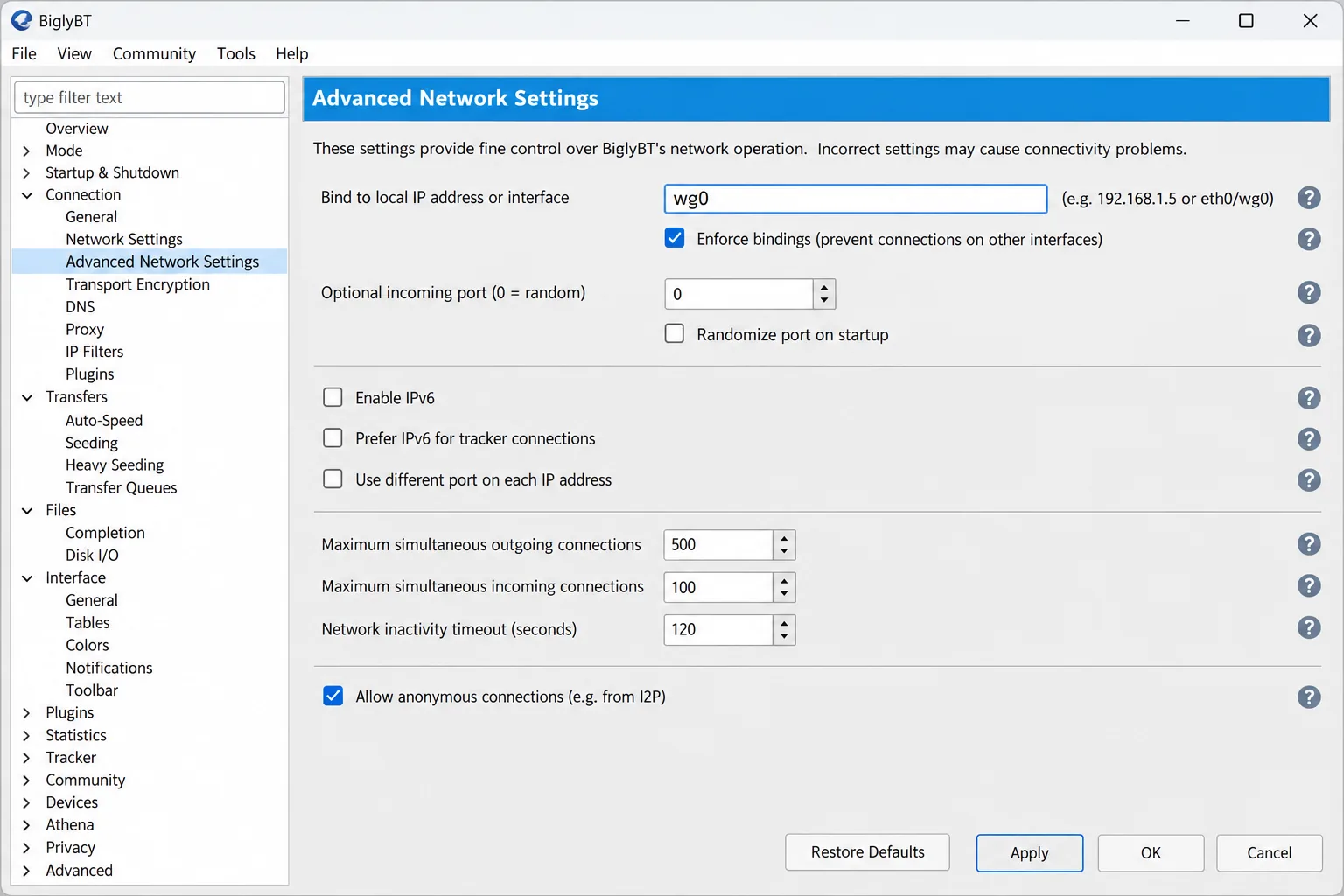
Binding the client to the VPN adapter stops traffic from leaking if the tunnel drops. These steps work in both Vuze and BiglyBT:
- Connect your VPN first.
- Open Tools → Options and set Mode to Advanced.
- Open Connection → Advanced Network Settings.
- Find the VPN adapter ("TAP-Windows Adapter V9" for OpenVPN or "WireGuard Tunnel" for WireGuard) and copy its private IPv4 address or interface name.
- Paste it into "Bind to local IP address or interface."
- Tick "Enforce IP bindings even when interfaces are not available," so traffic stops if the VPN drops.
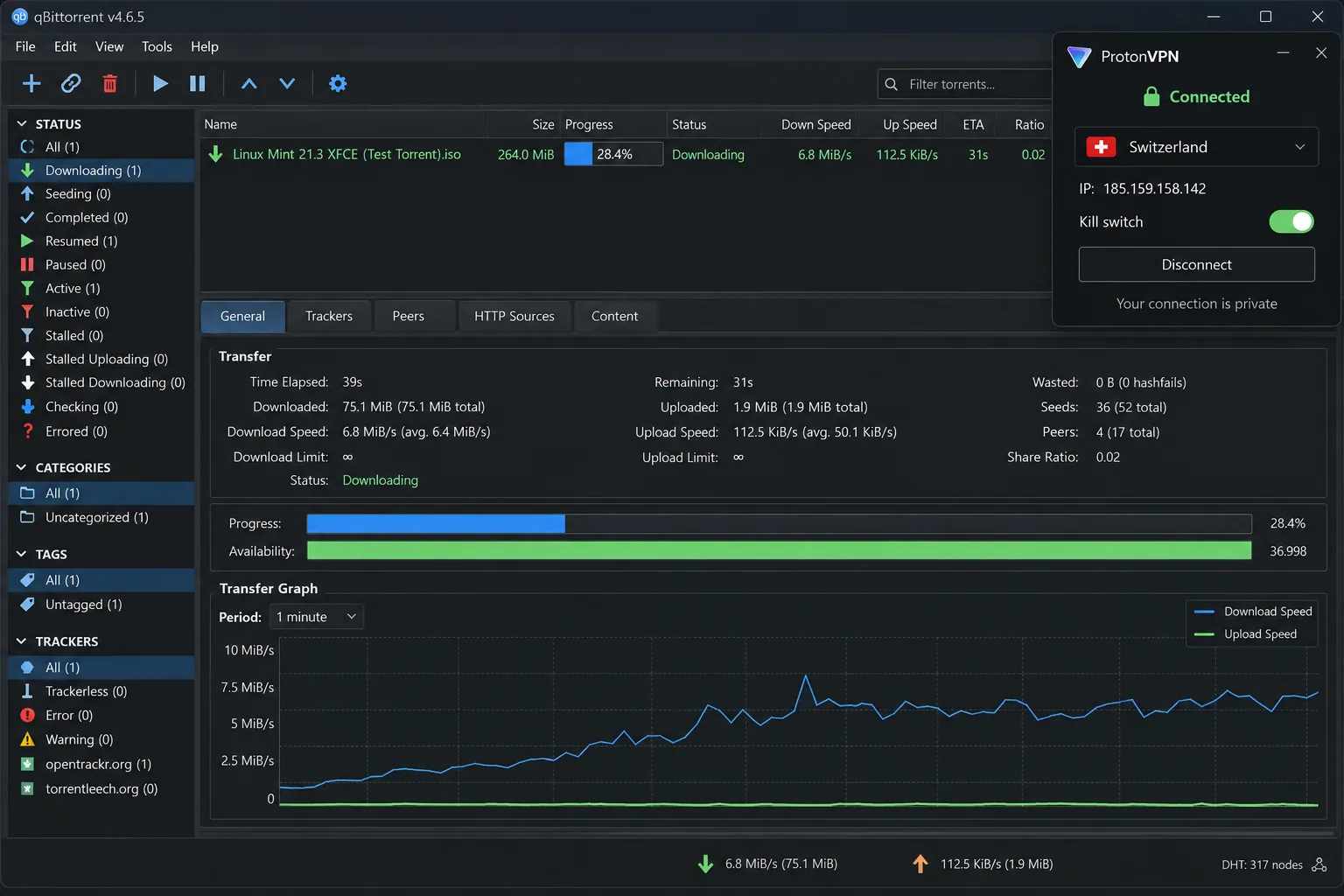
If you use qBittorrent, our guide shows how to bind a VPN to qBittorrent through its network interface menu.
Binding blocks leaks but does not open an incoming port. Without port forwarding, your client seeds only to peers that have open ports. That is where PIA and Proton's paid plans help.
Is Torrenting with Vuze Safe Without a VPN?
Without a VPN, every peer sharing a torrent file with you can see your real IP address, and so can anyone monitoring that swarm. The Vuze software is not the risk. The exposure comes from how BitTorrent works.
Torrenting is legal in most countries, but sharing copyrighted files without permission is not. A VPN adds privacy and security to your connection, but it does not change what is legal where you live.
Looking for a Vuze Torrent Client Alternative Instead?
If it is the Vuze client you want to replace, not the VPN, these are the options worth a look. Vuze's development history shows why a switch makes sense: maintenance stopped in early 2017, and the last stable release, 5.7.6.0, came out that November.
- BiglyBT is the fork the two main Vuze developers launched in 2017. It keeps Vuze's subscriptions and plugin API, ships with no ads in the installer, and reached version 4.1 in 2026.
- qBittorrent is free and open source, with an ad-free built-in search engine and a web interface. It stays well under 100 MB of RAM, where Vuze uses roughly 200 to 400 MB in a moderate swarm.
- Transmission is free, open source and light, with a native interface on Mac.
- Deluge is free and open source, with a daemon and thin client, plugins and RSS feeds.
- Tixati is closed-source freeware for Windows and Linux, with a detailed bandwidth shaper and per-peer stats.